
MICROSCOPES II Mmmmmm onions OCTOBER 31 S T
MICROSCOPES II Mmmmmm onions
OCTOBER 31 S T 2017 Agenda Learning Goals • Review microscopes • Learn how to make a wet mount • Look at an onion cell • Lab questions • Students will be able to create a wet mount • Students will be able to focus microscopes to observe plant cells

YOU ARE LITTLE MONSTERS https: //teach. classdojo. com/#/launchpad? _k=5982 xt
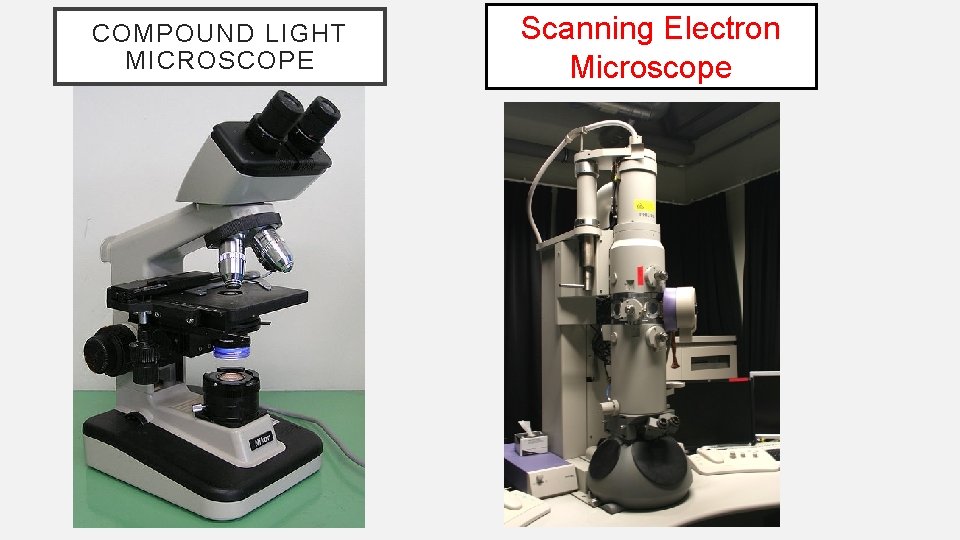
COMPOUND LIGHT MICROSCOPE Scanning Electron Microscope
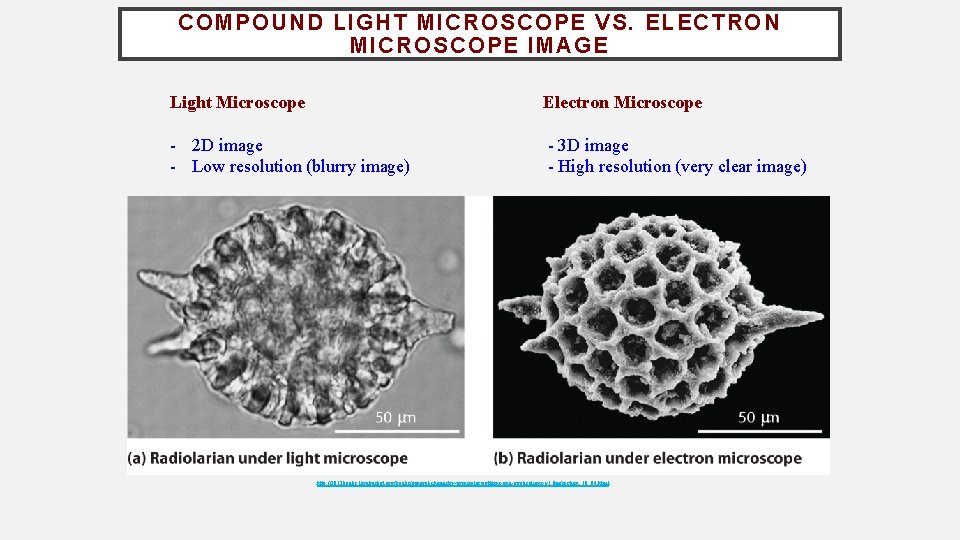
COMPOUND LIGHT MICROSCOPE VS. ELECTRON MICROSCOPE IMAGE Light Microscope Electron Microscope - 2 D image - Low resolution (blurry image) - 3 D image - High resolution (very clear image) http: //2012 books. lardbucket. org/books/general-chemistry-principles-patterns-and-applications-v 1. 0 m/section_10_04. html
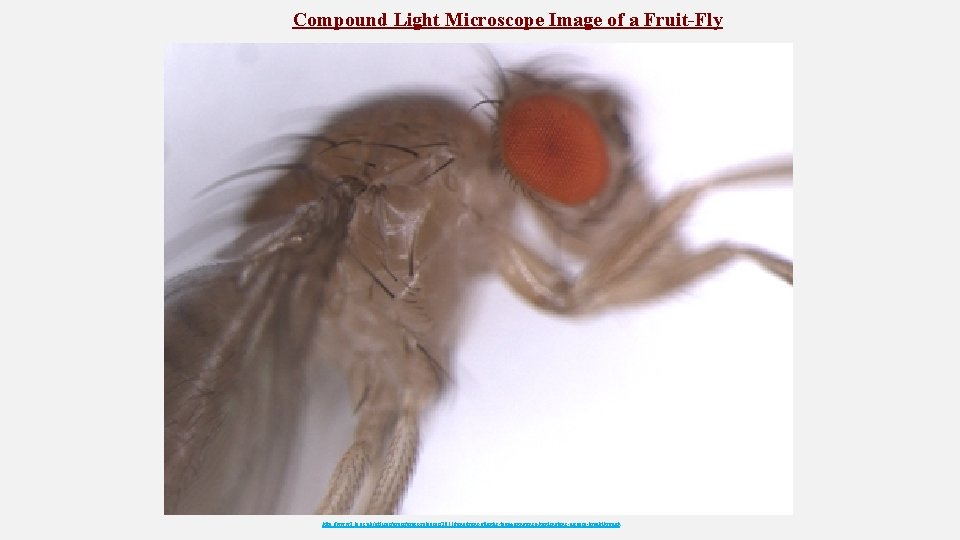
Compound Light Microscope Image of a Fruit-Fly http: //www 2. le. ac. uk/offices/press-releases/2011/june/trans-atlantic-team-announce-huntingtons-disease-breakthrough
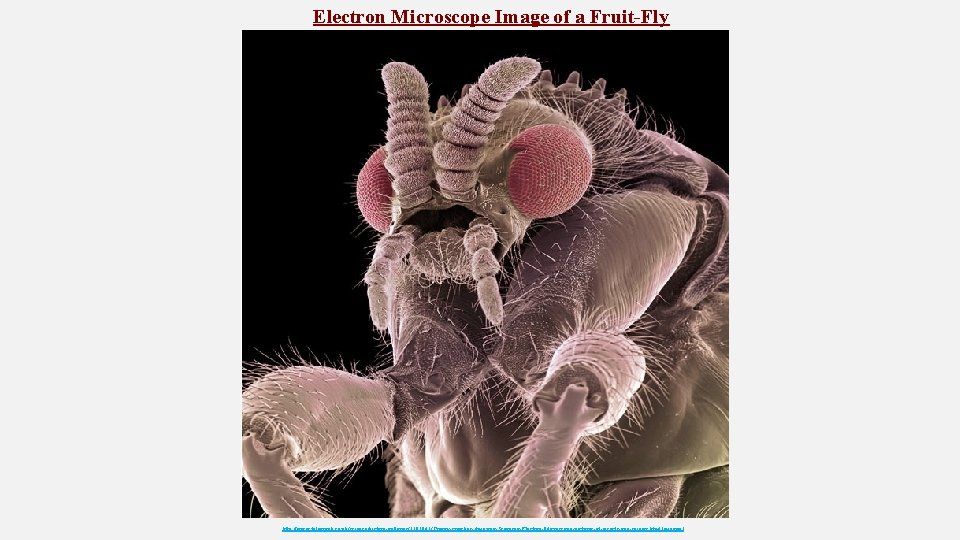
Electron Microscope Image of a Fruit-Fly http: //www. telegraph. co. uk/science/picture-galleries/7397841/Creepy-crawlies-Amazing-Scanning-Electron-Microscope-pictures-of-insects-and-spiders. html? image=3
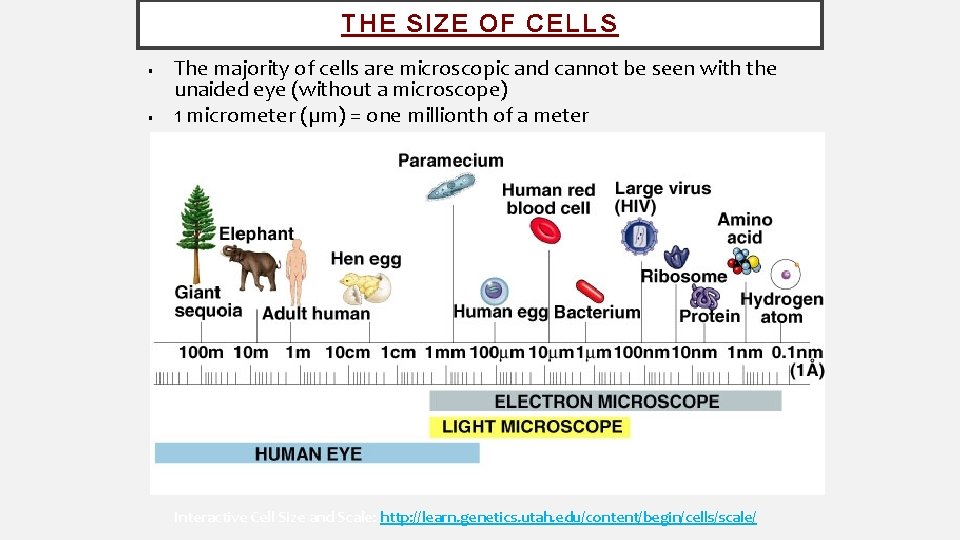
THE SIZE OF CELLS • • The majority of cells are microscopic and cannot be seen with the unaided eye (without a microscope) 1 micrometer (µm) = one millionth of a meter Interactive Cell Size and Scale: http: //learn. genetics. utah. edu/content/begin/cells/scale/
RULES to Remember When Using the Microscope ④ Bring object into focus using the low power lens. ⑤ Do not allow the lens to touch the slide! ⑥ Switch to medium power lens. Use the fine-adjustment knob to focus. ⑦ Switch to high power lens. Only use the fine-adjustment knob to focus (NEVER the coarse-adjustment knob to focus at high magnification. You risk breaking your slide or lens, or both! Use the fine adjustment knob at high magnification. ) ⑧ If you lose view of your object, switch back down to a lower magnification. ⑨ Always return to low power lens before removing the slide.
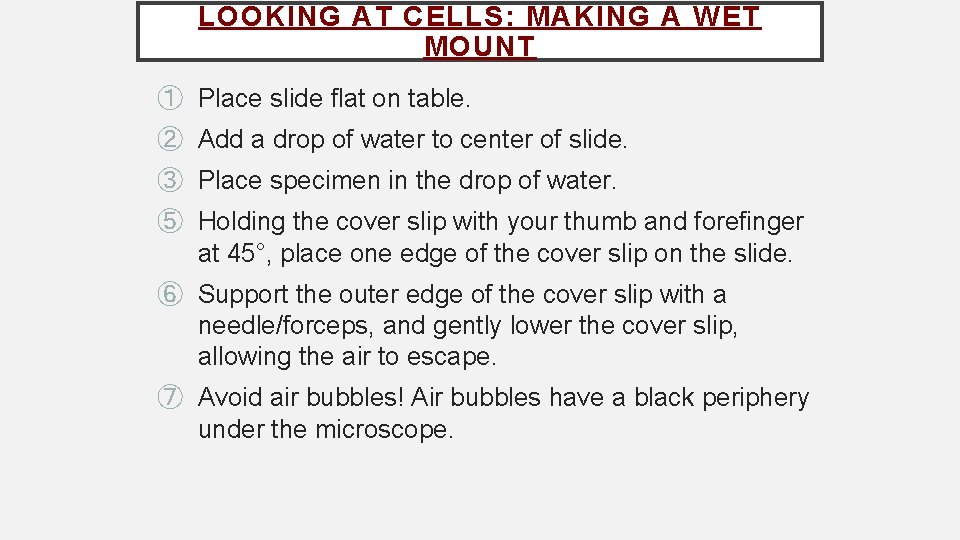
LOOKING AT CELLS: MAKING A WET MOUNT ① Place slide flat on table. ② Add a drop of water to center of slide. ③ Place specimen in the drop of water. ⑤ Holding the cover slip with your thumb and forefinger at 45°, place one edge of the cover slip on the slide. ⑥ Support the outer edge of the cover slip with a needle/forceps, and gently lower the cover slip, allowing the air to escape. ⑦ Avoid air bubbles! Air bubbles have a black periphery under the microscope.
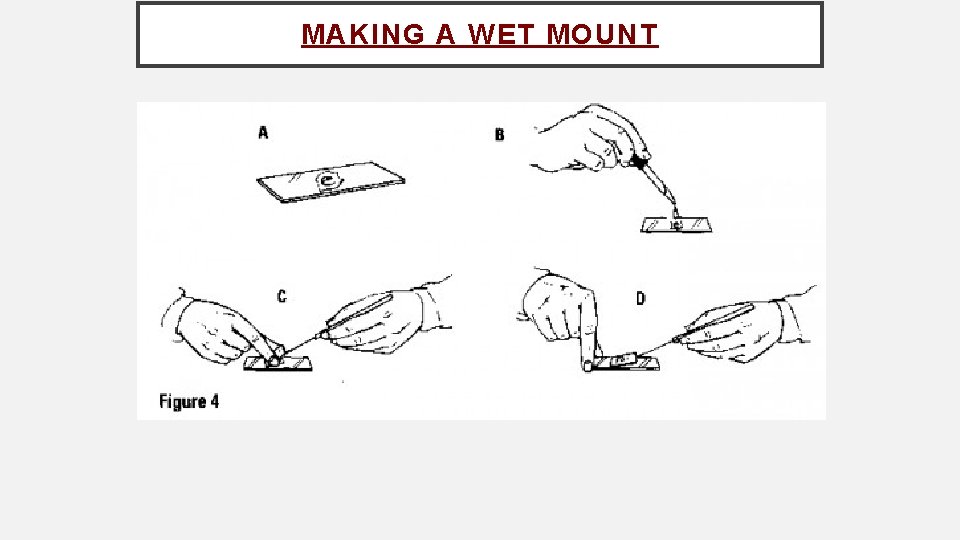
MAKING A WET MOUNT
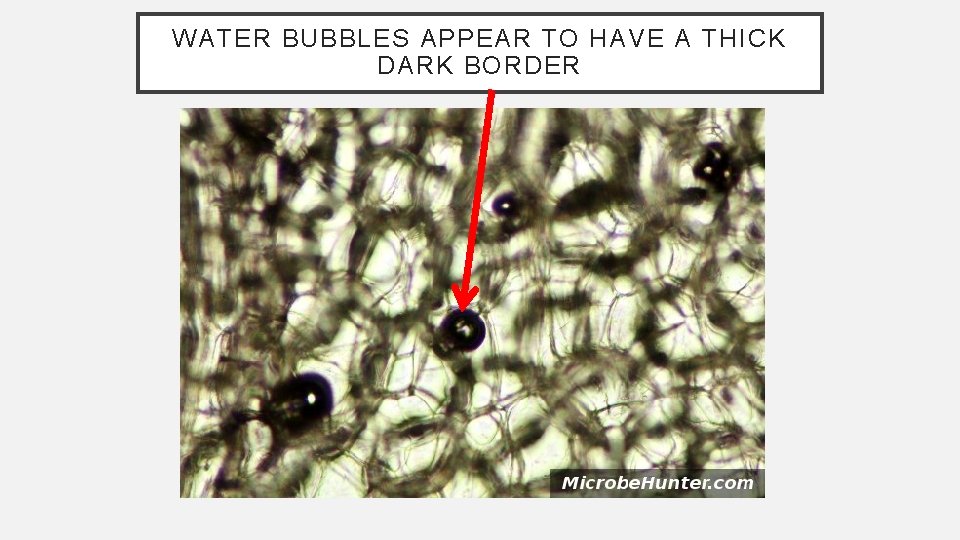
WATER BUBBLES APPEAR TO HAVE A THICK DARK BORDER
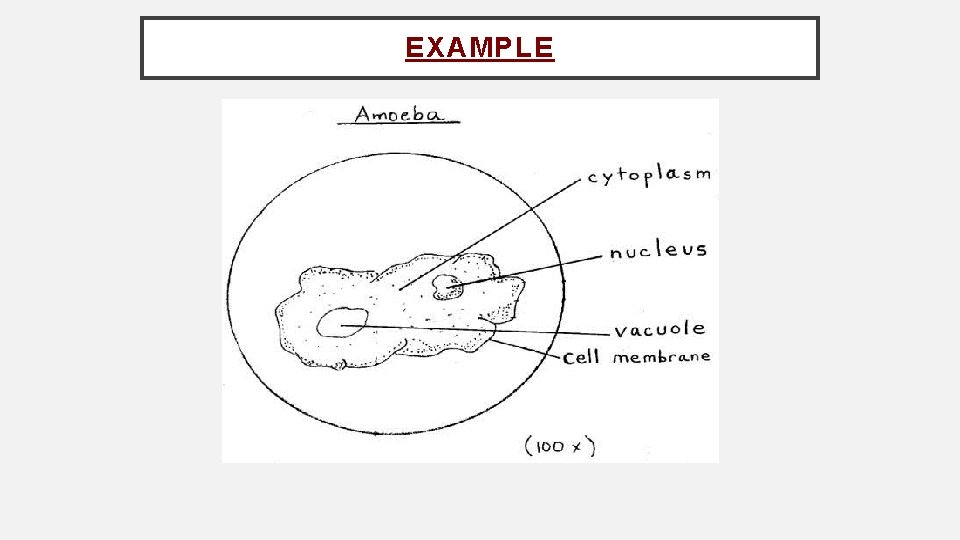
BIOLOGICAL DRAWINGS • Biological drawings are made to illustrate objects seen under the microscope. • A biological drawing illustrates what you see, NOT what you think you see.
DRAWING ① Use blank paper. ② Use a sharp, hard pencil (e. g. H or 2 H); DO NOT USE PEN! ③ Draw at least one half of your page. ④ Should be composed of one to two cells. ⑤ Leave space for labels on the right side of the drawing. ⑥ Note details and proportions of your specimen. ⑦ Draw what you see, NOT what you think you see. ⑧ Do not sketch. Draw firm, clear lines, including only relevant details that you can see clearly. ⑨ Do not colour. Darker area should be shaded by dotting. ⑩ Use double lines to indicate thick structures.
LABEL YOUR DRAWING ① Labels: ü Must be written neatly. ü Do not label directly on the drawing; should be outside of your drawing ② Label lines: ü Use a ruler to draw; lines should never cross ü Must be horizontal and from the structures being identified to the label ③ Title: ü Use the name and part of the specimen ü Underline the title
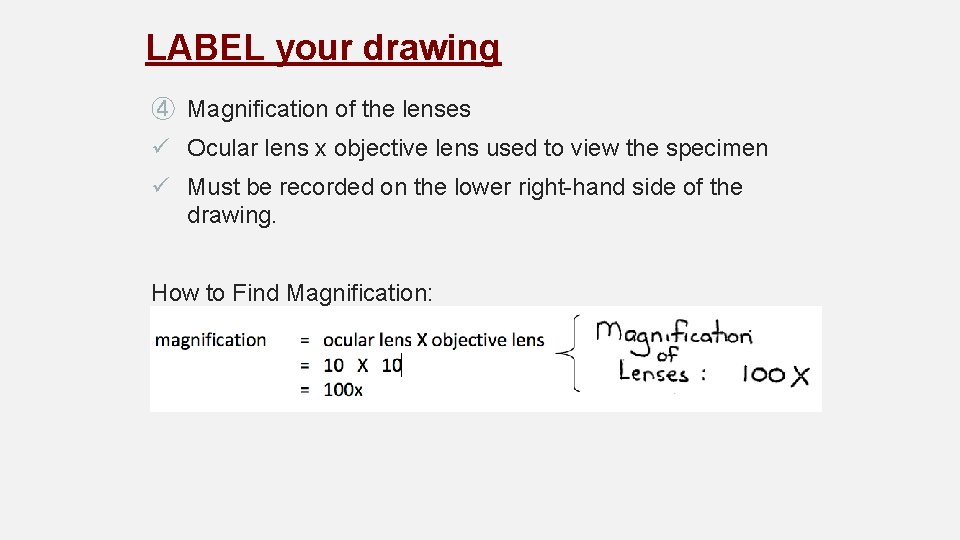
LABEL your drawing ④ Magnification of the lenses ü Ocular lens x objective lens used to view the specimen ü Must be recorded on the lower right-hand side of the drawing. How to Find Magnification:
EXAMPLE
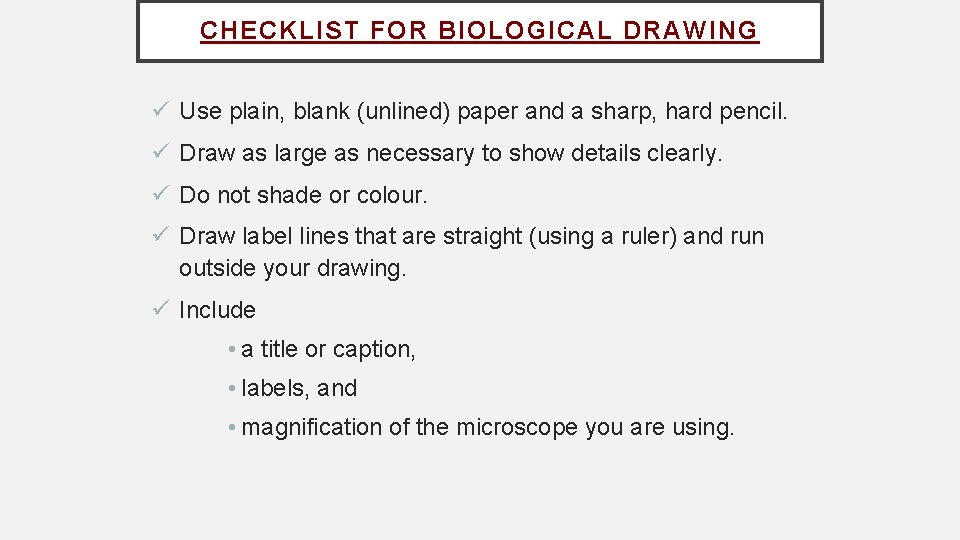
CHECKLIST FOR BIOLOGICAL DRAWING ü Use plain, blank (unlined) paper and a sharp, hard pencil. ü Draw as large as necessary to show details clearly. ü Do not shade or colour. ü Draw label lines that are straight (using a ruler) and run outside your drawing. ü Include • a title or caption, • labels, and • magnification of the microscope you are using.
- Slides: 18