
Microprocessors Programming 8086 Part IV Stacks Macros 1

![Macro Definition name ENDM 18 MACRO [parameters, . . . ] <instructions>](https://slidetodoc.com/presentation_image_h2/9c1603d31836e8dbdb226630bc9bad45/image-18.jpg "Macro Definition name ENDM 18 MACRO [parameters, . . . ] <instructions>")
- Slides: 24
Microprocessors Programming 8086 – Part IV Stacks, Macros 1
Contents Stacks Macros 2
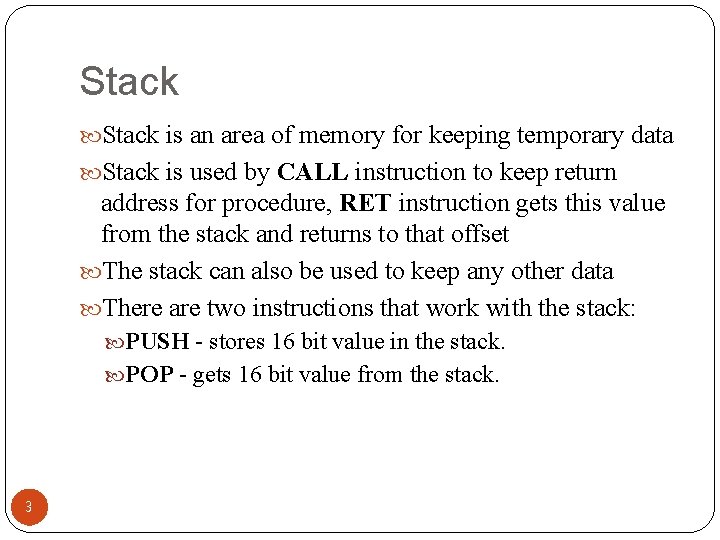
Stack is an area of memory for keeping temporary data Stack is used by CALL instruction to keep return address for procedure, RET instruction gets this value from the stack and returns to that offset The stack can also be used to keep any other data There are two instructions that work with the stack: PUSH - stores 16 bit value in the stack. POP - gets 16 bit value from the stack. 3
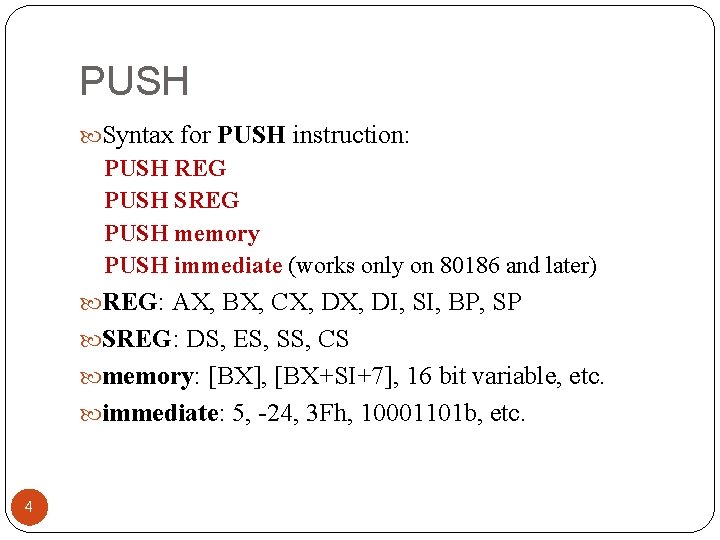
PUSH Syntax for PUSH instruction: PUSH REG PUSH SREG PUSH memory PUSH immediate (works only on 80186 and later) REG: AX, BX, CX, DI, SI, BP, SP SREG: DS, ES, SS, CS memory: [BX], [BX+SI+7], 16 bit variable, etc. immediate: 5, -24, 3 Fh, 10001101 b, etc. 4
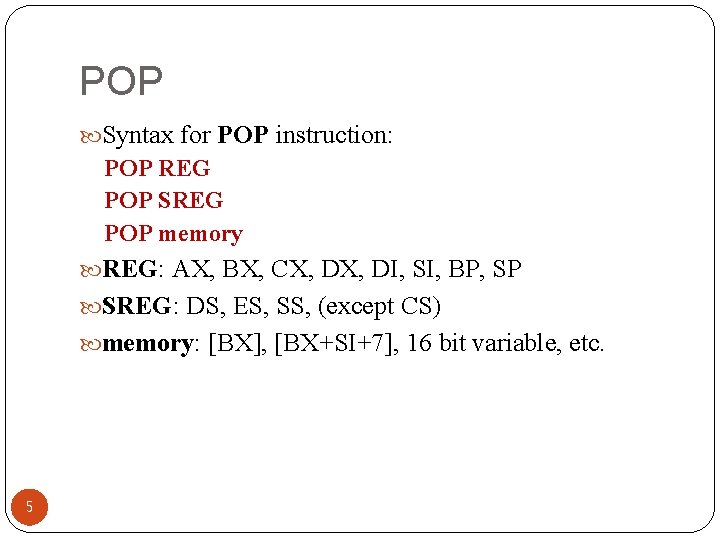
POP Syntax for POP instruction: POP REG POP SREG POP memory REG: AX, BX, CX, DI, SI, BP, SP SREG: DS, ES, SS, (except CS) memory: [BX], [BX+SI+7], 16 bit variable, etc. 5
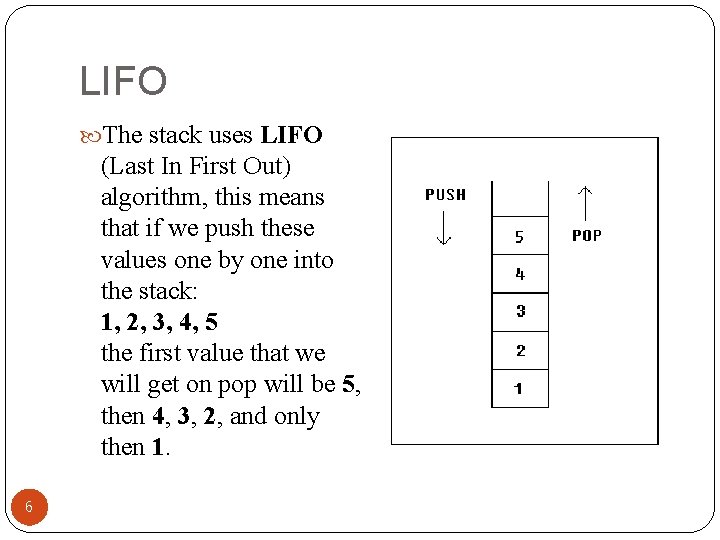
LIFO The stack uses LIFO (Last In First Out) algorithm, this means that if we push these values one by one into the stack: 1, 2, 3, 4, 5 the first value that we will get on pop will be 5, then 4, 3, 2, and only then 1. 6
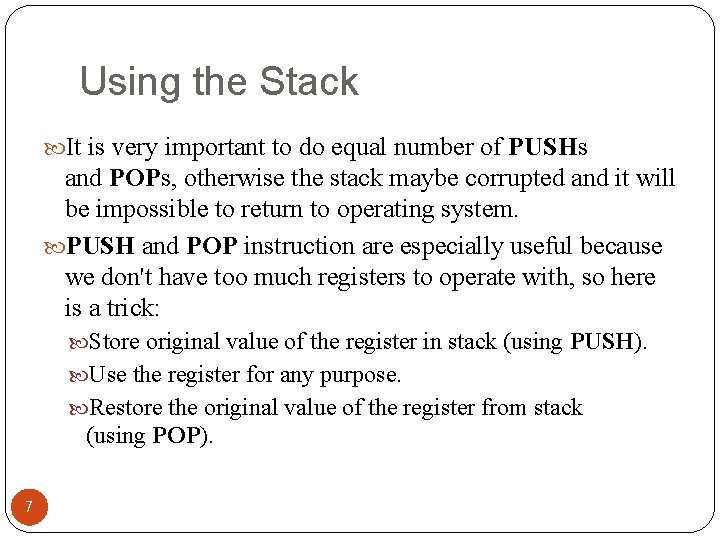
Using the Stack It is very important to do equal number of PUSHs and POPs, otherwise the stack maybe corrupted and it will be impossible to return to operating system. PUSH and POP instruction are especially useful because we don't have too much registers to operate with, so here is a trick: Store original value of the register in stack (using PUSH). Use the register for any purpose. Restore the original value of the register from stack (using POP). 7
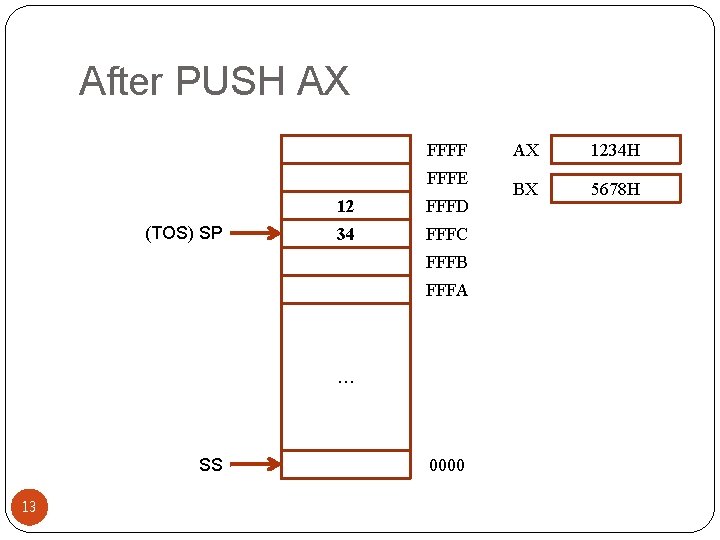
A Simple Stack Example ORG 100 h MOV AX, 1234 h PUSH AX ; store value of AX in stack. MOV AX, 5678 h ; modify the AX value. POP AX ; restore the original value of AX. RET END 8
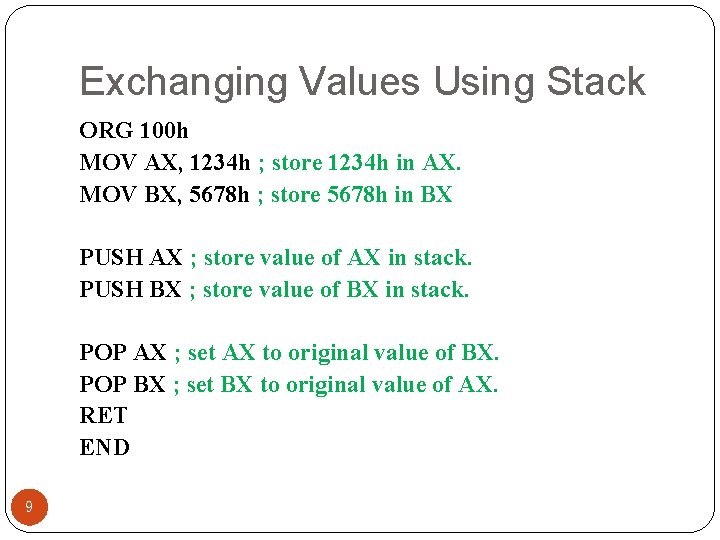
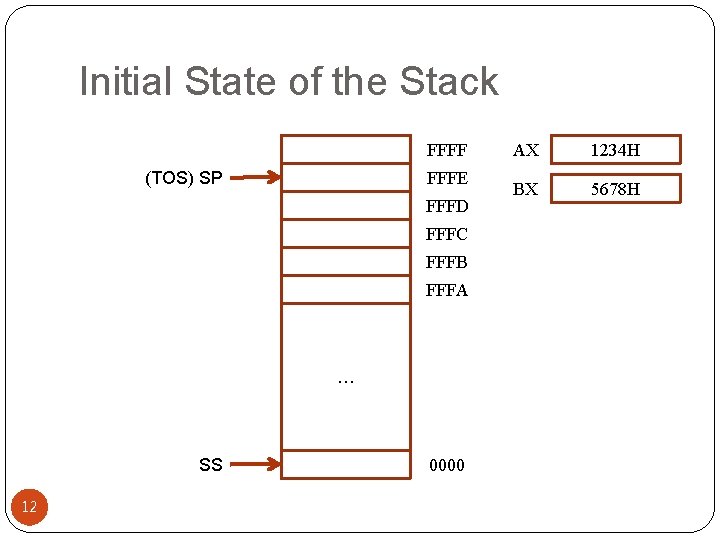
Exchanging Values Using Stack ORG 100 h MOV AX, 1234 h ; store 1234 h in AX. MOV BX, 5678 h ; store 5678 h in BX PUSH AX ; store value of AX in stack. PUSH BX ; store value of BX in stack. POP AX ; set AX to original value of BX. POP BX ; set BX to original value of AX. RET END 9
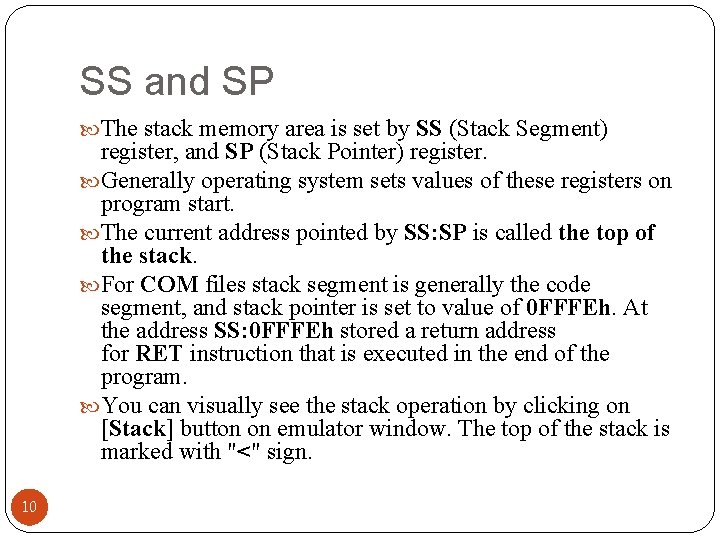
SS and SP The stack memory area is set by SS (Stack Segment) register, and SP (Stack Pointer) register. Generally operating system sets values of these registers on program start. The current address pointed by SS: SP is called the top of the stack. For COM files stack segment is generally the code segment, and stack pointer is set to value of 0 FFFEh. At the address SS: 0 FFFEh stored a return address for RET instruction that is executed in the end of the program. You can visually see the stack operation by clicking on [Stack] button on emulator window. The top of the stack is marked with "<" sign. 10
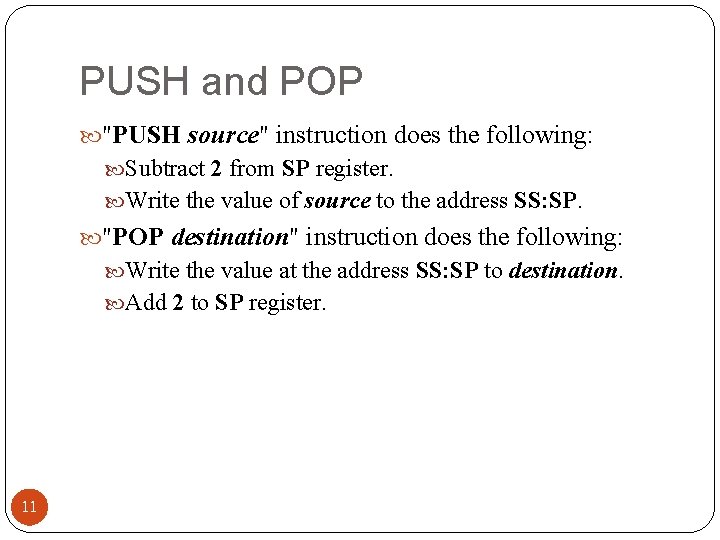
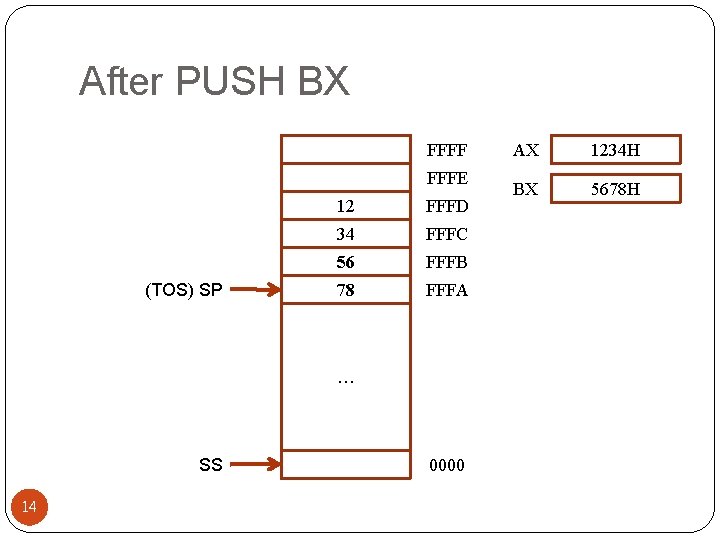
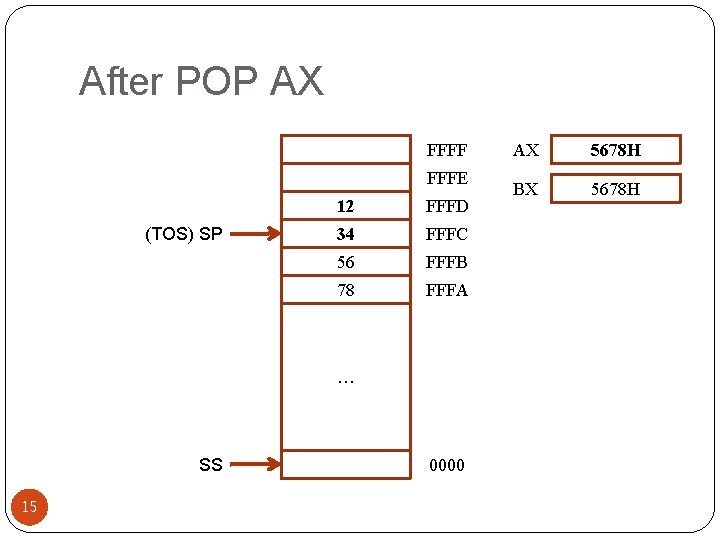
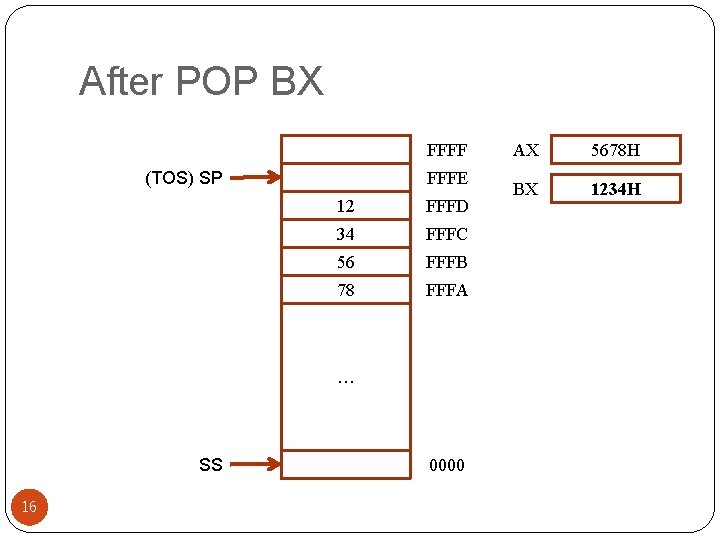
PUSH and POP "PUSH source" instruction does the following: Subtract 2 from SP register. Write the value of source to the address SS: SP. "POP destination" instruction does the following: Write the value at the address SS: SP to destination. Add 2 to SP register. 11
Initial State of the Stack FFFF FFFE (TOS) SP FFFD FFFC FFFB FFFA … SS 12 0000 AX 1234 H BX 5678 H
After PUSH AX FFFF FFFE (TOS) SP 12 FFFD 34 FFFC FFFB FFFA … SS 13 0000 AX 1234 H BX 5678 H
After PUSH BX FFFF FFFE (TOS) SP 12 FFFD 34 FFFC 56 FFFB 78 FFFA … SS 14 0000 AX 1234 H BX 5678 H
After POP AX FFFF FFFE (TOS) SP 12 FFFD 34 FFFC 56 FFFB 78 FFFA … SS 15 0000 AX 5678 H BX 5678 H
After POP BX FFFF FFFE (TOS) SP 12 FFFD 34 FFFC 56 FFFB 78 FFFA … SS 16 0000 AX 5678 H BX 1234 H
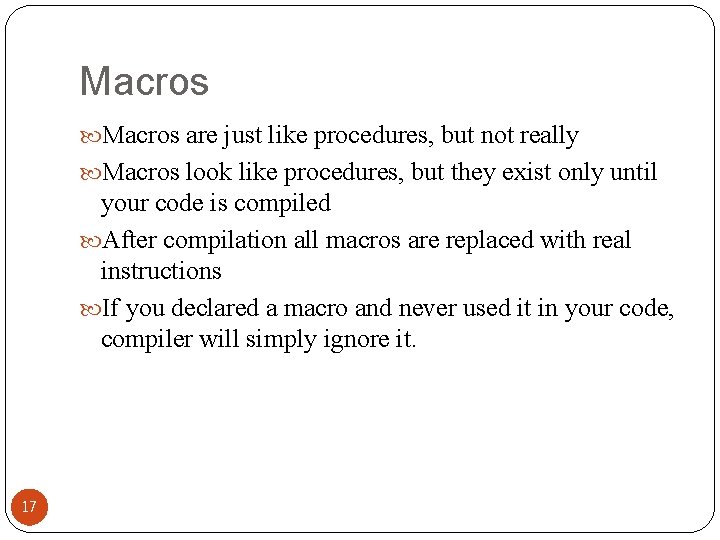
Macros are just like procedures, but not really Macros look like procedures, but they exist only until your code is compiled After compilation all macros are replaced with real instructions If you declared a macro and never used it in your code, compiler will simply ignore it. 17
Macro Definition name ENDM 18 MACRO [parameters, . . . ] <instructions>
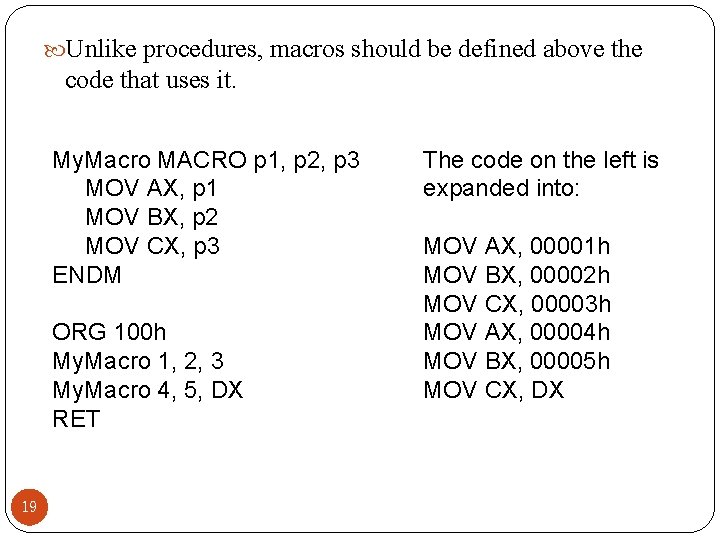
Unlike procedures, macros should be defined above the code that uses it. My. Macro MACRO p 1, p 2, p 3 MOV AX, p 1 MOV BX, p 2 MOV CX, p 3 ENDM ORG 100 h My. Macro 1, 2, 3 My. Macro 4, 5, DX RET 19 The code on the left is expanded into: MOV AX, 00001 h MOV BX, 00002 h MOV CX, 00003 h MOV AX, 00004 h MOV BX, 00005 h MOV CX, DX
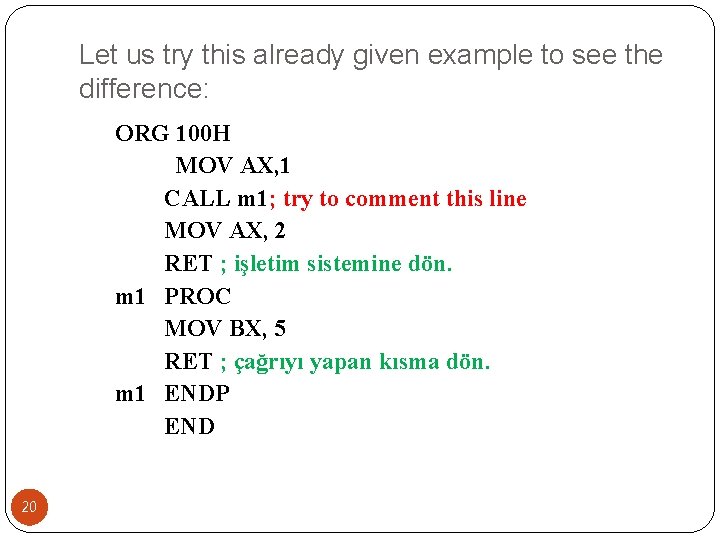
Let us try this already given example to see the difference: ORG 100 H MOV AX, 1 CALL m 1; try to comment this line MOV AX, 2 RET ; işletim sistemine dön. m 1 PROC MOV BX, 5 RET ; çağrıyı yapan kısma dön. m 1 ENDP END 20
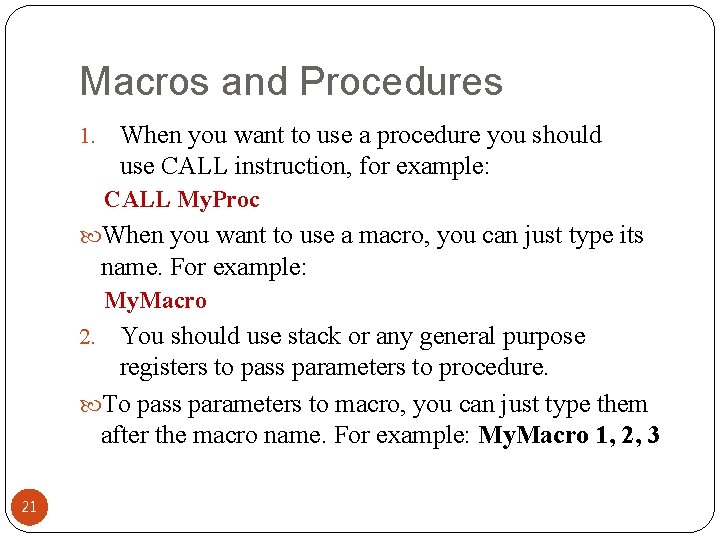
Macros and Procedures 1. When you want to use a procedure you should use CALL instruction, for example: CALL My. Proc When you want to use a macro, you can just type its name. For example: My. Macro You should use stack or any general purpose registers to pass parameters to procedure. To pass parameters to macro, you can just type them after the macro name. For example: My. Macro 1, 2, 3 2. 21
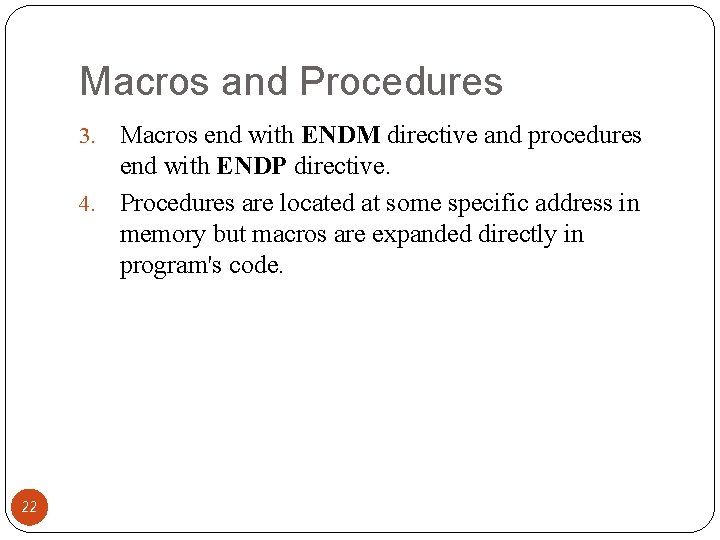
Macros and Procedures Macros end with ENDM directive and procedures end with ENDP directive. 4. Procedures are located at some specific address in memory but macros are expanded directly in program's code. 3. 22
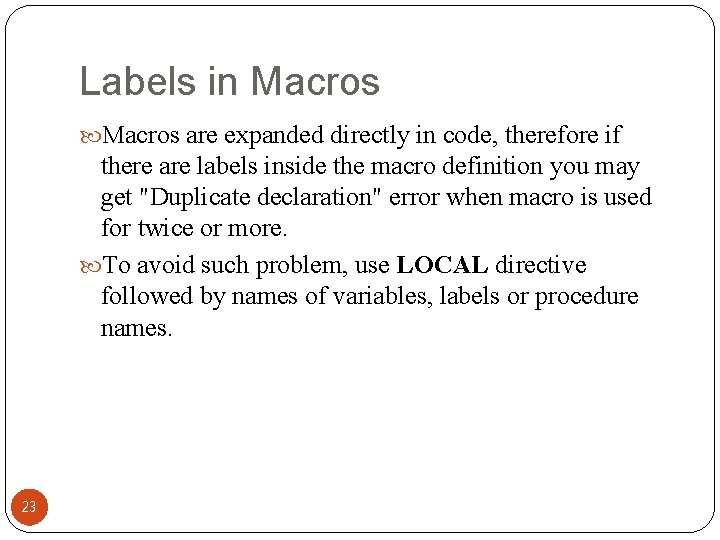
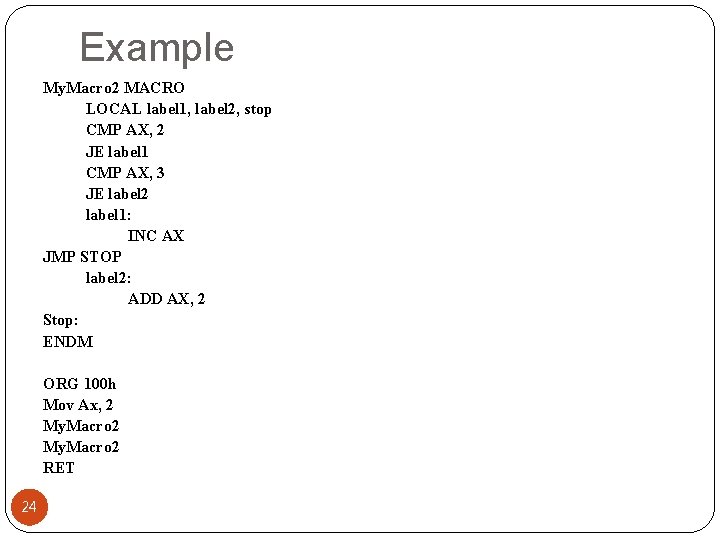
Labels in Macros are expanded directly in code, therefore if there are labels inside the macro definition you may get "Duplicate declaration" error when macro is used for twice or more. To avoid such problem, use LOCAL directive followed by names of variables, labels or procedure names. 23
Example My. Macro 2 MACRO LOCAL label 1, label 2, stop CMP AX, 2 JE label 1 CMP AX, 3 JE label 2 label 1: INC AX JMP STOP label 2: ADD AX, 2 Stop: ENDM ORG 100 h Mov Ax, 2 My. Macro 2 RET 24