
Microfilming Procedures with Kim Smith aka Microfilm Whisperer
- Slides: 39
Microfilming Procedures with Kim Smith (aka Microfilm Whisperer)
Why Microfilm? Life Expectance 500 years (LE-500) Save storage space Even technology changes, you can still view the microfilm 2 Records Management Center
At RMC MRD-2 planetary camera for newspapers Step test for each newspaper title Use Fujifilm Store Newspaper master, 2 nd Generation (silver dup), and service copy Our microfilm is Silver Negatives, not Positive Test weekly Methelyn Blue Test 3 Records Management Center
Microfilm Procedures 1. 2. 3. 4. 5. 4 Step test Microfilm Process Inspect Duplicate Records Management Center
Wait, Hold The Phone! Before you start, there are 3 things to consider and make decision. 1. Reduction ratio – 10 X to 20 X 2. Film type – 100 ft (thick) or 131 ft (thin) 3. Lot number 5 Records Management Center
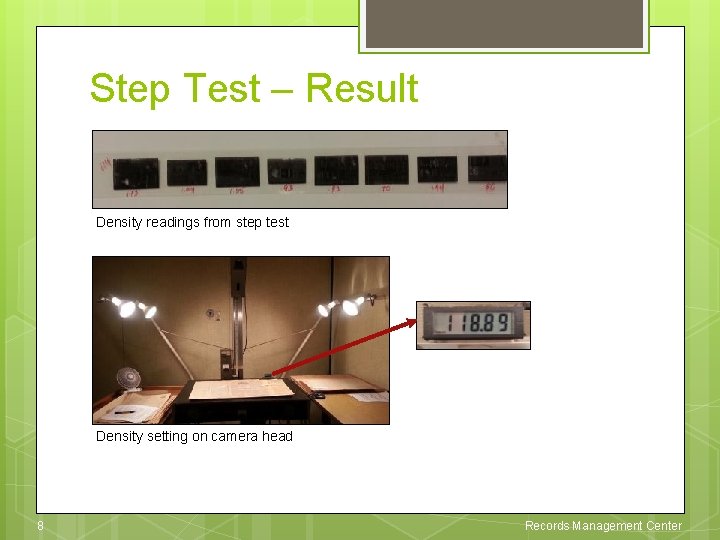
Step Test Select a few test pages from the volume Film them at different density settings u Targets: 100, 102 u Newspapers: 100, 102, 104 – 116 ss 118, 120, 124 – 128 Take density readings from the processed film Select the proper light density settings Microfilm 6 Records Management Center
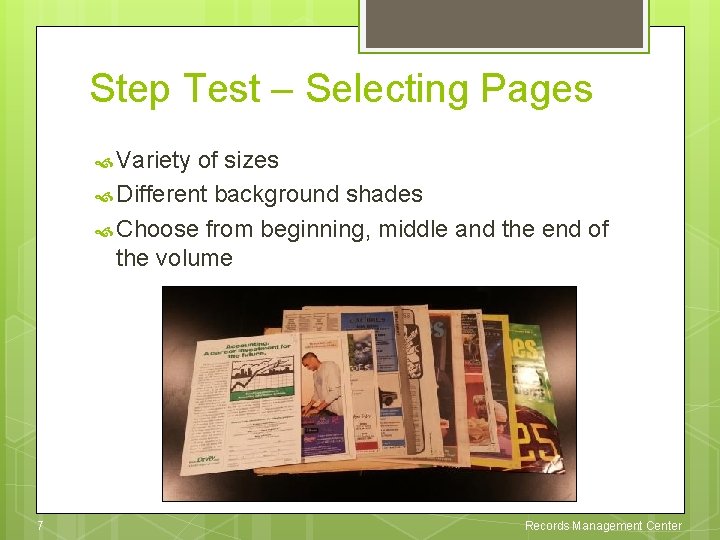
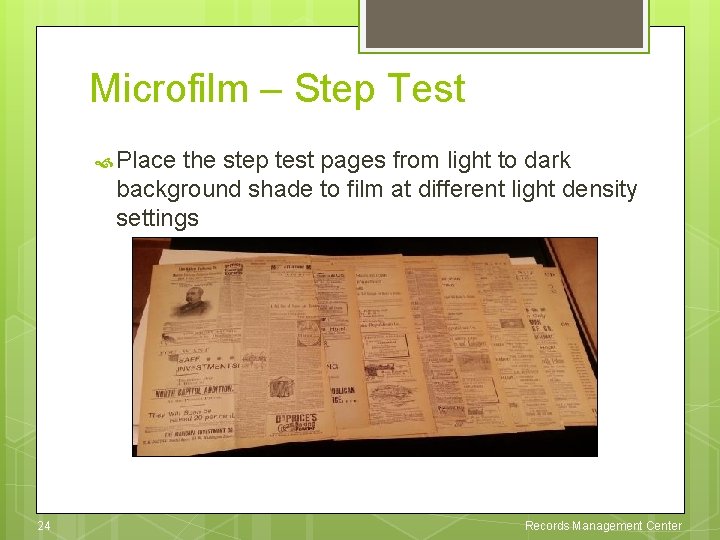
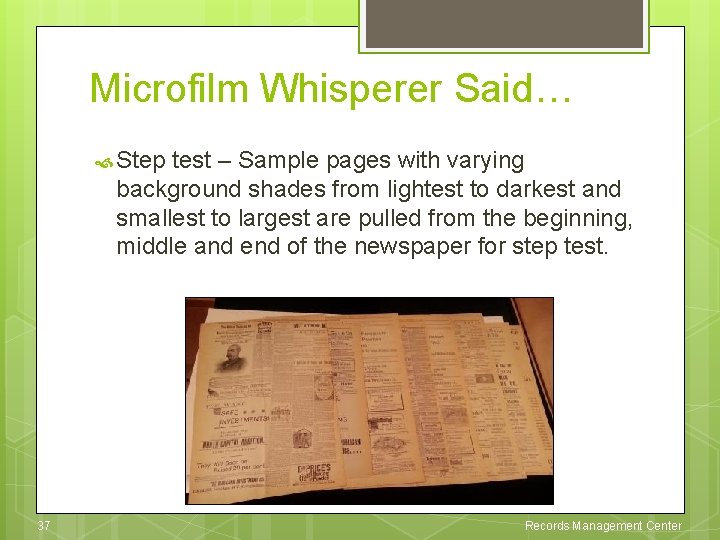
Step Test – Selecting Pages Variety of sizes Different background shades Choose from beginning, middle and the end of the volume 7 Records Management Center
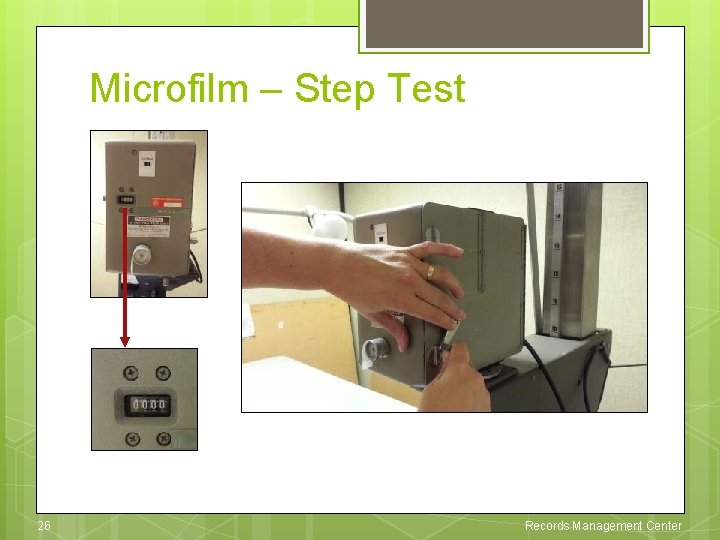
Step Test – Result Density readings from step test Density setting on camera head 8 Records Management Center
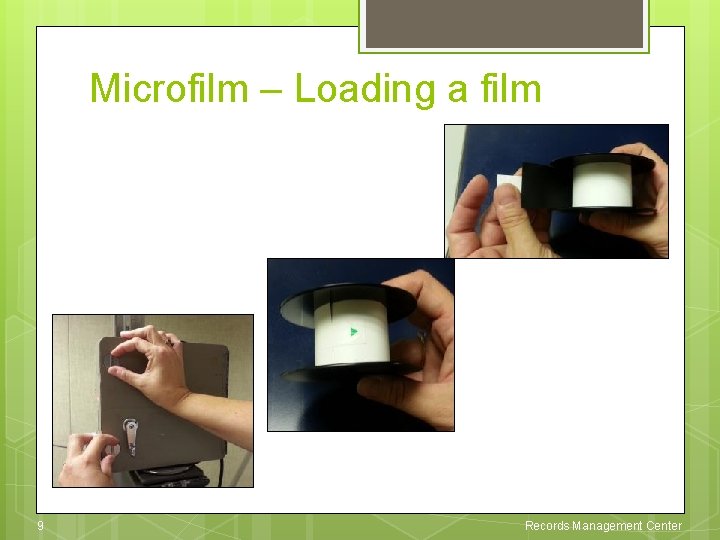
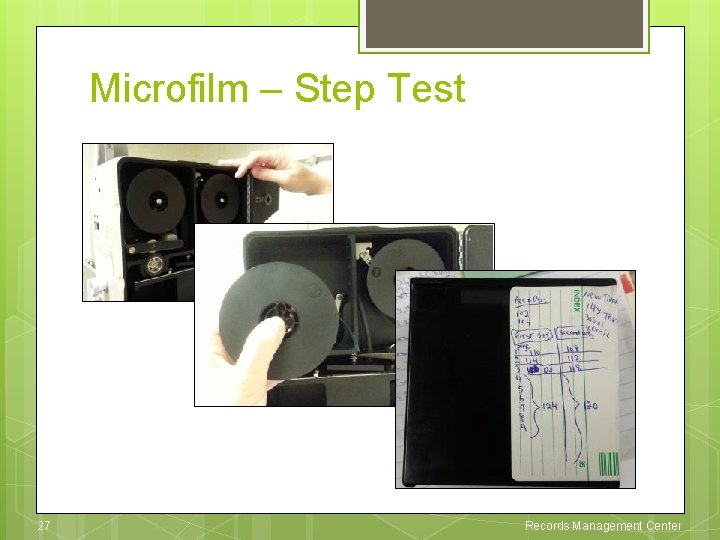
Microfilm – Loading a film 9 Records Management Center
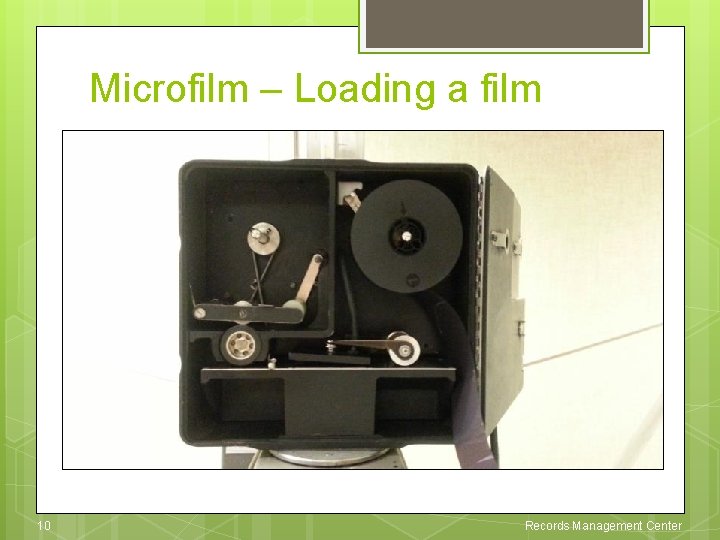
Microfilm – Loading a film 10 Records Management Center
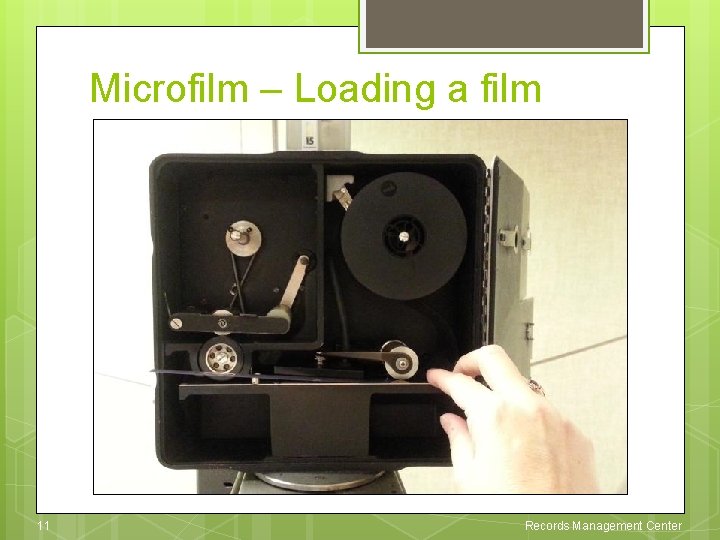
Microfilm – Loading a film 11 Records Management Center
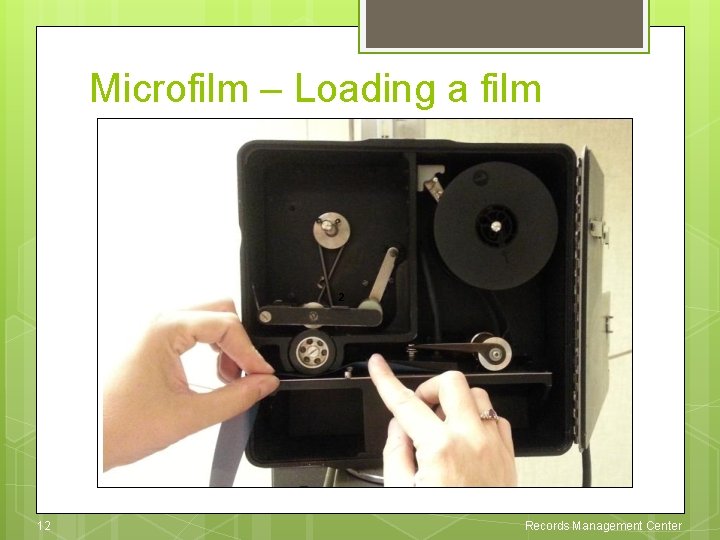
Microfilm – Loading a film 2 12 Records Management Center
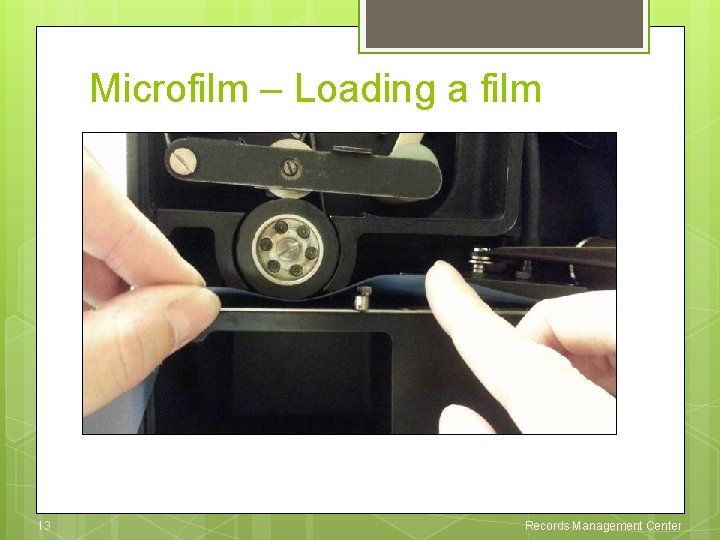
Microfilm – Loading a film 13 Records Management Center
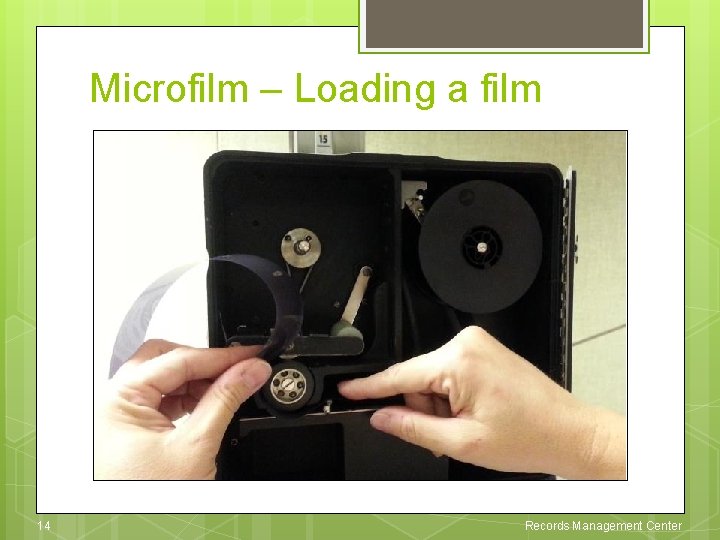
Microfilm – Loading a film 14 Records Management Center
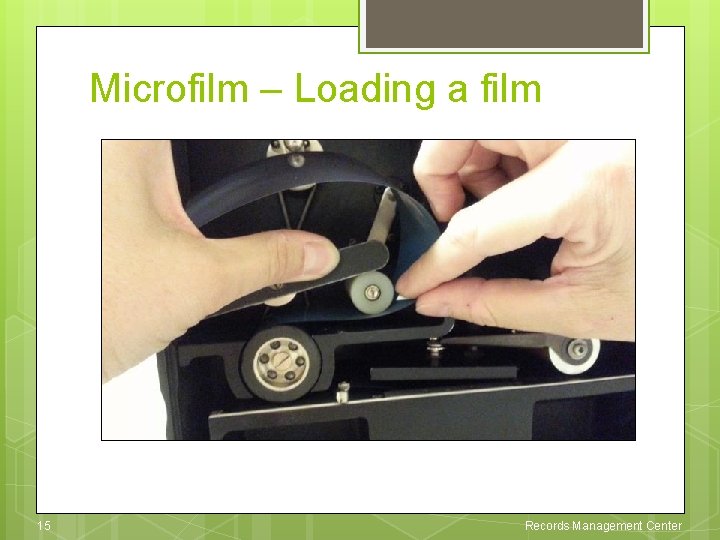
Microfilm – Loading a film 15 Records Management Center
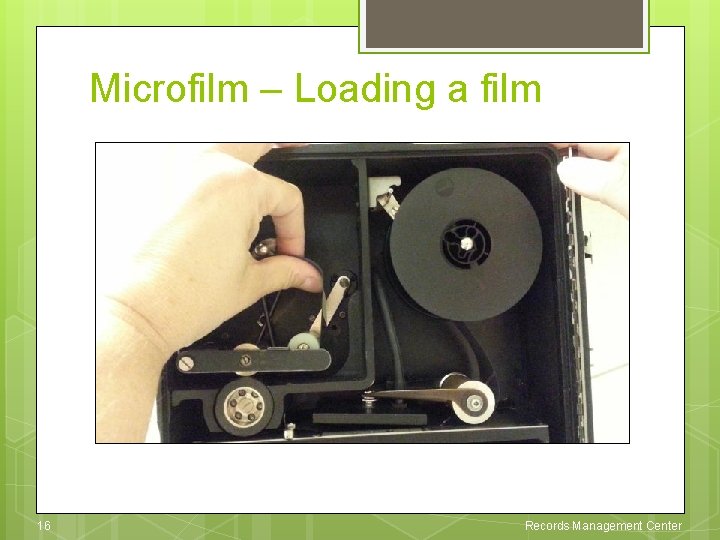
Microfilm – Loading a film 16 Records Management Center
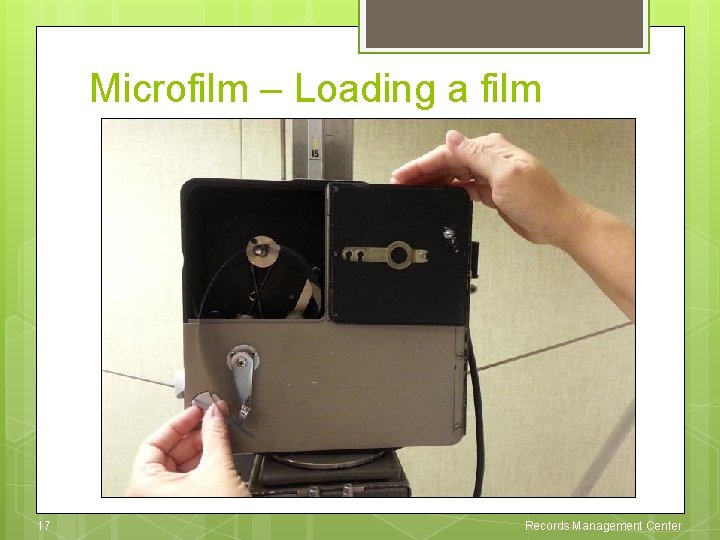
Microfilm – Loading a film 17 Records Management Center
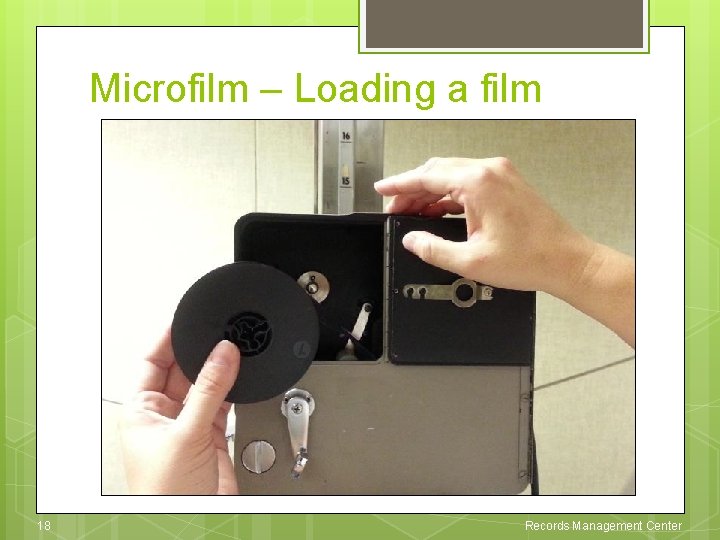
Microfilm – Loading a film 18 Records Management Center
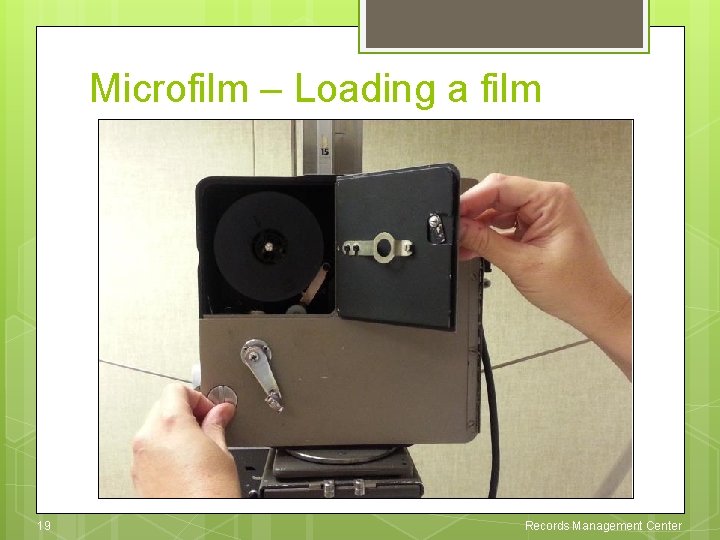
Microfilm – Loading a film 19 Records Management Center
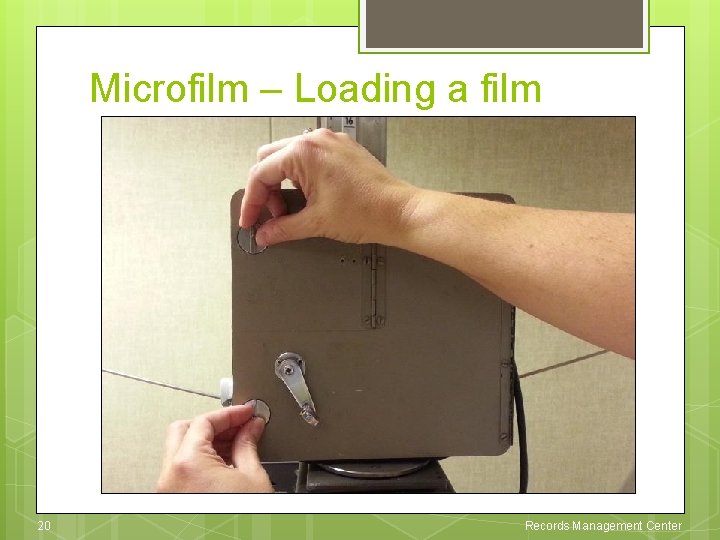
Microfilm – Loading a film 20 Records Management Center
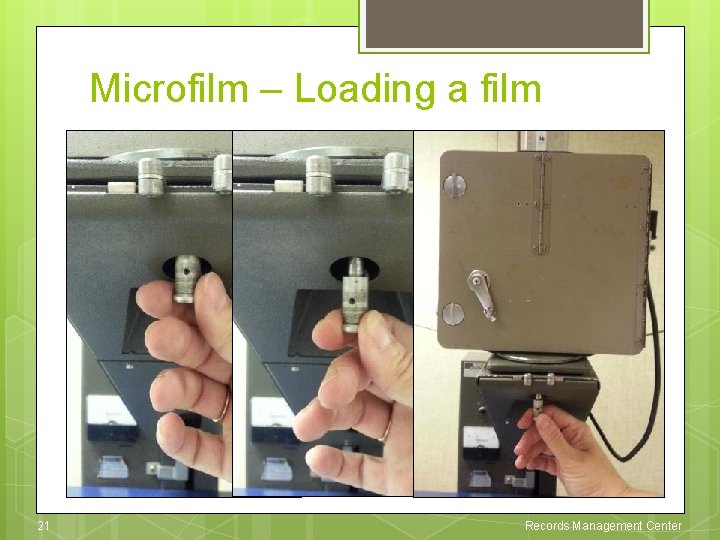
Microfilm – Loading a film 21 Records Management Center
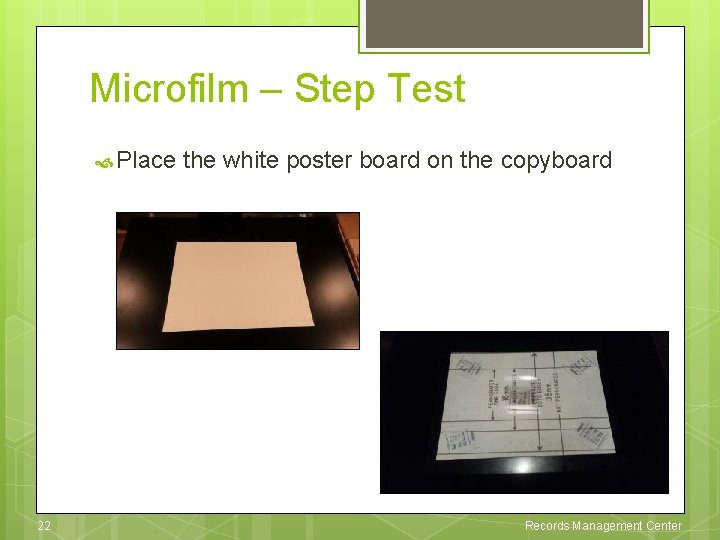
Microfilm – Step Test Place 22 the white poster board on the copyboard Records Management Center
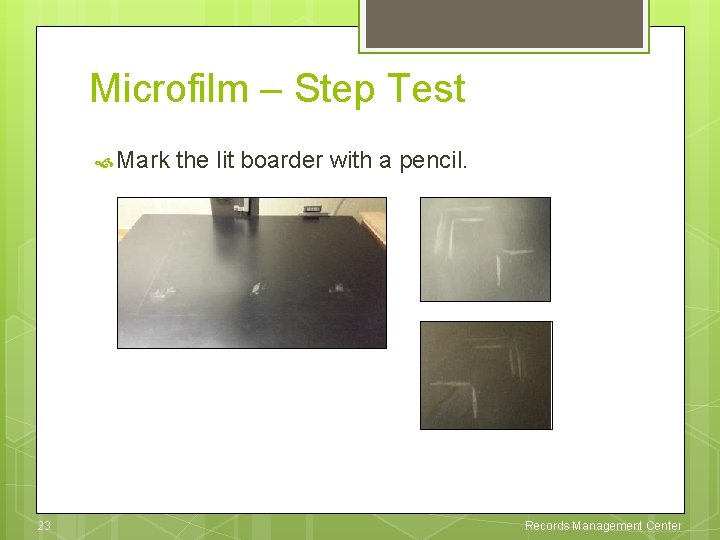
Microfilm – Step Test Mark 23 the lit boarder with a pencil. Records Management Center
Microfilm – Step Test Place the step test pages from light to dark background shade to film at different light density settings 24 Records Management Center
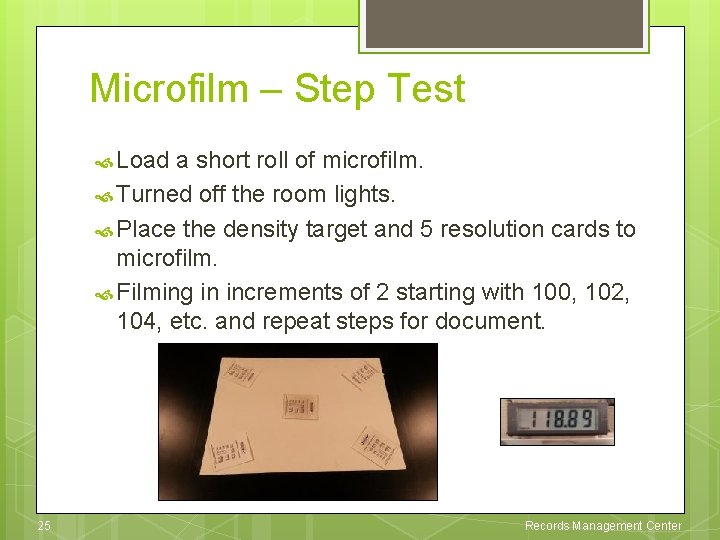
Microfilm – Step Test Load a short roll of microfilm. Turned off the room lights. Place the density target and 5 resolution cards to microfilm. Filming in increments of 2 starting with 100, 102, 104, etc. and repeat steps for document. 25 Records Management Center
Microfilm – Step Test 26 Records Management Center
Microfilm – Step Test 27 Records Management Center
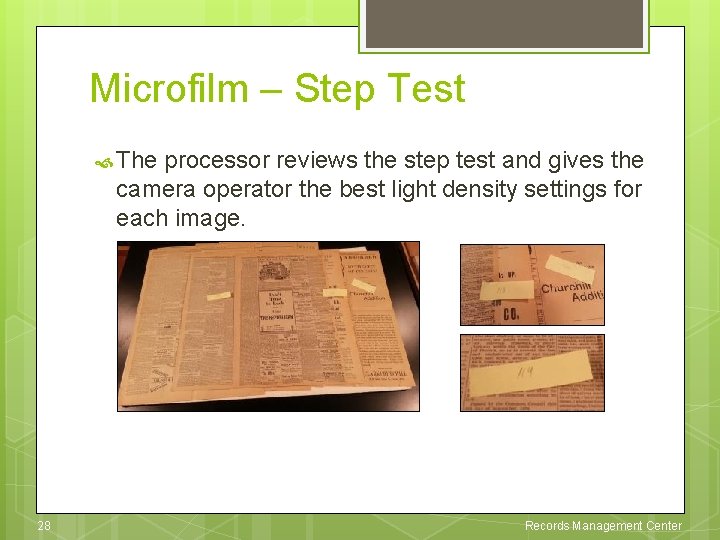
Microfilm – Step Test The processor reviews the step test and gives the camera operator the best light density settings for each image. 28 Records Management Center
Microfilm – Newspapers Once the step test is processed without any issues, the camera operator microfilms the newspapers with the selected light density settings. 29 Records Management Center
Guidelines – Content Decision on what content should be on a roll u How many months, issues, years and titles are grouped on one roll. u For example, you don’t want to combine a single issue for 1889 on the same roll as 1890 issues. If there are no other issues for that year then and only then would you combine a single issue from a different year. Think like a researcher and be consistent. 30 Records Management Center
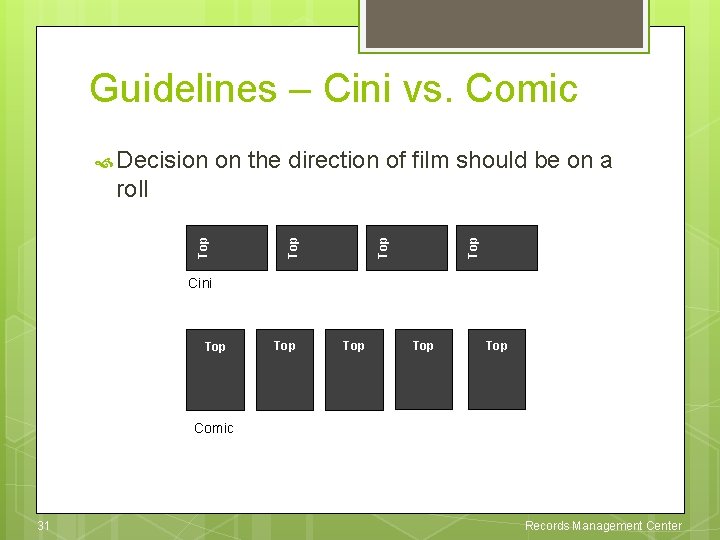
Guidelines – Cini vs. Comic Decision on the direction of film should be on a Top Top roll Cini Top Top Top Comic 31 Records Management Center
Guidelines – 10 x? 20 x? Decision on the reduction ratio u As the reduction ratio is increased, the smaller the print will be on the reader. u If the newspaper is older or in bad condition, the lower reduction will be used when possible. This will increase the size of the print making it easier to read. u If the newspaper is newer or in good condition, any reduction or direction of filming can be used as long as the document is in focus and centered. 32 Records Management Center
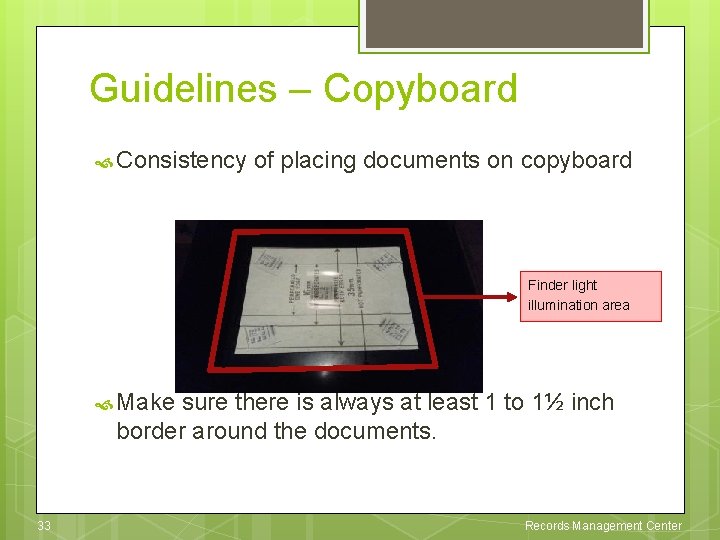
Guidelines – Copyboard Consistency of placing documents on copyboard Finder light illumination area Make sure there is always at least 1 to 1½ inch border around the documents. 33 Records Management Center
Guidelines – Targets provide information about the source documents and conditions during filming. u Bibliography “Bib” target u Content target u Missing issues/pages target u Courtesy target u Roll number target: 12. xx and 200. xx 34 Records Management Center
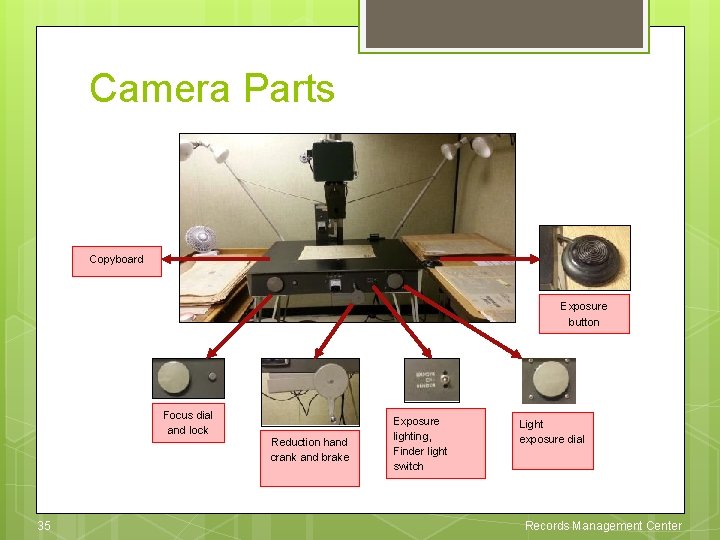
Camera Parts Copyboard Exposure button Focus dial and lock 35 Reduction hand crank and brake Exposure lighting, Finder light switch Light exposure dial Records Management Center
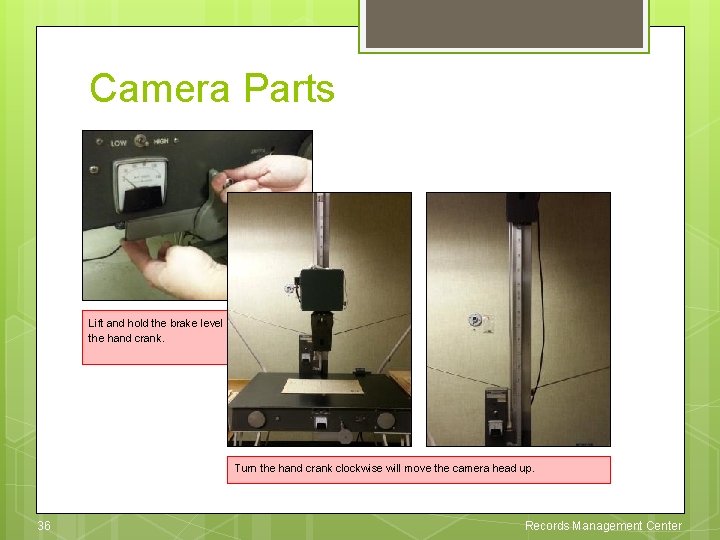
Camera Parts Lift and hold the brake level while turning the hand crank. Turn the hand crank clockwise will move the camera head up. 36 Records Management Center
Microfilm Whisperer Said… Step test – Sample pages with varying background shades from lightest to darkest and smallest to largest are pulled from the beginning, middle and end of the newspaper for step test. 37 Records Management Center
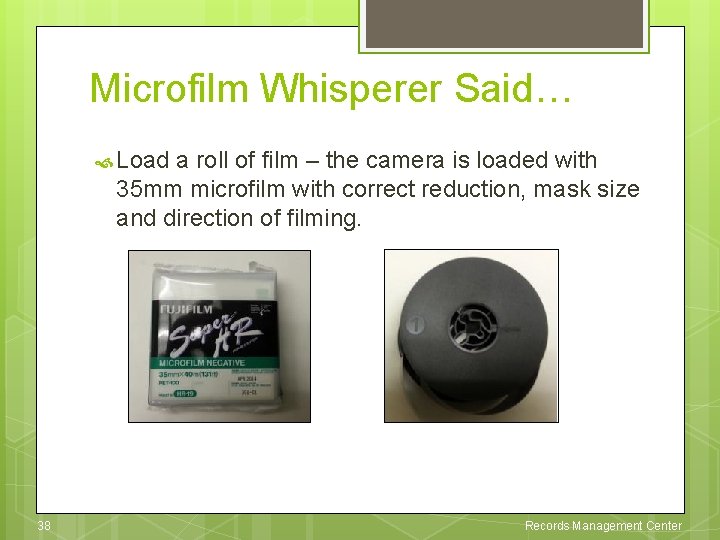
Microfilm Whisperer Said… Load a roll of film – the camera is loaded with 35 mm microfilm with correct reduction, mask size and direction of filming. 38 Records Management Center
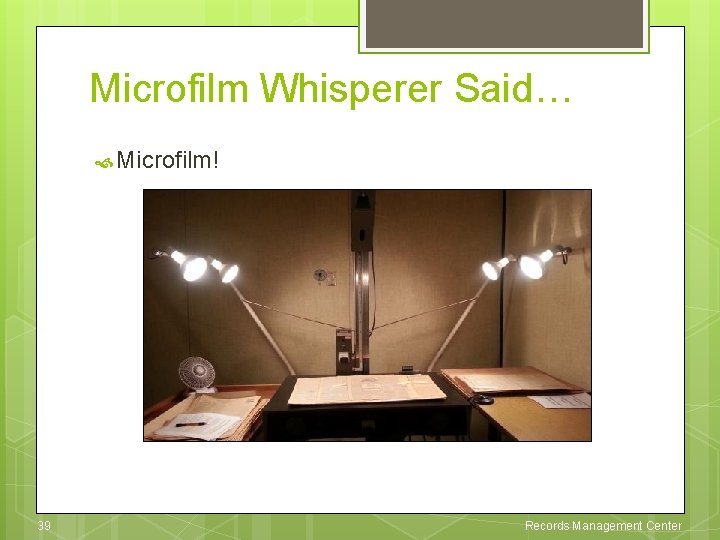
Microfilm Whisperer Said… Microfilm! 39 Records Management Center