
Microcontroller 1 Assembly Language Programming Learning Outcomes List
Microcontroller 1 Assembly Language Programming
Learning Outcomes • List the addressing modes of the 8051 microcontroller • Access RAM using various addressing modes • Understand 8051 instructions types • Examining instructions in each functional groups • Understand assembly language program • Able to differentiate between assembly instructions and assembler directives • Ability to compute time delay for 8051
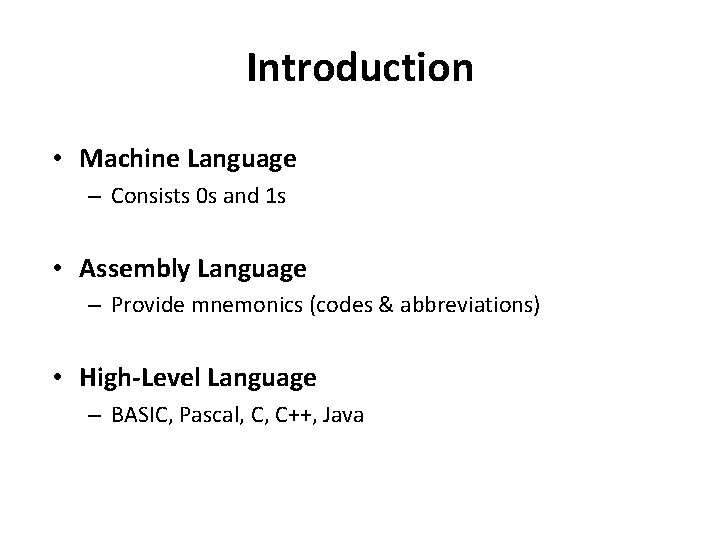
Introduction • Machine Language – Consists 0 s and 1 s • Assembly Language – Provide mnemonics (codes & abbreviations) • High-Level Language – BASIC, Pascal, C, C++, Java
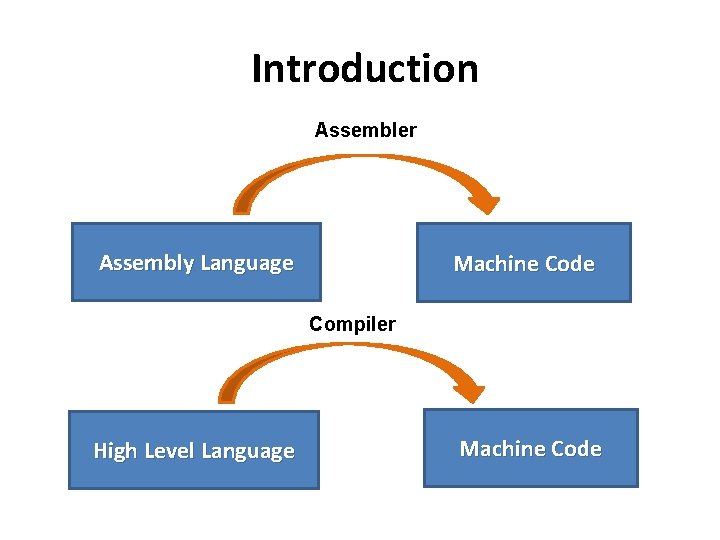
Introduction Assembler Assembly Language Machine Code Compiler High Level Language Machine Code
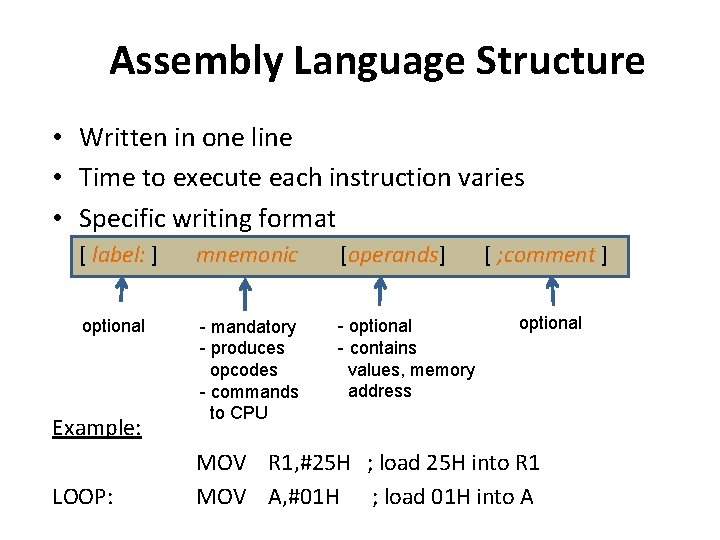
Assembly Language Structure • Written in one line • Time to execute each instruction varies • Specific writing format [ label: ] mnemonic [operands] optional - mandatory - produces opcodes - commands to CPU - optional - contains values, memory address Example: LOOP: [ ; comment ] optional MOV R 1, #25 H ; load 25 H into R 1 MOV A, #01 H ; load 01 H into A
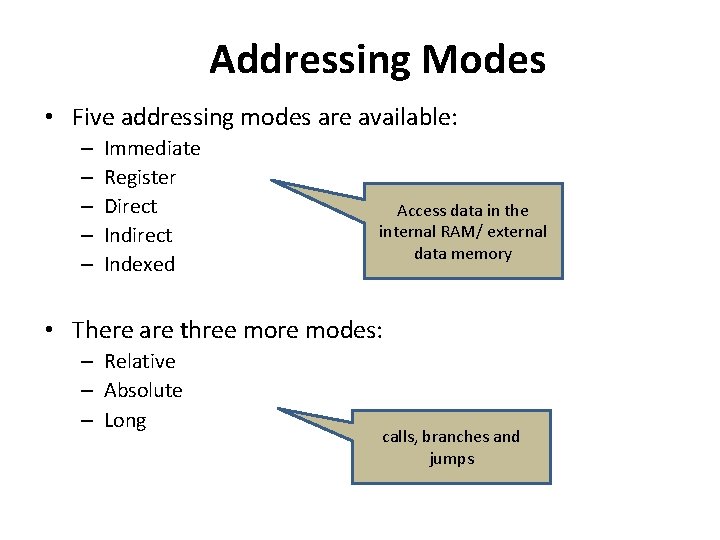
Addressing Modes • Five addressing modes are available: – – – Immediate Register Direct Indexed Access data in the internal RAM/ external data memory • There are three more modes: – Relative – Absolute – Long calls, branches and jumps
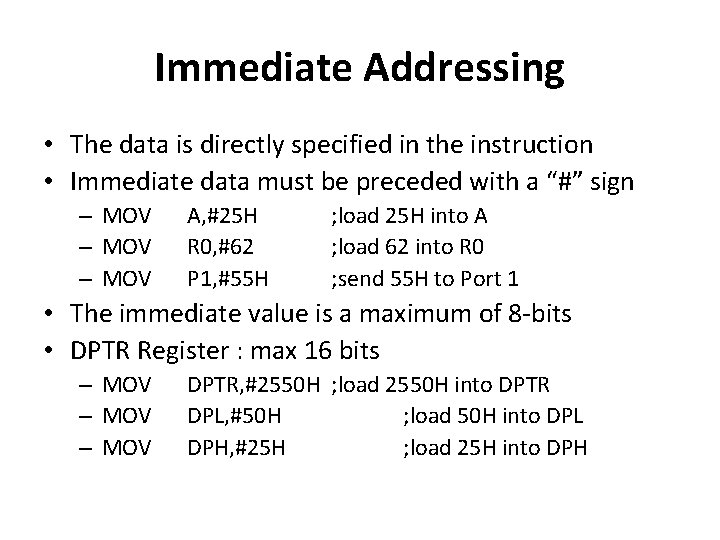
Immediate Addressing • The data is directly specified in the instruction • Immediate data must be preceded with a “#” sign – MOV A, #25 H R 0, #62 P 1, #55 H ; load 25 H into A ; load 62 into R 0 ; send 55 H to Port 1 • The immediate value is a maximum of 8 -bits • DPTR Register : max 16 bits – MOV DPTR, #2550 H ; load 2550 H into DPTR DPL, #50 H ; load 50 H into DPL DPH, #25 H ; load 25 H into DPH
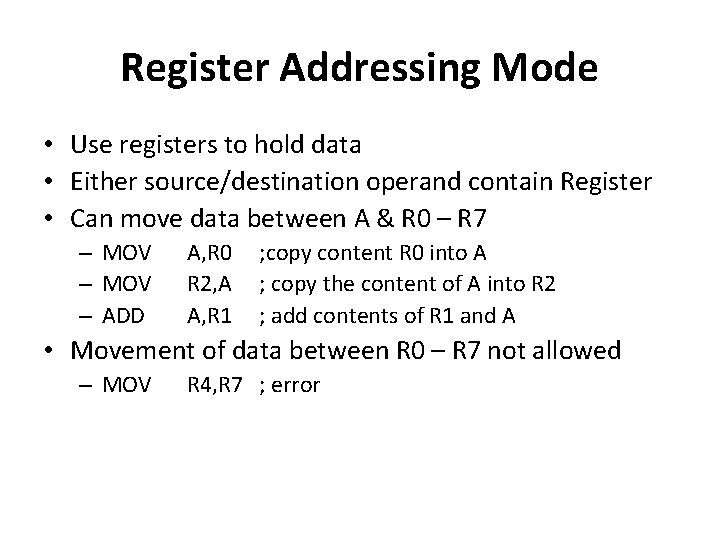
Register Addressing Mode • Use registers to hold data • Either source/destination operand contain Register • Can move data between A & R 0 – R 7 – MOV – ADD A, R 0 R 2, A A, R 1 ; copy content R 0 into A ; copy the content of A into R 2 ; add contents of R 1 and A • Movement of data between R 0 – R 7 not allowed – MOV R 4, R 7 ; error
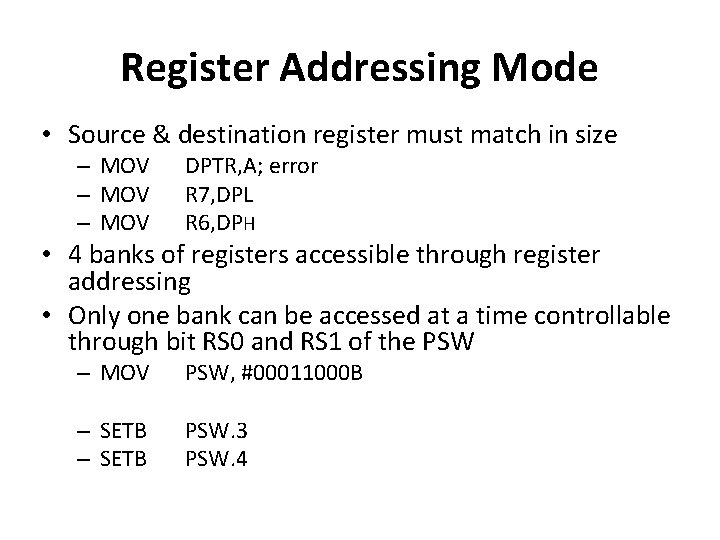
Register Addressing Mode • Source & destination register must match in size – MOV DPTR, A; error R 7, DPL R 6, DPH – MOV PSW, #00011000 B – SETB PSW. 3 PSW. 4 • 4 banks of registers accessible through register addressing • Only one bank can be accessed at a time controllable through bit RS 0 and RS 1 of the PSW
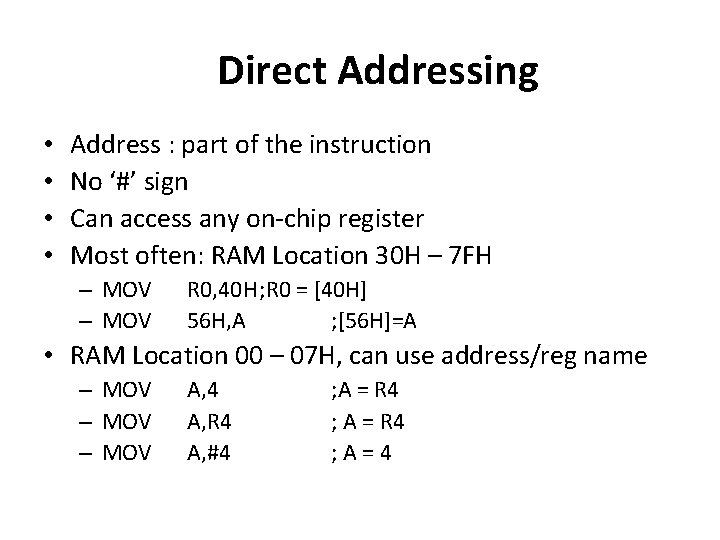
Direct Addressing • • Address : part of the instruction No ‘#’ sign Can access any on-chip register Most often: RAM Location 30 H – 7 FH – MOV R 0, 40 H; R 0 = [40 H] 56 H, A ; [56 H]=A • RAM Location 00 – 07 H, can use address/reg name – MOV A, 4 A, R 4 A, #4 ; A = R 4 ; A=4
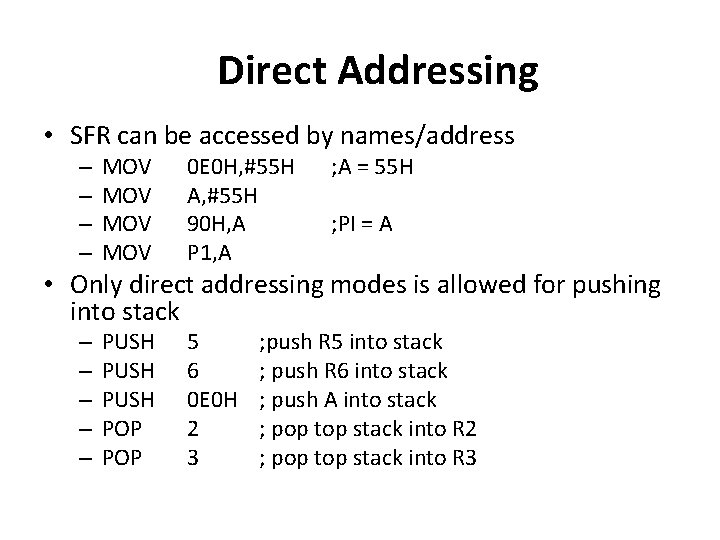
Direct Addressing • SFR can be accessed by names/address – – MOV MOV 0 E 0 H, #55 H A, #55 H 90 H, A P 1, A PUSH POP 5 6 0 E 0 H 2 3 ; A = 55 H ; PI = A • Only direct addressing modes is allowed for pushing into stack – – – ; push R 5 into stack ; push R 6 into stack ; push A into stack ; pop top stack into R 2 ; pop top stack into R 3
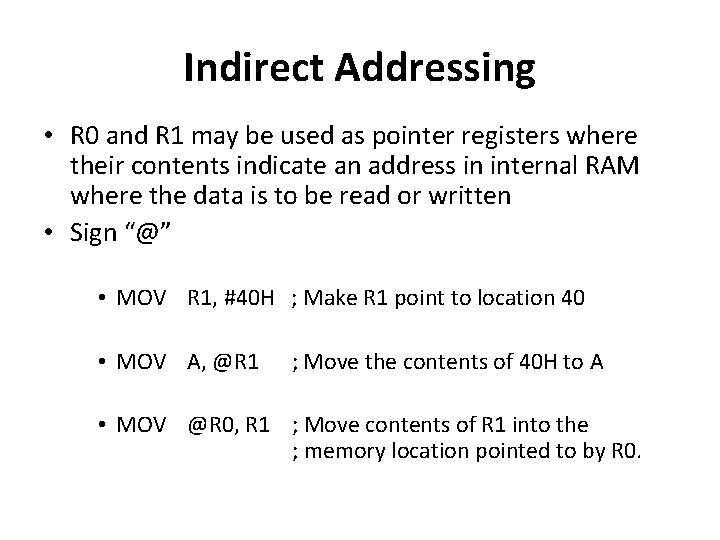
Indirect Addressing • R 0 and R 1 may be used as pointer registers where their contents indicate an address in internal RAM where the data is to be read or written • Sign “@” • MOV R 1, #40 H ; Make R 1 point to location 40 • MOV A, @R 1 ; Move the contents of 40 H to A • MOV @R 0, R 1 ; Move contents of R 1 into the ; memory location pointed to by R 0.
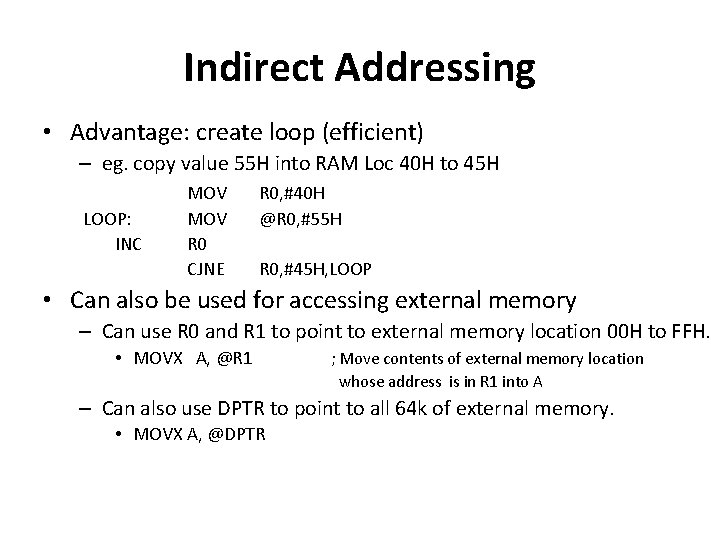
Indirect Addressing • Advantage: create loop (efficient) – eg. copy value 55 H into RAM Loc 40 H to 45 H LOOP: INC MOV R 0 CJNE R 0, #40 H @R 0, #55 H R 0, #45 H, LOOP • Can also be used for accessing external memory – Can use R 0 and R 1 to point to external memory location 00 H to FFH. • MOVX A, @R 1 ; Move contents of external memory location whose address is in R 1 into A – Can also use DPTR to point to all 64 k of external memory. • MOVX A, @DPTR
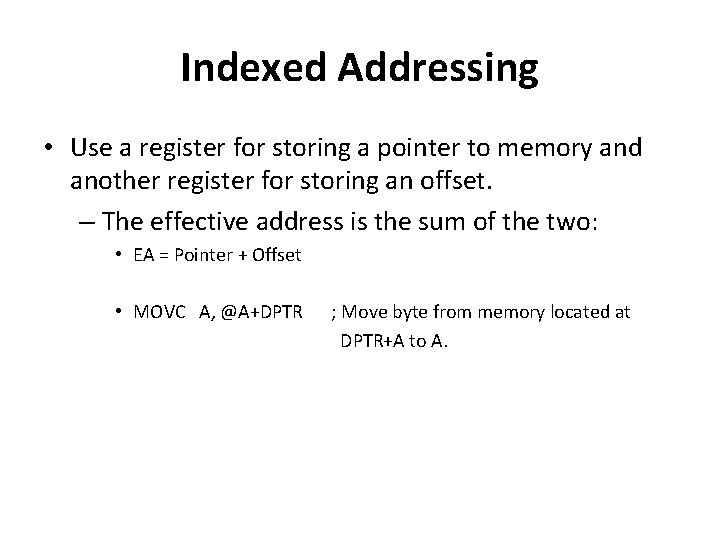
Indexed Addressing • Use a register for storing a pointer to memory and another register for storing an offset. – The effective address is the sum of the two: • EA = Pointer + Offset • MOVC A, @A+DPTR ; Move byte from memory located at DPTR+A to A.
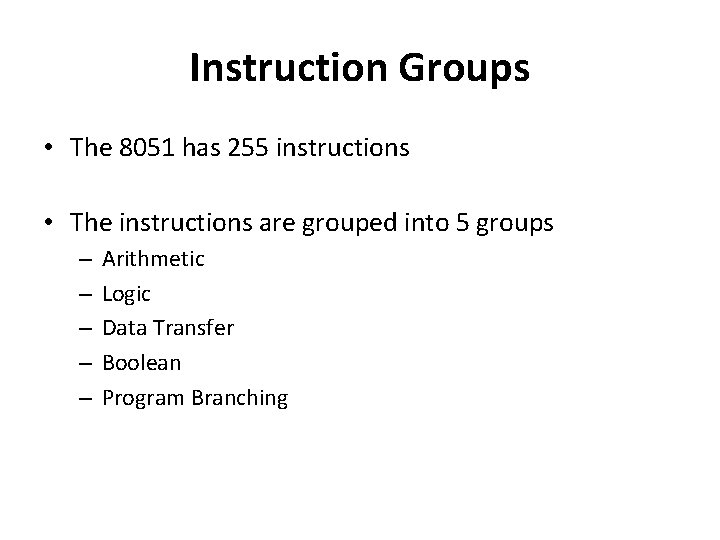
Instruction Groups • The 8051 has 255 instructions • The instructions are grouped into 5 groups – – – Arithmetic Logic Data Transfer Boolean Program Branching
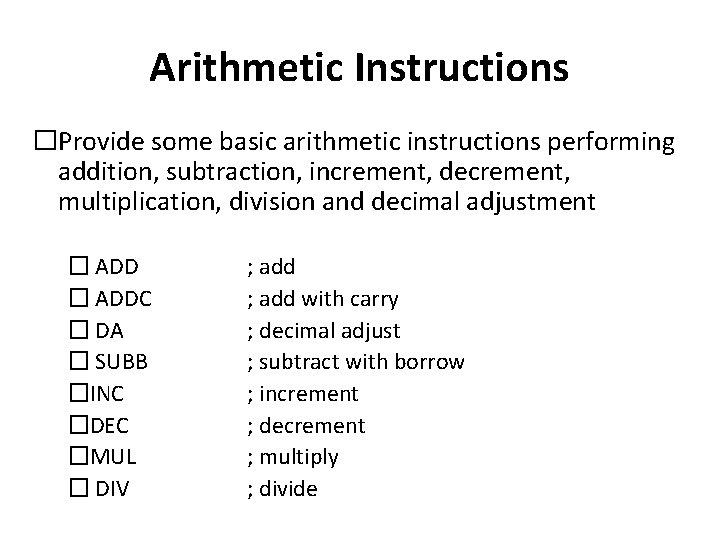
Arithmetic Instructions �Provide some basic arithmetic instructions performing addition, subtraction, increment, decrement, multiplication, division and decimal adjustment � ADDC � DA � SUBB �INC �DEC �MUL � DIV ; add with carry ; decimal adjust ; subtract with borrow ; increment ; decrement ; multiply ; divide
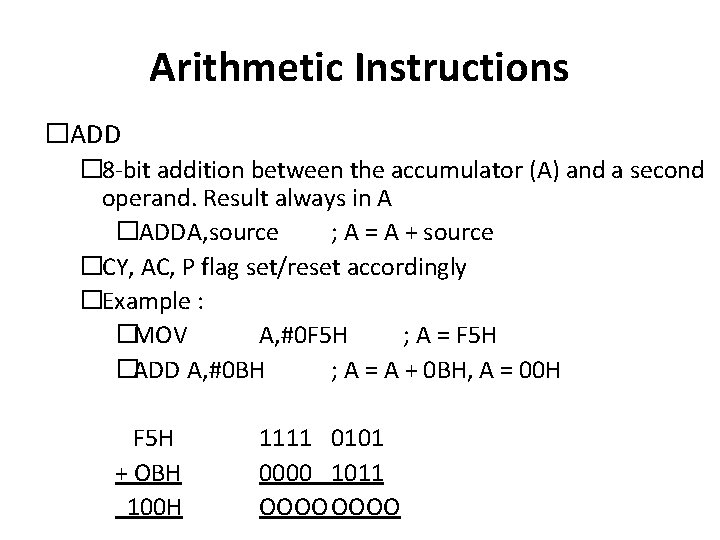
Arithmetic Instructions �ADD � 8 -bit addition between the accumulator (A) and a second operand. Result always in A �ADDA, source ; A = A + source �CY, AC, P flag set/reset accordingly �Example : �MOV A, #0 F 5 H ; A = F 5 H �ADD A, #0 BH ; A = A + 0 BH, A = 00 H F 5 H + OBH 100 H 1111 0101 0000 1011 OOOO
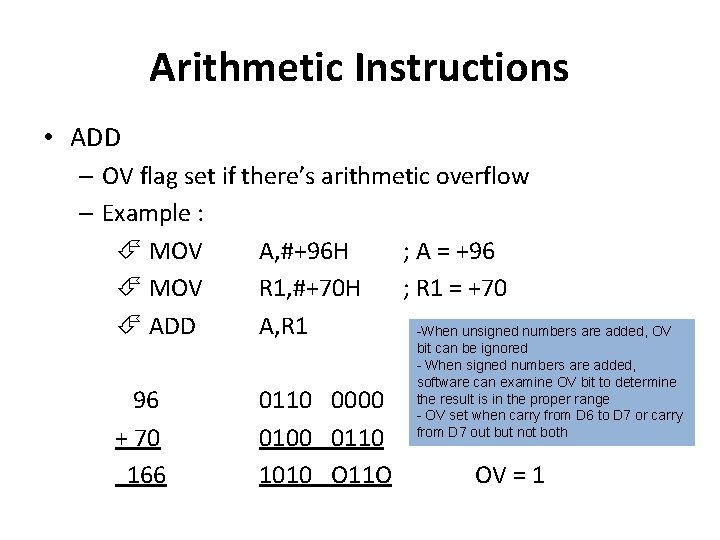
Arithmetic Instructions • ADD – OV flag set if there’s arithmetic overflow – Example : MOV A, #+96 H ; A = +96 MOV R 1, #+70 H ; R 1 = +70 ADD A, R 1 -When unsigned numbers are added, OV 96 + 70 166 0110 0000 0110 1010 O 11 O bit can be ignored - When signed numbers are added, software can examine OV bit to determine the result is in the proper range - OV set when carry from D 6 to D 7 or carry from D 7 out but not both OV = 1
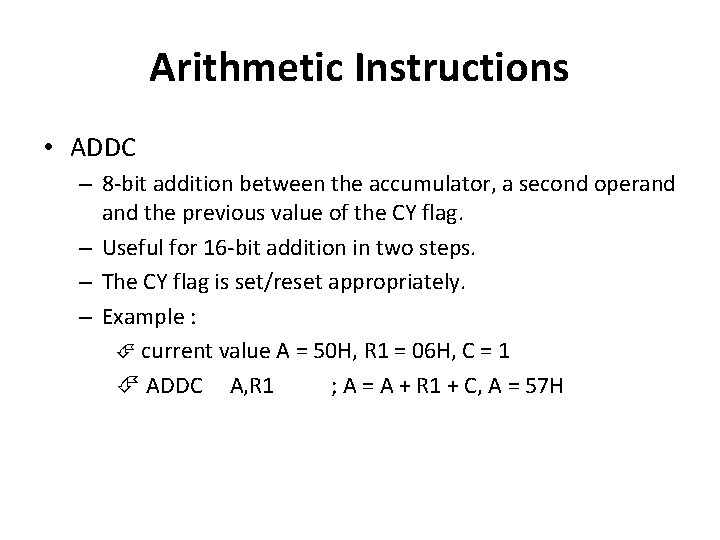
Arithmetic Instructions • ADDC – 8 -bit addition between the accumulator, a second operand the previous value of the CY flag. – Useful for 16 -bit addition in two steps. – The CY flag is set/reset appropriately. – Example : current value A = 50 H, R 1 = 06 H, C = 1 ADDC A, R 1 ; A = A + R 1 + C, A = 57 H
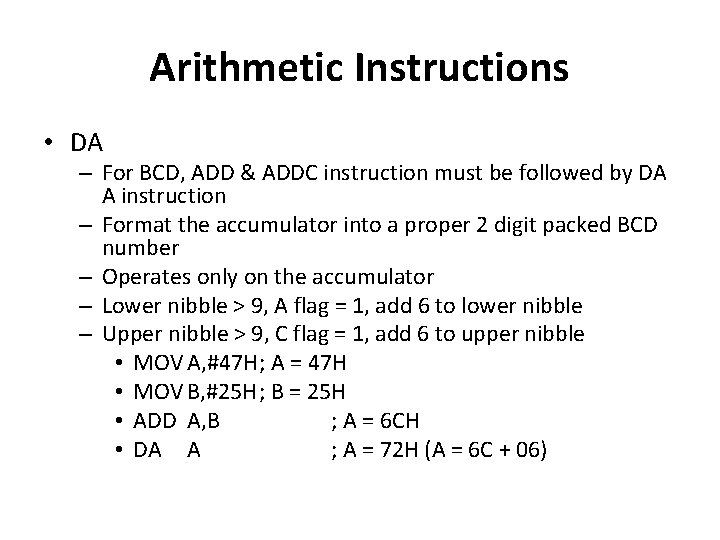
Arithmetic Instructions • DA – For BCD, ADD & ADDC instruction must be followed by DA A instruction – Format the accumulator into a proper 2 digit packed BCD number – Operates only on the accumulator – Lower nibble > 9, A flag = 1, add 6 to lower nibble – Upper nibble > 9, C flag = 1, add 6 to upper nibble • MOV A, #47 H; A = 47 H • MOV B, #25 H; B = 25 H • ADD A, B ; A = 6 CH • DA A ; A = 72 H (A = 6 C + 06)
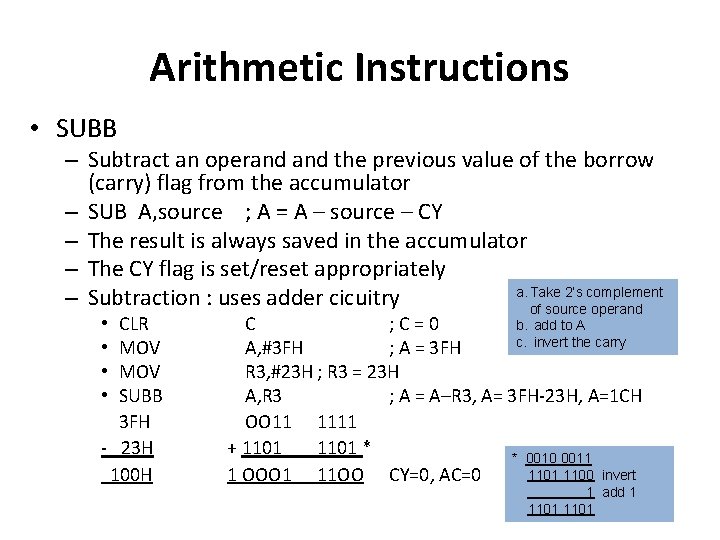
Arithmetic Instructions • SUBB – Subtract an operand the previous value of the borrow (carry) flag from the accumulator – SUB A, source ; A = A – source – CY – The result is always saved in the accumulator – The CY flag is set/reset appropriately a. Take 2’s complement – Subtraction : uses adder cicuitry of source operand CLR MOV SUBB 3 FH - 23 H 100 H • • C ; C=0 b. add to A c. invert the carry A, #3 FH ; A = 3 FH R 3, #23 H ; R 3 = 23 H A, R 3 ; A = A–R 3, A= 3 FH-23 H, A=1 CH OO 11 1111 + 1101 * * 0010 0011 1100 invert 1 OOO 1 11 OO CY=0, AC=0 1 add 1 1101
Arithmetic Instructions • INC – Increment the operand by one. • The operand can be a register, a direct address, an indirect address, the data pointer. • DEC – Decrement the operand by one. • The operand can be a register, a direct address, an indirect address.
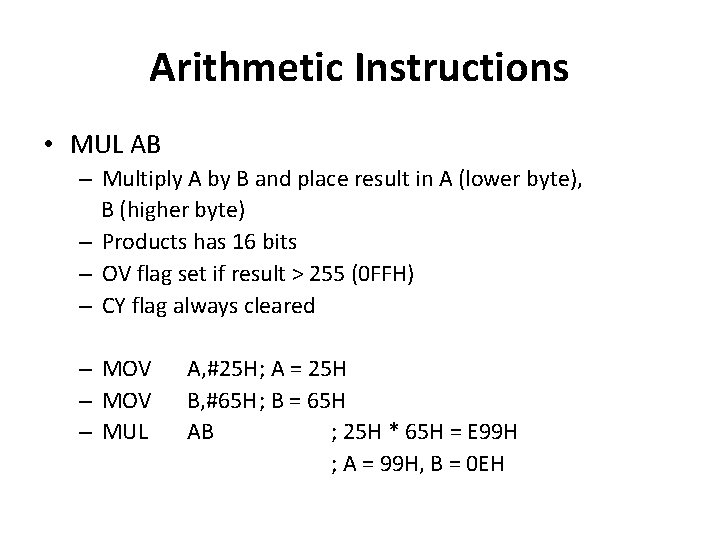
Arithmetic Instructions • MUL AB – Multiply A by B and place result in A (lower byte), B (higher byte) – Products has 16 bits – OV flag set if result > 255 (0 FFH) – CY flag always cleared – MOV – MUL A, #25 H; A = 25 H B, #65 H; B = 65 H AB ; 25 H * 65 H = E 99 H ; A = 99 H, B = 0 EH
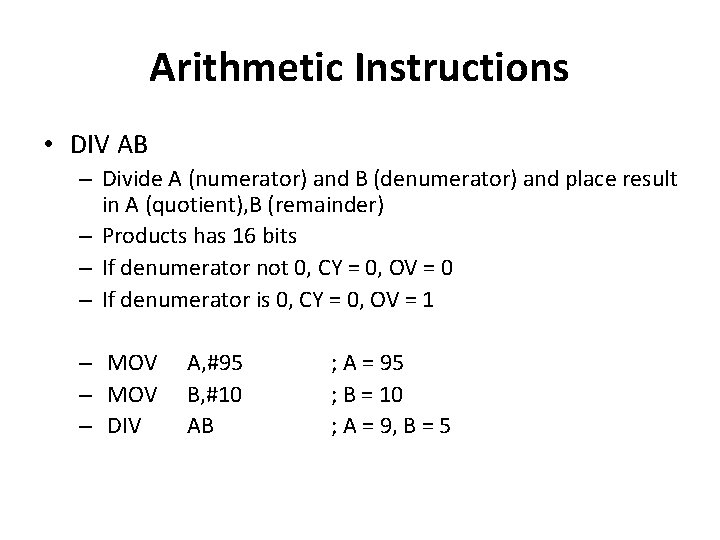
Arithmetic Instructions • DIV AB – Divide A (numerator) and B (denumerator) and place result in A (quotient), B (remainder) – Products has 16 bits – If denumerator not 0, CY = 0, OV = 0 – If denumerator is 0, CY = 0, OV = 1 – MOV – DIV A, #95 B, #10 AB ; A = 95 ; B = 10 ; A = 9, B = 5
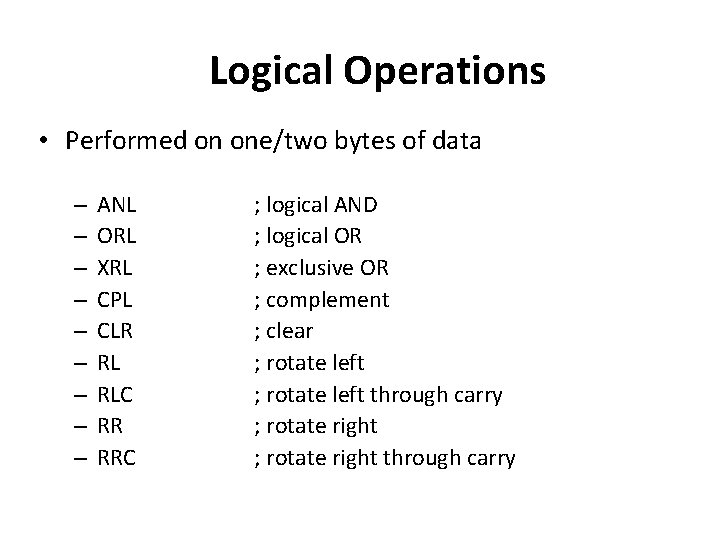
Logical Operations • Performed on one/two bytes of data – – – – – ANL ORL XRL CPL CLR RL RLC RR RRC ; logical AND ; logical OR ; exclusive OR ; complement ; clear ; rotate left through carry ; rotate right through carry
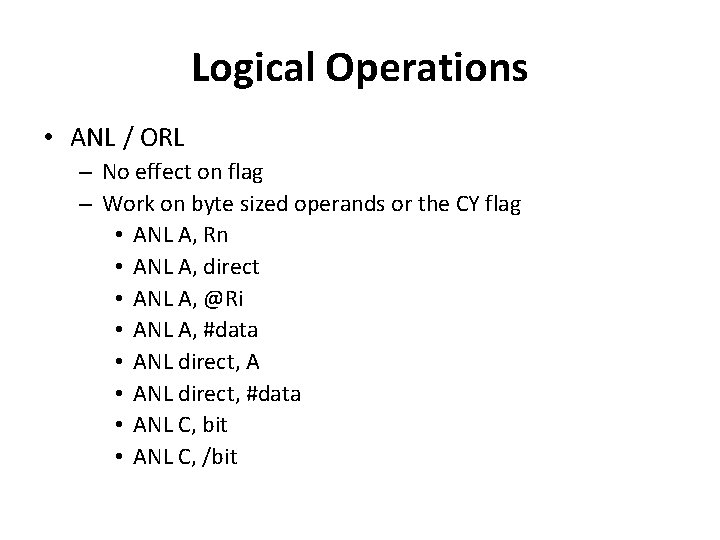
Logical Operations • ANL / ORL – No effect on flag – Work on byte sized operands or the CY flag • ANL A, Rn • ANL A, direct • ANL A, @Ri • ANL A, #data • ANL direct, A • ANL direct, #data • ANL C, bit • ANL C, /bit
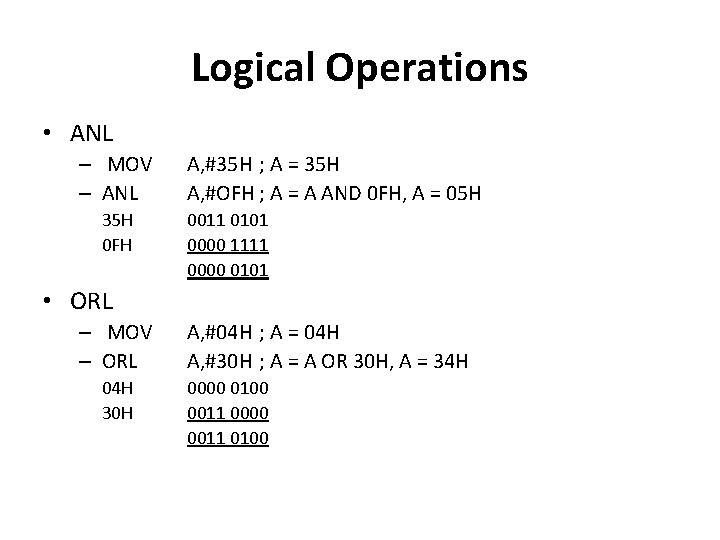
Logical Operations • ANL – MOV – ANL 35 H 0 FH A, #35 H ; A = 35 H A, #OFH ; A = A AND 0 FH, A = 05 H 0011 0101 0000 1111 0000 0101 • ORL – MOV – ORL 04 H 30 H A, #04 H ; A = 04 H A, #30 H ; A = A OR 30 H, A = 34 H 0000 0100 0011 0000 0011 0100
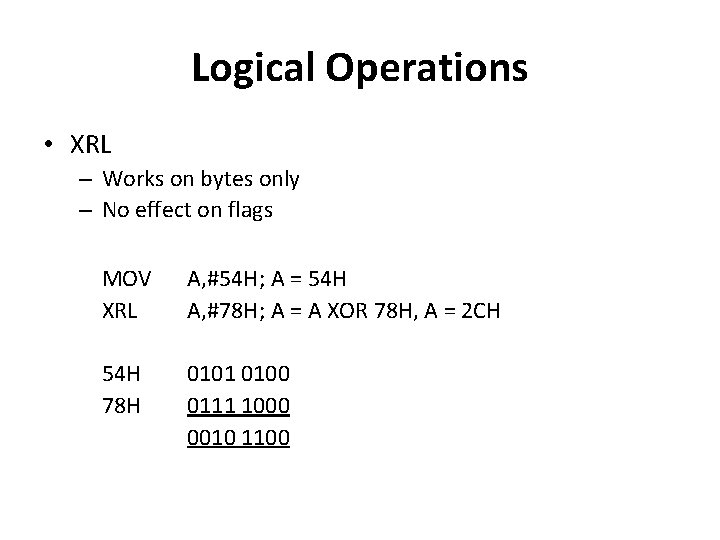
Logical Operations • XRL – Works on bytes only – No effect on flags MOV XRL A, #54 H; A = 54 H A, #78 H; A = A XOR 78 H, A = 2 CH 54 H 78 H 0101 0100 0111 1000 0010 1100
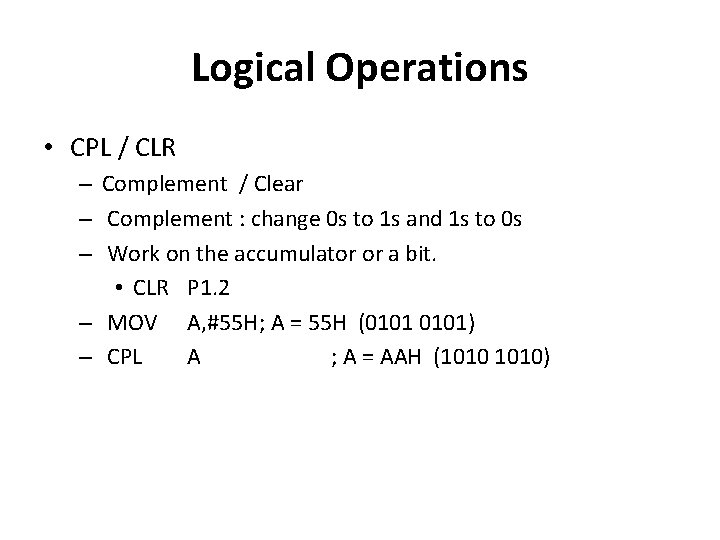
Logical Operations • CPL / CLR – Complement / Clear – Complement : change 0 s to 1 s and 1 s to 0 s – Work on the accumulator or a bit. • CLR P 1. 2 – MOV A, #55 H; A = 55 H (0101) – CPL A ; A = AAH (1010)
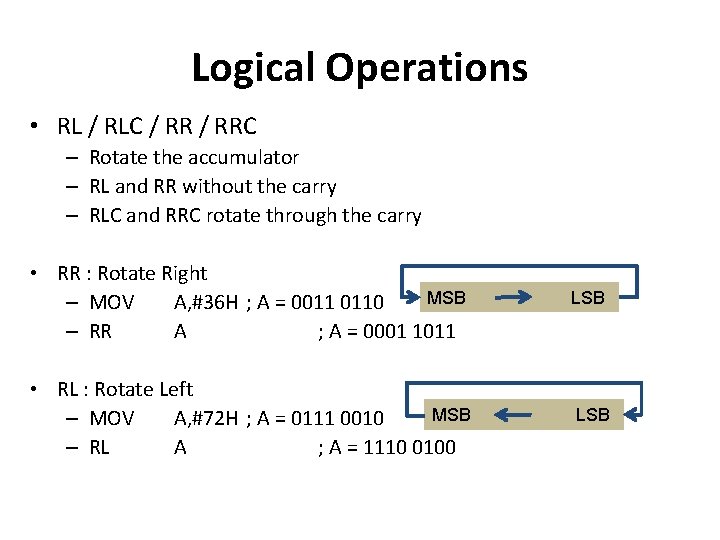
Logical Operations • RL / RLC / RRC – Rotate the accumulator – RL and RR without the carry – RLC and RRC rotate through the carry • RR : Rotate Right MSB – MOV A, #36 H ; A = 0011 0110 – RR A ; A = 0001 1011 LSB • RL : Rotate Left MSB – MOV A, #72 H ; A = 0111 0010 – RL A ; A = 1110 0100 LSB
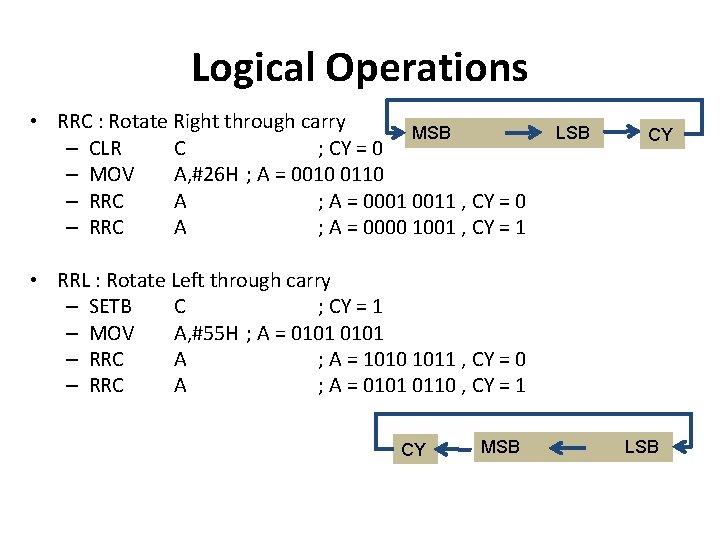
Logical Operations • RRC : Rotate Right through carry MSB – CLR C ; CY = 0 – MOV A, #26 H ; A = 0010 0110 – RRC A ; A = 0001 0011 , CY = 0 – RRC A ; A = 0000 1001 , CY = 1 LSB CY • RRL : Rotate Left through carry – SETB C ; CY = 1 – MOV A, #55 H ; A = 0101 – RRC A ; A = 1010 1011 , CY = 0 – RRC A ; A = 0101 0110 , CY = 1 CY MSB LSB
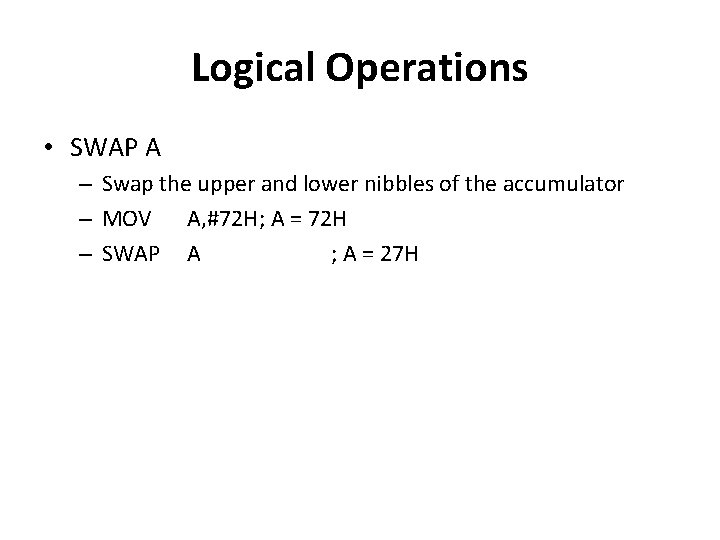
Logical Operations • SWAP A – Swap the upper and lower nibbles of the accumulator – MOV A, #72 H; A = 72 H – SWAP A ; A = 27 H
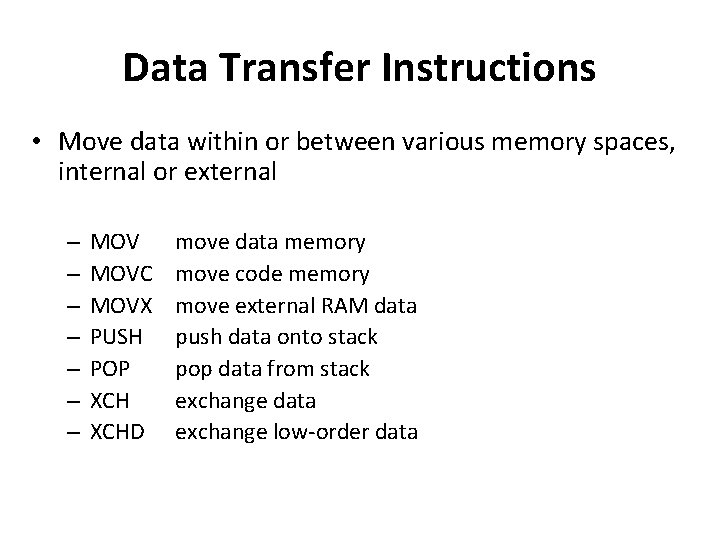
Data Transfer Instructions • Move data within or between various memory spaces, internal or external – – – – MOVC MOVX PUSH POP XCHD move data memory move code memory move external RAM data push data onto stack pop data from stack exchange data exchange low-order data
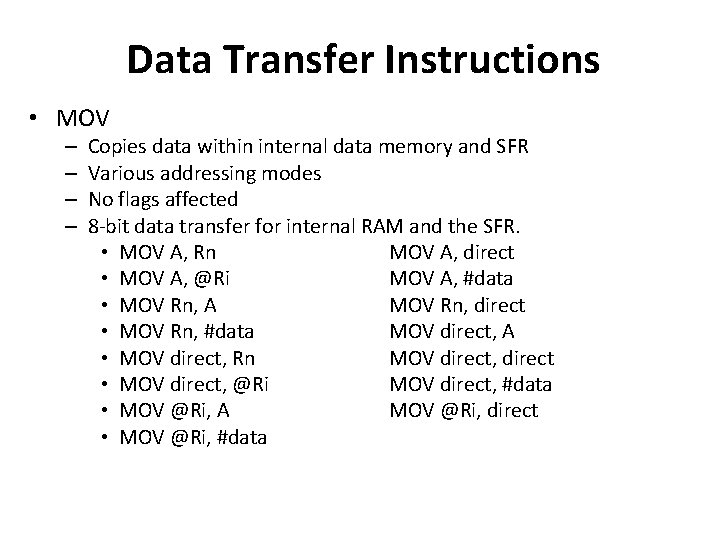
Data Transfer Instructions • MOV – – Copies data within internal data memory and SFR Various addressing modes No flags affected 8 -bit data transfer for internal RAM and the SFR. • MOV A, Rn MOV A, direct • MOV A, @Ri MOV A, #data • MOV Rn, A MOV Rn, direct • MOV Rn, #data MOV direct, A • MOV direct, Rn MOV direct, direct • MOV direct, @Ri MOV direct, #data • MOV @Ri, A MOV @Ri, direct • MOV @Ri, #data
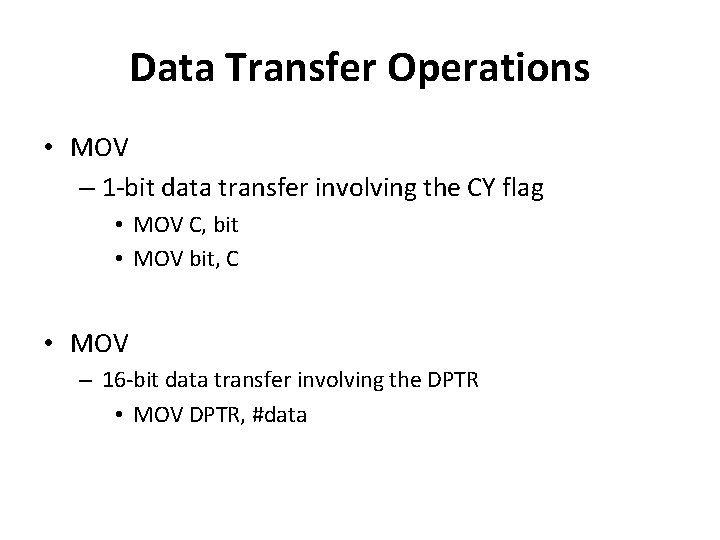
Data Transfer Operations • MOV – 1 -bit data transfer involving the CY flag • MOV C, bit • MOV bit, C • MOV – 16 -bit data transfer involving the DPTR • MOV DPTR, #data
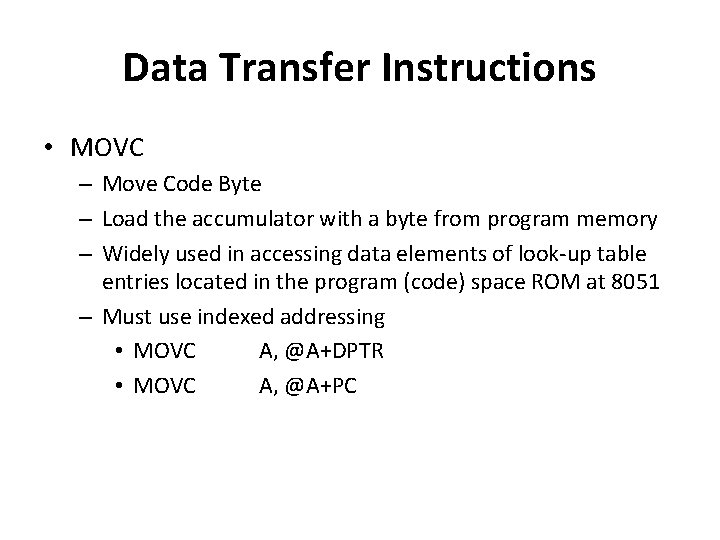
Data Transfer Instructions • MOVC – Move Code Byte – Load the accumulator with a byte from program memory – Widely used in accessing data elements of look-up table entries located in the program (code) space ROM at 8051 – Must use indexed addressing • MOVC A, @A+DPTR • MOVC A, @A+PC
Data Transfer Instructions • MOVX – Data transfer between the accumulator and a byte from external data memory • MOVX A, @Ri • MOVX A, @DPTR • MOVX @Ri, A • MOVX @DPTR, A
Data Transfer Instructions • PUSH / POP – Push and Pop a data byte onto the stack. – Push/Pop • Increment/decrement the stack pointer • Copies the byte into/from the stack • Content of original ‘direct address’/stack unchanged – SP = 07 H, [3 AH] = 55 H, B = 4 AH • PUSH 3 AH ; SP = 08 H, [08 H] = 55 H • PUSH 0 F 0 H ; SP = 09 H, [09 H] = 4 AH – SP = 31 H, [31 H] = 87 H, B = 4 AH • POP 09 H ; SP = 30 H, [09 H] = 87 H
Data Transfer Instructions • XCH – Exchange accumulator and a byte variable • XCH A, Rn • XCH A, direct • XCH A, @Ri • XCHD – Exchange lower digit of accumulator with the lower digit of the memory location specified. • XCHD A, @Ri • The lower 4 -bits of the accumulator are exchanged with the lower 4 -bits of the internal memory location identified indirectly by the index register. • The upper 4 -bits of each are not modified.
Boolean Operations • This group of instructions is associated with the single-bit operations of the 8051. • This group allows manipulating the individual bits of bit addressable registers and memory locations as well as the CY flag. – The P, OV, and AC flags cannot be directly altered. • This group includes: – Set, clear, and, or complement, move. – Conditional jumps.
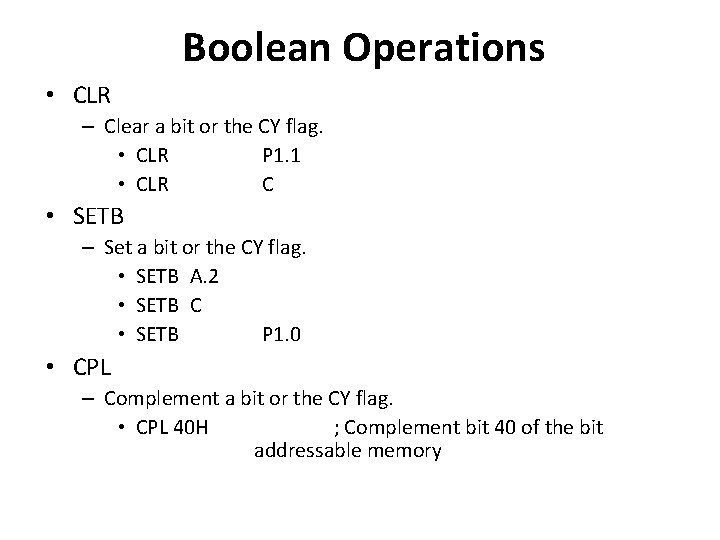
Boolean Operations • CLR – Clear a bit or the CY flag. • CLR P 1. 1 • CLR C • SETB – Set a bit or the CY flag. • SETB A. 2 • SETB C • SETB P 1. 0 • CPL – Complement a bit or the CY flag. • CPL 40 H ; Complement bit 40 of the bit addressable memory
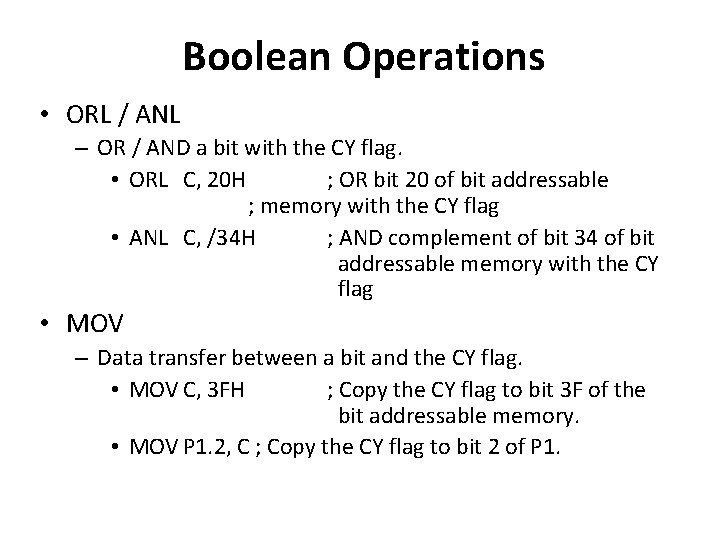
Boolean Operations • ORL / ANL – OR / AND a bit with the CY flag. • ORL C, 20 H ; OR bit 20 of bit addressable ; memory with the CY flag • ANL C, /34 H ; AND complement of bit 34 of bit addressable memory with the CY flag • MOV – Data transfer between a bit and the CY flag. • MOV C, 3 FH ; Copy the CY flag to bit 3 F of the bit addressable memory. • MOV P 1. 2, C ; Copy the CY flag to bit 2 of P 1.
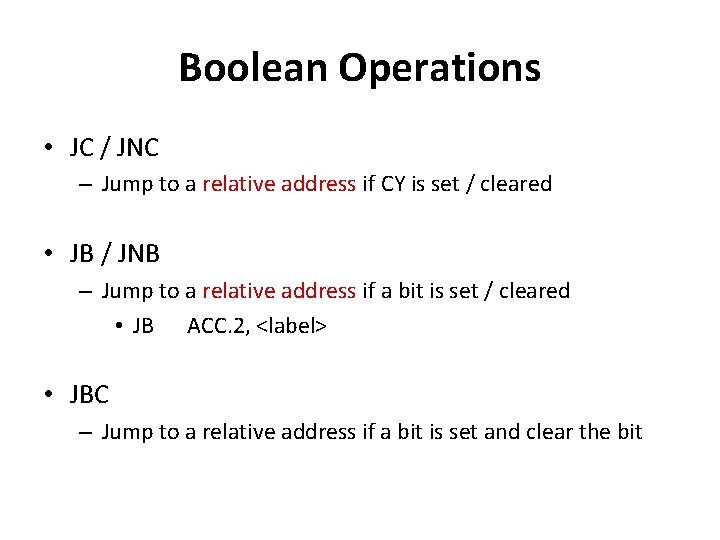
Boolean Operations • JC / JNC – Jump to a relative address if CY is set / cleared • JB / JNB – Jump to a relative address if a bit is set / cleared • JB ACC. 2, <label> • JBC – Jump to a relative address if a bit is set and clear the bit
Branching Instructions • Allows execution of different flows of program according to different input situations • Can break the program execution – Unconditional branching – Subroutine instruction – Conditional branching
Unconditional Branching • The 8051 provides four different types of unconditional jump instructions: – Short Jump – SJMP – Long Jump – LJMP – Absolute Jump – AJMP – Indirect Jump – JMP
Unconditional Branching • Short Jump - SJMP – 2 byte instruction – 1 st byte: opcode, 2 nd byte: relative address of the target location – Relative address range : 00 – FFH • Long Jump – LJMP – 3 byte instruction – 1 st byte: opcode, 2 nd & 3 rd byte: 16 bit address of the target location – 2 byte target address (16 bit) allows jump to any memory location 0000 - FFFFH
Unconditional Branching • Absolute Jump - AJMP – Destination address : 11 bit – 2 byte instruction • 1 st byte: the upper 3 -bits of the address combine with the 5 -bit opcode. 2 nd byte: the lower 8 -bits of the address • When the instruction executed, these 11 bits replace the loworder 11 bits in the PC, high order 5 bits in the PC stay the same • The destination must be within the same 2 K block as the instruction following the AJMP • Indirect Jump – JMP @A + DPTR
Subroutine Instructions • Subroutine: often used to perform tasks that need to be performed frequently, makes program more structured and saving memory space • Normally the same subroutine is needed in different parts of the program • Subroutine can be called from multiple places • After executing the subroutine, the program will return to the original location where the subroutine was called. Record the returning address in the stack • Calling subroutine by executing the ‘call’ instruction
Subroutine Instructions • The 8051 provides 2 forms for the CALL instruction: – Absolute Call – ACALL • Uses an 11 -bit address similar to AJMP • The subroutine must be within the same 2 K byte. – Long Call – LCALL • Uses a 16 -bit address similar to LJMP • The subroutine can be anywhere within 64 K byte address – Both forms push the 16 -bit address of the next instruction on the stack and update the stack pointer.
Subroutine Instructions • The 8051 provides 2 forms for the return instruction: – Return from subroutine – RET • Pop the return address from the stack and continue execution there. – Return from ISR (Interrupt Service Routine) – RETI • Pop the return address from the stack. • Restore the interrupt logic to accept additional interrupts at the same priority level as the one just processed. • Continue execution at the address retrieved from the stack. • The PSW is not automatically restored.
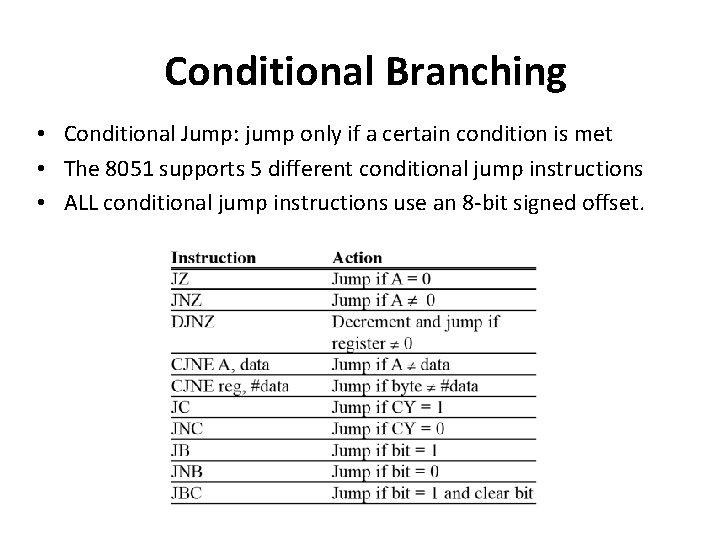
Conditional Branching • Conditional Jump: jump only if a certain condition is met • The 8051 supports 5 different conditional jump instructions • ALL conditional jump instructions use an 8 -bit signed offset.
Conditional branching • jz, jnz : Conditional on A=0 – Checks to see if A is zero – jz jumps if A is zero and jnz jumps is A not zero – No arithmetic op need be performed (unlike 8086/8085) • djnz : dec a byte and jump if not equal to zero – djnz Rn, rel – djnz direct, rel • jnc : Conditional on carry CY flag – jc rel – jnc rel • cjne : compare and jump if not equal – cjne A, direct, rel – cjne Rn, #data, rel – cjne @Rn, #data, rel
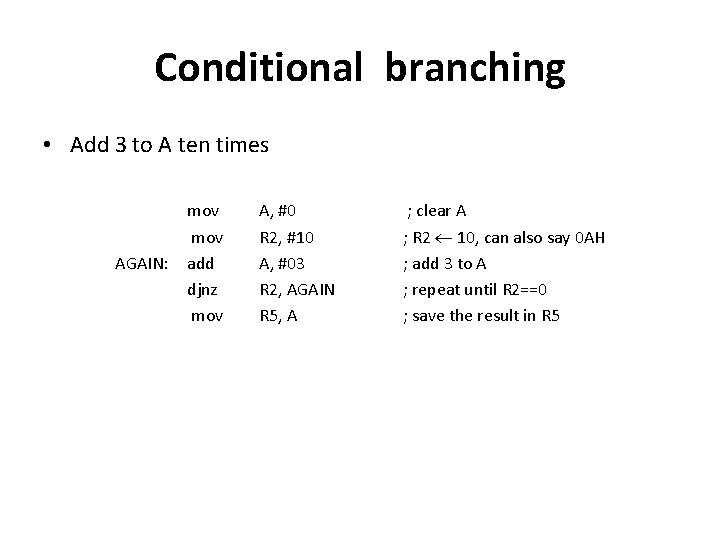
Conditional branching • Add 3 to A ten times AGAIN: mov add djnz mov A, #0 R 2, #10 A, #03 R 2, AGAIN R 5, A ; clear A ; R 2 10, can also say 0 AH ; add 3 to A ; repeat until R 2==0 ; save the result in R 5
Programming Assembly Language • Assembly Instructions • Assembler directives • Comments
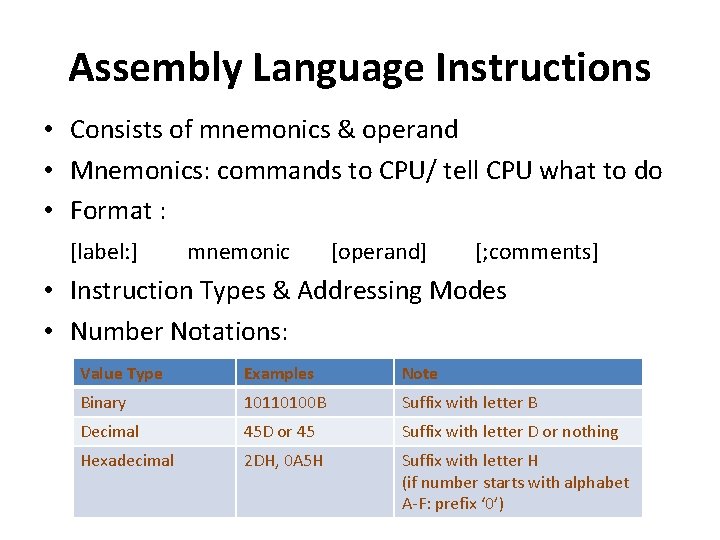
Assembly Language Instructions • Consists of mnemonics & operand • Mnemonics: commands to CPU/ tell CPU what to do • Format : [label: ] mnemonic [operand] [; comments] • Instruction Types & Addressing Modes • Number Notations: Value Type Examples Note Binary 10110100 B Suffix with letter B Decimal 45 D or 45 Suffix with letter D or nothing Hexadecimal 2 DH, 0 A 5 H Suffix with letter H (if number starts with alphabet A-F: prefix ‘ 0’)
Assembly Language Instructions • Comments – – For programmers or readers reading Assembler doesn’t interpret comments Begin with semicolon ‘; ’ Location: end of line/ on a line itself • Labels – – – Must be followed by colon ‘: ’ Each label must be unique Case insensitive First character: alphabet Possible combination: A-Z, a-z, 0 -9, ‘? ’, ‘@’, ‘_’, ‘$’ Reserved words (mnemonics & directives) can’t use
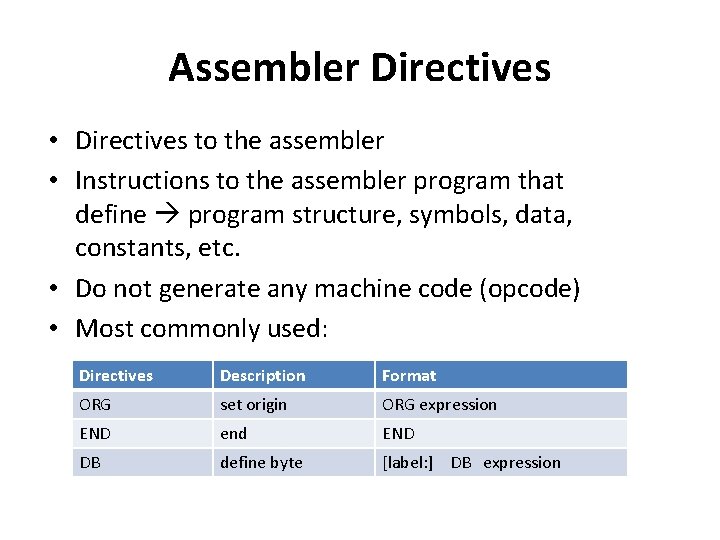
Assembler Directives • Directives to the assembler • Instructions to the assembler program that define program structure, symbols, data, constants, etc. • Do not generate any machine code (opcode) • Most commonly used: Directives Description Format ORG set origin ORG expression END end END DB define byte [label: ] DB expression
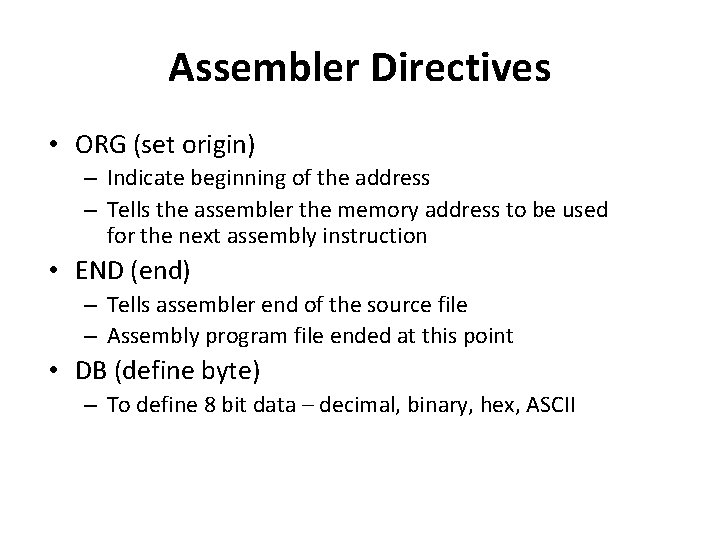
Assembler Directives • ORG (set origin) – Indicate beginning of the address – Tells the assembler the memory address to be used for the next assembly instruction • END (end) – Tells assembler end of the source file – Assembly program file ended at this point • DB (define byte) – To define 8 bit data – decimal, binary, hex, ASCII
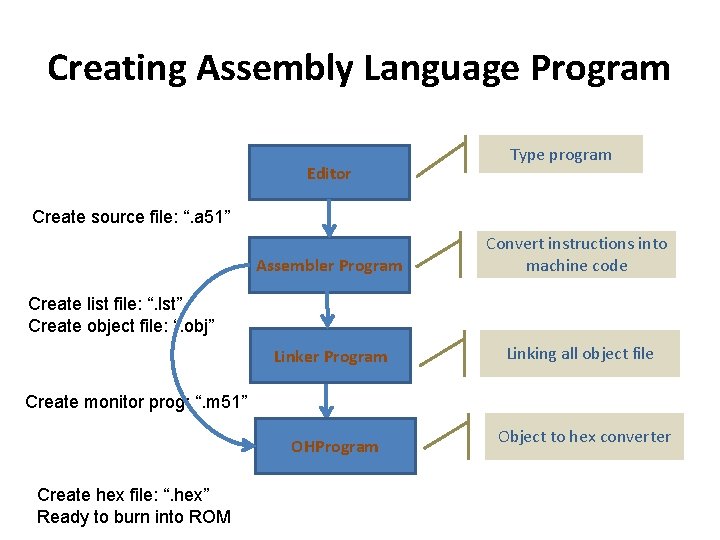
Creating Assembly Language Program Editor Type program Create source file: “. a 51” Assembler Program Convert instructions into machine code Linker Program Linking all object file Create list file: “. lst” Create object file: “. obj” Create monitor prog: “. m 51” OHProgram Create hex file: “. hex” Ready to burn into ROM Object to hex converter
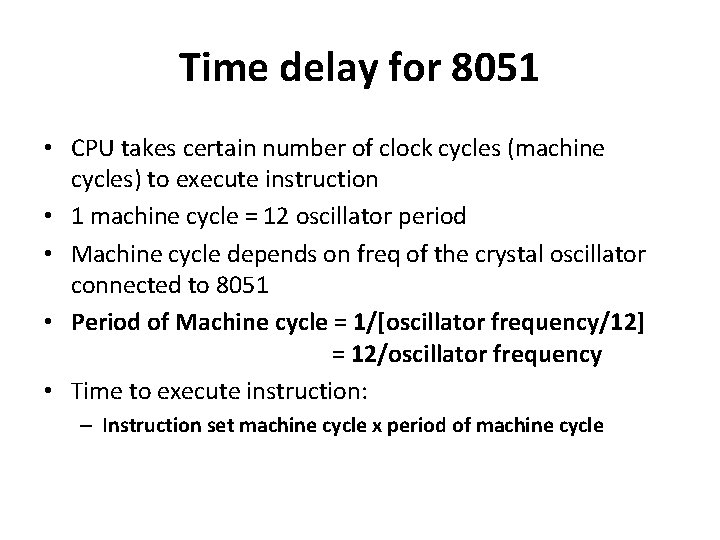
Time delay for 8051 • CPU takes certain number of clock cycles (machine cycles) to execute instruction • 1 machine cycle = 12 oscillator period • Machine cycle depends on freq of the crystal oscillator connected to 8051 • Period of Machine cycle = 1/[oscillator frequency/12] = 12/oscillator frequency • Time to execute instruction: – Instruction set machine cycle x period of machine cycle
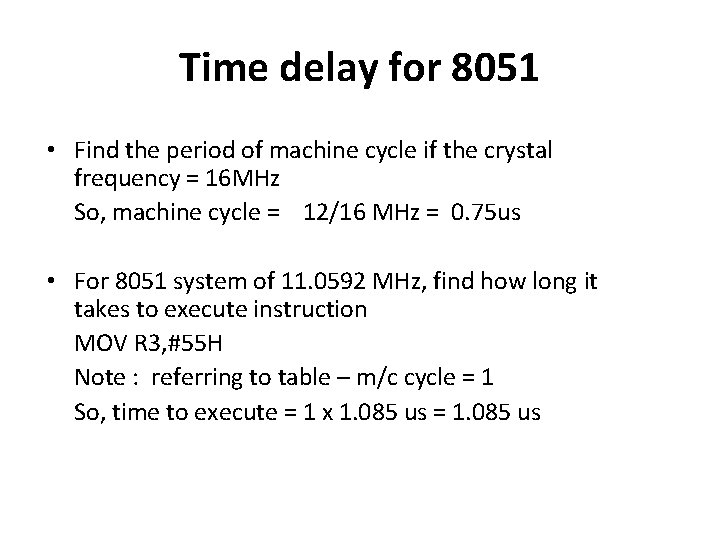
Time delay for 8051 • Find the period of machine cycle if the crystal frequency = 16 MHz So, machine cycle = 12/16 MHz = 0. 75 us • For 8051 system of 11. 0592 MHz, find how long it takes to execute instruction MOV R 3, #55 H Note : referring to table – m/c cycle = 1 So, time to execute = 1 x 1. 085 us = 1. 085 us
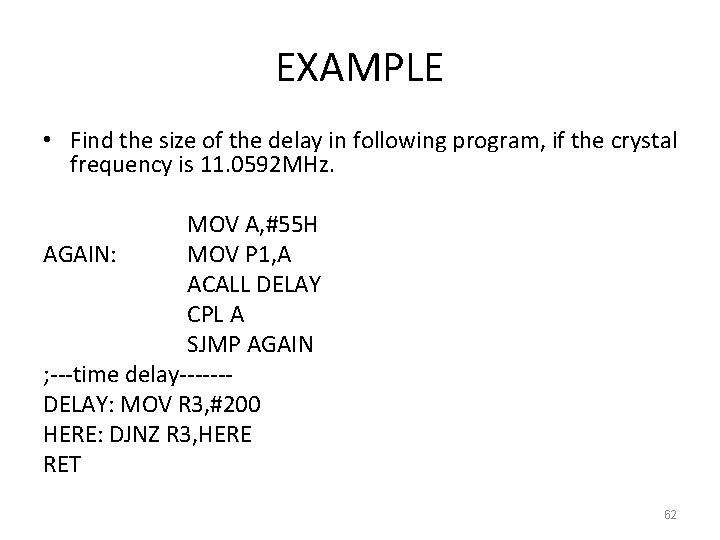
EXAMPLE • Find the size of the delay in following program, if the crystal frequency is 11. 0592 MHz. MOV A, #55 H AGAIN: MOV P 1, A ACALL DELAY CPL A SJMP AGAIN ; ---time delay------DELAY: MOV R 3, #200 HERE: DJNZ R 3, HERE RET 62
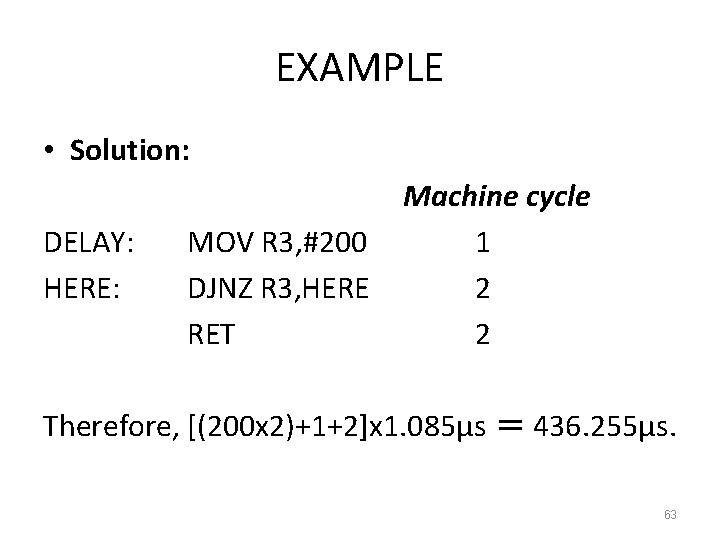
EXAMPLE • Solution: DELAY: HERE: MOV R 3, #200 DJNZ R 3, HERE RET Machine cycle 1 2 2 Therefore, [(200 x 2)+1+2]x 1. 085μs = 436. 255μs. 63
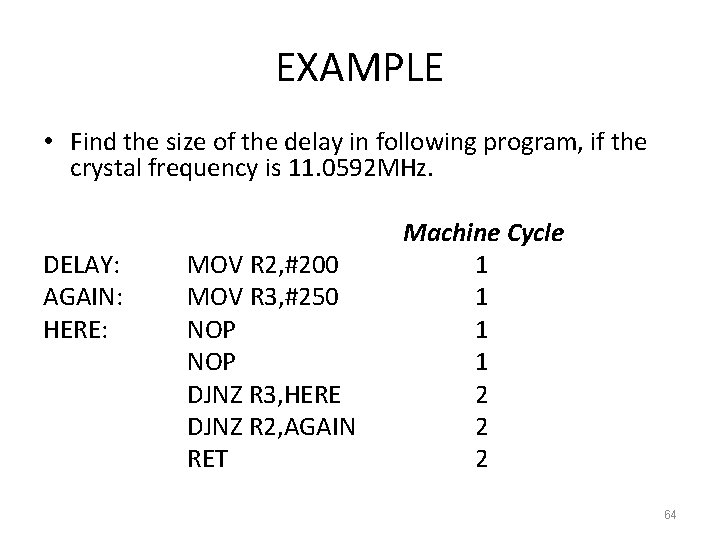
EXAMPLE • Find the size of the delay in following program, if the crystal frequency is 11. 0592 MHz. DELAY: AGAIN: HERE: MOV R 2, #200 MOV R 3, #250 NOP DJNZ R 3, HERE DJNZ R 2, AGAIN RET Machine Cycle 1 1 2 2 2 64
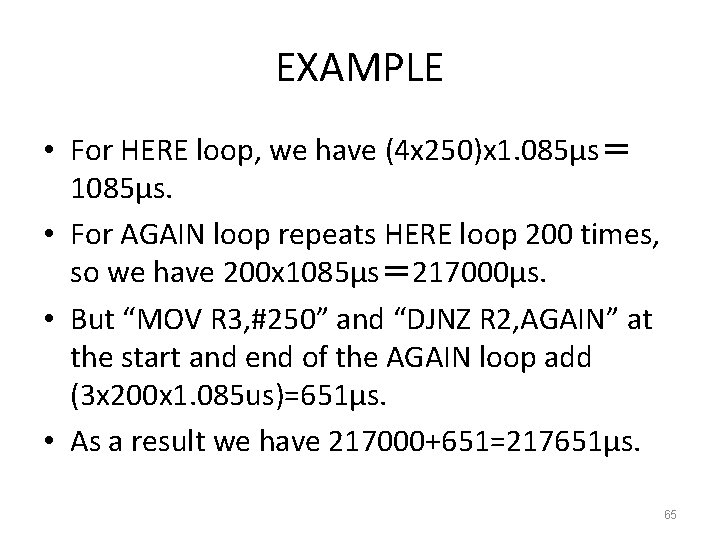
EXAMPLE • For HERE loop, we have (4 x 250)x 1. 085μs= 1085μs. • For AGAIN loop repeats HERE loop 200 times, so we have 200 x 1085μs= 217000μs. • But “MOV R 3, #250” and “DJNZ R 2, AGAIN” at the start and end of the AGAIN loop add (3 x 200 x 1. 085 us)=651μs. • As a result we have 217000+651=217651μs. 65
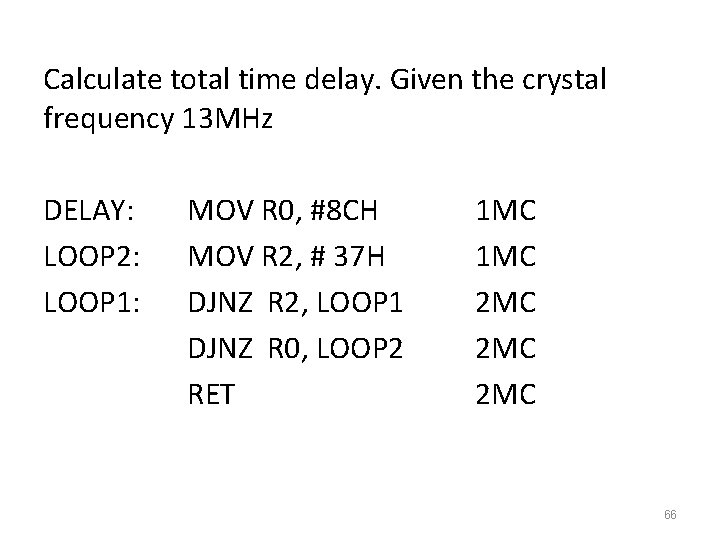
Calculate total time delay. Given the crystal frequency 13 MHz DELAY: LOOP 2: LOOP 1: MOV R 0, #8 CH MOV R 2, # 37 H DJNZ R 2, LOOP 1 DJNZ R 0, LOOP 2 RET 1 MC 2 MC 2 MC 66
- Slides: 66