
Michael Hunter Hobart and William Smith Colleges for
Michael Hunter Hobart and William Smith Colleges for Western New York Library Resources Council Member Libraries’ Staff Sponsored by the Western New York Library Resources Council
For Today … § Communicate in a foreign language on a computer § Locate gateways to Search Services in Foreign Countries § Search non-English services § Locate, use and evaluate free translation services § Explore Spanish language search services
Focus today is on PC (Windows) Information for Macintosh at http: //www. colby. edu/lrc/help/accen ts. html
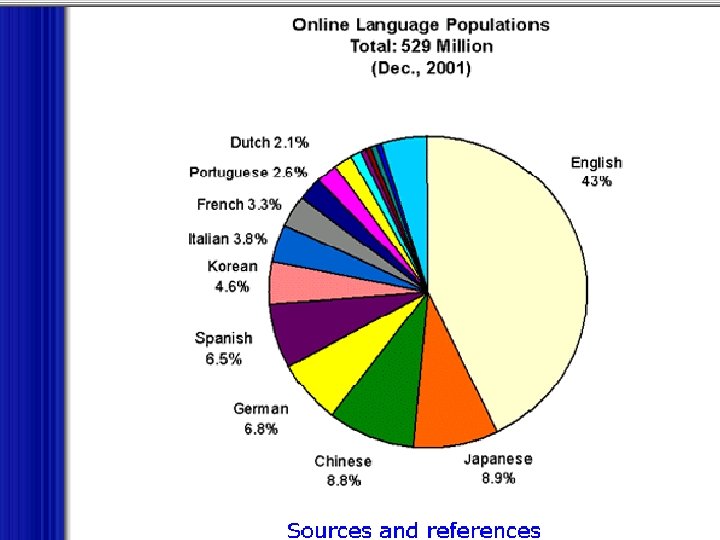
What are the languages of the Web’s Content? § OCLC’s Web Characterization Project: Of all unique websites in October, 2001 § 73% § 7% § 5% § 3% § 9% English German Japanese French Spanish Other

Who is on the Web? From Global Reach Online Marketing http: //global-reach. biz/globstats/ (formerly glreach. com)
Communicating in a foreign language on a computer § Two-way process (similar to us): § Understanding (Display) § Speaking (Output)
Displaying Content “Understanding the language” § A computer must recognize non-English characters in a variety of contexts § Files, e-mails, web pages and more § Involves operating system, applications and browser settings
Output (from You!) “Speaking the language” § Creating files, e-mails, web pages and more § Involves operating system, applications, browsers AND keyboard layout settings
Displaying Content “Understanding the Language”
Display § Applications (Word, etc. ) § Check the help files § Multilanguage use of Browsers § Need to select language (font) § Need to specify appropriate encoding option for the languages you will be using
Setting the Language (font) § Netscape Edit | Preferences | Appearance | Fonts (set both variable and fixed) NOTE: Netscape may automatically link a font with the encoding you select) § IE Tools | Internet Options | Languages § NOTE: To activate settings, close the browser and open it again
Encoding § The method by which a document has been converted to computerized data (aka character set) § Not necessarily equivalent to a language. § Most Western languages use one (ISO 8859 -1), but some languages (Russian, Chinese, Japanese) have several encoding schemes
How do I know which one is the current setting and/or change it? § Netscape View | Character Set § IE View | Encoding NOTE: IE has an Auto-select feature which works with most commonly used languages
How do I know which to use? § For Western European use Western ISO 8859 -1 § For Central European, Baltic, Cyrillic, Greek, Turkish-based and Asian languages try a Windows or ISO encoding scheme when available. § Some schemes are platform-specific; check with your system administrator § If a document won’t display, try to e-mail a contact person to determine the encoding scheme you need. ( You may need to be creative to do this!)
What is Unicode? § Encoding scheme that provides a unique number for every character § No matter what the language § No matter what the platform § No matter what the program § Required standard in XML, Java, and WML § Enables data to be transported across multiple platforms, languages and countries without corruption. § AKA USO 10646 AKA UTF-8
What are Dynamic Fonts? § Fonts provided with the document § Usually in a. pfr file that accompanies the document § Allows the user to view the document without loading the font, or re-setting the browser or application § Increasingly used in documents in Far. Eastern languages
Output (from You!) “Speaking the language”
Keyboards § The “usual” one is US 101– § a qwerty standard § The US-International is a qwerty keyboard with a few added features (I recommend it for all Western European languages) § Other non-qwerty keyboard layouts exist specifically for individual languages
Output (from You) “Speaking the language” § Set language (fonts) and encoding appropriate to the language you will be using § Select a keyboard layout § FOR WINDOWS: Control Panel | Keyboard | Language (or Input locales) US-International recommended § RESTART after changing a keyboard layout to activate the change
Output (from You) “Speaking the language” § Some applications have specific keyboard schemes for non-English characters § Creating Web pages: § See Hunter’s Toolkit for html code for characters in Western European languages § Check help files in Composer, Front Page or other editor you may be using
Search Services in Foreign Languages
Why use Search Services based in another country and/or language? § To find personal or business contact information § Addresses § Phone numbers § E-mail addresses Sources for this information are often more complete from these services § For more detailed information about a business or organization
Why use Search Services based in another country and/or language? § For more comprehensive coverage of news and economic, political and cultural information about a country § For alternate viewpoints about national and international events and issues
How do I know if a service is an engine or a directory (or both)? § Some gateway sites may use the word Index to denote a directory or other indication. § Some gateways may specify this such as www. nationsonline. com § If the service is a portal, check results found using the search box against results found in its subject directory. If they are the same, it is a directory. If different, it may be crawler-based (engine) or a blend of engine and directory. § Test for freshness (engines are usually fresher than directories) § Try e-mailing the main contact (Good Luck !!!!)
A few tips for exploring the ‘Net ourside our borders… § Begin with subject directories (if available) when you are unfamiliar with the country or topic § Seek out experts in an area or field; identify websites that are run by them and e-mail them for further leads § Make use of support staff at US or foreign embassies. They often know the best Internet source for different types of information
A few tips … § Watch for hidden assumptions and be culturally sensitive. Just because it LOOKS like any other search engine or directory doesn’t mean that the people and information behind it have the same cultural conditions and background as US users.
Evaluating Sites in Foreign Languages § Be especially cautious about reliability; check for author’s credentials, quality of links to and from the site and date. Contact the author(s) via e-mail if you feel the need. Most are happy to hear that their site is visited and might be helpful in your search. § Many foreign-language sites lack top-level domains (edu, com, gov and others). In these cases, link relationships and credentials are especially important. NOTE: In the UK TLD’s are co = com ac = edu
Evaluating Search Services in Foreign Languages § Check for freshness by searching for a recent event § Check for comprehensiveness by comparing findings for a topic with the same search on Google or FAST § If you want to see which services are the most popular in European countries, consult Jupiter Media Metrix data at http: //www. jupitermmxi. com/europelanding. html
Free Translation Services
Globalization and the Internet § The ‘Net (and the World) is increasingly global in content § Non-English content is growing at a faster rate than English content § For the first time, in 2001 less than half of all people online were from North America § If present growth trends continue by 2004 70% of all Internet users will be outside North America
Babelfish http: //babelfish. altavista. com § The first publicly-available service § Spanish, French, German, Italian, Portuguese, Russian, Korean, Chinese, Japanese to English and vice-versa § French to German, German to French § Translates § Any Altavista search result § Any URL in the supported languages § Supplied Text up to 150 words § Auto-translates linked pages (new feature)
Freetranslation http: //www. freetranslation. com § Offers Spanish, French, German, Portuguese, Italian to English and viceversa § English to Norwegian § Offers drop-down menus for vowels with diacritics § Text and URL both accepted § Good “Help” file
Translate. ru – Russia-based http: //www. translate. ru § Offers Russian, French, German and Spanish to English and vice-versa § German to French and vice-versa § Russian to German and vice-versa § Accepts Text, URL’s in supported languages and e-mails § Auto-translates linked pages (? ? )
Google. com § Offers German, Spanish, French, Italian, Portuguese to English and vice-versa § German to French and vice-versa § French to Spanish and vice-versa § Google search results auto-translated into English § Also accepts text and URL’s in supported languages
Online Translation Dictionaries § Martindale’s Collection (highly recommended) § http: //www-sci. lib. uci. edu/HSG/Language. html § Lexicool § http: //www. lexicool. com/
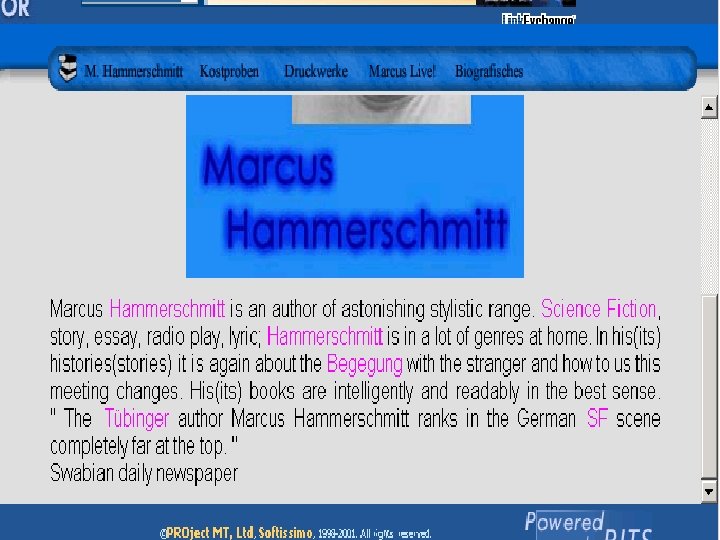
When terms aren’t translated … § “Gisting” translation process § Automatically translates terms that can be translated with a low degree of ambiguity § Idioms and other terms that cannot be unambiguously translated appear in the original language
Gisting § Why might you need this? § As a filter to determine if a document is worth a finer, more costly translation § Useful in dealing with documents in multiple languages (eg. an e-mail message with several comments from people using different languages)
Evaluating Translation Services § Choose a site that has a bi-lingual version § Eg. The Louvre has French, English, Spanish and Japanese versions http: //www. louvre. fr § Enter the URL of a page from the foreign language version and compare the translation to the site’s own English version OR, simply compare the translations of any URL or text among various services
Compare these: French: www. mbam. qc. ca/orangerie/index. html German: www. transgen. de Italian: www. roma-intercultura. it
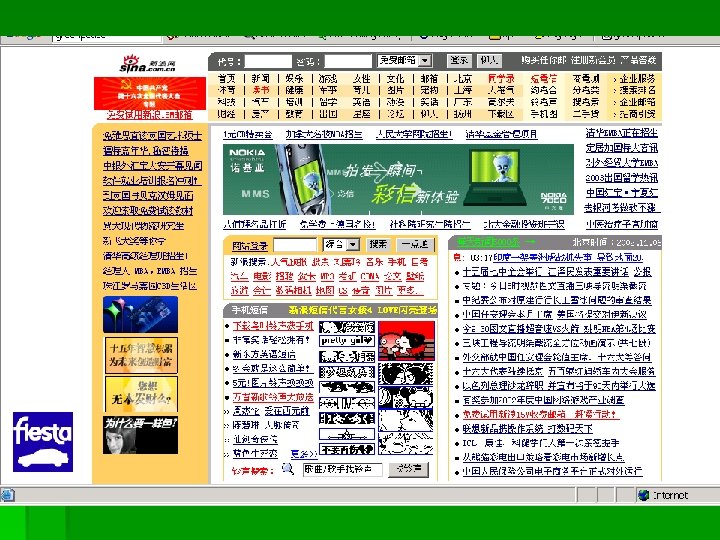
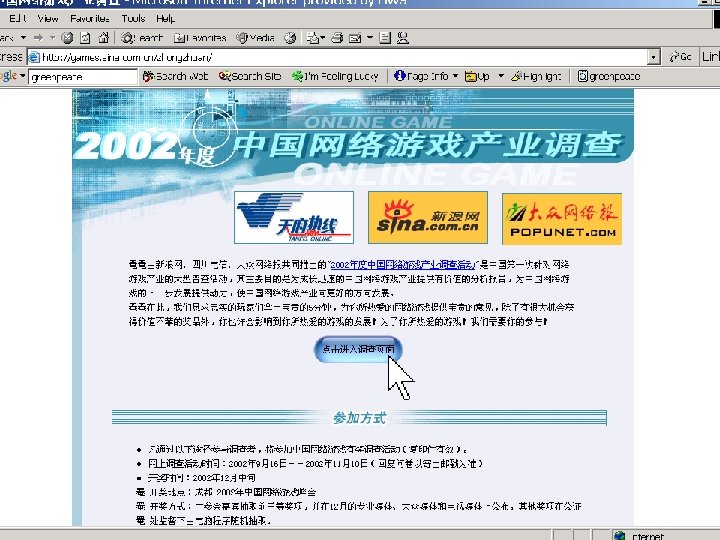
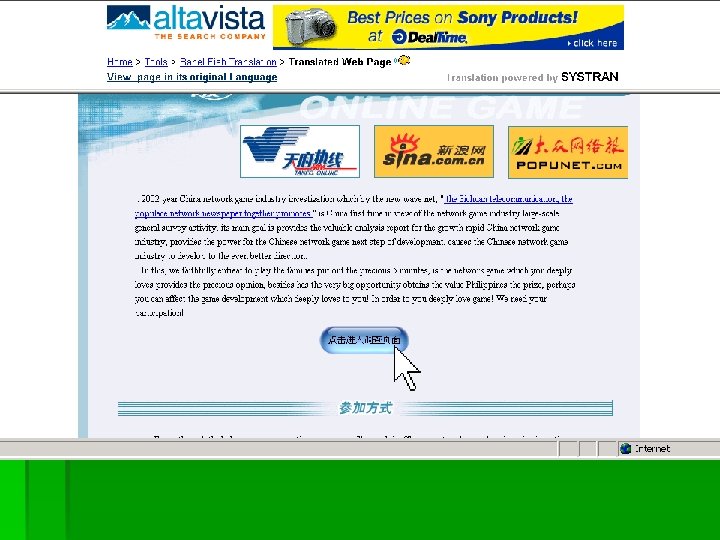
Spanish-language Search Services
Google Spanish Search Tip § In Google Advanced Search, search for significant words or phrases in the TITLE (eg. museos, cultura, negocios, noticias) § Limit the search by DOMAIN § Country code (es, mx, co -- Spain, Mexico, Columbia) § Top level (gov OR gob – government or gobierno)
Internet Censorship in China Human Rights Watch Report § China’s government has over 60 sets of regulations governing Internet content § Individuals have been put on trial and sentenced to prison for downloading or posting politically sensitive material on the web § Government censors monitor Internet cafés § Politically sensitive topics are prohibited in chatrooms
Internet Censorship in China 2002 § August – Chinese Government requests Google, Altavista, Yahoo and other services to remove Falun Gong sites from their database. § Yahoo does so, aas it operates an office in China and as policy obeys laws of country of operation. (Google and AV have no Chinese offices) § Sept 2 - Access to Google and Altavista blocked in China by Chinese Government § Sept 11 - Chinese government restores access, but continues to monitor Google
Foreign Search Services: A few added values … § Personal or business contacts in that country § Primary source material about a foreign country or topic § More detailed coverage of political, economic and cultural issues in that country § Alternate viewpoints about national and international events and issues

Thank you and Best of Luck in your “travels” Michael Hunter Warren Hunting Smith Library Hobart and William Smith Colleges Geneva, NY 14507 (315) 781 -3552 hunter@hws. edu
- Slides: 50