
Methodology for the extraction of proteins from serum
- Slides: 48
Methodology for the extraction of proteins from serum Extraction of the entire protein from the complex biological samples like serum requires a multi-step robust protocol, where various sample processing steps have been introduced to increase efficacy of the extraction procedure Related LOs: Blood collection process. > Prior Viewing – IDD-1. Extraction of bacterial protein, IDD-4. Protein extraction from human brain tissue > Future Viewing – IDD-9. Removal of abundant proteins in serum, IDD-11. Protein quantification, IDD-14. Isoelectric focusing Course Name: Serum protein extraction Level(UG/PG): UG Author(s) : Dinesh Raghu, Vinayak Pachapur Mentor: Dr. Sanjeeva Srivastava *The contents in this ppt are licensed under Creative Commons Attribution-Non. Commercial-Share. Alike 2. 5 India license
1 2 Learning objectives After interacting with this learning object, the learner will be able to: 1. 3 2. 3. 4 4. 5 Define the protein precipitation using TCA-Acetone treatment. Infer the protein solubilisation using rehydration buffer. Separate out high abundance proteins Operate steps involved in handling the instrument and the materials used. Assess the troubleshooting steps involved in the experiments.
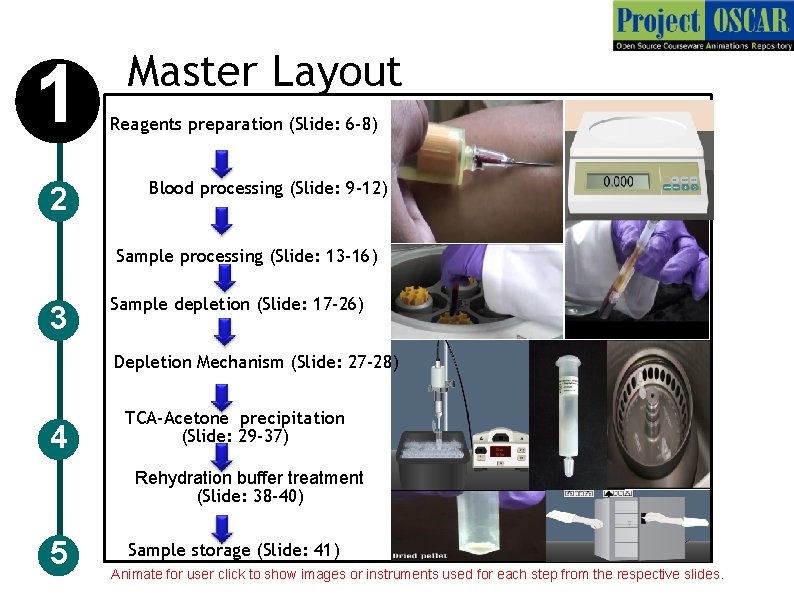
1 2 Master Layout Reagents preparation (Slide: 6 -8) Blood processing (Slide: 9 -12) Sample processing (Slide: 13 -16) 3 Sample depletion (Slide: 17 -26) Depletion Mechanism (Slide: 27 -28) 4 TCA-Acetone precipitation (Slide: 29 -37) Rehydration buffer treatment (Slide: 38 -40) 5 Sample storage (Slide: 41) Animate for user click to show images or instruments used for each step from the respective slides.
1 2 Definitions and Keywords 1. Protein: Proteins are the biomolecules, composed of amino acid, forms the building block of the system and performs most of the biological function of the system. 2. Protein extraction: The process of extracting the proteins from the serum for analysis purpose is called protein extraction. The chemicals involved in the extraction are 3. Serum: Serum is the yellowish part of the blood, devoid of cells and clotting factors. Serum contains all blood proteins and secreted proteins which can be used for the study. 3 4. Depletion column: The affinity column that are used to trap the high abundance proteins like Ig. G, albumin etc in serum are called depletion column. 5. Depleted serum: Serum devoid of high abundance proteins. 4 6. Lysis Buffer: A cocktail of reagents used for cell lyses. a) Trichloro acetic acid: The acid used in the lyses buffer for lyses of the cell and helps to precipitate the protein. b) Acetone: One of the constituent of lyses buffer used to denature the protein. 5 c) Dithiothreitol: Constituent of lyses buffer used to reduce the disulfide bonds in the protein.
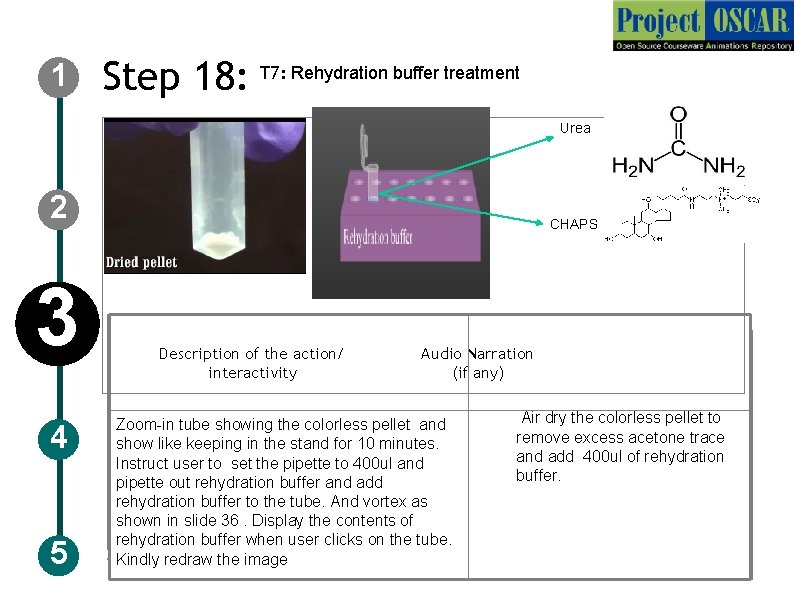
1 Definitions and Keywords 7. Rehydration buffer: A cocktail of reagents used for sample solubalization and used for sample storage. a) CHAPS: is a zwitter-ionic detergent, constituent of rehydration buffer that is used to solubilize the proteins including membrane proteins. 2 b) Urea: It is a organic compound in rehydration buffer that is used to denature protein. 8. Bromophenol blue: Used in rehydration as color marker and acid-base indicator 3 4 5
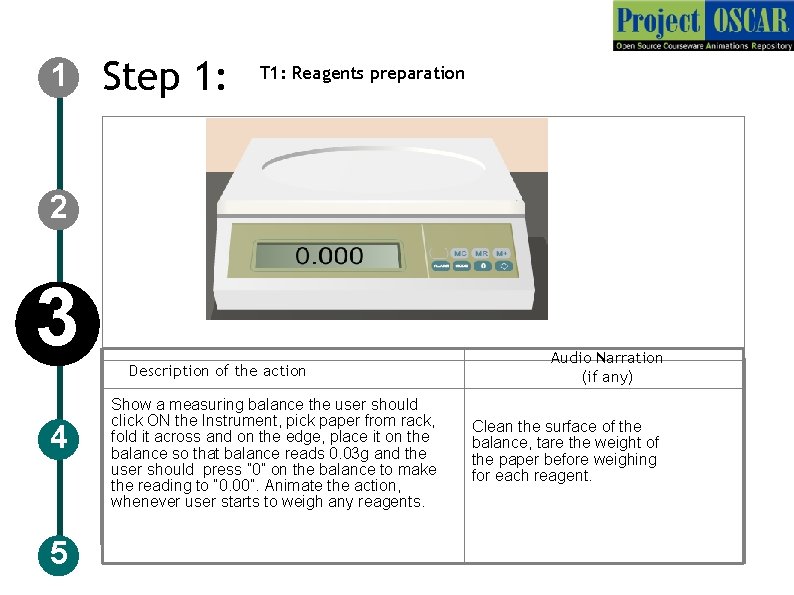
1 Step 1: T 1: Reagents preparation 2 3 4 5 Description of the action Show a measuring balance the user should click ON the Instrument, pick paper from rack, fold it across and on the edge, place it on the balance so that balance reads 0. 03 g and the user should press ” 0” on the balance to make the reading to “ 0. 00”. Animate the action, whenever user starts to weigh any reagents. Audio Narration (if any) Clean the surface of the balance, tare the weight of the paper before weighing for each reagent.
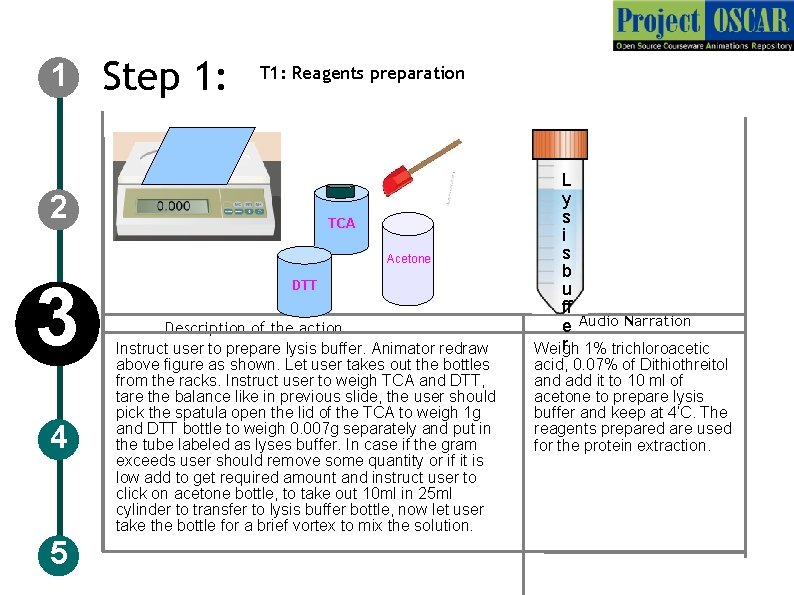
1 Step 1: T 1: Reagents preparation 2 TCA Acetone 3 4 5 DTT Description of the action Instruct user to prepare lysis buffer. Animator redraw above figure as shown. Let user takes out the bottles from the racks. Instruct user to weigh TCA and DTT, tare the balance like in previous slide, the user should pick the spatula open the lid of the TCA to weigh 1 g and DTT bottle to weigh 0. 007 g separately and put in the tube labeled as lyses buffer. In case if the gram exceeds user should remove some quantity or if it is low add to get required amount and instruct user to click on acetone bottle, to take out 10 ml in 25 ml cylinder to transfer to lysis buffer bottle, now let user take the bottle for a brief vortex to mix the solution. L y s i s b u ff e Audio Narration r 1% trichloroacetic Weigh acid, 0. 07% of Dithiothreitol and add it to 10 ml of acetone to prepare lysis buffer and keep at 4’C. The reagents prepared are used for the protein extraction.
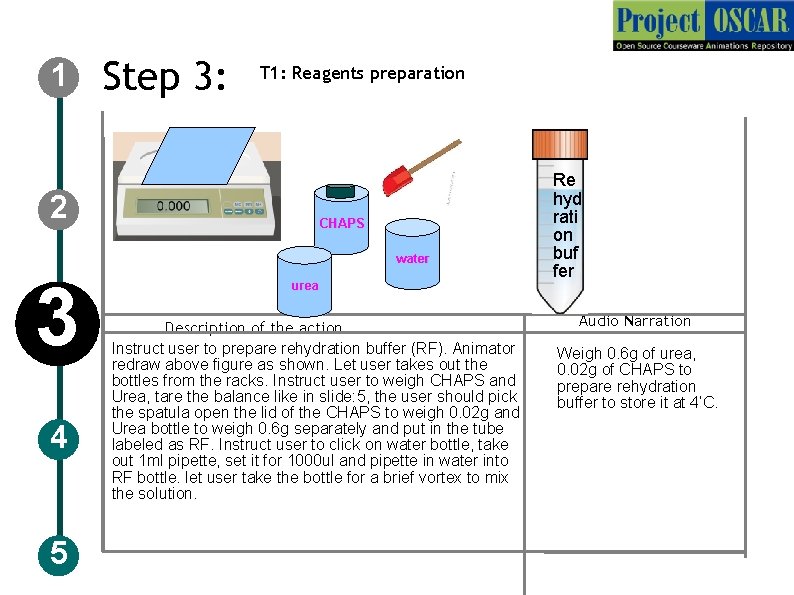
1 Step 3: T 1: Reagents preparation 2 CHAPS water 3 4 5 urea Description of the action Instruct user to prepare rehydration buffer (RF). Animator redraw above figure as shown. Let user takes out the bottles from the racks. Instruct user to weigh CHAPS and Urea, tare the balance like in slide: 5, the user should pick the spatula open the lid of the CHAPS to weigh 0. 02 g and Urea bottle to weigh 0. 6 g separately and put in the tube labeled as RF. Instruct user to click on water bottle, take out 1 ml pipette, set it for 1000 ul and pipette in water into RF bottle. let user take the bottle for a brief vortex to mix the solution. Re hyd rati on buf fer Audio Narration Weigh 0. 6 g of urea, 0. 02 g of CHAPS to prepare rehydration buffer to store it at 4’C.
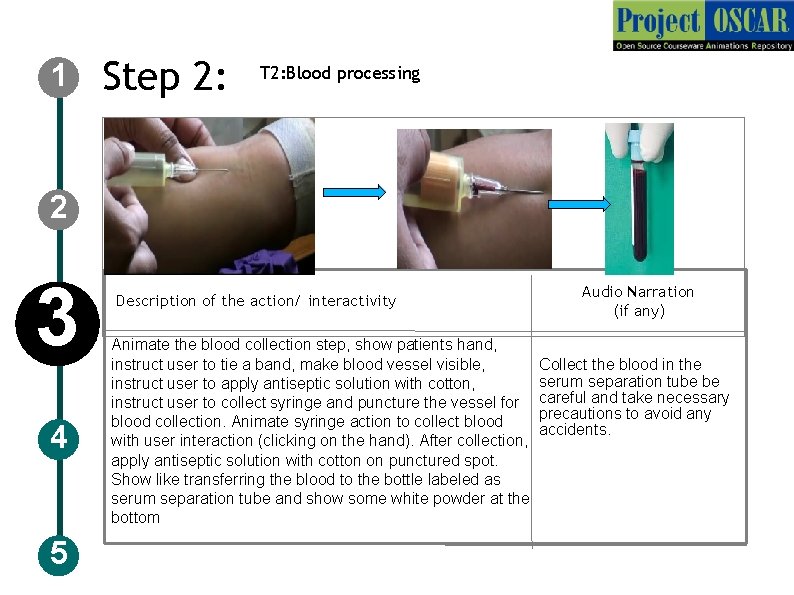
1 Step 2: T 2: Blood processing 2 3 4 5 Description of the action/ interactivity Animate the blood collection step, show patients hand, instruct user to tie a band, make blood vessel visible, instruct user to apply antiseptic solution with cotton, instruct user to collect syringe and puncture the vessel for blood collection. Animate syringe action to collect blood with user interaction (clicking on the hand). After collection, apply antiseptic solution with cotton on punctured spot. Show like transferring the blood to the bottle labeled as serum separation tube and show some white powder at the bottom Audio Narration (if any) Collect the blood in the serum separation tube be careful and take necessary precautions to avoid any accidents.
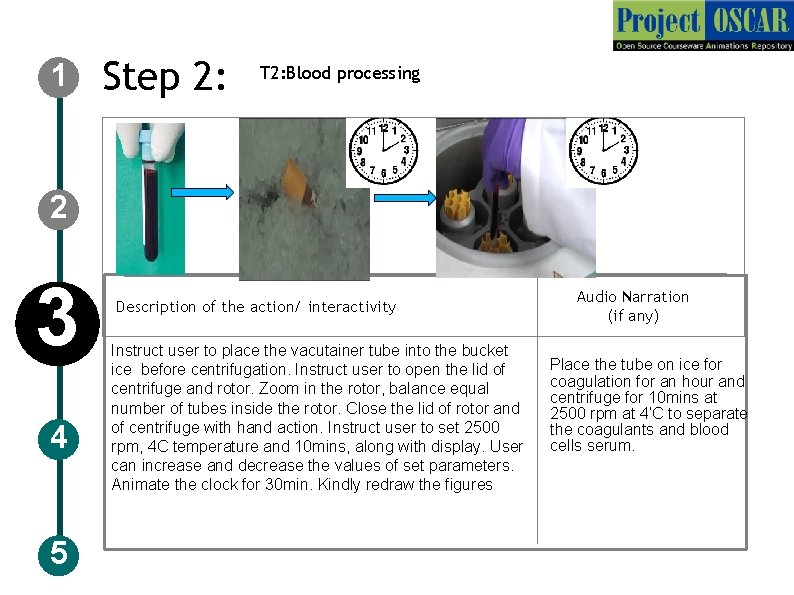
1 Step 2: T 2: Blood processing 2 3 4 5 Description of the action/ interactivity Instruct user to place the vacutainer tube into the bucket ice before centrifugation. Instruct user to open the lid of centrifuge and rotor. Zoom in the rotor, balance equal number of tubes inside the rotor. Close the lid of rotor and of centrifuge with hand action. Instruct user to set 2500 rpm, 4 C temperature and 10 mins, along with display. User can increase and decrease the values of set parameters. Animate the clock for 30 min. Kindly redraw the figures Audio Narration (if any) Place the tube on ice for coagulation for an hour and centrifuge for 10 mins at 2500 rpm at 4’C to separate the coagulants and blood cells serum.
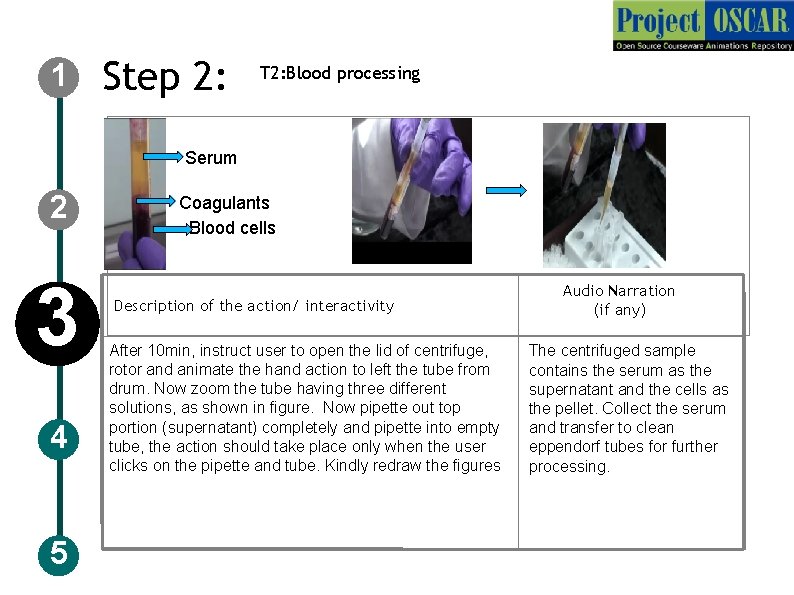
1 Step 2: T 2: Blood processing Serum 2 3 4 5 Coagulants and cells Blood cells Description of the action/ interactivity After 10 min, instruct user to open the lid of centrifuge, rotor and animate the hand action to left the tube from drum. Now zoom the tube having three different solutions, as shown in figure. Now pipette out top portion (supernatant) completely and pipette into empty tube, the action should take place only when the user clicks on the pipette and tube. Kindly redraw the figures Audio Narration (if any) The centrifuged sample contains the serum as the supernatant and the cells as the pellet. Collect the serum and transfer to clean eppendorf tubes for further processing.
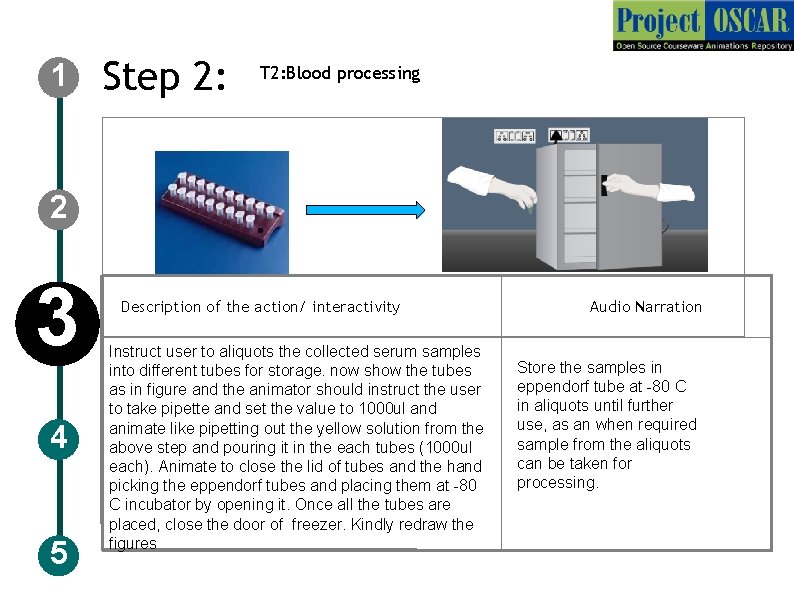
1 Step 2: T 2: Blood processing 2 3 4 5 Description of the action/ interactivity Instruct user to aliquots the collected serum samples into different tubes for storage. now show the tubes as in figure and the animator should instruct the user to take pipette and set the value to 1000 ul and animate like pipetting out the yellow solution from the above step and pouring it in the each tubes (1000 ul each). Animate to close the lid of tubes and the hand picking the eppendorf tubes and placing them at -80 C incubator by opening it. Once all the tubes are placed, close the door of freezer. Kindly redraw the figures Audio Narration Store the samples in eppendorf tube at -80 C in aliquots until further use, as an when required sample from the aliquots can be taken for processing.
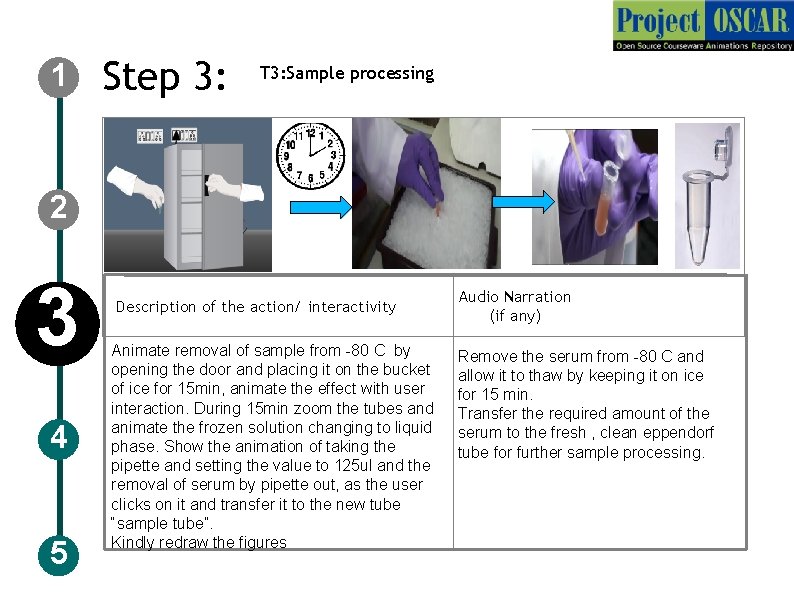
1 Step 3: T 3: Sample processing 2 3 4 5 Description of the action/ interactivity Animate removal of sample from -80 C by opening the door and placing it on the bucket of ice for 15 min, animate the effect with user interaction. During 15 min zoom the tubes and animate the frozen solution changing to liquid phase. Show the animation of taking the pipette and setting the value to 125 ul and the removal of serum by pipette out, as the user clicks on it and transfer it to the new tube “sample tube”. Kindly redraw the figures Audio Narration (if any) Remove the serum from -80 C and allow it to thaw by keeping it on ice for 15 min. Transfer the required amount of the serum to the fresh , clean eppendorf tube for further sample processing.
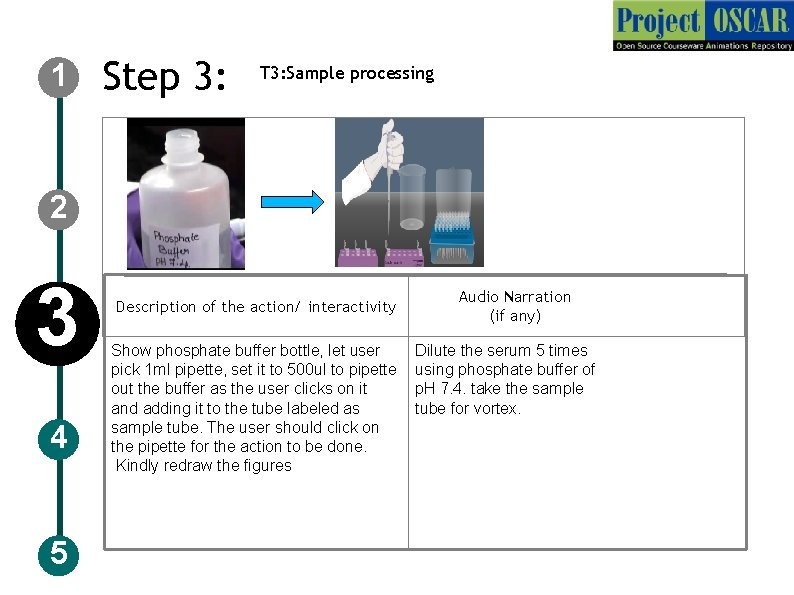
1 Step 3: T 3: Sample processing 2 3 4 5 Description of the action/ interactivity Show phosphate buffer bottle, let user pick 1 ml pipette, set it to 500 ul to pipette out the buffer as the user clicks on it and adding it to the tube labeled as sample tube. The user should click on the pipette for the action to be done. Kindly redraw the figures Audio Narration (if any) Dilute the serum 5 times using phosphate buffer of p. H 7. 4. take the sample tube for vortex.
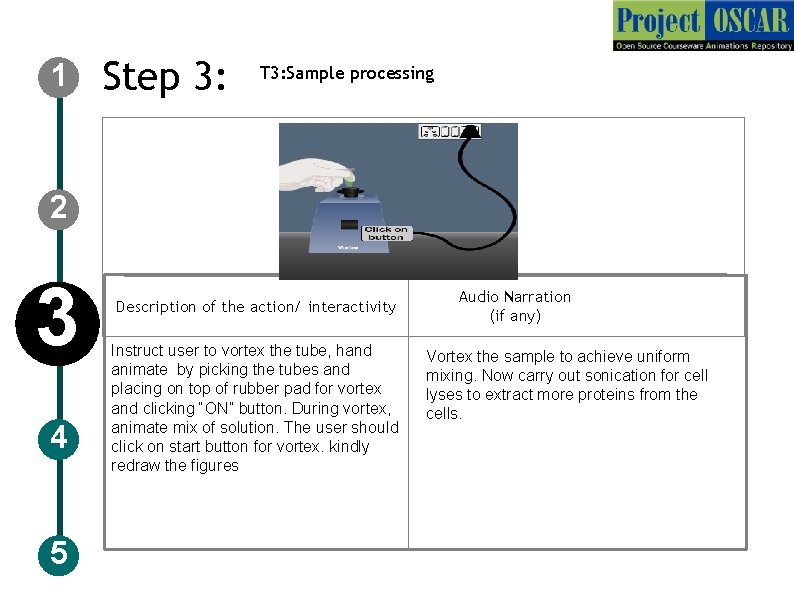
1 Step 3: T 3: Sample processing 2 3 4 5 Description of the action/ interactivity Instruct user to vortex the tube, hand animate by picking the tubes and placing on top of rubber pad for vortex and clicking “ON” button. During vortex, animate mix of solution. The user should click on start button for vortex. kindly redraw the figures Audio Narration (if any) Vortex the sample to achieve Vortexmixing the sample to achieve uniform mixing. Now carry out sonication for cell lyses to extract more proteins from the cells.
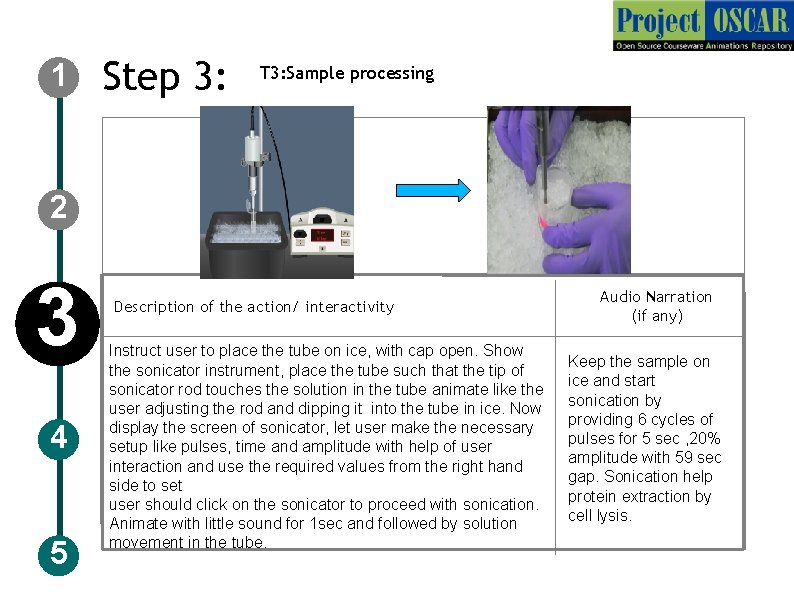
1 Step 3: T 3: Sample processing 2 3 4 5 Description of the action/ interactivity Instruct user to place the tube on ice, with cap open. Show the sonicator instrument, place the tube such that the tip of sonicator rod touches the solution in the tube animate like the user adjusting the rod and dipping it into the tube in ice. Now display the screen of sonicator, let user make the necessary setup like pulses, time and amplitude with help of user interaction and use the required values from the right hand side to set user should click on the sonicator to proceed with sonication. Animate with little sound for 1 sec and followed by solution movement in the tube. Audio Narration (if any) Keep the sample on ice and start sonication by providing 6 cycles of pulses for 5 sec , 20% amplitude with 59 sec gap. Sonication help protein extraction by cell lysis.
1 2 3 4 5 Step 4: T 4: Sample depletion
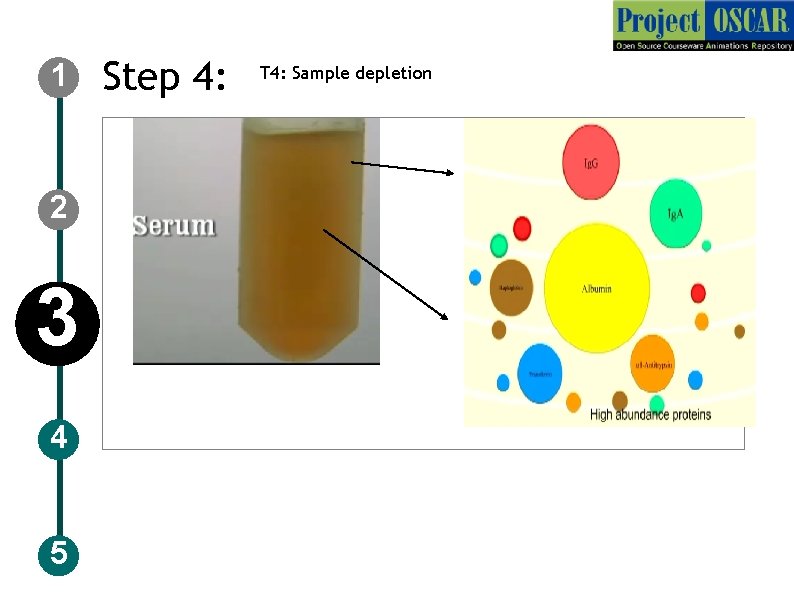
1 Step 4: T 4: Sample depletion Audio Narration Description of the action 2 3 4 5 After sonication, show the tube to display the contents like from the previous slide. The animator should show a tube containing brownish liquid labeled as serum. Animate in such a way that the user should click on the liquid to get the composition of it. Draw a red ring and label as Ig. G, Orange circle as alpha-1 antitrypsin, green as Ig. A, blue as Transferrin, Yellow-Albumin and brown -haptoglobin. Animate similarly as shown in the previous slide. The serum consists of high abundance proteins such as Ig. G, alpha-1 antitrypsin, Ig. A, transferrin, haptoglobin which will interfere during 2 D separation. For this reason the sample need to be depleted to remove out high abundance proteins.
1 2 3 4 5 Step 5: T 4: Sample depletion
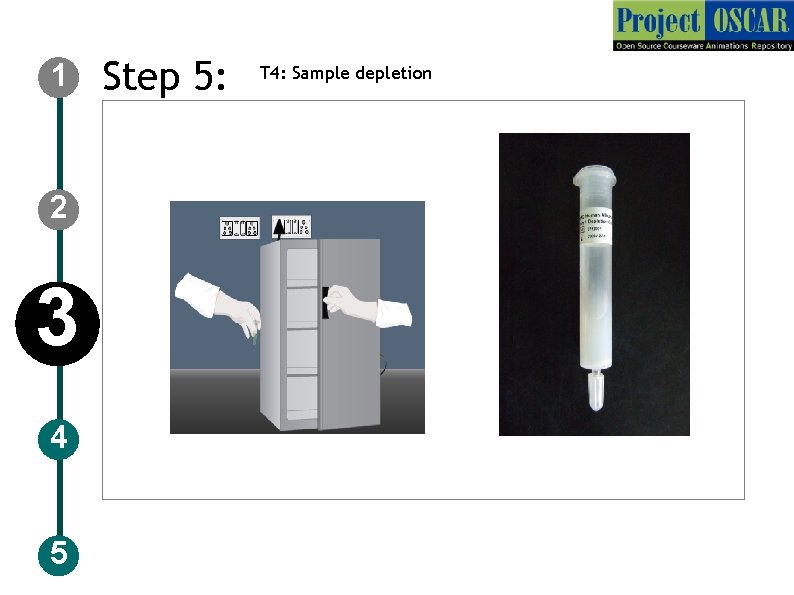
1 Step 5: T 4: Sample depletion 2 Description of the action 3 4 5 The animator should draw a freezer and a hand opening the freezer and take a box labeled as depletion column. Animate in such a way so that the user should click on the box to open and take a depletion column wrapped. The animator should design like removing the wrapper so that the column which is shown in the previous slide is taken out. Audio Narration Remove the depletion column from the freezer, the column is used to remove the high abundance protein.
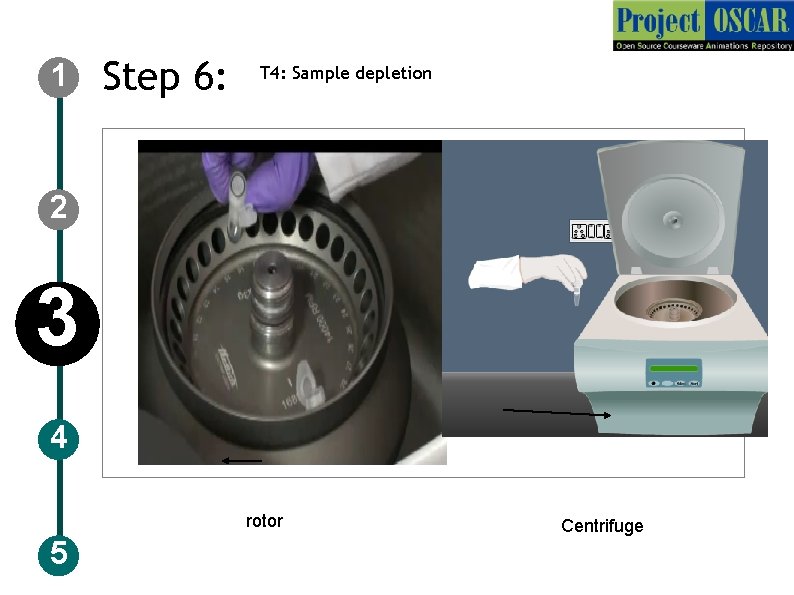
1 Step 6: T 4: Sample depletion 2 3 4 rotor 5 Centrifuge
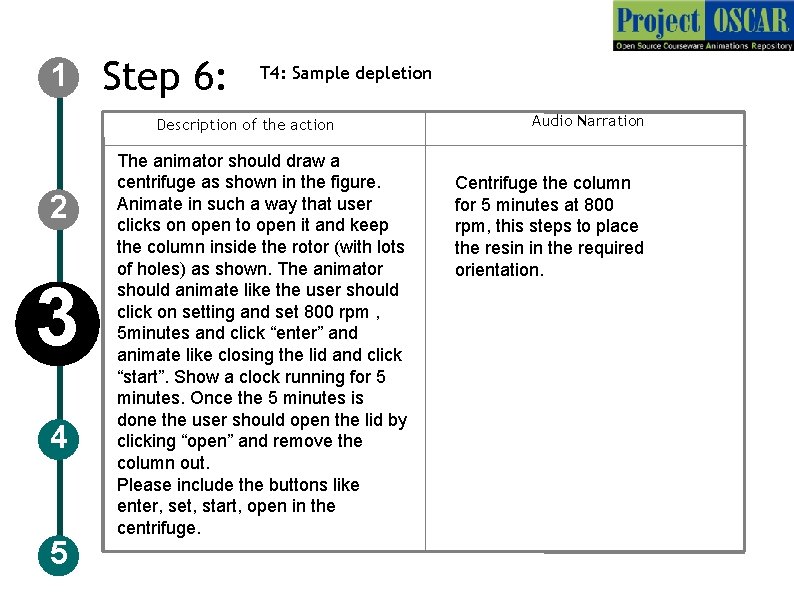
1 Step 6: T 4: Sample depletion Description of the action 2 3 4 5 The animator should draw a centrifuge as shown in the figure. Animate in such a way that user clicks on open to open it and keep the column inside the rotor (with lots of holes) as shown. The animator should animate like the user should click on setting and set 800 rpm , 5 minutes and click “enter” and animate like closing the lid and click “start”. Show a clock running for 5 minutes. Once the 5 minutes is done the user should open the lid by clicking “open” and remove the column out. Please include the buttons like enter, set, start, open in the centrifuge. Audio Narration Centrifuge the column for 5 minutes at 800 rpm, this steps to place the resin in the required orientation.
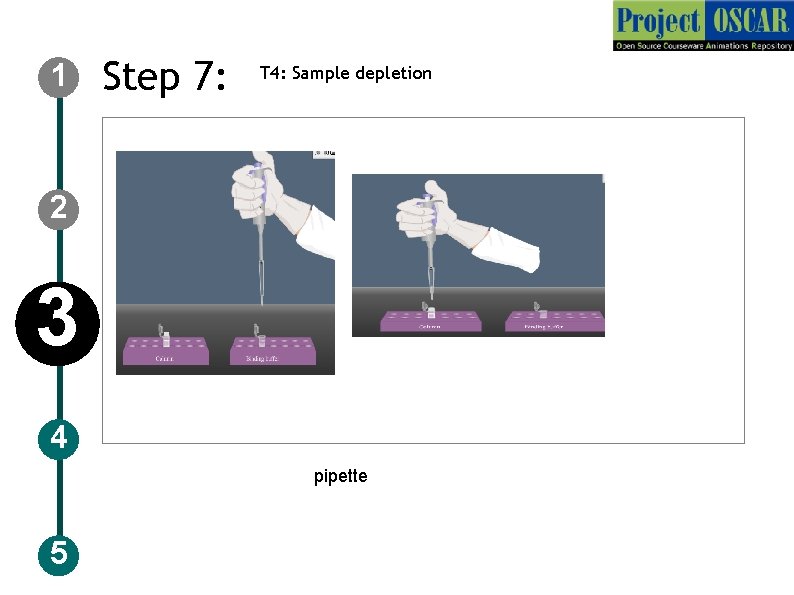
1 Step 7: T 4: Sample depletion 2 3 4 pipette 5
1 2 3 4 5 Step 7: T 4: Sample depletion
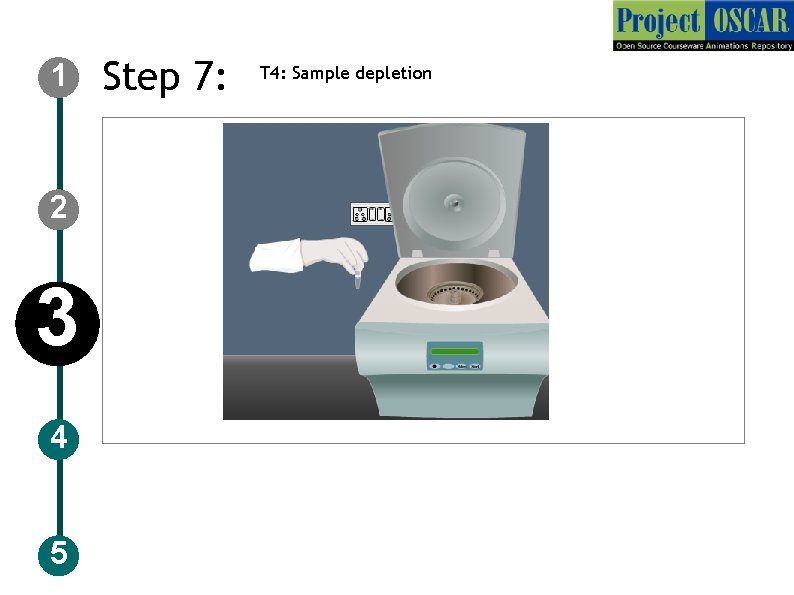
1 Step 7: T 4: Sample depletion Description of the action 2 3 4 5 The animator should draw a freezer and a hand opening the freezer and take a box labeled as Binding buffer. Animate in such a way so that the user should click on the box to open and take a binding buffer wrapped. The animator should design like removing the wrapper so that binding buffer is taken out. The animator should draw a pipette as shown in the figure and set 400 ul in the pipette. And put it in the binding buffer tube as shown in slide 23, 24 and take it in pipette and add it to the column. and the user should close the column and keep it in centrifugation and setting as shown in slide 10. Audio Narration Add binding buffer to the column, which helps to prepare the resin for the depletion step. Now carry out centrifugation step like explained earlier.
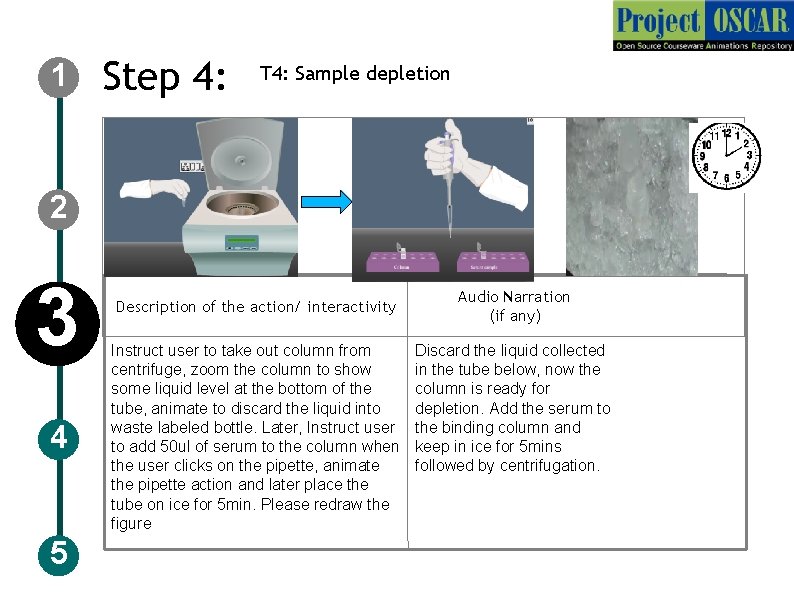
1 Step 4: T 4: Sample depletion 2 3 4 5 Description of the action/ interactivity Instruct user to take out column from centrifuge, zoom the column to show some liquid level at the bottom of the tube, animate to discard the liquid into waste labeled bottle. Later, Instruct user to add 50 ul of serum to the column when the user clicks on the pipette, animate the pipette action and later place the tube on ice for 5 min. Please redraw the figure Audio Narration (if any) Discard the liquid collected in the tube below, now the column is ready for depletion. Add the serum to the binding column and keep in ice for 5 mins followed by centrifugation.
1 2 3 4 5 Step 9: T 5: Depletion Mechanism
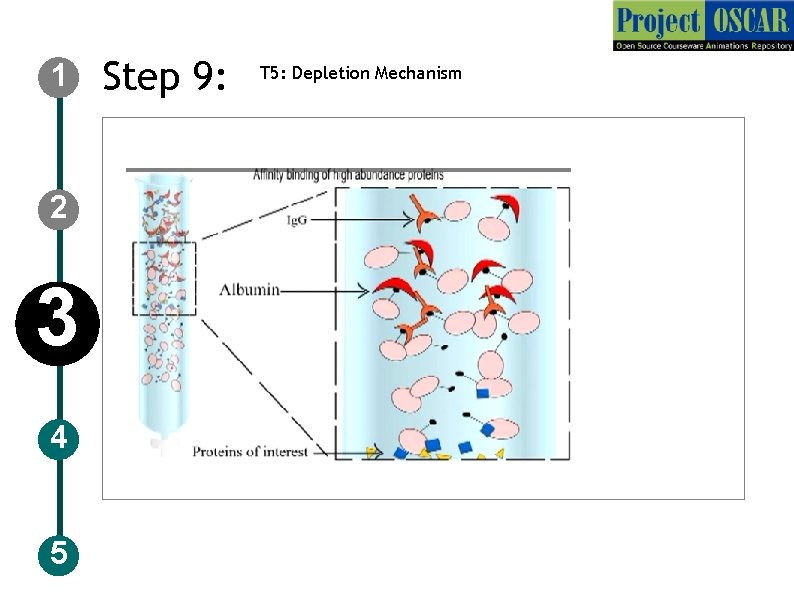
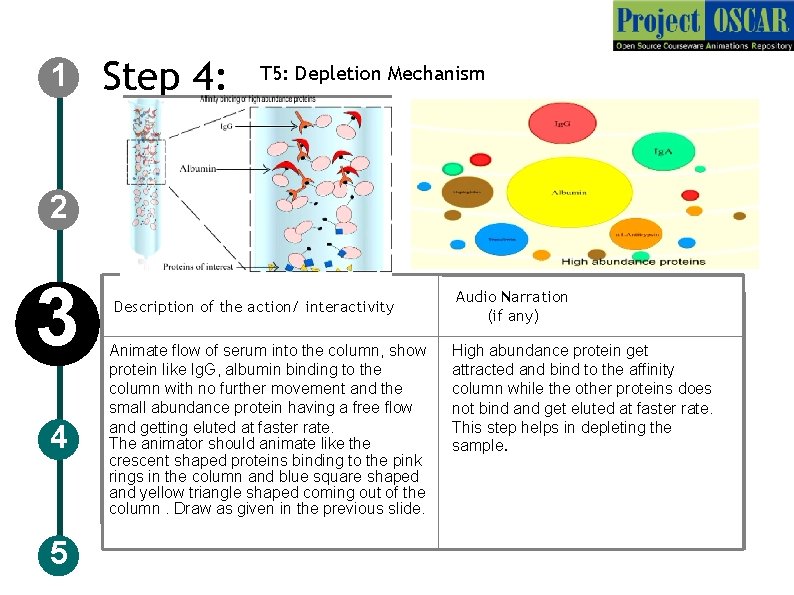
1 Step 4: T 5: Depletion Mechanism 2 3 4 5 Description of the action/ interactivity Animate flow of serum into the column, show protein like Ig. G, albumin binding to the column with no further movement and the small abundance protein having a free flow and getting eluted at faster rate. The animator should animate like the crescent shaped proteins binding to the pink rings in the column and blue square shaped and yellow triangle shaped coming out of the column. Draw as given in the previous slide. Audio Narration (if any) High abundance protein get attracted and bind to the affinity column while the other proteins does not bind and get eluted at faster rate. This step helps in depleting the sample.
1 2 3 4 5 Step 10: T 6: TCA-Acetone precipitation
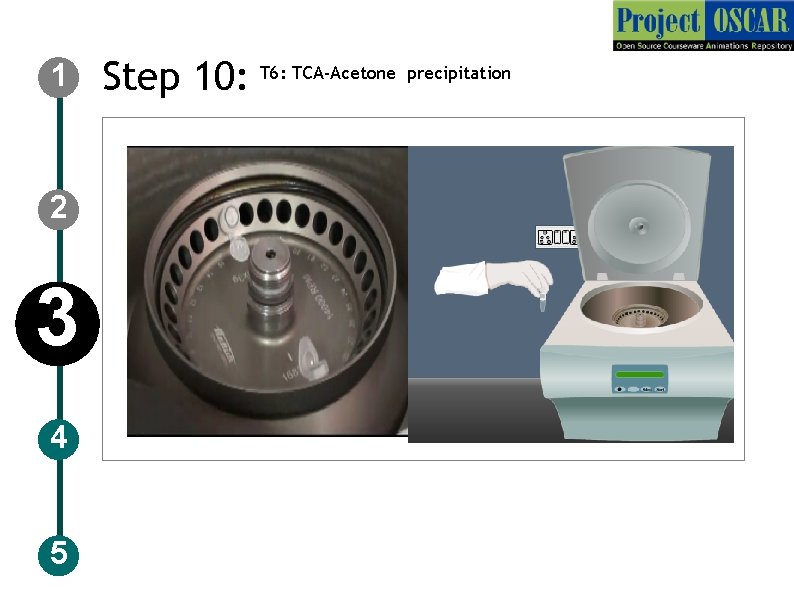
1 Step 10: T 6: TCA-Acetone precipitation Description of the action 2 3 4 5 The animator should draw a centrifuge as shown in the figure. Animate in such a way that user clicks on open to open it and keep the column inside the rotor (with lots of holes) as shown. The animator should animate like the user should click on setting and set 800 rpm , 30 sec 4 degree Celsius temperature and click “enter” and animate like closing the lid and click “start”. Show a clock running for 30 sec. Once the 30 sec is done the user should open the lid by clicking “open” and remove the column out. Please include the buttons like enter, set, start, open in the centrifuge. Audio Narration Centrifuge the column for 30 sec at 800 rpm for the separation of the phases.
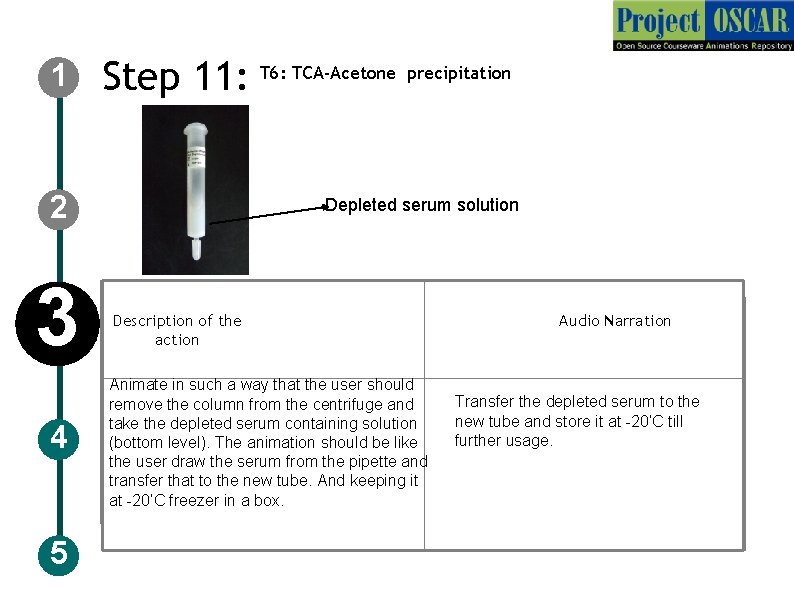
1 Step 11: T 6: TCA-Acetone precipitation 2 3 4 5 Depleted serum solution Description of the action Animate in such a way that the user should remove the column from the centrifuge and take the depleted serum containing solution (bottom level). The animation should be like the user draw the serum from the pipette and transfer that to the new tube. And keeping it at -20’C freezer in a box. Audio Narration Transfer the depleted serum to the new tube and store it at -20’C till further usage.
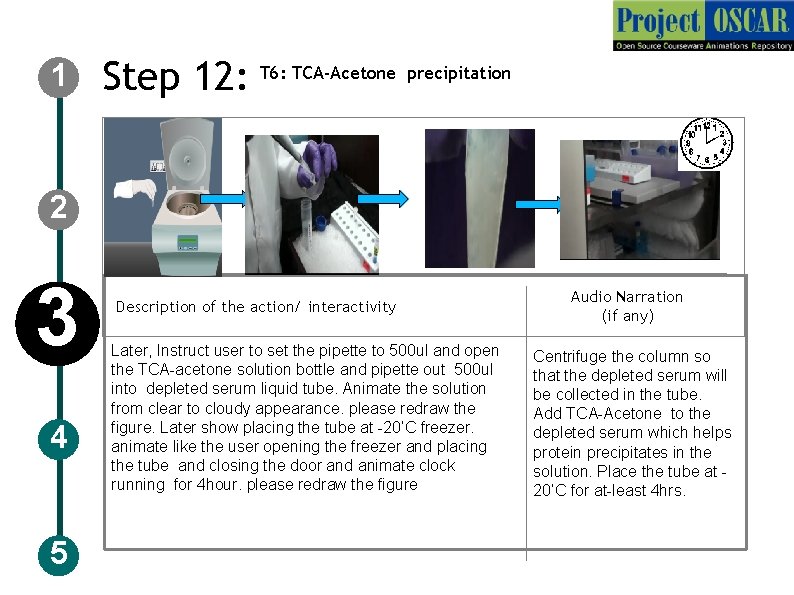
1 Step 12: T 6: TCA-Acetone precipitation 2 3 4 5 Description of the action/ interactivity Later, Instruct user to set the pipette to 500 ul and open the TCA-acetone solution bottle and pipette out 500 ul into depleted serum liquid tube. Animate the solution from clear to cloudy appearance. please redraw the figure. Later show placing the tube at -20’C freezer. animate like the user opening the freezer and placing the tube and closing the door and animate clock running for 4 hour. please redraw the figure Audio Narration (if any) Centrifuge the column so that the depleted serum will be collected in the tube. Add TCA-Acetone to the depleted serum which helps protein precipitates in the solution. Place the tube at 20’C for at-least 4 hrs.
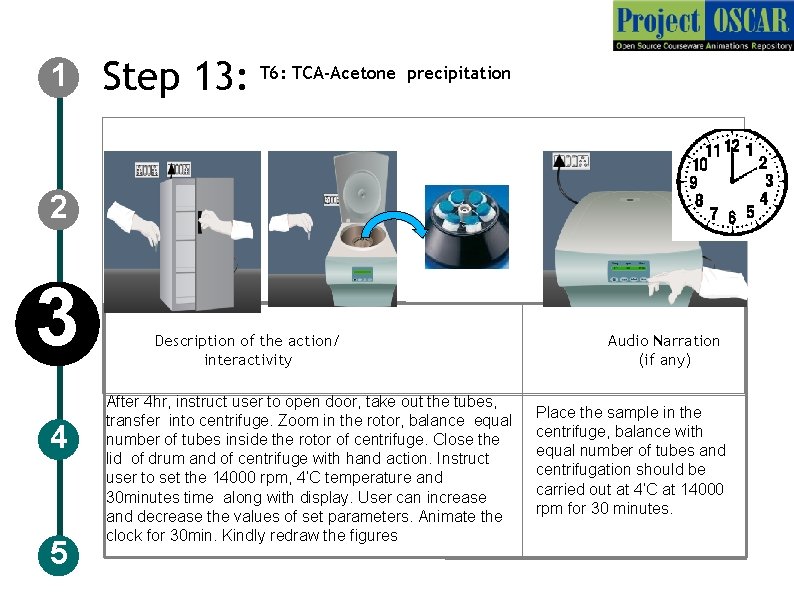
1 Step 13: T 6: TCA-Acetone precipitation 2 3 4 5 Description of the action/ interactivity After 4 hr, instruct user to open door, take out the tubes, transfer into centrifuge. Zoom in the rotor, balance equal number of tubes inside the rotor of centrifuge. Close the lid of drum and of centrifuge with hand action. Instruct user to set the 14000 rpm, 4’C temperature and 30 minutes time along with display. User can increase and decrease the values of set parameters. Animate the clock for 30 min. Kindly redraw the figures Audio Narration (if any) Place the sample in the centrifuge, balance with equal number of tubes and centrifugation should be carried out at 4’C at 14000 rpm for 30 minutes.
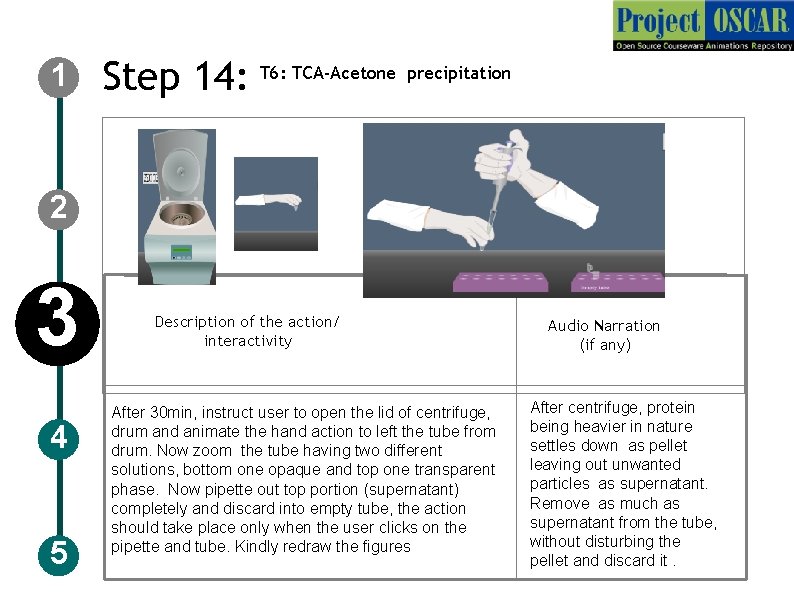
1 Step 14: T 6: TCA-Acetone precipitation 2 3 4 5 Description of the action/ interactivity After 30 min, instruct user to open the lid of centrifuge, drum and animate the hand action to left the tube from drum. Now zoom the tube having two different solutions, bottom one opaque and top one transparent phase. Now pipette out top portion (supernatant) completely and discard into empty tube, the action should take place only when the user clicks on the pipette and tube. Kindly redraw the figures Audio Narration (if any) After centrifuge, protein being heavier in nature settles down as pellet leaving out unwanted particles as supernatant. Remove as much as supernatant from the tube, without disturbing the pellet and discard it.
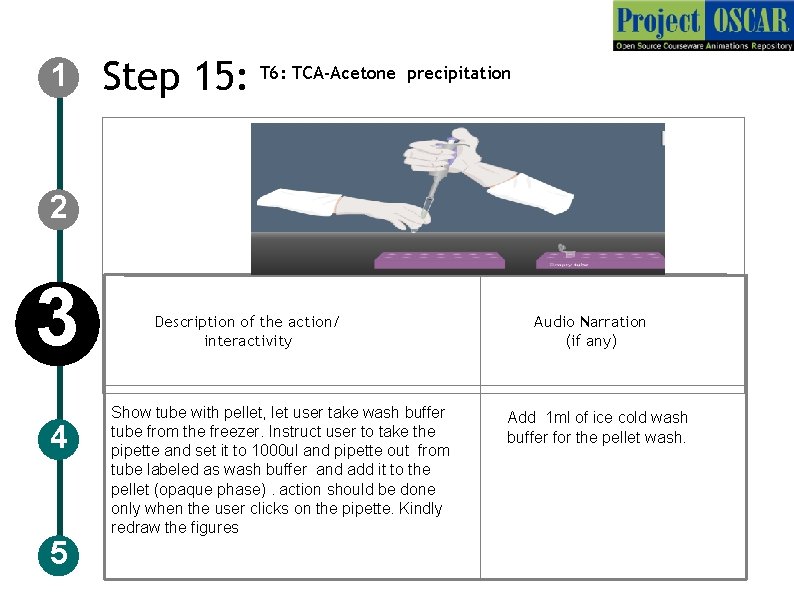
1 Step 15: T 6: TCA-Acetone precipitation 2 3 4 5 Description of the action/ interactivity Show tube with pellet, let user take wash buffer tube from the freezer. Instruct user to take the pipette and set it to 1000 ul and pipette out from tube labeled as wash buffer and add it to the pellet (opaque phase). action should be done only when the user clicks on the pipette. Kindly redraw the figures Audio Narration (if any) Add 1 ml of ice cold wash buffer for the pellet wash.
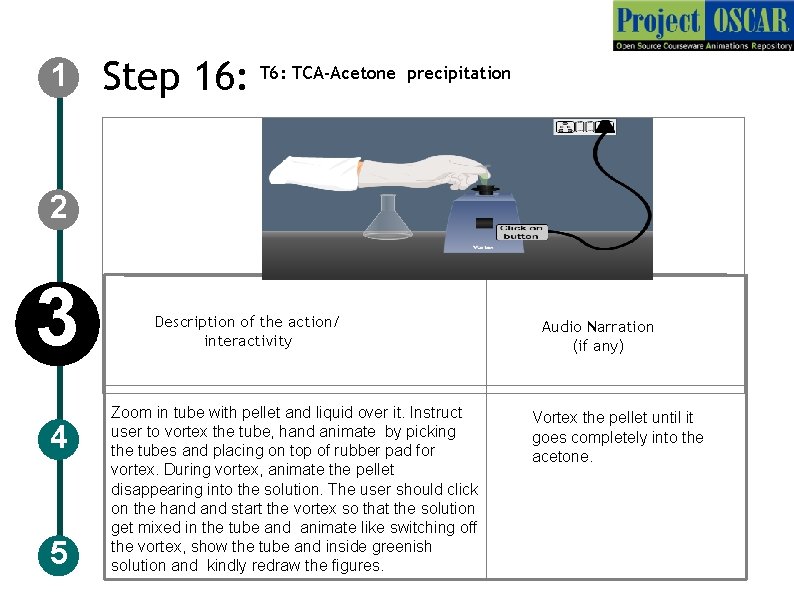
1 Step 16: TCA-Acetone precipitation 2 3 4 5 Description of the action/ interactivity Zoom in tube with pellet and liquid over it. Instruct user to vortex the tube, hand animate by picking the tubes and placing on top of rubber pad for vortex. During vortex, animate the pellet disappearing into the solution. The user should click on the hand start the vortex so that the solution get mixed in the tube and animate like switching off the vortex, show the tube and inside greenish solution and kindly redraw the figures. Audio Narration (if any) Vortex the pellet until it goes completely into the acetone.
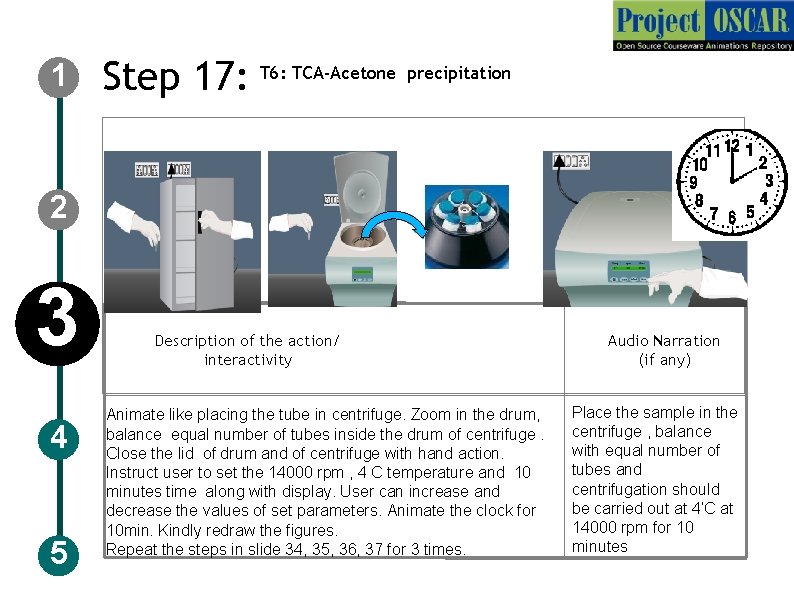
1 Step 17: T 6: TCA-Acetone precipitation 2 3 4 5 Description of the action/ interactivity Animate like placing the tube in centrifuge. Zoom in the drum, balance equal number of tubes inside the drum of centrifuge. Close the lid of drum and of centrifuge with hand action. Instruct user to set the 14000 rpm , 4 C temperature and 10 minutes time along with display. User can increase and decrease the values of set parameters. Animate the clock for 10 min. Kindly redraw the figures. Repeat the steps in slide 34, 35, 36, 37 for 3 times. Audio Narration (if any) Place the sample in the centrifuge , balance with equal number of tubes and centrifugation should be carried out at 4’C at 14000 rpm for 10 minutes
1 Step 18: T 7: Rehydration buffer treatment Urea 2 3 4 5 CHAPS Description of the action/ interactivity Audio Narration (if any) Zoom-in tube showing the colorless pellet and show like keeping in the stand for 10 minutes. Instruct user to set the pipette to 400 ul and pipette out rehydration buffer and add rehydration buffer to the tube. And vortex as shown in slide 36. Display the contents of rehydration buffer when user clicks on the tube. Kindly redraw the image Air dry the colorless pellet to remove excess acetone trace and add 400 ul of rehydration buffer.
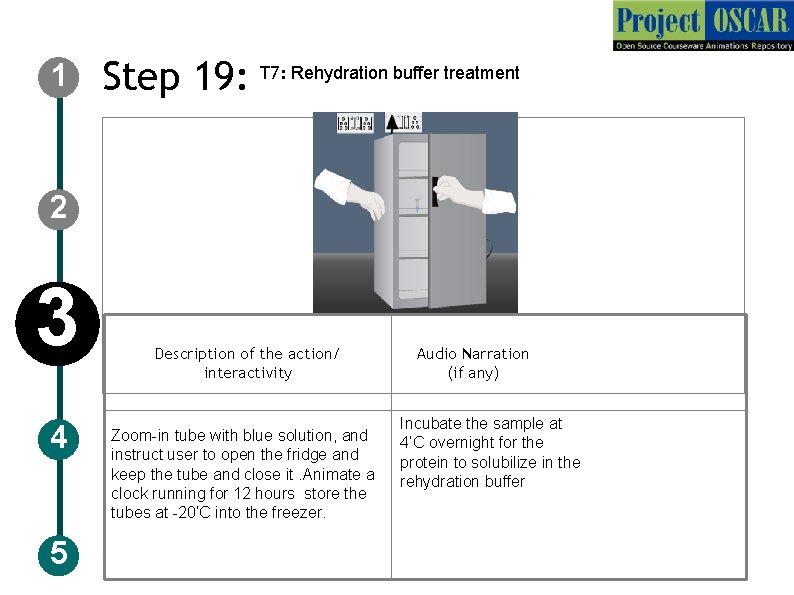
1 Step 19: T 7: Rehydration buffer treatment 2 3 4 5 Description of the action/ interactivity Zoom-in tube with blue solution, and instruct user to open the fridge and keep the tube and close it. Animate a clock running for 12 hours store the tubes at -20’C into the freezer. Audio Narration (if any) Incubate the sample at 4’C overnight for the protein to solubilize in the rehydration buffer
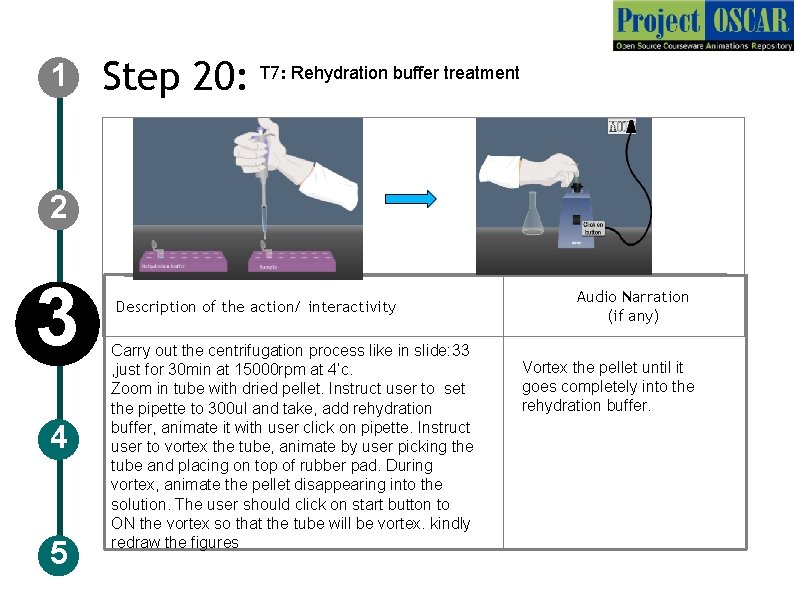
1 Step 20: T 7: Rehydration buffer treatment 2 3 4 5 Description of the action/ interactivity Carry out the centrifugation process like in slide: 33 , just for 30 min at 15000 rpm at 4’c. Zoom in tube with dried pellet. Instruct user to set the pipette to 300 ul and take, add rehydration buffer, animate it with user click on pipette. Instruct user to vortex the tube, animate by user picking the tube and placing on top of rubber pad. During vortex, animate the pellet disappearing into the solution. The user should click on start button to ON the vortex so that the tube will be vortex. kindly redraw the figures Audio Narration (if any) Vortex the pellet until it goes completely into the rehydration buffer.
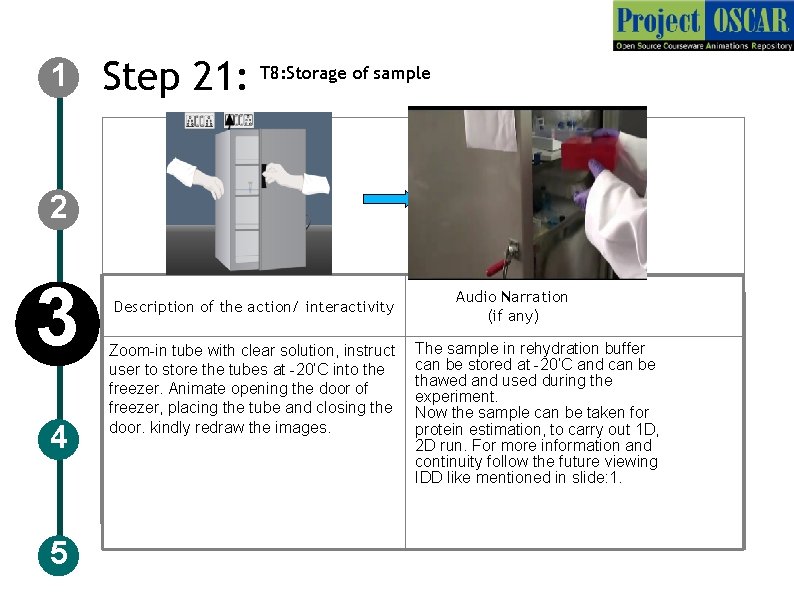
1 Step 21: T 8: Storage of sample 2 3 4 5 Description of the action/ interactivity Zoom-in tube with clear solution, instruct user to store the tubes at -20’C into the freezer. Animate opening the door of freezer, placing the tube and closing the door. kindly redraw the images. Audio Narration (if any) The sample in rehydration buffer can be stored at -20’C and can be thawed and used during the experiment. Now the sample can be taken for protein estimation, to carry out 1 D, 2 D run. For more information and continuity follow the future viewing IDD like mentioned in slide: 1.
6 -8 Tab 01 Slide 9 12 Tab 02 Slide 13 -16 Slide 17 26 Tab 03 Tab 04 Slide 27 -28 Tab 05 Slide 29 -37 Tab 06 Name of the section/stage Animation area Interaction 1: slide-14: if user is unable to dissolve the sample in PBS and proceeds further. Interactivity area Instructions: Instruct user to make sure the sample is dissolved into the PBS, if not the sample get blocked into the column and depletion wont happen. Button 01 Interaction 2: slide-35: if user is unable to precipitate the protein during first wash and proceeds further. Button 03 Button 02 Instructions: Instruct user to make sure the protein is precipitated and user carry out the acetone wash two or three times to do the same. Instructions/ Working area Credits
Slide 38 -40 Tab 07 Slide 41 Tab 08 Tab 09 Tab 10 Tab 11 Tab 12 Tab 13 Name of the section/stage Interactivity area Animation area Button 01 Button 02 Button 03 Instructions/ Working area Credits
APPENDIX 1 Questionnaire: Question 1 Serum can be defined as a)Blood devoid of cells and clotting factor b)Blood containing cells and without clotting factors c) Blood with RBC and devoid of WBC d)Blood containing clotting factors Answer: a)Blood devoid of cells and clotting factor Question 2 Abundant proteins in the serum includes a)Albumin b)Haptogloblin c)Ig. G d)All the above Answer: All the above
APPENDIX 1 Questionnaire: Question 3 Depletion column removes a)Serum b)Plasma c)Clotting factors d)High Abundance proteins Answer: high abundance proteins Question 4 Amplitude used for the sonication is a)20% b)30% c)40% d)50% Answer: 20%
APPENDIX 1 Questionnaire: Question 5 The reagent that gives color to rehydration buffer is a)CHAPS b)Commassie blue c)Bromophenol blue d)Urea Answer: Bromophenol blue
APPENDIX 2 Links for further reading Chen JH , Chang. YW, Yao CW et al. Plasma proteome of severe acute respiratory syndrome analyzed by two-dimensional gel electrophoresis and mass spectrometry. Proc Natl Acad Sci U S A 2004, 7; 101(49): 17039 -44. Eymann C, Dreisbach A, Albrecht D. A comprehensive proteome map of growing Bacillus subtilis cells. Proteomics. 2004 : 2849 -76. Maldonado AM, Echevarría-Zomeño S, Jean-Baptiste S. et al. Evaluation of three different protocols of protein extraction for Arabidopsis thaliana leaf proteome analysis by two-dimensional electrophoresis. Proteomics 2008, 71(4): 461 -72. 2 DE Tutorials by Angelika Görg : http: //www. wzw. tum. de/blm/deg/ BOOKS Biochemistry by Stryer et al. , 5 th edition Biochemistry by A. L. Lehninger et al. , 3 rd edition Biochemistry by Voet & Voet, 3 rd edition
APPENDIX 3 Summary Blood collection has to be done by trained personal or under the supervision of them. Centrifuged serum should not have any debris. Exact p. H has to be maintained in phosphate buffer (p. H 7. 4). Do all the vortexing properly whenever required and ensure complete mixing of the pellet in the solution. Sonication has to be done as per the optimized protocol. Follow exact timing as mentioned in the protocol and store the samples properly. Following the above mentioned precaution and steps involved in the extraction highly efficient extraction can be done