
Message manager addon for SAP SMS 365 enterprise
- Slides: 14
Message manager add-on for SAP SMS 365, enterprise service Automator January 2014
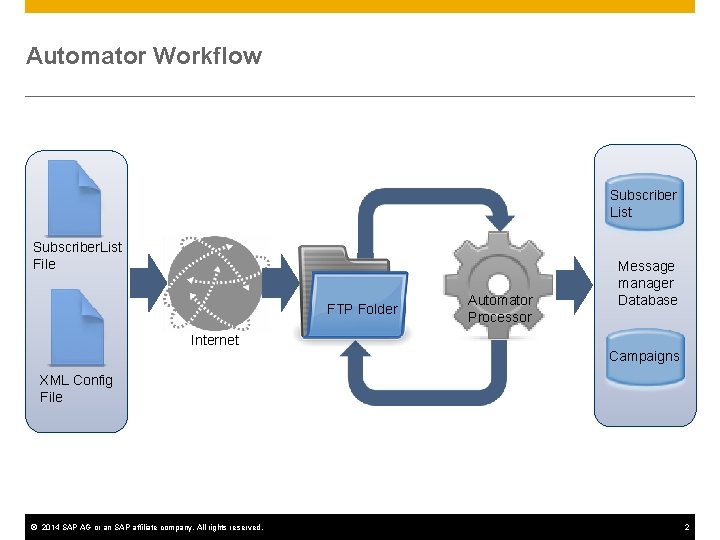
Automator Workflow Subscriber List Subscriber. List File FTP Folder Automator Processor Message manager Database Internet Campaigns XML Config File © 2014 SAP AG or an SAP affiliate company. All rights reserved. 2
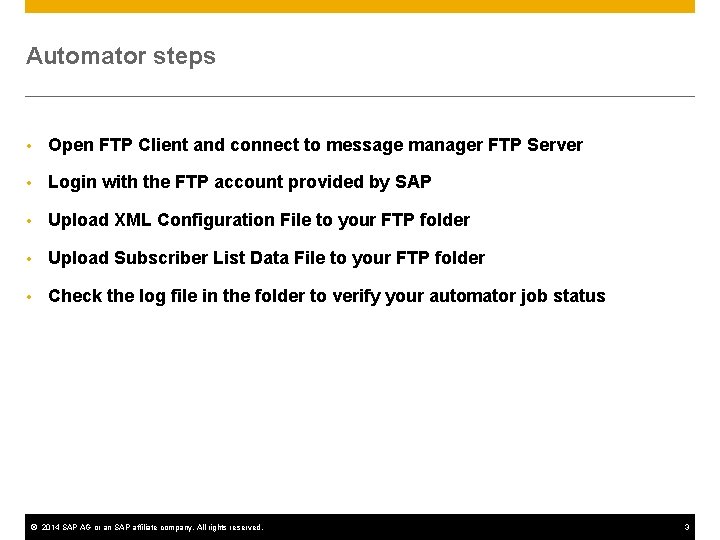
Automator steps • Open FTP Client and connect to message manager FTP Server • Login with the FTP account provided by SAP • Upload XML Configuration File to your FTP folder • Upload Subscriber List Data File to your FTP folder • Check the log file in the folder to verify your automator job status © 2014 SAP AG or an SAP affiliate company. All rights reserved. 3
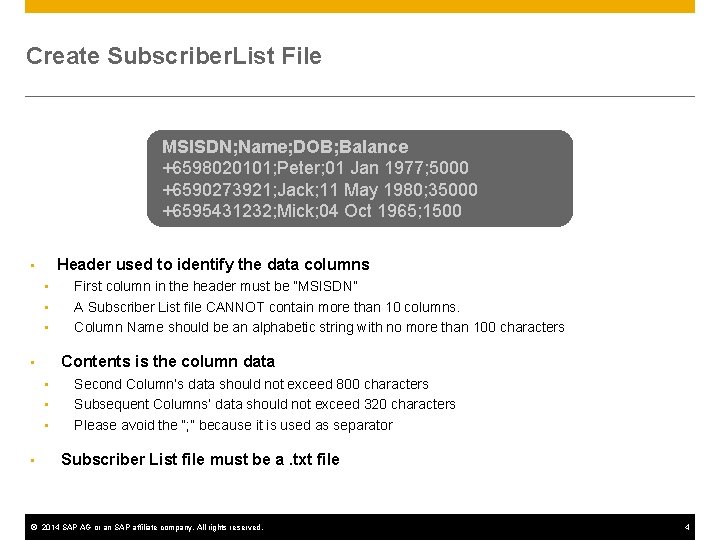
Create Subscriber. List File MSISDN; Name; DOB; Balance +6598020101; Peter; 01 Jan 1977; 5000 +6590273921; Jack; 11 May 1980; 35000 +6595431232; Mick; 04 Oct 1965; 1500 Header used to identify the data columns • • Contents is the column data • • • First column in the header must be “MSISDN” A Subscriber List file CANNOT contain more than 10 columns. Column Name should be an alphabetic string with no more than 100 characters Second Column’s data should not exceed 800 characters Subsequent Columns’ data should not exceed 320 characters Please avoid the “; ” because it is used as separator Subscriber List file must be a. txt file © 2014 SAP AG or an SAP affiliate company. All rights reserved. 4
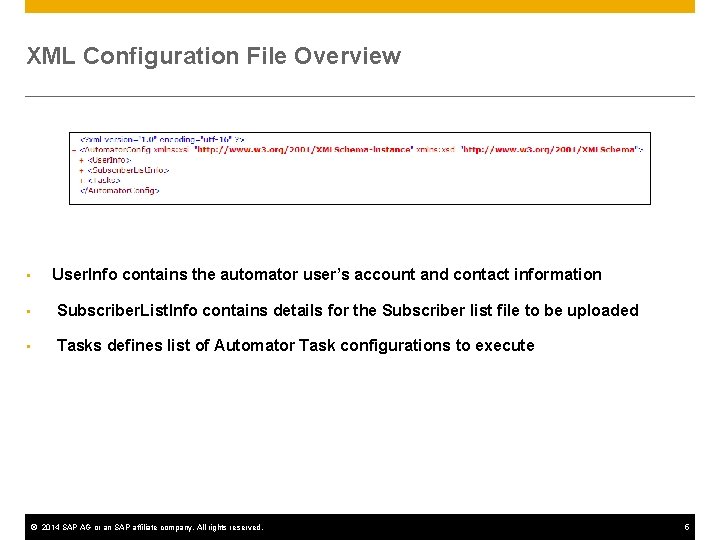
XML Configuration File Overview • User. Info contains the automator user’s account and contact information • Subscriber. List. Info contains details for the Subscriber list file to be uploaded • Tasks defines list of Automator Task configurations to execute © 2014 SAP AG or an SAP affiliate company. All rights reserved. 5
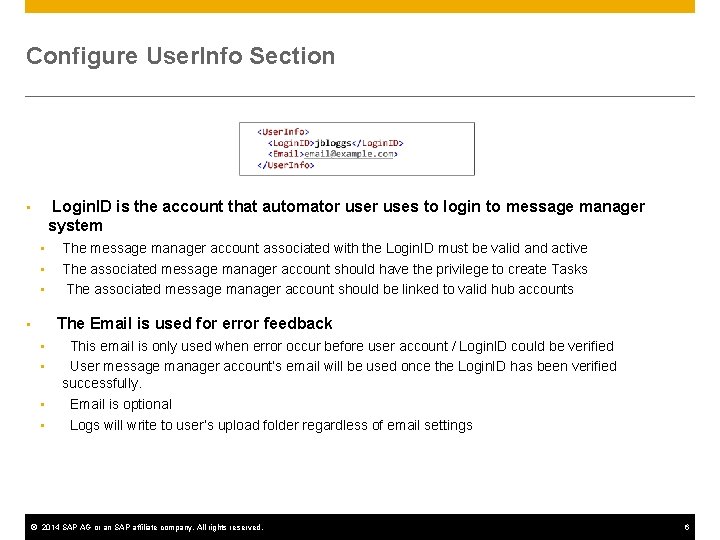
Configure User. Info Section Login. ID is the account that automator uses to login to message manager system • • The message manager account associated with the Login. ID must be valid and active The associated message manager account should have the privilege to create Tasks The associated message manager account should be linked to valid hub accounts The Email is used for error feedback • • • This email is only used when error occur before user account / Login. ID could be verified User message manager account’s email will be used once the Login. ID has been verified successfully. Email is optional Logs will write to user’s upload folder regardless of email settings © 2014 SAP AG or an SAP affiliate company. All rights reserved. 6
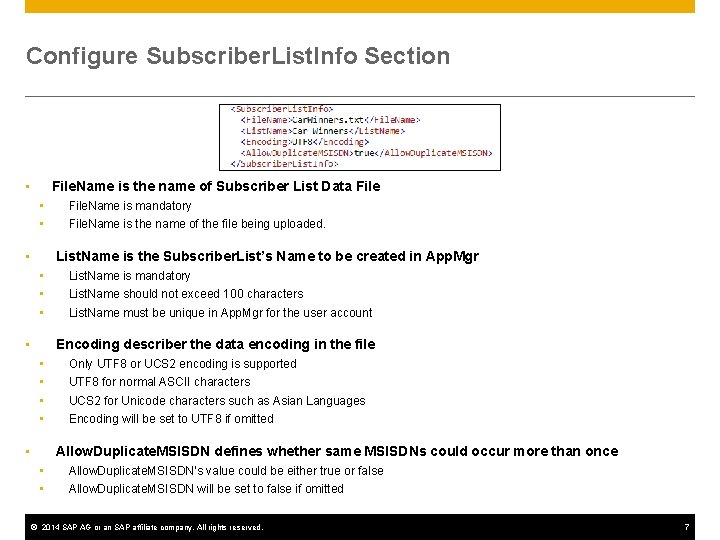
Configure Subscriber. List. Info Section File. Name is the name of Subscriber List Data File • • • File. Name is mandatory File. Name is the name of the file being uploaded. List. Name is the Subscriber. List’s Name to be created in App. Mgr • • List. Name is mandatory List. Name should not exceed 100 characters List. Name must be unique in App. Mgr for the user account Encoding describer the data encoding in the file • • • Only UTF 8 or UCS 2 encoding is supported UTF 8 for normal ASCII characters UCS 2 for Unicode characters such as Asian Languages Encoding will be set to UTF 8 if omitted Allow. Duplicate. MSISDN defines whether same MSISDNs could occur more than once • • • Allow. Duplicate. MSISDN’s value could be either true or false Allow. Duplicate. MSISDN will be set to false if omitted © 2014 SAP AG or an SAP affiliate company. All rights reserved. 7
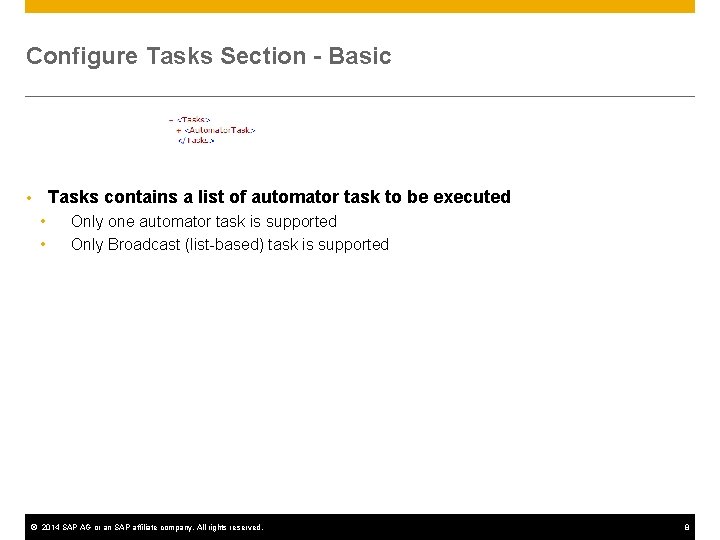
Configure Tasks Section - Basic Tasks contains a list of automator task to be executed • • • Only one automator task is supported Only Broadcast (list-based) task is supported © 2014 SAP AG or an SAP affiliate company. All rights reserved. 8
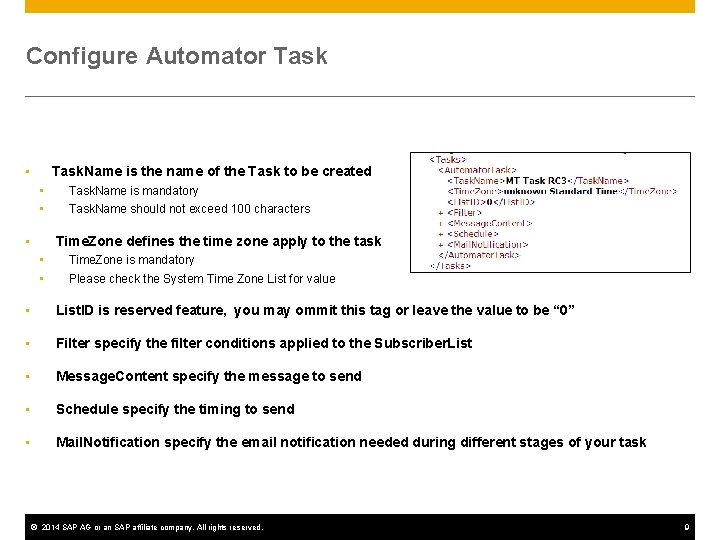
Configure Automator Task. Name is the name of the Task to be created • • • Task. Name is mandatory Task. Name should not exceed 100 characters Time. Zone defines the time zone apply to the task • • • Time. Zone is mandatory Please check the System Time Zone List for value • List. ID is reserved feature, you may ommit this tag or leave the value to be “ 0” • Filter specify the filter conditions applied to the Subscriber. List • Message. Content specify the message to send • Schedule specify the timing to send • Mail. Notification specify the email notification needed during different stages of your task © 2014 SAP AG or an SAP affiliate company. All rights reserved. 9
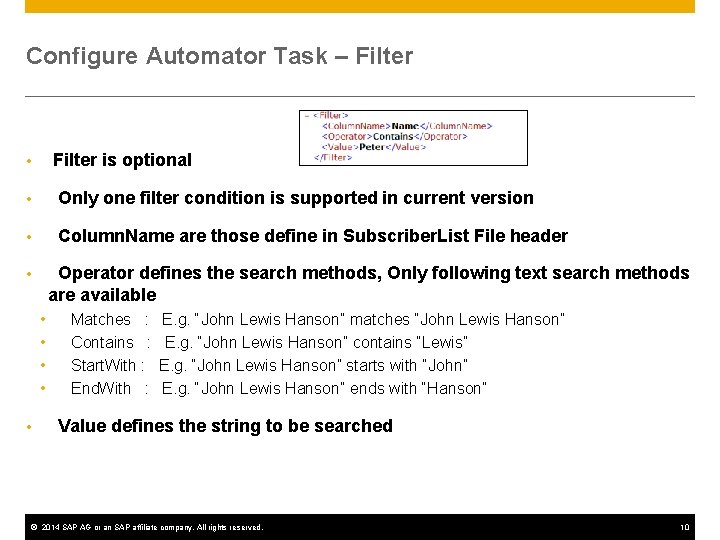
Configure Automator Task – Filter is optional • • Only one filter condition is supported in current version • Column. Name are those define in Subscriber. List File header Operator defines the search methods, Only following text search methods are available • • • Matches : Contains : Start. With : End. With : E. g. “John Lewis Hanson” matches “John Lewis Hanson” E. g. “John Lewis Hanson” contains “Lewis” E. g. “John Lewis Hanson” starts with “John” E. g. “John Lewis Hanson” ends with “Hanson” Value defines the string to be searched © 2014 SAP AG or an SAP affiliate company. All rights reserved. 10
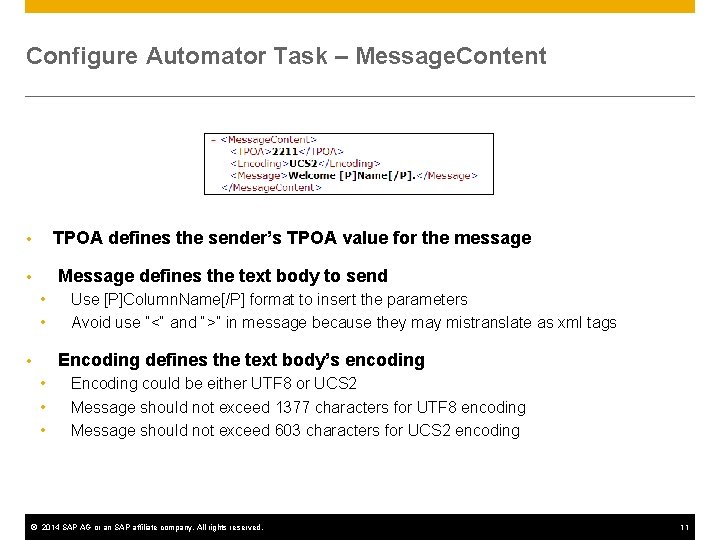
Configure Automator Task – Message. Content TPOA defines the sender’s TPOA value for the message • Message defines the text body to send • • • Use [P]Column. Name[/P] format to insert the parameters Avoid use “<“ and “>” in message because they may mistranslate as xml tags Encoding defines the text body’s encoding • • Encoding could be either UTF 8 or UCS 2 Message should not exceed 1377 characters for UTF 8 encoding Message should not exceed 603 characters for UCS 2 encoding © 2014 SAP AG or an SAP affiliate company. All rights reserved. 11
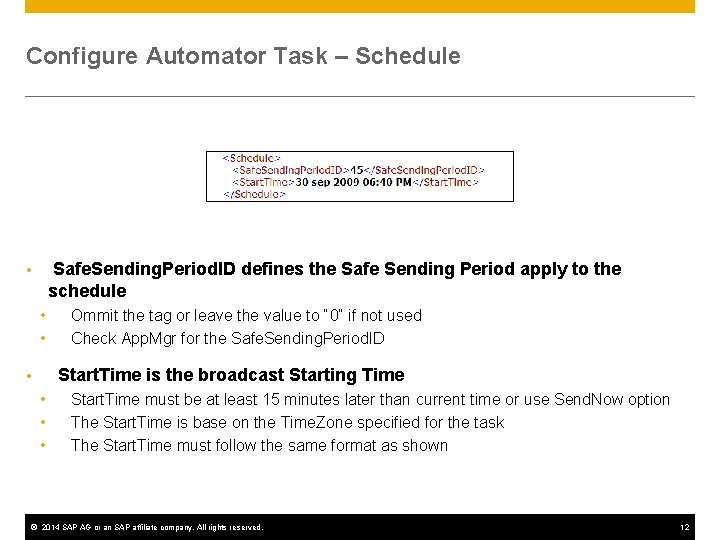
Configure Automator Task – Schedule Safe. Sending. Period. ID defines the Safe Sending Period apply to the schedule • • • Ommit the tag or leave the value to “ 0” if not used Check App. Mgr for the Safe. Sending. Period. ID Start. Time is the broadcast Starting Time • • Start. Time must be at least 15 minutes later than current time or use Send. Now option The Start. Time is base on the Time. Zone specified for the task The Start. Time must follow the same format as shown © 2014 SAP AG or an SAP affiliate company. All rights reserved. 12
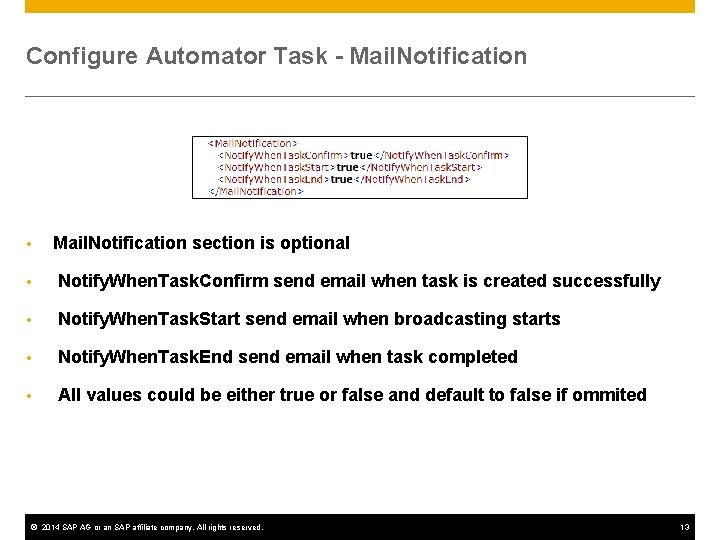
Configure Automator Task - Mail. Notification • Mail. Notification section is optional • Notify. When. Task. Confirm send email when task is created successfully • Notify. When. Task. Start send email when broadcasting starts • Notify. When. Task. End send email when task completed • All values could be either true or false and default to false if ommited © 2014 SAP AG or an SAP affiliate company. All rights reserved. 13
Thank you Contact information: F name MI. L name Title Address Phone number © 2014 SAP AG or an SAP affiliate company. All rights reserved.