
Memory Hierachy Microprocessor Design and Application 2017 Spring

- Slides: 58
Memory Hierachy Microprocessor Design and Application 마이크로 프로세서 설계 및 응용 2017 Spring Minseong Kim (김민성) Chapter 5 (3/3)
Major topics • Chapter 1: Computer Abstractions and Technology • Chapter 2: Instructions: Language of the Computer • Chapter 3: Arithmetic for Computers • Chapter 4: The Processor • Chapter 5: Exploiting Memory Hierarchy • Chapter 6: Parallel Processors from Client to Cloud 2
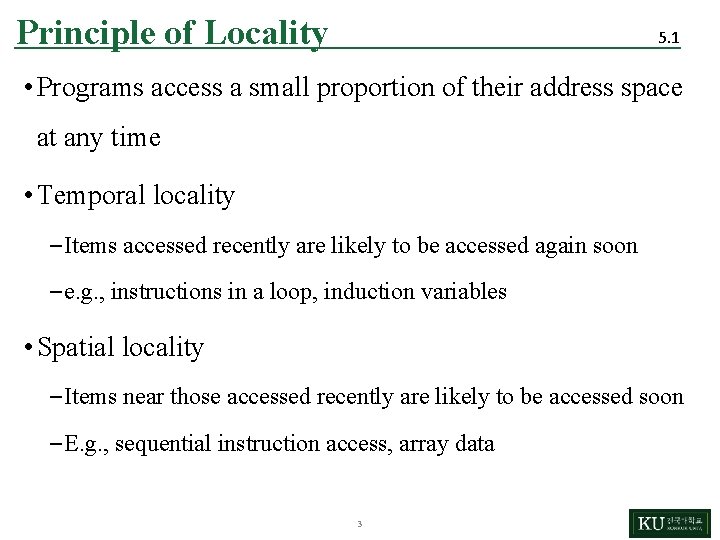
Principle of Locality 5. 1 • Programs access a small proportion of their address space at any time • Temporal locality – Items accessed recently are likely to be accessed again soon – e. g. , instructions in a loop, induction variables • Spatial locality – Items near those accessed recently are likely to be accessed soon – E. g. , sequential instruction access, array data 3
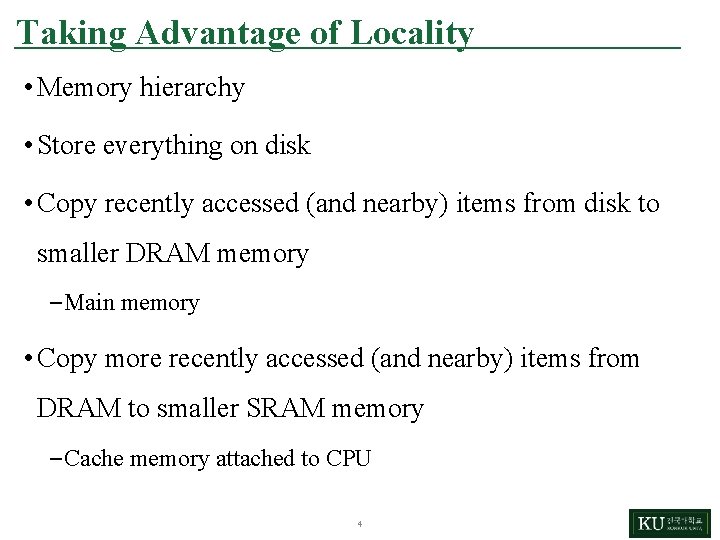
Taking Advantage of Locality • Memory hierarchy • Store everything on disk • Copy recently accessed (and nearby) items from disk to smaller DRAM memory – Main memory • Copy more recently accessed (and nearby) items from DRAM to smaller SRAM memory – Cache memory attached to CPU 4
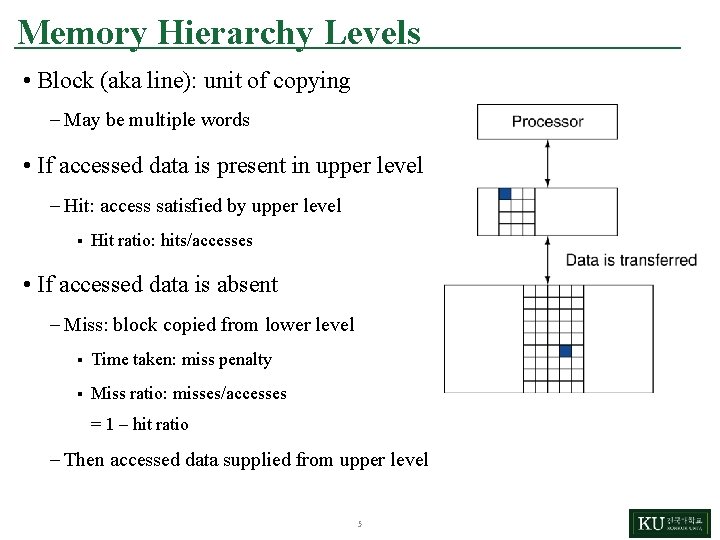
Memory Hierarchy Levels • Block (aka line): unit of copying – May be multiple words • If accessed data is present in upper level – Hit: access satisfied by upper level § Hit ratio: hits/accesses • If accessed data is absent – Miss: block copied from lower level § Time taken: miss penalty § Miss ratio: misses/accesses = 1 – hit ratio – Then accessed data supplied from upper level 5
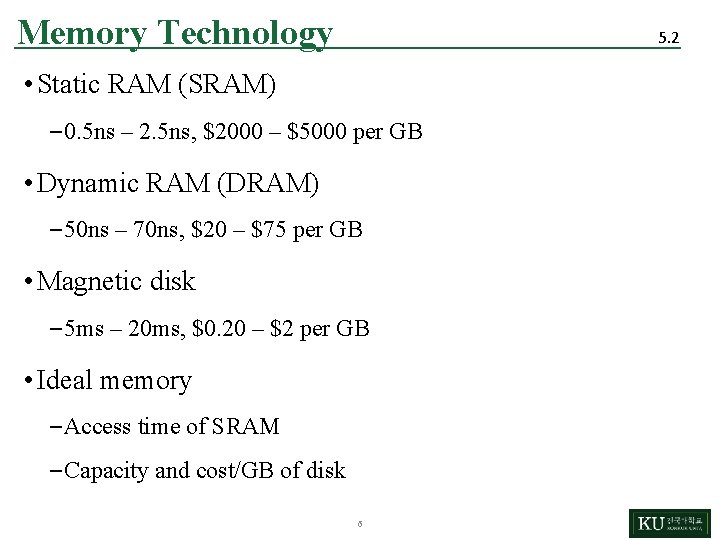
Memory Technology 5. 2 • Static RAM (SRAM) – 0. 5 ns – 2. 5 ns, $2000 – $5000 per GB • Dynamic RAM (DRAM) – 50 ns – 70 ns, $20 – $75 per GB • Magnetic disk – 5 ms – 20 ms, $0. 20 – $2 per GB • Ideal memory – Access time of SRAM – Capacity and cost/GB of disk 6
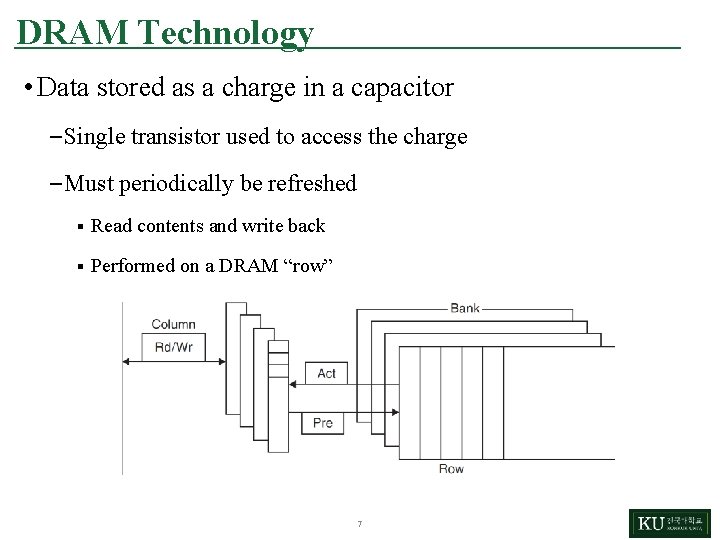
DRAM Technology • Data stored as a charge in a capacitor – Single transistor used to access the charge – Must periodically be refreshed § Read contents and write back § Performed on a DRAM “row” 7
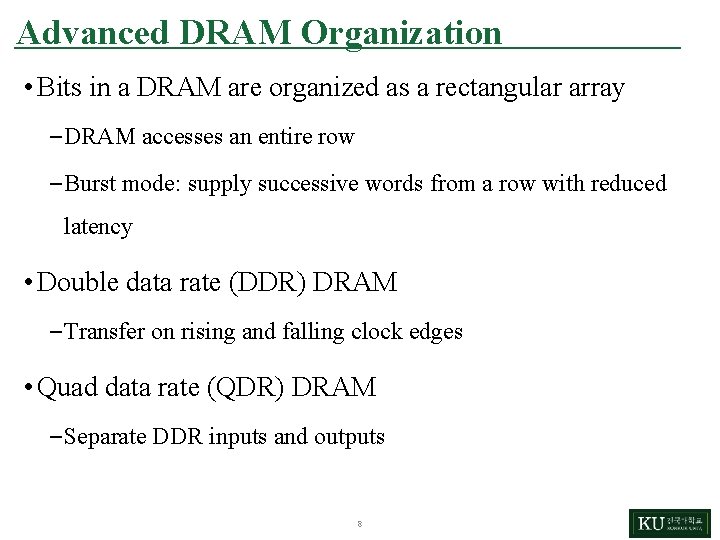
Advanced DRAM Organization • Bits in a DRAM are organized as a rectangular array – DRAM accesses an entire row – Burst mode: supply successive words from a row with reduced latency • Double data rate (DDR) DRAM – Transfer on rising and falling clock edges • Quad data rate (QDR) DRAM – Separate DDR inputs and outputs 8
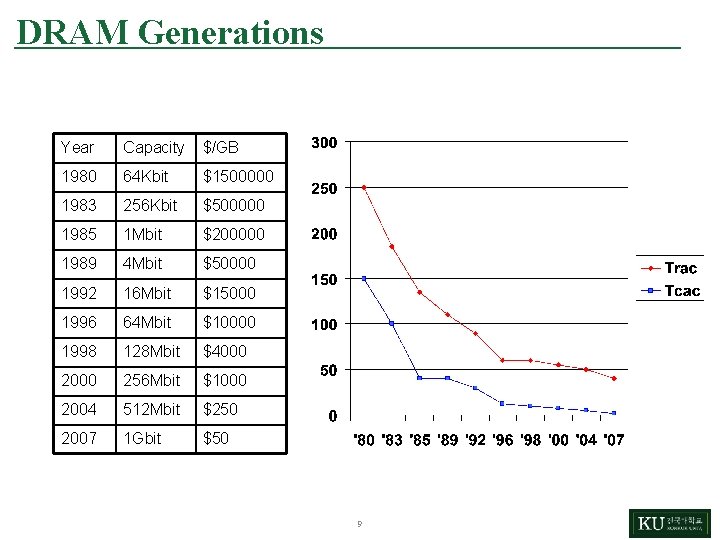
DRAM Generations Year Capacity $/GB 1980 64 Kbit $1500000 1983 256 Kbit $500000 1985 1 Mbit $200000 1989 4 Mbit $50000 1992 16 Mbit $15000 1996 64 Mbit $10000 1998 128 Mbit $4000 256 Mbit $1000 2004 512 Mbit $250 2007 1 Gbit $50 9
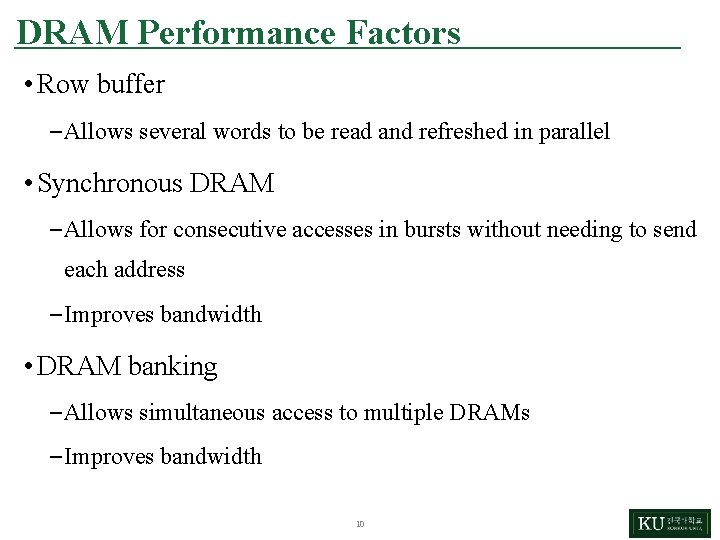
DRAM Performance Factors • Row buffer – Allows several words to be read and refreshed in parallel • Synchronous DRAM – Allows for consecutive accesses in bursts without needing to send each address – Improves bandwidth • DRAM banking – Allows simultaneous access to multiple DRAMs – Improves bandwidth 10
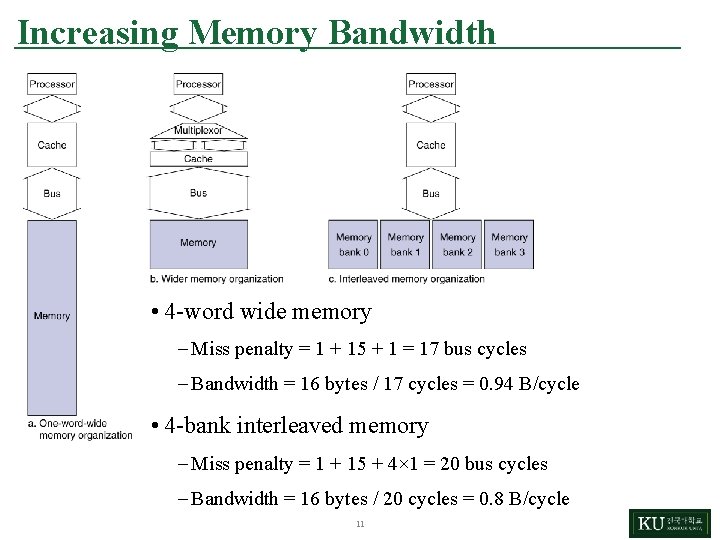
Increasing Memory Bandwidth • 4 -word wide memory – Miss penalty = 1 + 15 + 1 = 17 bus cycles – Bandwidth = 16 bytes / 17 cycles = 0. 94 B/cycle • 4 -bank interleaved memory – Miss penalty = 1 + 15 + 4× 1 = 20 bus cycles – Bandwidth = 16 bytes / 20 cycles = 0. 8 B/cycle 11
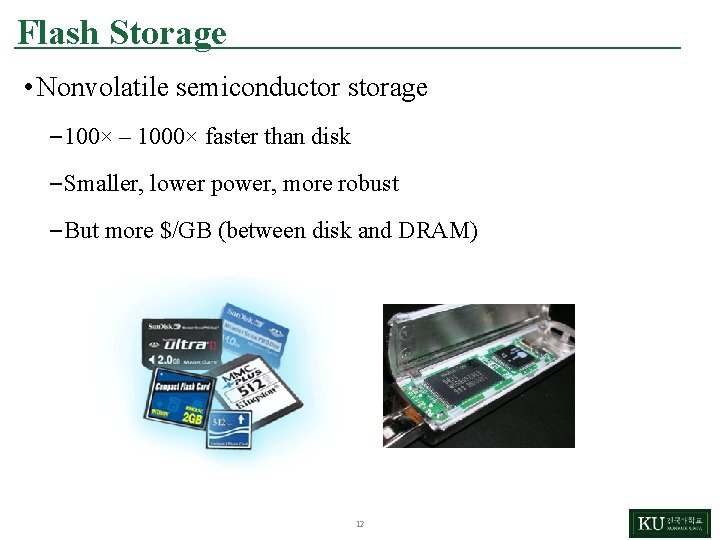
Flash Storage • Nonvolatile semiconductor storage – 100× – 1000× faster than disk – Smaller, lower power, more robust – But more $/GB (between disk and DRAM) 12
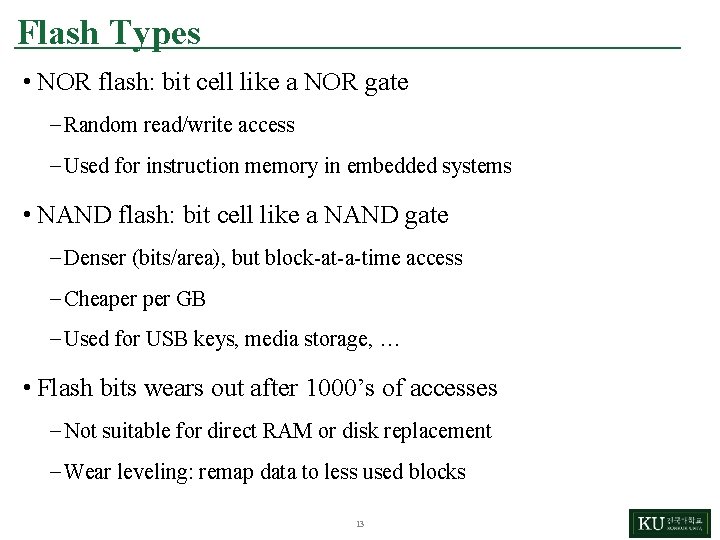
Flash Types • NOR flash: bit cell like a NOR gate – Random read/write access – Used for instruction memory in embedded systems • NAND flash: bit cell like a NAND gate – Denser (bits/area), but block-at-a-time access – Cheaper GB – Used for USB keys, media storage, … • Flash bits wears out after 1000’s of accesses – Not suitable for direct RAM or disk replacement – Wear leveling: remap data to less used blocks 13
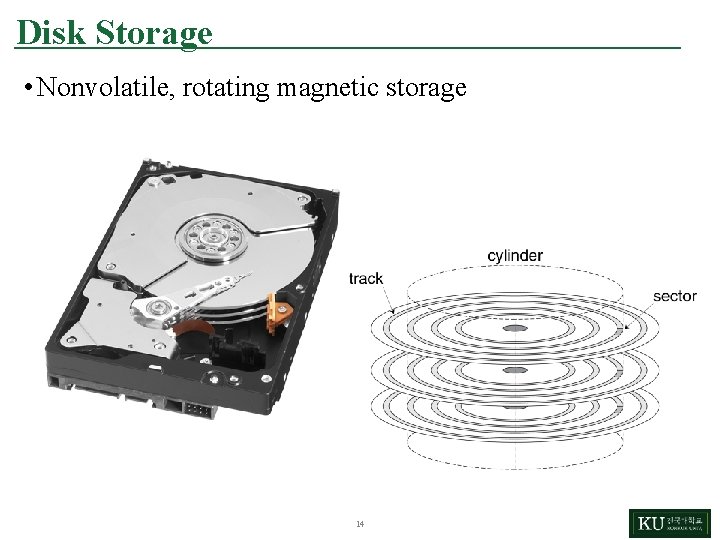
Disk Storage • Nonvolatile, rotating magnetic storage 14
Disk Sectors and Access • Each sector records – Sector ID – Data (512 bytes, 4096 bytes proposed) – Error correcting code (ECC) § Used to hide defects and recording errors – Synchronization fields and gaps • Access to a sector involves – Queuing delay if other accesses are pending – Seek: move the heads – Rotational latency – Data transfer – Controller overhead 15
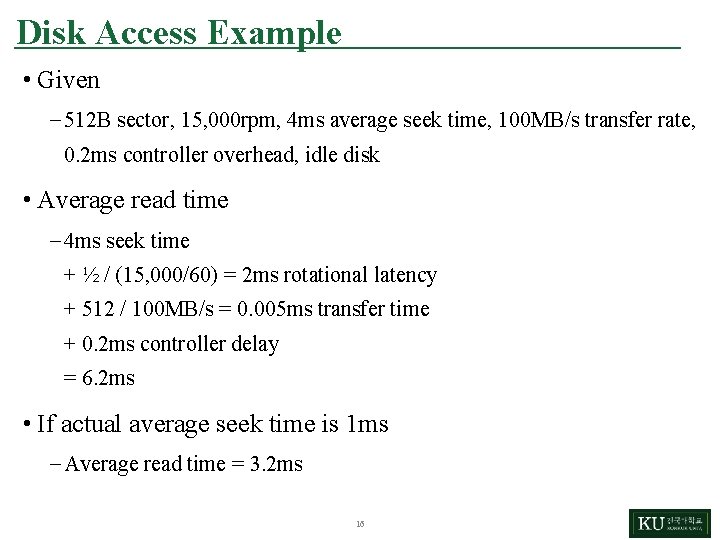
Disk Access Example • Given – 512 B sector, 15, 000 rpm, 4 ms average seek time, 100 MB/s transfer rate, 0. 2 ms controller overhead, idle disk • Average read time – 4 ms seek time + ½ / (15, 000/60) = 2 ms rotational latency + 512 / 100 MB/s = 0. 005 ms transfer time + 0. 2 ms controller delay = 6. 2 ms • If actual average seek time is 1 ms – Average read time = 3. 2 ms 16
Disk Performance Issues • Manufacturers quote average seek time – Based on all possible seeks – Locality and OS scheduling lead to smaller actual average seek times • Smart disk controller allocate physical sectors on disk – Present logical sector interface to host – SCSI, ATA, SATA • Disk drives include caches – Prefetch sectors in anticipation of access – Avoid seek and rotational delay 17
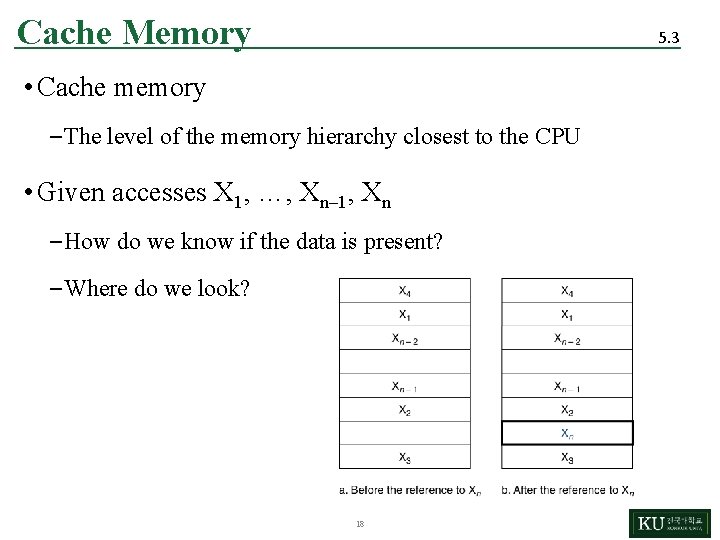
Cache Memory 5. 3 • Cache memory – The level of the memory hierarchy closest to the CPU • Given accesses X 1, …, Xn– 1, Xn – How do we know if the data is present? – Where do we look? 18
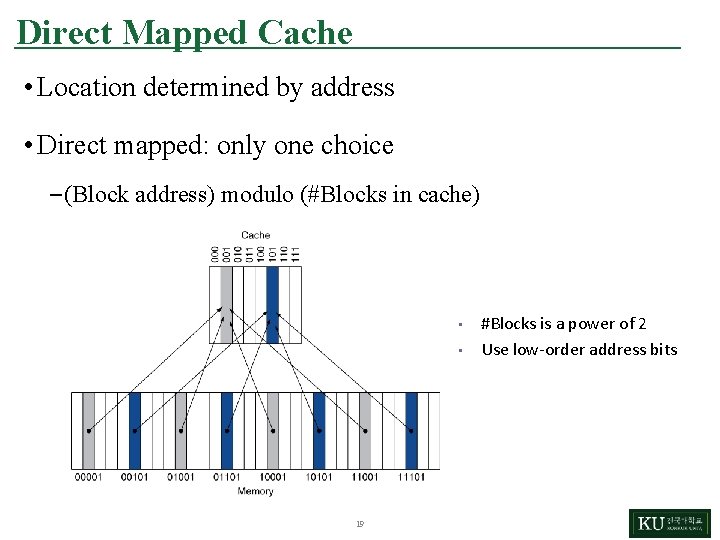
Direct Mapped Cache • Location determined by address • Direct mapped: only one choice – (Block address) modulo (#Blocks in cache) • • 19 #Blocks is a power of 2 Use low-order address bits
Tags and Valid Bits • How do we know which particular block is stored in a cache location? – Store block address as well as the data – Actually, only need the high-order bits – Called the tag • What if there is no data in a location? – Valid bit: 1 = present, 0 = not present – Initially 0 20
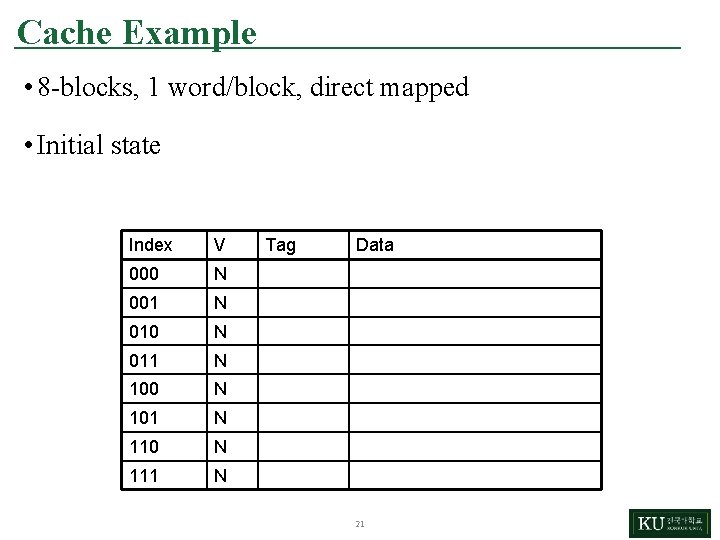
Cache Example • 8 -blocks, 1 word/block, direct mapped • Initial state Index V 000 N 001 N 010 N 011 N 100 N 101 N 110 N 111 N Tag Data 21
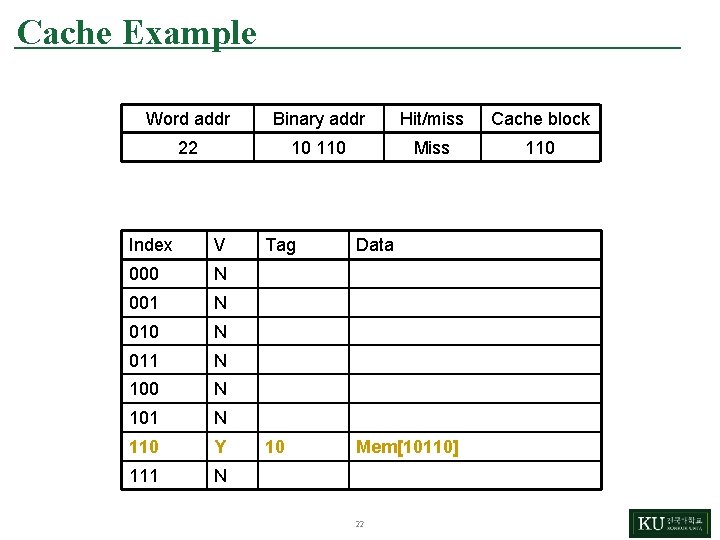
Cache Example Word addr Binary addr Hit/miss Cache block 22 10 110 Miss 110 Index V 000 N 001 N 010 N 011 N 100 N 101 N 110 Y 111 N Tag Data 10 Mem[10110] 22
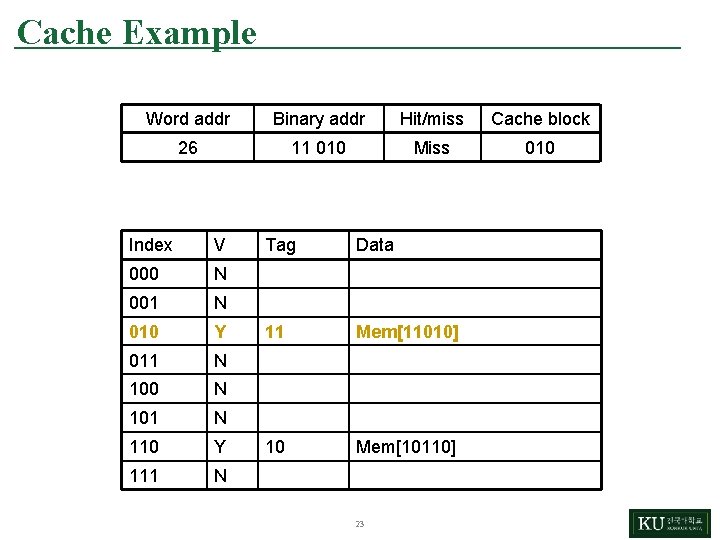
Cache Example Word addr Binary addr Hit/miss Cache block 26 11 010 Miss 010 Index V 000 N 001 N 010 Y 011 N 100 N 101 N 110 Y 111 N Tag Data 11 Mem[11010] 10 Mem[10110] 23
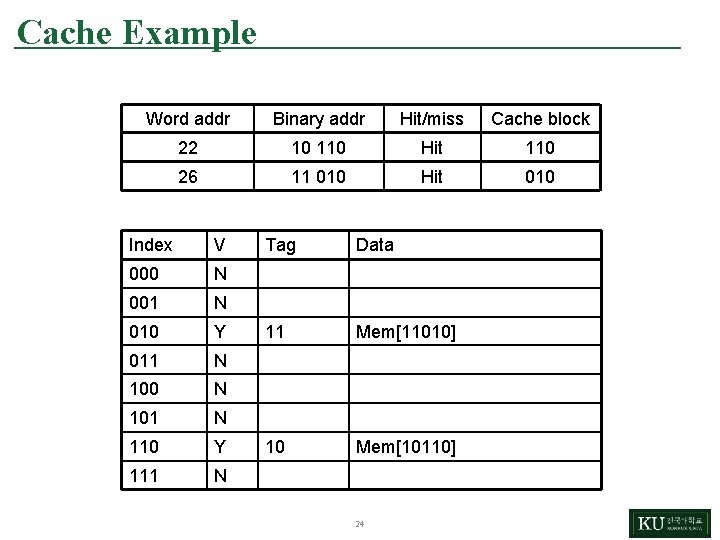
Cache Example Word addr Binary addr Hit/miss Cache block 22 10 110 Hit 110 26 11 010 Hit 010 Index V 000 N 001 N 010 Y 011 N 100 N 101 N 110 Y 111 N Tag Data 11 Mem[11010] 10 Mem[10110] 24
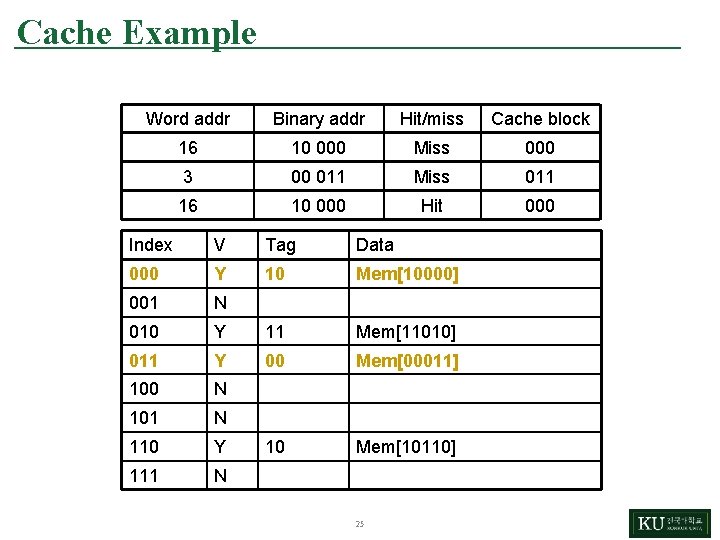
Cache Example Word addr Binary addr Hit/miss Cache block 16 10 000 Miss 000 3 00 011 Miss 011 16 10 000 Hit 000 Index V Tag Data 000 Y 10 Mem[10000] 001 N 010 Y 11 Mem[11010] 011 Y 00 Mem[00011] 100 N 101 N 110 Y 10 Mem[10110] 111 N 25
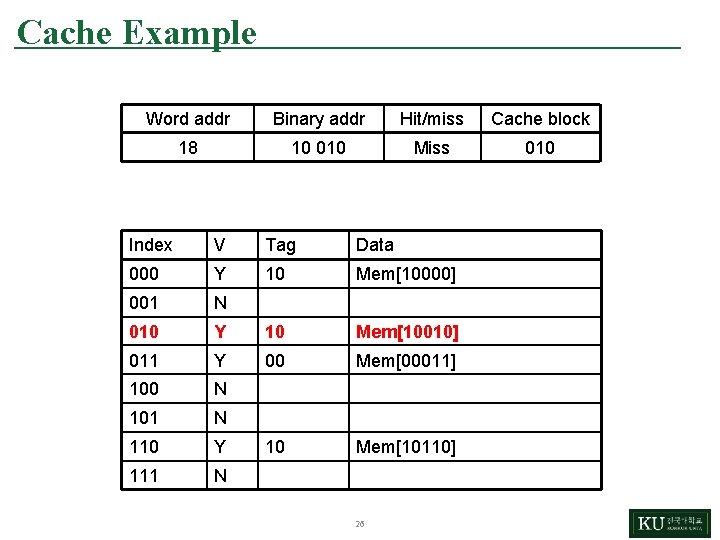
Cache Example Word addr Binary addr Hit/miss Cache block 18 10 010 Miss 010 Index V Tag Data 000 Y 10 Mem[10000] 001 N 010 Y 10 Mem[10010] 011 Y 00 Mem[00011] 100 N 101 N 110 Y 10 Mem[10110] 111 N 26
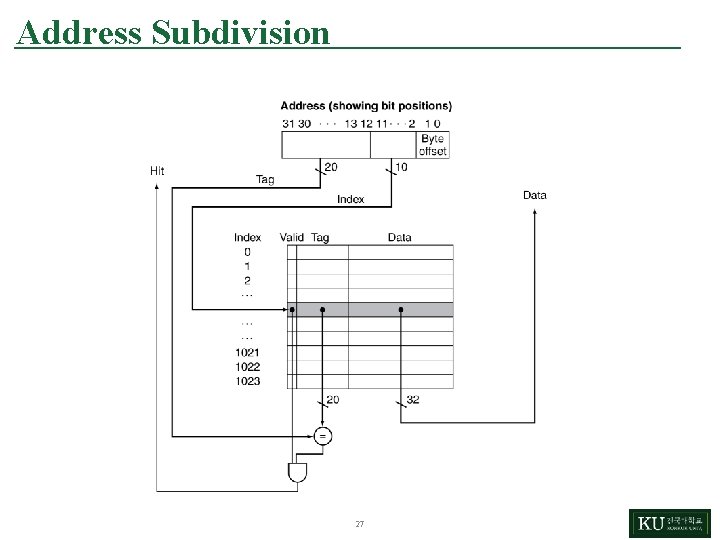
Address Subdivision 27
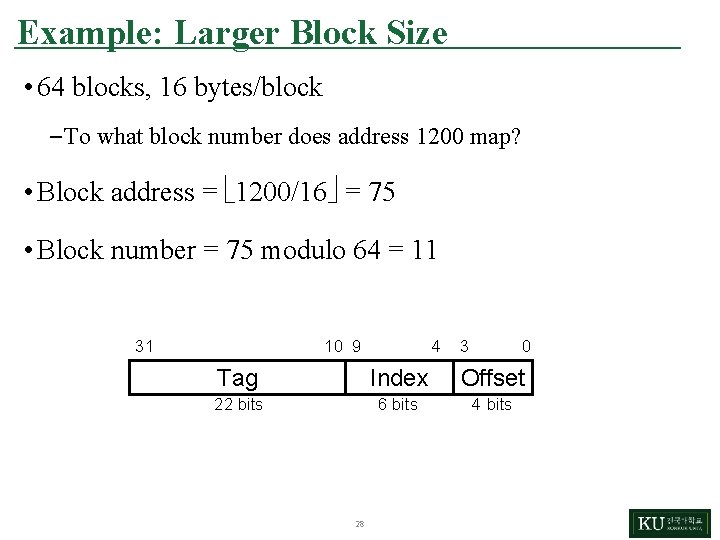
Example: Larger Block Size • 64 blocks, 16 bytes/block – To what block number does address 1200 map? • Block address = 1200/16 = 75 • Block number = 75 modulo 64 = 11 31 10 9 4 3 0 Tag Index Offset 22 bits 6 bits 4 bits 28
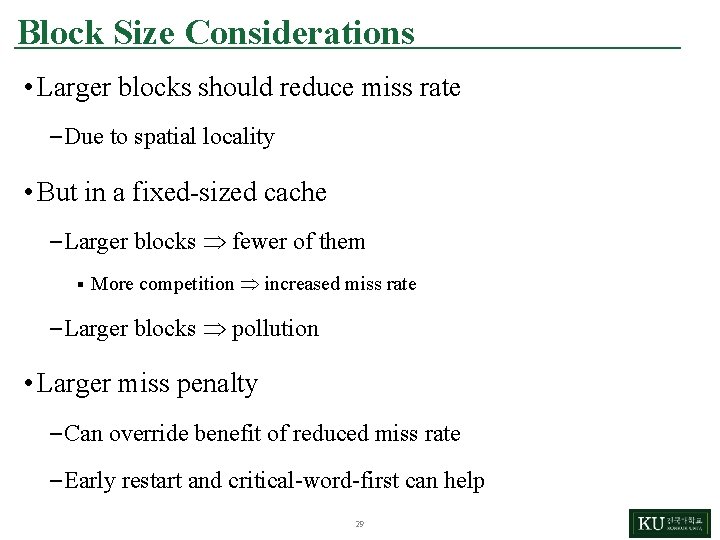
Block Size Considerations • Larger blocks should reduce miss rate – Due to spatial locality • But in a fixed-sized cache – Larger blocks fewer of them § More competition increased miss rate – Larger blocks pollution • Larger miss penalty – Can override benefit of reduced miss rate – Early restart and critical-word-first can help 29
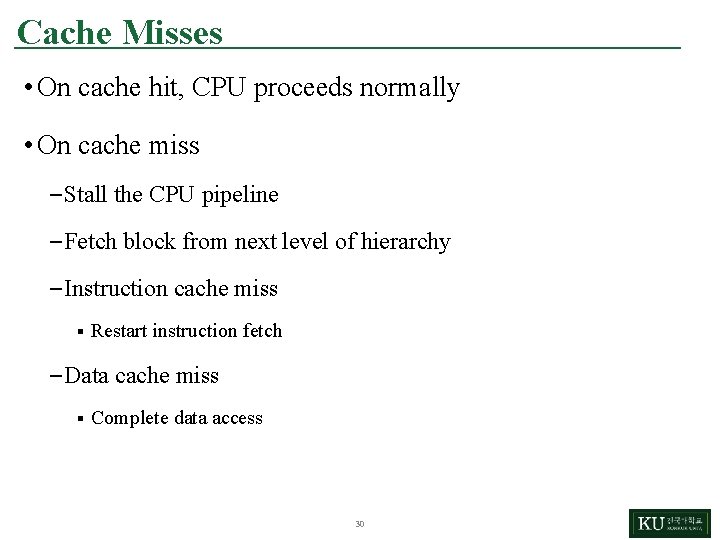
Cache Misses • On cache hit, CPU proceeds normally • On cache miss – Stall the CPU pipeline – Fetch block from next level of hierarchy – Instruction cache miss § Restart instruction fetch – Data cache miss § Complete data access 30
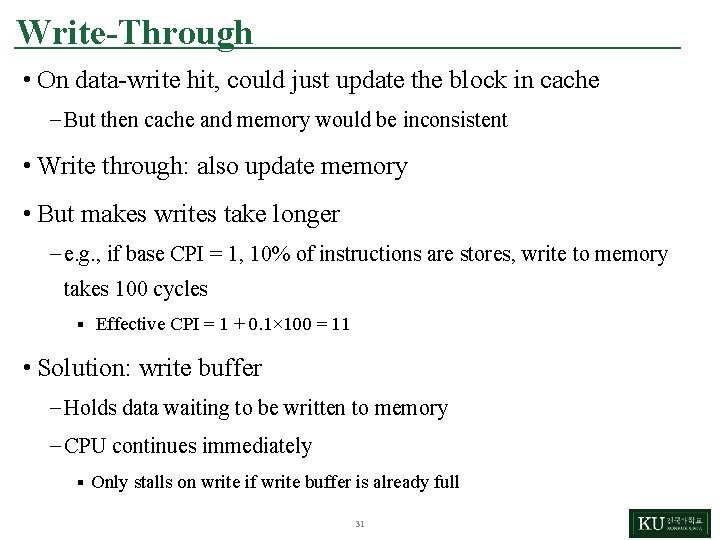
Write-Through • On data-write hit, could just update the block in cache – But then cache and memory would be inconsistent • Write through: also update memory • But makes writes take longer – e. g. , if base CPI = 1, 10% of instructions are stores, write to memory takes 100 cycles § Effective CPI = 1 + 0. 1× 100 = 11 • Solution: write buffer – Holds data waiting to be written to memory – CPU continues immediately § Only stalls on write if write buffer is already full 31
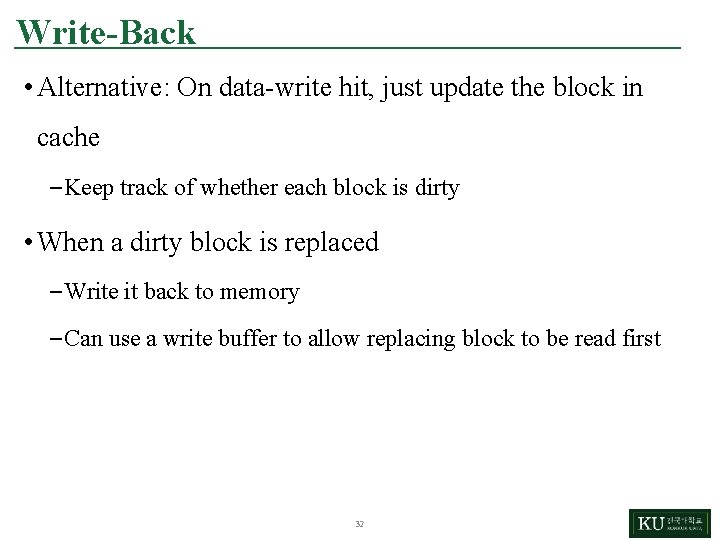
Write-Back • Alternative: On data-write hit, just update the block in cache – Keep track of whether each block is dirty • When a dirty block is replaced – Write it back to memory – Can use a write buffer to allow replacing block to be read first 32
Write Allocation • What should happen on a write miss? • Alternatives for write-through – Allocate on miss: fetch the block – Write around: don’t fetch the block § Since programs often write a whole block before reading it (e. g. , initialization) • For write-back – Usually fetch the block 33
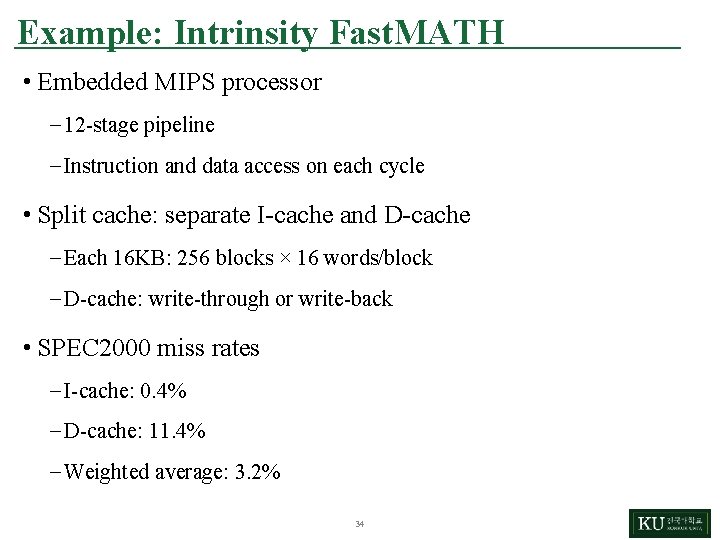
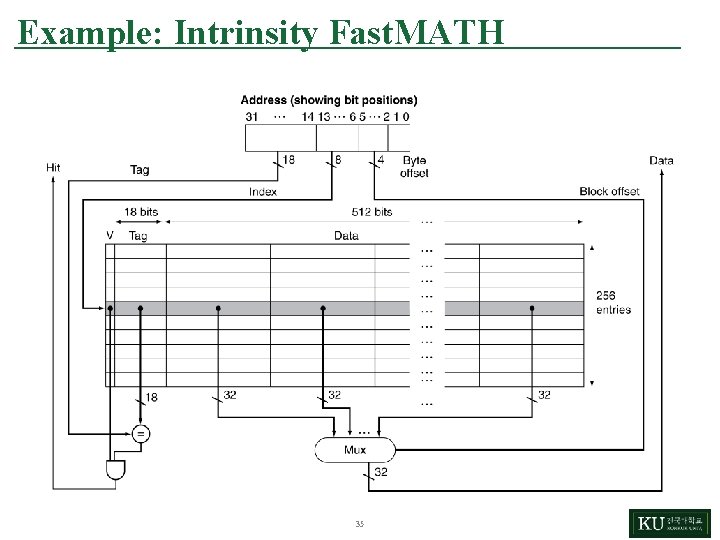
Example: Intrinsity Fast. MATH • Embedded MIPS processor – 12 -stage pipeline – Instruction and data access on each cycle • Split cache: separate I-cache and D-cache – Each 16 KB: 256 blocks × 16 words/block – D-cache: write-through or write-back • SPEC 2000 miss rates – I-cache: 0. 4% – D-cache: 11. 4% – Weighted average: 3. 2% 34
Example: Intrinsity Fast. MATH 35
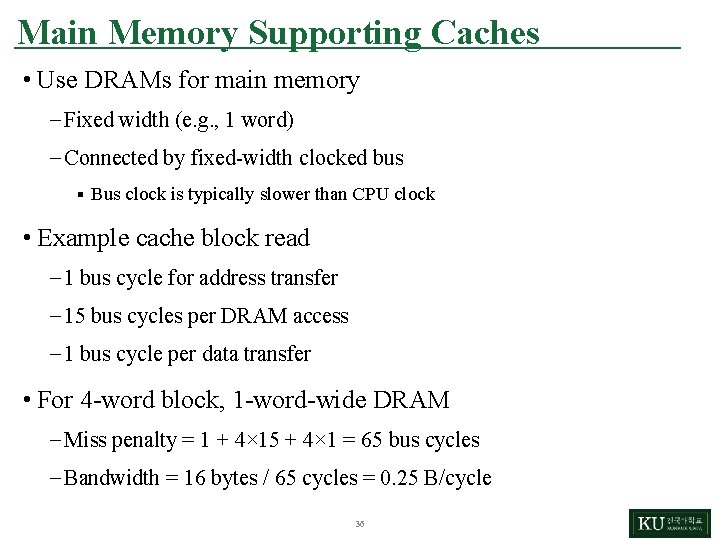
Main Memory Supporting Caches • Use DRAMs for main memory – Fixed width (e. g. , 1 word) – Connected by fixed-width clocked bus § Bus clock is typically slower than CPU clock • Example cache block read – 1 bus cycle for address transfer – 15 bus cycles per DRAM access – 1 bus cycle per data transfer • For 4 -word block, 1 -word-wide DRAM – Miss penalty = 1 + 4× 15 + 4× 1 = 65 bus cycles – Bandwidth = 16 bytes / 65 cycles = 0. 25 B/cycle 36
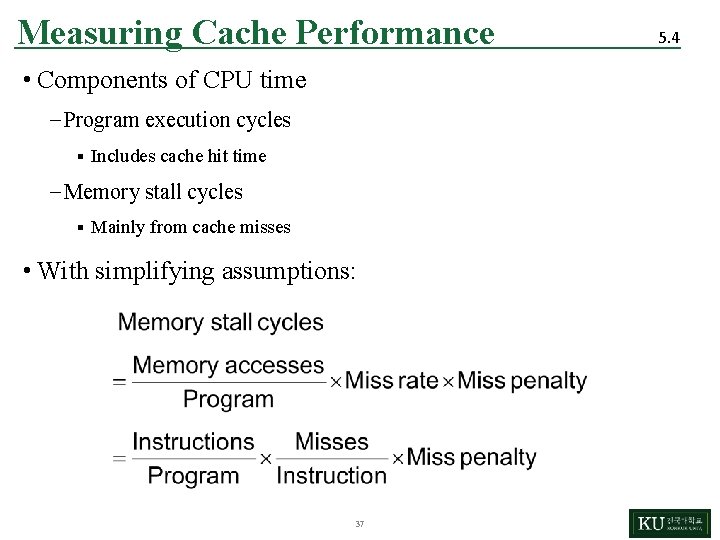
Measuring Cache Performance • Components of CPU time – Program execution cycles § Includes cache hit time – Memory stall cycles § Mainly from cache misses • With simplifying assumptions: 37 5. 4
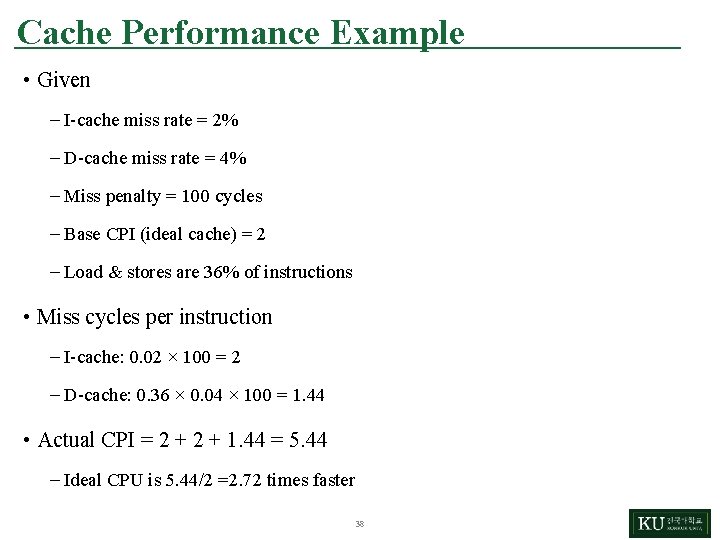
Cache Performance Example • Given – I-cache miss rate = 2% – D-cache miss rate = 4% – Miss penalty = 100 cycles – Base CPI (ideal cache) = 2 – Load & stores are 36% of instructions • Miss cycles per instruction – I-cache: 0. 02 × 100 = 2 – D-cache: 0. 36 × 0. 04 × 100 = 1. 44 • Actual CPI = 2 + 1. 44 = 5. 44 – Ideal CPU is 5. 44/2 =2. 72 times faster 38
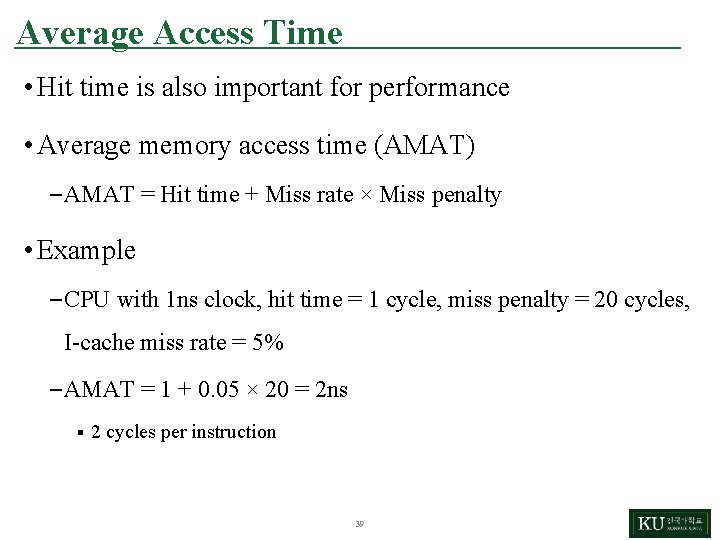
Average Access Time • Hit time is also important for performance • Average memory access time (AMAT) – AMAT = Hit time + Miss rate × Miss penalty • Example – CPU with 1 ns clock, hit time = 1 cycle, miss penalty = 20 cycles, I-cache miss rate = 5% – AMAT = 1 + 0. 05 × 20 = 2 ns § 2 cycles per instruction 39
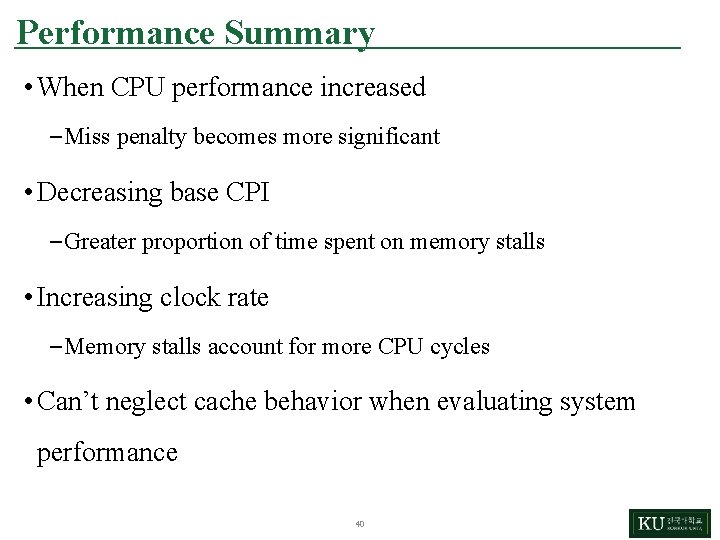
Performance Summary • When CPU performance increased – Miss penalty becomes more significant • Decreasing base CPI – Greater proportion of time spent on memory stalls • Increasing clock rate – Memory stalls account for more CPU cycles • Can’t neglect cache behavior when evaluating system performance 40
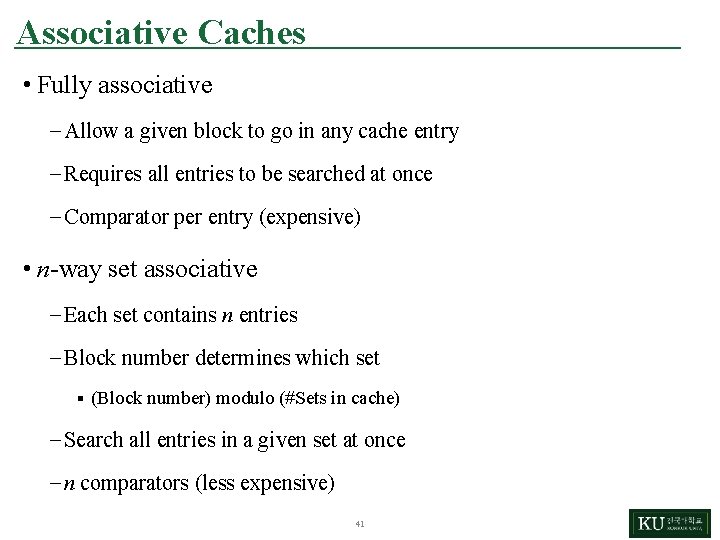
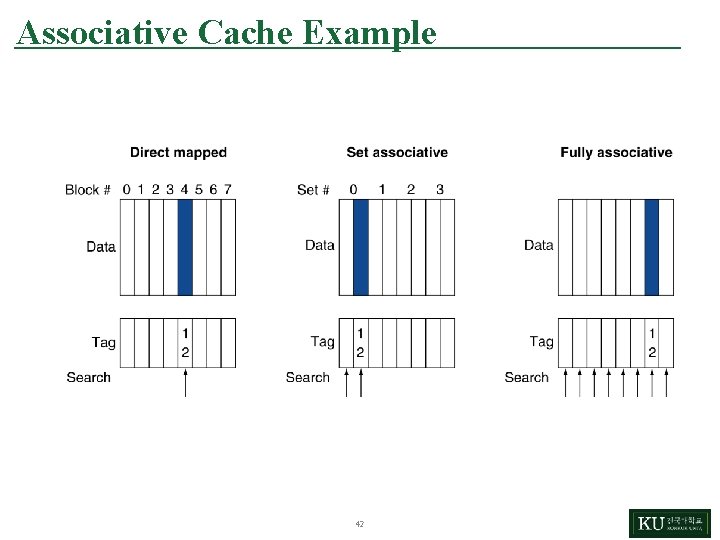
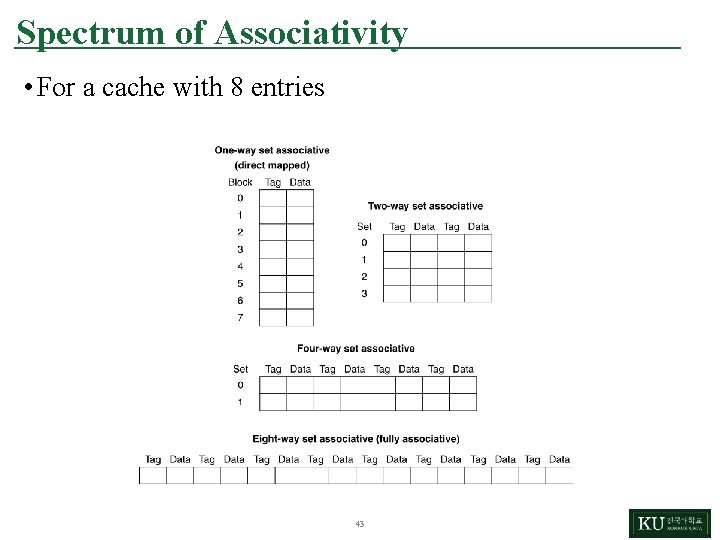
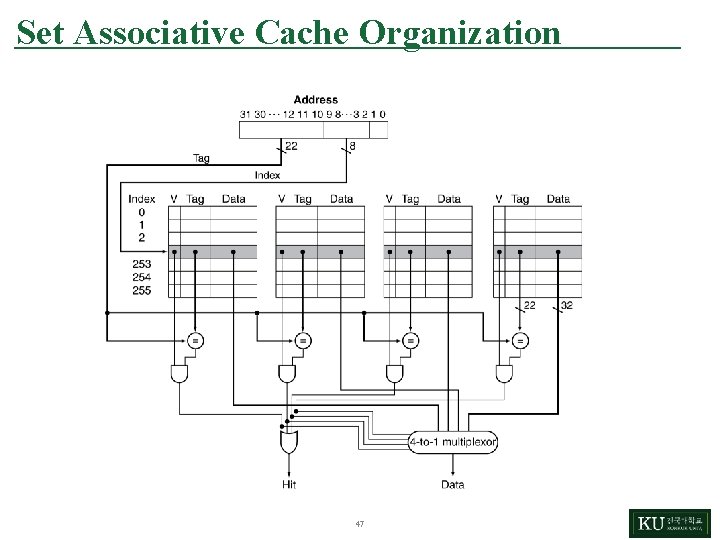
Associative Caches • Fully associative – Allow a given block to go in any cache entry – Requires all entries to be searched at once – Comparator per entry (expensive) • n-way set associative – Each set contains n entries – Block number determines which set § (Block number) modulo (#Sets in cache) – Search all entries in a given set at once – n comparators (less expensive) 41
Associative Cache Example 42
Spectrum of Associativity • For a cache with 8 entries 43
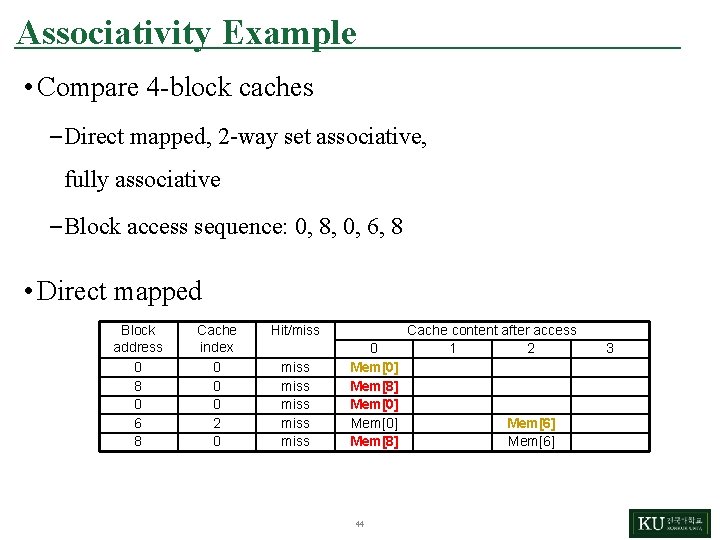
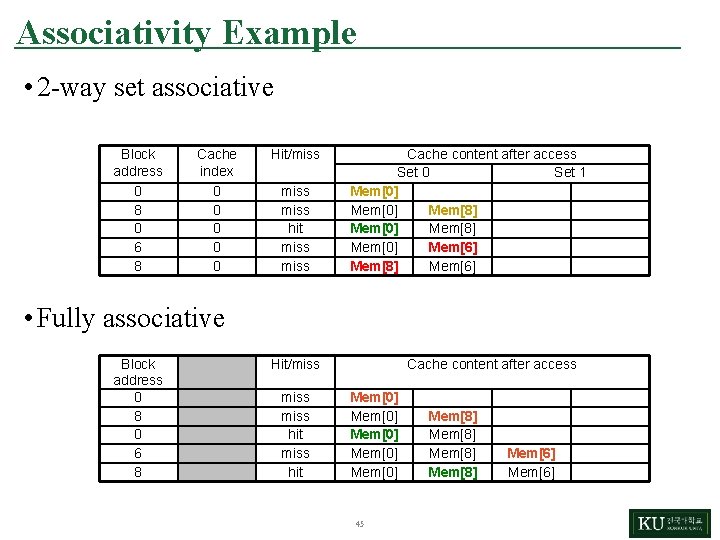
Associativity Example • Compare 4 -block caches – Direct mapped, 2 -way set associative, fully associative – Block access sequence: 0, 8, 0, 6, 8 • Direct mapped Block address 0 8 0 6 8 Cache index 0 0 0 2 0 Hit/miss miss 0 Mem[0] Mem[8] 44 Cache content after access 1 2 Mem[6] 3
Associativity Example • 2 -way set associative Block address 0 8 0 6 8 Cache index 0 0 0 Hit/miss hit miss Cache content after access Set 0 Set 1 Mem[0] Mem[8] Mem[0] Mem[6] Mem[8] Mem[6] • Fully associative Block address 0 8 0 6 8 Hit/miss hit Cache content after access Mem[0] Mem[0] 45 Mem[8] Mem[6]
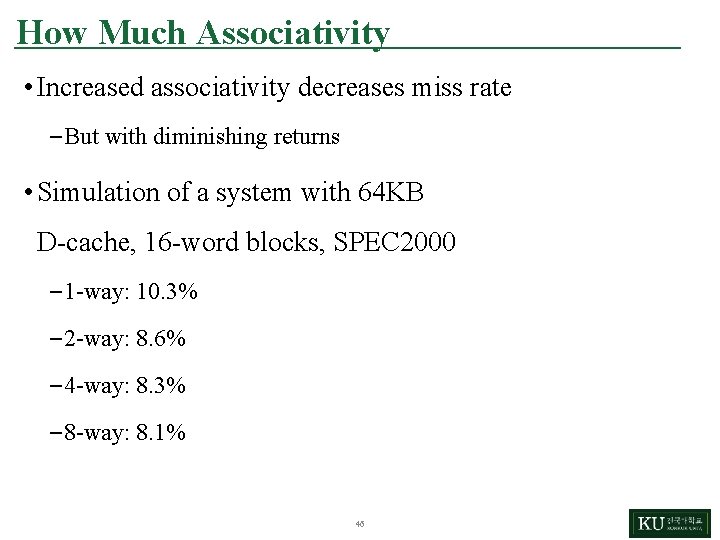
How Much Associativity • Increased associativity decreases miss rate – But with diminishing returns • Simulation of a system with 64 KB D-cache, 16 -word blocks, SPEC 2000 – 1 -way: 10. 3% – 2 -way: 8. 6% – 4 -way: 8. 3% – 8 -way: 8. 1% 46
Set Associative Cache Organization 47
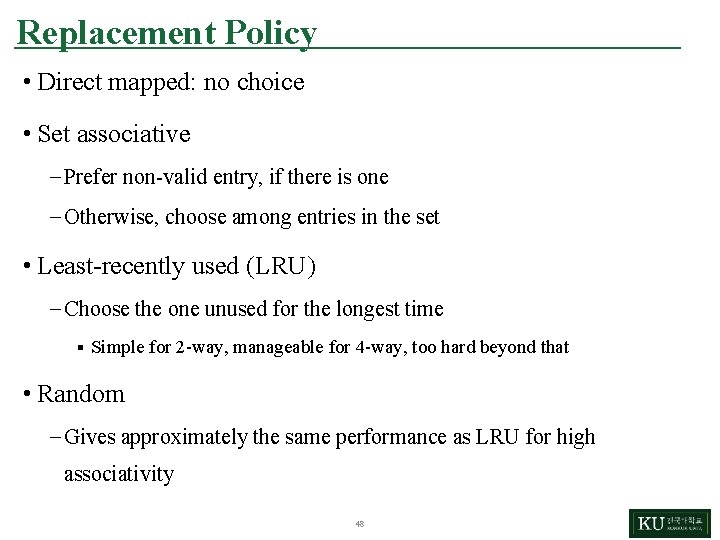
Replacement Policy • Direct mapped: no choice • Set associative – Prefer non-valid entry, if there is one – Otherwise, choose among entries in the set • Least-recently used (LRU) – Choose the one unused for the longest time § Simple for 2 -way, manageable for 4 -way, too hard beyond that • Random – Gives approximately the same performance as LRU for high associativity 48
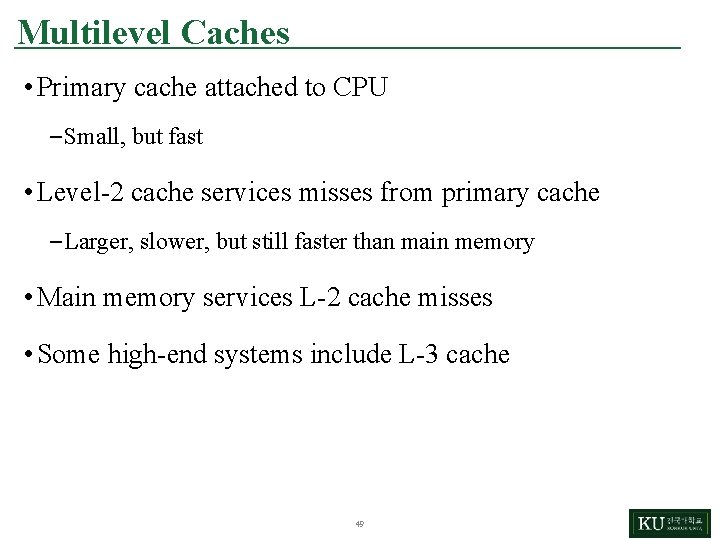
Multilevel Caches • Primary cache attached to CPU – Small, but fast • Level-2 cache services misses from primary cache – Larger, slower, but still faster than main memory • Main memory services L-2 cache misses • Some high-end systems include L-3 cache 49
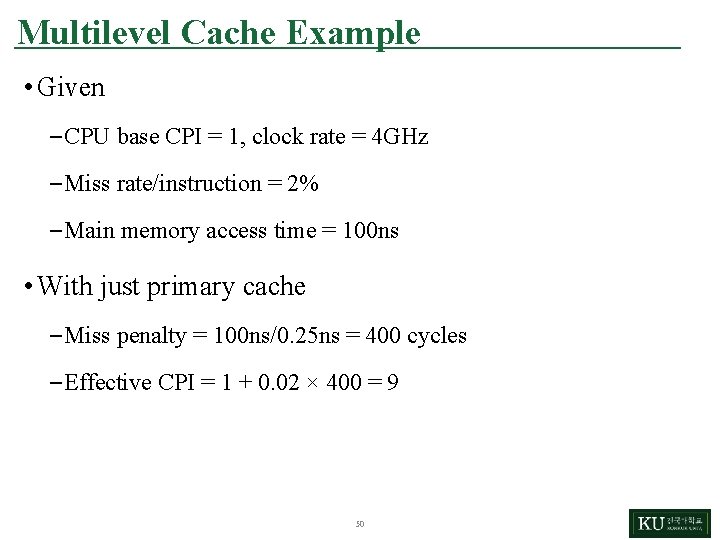
Multilevel Cache Example • Given – CPU base CPI = 1, clock rate = 4 GHz – Miss rate/instruction = 2% – Main memory access time = 100 ns • With just primary cache – Miss penalty = 100 ns/0. 25 ns = 400 cycles – Effective CPI = 1 + 0. 02 × 400 = 9 50
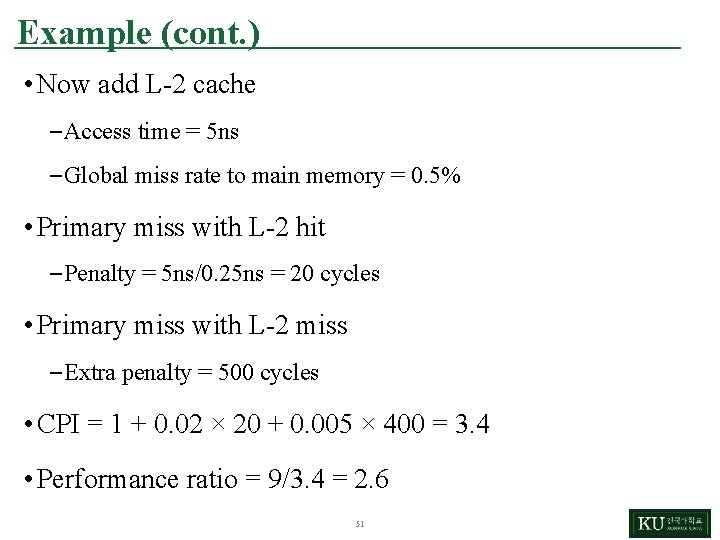
Example (cont. ) • Now add L-2 cache – Access time = 5 ns – Global miss rate to main memory = 0. 5% • Primary miss with L-2 hit – Penalty = 5 ns/0. 25 ns = 20 cycles • Primary miss with L-2 miss – Extra penalty = 500 cycles • CPI = 1 + 0. 02 × 20 + 0. 005 × 400 = 3. 4 • Performance ratio = 9/3. 4 = 2. 6 51
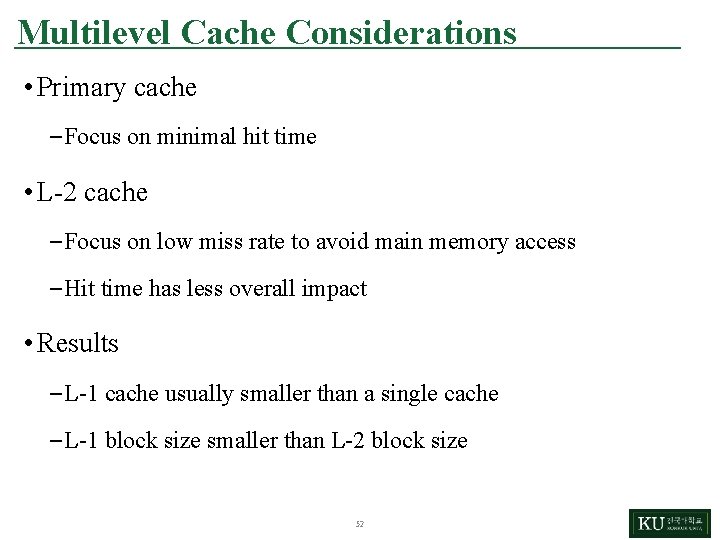
Multilevel Cache Considerations • Primary cache – Focus on minimal hit time • L-2 cache – Focus on low miss rate to avoid main memory access – Hit time has less overall impact • Results – L-1 cache usually smaller than a single cache – L-1 block size smaller than L-2 block size 52
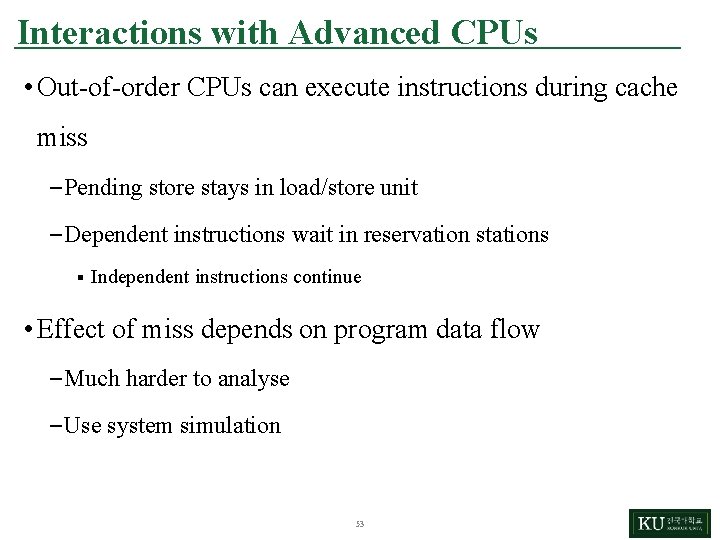
Interactions with Advanced CPUs • Out-of-order CPUs can execute instructions during cache miss – Pending store stays in load/store unit – Dependent instructions wait in reservation stations § Independent instructions continue • Effect of miss depends on program data flow – Much harder to analyse – Use system simulation 53
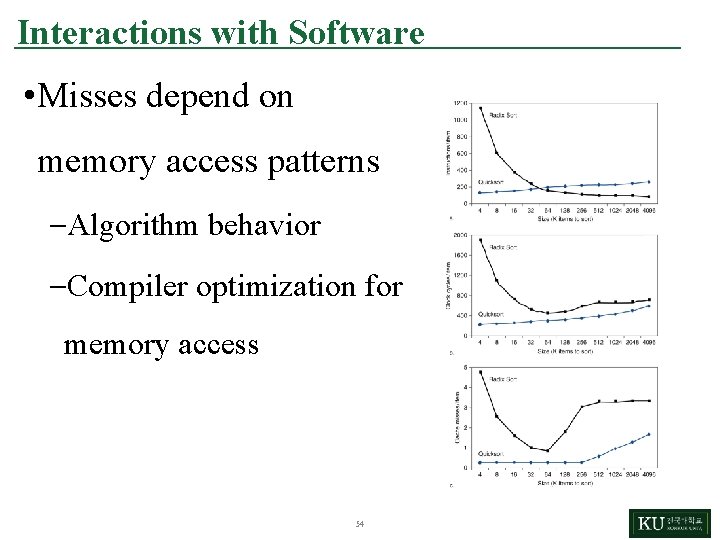
Interactions with Software • Misses depend on memory access patterns –Algorithm behavior –Compiler optimization for memory access 54
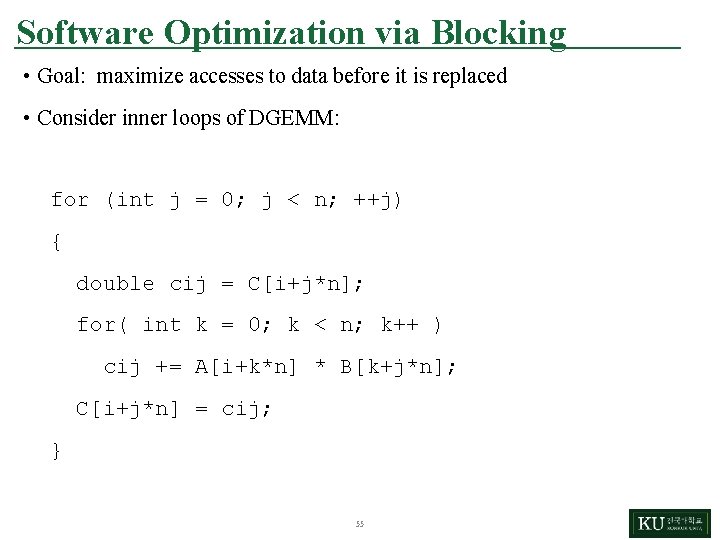
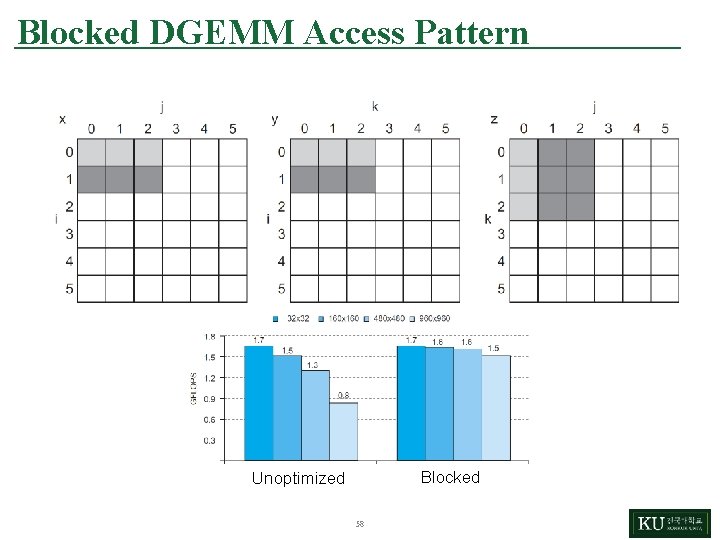
Software Optimization via Blocking • Goal: maximize accesses to data before it is replaced • Consider inner loops of DGEMM: for (int j = 0; j < n; ++j) { double cij = C[i+j*n]; for( int k = 0; k < n; k++ ) cij += A[i+k*n] * B[k+j*n]; C[i+j*n] = cij; } 55
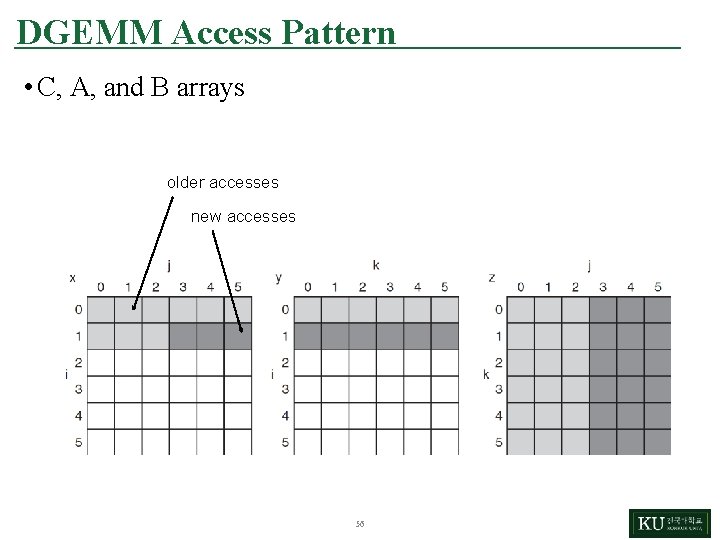
DGEMM Access Pattern • C, A, and B arrays older accesses new accesses 56
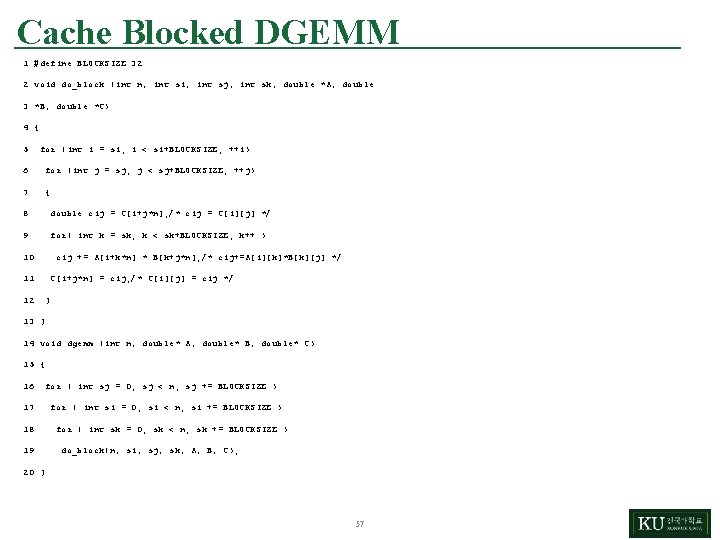
Cache Blocked DGEMM 1 #define BLOCKSIZE 32 2 void do_block (int n, int si, int sj, int sk, double *A, double 3 *B, double *C) 4 { 5 for (int i = si; i < si+BLOCKSIZE; ++i) 6 for (int j = sj; j < sj+BLOCKSIZE; ++j) 7 { 8 double cij = C[i+j*n]; /* cij = C[i][j] */ 9 for( int k = sk; k < sk+BLOCKSIZE; k++ ) 10 cij += A[i+k*n] * B[k+j*n]; /* cij+=A[i][k]*B[k][j] */ 11 12 C[i+j*n] = cij; /* C[i][j] = cij */ } 13 } 14 void dgemm (int n, double* A, double* B, double* C) 15 { 16 for ( int sj = 0; sj < n; sj += BLOCKSIZE ) 17 18 19 for ( int si = 0; si < n; si += BLOCKSIZE ) for ( int sk = 0; sk < n; sk += BLOCKSIZE ) do_block(n, si, sj, sk, A, B, C); 20 } 57
Blocked DGEMM Access Pattern Blocked Unoptimized 58