
Melee Attacks Mason Biggie Introduction to Melee Attacks
Melee Attacks Mason Biggie
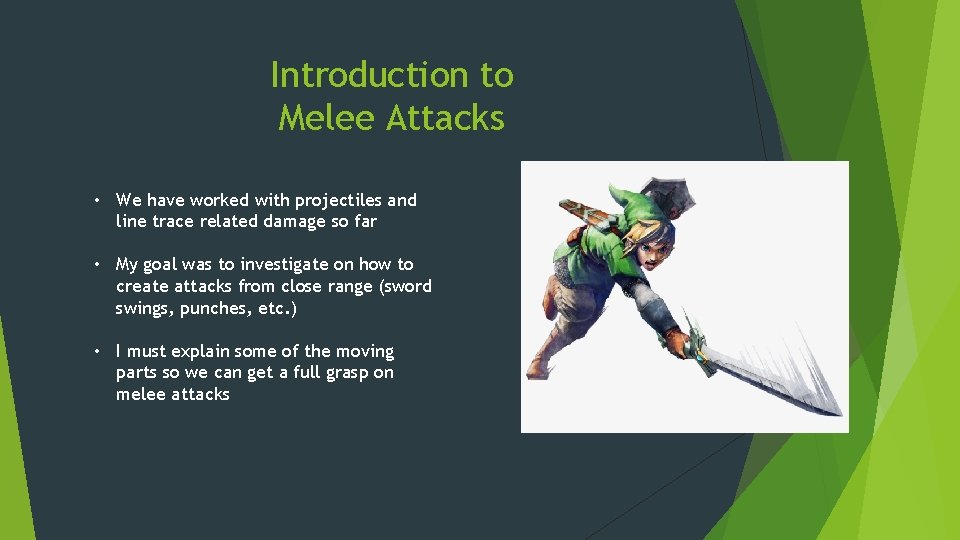
Introduction to Melee Attacks • We have worked with projectiles and line trace related damage so far • My goal was to investigate on how to create attacks from close range (sword swings, punches, etc. ) • I must explain some of the moving parts so we can get a full grasp on melee attacks
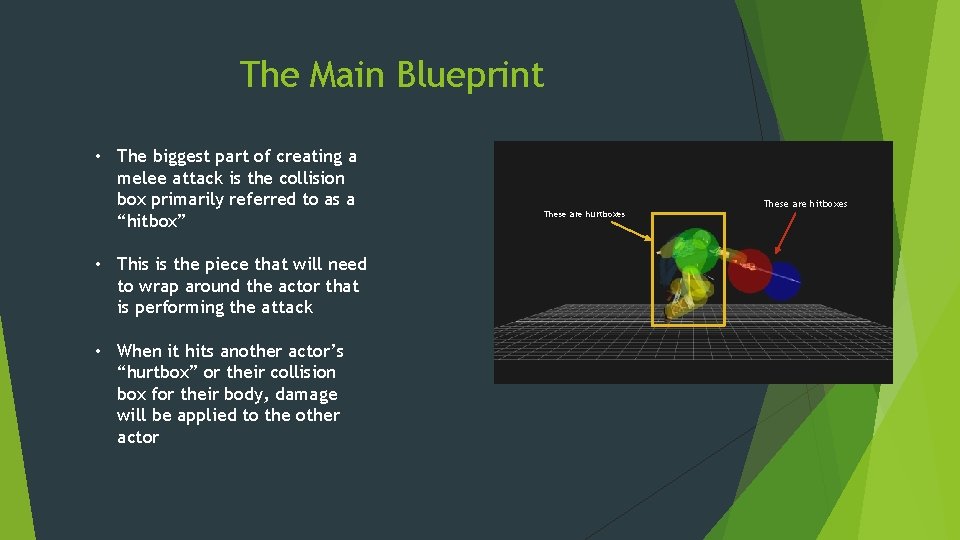
The Main Blueprint • The biggest part of creating a melee attack is the collision box primarily referred to as a “hitbox” • This is the piece that will need to wrap around the actor that is performing the attack • When it hits another actor’s “hurtbox” or their collision box for their body, damage will be applied to the other actor These are hurtboxes These are hitboxes
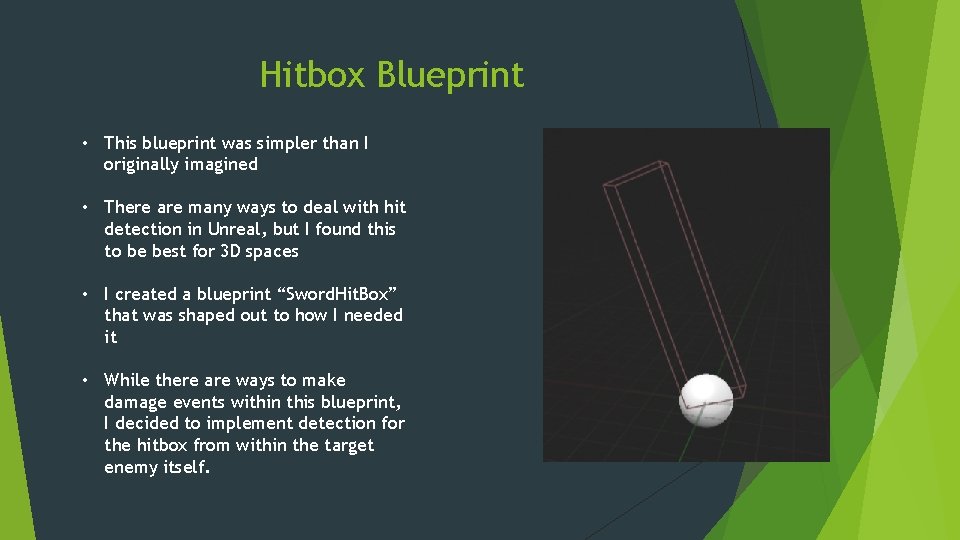
Hitbox Blueprint • This blueprint was simpler than I originally imagined • There are many ways to deal with hit detection in Unreal, but I found this to be best for 3 D spaces • I created a blueprint “Sword. Hit. Box” that was shaped out to how I needed it • While there are ways to make damage events within this blueprint, I decided to implement detection for the hitbox from within the target enemy itself.
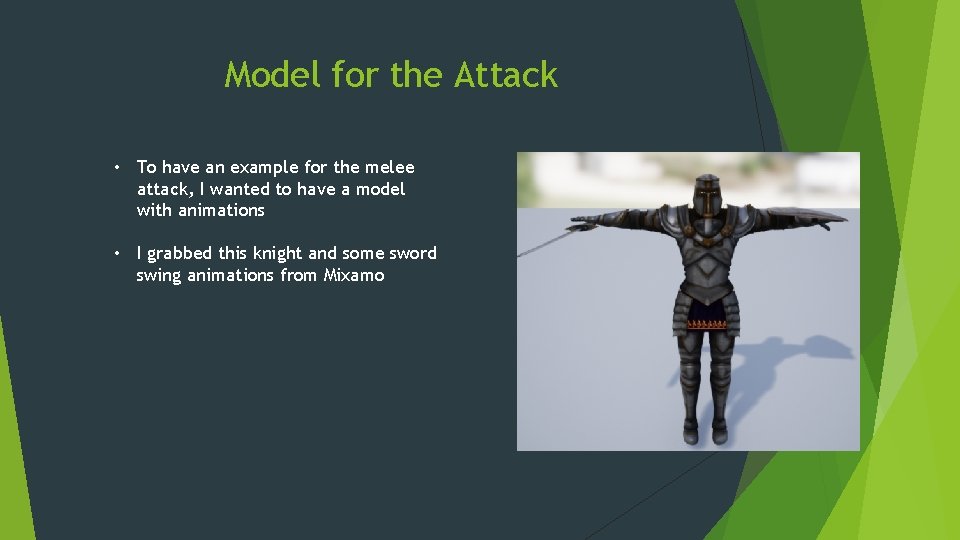
Model for the Attack • To have an example for the melee attack, I wanted to have a model with animations • I grabbed this knight and some sword swing animations from Mixamo

Attack Animations Startup • The frames of animation before an attack(easing in) Active • The attack itself. This is where the hitbox appears Recovery • The frames after the attack has happened(follow through)
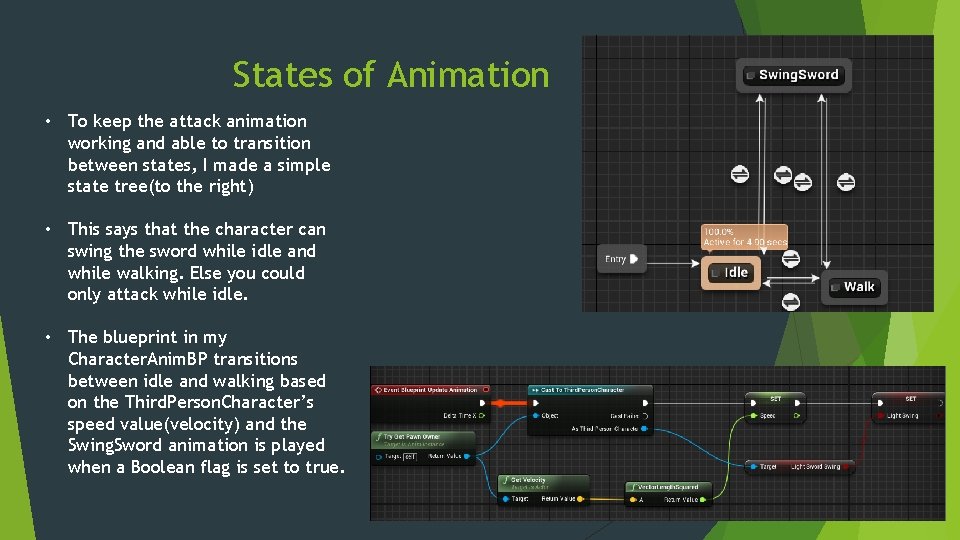
States of Animation • To keep the attack animation working and able to transition between states, I made a simple state tree(to the right) • This says that the character can swing the sword while idle and while walking. Else you could only attack while idle. • The blueprint in my Character. Anim. BP transitions between idle and walking based on the Third. Person. Character’s speed value(velocity) and the Swing. Sword animation is played when a Boolean flag is set to true.
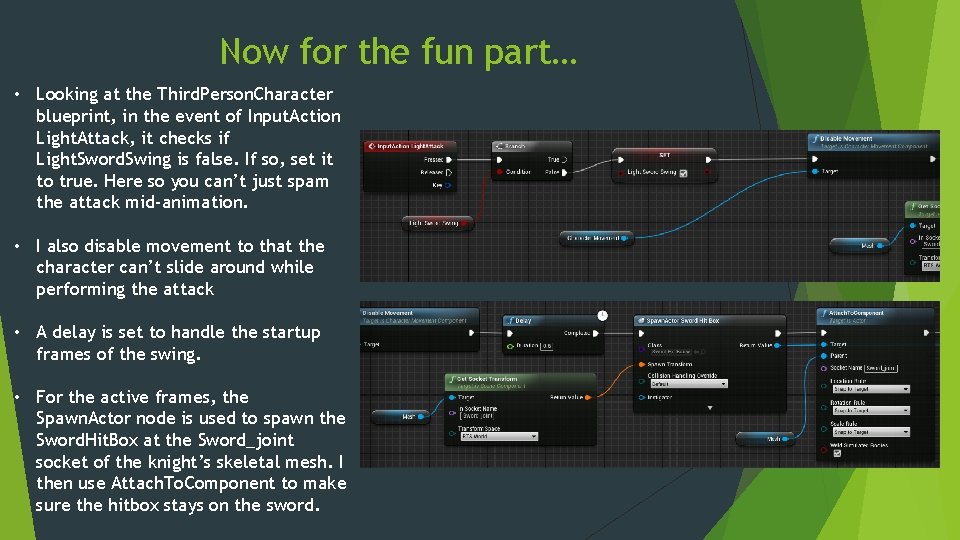
Now for the fun part… • Looking at the Third. Person. Character blueprint, in the event of Input. Action Light. Attack, it checks if Light. Sword. Swing is false. If so, set it to true. Here so you can’t just spam the attack mid-animation. • I also disable movement to that the character can’t slide around while performing the attack • A delay is set to handle the startup frames of the swing. • For the active frames, the Spawn. Actor node is used to spawn the Sword. Hit. Box at the Sword_joint socket of the knight’s skeletal mesh. I then use Attach. To. Component to make sure the hitbox stays on the sword.
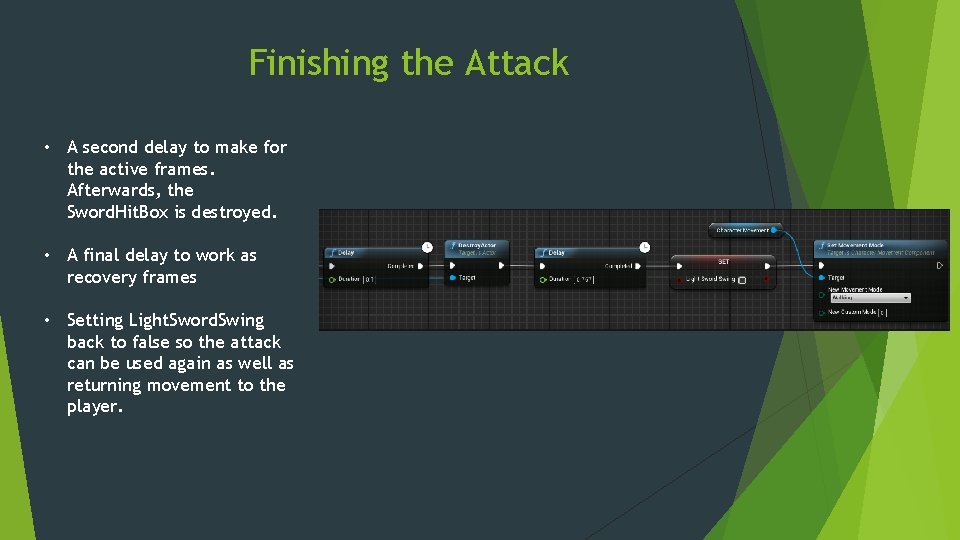
Finishing the Attack • A second delay to make for the active frames. Afterwards, the Sword. Hit. Box is destroyed. • A final delay to work as recovery frames • Setting Light. Sword. Swing back to false so the attack can be used again as well as returning movement to the player.
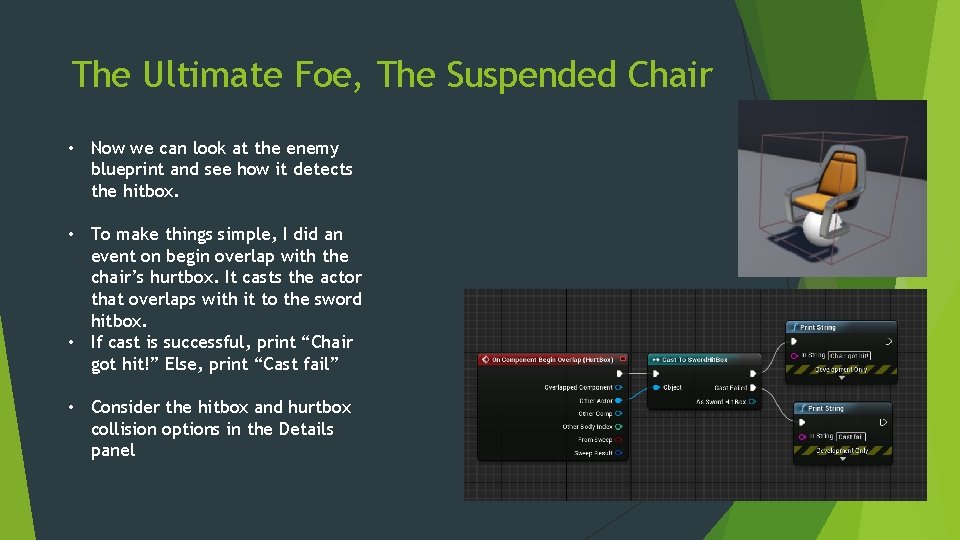
The Ultimate Foe, The Suspended Chair • Now we can look at the enemy blueprint and see how it detects the hitbox. • To make things simple, I did an event on begin overlap with the chair’s hurtbox. It casts the actor that overlaps with it to the sword hitbox. • If cast is successful, print “Chair got hit!” Else, print “Cast fail” • Consider the hitbox and hurtbox collision options in the Details panel
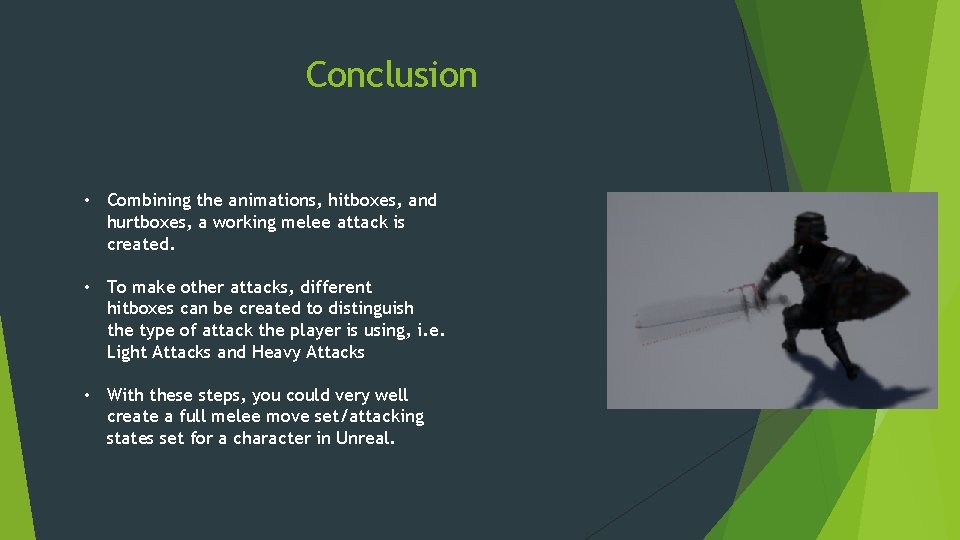
Conclusion • Combining the animations, hitboxes, and hurtboxes, a working melee attack is created. • To make other attacks, different hitboxes can be created to distinguish the type of attack the player is using, i. e. Light Attacks and Heavy Attacks • With these steps, you could very well create a full melee move set/attacking states set for a character in Unreal.
![References [1] Virtus Learning Hub / Creative Tutorials. “Melee Combat Based Character - #19](http://slidetodoc.com/presentation_image_h2/5d75a1e43f1f1e65f86cad7864e1f432/image-12.jpg "References [1] Virtus Learning Hub / Creative Tutorials. “Melee Combat Based Character - #19")
References [1] Virtus Learning Hub / Creative Tutorials. “Melee Combat Based Character - #19 Creating A Role Playing Game With Unreal Engine 4, ” You. Tube, Aug. 20, 2017 [Video file]. Available: https: //www. youtube. com/watch? v=wg. DABICTsl. M&list=PLL 0 c. LF 8 gj. Bp q. A 8 Dcrh. L_O 9 k. D 4 js. Uqh. DR 6&index=19. [Accessed: Mar. 24, 2020]. [2] Virtus Learning Hub / Creative Tutorials. “Melee Weapon Damage - #23 Creating A Role Playing Game With Unreal Engine 4, ” You. Tube, Aug. 29, 2017 [Video file]. Available: https: //www. youtube. com/watch? v=Lj. Ds. Pr 4 uj. DE&list=PLL 0 c. LF 8 gj. Bpq A 8 Dcrh. L_O 9 k. D 4 js. Uqh. DR 6&index=23. [Accessed: Mar. 24, 2020]. [3] Mixamo. “Paladin_Prop_J_Nordstrom” Accessed on: Mar. 23, 2020. [Online]. Available: https: //www. mixamo. com/#/? page=1&type=Character
- Slides: 12