
Meeting the Availability Challenge Don Vilen Program Manager
Meeting the Availability Challenge Don Vilen Program Manager SQL Server Microsoft Corporation
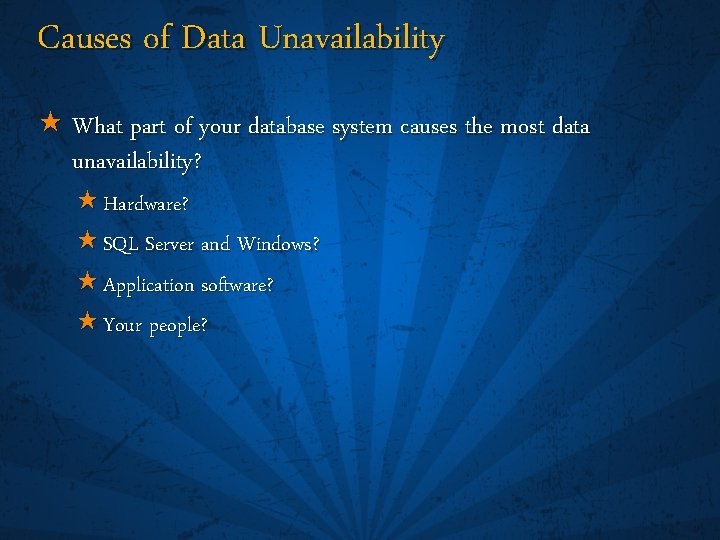
Causes of Data Unavailability « What part of your database system causes the most data unavailability? « Hardware? « SQL Server and Windows? « Application software? « Your people?
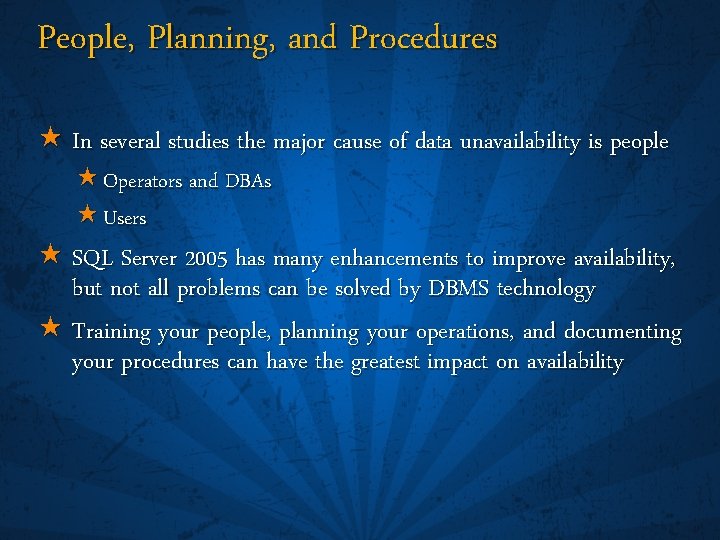
People, Planning, and Procedures « In several studies the major cause of data unavailability is people « Operators and DBAs « Users « SQL Server 2005 has many enhancements to improve availability, but not all problems can be solved by DBMS technology « Training your people, planning your operations, and documenting your procedures can have the greatest impact on availability
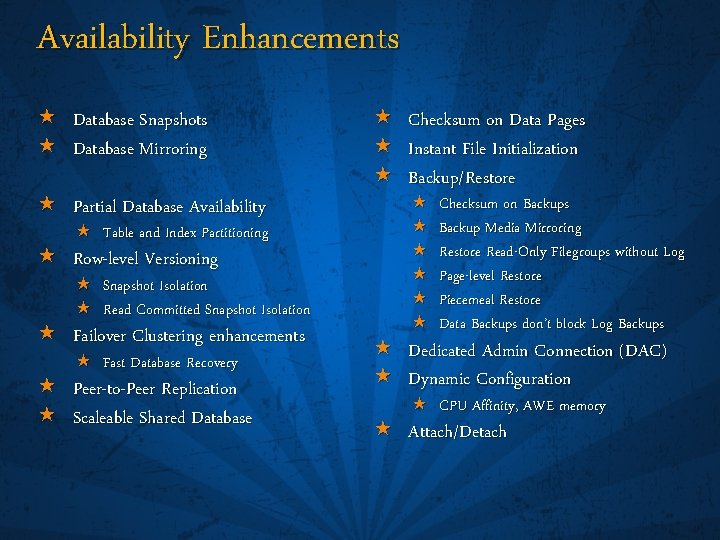
Availability Enhancements « Database Snapshots « Database Mirroring « Partial Database Availability « Table and Index Partitioning « Row-level Versioning « Snapshot Isolation « Read Committed Snapshot Isolation « Failover Clustering enhancements « Fast Database Recovery « Peer-to-Peer Replication « Scaleable Shared Database « Checksum on Data Pages « Instant File Initialization « Backup/Restore « « « Checksum on Backups Backup Media Mirroring Restore Read-Only Filegroups without Log Page-level Restore Piecemeal Restore Data Backups don’t block Log Backups « Dedicated Admin Connection (DAC) « Dynamic Configuration « CPU Affinity, AWE memory « Attach/Detach
Areas of Availability « Operator, DBA, and User Error « High Availability and the SQL Server process « Availability inside the SQL Server process
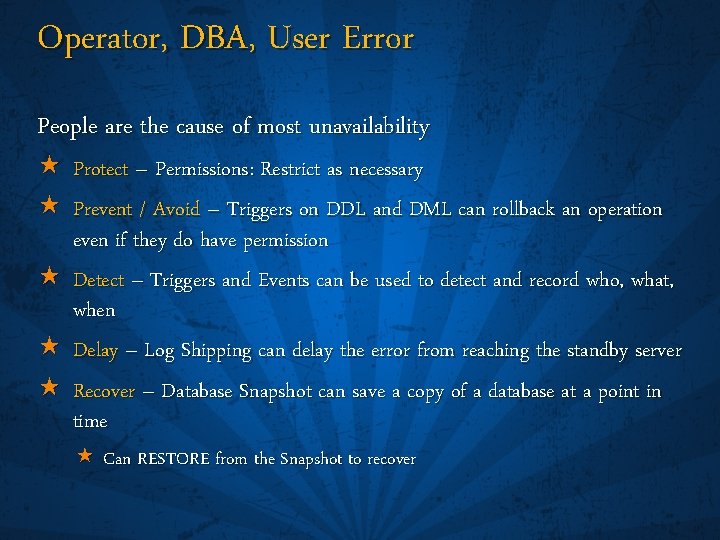
Operator, DBA, User Error People are the cause of most unavailability « « Protect – Permissions: Restrict as necessary Prevent / Avoid – Triggers on DDL and DML can rollback an operation even if they do have permission « Detect – Triggers and Events can be used to detect and record who, what, when « Delay – Log Shipping can delay the error from reaching the standby server « Recover – Database Snapshot can save a copy of a database at a point in time « Can RESTORE from the Snapshot to recover
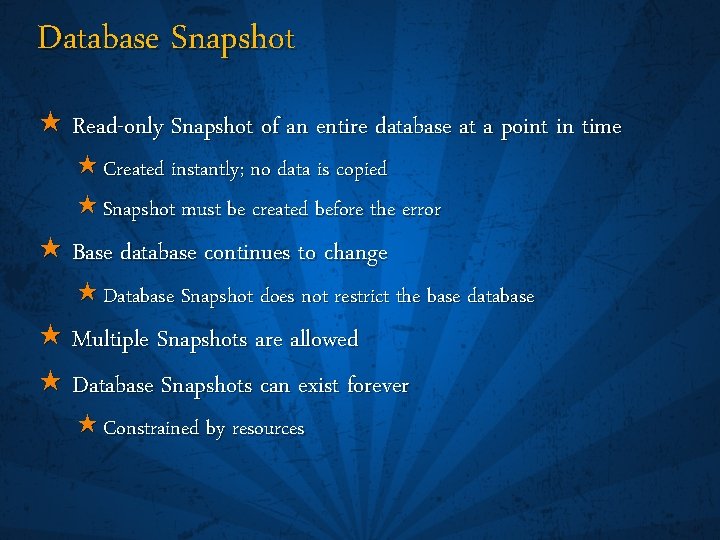
Database Snapshot « Read-only Snapshot of an entire database at a point in time « Created instantly; no data is copied « Snapshot must be created before the error « Base database continues to change « Database Snapshot does not restrict the base database « Multiple Snapshots are allowed « Database Snapshots can exist forever « Constrained by resources
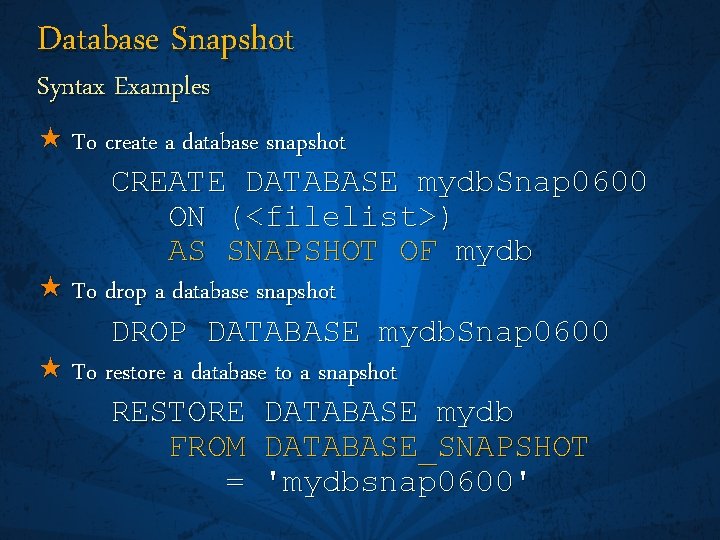
Database Snapshot Syntax Examples « To create a database snapshot CREATE DATABASE mydb. Snap 0600 ON (<filelist>) AS SNAPSHOT OF mydb « To drop a database snapshot DROP DATABASE mydb. Snap 0600 « To restore a database to a snapshot RESTORE DATABASE mydb FROM DATABASE_SNAPSHOT = 'mydbsnap 0600'
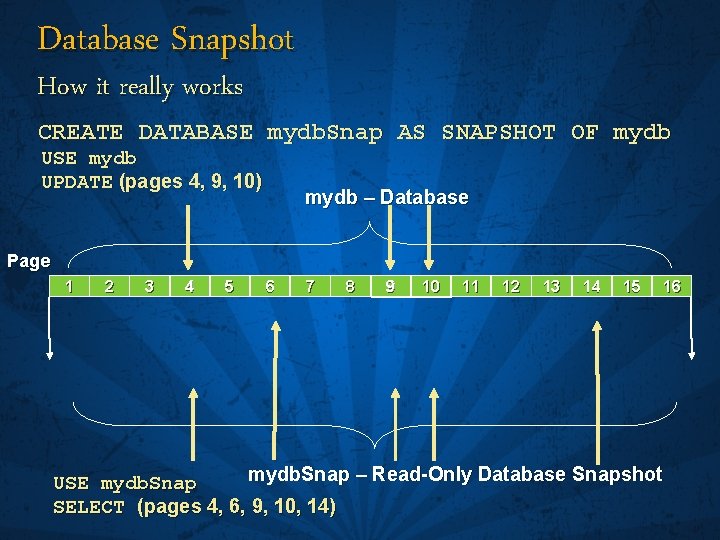
Database Snapshot How it really works CREATE DATABASE mydb. Snap AS SNAPSHOT OF mydb USE mydb UPDATE (pages 4, 9, 10) mydb – Database Page 1 2 3 4 5 6 7 8 9 10 11 12 13 14 15 16 mydb. Snap – Read-Only Database Snapshot USE mydb. Snap SELECT (pages 4, 6, 9, 10, 14)
Areas of Availability « Operator, DBA, and User Error « High Availability and the SQL Server process « Availability inside the SQL Server process
High Availability and the SQL Server Process « Instance Maintenance « Instance and Database Startup « Ensuring High Availability for the SQL Server Process
Instance Maintenance Install and Upgrade « More reliable Install / Setup process « Faster Upgrade « Minimal downtime during upgrade « System Stored Procedures are in the ‘resource database’ « Read-only, invisible/transparent to users « Allows for fast, side-by-side upgrades « No scripts to run to upgrade system procs « master is upgraded during the Upgrade process « Other databases are upgraded as part of database startup – once master is complete « Upgrade also occurs: « When a down-level database is attached « When a down-level database is restored
Instance Maintenance Configuration « More dynamic configuration « No instance restart required to change: « AWE Memory configuration « Hot-add memory « CPU Affinity configuration « Surface Area Configuration Manager
Instance and Database Startup « Faster Instance Startup « Memory, even AWE memory, is allocated as needed « Faster Database Startup « Fast Recovery « User databases start up in parallel
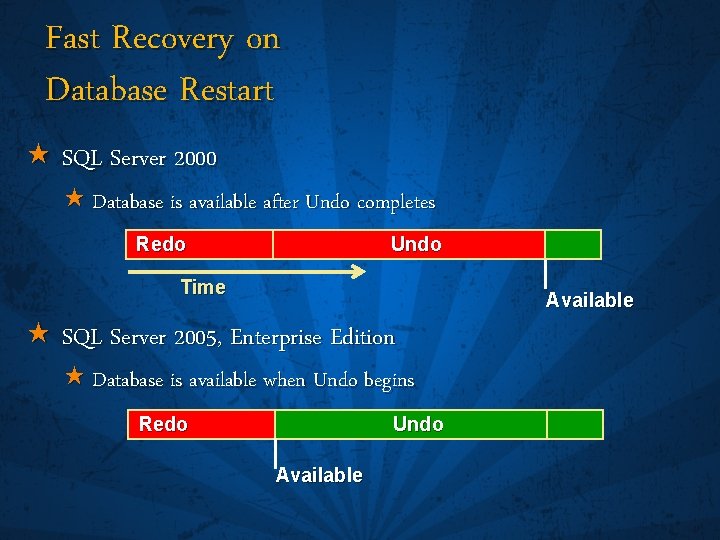
Fast Recovery on Database Restart « SQL Server 2000 « Database is available after Undo completes Redo Undo Time Available « SQL Server 2005, Enterprise Edition « Database is available when Undo begins Redo Undo Available
Ensuring High Availability for the SQL Server Process « Failover Clustering « Database Mirroring « Peer-to-Peer Transactional Replication « Others « Log Shipping « Backup/Restore and Attach/Detach « 3 rd Party Solutions « Geographically-Dipersed Clusters
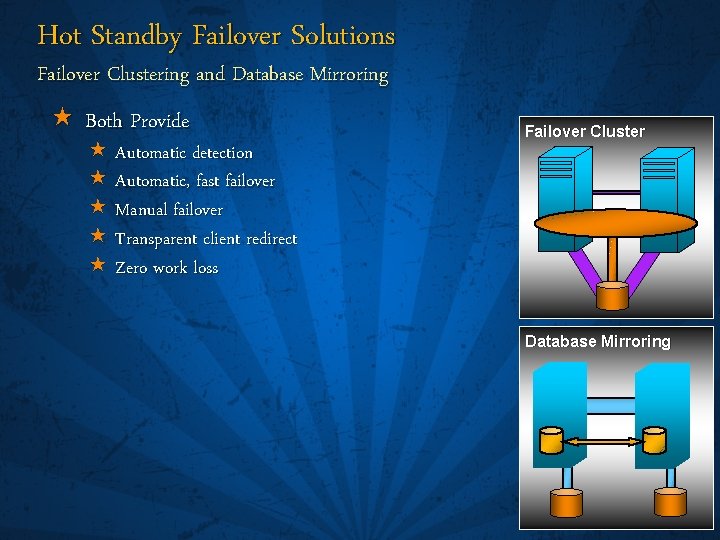
Hot Standby Failover Solutions Failover Clustering and Database Mirroring « Both Provide « Automatic detection « Automatic, fast failover « Manual failover « Transparent client redirect « Zero work loss Failover Cluster Database Mirroring
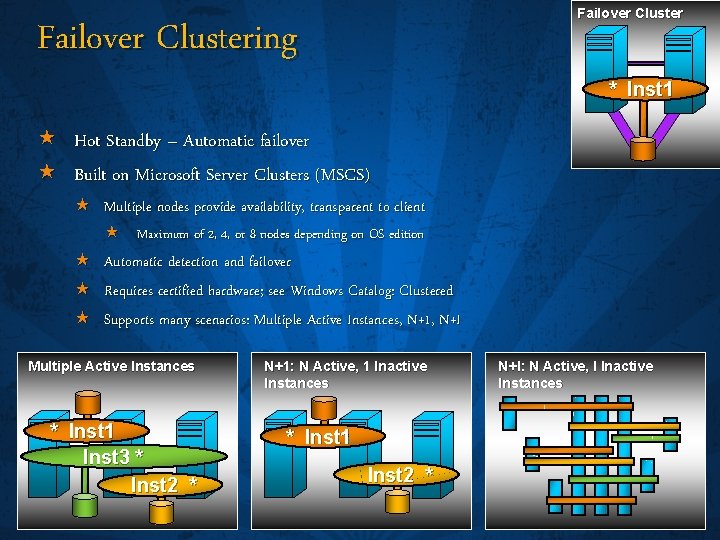
Failover Clustering * Inst 1 « Hot Standby – Automatic failover « Built on Microsoft Server Clusters (MSCS) « Multiple nodes provide availability, transparent to client « « « « Maximum of 2, 4, or 8 nodes depending on OS edition Automatic detection and failover Requires certified hardware; see Windows Catalog: Clustered Supports many scenarios: Multiple Active Instances, N+1, N+I Multiple Active Instances * Inst 1 Inst 3 * Inst 2 * N+1: N Active, 1 Inactive Instances * Inst 1 Inst 2 * N+I: N Active, I Inactive Instances
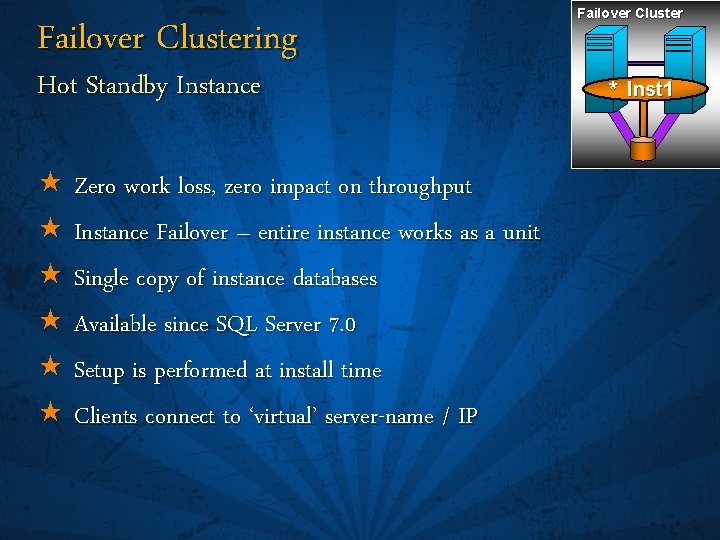
Failover Clustering Hot Standby Instance « Zero work loss, zero impact on throughput « Instance Failover – entire instance works as a unit « Single copy of instance databases « Available since SQL Server 7. 0 « Setup is performed at install time « Clients connect to ‘virtual’ server-name / IP Failover Cluster * Inst 1
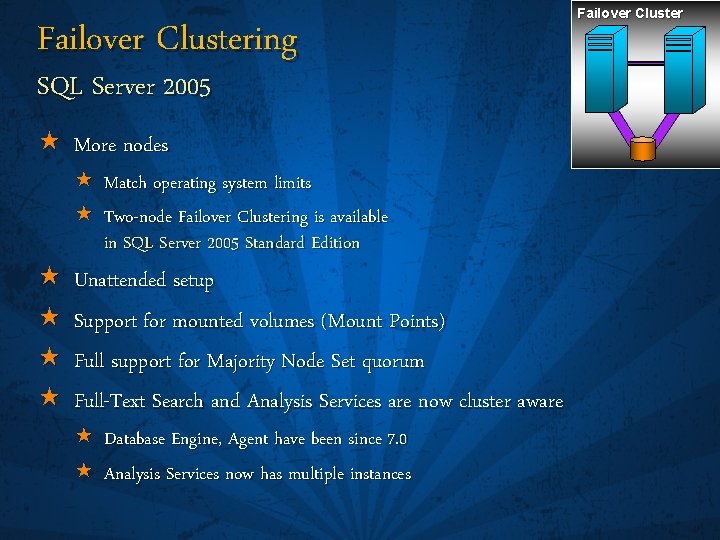
Failover Clustering SQL Server 2005 « More nodes « « « Match operating system limits « Two-node Failover Clustering is available in SQL Server 2005 Standard Edition Unattended setup Support for mounted volumes (Mount Points) Full support for Majority Node Set quorum Full-Text Search and Analysis Services are now cluster aware « Database Engine, Agent have been since 7. 0 « Analysis Services now has multiple instances Failover Cluster
Database Mirroring New for SQL Server 2005 « « Hot Standby Database Failover « Very fast failover « Just seconds in most cases « Zero data loss « Automatic or manual failover « Automatic re-sync after failover « Automatic, transparent client redirect Database Mirroring
Database Mirroring « Hardware « Works with standard computers, storage, and networks « No shared storage components, virtually no distance limitations « Impact to transaction throughput « Zero to minimal, depending on environment / workload / network Database Mirroring
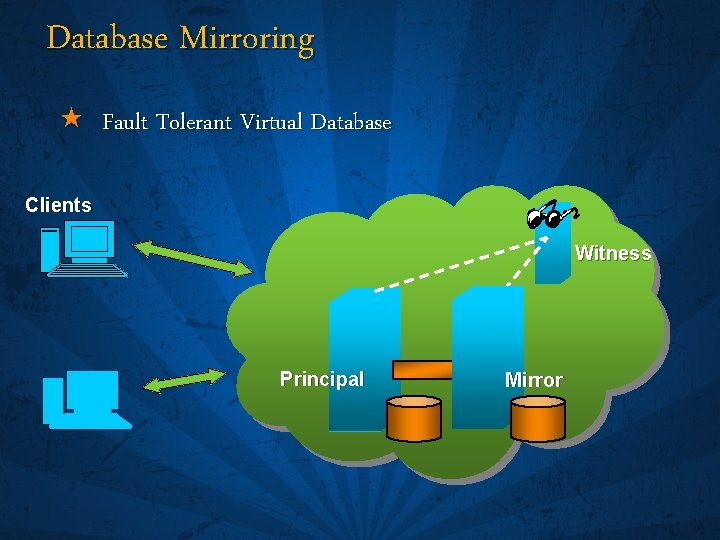
Database Mirroring « Fault Tolerant Virtual Database Clients Witness Principal Mirror
Witness and Quorum Witness « Sole purpose of the Witness is to provide automatic failover « To survive the loss of one server you must have at least three « Prevents “split brain” « Does a lost connection mean the partner is down or is the network down? « To become the Principal, a server must talk to at least one other server « The Witness does not direct the Mirror to become Principal « It simply answers the question “Who do you see? ”
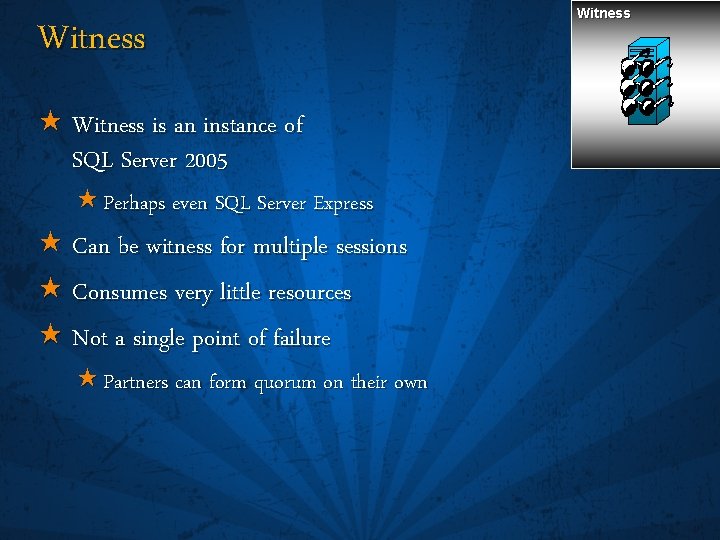
Witness « Witness is an instance of SQL Server 2005 « Perhaps even SQL Server Express « Can be witness for multiple sessions « Consumes very little resources « Not a single point of failure « Partners can form quorum on their own Witness
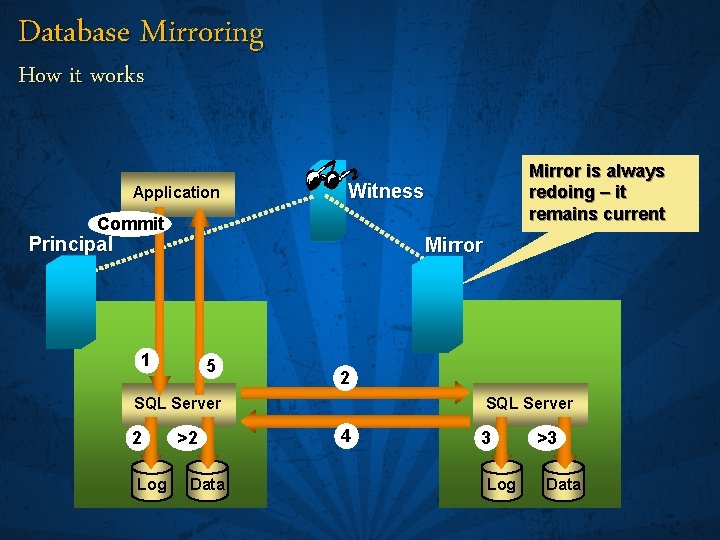
Database Mirroring How it works Application Mirror is always redoing – it remains current Witness Commit Principal Mirror 1 5 2 SQL Server 2 Log >2 Data SQL Server 4 3 Log >3 Data
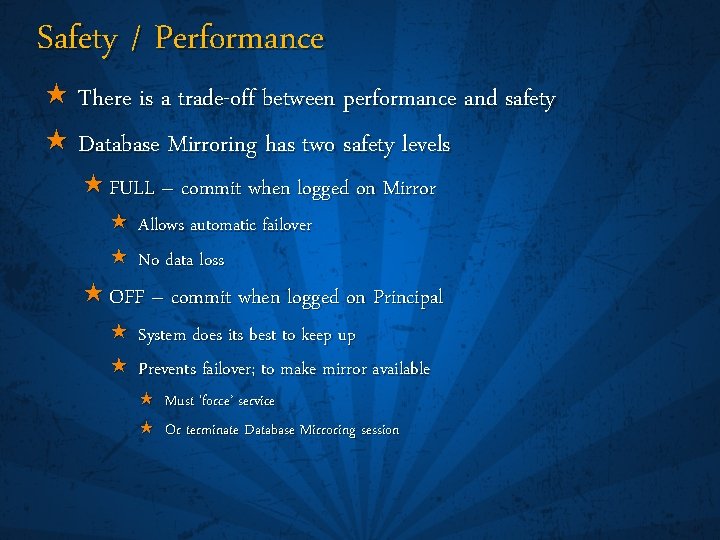
Safety / Performance « There is a trade-off between performance and safety « Database Mirroring has two safety levels « FULL – commit when logged on Mirror « Allows automatic failover « No data loss « OFF – commit when logged on Principal « System does its best to keep up « Prevents failover; to make mirror available « Must ‘force’ service « Or terminate Database Mirroring session
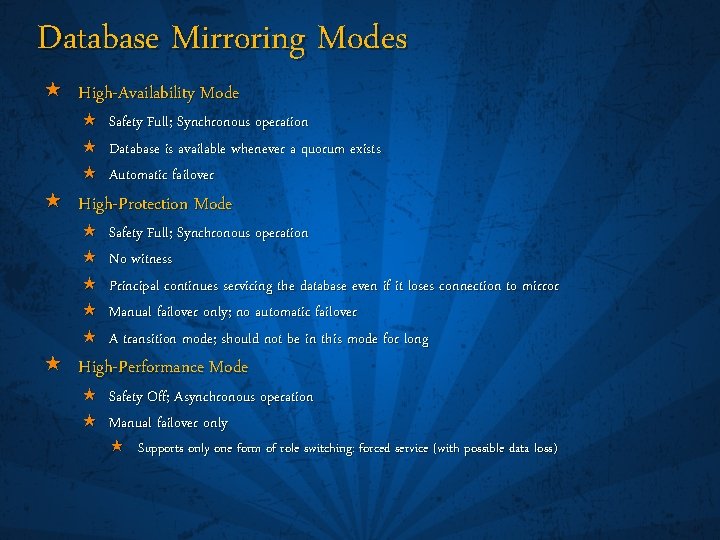
Database Mirroring Modes « High-Availability Mode « Safety Full; Synchronous operation « Database is available whenever a quorum exists « Automatic failover « High-Protection Mode « « « Safety Full; Synchronous operation No witness Principal continues servicing the database even if it loses connection to mirror Manual failover only; no automatic failover A transition mode; should not be in this mode for long « High-Performance Mode « Safety Off; Asynchronous operation « Manual failover only « Supports only one form of role switching: forced service (with possible data loss)
Transparent Client Redirect « No changes to application code « Client automatically redirected if session is dropped « « « Client library is aware of Principal and Mirror servers Upon initial connect to Principal, library caches Mirror name When client attempts to reconnect « If Principal is available, connects « If not, client library automatically redirects connection to Mirror
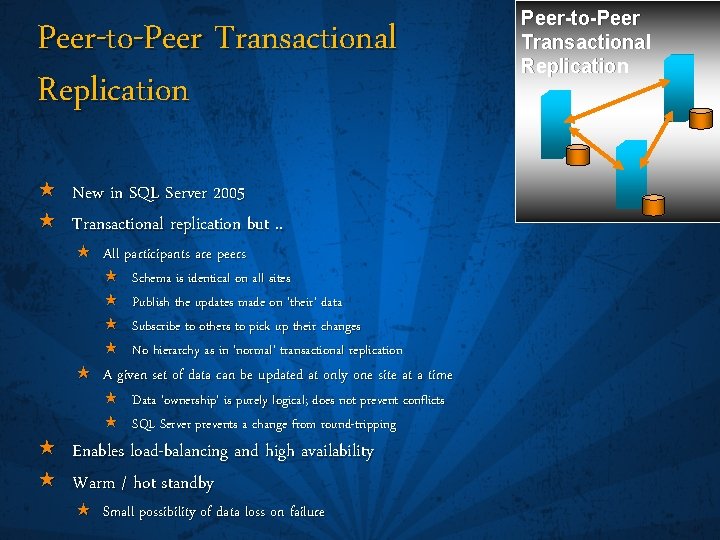
Peer-to-Peer Transactional Replication « New in SQL Server 2005 « Transactional replication but. . « All participants are peers « « Schema is identical on all sites Publish the updates made on ‘their’ data Subscribe to others to pick up their changes No hierarchy as in ‘normal’ transactional replication « A given set of data can be updated at only one site at a time « « Data ‘ownership’ is purely logical; does not prevent conflicts SQL Server prevents a change from round-tripping « Enables load-balancing and high availability « Warm / hot standby « Small possibility of data loss on failure Peer-to-Peer Transactional Replication
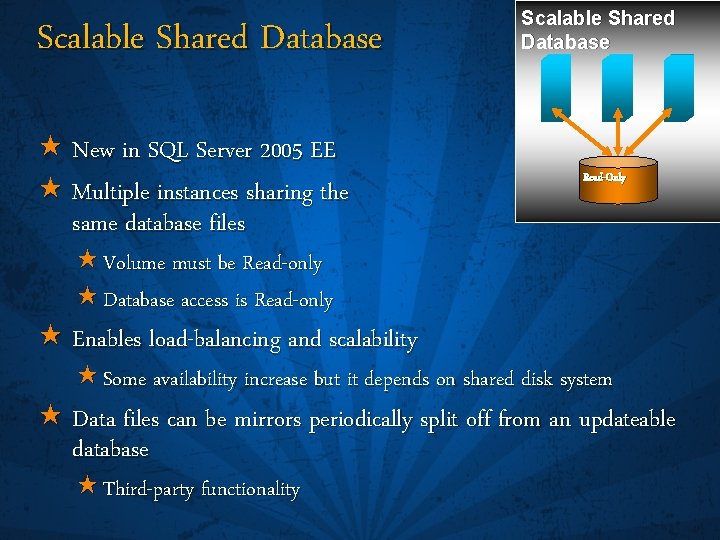
Scalable Shared Database « New in SQL Server 2005 EE « Multiple instances sharing the same database files Scalable Shared Database Read-Only « Volume must be Read-only « Database access is Read-only « Enables load-balancing and scalability « Some availability increase but it depends on shared disk system « Data files can be mirrors periodically split off from an updateable database « Third-party functionality
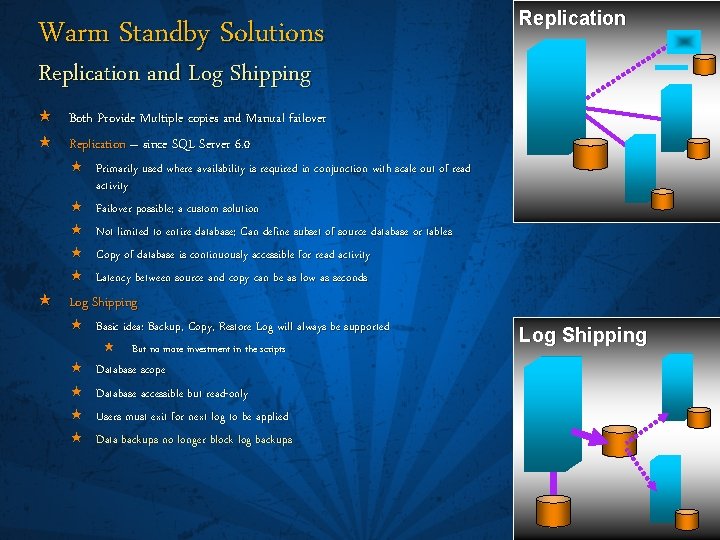
Warm Standby Solutions Replication and Log Shipping « Both Provide Multiple copies and Manual failover « Replication – since SQL Server 6. 0 « Primarily used where availability is required in conjunction with scale out of read activity « Failover possible; a custom solution « Not limited to entire database; Can define subset of source database or tables « Copy of database is continuously accessible for read activity « Latency between source and copy can be as low as seconds « Log Shipping « Basic idea: Backup, Copy, Restore Log will always be supported « « « But no more investment in the scripts Database scope Database accessible but read-only Users must exit for next log to be applied Data backups no longer block log backups Log Shipping
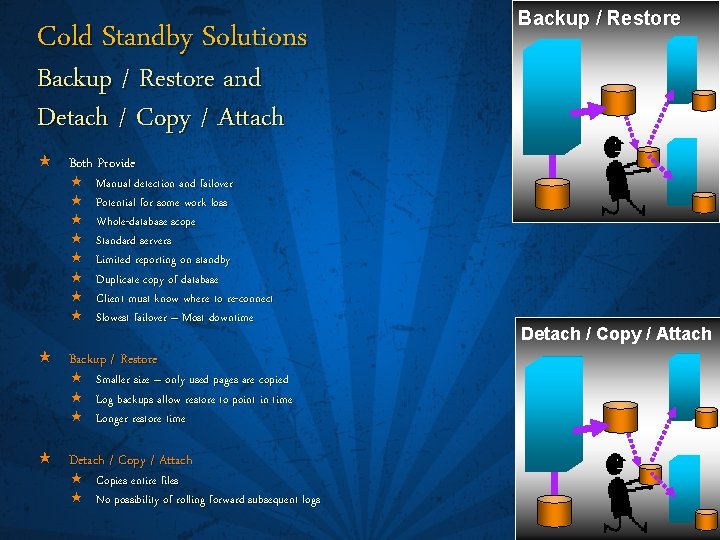
Cold Standby Solutions Backup / Restore and Detach / Copy / Attach « Both Provide « « « « Manual detection and failover Potential for some work loss Whole-database scope Standard servers Limited reporting on standby Duplicate copy of database Client must know where to re-connect Slowest failover – Most downtime « Backup / Restore « « « Smaller size – only used pages are copied Log backups allow restore to point in time Longer restore time « Detach / Copy / Attach « Copies entire files « No possibility of rolling forward subsequent logs Detach / Copy / Attach
Third-Party Availability Solutions « Many solutions by many companies with many different names « Most replicate data and log changes by one of these methods « Looking into SQL Server’s log files and translating log records into logical operations « Intercepting IOs and duplicating them, either to another disk set or simply recording them « Replicating the writes at the storage level « Local copies / mirrors for snapshot backups, etc. « Remote copies / mirrors for disaster recovery and Geographically-Dispersed Clusters
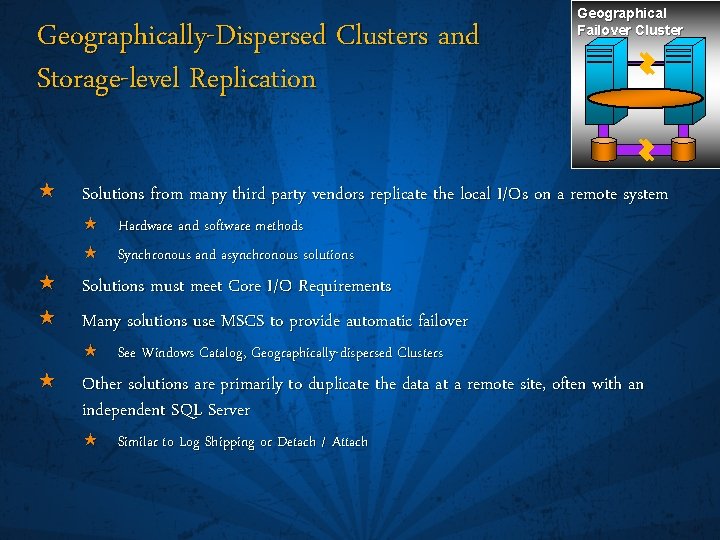
Geographically-Dispersed Clusters and Storage-level Replication Geographical Failover Cluster « Solutions from many third party vendors replicate the local I/Os on a remote system « Hardware and software methods « Synchronous and asynchronous solutions « Solutions must meet Core I/O Requirements « Many solutions use MSCS to provide automatic failover « See Windows Catalog, Geographically-dispersed Clusters « Other solutions are primarily to duplicate the data at a remote site, often with an independent SQL Server « Similar to Log Shipping or Detach / Attach
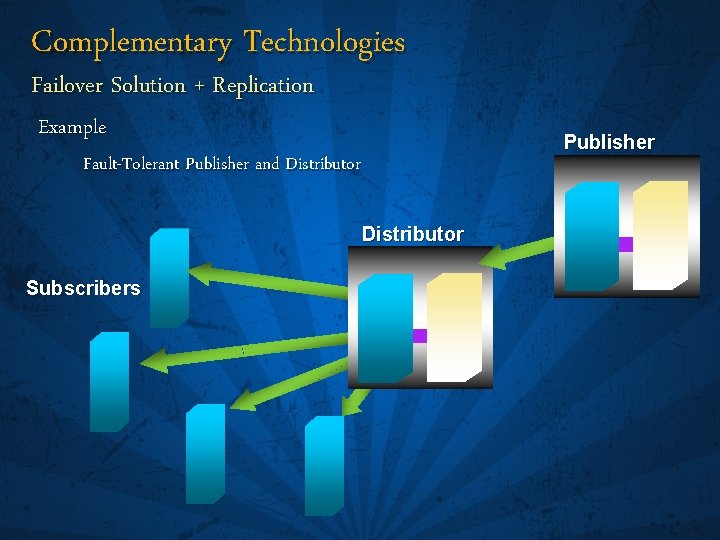
Complementary Technologies Failover Solution + Replication Example Fault-Tolerant Publisher and Distributor Subscribers Publisher
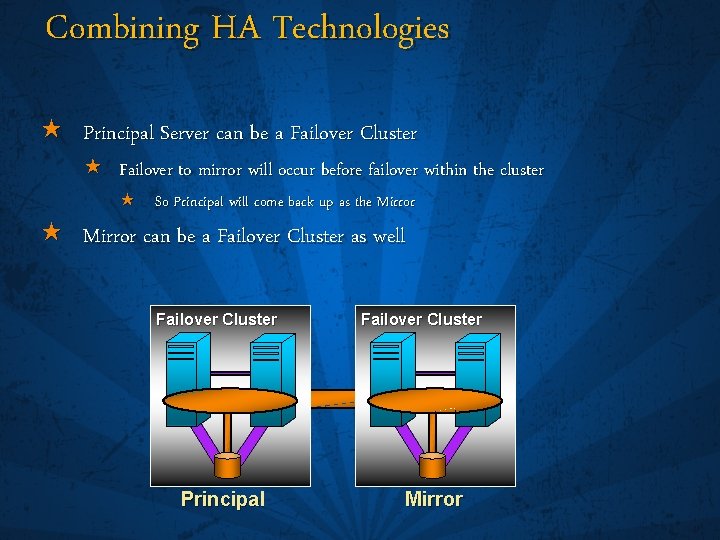
Combining HA Technologies « Principal Server can be a Failover Cluster « Failover to mirror will occur before failover within the cluster « So Principal will come back up as the Mirror « Mirror can be a Failover Cluster as well Failover Cluster Principal Failover Cluster Mirror
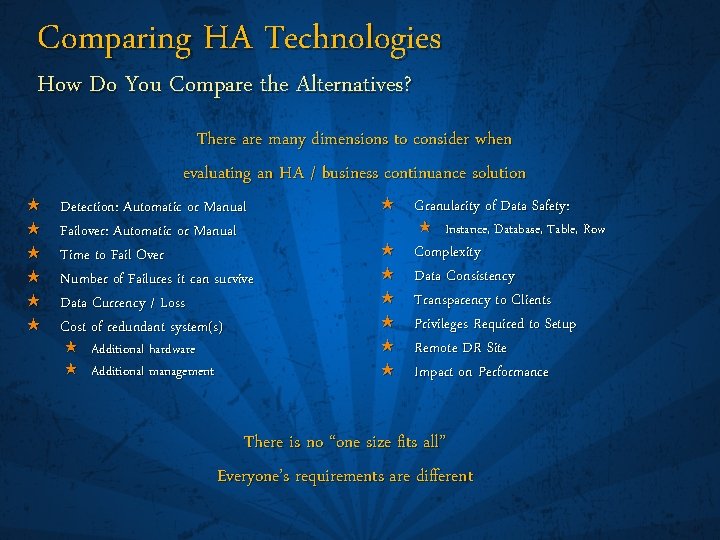
Comparing HA Technologies How Do You Compare the Alternatives? « « « There are many dimensions to consider when evaluating an HA / business continuance solution Detection: Automatic or Manual Failover: Automatic or Manual Time to Fail Over Number of Failures it can survive Data Currency / Loss Cost of redundant system(s) « Additional hardware « Additional management « Granularity of Data Safety: « « « « Instance, Database, Table, Row Complexity Data Consistency Transparency to Clients Privileges Required to Setup Remote DR Site Impact on Performance There is no “one size fits all” Everyone’s requirements are different
Areas of Availability « Operator, DBA, and User Error « High Availability and the SQL Server process « Availability inside the SQL Server process
Availability Inside the SQL Server Process « Memory and CPUs « I/O and Media/Disks « Concurrency, Avoiding Deadlocks « Diagnosing an Issue « Tuning and Fragmentation « DBCC Operations
Memory and CPUs « Memory « Dynamic Configuration applies to AWE memory as well as regular memory « AWE allocation is dynamic « Checkpoint – more well behaved for large memory systems « Sniffer – Checksums periodically evaluated in cache « CPUs « CPU Affinity is Dynamically Configurable « NUMA-awareness « Scheduling on a CPU is at the batch level rather than the session level
I/O and Media/Disks « I/O retries, diagnosis/transparency, and better messages « SQL Server’s basic I/O requirements « RAID and storage is usually reliable, but what happens if there are issues with: « Data Files « Log Files « Full-text Catalogs « Backup Files « tempdb
Microsoft SQL Server Core I/O Requirements I/O- and Storage-Level Replication « See whitepaper SQL Server 2000 I/O Basics on Tech. Net « http: //www. microsoft. com/technet/prodtechnol/sql/2000/maintain/sql. IObasics. mspx « To ensure correct operation the underlying I/O and storage system must meet the Core I/O Requirements « Stable Media – once ‘write’ is acknowledged, must be guaranteed « Write Ordering –writes must preserve ordering across devices « Torn I/O Prevention – writes must be done as a unit; not split « Applies to both local storage and any I/O-level or storage-level replication scheme, synchronous or asynchronous « Guarantees that what appears at secondary site is an image that actually appeared at some point in time at the primary « Asynchronous replication allows potential loss of committed transactions
Data Files « Database Page Checksums « Detect disk I/O errors not reported by the hardware or operating system « DBCC Check* now use Database Snapshots for improved scalability « Partial Database Availability « Database is available if the Primary filegroup is available « Fine-Grained Online Repair « Online Restore – Database remains online; Only data being restored is offline « Piecemeal Restore – Online restore of filegroups by priority « Filegroup / File backups allowed on Simple recovery model databases « Page-level Restore – Can restore individual pages to repair errors found by page checksum or torn pages « Instant File Initialization « Skips file zeroing, fast DB create / restore « Restore read-only filegroups without applying logs
Log Files and Full-text Catalogs « Log Files « Checksum « Full-text Catalogs « Backup / Restore includes Full-text data « Detach / Attach includes Full-text data
Backup Files « RESTORE VERIFYONLY now checks everything it can short of writing the data « Backup Media Mirroring « Extra copies for archival or disaster recovery « Backup and Database Page Checksums « RESTORE can detect disk I/O errors not reported by the hardware or operating system « Can continue past errors – repair later
tempdb Scalability « Scalability of tempdb has been enhanced « Caching of initial pages for temporary tables and table variables « Improved allocation page latching protocol « Reduced logging overhead for tempdb so there is less I/O bandwidth for tempdb log file « More efficient allocation algorithm for pages from ‘mixed’ extents in tempdb
tempdb Best Practices « We still recommend the following if you see latch contention on tempdb allocation or system catalog pages: « Avoid auto grow « Pre-allocate space for tempdb files « Make as many tempdb files as you have CPUs « Account for any affinity mask settings « File sizes of equal amounts
Increased Concurrency Avoiding Blocking and Deadlocks « Database Snapshots « Standby / Reporting server with « Replication « Log Shipping « Database Mirroring « Scalable Shared Databases – Read-only « Row-level versioning and new Snapshot isolation levels
Increased Concurrency Row-level Versioning « Row-level versioning keeps a copy of each row prior to an update « Rather than wait for an update to complete, you can see the data that was committed at the time: « Your transaction began: « Your statement began: Snapshot Isolation Read-Committed Snapshot Isolation « You only see committed data, and it is time-consistent and transactionally consistent « But it might not be the most recent, so not appropriate for some OLTP applications « If you can work with this snapshot data « Readers don’t wait for locks, reducing blocking and deadlocks « You have a view of the data at a single point in time « Triggers now use row-level versions rather than the log
Diagnosing an Issue « Diagnosis, Runaway query « DMVs « Events « DDL Triggers « Deadlock graphs in XML « Dedicated Administration Connection – DAC
Tuning and Fragmentation « Database Tuning Advisor « Understands indexes and partitions « Online Index Operations « Indexes remain online during reorganize and rebuild « Table and Index Partitioning « Rows can be placed in filegroups depending on a column value « Partial availability, defragmentation can occur at the partition/filegroup level « Partitions can be moved among tables for fast load, data movement
DBCC Operations « Shrink – includes BLOBs « Defrag – new ALTER INDEX <xxx> REORGANIZE | REBUILD « Check* uses Database Snapshots for improved scalability, performance « In all editions! « Progress Reporting for Shrink and Defrag
Areas of Availability Summary « Operator, DBA, and User Error « High Availability and the SQL Server process « Availability inside the SQL Server process
For More Information « SQL Server Books Online « Whitepapers « Failover Clustering « Database Mirroring « Peer-to-Peer Replication « MSDN and Tech. Net webcasts

© 2006 Microsoft Corporation. All rights reserved. This presentation is for informational purposes only. Microsoft makes no warranties, express or implied, in this summary.
- Slides: 56