
Med DRA Coding for Adverse Event AE Logs
- Slides: 26
Med. DRA Coding for Adverse Event (AE) Logs
Med. DRA Coding to SOC Level for AE Logs • Med. DRA (the Medical Dictionary for Regulatory Activities) is the most commonly used dictionary for coding (ie, classifying under different headings) Adverse Events (AEs) in clinical research. • Med. DRA has a hierarchy of descriptive terms. The System Organ Class (aka “SOC”) is the highest term. There are only 27 of these highest-level SOCs (whereas there are thousands of terms lower down in the hierarchy). • To meet Eudra. CT reporting requirements, it is now necessary to provide the Med. DRA SOC code for each AE reported in a clinical trial. This is best done as and when the AE is logged, and is a simple process that can be run using the Med. DRA web-based tool that ACCORD subscribes to.
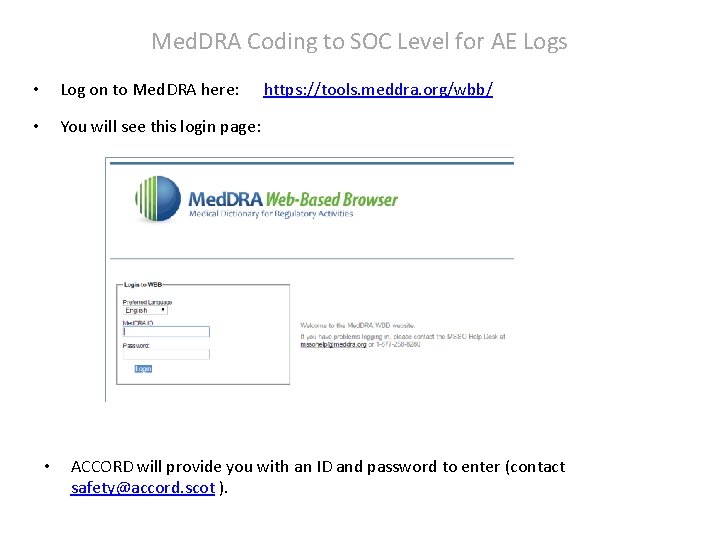
Med. DRA Coding to SOC Level for AE Logs • Log on to Med. DRA here: • You will see this login page: • https: //tools. meddra. org/wbb/ ACCORD will provide you with an ID and password to enter (contact safety@accord. scot ).
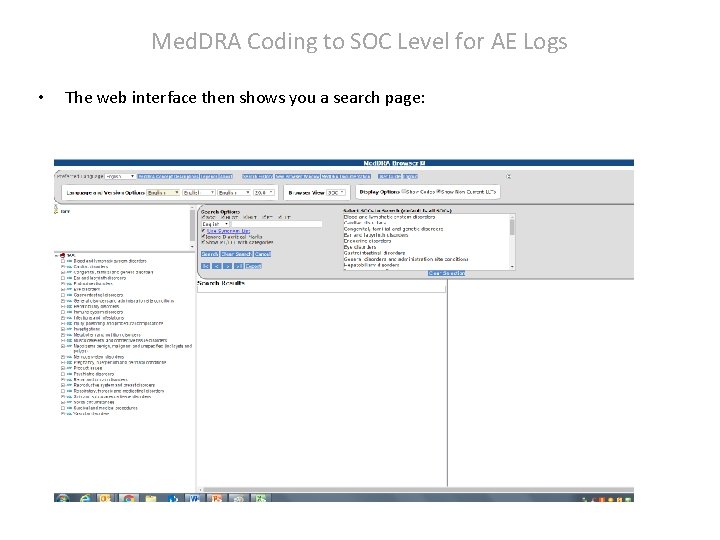
Med. DRA Coding to SOC Level for AE Logs • The web interface then shows you a search page:
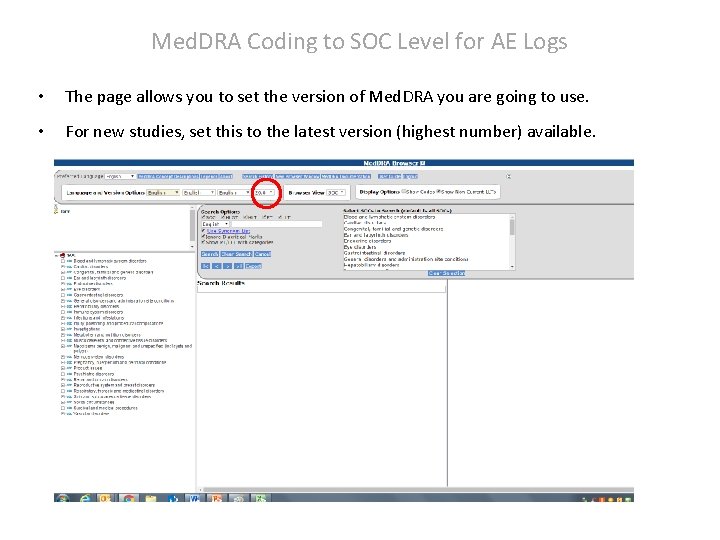
Med. DRA Coding to SOC Level for AE Logs • The page allows you to set the version of Med. DRA you are going to use. • For new studies, set this to the latest version (highest number) available.
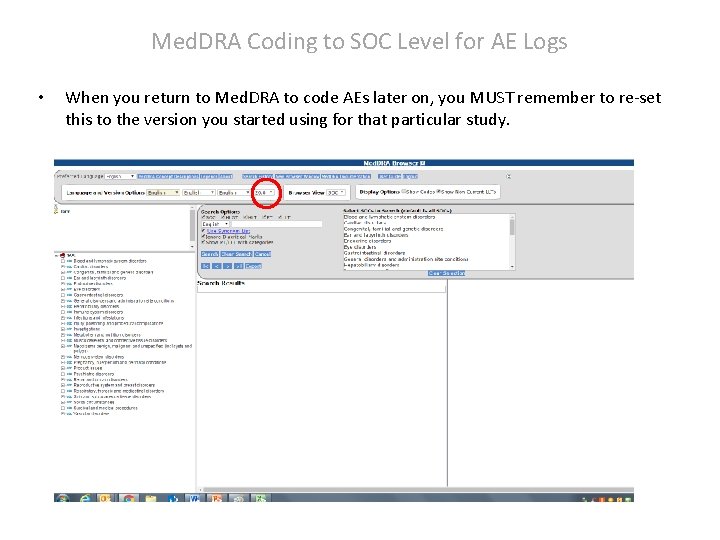
Med. DRA Coding to SOC Level for AE Logs • When you return to Med. DRA to code AEs later on, you MUST remember to re-set this to the version you started using for that particular study.
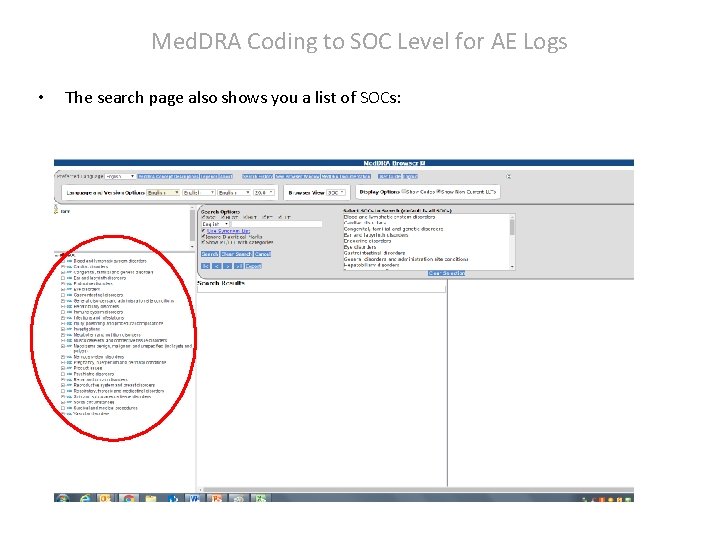
Med. DRA Coding to SOC Level for AE Logs • The search page also shows you a list of SOCs:
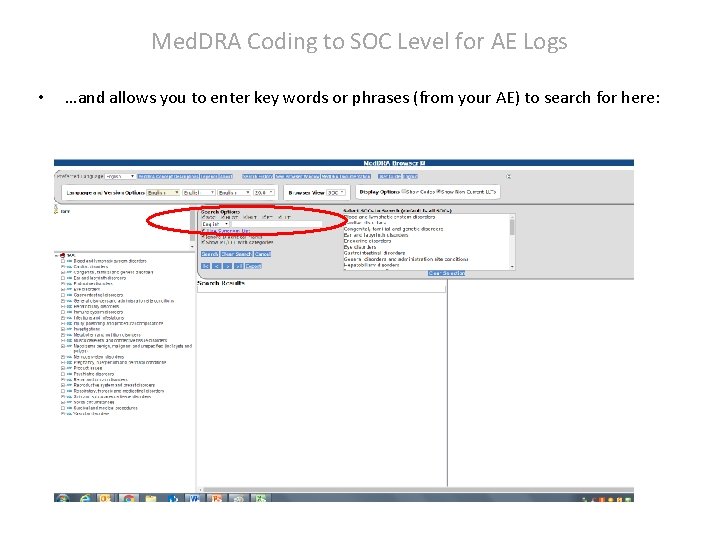
Med. DRA Coding to SOC Level for AE Logs • …and allows you to enter key words or phrases (from your AE) to search for here:
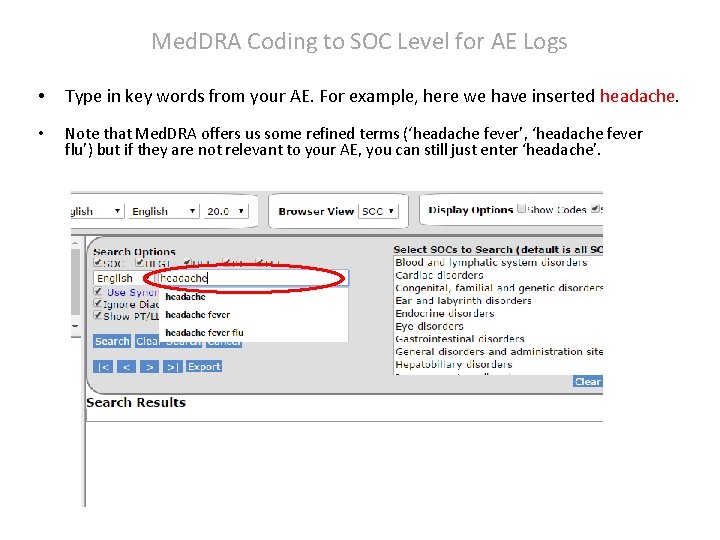
Med. DRA Coding to SOC Level for AE Logs • Type in key words from your AE. For example, here we have inserted headache. • Note that Med. DRA offers us some refined terms (‘headache fever’, ‘headache fever flu’) but if they are not relevant to your AE, you can still just enter ‘headache’.
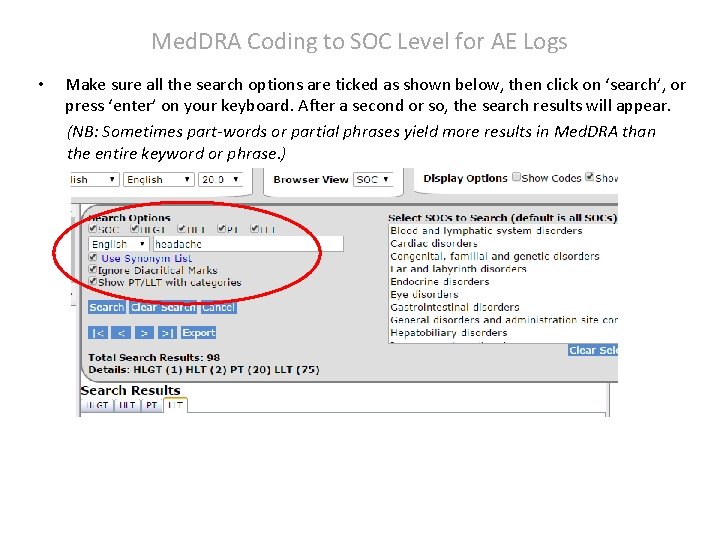
Med. DRA Coding to SOC Level for AE Logs • Make sure all the search options are ticked as shown below, then click on ‘search’, or press ‘enter’ on your keyboard. After a second or so, the search results will appear. (NB: Sometimes part-words or partial phrases yield more results in Med. DRA than the entire keyword or phrase. )
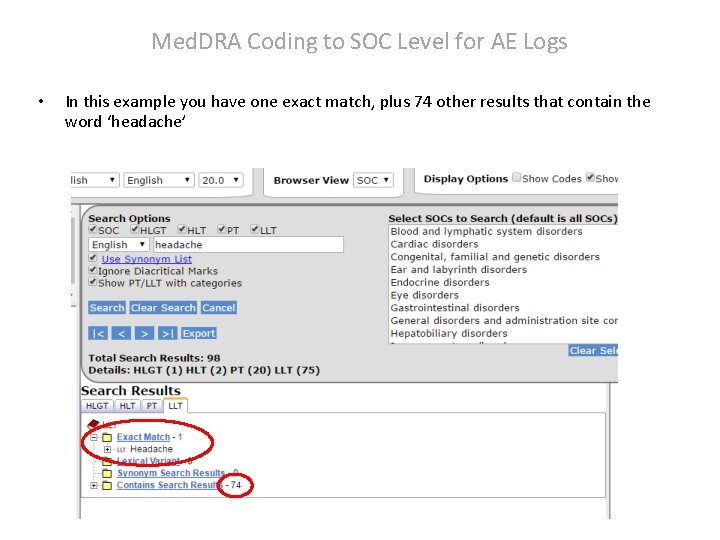
Med. DRA Coding to SOC Level for AE Logs • In this example you have one exact match, plus 74 other results that contain the word ‘headache’
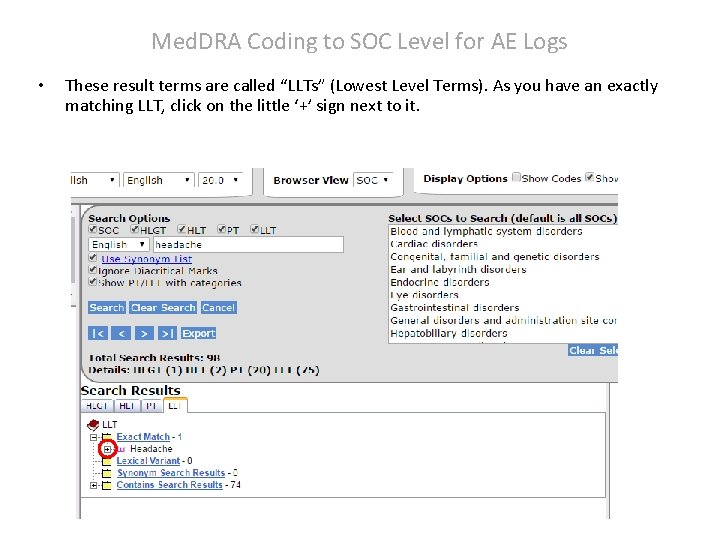
Med. DRA Coding to SOC Level for AE Logs • These result terms are called “LLTs” (Lowest Level Terms). As you have an exactly matching LLT, click on the little ‘+’ sign next to it.
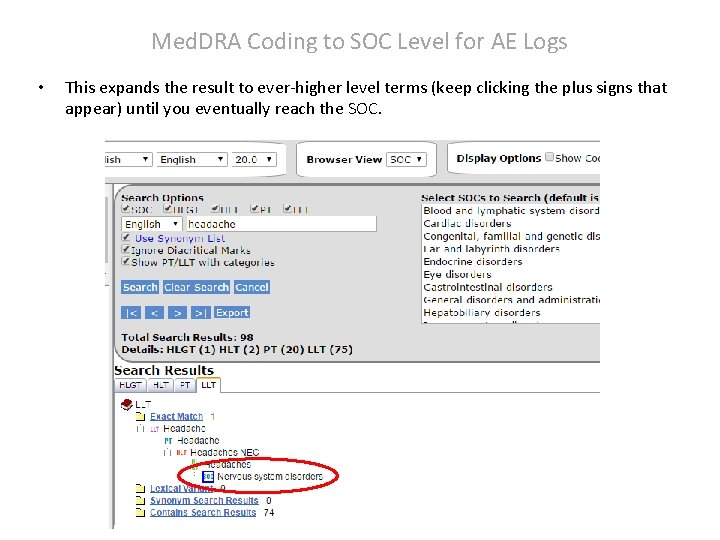
Med. DRA Coding to SOC Level for AE Logs • This expands the result to ever-higher level terms (keep clicking the plus signs that appear) until you eventually reach the SOC.
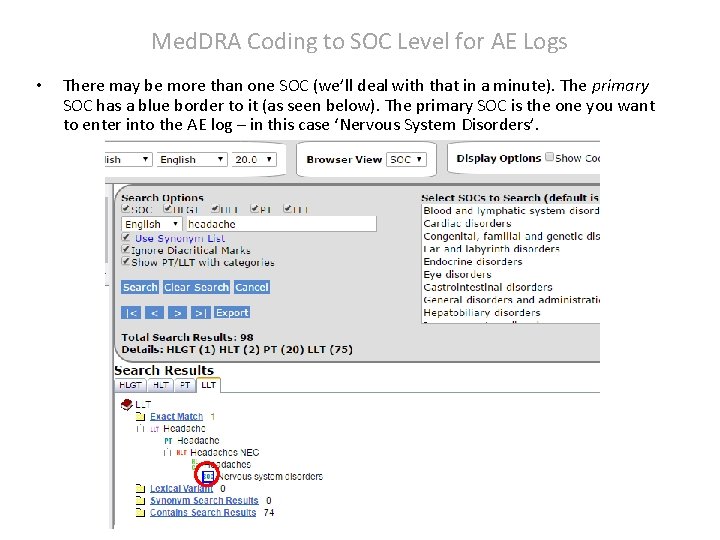
Med. DRA Coding to SOC Level for AE Logs • There may be more than one SOC (we’ll deal with that in a minute). The primary SOC has a blue border to it (as seen below). The primary SOC is the one you want to enter into the AE log – in this case ‘Nervous System Disorders’.
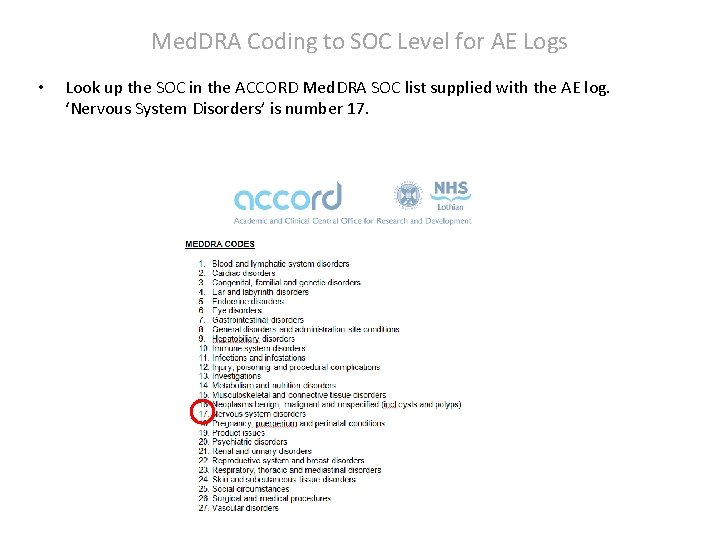
Med. DRA Coding to SOC Level for AE Logs • Look up the SOC in the ACCORD Med. DRA SOC list supplied with the AE log. ‘Nervous System Disorders’ is number 17.
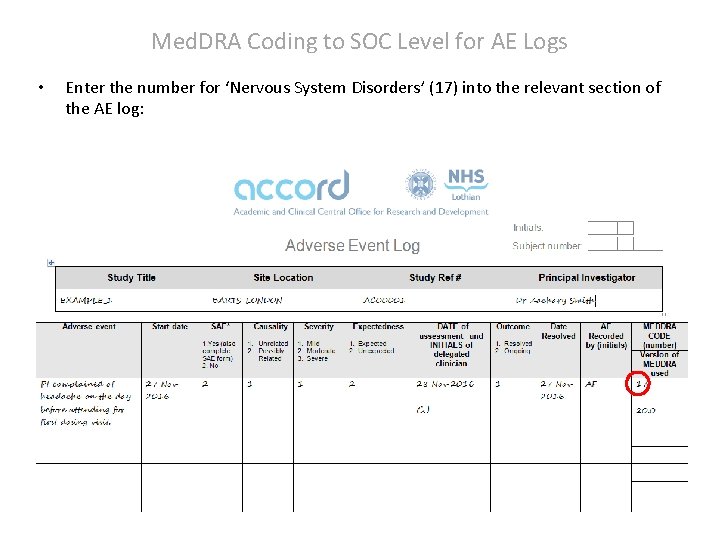
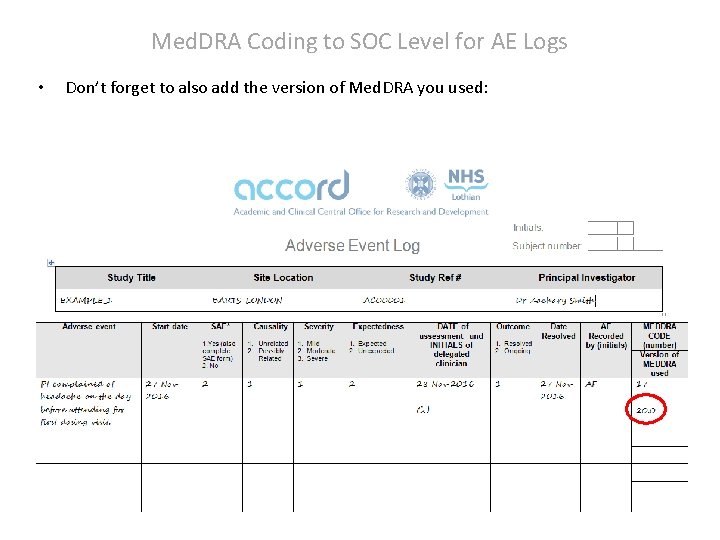
Med. DRA Coding to SOC Level for AE Logs • Enter the number for ‘Nervous System Disorders’ (17) into the relevant section of the AE log:
Med. DRA Coding to SOC Level for AE Logs • Don’t forget to also add the version of Med. DRA you used:
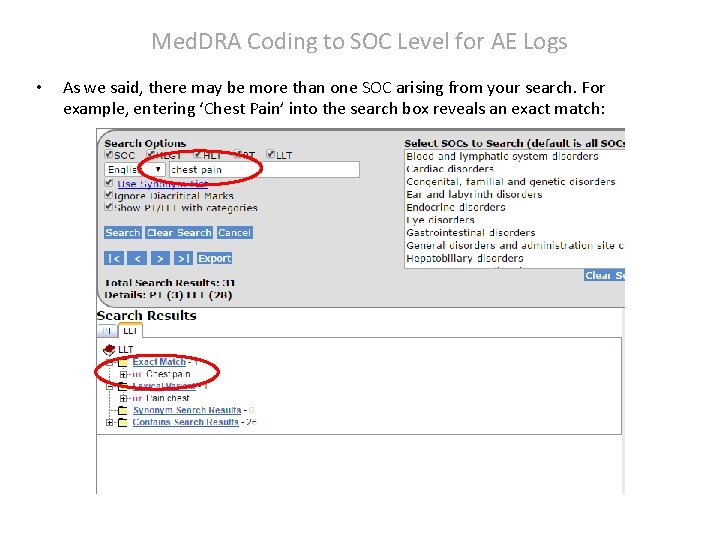
Med. DRA Coding to SOC Level for AE Logs • As we said, there may be more than one SOC arising from your search. For example, entering ‘Chest Pain’ into the search box reveals an exact match:
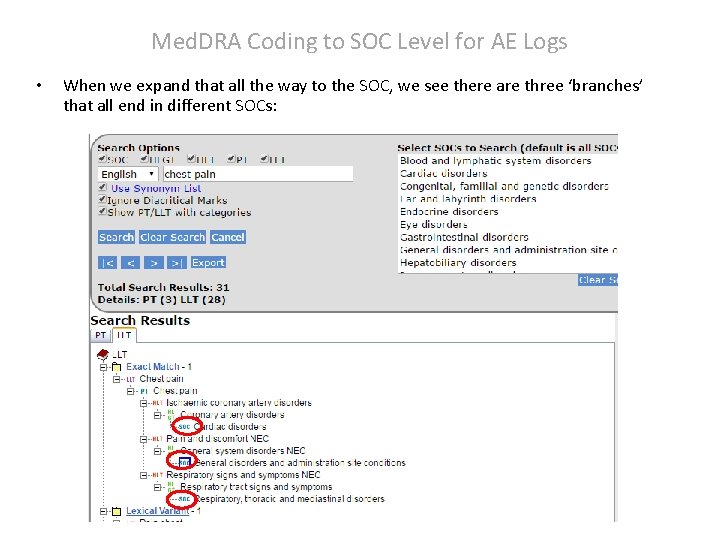
Med. DRA Coding to SOC Level for AE Logs • When we expand that all the way to the SOC, we see there are three ‘branches’ that all end in different SOCs:
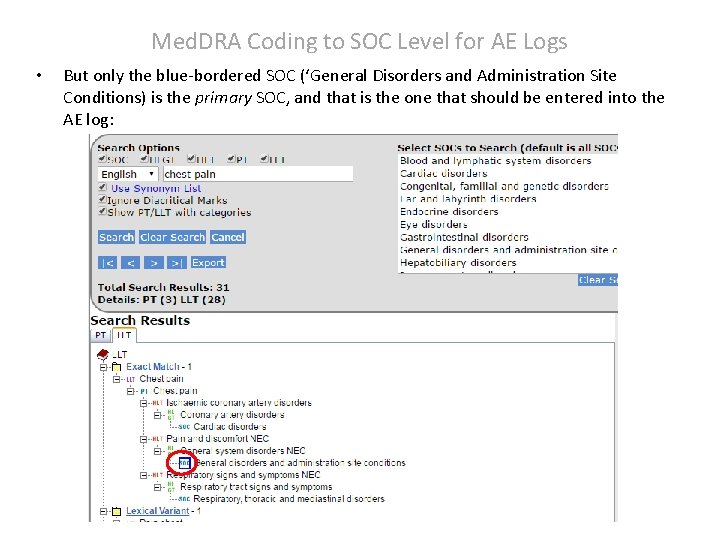
Med. DRA Coding to SOC Level for AE Logs • But only the blue-bordered SOC (‘General Disorders and Administration Site Conditions) is the primary SOC, and that is the one that should be entered into the AE log:
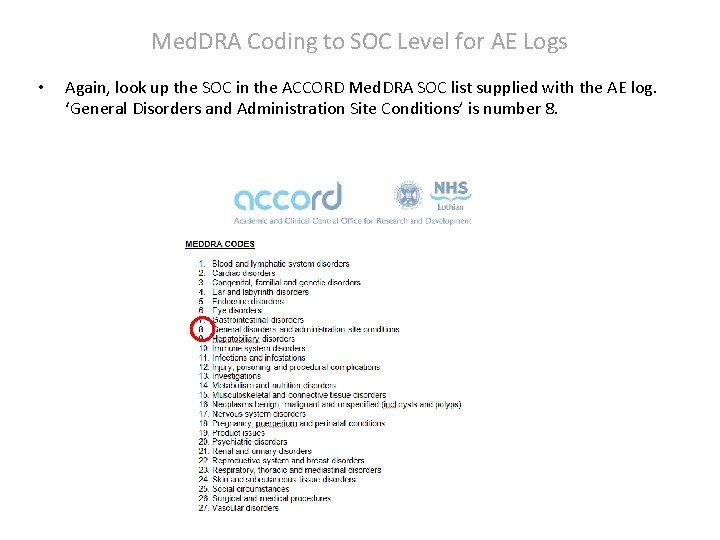
Med. DRA Coding to SOC Level for AE Logs • Again, look up the SOC in the ACCORD Med. DRA SOC list supplied with the AE log. ‘General Disorders and Administration Site Conditions’ is number 8.
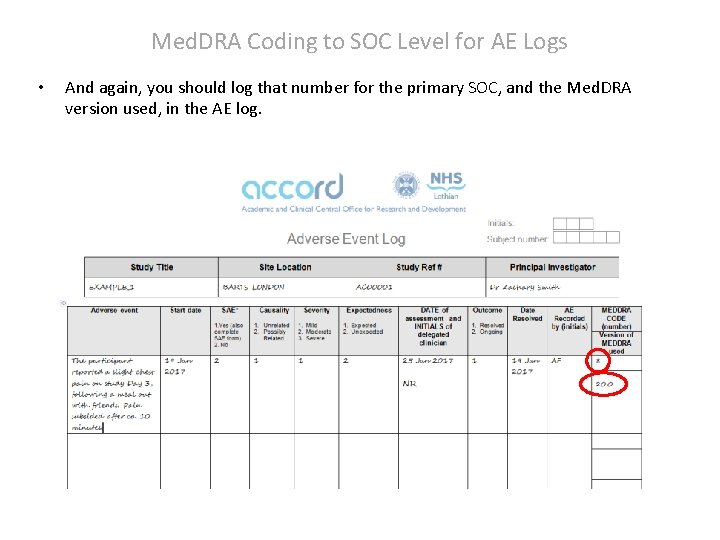
Med. DRA Coding to SOC Level for AE Logs • And again, you should log that number for the primary SOC, and the Med. DRA version used, in the AE log.
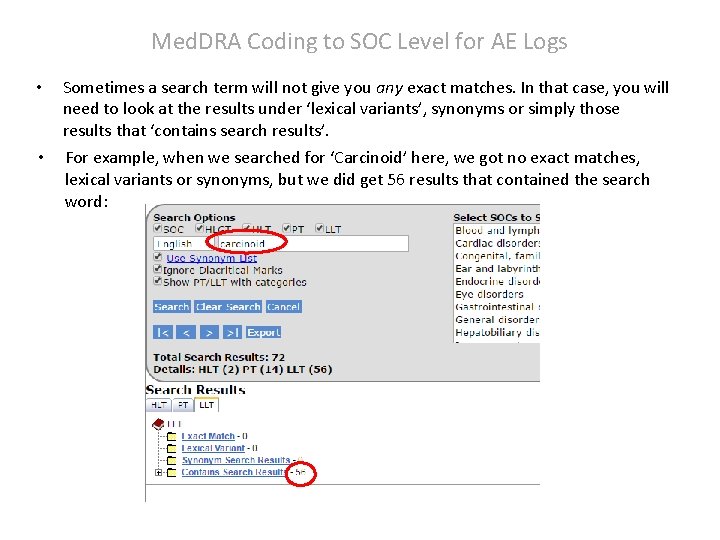
Med. DRA Coding to SOC Level for AE Logs • Sometimes a search term will not give you any exact matches. In that case, you will need to look at the results under ‘lexical variants’, synonyms or simply those results that ‘contains search results’. • For example, when we searched for ‘Carcinoid’ here, we got no exact matches, lexical variants or synonyms, but we did get 56 results that contained the search word:
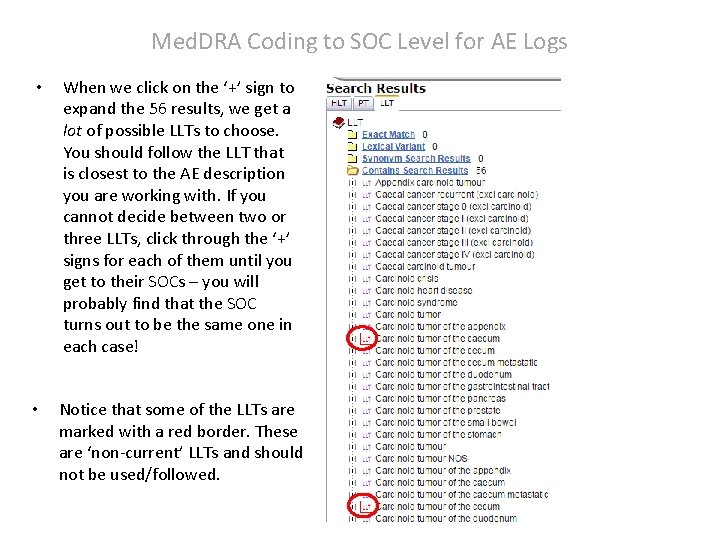
Med. DRA Coding to SOC Level for AE Logs • When we click on the ‘+’ sign to expand the 56 results, we get a lot of possible LLTs to choose. You should follow the LLT that is closest to the AE description you are working with. If you cannot decide between two or three LLTs, click through the ‘+’ signs for each of them until you get to their SOCs – you will probably find that the SOC turns out to be the same one in each case! • Notice that some of the LLTs are marked with a red border. These are ‘non-current’ LLTs and should not be used/followed.
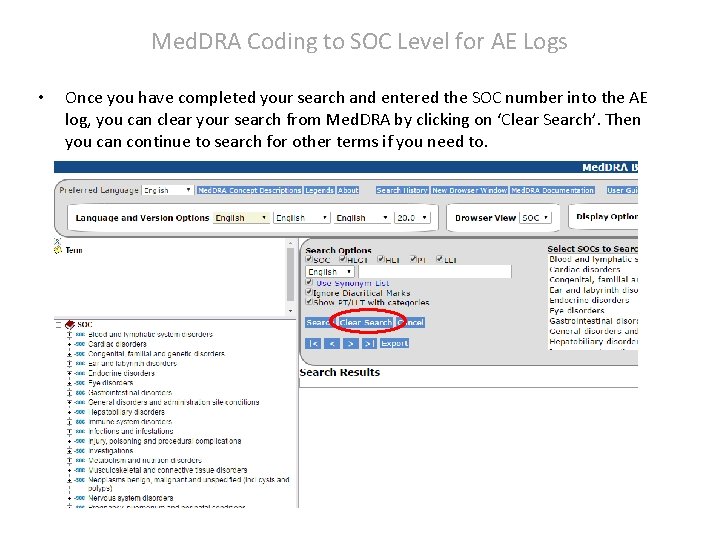
Med. DRA Coding to SOC Level for AE Logs • Once you have completed your search and entered the SOC number into the AE log, you can clear your search from Med. DRA by clicking on ‘Clear Search’. Then you can continue to search for other terms if you need to.
Med. DRA Coding to SOC Level for AE Logs • Hopefully this short presentation will help you work with Med. DRA without any major issues. • If you DO encounter any problems, you can contact the Pharmacovigilance team in ACCORD via email ( safety@accord. scot ). • Thank you for your attention.