
ME 566 Computer Lab ANSYSCFX Tutorial Oct 5
ME 566 Computer Lab ANSYS–CFX Tutorial Oct. 5, 2009 2: 30 – 4: 30 pm Wedge E 2 -1302 B 1
ANSYS CFX Student User Manual • The manual can be downloaded from UW-ACE • In the tutorial, you will be working on the Duct Bend Example (Sec. 2. 2, pages 13 -29) in the manual • Two mesh generation methods are presented in the manual: 1. ANSYS Mesh Generation (pages 17 -19) 2. CFX Mesh Generation (pages 27 -29) • You should focus on the CFX Mesh Generation method in the tutorial 2
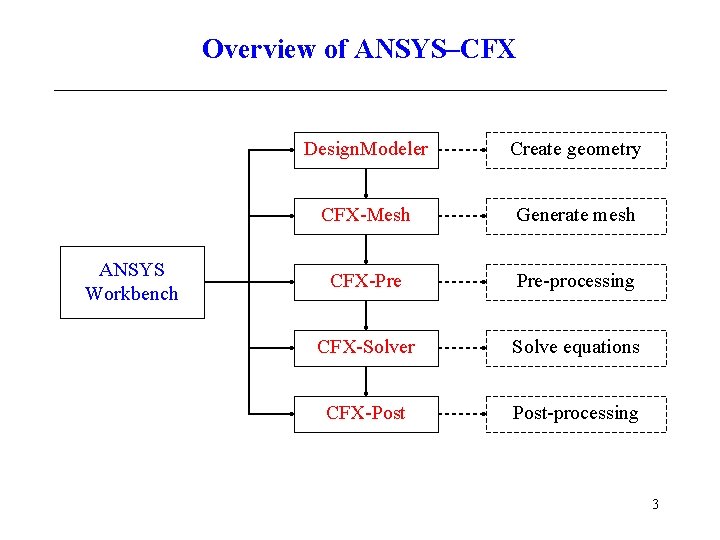
Overview of ANSYS–CFX ANSYS Workbench Design. Modeler Create geometry CFX-Mesh Generate mesh CFX-Pre Pre-processing CFX-Solver Solve equations CFX-Post-processing 3
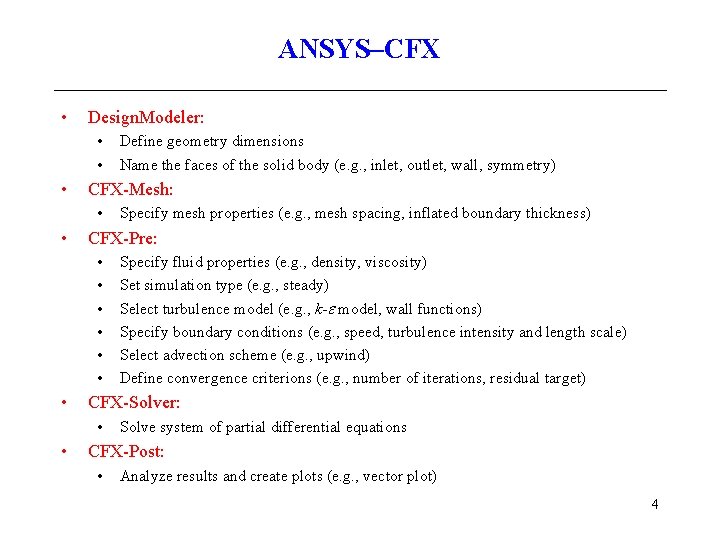
ANSYS–CFX • Design. Modeler: • • • CFX-Mesh: • • Specify fluid properties (e. g. , density, viscosity) Set simulation type (e. g. , steady) Select turbulence model (e. g. , k- model, wall functions) Specify boundary conditions (e. g. , speed, turbulence intensity and length scale) Select advection scheme (e. g. , upwind) Define convergence criterions (e. g. , number of iterations, residual target) CFX-Solver: • • Specify mesh properties (e. g. , mesh spacing, inflated boundary thickness) CFX-Pre: • • Define geometry dimensions Name the faces of the solid body (e. g. , inlet, outlet, wall, symmetry) Solve system of partial differential equations CFX-Post: • Analyze results and create plots (e. g. , vector plot) 4
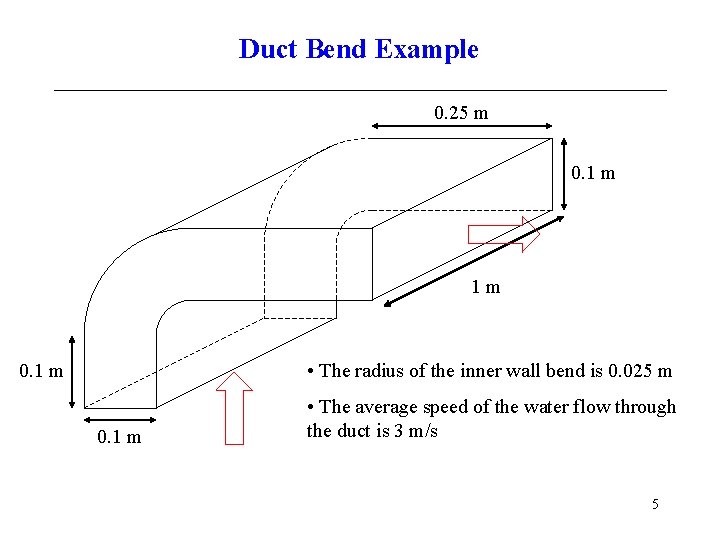
Duct Bend Example 0. 25 m 0. 1 m 1 m • The radius of the inner wall bend is 0. 025 m 0. 1 m • The average speed of the water flow through the duct is 3 m/s 5
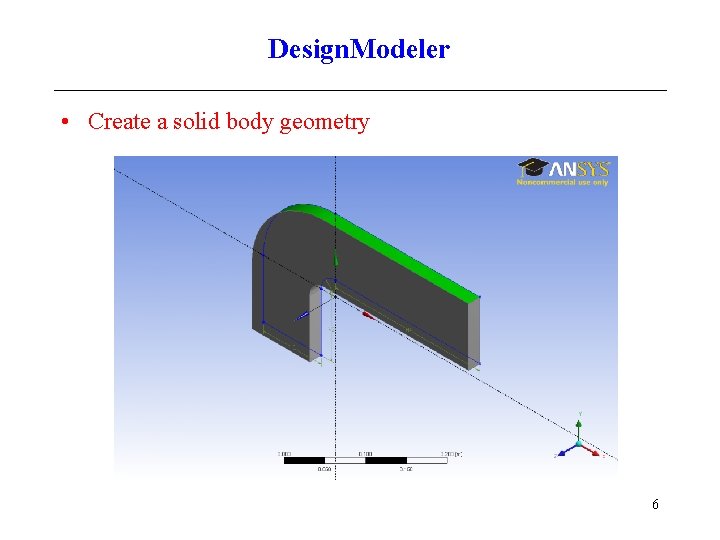
Design. Modeler • Create a solid body geometry 6
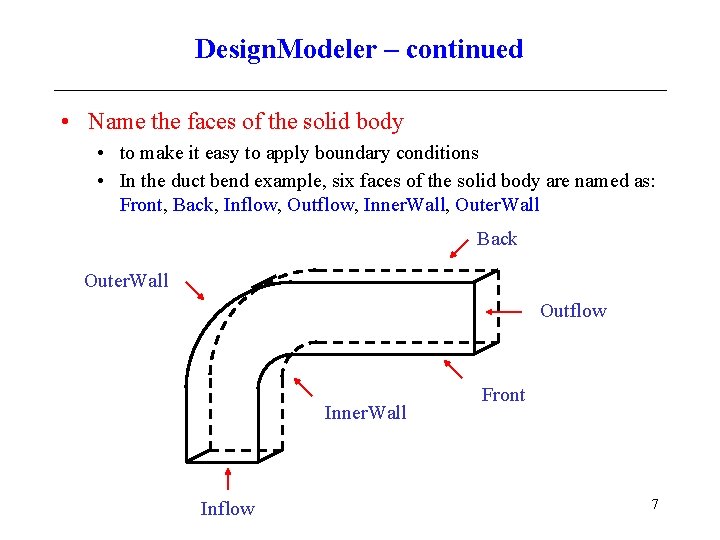
Design. Modeler – continued • Name the faces of the solid body • to make it easy to apply boundary conditions • In the duct bend example, six faces of the solid body are named as: Front, Back, Inflow, Outflow, Inner. Wall, Outer. Wall Back Outer. Wall Outflow Inner. Wall Inflow Front 7
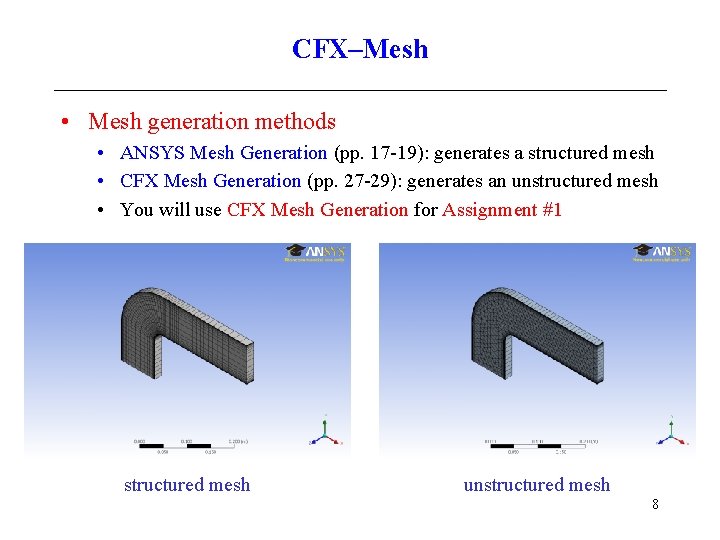
CFX–Mesh • Mesh generation methods • ANSYS Mesh Generation (pp. 17 -19): generates a structured mesh • CFX Mesh Generation (pp. 27 -29): generates an unstructured mesh • You will use CFX Mesh Generation for Assignment #1 structured mesh unstructured mesh 8
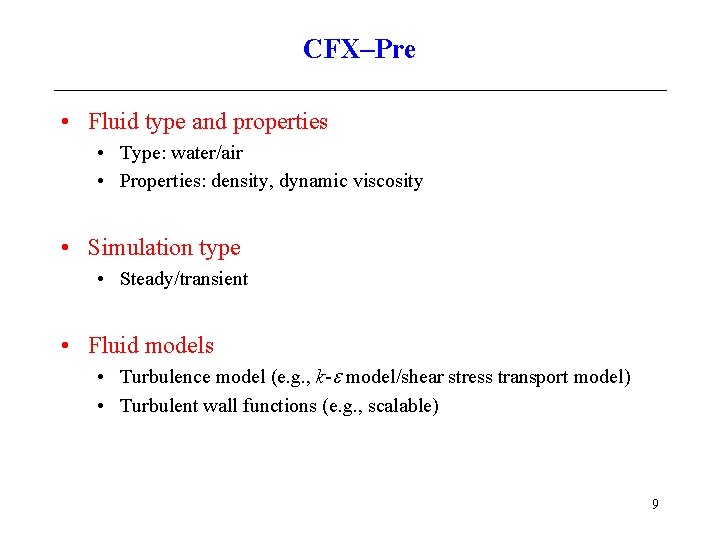
CFX–Pre • Fluid type and properties • Type: water/air • Properties: density, dynamic viscosity • Simulation type • Steady/transient • Fluid models • Turbulence model (e. g. , k- model/shear stress transport model) • Turbulent wall functions (e. g. , scalable) 9
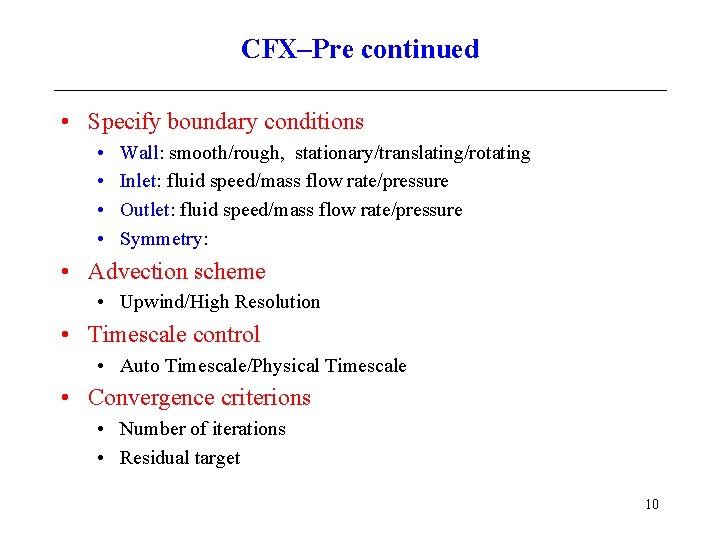
CFX–Pre continued • Specify boundary conditions • • Wall: smooth/rough, stationary/translating/rotating Inlet: fluid speed/mass flow rate/pressure Outlet: fluid speed/mass flow rate/pressure Symmetry: • Advection scheme • Upwind/High Resolution • Timescale control • Auto Timescale/Physical Timescale • Convergence criterions • Number of iterations • Residual target 10
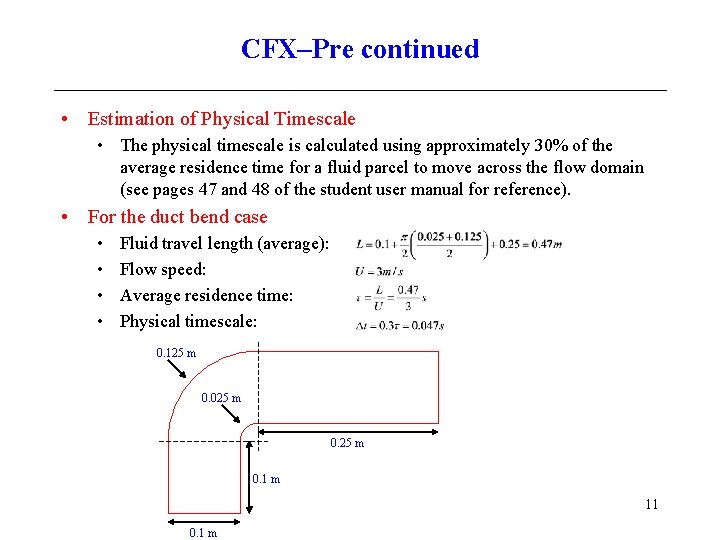
CFX–Pre continued • Estimation of Physical Timescale • The physical timescale is calculated using approximately 30% of the average residence time for a fluid parcel to move across the flow domain (see pages 47 and 48 of the student user manual for reference). • For the duct bend case • • Fluid travel length (average): Flow speed: Average residence time: Physical timescale: 0. 125 m 0. 025 m 0. 1 m 11 0. 1 m
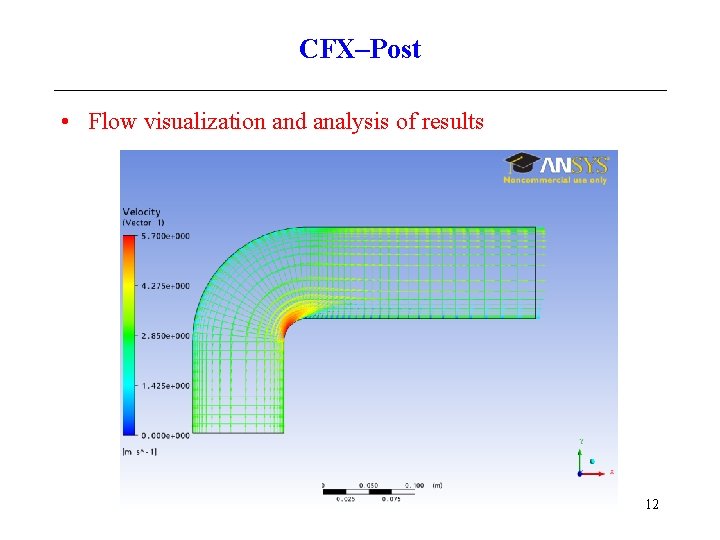
CFX–Post • Flow visualization and analysis of results 12
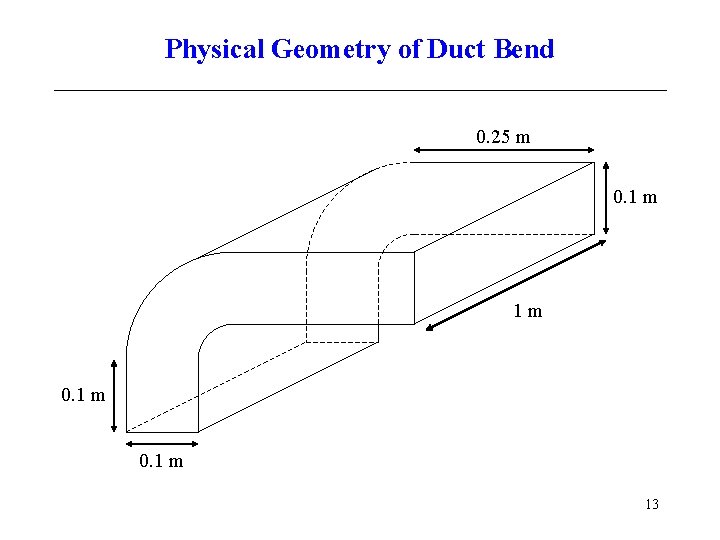
Physical Geometry of Duct Bend 0. 25 m 0. 1 m 1 m 0. 1 m 13
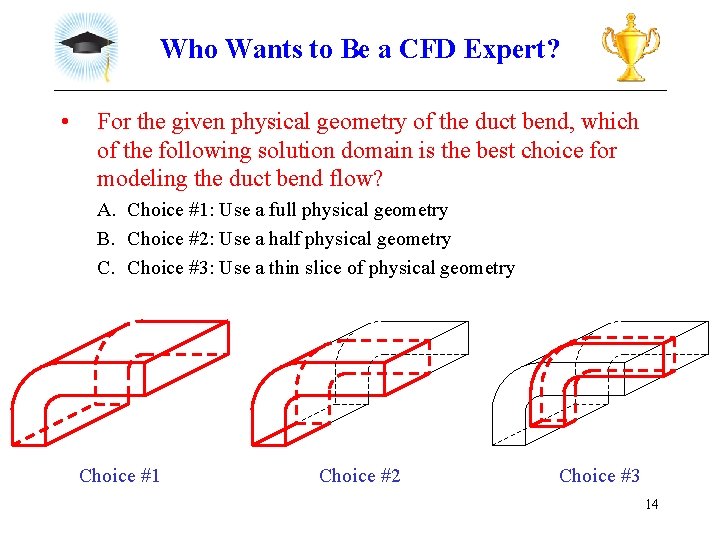
Who Wants to Be a CFD Expert? • For the given physical geometry of the duct bend, which of the following solution domain is the best choice for modeling the duct bend flow? A. Choice #1: Use a full physical geometry B. Choice #2: Use a half physical geometry C. Choice #3: Use a thin slice of physical geometry Choice #1 Choice #2 Choice #3 14
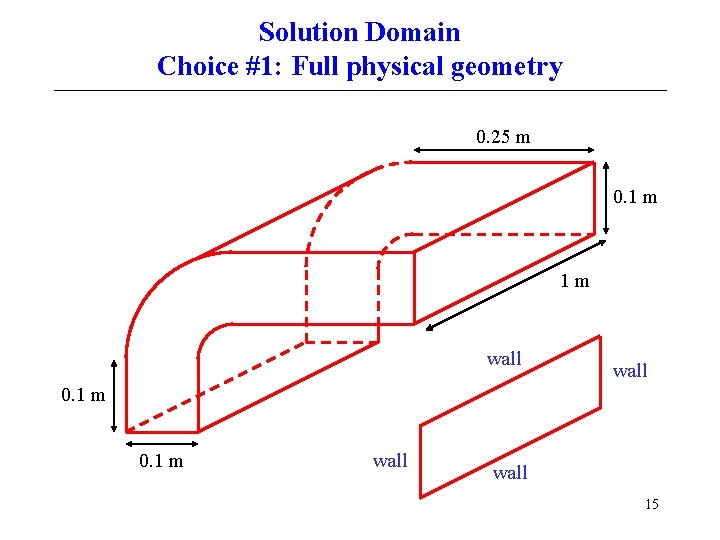
Solution Domain Choice #1: Full physical geometry 0. 25 m 0. 1 m 1 m wall 0. 1 m wall 15
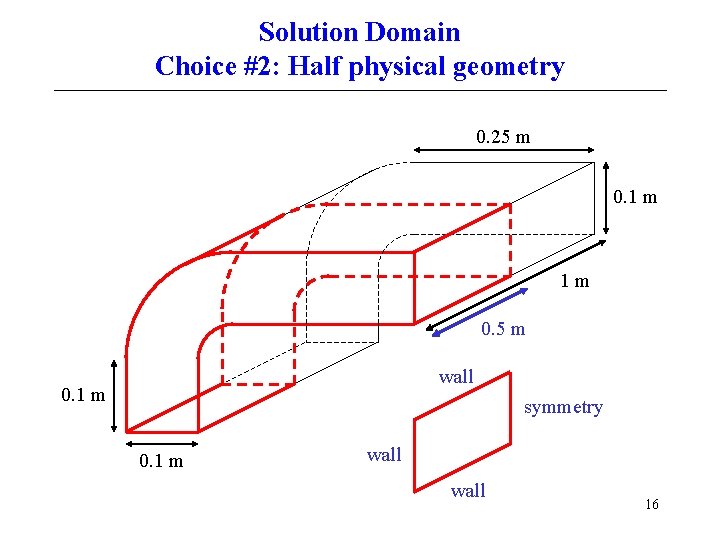
Solution Domain Choice #2: Half physical geometry 0. 25 m 0. 1 m 1 m 0. 5 m wall 0. 1 m symmetry 0. 1 m wall 16
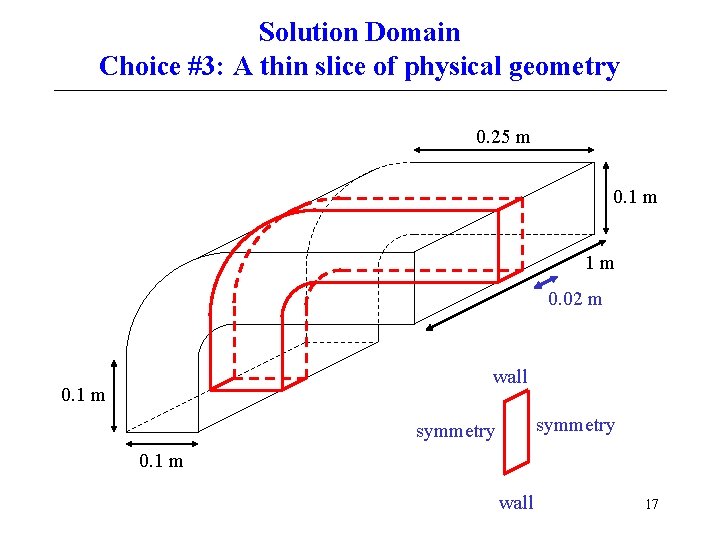
Solution Domain Choice #3: A thin slice of physical geometry 0. 25 m 0. 1 m 1 m 0. 02 m wall 0. 1 m symmetry 0. 1 m wall 17
- Slides: 17