
Mc Lab Tutorial www sable mcgill camclab Part
Mc. Lab Tutorial www. sable. mcgill. ca/mclab Part 2 – Introduction to MATLAB • Functions and Scripts • Data and Variables • Other Tricky "Features" 6/4/2011 Mc. Lab Tutorial, Laurie Hendren, Rahul Garg and Nurudeen Lameed Matlab- 1
Functions and Scripts in MATLAB 6/4/2011 Mc. Lab Tutorial, Laurie Hendren, Rahul Garg and Nurudeen Lameed 2
![Basic Structure of a MATLAB function >> [a, b] = Prod. Sum([10, 20, 30],](http://slidetodoc.com/presentation_image_h/860fc87b8a8e09521319d008c5f19aae/image-3.jpg "Basic Structure of a MATLAB function >> [a, b] = Prod. Sum([10, 20, 30],")
Basic Structure of a MATLAB function >> [a, b] = Prod. Sum([10, 20, 30], 3) a = 6000 b = 60 >> Prod. Sum([10, 20, 30], 2) ans = 200 >> Prod. Sum(‘abc’, 3) ans =941094 >> Prod. Sum([97 98 99], 3) ans = 941084 6/4/2011 Mc. Lab Tutorial, Laurie Hendren, Rahul Garg and Nurudeen Lameed Matlab - 3
![Basic Structure of a MATLAB function (2) >> [a, b] = Prod. Sum(@sin, 3)](http://slidetodoc.com/presentation_image_h/860fc87b8a8e09521319d008c5f19aae/image-4.jpg "Basic Structure of a MATLAB function (2) >> [a, b] = Prod. Sum(@sin, 3)")
Basic Structure of a MATLAB function (2) >> [a, b] = Prod. Sum(@sin, 3) a = 0. 1080 b = 1. 8919 >> [a, b] = Prod. Sum(@(x)(x), 3) a=6 b=6 >> magic(3) ans = 8 1 6 3 5 7 4 9 2 >>Prod. Sum(ans, 3) ans=96 6/4/2011 Mc. Lab Tutorial, Laurie Hendren, Rahul Garg and Nurudeen Lameed Matlab - 4
![Basic Structure of a MATLAB function (3) >> Prod. Sum([10, 20, 30], 'a') ?](http://slidetodoc.com/presentation_image_h/860fc87b8a8e09521319d008c5f19aae/image-5.jpg "Basic Structure of a MATLAB function (3) >> Prod. Sum([10, 20, 30], 'a') ?")
Basic Structure of a MATLAB function (3) >> Prod. Sum([10, 20, 30], 'a') ? ? ? For colon operator with char operands, first and last operands must be char. Error in ==> Prod. Sum at 4 for i = 1: n >> Prod. Sum([10, 20, 30], i) Warning: Colon operands must be real scalars. > In Prod. Sum at 4 ans = 1 >> Prod. Sum([10, 20, 30], [3, 4, 5]) ans = 6000 6/4/2011 Mc. Lab Tutorial, Laurie Hendren, Rahul Garg and Nurudeen Lameed Matlab - 5

Primary, nested and sub-functions Prim Func ary tion ed t s Ne tion c Fun Sub ion ct n u F 6/4/2011 Mc. Lab Tutorial, Laurie Hendren, Rahul Garg and Nurudeen Lameed Matlab - 6
![Basic Structure of a MATLAB script >> clear >> a = [10, 20, 30];](http://slidetodoc.com/presentation_image_h/860fc87b8a8e09521319d008c5f19aae/image-7.jpg "Basic Structure of a MATLAB script >> clear >> a = [10, 20, 30];")
Basic Structure of a MATLAB script >> clear >> a = [10, 20, 30]; >> n = 3; >> whos Name a n Size 1 x 3 1 x 1 Bytes 24 8 Class double >> Prod. Sum. Script() >> whos Name a i n prod sum 6/4/2011 Size 1 x 3 1 x 1 Bytes 24 8 8 Mc. Lab Tutorial, Laurie Hendren, Rahul Garg and Nurudeen Lameed Class double double Matlab - 7
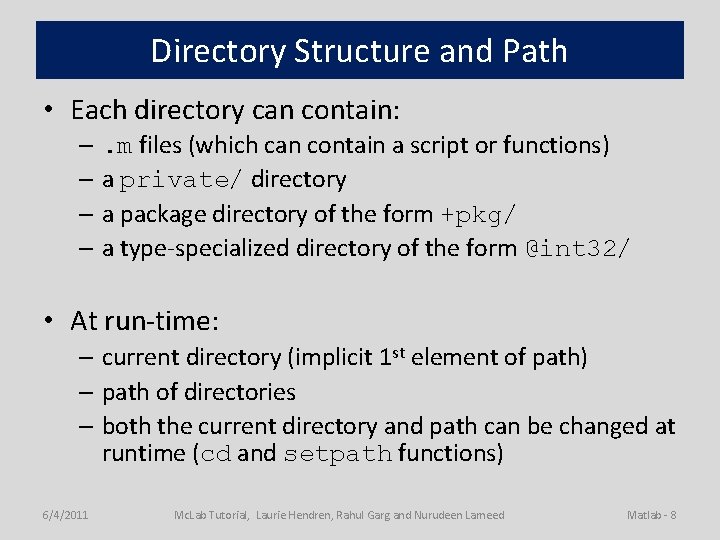
Directory Structure and Path • Each directory can contain: –. m files (which can contain a script or functions) – a private/ directory – a package directory of the form +pkg/ – a type-specialized directory of the form @int 32/ • At run-time: – current directory (implicit 1 st element of path) – path of directories – both the current directory and path can be changed at runtime (cd and setpath functions) 6/4/2011 Mc. Lab Tutorial, Laurie Hendren, Rahul Garg and Nurudeen Lameed Matlab - 8
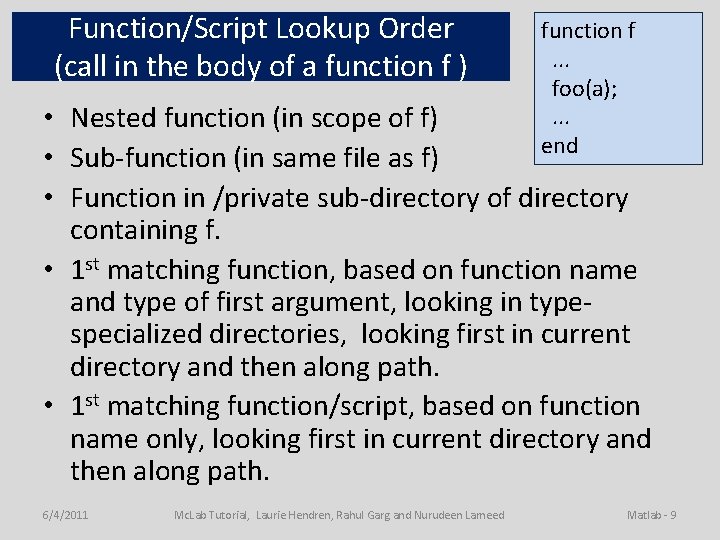
Function/Script Lookup Order (call in the body of a function f ) function f. . . foo(a); . . . end • Nested function (in scope of f) • Sub-function (in same file as f) • Function in /private sub-directory of directory containing f. • 1 st matching function, based on function name and type of first argument, looking in typespecialized directories, looking first in current directory and then along path. • 1 st matching function/script, based on function name only, looking first in current directory and then along path. 6/4/2011 Mc. Lab Tutorial, Laurie Hendren, Rahul Garg and Nurudeen Lameed Matlab - 9
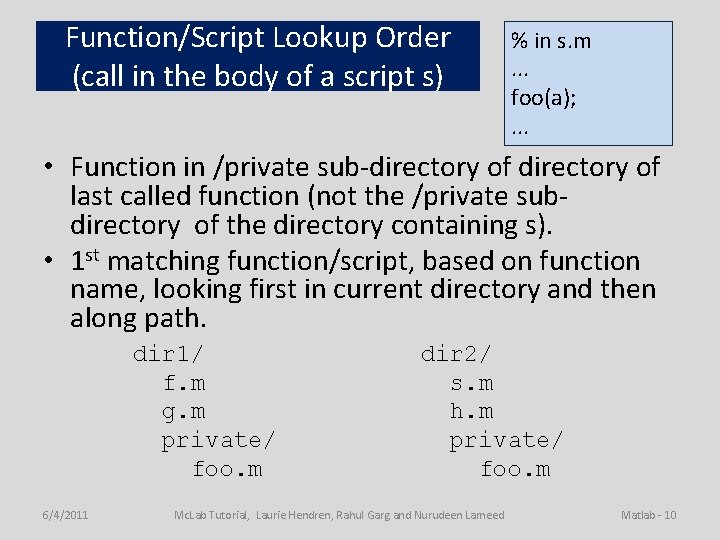
Function/Script Lookup Order (call in the body of a script s) % in s. m. . . foo(a); . . . • Function in /private sub-directory of last called function (not the /private subdirectory of the directory containing s). • 1 st matching function/script, based on function name, looking first in current directory and then along path. dir 1/ f. m g. m private/ foo. m 6/4/2011 dir 2/ s. m h. m private/ foo. m Mc. Lab Tutorial, Laurie Hendren, Rahul Garg and Nurudeen Lameed Matlab - 10
![Copy Semantics >> m = [10, 20, 30] m = 10 20 30 >>](http://slidetodoc.com/presentation_image_h/860fc87b8a8e09521319d008c5f19aae/image-11.jpg "Copy Semantics >> m = [10, 20, 30] m = 10 20 30 >>")
Copy Semantics >> m = [10, 20, 30] m = 10 20 30 >> n = 2 * a n = 20 40 60 >> Copy. Ex(m, n) ans = 1. 3210 0. 0782 -1. 2572 >> m = Copy. Ex(m, n) m = 1. 3210 0. 0782 -1. 2572 6/4/2011 Mc. Lab Tutorial, Laurie Hendren, Rahul Garg and Nurudeen Lameed Matlab - 11
Variables and Data in MATLAB 6/4/2011 Mc. Lab Tutorial, Laurie Hendren, Rahul Garg and Nurudeen Lameed 12
![Examples of base types >> clear >> a = [10, 20, 30] a =](http://slidetodoc.com/presentation_image_h/860fc87b8a8e09521319d008c5f19aae/image-13.jpg "Examples of base types >> clear >> a = [10, 20, 30] a =")
Examples of base types >> clear >> a = [10, 20, 30] a = 10 20 30 >> b = int 32(a) b = 10 20 30 >> c = isinteger(b) c=1 >> d = complex(int 32(4), int 32(3)) d = 4 + 3 i 6/4/2011 >> whos Name a b c d Size Bytes 1 x 3 24 1 x 3 12 1 x 1 1 1 x 1 8 Class Attributes double int 32 logical int 32 complex >> isinteger(c) ans = 0 >> isnumeric(a) ans = 1 >> isnumeric(c) ans = 0 >> isreal(d) ans = 0 Mc. Lab Tutorial, Laurie Hendren, Rahul Garg and Nurudeen Lameed Matlab - 13
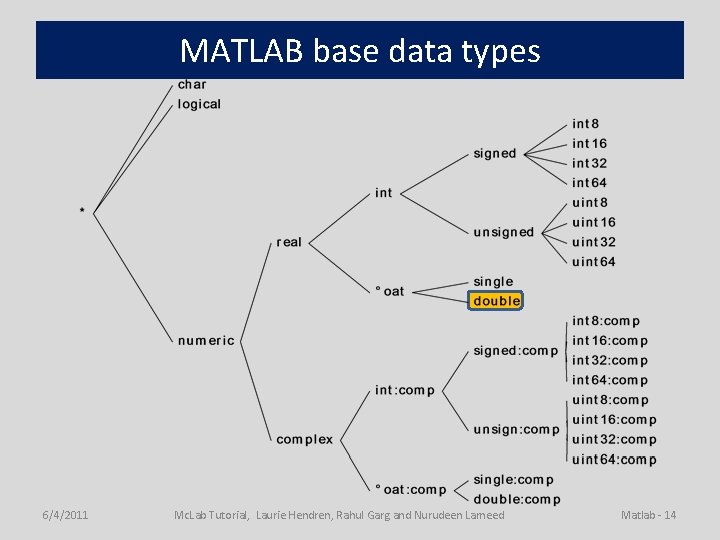
MATLAB base data types 6/4/2011 Mc. Lab Tutorial, Laurie Hendren, Rahul Garg and Nurudeen Lameed Matlab - 14
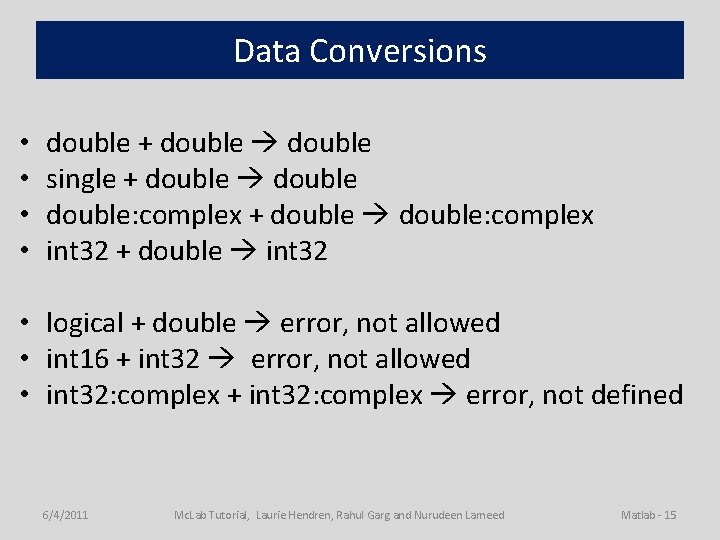
Data Conversions • • double + double single + double: complex + double: complex int 32 + double int 32 • logical + double error, not allowed • int 16 + int 32 error, not allowed • int 32: complex + int 32: complex error, not defined 6/4/2011 Mc. Lab Tutorial, Laurie Hendren, Rahul Garg and Nurudeen Lameed Matlab - 15
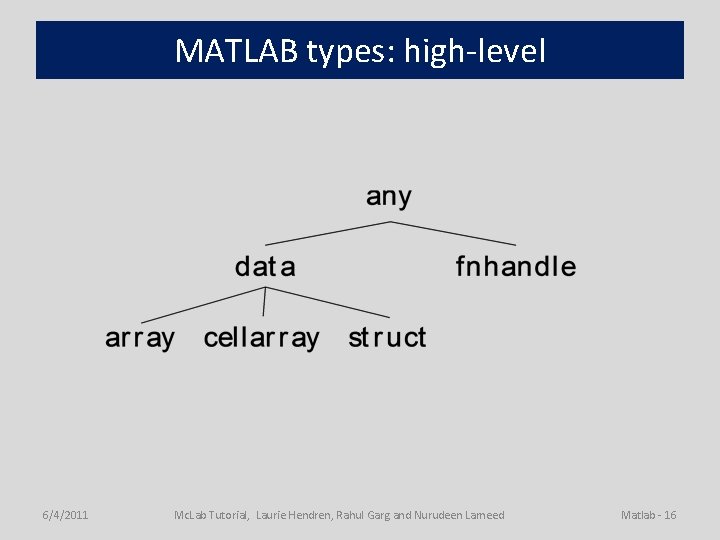
MATLAB types: high-level 6/4/2011 Mc. Lab Tutorial, Laurie Hendren, Rahul Garg and Nurudeen Lameed Matlab - 16
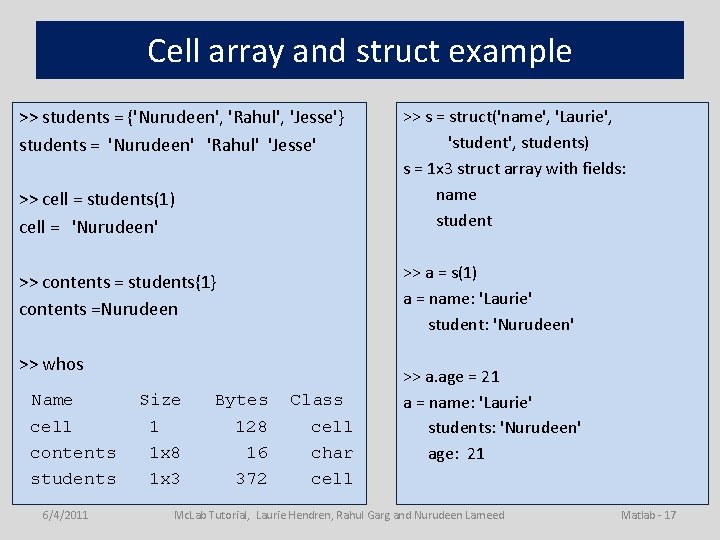
Cell array and struct example >> students = {'Nurudeen', 'Rahul', 'Jesse'} students = 'Nurudeen' 'Rahul' 'Jesse' >> cell = students(1) cell = 'Nurudeen' >> a = s(1) a = name: 'Laurie' student: 'Nurudeen' >> contents = students{1} contents =Nurudeen >> whos Name cell contents students 6/4/2011 >> s = struct('name', 'Laurie', 'student', students) s = 1 x 3 struct array with fields: name student Size Bytes 1 1 x 8 1 x 3 128 16 372 Class cell char cell >> a. age = 21 a = name: 'Laurie' students: 'Nurudeen' age: 21 Mc. Lab Tutorial, Laurie Hendren, Rahul Garg and Nurudeen Lameed Matlab - 17
Local variables • Variables are not explicitly declared. • Local variables are allocated in the current workspace. • All input and output parameters are local. • Local variables are allocated upon their first definition or via a load statement. – x =. . . – x(i) =. . . – load (’f. mat’, ’x’) • Local variables can hold data with different types at different places in a function/script. 6/4/2011 Mc. Lab Tutorial, Laurie Hendren, Rahul Garg and Nurudeen Lameed Matlab - 18
Global and Persistent Variables • Variables can be declared to be global. – global x; • Persistent declarations are allowed within function bodies only (not allowed in scripts or read-eval-print loop). – persistent y; • A persistent or global declaration of x should cover all defs and uses of x in the body of the function/script. 6/4/2011 Mc. Lab Tutorial, Laurie Hendren, Rahul Garg and Nurudeen Lameed Matlab - 19
Variable Workspaces • There is a workspace for global and persistent variables. • There is a workspace associated with the readeval-print loop. • Each function call creates a new workspace (stack frame). • A script uses the workspace of its caller (either a function workspace or the read-eval-print workspace). 6/4/2011 Mc. Lab Tutorial, Laurie Hendren, Rahul Garg and Nurudeen Lameed Matlab - 20
Variable Lookup • If the variable has been declared global or persistent in the function body, look it up in the global/persistent workspace. • Otherwise, lookup in the current workspace (either the read-eval-print workspace or the top-most function call workspace). • For nested functions, use the standard scoping mechanisms. 6/4/2011 Mc. Lab Tutorial, Laurie Hendren, Rahul Garg and Nurudeen Lameed Matlab - 21
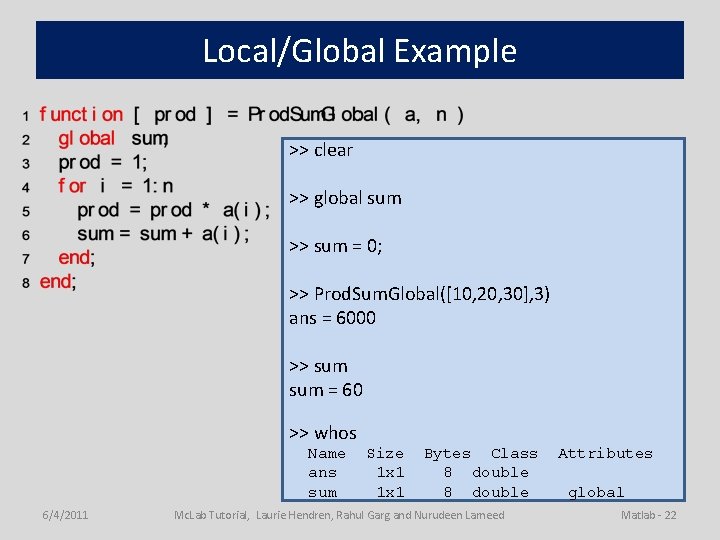
Local/Global Example >> clear >> global sum >> sum = 0; >> Prod. Sum. Global([10, 20, 30], 3) ans = 6000 >> sum = 60 >> whos Name ans sum 6/4/2011 Size 1 x 1 Bytes Class 8 double Mc. Lab Tutorial, Laurie Hendren, Rahul Garg and Nurudeen Lameed Attributes global Matlab - 22
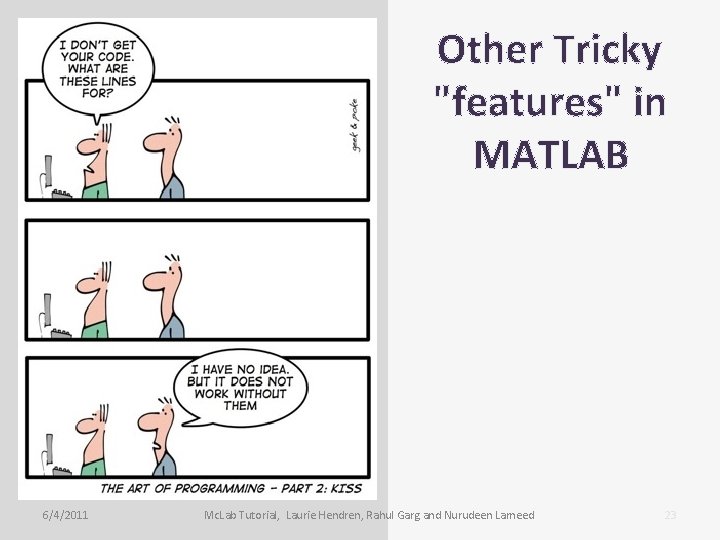
Other Tricky "features" in MATLAB 6/4/2011 Mc. Lab Tutorial, Laurie Hendren, Rahul Garg and Nurudeen Lameed 23
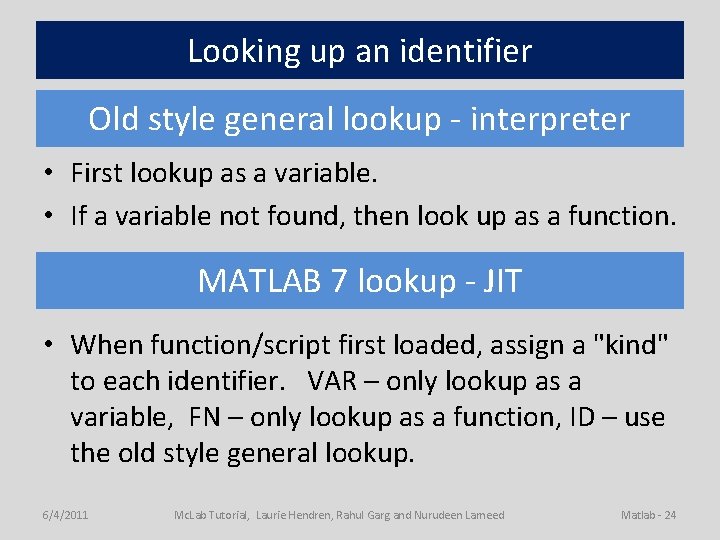
Looking up an identifier Old style general lookup - interpreter • First lookup as a variable. • If a variable not found, then look up as a function. MATLAB 7 lookup - JIT • When function/script first loaded, assign a "kind" to each identifier. VAR – only lookup as a variable, FN – only lookup as a function, ID – use the old style general lookup. 6/4/2011 Mc. Lab Tutorial, Laurie Hendren, Rahul Garg and Nurudeen Lameed Matlab - 24
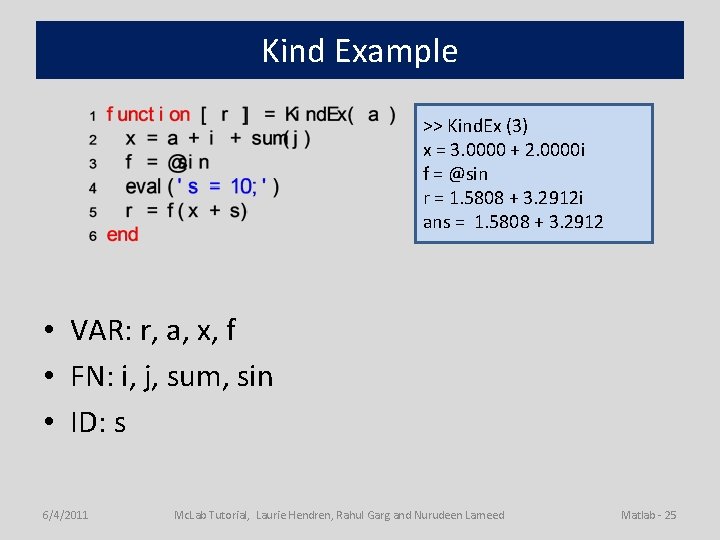
Kind Example >> Kind. Ex (3) x = 3. 0000 + 2. 0000 i f = @sin r = 1. 5808 + 3. 2912 i ans = 1. 5808 + 3. 2912 • VAR: r, a, x, f • FN: i, j, sum, sin • ID: s 6/4/2011 Mc. Lab Tutorial, Laurie Hendren, Rahul Garg and Nurudeen Lameed Matlab - 25
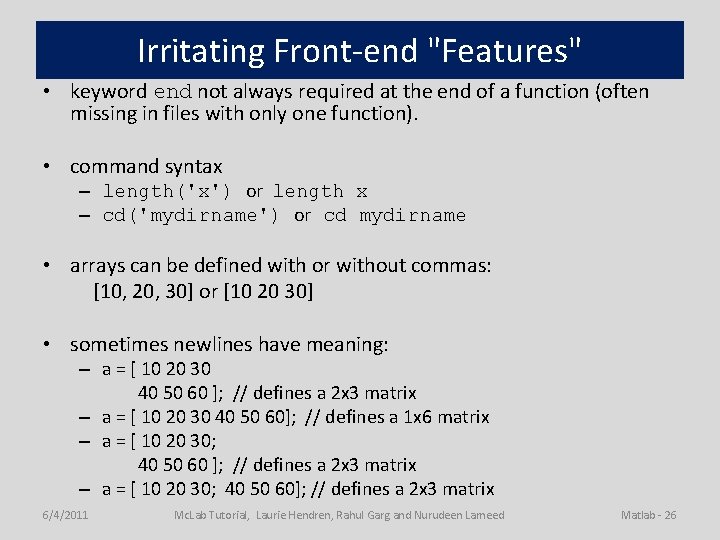
Irritating Front-end "Features" • keyword end not always required at the end of a function (often missing in files with only one function). • command syntax – length('x') or length x – cd('mydirname') or cd mydirname • arrays can be defined with or without commas: [10, 20, 30] or [10 20 30] • sometimes newlines have meaning: – a = [ 10 20 30 40 50 60 ]; // defines a 2 x 3 matrix – a = [ 10 20 30 40 50 60]; // defines a 1 x 6 matrix – a = [ 10 20 30; 40 50 60 ]; // defines a 2 x 3 matrix – a = [ 10 20 30; 40 50 60]; // defines a 2 x 3 matrix 6/4/2011 Mc. Lab Tutorial, Laurie Hendren, Rahul Garg and Nurudeen Lameed Matlab - 26
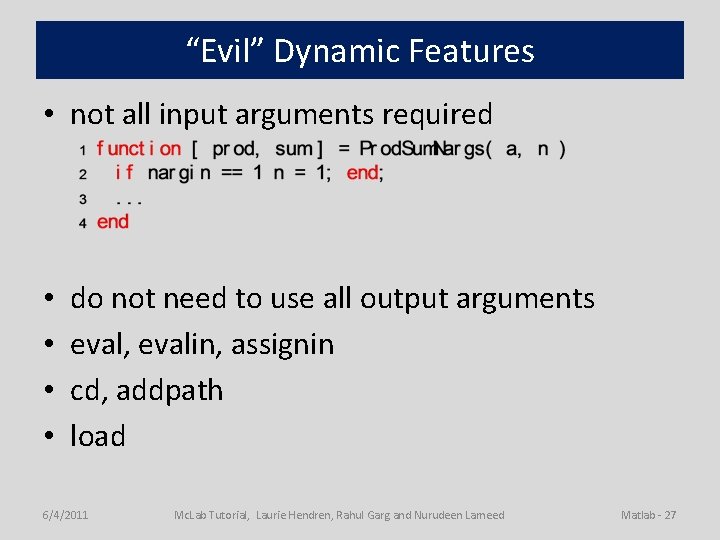
“Evil” Dynamic Features • not all input arguments required • • do not need to use all output arguments eval, evalin, assignin cd, addpath load 6/4/2011 Mc. Lab Tutorial, Laurie Hendren, Rahul Garg and Nurudeen Lameed Matlab - 27
- Slides: 27