
MAY 23 RD 2016 PVS 7 7 UEFI
![DHCP Scope option 17 examples IP Address Examples: pvs: [192. 168. 1. 1]: 17:](https://slidetodoc.com/presentation_image/527f94b39a5a5c8502df9933b9fa8867/image-18.jpg "DHCP Scope option 17 examples IP Address Examples: pvs: [192. 168. 1. 1]: 17:")
- Slides: 50
MAY 23 RD 2016 PVS 7. 7 UEFI Boot Implementation and Troubleshooting Peter Svoboda Lead PVS Escalation Engineer © 2016 Citrix | Confidential
Tweet about this session with hashtags #TE 601 and #citrixsynergy © 2016 Citrix | Confidential
About the Speaker Joined Citrix in July 2004 Joined as frontline engineer Joined the PVS Escalation team in February 2011 3 © 2016 Citrix | Confidential
UEFI Basics Configuring UEFI for PVS Agenda Hypervisor Configuration Troubleshooting UEFI References Questions © 2016 Citrix | Confidential
UEFI Basics © 2016 Citrix | Confidential
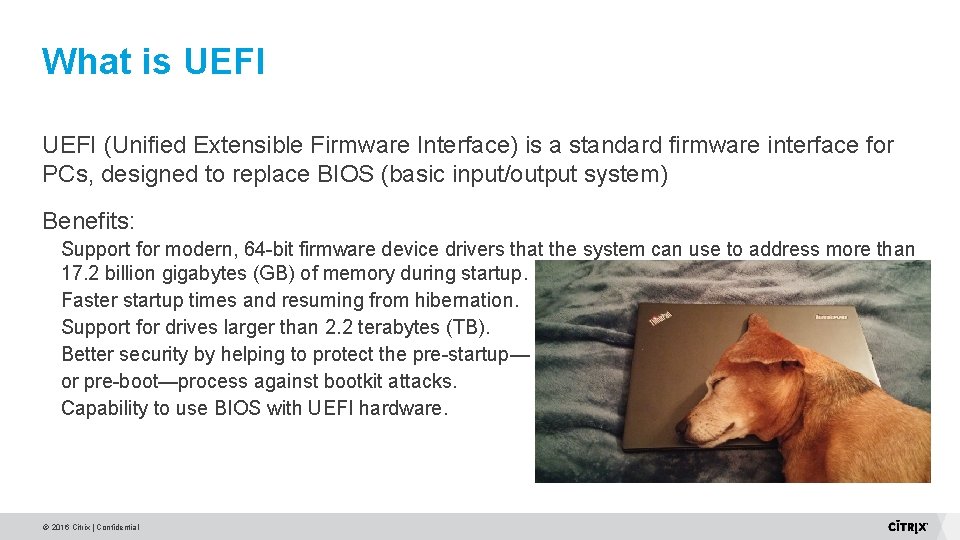
What is UEFI (Unified Extensible Firmware Interface) is a standard firmware interface for PCs, designed to replace BIOS (basic input/output system) Benefits: Support for modern, 64 -bit firmware device drivers that the system can use to address more than 17. 2 billion gigabytes (GB) of memory during startup. Faster startup times and resuming from hibernation. Support for drives larger than 2. 2 terabytes (TB). Better security by helping to protect the pre-startup— or pre-boot—process against bootkit attacks. Capability to use BIOS with UEFI hardware. © 2016 Citrix | Confidential
Using UEFI Systems cannot switch from BIOS to UEFI without some additional steps Either the image has to be rebuilt using UEFI or it has to be converted UEFI uses the GPT partition type Conversion can be done by the use of 3 rd party programs such as: GPTGEN http: //social. technet. microsoft. com/wiki/contents/articles/14286. converting-windows-bios-installation-touefi. aspx Citrix recommends building a new image using UEFI © 2016 Citrix | Confidential
UEFI and PVS © 2016 Citrix | Confidential
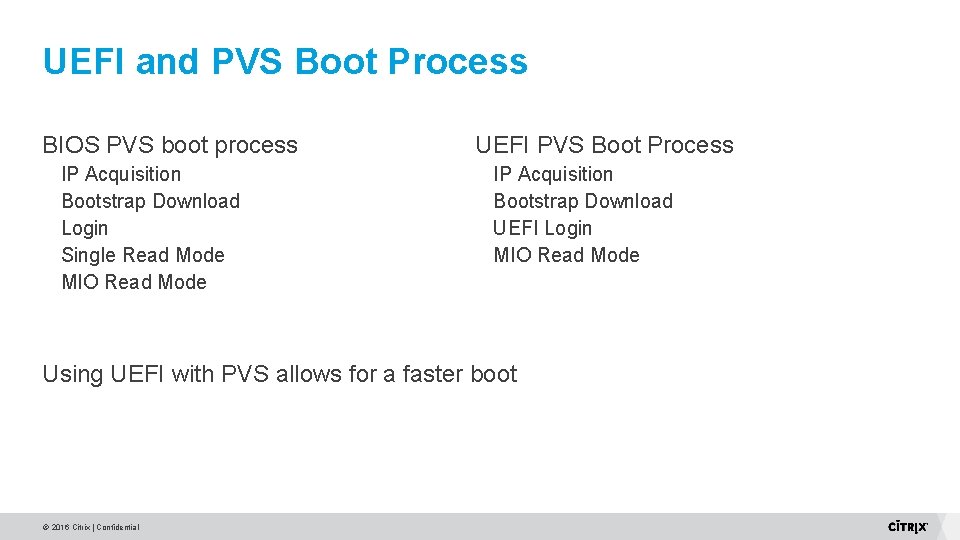
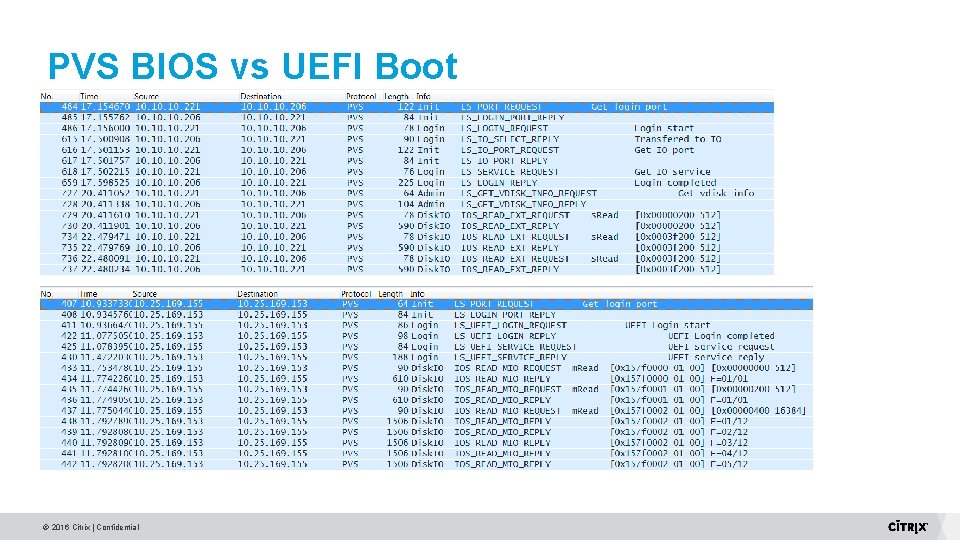
UEFI and PVS Boot Process BIOS PVS boot process IP Acquisition Bootstrap Download Login Single Read Mode MIO Read Mode UEFI PVS Boot Process IP Acquisition Bootstrap Download UEFI Login MIO Read Mode Using UEFI with PVS allows for a faster boot © 2016 Citrix | Confidential
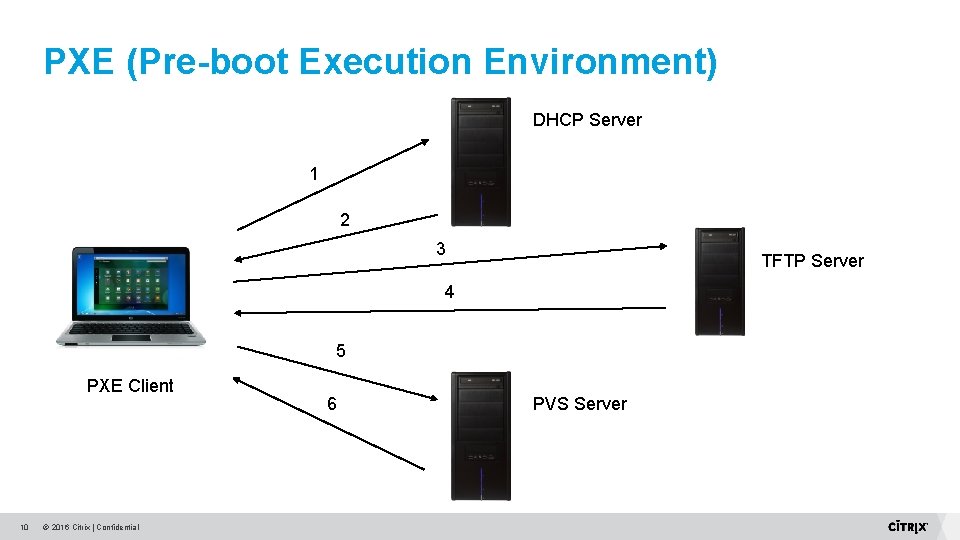
PXE (Pre-boot Execution Environment) DHCP Server 1 2 3 TFTP Server 4 5 PXE Client 10 © 2016 Citrix | Confidential 6 PVS Server
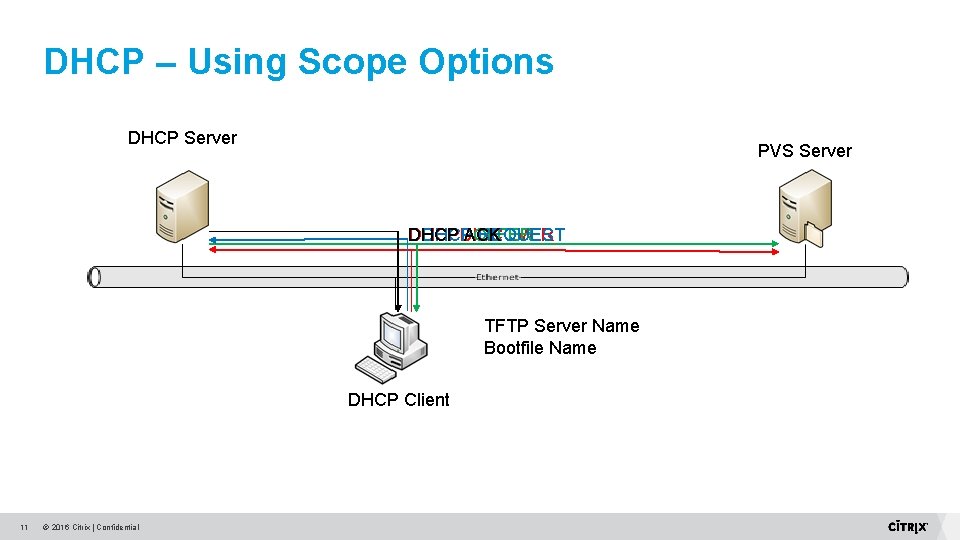
DHCP – Using Scope Options DHCP Server PVS Server DHCP ACK DHCPDISCOVER DHCP REQUEST DHCPOFFER TFTP Server Name Bootfile Name DHCP Client 11 © 2016 Citrix | Confidential
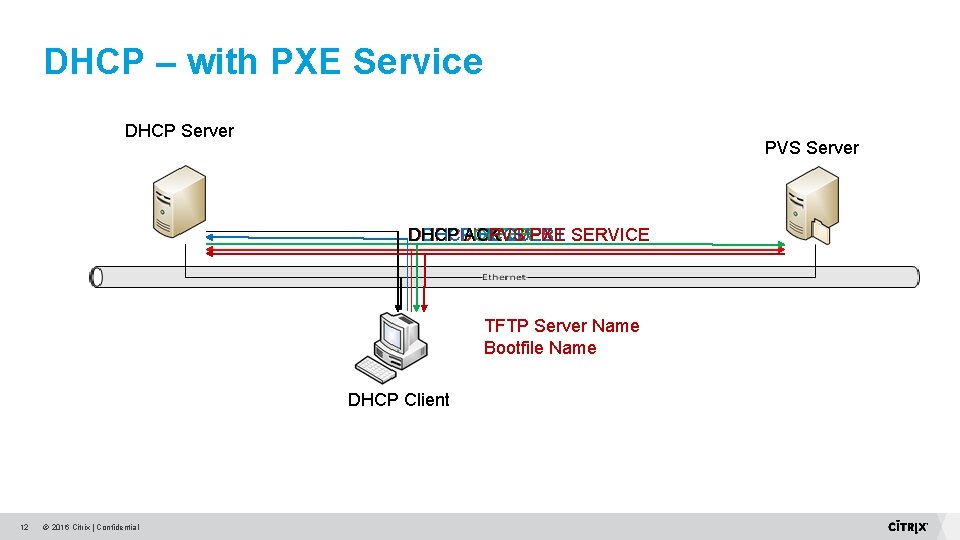
DHCP – with PXE Service DHCP Server PVS Server DHCP ACK DHCPDISCOVER DHCP REQUEST PVS PXE SERVICE DHCPOFFER TFTP Server Name Bootfile Name DHCP Client 12 © 2016 Citrix | Confidential
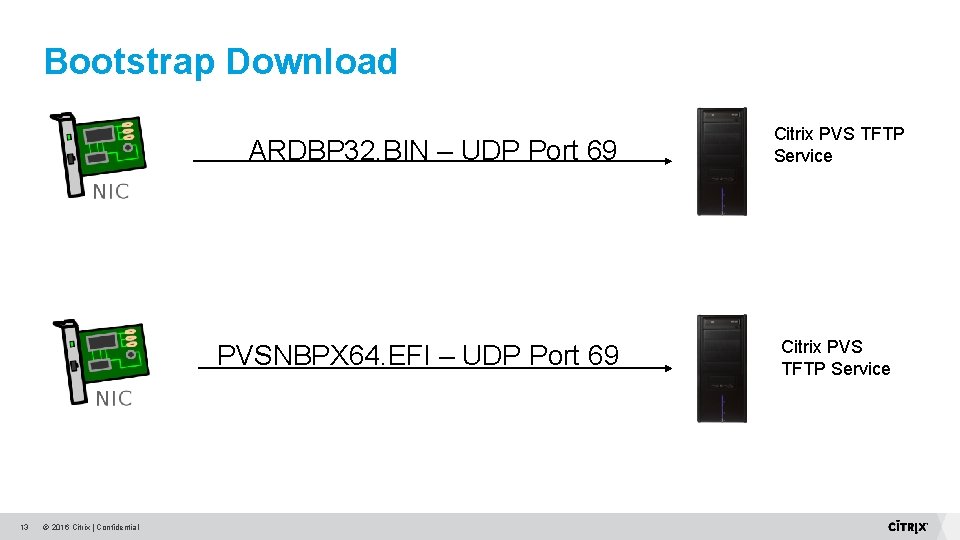
Bootstrap Download ARDBP 32. BIN – UDP Port 69 PVSNBPX 64. EFI – UDP Port 69 13 © 2016 Citrix | Confidential Citrix PVS TFTP Service
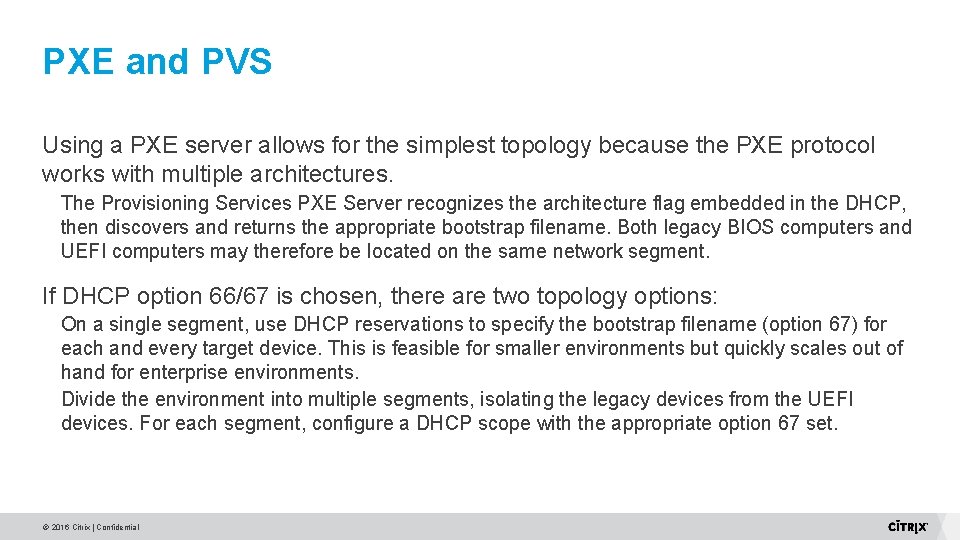
PXE and PVS Using a PXE server allows for the simplest topology because the PXE protocol works with multiple architectures. The Provisioning Services PXE Server recognizes the architecture flag embedded in the DHCP, then discovers and returns the appropriate bootstrap filename. Both legacy BIOS computers and UEFI computers may therefore be located on the same network segment. If DHCP option 66/67 is chosen, there are two topology options: On a single segment, use DHCP reservations to specify the bootstrap filename (option 67) for each and every target device. This is feasible for smaller environments but quickly scales out of hand for enterprise environments. Divide the environment into multiple segments, isolating the legacy devices from the UEFI devices. For each segment, configure a DHCP scope with the appropriate option 67 set. © 2016 Citrix | Confidential
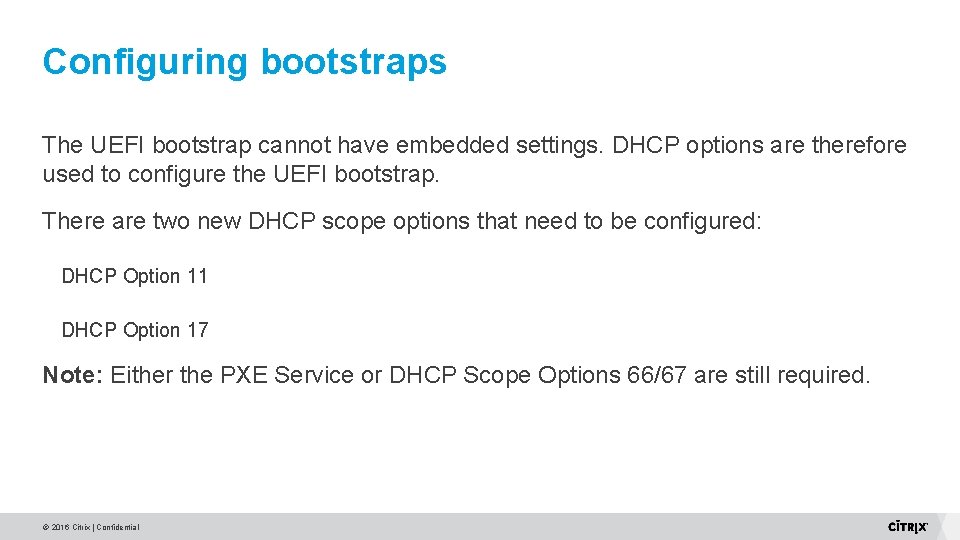
Configuring bootstraps The UEFI bootstrap cannot have embedded settings. DHCP options are therefore used to configure the UEFI bootstrap. There are two new DHCP scope options that need to be configured: DHCP Option 11 DHCP Option 17 Note: Either the PXE Service or DHCP Scope Options 66/67 are still required. © 2016 Citrix | Confidential
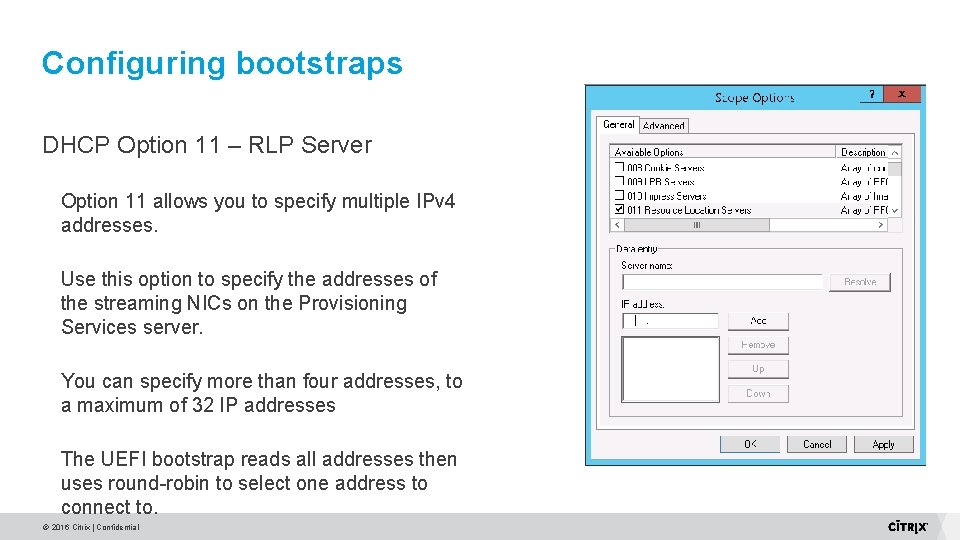
Configuring bootstraps DHCP Option 11 – RLP Server Option 11 allows you to specify multiple IPv 4 addresses. Use this option to specify the addresses of the streaming NICs on the Provisioning Services server. You can specify more than four addresses, to a maximum of 32 IP addresses The UEFI bootstrap reads all addresses then uses round-robin to select one address to connect to. © 2016 Citrix | Confidential
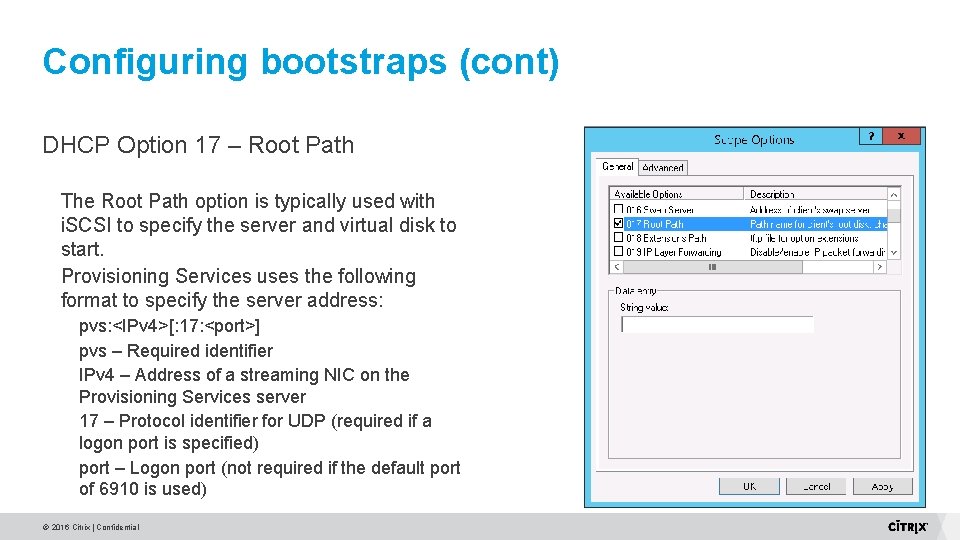
Configuring bootstraps (cont) DHCP Option 17 – Root Path The Root Path option is typically used with i. SCSI to specify the server and virtual disk to start. Provisioning Services uses the following format to specify the server address: pvs: <IPv 4>[: 17: <port>] pvs – Required identifier IPv 4 – Address of a streaming NIC on the Provisioning Services server 17 – Protocol identifier for UDP (required if a logon port is specified) port – Logon port (not required if the default port of 6910 is used) © 2016 Citrix | Confidential
DHCP Scope option 17 examples IP Address Examples: pvs: [192. 168. 1. 1]: 17: 7800 Hostname Examples: pvs: [host 001. citrix. com]: 17: 7800 © 2016 Citrix | Confidential
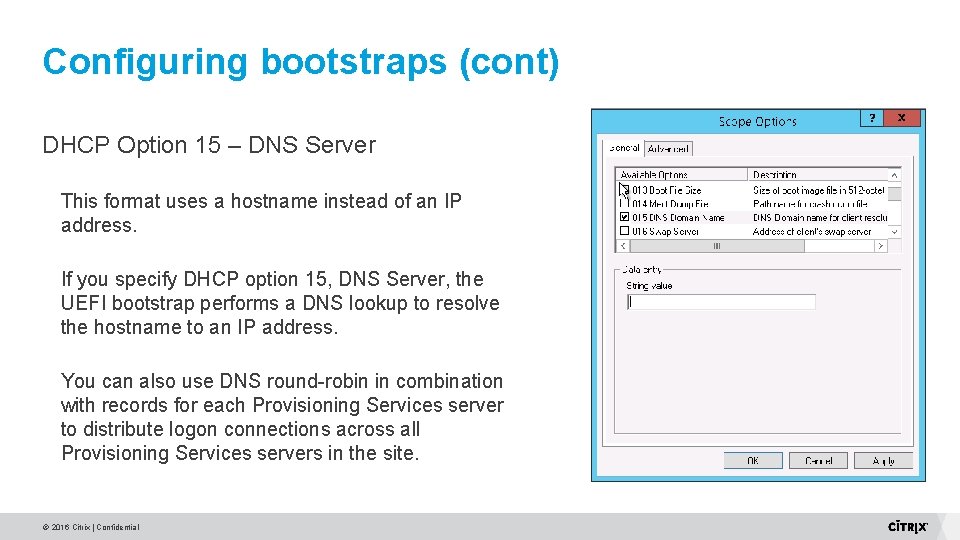
Configuring bootstraps (cont) DHCP Option 15 – DNS Server This format uses a hostname instead of an IP address. If you specify DHCP option 15, DNS Server, the UEFI bootstrap performs a DNS lookup to resolve the hostname to an IP address. You can also use DNS round-robin in combination with records for each Provisioning Services server to distribute logon connections across all Provisioning Services servers in the site. © 2016 Citrix | Confidential
Configuring Bootstraps Option 11 allows for more load balancing and redundancy Option 17 is used when the need to specify a different port is required Load Balancing available through DNS Round Robin Option 17 takes precedence over option 11. © 2016 Citrix | Confidential
BOOTPTAB © 2016 Citrix | Confidential
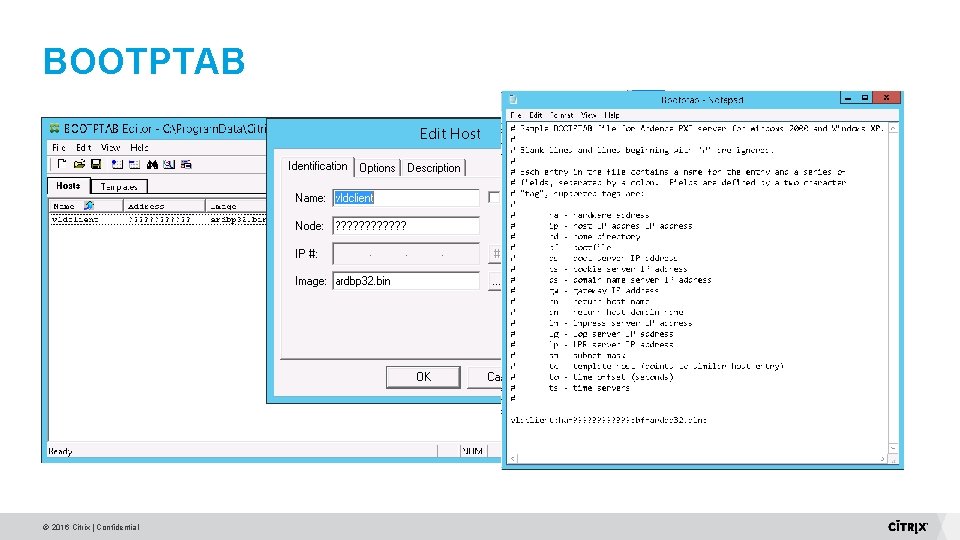
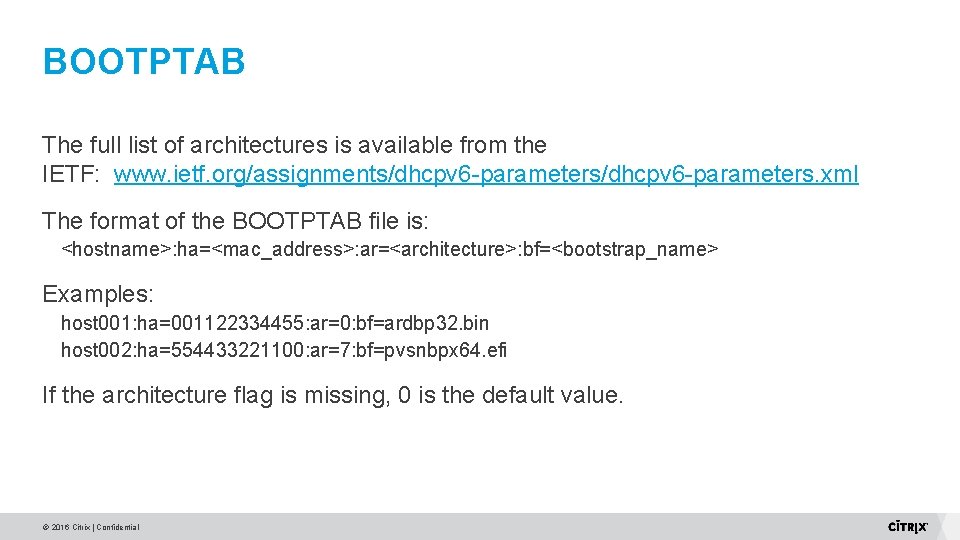
BOOTPTAB The full list of architectures is available from the IETF: www. ietf. org/assignments/dhcpv 6 -parameters. xml The format of the BOOTPTAB file is: <hostname>: ha=<mac_address>: ar=<architecture>: bf=<bootstrap_name> Examples: host 001: ha=001122334455: ar=0: bf=ardbp 32. bin host 002: ha=554433221100: ar=7: bf=pvsnbpx 64. efi If the architecture flag is missing, 0 is the default value. © 2016 Citrix | Confidential
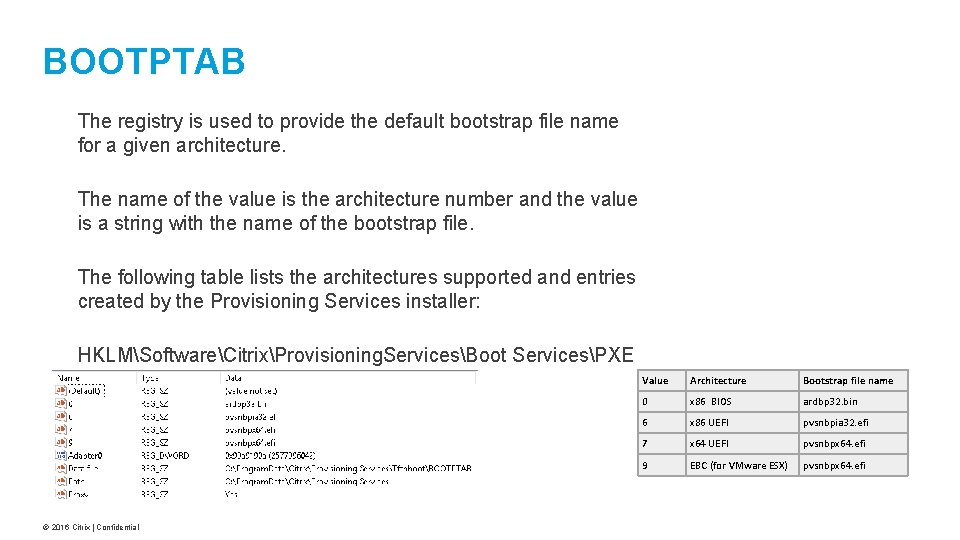
BOOTPTAB The registry is used to provide the default bootstrap file name for a given architecture. The name of the value is the architecture number and the value is a string with the name of the bootstrap file. The following table lists the architectures supported and entries created by the Provisioning Services installer: HKLMSoftwareCitrixProvisioning. ServicesBoot ServicesPXE © 2016 Citrix | Confidential Value Architecture Bootstrap file name 0 x 86 BIOS ardbp 32. bin 6 x 86 UEFI pvsnbpia 32. efi 7 x 64 UEFI pvsnbpx 64. efi 9 EBC (for VMware ESX) pvsnbpx 64. efi
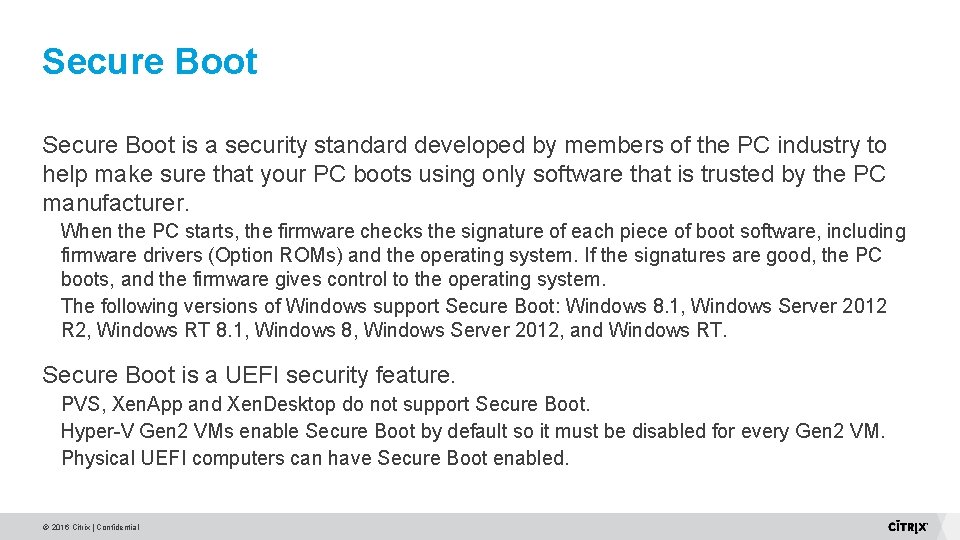
Secure Boot is a security standard developed by members of the PC industry to help make sure that your PC boots using only software that is trusted by the PC manufacturer. When the PC starts, the firmware checks the signature of each piece of boot software, including firmware drivers (Option ROMs) and the operating system. If the signatures are good, the PC boots, and the firmware gives control to the operating system. The following versions of Windows support Secure Boot: Windows 8. 1, Windows Server 2012 R 2, Windows RT 8. 1, Windows 8, Windows Server 2012, and Windows RT. Secure Boot is a UEFI security feature. PVS, Xen. App and Xen. Desktop do not support Secure Boot. Hyper-V Gen 2 VMs enable Secure Boot by default so it must be disabled for every Gen 2 VM. Physical UEFI computers can have Secure Boot enabled. © 2016 Citrix | Confidential
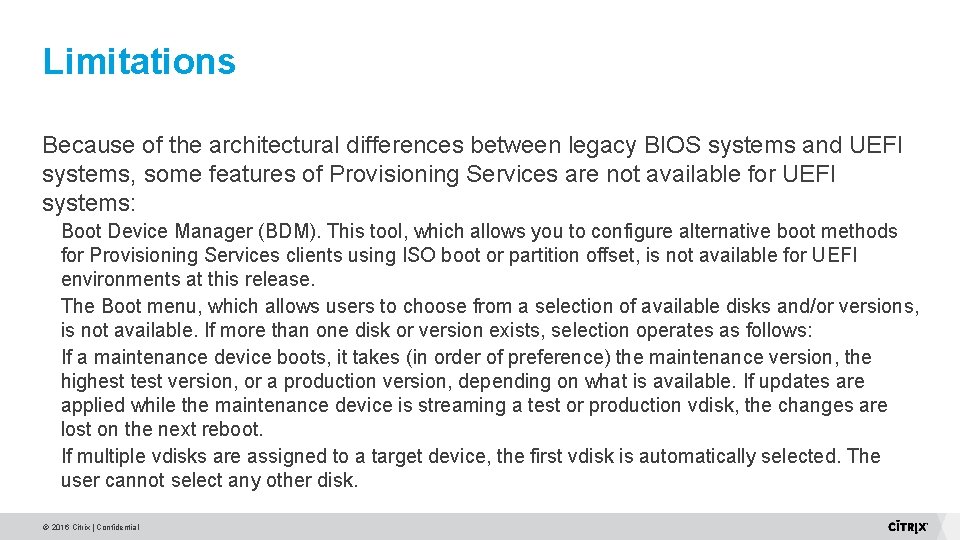
Limitations Because of the architectural differences between legacy BIOS systems and UEFI systems, some features of Provisioning Services are not available for UEFI systems: Boot Device Manager (BDM). This tool, which allows you to configure alternative boot methods for Provisioning Services clients using ISO boot or partition offset, is not available for UEFI environments at this release. The Boot menu, which allows users to choose from a selection of available disks and/or versions, is not available. If more than one disk or version exists, selection operates as follows: If a maintenance device boots, it takes (in order of preference) the maintenance version, the highest test version, or a production version, depending on what is available. If updates are applied while the maintenance device is streaming a test or production vdisk, the changes are lost on the next reboot. If multiple vdisks are assigned to a target device, the first vdisk is automatically selected. The user cannot select any other disk. © 2016 Citrix | Confidential
Hypervisor Configuration © 2016 Citrix | Confidential
Hypervisor Support Hyper V VMWare Xen. Server (Not supported currently) © 2016 Citrix | Confidential
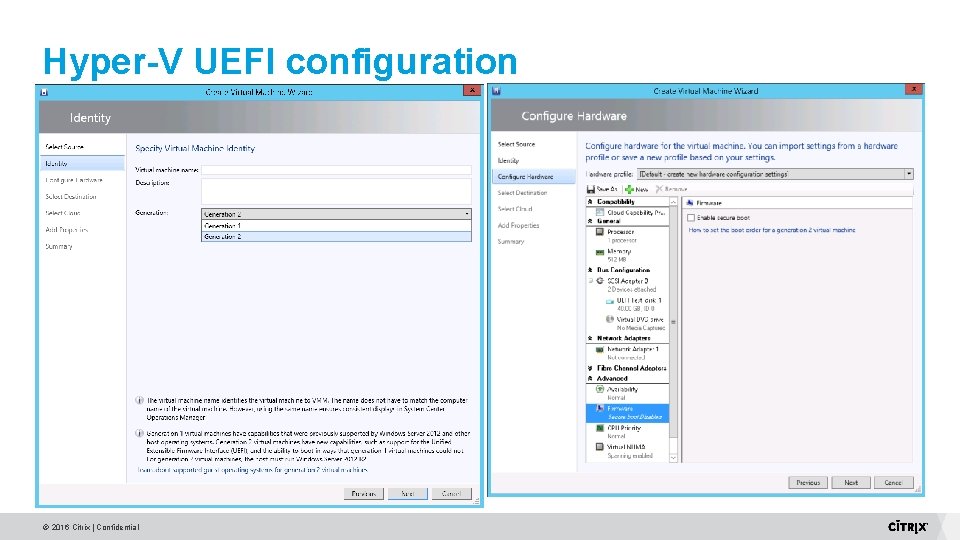
Hyper-V Prerequisite: SCVMM 2012 R 2 is used. UEFI boot only supported on Generation 2 VMs. Can only be used with 64 -bit operating systems, Windows 8 and newer. Not compatible with secure boot because Hyper-V cannot support multiple certificates. Only works with Synthetic NIC. © 2016 Citrix | Confidential
Hyper-V UEFI configuration © 2016 Citrix | Confidential
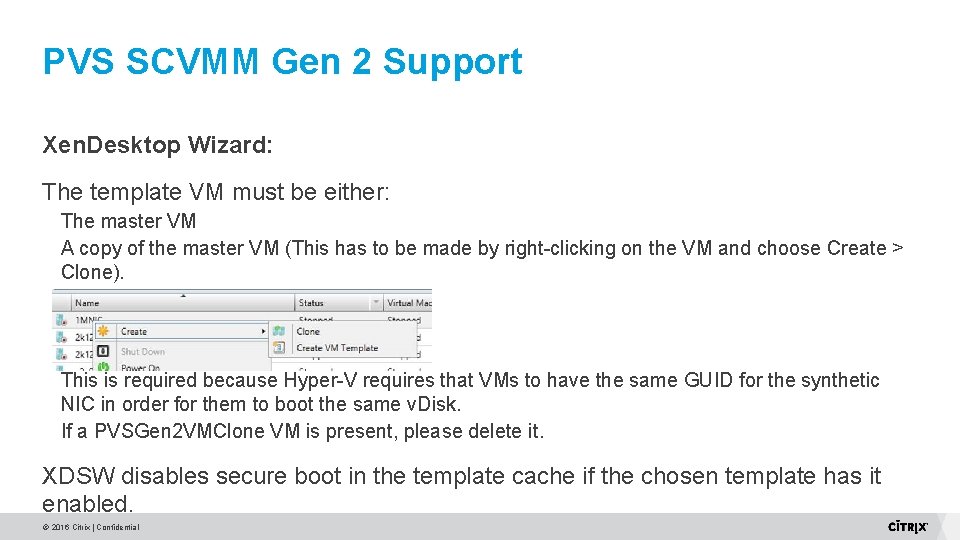
PVS SCVMM Gen 2 Support Xen. Desktop Wizard: The template VM must be either: The master VM A copy of the master VM (This has to be made by right-clicking on the VM and choose Create > Clone). This is required because Hyper-V requires that VMs to have the same GUID for the synthetic NIC in order for them to boot the same v. Disk. If a PVSGen 2 VMClone VM is present, please delete it. XDSW disables secure boot in the template cache if the chosen template has it enabled. © 2016 Citrix | Confidential
PVS SCVMM Gen 2 Support Known limitations: BDM is not supported. Secure Boot is not supported. Only work with 1 NIC in template VM. Template VM cannot have an iso attached to it. Gen 2 VMs are not supported by Streamed VM Wizard. © 2016 Citrix | Confidential
VMWare The following VMware products officially support running virtual machines with virtual EFI firmware: ESXi 5. 0 and newer. Required virtual hardware: At least 96 MBytes of RAM. At least hardware version 7. Hardware version 8 or newer is preferred due to an enhanced virtual nonvolatile RAM (NVRAM) device which is more robust against guest failures. © 2016 Citrix | Confidential
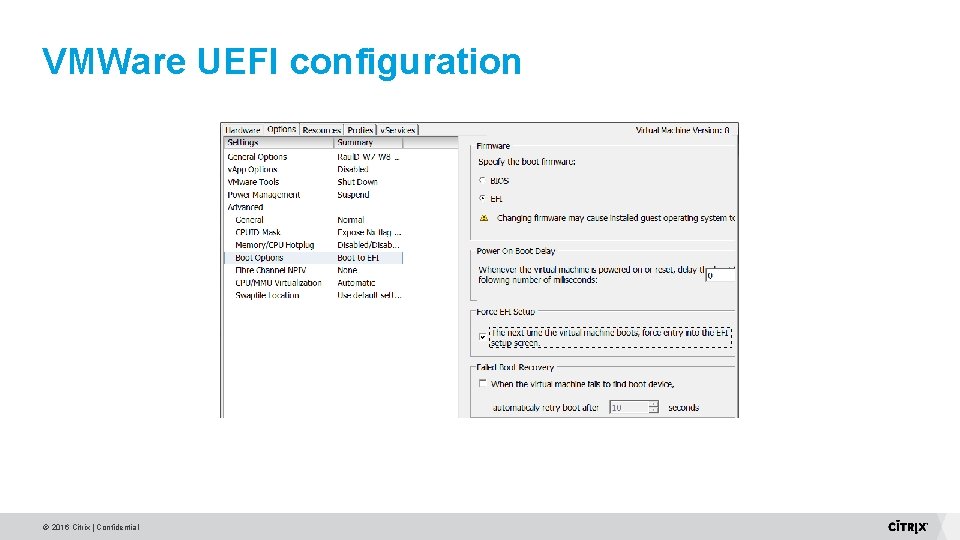
VMWare UEFI configuration © 2016 Citrix | Confidential
Troubleshooting UEFI © 2016 Citrix | Confidential
Troubleshooting Common Configuration Issues Network data capture guidelines © 2016 Citrix | Confidential
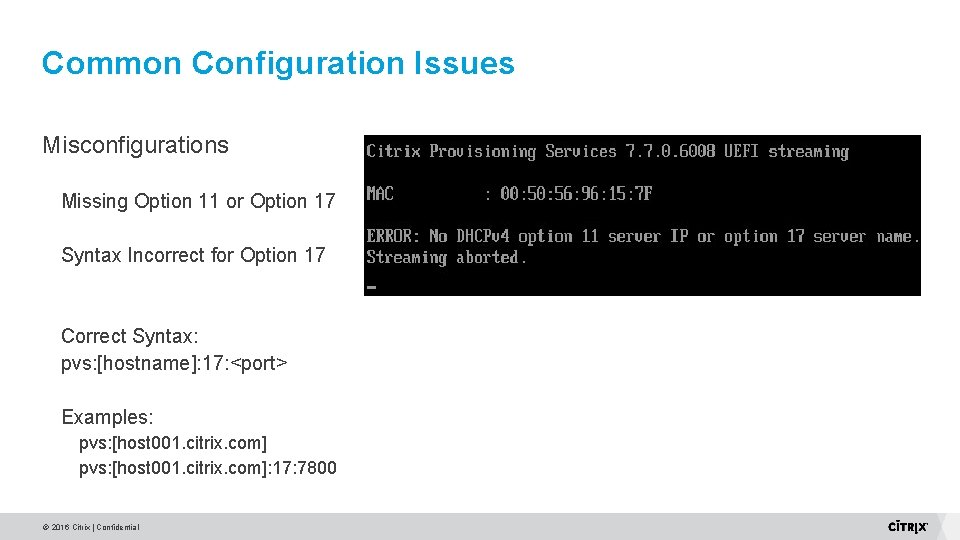
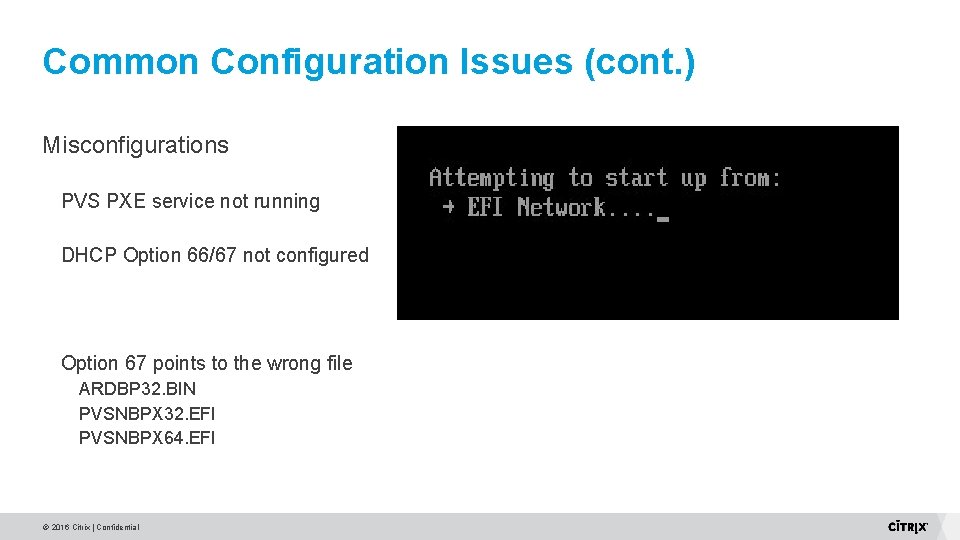
Common Configuration Issues Misconfigurations Missing Option 11 or Option 17 Syntax Incorrect for Option 17 Correct Syntax: pvs: [hostname]: 17: <port> Examples: pvs: [host 001. citrix. com]: 17: 7800 © 2016 Citrix | Confidential
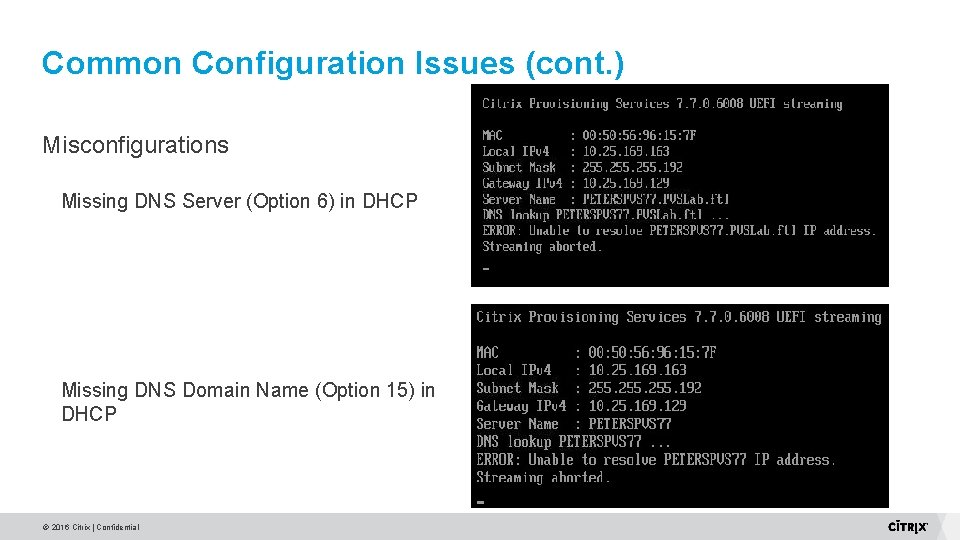
Common Configuration Issues (cont. ) Misconfigurations Missing DNS Server (Option 6) in DHCP Missing DNS Domain Name (Option 15) in DHCP © 2016 Citrix | Confidential
Common Configuration Issues (cont. ) Misconfigurations PVS PXE service not running DHCP Option 66/67 not configured Option 67 points to the wrong file ARDBP 32. BIN PVSNBPX 32. EFI PVSNBPX 64. EFI © 2016 Citrix | Confidential
Data Capture Guidelines Whenever possible capture both a server-side and target side trace Try to capture a good vs. bad trace Get all of the IP/MAC information pertaining to a trace 39 © 2016 Citrix | Confidential
Capture Software 40 © 2016 Citrix | Confidential
Target Side capture methods VMware Set V-Switch into promiscuous mode http: //kb. vmware. com/selfservice/microsites/search. do? cmd=display. KC&external. Id=100409 9 Hyper-V Setup port mirroring https: //blogs. technet. microsoft. com/networking/2015/10/16/setting-up-port-mirroring-tocapture-mirrored-traffic-on-a-hyper-v-virtual-machine/ 41 © 2016 Citrix | Confidential
Target Side capture methods – cont. Physical Port Mirroring Hubbing out Using a Tap 42 © 2016 Citrix | Confidential
PVS BIOS vs UEFI Boot © 2016 Citrix | Confidential
PVS BIOS vs. UEFI Video © 2016 Citrix | Confidential
Updates for PVS 7. 9 UEFI BDM Support BDM Update Multiple NIC support for Hyper-V Support for multiple virtual optical drives in Hyper-V © 2016 Citrix | Confidential
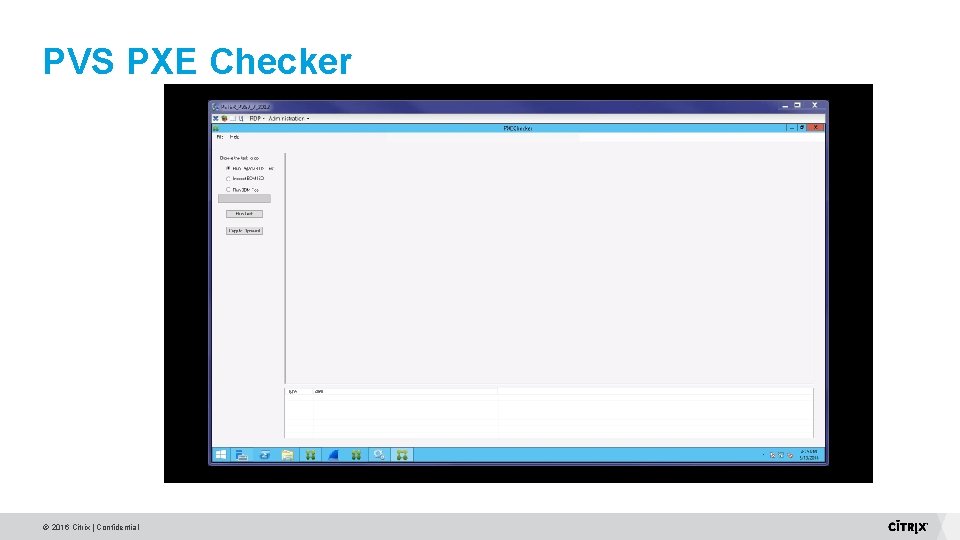
PVS PXE Checker © 2016 Citrix | Confidential
References http: //windows. microsoft. com/en-US/windows-8/what-uefi https: //communities. vmware. com/docs/DOC-28494 https: //technet. microsoft. com/en-us/library/dn 282285. aspx http: //kb. vmware. com/selfservice/microsites/search. do? cmd=display. KC&external. I d=1004099 https: //blogs. technet. microsoft. com/networking/2015/10/16/setting-up-portmirroring-to-capture-mirrored-traffic-on-a-hyper-v-virtual-machine/ © 2016 Citrix | Confidential
Questions? © 2016 Citrix | Confidential
Before you leave… Conference Surveys are available online at www. citrixsynergy. com starting Thursday, May 26 at 9: 00 a. m. PST Those who provide feedback by Friday, May 27 th will receive a $20 Amazon e-gift card Download presentations starting Monday, May 30 th form the My Event Planning Tool © 2016 Citrix | Confidential
Work better. Live better. © 2016 Citrix | Confidential