
Maximo V 7 MaximoCognos Reporting May 2010 Template
- Slides: 22
Maximo V 7 Maximo-Cognos Reporting May 2010 Template Documentation 9/20/2021 © 2010 IBM Corporation
Maximo Agenda 1. Open Reporting Architecture 2. Integration Components and Enablement 3. Project Focus and Value A. Visibility & Report Integration B. Tools to create Meta Data (Packages) 4. Reference Materials and Questions 2 9/20/2021 © 2007 IBM Corporation
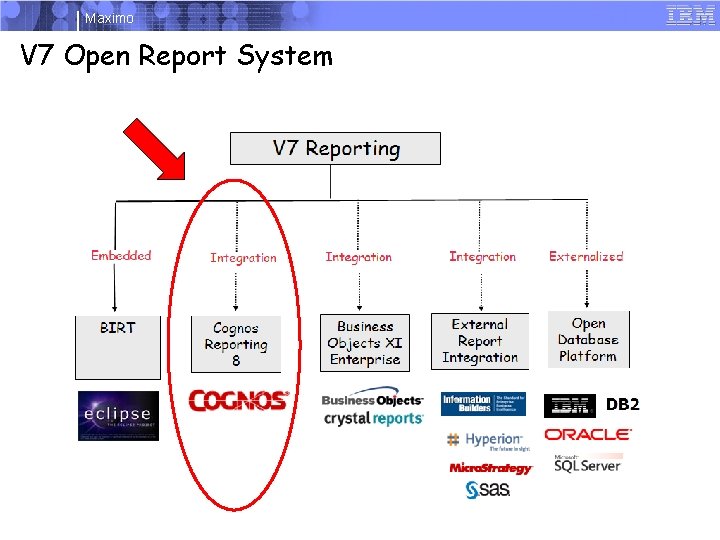
Maximo V 7 Open Report System 3 9/20/2021 © 2007 IBM Corporation
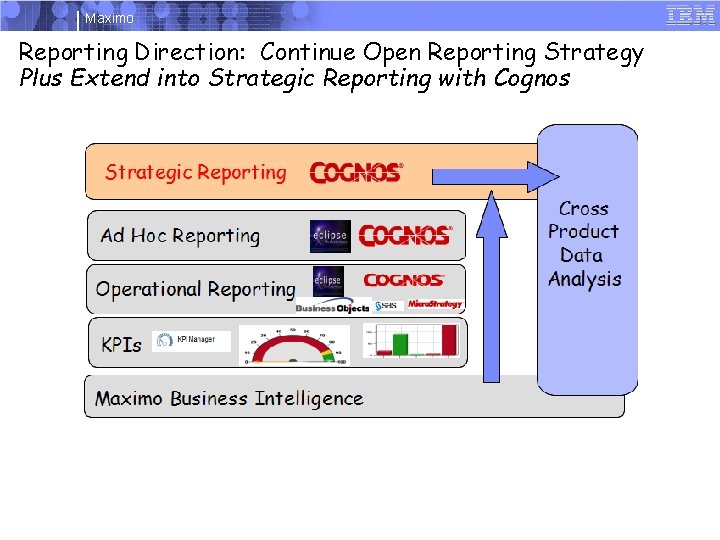
Maximo Reporting Direction: Continue Open Reporting Strategy Plus Extend into Strategic Reporting with Cognos 4 9/20/2021 © 2007 IBM Corporation
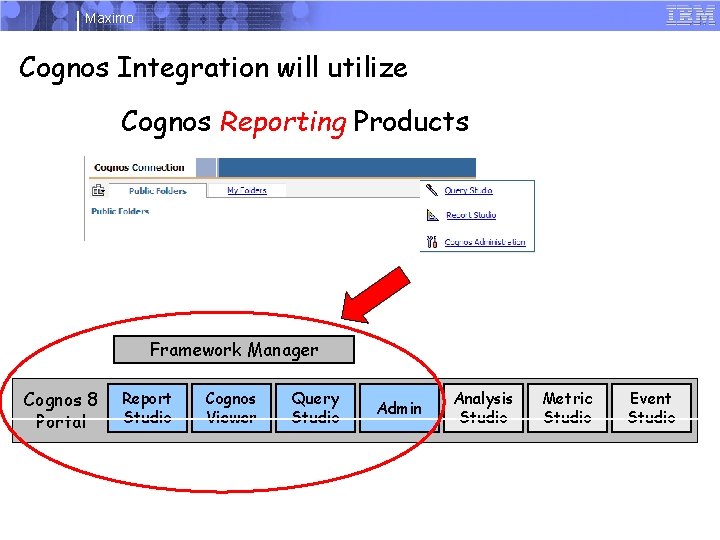
Maximo Cognos Integration will utilize Create Data Source Cognos Reporting Products Select Tables & Import. Model Created using Common Identifiers. Framework Manager Cognos 8 Portal 5 Report Studio Cognos Viewer Query Studio Admin Analysis Studio 9/20/2021 Metric Studio Event Studio © 2007 IBM Corporation
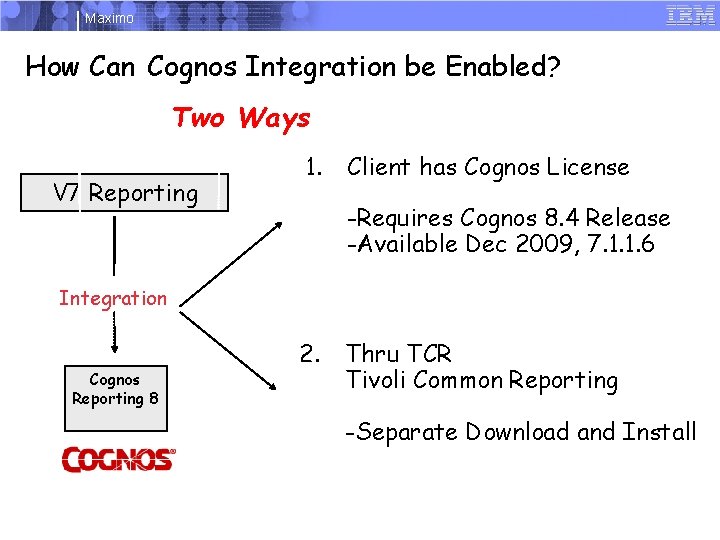
Maximo How Can Cognos Integration be Enabled? Two Ways V 7 Reporting 1. Client has Cognos License -Requires Cognos 8. 4 Release -Available Dec 2009, 7. 1. 1. 6 Integration Cognos Reporting 8 2. Thru TCR Tivoli Common Reporting -Separate Download and Install 6 9/20/2021 © 2007 IBM Corporation
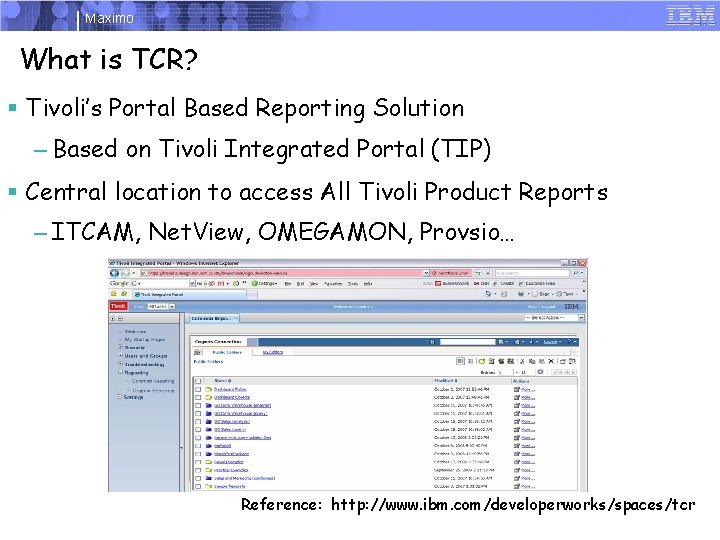
Maximo What is TCR? § Tivoli’s Portal Based Reporting Solution – Based on Tivoli Integrated Portal (TIP) § Central location to access All Tivoli Product Reports – ITCAM, Net. View, OMEGAMON, Provsio… Reference: http: //www. ibm. com/developerworks/spaces/tcr 7 9/20/2021 © 2007 IBM Corporation
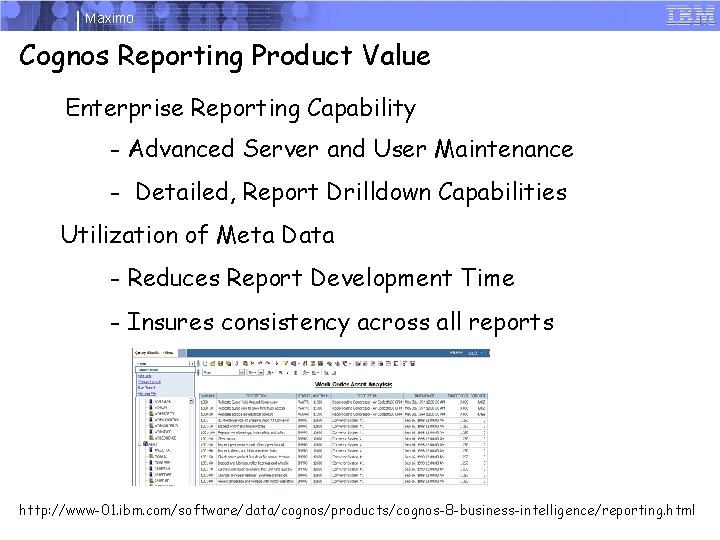
Maximo Cognos Reporting Product Value Enterprise Reporting Capability - Advanced Server and User Maintenance - Detailed, Report Drilldown Capabilities Utilization of Meta Data - Reduces Report Development Time - Insures consistency across all reports http: //www-01. ibm. com/software/data/cognos/products/cognos-8 -business-intelligence/reporting. html 8 9/20/2021 © 2007 IBM Corporation
Maximo Value of Maximo Cognos Integration Visibility (Integration) Enabled thru Seamless integration from V 7 to Cognos Tools are Enabled thru Dynamic Creation of Cognos Meta Data - Thru Utilization of Report Object Structures 9 9/20/2021 © 2007 IBM Corporation
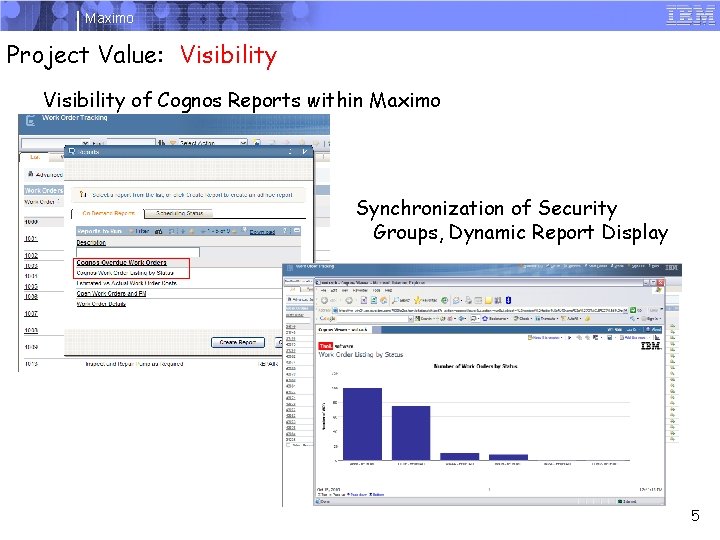
Maximo Project Value: Visibility of Cognos Reports within Maximo Synchronization of Security Groups, Dynamic Report Display 10 9/20/2021 5 © 2007 IBM Corporation
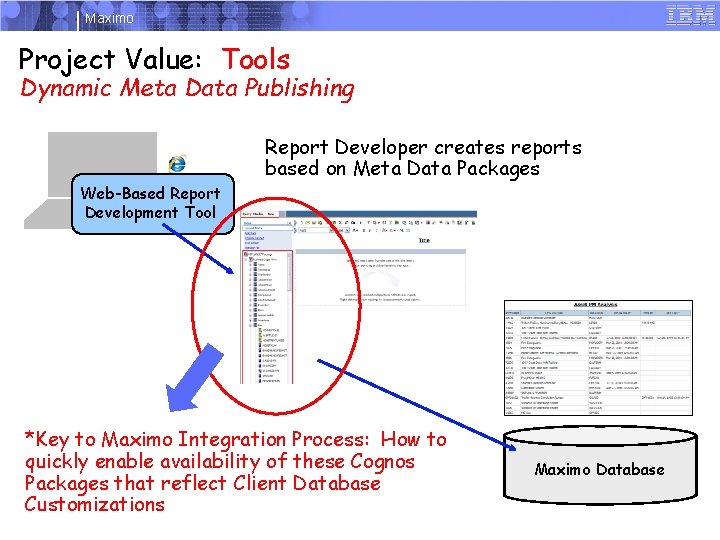
Maximo Project Value: Tools Dynamic Meta Data Publishing Report Developer creates reports based on Meta Data Packages Web-Based Report Development Tool *Key to Maximo Integration Process: How to quickly enable availability of these Cognos Packages that reflect Client Database Customizations 11 9/20/2021 Maximo Database © 2007 IBM Corporation
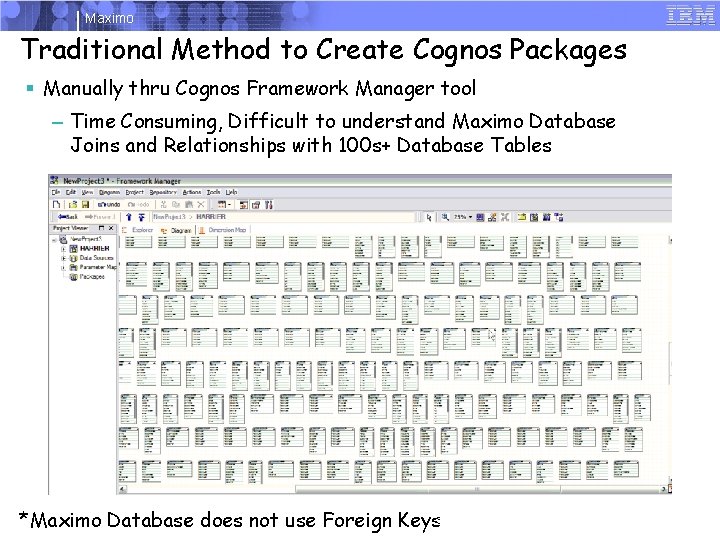
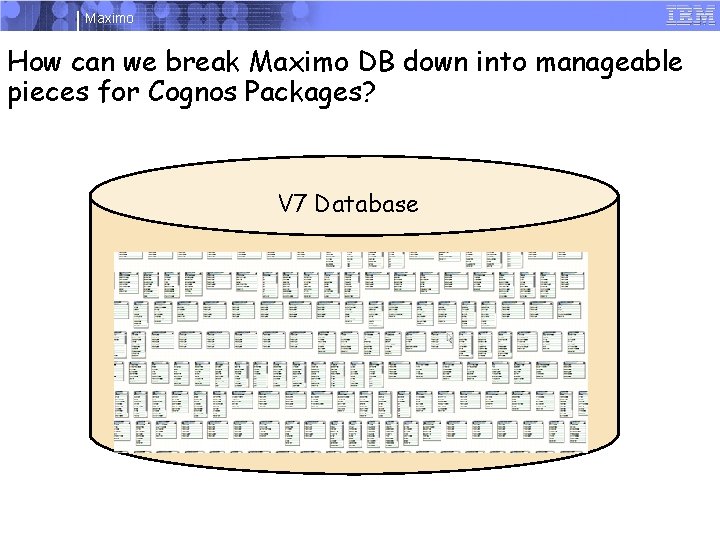
Maximo Traditional Method to Create Cognos Packages § Manually thru Cognos Framework Manager tool – Time Consuming, Difficult to understand Maximo Database Joins and Relationships with 100 s+ Database Tables 12 *Maximo Database does not use Foreign Keys 9/20/2021 © 2007 IBM Corporation
Maximo How can we break Maximo DB down into manageable pieces for Cognos Packages? V 7 Database 13 9/20/2021 © 2007 IBM Corporation
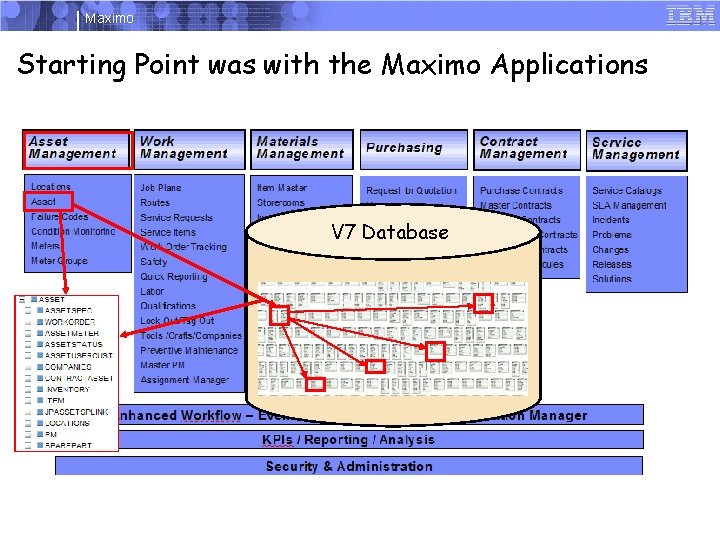
Maximo Starting Point was with the Maximo Applications V 7 Database 14 9/20/2021 © 2007 IBM Corporation
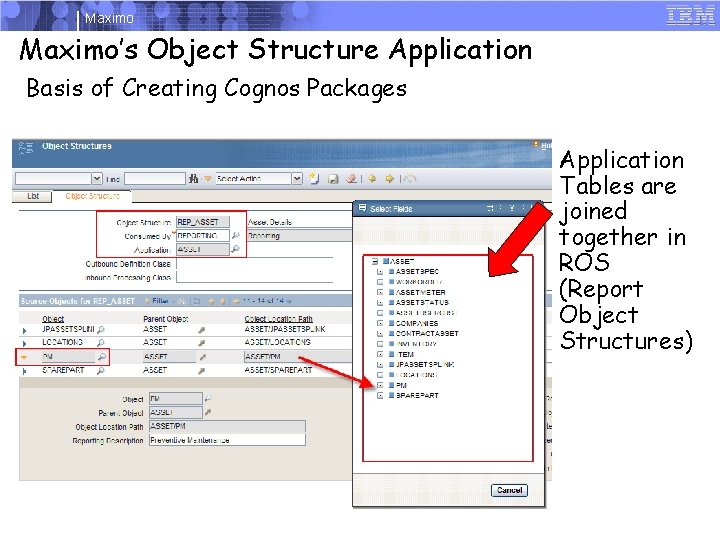
Maximo’s Object Structure Application Basis of Creating Cognos Packages Application Tables are joined together in ROS (Report Object Structures) 15 9/20/2021 © 2007 IBM Corporation
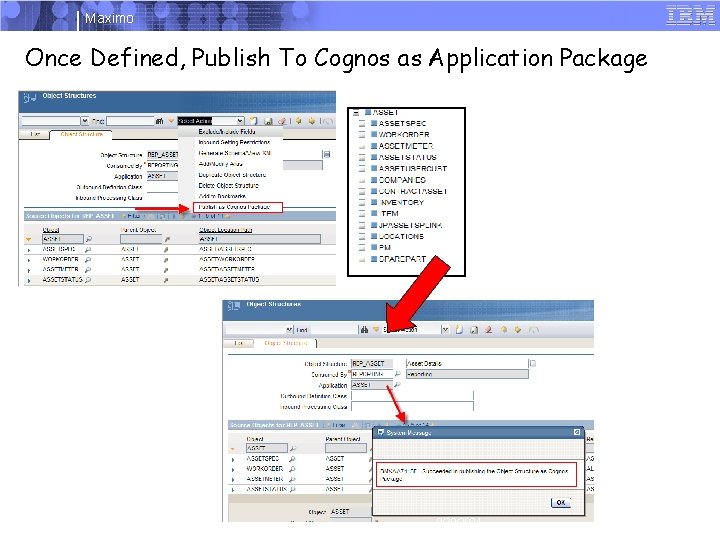
Maximo Once Defined, Publish To Cognos as Application Package 16 9/20/2021 © 2007 IBM Corporation
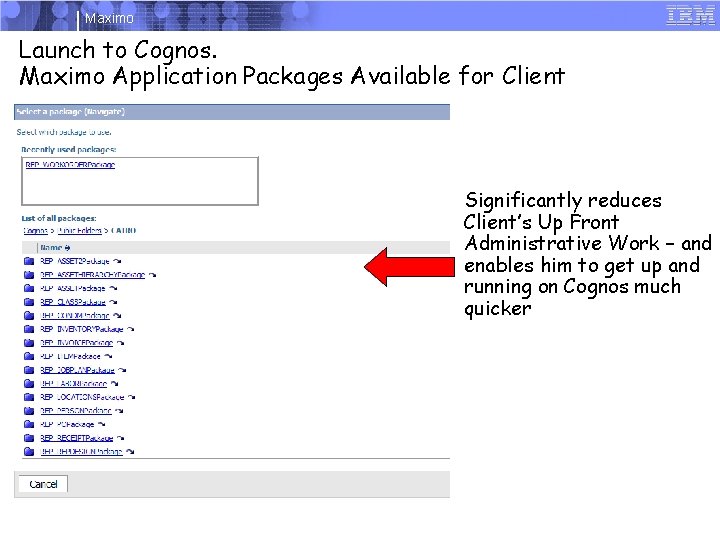
Maximo Launch to Cognos. Maximo Application Packages Available for Client Significantly reduces Client’s Up Front Administrative Work – and enables him to get up and running on Cognos much quicker 17 9/20/2021 © 2007 IBM Corporation
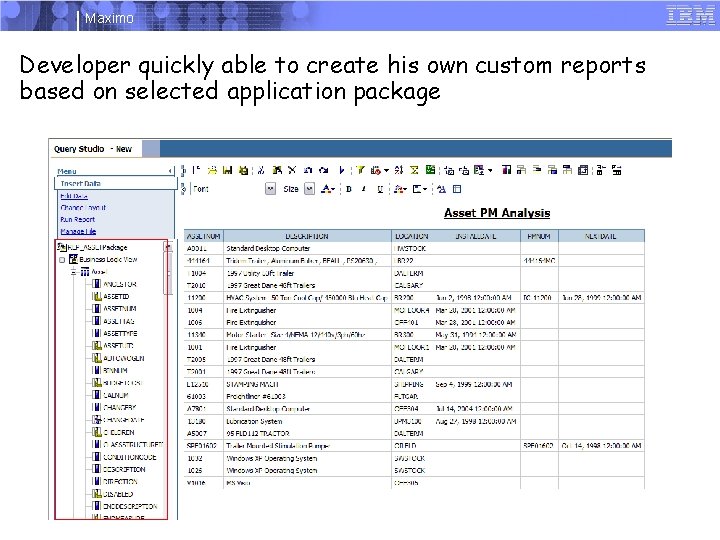
Maximo Developer quickly able to create his own custom reports based on selected application package 18 9/20/2021 © 2007 IBM Corporation
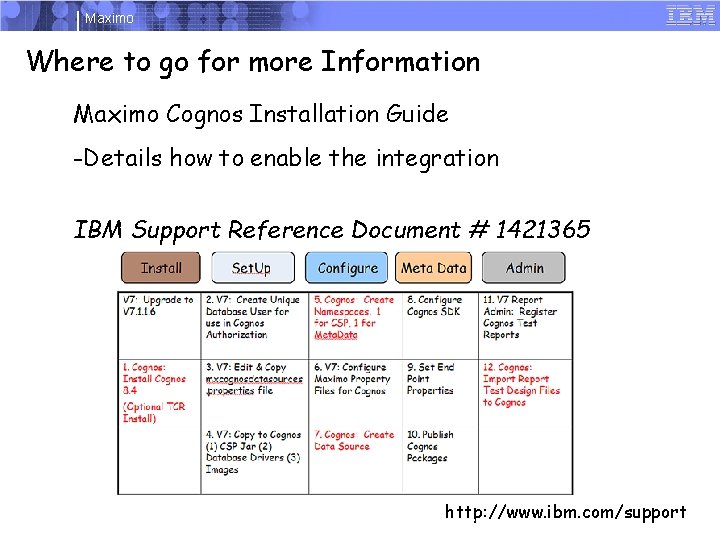
Maximo Where to go for more Information Maximo Cognos Installation Guide -Details how to enable the integration IBM Support Reference Document # 1421365 19 http: //www. ibm. com/support © 2007 IBM Corporation 9/20/2021
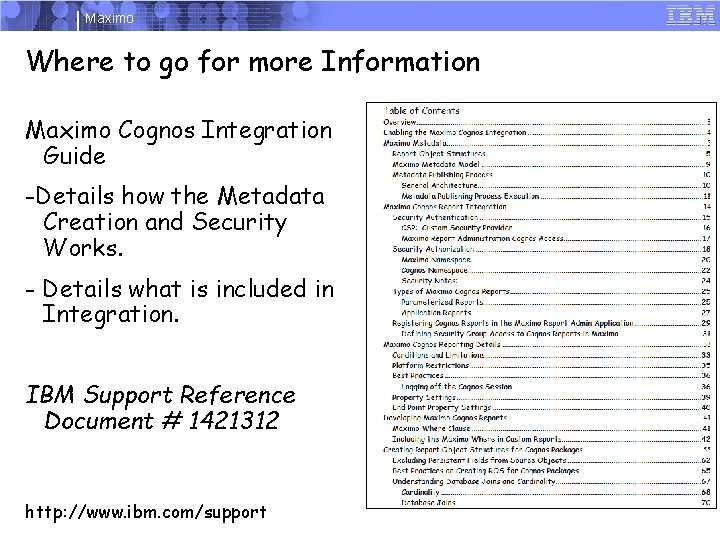
Maximo Where to go for more Information Maximo Cognos Integration Guide -Details how the Metadata Creation and Security Works. - Details what is included in Integration. IBM Support Reference Document # 1421312 http: //www. ibm. com/support 20 9/20/2021 © 2007 IBM Corporation
Maximo Questions? 21 9/20/2021 © 2007 IBM Corporation
Maximo Trademarks and disclaimers Intel, Intel logo, Intel Inside logo, Intel Centrino logo, Celeron, Intel Xeon, Intel Speed. Step, Itanium, and Pentium are trademarks or registered trademarks of Intel Corporation or its subsidiaries in the United States and other countries. / Linux is a registered trademark of Linus Torvalds in the United States, other countries, or both. Microsoft, Windows NT, and the Windows logo are trademarks of Microsoft Corporation in the United States, other countries, or both. IT Infrastructure Library is a registered trademark of the Central Computer and Telecommunications Agency which is now part of the Office of Government Commerce. ITIL is a registered trademark, and a registered community trademark of the Office of Government Commerce, and is registered in the U. S. Patent and Trademark Office. UNIX is a registered trademark of The Open Group in the United States and other countries. Java and all Java-based trademarks are trademarks of Sun Microsystems, Inc. in the United States, other countries, or both. Other company, product, or service names may be trademarks or service marks of others. Information is provided "AS IS" without warranty of any kind. The customer examples described are presented as illustrations of how those customers have used IBM products and the results they may have achieved. Actual environmental costs and performance characteristics may vary by customer. Information concerning non-IBM products was obtained from a supplier of these products, published announcement material, or other publicly available sources and does not constitute an endorsement of such products by IBM. Sources for non-IBM list prices and performance numbers are taken from publicly available information, including vendor announcements and vendor worldwide homepages. IBM has not tested these products and cannot confirm the accuracy of performance, capability, or any other claims related to non-IBM products. Questions on the capability of non-IBM products should be addressed to the supplier of those products. All statements regarding IBM future direction and intent are subject to change or withdrawal without notice, and represent goals and objectives only. Some information addresses anticipated future capabilities. Such information is not intended as a definitive statement of a commitment to specific levels of performance, function or delivery schedules with respect to any future products. Such commitments are only made in IBM product announcements. The information is presented here to communicate IBM's current investment and development activities as a good faith effort to help with our customers' future planning. Performance is based on measurements and projections using standard IBM benchmarks in a controlled environment. The actual throughput or performance that any user will experience will vary depending upon considerations such as the amount of multiprogramming in the user's job stream, the I/O configuration, the storage configuration, and the workload processed. Therefore, no assurance can be given that an individual user will achieve throughput or performance improvements equivalent to the ratios stated here. Prices are suggested U. S. list prices and are subject to change without notice. Starting price may not include a hard drive, operating system or other features. Contact your IBM representative or Business Partner for the most current pricing in your geography. Photographs shown may be engineering prototypes. Changes may be incorporated in production models. © IBM Corporation 1994 -2010. All rights reserved. References in this document to IBM products or services do not imply that IBM intends to make them available in every country. Trademarks of International Business Machines Corporation in the United States, other countries, or both can be found on the World Wide Web at http: //www. ibm. com/legal/copytrade. shtml. 22 9/20/2021 © 2007 IBM Corporation