
Matlab Tutorial David Goldstein University of Colorado Dept
Matlab Tutorial David Goldstein University of Colorado Dept of Aerospace Engineering Sciences 1
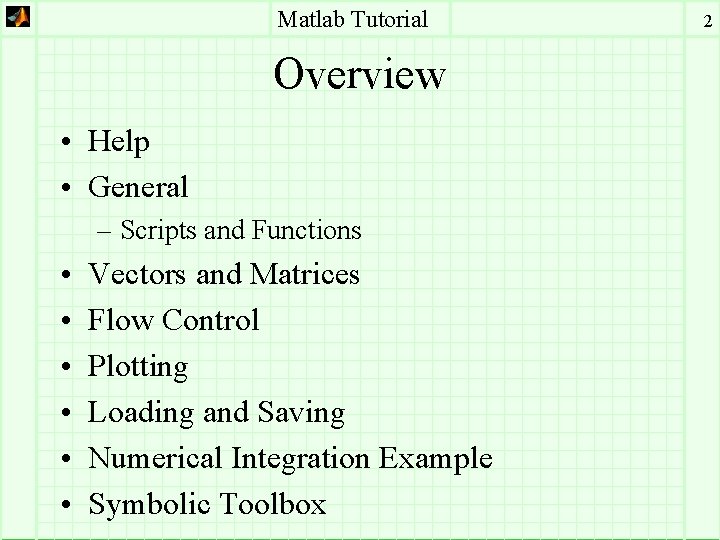
Matlab Tutorial Overview • Help • General – Scripts and Functions • • • Vectors and Matrices Flow Control Plotting Loading and Saving Numerical Integration Example Symbolic Toolbox 2
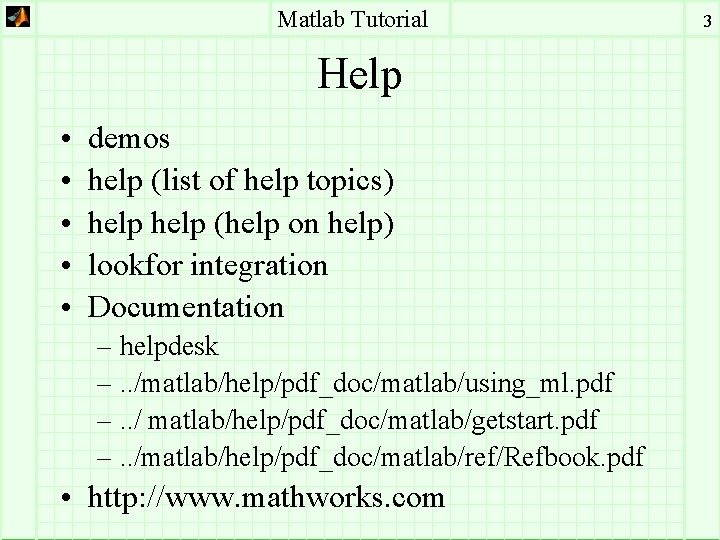
Matlab Tutorial Help • • • demos help (list of help topics) help (help on help) lookfor integration Documentation – helpdesk –. . /matlab/help/pdf_doc/matlab/using_ml. pdf –. . / matlab/help/pdf_doc/matlab/getstart. pdf –. . /matlab/help/pdf_doc/matlab/ref/Refbook. pdf • http: //www. mathworks. com 3
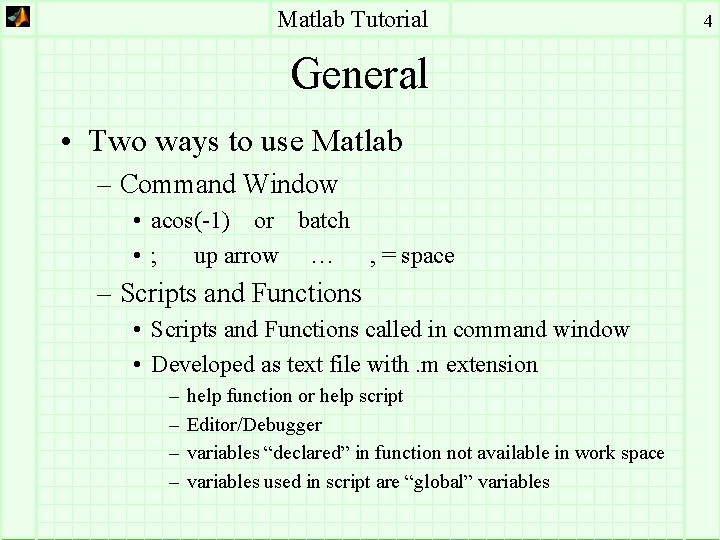
Matlab Tutorial General • Two ways to use Matlab – Command Window • acos(-1) or batch • ; up arrow … , = space – Scripts and Functions • Scripts and Functions called in command window • Developed as text file with. m extension – – help function or help script Editor/Debugger variables “declared” in function not available in work space variables used in script are “global” variables 4

Matlab Tutorial » help function FUNCTION Add new function. New functions may be added to MATLAB's vocabulary if they are expressed in terms of other existing functions. The commands and functions that comprise the new function must be put in a file whose name defines the name of the new function, with a filename extension of '. m'. At the top of the file must be a line that contains the syntax definition for the new function. For example, the existence of a file on disk called STAT. M with: incoming function name outgoing function [mean, stdev] = stat(x) %STAT Interesting statistics. n = length(x); mean = sum(x) / n; stdev = sqrt(sum((x - mean). ^2)/n); defines a new function called STAT that calculates the mean and standard deviation of a vector. The variables within the body of the function are all local variables. See SCRIPT for procedures that work globally on the work-space. 5

Matlab Tutorial » help script SCRIPT About MATLAB scripts and M-files. A SCRIPT file is an external file that contains a sequence of MATLAB statements. By typing the filename, subsequent MATLAB input is obtained from the file. SCRIPT files have a filename extension of ". m" and are often called "M-files". To make a SCRIPT file into a function, see FUNCTION. - Requires no input - Provides no explicit output - All variables used are available in the work space - Like a main program -. m file must be in your current path (help path) - path(path, a: matlab) 6
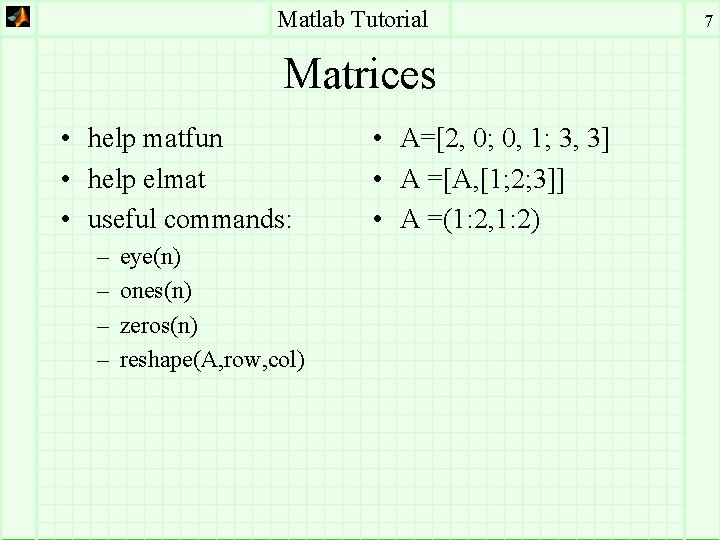
Matlab Tutorial Matrices • help matfun • help elmat • useful commands: – – eye(n) ones(n) zeros(n) reshape(A, row, col) • A=[2, 0; 0, 1; 3, 3] • A =[A, [1; 2; 3]] • A =(1: 2, 1: 2) 7
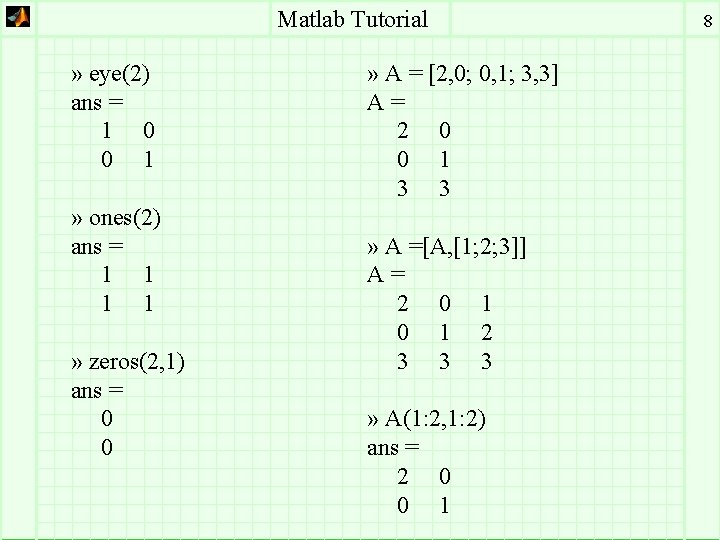
Matlab Tutorial » eye(2) ans = 1 0 0 1 » ones(2) ans = 1 1 » zeros(2, 1) ans = 0 0 » A = [2, 0; 0, 1; 3, 3] A= 2 0 0 1 3 3 » A =[A, [1; 2; 3]] A= 2 0 1 2 3 3 3 » A(1: 2, 1: 2) ans = 2 0 0 1 8
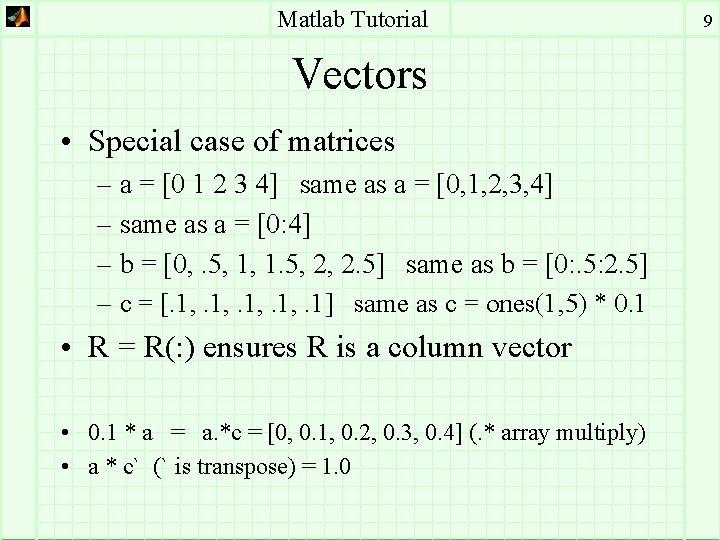
Matlab Tutorial Vectors • Special case of matrices – a = [0 1 2 3 4] same as a = [0, 1, 2, 3, 4] – same as a = [0: 4] – b = [0, . 5, 1, 1. 5, 2, 2. 5] same as b = [0: . 5: 2. 5] – c = [. 1, . 1] same as c = ones(1, 5) * 0. 1 • R = R(: ) ensures R is a column vector • 0. 1 * a = a. *c = [0, 0. 1, 0. 2, 0. 3, 0. 4] (. * array multiply) • a * c` (` is transpose) = 1. 0 9
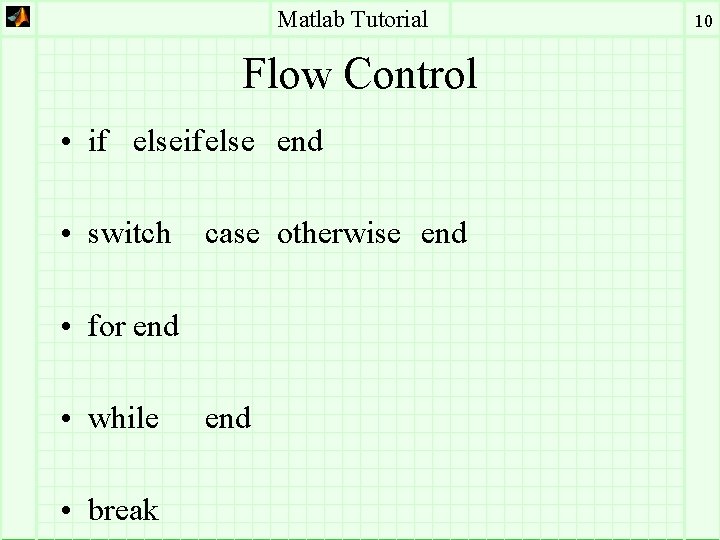
Matlab Tutorial Flow Control • if elseifelse end • switch case otherwise end • for end • while • break end 10
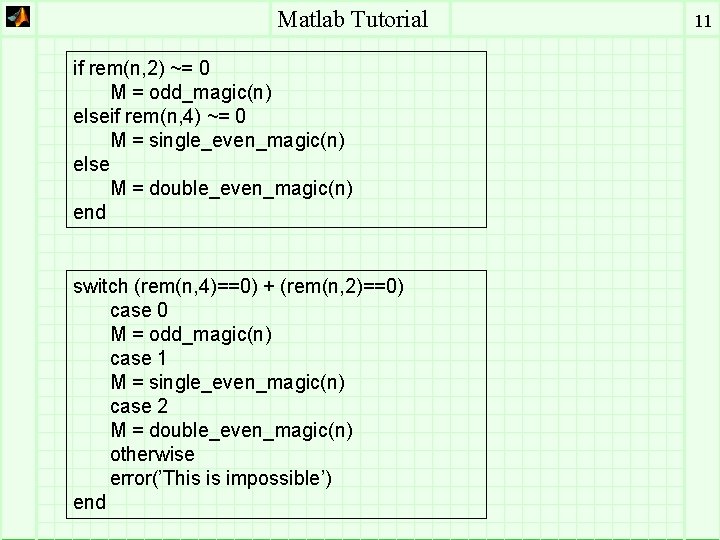
Matlab Tutorial if rem(n, 2) ~= 0 M = odd_magic(n) elseif rem(n, 4) ~= 0 M = single_even_magic(n) else M = double_even_magic(n) end switch (rem(n, 4)==0) + (rem(n, 2)==0) case 0 M = odd_magic(n) case 1 M = single_even_magic(n) case 2 M = double_even_magic(n) otherwise error(’This is impossible’) end 11
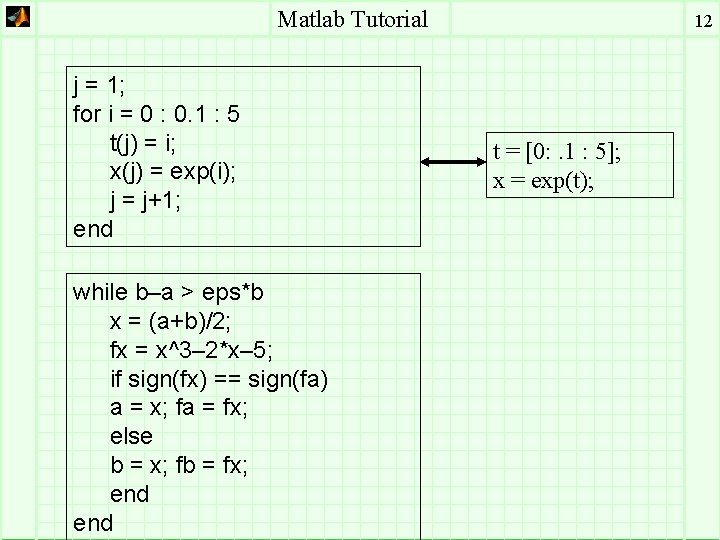
Matlab Tutorial j = 1; for i = 0 : 0. 1 : 5 t(j) = i; x(j) = exp(i); j = j+1; end while b–a > eps*b x = (a+b)/2; fx = x^3– 2*x– 5; if sign(fx) == sign(fa) a = x; fa = fx; else b = x; fb = fx; end 12 t = [0: . 1 : 5]; x = exp(t);
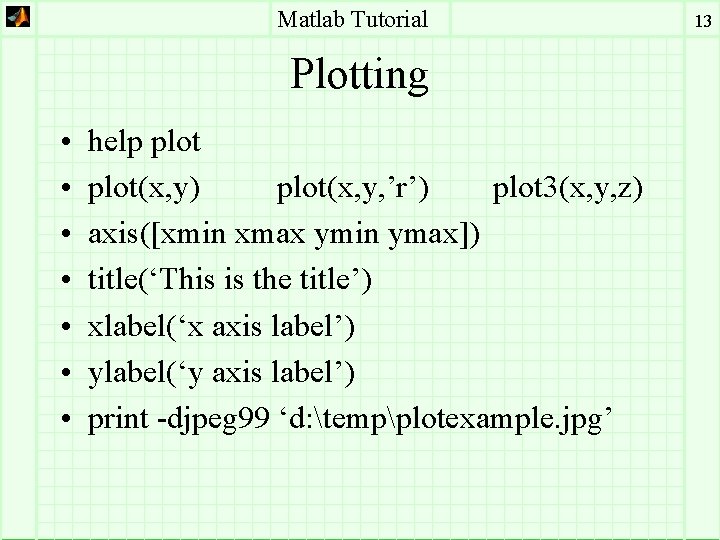
Matlab Tutorial Plotting • • help plot(x, y) plot(x, y, ’r’) plot 3(x, y, z) axis([xmin xmax ymin ymax]) title(‘This is the title’) xlabel(‘x axis label’) ylabel(‘y axis label’) print -djpeg 99 ‘d: tempplotexample. jpg’ 13
![Matlab Tutorial » t = [0: . 01: 5]; » x = exp(t); »](http://slidetodoc.com/presentation_image_h/fd968f6950a33dc394e0f9a11d3dae2e/image-14.jpg "Matlab Tutorial » t = [0: . 01: 5]; » x = exp(t); »")
Matlab Tutorial » t = [0: . 01: 5]; » x = exp(t); » plot(t, x) » title(`e^t`) » xlabel(`time (seconds)`) » ylabel(`exp(t)`) 14

Matlab Tutorial Saved as a. jpg (99) 15
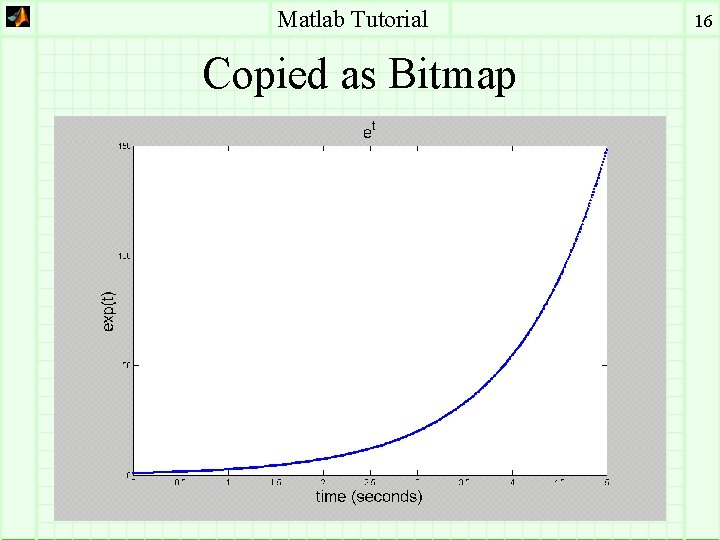
Matlab Tutorial Copied as Bitmap 16
Matlab Tutorial Copied as Windows WMF 17
Matlab Tutorial Loading and Saving • Load and Save in binary and ASCII – ASCII easier to share with other applications • save ‘d: tempmy_matrix. txt’ A -ascii -double • load ‘d: tempmy_matrix. txt’ – becomes variable my_matrix – loads rows and columns of numbers only • Be care in naming your variables • save variable_name (saves all variables in the current workspace 18
![Matlab Tutorial » x = [0: 10]`; » y = [x x. ^2 x.](http://slidetodoc.com/presentation_image_h/fd968f6950a33dc394e0f9a11d3dae2e/image-19.jpg "Matlab Tutorial » x = [0: 10]`; » y = [x x. ^2 x.")
Matlab Tutorial » x = [0: 10]`; » y = [x x. ^2 x. ^3 x. ^4] y= 0 1 2 3 4 5 6 7 8 9 10 0 1 4 9 16 25 36 49 64 81 100 0 1 8 27 64 125 216 343 512 729 1000 » save `d: tempy 1. txt` y -ascii 0 1 16 81 256 625 1296 2401 4096 6561 10000 19
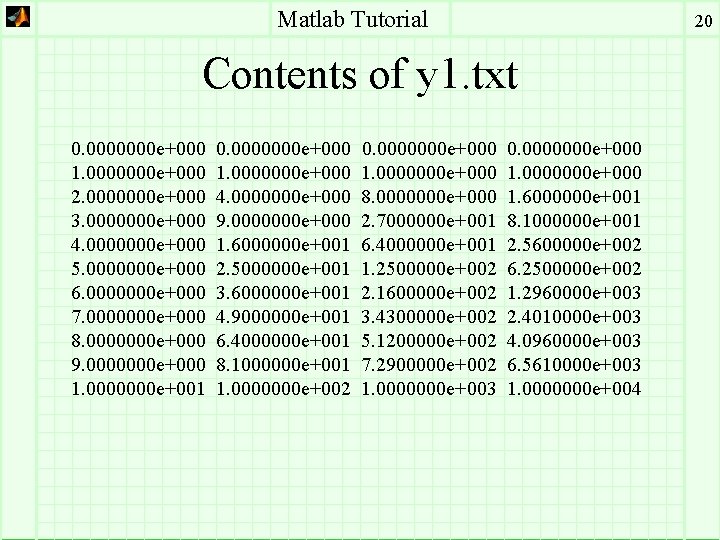
Matlab Tutorial 20 Contents of y 1. txt 0. 0000000 e+000 1. 0000000 e+000 2. 0000000 e+000 3. 0000000 e+000 4. 0000000 e+000 5. 0000000 e+000 6. 0000000 e+000 7. 0000000 e+000 8. 0000000 e+000 9. 0000000 e+000 1. 0000000 e+001 0. 0000000 e+000 1. 0000000 e+000 4. 0000000 e+000 9. 0000000 e+000 1. 6000000 e+001 2. 5000000 e+001 3. 6000000 e+001 4. 9000000 e+001 6. 4000000 e+001 8. 1000000 e+001 1. 0000000 e+002 0. 0000000 e+000 1. 0000000 e+000 8. 0000000 e+000 2. 7000000 e+001 6. 4000000 e+001 1. 2500000 e+002 2. 1600000 e+002 3. 4300000 e+002 5. 1200000 e+002 7. 2900000 e+002 1. 0000000 e+003 0. 0000000 e+000 1. 6000000 e+001 8. 1000000 e+001 2. 5600000 e+002 6. 2500000 e+002 1. 2960000 e+003 2. 4010000 e+003 4. 0960000 e+003 6. 5610000 e+003 1. 0000000 e+004
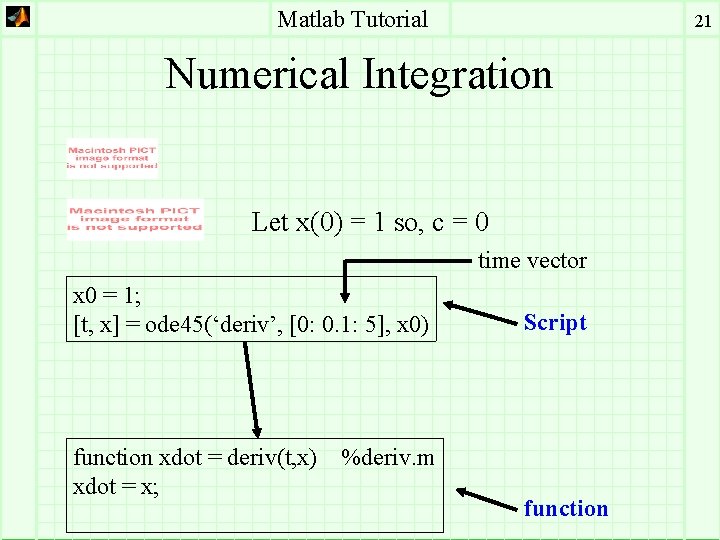
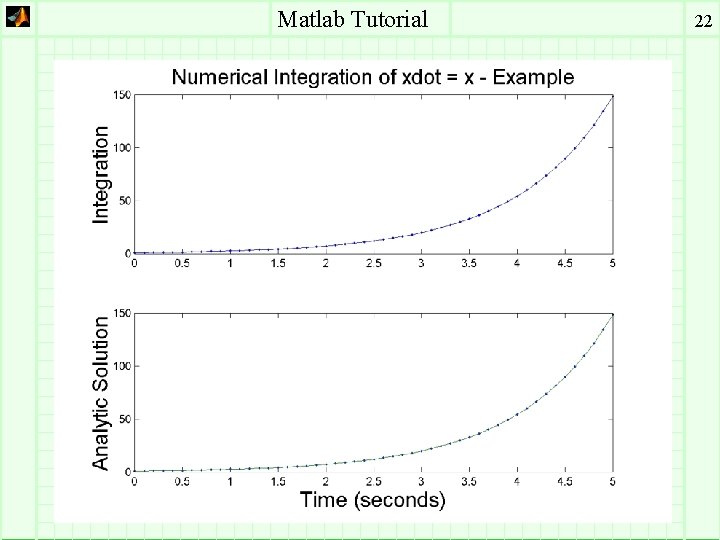
Matlab Tutorial 21 Numerical Integration Let x(0) = 1 so, c = 0 time vector x 0 = 1; [t, x] = ode 45(‘deriv’, [0: 0. 1: 5], x 0) function xdot = deriv(t, x) xdot = x; Script %deriv. m function
Matlab Tutorial 22
Matlab Tutorial Numerical Integration (cont. ) • Use Options to set the tolerance!!!!!!! • Two-body Example: 23
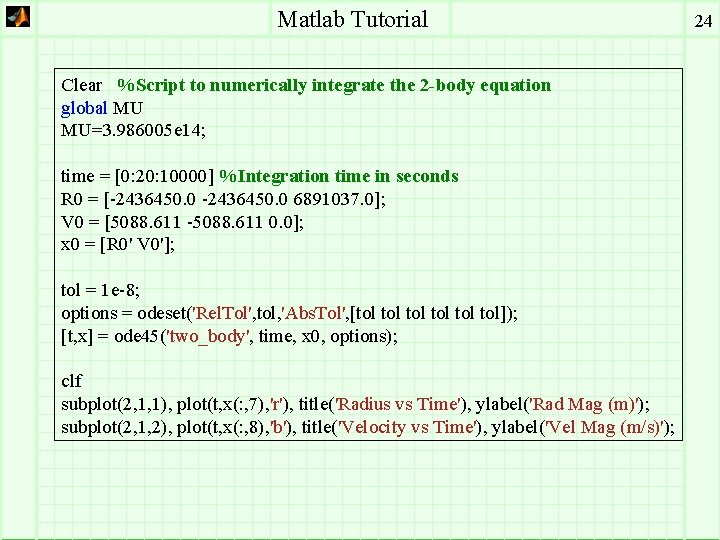
Matlab Tutorial Clear %Script to numerically integrate the 2 -body equation global MU MU=3. 986005 e 14; time = [0: 20: 10000] %Integration time in seconds R 0 = [-2436450. 0 6891037. 0]; V 0 = [5088. 611 -5088. 611 0. 0]; x 0 = [R 0' V 0']; tol = 1 e-8; options = odeset('Rel. Tol', tol, 'Abs. Tol', [tol tol]); [t, x] = ode 45('two_body', time, x 0, options); clf subplot(2, 1, 1), plot(t, x(: , 7), 'r'), title('Radius vs Time'), ylabel('Rad Mag (m)'); subplot(2, 1, 2), plot(t, x(: , 8), 'b'), title('Velocity vs Time'), ylabel('Vel Mag (m/s)'); 24
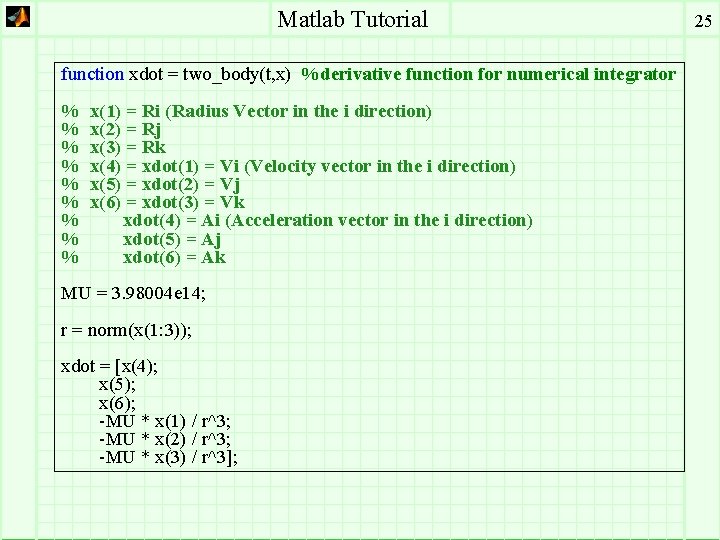
Matlab Tutorial function xdot = two_body(t, x) %derivative function for numerical integrator % % % % % x(1) = Ri (Radius Vector in the i direction) x(2) = Rj x(3) = Rk x(4) = xdot(1) = Vi (Velocity vector in the i direction) x(5) = xdot(2) = Vj x(6) = xdot(3) = Vk xdot(4) = Ai (Acceleration vector in the i direction) xdot(5) = Aj xdot(6) = Ak MU = 3. 98004 e 14; r = norm(x(1: 3)); xdot = [x(4); x(5); x(6); -MU * x(1) / r^3; -MU * x(2) / r^3; -MU * x(3) / r^3]; 25

Matlab Tutorial Symbolic Toolbox • help symbolic • Example syms x y z mu r = sqrt(x^2 + y^2 + z^2) U = mu/r acell_x = diff(U, x) acell_y = diff(U, y) acell_z = diff(U, z) r = (x^2+y^2+z^2)^(1/2) U = mu/(x^2+y^2+z^2)^(1/2) acell_x = -mu/(x^2+y^2+z^2)^(3/2)*x acell_y = -mu/(x^2+y^2+z^2)^(3/2)*y acell_z = -mu/(x^2+y^2+z^2)^(3/2)*z 26
- Slides: 26