
MATLAB interp 1 n 9 1interp 101 m

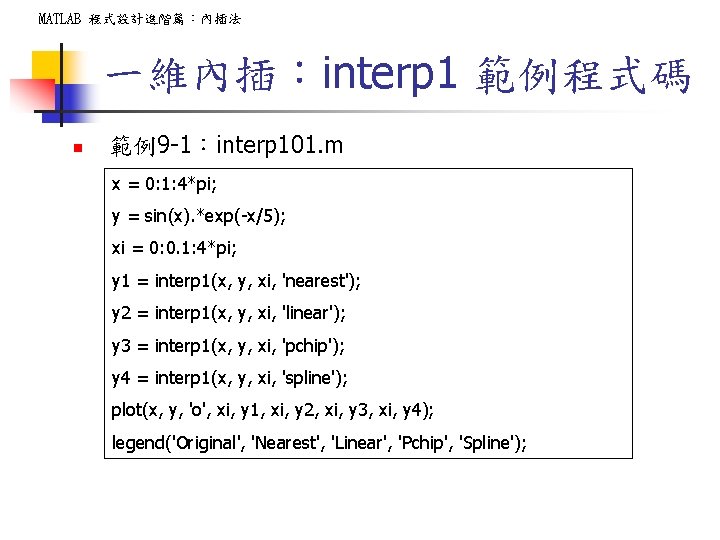
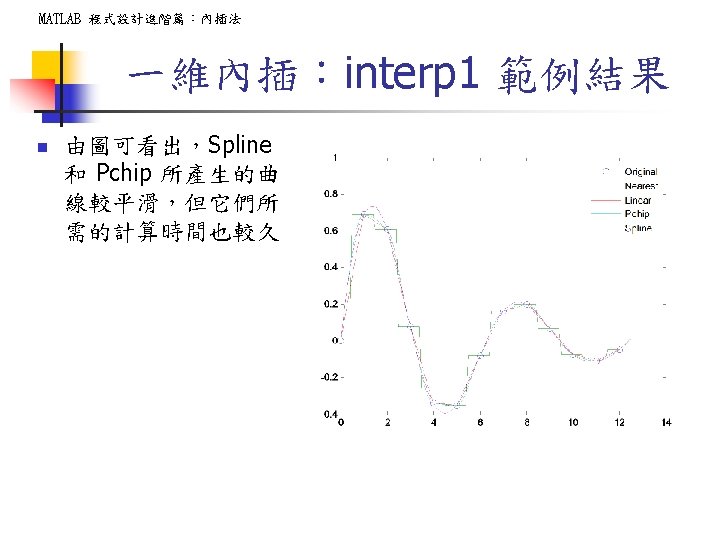
MATLAB 程式設計進階篇:內插法 一維內插:interp 1 範例程式碼 n 範例9 -1:interp 101. m x = 0: 1: 4*pi; y = sin(x). *exp(-x/5); xi = 0: 0. 1: 4*pi; y 1 = interp 1(x, y, xi, 'nearest'); y 2 = interp 1(x, y, xi, 'linear'); y 3 = interp 1(x, y, xi, 'pchip'); y 4 = interp 1(x, y, xi, 'spline'); plot(x, y, 'o', xi, y 1, xi, y 2, xi, y 3, xi, y 4); legend('Original', 'Nearest', 'Linear', 'Pchip', 'Spline');
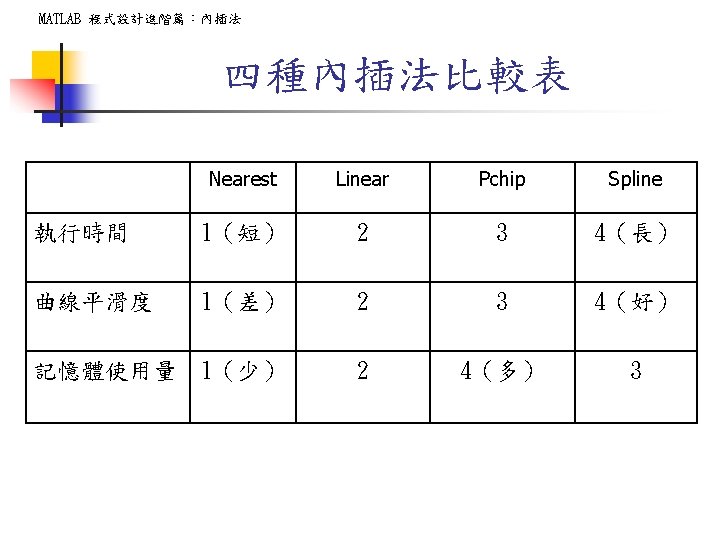
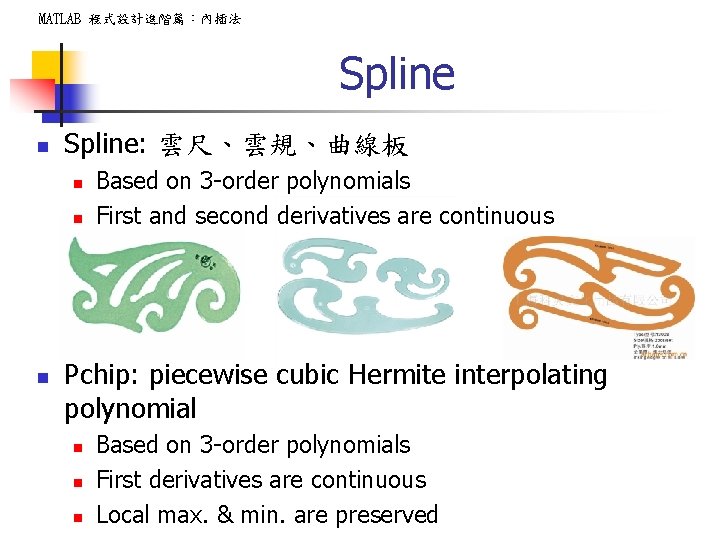
MATLAB 程式設計進階篇:內插法 Spline n Spline: 雲尺、雲規、曲線板 n n n Based on 3 -order polynomials First and second derivatives are continuous Pchip: piecewise cubic Hermite interpolating polynomial n n n Based on 3 -order polynomials First derivatives are continuous Local max. & min. are preserved
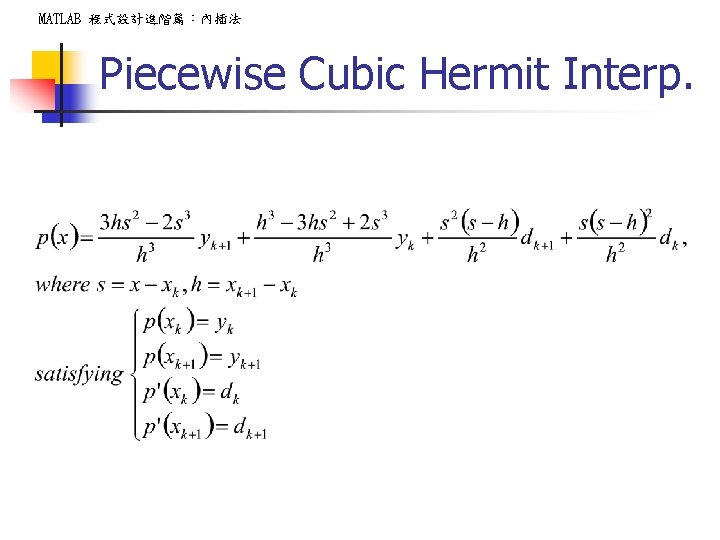
MATLAB 程式設計進階篇:內插法 Piecewise Cubic Hermit Interp.
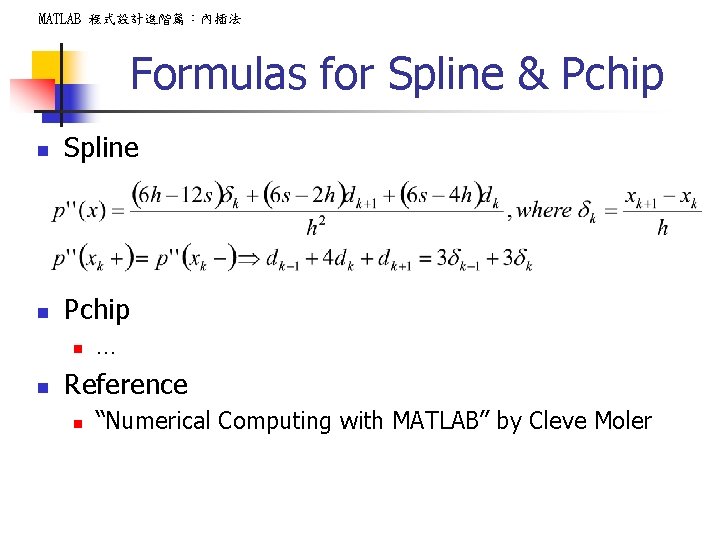
MATLAB 程式設計進階篇:內插法 Formulas for Spline & Pchip n Spline n Pchip n n … Reference n “Numerical Computing with MATLAB” by Cleve Moler
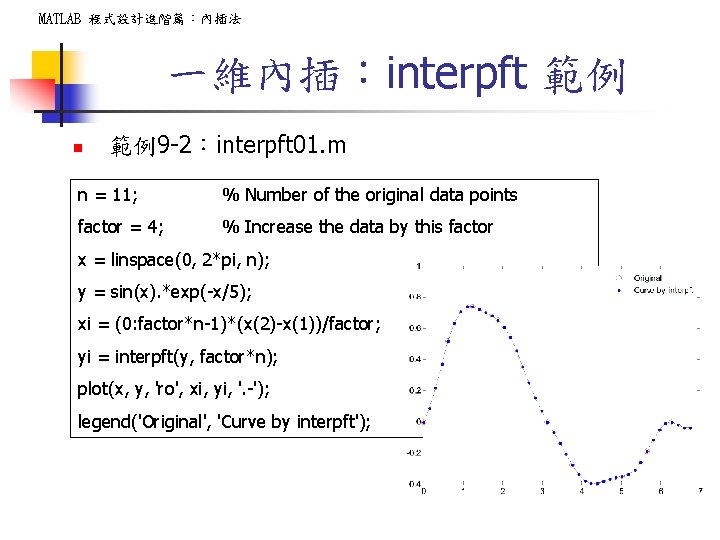
MATLAB 程式設計進階篇:內插法 一維內插:interpft 範例 n 範例9 -2:interpft 01. m n = 11; % Number of the original data points factor = 4; % Increase the data by this factor x = linspace(0, 2*pi, n); y = sin(x). *exp(-x/5); xi = (0: factor*n-1)*(x(2)-x(1))/factor; yi = interpft(y, factor*n); plot(x, y, 'ro', xi, yi, '. -'); legend('Original', 'Curve by interpft');
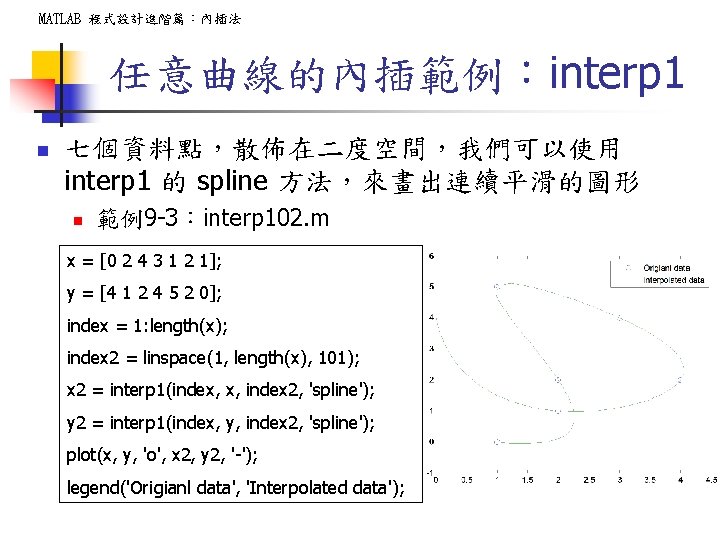
MATLAB 程式設計進階篇:內插法 任意曲線的內插範例:interp 1 n 七個資料點,散佈在二度空間,我們可以使用 interp 1 的 spline 方法,來畫出連續平滑的圖形 n 範例9 -3:interp 102. m x = [0 2 4 3 1 2 1]; y = [4 1 2 4 5 2 0]; index = 1: length(x); index 2 = linspace(1, length(x), 101); x 2 = interp 1(index, x, index 2, 'spline'); y 2 = interp 1(index, y, index 2, 'spline'); plot(x, y, 'o', x 2, y 2, '-'); legend('Origianl data', 'Interpolated data');
![任意曲線的內插:各種方法 (II) MATLAB 程式設計進階篇:內插法 x = [0 2 4 3 1 2 1]; y](http://slidetodoc.com/presentation_image_h/24bc9c81850938b913239248d8a37614/image-19.jpg "任意曲線的內插:各種方法 (II) MATLAB 程式設計進階篇:內插法 x = [0 2 4 3 1 2 1]; y")
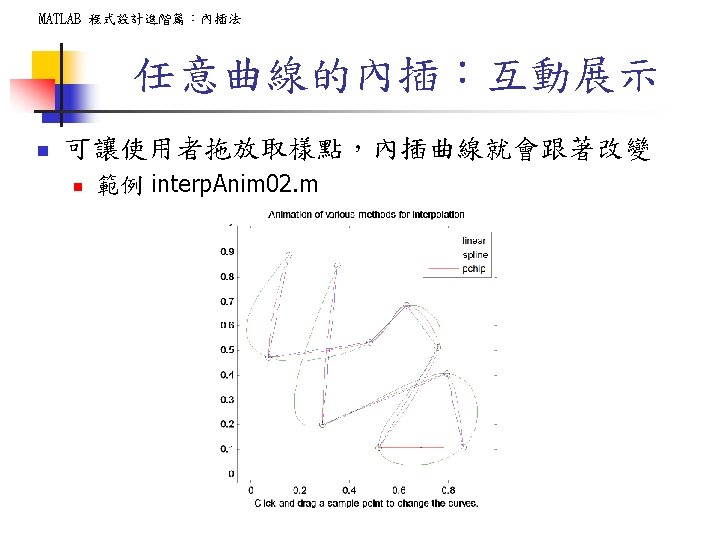
任意曲線的內插:各種方法 (II) MATLAB 程式設計進階篇:內插法 x = [0 2 4 3 1 2 1]; y = [4 1 1 4 5 2 0]; index = 1: length(x); index 2 = linspace(1, length(x), 101); x 2 = interp 1(index, x, index 2, 'nearest'); y 2 = interp 1(index, y, index 2, 'nearest'); x 3 = interp 1(index, x, index 2, 'linear'); y 3 = interp 1(index, y, index 2, 'linear'); x 4 = interp 1(index, x, index 2, 'pchip'); y 4 = interp 1(index, y, index 2, 'pchip'); x 5 = interp 1(index, x, index 2, 'spline'); y 5 = interp 1(index, y, index 2, 'spline'); plot(x, y, 'o', x 2, y 2, '-'); plot(x, y , 'o', x 2 , y 2, x 3 , y 3 , x 4 , y 4, x 5, y 5); legend('Original', 'Nearest', 'Linear', 'Pchip', 'Spline');
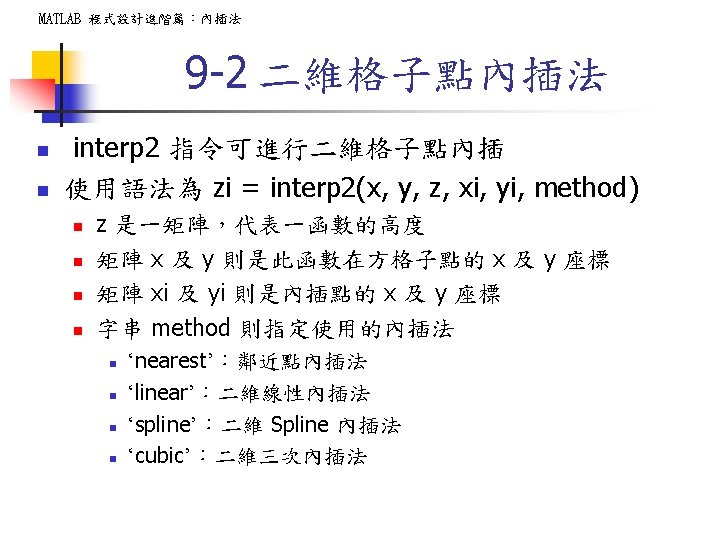
![MATLAB 程式設計進階篇:內插法 二維格子點內插法:範例 (I) n 範例9 -5:interp 201. m [x, y] = meshgrid(-3: 1:](http://slidetodoc.com/presentation_image_h/24bc9c81850938b913239248d8a37614/image-23.jpg "MATLAB 程式設計進階篇:內插法 二維格子點內插法:範例 (I) n 範例9 -5:interp 201. m [x, y] = meshgrid(-3: 1:")
MATLAB 程式設計進階篇:內插法 二維格子點內插法:範例 (I) n 範例9 -5:interp 201. m [x, y] = meshgrid(-3: 1: 3); % 產生 -3 至 3 的格子點 z = peaks(x, y); % 產生 peaks 曲面資料 [xi, yi] = meshgrid(-3: . 25: 3); % 生產內插點 zi 1 = interp 2(x, y, z, xi, yi, 'nearest'); zi 2 = interp 2(x, y, z, xi, yi, 'linear'); zi 3 = interp 2(x, y, z, xi, yi, 'cubic'); zi 4 = interp 2(x, y, z, xi, yi, 'spline'); subplot(2, 3, 1); surf(x, y, z); axis tight; title('Original'); subplot(2, 3, 3); surf(xi, yi, zi 1); axis tight; title('Nearest'); subplot(2, 3, 4); surf(xi, yi, zi 2); axis tight; title('Linear'); subplot(2, 3, 5); surf(xi, yi, zi 3); axis tight; title('Cubic'); subplot(2, 3, 6); surf(xi, yi, zi 4); axis tight; title('Spline');
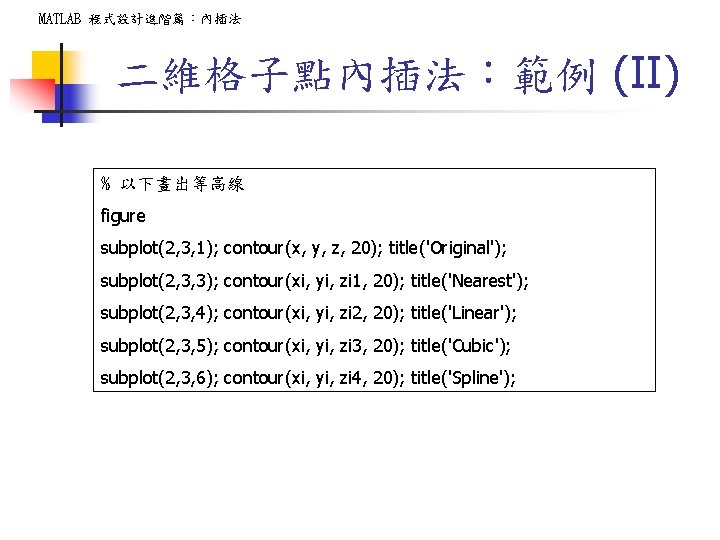
MATLAB 程式設計進階篇:內插法 二維格子點內插法:範例 (II) % 以下畫出等高線 figure subplot(2, 3, 1); contour(x, y, z, 20); title('Original'); subplot(2, 3, 3); contour(xi, yi, zi 1, 20); title('Nearest'); subplot(2, 3, 4); contour(xi, yi, zi 2, 20); title('Linear'); subplot(2, 3, 5); contour(xi, yi, zi 3, 20); title('Cubic'); subplot(2, 3, 6); contour(xi, yi, zi 4, 20); title('Spline');
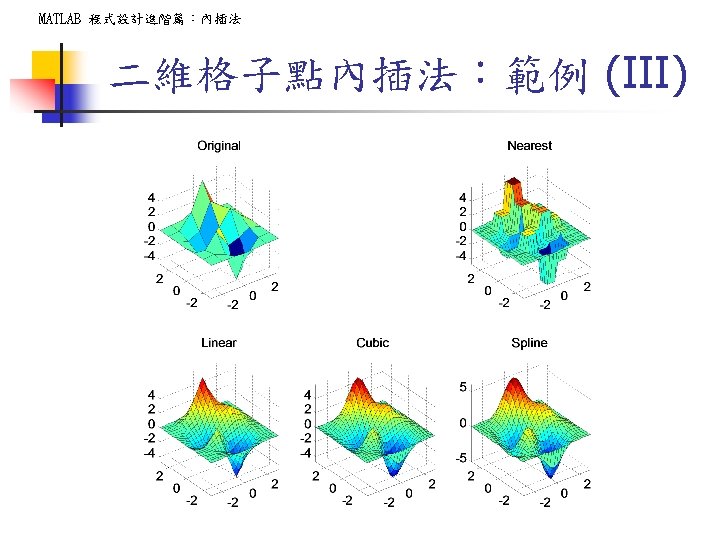
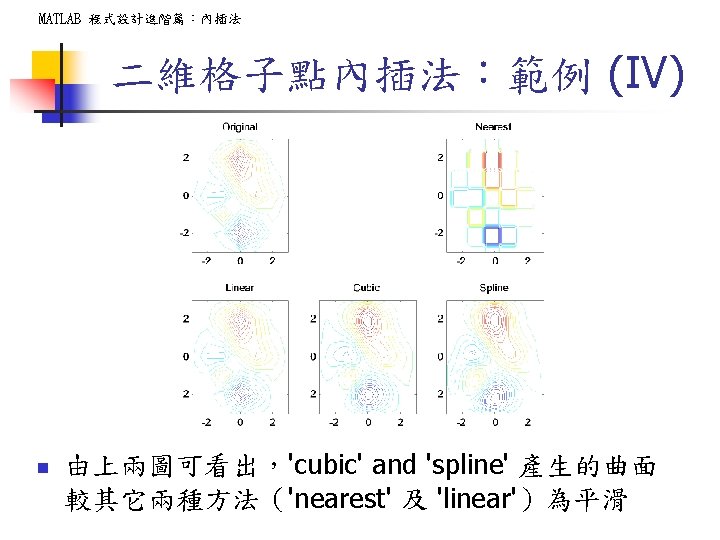
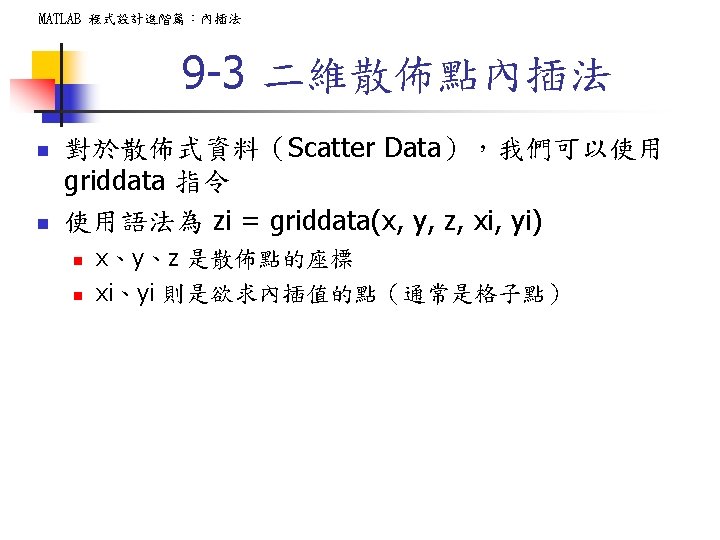
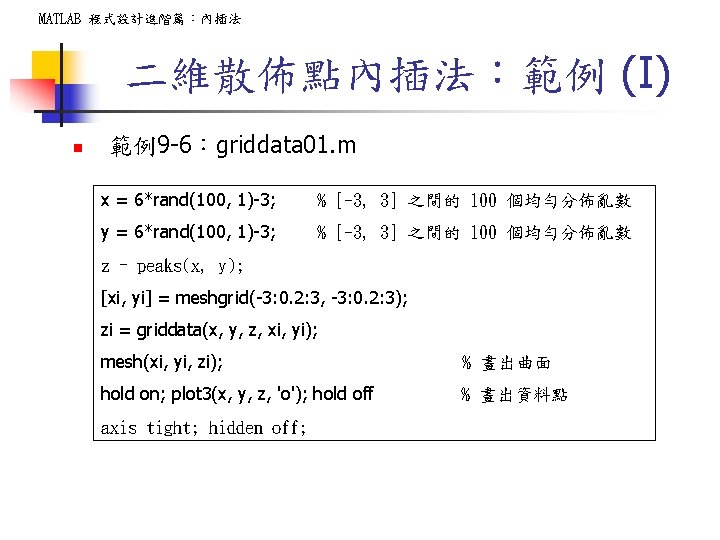
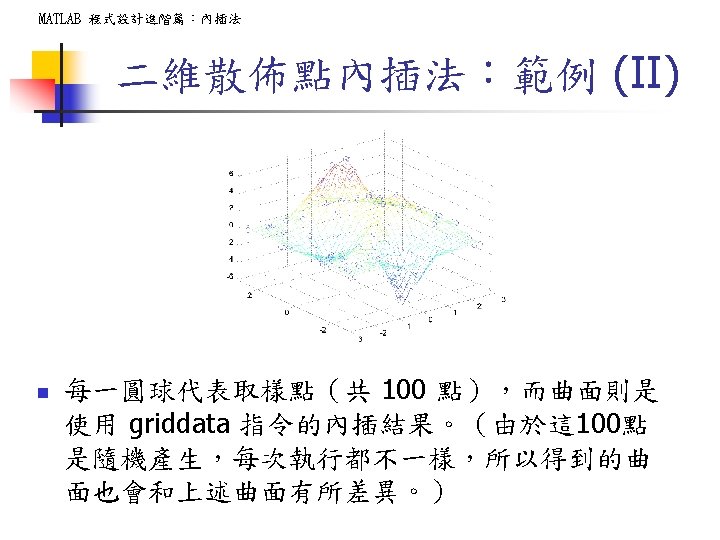
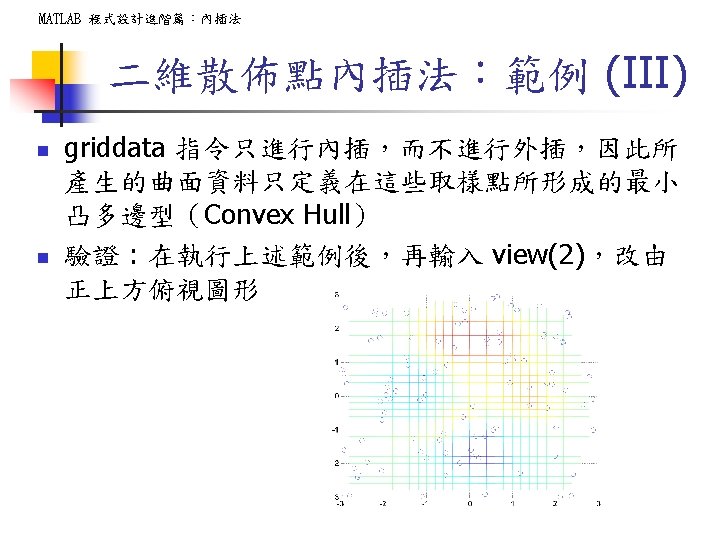
MATLAB 程式設計進階篇:內插法 二維散佈點內插法:範例 (I) n 範例9 -6:griddata 01. m x = 6*rand(100, 1)-3; % [-3, 3] 之間的 100 個均勻分佈亂數 y = 6*rand(100, 1)-3; % [-3, 3] 之間的 100 個均勻分佈亂數 z = peaks(x, y); [xi, yi] = meshgrid(-3: 0. 2: 3, -3: 0. 2: 3); zi = griddata(x, y, z, xi, yi); mesh(xi, yi, zi); % 畫出曲面 hold on; plot 3(x, y, z, 'o'); hold off % 畫出資料點 axis tight; hidden off;
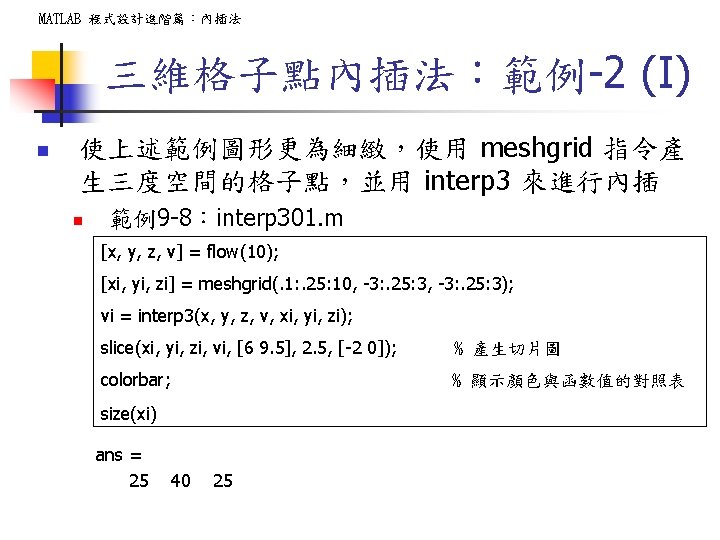
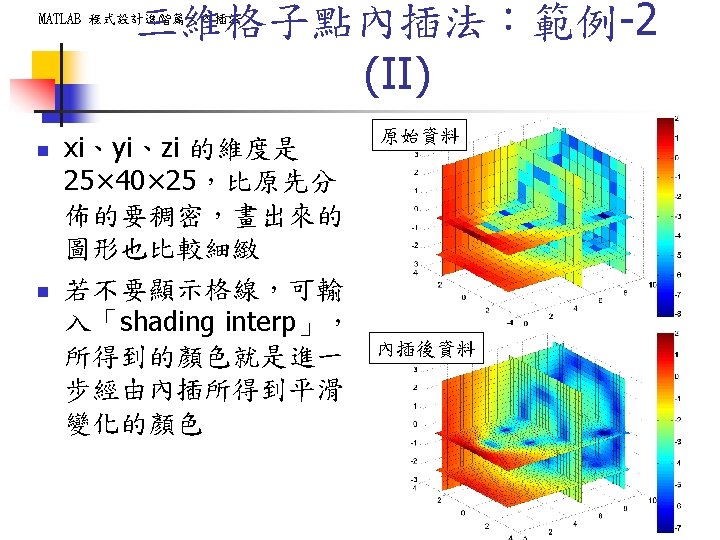
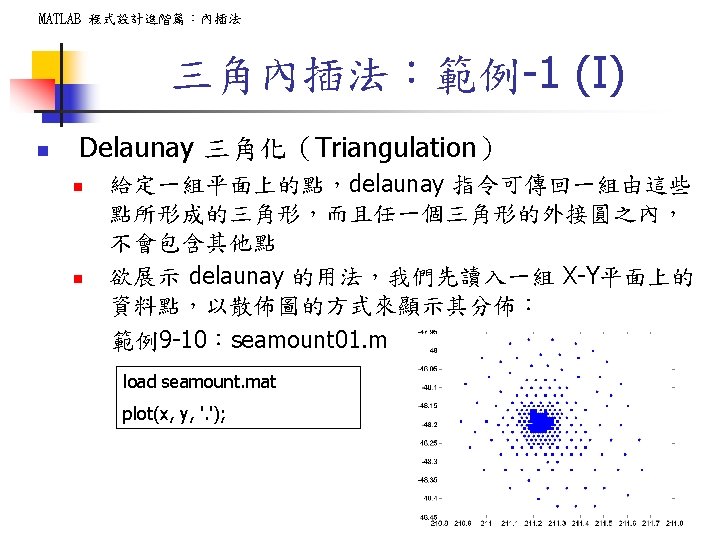
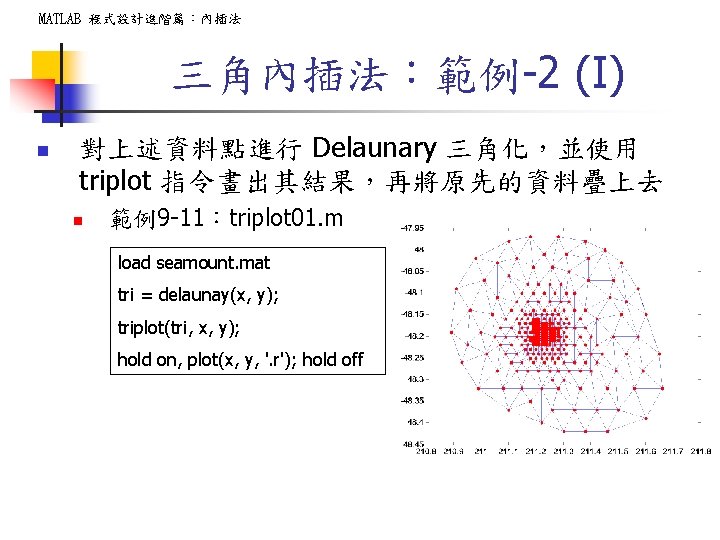
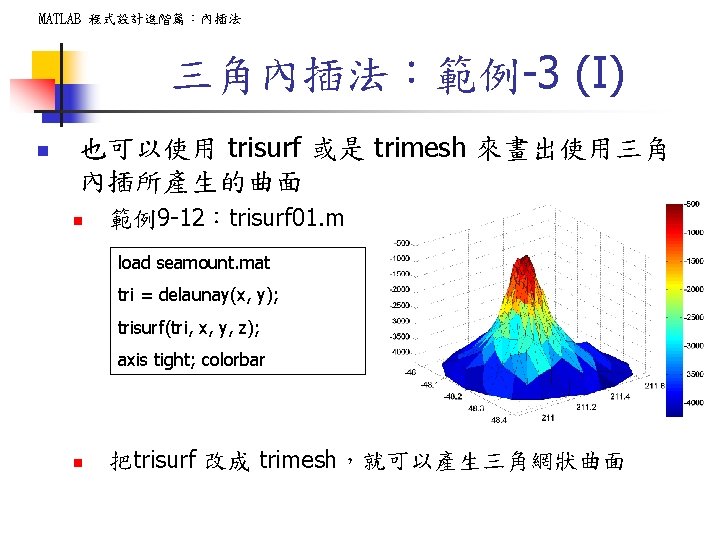
MATLAB 程式設計進階篇:內插法 三角內插法:範例-3 (I) n 也可以使用 trisurf 或是 trimesh 來畫出使用三角 內插所產生的曲面 n 範例9 -12:trisurf 01. m load seamount. mat tri = delaunay(x, y); trisurf(tri, x, y, z); axis tight; colorbar n 把trisurf 改成 trimesh,就可以產生三角網狀曲面
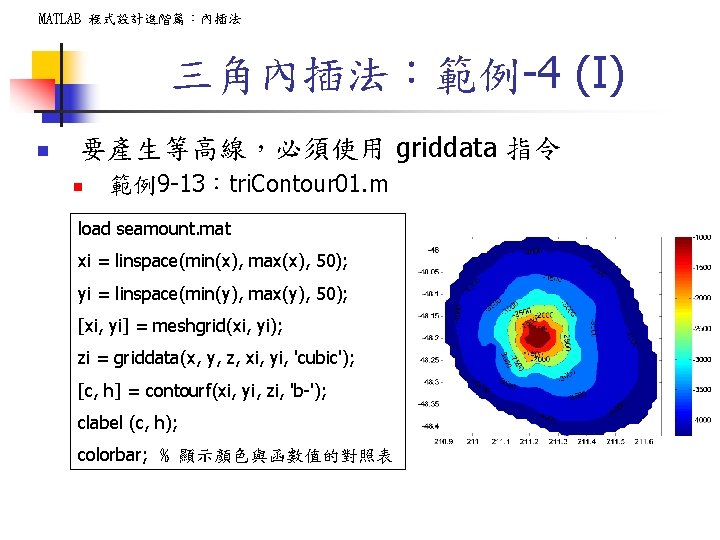
MATLAB 程式設計進階篇:內插法 三角內插法:範例-4 (I) n 要產生等高線,必須使用 griddata 指令 n 範例9 -13:tri. Contour 01. m load seamount. mat xi = linspace(min(x), max(x), 50); yi = linspace(min(y), max(y), 50); [xi, yi] = meshgrid(xi, yi); zi = griddata(x, y, z, xi, yi, 'cubic'); [c, h] = contourf(xi, yi, zi, 'b-'); clabel (c, h); colorbar; % 顯示顏色與函數值的對照表
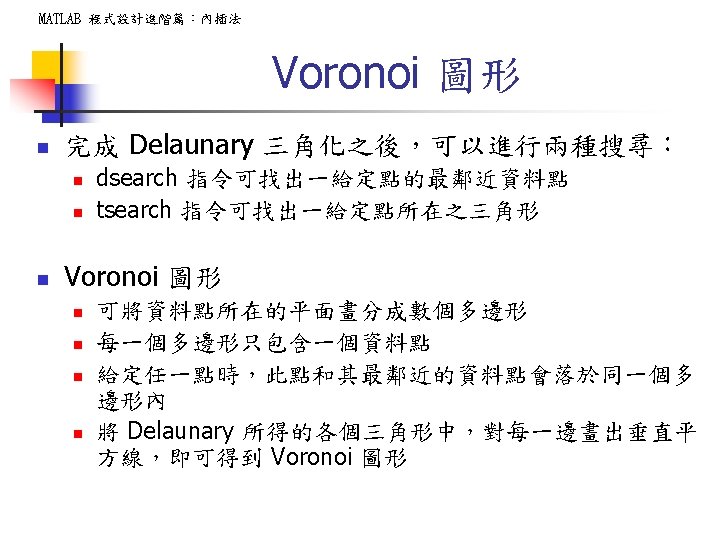
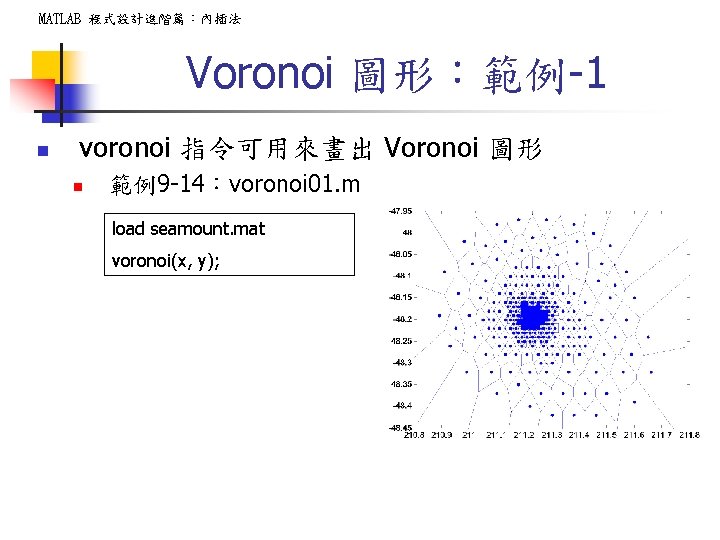
MATLAB 程式設計進階篇:內插法 Voronoi 圖形:範例-1 n voronoi 指令可用來畫出 Voronoi 圖形 n 範例9 -14:voronoi 01. m load seamount. mat voronoi(x, y);
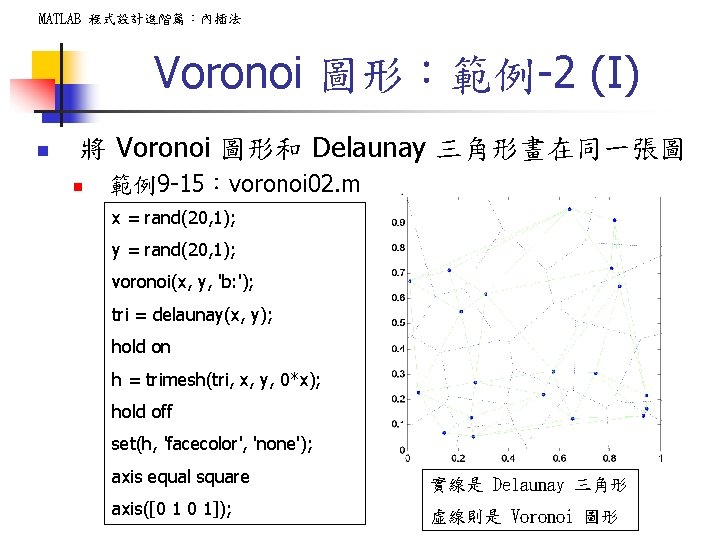
MATLAB 程式設計進階篇:內插法 Voronoi 圖形:範例-2 (I) n 將 Voronoi 圖形和 Delaunay 三角形畫在同一張圖 n 範例9 -15:voronoi 02. m x = rand(20, 1); y = rand(20, 1); voronoi(x, y, 'b: '); tri = delaunay(x, y); hold on h = trimesh(tri, x, y, 0*x); hold off set(h, 'facecolor', 'none'); axis equal square 實線是 Delaunay 三角形 axis([0 1 0 1]); 虛線則是 Voronoi 圖形

- Slides: 57