
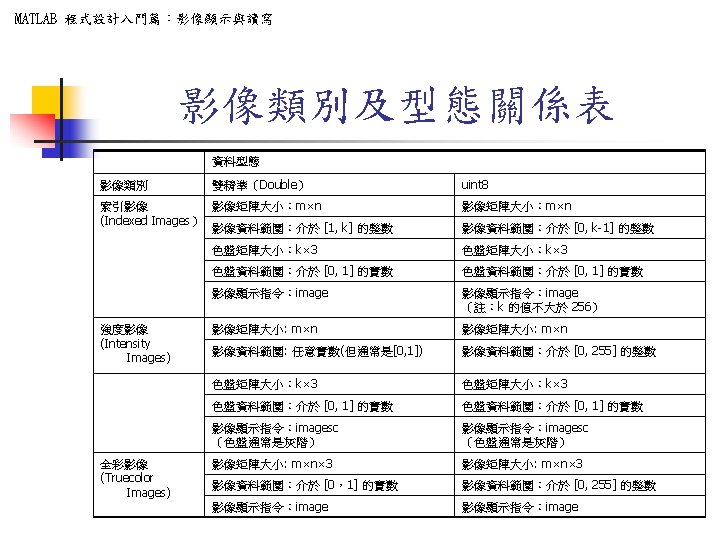
MATLAB IMAGESC n n IMAGESC Scale data and
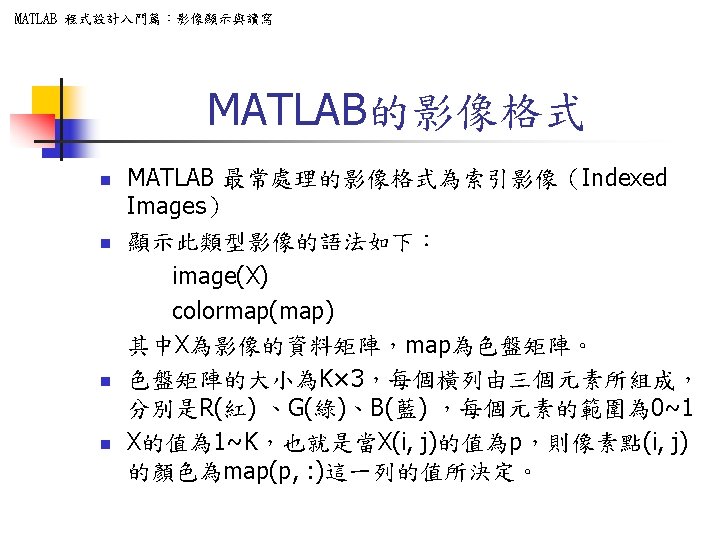
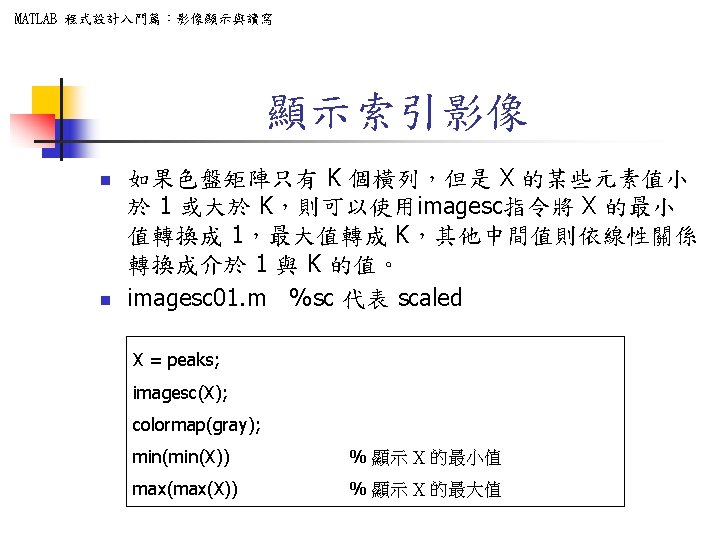
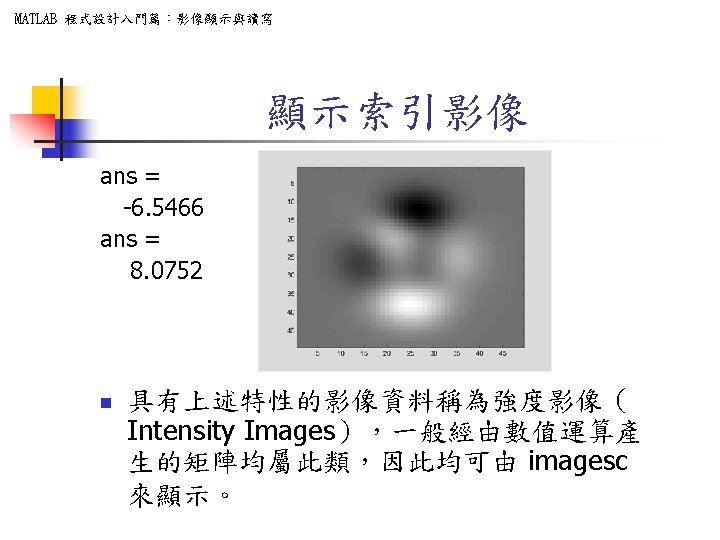
MATLAB 程式設計入門篇:影像顯示與讀寫 IMAGESC(. . . ) n n IMAGESC Scale data and display as image. IMAGESC(. . . ) is the same as IMAGE(. . . ) except the data is scaled to use the full colormap.
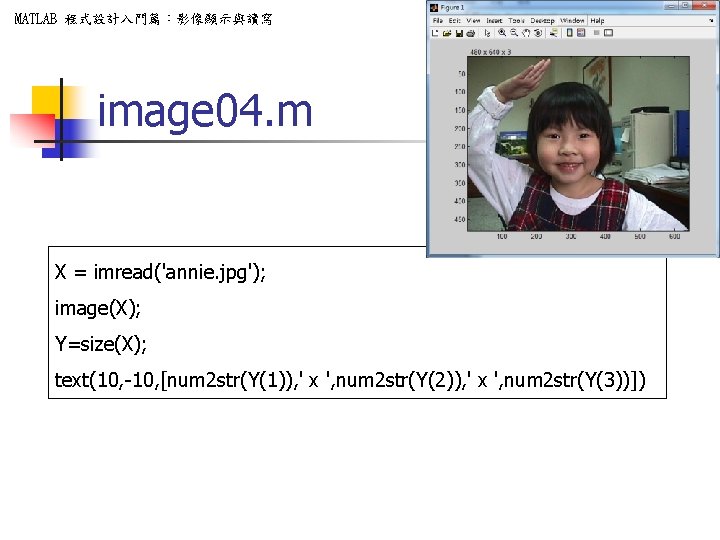
MATLAB 程式設計入門篇:影像顯示與讀寫 image 04. m X = imread('annie. jpg'); image(X); Y=size(X); text(10, -10, [num 2 str(Y(1)), ' x ', num 2 str(Y(2)), ' x ', num 2 str(Y(3))])
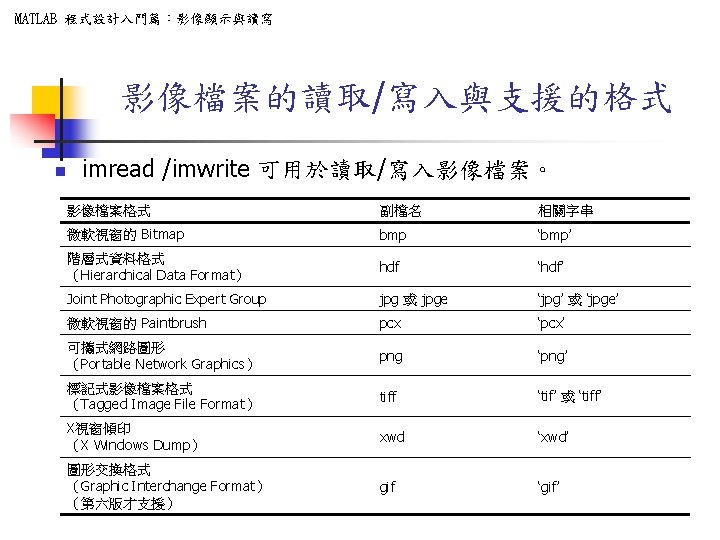
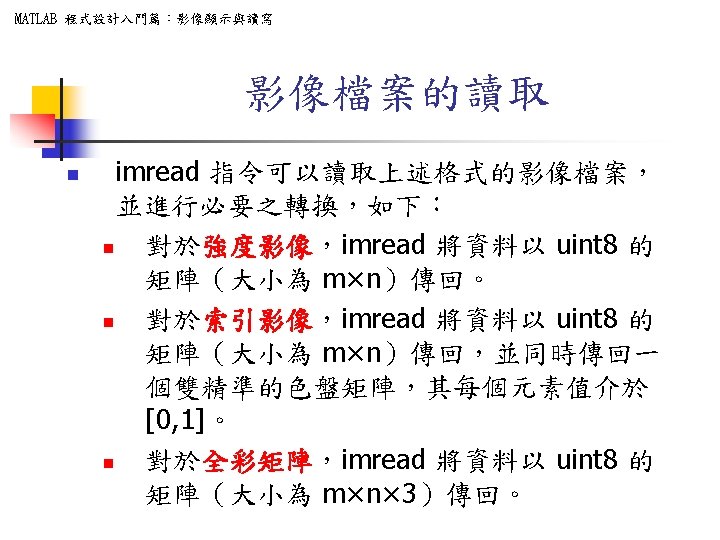
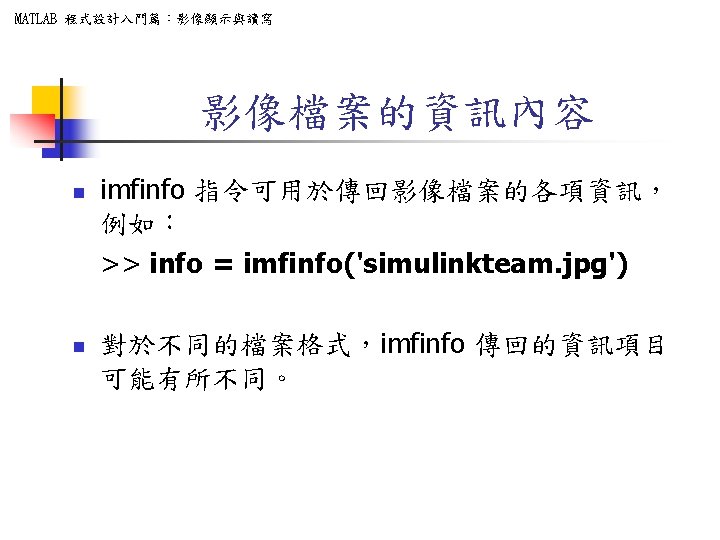
MATLAB 程式設計入門篇:影像顯示與讀寫 影像檔案的讀取/寫入與支援的格式 n imread /imwrite 可用於讀取/寫入影像檔案。 影像檔案格式 副檔名 相關字串 微軟視窗的 Bitmap bmp ‘bmp’ 階層式資料格式 (Hierarchical Data Format) hdf ‘hdf’ Joint Photographic Expert Group jpg 或 jpge ‘jpg’ 或 ‘jpge’ 微軟視窗的 Paintbrush pcx ‘pcx’ 可攜式網路圖形 (Portable Network Graphics) png ‘png’ 標記式影像檔案格式 (Tagged Image File Format) tiff ‘tif’ 或 ‘tiff’ X視窗傾印 (X Windows Dump) xwd ‘xwd’ 圖形交換格式 (Graphic Interchange Format) (第六版才支援) gif ‘gif’
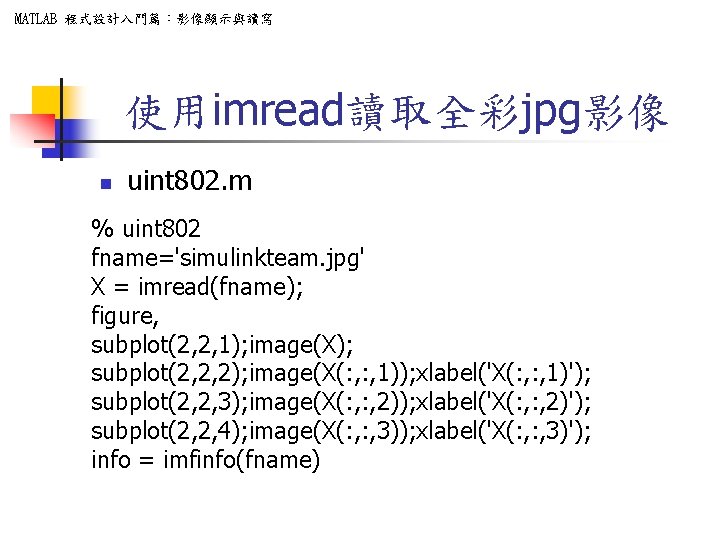
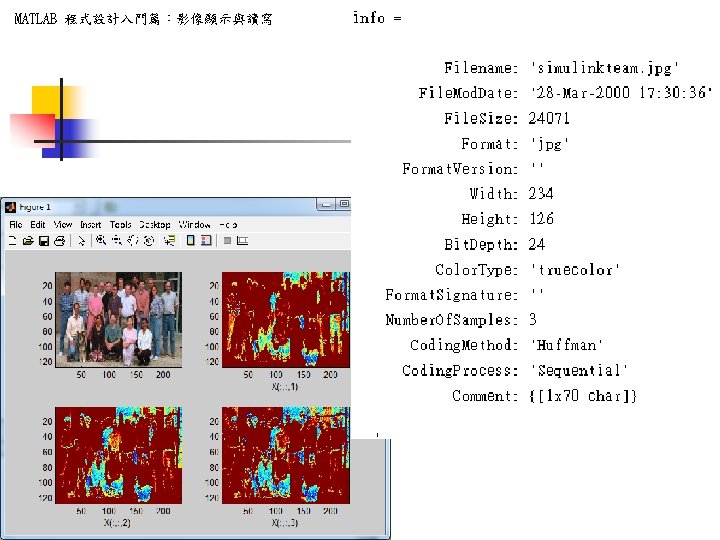
MATLAB 程式設計入門篇:影像顯示與讀寫 使用imread讀取全彩jpg影像 n uint 802. m % uint 802 fname='simulinkteam. jpg' X = imread(fname); figure, subplot(2, 2, 1); image(X); subplot(2, 2, 2); image(X(: , 1)); xlabel('X(: , 1)'); subplot(2, 2, 3); image(X(: , 2)); xlabel('X(: , 2)'); subplot(2, 2, 4); image(X(: , 3)); xlabel('X(: , 3)'); info = imfinfo(fname)
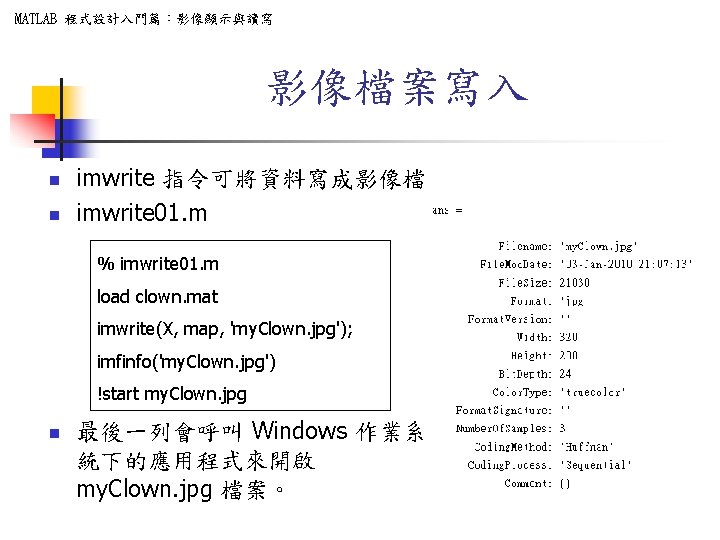
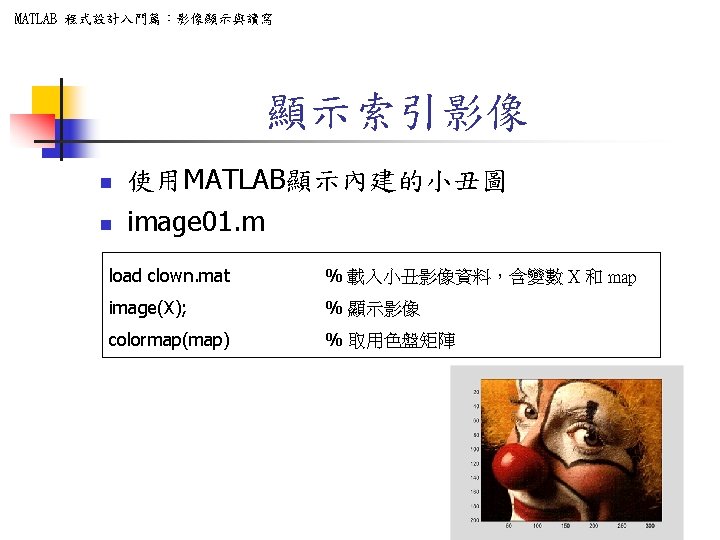
MATLAB 程式設計入門篇:影像顯示與讀寫 影像檔案寫入 n n imwrite 指令可將資料寫成影像檔 imwrite 01. m % imwrite 01. m load clown. mat imwrite(X, map, 'my. Clown. jpg'); imfinfo('my. Clown. jpg') !start my. Clown. jpg n 最後一列會呼叫 Windows 作業系 統下的應用程式來開啟 my. Clown. jpg 檔案。
MATLAB 程式設計入門篇:影像顯示與讀寫 常見的影像處理 • 影像獲取 (image acquisition) • 影像加強 (image enhancement) • 影像復原 (image restoration) • 色彩影像處理(color image processing) • 小波(wavelet) • 壓縮(compression) • 型態上的處理(morphological processing) • 分割 (segmentation) • 表示與描述 (representation and description) • 辨識 (recognition) • 資料庫 knowledge 54
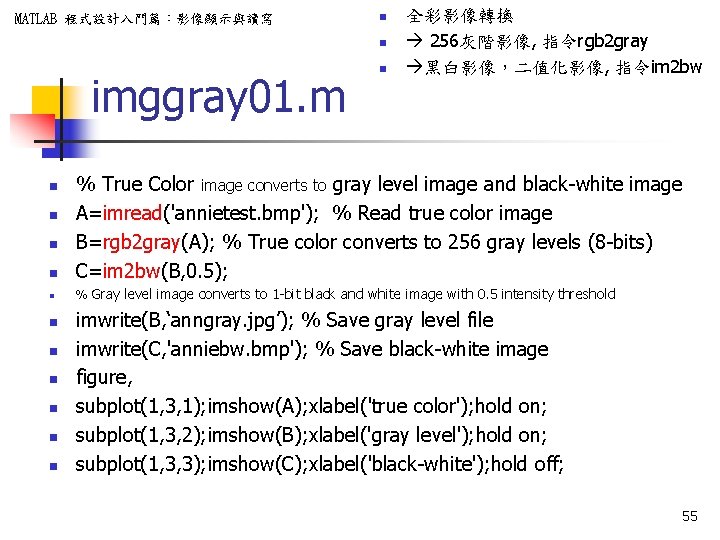
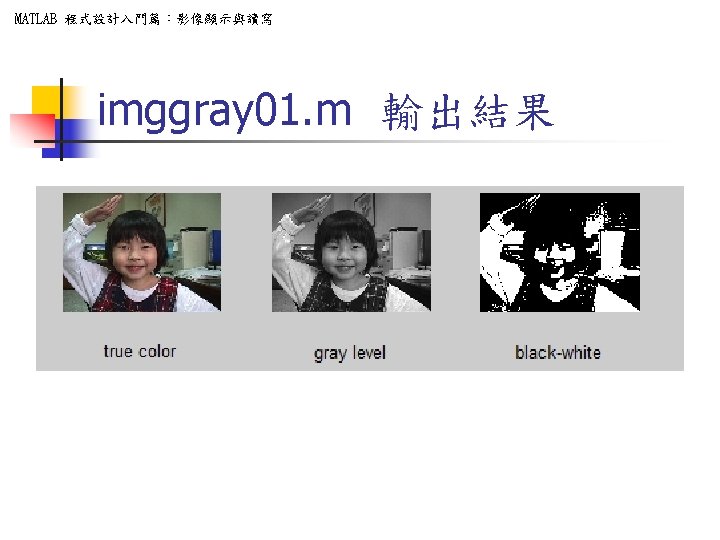
MATLAB 程式設計入門篇:影像顯示與讀寫 n n imggray 01. m n 全彩影像轉換 256灰階影像, 指令rgb 2 gray 黑白影像,二值化影像, 指令im 2 bw n % True Color image converts to gray level image and black-white image A=imread('annietest. bmp'); % Read true color image B=rgb 2 gray(A); % True color converts to 256 gray levels (8 -bits) C=im 2 bw(B, 0. 5); n % Gray level image converts to 1 -bit black and white image with 0. 5 intensity threshold n n n n n imwrite(B, ‘anngray. jpg’); % Save gray level file imwrite(C, 'anniebw. bmp'); % Save black-white image figure, subplot(1, 3, 1); imshow(A); xlabel('true color'); hold on; subplot(1, 3, 2); imshow(B); xlabel('gray level'); hold on; subplot(1, 3, 3); imshow(C); xlabel('black-white'); hold off; 55
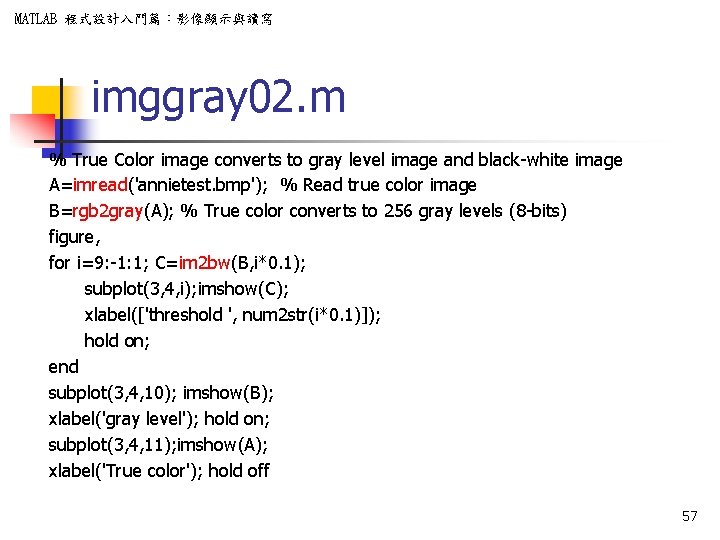
MATLAB 程式設計入門篇:影像顯示與讀寫 imggray 02. m % True Color image converts to gray level image and black-white image A=imread('annietest. bmp'); % Read true color image B=rgb 2 gray(A); % True color converts to 256 gray levels (8 -bits) figure, for i=9: -1: 1; C=im 2 bw(B, i*0. 1); subplot(3, 4, i); imshow(C); xlabel(['threshold ', num 2 str(i*0. 1)]); hold on; end subplot(3, 4, 10); imshow(B); xlabel('gray level'); hold on; subplot(3, 4, 11); imshow(A); xlabel('True color'); hold off 57
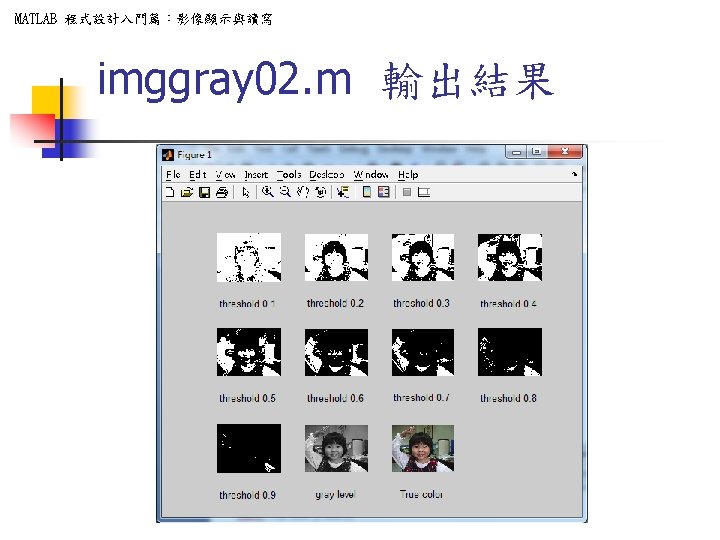
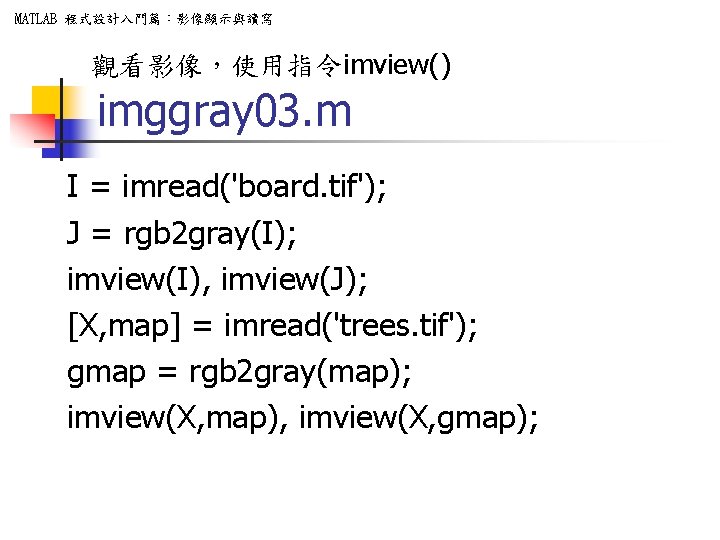
MATLAB 程式設計入門篇:影像顯示與讀寫 觀看影像,使用指令imview() imggray 03. m I = imread('board. tif'); J = rgb 2 gray(I); imview(I), imview(J); [X, map] = imread('trees. tif'); gmap = rgb 2 gray(map); imview(X, map), imview(X, gmap);
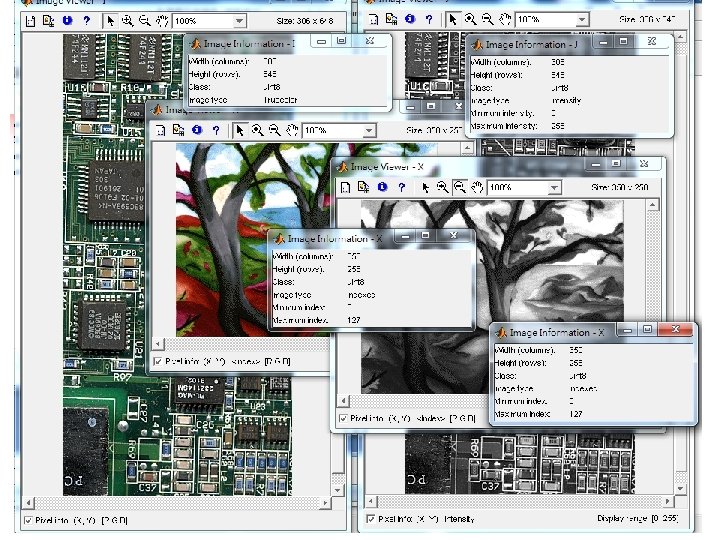
![MATLAB 程式設計入門篇:影像顯示與讀寫 影像均勻化,使用指令histeq() imggray 04. m [X, map] = imread('trees. tif'); imview(X, map), imview(histeq(X));](http://slidetodoc.com/presentation_image/2ffce0e02c5a27ce46717707d55f4518/image-61.jpg "MATLAB 程式設計入門篇:影像顯示與讀寫 影像均勻化,使用指令histeq() imggray 04. m [X, map] = imread('trees. tif'); imview(X, map), imview(histeq(X));")
MATLAB 程式設計入門篇:影像顯示與讀寫 影像均勻化,使用指令histeq() imggray 04. m [X, map] = imread('trees. tif'); imview(X, map), imview(histeq(X)); I = imread('tire. tif'); J = histeq(I); imview(I), imview(J) I = imread('cameraman. tif'); imview(I); imview(histeq(I)); h = imview(I, [0 80]); %close(h) %Imview close all
![MATLAB 程式設計入門篇:影像顯示與讀寫 imggray 05. m function imggray 05 [X, map] = imread('annietest. bmp'); R=X(:](http://slidetodoc.com/presentation_image/2ffce0e02c5a27ce46717707d55f4518/image-63.jpg "MATLAB 程式設計入門篇:影像顯示與讀寫 imggray 05. m function imggray 05 [X, map] = imread('annietest. bmp'); R=X(:")
MATLAB 程式設計入門篇:影像顯示與讀寫 imggray 05. m function imggray 05 [X, map] = imread('annietest. bmp'); R=X(: , 1); G=X(: , 2); B=X(: , 3); imview(X); imview(R); imview(G); imview(B);
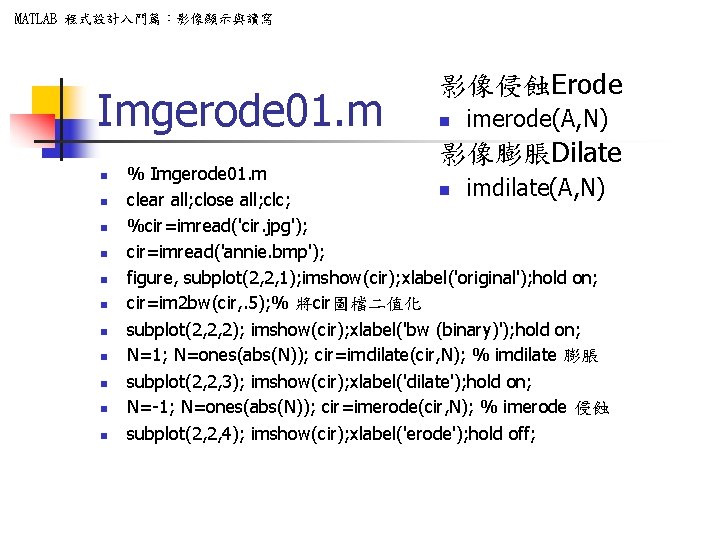
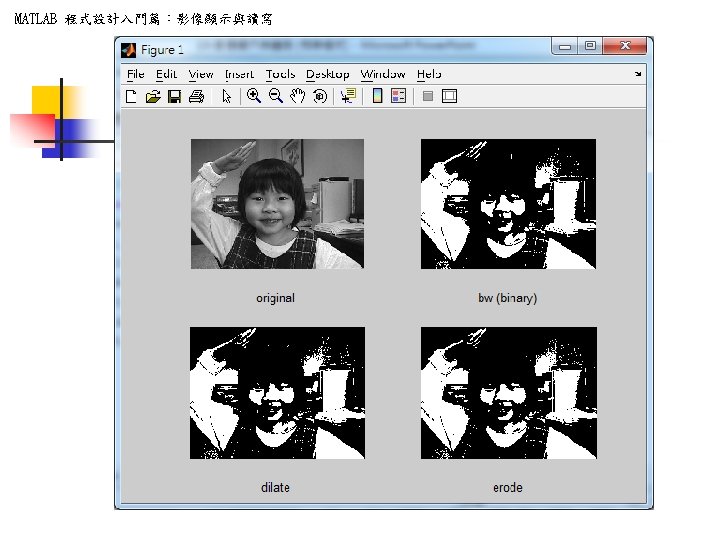
MATLAB 程式設計入門篇:影像顯示與讀寫 Imgerode 01. m 影像侵蝕Erode n imerode(A, N) 影像膨脹Dilate n n n % Imgerode 01. m n imdilate(A, N) clear all; close all; clc; %cir=imread('cir. jpg'); cir=imread('annie. bmp'); figure, subplot(2, 2, 1); imshow(cir); xlabel('original'); hold on; cir=im 2 bw(cir, . 5); % 將cir圖檔二值化 subplot(2, 2, 2); imshow(cir); xlabel('bw (binary)'); hold on; N=1; N=ones(abs(N)); cir=imdilate(cir, N); % imdilate 膨脹 subplot(2, 2, 3); imshow(cir); xlabel('dilate'); hold on; N=-1; N=ones(abs(N)); cir=imerode(cir, N); % imerode 侵蝕 subplot(2, 2, 4); imshow(cir); xlabel('erode'); hold off;
MATLAB 程式設計入門篇:影像顯示與讀寫 Imgresize 01. m n n IMRESIZE Resize image. IMRESIZE resizes an image of any type using the specified interpolation method. Supported interpolation methods include: n n ‘nearest’ (default) nearest neighbor interpolation 'bilinear' bilinear interpolation 'bicubic' bicubic interpolation n B = IMRESIZE(A, M, METHOD) A, B 為影像 M>1 放大,<1 縮小
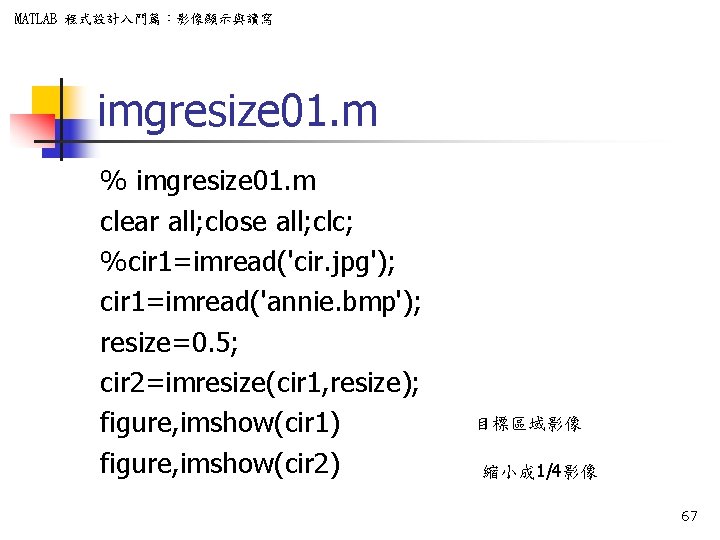
MATLAB 程式設計入門篇:影像顯示與讀寫 imgresize 01. m % imgresize 01. m clear all; close all; clc; %cir 1=imread('cir. jpg'); cir 1=imread('annie. bmp'); resize=0. 5; cir 2=imresize(cir 1, resize); figure, imshow(cir 1) figure, imshow(cir 2) 目標區域影像 縮小成 1/4影像 67
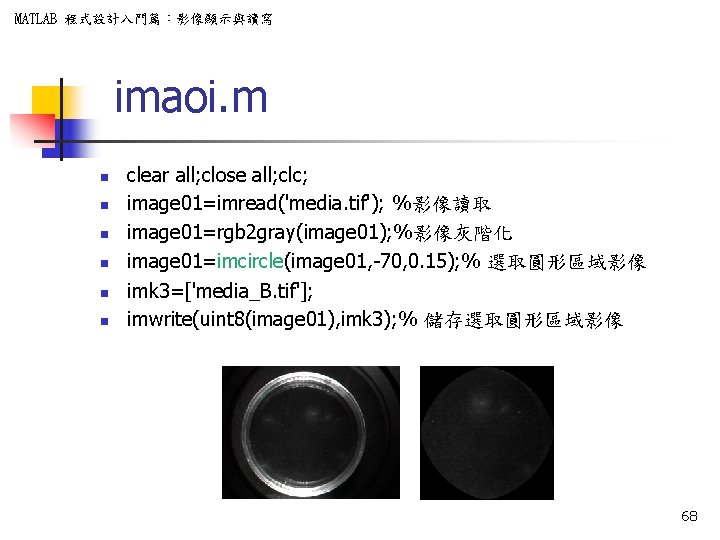
MATLAB 程式設計入門篇:影像顯示與讀寫 imaoi. m n n n clear all; close all; clc; image 01=imread('media. tif'); %影像讀取 image 01=rgb 2 gray(image 01); %影像灰階化 image 01=imcircle(image 01, -70, 0. 15); % 選取圓形區域影像 imk 3=['media_B. tif']; imwrite(uint 8(image 01), imk 3); % 儲存選取圓形區域影像 68
MATLAB 程式設計入門篇:影像顯示與讀寫 imcircle. m n n n n % 調整切割位置大小 X=fix((Cx-cir. X)/2); Y=fix((Cy-cir. Y)/2); im(Y: (Y+cir. Y-1), X: (X+cir. X-1))=cir; % image 001=ones(Cy, Cx); for nnn=1: Cy for nnnn=1: Cx if im(nnn, nnnn)==0 image 001(nnn, nnnn)=0; end end n n n image 000=image. *image 001; figure, imshow(uint 8(image 000)); title('被邊緣去除之部份'); imwrite(uint 8(image 000), ’step 2. tif', 'tif') % A=image. *im; A=imselect(A, tt); select_c=A; figure, imshow(uint 8(A)); title('區域分割之部份影像'); imwrite(uint 8(A), ’step 3. tif', 'tif') 70
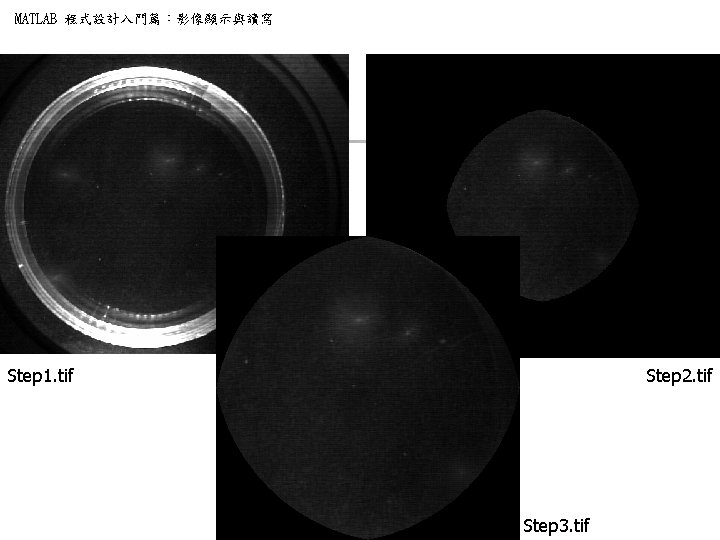
MATLAB 程式設計入門篇:影像顯示與讀寫 Step 1. tif Step 2. tif Step 3. tif
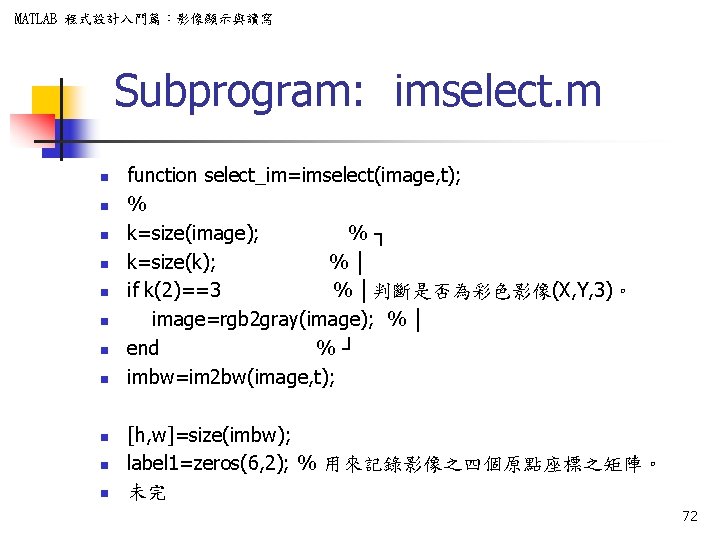
MATLAB 程式設計入門篇:影像顯示與讀寫 Subprogram: imselect. m n n n function select_im=imselect(image, t); % k=size(image); %┐ k=size(k); %│ if k(2)==3 % │判斷是否為彩色影像(X, Y, 3)。 image=rgb 2 gray(image); % │ end %┘ imbw=im 2 bw(image, t); [h, w]=size(imbw); label 1=zeros(6, 2); % 用來記錄影像之四個原點座標之矩陣。 未完 72
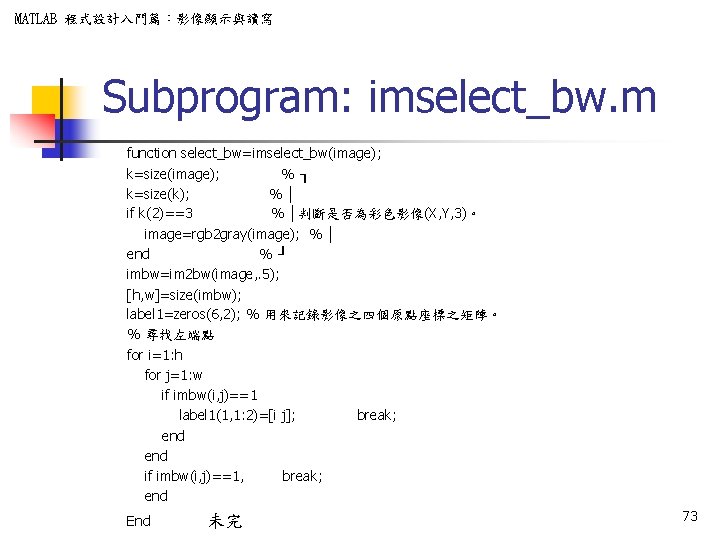
MATLAB 程式設計入門篇:影像顯示與讀寫 Subprogram: imselect_bw. m function select_bw=imselect_bw(image); k=size(image); %┐ k=size(k); %│ if k(2)==3 % │判斷是否為彩色影像(X, Y, 3)。 image=rgb 2 gray(image); % │ end %┘ imbw=im 2 bw(image, . 5); [h, w]=size(imbw); label 1=zeros(6, 2); % 用來記錄影像之四個原點座標之矩陣。 % 尋找左端點 for i=1: h for j=1: w if imbw(i, j)==1 label 1(1, 1: 2)=[i j]; break; end if imbw(i, j)==1, break; end End 未完 73
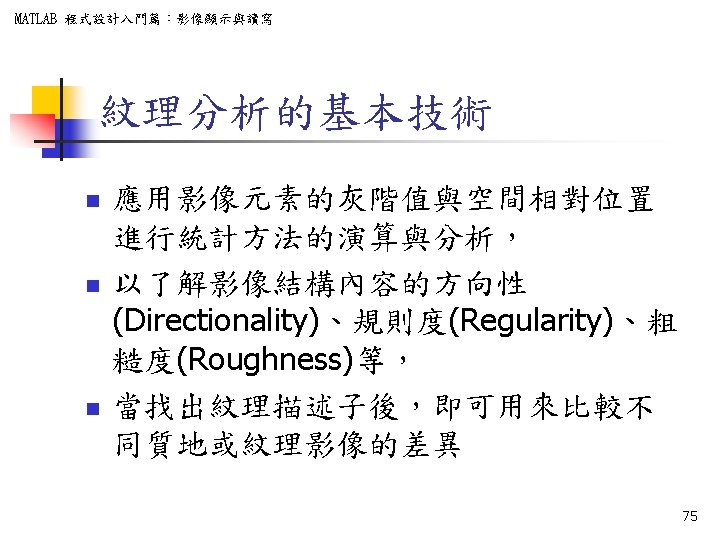
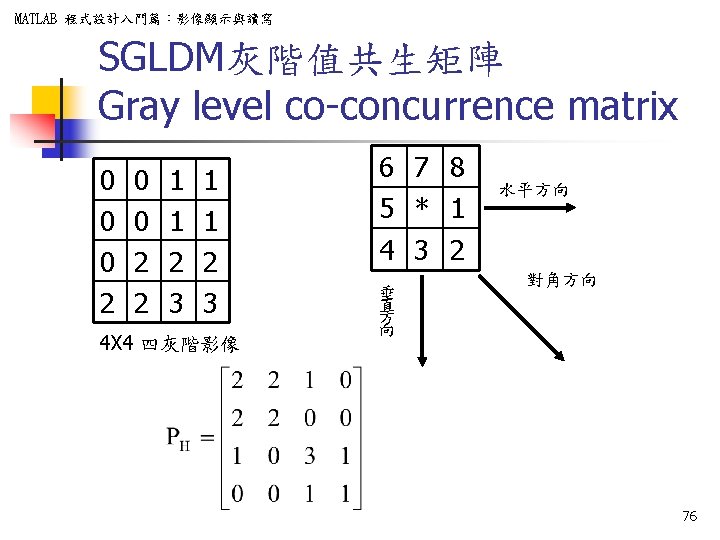
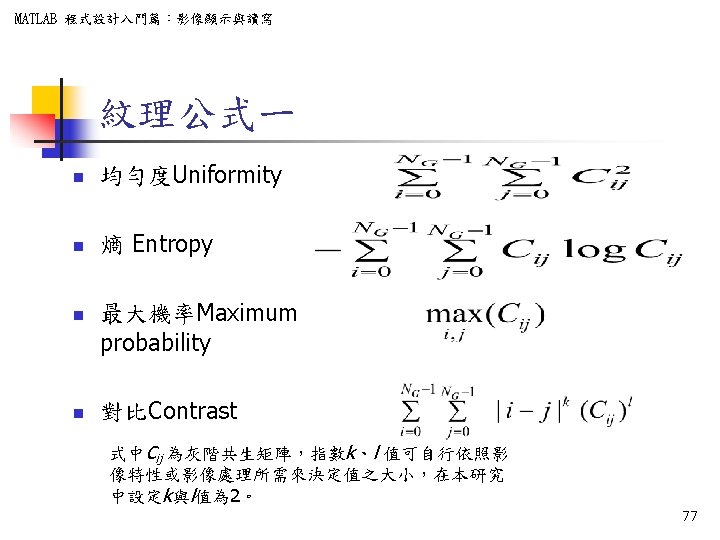
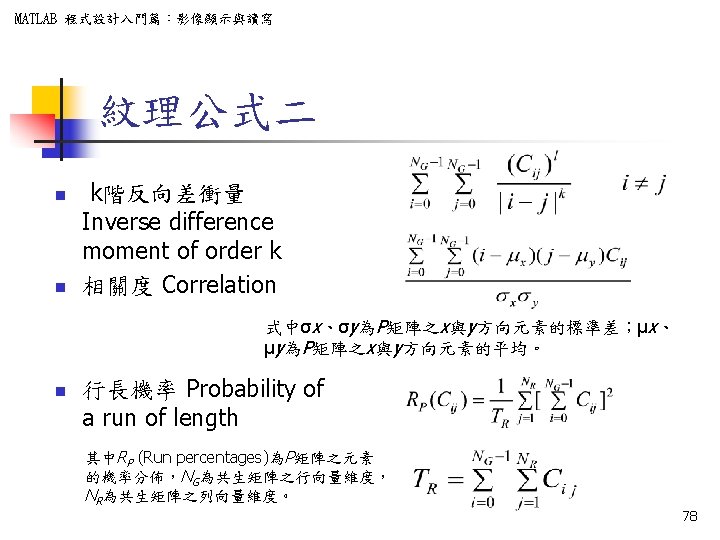
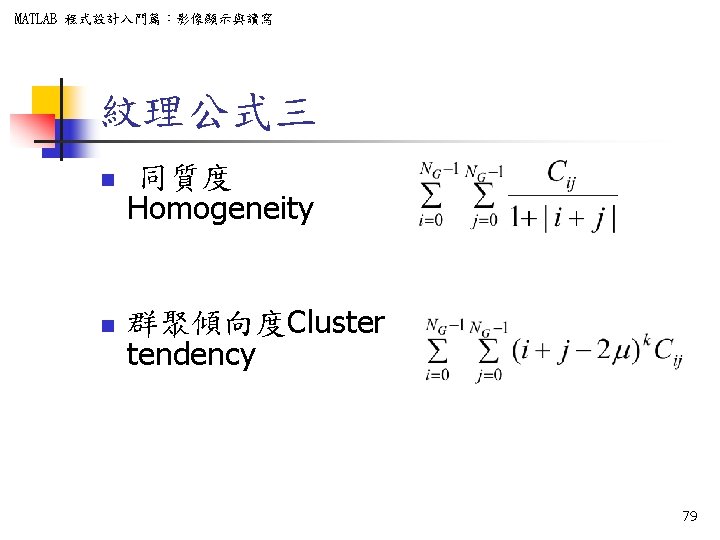
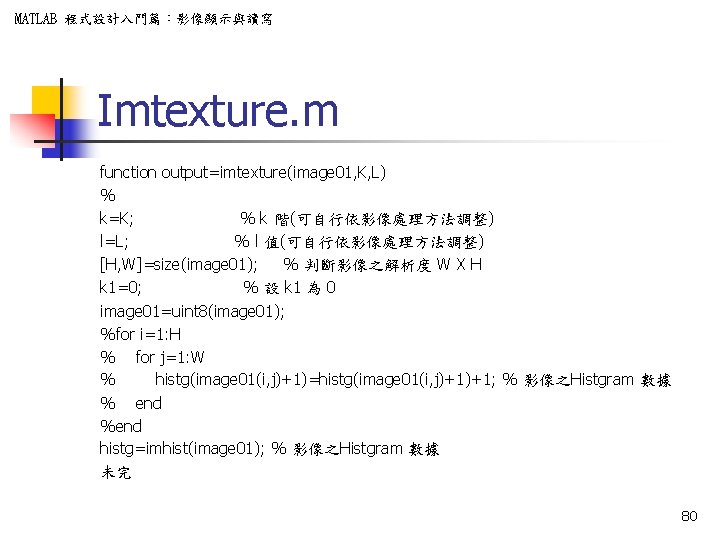
MATLAB 程式設計入門篇:影像顯示與讀寫 Imtexture. m function output=imtexture(image 01, K, L) % k=K; % k 階(可自行依影像處理方法調整) l=L; % l 值(可自行依影像處理方法調整) [H, W]=size(image 01); % 判斷影像之解析度 W X H k 1=0; % 設 k 1 為 0 image 01=uint 8(image 01); %for i=1: H % for j=1: W % histg(image 01(i, j)+1)=histg(image 01(i, j)+1)+1; % 影像之Histgram 數據 % end %end histg=imhist(image 01); % 影像之Histgram 數據 未完 80
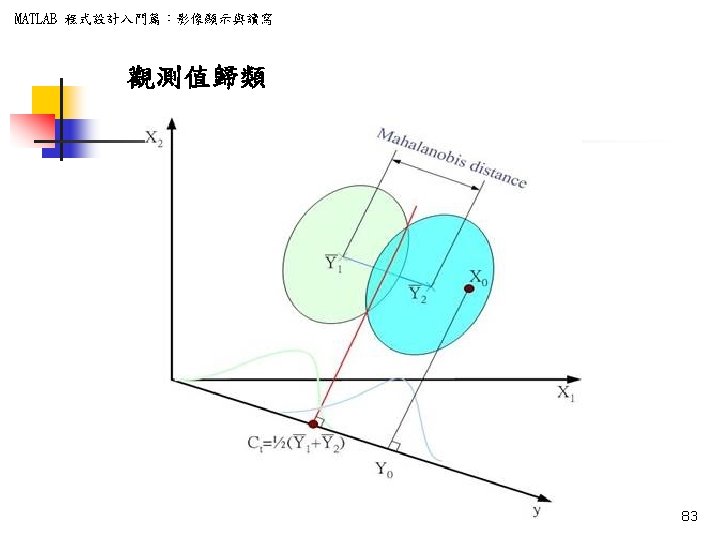
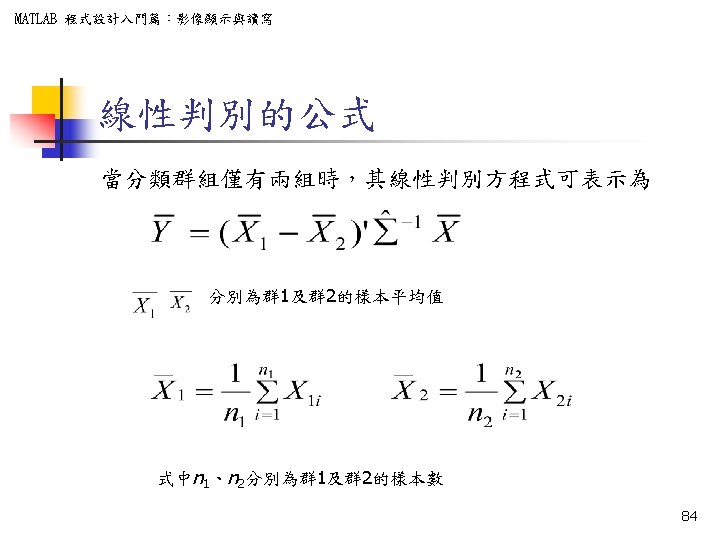
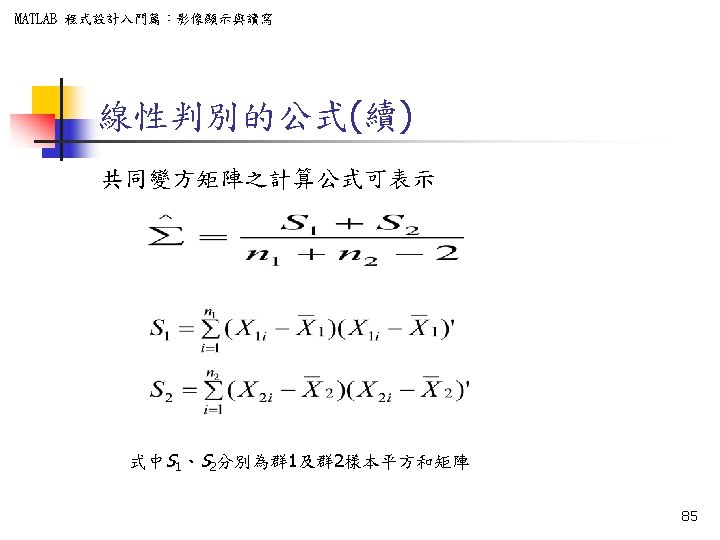
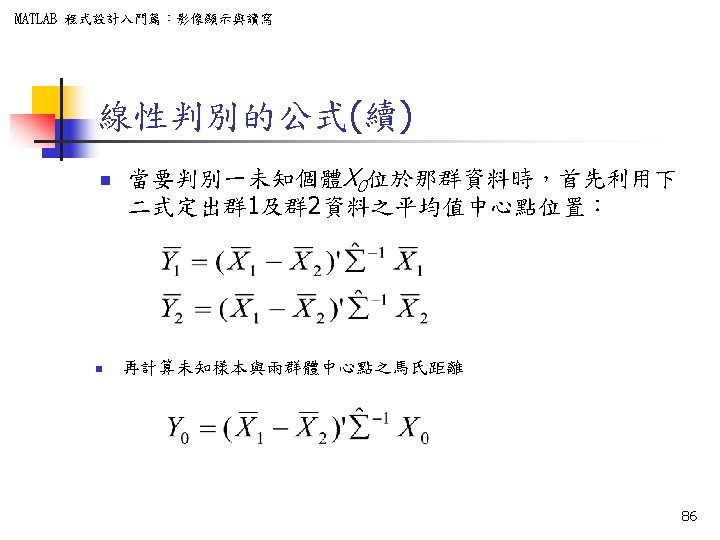
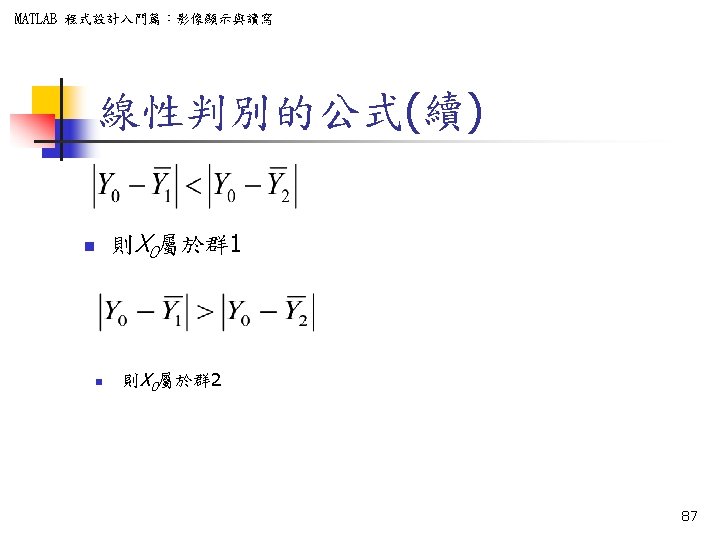
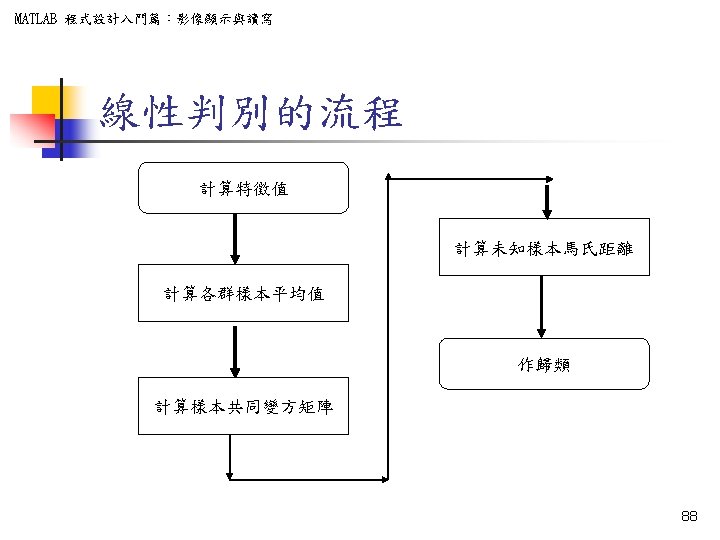
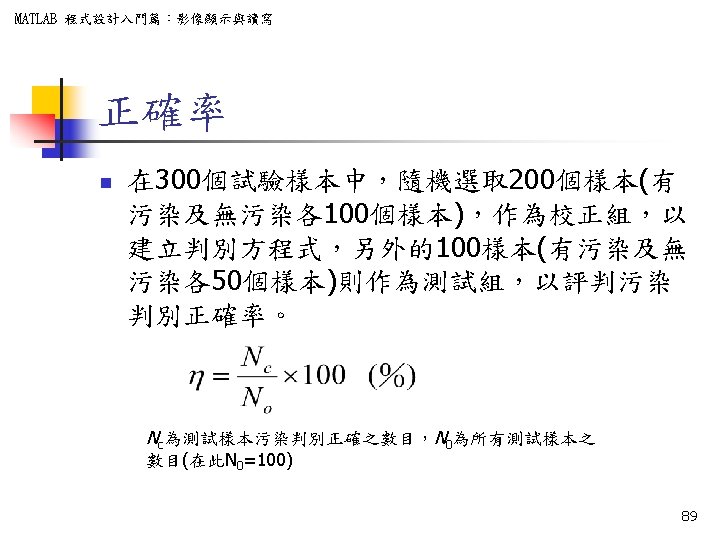
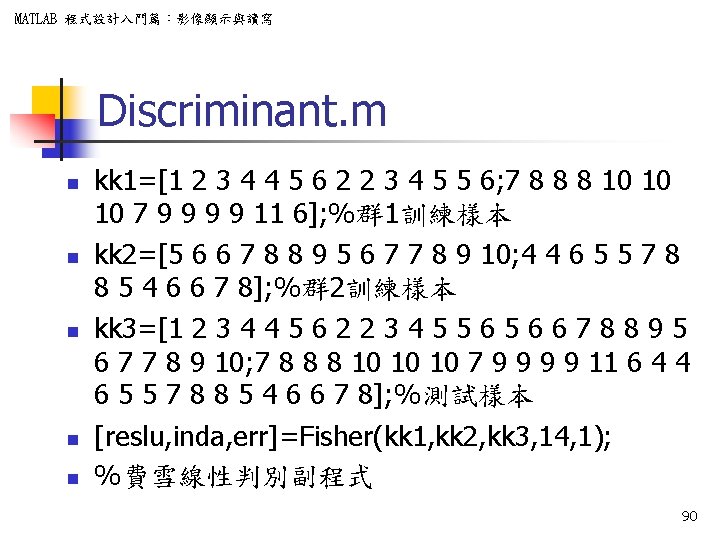
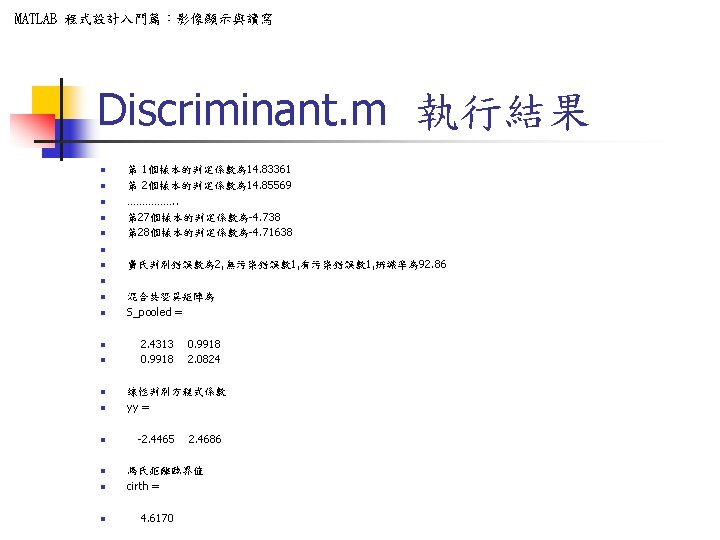
MATLAB 程式設計入門篇:影像顯示與讀寫 Discriminant. m n n n kk 1=[1 2 3 4 4 5 6 2 2 3 4 5 5 6; 7 8 8 8 10 10 10 7 9 9 11 6]; %群 1訓練樣本 kk 2=[5 6 6 7 8 8 9 5 6 7 7 8 9 10; 4 4 6 5 5 7 8 8 5 4 6 6 7 8]; %群 2訓練樣本 kk 3=[1 2 3 4 4 5 6 2 2 3 4 5 5 6 6 7 8 8 9 5 6 7 7 8 9 10; 7 8 8 8 10 10 10 7 9 9 11 6 4 4 6 5 5 7 8 8 5 4 6 6 7 8]; %測試樣本 [reslu, inda, err]=Fisher(kk 1, kk 2, kk 3, 14, 1); %費雪線性判別副程式 90
- Slides: 93