
MATLAB Automatic Control System http rese inje ac
MATLAB 을 이용한 Automatic Control System 해석 http: //rese. inje. ac. kr http: //cafe. naver. com/rese. cafe Automatic Control System 1
Chap. 2 MATLAB의 기초 사용법 http: //rese. inje. ac. kr http: //cafe. naver. com/rese. cafe Automatic Control System 2
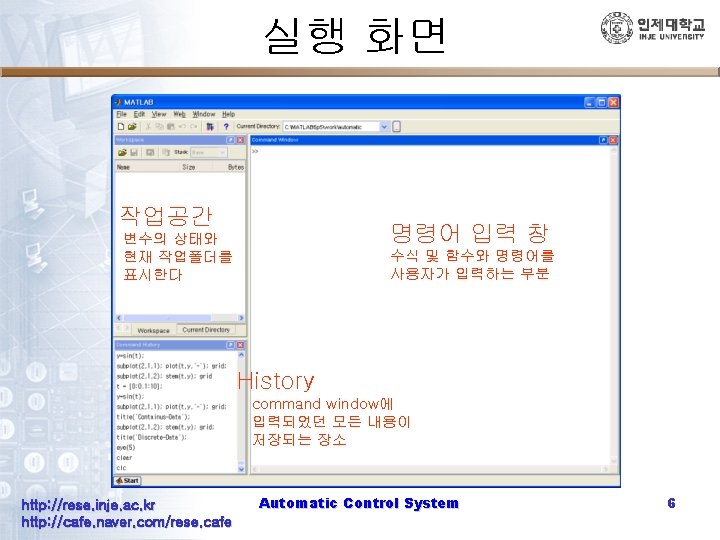
MATLAB의 작업환경 http: //rese. inje. ac. kr http: //cafe. naver. com/rese. cafe Automatic Control System 4
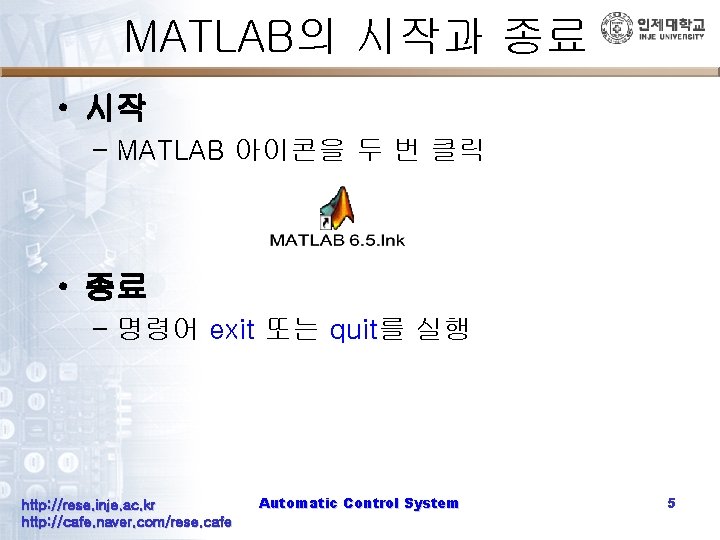
MATLAB의 시작과 종료 • 시작 – MATLAB 아이콘을 두 번 클릭 • 종료 – 명령어 exit 또는 quit를 실행 http: //rese. inje. ac. kr http: //cafe. naver. com/rese. cafe Automatic Control System 5
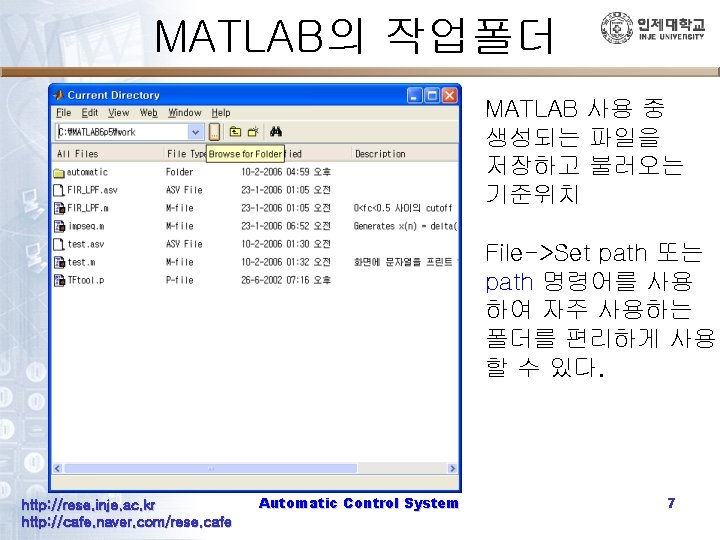
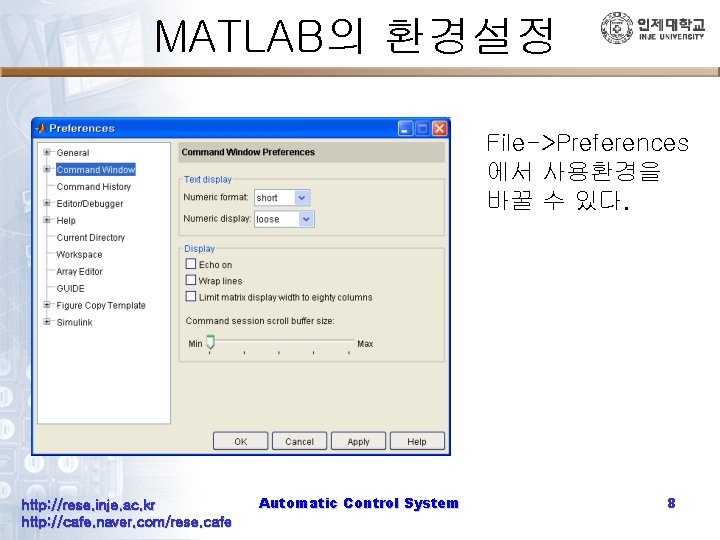
MATLAB의 환경설정 File->Preferences 에서 사용환경을 바꿀 수 있다. http: //rese. inje. ac. kr http: //cafe. naver. com/rese. cafe Automatic Control System 8
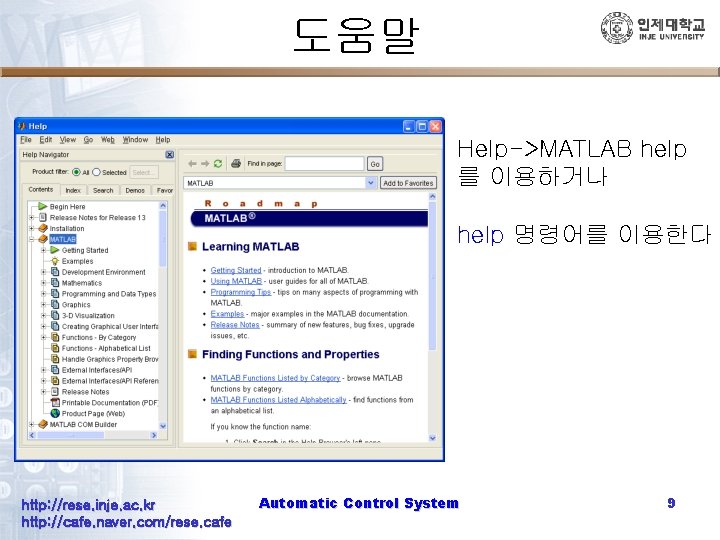
도움말 Help->MATLAB help 를 이용하거나 help 명령어를 이용한다 http: //rese. inje. ac. kr http: //cafe. naver. com/rese. cafe Automatic Control System 9
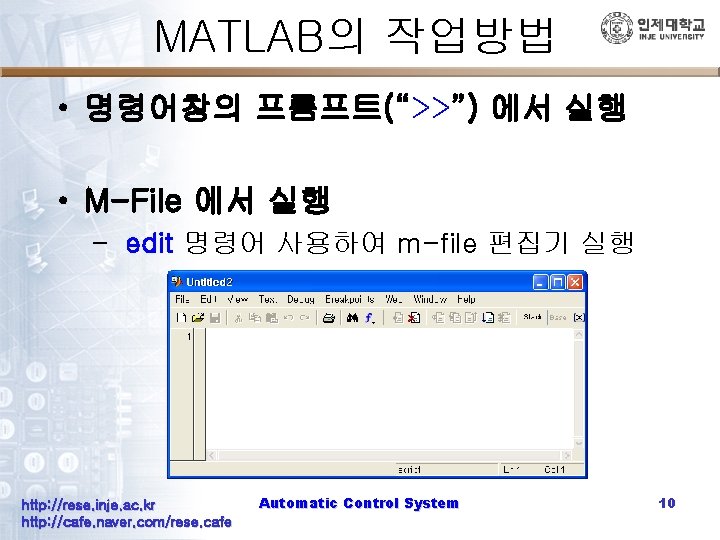
MATLAB의 작업방법 • 명령어창의 프롬프트(“>>”) 에서 실행 • M-File 에서 실행 – edit 명령어 사용하여 m-file 편집기 실행 http: //rese. inje. ac. kr http: //cafe. naver. com/rese. cafe Automatic Control System 10
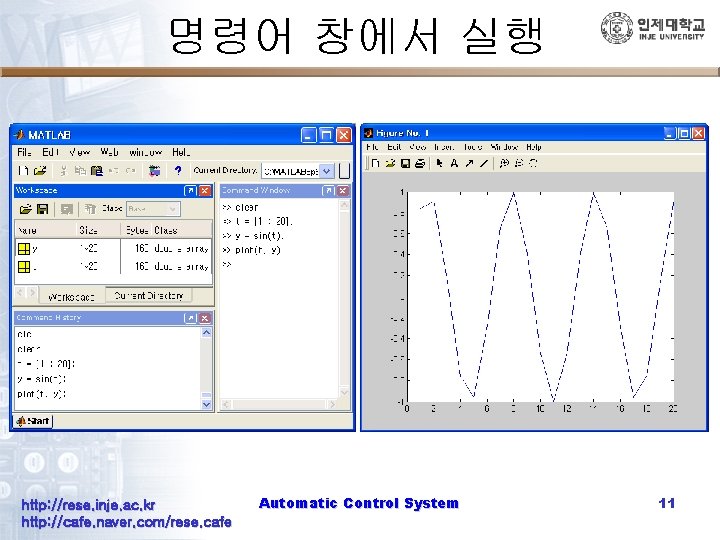
명령어 창에서 실행 http: //rese. inje. ac. kr http: //cafe. naver. com/rese. cafe Automatic Control System 11
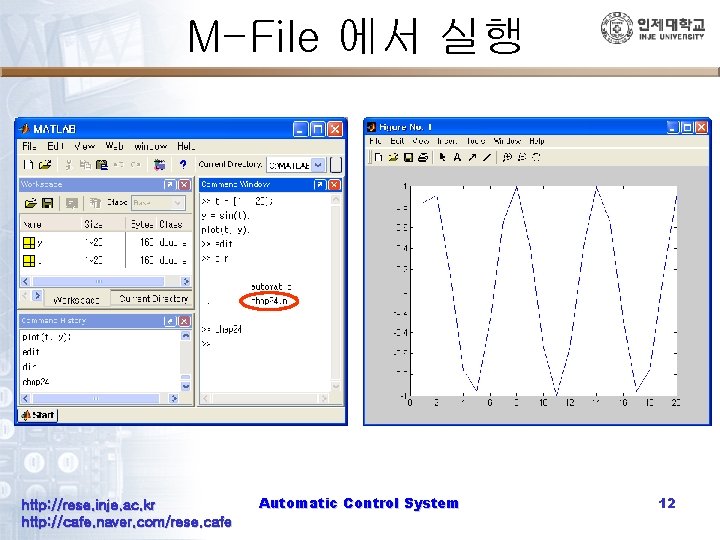
M-File 에서 실행 http: //rese. inje. ac. kr http: //cafe. naver. com/rese. cafe Automatic Control System 12
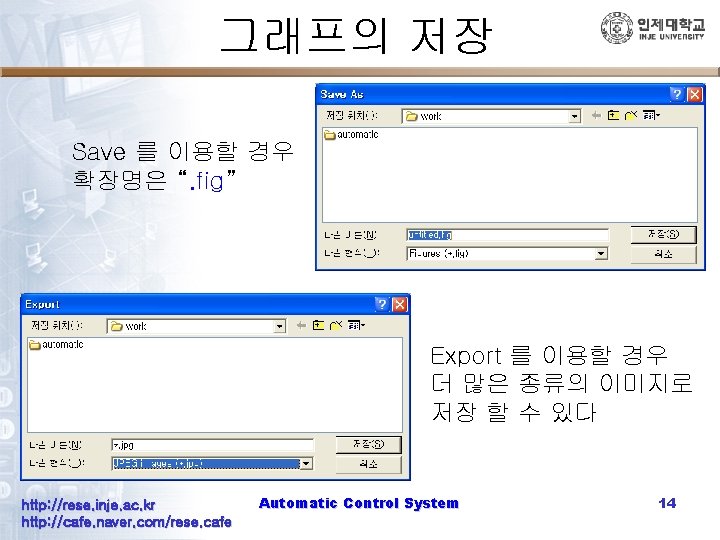
그래프의 저장 Save 를 이용할 경우 확장명은 “. fig” Export 를 이용할 경우 더 많은 종류의 이미지로 저장 할 수 있다 http: //rese. inje. ac. kr http: //cafe. naver. com/rese. cafe Automatic Control System 14
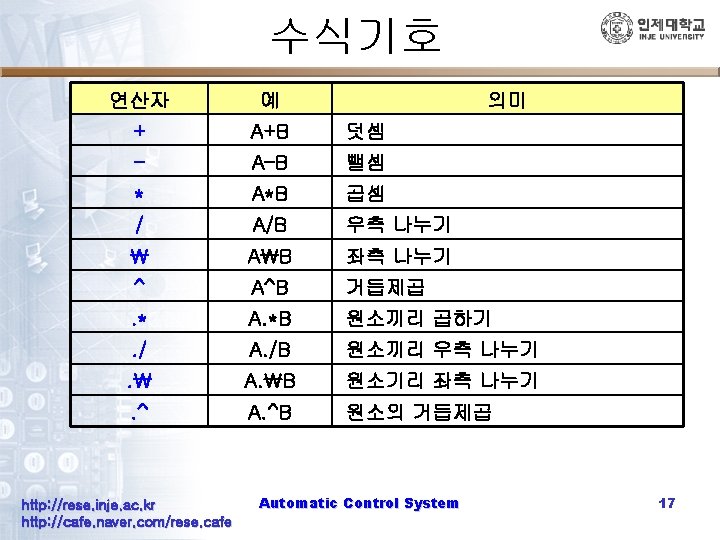
MATLAB에서 쓰이는 기호들 http: //rese. inje. ac. kr http: //cafe. naver. com/rese. cafe Automatic Control System 15
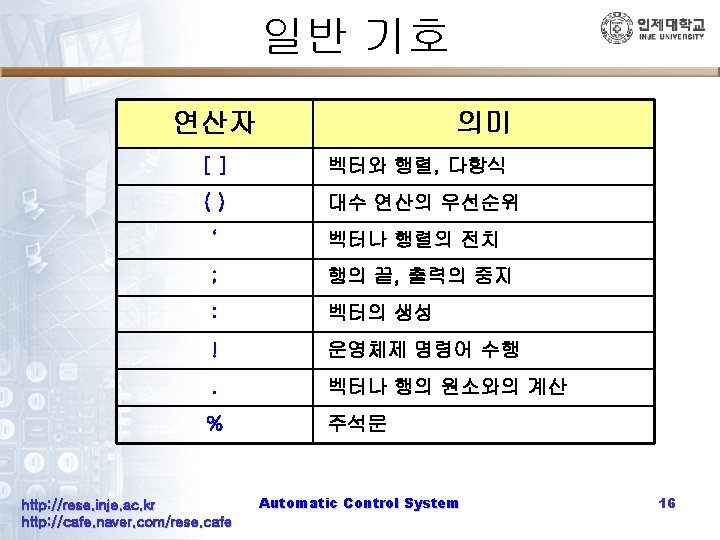
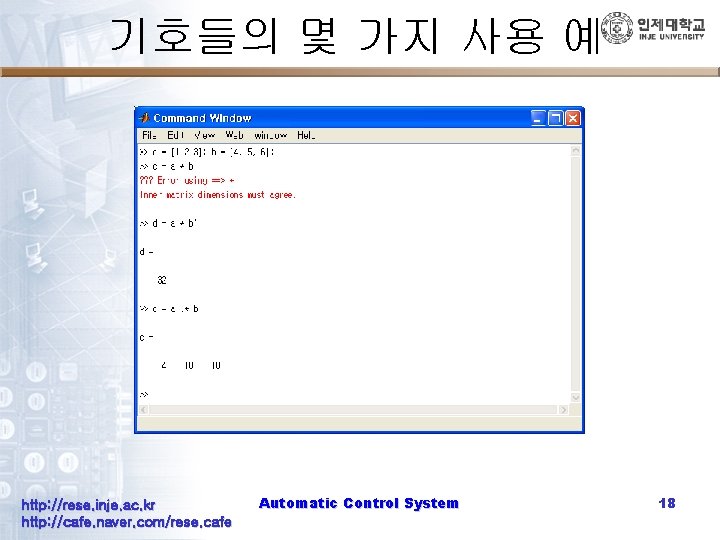
기호들의 몇 가지 사용 예 http: //rese. inje. ac. kr http: //cafe. naver. com/rese. cafe Automatic Control System 18
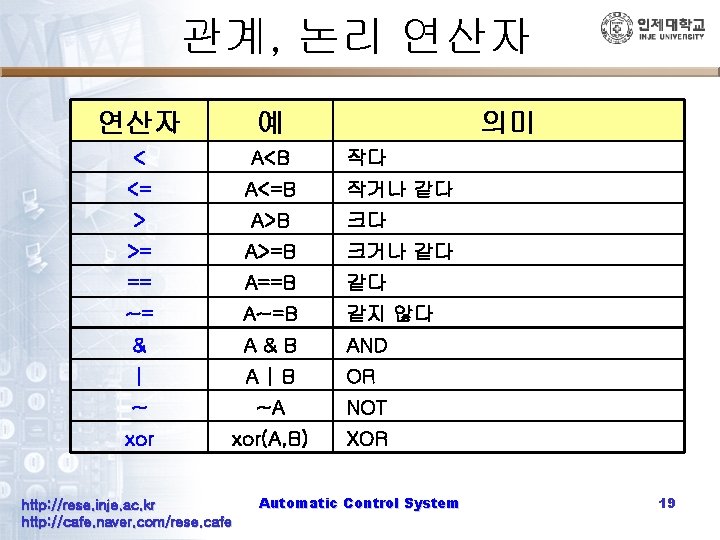
관계, 논리 연산자 예 < A<B <= A<=B > A>B >= A>=B 크거나 같다 == A==B 같다 ~= A~=B 같지 않다 & A&B AND | A|B OR ~ ~A NOT xor(A, B) XOR http: //rese. inje. ac. kr http: //cafe. naver. com/rese. cafe 의미 작다 작거나 같다 크다 Automatic Control System 19
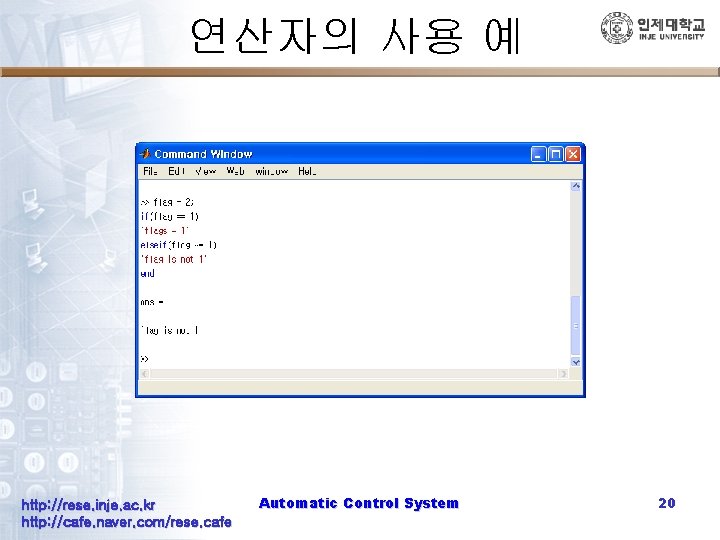
연산자의 사용 예 http: //rese. inje. ac. kr http: //cafe. naver. com/rese. cafe Automatic Control System 20
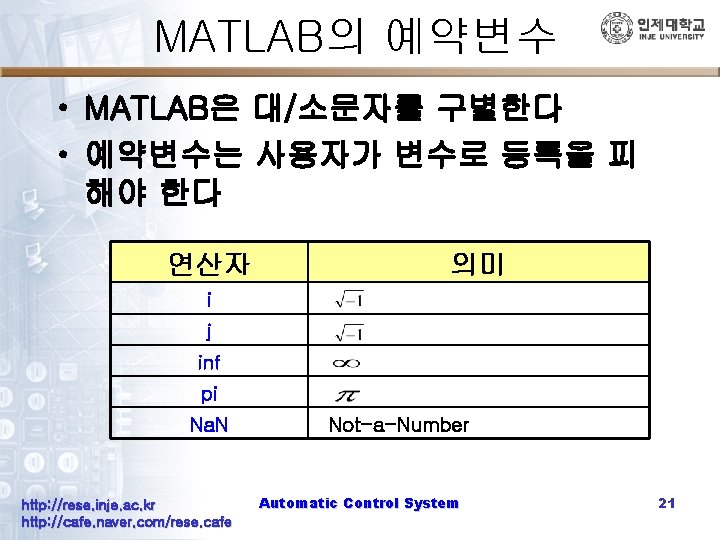
MATLAB의 예약변수 • MATLAB은 대/소문자를 구별한다 • 예약변수는 사용자가 변수로 등록을 피 해야 한다 연산자 의미 i j inf pi Na. N http: //rese. inje. ac. kr http: //cafe. naver. com/rese. cafe Not-a-Number Automatic Control System 21
함수의 표현 http: //rese. inje. ac. kr http: //cafe. naver. com/rese. cafe Automatic Control System 22
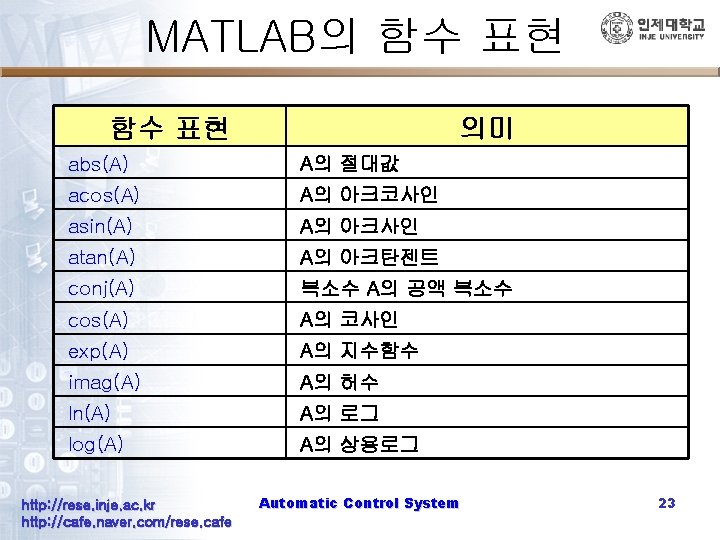
MATLAB의 함수 표현 의미 abs(A) A의 절대값 acos(A) A의 아크코사인 asin(A) A의 아크사인 atan(A) A의 아크탄젠트 conj(A) 복소수 A의 공액 복소수 cos(A) A의 코사인 exp(A) A의 지수함수 imag(A) A의 허수 ln(A) A의 로그 log(A) A의 상용로그 http: //rese. inje. ac. kr http: //cafe. naver. com/rese. cafe Automatic Control System 23
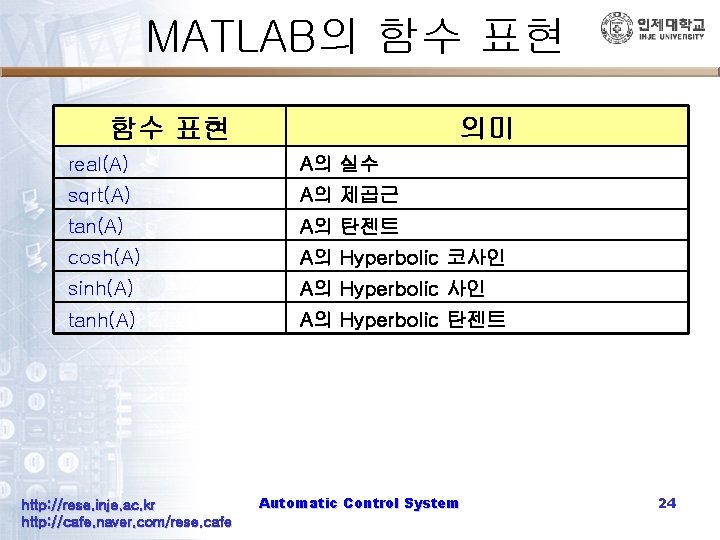
MATLAB의 함수 표현 의미 real(A) A의 실수 sqrt(A) A의 제곱근 tan(A) A의 탄젠트 cosh(A) A의 Hyperbolic 코사인 sinh(A) A의 Hyperbolic 사인 tanh(A) A의 Hyperbolic 탄젠트 http: //rese. inje. ac. kr http: //cafe. naver. com/rese. cafe Automatic Control System 24
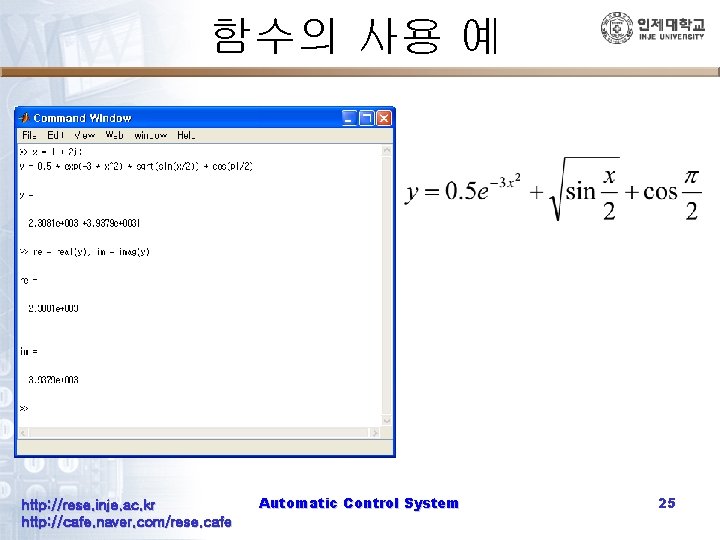
함수의 사용 예 http: //rese. inje. ac. kr http: //cafe. naver. com/rese. cafe Automatic Control System 25
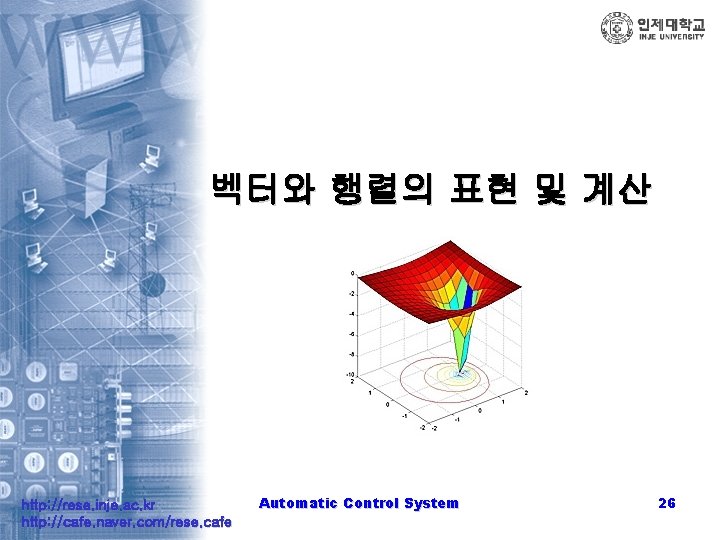
벡터와 행렬의 표현 및 계산 http: //rese. inje. ac. kr http: //cafe. naver. com/rese. cafe Automatic Control System 26
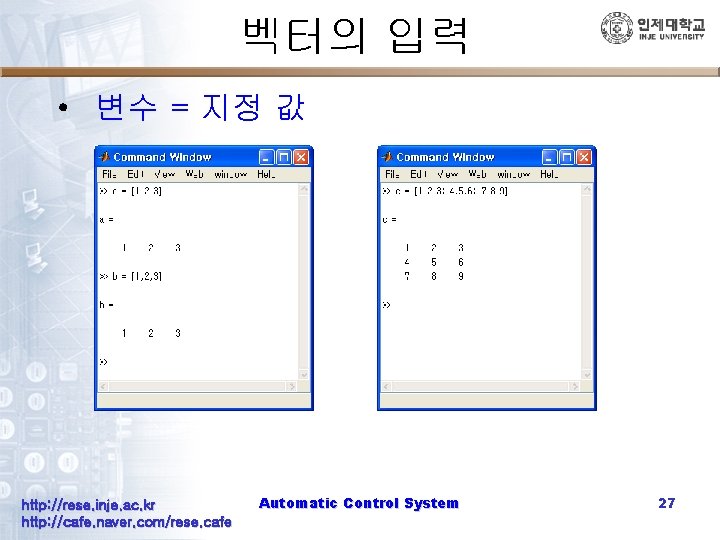
벡터의 입력 • 변수 = 지정 값 http: //rese. inje. ac. kr http: //cafe. naver. com/rese. cafe Automatic Control System 27
![등간격 벡터 만들기 • 벡터 = [초기값 : 증가율 : 마지막 값] http: //rese.](http://slidetodoc.com/presentation_image_h2/e6f20f01f805fe2ea976c25dea74fdb4/image-28.jpg "등간격 벡터 만들기 • 벡터 = [초기값 : 증가율 : 마지막 값] http: //rese.")
등간격 벡터 만들기 • 벡터 = [초기값 : 증가율 : 마지막 값] http: //rese. inje. ac. kr http: //cafe. naver. com/rese. cafe Automatic Control System 28
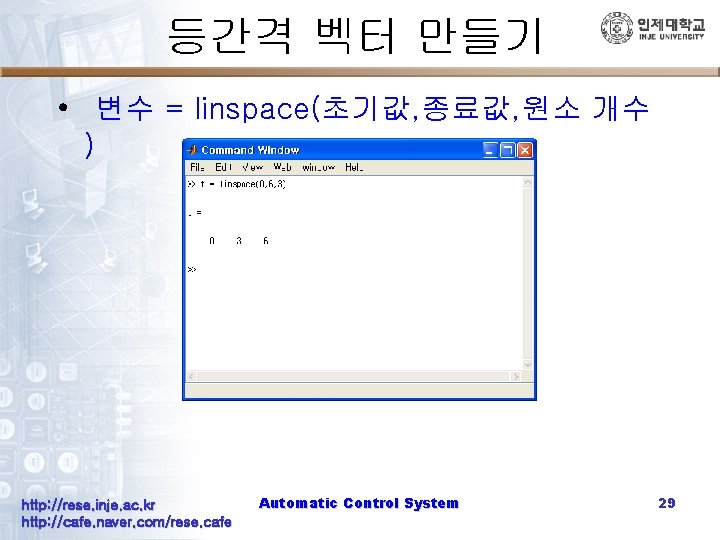
등간격 벡터 만들기 • 변수 = linspace(초기값, 종료값, 원소 개수 ) http: //rese. inje. ac. kr http: //cafe. naver. com/rese. cafe Automatic Control System 29
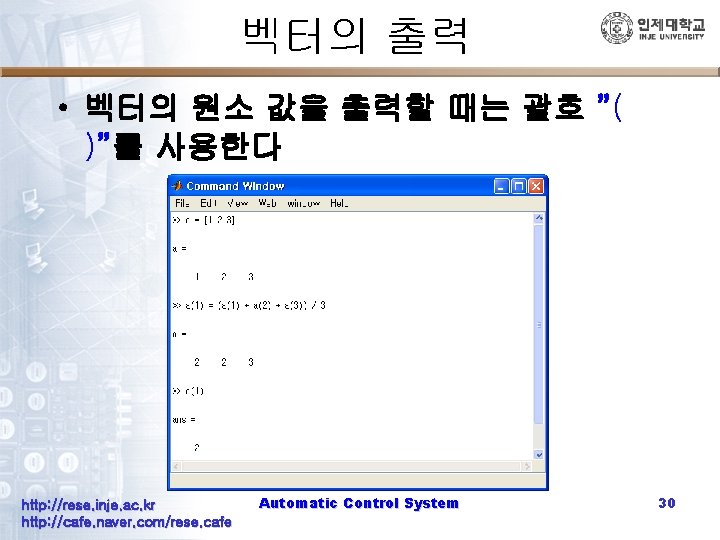
벡터의 출력 • 벡터의 원소 값을 출력할 때는 괄호 ”( )”를 사용한다 http: //rese. inje. ac. kr http: //cafe. naver. com/rese. cafe Automatic Control System 30
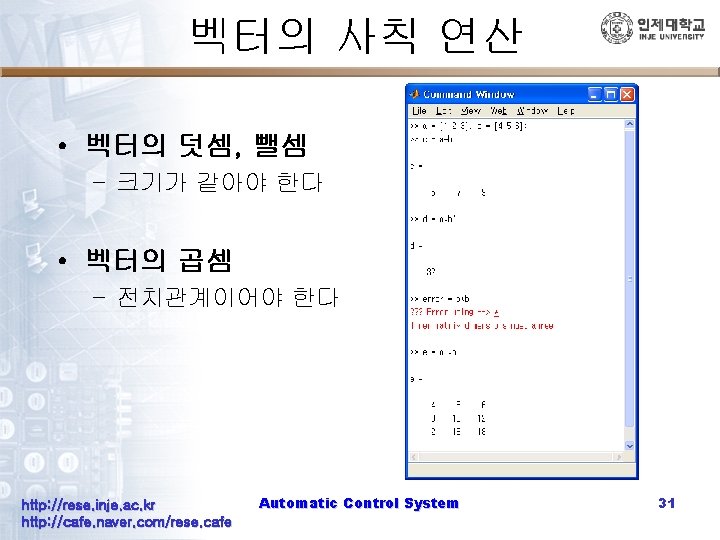
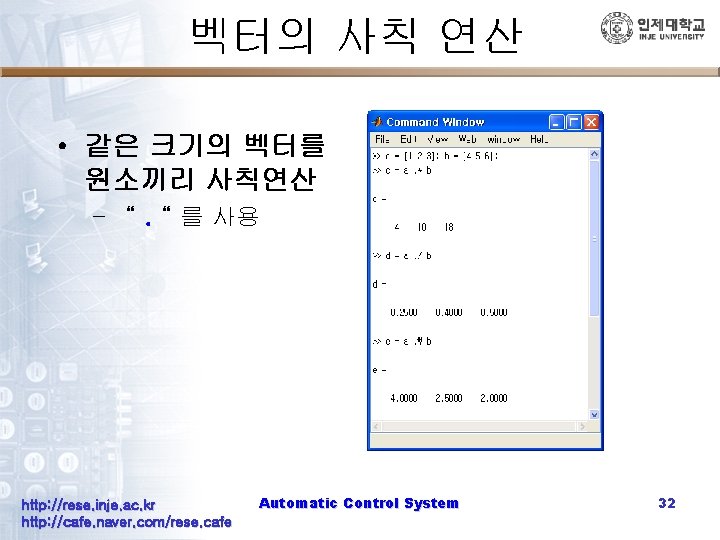
벡터의 사칙 연산 • 같은 크기의 벡터를 원소끼리 사칙연산 – “. “ 를 사용 http: //rese. inje. ac. kr http: //cafe. naver. com/rese. cafe Automatic Control System 32
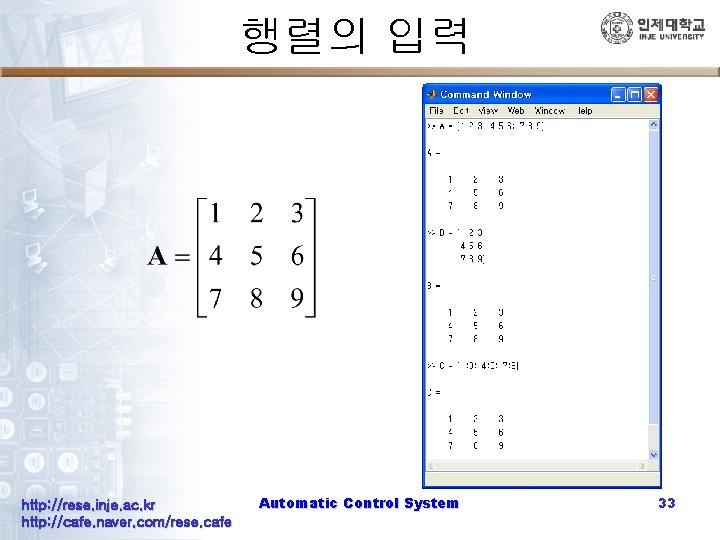
행렬의 입력 http: //rese. inje. ac. kr http: //cafe. naver. com/rese. cafe Automatic Control System 33
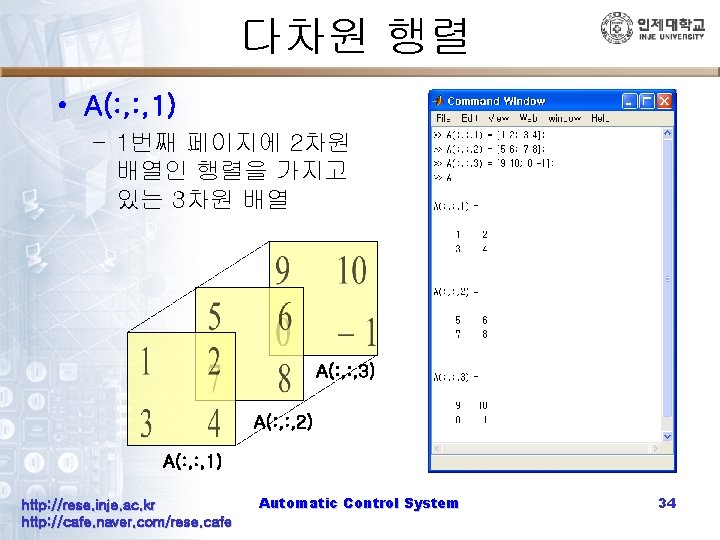
다차원 행렬 • A(: , 1) – 1번째 페이지에 2차원 배열인 행렬을 가지고 있는 3차원 배열 A(: , 3) A(: , 2) A(: , 1) http: //rese. inje. ac. kr http: //cafe. naver. com/rese. cafe Automatic Control System 34
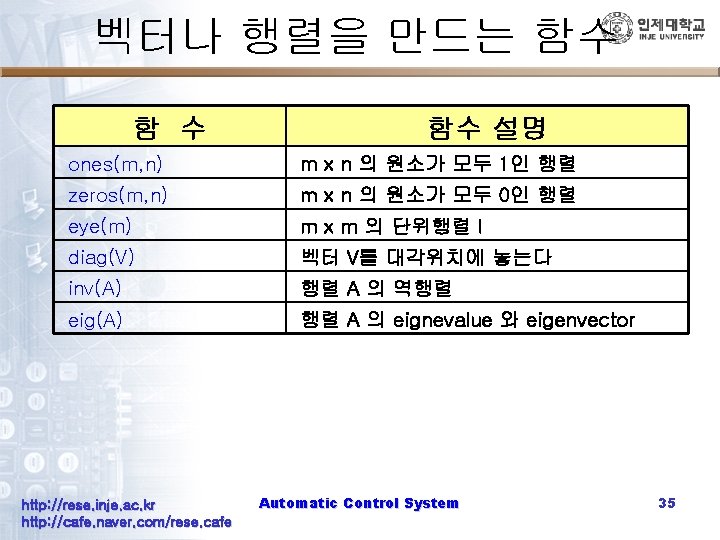
벡터나 행렬을 만드는 함수 함 수 함수 설명 ones(m, n) m x n 의 원소가 모두 1인 행렬 zeros(m, n) m x n 의 원소가 모두 0인 행렬 eye(m) m x m 의 단위행렬 I diag(V) 벡터 V를 대각위치에 놓는다 inv(A) 행렬 A 의 역행렬 eig(A) 행렬 A 의 eignevalue 와 eigenvector http: //rese. inje. ac. kr http: //cafe. naver. com/rese. cafe Automatic Control System 35
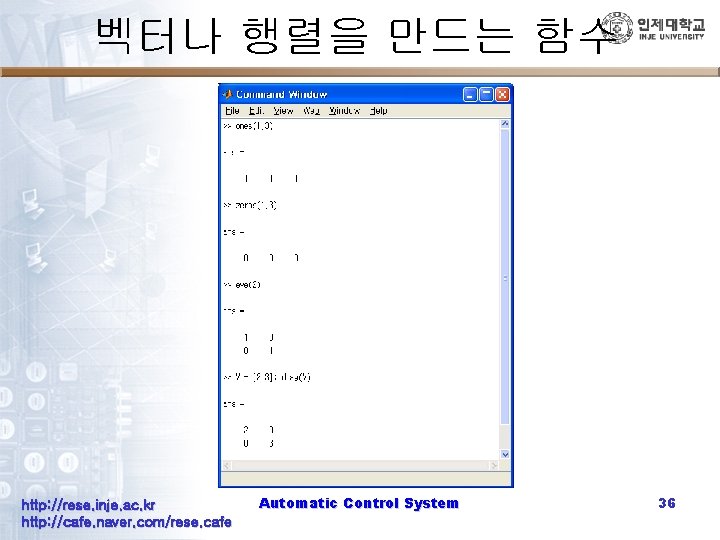
벡터나 행렬을 만드는 함수 http: //rese. inje. ac. kr http: //cafe. naver. com/rese. cafe Automatic Control System 36
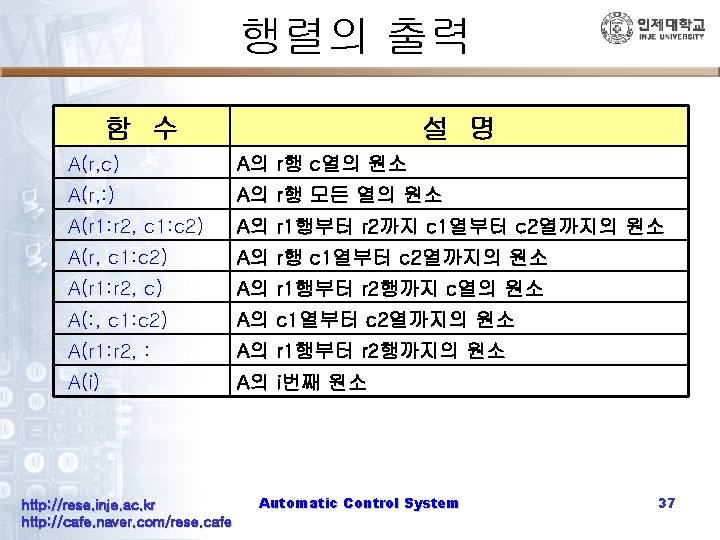
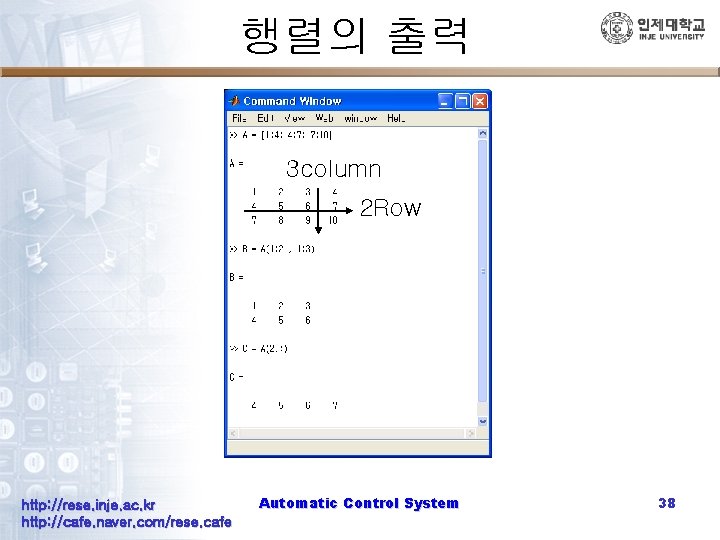
행렬의 출력 3 column 2 Row http: //rese. inje. ac. kr http: //cafe. naver. com/rese. cafe Automatic Control System 38
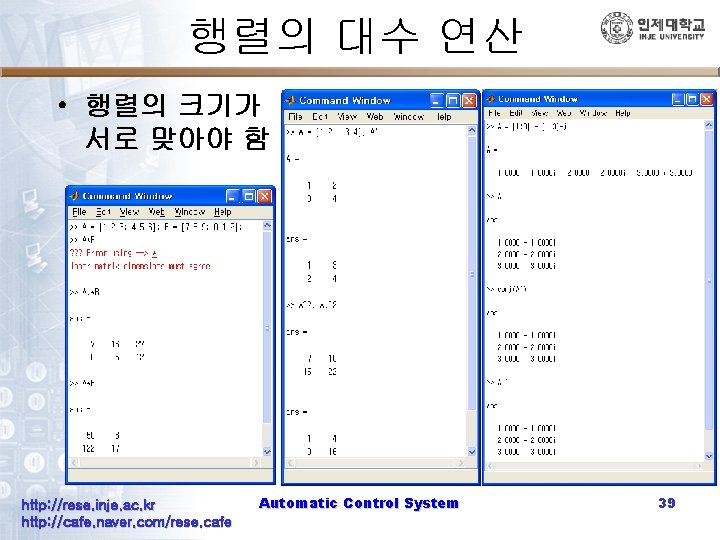
행렬의 대수 연산 • 행렬의 크기가 서로 맞아야 함 http: //rese. inje. ac. kr http: //cafe. naver. com/rese. cafe Automatic Control System 39
MATLAB의 기본 명령어들 http: //rese. inje. ac. kr http: //cafe. naver. com/rese. cafe Automatic Control System 40
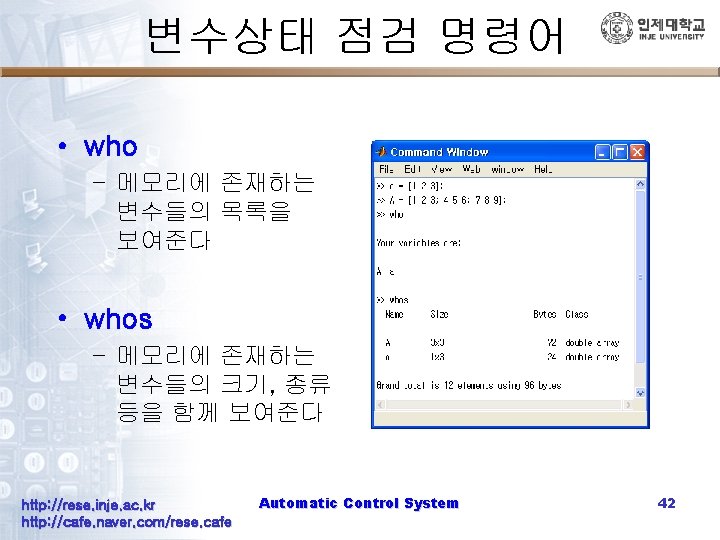
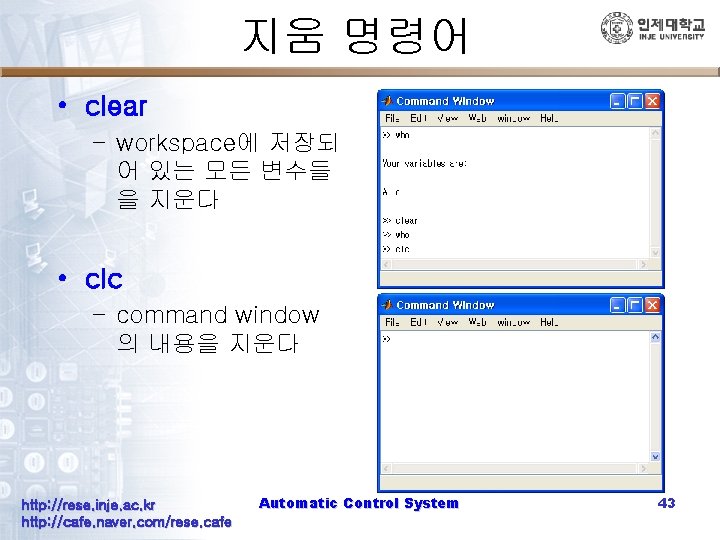
지움 명령어 • clear – workspace에 저장되 어 있는 모든 변수들 을 지운다 • clc – command window 의 내용을 지운다 http: //rese. inje. ac. kr http: //cafe. naver. com/rese. cafe Automatic Control System 43
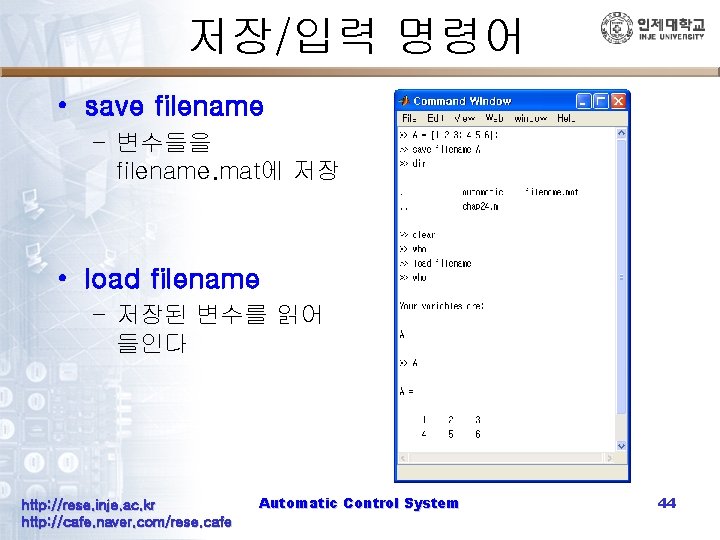
저장/입력 명령어 • save filename – 변수들을 filename. mat에 저장 • load filename – 저장된 변수를 읽어 들인다 http: //rese. inje. ac. kr http: //cafe. naver. com/rese. cafe Automatic Control System 44
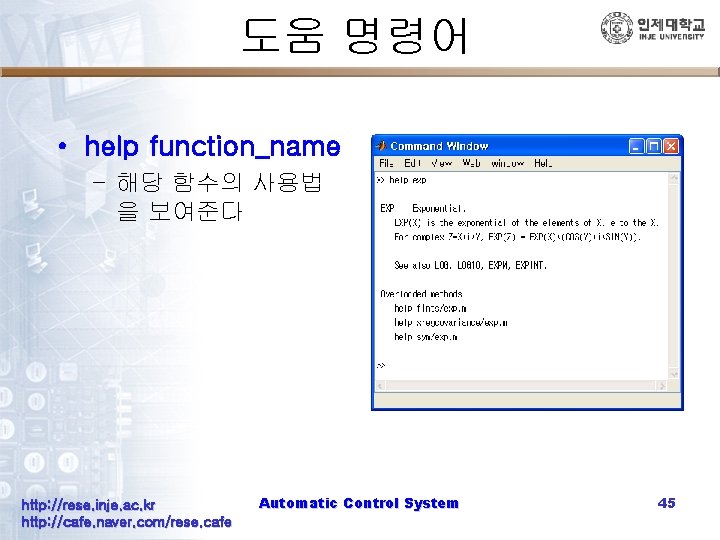
도움 명령어 • help function_name – 해당 함수의 사용법 을 보여준다 http: //rese. inje. ac. kr http: //cafe. naver. com/rese. cafe Automatic Control System 45
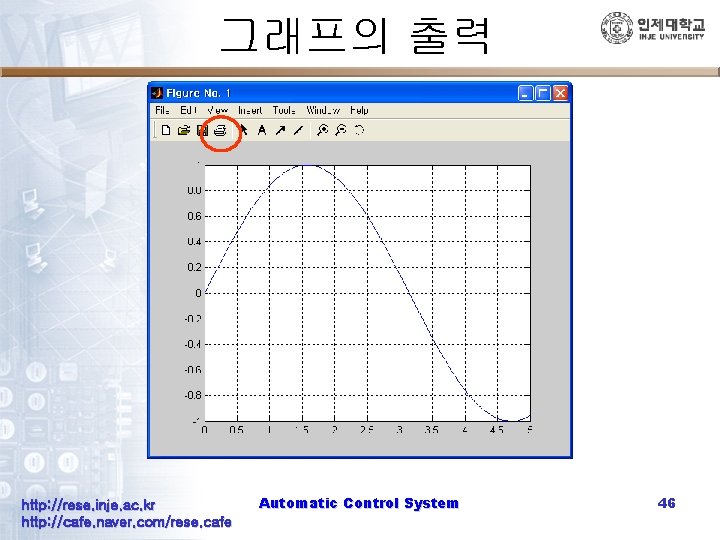
그래프의 출력 http: //rese. inje. ac. kr http: //cafe. naver. com/rese. cafe Automatic Control System 46
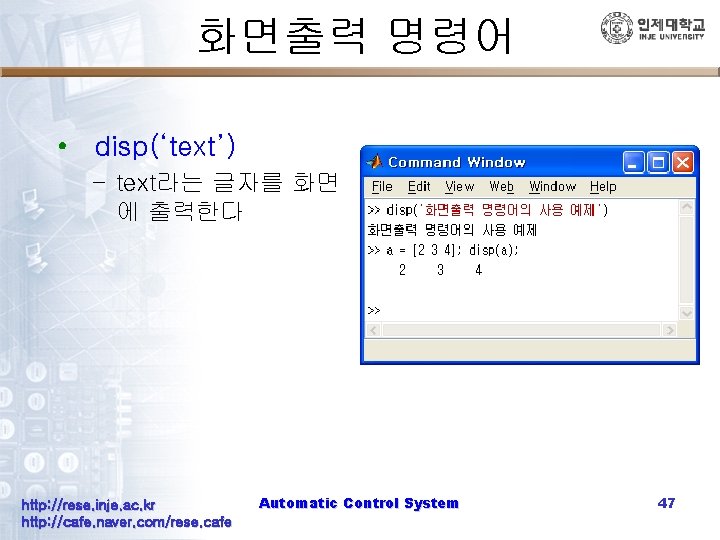
화면출력 명령어 • disp(‘text’) – text라는 글자를 화면 에 출력한다 http: //rese. inje. ac. kr http: //cafe. naver. com/rese. cafe Automatic Control System 47
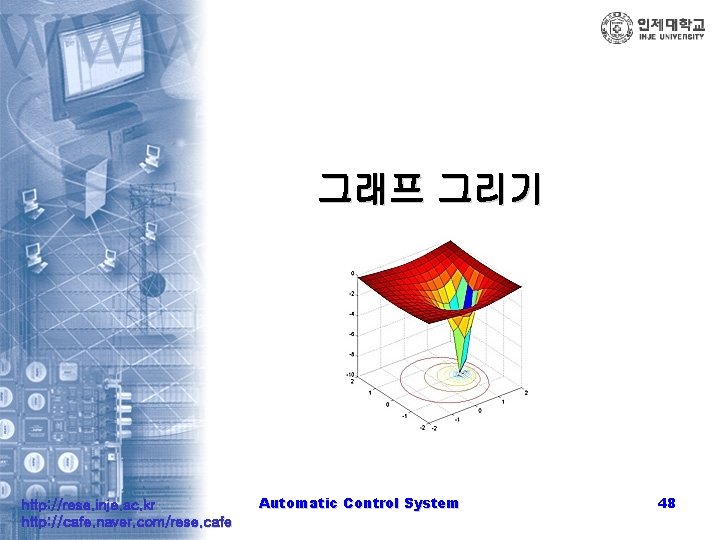
그래프 그리기 http: //rese. inje. ac. kr http: //cafe. naver. com/rese. cafe Automatic Control System 48
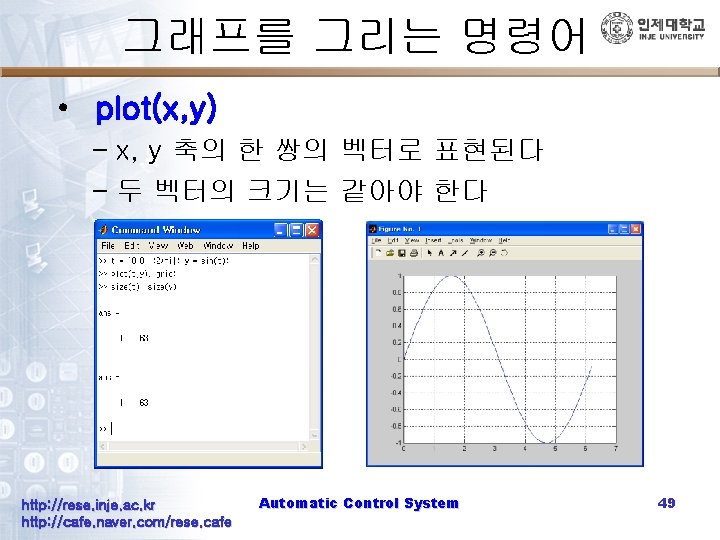
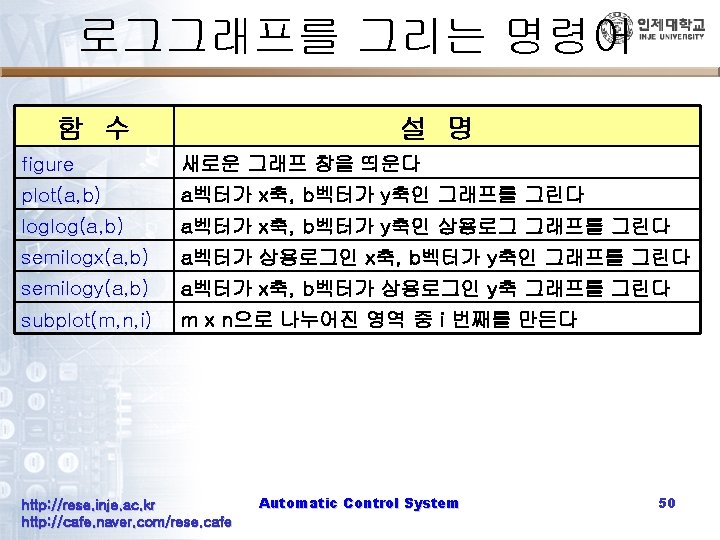
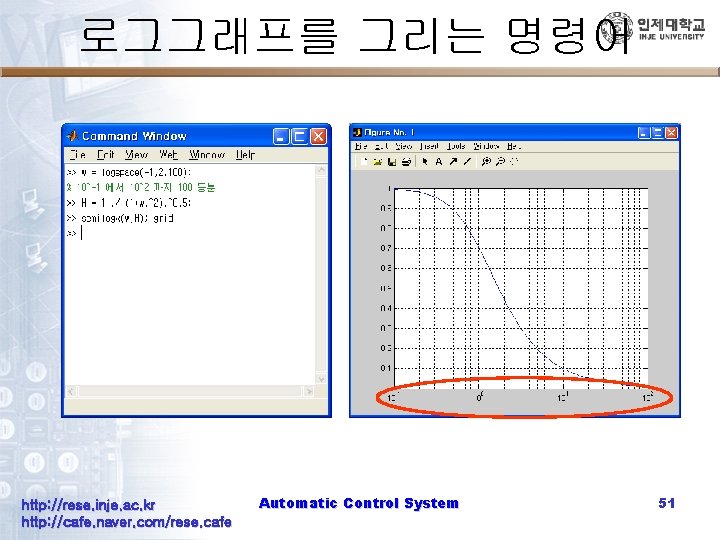
로그그래프를 그리는 명령어 http: //rese. inje. ac. kr http: //cafe. naver. com/rese. cafe Automatic Control System 51
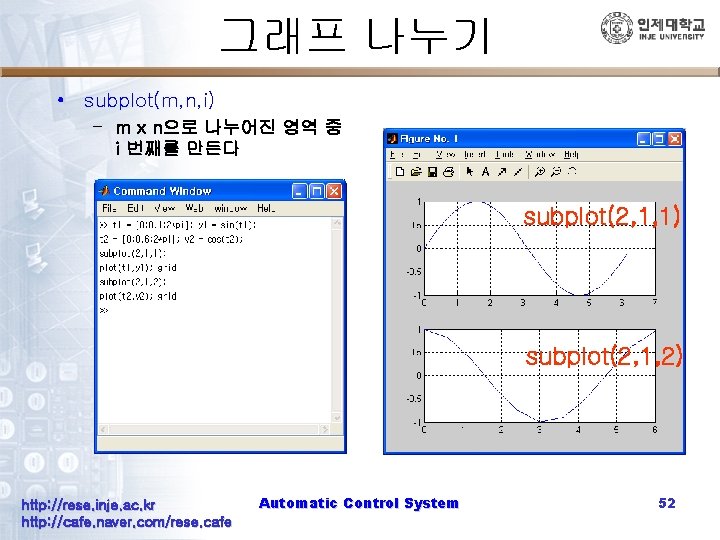
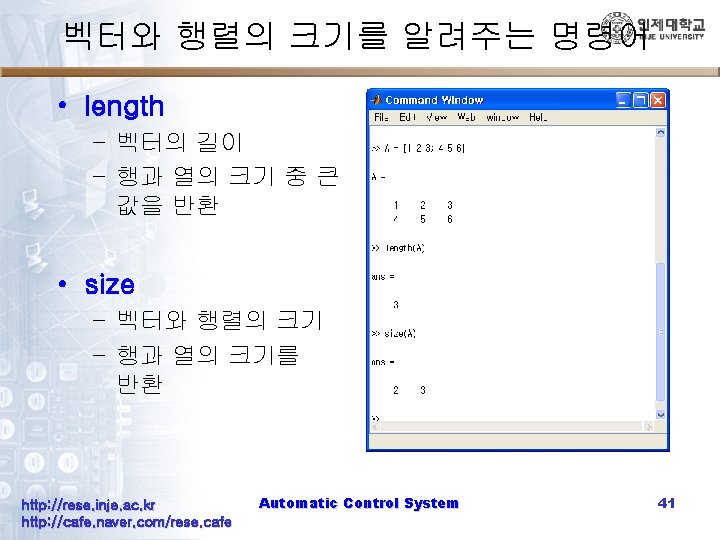
그래프 나누기 • subplot(m, n, i) – m x n으로 나누어진 영역 중 i 번째를 만든다 subplot(2, 1, 1) subplot(2, 1, 2) http: //rese. inje. ac. kr http: //cafe. naver. com/rese. cafe Automatic Control System 52
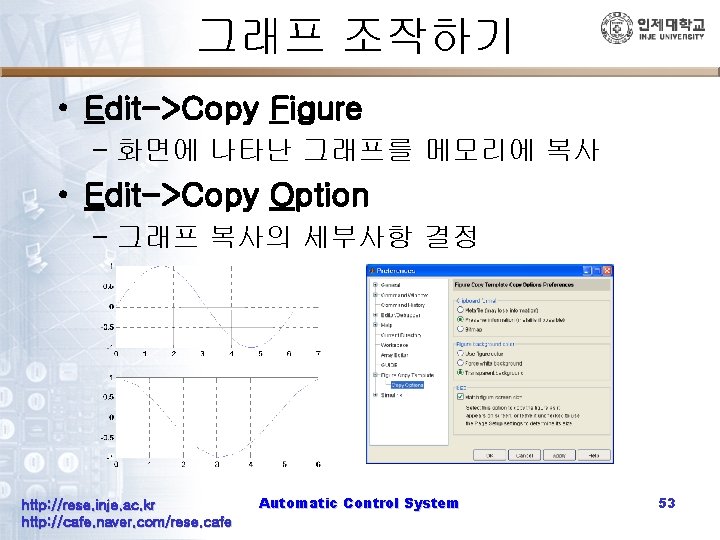
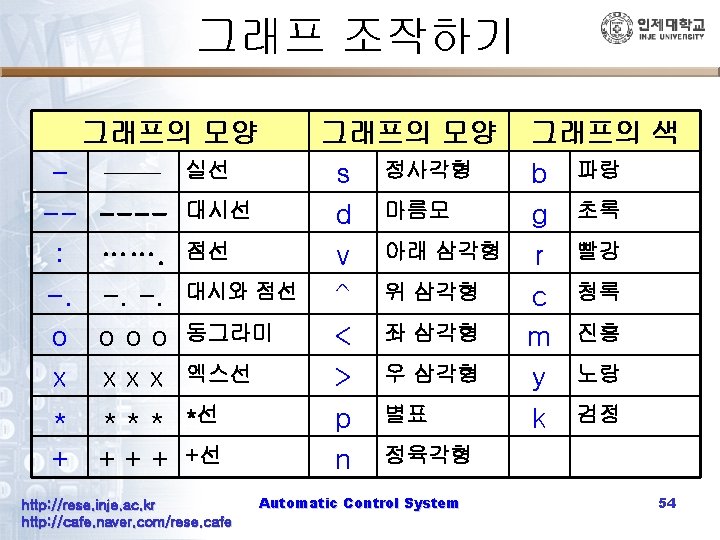
그래프 조작하기 • Edit->Copy Figure – 화면에 나타난 그래프를 메모리에 복사 • Edit->Copy Option – 그래프 복사의 세부사항 결정 http: //rese. inje. ac. kr http: //cafe. naver. com/rese. cafe Automatic Control System 53
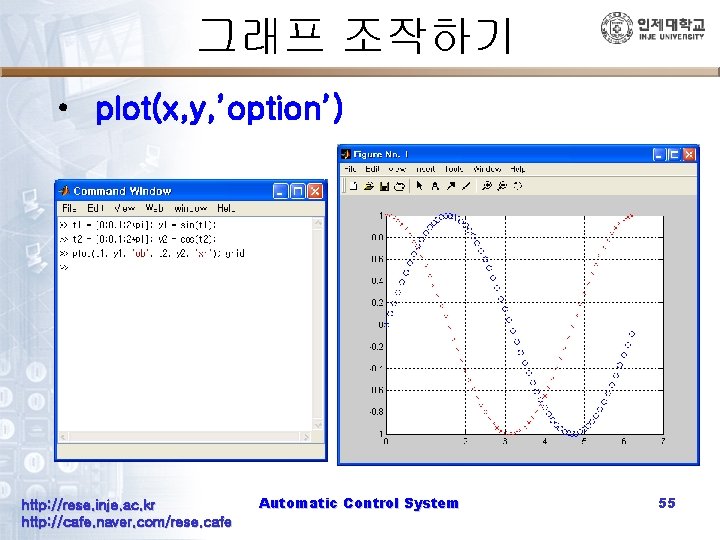
그래프 조작하기 • plot(x, y, ’option’) http: //rese. inje. ac. kr http: //cafe. naver. com/rese. cafe Automatic Control System 55
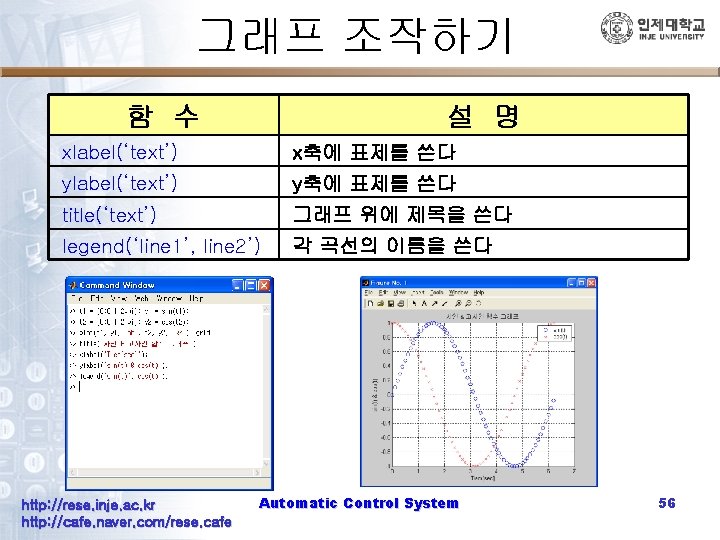
그래프 조작하기 함 수 설 명 xlabel(‘text’) x축에 표제를 쓴다 ylabel(‘text’) y축에 표제를 쓴다 title(‘text’) 그래프 위에 제목을 쓴다 legend(‘line 1’, line 2’) 각 곡선의 이름을 쓴다 http: //rese. inje. ac. kr http: //cafe. naver. com/rese. cafe Automatic Control System 56
MATLAB 프로그램의 작성과 실 행 http: //rese. inje. ac. kr http: //cafe. naver. com/rese. cafe Automatic Control System 58
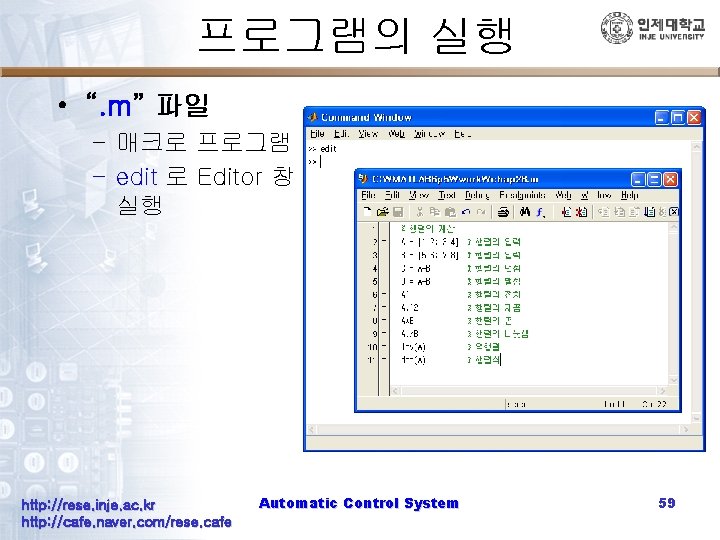
프로그램의 실행 • “. m” 파일 – 매크로 프로그램 – edit 로 Editor 창 실행 http: //rese. inje. ac. kr http: //cafe. naver. com/rese. cafe Automatic Control System 59
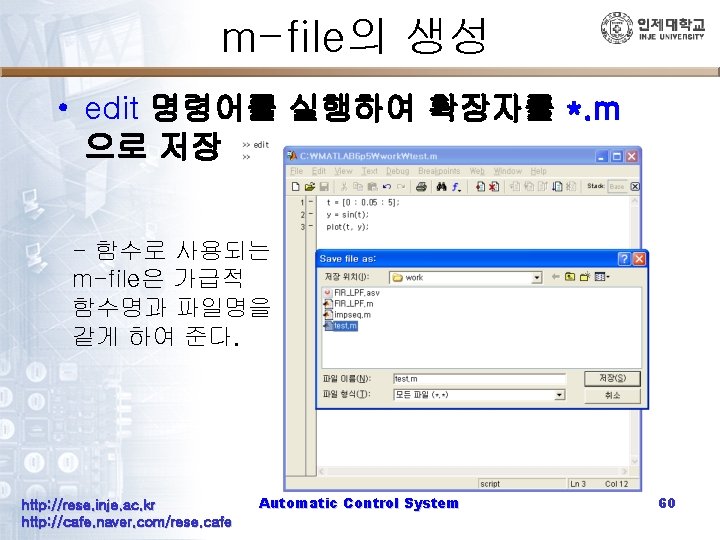
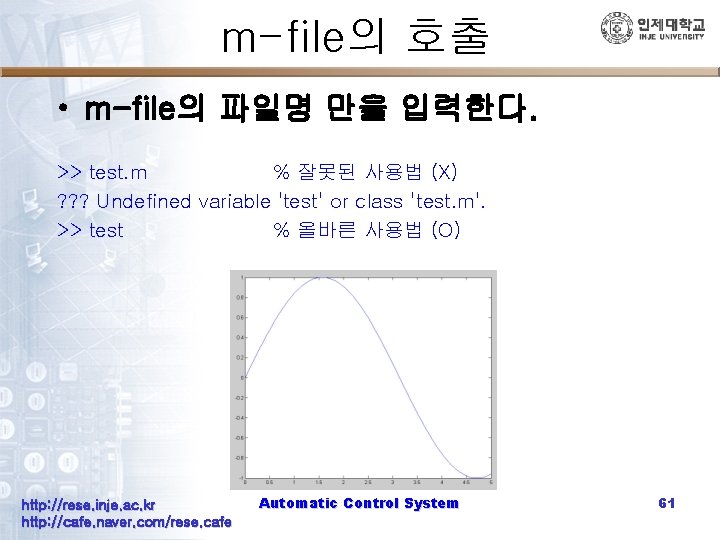
m-file의 호출 • m-file의 파일명 만을 입력한다. >> test. m % 잘못된 사용법 (X) ? ? ? Undefined variable 'test' or class 'test. m'. >> test % 올바른 사용법 (O) http: //rese. inje. ac. kr http: //cafe. naver. com/rese. cafe Automatic Control System 61
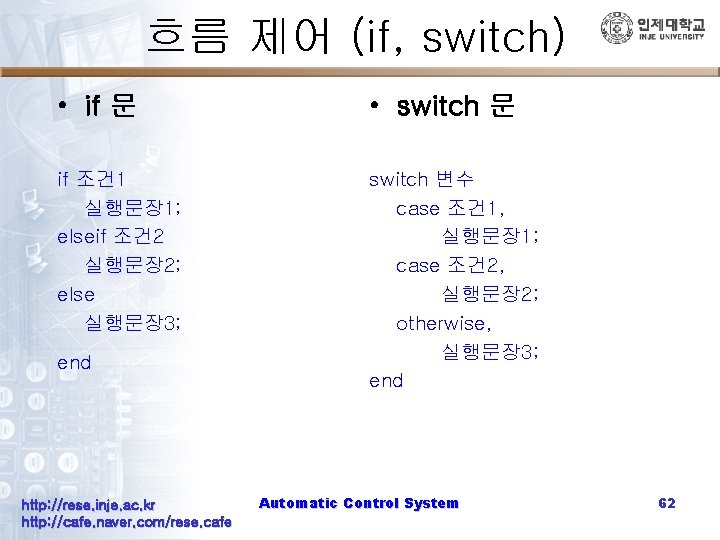
흐름 제어 (if, switch) • if 문 • switch 문 if 조건 1 실행문장 1; elseif 조건 2 실행문장 2; else 실행문장 3; switch 변수 case 조건 1, 실행문장 1; case 조건 2, 실행문장 2; otherwise, 실행문장 3; end http: //rese. inje. ac. kr http: //cafe. naver. com/rese. cafe Automatic Control System 62
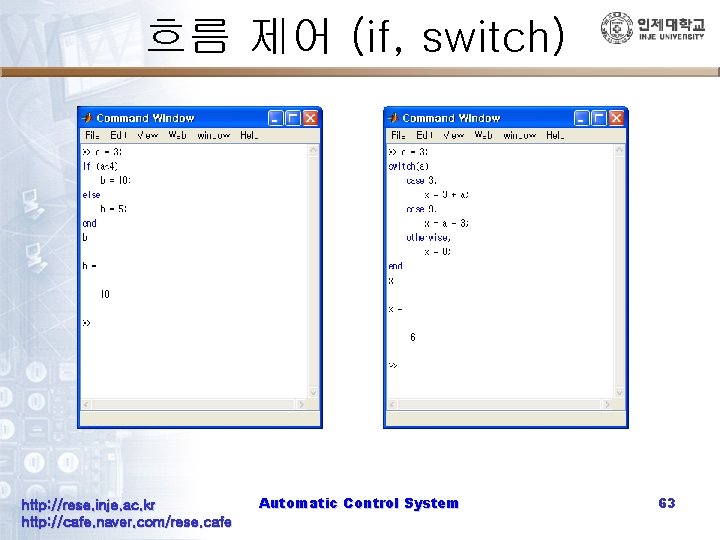
흐름 제어 (if, switch) http: //rese. inje. ac. kr http: //cafe. naver. com/rese. cafe Automatic Control System 63
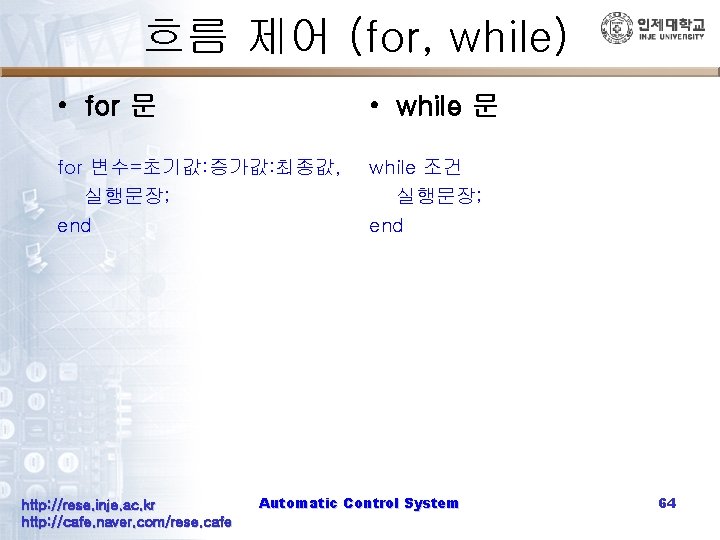
흐름 제어 (for, while) • for 문 • while 문 for 변수=초기값: 증가값: 최종값, 실행문장; end while 조건 실행문장; end http: //rese. inje. ac. kr http: //cafe. naver. com/rese. cafe Automatic Control System 64
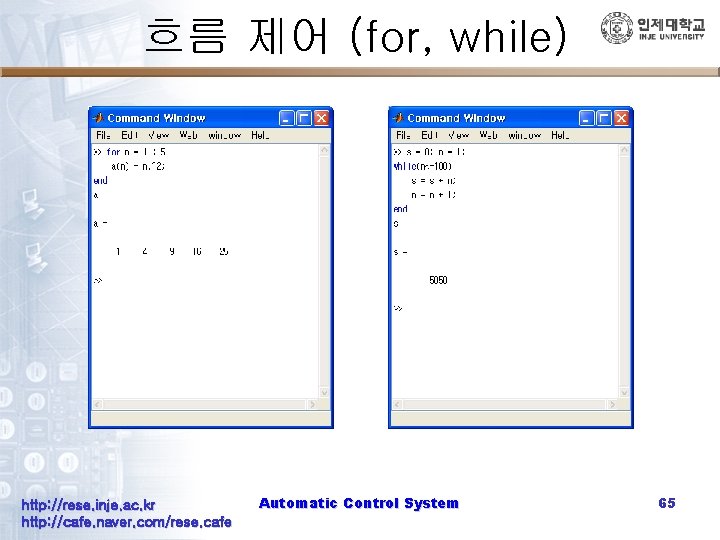
흐름 제어 (for, while) http: //rese. inje. ac. kr http: //cafe. naver. com/rese. cafe Automatic Control System 65
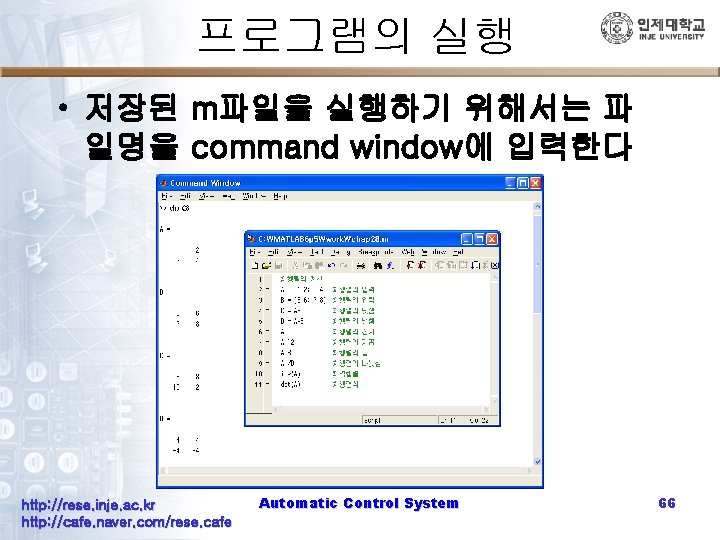
프로그램의 실행 • 저장된 m파일을 실행하기 위해서는 파 일명을 command window에 입력한다 http: //rese. inje. ac. kr http: //cafe. naver. com/rese. cafe Automatic Control System 66
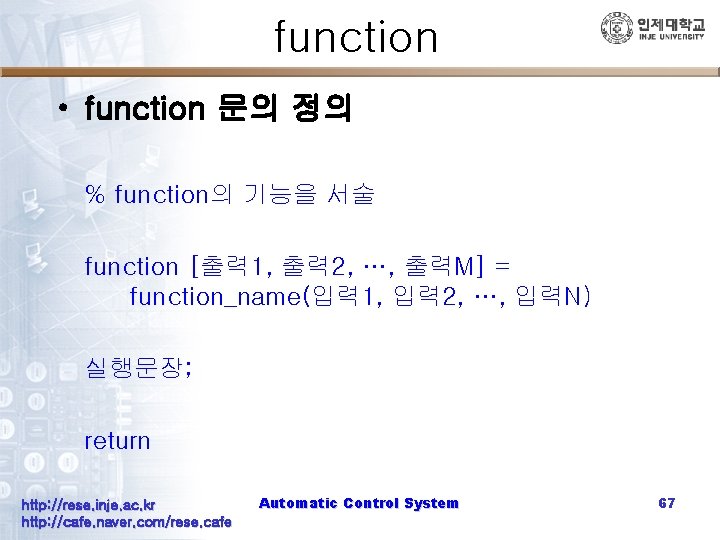
function • function 문의 정의 % function의 기능을 서술 function [출력 1, 출력 2, …, 출력M] = function_name(입력 1, 입력 2, …, 입력N) 실행문장; return http: //rese. inje. ac. kr http: //cafe. naver. com/rese. cafe Automatic Control System 67
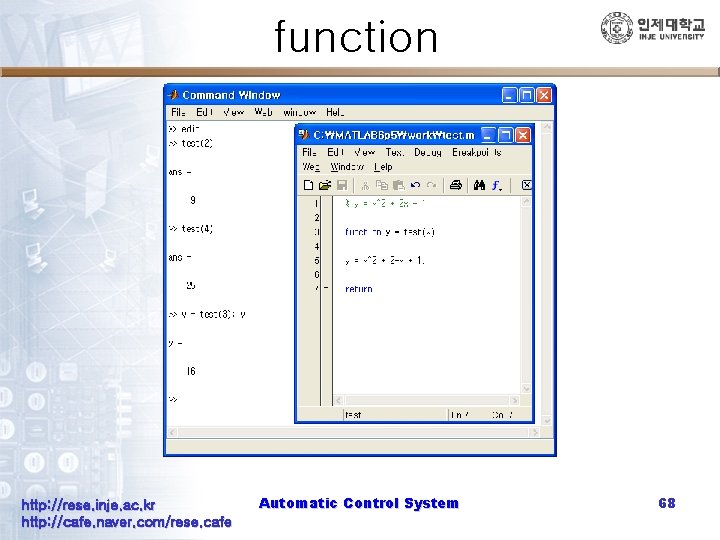
function http: //rese. inje. ac. kr http: //cafe. naver. com/rese. cafe Automatic Control System 68
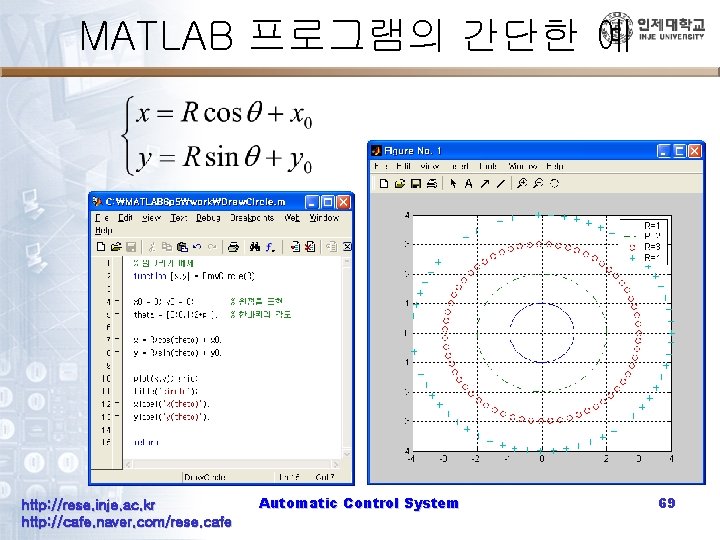
MATLAB 프로그램의 간단한 예 http: //rese. inje. ac. kr http: //cafe. naver. com/rese. cafe Automatic Control System 69
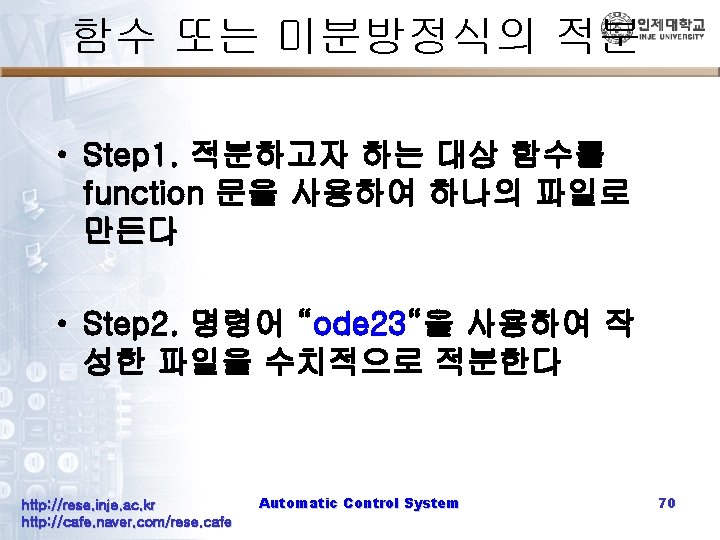
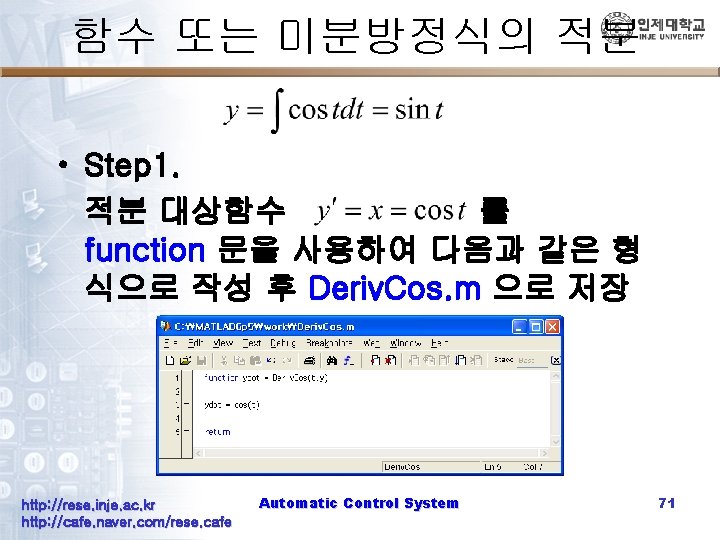
함수 또는 미분방정식의 적분 • Step 1. 적분 대상함수 를 function 문을 사용하여 다음과 같은 형 식으로 작성 후 Deriv. Cos. m 으로 저장 http: //rese. inje. ac. kr http: //cafe. naver. com/rese. cafe Automatic Control System 71
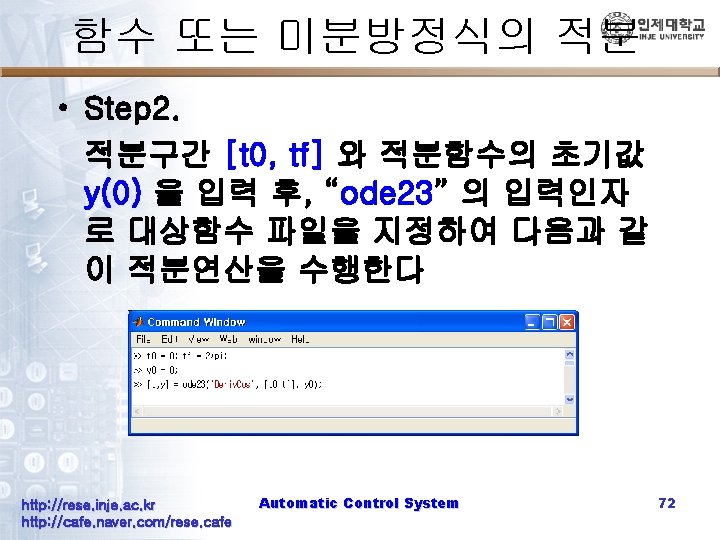
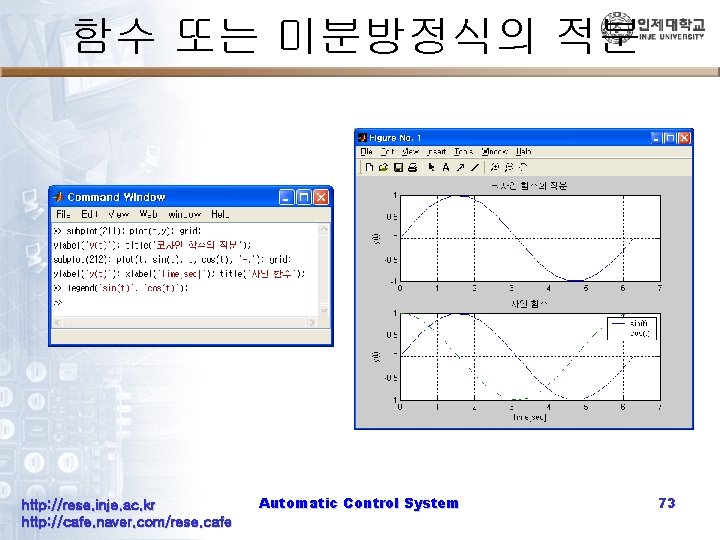
함수 또는 미분방정식의 적분 http: //rese. inje. ac. kr http: //cafe. naver. com/rese. cafe Automatic Control System 73
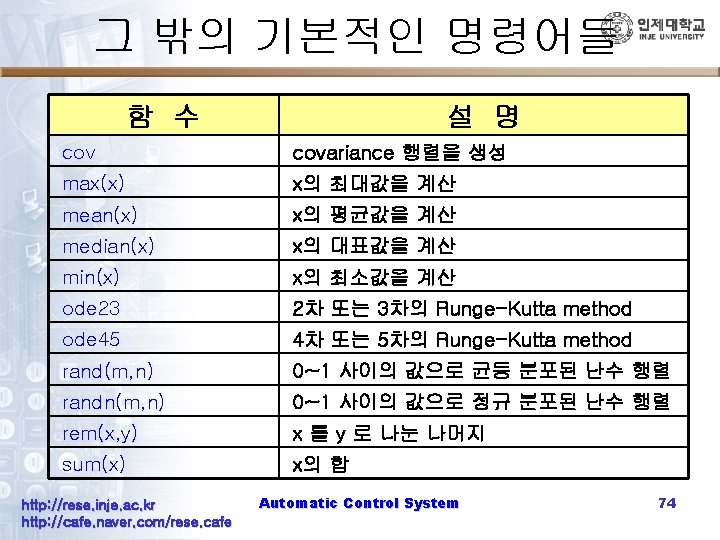
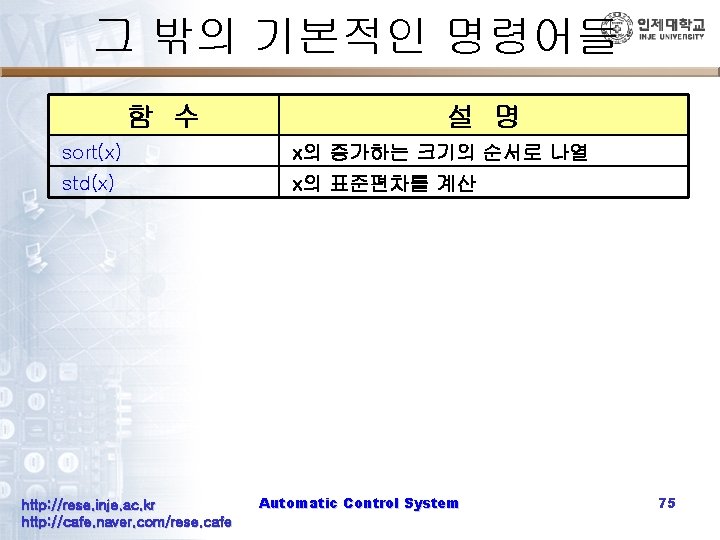
그 밖의 기본적인 명령어들 함 수 설 명 sort(x) x의 증가하는 크기의 순서로 나열 std(x) x의 표준편차를 계산 http: //rese. inje. ac. kr http: //cafe. naver. com/rese. cafe Automatic Control System 75
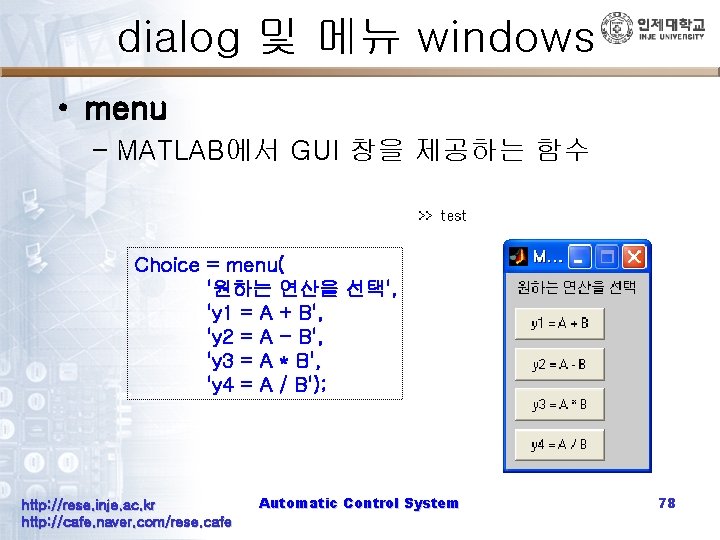
dialog 및 메뉴 windows • menu – MATLAB에서 GUI 창을 제공하는 함수 Choice = menu( '원하는 연산을 선택', 'y 1 = A + B', 'y 2 = A - B', 'y 3 = A * B', 'y 4 = A / B'); http: //rese. inje. ac. kr http: //cafe. naver. com/rese. cafe Automatic Control System 78
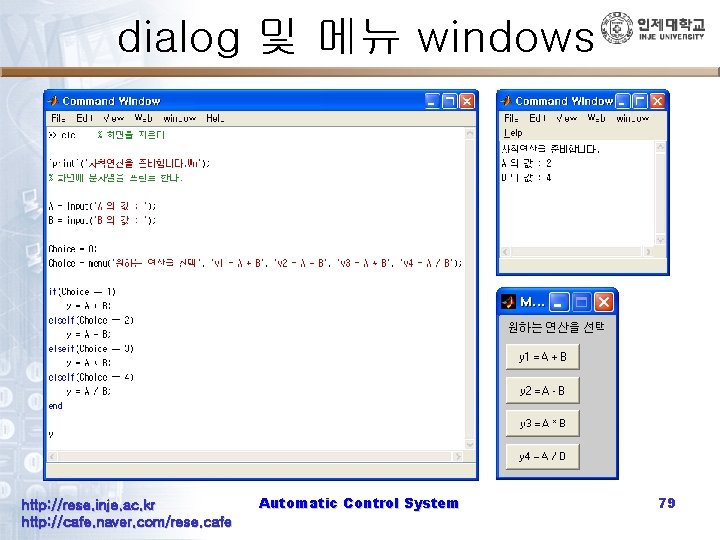
dialog 및 메뉴 windows http: //rese. inje. ac. kr http: //cafe. naver. com/rese. cafe Automatic Control System 79
- Slides: 79