
Matlab and Simulink Creation and Animation of X
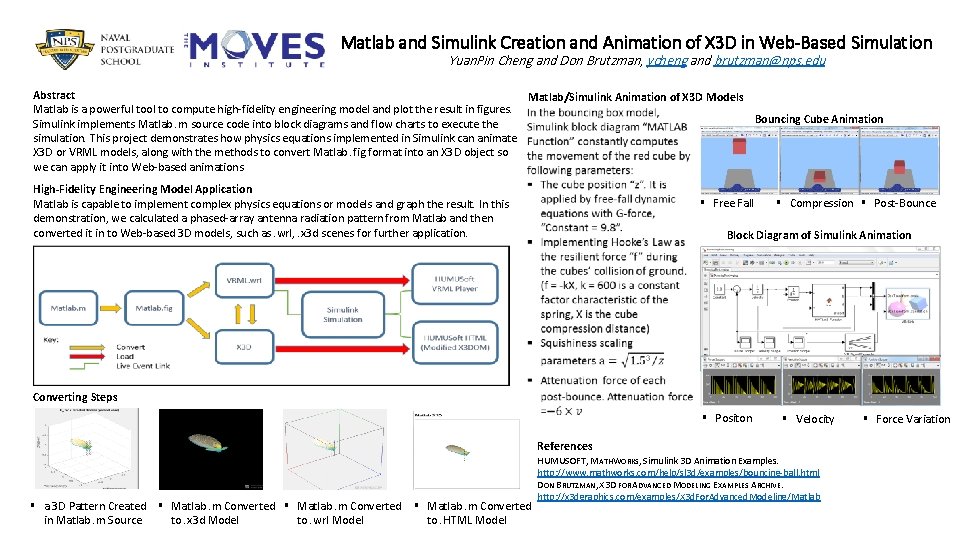
Matlab and Simulink Creation and Animation of X 3 D in Web-Based Simulation Yuan. Pin Cheng and Don Brutzman, ycheng and brutzman@nps. edu Abstract Matlab/Simulink Animation of X 3 D Models Matlab is a powerful tool to compute high-fidelity engineering model and plot the result in figures. Bouncing Cube Animation Simulink implements Matlab. m source code into block diagrams and flow charts to execute the simulation. This project demonstrates how physics equations implemented in Simulink can animate X 3 D or VRML models, along with the methods to convert Matlab. fig format into an X 3 D object so we can apply it into Web-based animations High-Fidelity Engineering Model Application Matlab is capable to implement complex physics equations or models and graph the result. In this demonstration, we calculated a phased-array antenna radiation pattern from Matlab and then converted it in to Web-based 3 D models, such as. wrl, . x 3 d scenes for further application. § Free Fall § Compression § Post-Bounce Block Diagram of Simulink Animation Converting Steps § Positon References § a 3 D Pattern Created § Matlab. m Converted to. wrl Model to. HTML Model to. x 3 d Model in Matlab. m Source § Velocity HUMUSOFT, MATHWORKS, Simulink 3 D Animation Examples. http: //www. mathworks. com/help/sl 3 d/examples/bouncing-ball. html DON BRUTZMAN, X 3 D FOR ADVANCED MODELING EXAMPLES ARCHIVE. http: //x 3 dgraphics. com/examples/X 3 d. For. Advanced. Modeling/Matlab § Force Variation
- Slides: 1