
Mathematic Morphology n used to extract image components

- Slides: 56
Mathematic Morphology n used to extract image components that are useful in the representation and description of region shape, such as n n n boundaries extraction skeletons convex hull morphological filtering thinning pruning 1
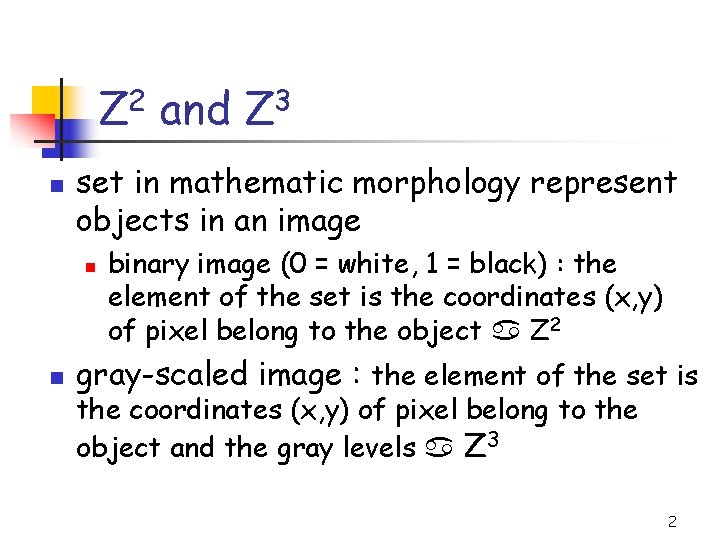
Z 2 and Z 3 n set in mathematic morphology represent objects in an image n n binary image (0 = white, 1 = black) : the element of the set is the coordinates (x, y) of pixel belong to the object Z 2 gray-scaled image : the element of the set is the coordinates (x, y) of pixel belong to the object and the gray levels Z 3 2
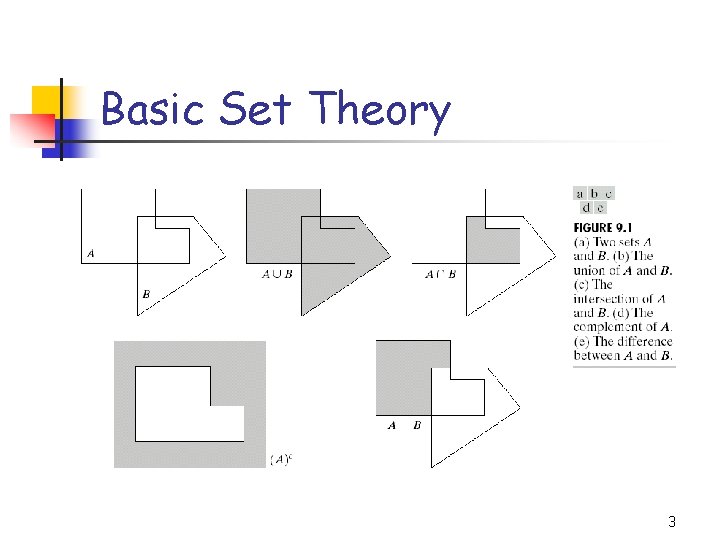
Basic Set Theory 3
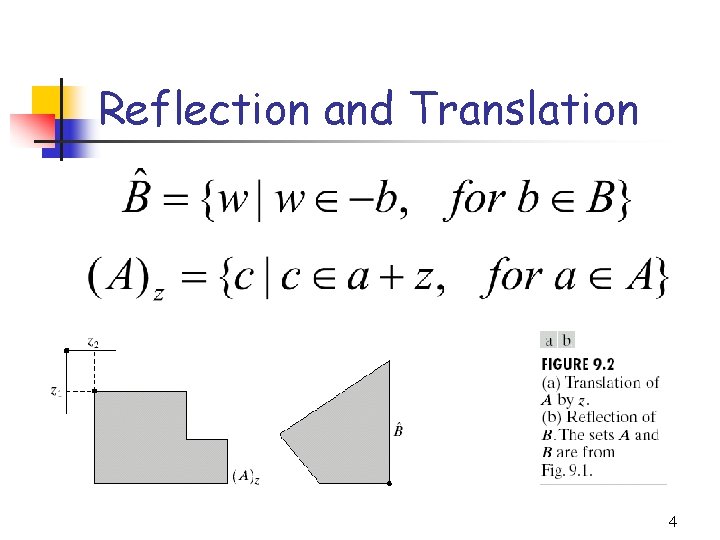
Reflection and Translation 4
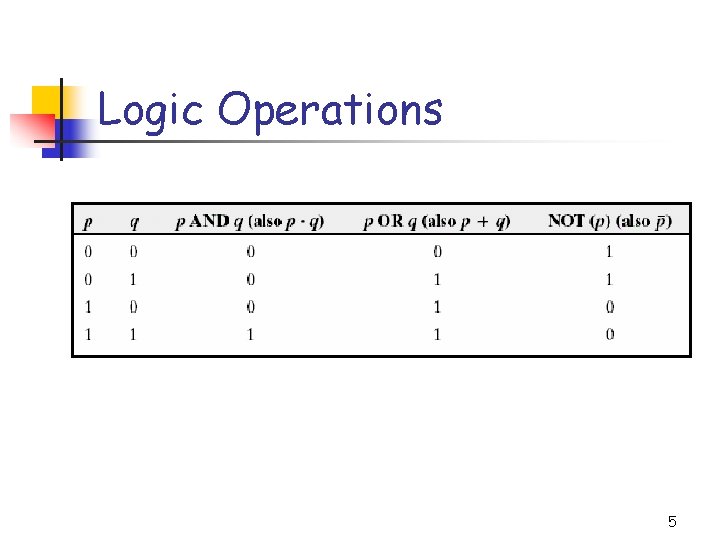
Logic Operations 5
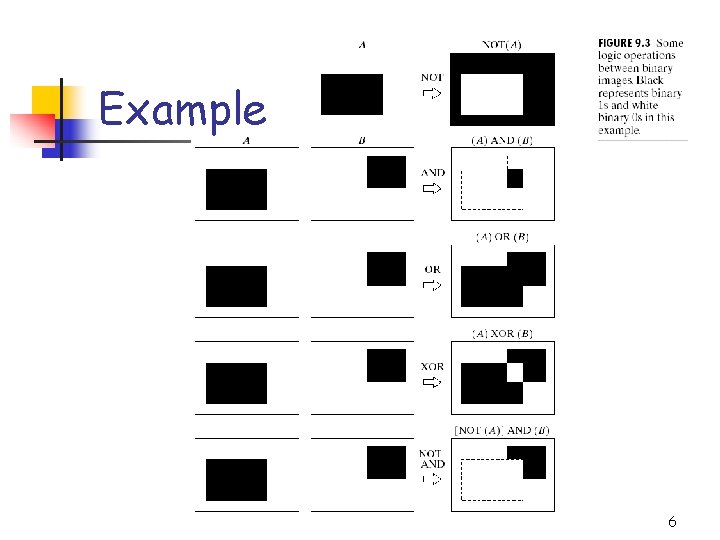
Example 6
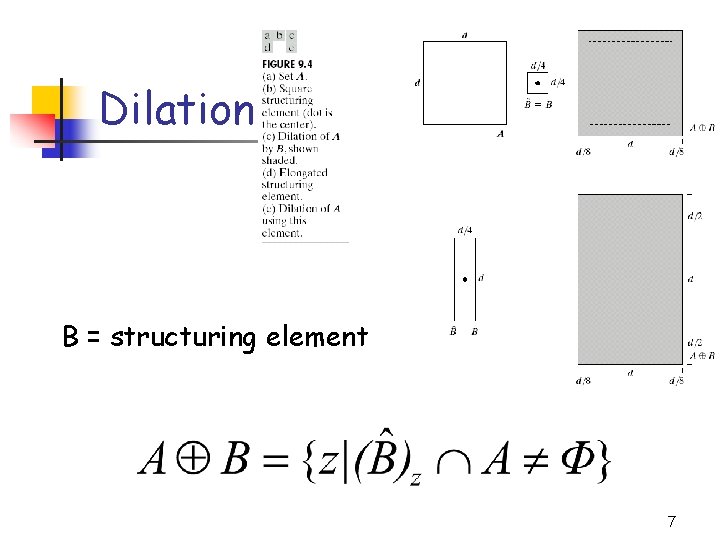
Dilation B = structuring element 7
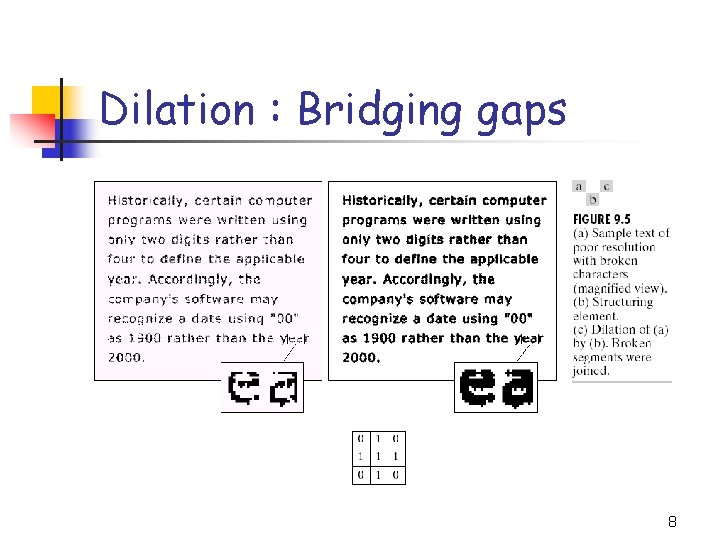
Dilation : Bridging gaps 8
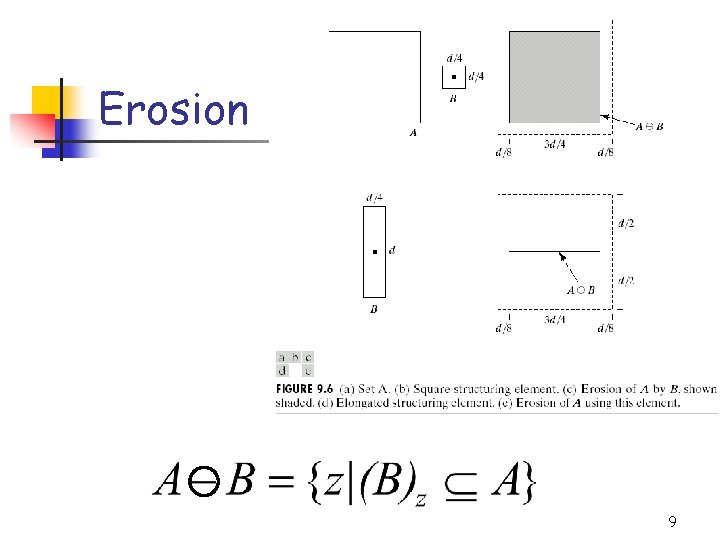
Erosion 9
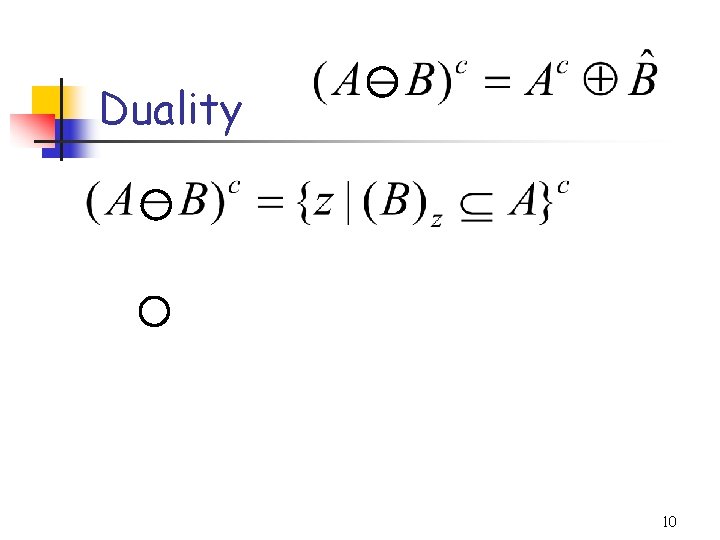
Duality 10
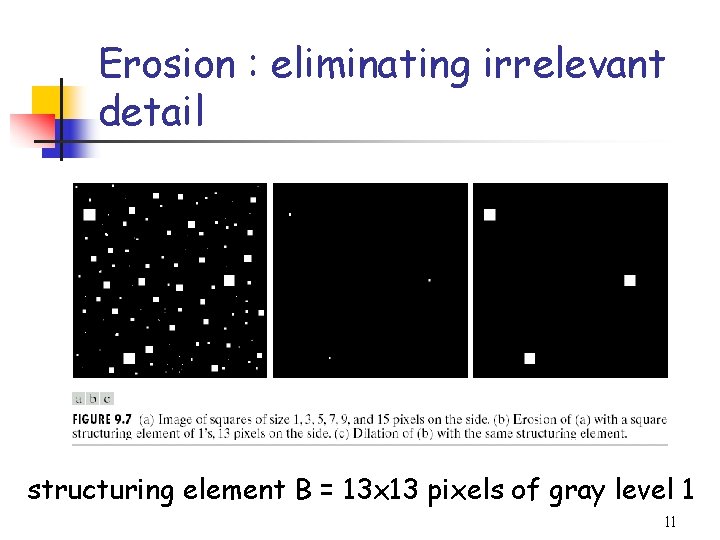
Erosion : eliminating irrelevant detail structuring element B = 13 x 13 pixels of gray level 1 11
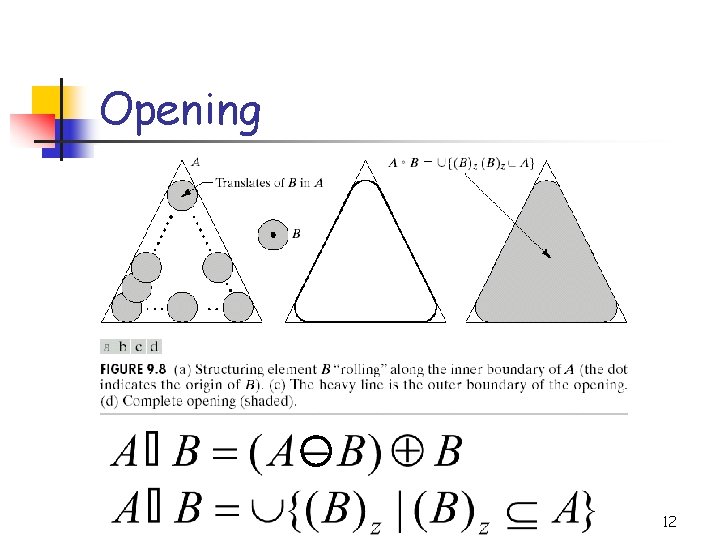
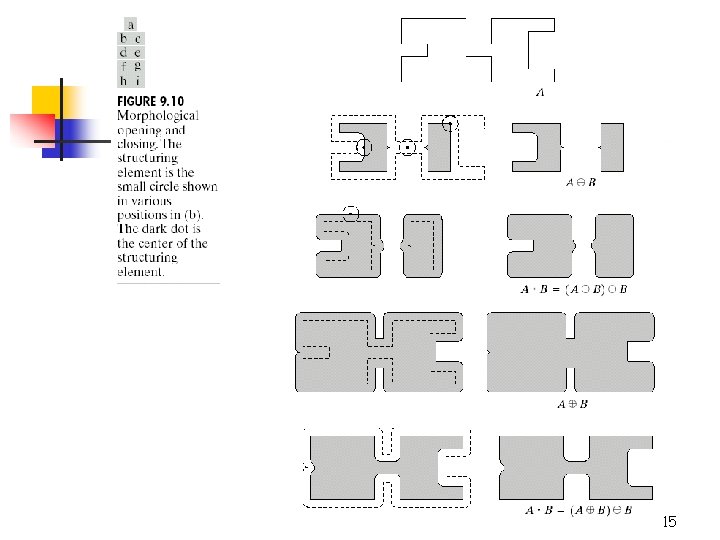
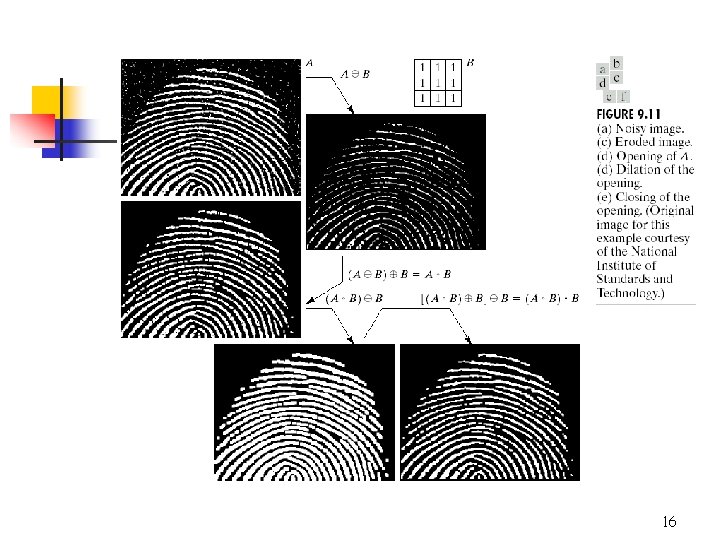
Opening 12
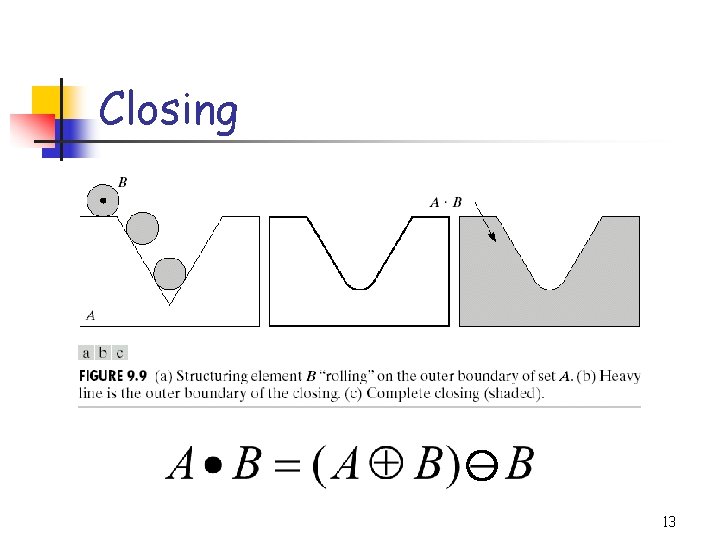
Closing 13
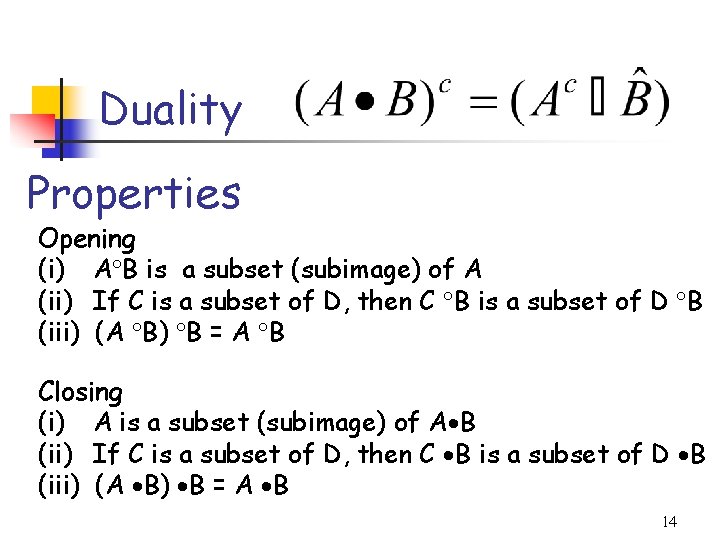
Duality Properties Opening (i) A B is a subset (subimage) of A (ii) If C is a subset of D, then C B is a subset of D B (iii) (A B) B = A B Closing (i) A is a subset (subimage) of A B (ii) If C is a subset of D, then C B is a subset of D B (iii) (A B) B = A B 14
15
16
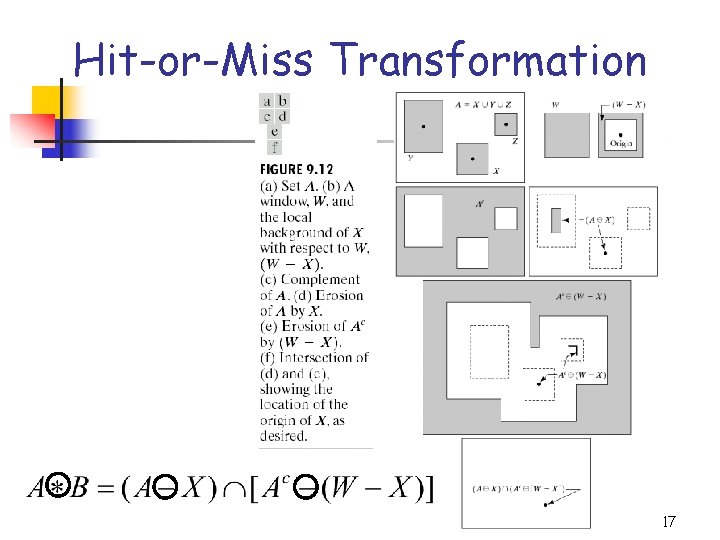
Hit-or-Miss Transformation 17
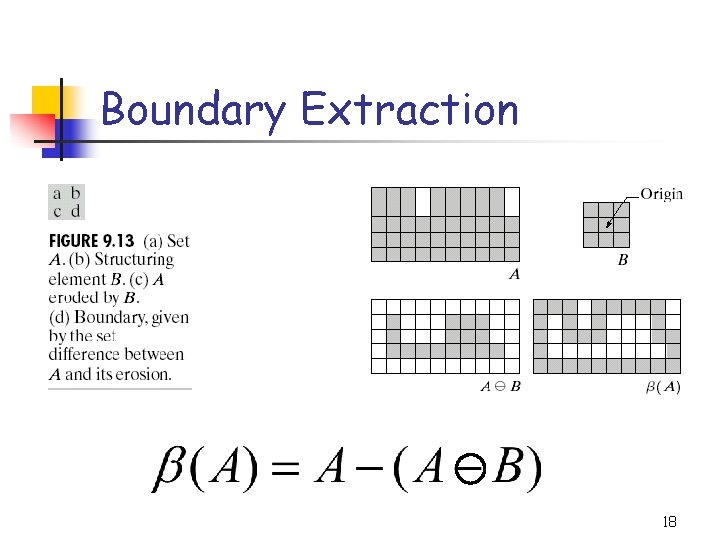
Boundary Extraction 18
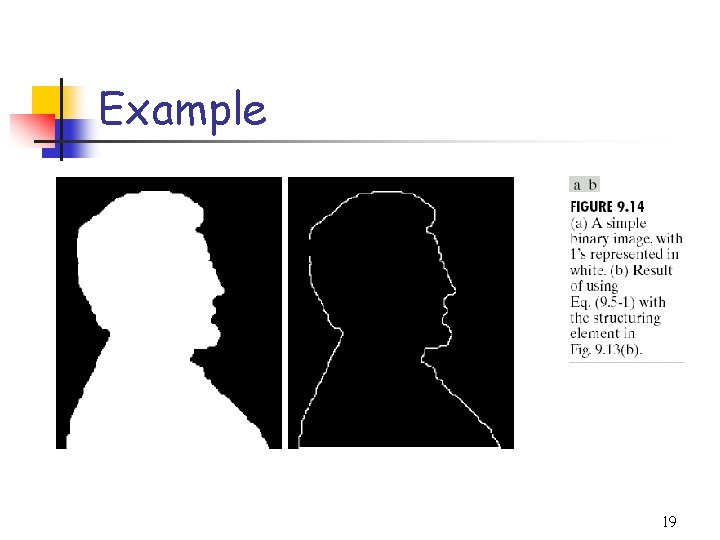
Example 19
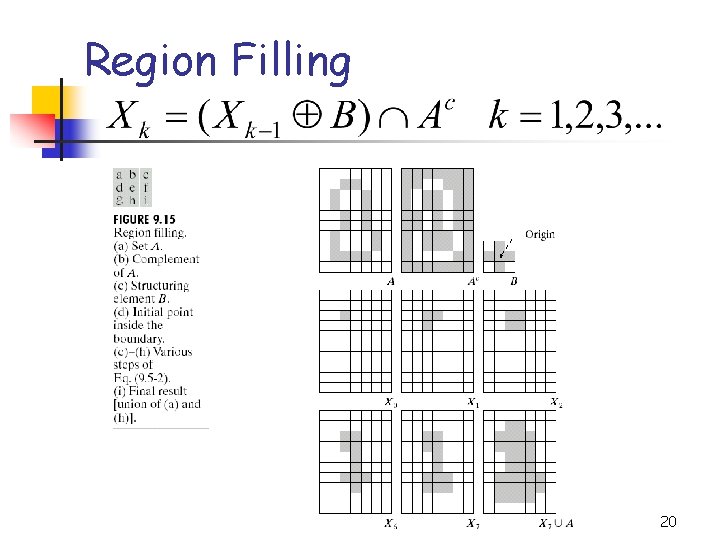
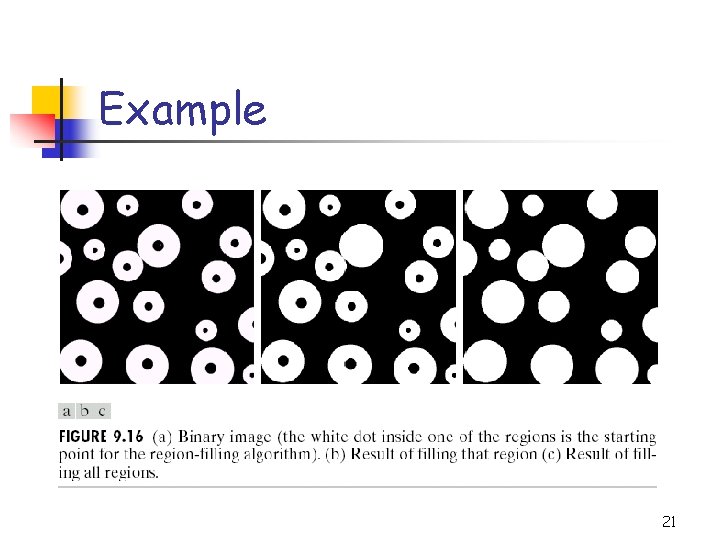
Region Filling 20
Example 21
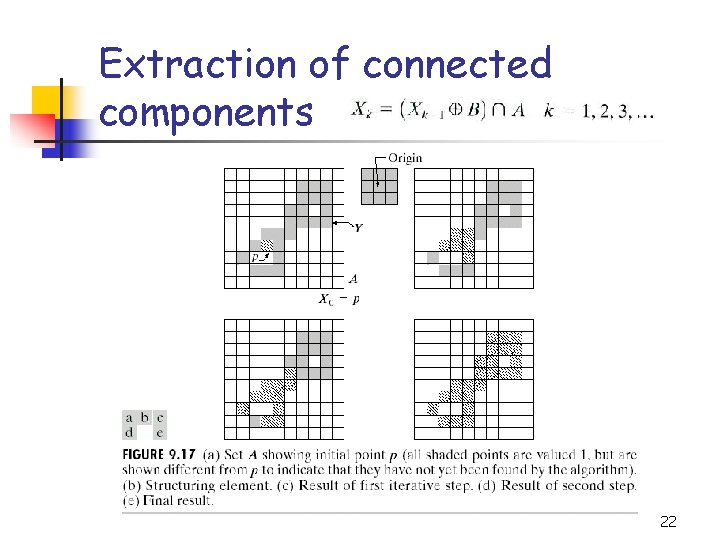
Extraction of connected components 22
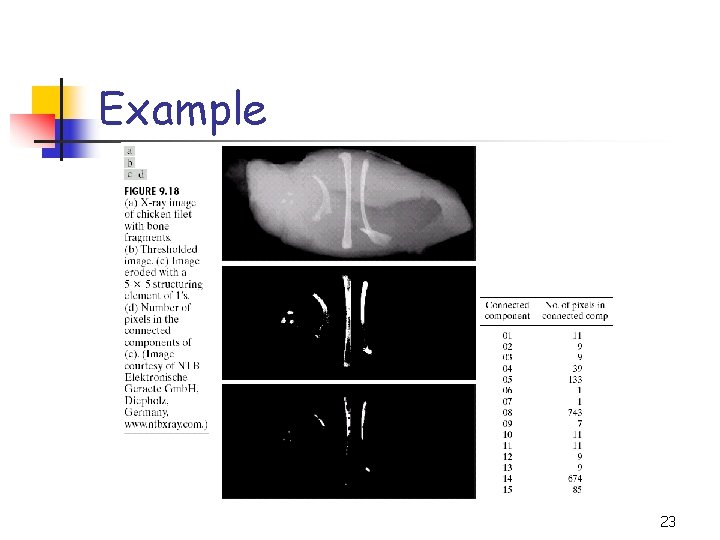
Example 23
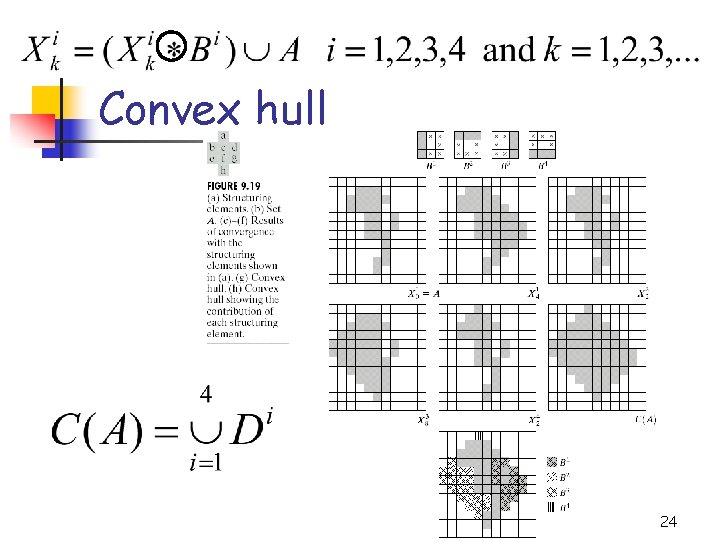
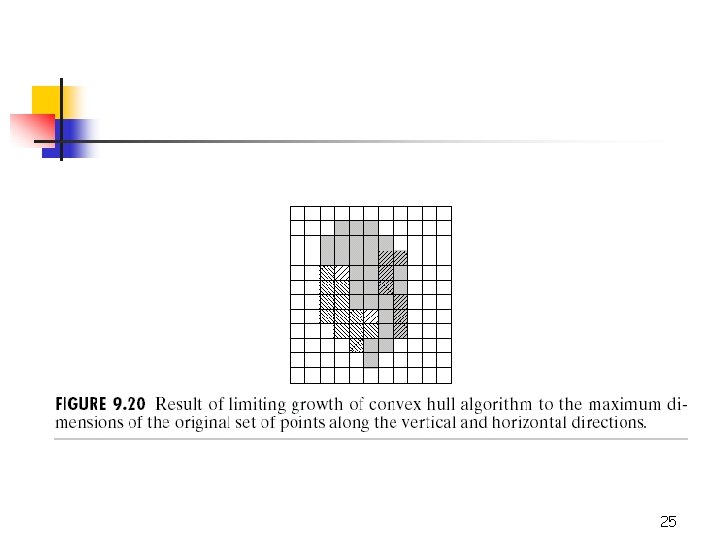
Convex hull 24
25
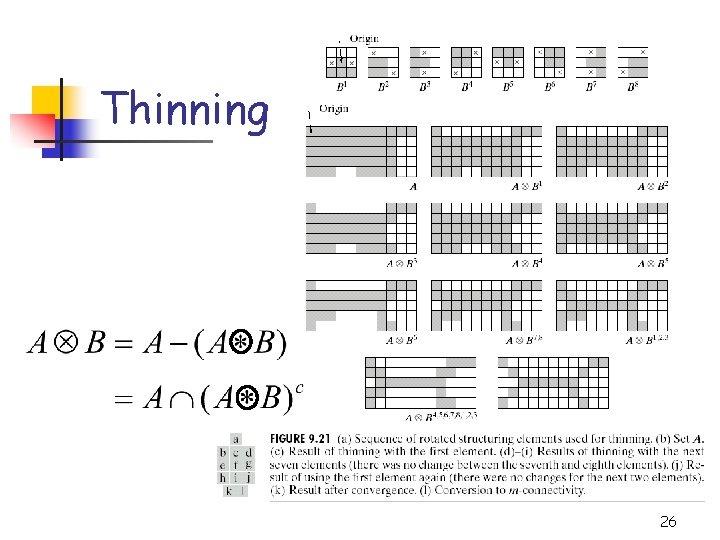
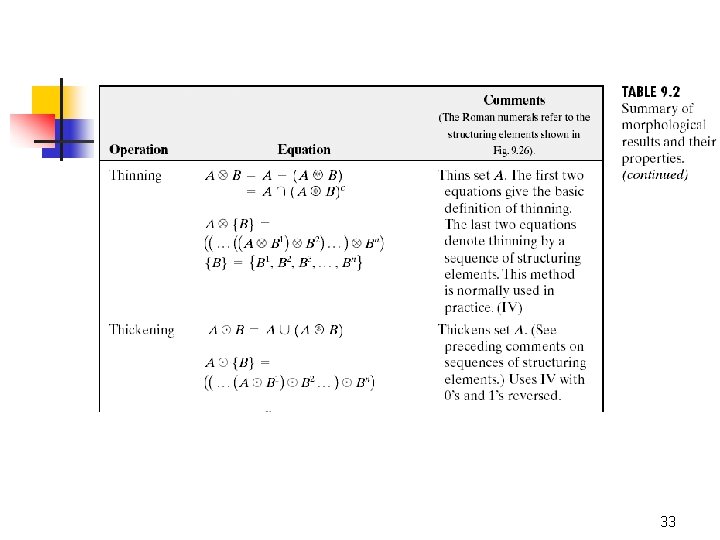
Thinning 26
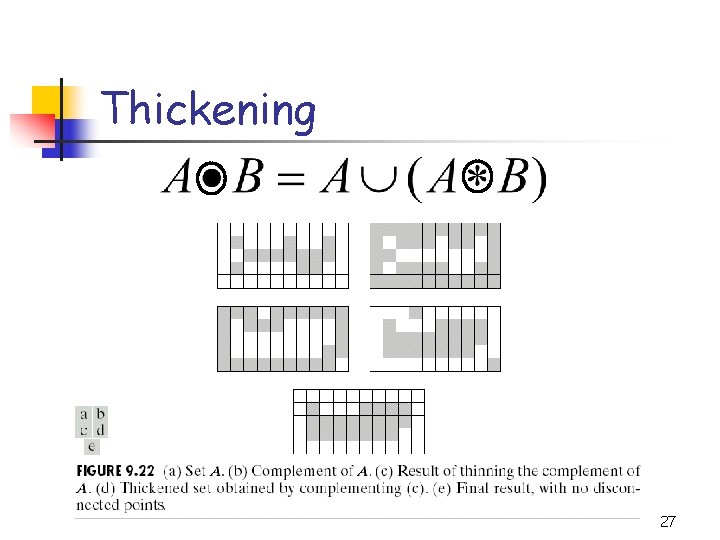
Thickening 27
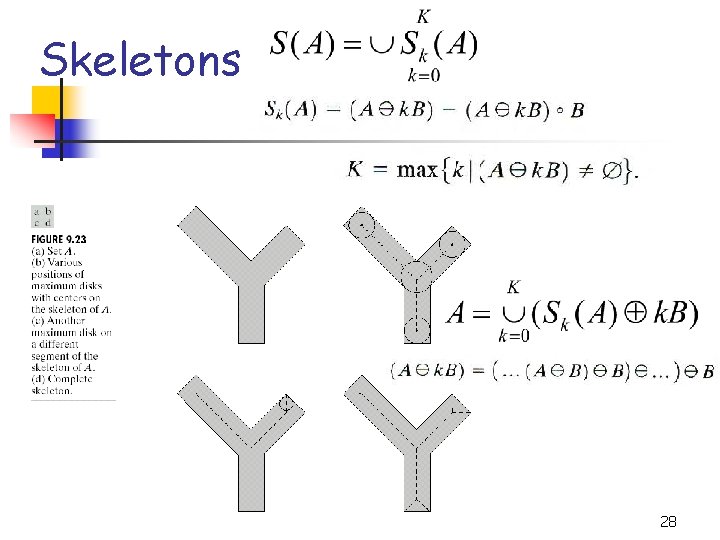
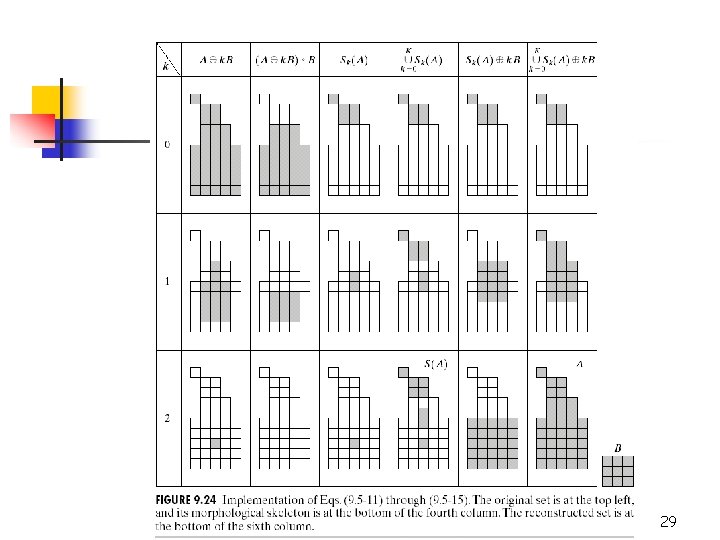
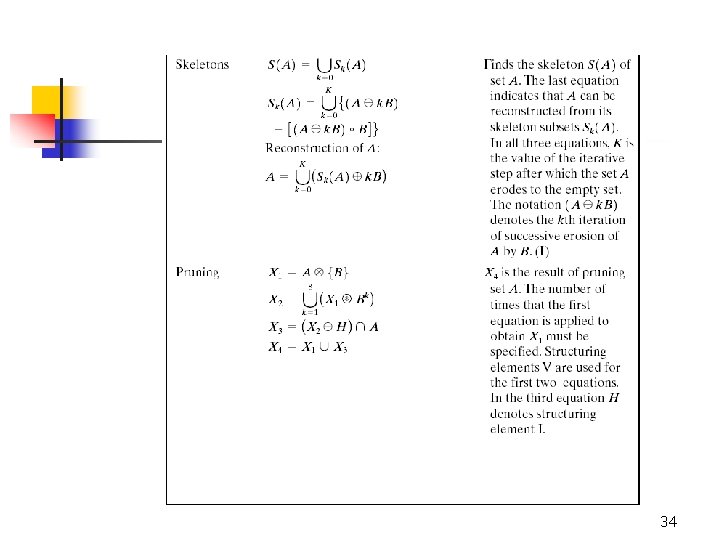
Skeletons 28
29
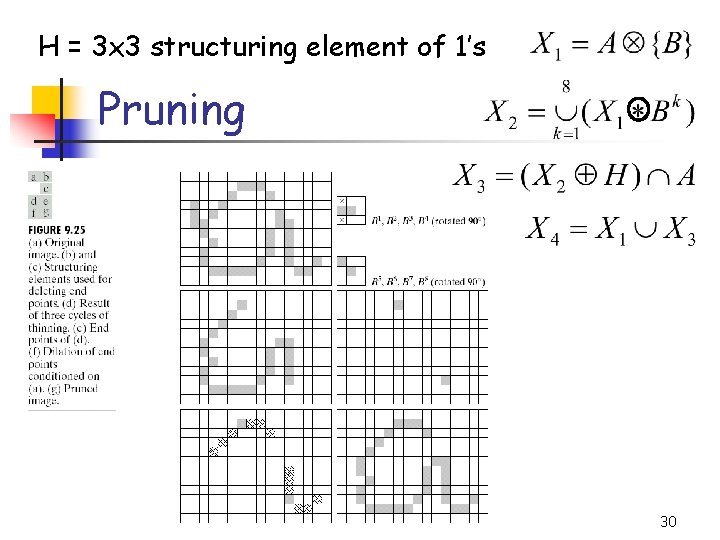
H = 3 x 3 structuring element of 1’s Pruning 30
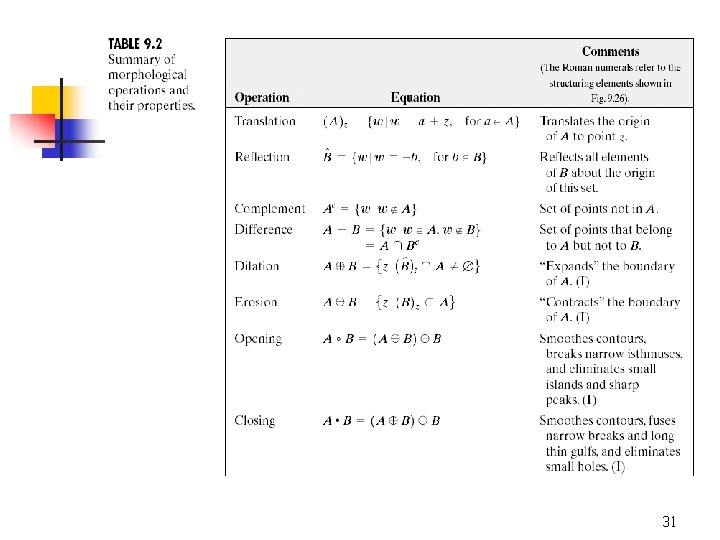
31
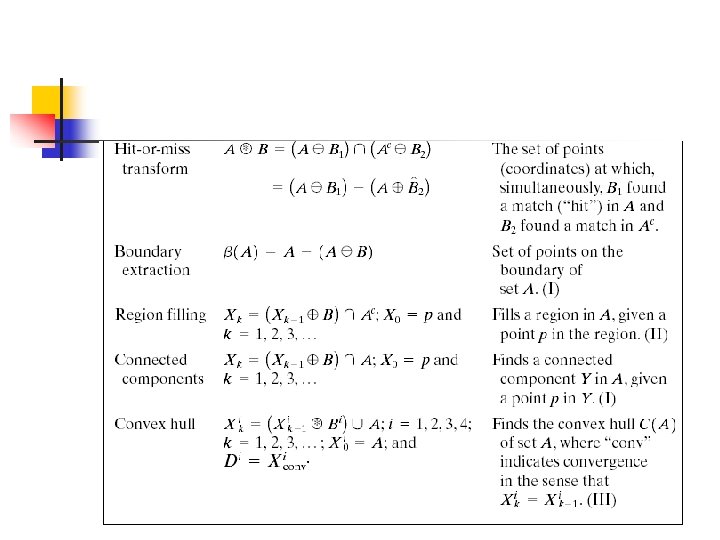
32
33
34
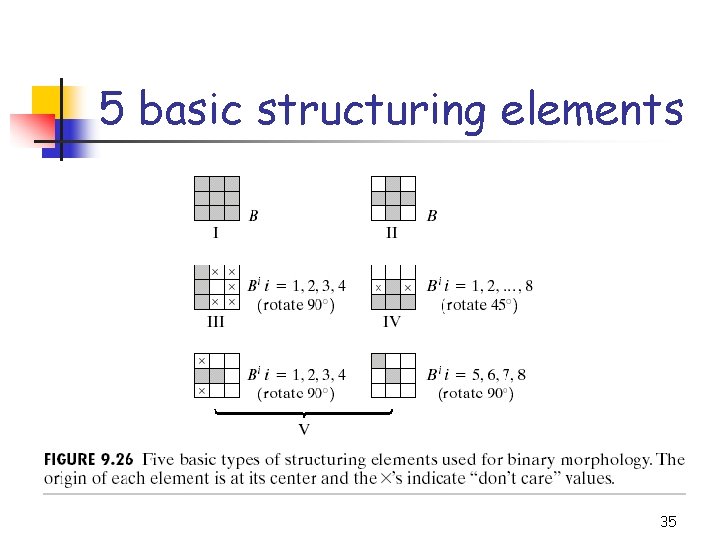
5 basic structuring elements 35
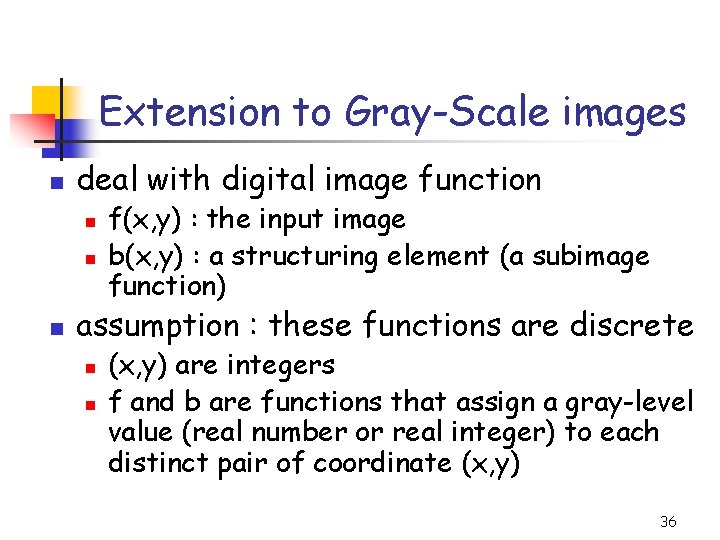
Extension to Gray-Scale images n deal with digital image function n f(x, y) : the input image b(x, y) : a structuring element (a subimage function) assumption : these functions are discrete n n (x, y) are integers f and b are functions that assign a gray-level value (real number or real integer) to each distinct pair of coordinate (x, y) 36
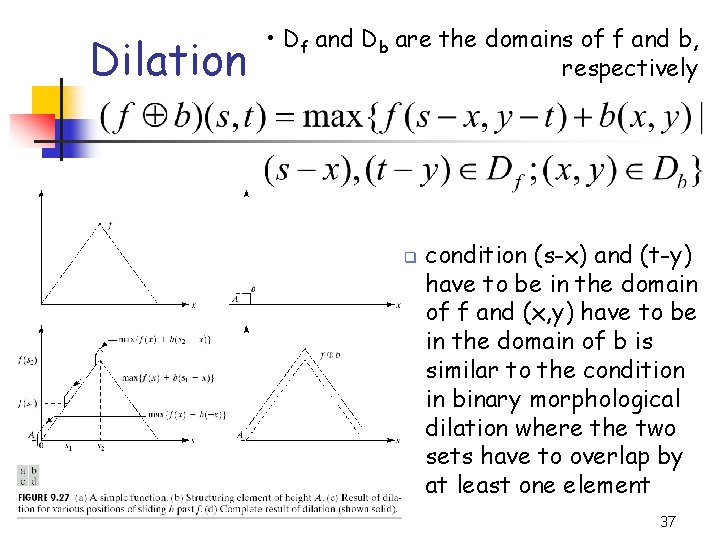
Dilation • Df and Db are the domains of f and b, respectively q condition (s-x) and (t-y) have to be in the domain of f and (x, y) have to be in the domain of b is similar to the condition in binary morphological dilation where the two sets have to overlap by at least one element 37
Dilation n similar to 2 D convolution n n f(s-x) : f(-x) is simply f(x) mirrored with respect to the original of the x axis. the function f(s-x) moves to the right for positive s, and to the left for negative s. max operation replaces the sums of convolution addition operation replaces with the products of convolution general effect n n if all the values of the structuring element are positive, the output image tends to be brighter than the input dark details either are reduced or eliminated, depending on how their values and shapes relate to the structuring element used for dilation 38
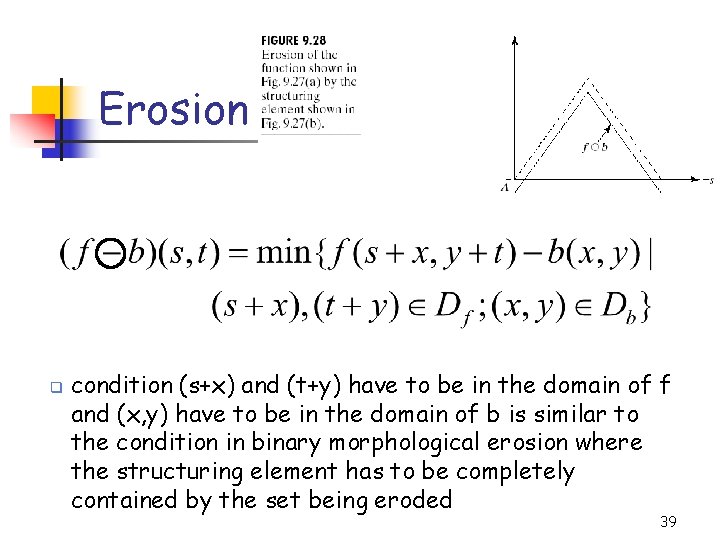
Erosion q condition (s+x) and (t+y) have to be in the domain of f and (x, y) have to be in the domain of b is similar to the condition in binary morphological erosion where the structuring element has to be completely contained by the set being eroded 39
Erosion n n similar to 2 D correlation n f(s+x) moves to the left for positive s and to the right for negative s. general effect n n if all the elements of the structuring element are positive, the output image tends to be darker than the input the effect of bright details in the input image that are smaller in area than the structuring element is reduced, with the degree of reduction being determined by the gray-level values surrounding the bright detail and by the shape and amplitude values of the structuring element itself 40
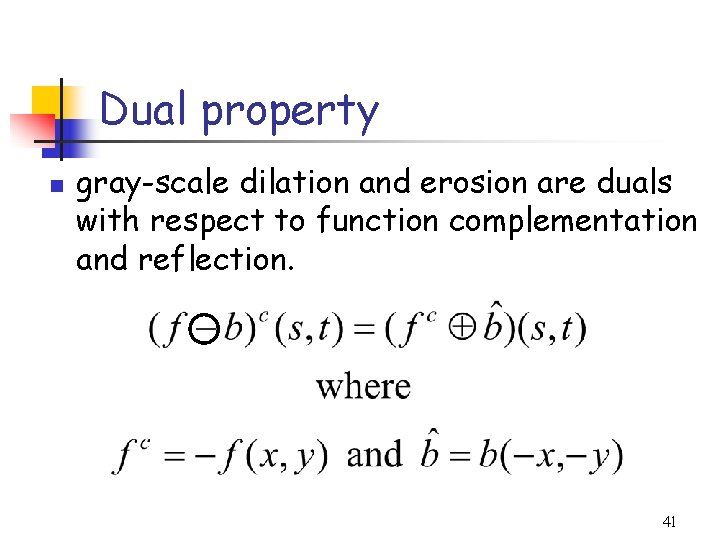
Dual property n gray-scale dilation and erosion are duals with respect to function complementation and reflection. 41
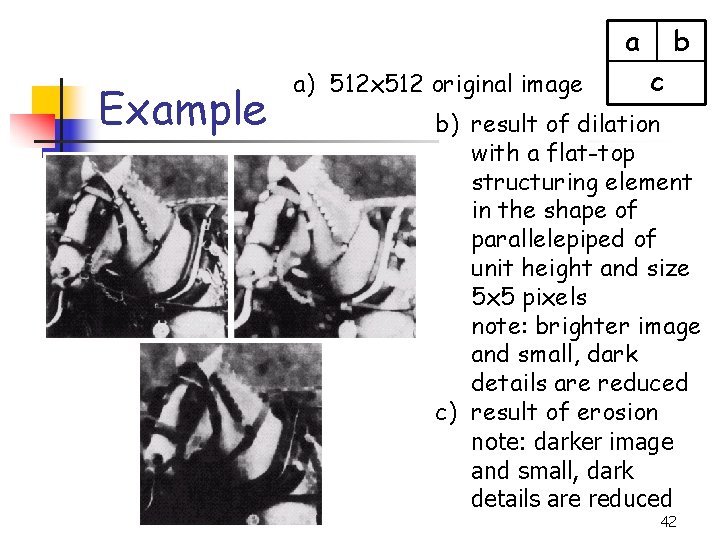
a Example a) 512 x 512 original image b c b) result of dilation with a flat-top structuring element in the shape of parallelepiped of unit height and size 5 x 5 pixels note: brighter image and small, dark details are reduced c) result of erosion note: darker image and small, dark details are reduced 42
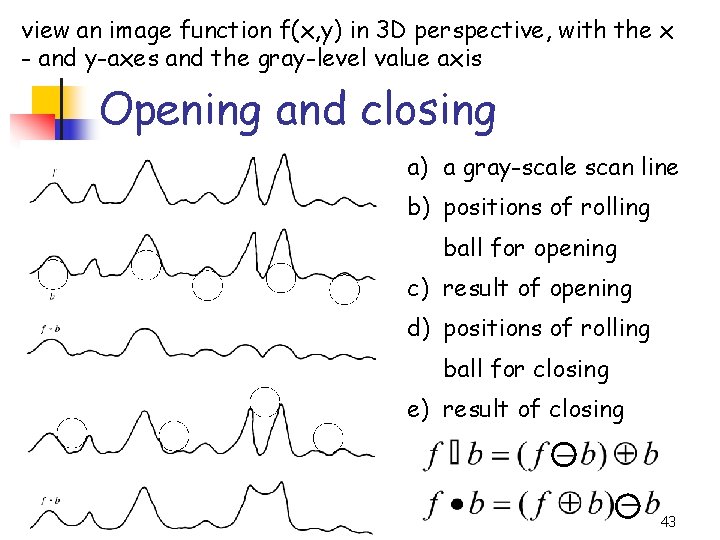
view an image function f(x, y) in 3 D perspective, with the x - and y-axes and the gray-level value axis Opening and closing a) a gray-scale scan line b) positions of rolling ball for opening c) result of opening d) positions of rolling ball for closing e) result of closing 43
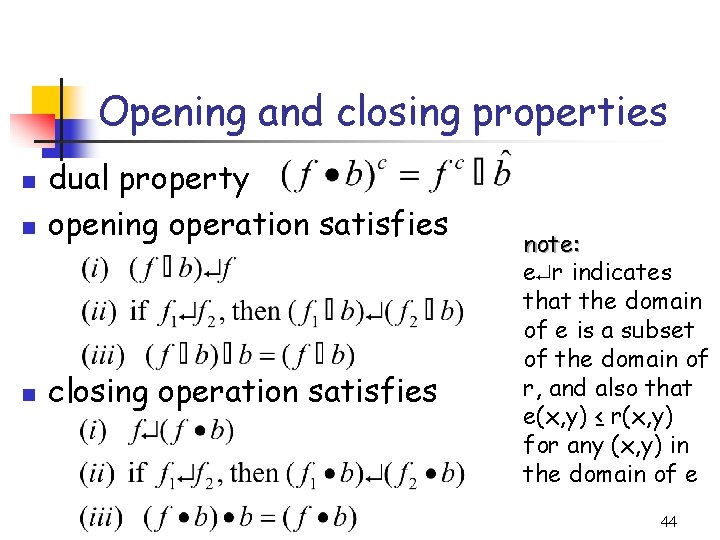
Opening and closing properties n dual property opening operation satisfies n closing operation satisfies n note: e r indicates that the domain of e is a subset of the domain of r, and also that e(x, y) ≤ r(x, y) for any (x, y) in the domain of e 44
Effect of opening n n n the structuring element is rolled underside the surface of f all the peaks that are narrow with respect to the diameter of the structuring element will be reduced in amplitude and sharpness so, opening is used to remove small light details, while leaving the overall gray levels and larger bright features relatively undisturbed. the initial erosion removes the details, but it also darkens the image. the subsequent dilation again increases the overall intensity of the image without reintroducing the details totally removed by erosion 45
Effect of closing n n n the structuring element is rolled on top of the surface of f peaks essentially are left in their original form (assume that their separation at the narrowest points exceeds the diameter of the structuring element) so, closing is used to remove small dark details, while leaving bright features relatively undisturbed. the initial dilation removes the dark details and brightens the image the subsequent erosion darkens the image without reintroducing the details totally removed by dilation 46
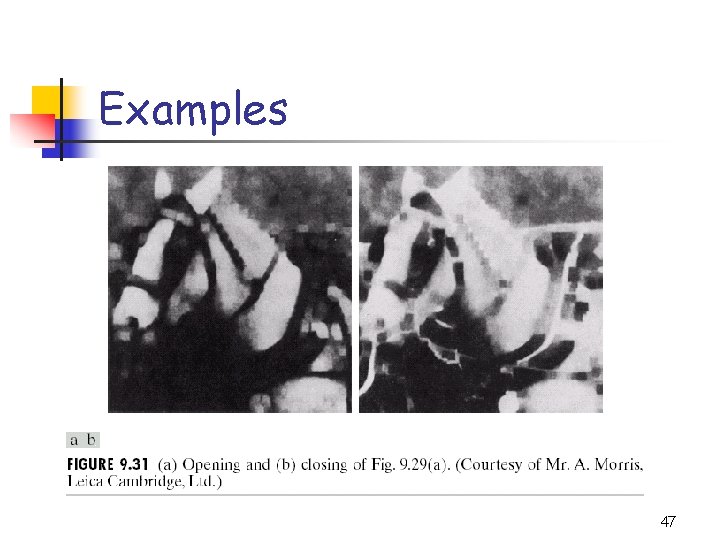
Examples 47
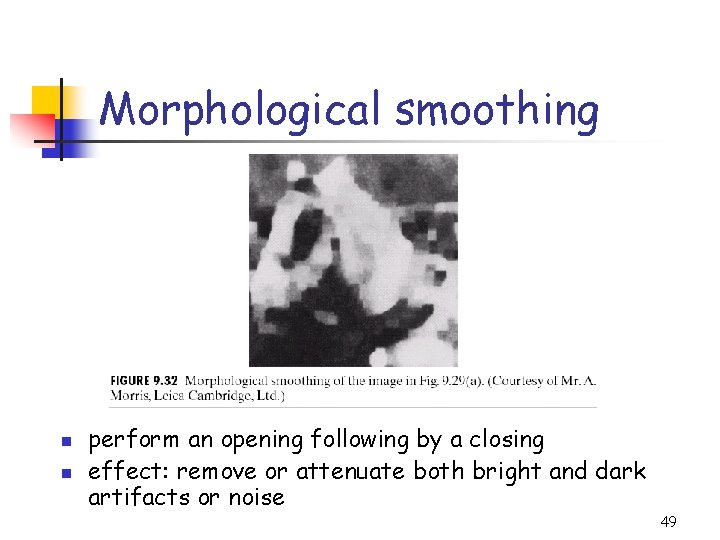
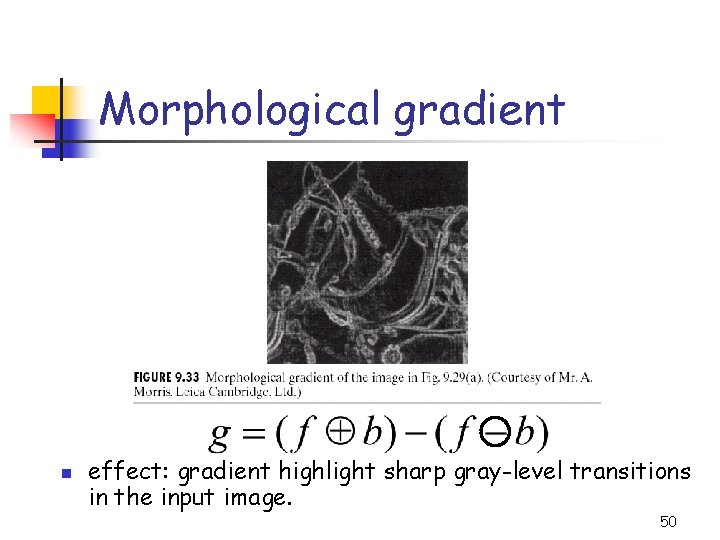
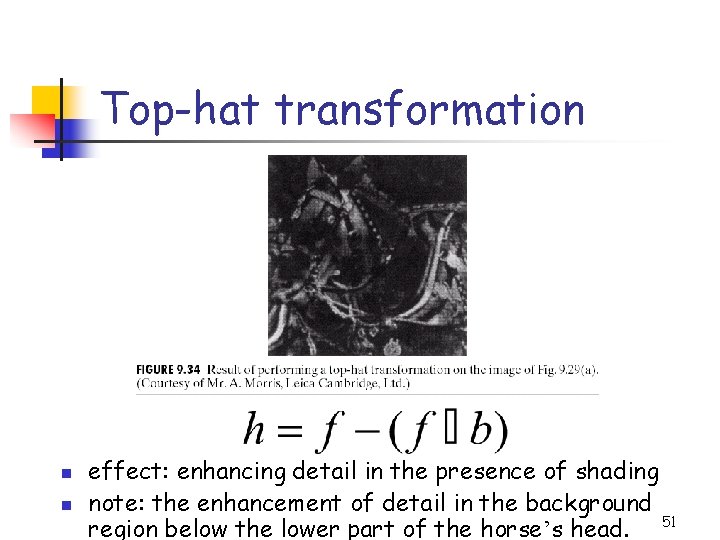
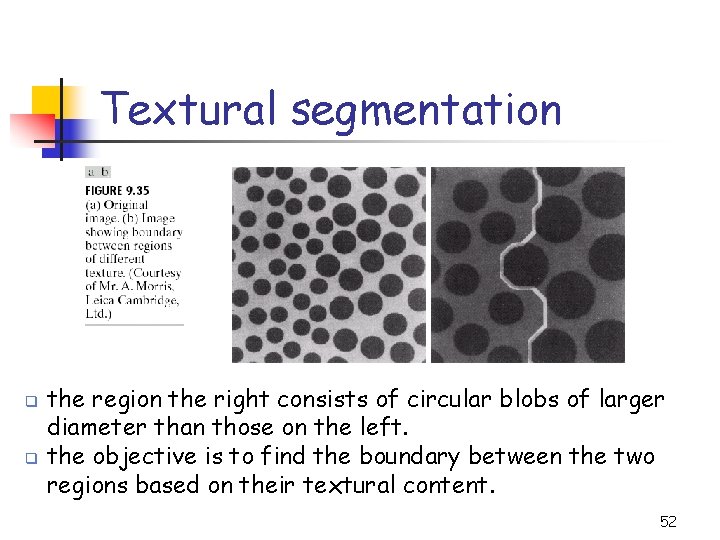
Some Applications of Grayscale Morphology n n n Morphological smoothing Morphological gradient Top-hat transformation Textural segmentation Granulometry Note: the examples shown in this topic are of size 512 x 512 and processed by using the structuring element in the shape of parallelepiped of unit height and size 5 x 5 pixels 48
Morphological smoothing n n perform an opening following by a closing effect: remove or attenuate both bright and dark artifacts or noise 49
Morphological gradient n effect: gradient highlight sharp gray-level transitions in the input image. 50
Top-hat transformation n n effect: enhancing detail in the presence of shading note: the enhancement of detail in the background region below the lower part of the horse’s head. 51
Textural segmentation q q the region the right consists of circular blobs of larger diameter than those on the left. the objective is to find the boundary between the two regions based on their textural content. 52
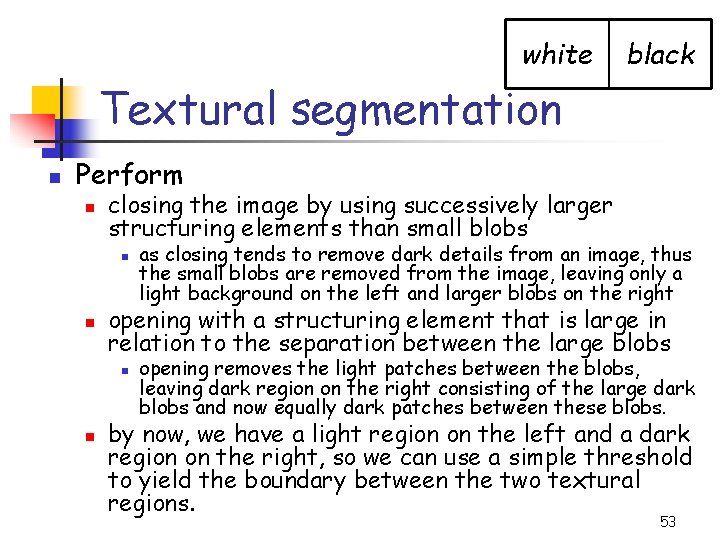
white black Textural segmentation n Perform n closing the image by using successively larger structuring elements than small blobs n n opening with a structuring element that is large in relation to the separation between the large blobs n n as closing tends to remove dark details from an image, thus the small blobs are removed from the image, leaving only a light background on the left and larger blobs on the right opening removes the light patches between the blobs, leaving dark region on the right consisting of the large dark blobs and now equally dark patches between these blobs. by now, we have a light region on the left and a dark region on the right, so we can use a simple threshold to yield the boundary between the two textural regions. 53
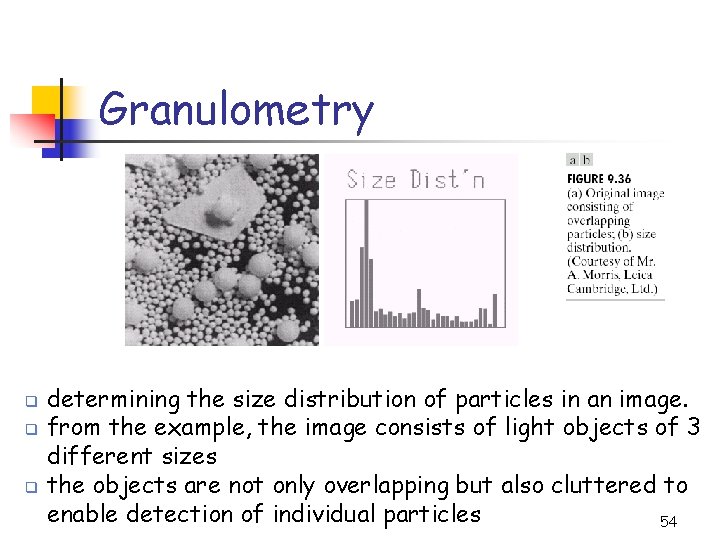
Granulometry q q q determining the size distribution of particles in an image. from the example, the image consists of light objects of 3 different sizes the objects are not only overlapping but also cluttered to enable detection of individual particles 54
Granulometry n n objects are lighter than background Perform n n opening with structuring elements of increasing size on the original image the difference between the original image and its opening is computed after each pass when a different structuring element is completed at the end of the process, these differences are normalized and then used to construct a histogram of particle-size distribution idea: opening operations of a particular size have the most effect on regions of the input image that contain particles of similar size. 55
Homework n n Using color segmentation & Morphological Operation, try to segment and count the number of faces in picture class 1. jpg as precisely as you can: ftp: //doc. nit. ac. ir/Digital%20 Image%20 P rocessing/Benchmarks/ class 1. jpg 56