
Math Madness Reloaded Using Technology to Enhance Math

- Slides: 33
Math Madness!!! Reloaded Using Technology to Enhance Math Instruction Catherine Castillo Math Coach Springfield Public Schools
Technology to Enhance Math Instruction � Virtual Manipulatives � Webquests � Online Games � Math Tutorials � Printables � Concept Videos � Smartboard Lessons
Virtual Manipulatives � Demonstration tool � Hands-on application � Makes the abstract concrete National Library of Virtual Manipulatives Smart Notebook Gallery Essentials
Web Quests � Interactive � Authentic applications � Cross-curricular � Foster team work � Provide independent practice Quest Garden
Online Games � Guided Practice � Independent Practice � Center Activities � Enrichment � Fact Practice
Online Games Gamequarium Illuminations Math Playground Fuel the Brain Cool Math
Math Tutorials � Provide another perspective � Reach multiple intelligences � Provide visual representations � Can be used for review Gamequarium Math Playground Math is Fun
Printables � Guided Practice � Independent Practice � Customizable Dynamic Paper Mathwire Kelly’s Kindergarten Sen. Teacher Kentucky Center for Mathematics
Concept Videos � Reach visual learners � Real-world applications � Cross-curricular Discovery Streaming Brainpop Jr. Gamequarium
Smartboard Lessons � Little prep time � Most concepts available � Tied to GLEs � Interactive � Can extend to a center Smart Exchange Illuminations
Website Builder � Post Newsletters � Link to Websites for Practice � Post School Supply List or Needed Materials � Display Student Work � Increase Parent Contact Weebly
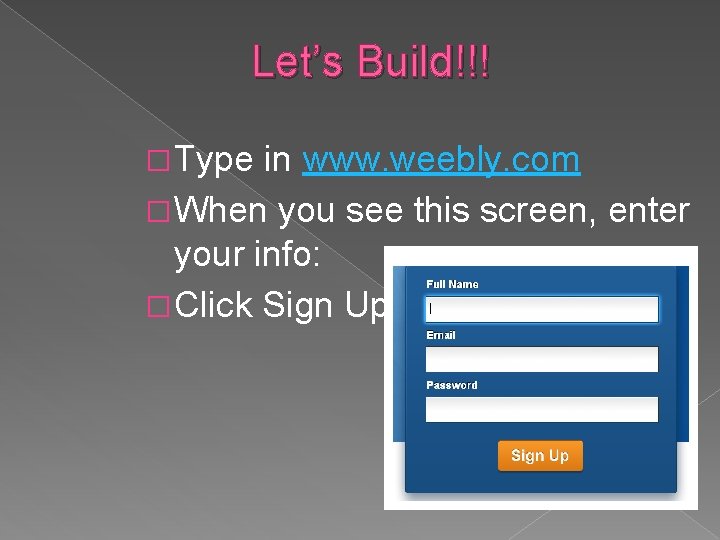
Let’s Build!!! � Type in www. weebly. com � When you see this screen, enter your info: � Click Sign Up
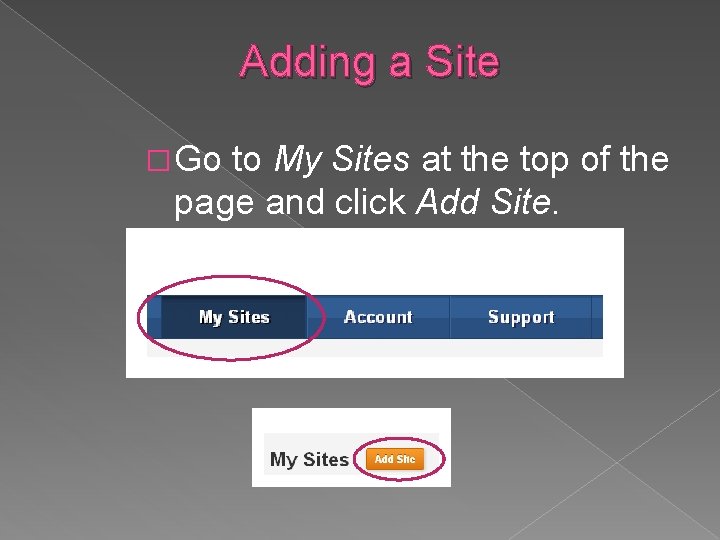
Adding a Site � Go to My Sites at the top of the page and click Add Site.
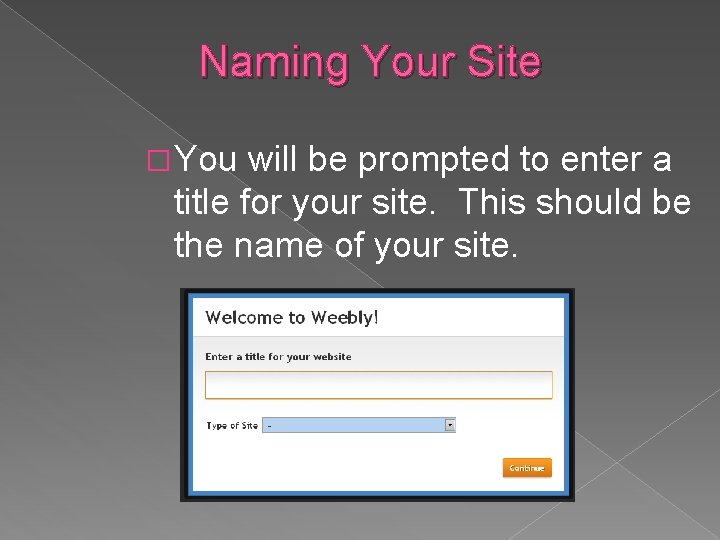
Naming Your Site � You will be prompted to enter a title for your site. This should be the name of your site.
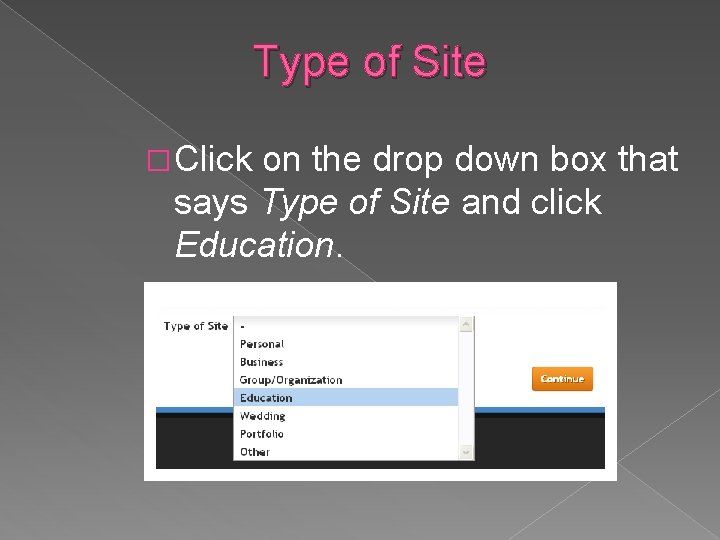
Type of Site � Click on the drop down box that says Type of Site and click Education.
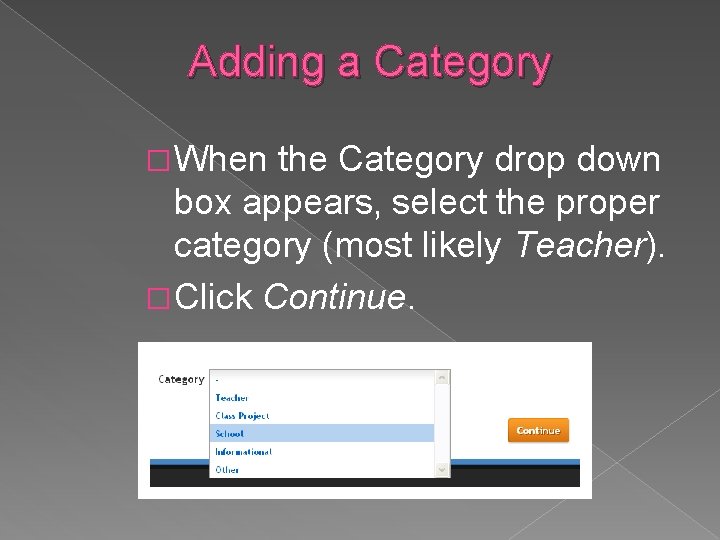
Adding a Category � When the Category drop down box appears, select the proper category (most likely Teacher). � Click Continue.
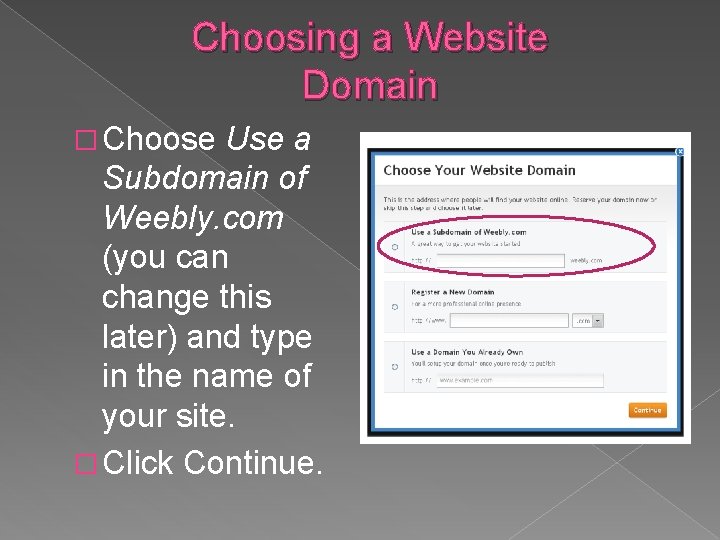
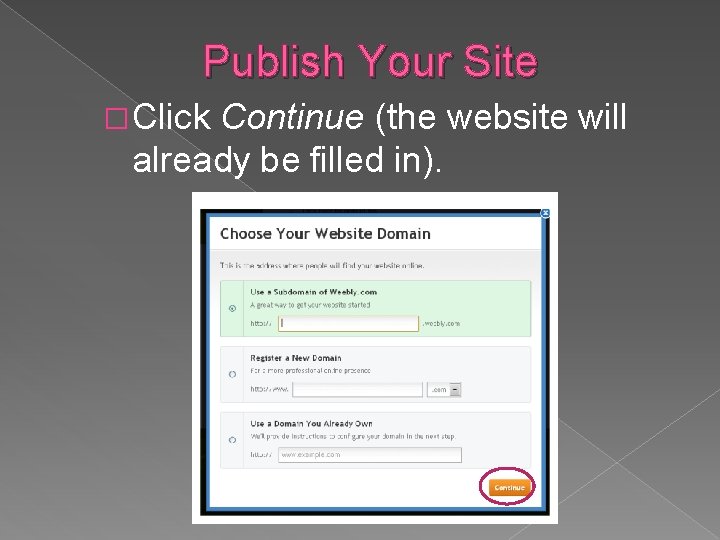
Choosing a Website Domain � Choose Use a Subdomain of Weebly. com (you can change this later) and type in the name of your site. � Click Continue.
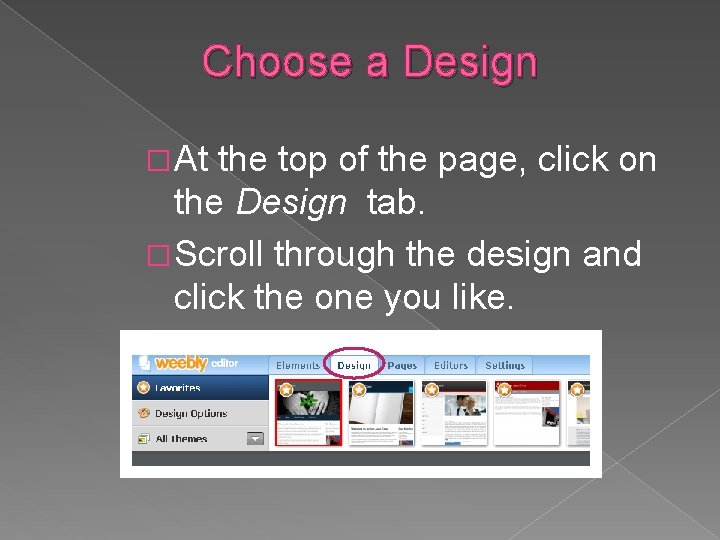
Choose a Design � At the top of the page, click on the Design tab. � Scroll through the design and click the one you like.
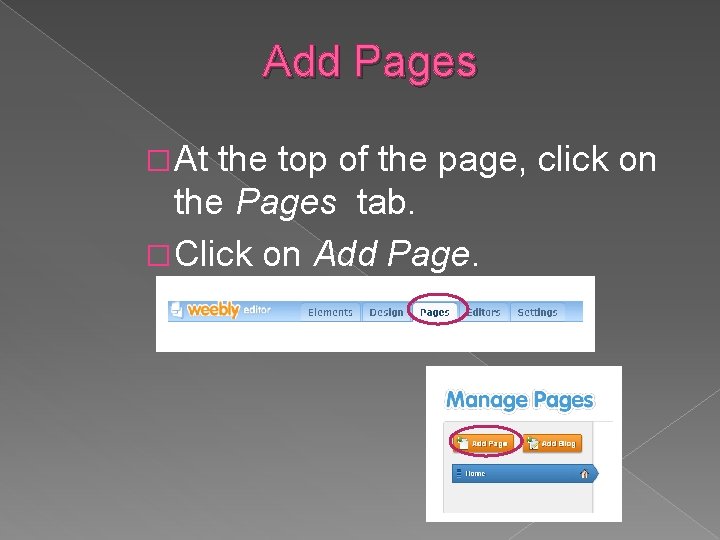
Add Pages � At the top of the page, click on the Pages tab. � Click on Add Page.
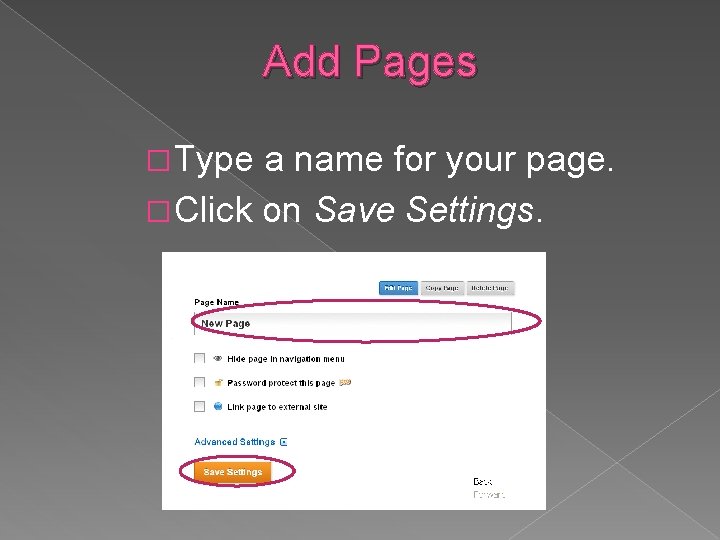
Add Pages � Type a name for your page. � Click on Save Settings.
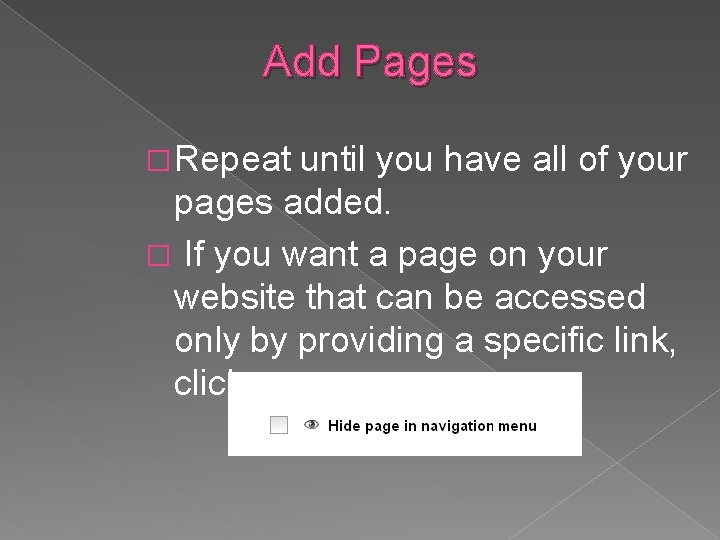
Add Pages � Repeat until you have all of your pages added. � If you want a page on your website that can be accessed only by providing a specific link, click:
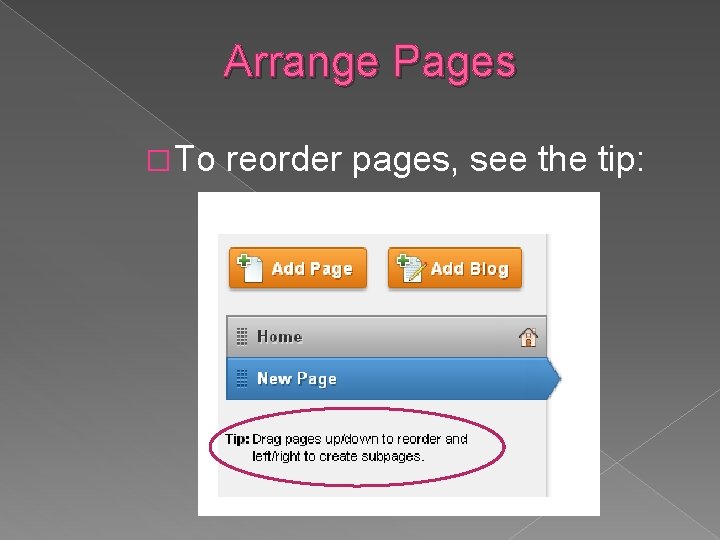
Arrange Pages � To reorder pages, see the tip:
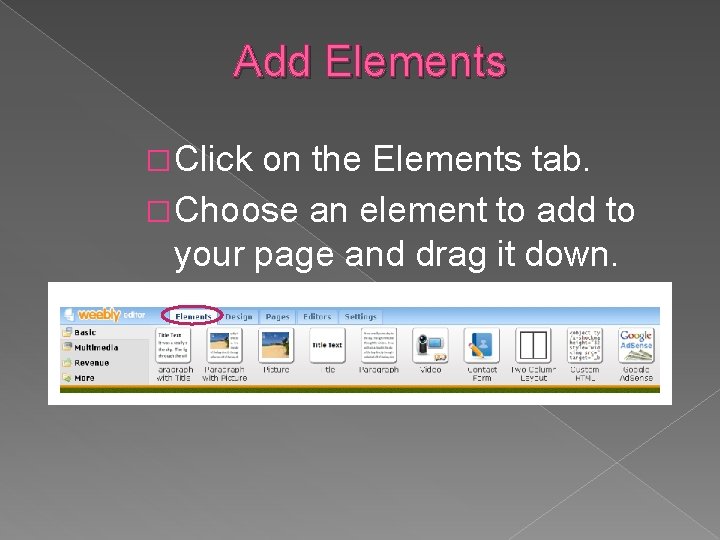
Add Elements � Click on the Elements tab. � Choose an element to add to your page and drag it down.
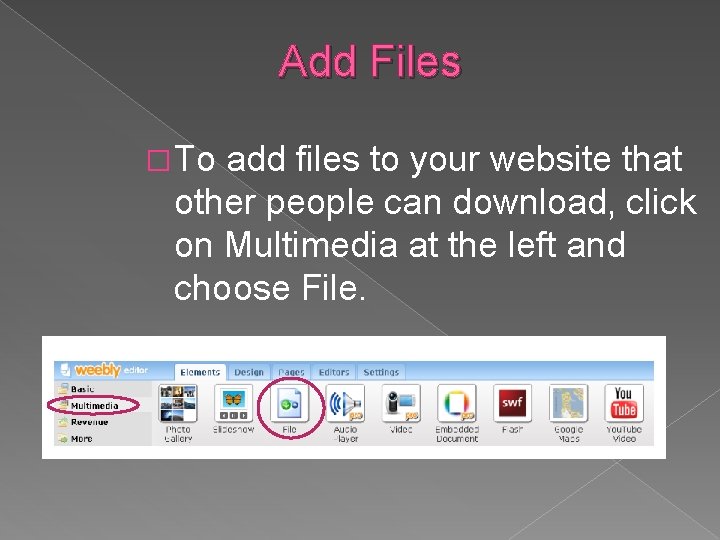
Add Files � To add files to your website that other people can download, click on Multimedia at the left and choose File.
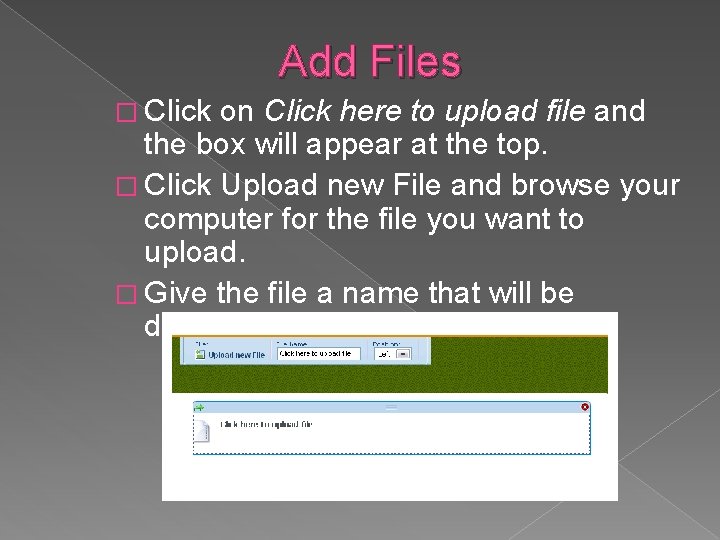
Add Files � Click on Click here to upload file and the box will appear at the top. � Click Upload new File and browse your computer for the file you want to upload. � Give the file a name that will be displayed on the website.
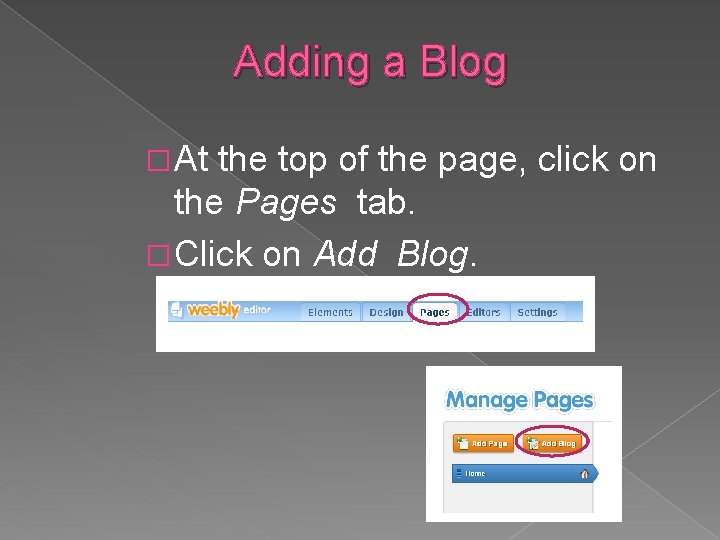
Adding a Blog � At the top of the page, click on the Pages tab. � Click on Add Blog.
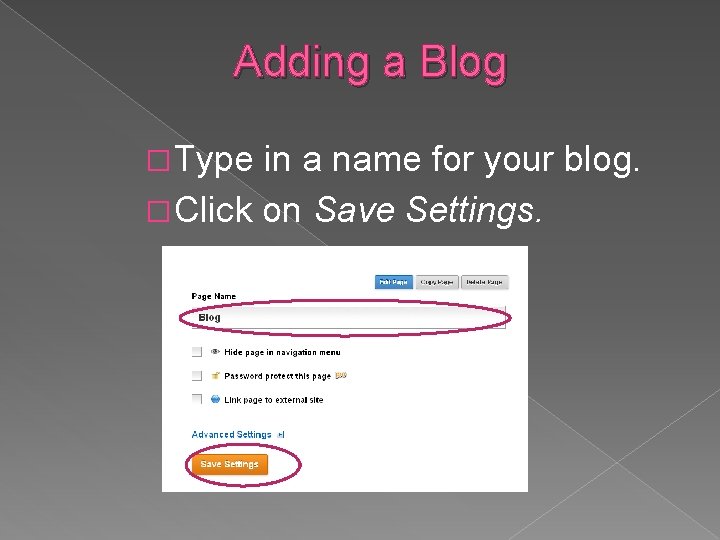
Adding a Blog � Type in a name for your blog. � Click on Save Settings.
Continue Adding Elements � Navigate through each page and continue adding elements. � Experiment with adding different types of elements such as picture galleries, files, etc. � Ask me about specific additions such as embedding objects and files.
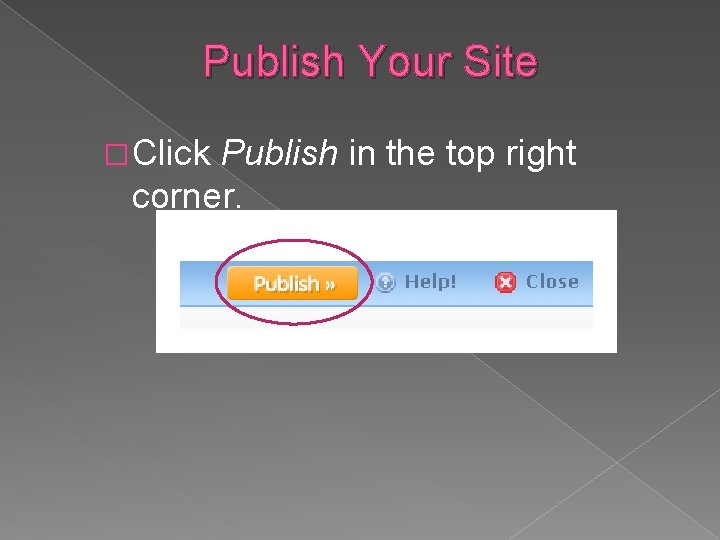
Publish Your Site � Click Publish in the top right corner.
Publish Your Site � Click Continue (the website will already be filled in).
Contact Your Webmaster � To have your site linked to your school website, contact your help desk or school webmaster.
Extra Fun Elements � Here are some links to really cool and fun elements to spice up your website: Voki Blabberize QR Code Generator
Links All presentations and links are available on my website: www. mscastillosmath. weebly. com