
Math Facts These are examples under Loops etc
- Slides: 6
Math Facts These are examples under Loops etc. and they are called mathbasic. html, mathfor 25. html and mathfor 2 a 5. html
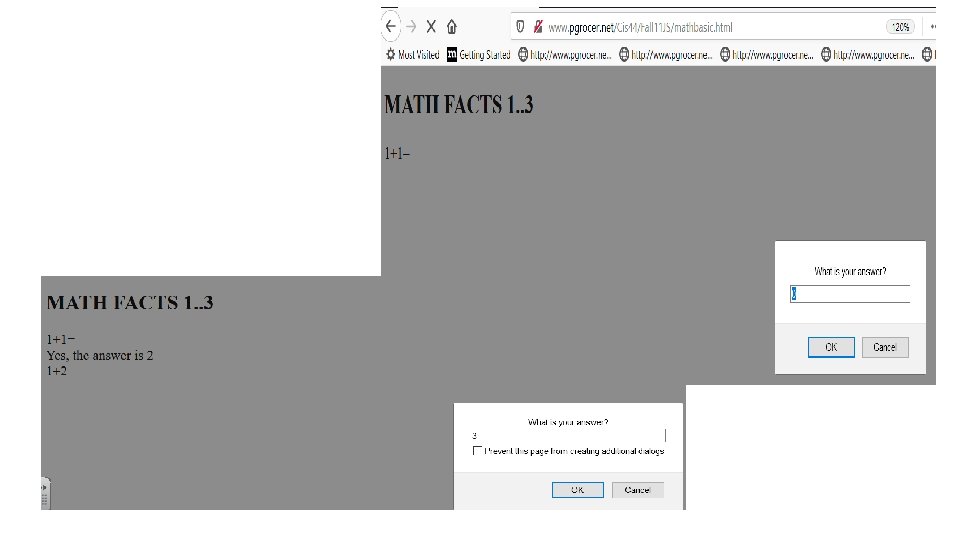
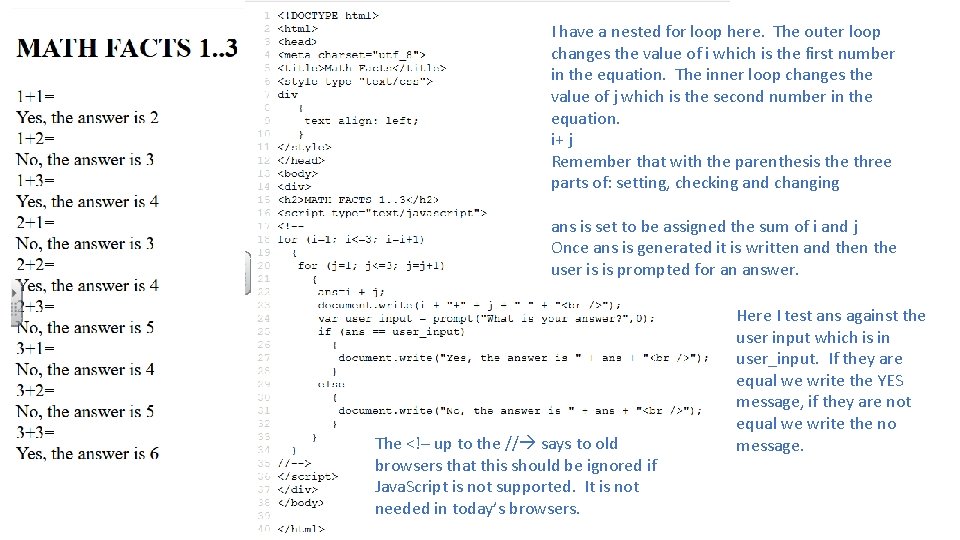
I have a nested for loop here. The outer loop changes the value of i which is the first number in the equation. The inner loop changes the value of j which is the second number in the equation. i+ j Remember that with the parenthesis the three parts of: setting, checking and changing ans is set to be assigned the sum of i and j Once ans is generated it is written and then the user is is prompted for an answer. The <!– up to the // says to old browsers that this should be ignored if Java. Script is not supported. It is not needed in today’s browsers. Here I test ans against the user input which is in user_input. If they are equal we write the YES message, if they are not equal we write the no message.
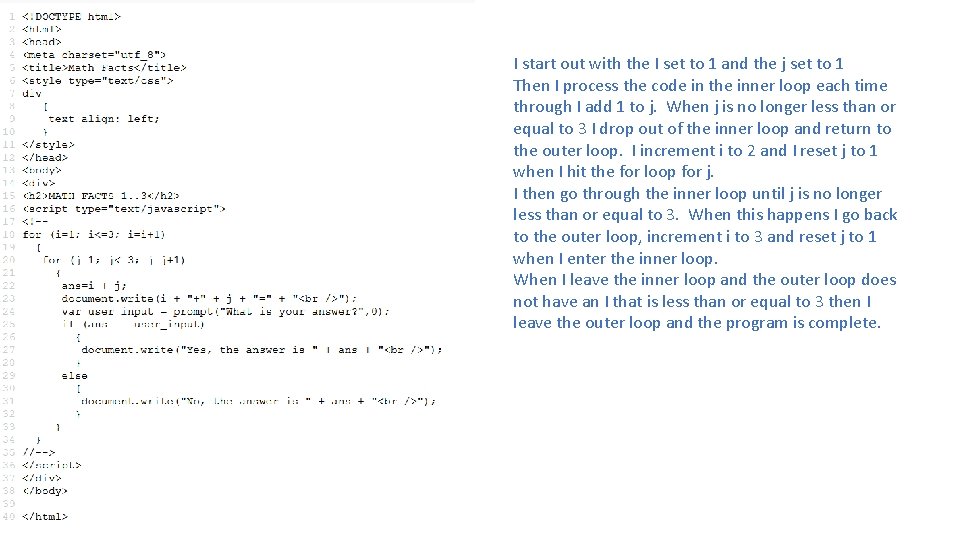
I start out with the I set to 1 and the j set to 1 Then I process the code in the inner loop each time through I add 1 to j. When j is no longer less than or equal to 3 I drop out of the inner loop and return to the outer loop. I increment i to 2 and I reset j to 1 when I hit the for loop for j. I then go through the inner loop until j is no longer less than or equal to 3. When this happens I go back to the outer loop, increment i to 3 and reset j to 1 when I enter the inner loop. When I leave the inner loop and the outer loop does not have an I that is less than or equal to 3 then I leave the outer loop and the program is complete.
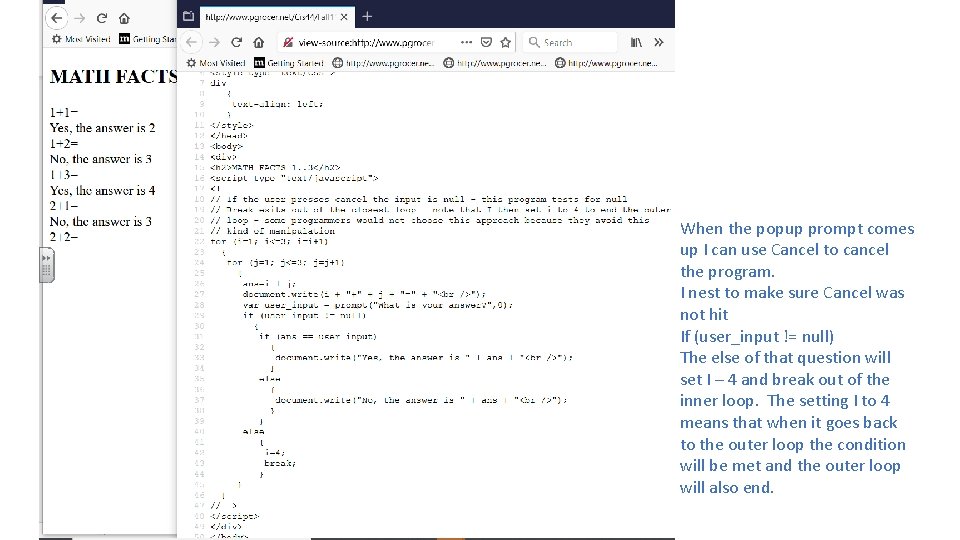
When the popup prompt comes up I can use Cancel to cancel the program. I nest to make sure Cancel was not hit If (user_input != null) The else of that question will set I – 4 and break out of the inner loop. The setting I to 4 means that when it goes back to the outer loop the condition will be met and the outer loop will also end.
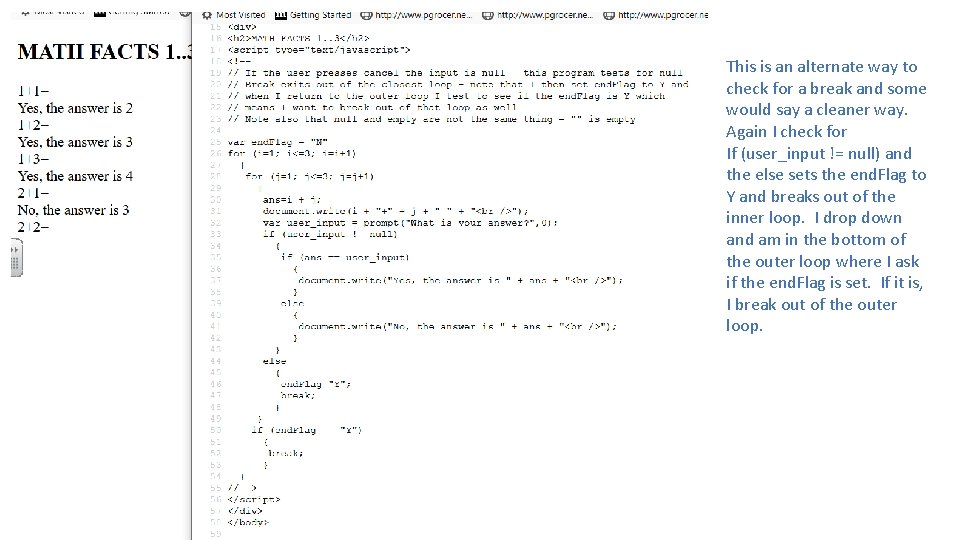
This is an alternate way to check for a break and some would say a cleaner way. Again I check for If (user_input != null) and the else sets the end. Flag to Y and breaks out of the inner loop. I drop down and am in the bottom of the outer loop where I ask if the end. Flag is set. If it is, I break out of the outer loop.