
MASTERING ACTIVE DIRECTORY WITH POWERSHELL No VA Power
![QUICK AD COMPUTER COUNT • $Time = (Measure-Command ` {[array] $All. Computers = Get-ADComputer](https://slidetodoc.com/presentation_image/43cdcbb07d06856399af42de5c25d908/image-19.jpg "QUICK AD COMPUTER COUNT • $Time = (Measure-Command ` {[array] $All. Computers = Get-ADComputer")
![GET AD DOMAIN GROUP STATISTICS [array]$All. ADGroups = Get-ADGroup -Filter * -Properties * $All.](https://slidetodoc.com/presentation_image/43cdcbb07d06856399af42de5c25d908/image-27.jpg "GET AD DOMAIN GROUP STATISTICS [array]$All. ADGroups = Get-ADGroup -Filter * -Properties * $All.")

![ENUMERATE DOMAIN DFS SHARES $Domain. DNS = [System. Directory. Services. Active. Directory. Domain]: :](https://slidetodoc.com/presentation_image/43cdcbb07d06856399af42de5c25d908/image-57.jpg "ENUMERATE DOMAIN DFS SHARES $Domain. DNS = [System. Directory. Services. Active. Directory. Domain]: :")
- Slides: 59
MASTERING ACTIVE DIRECTORY WITH POWERSHELL No. VA Power. Shell User Group January 2015 SEAN METCALF CTO DAN SOLUTIONS SEAN [@] DANSOLUTIONS. COM DANSOLUTIONS. COM ADSECURITY. ORG
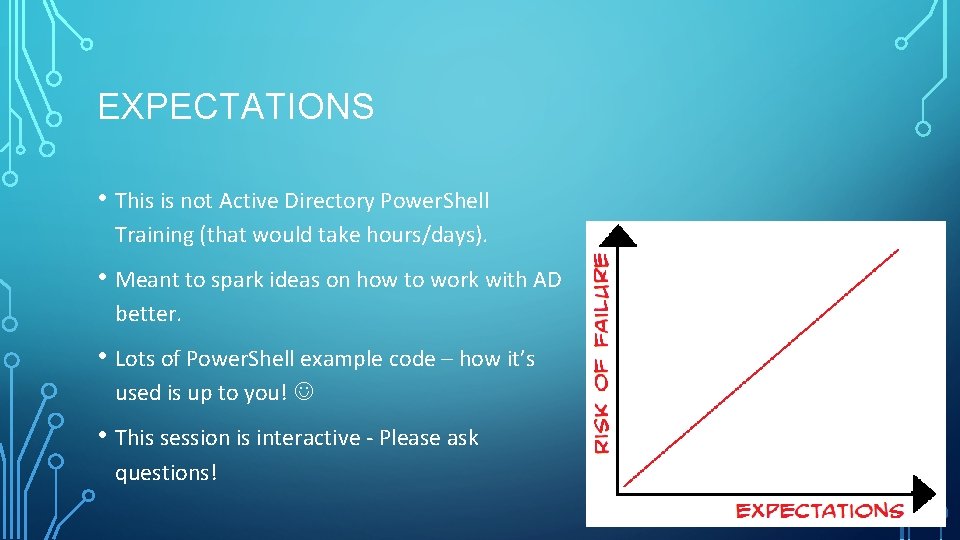
EXPECTATIONS • This is not Active Directory Power. Shell Training (that would take hours/days). • Meant to spark ideas on how to work with AD better. • Lots of Power. Shell example code – how it’s used is up to you! • This session is interactive - Please ask questions!
AGENDA • Interfacing with Active Directory through Power. Shell. • Power. Shell Active Directory Module Cmdlets • Forest & Domain Discovery • Useful AD Cmdlets • Computers, Users, & Groups, Oh My! • Interesting AD Config Data • Service Accounts • DCs & GCs • AD Replication Power • Tips & Tricks • References
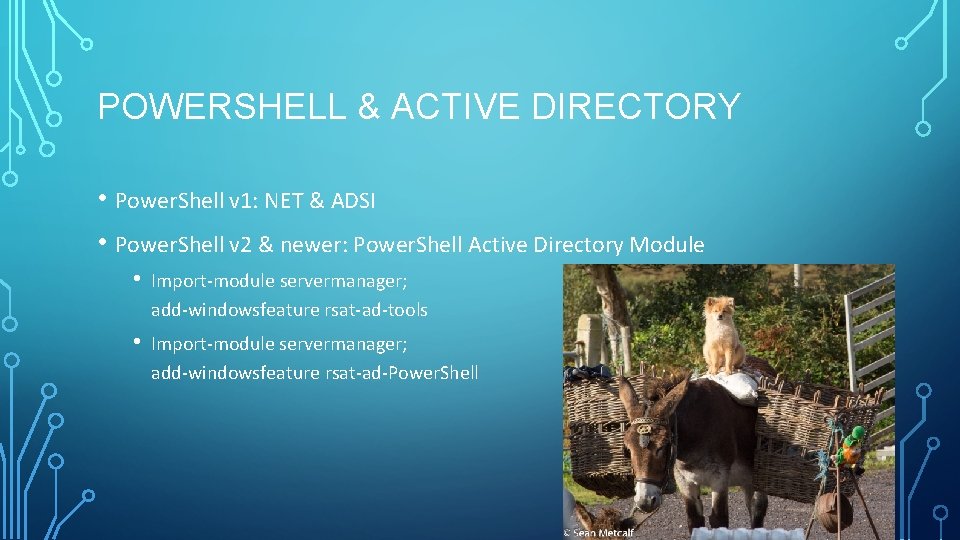
POWERSHELL & ACTIVE DIRECTORY • Power. Shell v 1: NET & ADSI • Power. Shell v 2 & newer: Power. Shell Active Directory Module • Import-module servermanager; add-windowsfeature rsat-ad-tools • Import-module servermanager; add-windowsfeature rsat-ad-Power. Shell
. NET “. NET Framework is a software framework developed by Microsoft that runs primarily on Microsoft Windows. It includes a large class library known as Framework Class Library (FCL) and provides language interoperability (each language can use code written in other languages) across several programming languages. Programs written for. NET Framework execute in a software environment (as contrasted to hardware environment), known as Common Language Runtime (CLR), an application virtual machine that provides services such as security, memory management, and exception handling. FCL and CLR together constitute. NET Framework. ” -Wikipedia
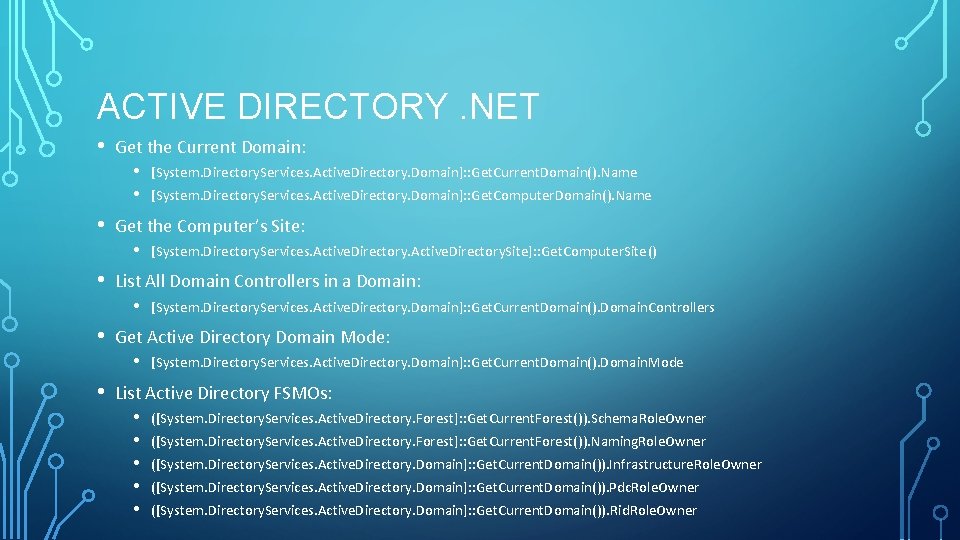
ACTIVE DIRECTORY. NET • Get the Current Domain: • [System. Directory. Services. Active. Directory. Domain]: : Get. Current. Domain(). Name • [System. Directory. Services. Active. Directory. Domain]: : Get. Computer. Domain(). Name • Get the Computer’s Site: • [System. Directory. Services. Active. Directory. Site]: : Get. Computer. Site() • List All Domain Controllers in a Domain: • [System. Directory. Services. Active. Directory. Domain]: : Get. Current. Domain(). Domain. Controllers • Get Active Directory Domain Mode: • [System. Directory. Services. Active. Directory. Domain]: : Get. Current. Domain(). Domain. Mode • List Active Directory FSMOs: • ([System. Directory. Services. Active. Directory. Forest]: : Get. Current. Forest()). Schema. Role. Owner • ([System. Directory. Services. Active. Directory. Forest]: : Get. Current. Forest()). Naming. Role. Owner • ([System. Directory. Services. Active. Directory. Domain]: : Get. Current. Domain()). Infrastructure. Role. Owner • ([System. Directory. Services. Active. Directory. Domain]: : Get. Current. Domain()). Pdc. Role. Owner • ([System. Directory. Services. Active. Directory. Domain]: : Get. Current. Domain()). Rid. Role. Owner
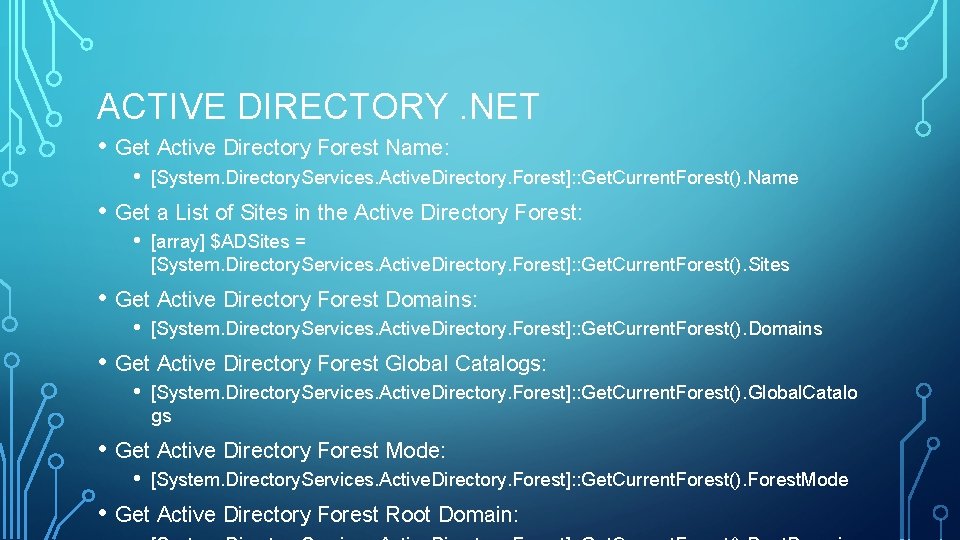
ACTIVE DIRECTORY. NET • Get Active Directory Forest Name: • [System. Directory. Services. Active. Directory. Forest]: : Get. Current. Forest(). Name • Get a List of Sites in the Active Directory Forest: • [array] $ADSites = [System. Directory. Services. Active. Directory. Forest]: : Get. Current. Forest(). Sites • Get Active Directory Forest Domains: • [System. Directory. Services. Active. Directory. Forest]: : Get. Current. Forest(). Domains • Get Active Directory Forest Global Catalogs: • [System. Directory. Services. Active. Directory. Forest]: : Get. Current. Forest(). Global. Catalo gs • Get Active Directory Forest Mode: • [System. Directory. Services. Active. Directory. Forest]: : Get. Current. Forest(). Forest. Mode • Get Active Directory Forest Root Domain:
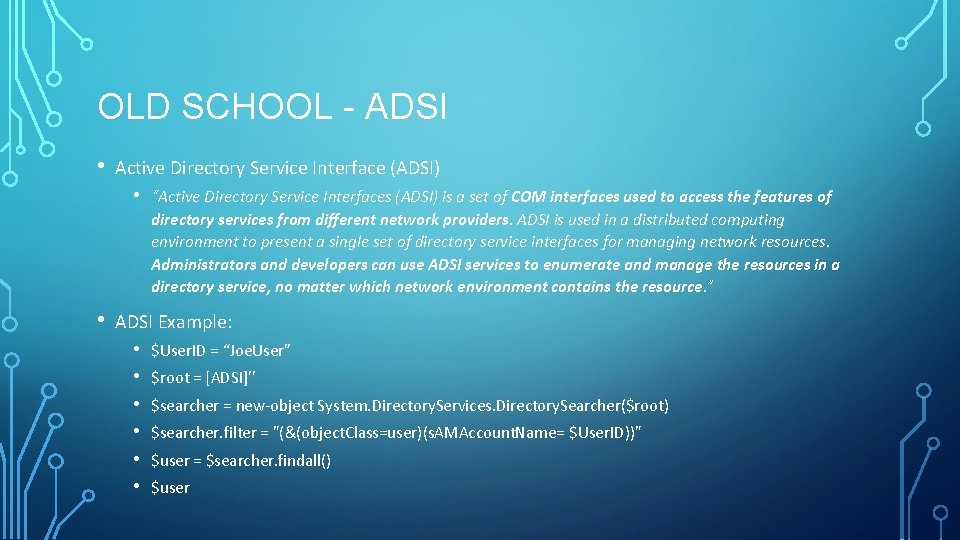
OLD SCHOOL - ADSI • Active Directory Service Interface (ADSI) • • “Active Directory Service Interfaces (ADSI) is a set of COM interfaces used to access the features of directory services from different network providers. ADSI is used in a distributed computing environment to present a single set of directory service interfaces for managing network resources. Administrators and developers can use ADSI services to enumerate and manage the resources in a directory service, no matter which network environment contains the resource. ” ADSI Example: • • • $User. ID = “Joe. User” $root = [ADSI]'' $searcher = new-object System. Directory. Services. Directory. Searcher($root) $searcher. filter = "(&(object. Class=user)(s. AMAccount. Name= $User. ID))" $user = $searcher. findall() $user
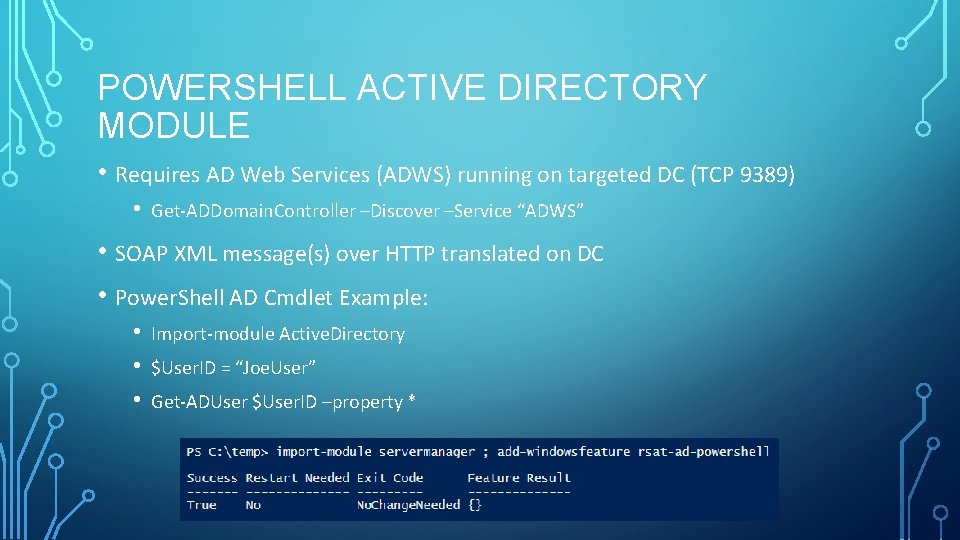
POWERSHELL ACTIVE DIRECTORY MODULE • Requires AD Web Services (ADWS) running on targeted DC (TCP 9389) • Get-ADDomain. Controller –Discover –Service “ADWS” • SOAP XML message(s) over HTTP translated on DC • Power. Shell AD Cmdlet Example: • • • Import-module Active. Directory $User. ID = “Joe. User” Get-ADUser $User. ID –property *
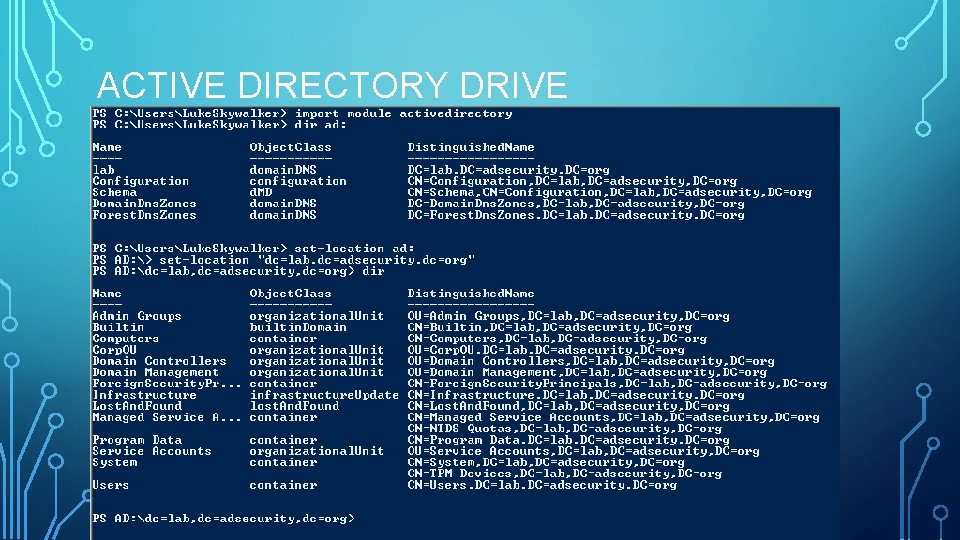
ACTIVE DIRECTORY DRIVE
FINDING USEFUL AD COMMANDS • Get-Module -List. Available • Get-Command -module Active. Directory • Power. Shell AD Module Cmdlets: • Windows Server 2008 R 2: 76 cmdlets • Windows Server 2012: 135 cmdlets • Windows Server 2012 R 2: 147 cmdlets
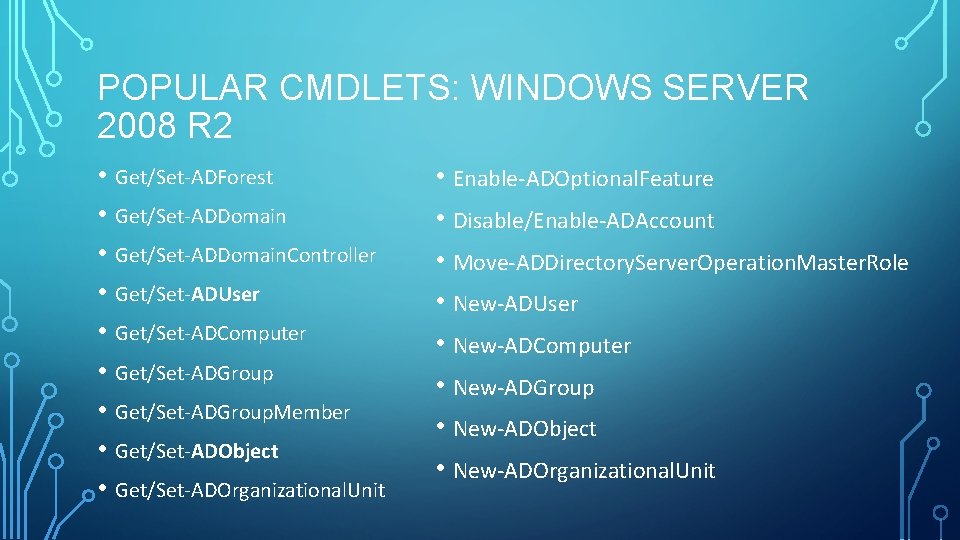
POPULAR CMDLETS: WINDOWS SERVER 2008 R 2 • Get/Set-ADForest • Get/Set-ADDomain. Controller • Get/Set-ADUser • Get/Set-ADComputer • Get/Set-ADGroup. Member • Get/Set-ADObject • Get/Set-ADOrganizational. Unit • Enable-ADOptional. Feature • Disable/Enable-ADAccount • Move-ADDirectory. Server. Operation. Master. Role • New-ADUser • New-ADComputer • New-ADGroup • New-ADObject • New-ADOrganizational. Unit
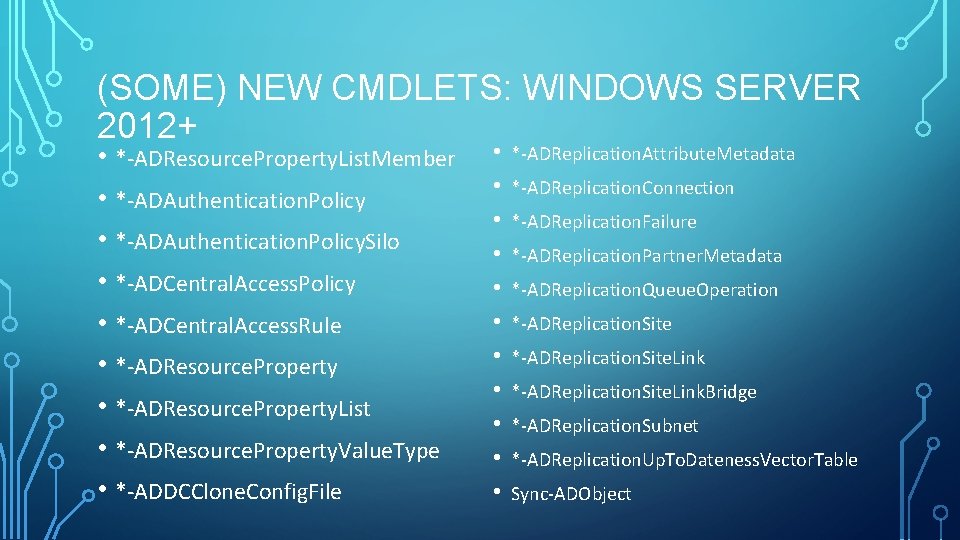
(SOME) NEW CMDLETS: WINDOWS SERVER 2012+ • *-ADResource. Property. List. Member • *-ADReplication. Attribute. Metadata • *-ADReplication. Connection • *-ADAuthentication. Policy • *-ADReplication. Failure • *-ADAuthentication. Policy. Silo • *-ADReplication. Partner. Metadata • *-ADCentral. Access. Policy • *-ADReplication. Queue. Operation • *-ADReplication. Site • *-ADCentral. Access. Rule • *-ADReplication. Site. Link • *-ADResource. Property • *-ADReplication. Site. Link. Bridge • *-ADResource. Property. List • *-ADReplication. Subnet • *-ADResource. Property. Value. Type • *-ADReplication. Up. To. Dateness. Vector. Table • *-ADDCClone. Config. File • Sync-ADObject
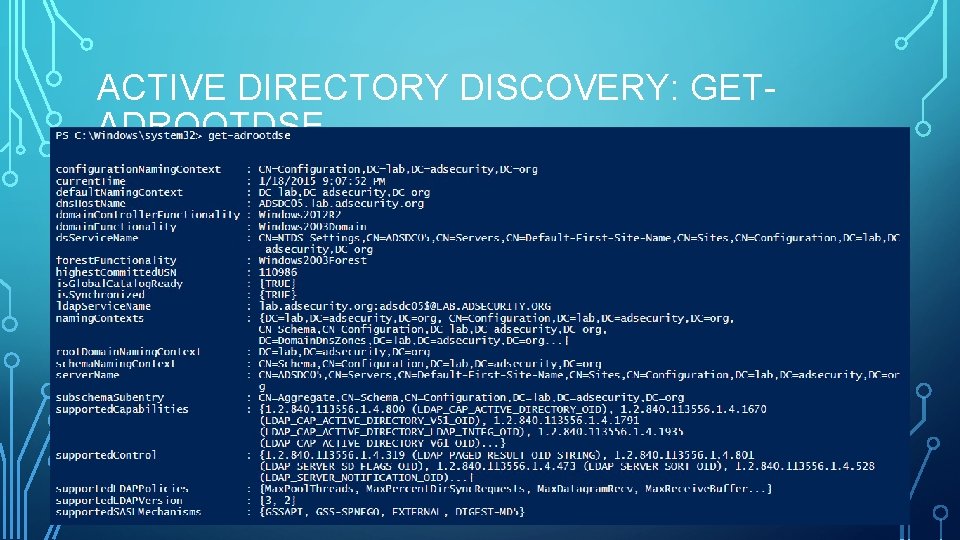
ACTIVE DIRECTORY DISCOVERY: GETADROOTDSE
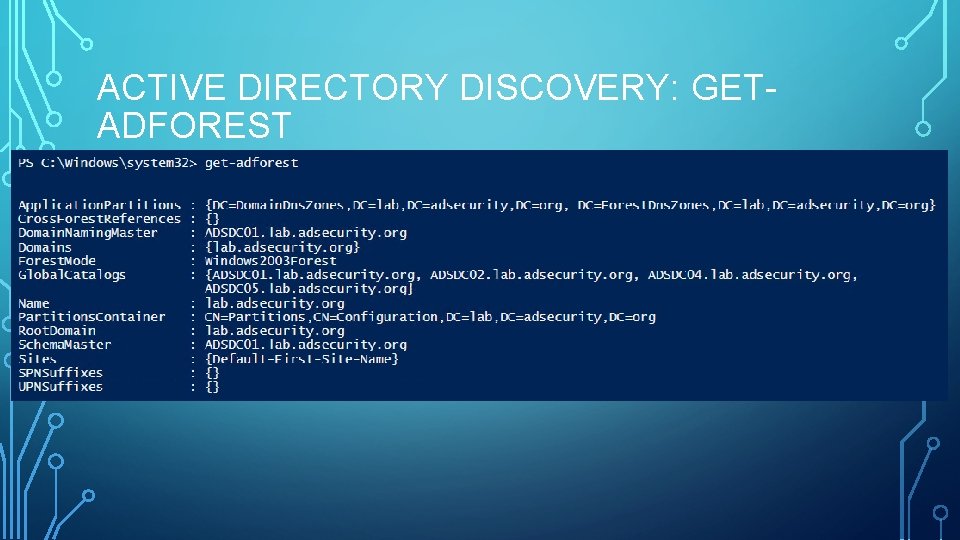
ACTIVE DIRECTORY DISCOVERY: GETADFOREST
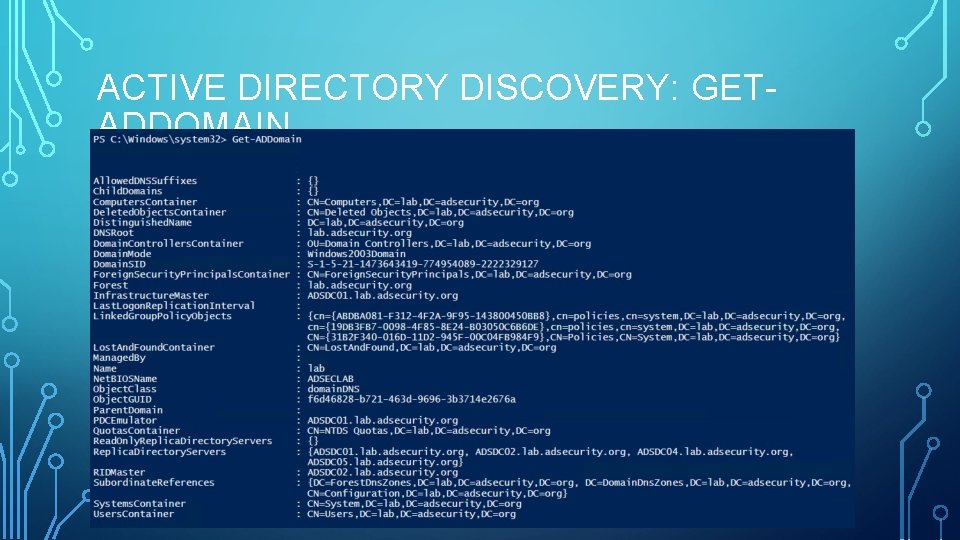
ACTIVE DIRECTORY DISCOVERY: GETADDOMAIN
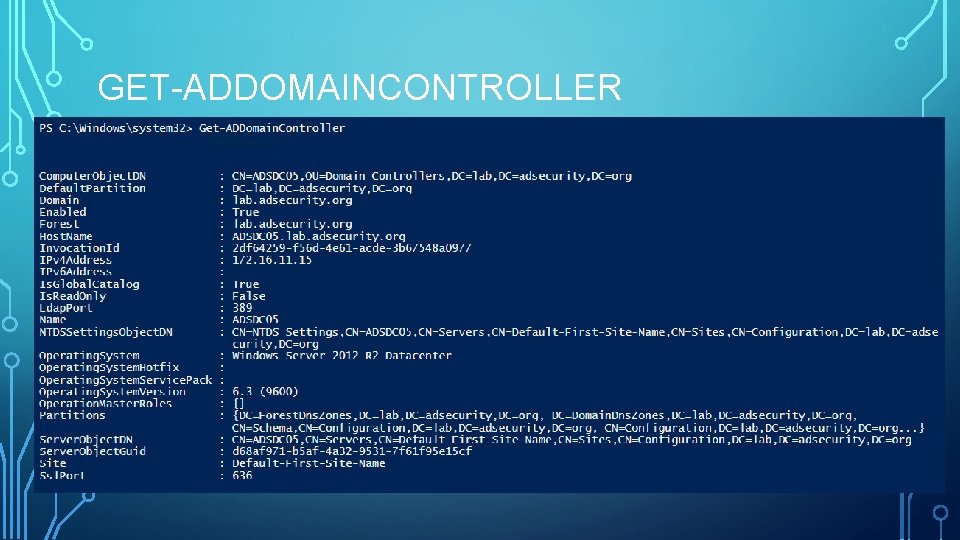
GET-ADDOMAINCONTROLLER
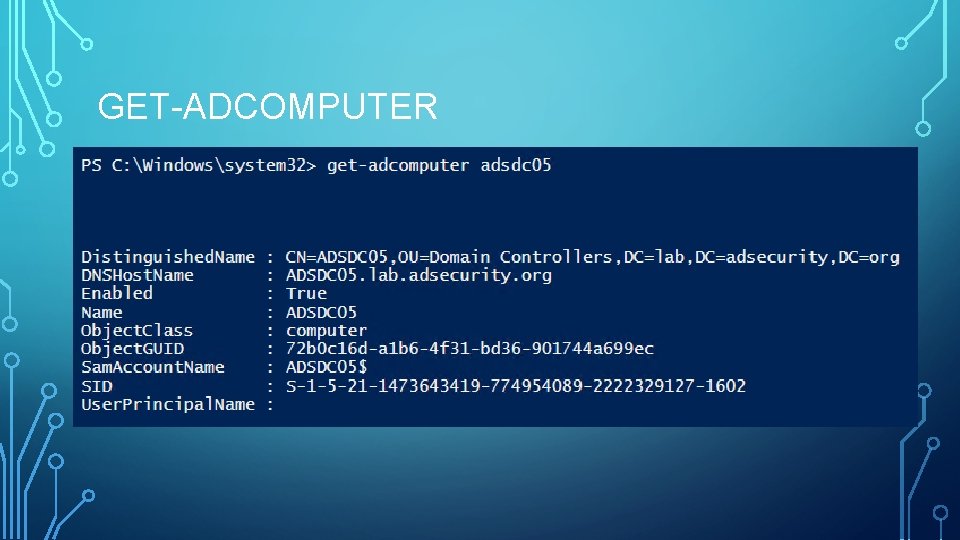
GET-ADCOMPUTER
QUICK AD COMPUTER COUNT • $Time = (Measure-Command ` {[array] $All. Computers = Get-ADComputer -filter * -properties Name, Canonical. Name, Enabled, password. Last. Set, SAMAccount. Name, Last. Logon. Time. St amp, Distinguished. Name, Operating. System }). Total. Minutes $All. Computers. Count = $All. Computers. Count Write-Output “There were $All. Computers. Count Computers discovered in $Domain. DNS in $Time minutes… `r “
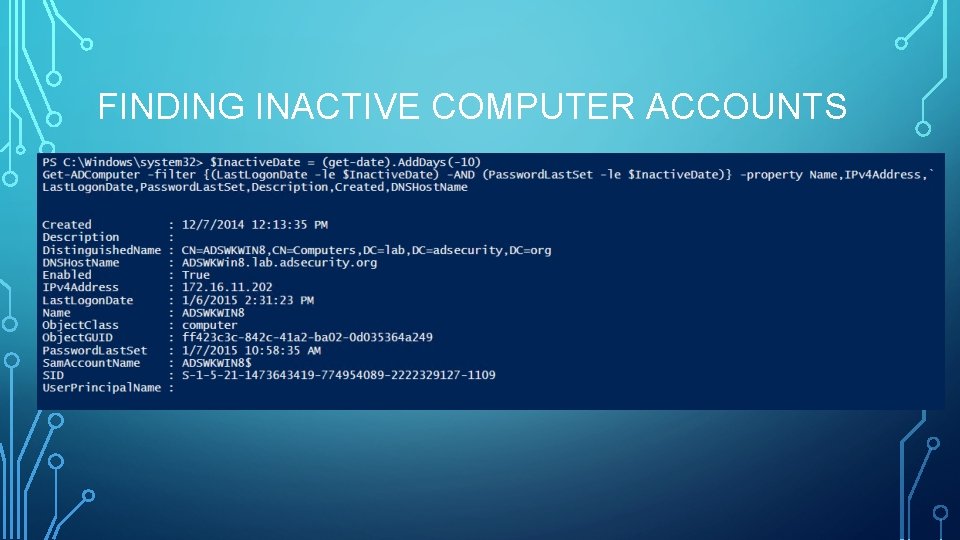
FINDING INACTIVE COMPUTER ACCOUNTS
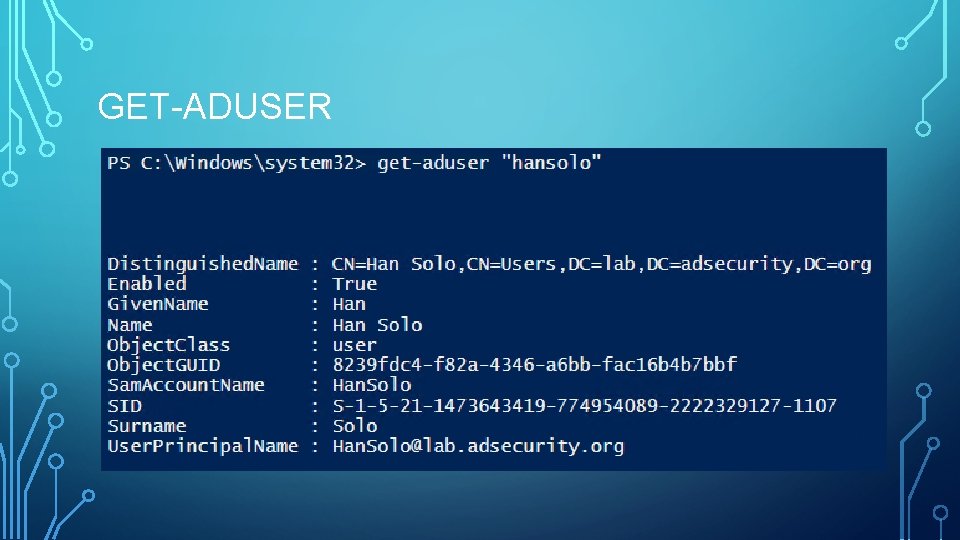
GET-ADUSER
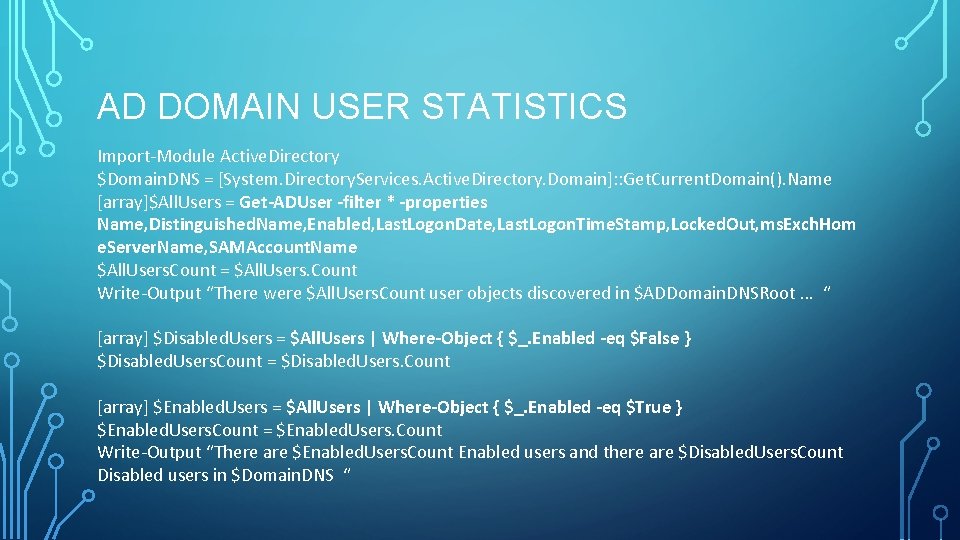
AD DOMAIN USER STATISTICS Import-Module Active. Directory $Domain. DNS = [System. Directory. Services. Active. Directory. Domain]: : Get. Current. Domain(). Name [array]$All. Users = Get-ADUser -filter * -properties Name, Distinguished. Name, Enabled, Last. Logon. Date, Last. Logon. Time. Stamp, Locked. Out, ms. Exch. Hom e. Server. Name, SAMAccount. Name $All. Users. Count = $All. Users. Count Write-Output “There were $All. Users. Count user objects discovered in $ADDomain. DNSRoot … “ [array] $Disabled. Users = $All. Users | Where-Object { $_. Enabled -eq $False } $Disabled. Users. Count = $Disabled. Users. Count [array] $Enabled. Users = $All. Users | Where-Object { $_. Enabled -eq $True } $Enabled. Users. Count = $Enabled. Users. Count Write-Output “There are $Enabled. Users. Count Enabled users and there are $Disabled. Users. Count Disabled users in $Domain. DNS “
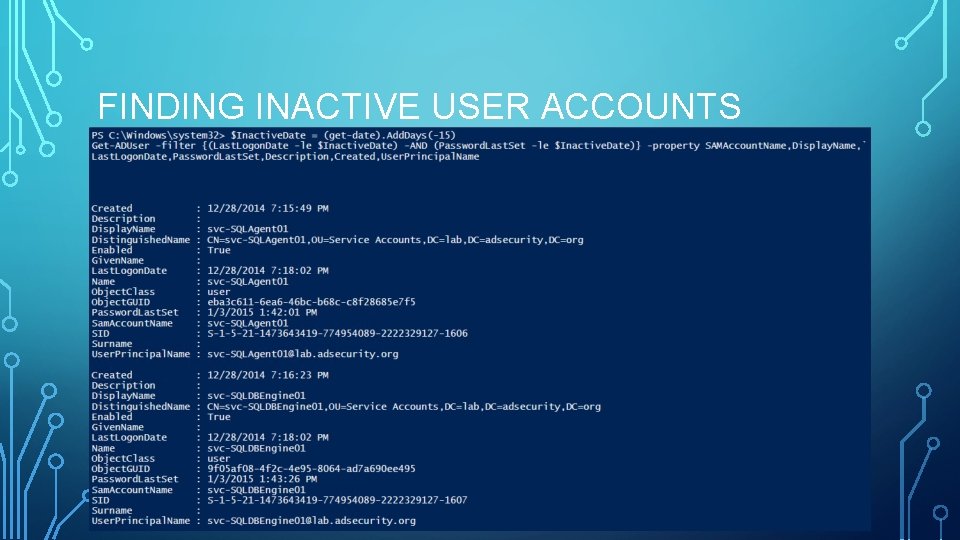
FINDING INACTIVE USER ACCOUNTS
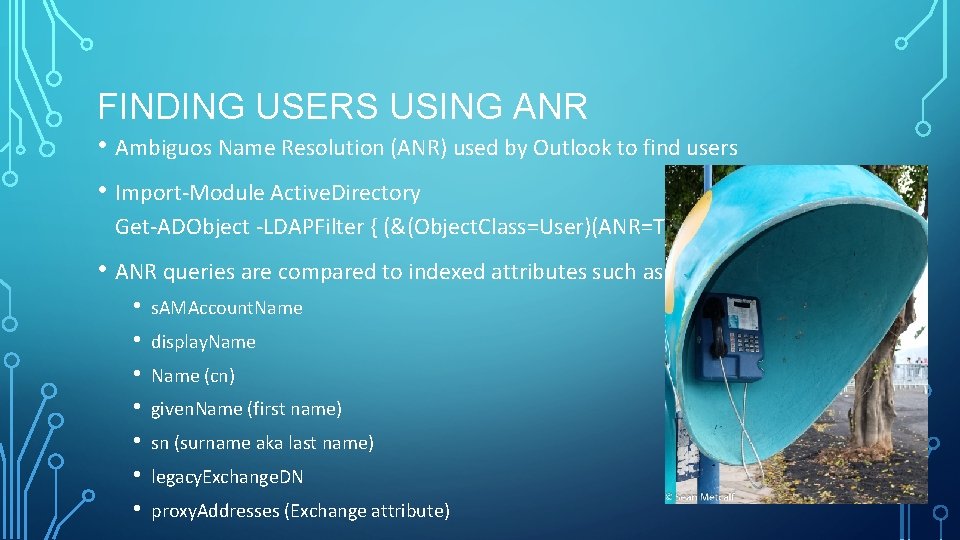
FINDING USERS USING ANR • Ambiguos Name Resolution (ANR) used by Outlook to find users • Import-Module Active. Directory Get-ADObject -LDAPFilter { (&(Object. Class=User)(ANR=Thor) ) } • ANR queries are compared to indexed attributes such as: • • s. AMAccount. Name display. Name (cn) given. Name (first name) sn (surname aka last name) legacy. Exchange. DN proxy. Addresses (Exchange attribute)
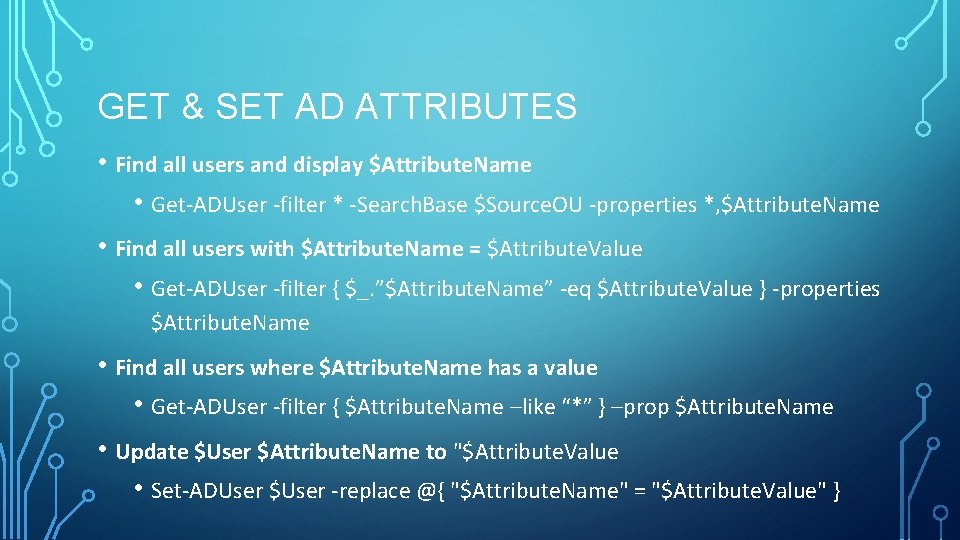
GET & SET AD ATTRIBUTES • Find all users and display $Attribute. Name • Get-ADUser -filter * -Search. Base $Source. OU -properties *, $Attribute. Name • Find all users with $Attribute. Name = $Attribute. Value • Get-ADUser -filter { $_. ”$Attribute. Name” -eq $Attribute. Value } -properties $Attribute. Name • Find all users where $Attribute. Name has a value • Get-ADUser -filter { $Attribute. Name –like “*” } –prop $Attribute. Name • Update $User $Attribute. Name to "$Attribute. Value • Set-ADUser $User -replace @{ "$Attribute. Name" = "$Attribute. Value" }
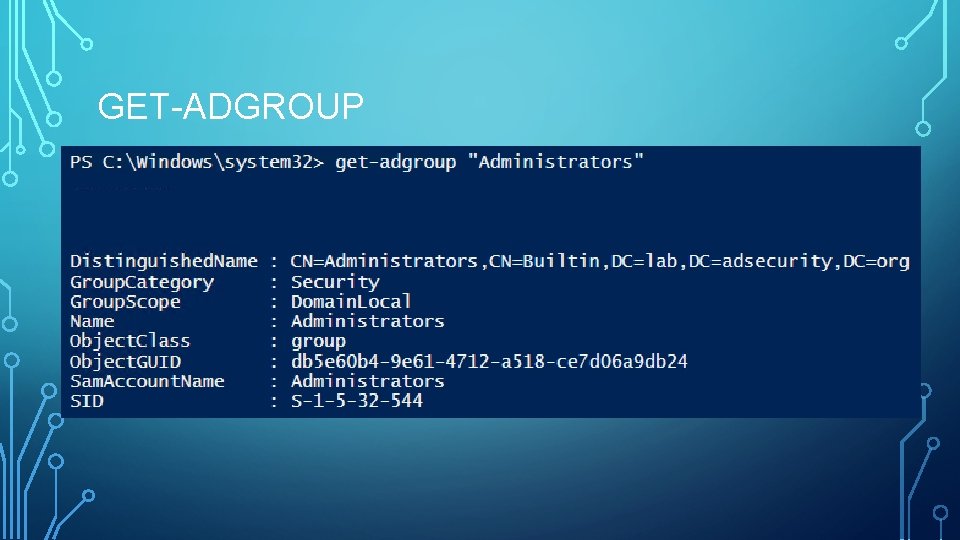
GET-ADGROUP
GET AD DOMAIN GROUP STATISTICS [array]$All. ADGroups = Get-ADGroup -Filter * -Properties * $All. ADGroups. Count = $All. ADGroups. Count Write-Output “There are $All. ADGroups. Count Total groups in AD `r “ [array]$ADUniversal. Groups = $All. ADGroups | Where {$_. Group. Scope -eq “Universal” } [int]$ADUniversal. Groups. Count = $ADUniversal. Groups. Count Write-Output “There are $ADUniversal. Groups. Count Universal groups in AD “ [array]$ADSecurity. Groups = $All. ADGroups | Where {$_. Group. Category -eq “Security” } $ADSecurity. Groups. Count = $ADSecurity. Groups. Count Write-Output “There are $ADSecurity. Groups. Count Security groups in AD “
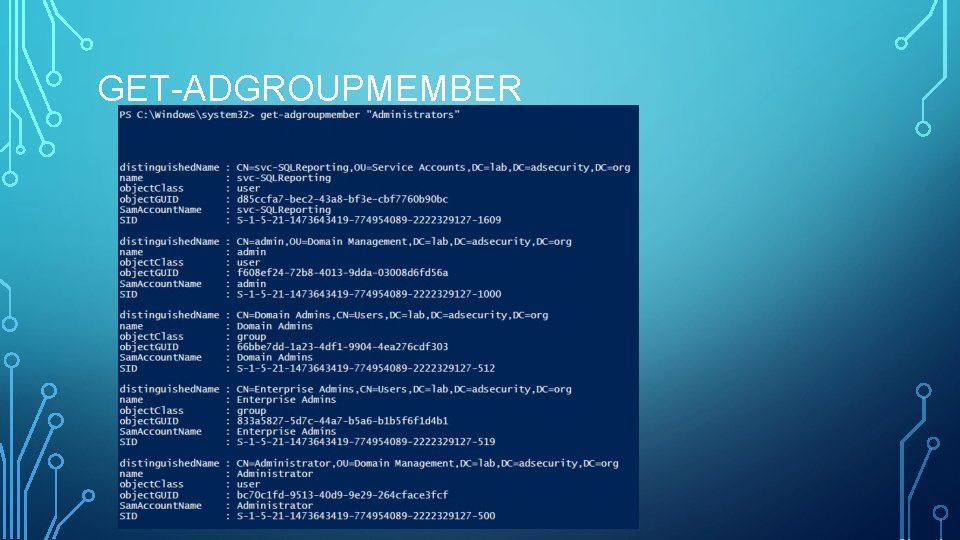
GET-ADGROUPMEMBER
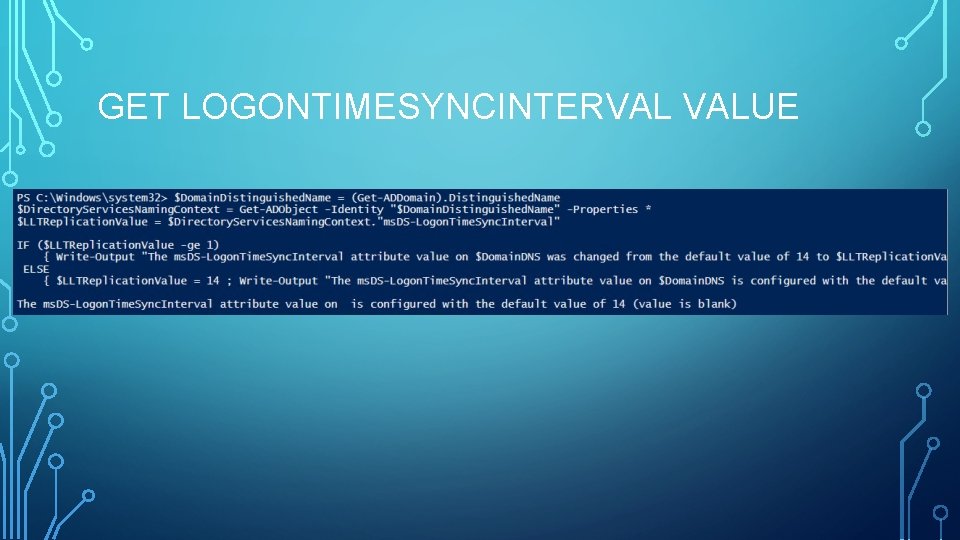
GET LOGONTIMESYNCINTERVAL VALUE
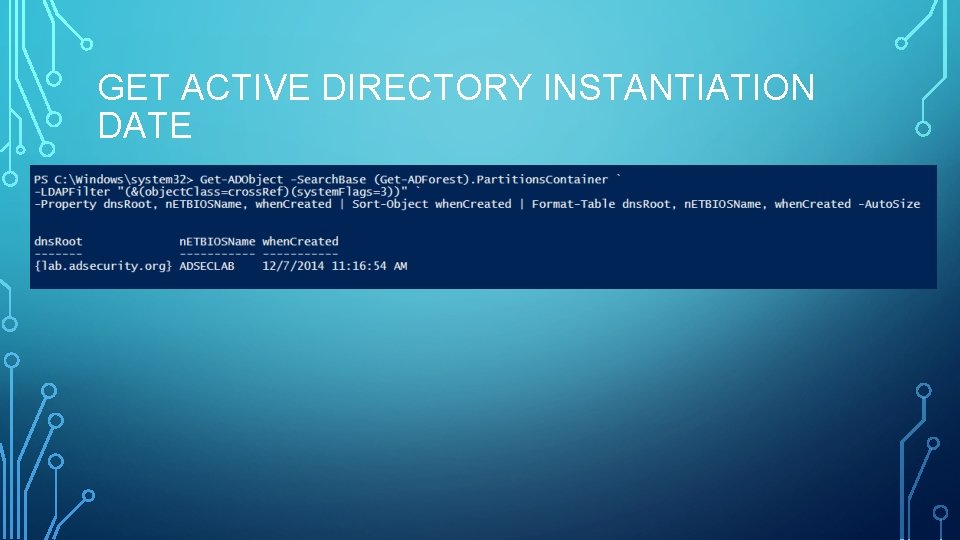
GET ACTIVE DIRECTORY INSTANTIATION DATE
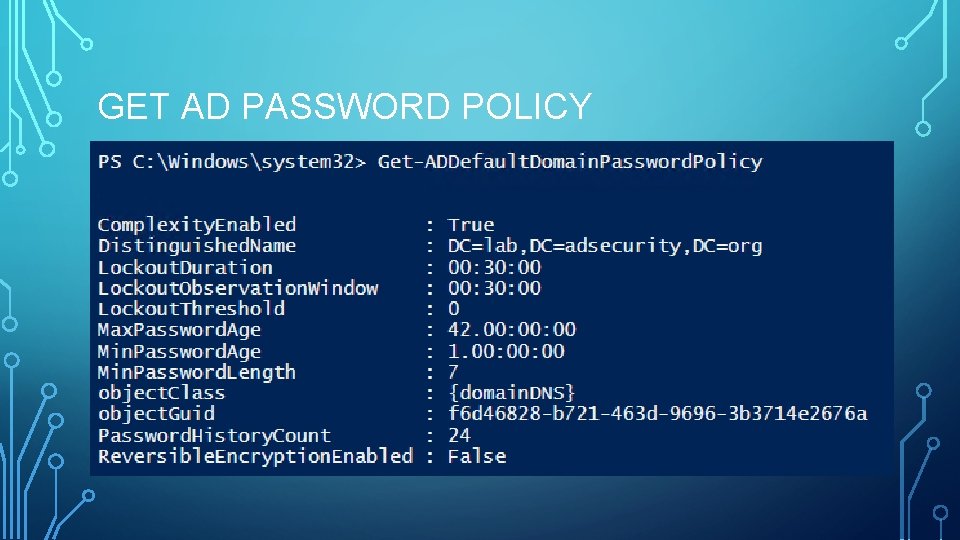
GET AD PASSWORD POLICY
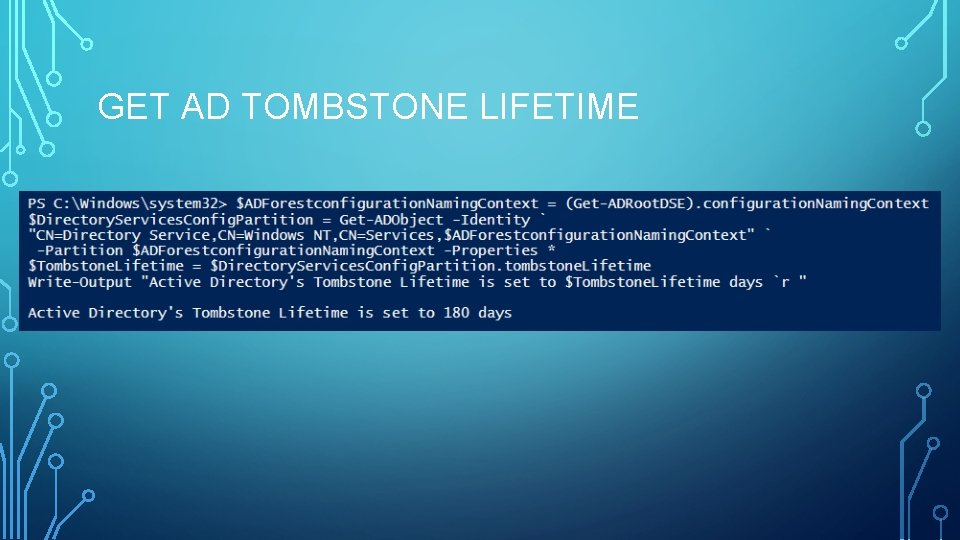
GET AD TOMBSTONE LIFETIME
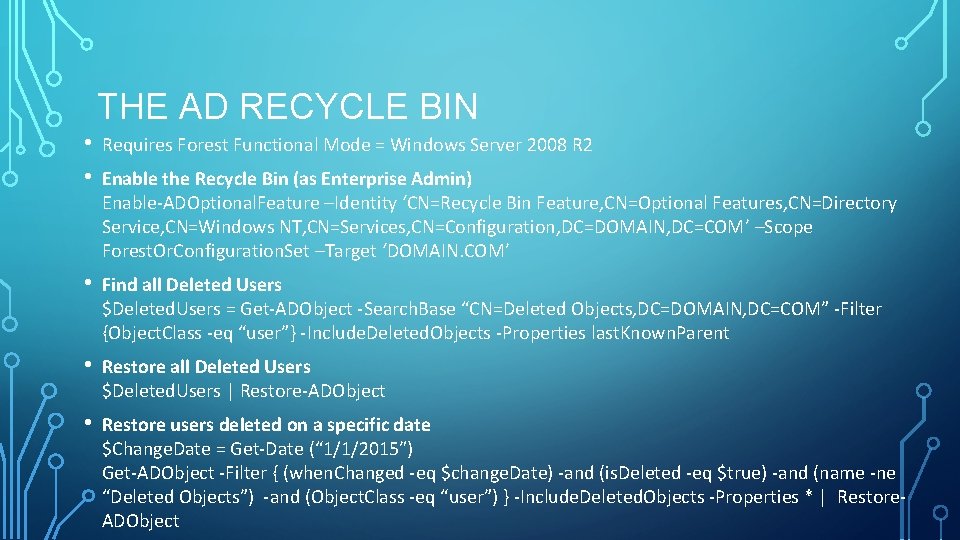
THE AD RECYCLE BIN • • Requires Forest Functional Mode = Windows Server 2008 R 2 • Find all Deleted Users $Deleted. Users = Get-ADObject -Search. Base “CN=Deleted Objects, DC=DOMAIN, DC=COM” -Filter {Object. Class -eq “user”} -Include. Deleted. Objects -Properties last. Known. Parent • Restore all Deleted Users $Deleted. Users | Restore-ADObject • Restore users deleted on a specific date $Change. Date = Get-Date (“ 1/1/2015″) Get-ADObject -Filter { (when. Changed -eq $change. Date) -and (is. Deleted -eq $true) -and (name -ne “Deleted Objects”) -and (Object. Class -eq “user”) } -Include. Deleted. Objects -Properties * | Restore. ADObject Enable the Recycle Bin (as Enterprise Admin) Enable-ADOptional. Feature –Identity ‘CN=Recycle Bin Feature, CN=Optional Features, CN=Directory Service, CN=Windows NT, CN=Services, CN=Configuration, DC=DOMAIN, DC=COM’ –Scope Forest. Or. Configuration. Set –Target ‘DOMAIN. COM’
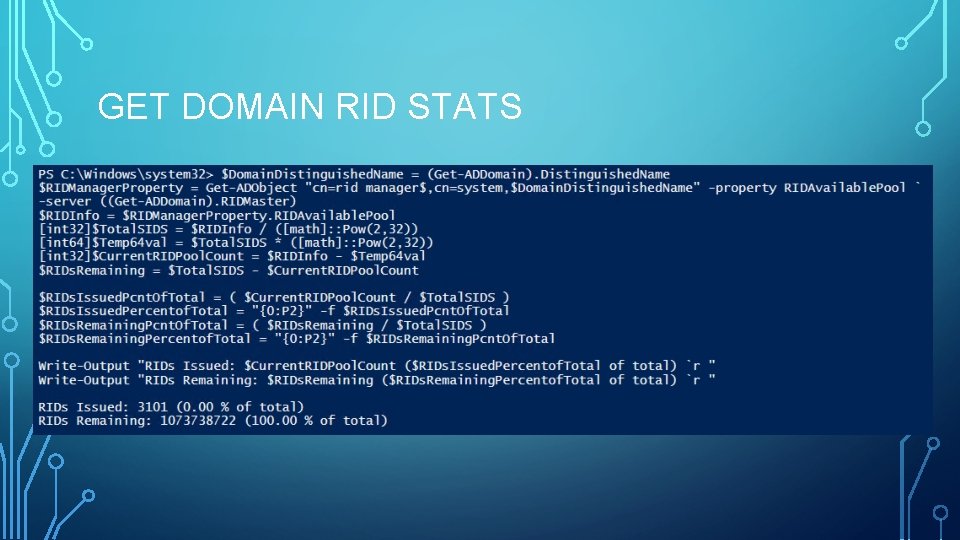
GET DOMAIN RID STATS
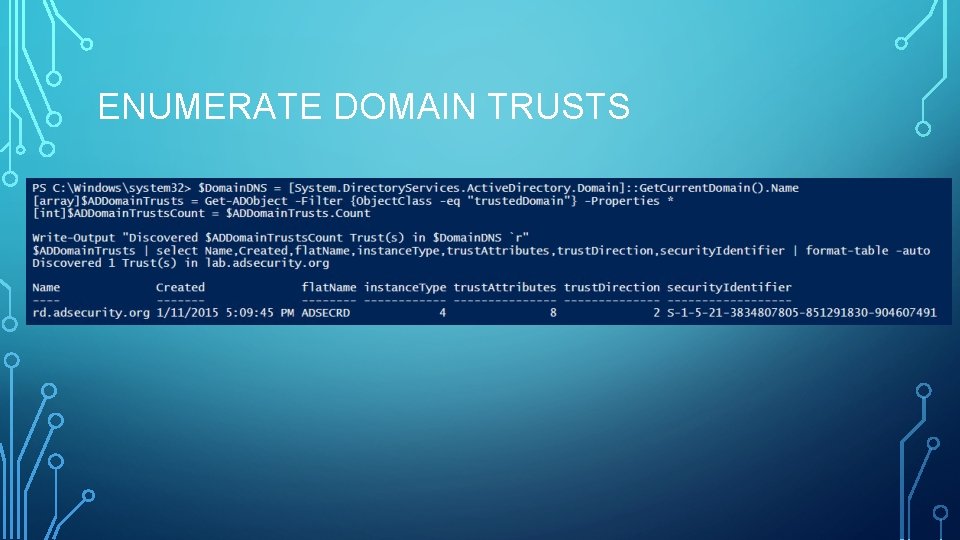
ENUMERATE DOMAIN TRUSTS
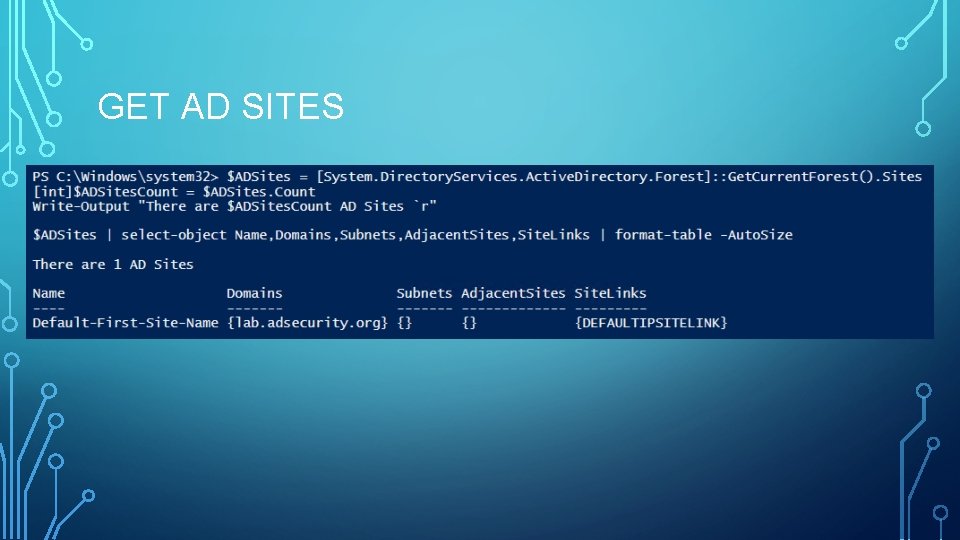
GET AD SITES
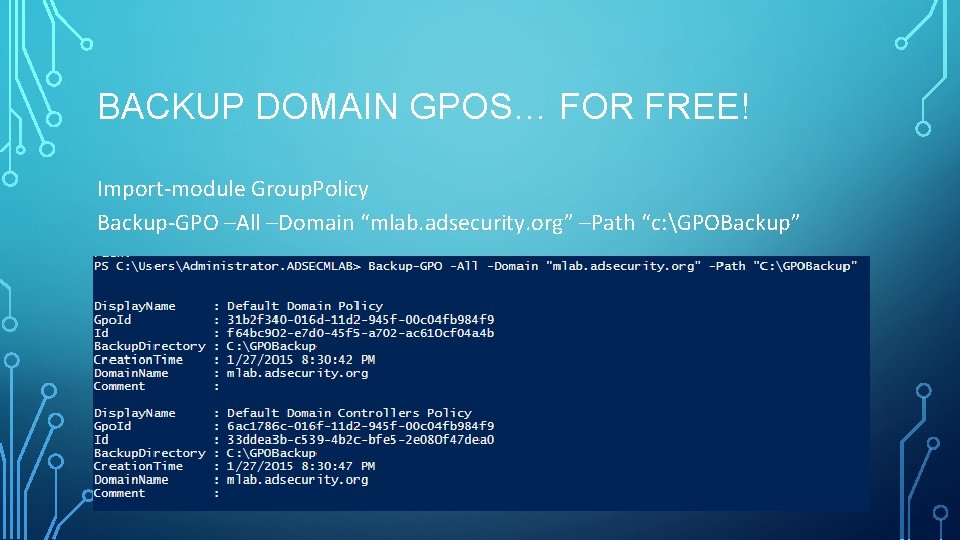
BACKUP DOMAIN GPOS… FOR FREE! Import-module Group. Policy Backup-GPO –All –Domain “mlab. adsecurity. org” –Path “c: GPOBackup”
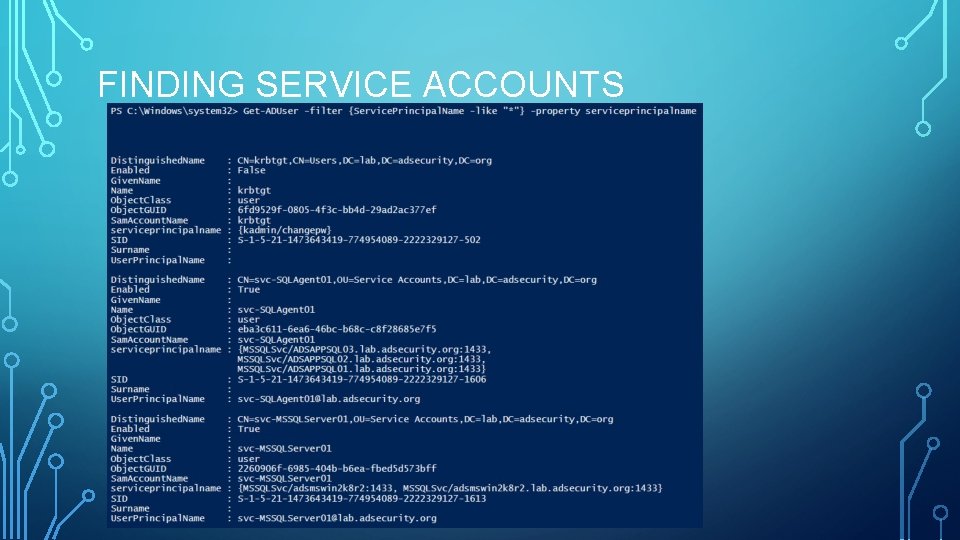
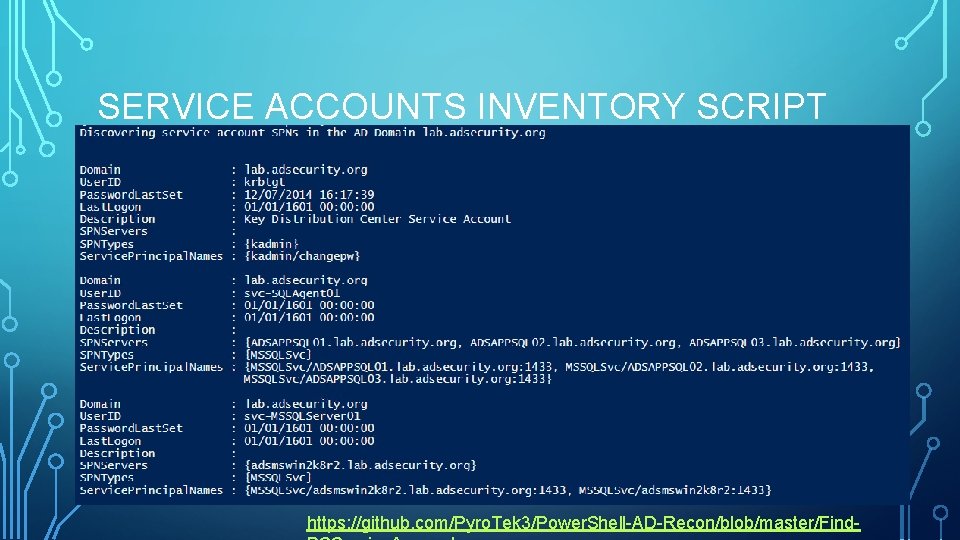
FINDING SERVICE ACCOUNTS
SERVICE ACCOUNTS INVENTORY SCRIPT https: //github. com/Pyro. Tek 3/Power. Shell-AD-Recon/blob/master/Find-
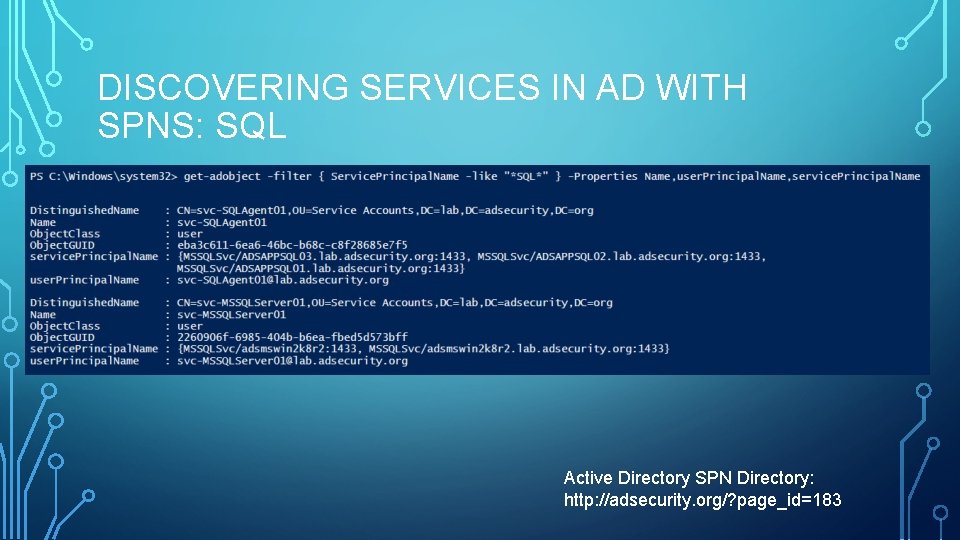
DISCOVERING SERVICES IN AD WITH SPNS: SQL Active Directory SPN Directory: http: //adsecurity. org/? page_id=183
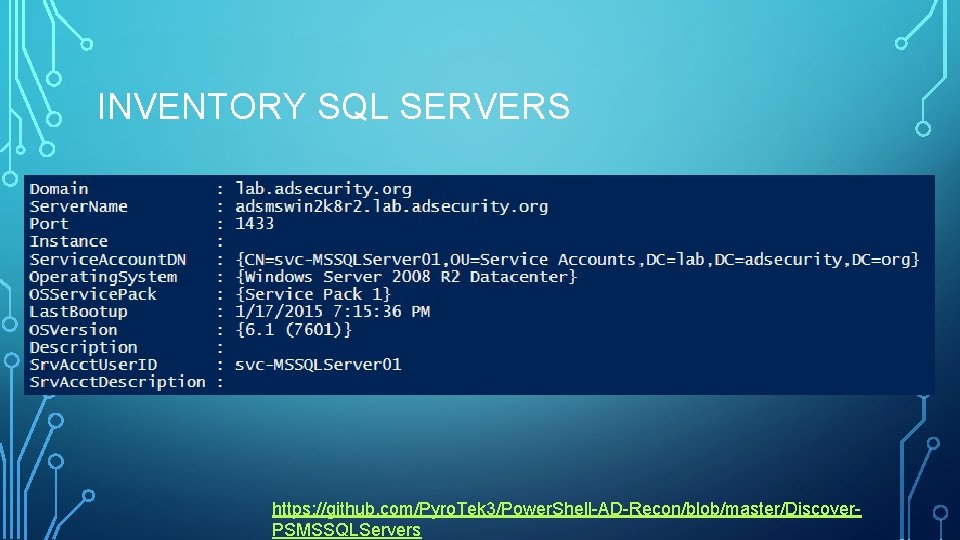
INVENTORY SQL SERVERS https: //github. com/Pyro. Tek 3/Power. Shell-AD-Recon/blob/master/Discover. PSMSSQLServers
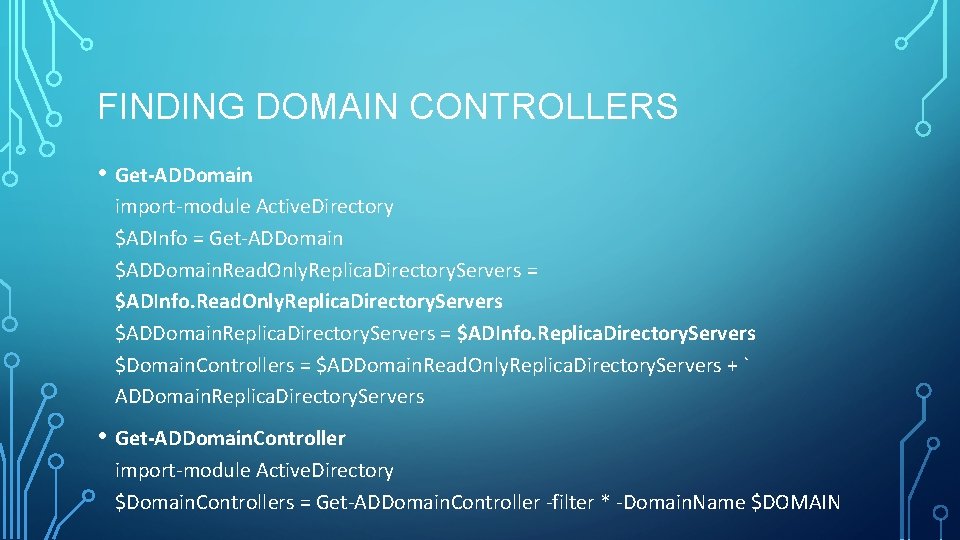
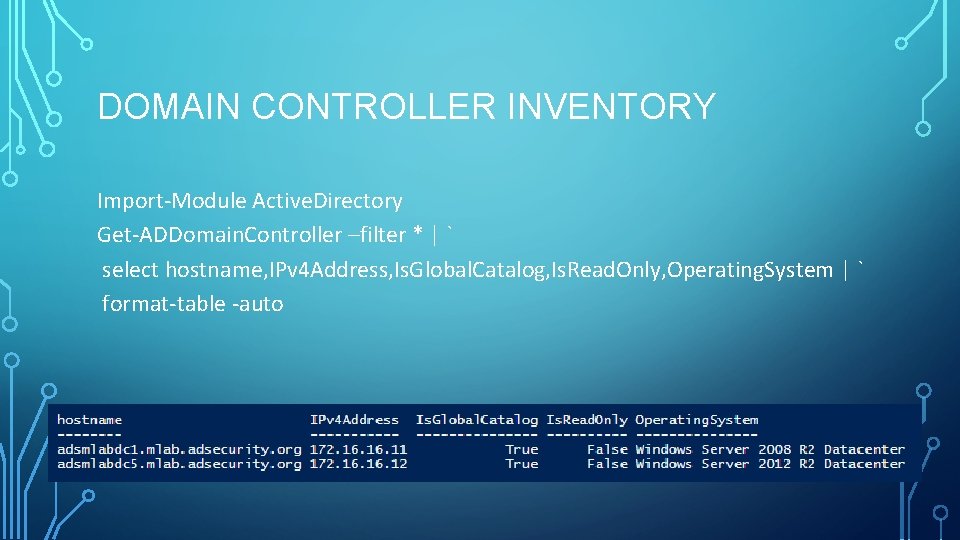
FINDING DOMAIN CONTROLLERS • Get-ADDomain import-module Active. Directory $ADInfo = Get-ADDomain $ADDomain. Read. Only. Replica. Directory. Servers = $ADInfo. Read. Only. Replica. Directory. Servers $ADDomain. Replica. Directory. Servers = $ADInfo. Replica. Directory. Servers $Domain. Controllers = $ADDomain. Read. Only. Replica. Directory. Servers + ` ADDomain. Replica. Directory. Servers • Get-ADDomain. Controller import-module Active. Directory $Domain. Controllers = Get-ADDomain. Controller -filter * -Domain. Name $DOMAIN
DOMAIN CONTROLLER INVENTORY Import-Module Active. Directory Get-ADDomain. Controller –filter * | ` select hostname, IPv 4 Address, Is. Global. Catalog, Is. Read. Only, Operating. System | ` format-table -auto
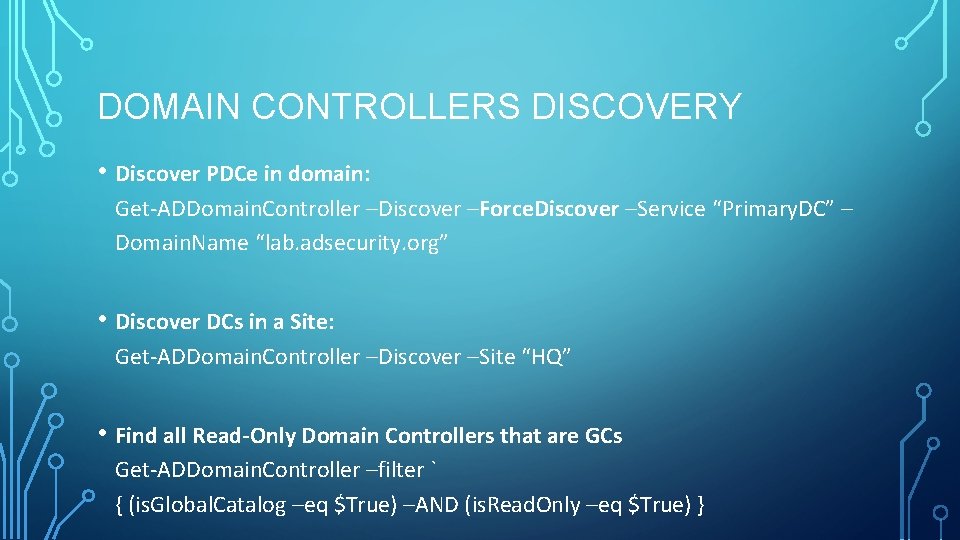
DOMAIN CONTROLLERS DISCOVERY • Discover PDCe in domain: Get-ADDomain. Controller –Discover –Force. Discover –Service “Primary. DC” – Domain. Name “lab. adsecurity. org” • Discover DCs in a Site: Get-ADDomain. Controller –Discover –Site “HQ” • Find all Read-Only Domain Controllers that are GCs Get-ADDomain. Controller –filter ` { (is. Global. Catalog –eq $True) –AND (is. Read. Only –eq $True) }
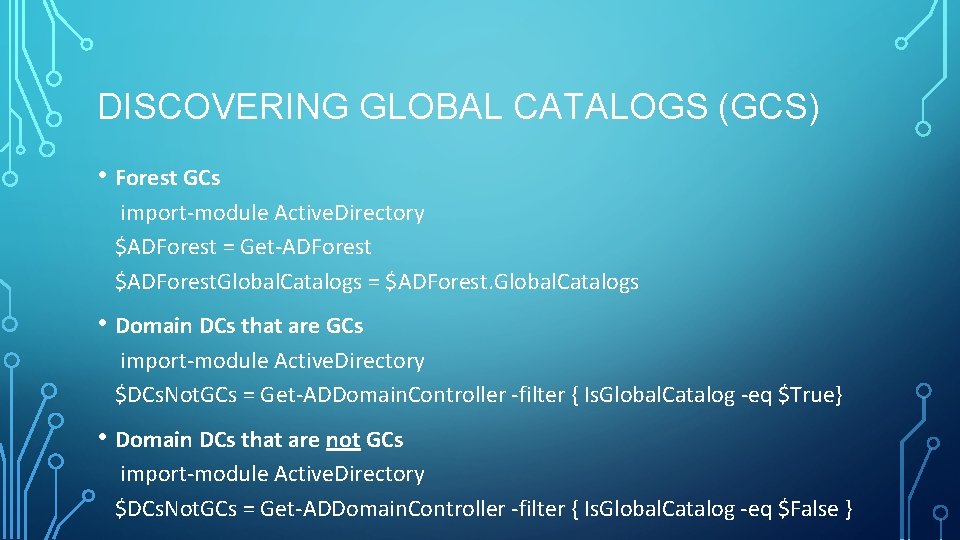
DISCOVERING GLOBAL CATALOGS (GCS) • Forest GCs import-module Active. Directory $ADForest = Get-ADForest $ADForest. Global. Catalogs = $ADForest. Global. Catalogs • Domain DCs that are GCs import-module Active. Directory $DCs. Not. GCs = Get-ADDomain. Controller -filter { Is. Global. Catalog -eq $True} • Domain DCs that are not GCs import-module Active. Directory $DCs. Not. GCs = Get-ADDomain. Controller -filter { Is. Global. Catalog -eq $False }
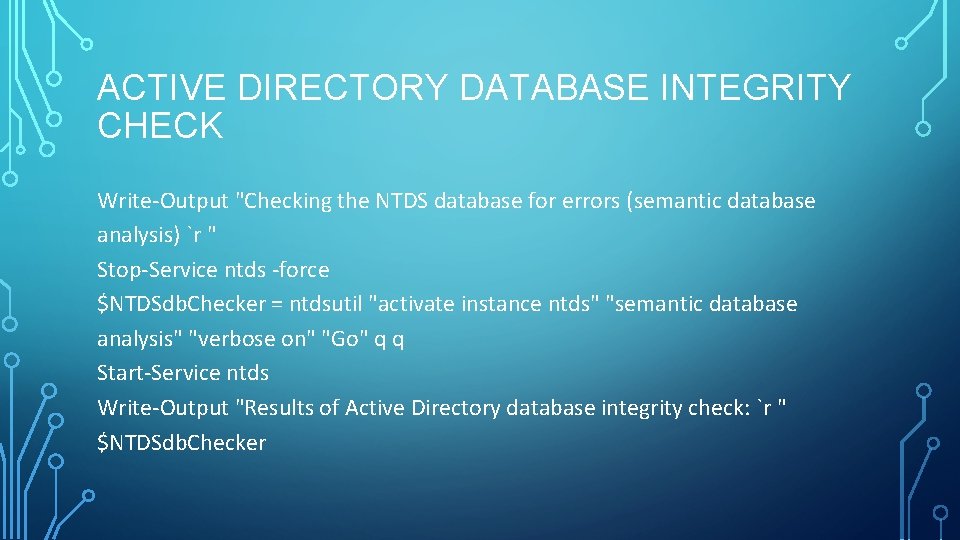
ACTIVE DIRECTORY DATABASE INTEGRITY CHECK Write-Output "Checking the NTDS database for errors (semantic database analysis) `r " Stop-Service ntds -force $NTDSdb. Checker = ntdsutil "activate instance ntds" "semantic database analysis" "verbose on" "Go" q q Start-Service ntds Write-Output "Results of Active Directory database integrity check: `r " $NTDSdb. Checker
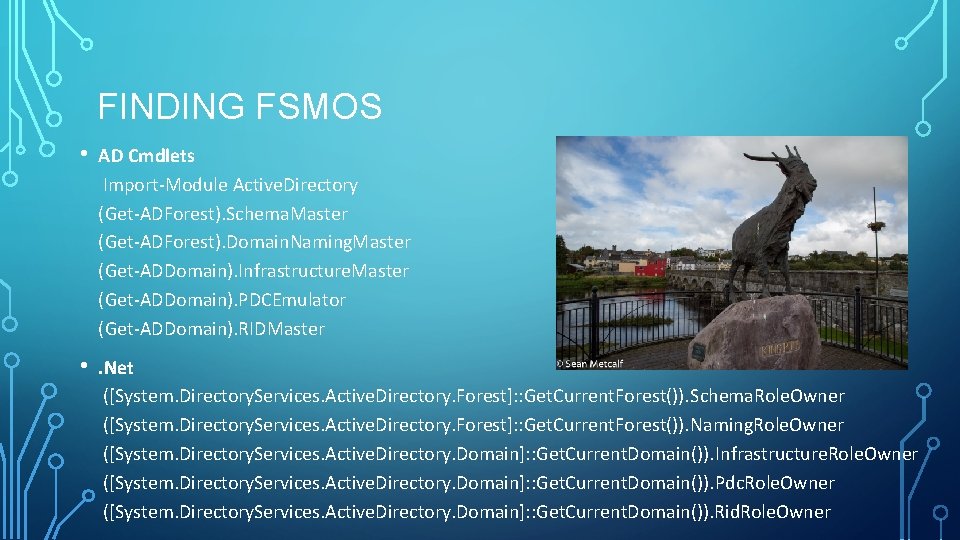
FINDING FSMOS • AD Cmdlets Import-Module Active. Directory (Get-ADForest). Schema. Master (Get-ADForest). Domain. Naming. Master (Get-ADDomain). Infrastructure. Master (Get-ADDomain). PDCEmulator (Get-ADDomain). RIDMaster • . Net ([System. Directory. Services. Active. Directory. Forest]: : Get. Current. Forest()). Schema. Role. Owner ([System. Directory. Services. Active. Directory. Forest]: : Get. Current. Forest()). Naming. Role. Owner ([System. Directory. Services. Active. Directory. Domain]: : Get. Current. Domain()). Infrastructure. Role. Owner ([System. Directory. Services. Active. Directory. Domain]: : Get. Current. Domain()). Pdc. Role. Owner ([System. Directory. Services. Active. Directory. Domain]: : Get. Current. Domain()). Rid. Role. Owner
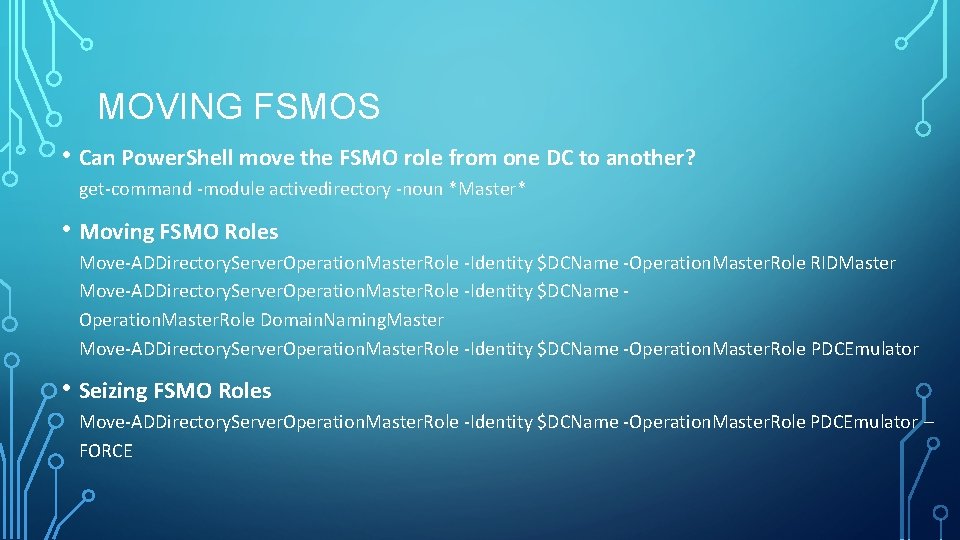
MOVING FSMOS • Can Power. Shell move the FSMO role from one DC to another? get-command -module activedirectory -noun *Master* • Moving FSMO Roles Move-ADDirectory. Server. Operation. Master. Role -Identity $DCName -Operation. Master. Role RIDMaster Move-ADDirectory. Server. Operation. Master. Role -Identity $DCName Operation. Master. Role Domain. Naming. Master Move-ADDirectory. Server. Operation. Master. Role -Identity $DCName -Operation. Master. Role PDCEmulator • Seizing FSMO Roles Move-ADDirectory. Server. Operation. Master. Role -Identity $DCName -Operation. Master. Role PDCEmulator – FORCE
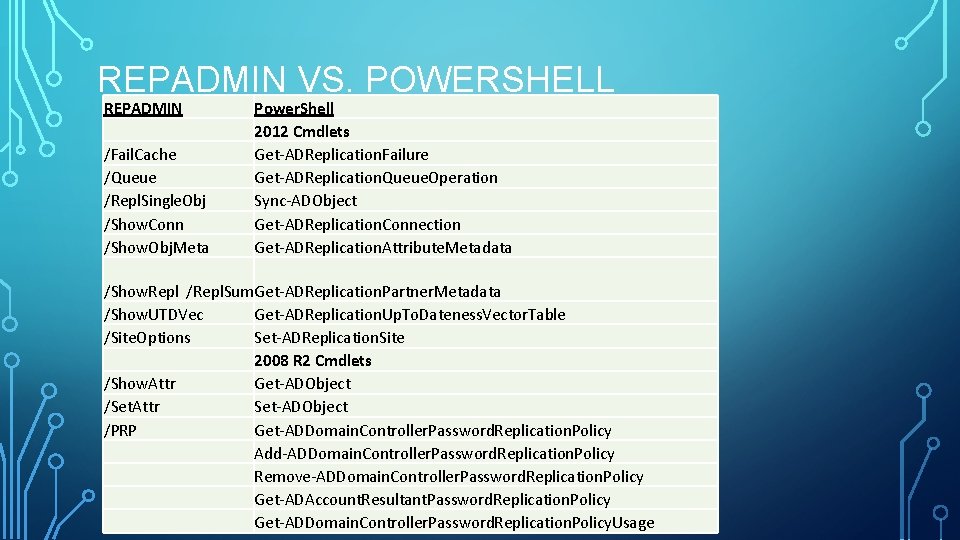
REPADMIN VS. POWERSHELL REPADMIN /Fail. Cache /Queue /Repl. Single. Obj /Show. Conn /Show. Obj. Meta Power. Shell 2012 Cmdlets Get-ADReplication. Failure Get-ADReplication. Queue. Operation Sync-ADObject Get-ADReplication. Connection Get-ADReplication. Attribute. Metadata /Show. Repl /Repl. Sum. Get-ADReplication. Partner. Metadata /Show. UTDVec Get-ADReplication. Up. To. Dateness. Vector. Table /Site. Options Set-ADReplication. Site 2008 R 2 Cmdlets /Show. Attr Get-ADObject /Set. Attr Set-ADObject /PRP Get-ADDomain. Controller. Password. Replication. Policy Add-ADDomain. Controller. Password. Replication. Policy Remove-ADDomain. Controller. Password. Replication. Policy Get-ADAccount. Resultant. Password. Replication. Policy Get-ADDomain. Controller. Password. Replication. Policy. Usage
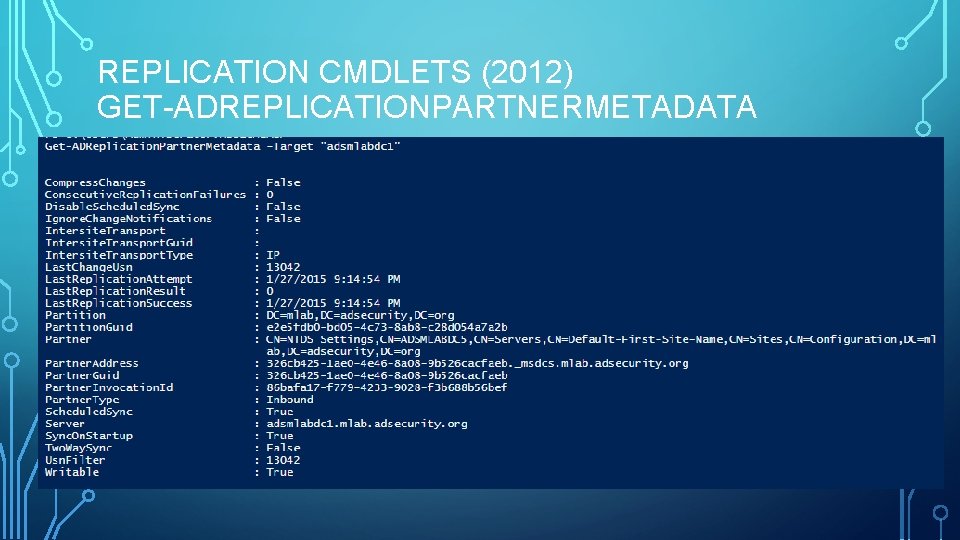
REPLICATION CMDLETS (2012) GET-ADREPLICATIONPARTNERMETADATA
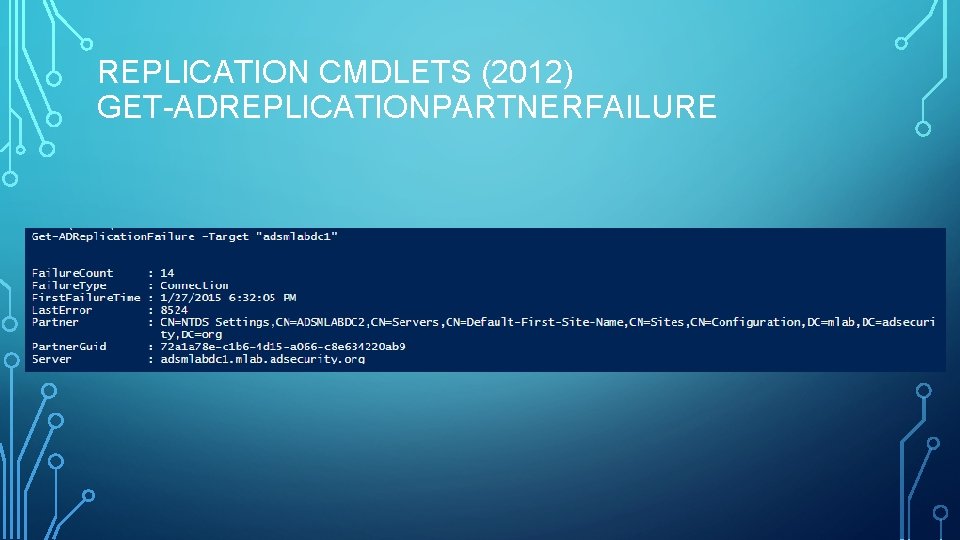
REPLICATION CMDLETS (2012) GET-ADREPLICATIONPARTNERFAILURE
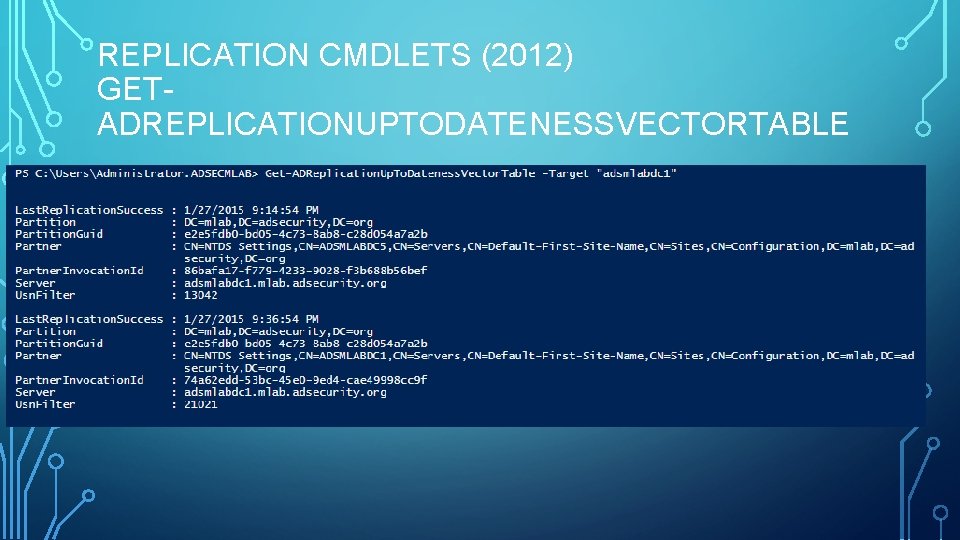
REPLICATION CMDLETS (2012) GETADREPLICATIONUPTODATENESSVECTORTABLE
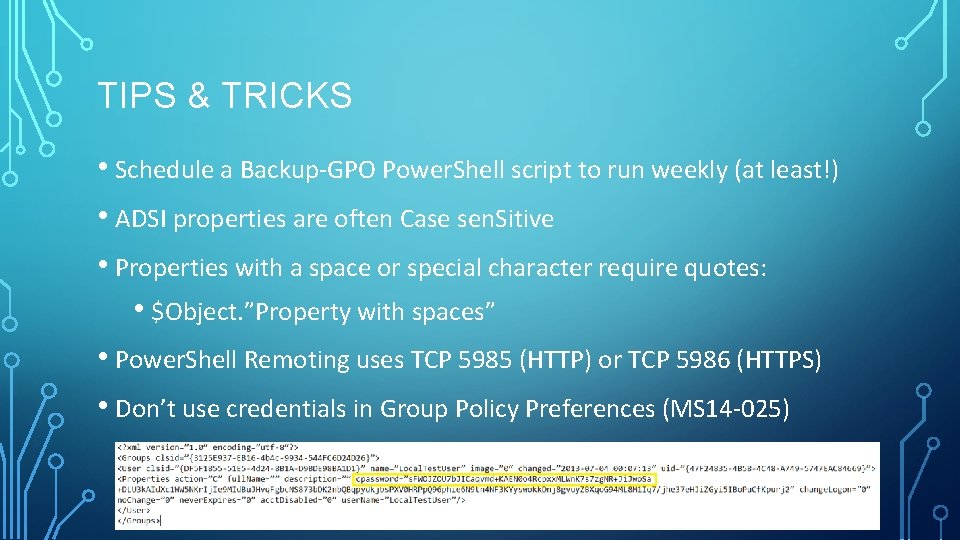
TIPS & TRICKS • Schedule a Backup-GPO Power. Shell script to run weekly (at least!) • ADSI properties are often Case sen. Sitive • Properties with a space or special character require quotes: • $Object. ”Property with spaces” • Power. Shell Remoting uses TCP 5985 (HTTP) or TCP 5986 (HTTPS) • Don’t use credentials in Group Policy Preferences (MS 14 -025)
REFERENCES • • ADSecurity. org – Filled with AD/Microsoft Security & Power. Shell Goodness • Power. Shell AD Cmdlet SOAP XML Messages http: //blogs. msdn. com/b/adpowershell/archive/2009/10/05/how-to-view-soap-xml-messages-to-and-from-adwebservices-and-powershell. aspx • The AD: Drive http: //blogs. technet. com/b/heyscriptingguy/archive/2013/03/18/playing-with-the-ad-drive-for-fun-and-profit. aspx • Repadmin to Power. Shell http: //blogs. technet. com/b/ashleymcglone/archive/2012/10/17/ad-group-history-mystery-powershell-v 3 repadmin. aspx • Quest AD cmdlets are useful, though not as necessary. https: //support. software. dell. com/download-install-detail/5024645 CMD to Power. Shell Reference: http: //blogs. technet. com/b/ashleymcglone/archive/2013/01/02/free-download-cmd-to-powershell-guide-for-ad. aspx
BONUS SLIDES FOLLOW…
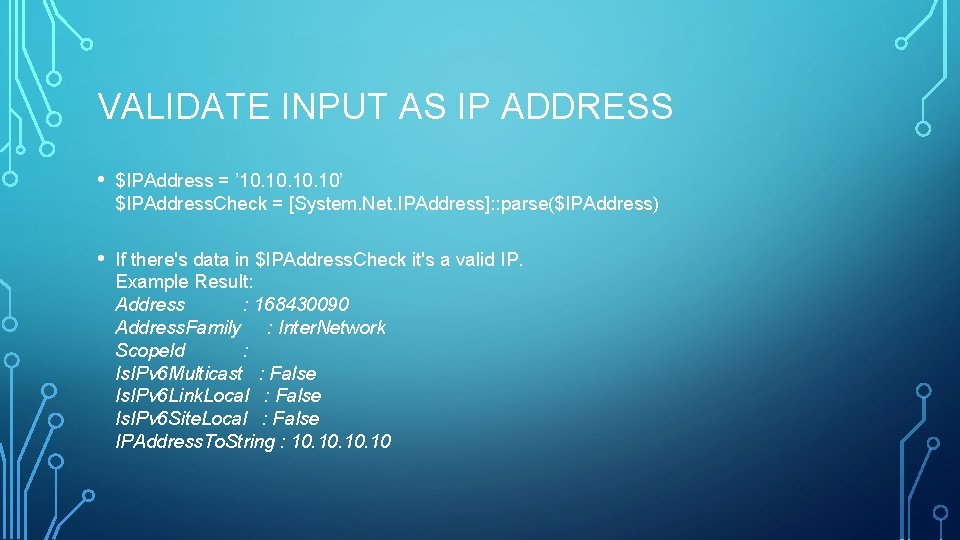
VALIDATE INPUT AS IP ADDRESS • $IPAddress = ’ 10. 10. 10’ $IPAddress. Check = [System. Net. IPAddress]: : parse($IPAddress) • If there's data in $IPAddress. Check it's a valid IP. Example Result: Address : 168430090 Address. Family : Inter. Network Scope. Id : Is. IPv 6 Multicast : False Is. IPv 6 Link. Local : False Is. IPv 6 Site. Local : False IPAddress. To. String : 10. 10. 10
ENUMERATE DOMAIN DFS SHARES $Domain. DNS = [System. Directory. Services. Active. Directory. Domain]: : Get. Current. Domain(). Name $ADDomain. Distinguished. Name = (Get-ADDomain). Distinguished. Name $DFSConfig. Object. DN = "CN=Dfs-Configuration, CN=System, $ADDomain. Distinguished. Name“ $DFSConfiguration. Object = Get-ADObject $DFSConfig. Object. DN $DFSShare. Data = Get-Child. Item "AD: $DFSConfig. Object. DN" For. Each ($DFSShare. Data. Item in $DFSShare. Data) { ## OPEN For. Each ($DFSShare. Data. Item in $DFSShare. Data) $DFSShare. Data. Item. DN = $DFSShare. Data. Item. Distinguished. Name $DFSShare. Data. Item. Name. Array = $DFSShare. Data. Item. DN -split '=‘ $DFSShare. Data. Item. Name. Array 2 = $DFSShare. Data. Item. Name. Array -split ', ‘ $DFSShare. Data. Item. Name = $DFSShare. Data. Item. Name. Array 2[1] $DFSShare. Data. Item. Server. Path = Get-ADObject $DFSShare. Data. Item. DN -property *, Remote. Server. Name Write-Output "DFS Share Name: $DFSShare. Data. Item. Name `r “ Write-Output "$DFSShare. Data. Item. DN `r “ $DFSShare. Data. Item. Server. Path. Name = ($DFSShare. Data. Item. Server. Path. Remote. Server. Name) -replace ('*', "") $DFSShare. Data. Item. Server. Path. Name write-output " `r “ } ## CLOSE For. Each ($DFSShare. Data. Item in $DFSShare. Data)
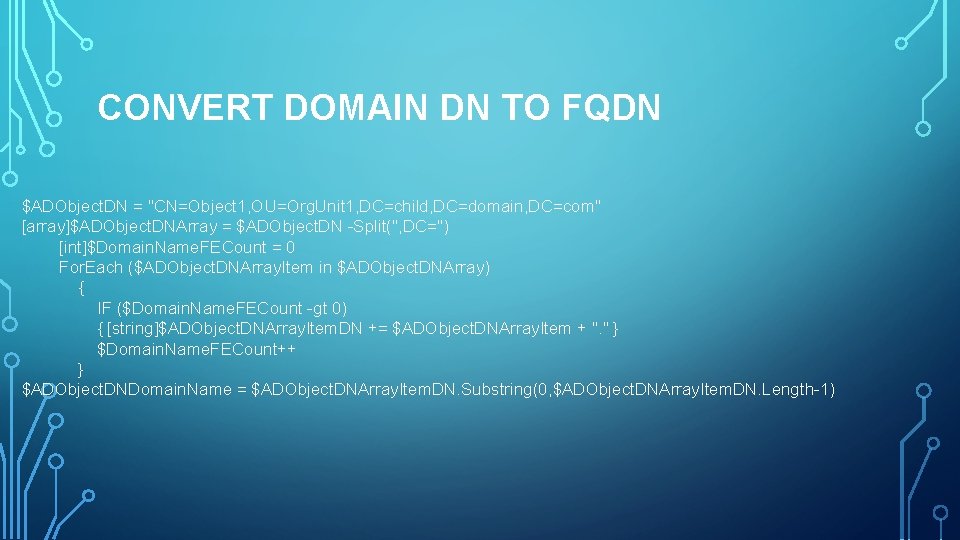
CONVERT DOMAIN DN TO FQDN $ADObject. DN = "CN=Object 1, OU=Org. Unit 1, DC=child, DC=domain, DC=com" [array]$ADObject. DNArray = $ADObject. DN -Split(", DC=") [int]$Domain. Name. FECount = 0 For. Each ($ADObject. DNArray. Item in $ADObject. DNArray) { IF ($Domain. Name. FECount -gt 0) { [string]$ADObject. DNArray. Item. DN += $ADObject. DNArray. Item + ". " } $Domain. Name. FECount++ } $ADObject. DNDomain. Name = $ADObject. DNArray. Item. DN. Substring(0, $ADObject. DNArray. Item. DN. Length-1)
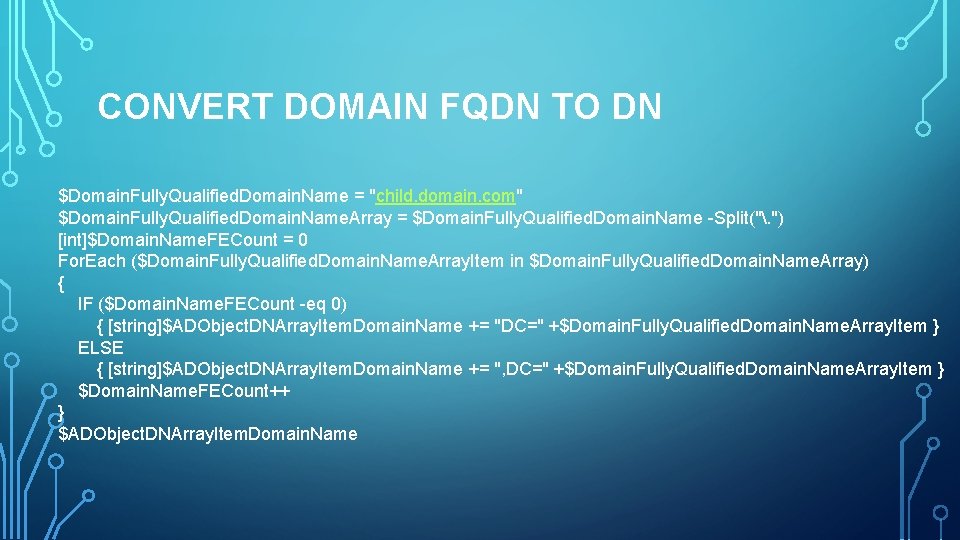
CONVERT DOMAIN FQDN TO DN $Domain. Fully. Qualified. Domain. Name = "child. domain. com" $Domain. Fully. Qualified. Domain. Name. Array = $Domain. Fully. Qualified. Domain. Name -Split(". ") [int]$Domain. Name. FECount = 0 For. Each ($Domain. Fully. Qualified. Domain. Name. Array. Item in $Domain. Fully. Qualified. Domain. Name. Array) { IF ($Domain. Name. FECount -eq 0) { [string]$ADObject. DNArray. Item. Domain. Name += "DC=" +$Domain. Fully. Qualified. Domain. Name. Array. Item } ELSE { [string]$ADObject. DNArray. Item. Domain. Name += ", DC=" +$Domain. Fully. Qualified. Domain. Name. Array. Item } $Domain. Name. FECount++ } $ADObject. DNArray. Item. Domain. Name