
Mass Flow Controller Calibration The following slides show
Mass Flow Controller Calibration • The following slides show to calibrate mass flow controllers using a flow reference cell and a PID controller. • This document was made for a specific station with three mass flow controllers, but the methods used are the same regardless of station configuration. • The plumbing connections may be slightly different at your station.
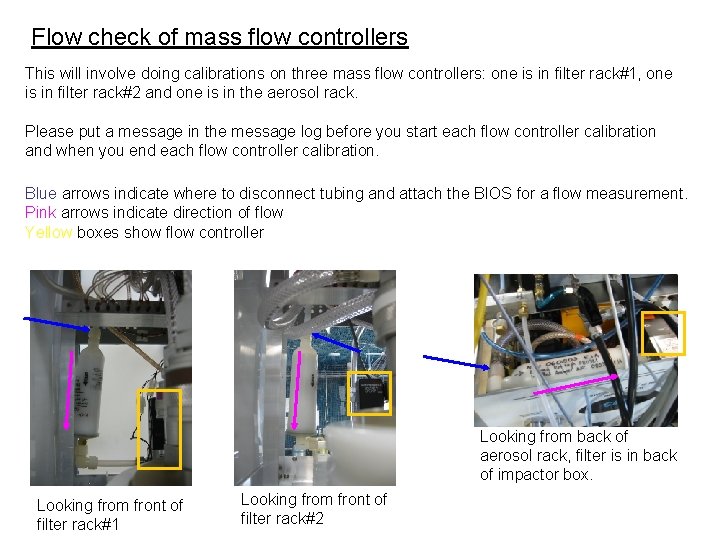
Flow check of mass flow controllers This will involve doing calibrations on three mass flow controllers: one is in filter rack#1, one is in filter rack#2 and one is in the aerosol rack. Please put a message in the message log before you start each flow controller calibration and when you end each flow controller calibration. Blue arrows indicate where to disconnect tubing and attach the BIOS for a flow measurement. Pink arrows indicate direction of flow Yellow boxes show flow controller Looking from back of aerosol rack, filter is in back of impactor box. Looking from front of filter rack#1 Looking from front of filter rack#2
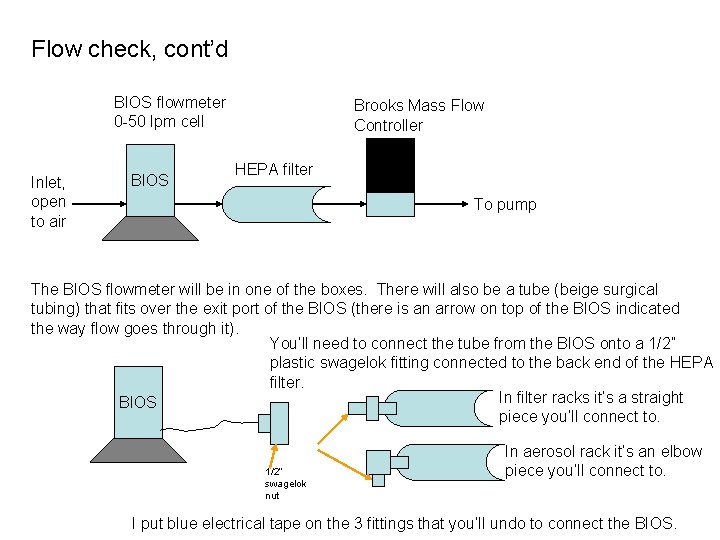
Flow check, cont’d BIOS flowmeter 0 -50 lpm cell Inlet, open to air BIOS Brooks Mass Flow Controller HEPA filter To pump The BIOS flowmeter will be in one of the boxes. There will also be a tube (beige surgical tubing) that fits over the exit port of the BIOS (there is an arrow on top of the BIOS indicated the way flow goes through it). You’ll need to connect the tube from the BIOS onto a 1/2” plastic swagelok fitting connected to the back end of the HEPA filter. In filter racks it’s a straight BIOS piece you’ll connect to. 1/2” swagelok nut In aerosol rack it’s an elbow piece you’ll connect to. I put blue electrical tape on the 3 fittings that you’ll undo to connect the BIOS.
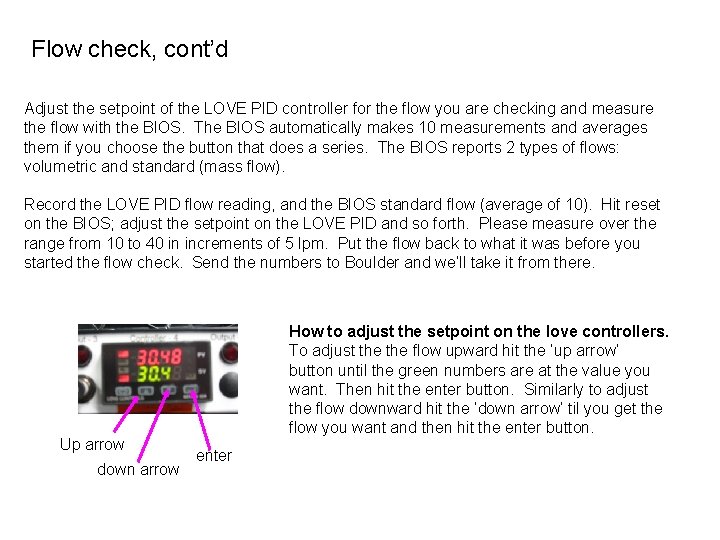
Flow check, cont’d Adjust the setpoint of the LOVE PID controller for the flow you are checking and measure the flow with the BIOS. The BIOS automatically makes 10 measurements and averages them if you choose the button that does a series. The BIOS reports 2 types of flows: volumetric and standard (mass flow). Record the LOVE PID flow reading, and the BIOS standard flow (average of 10). Hit reset on the BIOS; adjust the setpoint on the LOVE PID and so forth. Please measure over the range from 10 to 40 in increments of 5 lpm. Put the flow back to what it was before you started the flow check. Send the numbers to Boulder and we’ll take it from there. Up arrow down arrow How to adjust the setpoint on the love controllers. To adjust the flow upward hit the ‘up arrow’ button until the green numbers are at the value you want. Then hit the enter button. Similarly to adjust the flow downward hit the ‘down arrow’ til you get the flow you want and then hit the enter button. enter
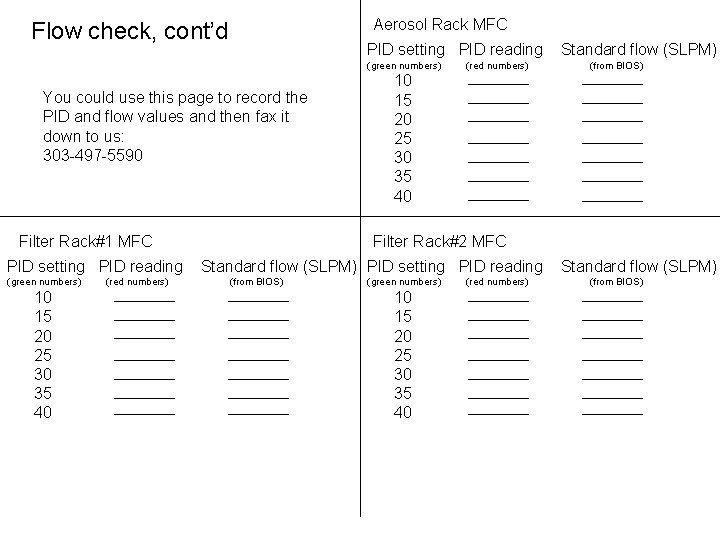
Aerosol Rack MFC Flow check, cont’d PID setting PID reading (green numbers) You could use this page to record the PID and flow values and then fax it down to us: 303 -497 -5590 Filter Rack#1 MFC PID setting PID reading (green numbers) 10 15 20 25 30 35 40 (red numbers) Standard flow (SLPM) (from BIOS) 10 15 20 25 30 35 40 Filter Rack#2 MFC Standard flow (SLPM) PID setting PID reading (from BIOS) (green numbers) 10 15 20 25 30 35 40 (red numbers) Standard flow (SLPM) (from BIOS)
- Slides: 5