
Maryland High School Assessments LEA 24 Training October
Maryland High School Assessments LEA 24 Training October 23, 2019
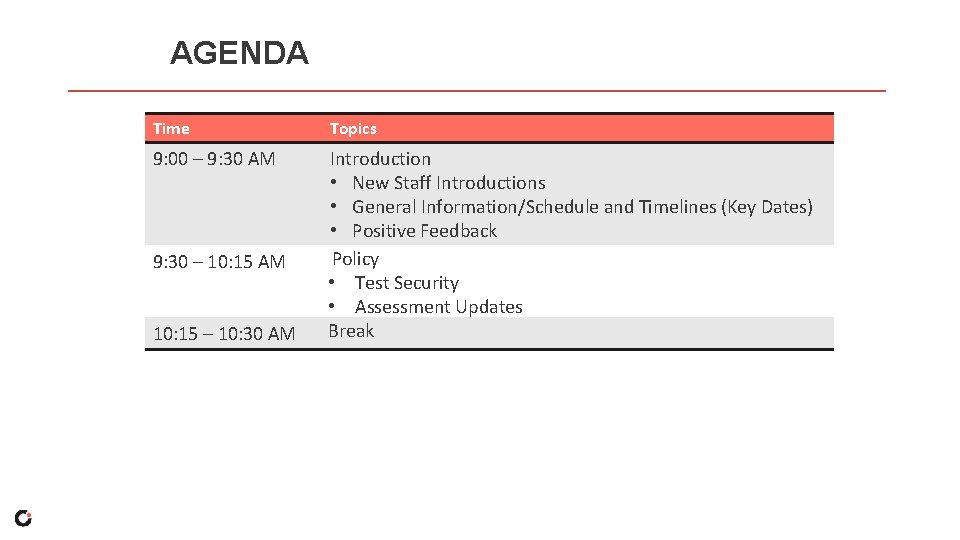
AGENDA Time Topics 9: 00 – 9: 30 AM Introduction • New Staff Introductions • General Information/Schedule and Timelines (Key Dates) • Positive Feedback Policy • Test Security • Assessment Updates Break 9: 30 – 10: 15 AM 10: 15 – 10: 30 AM
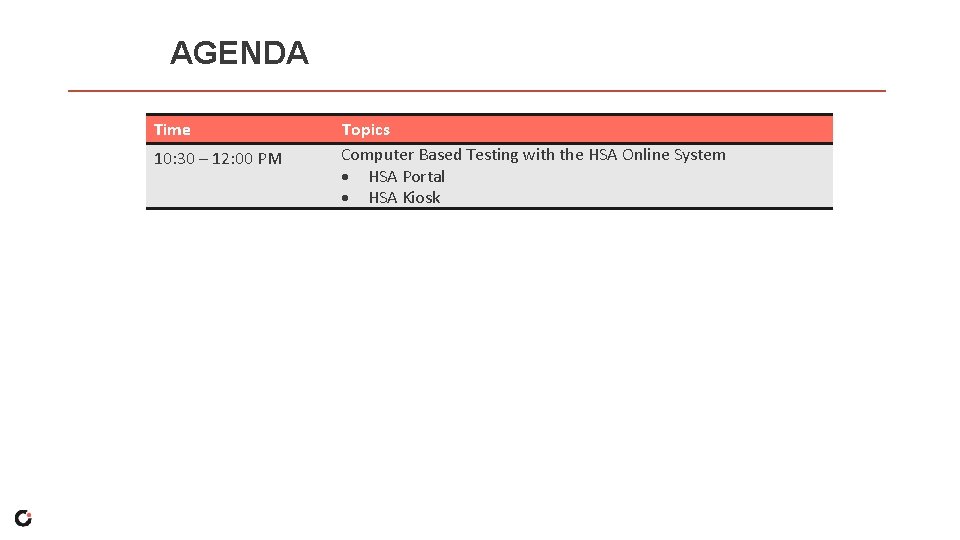
AGENDA Time 10: 30 – 12: 00 PM Topics Computer Based Testing with the HSA Online System HSA Portal HSA Kiosk
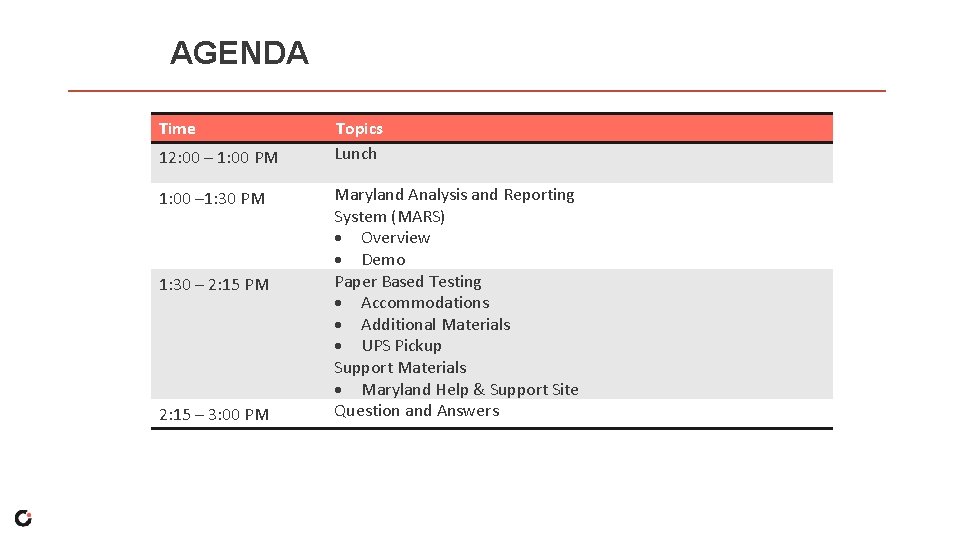
AGENDA Time 12: 00 – 1: 00 PM 1: 00 – 1: 30 PM 1: 30 – 2: 15 PM 2: 15 – 3: 00 PM Topics Lunch Maryland Analysis and Reporting System (MARS) Overview Demo Paper Based Testing Accommodations Additional Materials UPS Pickup Support Materials Maryland Help & Support Site Question and Answers
Introduction § Staff Introductions § General Information/Schedule and Timelines (Key Dates) § Positive Feedback
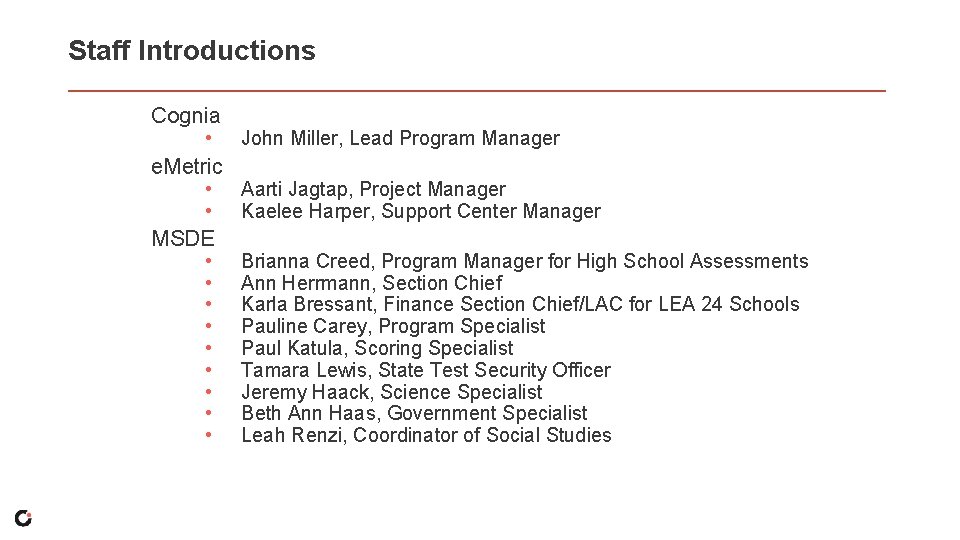
Staff Introductions Cognia • e. Metric • • MSDE • • • John Miller, Lead Program Manager Aarti Jagtap, Project Manager Kaelee Harper, Support Center Manager Brianna Creed, Program Manager for High School Assessments Ann Herrmann, Section Chief Karla Bressant, Finance Section Chief/LAC for LEA 24 Schools Pauline Carey, Program Specialist Paul Katula, Scoring Specialist Tamara Lewis, State Test Security Officer Jeremy Haack, Science Specialist Beth Ann Haas, Government Specialist Leah Renzi, Coordinator of Social Studies
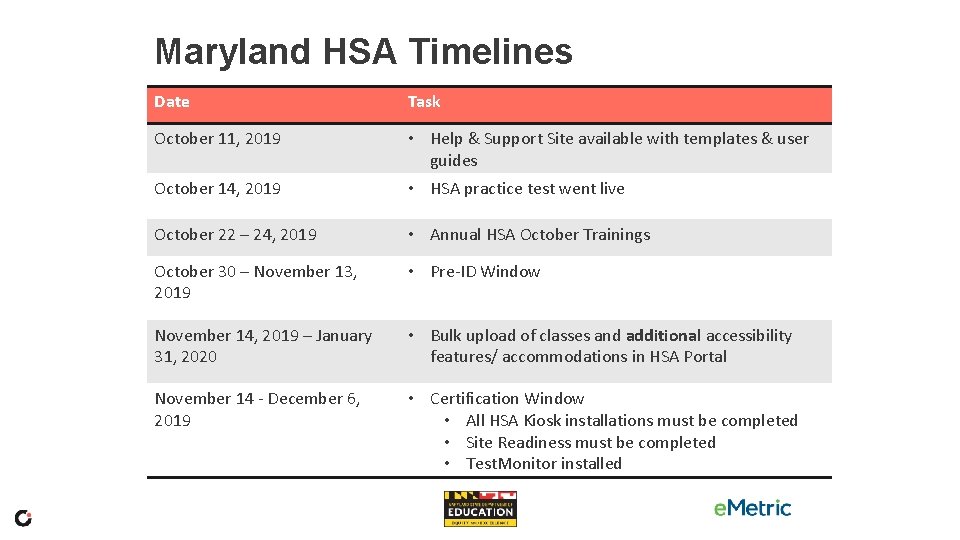
Maryland HSA Timelines Date Task October 11, 2019 • Help & Support Site available with templates & user guides October 14, 2019 • HSA practice test went live October 22 – 24, 2019 • Annual HSA October Trainings October 30 – November 13, 2019 • Pre-ID Window November 14, 2019 – January 31, 2020 • Bulk upload of classes and additional accessibility features/ accommodations in HSA Portal November 14 - December 6, 2019 • Certification Window • All HSA Kiosk installations must be completed • Site Readiness must be completed • Test. Monitor installed
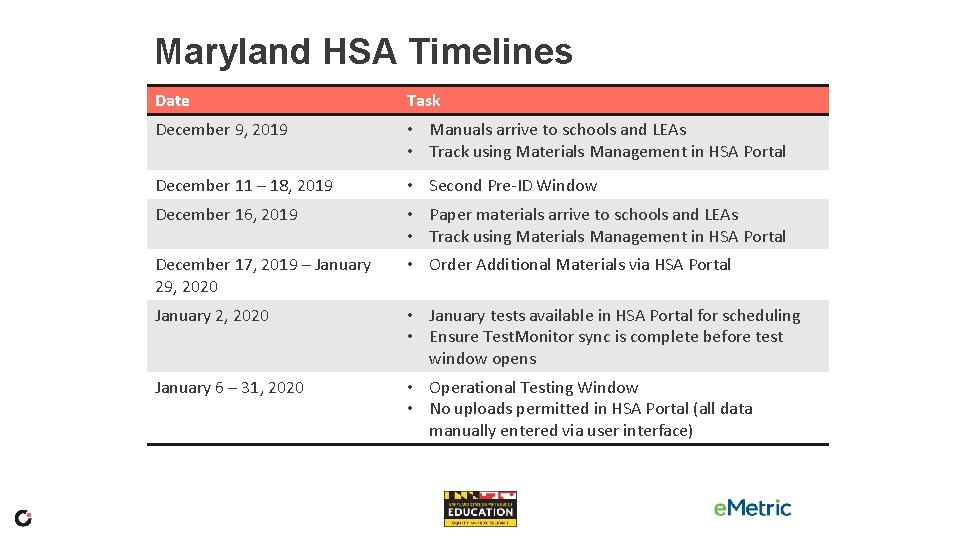
Maryland HSA Timelines Date Task December 9, 2019 • Manuals arrive to schools and LEAs • Track using Materials Management in HSA Portal December 11 – 18, 2019 • Second Pre-ID Window December 16, 2019 • Paper materials arrive to schools and LEAs • Track using Materials Management in HSA Portal December 17, 2019 – January 29, 2020 • Order Additional Materials via HSA Portal January 2, 2020 • January tests available in HSA Portal for scheduling • Ensure Test. Monitor sync is complete before test window opens January 6 – 31, 2020 • Operational Testing Window • No uploads permitted in HSA Portal (all data manually entered via user interface)
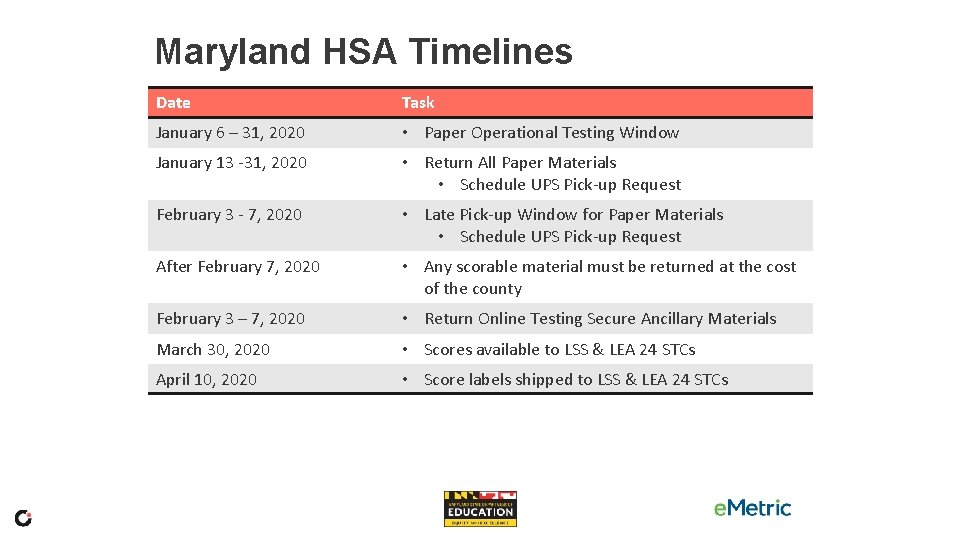
Maryland HSA Timelines Date Task January 6 – 31, 2020 • Paper Operational Testing Window January 13 -31, 2020 • Return All Paper Materials • Schedule UPS Pick-up Request February 3 - 7, 2020 • Late Pick-up Window for Paper Materials • Schedule UPS Pick-up Request After February 7, 2020 • Any scorable material must be returned at the cost of the county February 3 – 7, 2020 • Return Online Testing Secure Ancillary Materials March 30, 2020 • Scores available to LSS & LEA 24 STCs April 10, 2020 • Score labels shipped to LSS & LEA 24 STCs
Positive Feedback What went well this past year? Each table will present three comments to the group.
Policy § Test Security § Assessment Updates
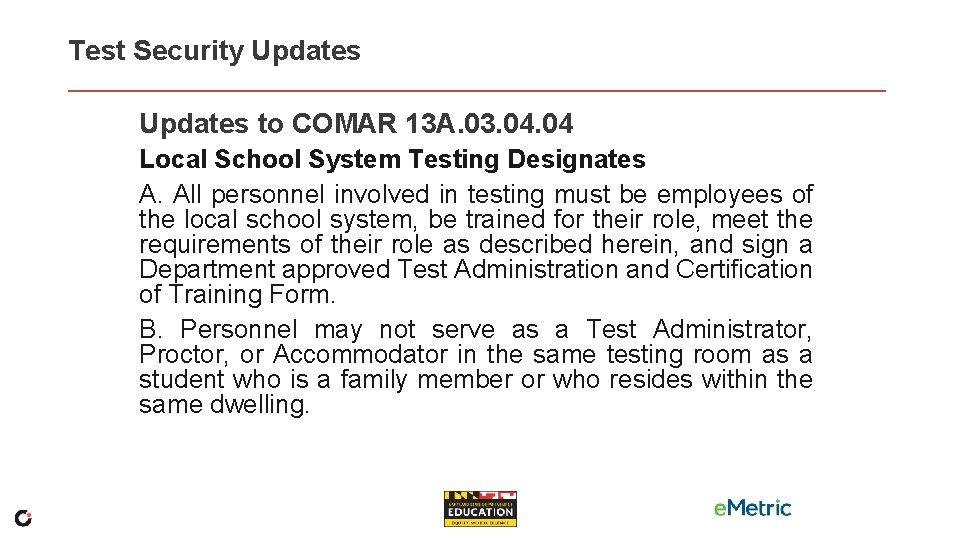
Test Security Updates to COMAR 13 A. 03. 04 Local School System Testing Designates A. All personnel involved in testing must be employees of the local school system, be trained for their role, meet the requirements of their role as described herein, and sign a Department approved Test Administration and Certification of Training Form. B. Personnel may not serve as a Test Administrator, Proctor, or Accommodator in the same testing room as a student who is a family member or who resides within the same dwelling.
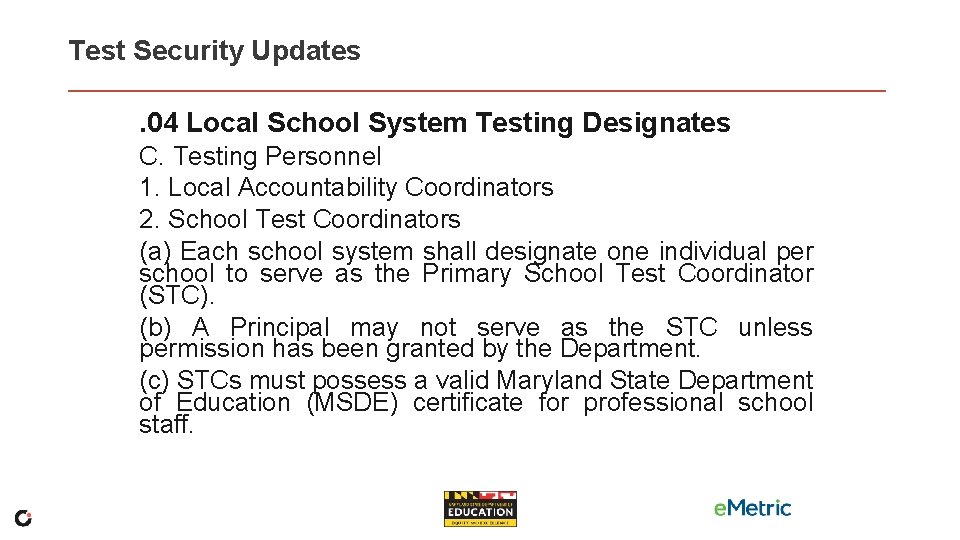
Test Security Updates. 04 Local School System Testing Designates C. Testing Personnel 1. Local Accountability Coordinators 2. School Test Coordinators (a) Each school system shall designate one individual per school to serve as the Primary School Test Coordinator (STC). (b) A Principal may not serve as the STC unless permission has been granted by the Department. (c) STCs must possess a valid Maryland State Department of Education (MSDE) certificate for professional school staff.
Test Security Updates Reminders: • Properly assign students to accommodations/accessibility features. • Read the Test Administration Manual.
Assessment Updates Change from Five Sessions to Four • • Government HS MISA
HSA Online System Computer Based Testing
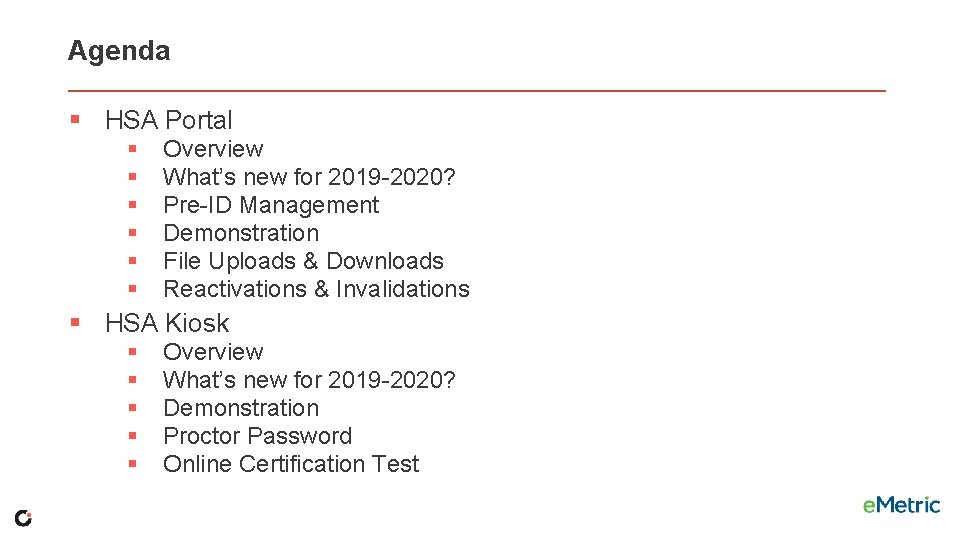
Agenda § HSA Portal § § § Overview What’s new for 2019 -2020? Pre-ID Management Demonstration File Uploads & Downloads Reactivations & Invalidations § HSA Kiosk § § § Overview What’s new for 2019 -2020? Demonstration Proctor Password Online Certification Test
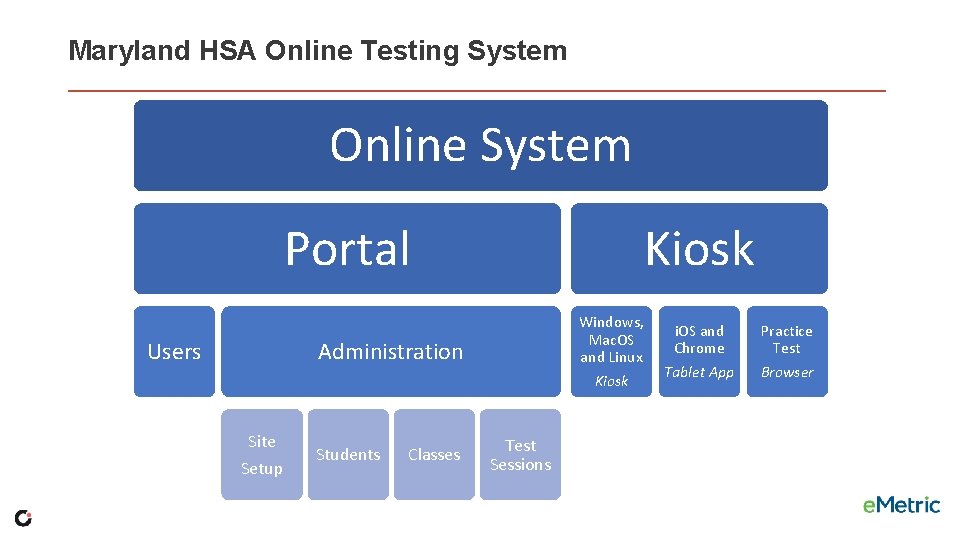
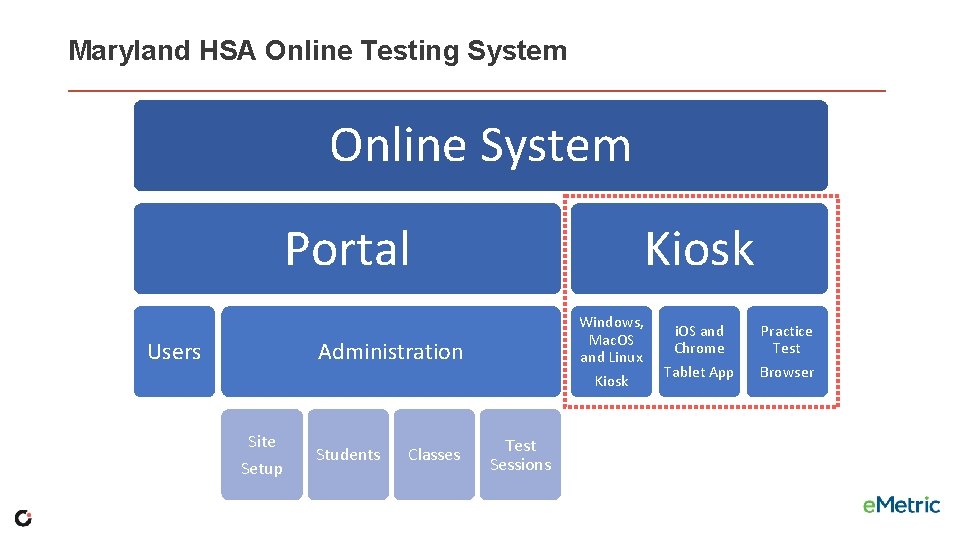
Maryland HSA Online Testing System Online System Portal Kiosk Windows, Mac. OS and Linux Administration Users Kiosk Site Setup Students Classes Test Sessions i. OS and Chrome Tablet App Practice Test Browser
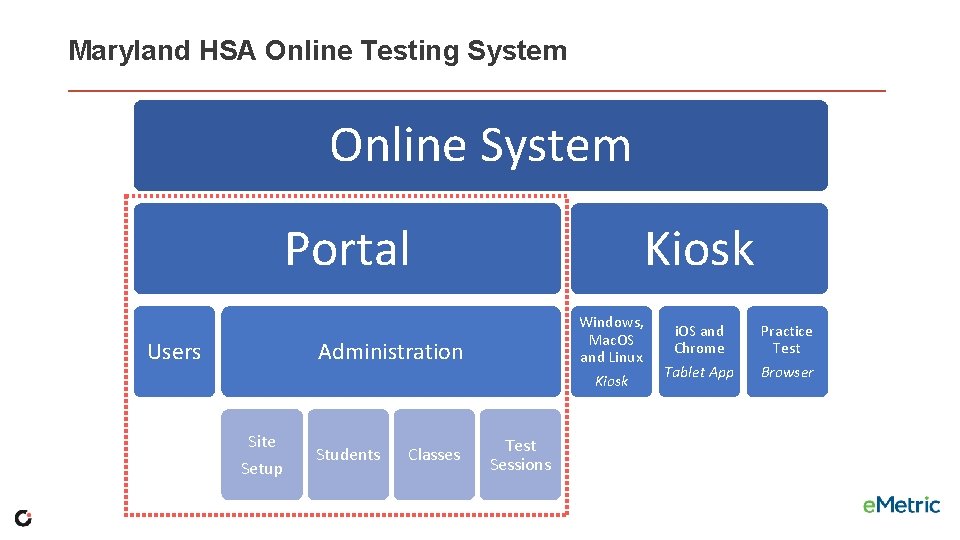
Maryland HSA Online Testing System Online System Portal Kiosk Windows, Mac. OS and Linux Administration Users Kiosk Site Setup Students Classes Test Sessions i. OS and Chrome Tablet App Practice Test Browser
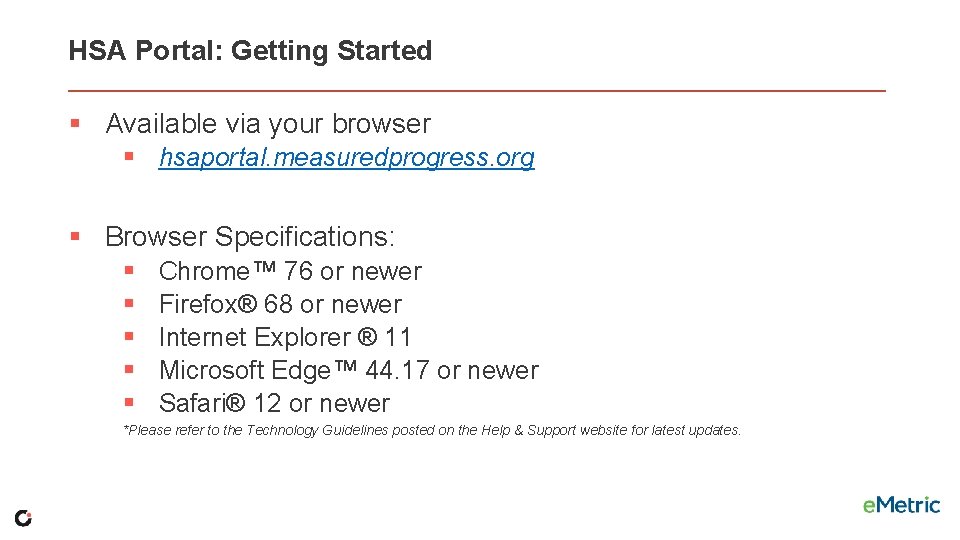
HSA Portal: Getting Started § Available via your browser § hsaportal. measuredprogress. org § Browser Specifications: § § § Chrome™ 76 or newer Firefox® 68 or newer Internet Explorer ® 11 Microsoft Edge™ 44. 17 or newer Safari® 12 or newer *Please refer to the Technology Guidelines posted on the Help & Support website for latest updates.
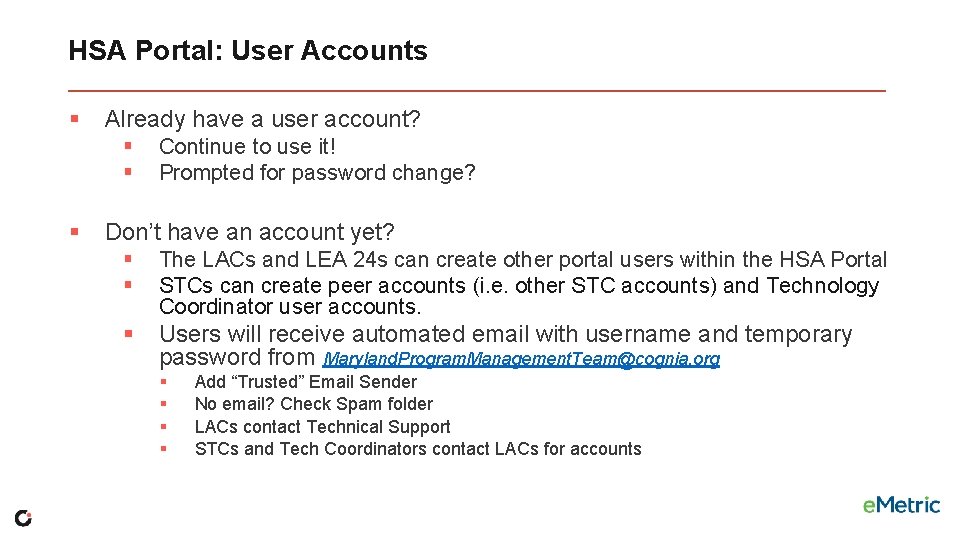
HSA Portal: User Accounts § Already have a user account? § § § Continue to use it! Prompted for password change? Don’t have an account yet? § § The LACs and LEA 24 s can create other portal users within the HSA Portal STCs can create peer accounts (i. e. other STC accounts) and Technology Coordinator user accounts. § Users will receive automated email with username and temporary password from Maryland. Program. Management. Team@cognia. org § § Add “Trusted” Email Sender No email? Check Spam folder LACs contact Technical Support STCs and Tech Coordinators contact LACs for accounts
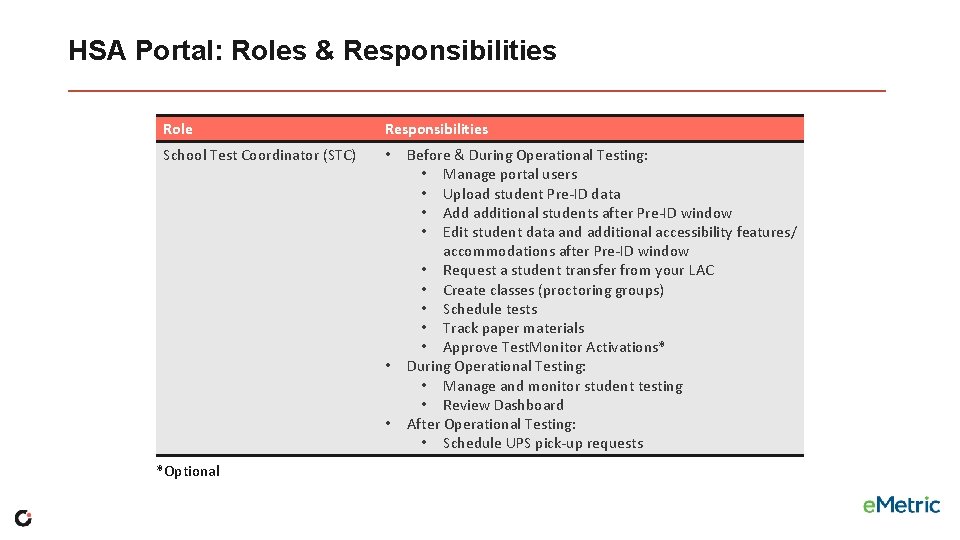
HSA Portal: Roles & Responsibilities Role Responsibilities School Test Coordinator (STC) • • • *Optional Before & During Operational Testing: • Manage portal users • Upload student Pre-ID data • Add additional students after Pre-ID window • Edit student data and additional accessibility features/ accommodations after Pre-ID window • Request a student transfer from your LAC • Create classes (proctoring groups) • Schedule tests • Track paper materials • Approve Test. Monitor Activations* During Operational Testing: • Manage and monitor student testing • Review Dashboard After Operational Testing: • Schedule UPS pick-up requests
Important Reminder 1 All test and student information will be cleared out from the HSA Portal at the end of each test administration to provide a “clean slate” for the next testing administration.
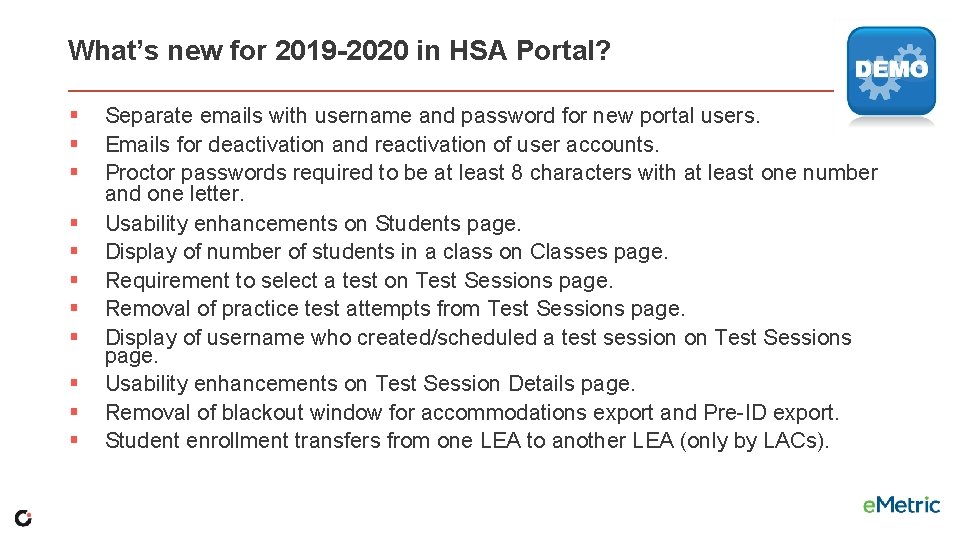
What’s new for 2019 -2020 in HSA Portal? § § § Separate emails with username and password for new portal users. Emails for deactivation and reactivation of user accounts. Proctor passwords required to be at least 8 characters with at least one number and one letter. Usability enhancements on Students page. Display of number of students in a class on Classes page. Requirement to select a test on Test Sessions page. Removal of practice test attempts from Test Sessions page. Display of username who created/scheduled a test session on Test Sessions page. Usability enhancements on Test Session Details page. Removal of blackout window for accommodations export and Pre-ID export. Student enrollment transfers from one LEA to another LEA (only by LACs).
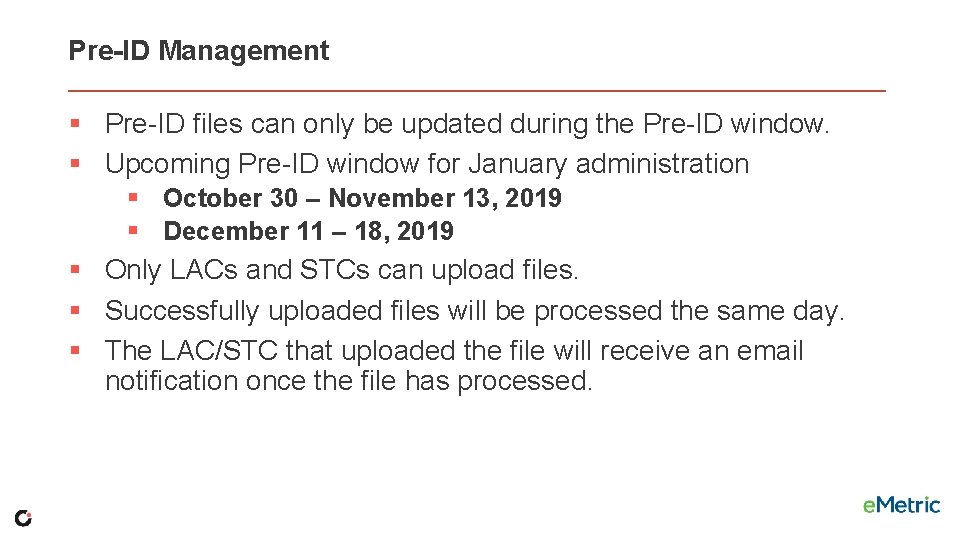
Pre-ID Management § Pre-ID files can only be updated during the Pre-ID window. § Upcoming Pre-ID window for January administration § October 30 – November 13, 2019 § December 11 – 18, 2019 § Only LACs and STCs can upload files. § Successfully uploaded files will be processed the same day. § The LAC/STC that uploaded the file will receive an email notification once the file has processed.
Pre-ID File Uploads How do you prepare these in your district? (Share “what worked best for you” with the group. )
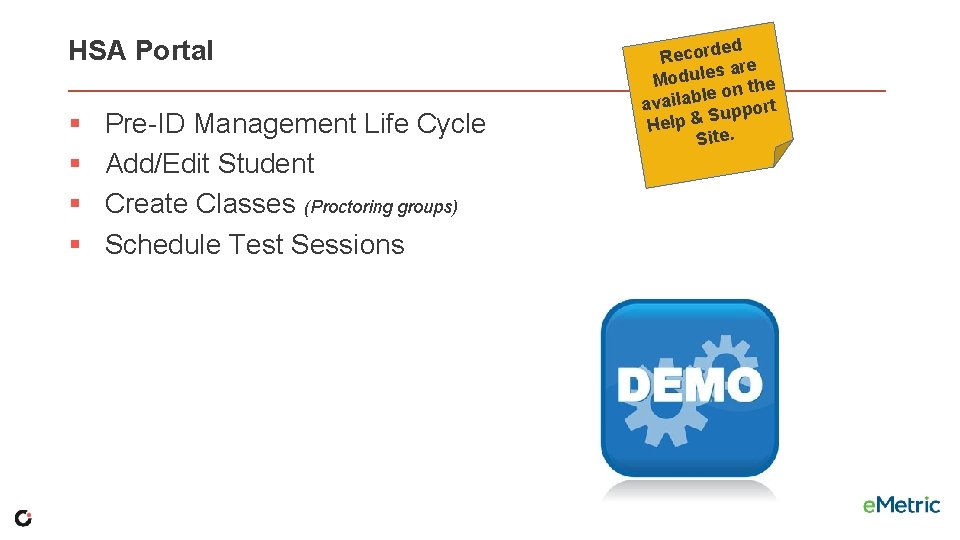
HSA Portal § § Pre-ID Management Life Cycle Add/Edit Student Create Classes (Proctoring groups) Schedule Test Sessions ed Record re sa Module n the le o availab upport S Help &. Site
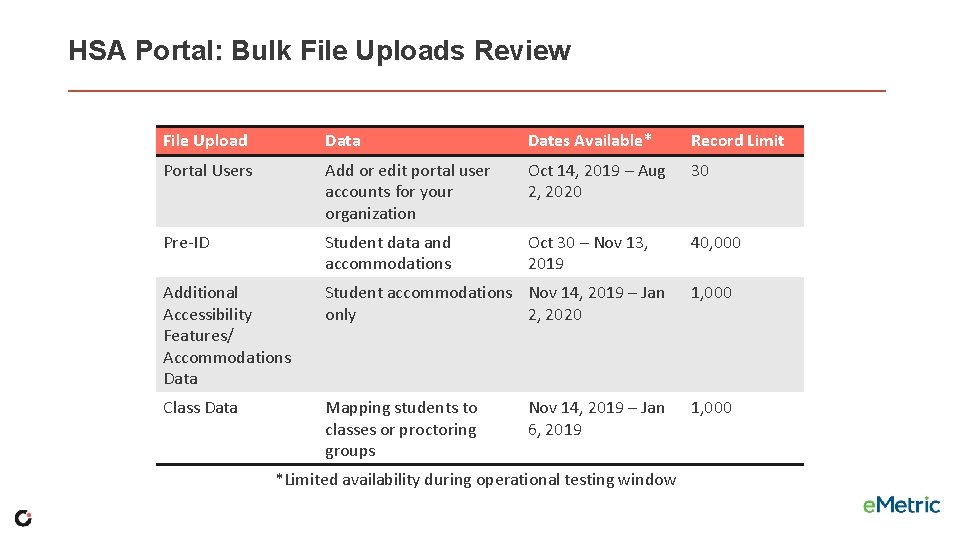
HSA Portal: Bulk File Uploads Review File Upload Data Dates Available* Record Limit Portal Users Add or edit portal user accounts for your organization Oct 14, 2019 – Aug 2, 2020 30 Pre-ID Student data and accommodations Oct 30 – Nov 13, 2019 40, 000 Additional Accessibility Features/ Accommodations Data Student accommodations Nov 14, 2019 – Jan only 2, 2020 1, 000 Class Data Mapping students to classes or proctoring groups 1, 000 Nov 14, 2019 – Jan 6, 2019 *Limited availability during operational testing window
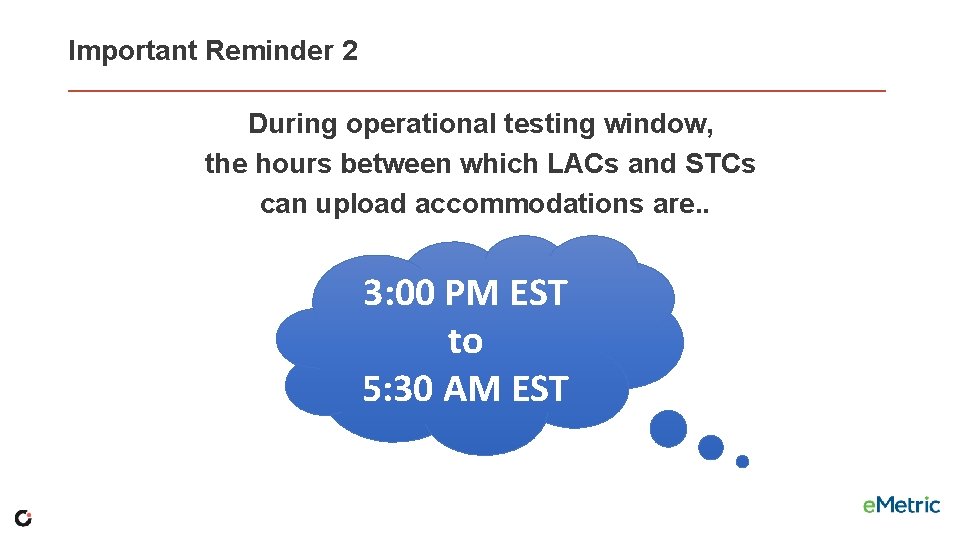
Important Reminder 2 During operational testing window, the hours between which LACs and STCs can upload accommodations are. . 3: 00 PM EST to 5: 30 AM EST
Important Reminder 3 During the operational testing window, LACs and STCs can still manually § add/edit students § create/edit classes § create/edit portal users
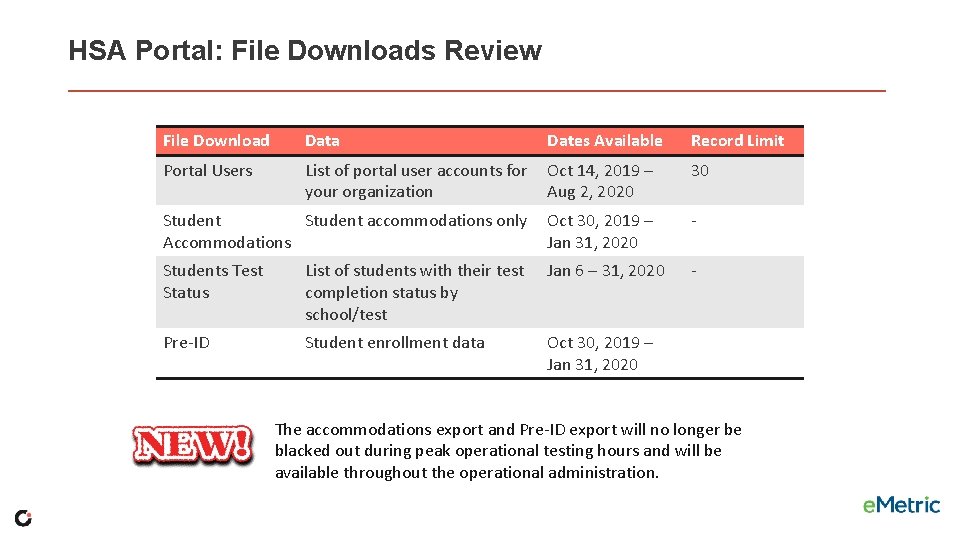
HSA Portal: File Downloads Review File Download Data Dates Available Record Limit Portal Users List of portal user accounts for your organization Oct 14, 2019 – Aug 2, 2020 30 Student accommodations only Accommodations Oct 30, 2019 – Jan 31, 2020 - Students Test Status List of students with their test completion status by school/test Jan 6 – 31, 2020 - Pre-ID Student enrollment data Oct 30, 2019 – Jan 31, 2020 The accommodations export and Pre-ID export will no longer be blacked out during peak operational testing hours and will be available throughout the operational administration.
HSA Portal: Reactivating a Test § § § If a student turns in a test, but did not intend to, LACs and STCs can Reactivate a student’s test session. A test can only be reactivated once it is in a Finished status. A proctor password is required for student to access reactivated test session. The LACs and STCs should document and save the reason for reactivating the test. If student needs access to previously answered questions, the STC must also Unlock the test. The test status will be displayed as In Progress, but their previously listed End Time will remain the same until they have turned in the test again after having it reactivated.
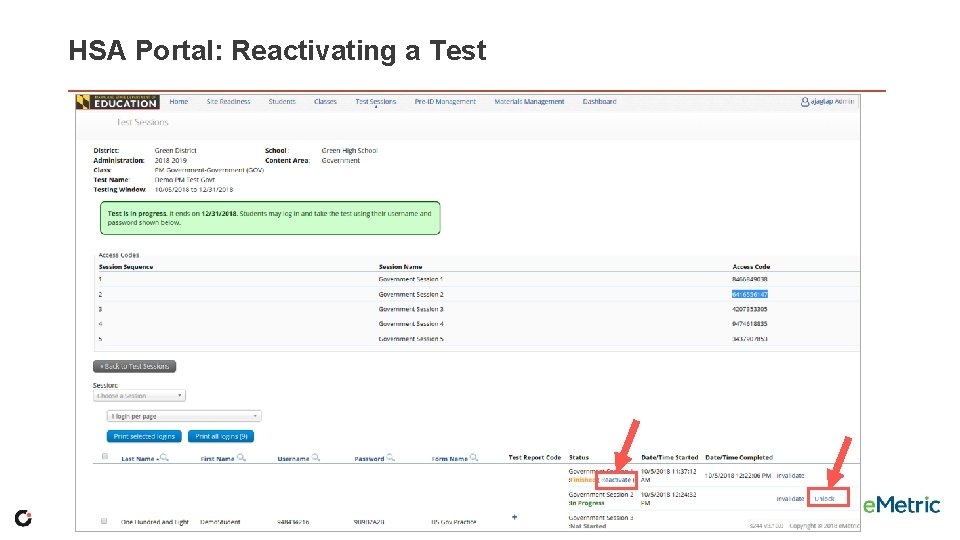
HSA Portal: Reactivating a Test
HSA Portal: Invalidating a Test § If a testing irregularity has occurred that lead to invalidating a test, LACs can invalidate the test via HSA Portal. § LEA 24 STCs to see Karla Bressant. § 2020 Government and HS MISA Test Coordinator Manual Appendix N – Request to Invalidate an Online Test § Must invalidate a test for a student before scheduling to test again so they receive a different form. § The student must be put in a new class and scheduled to take the test. § This will generate a new password for the student’s test.
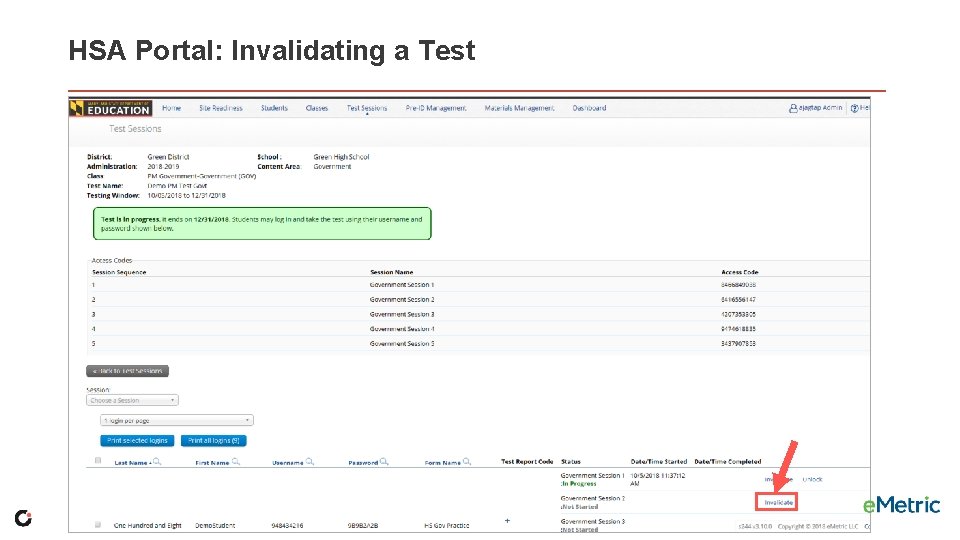
HSA Portal: Invalidating a Test
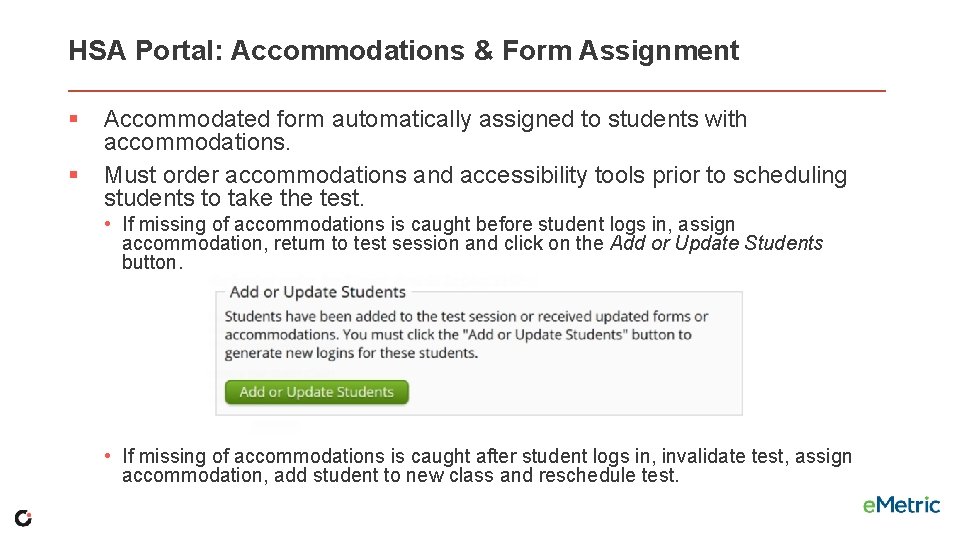
HSA Portal: Accommodations & Form Assignment § § Accommodated form automatically assigned to students with accommodations. Must order accommodations and accessibility tools prior to scheduling students to take the test. • If missing of accommodations is caught before student logs in, assign accommodation, return to test session and click on the Add or Update Students button. • If missing of accommodations is caught after student logs in, invalidate test, assign accommodation, add student to new class and reschedule test.
Maryland HSA Online Testing System Online System Portal Kiosk Windows, Mac. OS and Linux Administration Users Kiosk Site Setup Students Classes Test Sessions i. OS and Chrome Tablet App Practice Test Browser
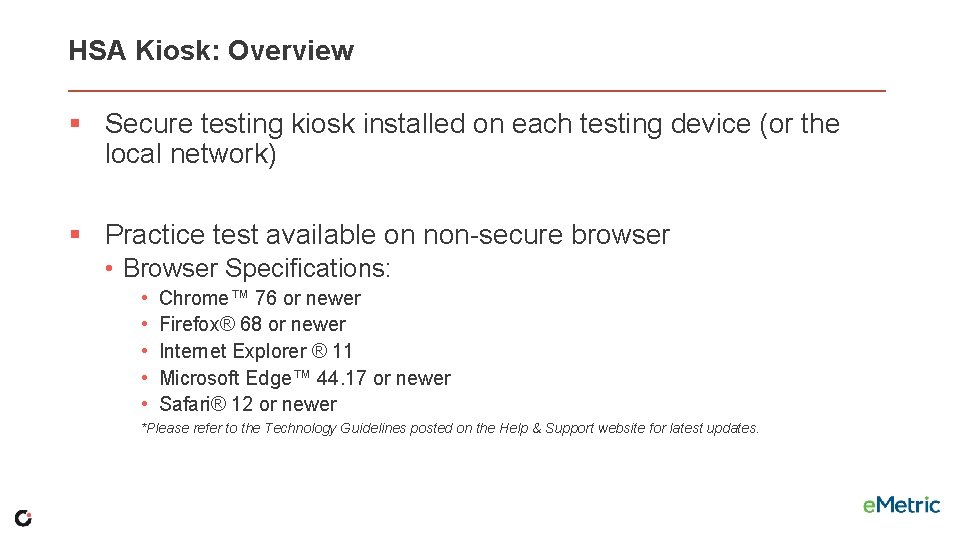
HSA Kiosk: Overview § Secure testing kiosk installed on each testing device (or the local network) § Practice test available on non-secure browser • Browser Specifications: • • • Chrome™ 76 or newer Firefox® 68 or newer Internet Explorer ® 11 Microsoft Edge™ 44. 17 or newer Safari® 12 or newer *Please refer to the Technology Guidelines posted on the Help & Support website for latest updates.
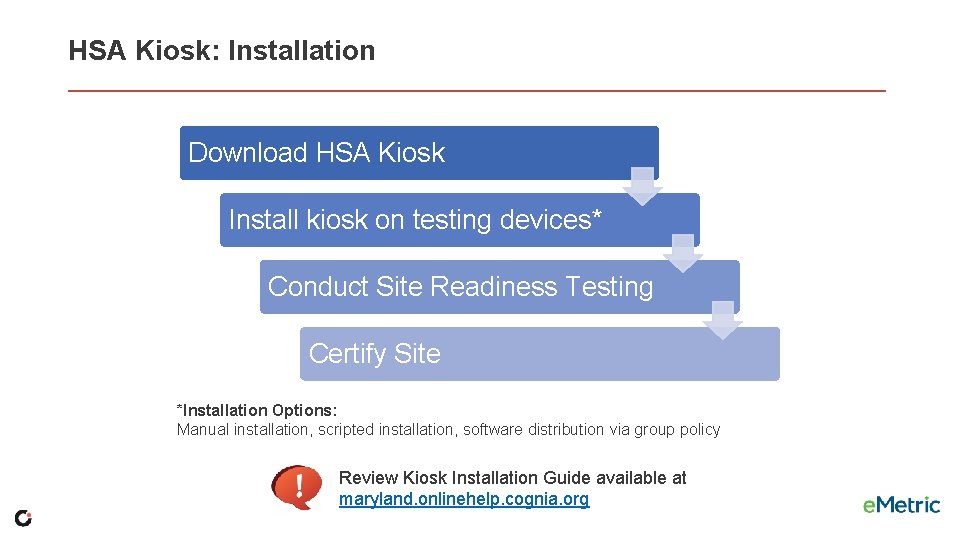
HSA Kiosk: Installation Download HSA Kiosk Install kiosk on testing devices* Conduct Site Readiness Testing Certify Site *Installation Options: Manual installation, scripted installation, software distribution via group policy Review Kiosk Installation Guide available at maryland. onlinehelp. cognia. org
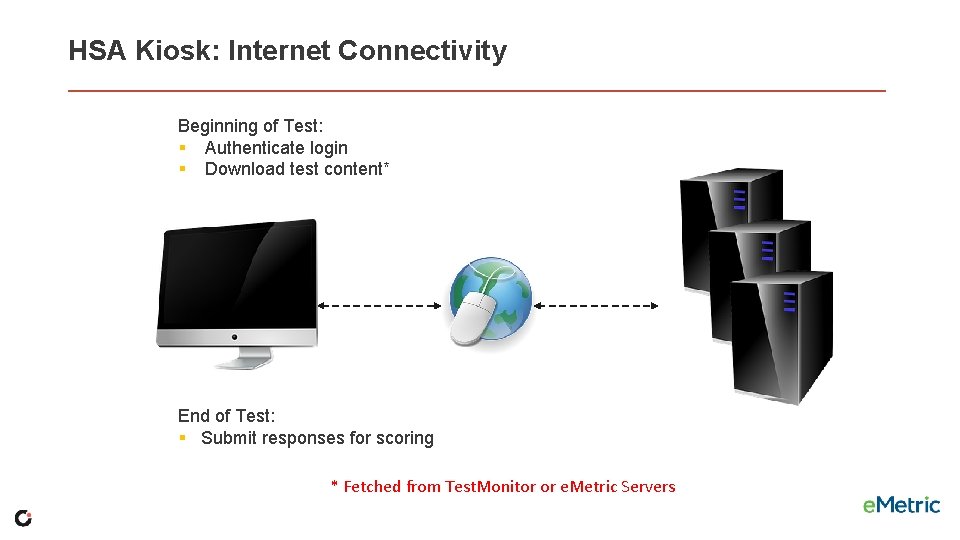
HSA Kiosk: Internet Connectivity Beginning of Test: § Authenticate login § Download test content* End of Test: § Submit responses for scoring * Fetched from Test. Monitor or e. Metric Servers
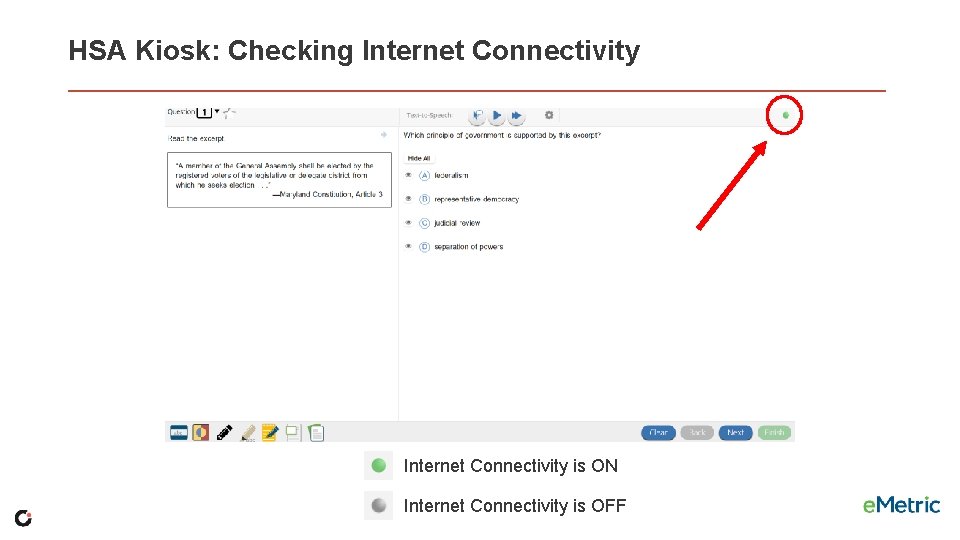
HSA Kiosk: Checking Internet Connectivity is ON Internet Connectivity is OFF
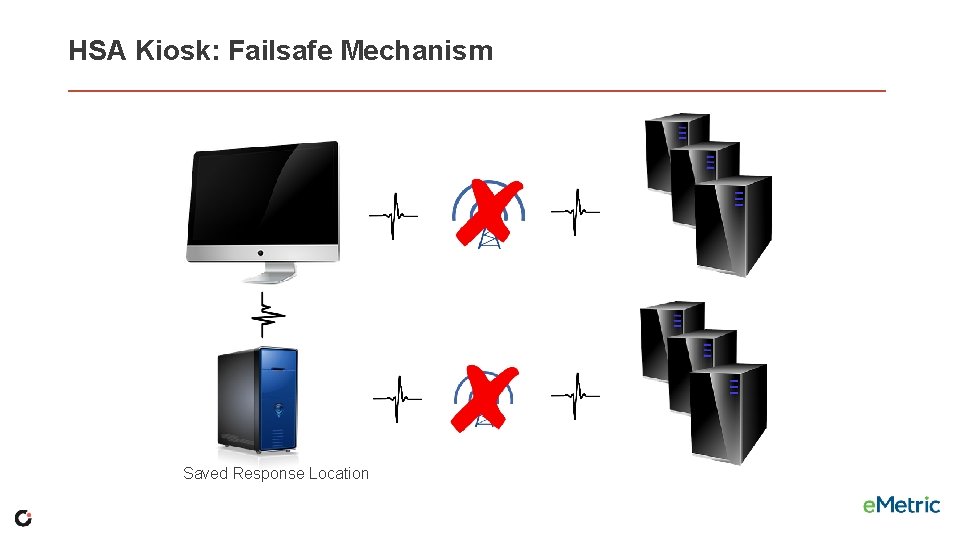
HSA Kiosk: Failsafe Mechanism Saved Response Location
HSA Kiosk: Tech Support Notes § Do NOT move students to a new device when experiencing technical issues if the student has begun testing. § Only move once you are sure all responses synced to servers. Not sure? Call Technical Support. § § (866) 207 -8804 HSAhelpdesk@cognia. org
What’s new for 2019 -2020 in HSA Kiosk? § ASL video bookmarking to allow students to switch between ASL videos for the item and ASL videos for the stimulus. § Customized stimulus tab names. § Addition of Answer Eliminator tool. § New i. OS app. § Removal of username and password from the practice tests. § HSA practice tests available all year round until August 2023. § Display of magnification buttons while taking practice tests on a browser, but the functionality is grayed out. § Addition of exit button to the Sign In page on the Chrome OS app. § Display of informative text on to the feedback page of practice tests. This is to indicate that the student can click on the question or score to see the correct answer.
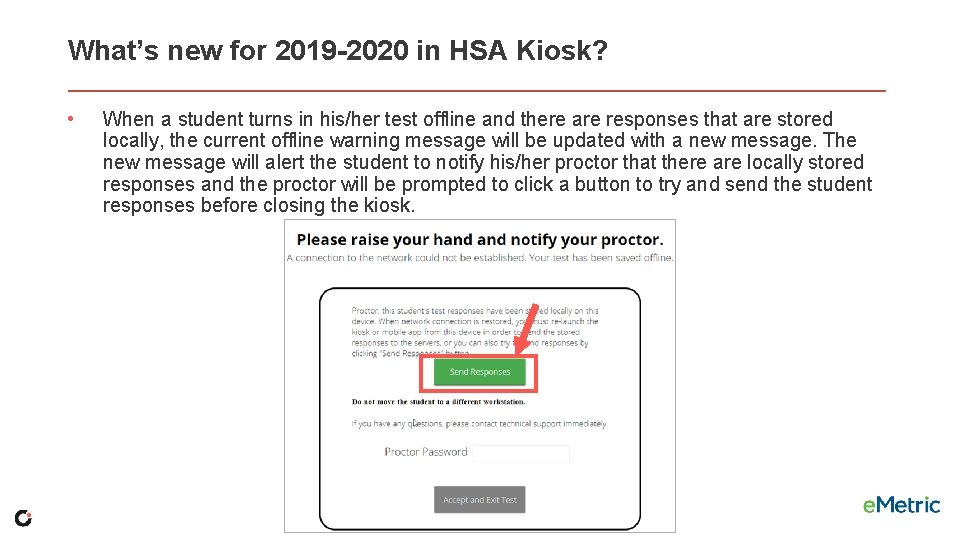
What’s new for 2019 -2020 in HSA Kiosk? • When a student turns in his/her test offline and there are responses that are stored locally, the current offline warning message will be updated with a new message. The new message will alert the student to notify his/her proctor that there are locally stored responses and the proctor will be prompted to click a button to try and send the student responses before closing the kiosk.
HSA Kiosk § § § Logging In to the Kiosk Entering a Session Options page Directions Testing Interface Review and Turn In
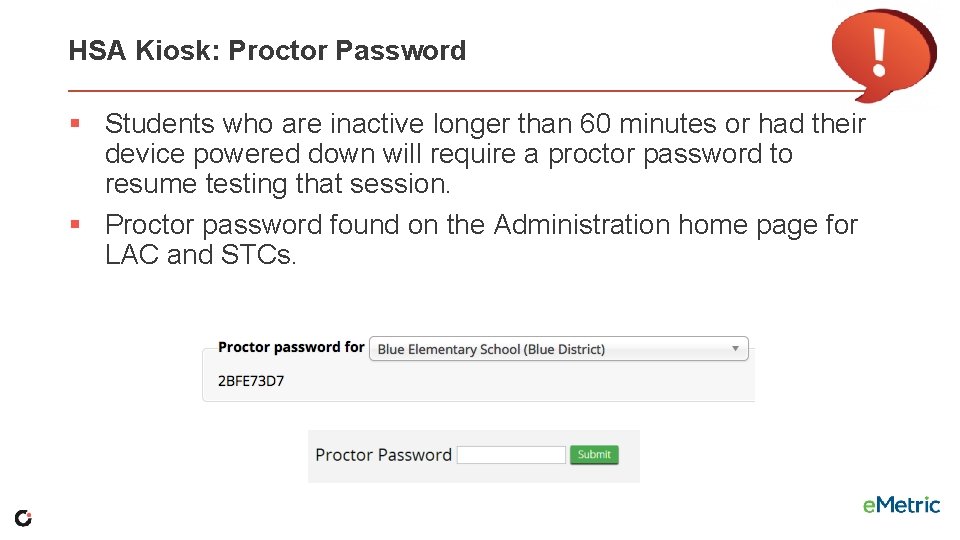
HSA Kiosk: Proctor Password § Students who are inactive longer than 60 minutes or had their device powered down will require a proctor password to resume testing that session. § Proctor password found on the Administration home page for LAC and STCs.
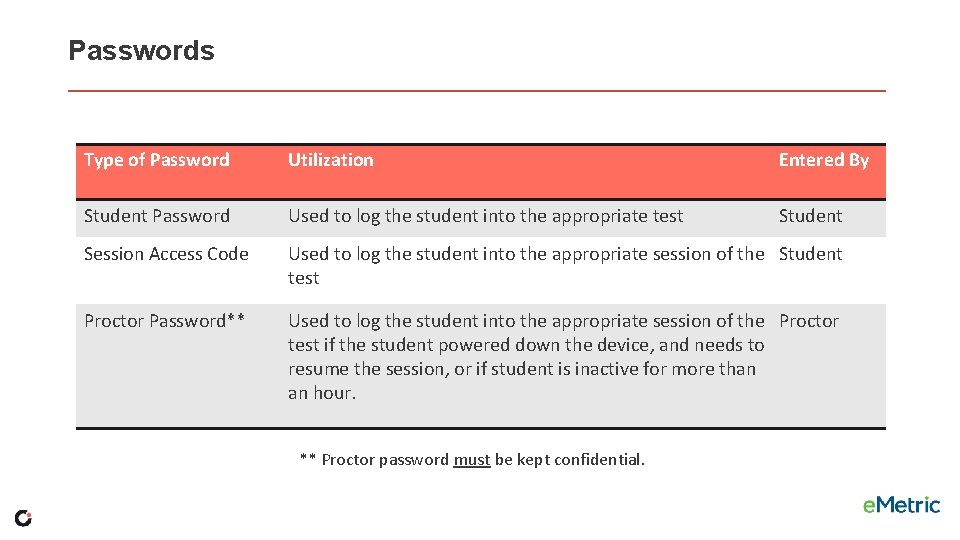
Passwords Type of Password Utilization Entered By Student Password Used to log the student into the appropriate test Student Session Access Code Used to log the student into the appropriate session of the Student test Proctor Password** Used to log the student into the appropriate session of the Proctor test if the student powered down the device, and needs to resume the session, or if student is inactive for more than an hour. ** Proctor password must be kept confidential.
Online Certification Test § Mock operational test to help you prepare. § Must complete all tasks (create classes, schedule tests, print student test tickets) § November 14 – December 6, 2019 § Forms and test length will be identical to operational tests. § Completely separate from the Site Readiness Test and Certification.
Any Questions?
Maryland Analysis and Reporting System (MARS)
Maryland Analysis and Reporting System (MARS) § HS MISA Report Release § Overview of MARS § How to Access § Usernames & Passwords § User Roles § Demo § Logging In § Accessing Static Reports § Interactive Reports
Maryland Analysis and Reporting System (MARS) § HS MISA Report Release: 11/14/2019 § Individual Student Reports and Score Report Labels Delivered to LACs and LEA 24 schools § Static Reports and Labels Posted to MARS § Interactive Report Available within MARS
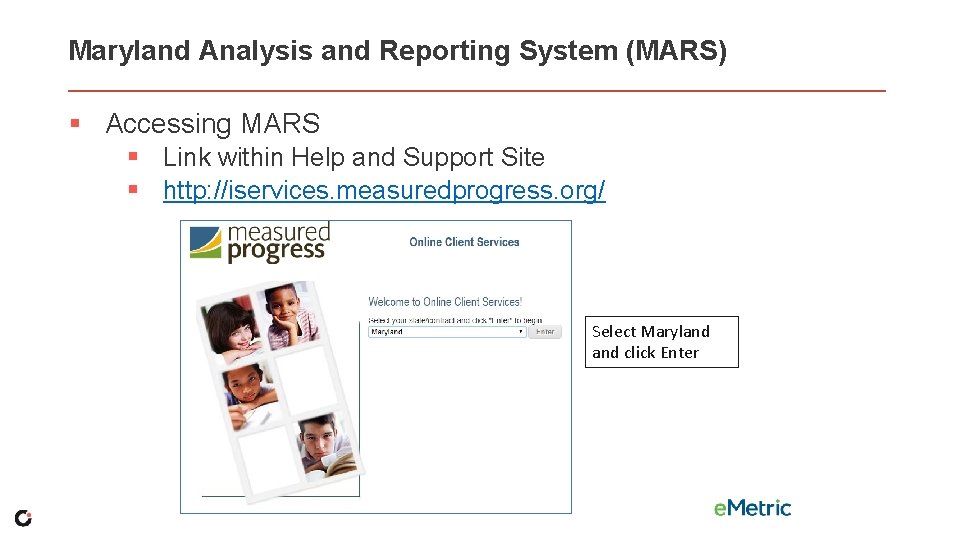
Maryland Analysis and Reporting System (MARS) § Accessing MARS § Link within Help and Support Site § http: //iservices. measuredprogress. org/ Select Maryland click Enter
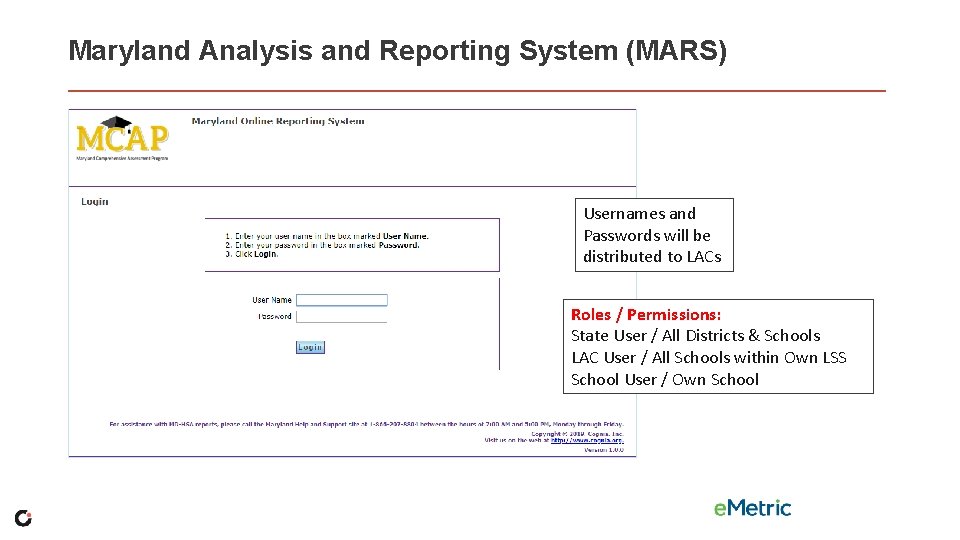
Maryland Analysis and Reporting System (MARS) Usernames and Passwords will be distributed to LACs Roles / Permissions: State User / All Districts & Schools LAC User / All Schools within Own LSS School User / Own School
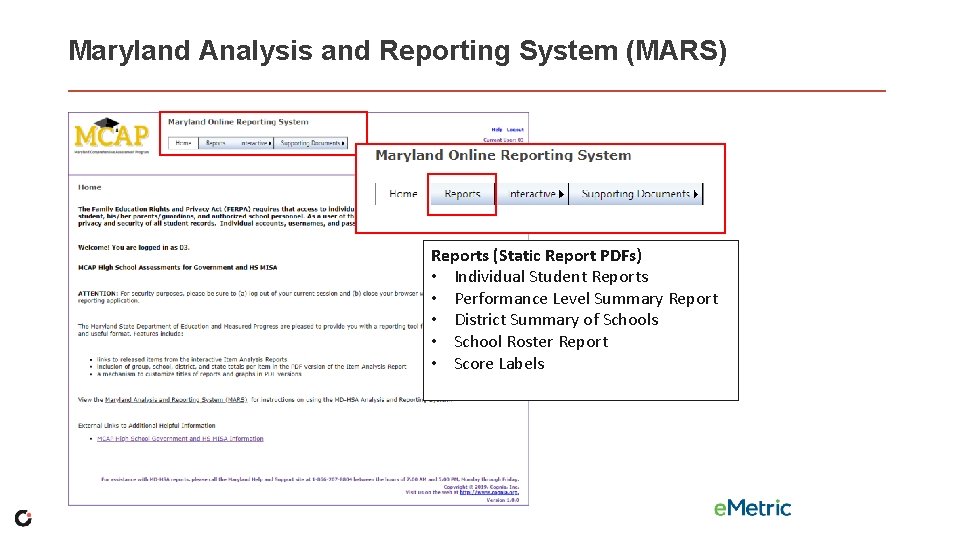
Maryland Analysis and Reporting System (MARS) Reports (Static Report PDFs) • Individual Student Reports • Performance Level Summary Report • District Summary of Schools • School Roster Report • Score Labels
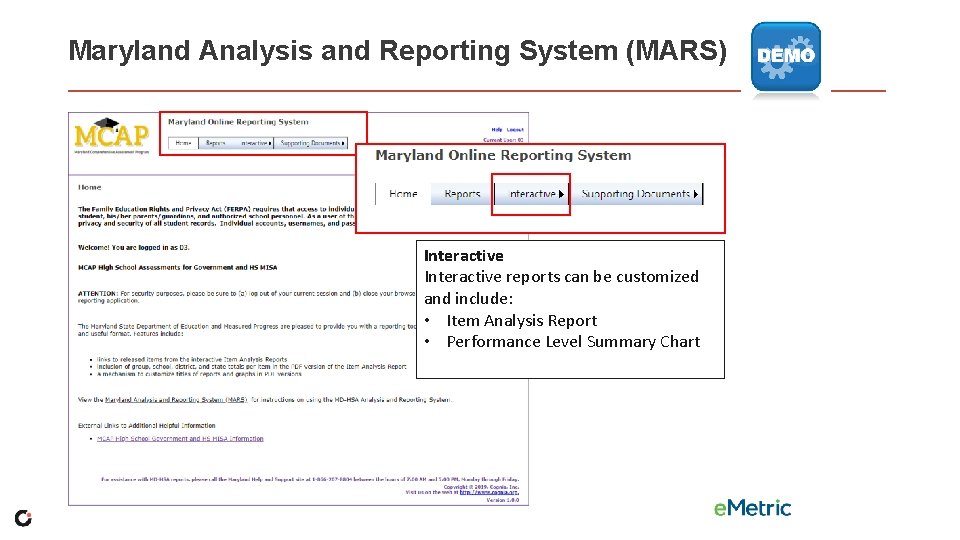
Maryland Analysis and Reporting System (MARS) Interactive reports can be customized and include: • Item Analysis Report • Performance Level Summary Chart
Lunch
Paper Based Testing § § § Paper Accommodations Receiving Paper Materials Ordering Additional Materials Returning Materials Scheduling UPS Pick-up Request
Paper Accommodation • Paper testing window same as online (January 6 -31, 2020) • Need a documented IEP, 504, EL plan or approval from MSDE for paper materials • Paper materials are automatically ordered with the submission of the first Pre-ID file • Additional Materials can be ordered December 17, 2019 – January 29, 2020
Receiving Materials • • Shipment of materials Ensure that you received all your materials Discrepancy? Call the HSA Help Desk at (866) 207 -8804 Tracking your orders on the HSA Portal
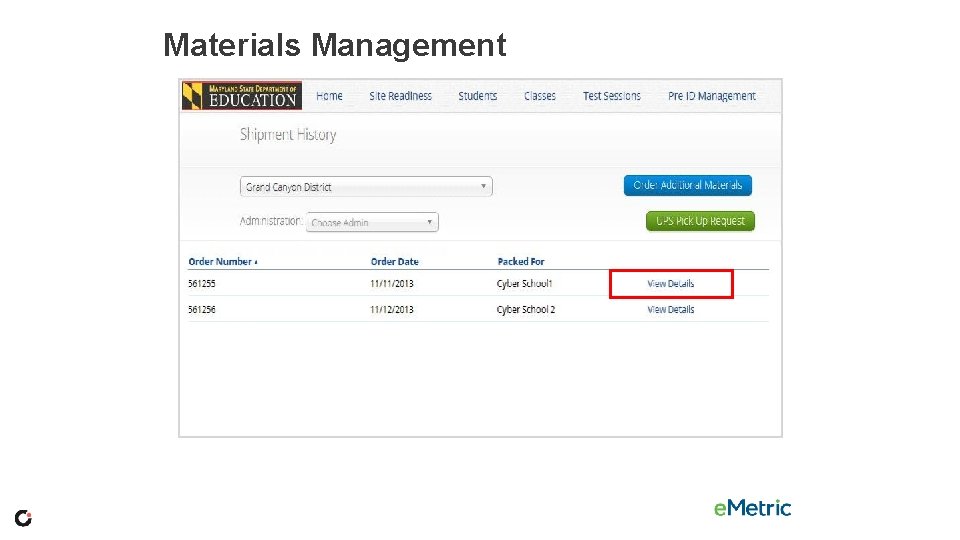
Materials Management
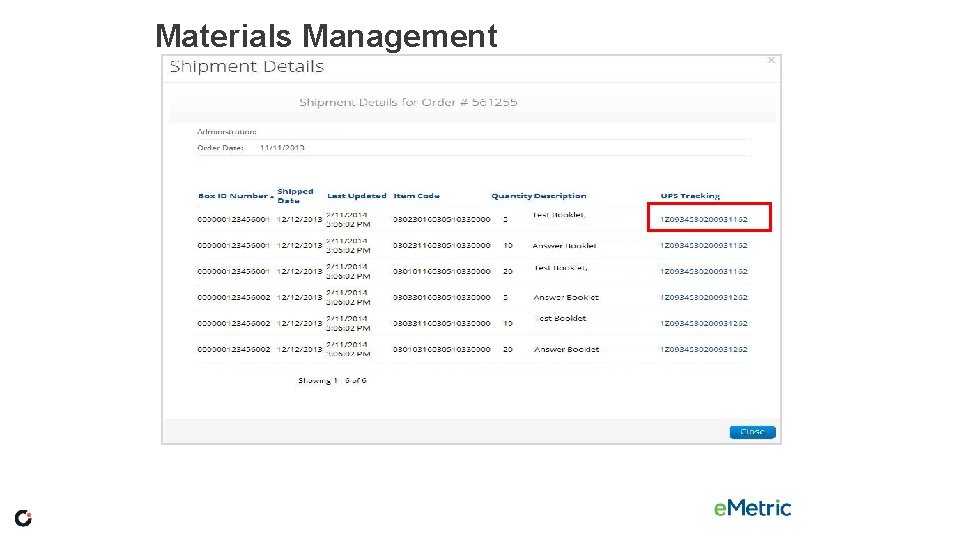
Materials Management
Materials Management Additional Materials § To order materials you will need the school’s MP Ship Code. This code may be found on the Material Summary Form. (see example on next slide) § Additional test materials, may be ordered through Materials Management from December 17, 2019 – January 29, 2020 § Additional manuals can be found on the Maryland Help & Support Site (https: //maryland. onlinehelp. cognia. org) or ordered through Additional Materials
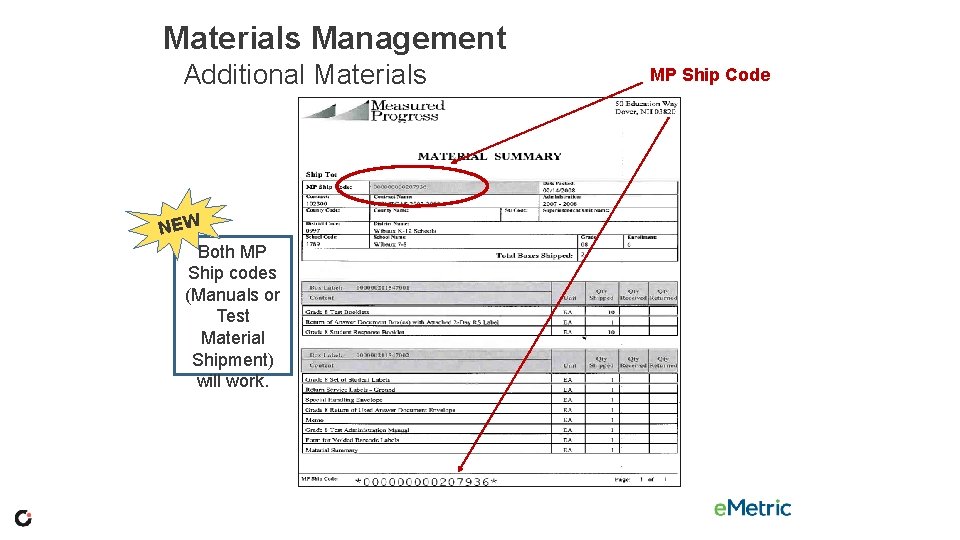
Materials Management Additional Materials NEW Both MP Ship codes (Manuals or Test Material Shipment) will work. MP Ship Code
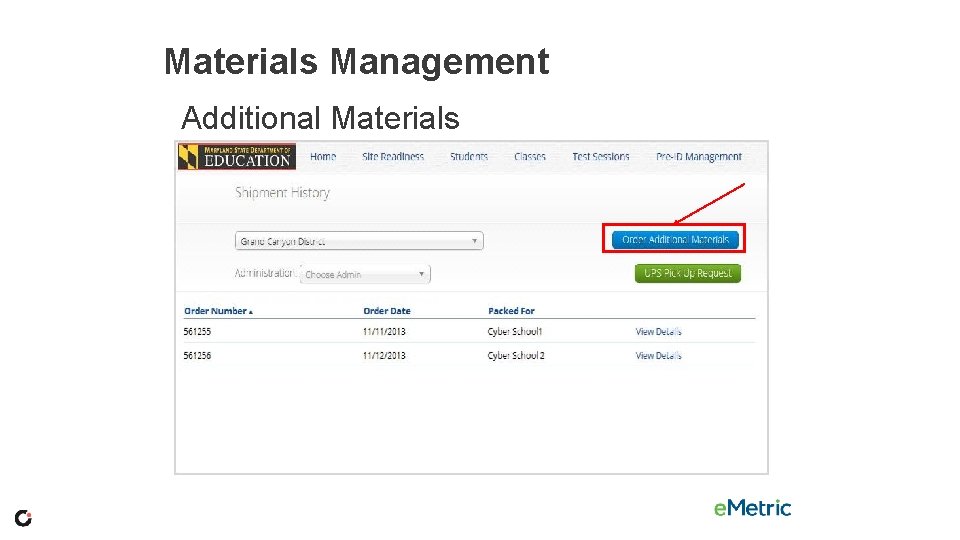
Materials Management Additional Materials
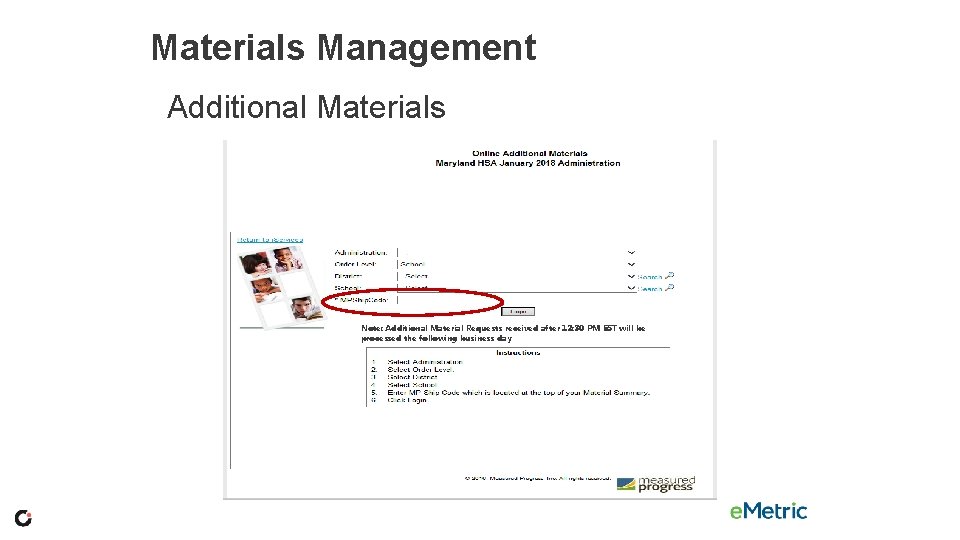
Materials Management Additional Materials Note: Additional Material Requests received after 12: 30 PM EST will be processed the following business day
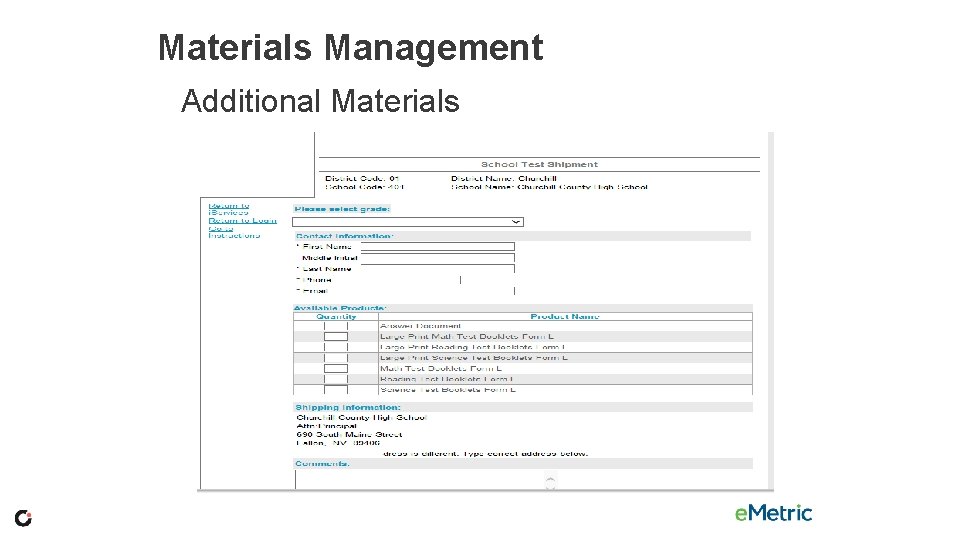
Materials Management Additional Materials
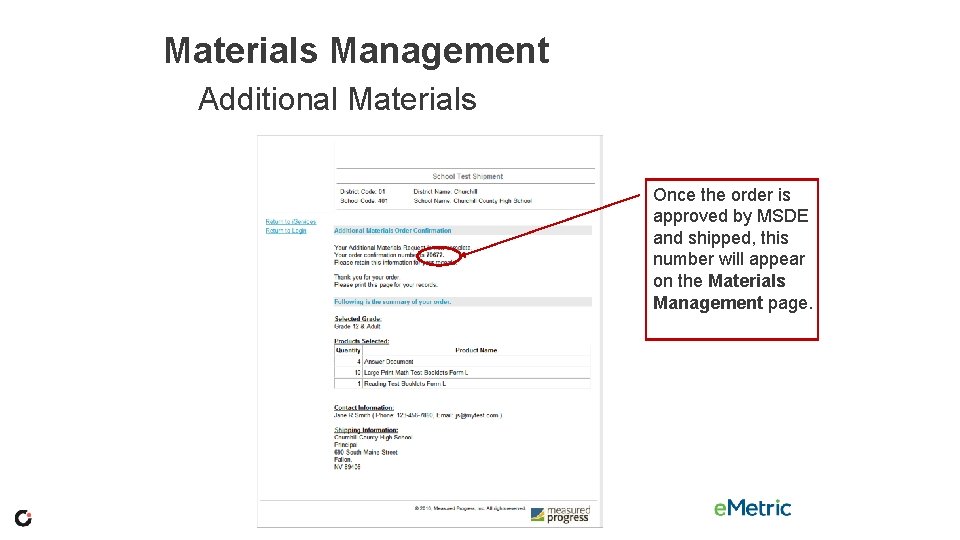
Materials Management Additional Materials Once the order is approved by MSDE and shipped, this number will appear on the Materials Management page.
Returning Materials • Special Handling Envelope • Used Accommodated Materials • Invalidated Answer Sheets • LEA 55 Answer Sheets • Return of Used Answer Sheets Envelope (one for each content)
Returning Materials • • • Use the boxes that were sent to you UPS return labels included in your shipment White Tyvek envelopes (Used Answer Sheets Envelope, Special Handling Envelope) Unused Answer Sheets (different each administration) Used and Unused Test Books Other test materials
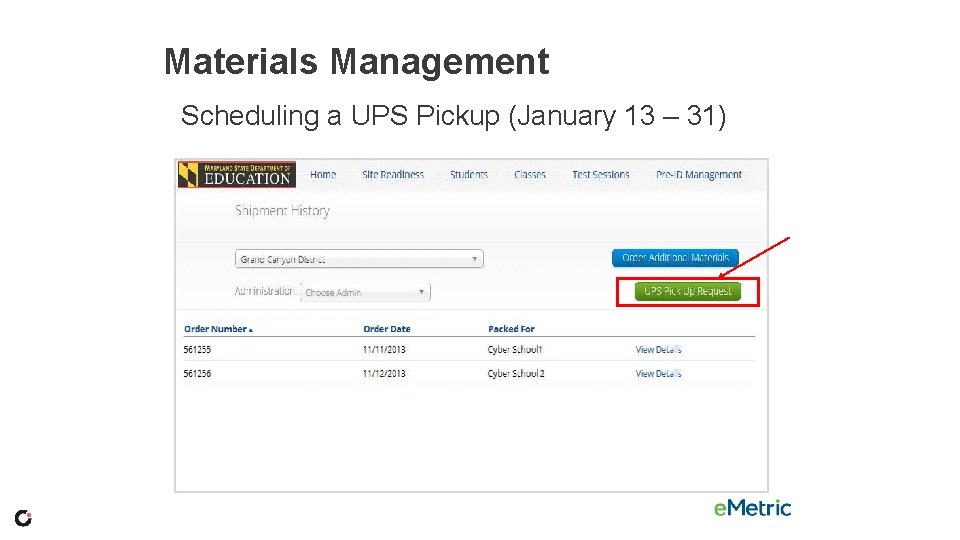
Materials Management Scheduling a UPS Pickup (January 13 – 31)
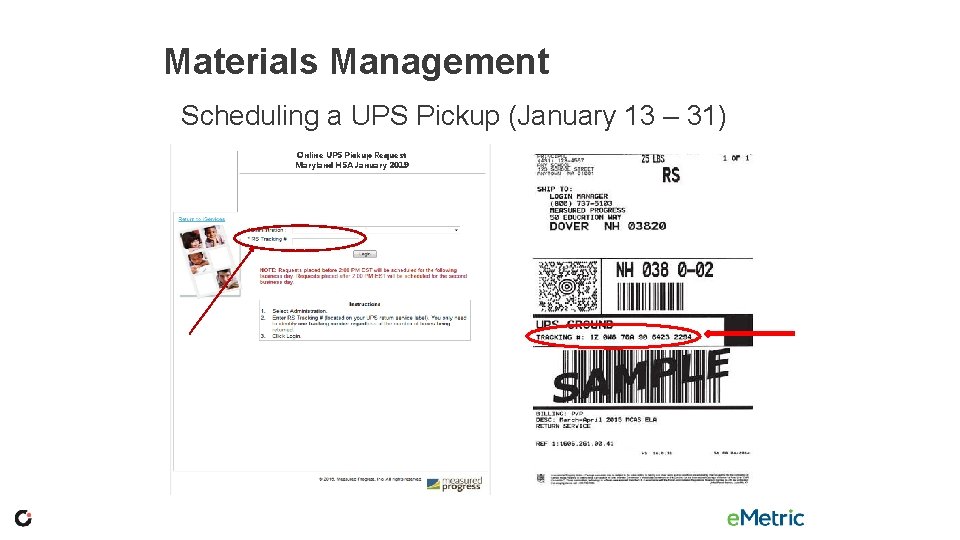
Materials Management Scheduling a UPS Pickup (January 13 – 31) Online UPS Pickup Request Maryland HSA January 2019
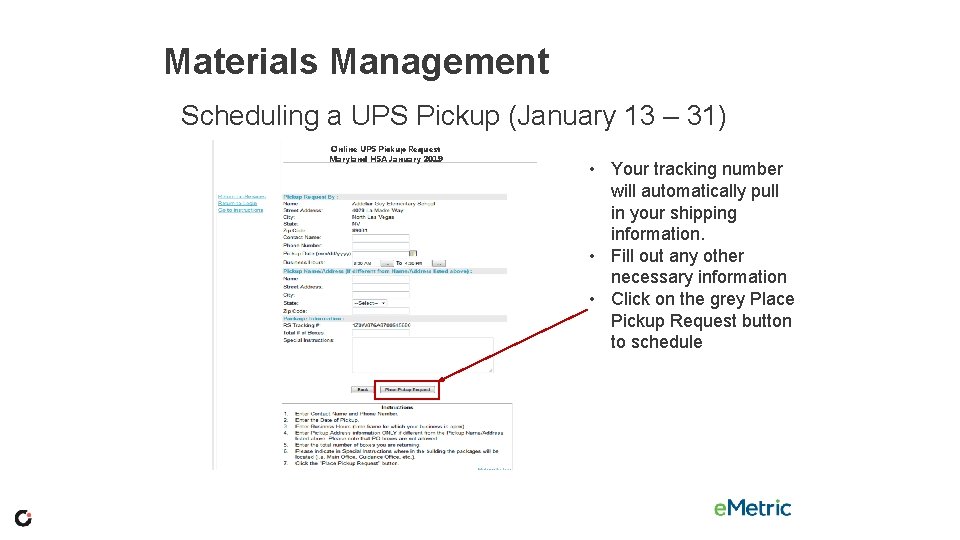
Materials Management Scheduling a UPS Pickup (January 13 – 31) Online UPS Pickup Request Maryland HSA January 2019 • Your tracking number will automatically pull in your shipping information. • Fill out any other necessary information • Click on the grey Place Pickup Request button to schedule
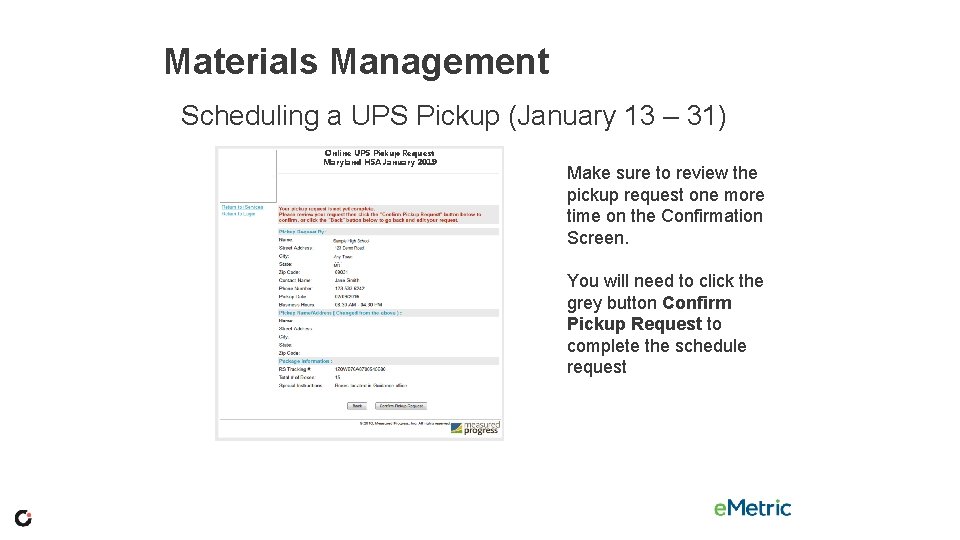
Materials Management Scheduling a UPS Pickup (January 13 – 31) Online UPS Pickup Request Maryland HSA January 2019 Make sure to review the pickup request one more time on the Confirmation Screen. You will need to click the grey button Confirm Pickup Request to complete the schedule request
Support Materials § § § Maryland Help & Support Site Modules Weekly LAC/LEA 24 STC Communications Quick Start Guides Help Desk
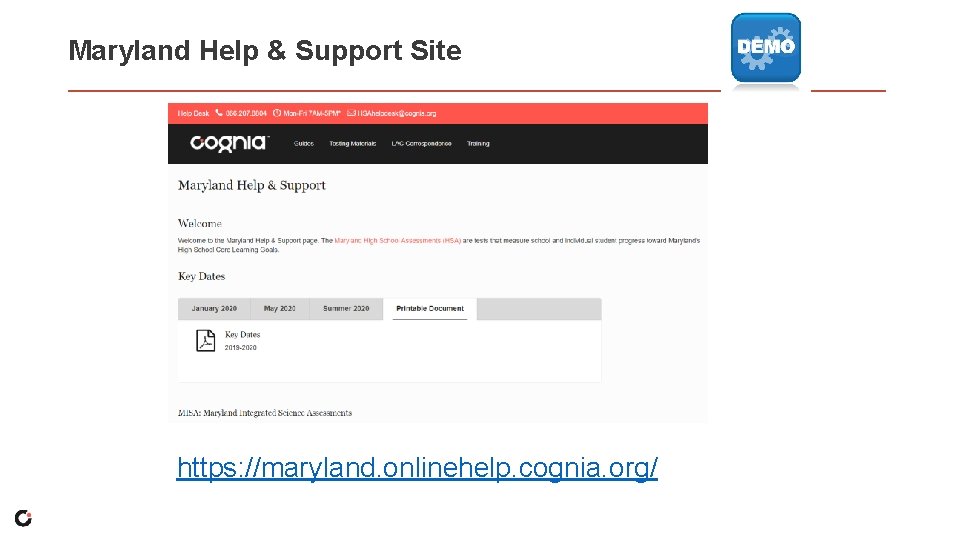
Maryland Help & Support Site https: //maryland. onlinehelp. cognia. org/
Have Additional Questions? • Cognia Technical Product Support (866) 207 -8804 or HSAhelpdesk@cognia. org • Help & Support Site maryland. onlinehelp. cognia. org

Thank you. Cognia is a global nonprofit that has the knowledge to help schools improve outcomes for all learners.
- Slides: 79