
Mars GIS 101 for the Discoveries from Mars



- Slides: 43
Mars GIS 101 for the Discoveries from Mars Workshop Presented by Trent Hare
Introduction Catalyst presenter: Trent Hare, thare@usgs. gov (Please email but be patient) – 17 years with the U. S. Geologic Survey and 11 years working with GIS and planetary formats. Ambitious Goal: NASA is listening GLOBAL DISASTER INFORMATION NETWORK April 28, 2006 2 http: //serc. carleton. edu/NAGTWorkshops/mars 06
Introduction Understand how GIS can benefit your teaching. – Lesson 1: • Planetary data (what’s on the DVD) • Application tour – Lesson 2: (will not have time to cover but will leave in) • Projections • Conversions April 28, 2006 3 http: //serc. carleton. edu/NAGTWorkshops/mars 06
Lesson 1: What’s on the DVD • • Too much DATA! Applications – – April 28, 2006 Mars only applications GIS viewers/applications 3 D viewers Websites 4 http: //serc. carleton. edu/NAGTWorkshops/mars 06
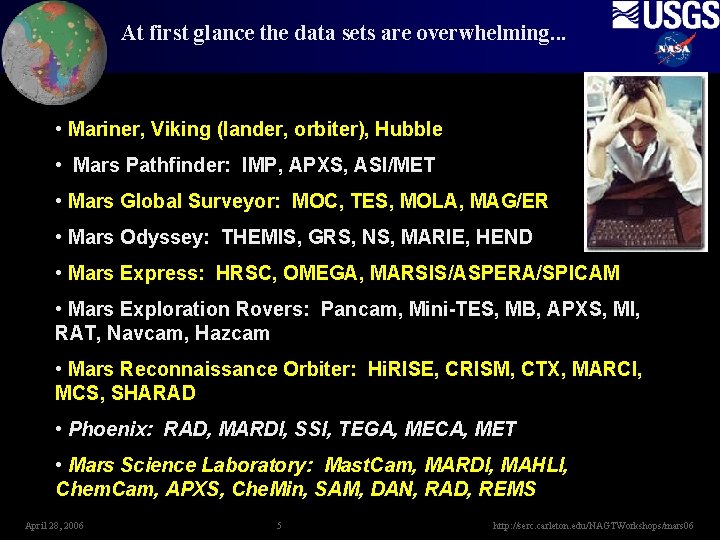
At first glance the data sets are overwhelming. . . • Mariner, Viking (lander, orbiter), Hubble • Mars Pathfinder: IMP, APXS, ASI/MET • Mars Global Surveyor: MOC, TES, MOLA, MAG/ER • Mars Odyssey: THEMIS, GRS, NS, MARIE, HEND • Mars Express: HRSC, OMEGA, MARSIS/ASPERA/SPICAM • Mars Exploration Rovers: Pancam, Mini-TES, MB, APXS, MI, RAT, Navcam, Hazcam • Mars Reconnaissance Orbiter: Hi. RISE, CRISM, CTX, MARCI, MCS, SHARAD • Phoenix: RAD, MARDI, SSI, TEGA, MECA, MET • Mars Science Laboratory: Mast. Cam, MARDI, MAHLI, Chem. Cam, APXS, Che. Min, SAM, DAN, RAD, REMS April 28, 2006 5 http: //serc. carleton. edu/NAGTWorkshops/mars 06
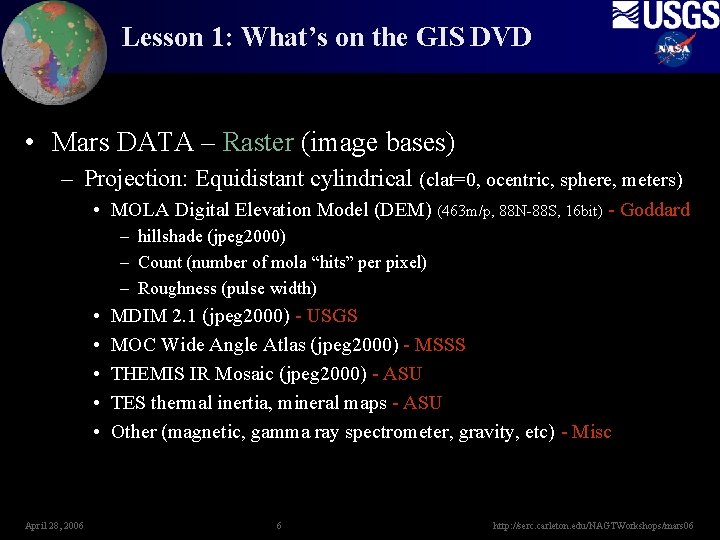
Lesson 1: What’s on the GIS DVD • Mars DATA – Raster (image bases) – Projection: Equidistant cylindrical (clat=0, ocentric, sphere, meters) • MOLA Digital Elevation Model (DEM) (463 m/p, 88 N-88 S, 16 bit) - Goddard – hillshade (jpeg 2000) – Count (number of mola “hits” per pixel) – Roughness (pulse width) • • • April 28, 2006 MDIM 2. 1 (jpeg 2000) - USGS MOC Wide Angle Atlas (jpeg 2000) - MSSS THEMIS IR Mosaic (jpeg 2000) - ASU TES thermal inertia, mineral maps - ASU Other (magnetic, gamma ray spectrometer, gravity, etc) - Misc 6 http: //serc. carleton. edu/NAGTWorkshops/mars 06
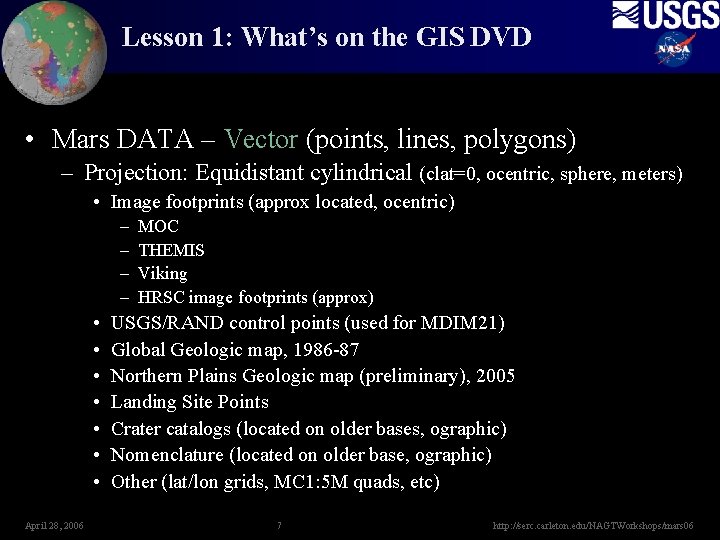
Lesson 1: What’s on the GIS DVD • Mars DATA – Vector (points, lines, polygons) – Projection: Equidistant cylindrical (clat=0, ocentric, sphere, meters) • Image footprints (approx located, ocentric) – – • • April 28, 2006 MOC THEMIS Viking HRSC image footprints (approx) USGS/RAND control points (used for MDIM 21) Global Geologic map, 1986 -87 Northern Plains Geologic map (preliminary), 2005 Landing Site Points Crater catalogs (located on older bases, ographic) Nomenclature (located on older base, ographic) Other (lat/lon grids, MC 1: 5 M quads, etc) 7 http: //serc. carleton. edu/NAGTWorkshops/mars 06
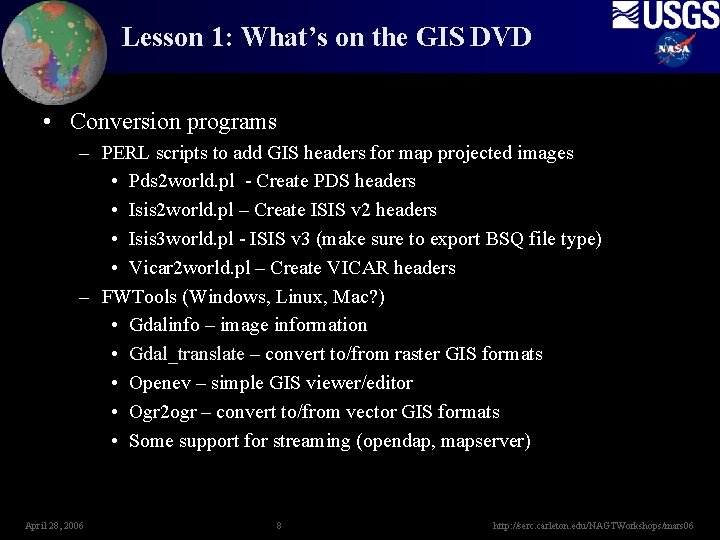
Lesson 1: What’s on the GIS DVD • Conversion programs – PERL scripts to add GIS headers for map projected images • Pds 2 world. pl - Create PDS headers • Isis 2 world. pl – Create ISIS v 2 headers • Isis 3 world. pl - ISIS v 3 (make sure to export BSQ file type) • Vicar 2 world. pl – Create VICAR headers – FWTools (Windows, Linux, Mac? ) • Gdalinfo – image information • Gdal_translate – convert to/from raster GIS formats • Openev – simple GIS viewer/editor • Ogr 2 ogr – convert to/from vector GIS formats • Some support for streaming (opendap, mapserver) April 28, 2006 8 http: //serc. carleton. edu/NAGTWorkshops/mars 06
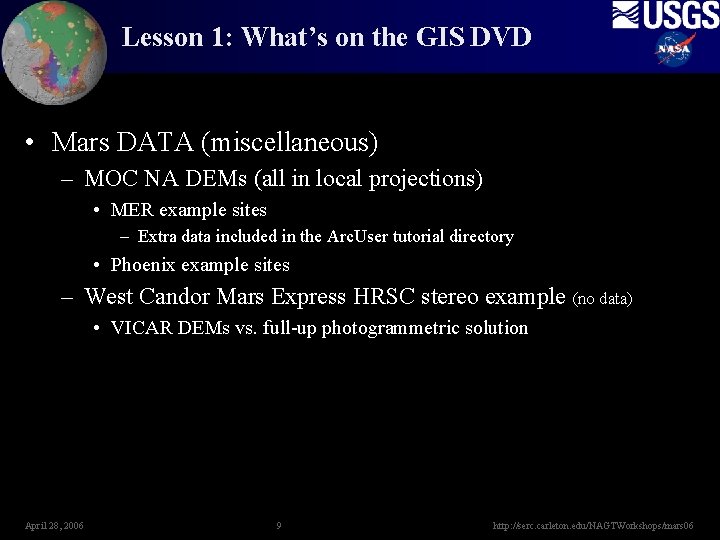
Lesson 1: What’s on the GIS DVD • Mars DATA (miscellaneous) – MOC NA DEMs (all in local projections) • MER example sites – Extra data included in the Arc. User tutorial directory • Phoenix example sites – West Candor Mars Express HRSC stereo example (no data) • VICAR DEMs vs. full-up photogrammetric solution April 28, 2006 9 http: //serc. carleton. edu/NAGTWorkshops/mars 06
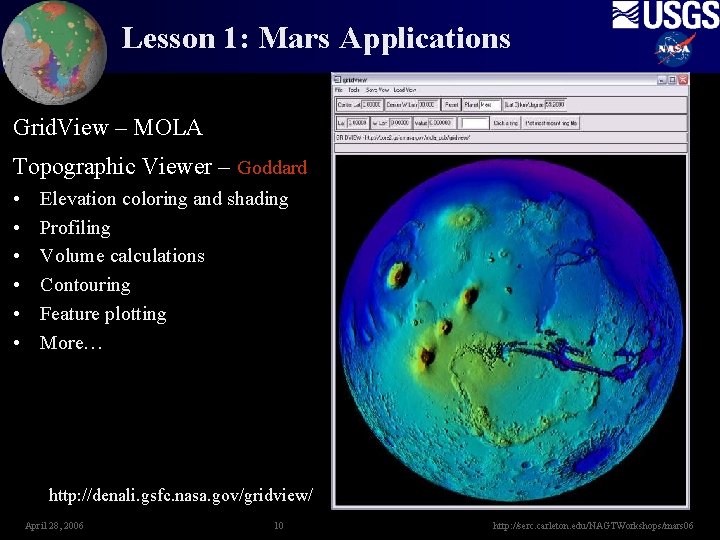
Lesson 1: Mars Applications Grid. View – MOLA Topographic Viewer – Goddard • • • Elevation coloring and shading Profiling Volume calculations Contouring Feature plotting More… http: //denali. gsfc. nasa. gov/gridview/ April 28, 2006 10 http: //serc. carleton. edu/NAGTWorkshops/mars 06
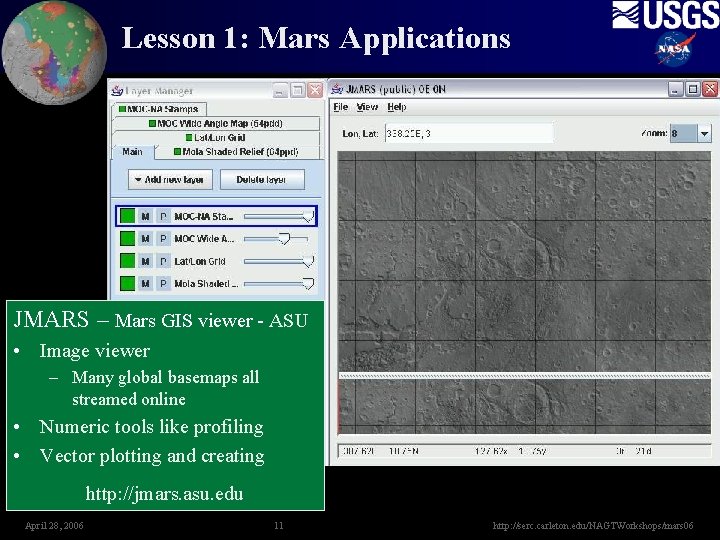
Lesson 1: Mars Applications JMARS – Mars GIS viewer - ASU • Image viewer – Many global basemaps all streamed online • Numeric tools like profiling • Vector plotting and creating http: //jmars. asu. edu April 28, 2006 11 http: //serc. carleton. edu/NAGTWorkshops/mars 06
Lesson 1: Viewer 3 D Applications World Wind • Earth • Mars • Moon • more from add-ons http: //worldwind. arc. nasa. gov/ April 28, 2006 12 http: //serc. carleton. edu/NAGTWorkshops/mars 06
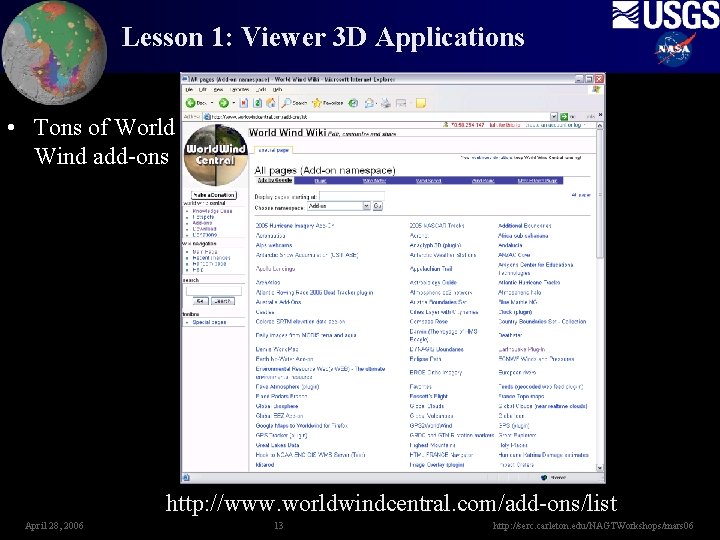
Lesson 1: Viewer 3 D Applications • Tons of World Wind add-ons http: //www. worldwindcentral. com/add-ons/list April 28, 2006 13 http: //serc. carleton. edu/NAGTWorkshops/mars 06
Lesson 1: Viewer 3 D Applications • Geofusion – Mars Demo – Or Web Viewer • Partnering with education folks like Mars Quest Online http: //www. geofusion. com/ April 28, 2006 14 http: //serc. carleton. edu/NAGTWorkshops/mars 06
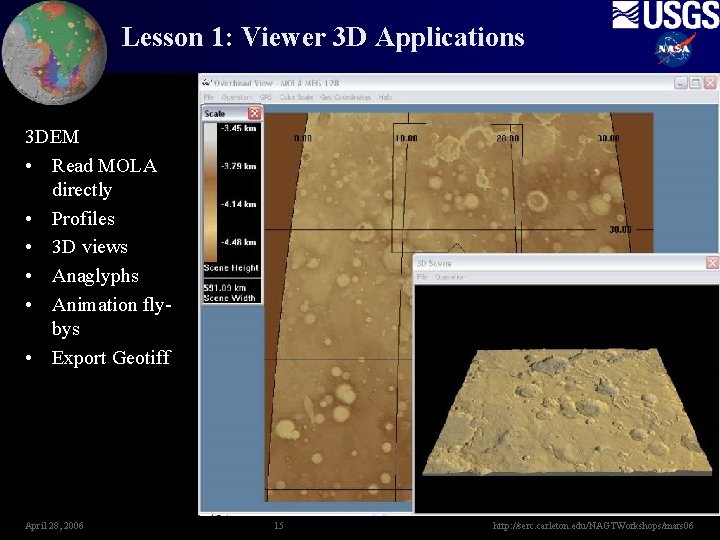
Lesson 1: Viewer 3 D Applications 3 DEM • Read MOLA directly • Profiles • 3 D views • Anaglyphs • Animation flybys • Export Geotiff April 28, 2006 15 http: //serc. carleton. edu/NAGTWorkshops/mars 06
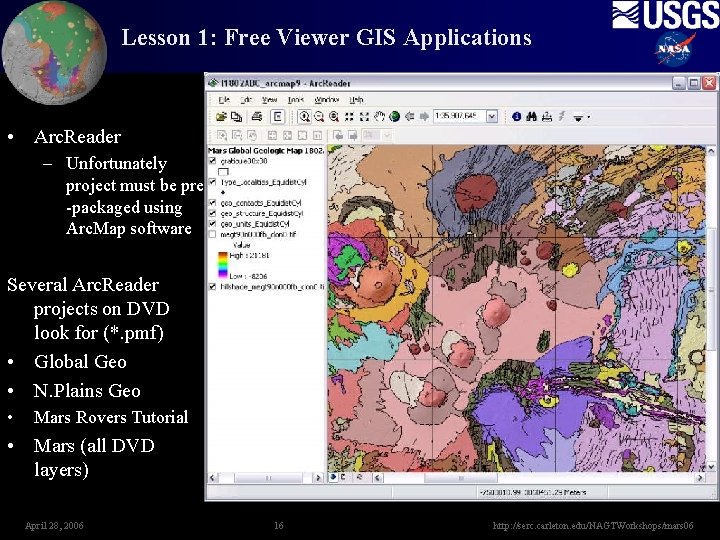
Lesson 1: Free Viewer GIS Applications • Arc. Reader – Unfortunately project must be pre -packaged using Arc. Map software Several Arc. Reader projects on DVD look for (*. pmf) • Global Geo • N. Plains Geo • Mars Rovers Tutorial • Mars (all DVD layers) April 28, 2006 16 http: //serc. carleton. edu/NAGTWorkshops/mars 06
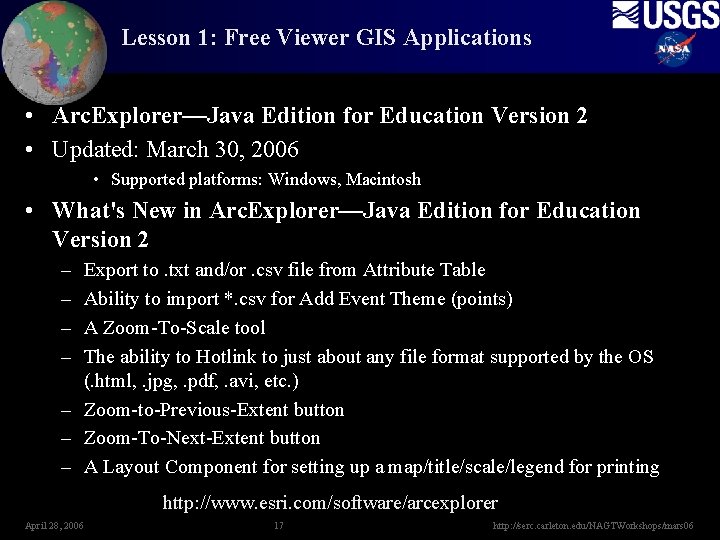
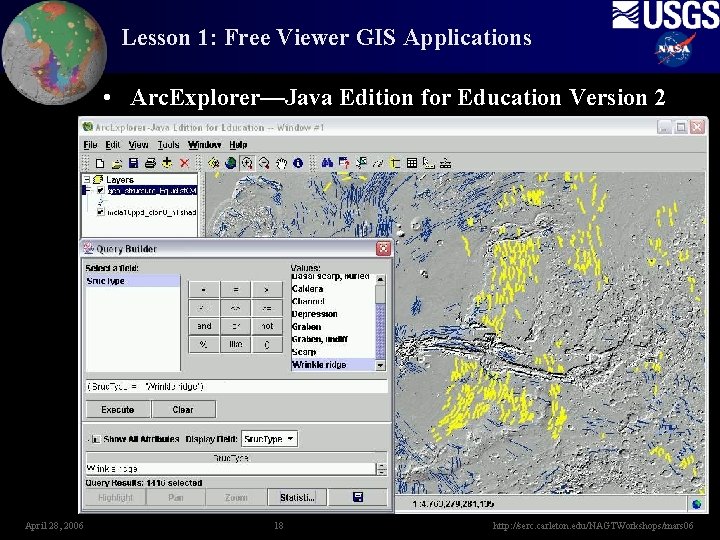
Lesson 1: Free Viewer GIS Applications • Arc. Explorer—Java Edition for Education Version 2 • Updated: March 30, 2006 • Supported platforms: Windows, Macintosh • What's New in Arc. Explorer—Java Edition for Education Version 2 – – Export to. txt and/or. csv file from Attribute Table Ability to import *. csv for Add Event Theme (points) A Zoom-To-Scale tool The ability to Hotlink to just about any file format supported by the OS (. html, . jpg, . pdf, . avi, etc. ) – Zoom-to-Previous-Extent button – Zoom-To-Next-Extent button – A Layout Component for setting up a map/title/scale/legend for printing http: //www. esri. com/software/arcexplorer April 28, 2006 17 http: //serc. carleton. edu/NAGTWorkshops/mars 06
Lesson 1: Free Viewer GIS Applications • Arc. Explorer—Java Edition for Education Version 2 April 28, 2006 18 http: //serc. carleton. edu/NAGTWorkshops/mars 06
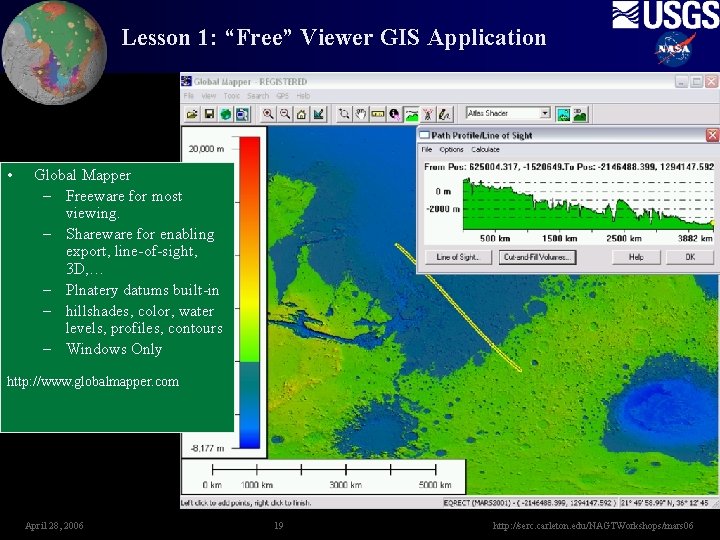
Lesson 1: “Free” Viewer GIS Application • Global Mapper – Freeware for most viewing. – Shareware for enabling export, line-of-sight, 3 D, … – Plnatery datums built-in – hillshades, color, water levels, profiles, contours – Windows Only http: //www. globalmapper. com April 28, 2006 19 http: //serc. carleton. edu/NAGTWorkshops/mars 06
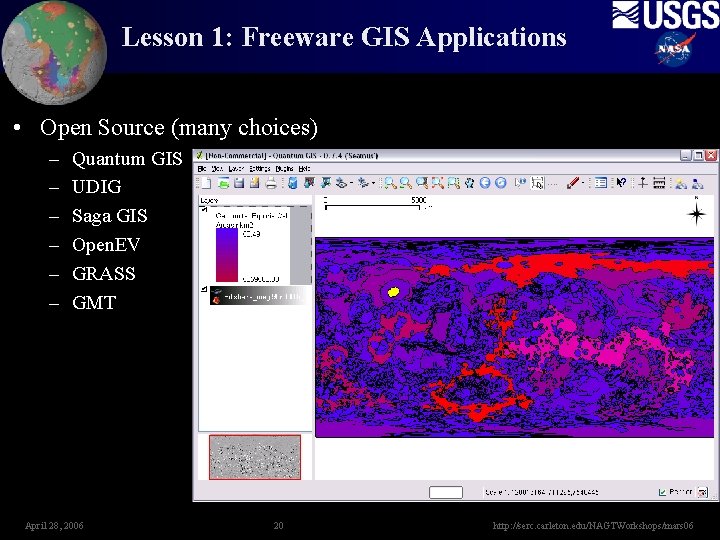
Lesson 1: Freeware GIS Applications • Open Source (many choices) – – – Quantum GIS UDIG Saga GIS Open. EV GRASS GMT April 28, 2006 20 http: //serc. carleton. edu/NAGTWorkshops/mars 06
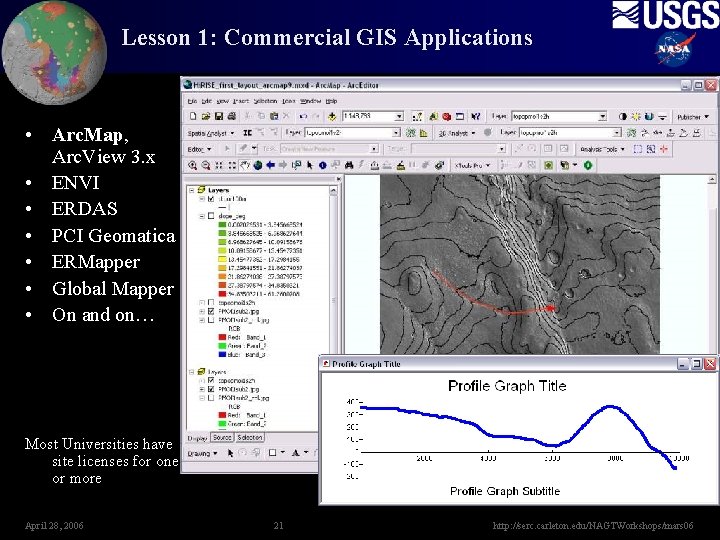
Lesson 1: Commercial GIS Applications • Arc. Map, Arc. View 3. x • ENVI • ERDAS • PCI Geomatica • ERMapper • Global Mapper • On and on… Most Universities have site licenses for one or more April 28, 2006 21 http: //serc. carleton. edu/NAGTWorkshops/mars 06
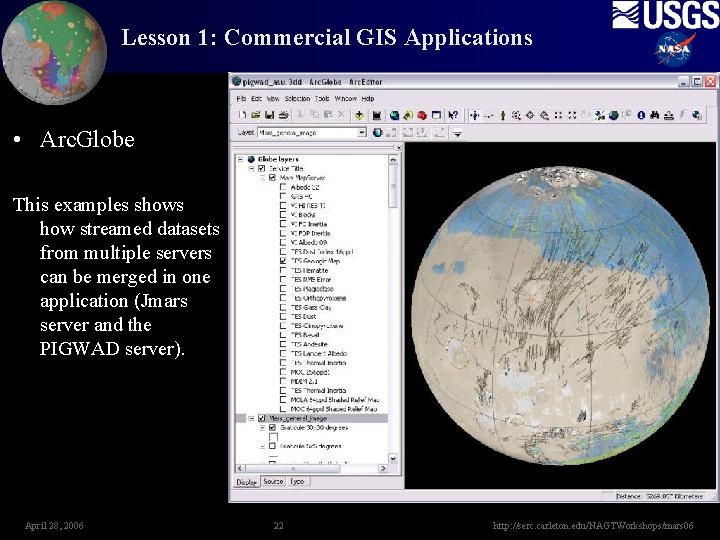
Lesson 1: Commercial GIS Applications • Arc. Globe This examples shows how streamed datasets from multiple servers can be merged in one application (Jmars server and the PIGWAD server). April 28, 2006 22 http: //serc. carleton. edu/NAGTWorkshops/mars 06
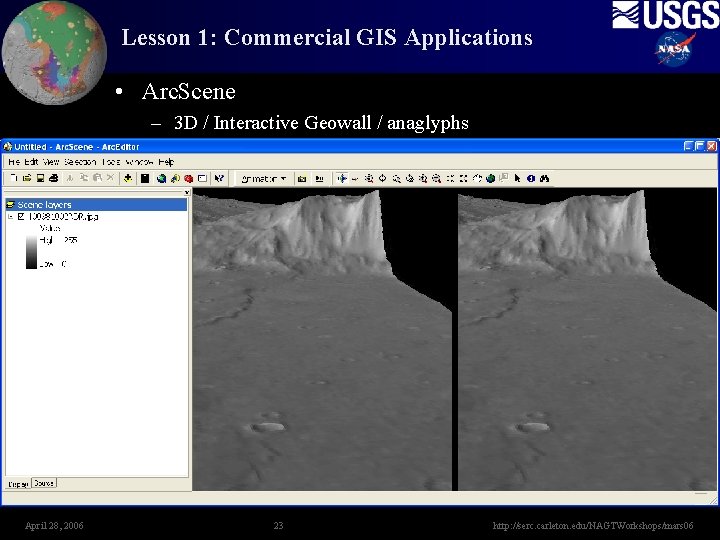
Lesson 1: Commercial GIS Applications • Arc. Scene – 3 D / Interactive Geowall / anaglyphs April 28, 2006 23 http: //serc. carleton. edu/NAGTWorkshops/mars 06
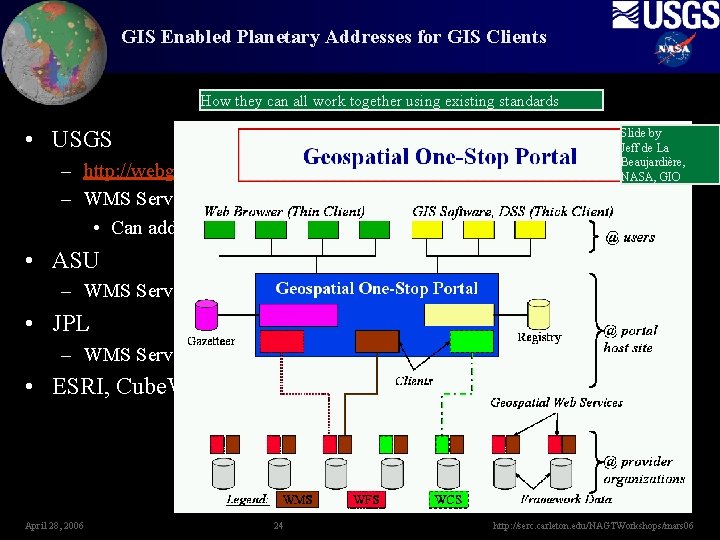
GIS Enabled Planetary Addresses for GIS Clients How they can all work together using existing standards • USGS Slide by Jeff de La Beaujardière, NASA, GIO – http: //webgis. wr. usgs. gov – WMS Server: http: //webgis. wr. usgs. gov/servlet/com. esri. wms. Esrimap? • Can add: servicename=Mars_general_image • ASU – WMS Server: http: //cutter 1. mars. asu. edu/cgi-bin/Get. Capabilities. pl? • JPL – WMS Server: http: //onmars. jpl. nasa. gov/wms. cgi? • ESRI, Cube. Werx April 28, 2006 24 http: //serc. carleton. edu/NAGTWorkshops/mars 06
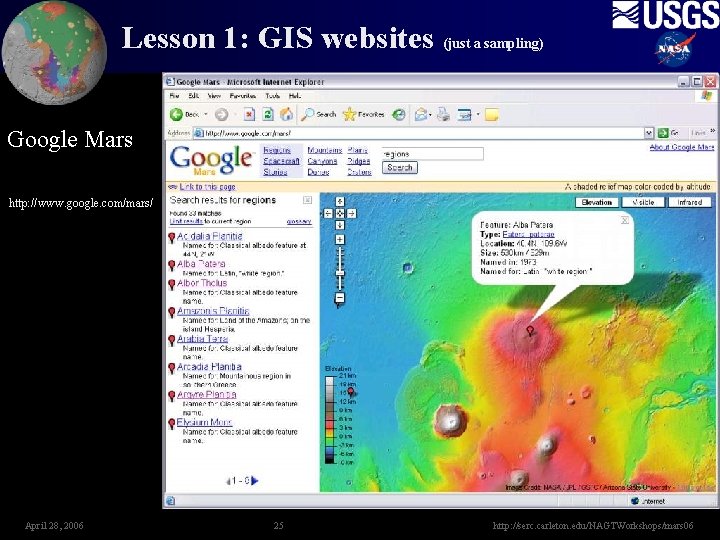
Lesson 1: GIS websites (just a sampling) Google Mars http: //www. google. com/mars/ April 28, 2006 25 http: //serc. carleton. edu/NAGTWorkshops/mars 06
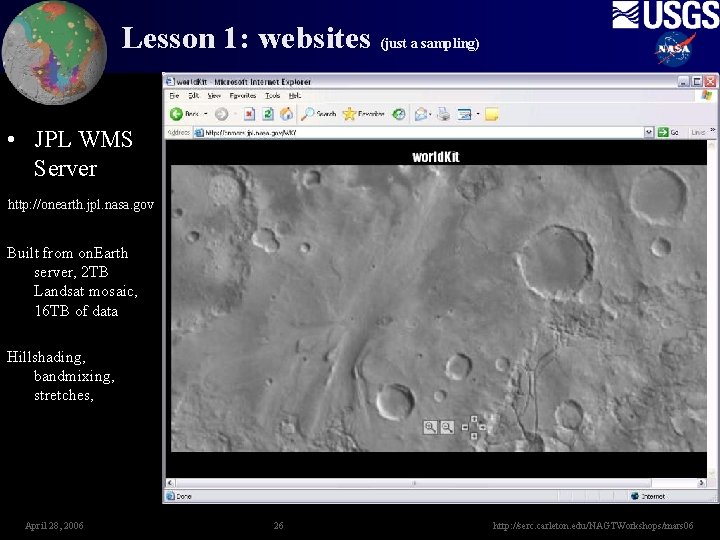
Lesson 1: websites (just a sampling) • JPL WMS Server http: //onearth. jpl. nasa. gov Built from on. Earth server, 2 TB Landsat mosaic, 16 TB of data Hillshading, bandmixing, stretches, April 28, 2006 26 http: //serc. carleton. edu/NAGTWorkshops/mars 06
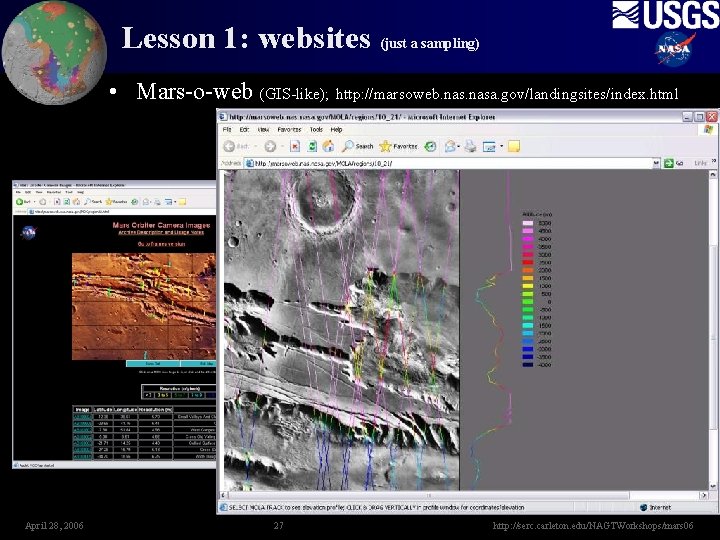
Lesson 1: websites (just a sampling) • Mars-o-web (GIS-like); http: //marsoweb. nasa. gov/landingsites/index. html April 28, 2006 27 http: //serc. carleton. edu/NAGTWorkshops/mars 06
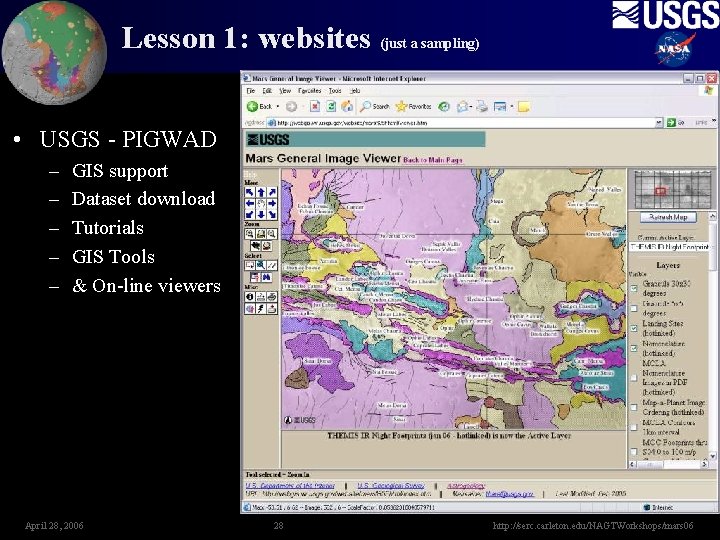
Lesson 1: websites (just a sampling) • USGS - PIGWAD – – – GIS support Dataset download Tutorials GIS Tools & On-line viewers April 28, 2006 28 http: //serc. carleton. edu/NAGTWorkshops/mars 06
Lesson 1: Wrap-up • Covered – Mars datasets – Applications • • Viewers 3 D Viewers Commercial Applications Website tools questions. April 28, 2006 29 http: //serc. carleton. edu/NAGTWorkshops/mars 06
Lesson 2: Outline • Projections • Conversions April 28, 2006 30 http: //serc. carleton. edu/NAGTWorkshops/mars 06
Lesson 2: Planetary Projections Tutorials: http: //webgis. wr. usgs. gov/map_projs. htm • Other projections in planetary – Lambert Azmuithal • Good for mid latitude and polar, equal area, VICAR/HRSC team uses it for polar areas. – Robinson • Good for figures. – Mollweide • National geographic Mars map. Good for figures. • References: Snyder, John P. , 1987, Map Projections---A Working Manual, USGS Professional Paper 1395. Greeley, Ron and R. Batson, 1990, Planetary Mapping, Cambridge Univ. Press. Batson, R. M. , 1987, Digital Cartography of the Planets: New Methods, Its Status, and Its Future, Photogrammetric Engineering and Remote Sensing, v. 53, pp. 1211 -1218. April 28, 2006 31 http: //serc. carleton. edu/NAGTWorkshops/mars 06
Lesson 2: Planetary Projections • Planetary Projections. – Standard projections in planetary – Geographic vs. Geocentric • Issues – – – Positive East vs. Positive West Setting planetary bodies in Arc. Map Defining a projection using the planetary body Projecting vector datasets Projecting raster datasets April 28, 2006 32 http: //serc. carleton. edu/NAGTWorkshops/mars 06
Lesson 2: Planetary Projections Tutorials: http: //webgis. wr. usgs. gov/map_projs. htm • Standard projections in planetary – Simple Cylindrical (Equidistance Cylindrical, Equirectangular) • rectangular global (decimal degrees or meters), simple “database” projection, ISIS uses a spherical equation. – Sinusoidal • Used for global and many tiled data releases, equal area projection, simple “database” projection, ISIS uses a spherical equation. – Mercator • Conformal, only use for equatorial areas, used in the Mars 1: 5 M series, ISIS uses an ellipsoidal equation – Transverse Mercator • Good for local areas “large” scale maps. A Small scale map shows more land area, but with smaller representations and, therefore, lesser detail. ISIS uses an Ellipse. April 28, 2006 33 http: //serc. carleton. edu/NAGTWorkshops/mars 06
Lesson 2: Planetary Projections Tutorials: http: //webgis. wr. usgs. gov/map_projs. htm • Standard projections in planetary – Polar Stereographic • Good for polar, error increases away from central latitude (usually 90 or 90). Scale should be based on polar radius, ISIS uses an ellipsoidal equation (can use polar radius spheriod). – Lambert Conformal • Good for mid latitudes. Error increases away from both standard parallels. ISIS uses an ellipsoidal equation. – Orthographic • Globe view, not good for mapping as the limb falls away, makes for pretty figures but you need 3 globes to portray an entire planet. ISIS uses a spherical equation April 28, 2006 34 http: //serc. carleton. edu/NAGTWorkshops/mars 06
Lesson 2: Planetary Projections • Planetographic vs Planetocentric - issues – Mars is the only problem for now – Most commercial packages don’t understand ocentric – Work around … use sphere definition for Mars. • For Arc. Map, copy Projection_optionsCoordinate SystemsGeographic Coordinate SystemsSolar SystemMars 2000 Sphere. prj And paste to Arc. Map’s directory (e. g. ) Your_drive: install_locationsArc. GISCoordinate SystemsGeographic Coordinate SystemsSolar System – Don’t use ISIS or other files that are elliptical and ocentric. e. Using elliptical and ographic is okay. Also do not calculate measurements on one of these Elliptical ocentric projections. The one caveot is the Polar Stereographic. By forcing the polar radius you can ensure Arc. Map is doing the same as ISIS. April 28, 2006 35 http: //serc. carleton. edu/NAGTWorkshops/mars 06
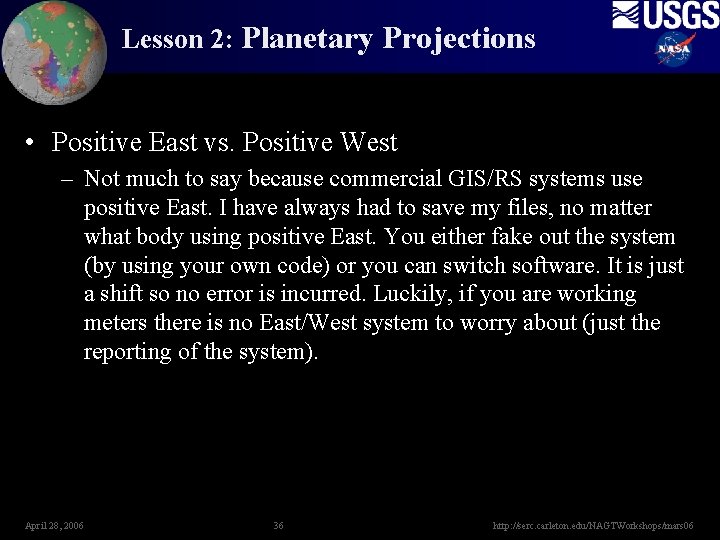
Lesson 2: Planetary Projections • Positive East vs. Positive West – Not much to say because commercial GIS/RS systems use positive East. I have always had to save my files, no matter what body using positive East. You either fake out the system (by using your own code) or you can switch software. It is just a shift so no error is incurred. Luckily, if you are working meters there is no East/West system to worry about (just the reporting of the system). April 28, 2006 36 http: //serc. carleton. edu/NAGTWorkshops/mars 06
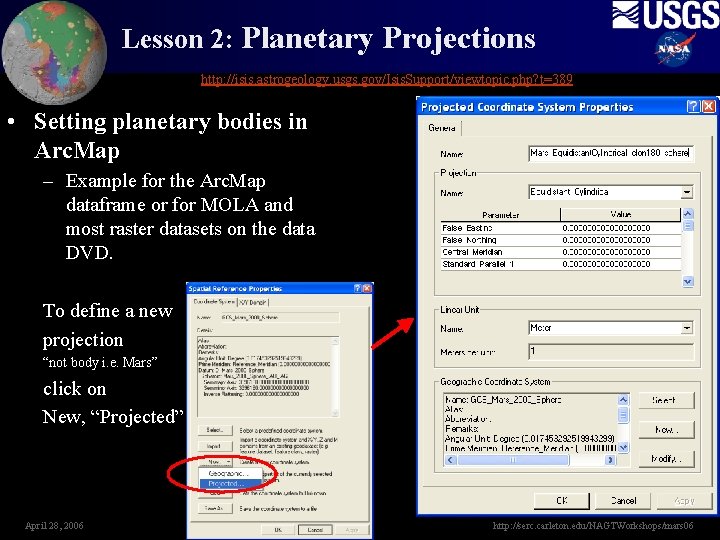
Lesson 2: Planetary Projections http: //isis. astrogeology. usgs. gov/Isis. Support/viewtopic. php? t=389 • Setting planetary bodies in Arc. Map – Example for the Arc. Map dataframe or for MOLA and most raster datasets on the data DVD. To define a new projection “not body i. e. Mars” click on New, “Projected” April 28, 2006 37 http: //serc. carleton. edu/NAGTWorkshops/mars 06
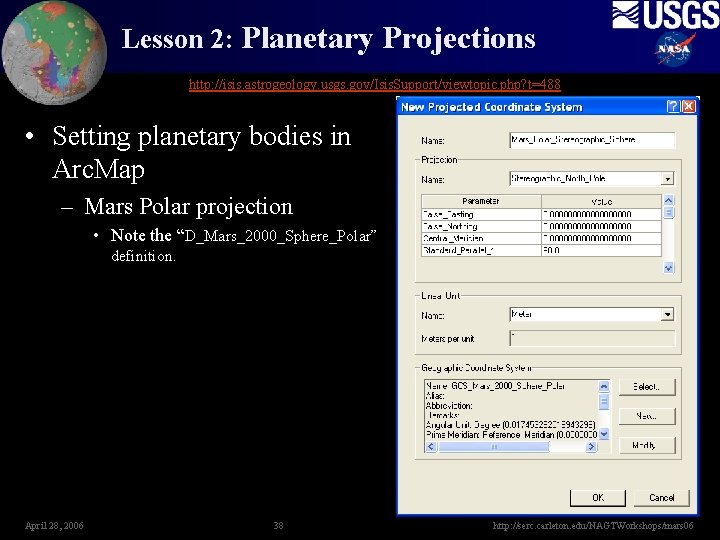
Lesson 2: Planetary Projections http: //isis. astrogeology. usgs. gov/Isis. Support/viewtopic. php? t=488 • Setting planetary bodies in Arc. Map – Mars Polar projection • Note the “D_Mars_2000_Sphere_Polar” definition. April 28, 2006 38 http: //serc. carleton. edu/NAGTWorkshops/mars 06
Lesson 2: Conversions April 28, 2006 39 http: //serc. carleton. edu/NAGTWorkshops/mars 06
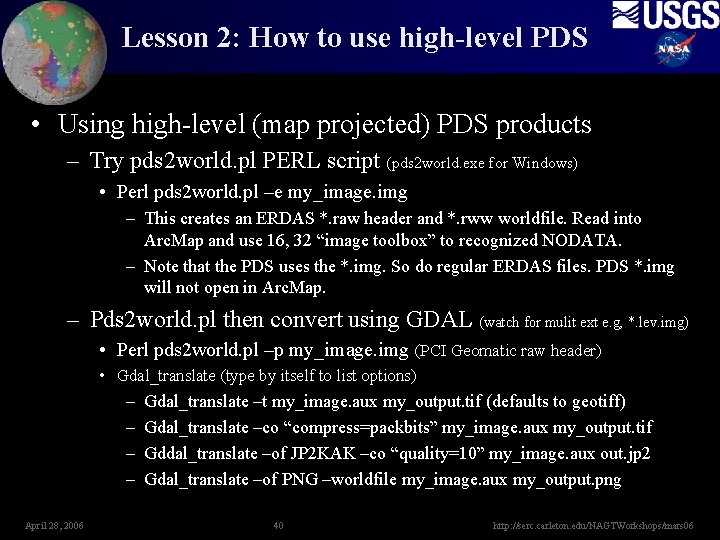
Lesson 2: How to use high-level PDS • Using high-level (map projected) PDS products – Try pds 2 world. pl PERL script (pds 2 world. exe for Windows) • Perl pds 2 world. pl –e my_image. img – This creates an ERDAS *. raw header and *. rww worldfile. Read into Arc. Map and use 16, 32 “image toolbox” to recognized NODATA. – Note that the PDS uses the *. img. So do regular ERDAS files. PDS *. img will not open in Arc. Map. – Pds 2 world. pl then convert using GDAL (watch for mulit ext e. g, *. lev. img) • Perl pds 2 world. pl –p my_image. img (PCI Geomatic raw header) • Gdal_translate (type by itself to list options) – Gdal_translate –t my_image. aux my_output. tif (defaults to geotiff) – Gdal_translate –co “compress=packbits” my_image. aux my_output. tif – Gddal_translate –of JP 2 KAK –co “quality=10” my_image. aux out. jp 2 – Gdal_translate –of PNG –worldfile my_image. aux my_output. png April 28, 2006 40 http: //serc. carleton. edu/NAGTWorkshops/mars 06
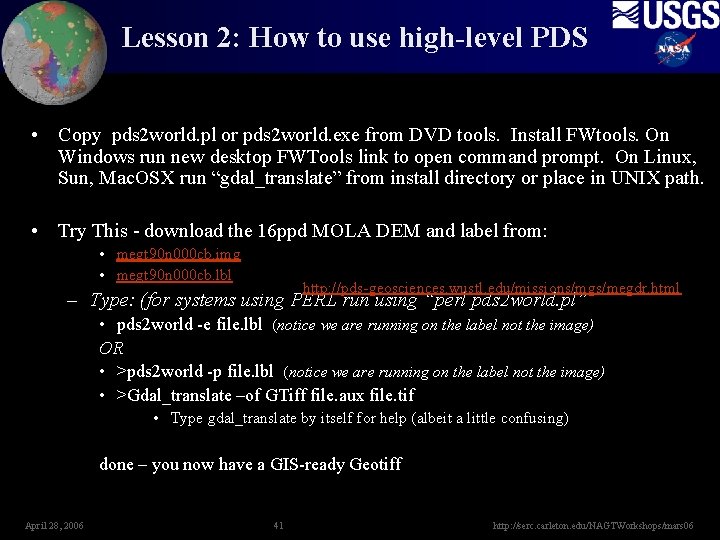
Lesson 2: How to use high-level PDS • Copy pds 2 world. pl or pds 2 world. exe from DVD tools. Install FWtools. On Windows run new desktop FWTools link to open command prompt. On Linux, Sun, Mac. OSX run “gdal_translate” from install directory or place in UNIX path. • Try This - download the 16 ppd MOLA DEM and label from: • megt 90 n 000 cb. img • megt 90 n 000 cb. lbl http: //pds-geosciences. wustl. edu/missions/mgs/megdr. html – Type: (for systems using PERL run using “perl pds 2 world. pl” • pds 2 world -e file. lbl (notice we are running on the label not the image) OR • >pds 2 world -p file. lbl (notice we are running on the label not the image) • >Gdal_translate –of GTiff file. aux file. tif • Type gdal_translate by itself for help (albeit a little confusing) done – you now have a GIS-ready Geotiff April 28, 2006 41 http: //serc. carleton. edu/NAGTWorkshops/mars 06
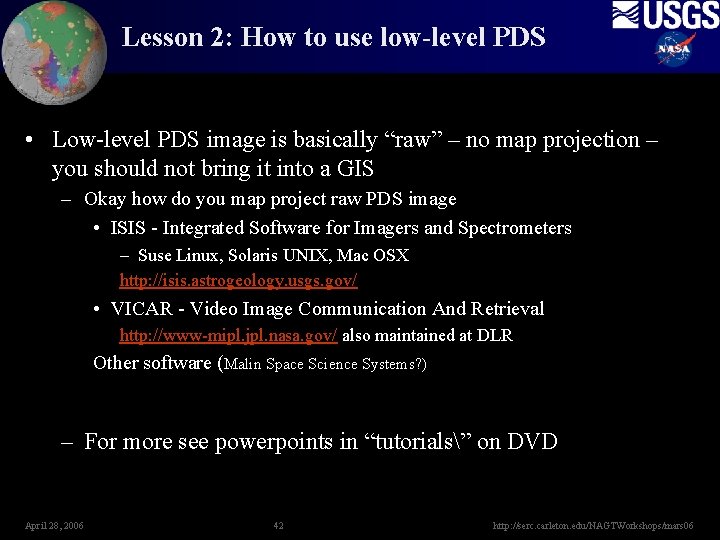
Lesson 2: How to use low-level PDS • Low-level PDS image is basically “raw” – no map projection – you should not bring it into a GIS – Okay how do you map project raw PDS image • ISIS - Integrated Software for Imagers and Spectrometers – Suse Linux, Solaris UNIX, Mac OSX http: //isis. astrogeology. usgs. gov/ • VICAR - Video Image Communication And Retrieval http: //www-mipl. jpl. nasa. gov/ also maintained at DLR Other software (Malin Space Science Systems? ) – For more see powerpoints in “tutorials” on DVD April 28, 2006 42 http: //serc. carleton. edu/NAGTWorkshops/mars 06
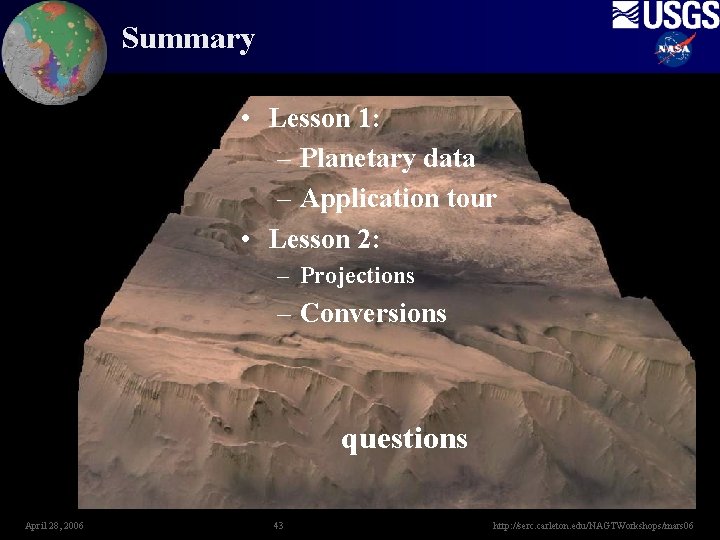
Summary • Lesson 1: – Planetary data – Application tour • Lesson 2: – Projections – Conversions questions April 28, 2006 43 http: //serc. carleton. edu/NAGTWorkshops/mars 06