
Marker and ball tracking By Noa Krams Introduction
Marker and ball tracking By Noa Krams Introduction to Computational and Biological Vision - 2021
Introduction For all the painters out there, are you still drawing on paper? Last year the lives of all of us changed. The corona virus took over our lives and forced us to maintain social distance. As a result we do almost all of our operations through the computer, so I created this program that allows you to draw with the help of the computer camera.
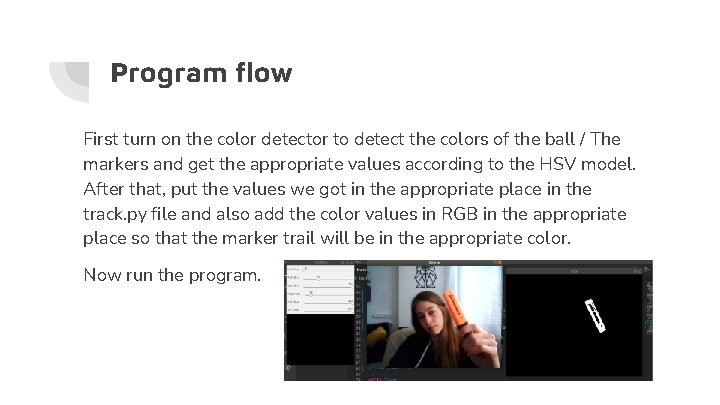
Program flow First turn on the color detector to detect the colors of the ball / The markers and get the appropriate values according to the HSV model. After that, put the values we got in the appropriate place in the track. py file and also add the color values in RGB in the appropriate place so that the marker trail will be in the appropriate color. Now run the program.
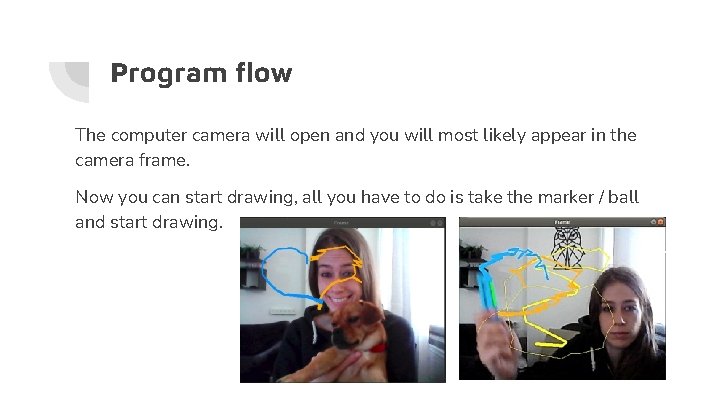
Program flow The computer camera will open and you will most likely appear in the camera frame. Now you can start drawing, all you have to do is take the marker / ball and start drawing.
How is the marker detected? A mask is created so that all pixels whose color number is in the number range defined by the color detector will be white in the mask, and the rest of the pixels will be black. On this mask we will perform edge detection by canny to get the lines that define the shape of the marker. Using “Hough. Lines. P” function from cv 2 library, we will find the lines of the marker and save the highest point among the lines found to draw the trail of the marker.
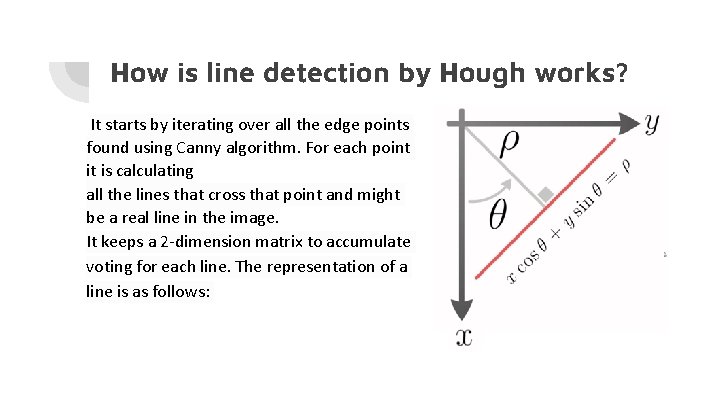
How is line detection by Hough works? It starts by iterating over all the edge points found using Canny algorithm. For each point it is calculating all the lines that cross that point and might be a real line in the image. It keeps a 2 -dimension matrix to accumulate voting for each line. The representation of a line is as follows:
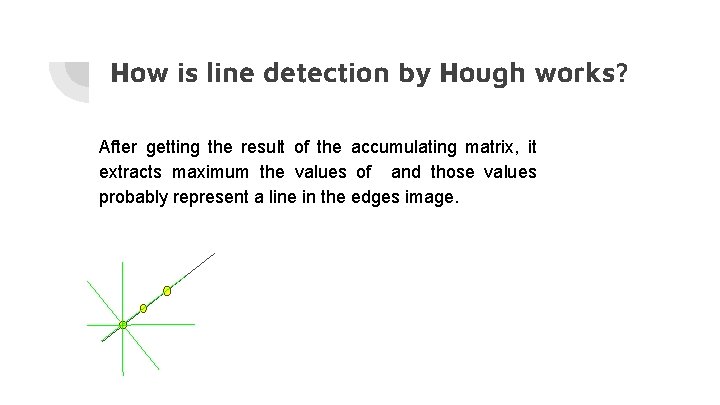
How is line detection by Hough works? After getting the result of the accumulating matrix, it extracts maximum the values of and those values probably represent a line in the edges image.
How is the ball detected? The creation of the HSV mask and the activation of the canny edge detector also occur in this case. Then the algorithm can detect the circle with pre-defined radius using “Hough. Circles” function of cv 2 library.
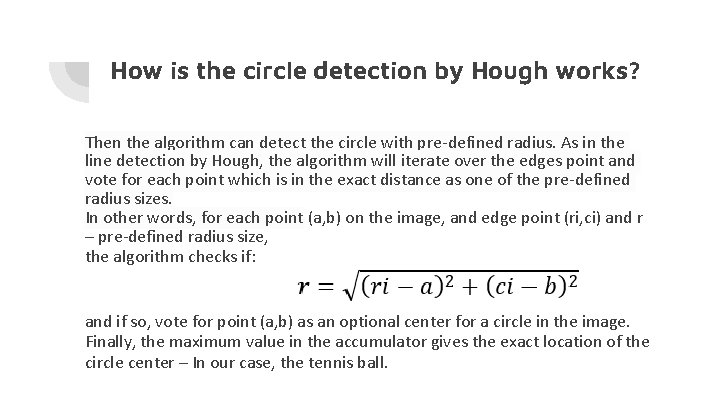
How is the circle detection by Hough works? Then the algorithm can detect the circle with pre-defined radius. As in the line detection by Hough, the algorithm will iterate over the edges point and vote for each point which is in the exact distance as one of the pre-defined radius sizes. In other words, for each point (a, b) on the image, and edge point (ri, ci) and r – pre-defined radius size, the algorithm checks if: and if so, vote for point (a, b) as an optional center for a circle in the image. Finally, the maximum value in the accumulator gives the exact location of the circle center – In our case, the tennis ball.
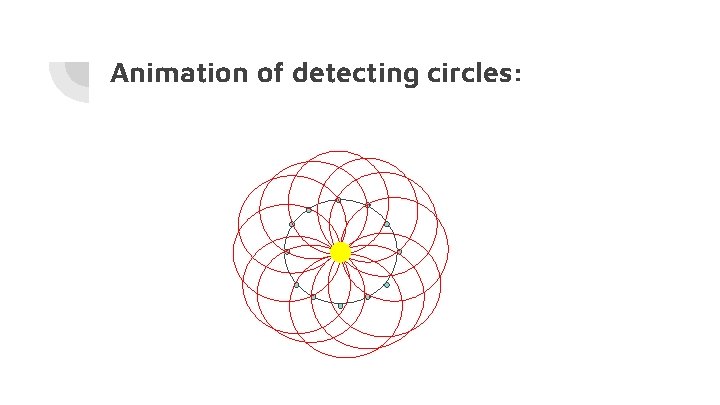
Animation of detecting circles:
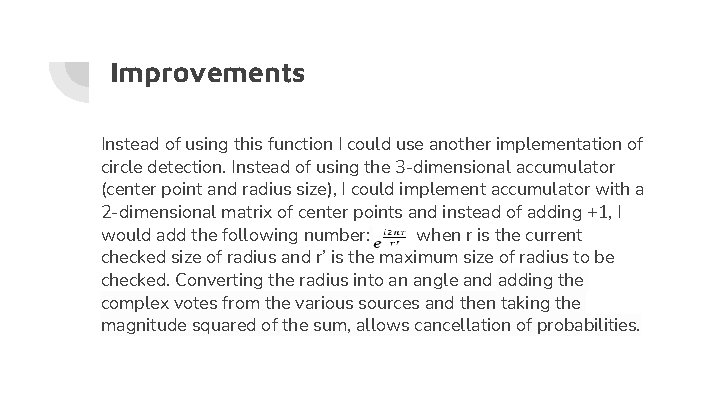
Improvements Instead of using this function I could use another implementation of circle detection. Instead of using the 3 -dimensional accumulator (center point and radius size), I could implement accumulator with a 2 -dimensional matrix of center points and instead of adding +1, I would add the following number: when r is the current checked size of radius and r’ is the maximum size of radius to be checked. Converting the radius into an angle and adding the complex votes from the various sources and then taking the magnitude squared of the sum, allows cancellation of probabilities.
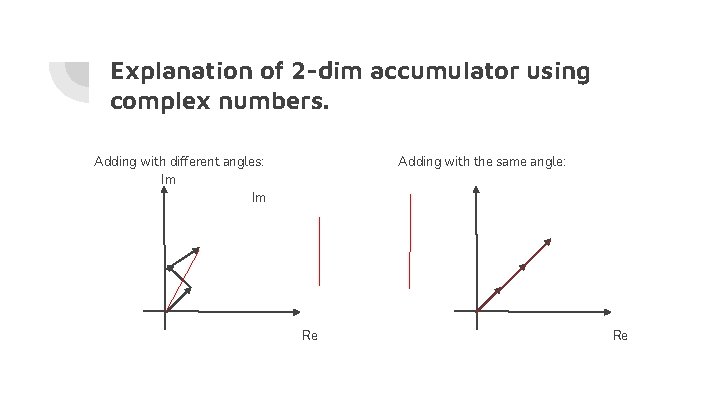
Explanation of 2 -dim accumulator using complex numbers. Adding with different angles: Im Im Adding with the same angle: Re Re
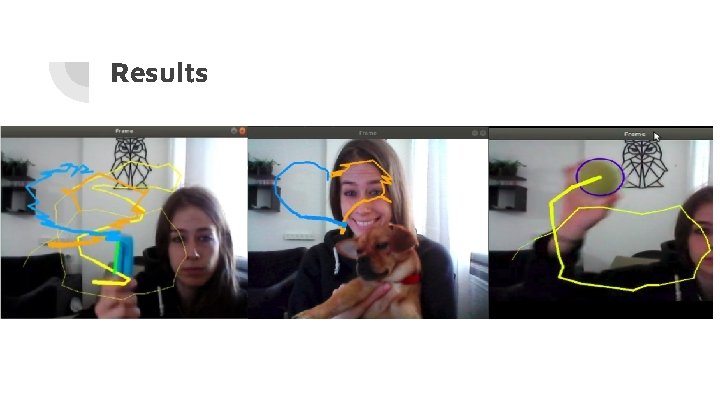
Results

The end. . .
- Slides: 14