
Map Window 6 0 An Extensible Architecture for
Map. Window 6. 0: An Extensible Architecture for Cartographic Symbology FOSS 4 G Conference October, 2009 Ted Dunsford 6/9/2021 1 of 34

Ted Dunsford Graduate Research Assistant Idaho State University with Dr. Dan Ames, in collaboration with U. S. Environmental Protection Agency, AQUA TERRA Consultants, and CUAHSI 6/9/2021 2 of 34
Overview 6/9/2021 • Map. Window 6. 0 & Component Architecture • Extensibility & Interfaces • Extensible Symbology Architecture 3 of 34
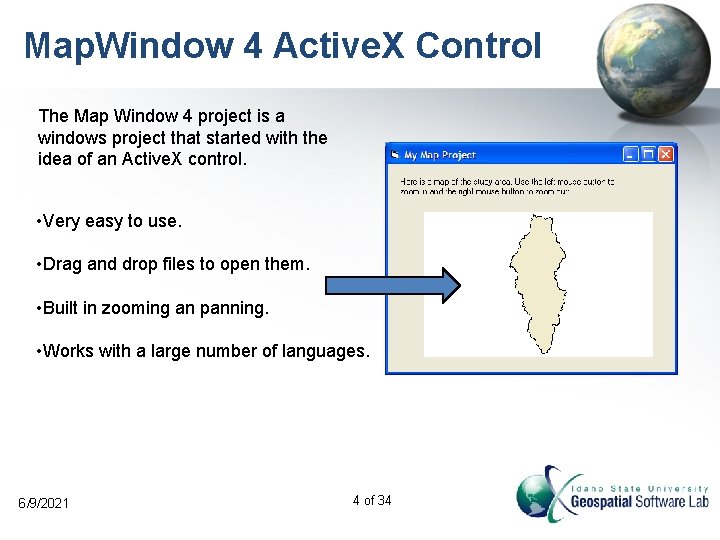
Map. Window 4 Active. X Control The Map Window 4 project is a windows project that started with the idea of an Active. X control. • Very easy to use. • Drag and drop files to open them. • Built in zooming an panning. • Works with a large number of languages. 6/9/2021 4 of 34
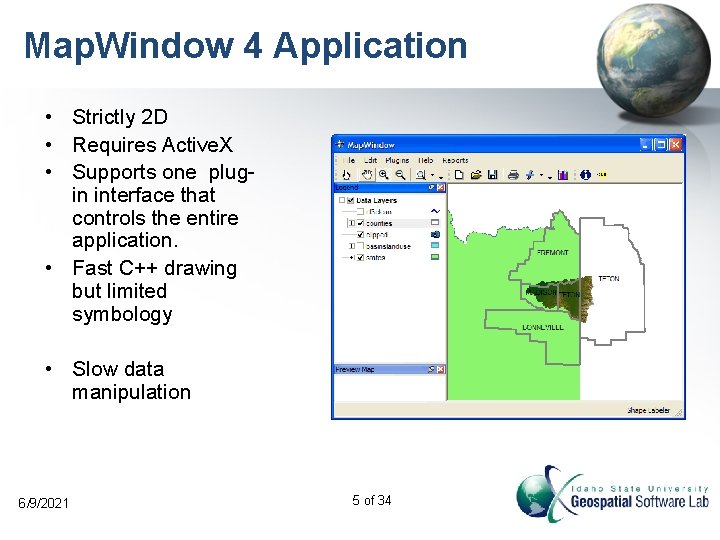
Map. Window 4 Application • Strictly 2 D • Requires Active. X • Supports one plugin interface that controls the entire application. • Fast C++ drawing but limited symbology • Slow data manipulation 6/9/2021 5 of 34
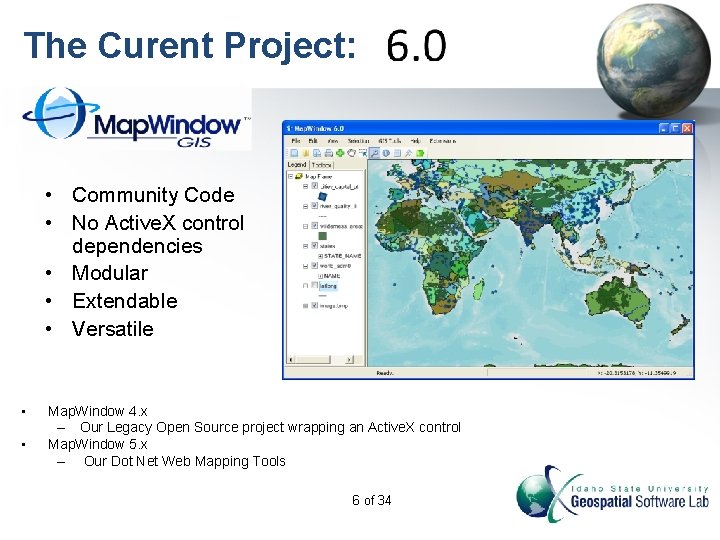
The Curent Project: • Community Code • No Active. X control dependencies • Modular • Extendable • Versatile • • Map. Window 4. x – Our Legacy Open Source project wrapping an Active. X control Map. Window 5. x – Our Dot Net Web Mapping Tools 6 of 34
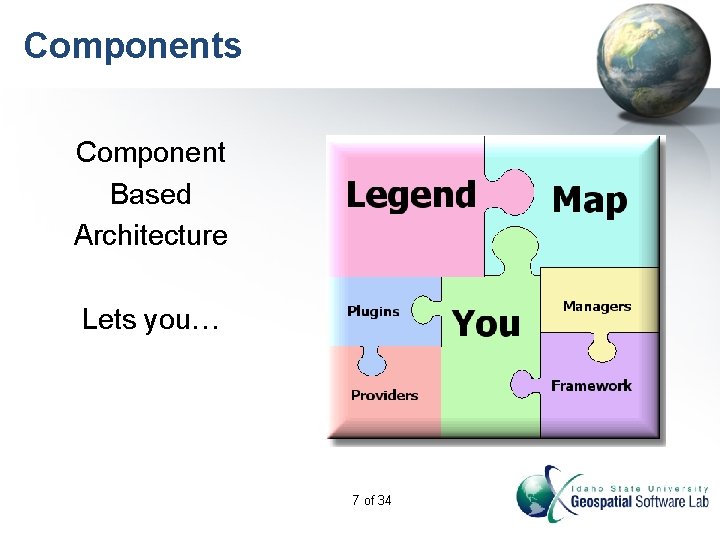
Components Component Based Architecture Lets you… 7 of 34
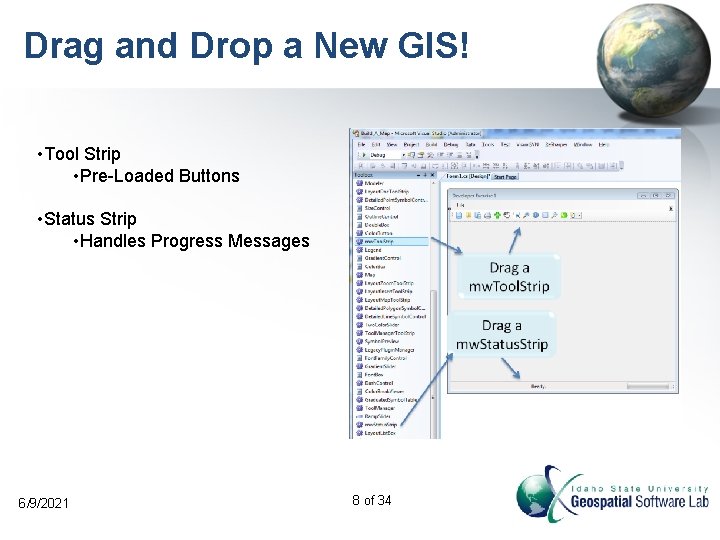
Drag and Drop a New GIS! • Tool Strip • Pre-Loaded Buttons • Status Strip • Handles Progress Messages 6/9/2021 8 of 34
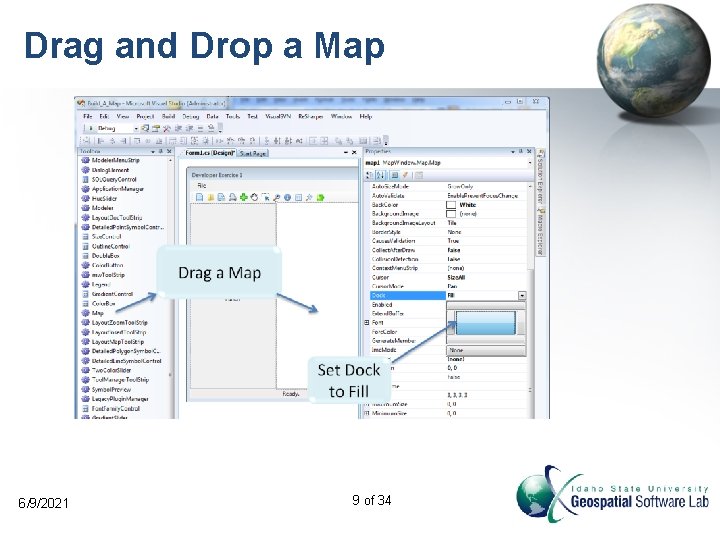
Drag and Drop a Map 6/9/2021 9 of 34
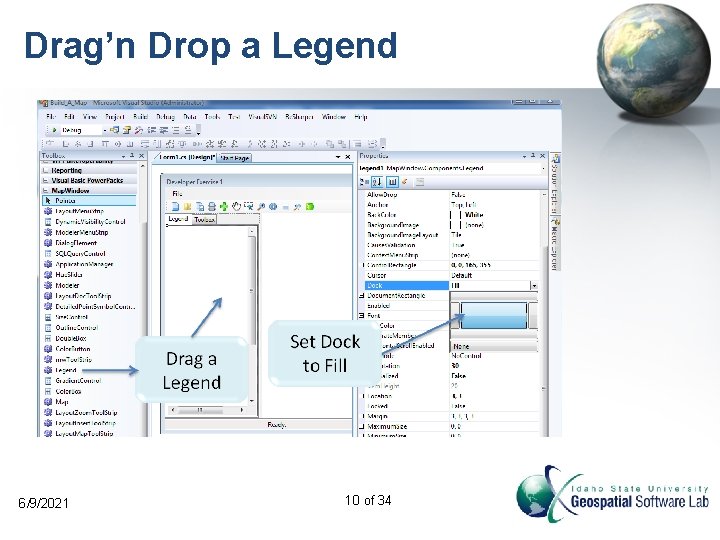
Drag’n Drop a Legend 6/9/2021 10 of 34
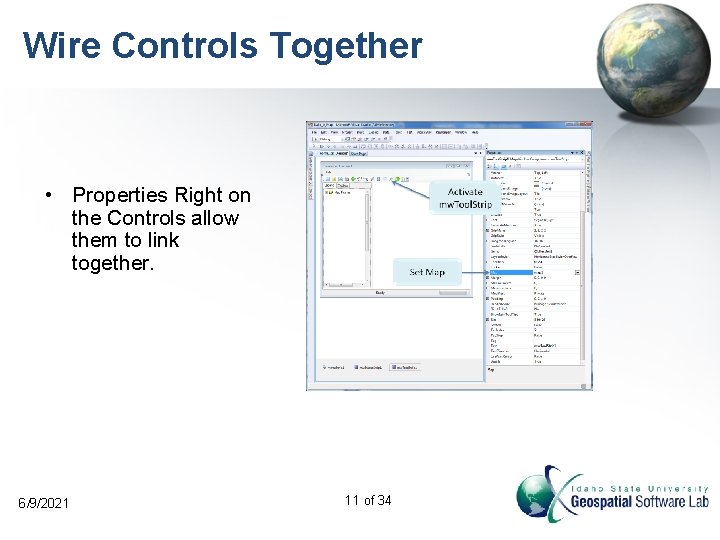
Wire Controls Together • Properties Right on the Controls allow them to link together. 6/9/2021 11 of 34
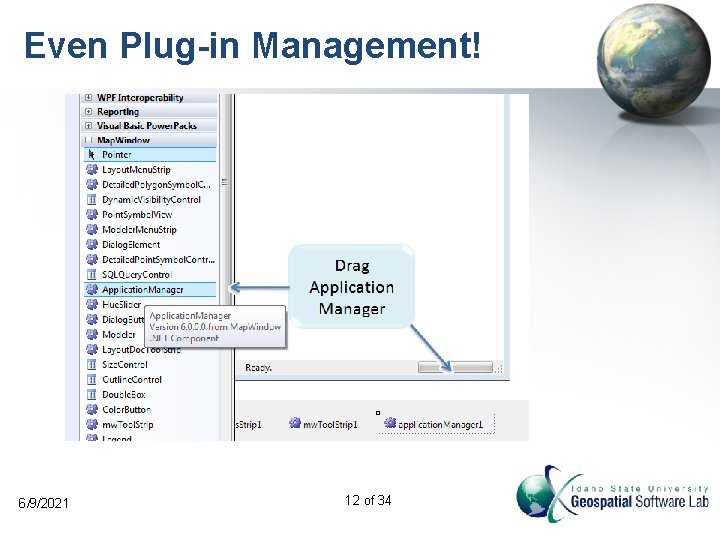
Even Plug-in Management! 6/9/2021 12 of 34
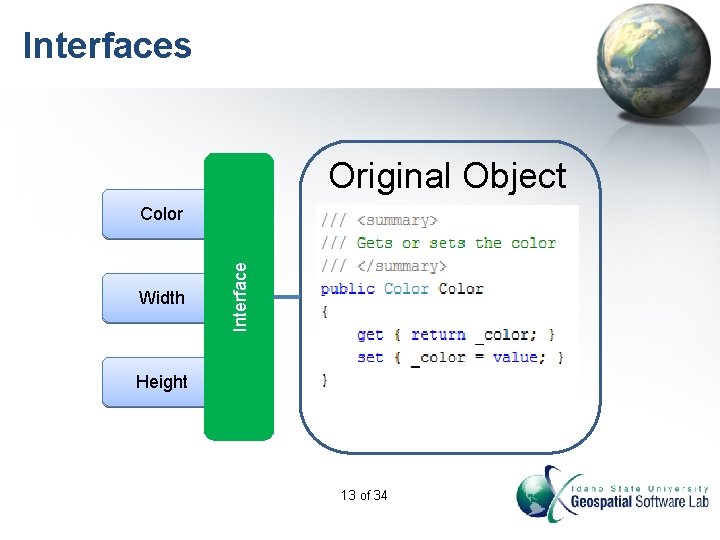
Interfaces Original Object Width Interface Color Height 13 of 34
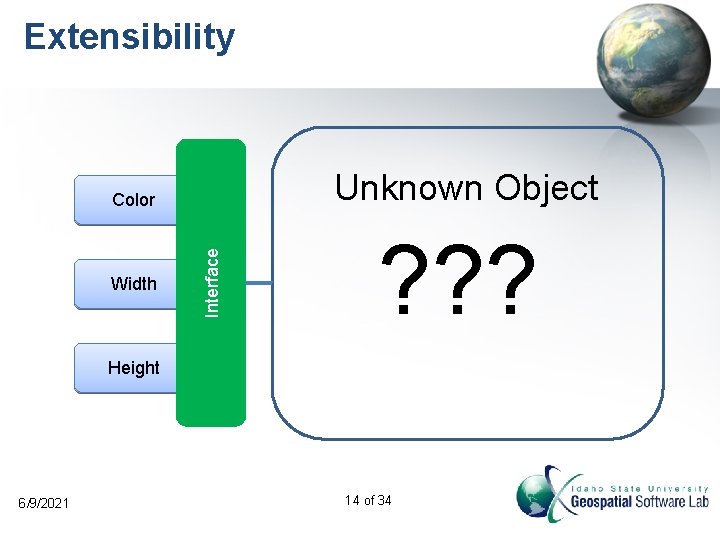
Extensibility Unknown Object Width Interface Color ? ? ? Height 6/9/2021 14 of 34
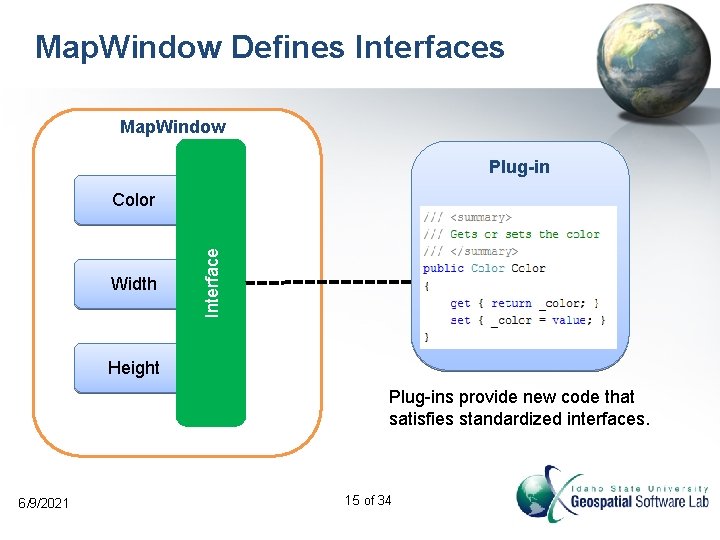
Map. Window Defines Interfaces Map. Window Plug-in Width Interface Color Height Plug-ins provide new code that satisfies standardized interfaces. 6/9/2021 15 of 34
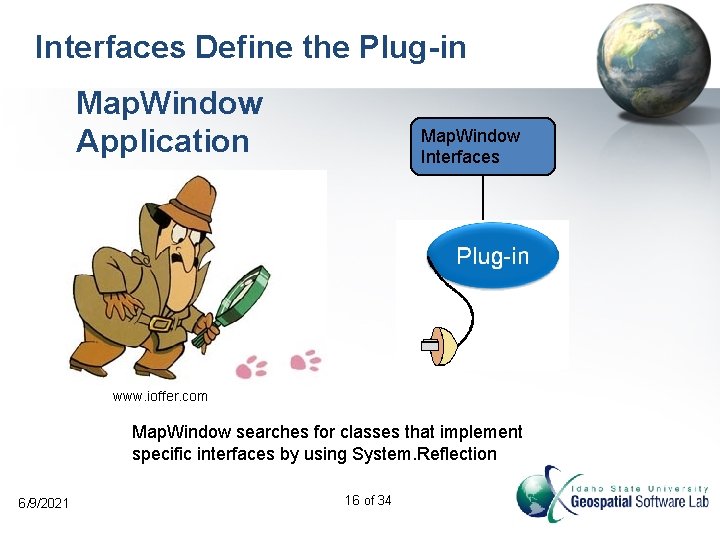
Interfaces Define the Plug-in Map. Window Application Map. Window Interfaces www. ioffer. com Map. Window searches for classes that implement specific interfaces by using System. Reflection 6/9/2021 16 of 34
Managers Wrangle Plugins • Plugins do the work: – Loading data – Performing a process – Handle events • Managers decide which provider gets used. deutsch. istockphoto. com 17 of 34
![Feature Symbology Feature Layer Symbolizer (default) Symbology Feature Scheme Categories Feature Category Collection [0]](http://slidetodoc.com/presentation_image_h2/629073cd3c83d02e604d8b7299a497c6/image-18.jpg "Feature Symbology Feature Layer Symbolizer (default) Symbology Feature Scheme Categories Feature Category Collection [0]")
Feature Symbology Feature Layer Symbolizer (default) Symbology Feature Scheme Categories Feature Category Collection [0] [1] Feature Category 0 Symbolizer Feature Category 1 Symbolizer Feature. Set 6/9/2021 18 of 34
![Point Symbolizers Point Category Point Symbolizer Get. Color() Symbols Filter Expression List<ISymbol> [1] [0]](http://slidetodoc.com/presentation_image_h2/629073cd3c83d02e604d8b7299a497c6/image-19.jpg "Point Symbolizers Point Category Point Symbolizer Get. Color() Symbols Filter Expression List<ISymbol> [1] [0]")
Point Symbolizers Point Category Point Symbolizer Get. Color() Symbols Filter Expression List<ISymbol> [1] [0] 6/9/2021 19 of 34 Character Symbol Your Symbol
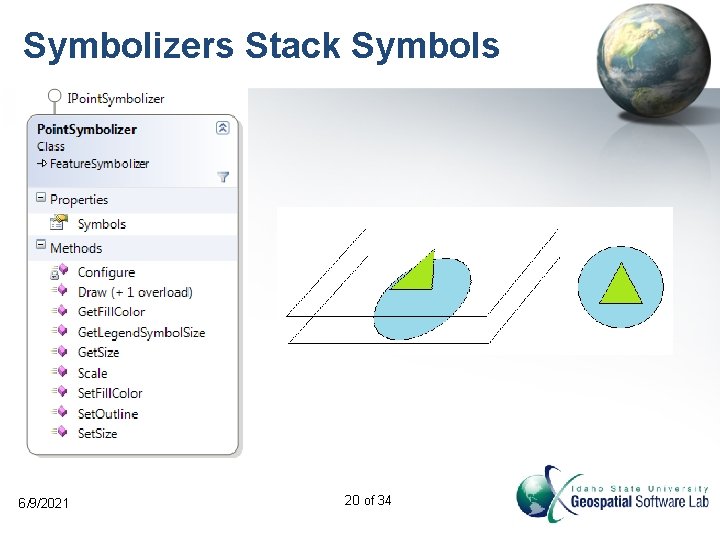
Symbolizers Stack Symbols 6/9/2021 20 of 34
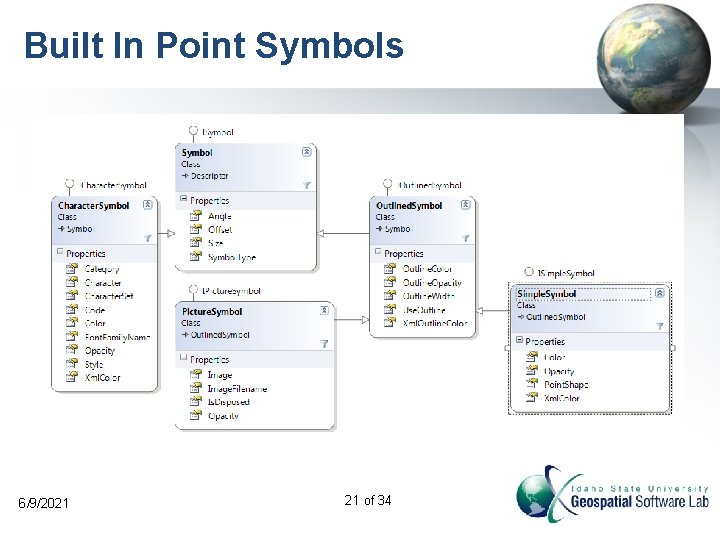
Built In Point Symbols 6/9/2021 21 of 34
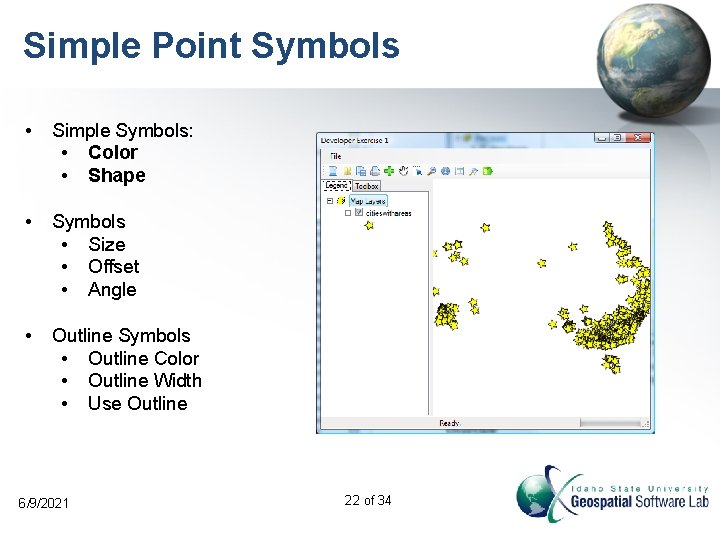
Simple Point Symbols • Simple Symbols: • Color • Shape • Symbols • Size • Offset • Angle • Outline Symbols • Outline Color • Outline Width • Use Outline 6/9/2021 22 of 34
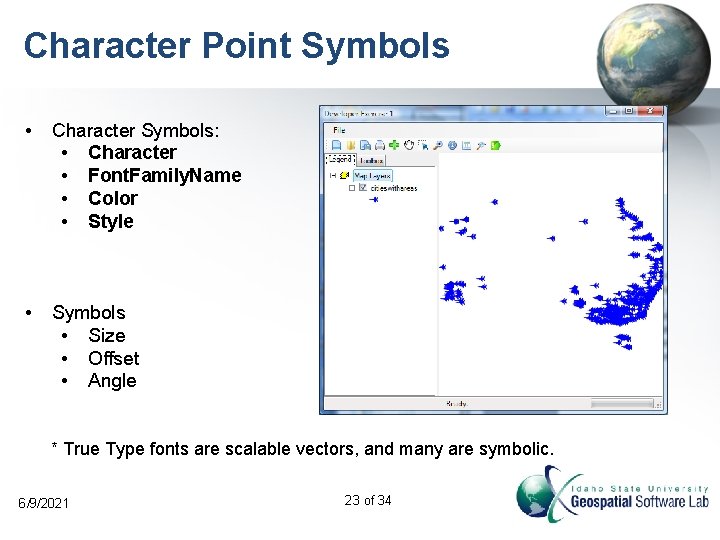
Character Point Symbols • Character Symbols: • Character • Font. Family. Name • Color • Style • Symbols • Size • Offset • Angle * True Type fonts are scalable vectors, and many are symbolic. 6/9/2021 23 of 34
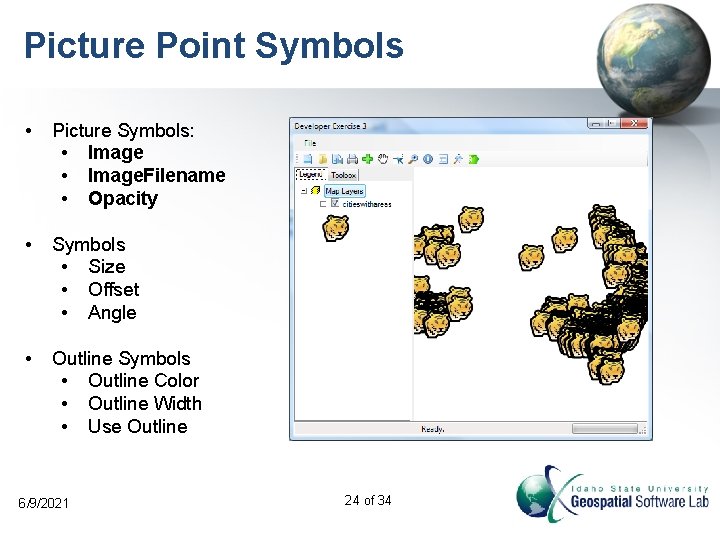
Picture Point Symbols • Picture Symbols: • Image. Filename • Opacity • Symbols • Size • Offset • Angle • Outline Symbols • Outline Color • Outline Width • Use Outline 6/9/2021 24 of 34
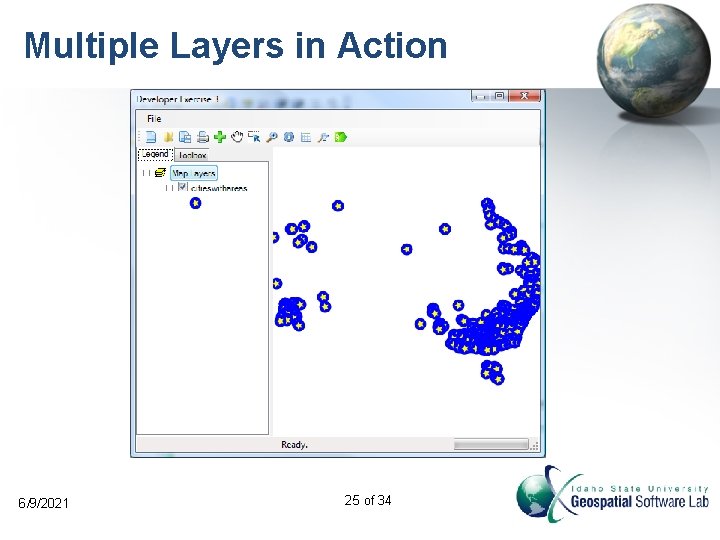
Multiple Layers in Action 6/9/2021 25 of 34
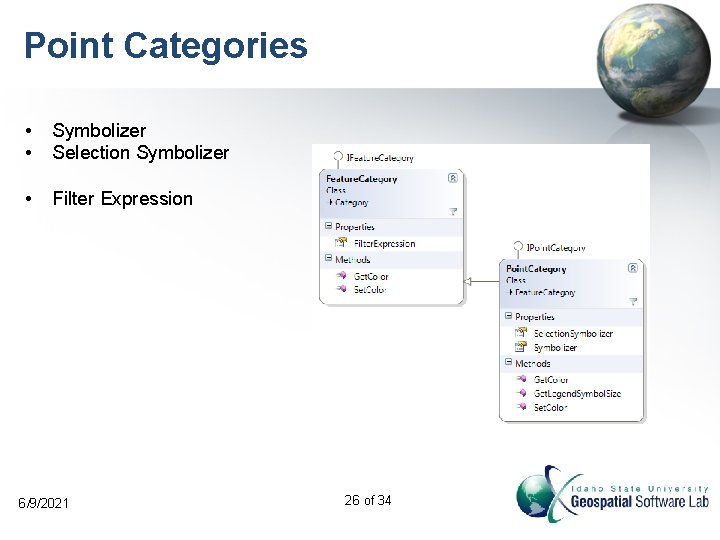
Point Categories • • Symbolizer Selection Symbolizer • Filter Expression 6/9/2021 26 of 34
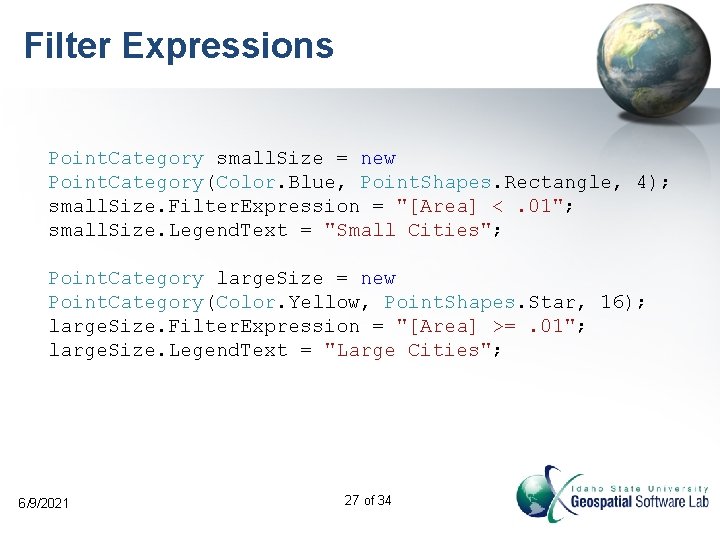
Filter Expressions Point. Category small. Size = new Point. Category(Color. Blue, Point. Shapes. Rectangle, 4); small. Size. Filter. Expression = "[Area] <. 01"; small. Size. Legend. Text = "Small Cities"; Point. Category large. Size = new Point. Category(Color. Yellow, Point. Shapes. Star, 16); large. Size. Filter. Expression = "[Area] >=. 01"; large. Size. Legend. Text = "Large Cities"; 6/9/2021 27 of 34
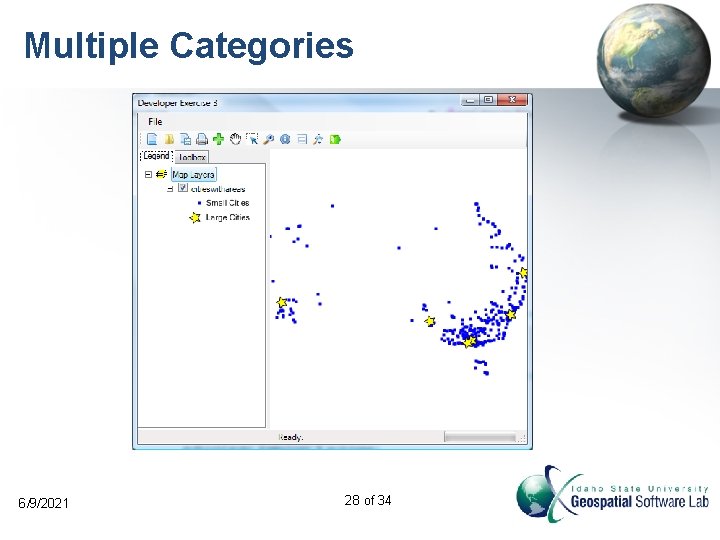
Multiple Categories 6/9/2021 28 of 34
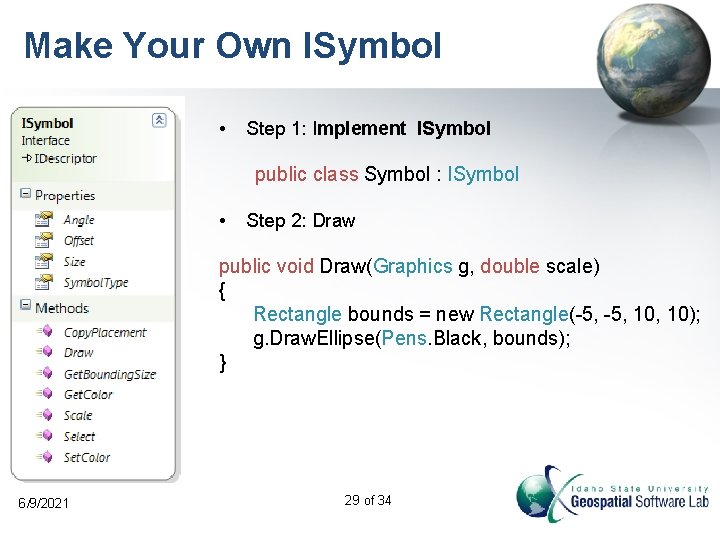
Make Your Own ISymbol • Step 1: Implement ISymbol public class Symbol : ISymbol • Step 2: Draw public void Draw(Graphics g, double scale) { Rectangle bounds = new Rectangle(-5, 10, 10); g. Draw. Ellipse(Pens. Black, bounds); } 6/9/2021 29 of 34
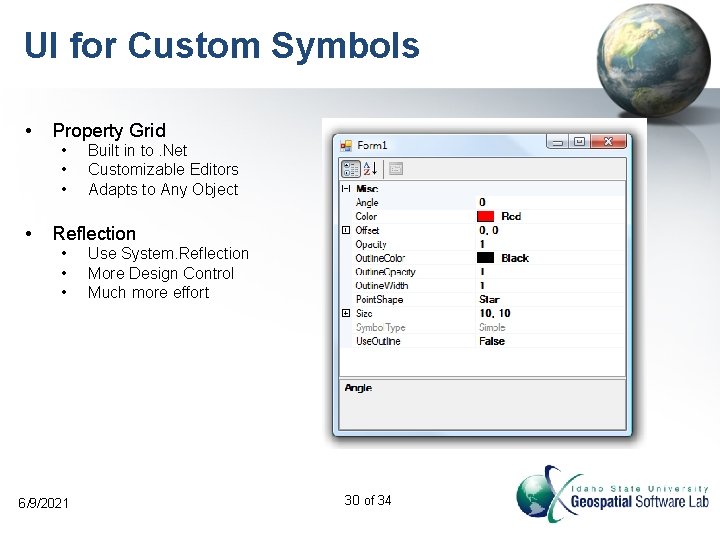
UI for Custom Symbols • Property Grid • • Built in to. Net Customizable Editors Adapts to Any Object Reflection • • • 6/9/2021 Use System. Reflection More Design Control Much more effort 30 of 34
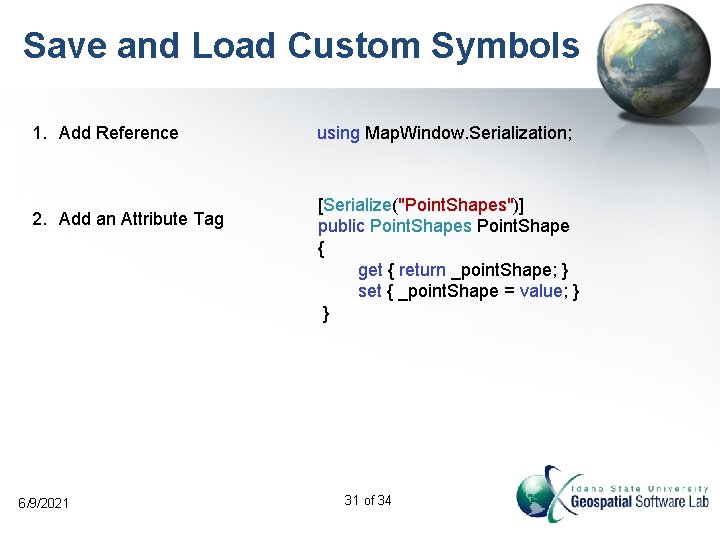
Save and Load Custom Symbols 1. Add Reference 2. Add an Attribute Tag 6/9/2021 using Map. Window. Serialization; [Serialize("Point. Shapes")] public Point. Shapes Point. Shape { get { return _point. Shape; } set { _point. Shape = value; } } 31 of 34
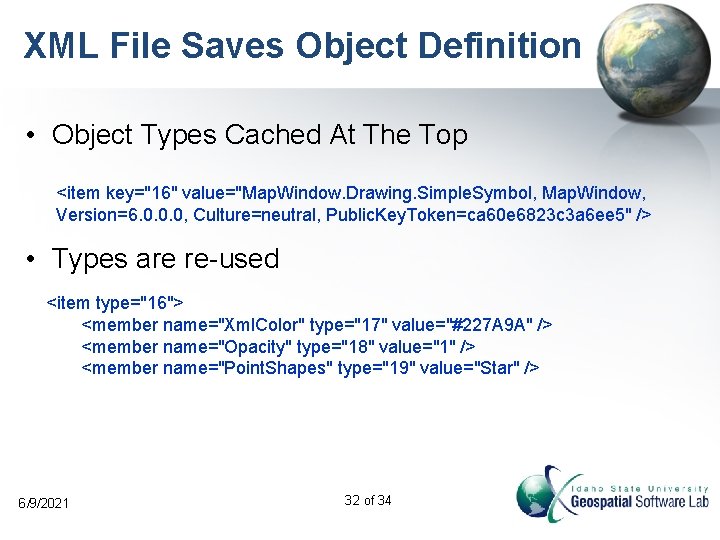
XML File Saves Object Definition • Object Types Cached At The Top <item key="16" value="Map. Window. Drawing. Simple. Symbol, Map. Window, Version=6. 0. 0. 0, Culture=neutral, Public. Key. Token=ca 60 e 6823 c 3 a 6 ee 5" /> • Types are re-used <item type="16"> <member name="Xml. Color" type="17" value="#227 A 9 A" /> <member name="Opacity" type="18" value="1" /> <member name="Point. Shapes" type="19" value="Star" /> 6/9/2021 32 of 34
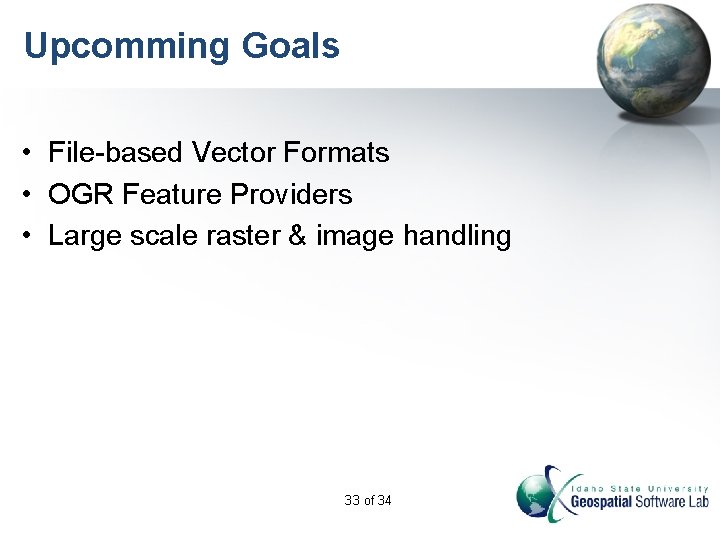
Upcomming Goals • File-based Vector Formats • OGR Feature Providers • Large scale raster & image handling 33 of 34
Thanks! Thanks to the U. S. Environmental Protection Agency AQUA TERRA Consultants CUAHSI HIS And Dr. Daniel P. Ames 34 of 34
- Slides: 34