
Manometer Set Up The Energy Conservatory Blower Door
Manometer Set Up The Energy Conservatory
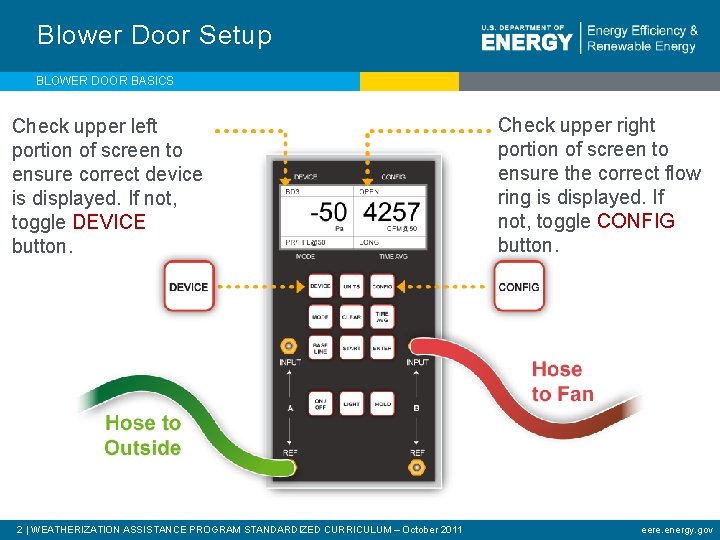
Blower Door Setup BLOWER DOOR BASICS Check upper left portion of screen to ensure correct device is displayed. If not, toggle DEVICE button. 2 | WEATHERIZATION ASSISTANCE PROGRAM STANDARDIZED CURRICULUM – October 2011 Check upper right portion of screen to ensure the correct flow ring is displayed. If not, toggle CONFIG button. eere. energy. gov
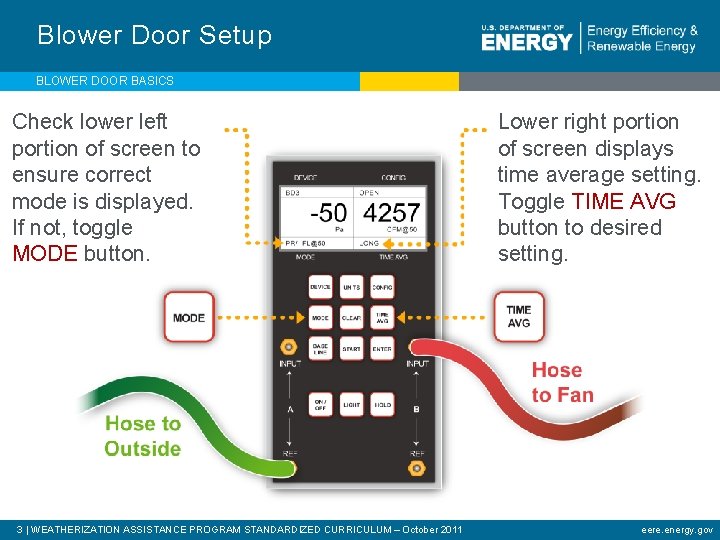
Blower Door Setup BLOWER DOOR BASICS Check lower left portion of screen to ensure correct mode is displayed. If not, toggle MODE button. 3 | WEATHERIZATION ASSISTANCE PROGRAM STANDARDIZED CURRICULUM – October 2011 Lower right portion of screen displays time average setting. Toggle TIME AVG button to desired setting. eere. energy. gov
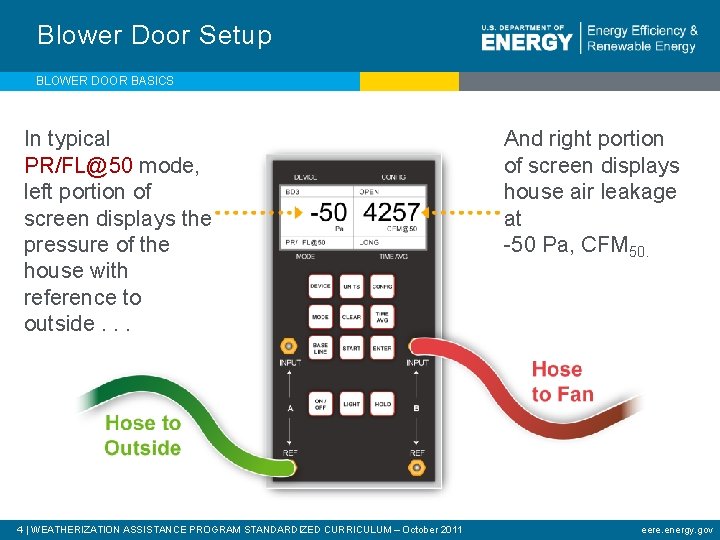
Blower Door Setup BLOWER DOOR BASICS In typical PR/FL@50 mode, left portion of screen displays the pressure of the house with reference to outside. . . 4 | WEATHERIZATION ASSISTANCE PROGRAM STANDARDIZED CURRICULUM – October 2011 And right portion of screen displays house air leakage at -50 Pa, CFM 50. eere. energy. gov
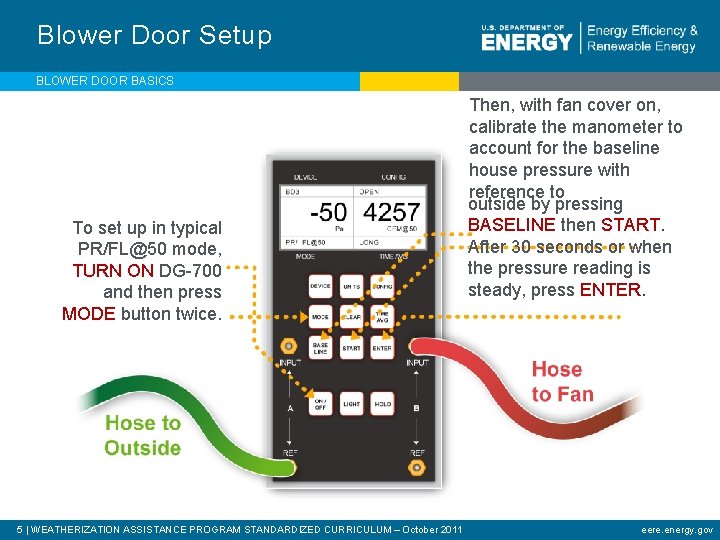
Blower Door Setup BLOWER DOOR BASICS To set up in typical PR/FL@50 mode, TURN ON DG-700 and then press MODE button twice. 5 | WEATHERIZATION ASSISTANCE PROGRAM STANDARDIZED CURRICULUM – October 2011 Then, with fan cover on, calibrate the manometer to account for the baseline house pressure with reference to outside by pressing BASELINE then START. After 30 seconds or when the pressure reading is steady, press ENTER. eere. energy. gov
Blower Door Test BLOWER DOOR BASICS • Remove fan cover. • Turn blower door on and slowly increase speed to achieve a pressure difference between the house with reference to outside of -50 pascals (Channel A). • Read whole-house infiltration rate on Channel B. 6 | WEATHERIZATION ASSISTANCE PROGRAM STANDARDIZED CURRICULUM – October 2011 eere. energy. gov
- Slides: 6