
Manipulating My SQL Databases with PHP Name of
Manipulating My. SQL Databases with PHP Name of Book
Objectives n n n Connect to My. SQL from PHP Learn how to handle My. SQL errors Execute SQL statements with PHP Use PHP to work with My. SQL databases and tables Use PHP to manipulate database records PHP and my. SQL 2
PHP Overview n n n PHP has the ability to access and manipulate any database that is ODBC compliant PHP includes functionality that allows you to work directly with different types of databases, without going through ODBC PHP supports SQLite, database abstraction layer functions, and PEAR DB PHP and my. SQL 3
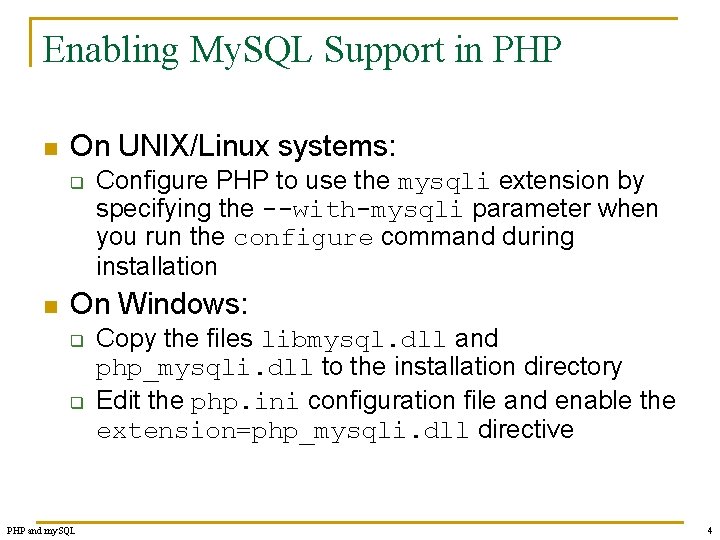
Enabling My. SQL Support in PHP n On UNIX/Linux systems: q n Configure PHP to use the mysqli extension by specifying the --with-mysqli parameter when you run the configure command during installation On Windows: q q PHP and my. SQL Copy the files libmysql. dll and php_mysqli. dll to the installation directory Edit the php. ini configuration file and enable the extension=php_mysqli. dll directive 4
Opening and Closing a My. SQL Connection n Open a connection to a My. SQL database server with the mysqli_connect() function The mysqli_connect() function returns a positive integer if it connects to the database successfully or false if it does not Assign the return value from the mysqli_connect() function to a variable that you can use to access the database in your script PHP and my. SQL 5
Opening and Closing a My. SQL Connection (continued) n The syntax for the mysqli_connect() function is: $connection = mysqli_connect("host"[, "user ", "password", "database"]) n n n The host argument specifies the host name where your My. SQL database server is installed The user and password arguments specify a My. SQL account name and password The database argument selects a database with which to work PHP and my. SQL 6
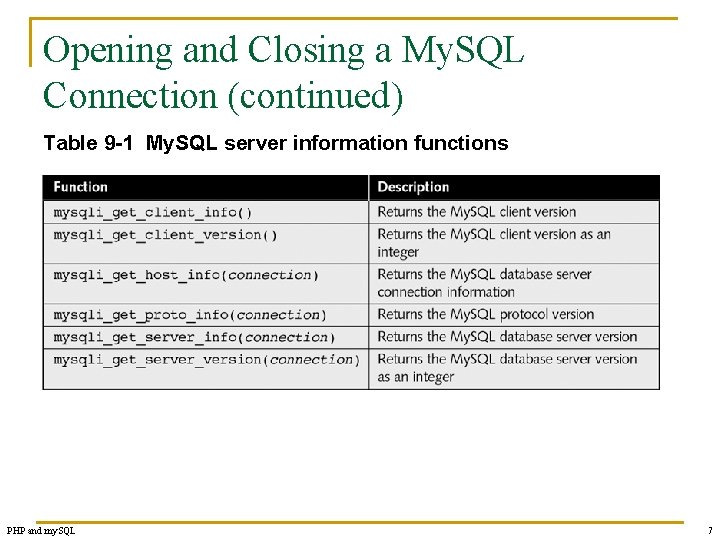
Opening and Closing a My. SQL Connection (continued) Table 9 -1 My. SQL server information functions PHP and my. SQL 7
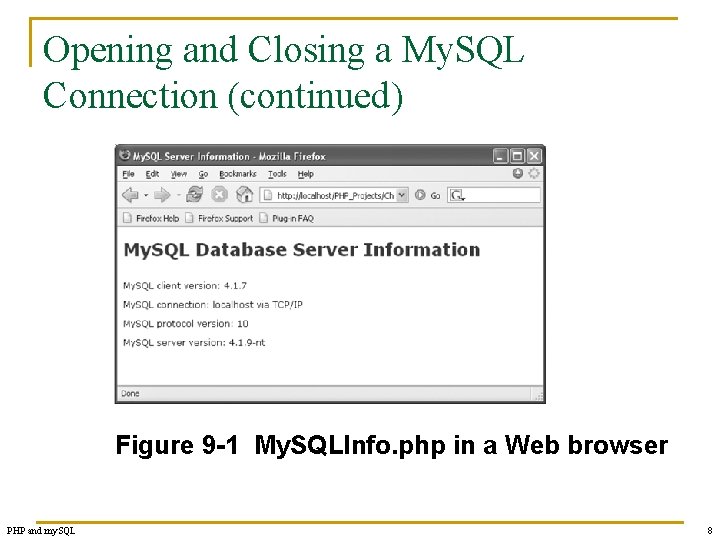
Opening and Closing a My. SQL Connection (continued) Figure 9 -1 My. SQLInfo. php in a Web browser PHP and my. SQL 8
Selecting a Database n n Select a database with the use database statement when you log on to the My. SQL Monitor The syntax for the mysqli_select_db() function is: mysqli_select_db(connection, database) n The function returns a value of true if it successfully selects a database or false if it does not PHP and my. SQL 9
Handling My. SQL Errors n Reasons for not connecting to a database server include: q q q PHP and my. SQL The database server is not running Insufficient privileges to access the data source Invalid username and/or password 10
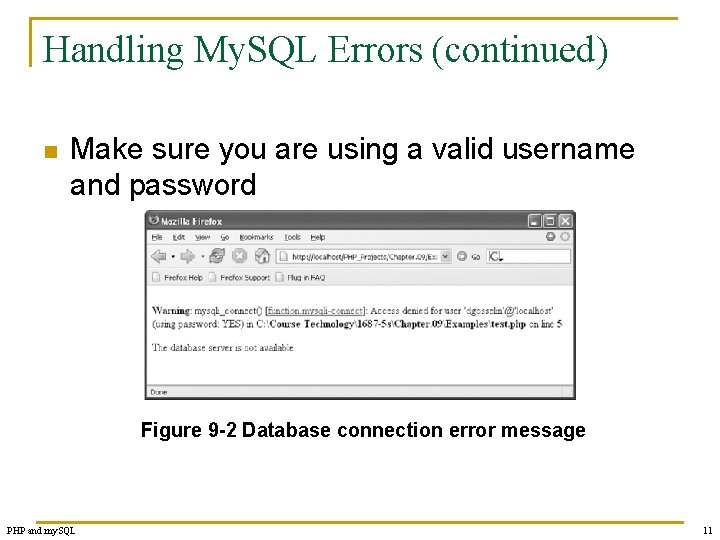
Handling My. SQL Errors (continued) n Make sure you are using a valid username and password Figure 9 -2 Database connection error message PHP and my. SQL 11
Suppressing Errors with the Error Control Operator n n Writing code that anticipates and handles potential problems is often called bulletproofing Bulletproofing techniques include: q q PHP and my. SQL Validating submitted form data Using the error control operator (@) to suppress error messages 12
Terminating Script Execution n n The die() and exit() functions terminate script execution The die() version is usually used when attempting to access a data source Both functions accept a single string argument Call the die() and exit() functions as separate statements or by appending either function to an expression with the Or operator PHP and my. SQL 13
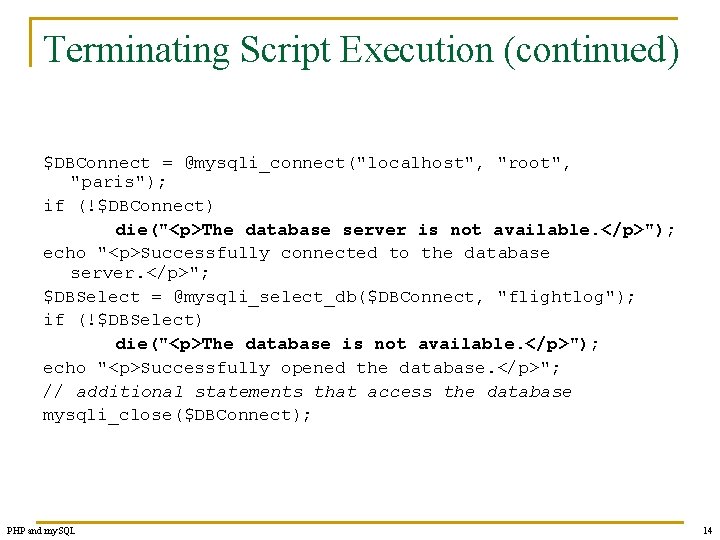
Terminating Script Execution (continued) $DBConnect = @mysqli_connect("localhost", "root", "paris"); if (!$DBConnect) die("<p>The database server is not available. </p>"); echo "<p>Successfully connected to the database server. </p>"; $DBSelect = @mysqli_select_db($DBConnect, "flightlog"); if (!$DBSelect) die("<p>The database is not available. </p>"); echo "<p>Successfully opened the database. </p>"; // additional statements that access the database mysqli_close($DBConnect); PHP and my. SQL 14
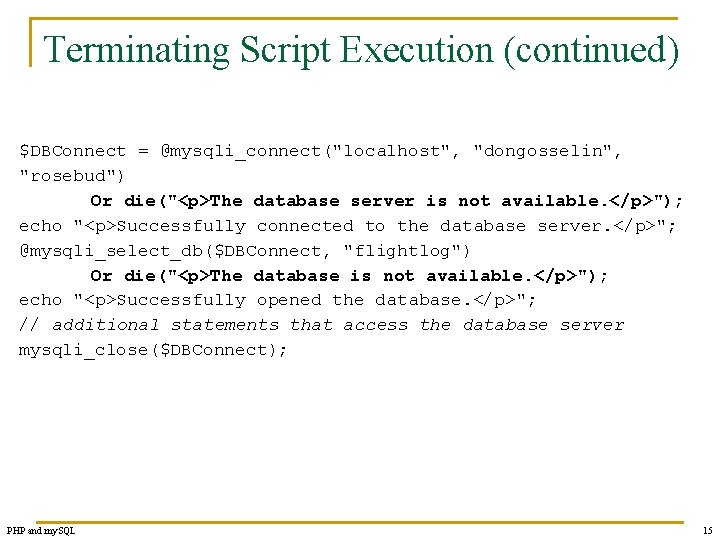
Terminating Script Execution (continued) $DBConnect = @mysqli_connect("localhost", "dongosselin", "rosebud") Or die("<p>The database server is not available. </p>"); echo "<p>Successfully connected to the database server. </p>"; @mysqli_select_db($DBConnect, "flightlog") Or die("<p>The database is not available. </p>"); echo "<p>Successfully opened the database. </p>"; // additional statements that access the database server mysqli_close($DBConnect); PHP and my. SQL 15
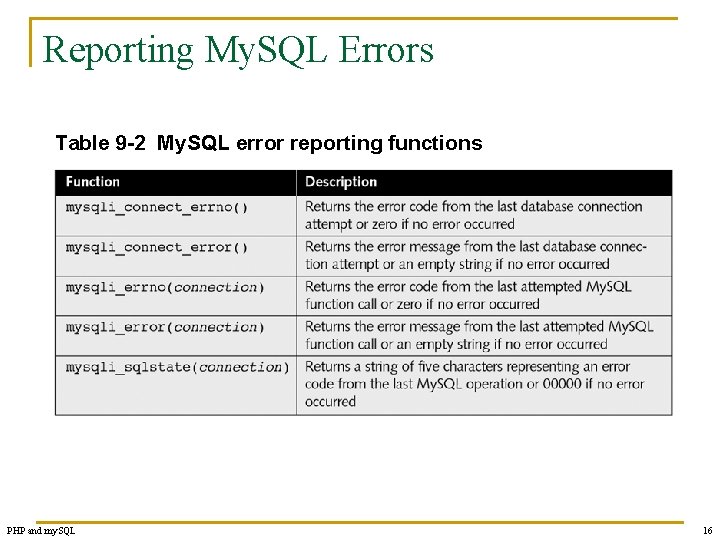
Reporting My. SQL Errors Table 9 -2 My. SQL error reporting functions PHP and my. SQL 16
![Reporting My. SQL Errors $User = $_GET['username']; $Password = $_GET['password']; $DBConnect = @mysqli_connect("localhost", $User,](http://slidetodoc.com/presentation_image_h/b8a493d00d69059b981cf2cffdf3006d/image-17.jpg "Reporting My. SQL Errors $User = $_GET['username']; $Password = $_GET['password']; $DBConnect = @mysqli_connect(\"localhost\", $User,")
Reporting My. SQL Errors $User = $_GET['username']; $Password = $_GET['password']; $DBConnect = @mysqli_connect("localhost", $User, $Password) Or die("<p>Unable to connect to the database server. </p>“. "<p>Error code ". mysqli_connect_errno(). ": ". mysqli_connect_error()). "</p>"; echo "<p>Successfully connected to the database server. </p>"; @mysqli_select_db($DBConnect, "flightlog") Or die("<p>The database is not available. </p>"); echo "<p>Successfully opened the database. </p>"; // additional statements that access the database mysqli_close($DBConnect); PHP and my. SQL 17
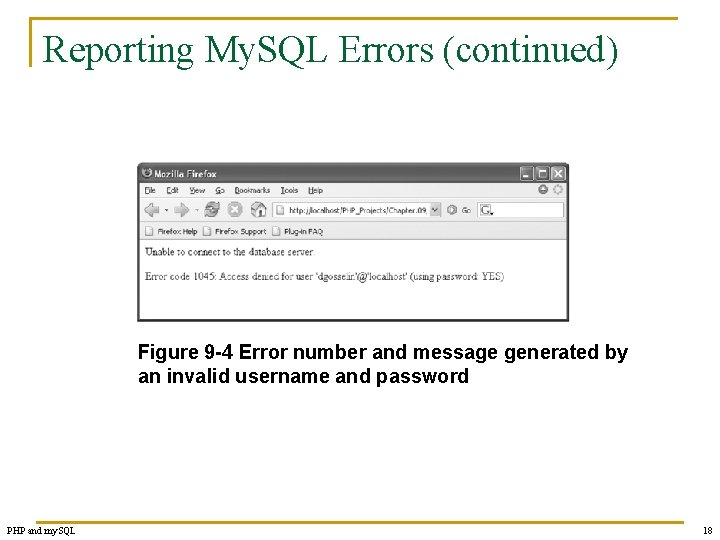
Reporting My. SQL Errors (continued) Figure 9 -4 Error number and message generated by an invalid username and password PHP and my. SQL 18
![Reporting My. SQL Errors $User = $_GET['username']; $Password = $_GET['password']; $DBConnect = @mysqli_connect("localhost", $User,](http://slidetodoc.com/presentation_image_h/b8a493d00d69059b981cf2cffdf3006d/image-19.jpg "Reporting My. SQL Errors $User = $_GET['username']; $Password = $_GET['password']; $DBConnect = @mysqli_connect(\"localhost\", $User,")
Reporting My. SQL Errors $User = $_GET['username']; $Password = $_GET['password']; $DBConnect = @mysqli_connect("localhost", $User, $Password) Or die("<p>Unable to connect to the database server. </p>". "<p>Error code ". mysqli_connect_errno(). ": ". mysqli_connect_error()). "</p>"; echo "<p>Successfully connected to the database server. </p>"; @mysqli_select_db($DBConnect, "flightplan") Or die("<p>Unable to select the database. </p>". "<p>Error code ". mysqli_errno($DBConnect). ": ". mysqli_error($DBConnect)). "</p>"; echo "<p>Successfully opened the database. </p>"; // additional statements that access the database mysqli_close($DBConnect); PHP and my. SQL 19
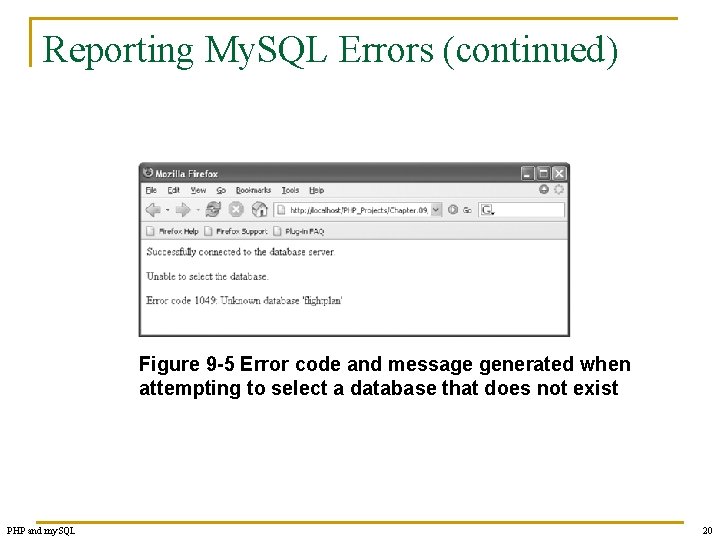
Reporting My. SQL Errors (continued) Figure 9 -5 Error code and message generated when attempting to select a database that does not exist PHP and my. SQL 20
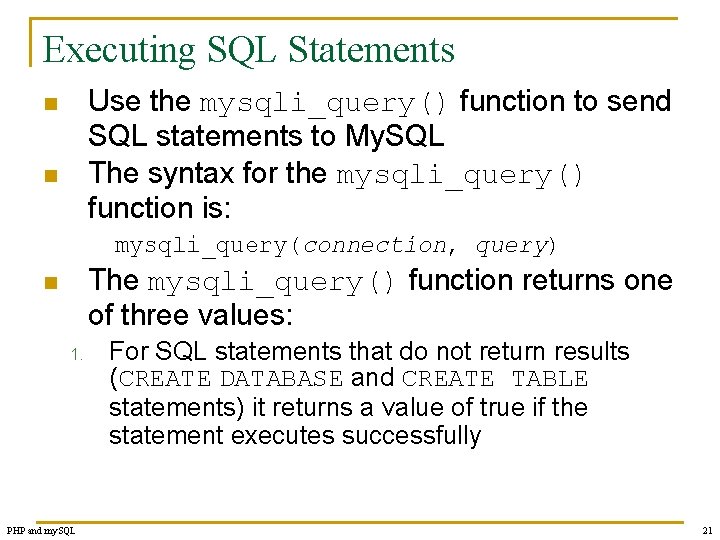
Executing SQL Statements Use the mysqli_query() function to send SQL statements to My. SQL The syntax for the mysqli_query() function is: n n mysqli_query(connection, query) The mysqli_query() function returns one of three values: n 1. PHP and my. SQL For SQL statements that do not return results (CREATE DATABASE and CREATE TABLE statements) it returns a value of true if the statement executes successfully 21
Executing SQL Statements (continued) For SQL statements that return results (SELECT and SHOW statements) the mysqli_query() function returns a result pointer that represents the query results 2. a) 3. PHP and my. SQL A result pointer is a special type of variable that refers to the currently selected row in a resultset The mysqli_query() function returns a value of false for any SQL statements that fail, regardless of whether they return results 22
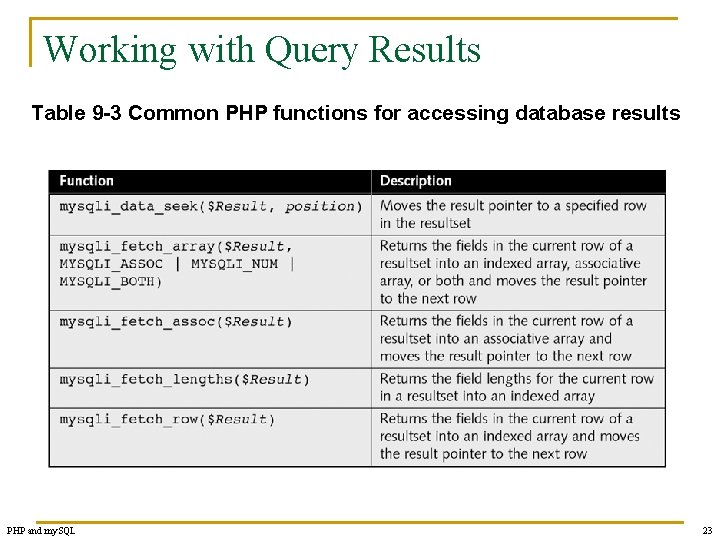
Working with Query Results Table 9 -3 Common PHP functions for accessing database results PHP and my. SQL 23
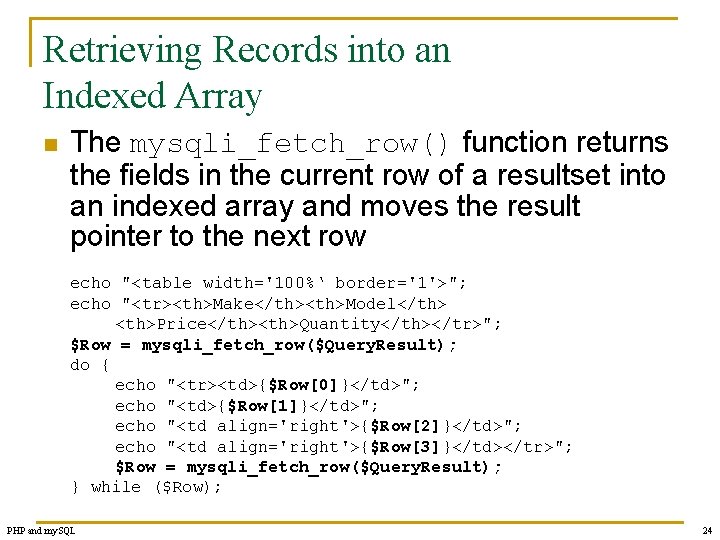
Retrieving Records into an Indexed Array n The mysqli_fetch_row() function returns the fields in the current row of a resultset into an indexed array and moves the result pointer to the next row echo "<table width='100%‘ border='1'>"; echo "<tr><th>Make</th><th>Model</th> <th>Price</th><th>Quantity</th></tr>"; $Row = mysqli_fetch_row($Query. Result); do { echo "<tr><td>{$Row[0]}</td>"; echo "<td>{$Row[1]}</td>"; echo "<td align='right'>{$Row[2]}</td>"; echo "<td align='right'>{$Row[3]}</td></tr>"; $Row = mysqli_fetch_row($Query. Result); } while ($Row); PHP and my. SQL 24
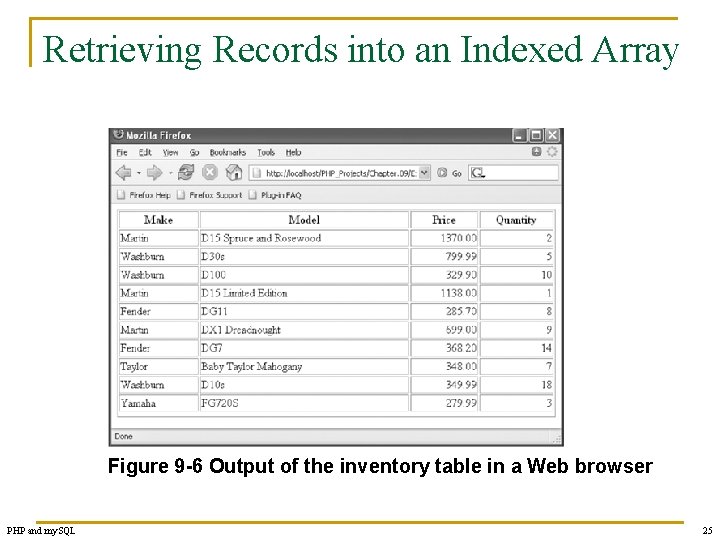
Retrieving Records into an Indexed Array Figure 9 -6 Output of the inventory table in a Web browser PHP and my. SQL 25
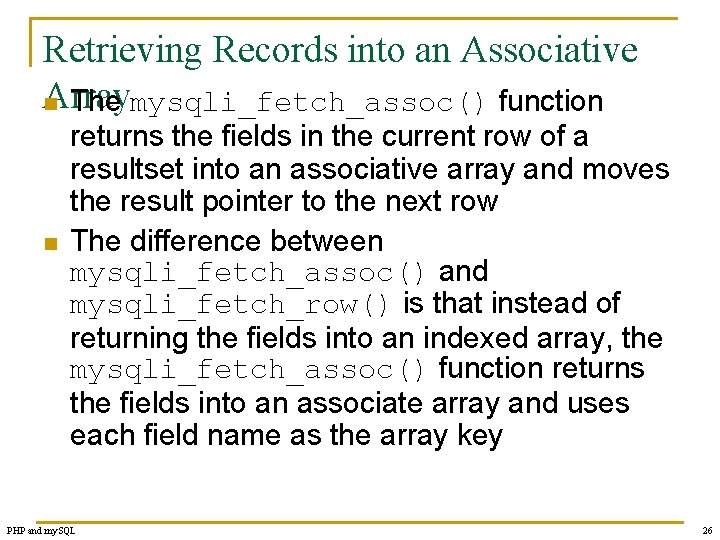
Retrieving Records into an Associative Array n The mysqli_fetch_assoc() function n returns the fields in the current row of a resultset into an associative array and moves the result pointer to the next row The difference between mysqli_fetch_assoc() and mysqli_fetch_row() is that instead of returning the fields into an indexed array, the mysqli_fetch_assoc() function returns the fields into an associate array and uses each field name as the array key PHP and my. SQL 26
Accessing Query Result Information n The mysqli_num_rows() function returns the number of rows in a query result The mysqli_num_fields() function returns the number of fields in a query result Both functions accept a database connection variable as an argument PHP and my. SQL 27
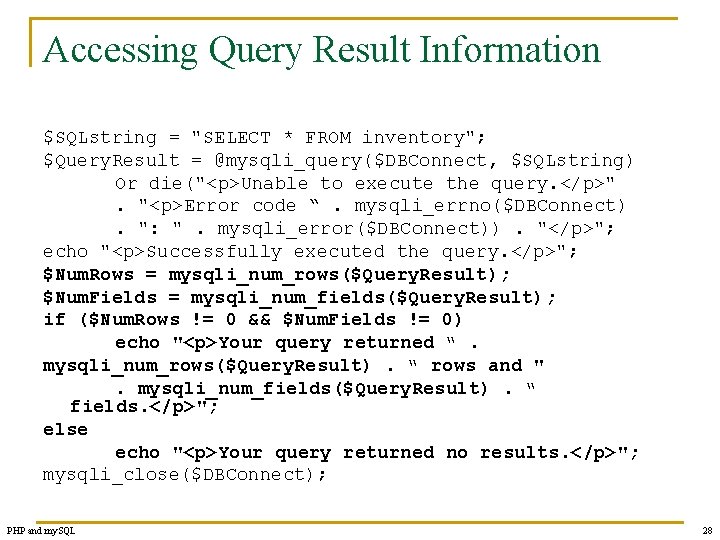
Accessing Query Result Information $SQLstring = "SELECT * FROM inventory"; $Query. Result = @mysqli_query($DBConnect, $SQLstring) Or die("<p>Unable to execute the query. </p>". "<p>Error code “. mysqli_errno($DBConnect). ": ". mysqli_error($DBConnect)). "</p>"; echo "<p>Successfully executed the query. </p>"; $Num. Rows = mysqli_num_rows($Query. Result); $Num. Fields = mysqli_num_fields($Query. Result); if ($Num. Rows != 0 && $Num. Fields != 0) echo "<p>Your query returned “. mysqli_num_rows($Query. Result). “ rows and ". mysqli_num_fields($Query. Result). “ fields. </p>"; else echo "<p>Your query returned no results. </p>"; mysqli_close($DBConnect); PHP and my. SQL 28
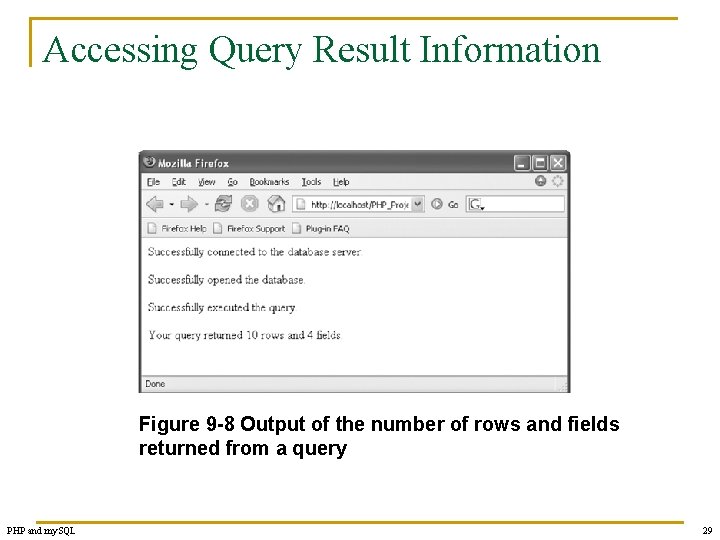
Accessing Query Result Information Figure 9 -8 Output of the number of rows and fields returned from a query PHP and my. SQL 29
Closing Query Results n n When you are finished working with query results retrieved with the mysqli_query() function, use the mysqli_free_result() function to close the resultset To close the resultset, pass to the mysqli_free_result() function the variable containing the result pointer from the mysqli_query() function PHP and my. SQL 30
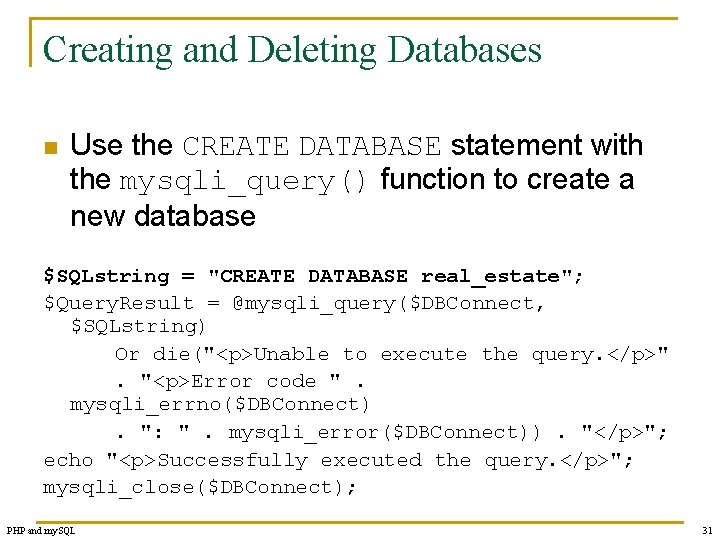
Creating and Deleting Databases n Use the CREATE DATABASE statement with the mysqli_query() function to create a new database $SQLstring = "CREATE DATABASE real_estate"; $Query. Result = @mysqli_query($DBConnect, $SQLstring) Or die("<p>Unable to execute the query. </p>". "<p>Error code ". mysqli_errno($DBConnect). ": ". mysqli_error($DBConnect)). "</p>"; echo "<p>Successfully executed the query. </p>"; mysqli_close($DBConnect); PHP and my. SQL 31
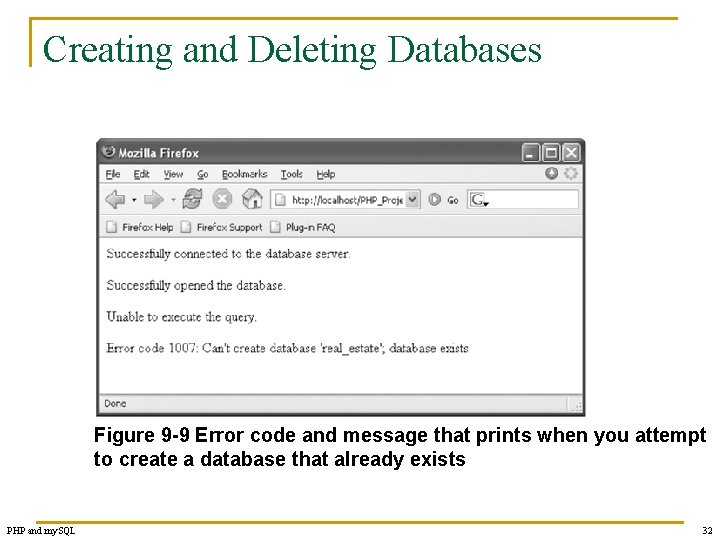
Creating and Deleting Databases Figure 9 -9 Error code and message that prints when you attempt to create a database that already exists PHP and my. SQL 32
Creating and Deleting Databases n n n Use the mysqli_db_select() function to check whether a database exists before you create or delete it To use a new database, you must select it by executing the mysqli_select_db() function Deleting a database is almost identical to creating one, except use the DROP DATABASE statement instead of the CREATE DATABASE statement with the mysqli_query() function PHP and my. SQL 33
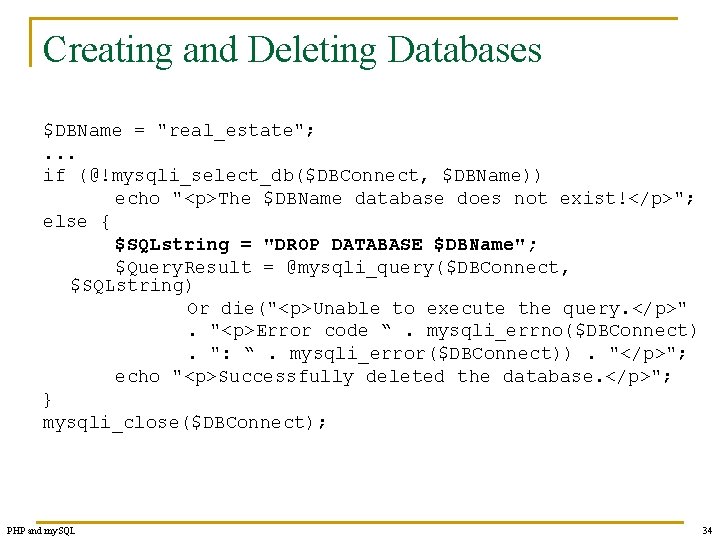
Creating and Deleting Databases $DBName = "real_estate"; . . . if (@!mysqli_select_db($DBConnect, $DBName)) echo "<p>The $DBName database does not exist!</p>"; else { $SQLstring = "DROP DATABASE $DBName"; $Query. Result = @mysqli_query($DBConnect, $SQLstring) Or die("<p>Unable to execute the query. </p>". "<p>Error code “. mysqli_errno($DBConnect). ": “. mysqli_error($DBConnect)). "</p>"; echo "<p>Successfully deleted the database. </p>"; } mysqli_close($DBConnect); PHP and my. SQL 34
Creating and Deleting Tables n n n To create a table, use the CREATE TABLE statement with the mysqli_query() function Execute the mysqli_select_db() function before executing the CREATE TABLE statement or the new table might be created in the wrong database To prevent code from attempting to create a table that already exists, use a mysqli_query() function that attempts to select records from the table PHP and my. SQL 35
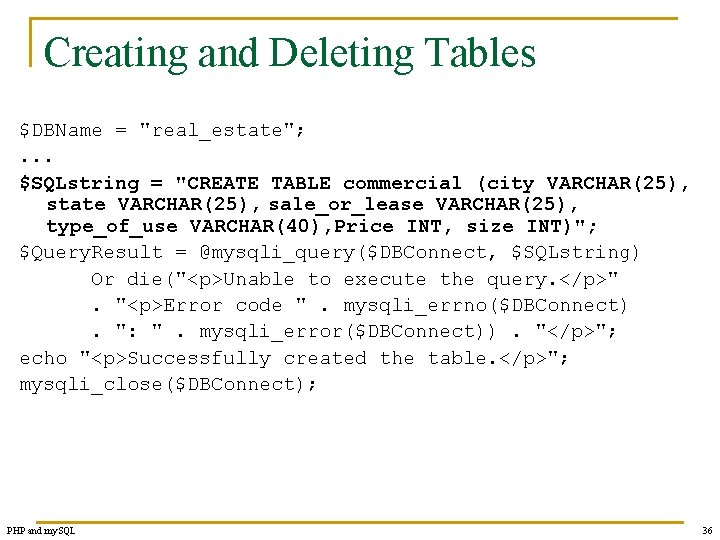
Creating and Deleting Tables $DBName = "real_estate"; . . . $SQLstring = "CREATE TABLE commercial (city VARCHAR(25), state VARCHAR(25), sale_or_lease VARCHAR(25), type_of_use VARCHAR(40), Price INT, size INT)"; $Query. Result = @mysqli_query($DBConnect, $SQLstring) Or die("<p>Unable to execute the query. </p>". "<p>Error code ". mysqli_errno($DBConnect). ": ". mysqli_error($DBConnect)). "</p>"; echo "<p>Successfully created the table. </p>"; mysqli_close($DBConnect); PHP and my. SQL 36
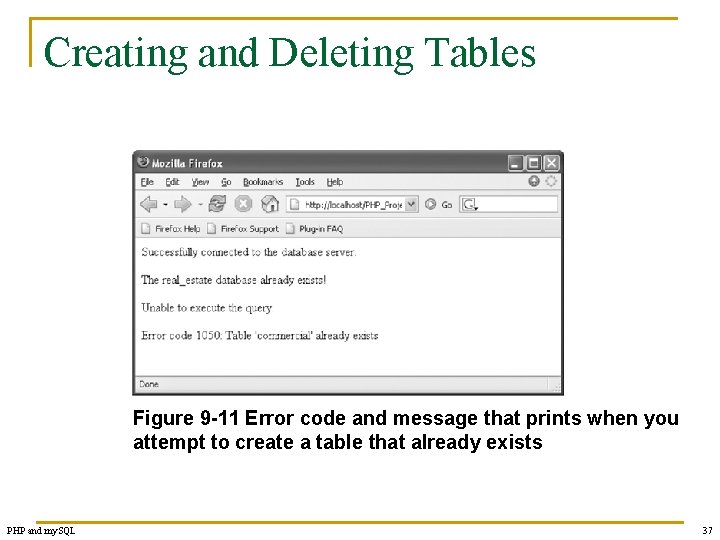
Creating and Deleting Tables Figure 9 -11 Error code and message that prints when you attempt to create a table that already exists PHP and my. SQL 37
Adding, Deleting, and Updating Records n n n To add records to a table, use the INSERT and VALUES keywords with the mysqli_query() function The values entered in the VALUES list must be in the same order in which you defined the table fields You must specify NULL in any fields for which you do not have a value PHP and my. SQL 38
Adding, Deleting, and Updating Records n n To add multiple records to a database, use the LOAD DATA statement and the mysqli_query() function with a local text file containing the records you want to add To update records in a table, use the UPDATE, SET, and WHERE keywords with the mysqli_query() function PHP and my. SQL 39
Adding, Deleting, and Updating Records n n The UPDATE keyword specifies the name of the table to update The SET keyword specifies the value to assign to the fields in the records that match the condition in the WHERE keyword To delete records in a table, use the DELETE and WHERE keywords with the mysqli_query() function The WHERE keyword determines which records to delete in the table PHP and my. SQL 40
Using the mysqli_affected_rows() Function n n With queries that return results (SELECT queries), use the mysqli_num_rows() function to find the number of records returned from the query With queries that modify tables but do not return results (INSERT, UPDATE, and DELETE queries), use the mysqli_affected_rows() function to determine the number of affected rows PHP and my. SQL 41
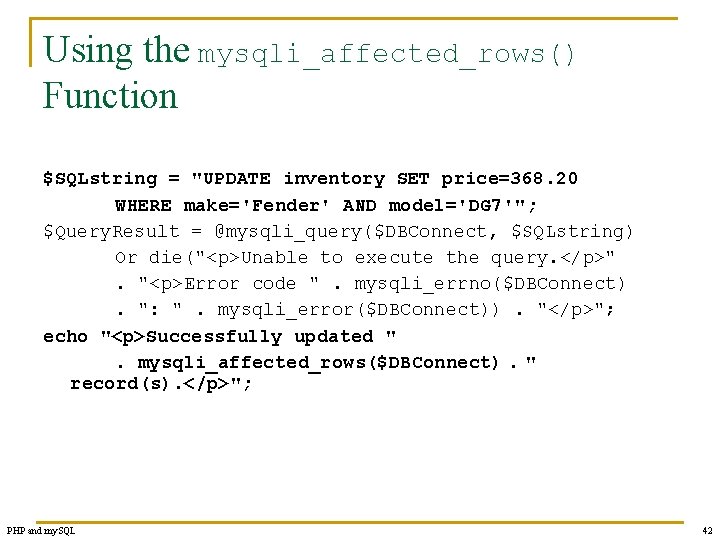
Using the mysqli_affected_rows() Function $SQLstring = "UPDATE inventory SET price=368. 20 WHERE make='Fender' AND model='DG 7'"; $Query. Result = @mysqli_query($DBConnect, $SQLstring) Or die("<p>Unable to execute the query. </p>". "<p>Error code ". mysqli_errno($DBConnect). ": ". mysqli_error($DBConnect)). "</p>"; echo "<p>Successfully updated ". mysqli_affected_rows($DBConnect). " record(s). </p>"; PHP and my. SQL 42
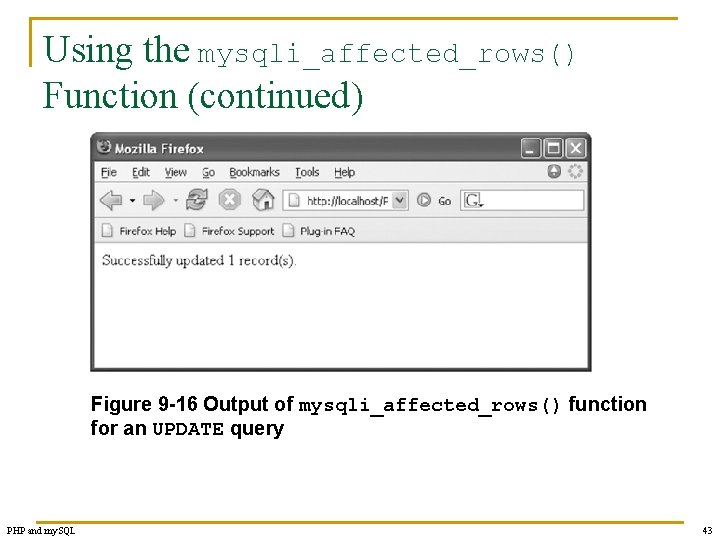
Using the mysqli_affected_rows() Function (continued) Figure 9 -16 Output of mysqli_affected_rows() function for an UPDATE query PHP and my. SQL 43
Using the mysqli_info() Function n For queries that add or update records, or alter table’s structure, use the mysqli_info() function to return information about the query The mysqli_info() function returns the number of operations for various types of actions, depending on the type of query The mysqli_info() function returns information about the last query that was executed on the database connection PHP and my. SQL 44
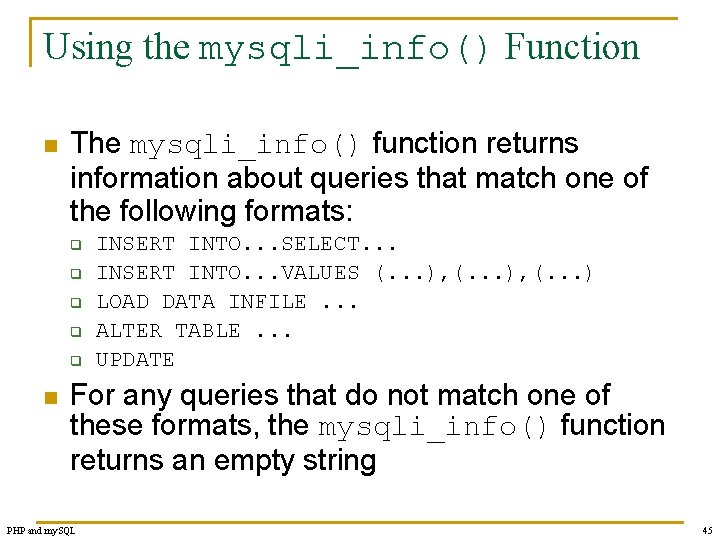
Using the mysqli_info() Function n The mysqli_info() function returns information about queries that match one of the following formats: q q q n INSERT INTO. . . SELECT. . . INSERT INTO. . . VALUES (. . . ), (. . . ) LOAD DATA INFILE. . . ALTER TABLE. . . UPDATE For any queries that do not match one of these formats, the mysqli_info() function returns an empty string PHP and my. SQL 45
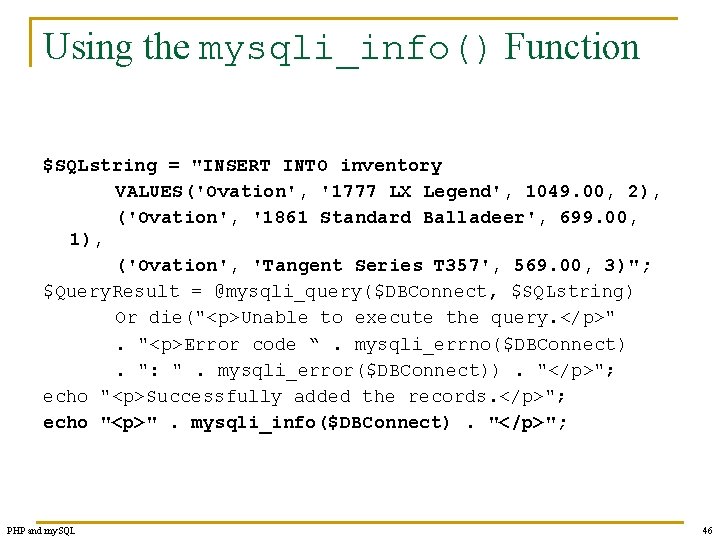
Using the mysqli_info() Function $SQLstring = "INSERT INTO inventory VALUES('Ovation', '1777 LX Legend', 1049. 00, 2), ('Ovation', '1861 Standard Balladeer', 699. 00, 1), ('Ovation', 'Tangent Series T 357', 569. 00, 3)"; $Query. Result = @mysqli_query($DBConnect, $SQLstring) Or die("<p>Unable to execute the query. </p>". "<p>Error code “. mysqli_errno($DBConnect). ": ". mysqli_error($DBConnect)). "</p>"; echo "<p>Successfully added the records. </p>"; echo "<p>". mysqli_info($DBConnect). "</p>"; PHP and my. SQL 46
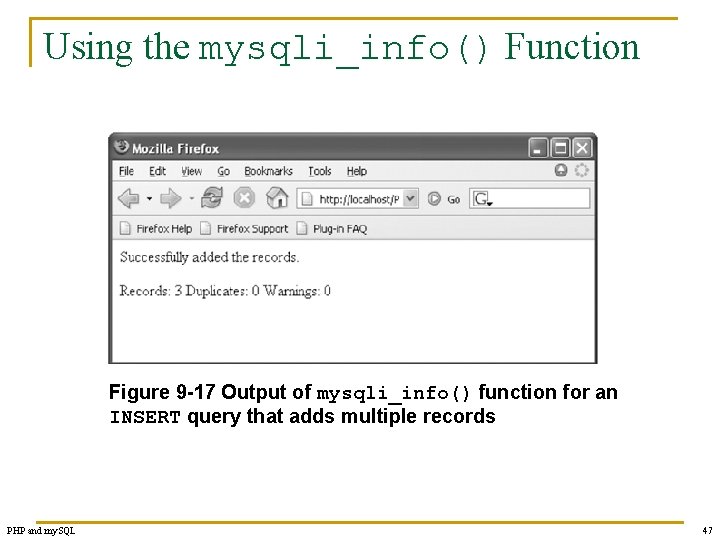
Using the mysqli_info() Function Figure 9 -17 Output of mysqli_info() function for an INSERT query that adds multiple records PHP and my. SQL 47
Using the mysqli_info() Function n The mysqli_info() function also returns information for LOAD DATA queries $SQLstring = "LOAD DATA LOCAL INFILE 'c: /temp/inventory. txt' INTO TABLE inventory; "; $Query. Result = @mysqli_query($DBConnect, $SQLstring) Or die("<p>Unable to execute the query. </p>". "<p>Error code “. mysqli_errno($DBConnect). ": ". mysqli_error($DBConnect)). "</p>"; echo "<p>Successfully added the records. </p>"; echo "<p>". mysqli_info($DBConnect). "</p>"; PHP and my. SQL 48
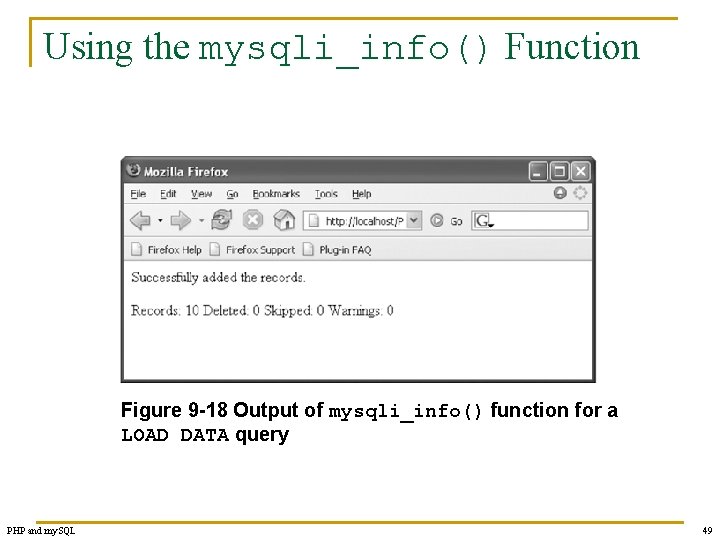
Using the mysqli_info() Function Figure 9 -18 Output of mysqli_info() function for a LOAD DATA query PHP and my. SQL 49
Summary n n PHP includes functionality that allows you to work directly with different types of databases, without going through ODBC Writing code that anticipates and handles potential problems is often called bulletproofing The error control operator (@) suppresses error messages A result pointer is a special type of variable that refers to the currently selected row in a resultset PHP and my. SQL 50
Summary (continued) n n n Use the mysqli_query() function to send SQL statements to My. SQL To identify a field as a primary key in My. SQL, include the PRIMARY KEY keywords when you first define a field with the CREATE TABLE statement The AUTO_INCREMENT keyword is often used with a primary key to generate a unique ID for each new row in a table PHP and my. SQL 51
Summary (continued) n n n You use the LOAD DATA statement and the mysqli_query() function with a local text file to add multiple records to a database With queries that return results, such as SELECT queries, you can use the mysqli_ num_rows() function to find the number of records returned from the query The mysqli_info() function returns the number of operations for various types of actions, depending on the type of query PHP and my. SQL 52
- Slides: 52