
MANAGING SECURITY DISASTER RECOVERY AND DATA RETENTION LEARNING
- Slides: 29
MANAGING SECURITY, DISASTER RECOVERY, AND DATA RETENTION
LEARNING GOALS • Discuss the major threats to information systems. • Describe the major components of an information systems security plan. • Explain the disaster planning and recovery process. • Describe the concepts of data retention and record information management.
The Security Problem • 2002 Computer Crime and Security Survey – 90% of large companies and government agencies reported computer security breach – 80% reported sizeable financial loss – Only 40% indicated security attacks came from outside the company – 85% reported as victim of computer virus
IS Security Threats • Major security threats – Poorly written software or improperly configured systems – Computer viruses or worms – External breaches – Internal breaches
Software & Systems Problems • Check the CERT Web site for latest vulnerabilities • Latest CERT statistics • Buffer overflow in Microsoft Windows shell is one typical software vulnerability • Improper configuration of e-mail or database servers are typical systems configuration problems
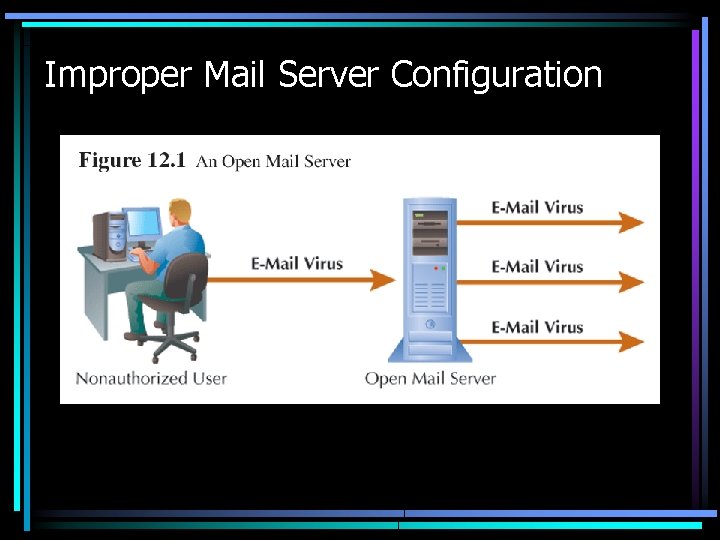
Improper Mail Server Configuration
Computer Viruses and Worms • Virus – self-replicating program that loads itself onto a computer without the user’s knowledge • Worm – a virus that spreads over a computer network, most often the Internet
External Security Breaches • Hackers – People who perpetrate external breaches, or – Clever programmer who breaks into a computer system – Types • Black hat – keeps security breach secret to exploit • White hat – informs hacked organization of problem • Crackers – programmer who breaches system to cause damage and steal information • Script kiddies – person with little or no programming skill who uses publicly available software to breach systems
Types of External Security Breaches • Technical attack – Uses computer program to analyze systems – Looks for known vulnerabilities – Brute force attack tries millions of user names and passwords – c. Net article • Social engineering – Tricking a person into doing something they would not ordinarily do
Internal Security Breaches • Most organizations’ security problems originate from within • Disgruntled and former employees pose major security risks because they were authorized to access system – see IBM network security recommendations
Security Planning • Goal of security plan – manage the risks and lessen the possibility that security breach occurs • Information security plan – Includes technical methods, policies, and education – Requires periodic review and revision
Risk Analysis • Assess what systems get what levels of security • Two approaches – Quantitative • Estimate probability of threat and monetary loss – Qualitative • Determines each system’s importance and the possible threats and vulnerabilities • Organization then ranks systems
Roles and Responsibilities of a Security Plan • Determine who is responsible for the various aspects of security • Information security • Physical security • Chief Security Officer – Charged with maintaining both physical and information security
Systems Configuration • Details how an organization’s information systems should be put together and connected • Poorly written software can be a major security vulnerability – Software must be updated frequently • CERT Advisory Mailing List • Microsoft Windows Update – Software can be configured to locate updates automatically
Antivirus Controls • Each virus or worm has a unique program structure • Key aspect of relying on antivirus software is ensuring that antivirus definitions are up-to-date • Norton Antivirus definitions • Updating can be scheduled regularly and automatically – Norton Live. Update
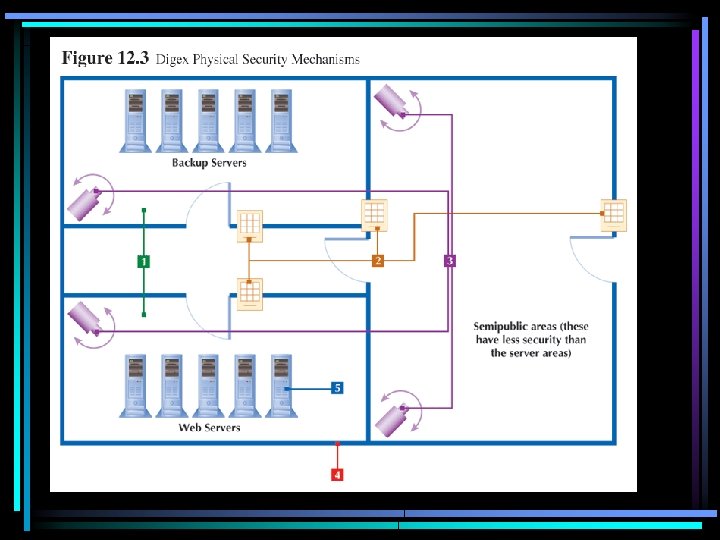
Physical Security • Physical access control – securing the actual space where computer systems reside • Physical controls apply to employees as well as outsiders • Types of physical controls – Procedural – Mechanical – Biometric
Network Security • Multiple layers – Passwords – Firewalls – Intrusion detection systems – Policies and procedures • How often users must change passwords and prohibit the reusing of passwords • Prescriptions for length and composition of passwords – Security education
Data Access • Details who should be given access to what data – Access security – Modify security
Outsourcing and Business Partners • Security plan should contain – A description of the minimum security standards required for outsourcing – The security standards required for business partners – Depends on the sensitivity of the data being shared
Intrusion Detection • Monitor corporate systems for patterns of suspicious behavior • Key component of intrusion detection systems is the formulation of procedures that employees need to follow when an intrusion occurs
Acceptable Use Policies • Policy that states what employees can and cannot do with corporate information systems – General computer use – E-mail – WWW browsing – File sharing • Presented to employees when hired
Disaster Planning and Recovery • Business continuity planning • Disasters – Natural • Hurricane • Tornado • Earthquake • Forest fire • Theft • Terrorism • Arson • Construction accident – Man-made • Time is of the essence • Importance of people [and backup alternates for people]
Disaster Recovery Plan • How to reduce risk of disaster • How to recover when disaster occurs • Components – Business impact analysis – Disaster mitigation – Data backup and recovery – System recovery – Testing!!
Business Impact Analysis • Assign a level of risk and priority to each component of a company’s information systems – Mission critical – Important – Noncritical
Disaster Mitigation • Techniques that will minimize the affect of disasters – Secondary telephone connections – Uninterruptible power supplies (UPS), possibly including generators
Data Backup and Recovery • Disaster recovery plan must specify procedures for the backup of business data and for the storage of the backups – A backup of company data files stored in the room adjacent to the server would not be of much use in case of fire or tornado damage. – How often to perform backups • Procedures for recovering data in case of emergency
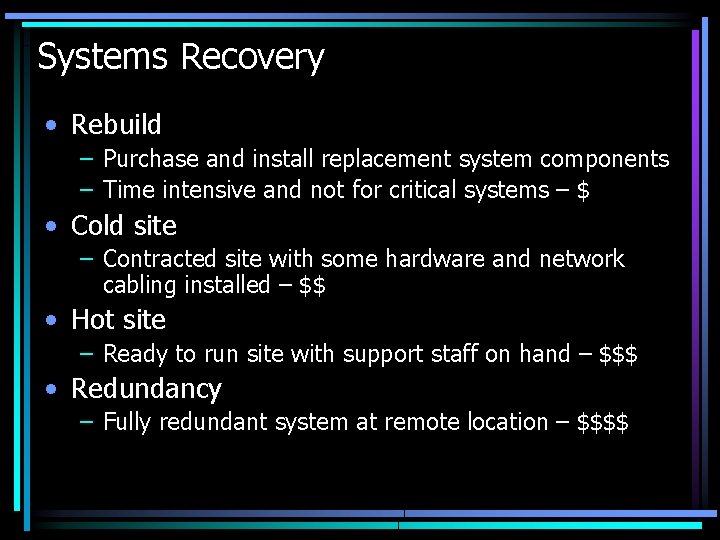
Systems Recovery • Rebuild – Purchase and install replacement system components – Time intensive and not for critical systems – $ • Cold site – Contracted site with some hardware and network cabling installed – $$ • Hot site – Ready to run site with support staff on hand – $$$ • Redundancy – Fully redundant system at remote location – $$$$
Data Retention and Records Management • Sarbanes-Oxley Act of 2002 • Policies and procedures that specify which data are to be kept and for how long