
Managing Publications with NCBIMy Bibliography Oliva Smith Division
Managing Publications with NCBI-My Bibliography Oliva Smith Division of Sponsored Programs DSP oliva-smith@uiowa. edu Spring, 2014 1
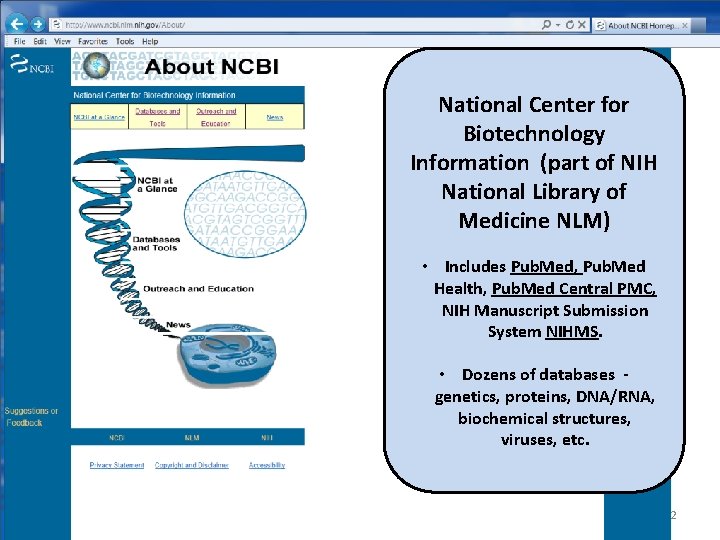
National Center for Biotechnology Information (part of NIH National Library of Medicine NLM) • Includes Pub. Med, Pub. Med Health, Pub. Med Central PMC, NIH Manuscript Submission System NIHMS. • Dozens of databases genetics, proteins, DNA/RNA, biochemical structures, viruses, etc. 2
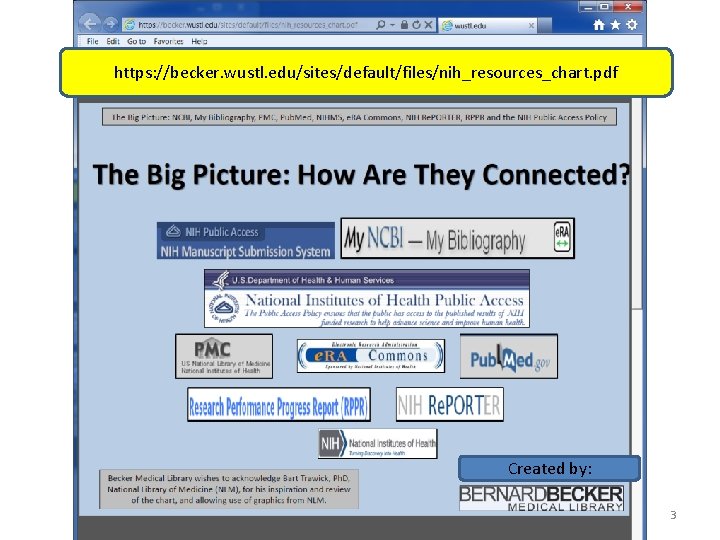
https: //becker. wustl. edu/sites/default/files/nih_resources_chart. pdf Created by: 3
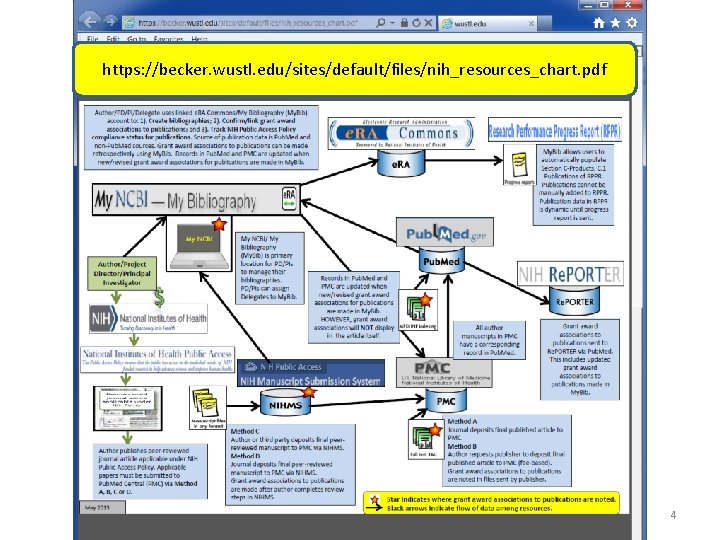
https: //becker. wustl. edu/sites/default/files/nih_resources_chart. pdf 4
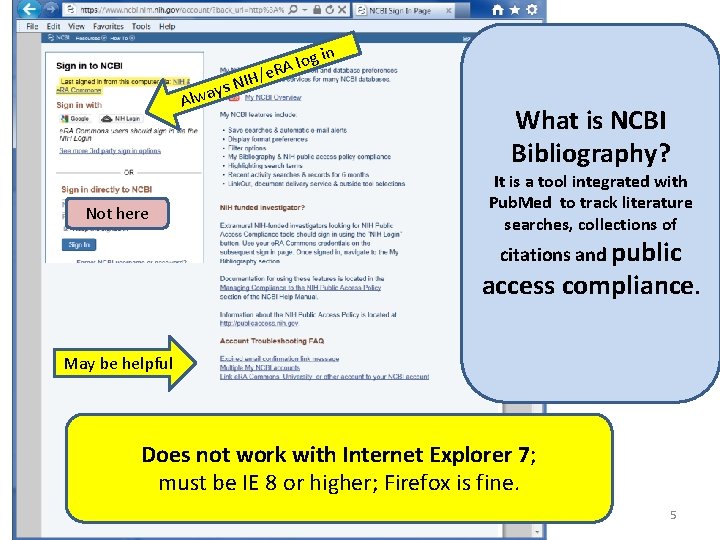
in g o l e. RA / H I ays N Alw Not here What is NCBI Bibliography? It is a tool integrated with Pub. Med to track literature searches, collections of citations and public access compliance. May be helpful Does not work with Internet Explorer 7; must be IE 8 or higher; Firefox is fine. 5
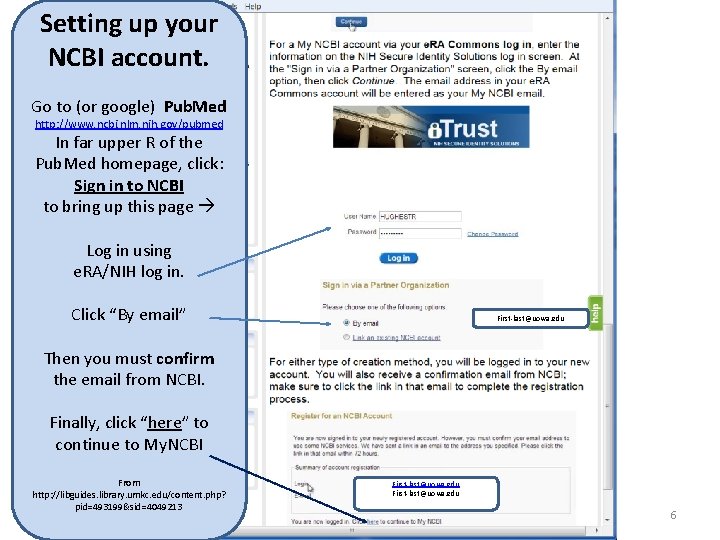
Setting up your NCBI account. Go to (or google) Pub. Med http: //www. ncbi. nlm. nih. gov/pubmed In far upper R of the Pub. Med homepage, click: Sign in to NCBI to bring up this page Log in using e. RA/NIH log in. Click “By email” First-last@uowa. edu Then you must confirm the email from NCBI. Finally, click “here” to continue to My. NCBI From http: //libguides. library. umkc. edu/content. php? pid=493199&sid=4049213 First-last@uowa. edu 6
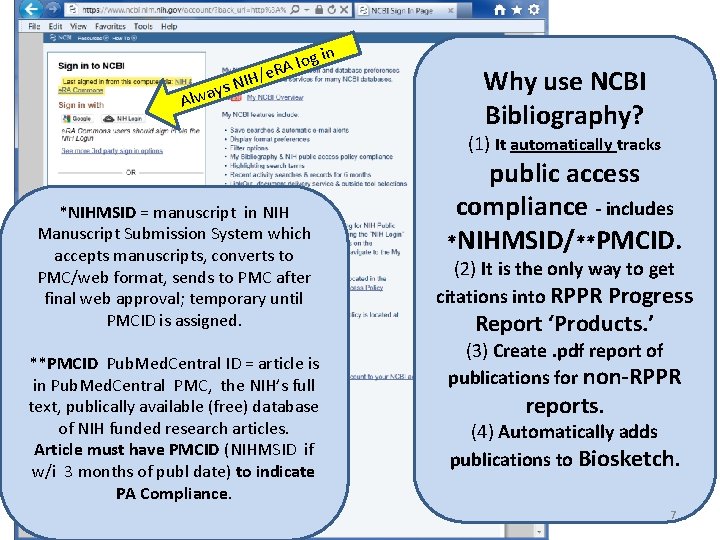
in g o l e. RA / H I ays N Alw Why use NCBI Bibliography? (1) It automatically tracks *NIHMSID = manuscript in NIH Manuscript Submission System which accepts manuscripts, converts to PMC/web format, sends to PMC after final web approval; temporary until PMCID is assigned. **PMCID Pub. Med. Central ID = article is in Pub. Med. Central PMC, the NIH’s full text, publically available (free) database of NIH funded research articles. Article must have PMCID (NIHMSID if w/i 3 months of publ date) to indicate PA Compliance. public access compliance - includes *NIHMSID/**PMCID. (2) It is the only way to get citations into RPPR Progress Report ‘Products. ’ (3) Create. pdf report of publications for non-RPPR reports. (4) Automatically adds publications to Biosketch. 7
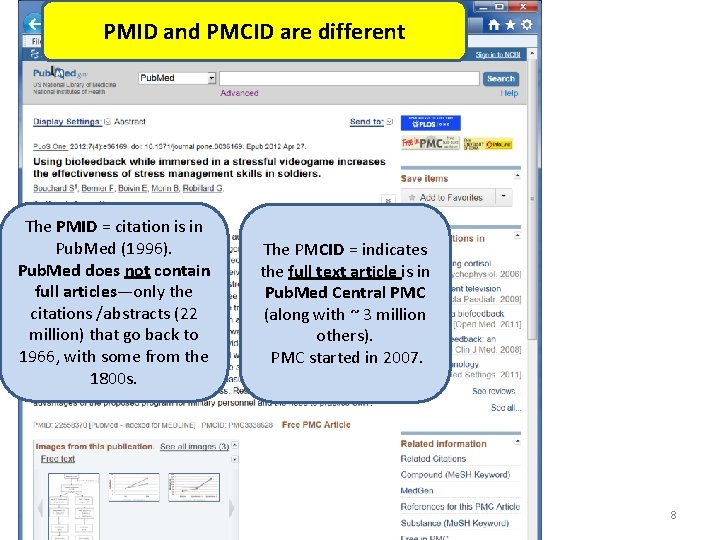
PMID and PMCID are different The PMID = citation is in Pub. Med (1996). Pub. Med does not contain full articles—only the citations /abstracts (22 million) that go back to 1966, with some from the 1800 s. The PMCID = indicates the full text article is in Pub. Med Central PMC (along with ~ 3 million others). PMC started in 2007. 8
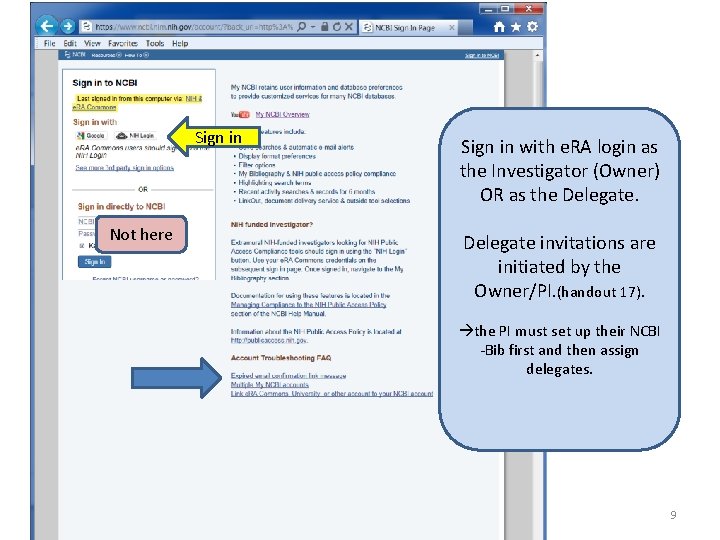
Sign in Not here Sign in with e. RA login as the Investigator (Owner) OR as the Delegate invitations are initiated by the Owner/PI. (handout 17). the PI must set up their NCBI -Bib first and then assign delegates. 9
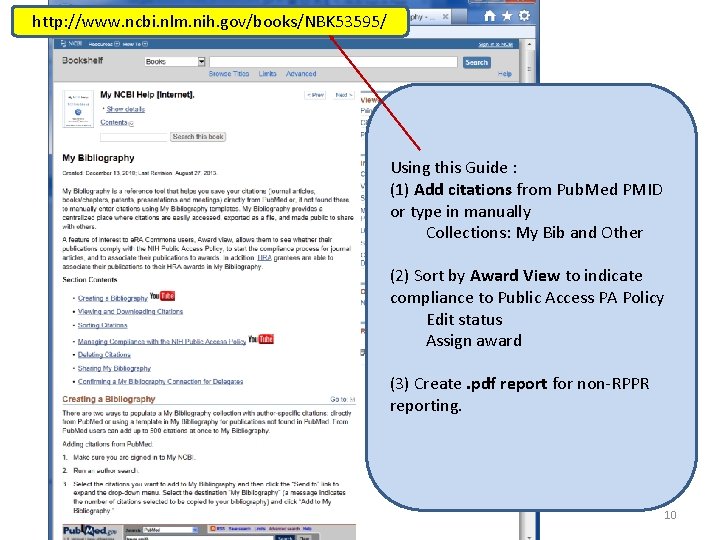
http: //www. ncbi. nlm. nih. gov/books/NBK 53595/ Using this Guide : (1) Add citations from Pub. Med PMID or type in manually Collections: My Bib and Other (2) Sort by Award View to indicate compliance to Public Access PA Policy Edit status Assign award (3) Create. pdf report for non-RPPR reporting. 10
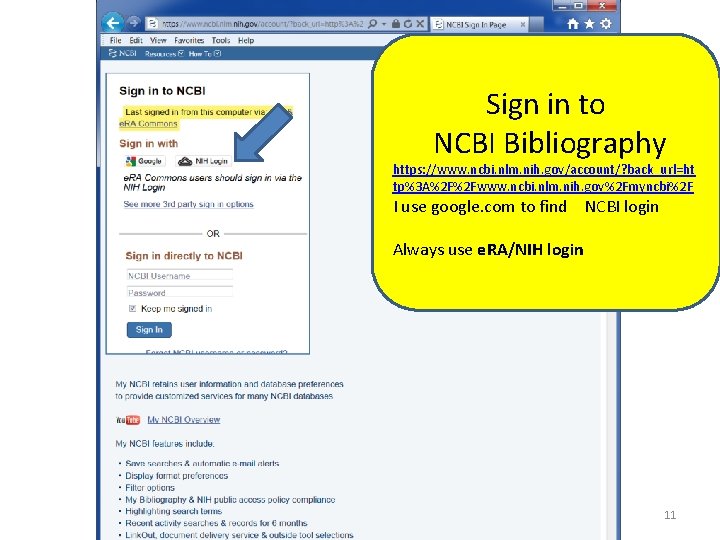
Sign in to NCBI Bibliography https: //www. ncbi. nlm. nih. gov/account/? back_url=ht tp%3 A%2 F%2 Fwww. ncbi. nlm. nih. gov%2 Fmyncbi%2 F I use google. com to find NCBI login Always use e. RA/NIH login 11
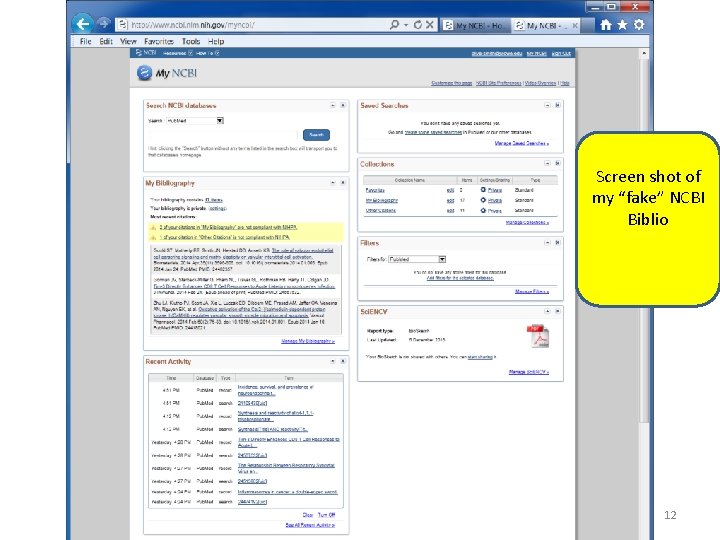
Screen shot of my “fake” NCBI Biblio 12
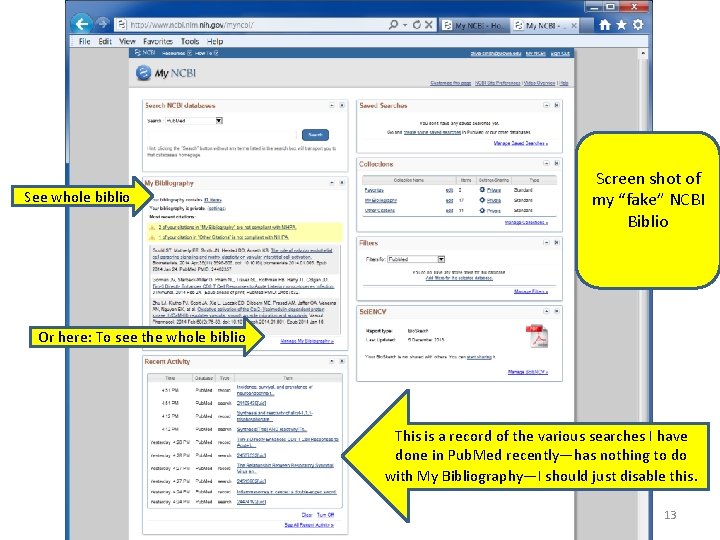
See whole biblio Screen shot of my “fake” NCBI Biblio Or here: To see the whole biblio This is a record of the various searches I have done in Pub. Med recently—has nothing to do with My Bibliography—I should just disable this. 13
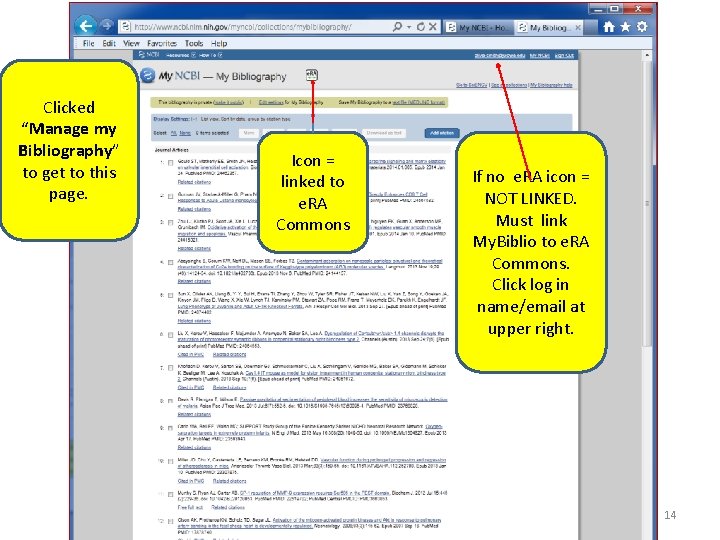
Clicked “Manage my Bibliography” to get to this page. Icon = linked to e. RA Commons If no e. RA icon = NOT LINKED. Must link My. Biblio to e. RA Commons. Click log in name/email at upper right. 14
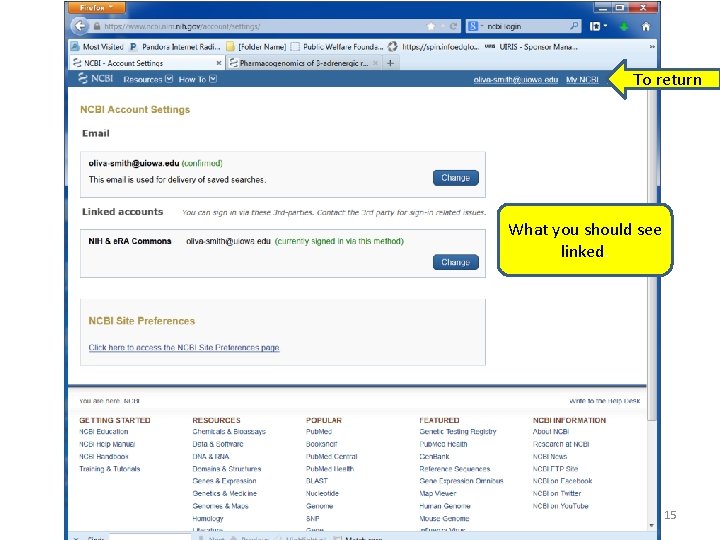
To return What you should see linked. 15
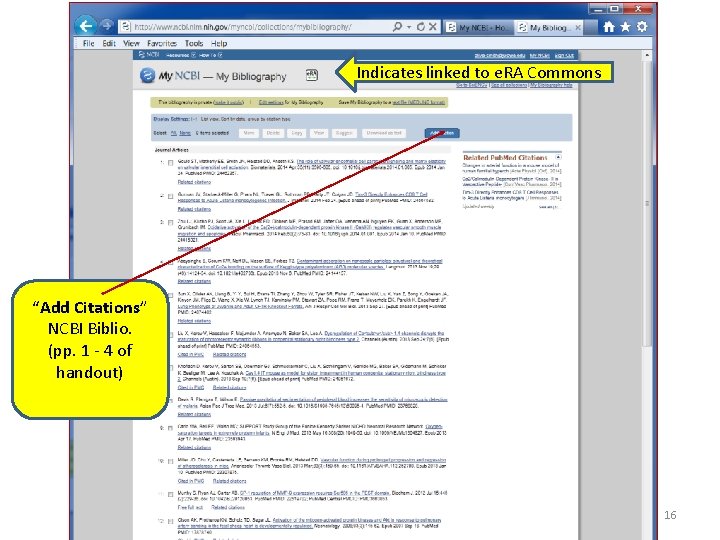
Indicates linked to e. RA Commons “Add Citations” NCBI Biblio. (pp. 1 - 4 of handout) 16
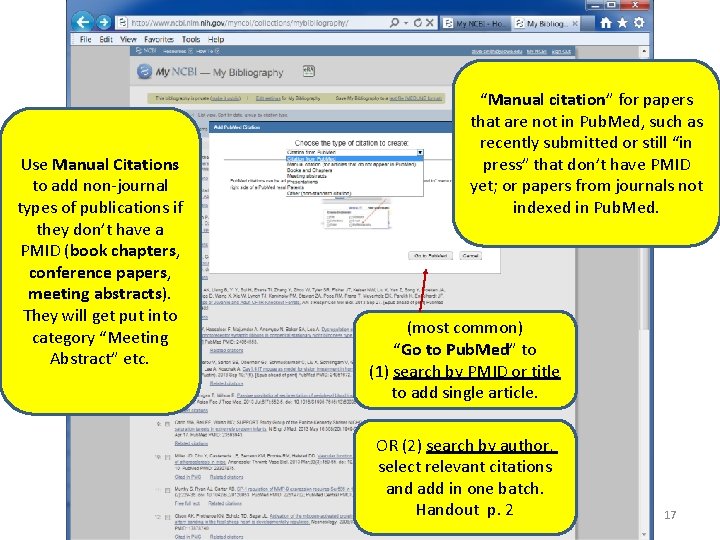
Use Manual Citations to add non-journal types of publications if they don’t have a PMID (book chapters, conference papers, meeting abstracts). They will get put into category “Meeting Abstract” etc. “Manual citation” for papers that are not in Pub. Med, such as recently submitted or still “in press” that don’t have PMID yet; or papers from journals not indexed in Pub. Med. (most common) “Go to Pub. Med” to (1) search by PMID or title to add single article. OR (2) search by author, select relevant citations and add in one batch. Handout p. 2 17
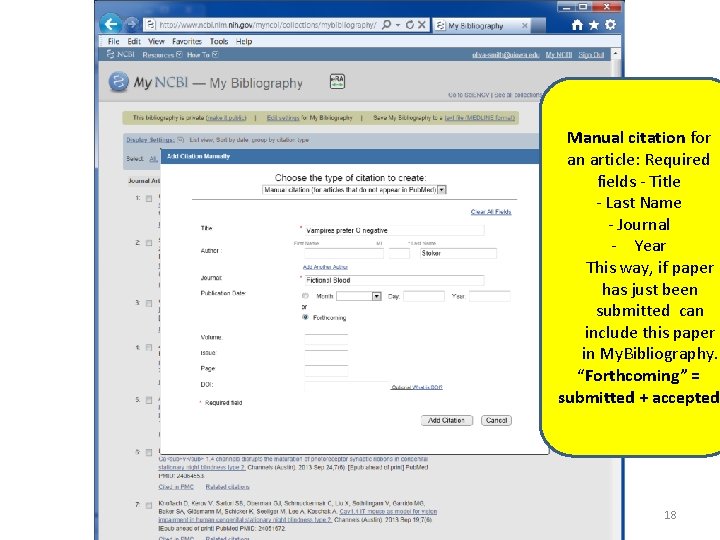
Manual citation for an article: Required fields - Title - Last Name - Journal - Year This way, if paper has just been submitted can include this paper in My. Bibliography. “Forthcoming” = submitted + accepted 18
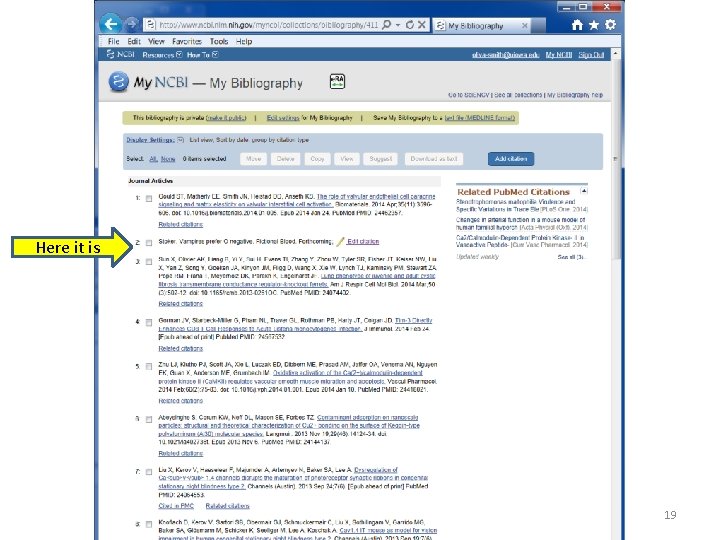
Here it is 19
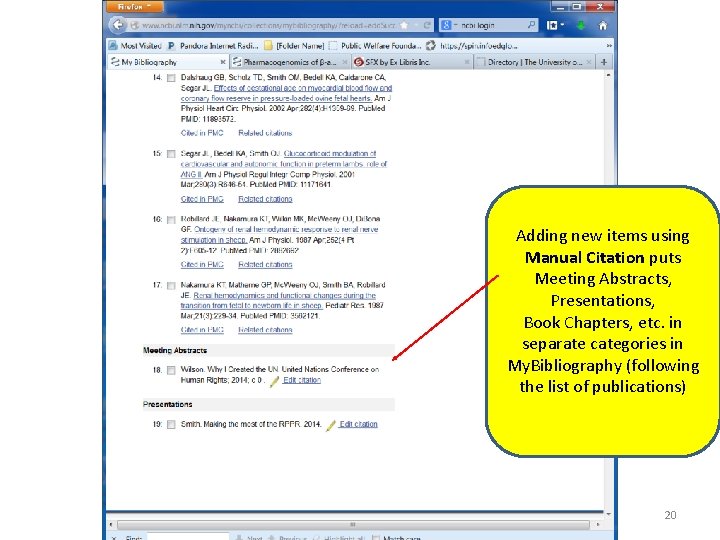
Adding new items using Manual Citation puts Meeting Abstracts, Presentations, Book Chapters, etc. in separate categories in My. Bibliography (following the list of publications) 20
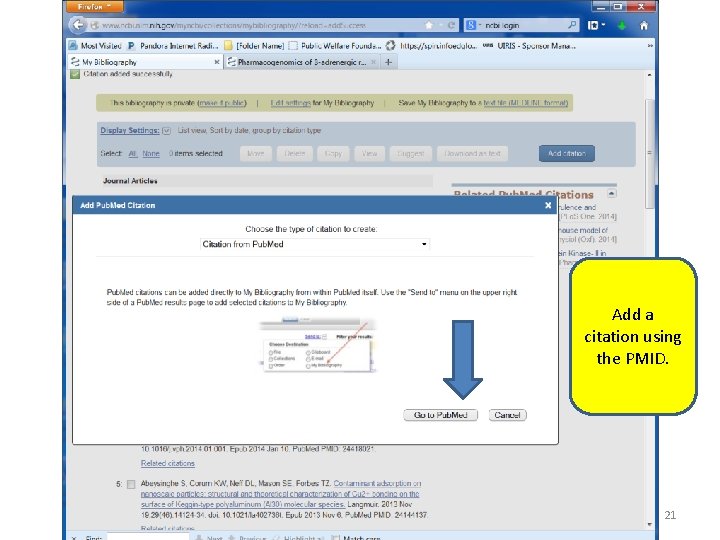
Add a citation using the PMID. 21
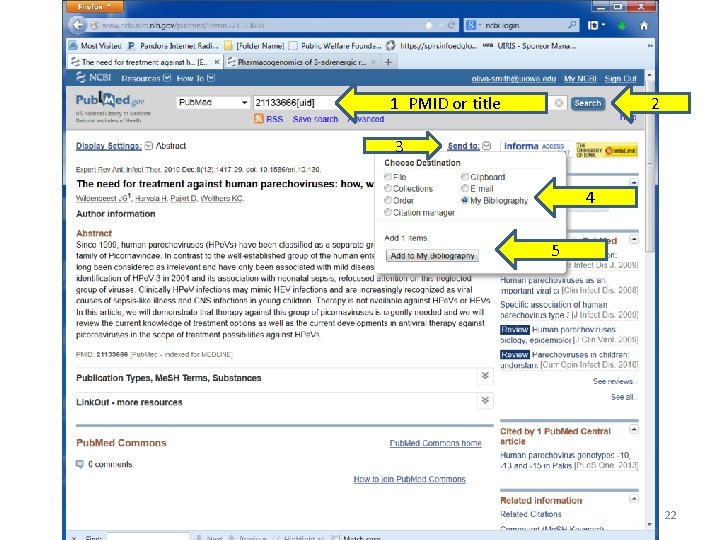
1 PMID or title 2 3 4 5 22
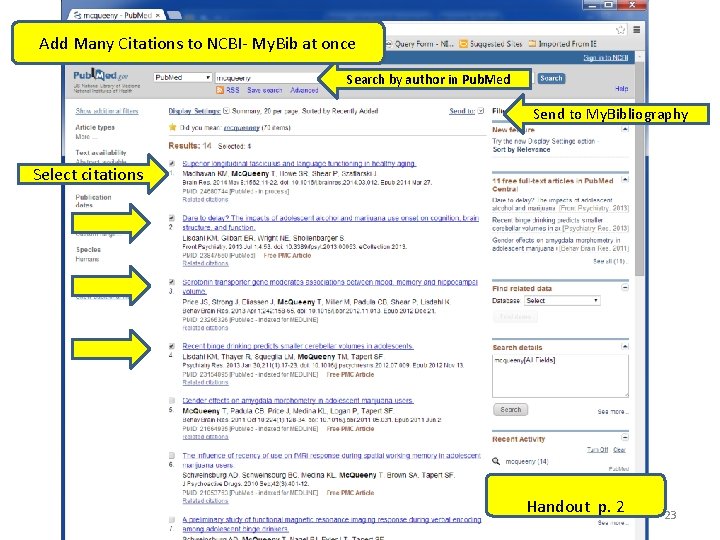
Add Many Citations to NCBI- My. Bib at once Search by author in Pub. Med Send to My. Bibliography Select citations Handout p. 2 23
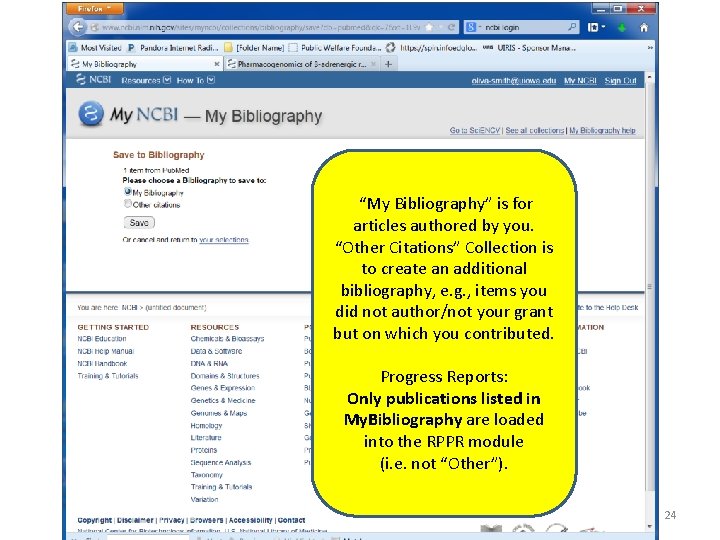
“My Bibliography” is for articles authored by you. “Other Citations” Collection is to create an additional bibliography, e. g. , items you did not author/not your grant but on which you contributed. Progress Reports: Only publications listed in My. Bibliography are loaded into the RPPR module (i. e. not “Other”). 24
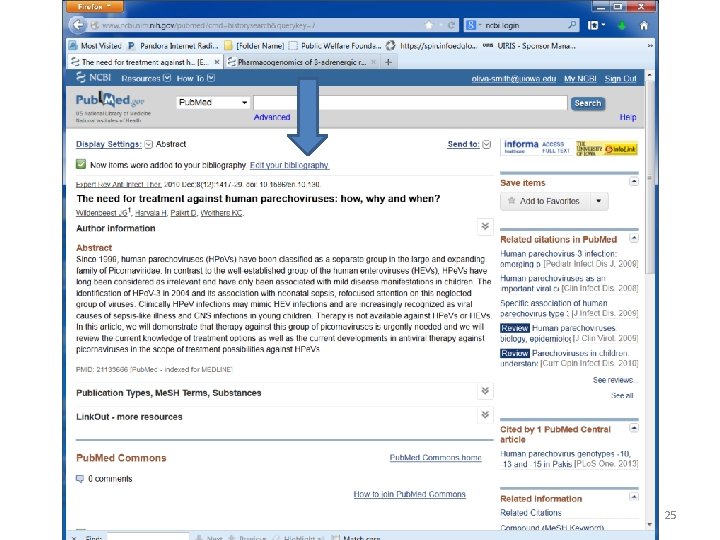
25
![Default Sort by date = newly added citation [year 2010] is in the middle](http://slidetodoc.com/presentation_image_h/b4427b607eb141e9f759ed72b0cadd35/image-26.jpg "Default Sort by date = newly added citation [year 2010] is in the middle")
Default Sort by date = newly added citation [year 2010] is in the middle of the list 26
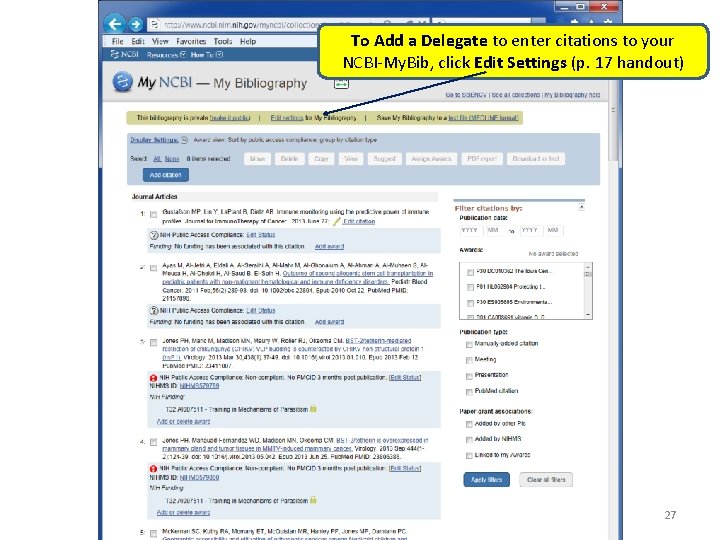
To Add a Delegate to enter citations to your NCBI-My. Bib, click Edit Settings (p. 17 handout) 27
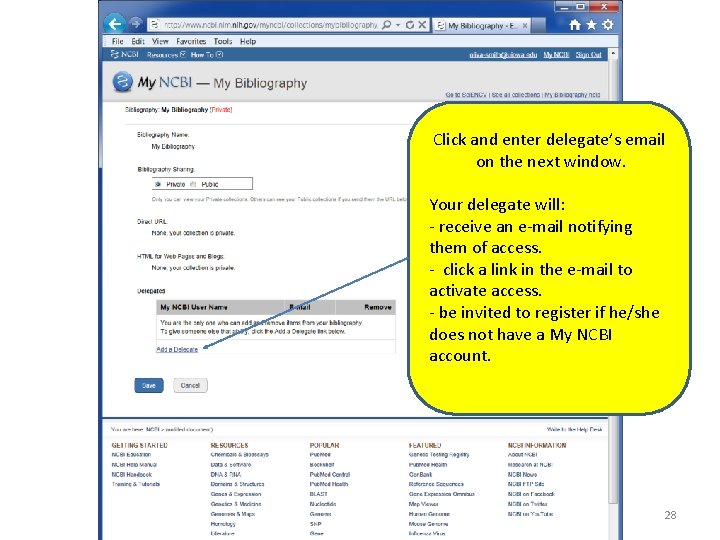
Click and enter delegate’s email on the next window. Your delegate will: - receive an e-mail notifying them of access. - click a link in the e-mail to activate access. - be invited to register if he/she does not have a My NCBI account. 28
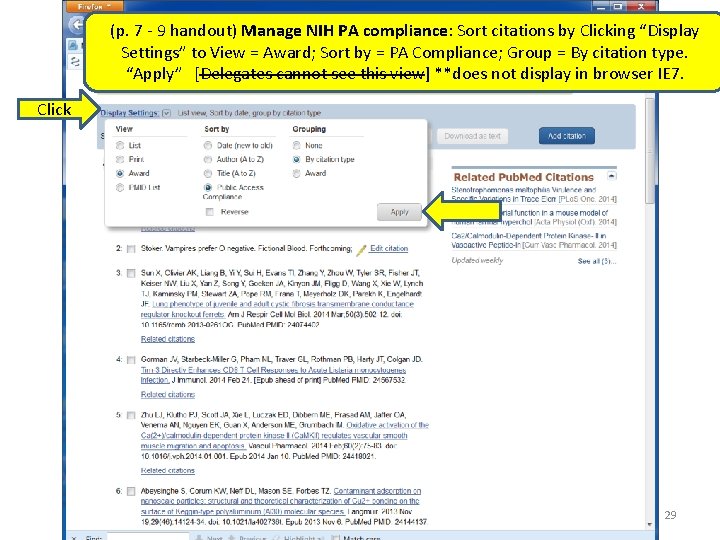
(p. 7 - 9 handout) Manage NIH PA compliance: Sort citations by Clicking “Display Settings” to View = Award; Sort by = PA Compliance; Group = By citation type. “Apply” [Delegates cannot see this view] **does not display in browser IE 7. Click 29
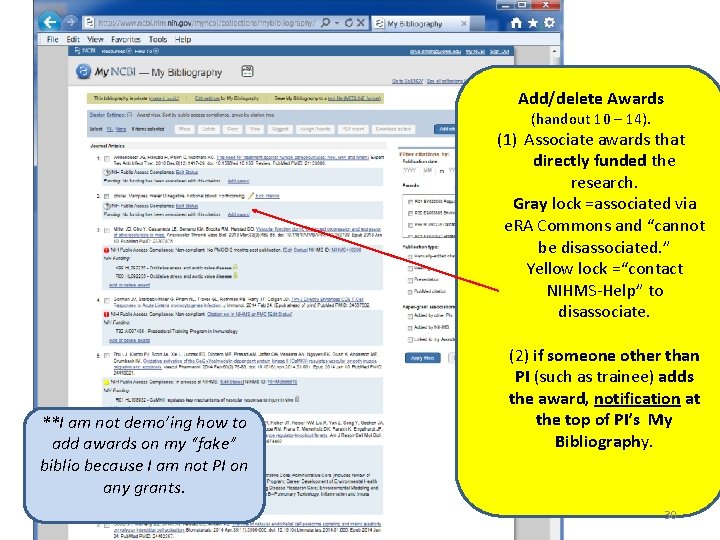
Add/delete Awards (handout 10 – 14). (1) Associate awards that directly funded the research. Gray lock =associated via e. RA Commons and “cannot be disassociated. ” Yellow lock =“contact NIHMS-Help” to disassociate. **I am not demo’ing how to add awards on my “fake” biblio because I am not PI on any grants. (2) if someone other than PI (such as trainee) adds the award, notification at the top of PI’s My Bibliography. 30
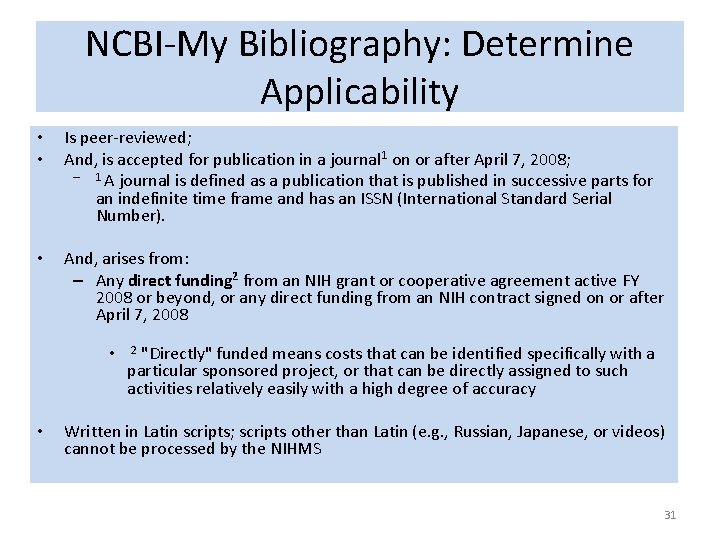
NCBI-My Bibliography: Determine Applicability • • Is peer-reviewed; And, is accepted for publication in a journal 1 on or after April 7, 2008; – 1 A journal is defined as a publication that is published in successive parts for an indefinite time frame and has an ISSN (International Standard Serial Number). • And, arises from: – Any direct funding 2 from an NIH grant or cooperative agreement active FY 2008 or beyond, or any direct funding from an NIH contract signed on or after April 7, 2008 • 2 "Directly" funded means costs that can be identified specifically with a particular sponsored project, or that can be directly assigned to such activities relatively easily with a high degree of accuracy • Written in Latin scripts; scripts other than Latin (e. g. , Russian, Japanese, or videos) cannot be processed by the NIHMS 31
Direct Funding • If a grant provides access to core facilities at a decreased fee, this is a direct cost = the grant should be associated when core facilities generated data for the paper. • The PI is responsible for ensuring all articles that are directly funded from that grant are compliant, whether or not the PI is an author. 32
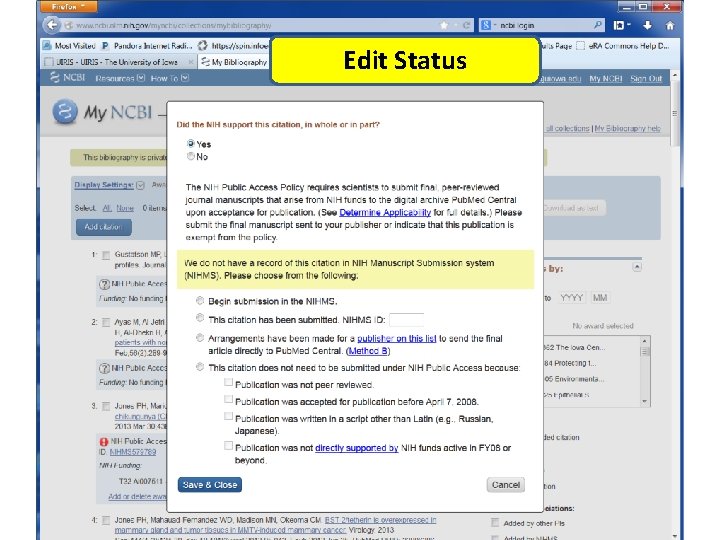
Edit Status 33
NIH Public Access Policy Does Not Apply To: use “Edit Status” in NCBI My. Bibliography • Reviews of the literature usually are NOT considered research articles since they do not talk about the work on YOUR specific grant; • Others not peer-reviewed/not directly funded/nonresearch/non-journal -- invited papers, letters, editorials, commentaries, book chapters, conference proceedings are all exempt; • Articles from work funded by non-NIH funds; • Accepted before April 7, 2008—find acceptance date on. pdf of the published article (search via Hardin’s Pub. Med). 34
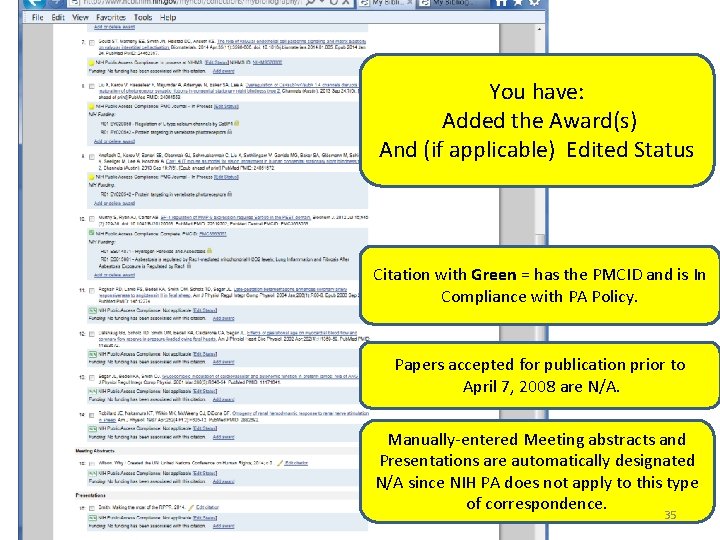
You have: Added the Award(s) And (if applicable) Edited Status Citation with Green = has the PMCID and is In Compliance with PA Policy. Papers accepted for publication prior to April 7, 2008 are N/A. Manually-entered Meeting abstracts and Presentations are automatically designated N/A since NIH PA does not apply to this type of correspondence. 35
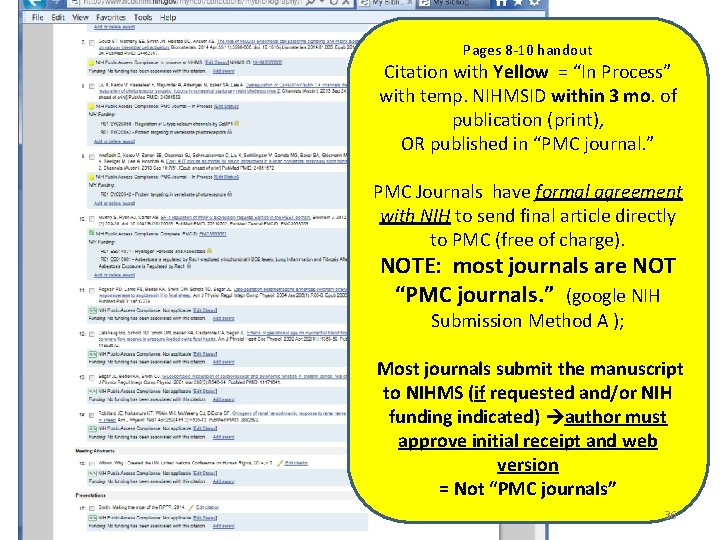
Pages 8 -10 handout Citation with Yellow = “In Process” with temp. NIHMSID within 3 mo. of publication (print), OR published in “PMC journal. ” PMC Journals have formal agreement with NIH to send final article directly to PMC (free of charge). NOTE: most journals are NOT “PMC journals. ” (google NIH Submission Method A ); Most journals submit the manuscript to NIHMS (if requested and/or NIH funding indicated) author must approve initial receipt and web version = Not “PMC journals” 36
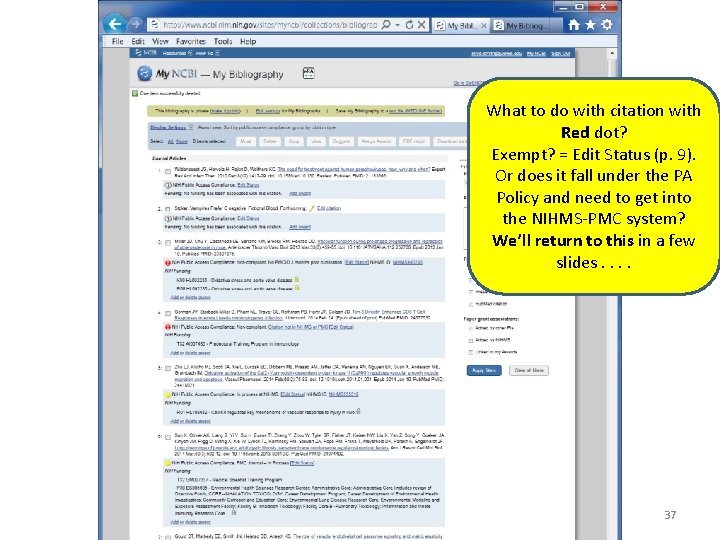
What to do with citation with Red dot? Exempt? = Edit Status (p. 9). Or does it fall under the PA Policy and need to get into the NIHMS-PMC system? We’ll return to this in a few slides. . 37
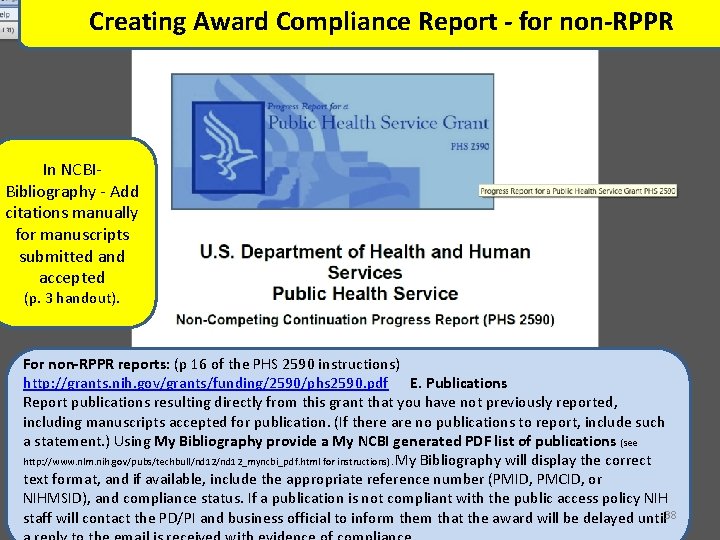
Creating Award Compliance Report - for non-RPPR In NCBIBibliography - Add citations manually for manuscripts submitted and accepted (p. 3 handout). For non-RPPR reports: (p 16 of the PHS 2590 instructions) http: //grants. nih. gov/grants/funding/2590/phs 2590. pdf E. Publications Report publications resulting directly from this grant that you have not previously reported, including manuscripts accepted for publication. (If there are no publications to report, include such a statement. ) Using My Bibliography provide a My NCBI generated PDF list of publications (see http: //www. nlm. nih. gov/pubs/techbull/nd 12_myncbi_pdf. html for instructions). My Bibliography will display the correct text format, and if available, include the appropriate reference number (PMID, PMCID, or NIHMSID), and compliance status. If a publication is not compliant with the public access policy NIH staff will contact the PD/PI and business official to inform them that the award will be delayed until 38
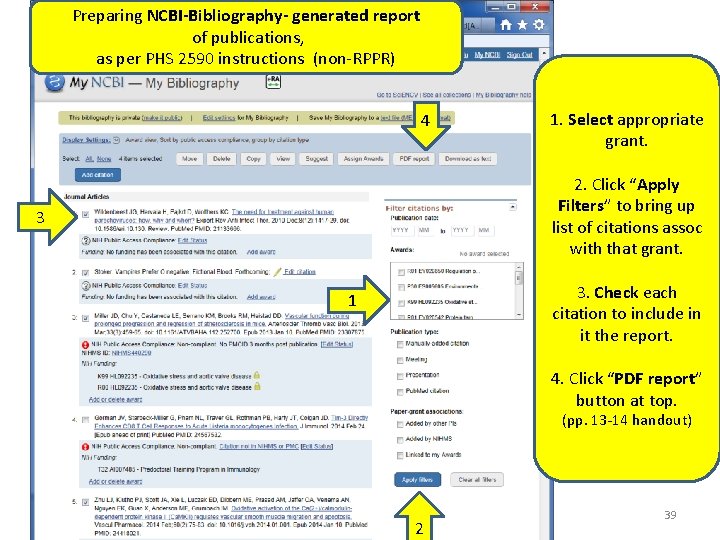
Preparing NCBI-Bibliography- generated report of publications, as per PHS 2590 instructions (non-RPPR) 4 1. Select appropriate grant. 2. Click “Apply Filters” to bring up list of citations assoc with that grant. 3 3. Check each citation to include in it the report. 1 4. Click “PDF report” button at top. (pp. 13 -14 handout) 2 39
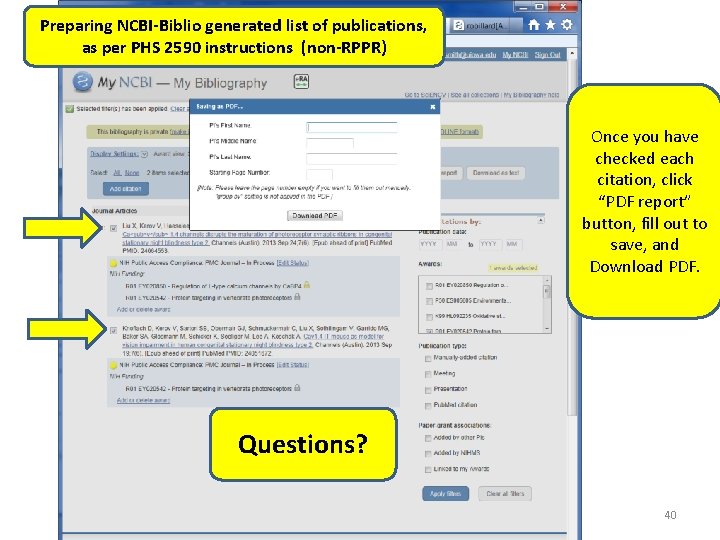
Preparing NCBI-Biblio generated list of publications, as per PHS 2590 instructions (non-RPPR) Once you have checked each citation, click “PDF report” button, fill out to save, and Download PDF. Questions? 40
http: //grants. nih. gov/grants/rppr_instruction_guide. pdf or use google. com RPPR Instructions for Section C- Products (i. e. publications) start on p. 55 41
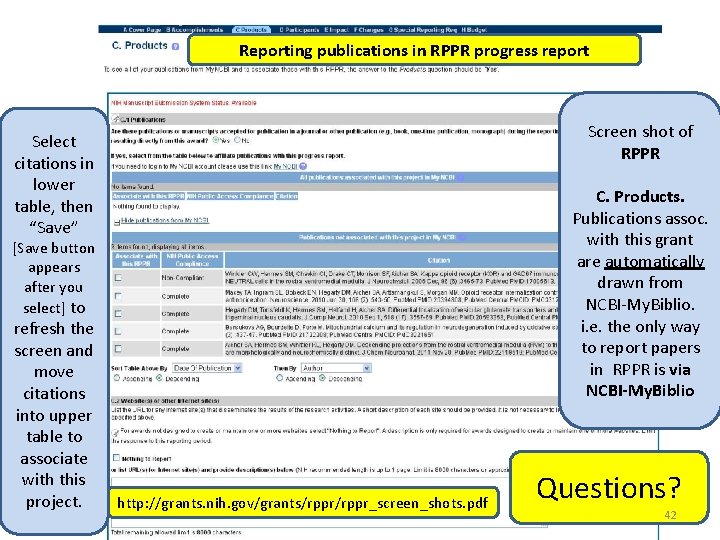
Reporting publications in RPPR progress report Screen shot of RPPR Select citations in lower table, then “Save” C. Products. Publications assoc. with this grant are automatically drawn from NCBI-My. Biblio. i. e. the only way to report papers in RPPR is via NCBI-My. Biblio [Save button appears after you select] to refresh the screen and move citations into upper table to associate with this project. http: //grants. nih. gov/grants/rppr_screen_shots. pdf Questions? 42
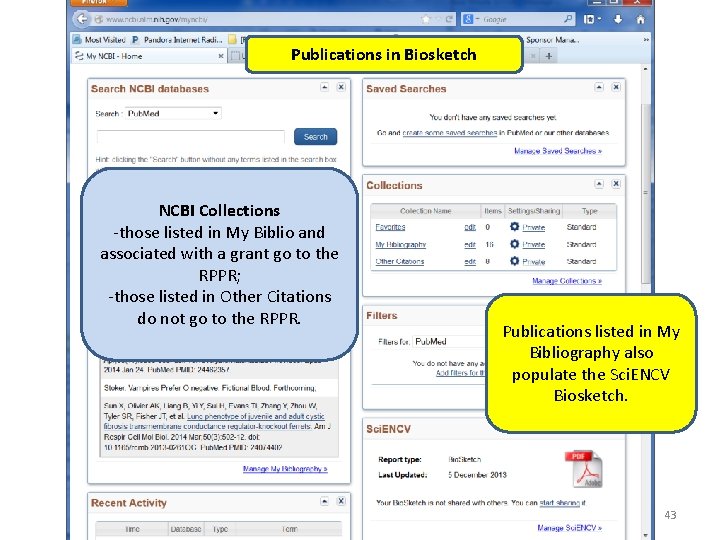
Publications in Biosketch NCBI Collections -those listed in My Biblio and associated with a grant go to the RPPR; -those listed in Other Citations do not go to the RPPR. Publications listed in My Bibliography also populate the Sci. ENCV Biosketch. 43
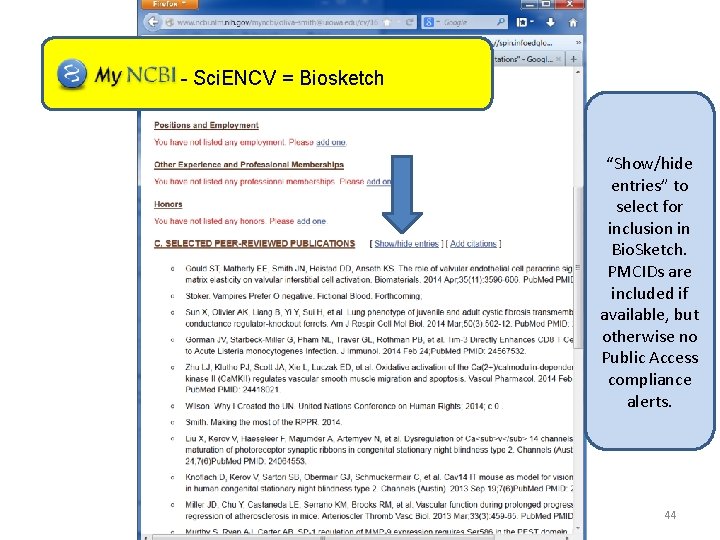
- Sci. ENCV = Biosketch “Show/hide entries” to select for inclusion in Bio. Sketch. PMCIDs are included if available, but otherwise no Public Access compliance alerts. 44
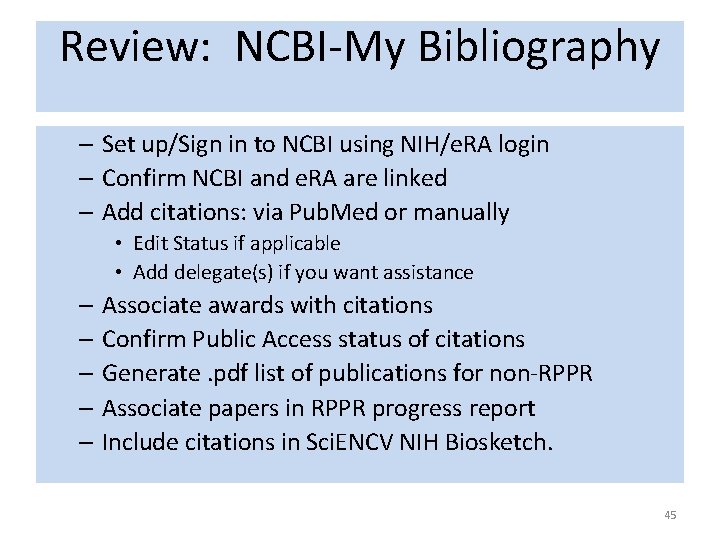
Review: NCBI-My Bibliography – Set up/Sign in to NCBI using NIH/e. RA login – Confirm NCBI and e. RA are linked – Add citations: via Pub. Med or manually • Edit Status if applicable • Add delegate(s) if you want assistance – Associate awards with citations – Confirm Public Access status of citations – Generate. pdf list of publications for non-RPPR – Associate papers in RPPR progress report – Include citations in Sci. ENCV NIH Biosketch. 45
NCBI-My Bibliography • NCBI-My. Bib – manages bibliography for progress reports, biosketch – indicates public access compliance lists PMCID or the temporary NIHMSID • Adding the citation to NCBI-My. Biblio does not get the paper into the NIHMS-PMC system. • Citation flagged with red dot: – Has NIHMSID = manuscript likely* is in the NIHMS-PMC system. . You can find out if is stalled. – Has neither NIHMSID nor PMCID = manuscript not yet in the NIHMS-PMC system and needs to be uploaded. • * flaw: assigns temp NIHMSID before files are uploaded. 46
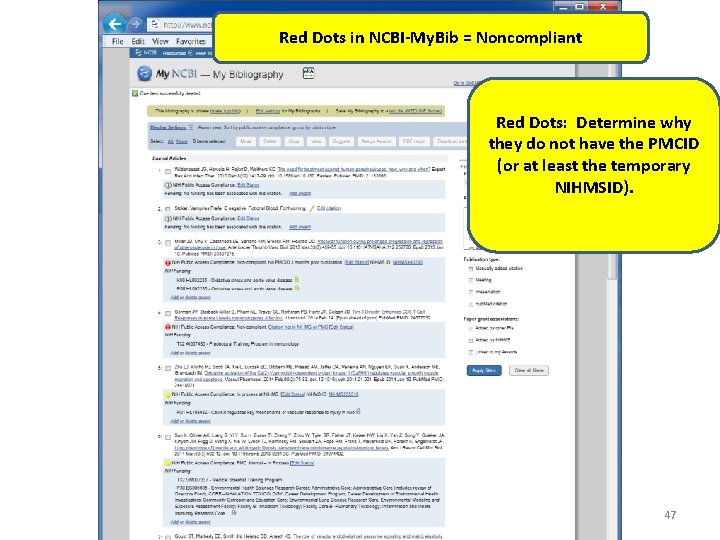
Red Dots in NCBI-My. Bib = Noncompliant Red Dots: Determine why they do not have the PMCID (or at least the temporary NIHMSID). 47
NCBI-My. Bibliography Non-compliant papers (red dots) • Does citation have a NIHMSID? The only place to find NIHMSID is in NCBI-Bibliography. – YES => it is somewhere in the NIHMS system, but temporary NIHMSID is “not legal” > 3 months from publication date (print date). • Log in to NIHMS system (with NIH/e. RA login), – Use search box in upper right to search by NIHMSID (or by PMID). 48
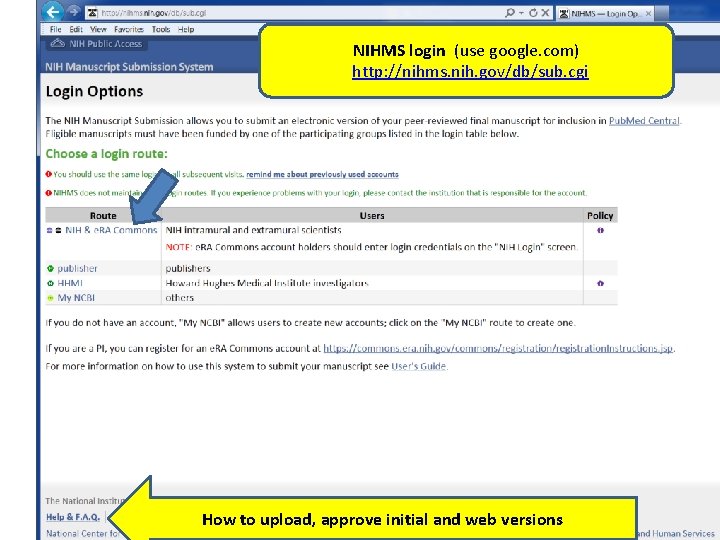
NIHMS login (use google. com) http: //nihms. nih. gov/db/sub. cgi How to upload, approve initial and web versions 49
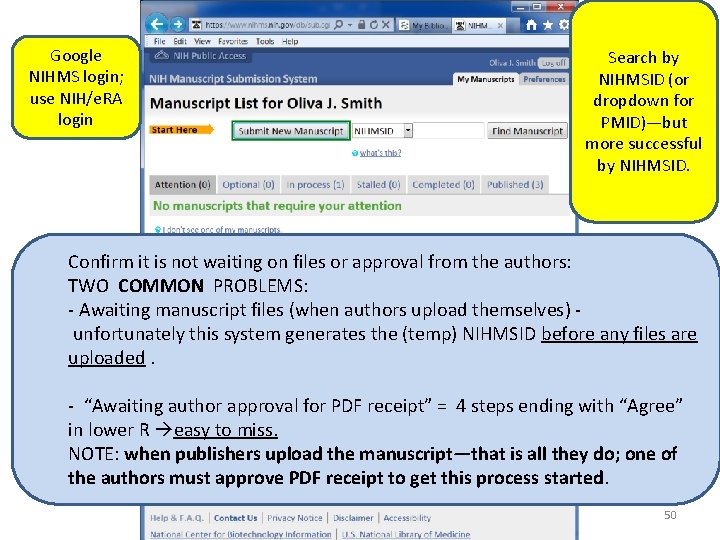
Google NIHMS login; use NIH/e. RA login Search by NIHMSID (or dropdown for PMID)—but more successful by NIHMSID. Confirm it is not waiting on files or approval from the authors: TWO COMMON PROBLEMS: - Awaiting manuscript files (when authors upload themselves) unfortunately this system generates the (temp) NIHMSID before any files are uploaded. - “Awaiting author approval for PDF receipt” = 4 steps ending with “Agree” in lower R easy to miss. NOTE: when publishers upload the manuscript—that is all they do; one of the authors must approve PDF receipt to get this process started. 50
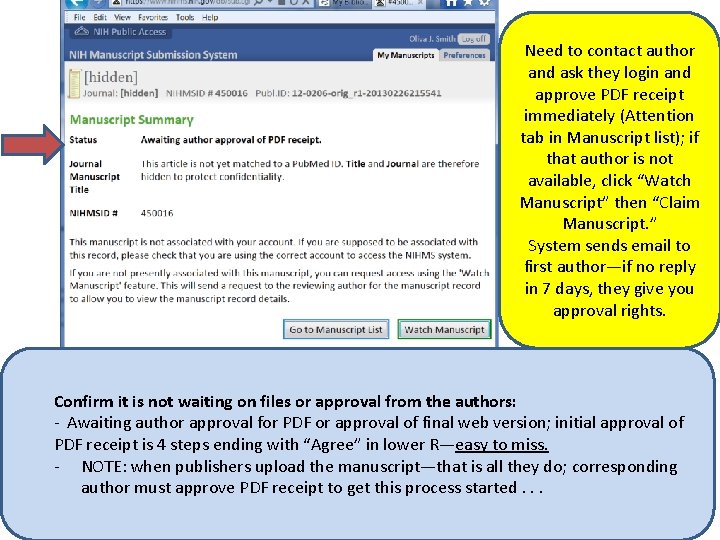
Need to contact author and ask they login and approve PDF receipt immediately (Attention tab in Manuscript list); if that author is not available, click “Watch Manuscript” then “Claim Manuscript. ” System sends email to first author—if no reply in 7 days, they give you approval rights. Confirm it is not waiting on files or approval from the authors: - Awaiting author approval for PDF or approval of final web version; initial approval of PDF receipt is 4 steps ending with “Agree” in lower R—easy to miss. - NOTE: when publishers upload the manuscript—that is all they do; corresponding author must approve PDF receipt to get this process started. . . 51
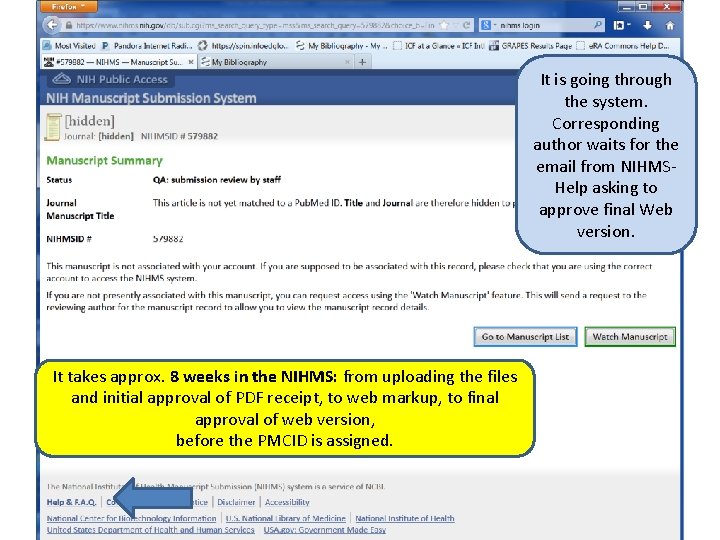
It is going through the system. Corresponding author waits for the email from NIHMSHelp asking to approve final Web version. It takes approx. 8 weeks in the NIHMS: from uploading the files and initial approval of PDF receipt, to web markup, to final approval of web version, before the PMCID is assigned. 52
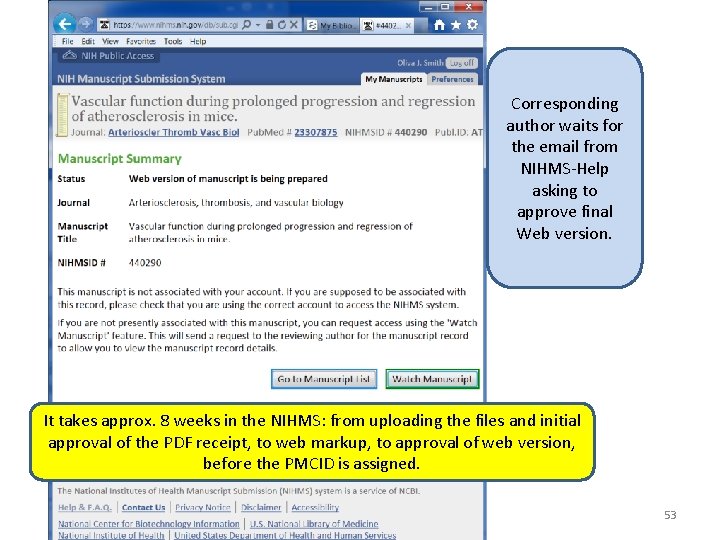
Corresponding author waits for the email from NIHMS-Help asking to approve final Web version. It takes approx. 8 weeks in the NIHMS: from uploading the files and initial approval of the PDF receipt, to web markup, to approval of web version, before the PMCID is assigned. 53
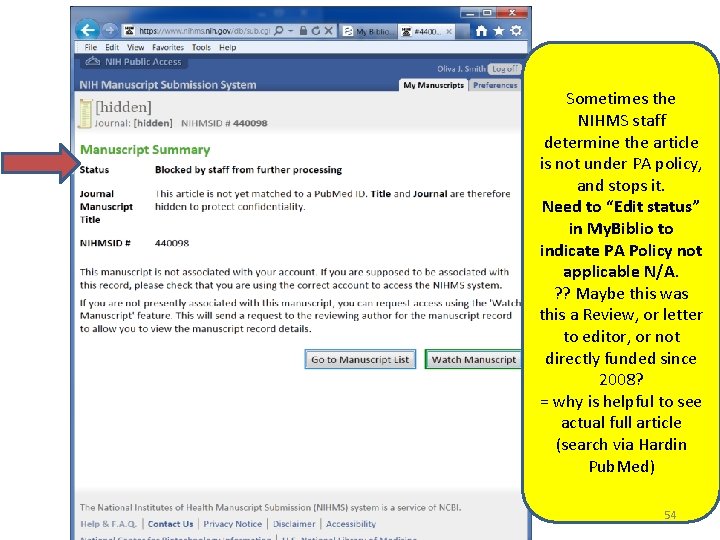
Sometimes the NIHMS staff determine the article is not under PA policy, and stops it. Need to “Edit status” in My. Biblio to indicate PA Policy not applicable N/A. ? ? Maybe this was this a Review, or letter to editor, or not directly funded since 2008? = why is helpful to see actual full article (search via Hardin Pub. Med) 54
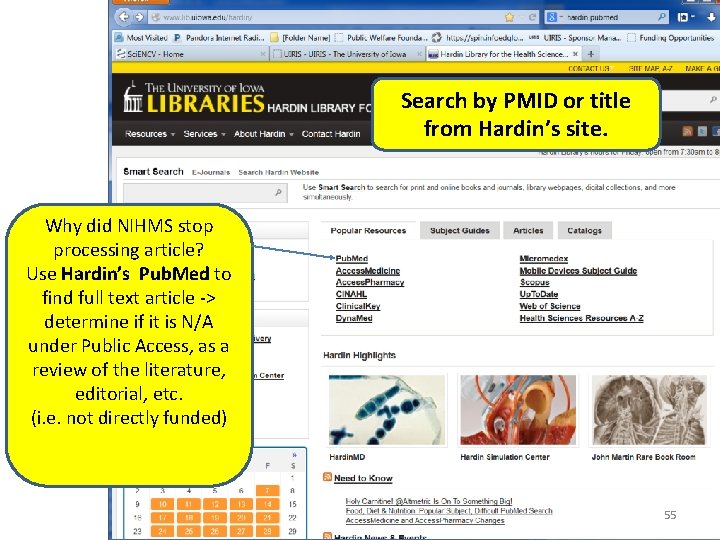
Search by PMID or title from Hardin’s site. Why did NIHMS stop processing article? Use Hardin’s Pub. Med to find full text article -> determine if it is N/A under Public Access, as a review of the literature, editorial, etc. (i. e. not directly funded) 55
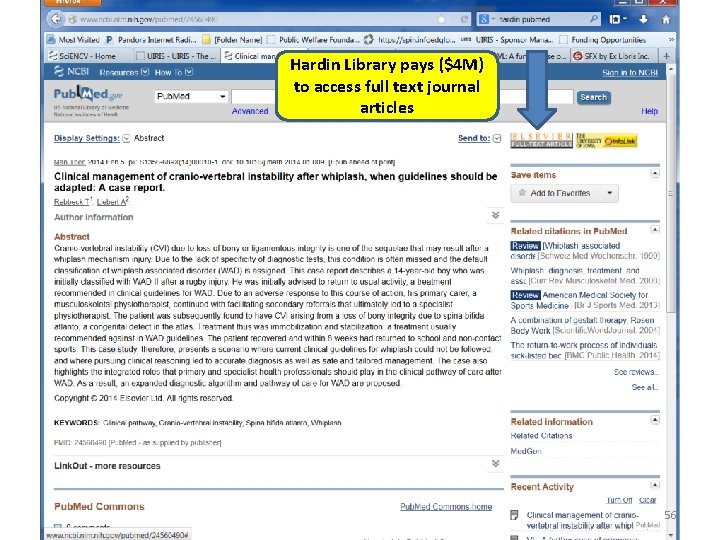
Hardin Library pays ($4 M) to access full text journal articles 56
Submitting to NIHMS • Upload manuscripts—never the final article as it appears in the journal = property of the journal. • NIHMS Manuscript Submission System http: //www. nihms. nih. gov/help/ – Submit manuscript to NIHMS-PMC system/set embargo http: //www. nihms. nih. gov/help/PI-NPMC. pdf – Approve initial PDF receipt http: //www. nihms. nih. gov/help/PI-PDFAPP. pdf ; – Review/approve final web version http: //www. nihms. nih. gov/help/WA/WA. pdf • Hardin Library Assistance http: //guides. lib. uiowa. edu/content. php? pid=6167&sid=38874 57
NIH Manuscript Submission System NIHMS • Manuscript uploaded to NIHMS (either by publisher or author) where it is converted to web version and finally loaded into Pub. Med Central PMC and the PMCID is assigned. **publisher owns the final article as it appears in the journal—so use the manuscript. • Once assigned, the PMCID is automatically added to the citation in NCBI-My. Bibliography. (may be a delay or a day or two) 58
Publisher Policies • Many publishers (Elsevier, Wiley, Springer, LWW, others) will upload final manuscript to NIHMS, if NIH grant acknowledged - may need to remind them. – Remember: immediately after publisher uploads: corresponding author receives email from NIHMSHelp asking to approve PDF receipt to get it going in the NIHMS-PMC system—or it sits forever. 59
Publisher Policies • Do NOT upload to NIHMS yourself until you determine publisher’s policy; search for information for authors, or publisher policy toward NIH PA mandate on publisher’s website. • If it is several months from publication and the publisher still has not uploaded to NIHMS, ask/insist YOU do it to make sure it is done. – When in doubt, set embargo for 1 year from date of publication (print date). 60
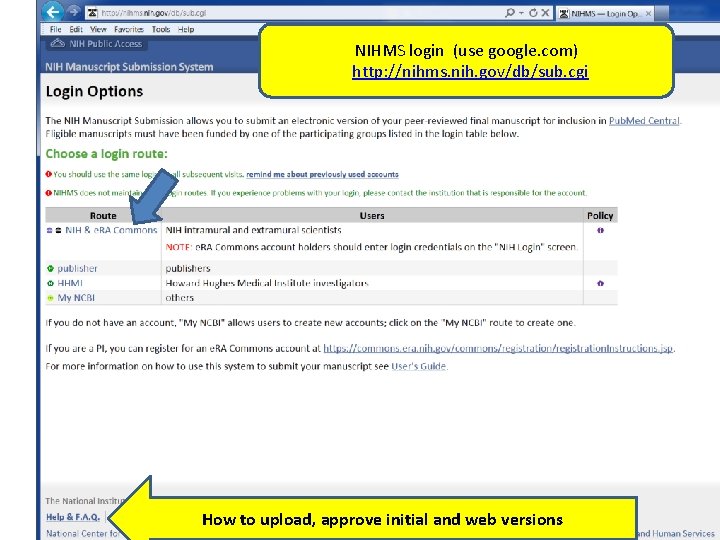
NIHMS login (use google. com) http: //nihms. nih. gov/db/sub. cgi How to upload, approve initial and web versions 61
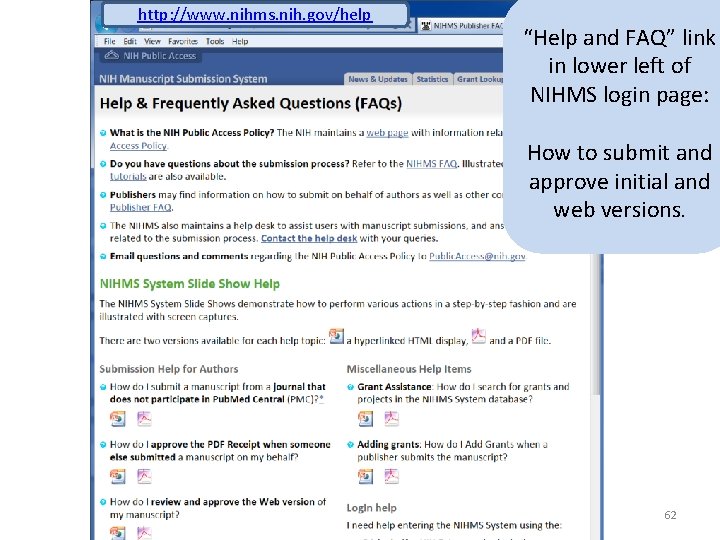
http: //www. nihms. nih. gov/help “Help and FAQ” link in lower left of NIHMS login page: How to submit and approve initial and web versions. 62
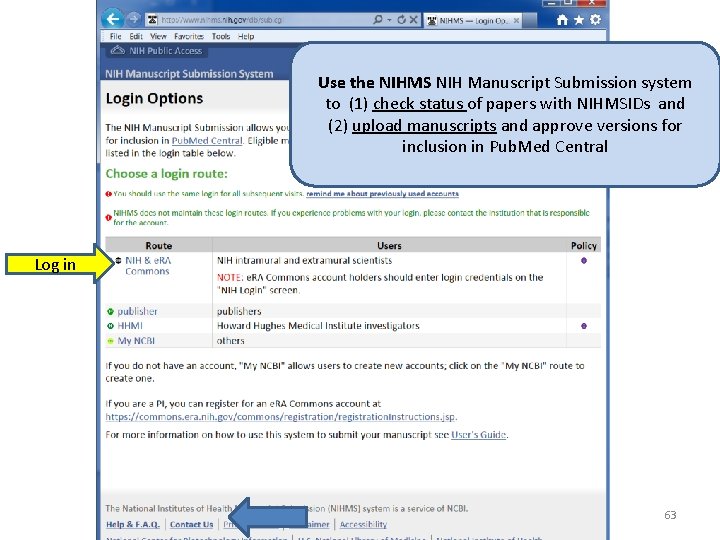
Use the NIHMS NIH Manuscript Submission system to (1) check status of papers with NIHMSIDs and (2) upload manuscripts and approve versions for inclusion in Pub. Med Central Log in 63
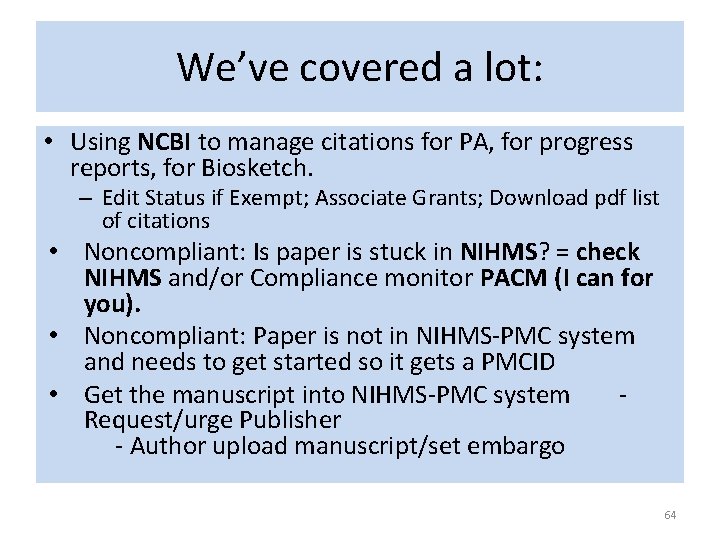
We’ve covered a lot: • Using NCBI to manage citations for PA, for progress reports, for Biosketch. – Edit Status if Exempt; Associate Grants; Download pdf list of citations • Noncompliant: Is paper is stuck in NIHMS? = check NIHMS and/or Compliance monitor PACM (I can for you). • Noncompliant: Paper is not in NIHMS-PMC system and needs to get started so it gets a PMCID • Get the manuscript into NIHMS-PMC system - Request/urge Publisher - Author upload manuscript/set embargo 64
Thank you • Please feel free to contact me about – using your NCBI Bibliography – determining applicability for articles – finding publisher policies re: submitting to NIHMS – reporting publications in progress reports – Finding where/if manuscripts are stuck in NIHMS – questions or would like me to demo in your office Oliva Smith Oliva-smith@uiowa. edu 335 -3708 65
What to do about the non-compliant papers • No NIHMSID—try looking up NIHMS via the PMID and may it find NIHMSID. . . but unlikely. • Better (if no NIHMSID) = PACM: Public Access Compliance Monitor (email era@uiowa. edu to get PACM rights). Log in as for NCBI. – Google [nih pacm] or http: //www. pubmedcentral. nih. gov/utils/pacm/ – Search by PMID in upper right. – Tells who is the corresponding author follow up/remind them to check NIHMS and approve. 66
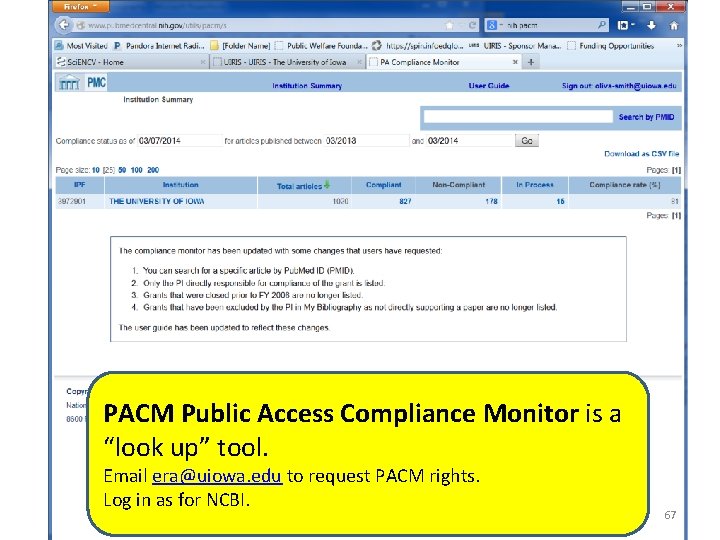
PACM Public Access Compliance Monitor is a “look up” tool. Email era@uiowa. edu to request PACM rights. Log in as for NCBI. 67
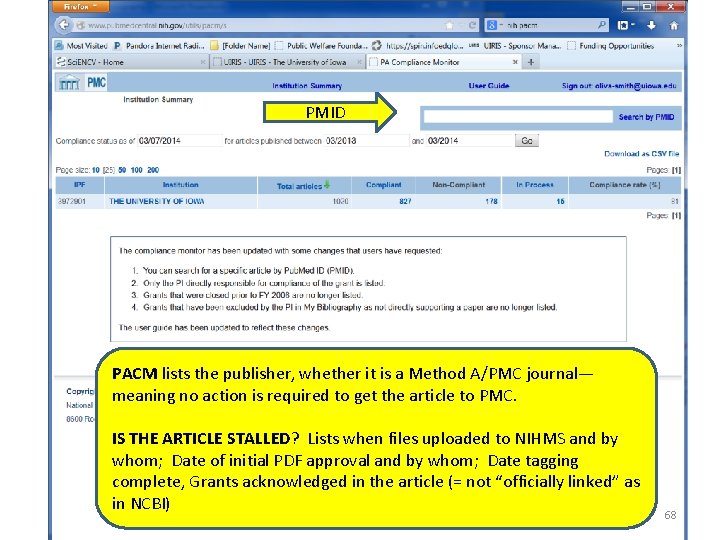
PMID PACM lists the publisher, whether it is a Method A/PMC journal— meaning no action is required to get the article to PMC. IS THE ARTICLE STALLED? Lists when files uploaded to NIHMS and by whom; Date of initial PDF approval and by whom; Date tagging complete, Grants acknowledged in the article (= not “officially linked” as in NCBI) 68
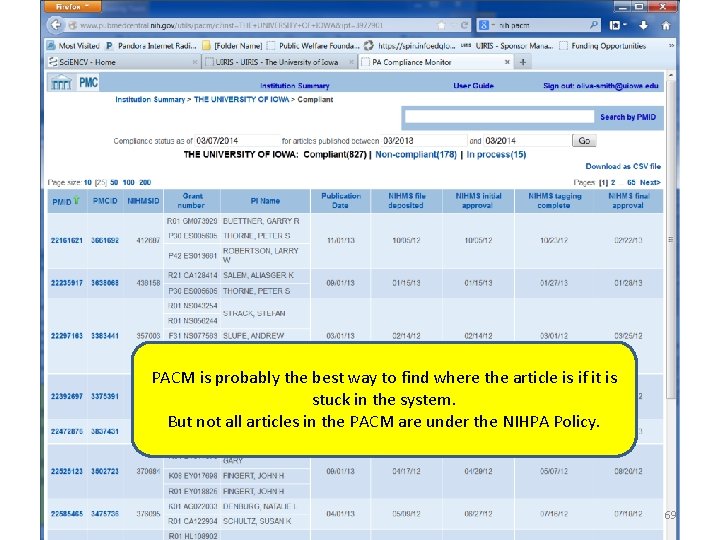
PACM is probably the best way to find where the article is if it is stuck in the system. But not all articles in the PACM are under the NIHPA Policy. 69
- Slides: 69