
MANAGING INFORMATION TECHNOLOGY FIFTH EDITION CHAPTER 2 COMPUTER
- Slides: 42
MANAGING INFORMATION TECHNOLOGY FIFTH EDITION CHAPTER 2 COMPUTER SYSTEMS E. Wainright Martin Carol V. Brown Daniel W. De. Hayes Jeffrey A. Hoffer William C. Perkins
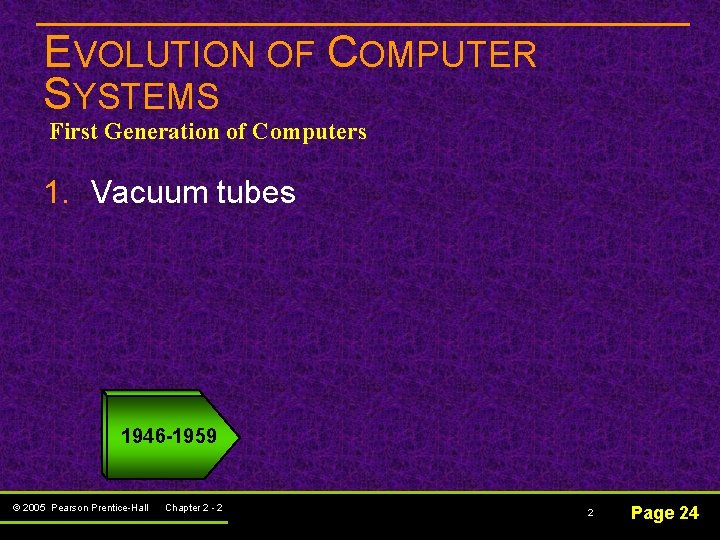
EVOLUTION OF COMPUTER SYSTEMS First Generation of Computers 1. Vacuum tubes 1946 -1959 © 2005 Pearson Prentice-Hall Chapter 2 - 2 2 Page 24
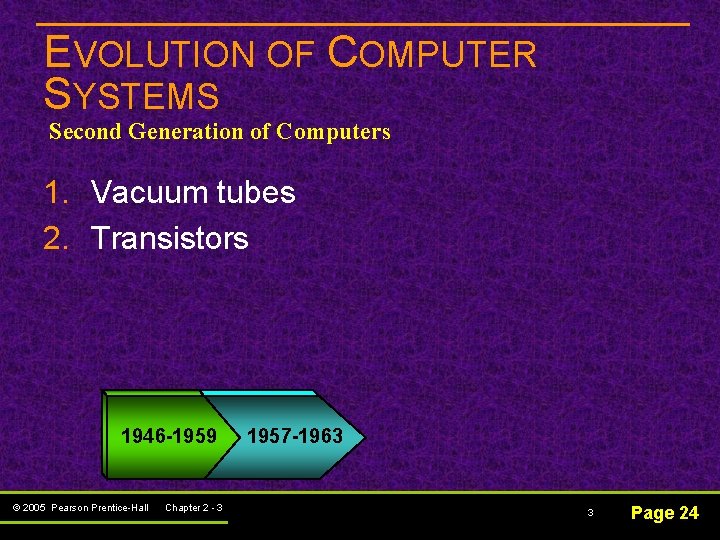
EVOLUTION OF COMPUTER SYSTEMS Second Generation of Computers 1. Vacuum tubes 2. Transistors 1946 -1959 © 2005 Pearson Prentice-Hall Chapter 2 - 3 1957 -1963 3 Page 24
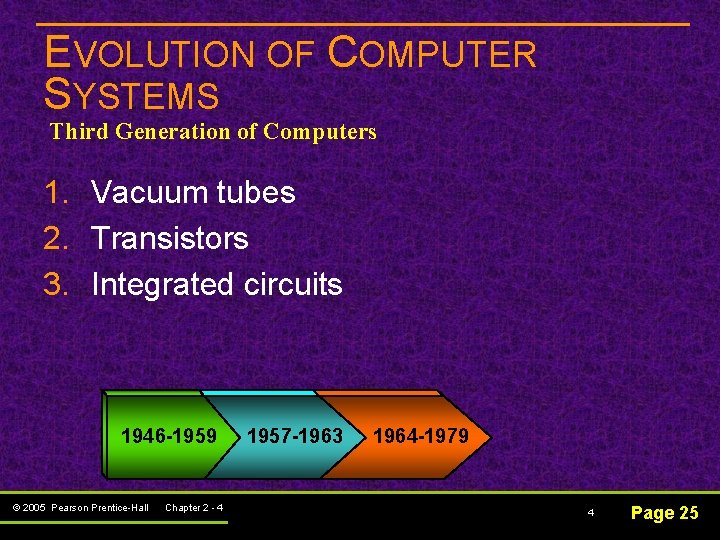
EVOLUTION OF COMPUTER SYSTEMS Third Generation of Computers 1. Vacuum tubes 2. Transistors 3. Integrated circuits 1946 -1959 © 2005 Pearson Prentice-Hall Chapter 2 - 4 1957 -1963 1964 -1979 4 Page 25
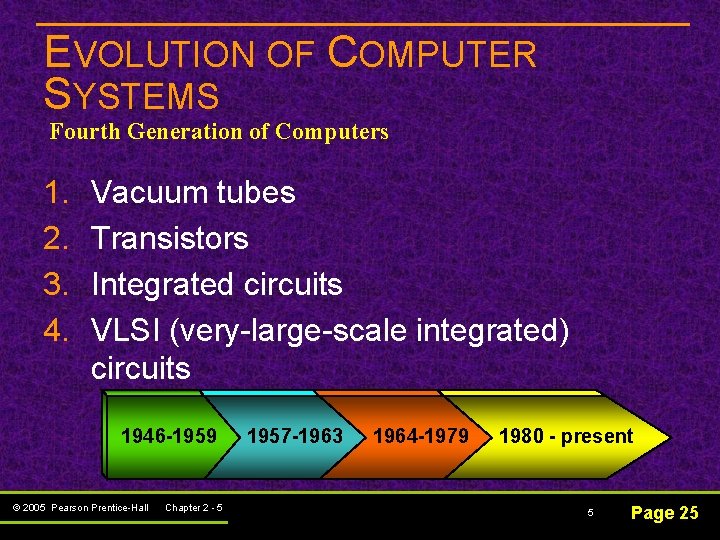
EVOLUTION OF COMPUTER SYSTEMS Fourth Generation of Computers 1. 2. 3. 4. Vacuum tubes Transistors Integrated circuits VLSI (very-large-scale integrated) circuits 1946 -1959 © 2005 Pearson Prentice-Hall Chapter 2 - 5 1957 -1963 1964 -1979 1980 - present 5 Page 25
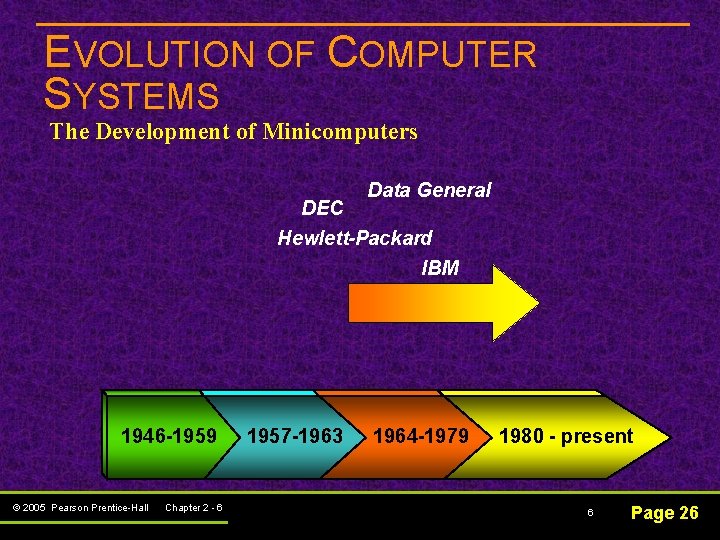
EVOLUTION OF COMPUTER SYSTEMS The Development of Minicomputers Data General DEC Hewlett-Packard IBM 1946 -1959 © 2005 Pearson Prentice-Hall Chapter 2 - 6 1957 -1963 1964 -1979 1980 - present 6 Page 26
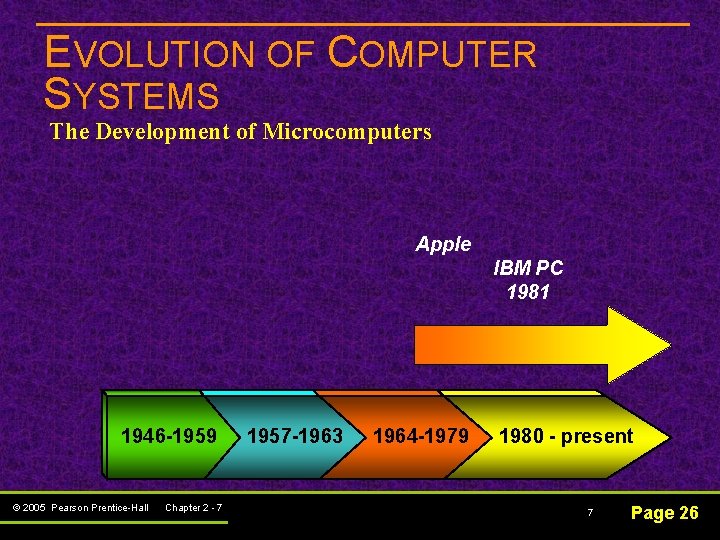
EVOLUTION OF COMPUTER SYSTEMS The Development of Microcomputers Apple IBM PC 1981 1946 -1959 © 2005 Pearson Prentice-Hall Chapter 2 - 7 1957 -1963 1964 -1979 1980 - present 7 Page 26
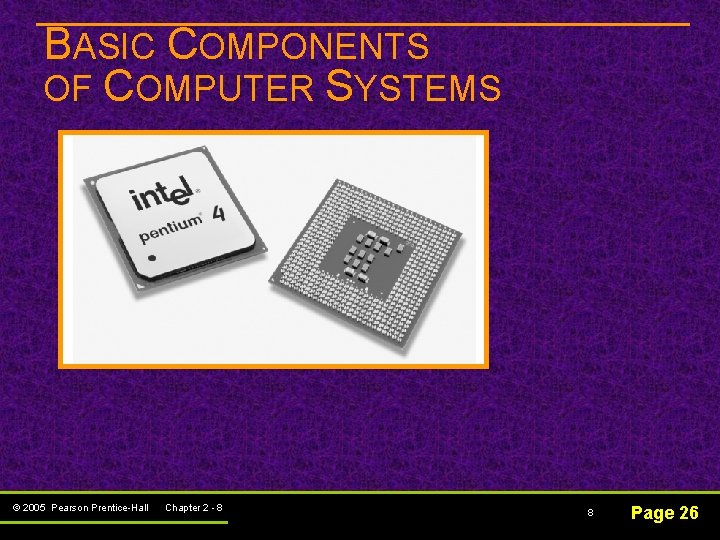
BASIC COMPONENTS OF COMPUTER SYSTEMS © 2005 Pearson Prentice-Hall Chapter 2 - 8 8 Page 26
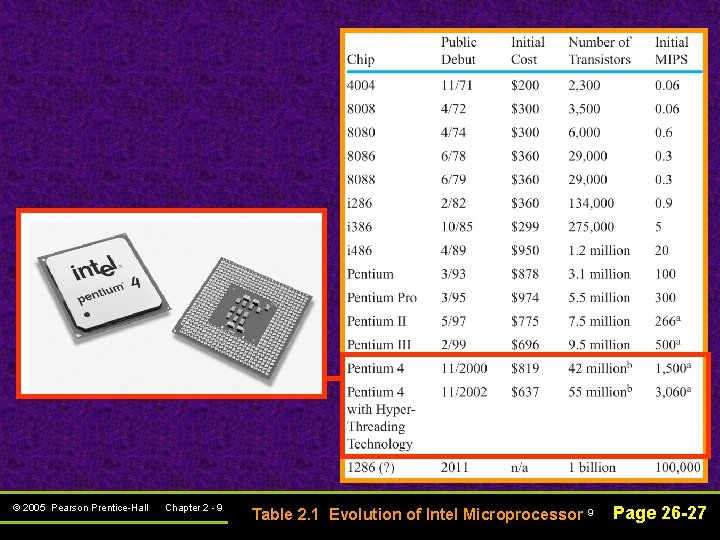
© 2005 Pearson Prentice-Hall Chapter 2 - 9 Table 2. 1 Evolution of Intel Microprocessor 9 Page 26 -27
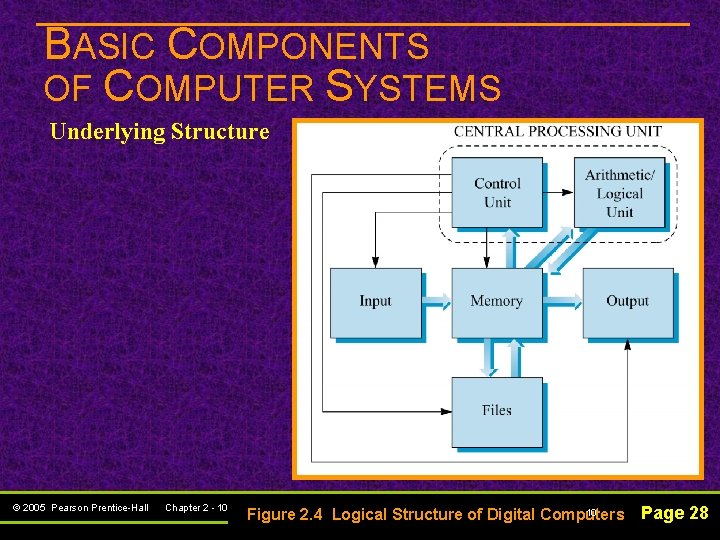
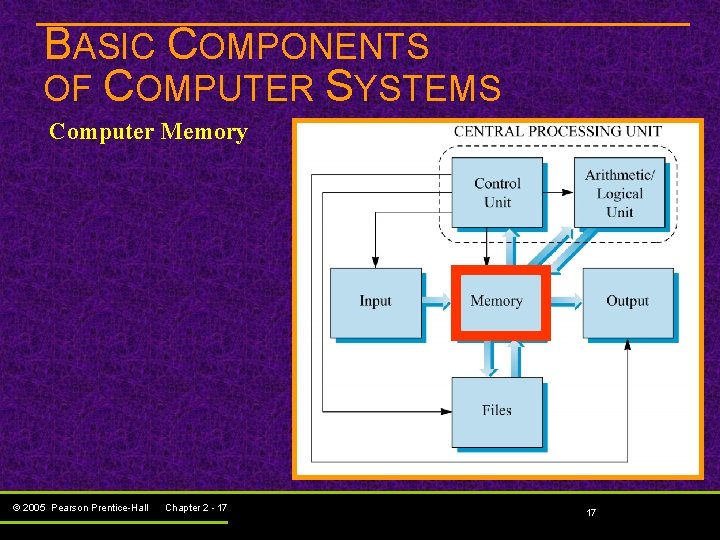
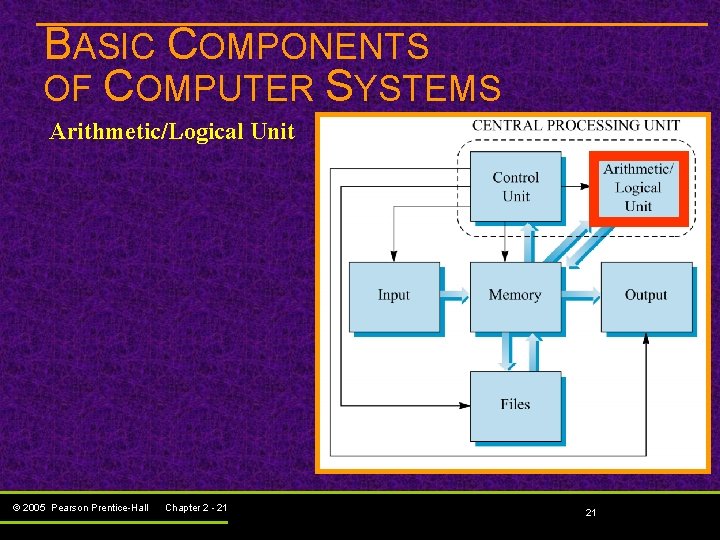
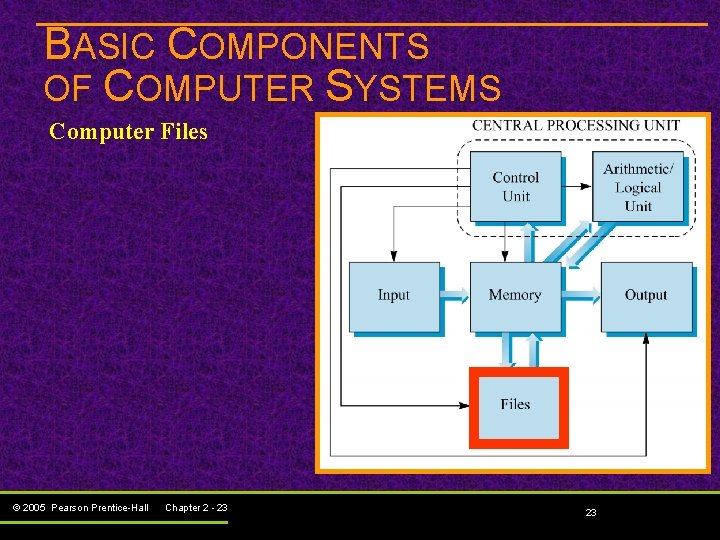
BASIC COMPONENTS OF COMPUTER SYSTEMS Underlying Structure © 2005 Pearson Prentice-Hall Chapter 2 - 10 10 Figure 2. 4 Logical Structure of Digital Computers Page 28
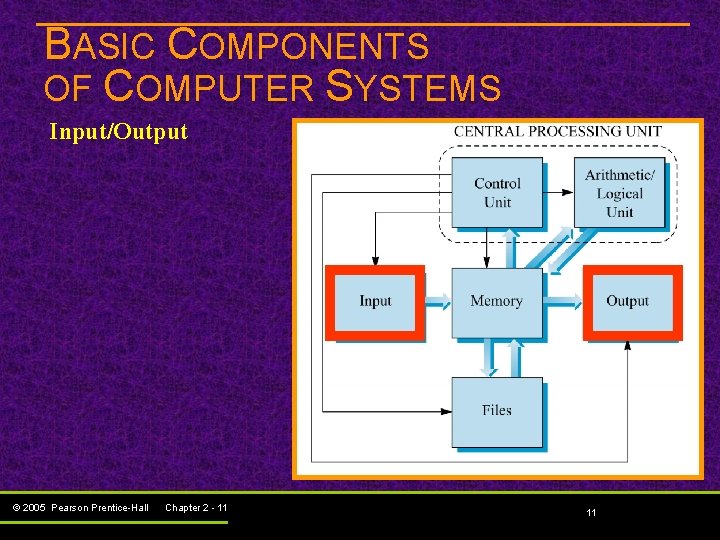
BASIC COMPONENTS OF COMPUTER SYSTEMS Input/Output © 2005 Pearson Prentice-Hall Chapter 2 - 11 11
BASIC COMPONENTS OF COMPUTER SYSTEMS Input/Output Terminal Simpler than a PC Designed strictly for input and output Has keyboard and screen Does not have a processor Connected to computer with telecommunication line Allows user to key data directly into computer © 2005 Pearson Prentice-Hall Chapter 2 - 12 12 Page 28
BASIC COMPONENTS OF COMPUTER SYSTEMS Input/Output Terminal Special types: üPoint-of-sale (retail) üATMs (banking) © 2005 Pearson Prentice-Hall Chapter 2 - 13 13 Page 28
BASIC COMPONENTS OF COMPUTER SYSTEMS Input/Output n Common input methods: Magnetic ink character recognition (MICR) – used to process bank checks Optical character recognition (OCR) – directly scans typed, printed, or handwritten material Imaging – inputs digital form of documents and photos Bar code labeling – scans bar codes on packages or products, and reads into computer © 2005 Pearson Prentice-Hall Chapter 2 - 14 14 Page 29
BASIC COMPONENTS OF COMPUTER SYSTEMS Input/Output n Common output methods: Print – output to paper using various types of printers Computer output microfilm (COM) – microfilm generated for archive copies in small space Voice response units – computer recognizes input, generates verbal response messages © 2005 Pearson Prentice-Hall Chapter 2 - 15 15 Page 29
BASIC COMPONENTS OF COMPUTER SYSTEMS Input/Output est r e t n … Of i Multimedia – relatively new term for computer input and output in the form of text, graphics, sound, still images, animations, and/or video © 2005 Pearson Prentice-Hall Chapter 2 - 16 16 Page 29
BASIC COMPONENTS OF COMPUTER SYSTEMS Computer Memory © 2005 Pearson Prentice-Hall Chapter 2 - 17 17
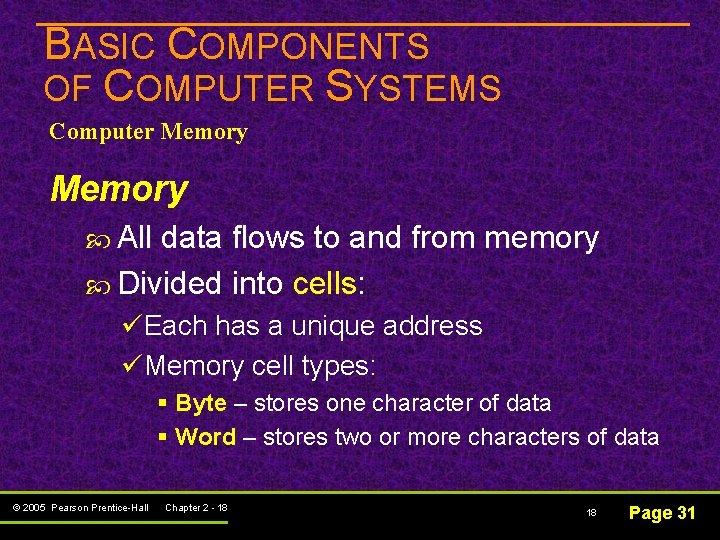
BASIC COMPONENTS OF COMPUTER SYSTEMS Computer Memory All data flows to and from memory Divided into cells: üEach has a unique address üMemory cell types: § Byte – stores one character of data § Word – stores two or more characters of data © 2005 Pearson Prentice-Hall Chapter 2 - 18 18 Page 31
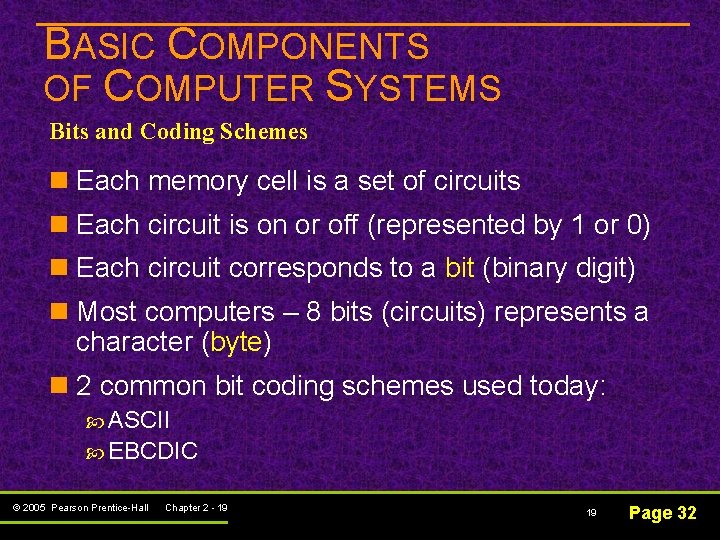
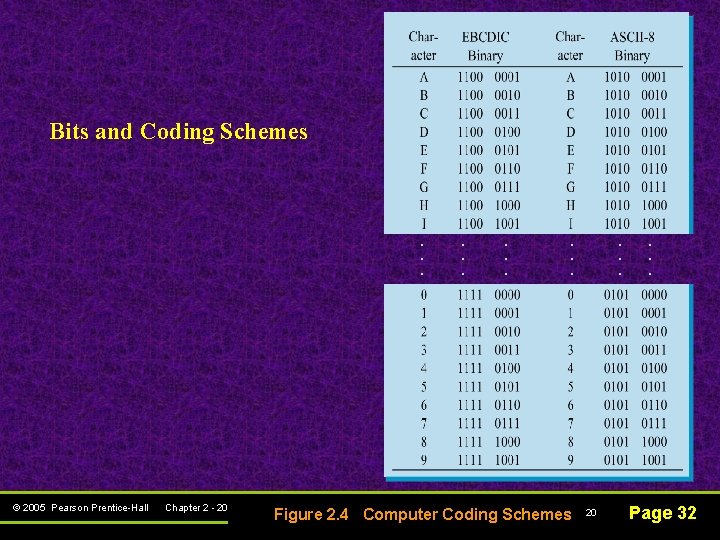
BASIC COMPONENTS OF COMPUTER SYSTEMS Bits and Coding Schemes n Each memory cell is a set of circuits n Each circuit is on or off (represented by 1 or 0) n Each circuit corresponds to a bit (binary digit) n Most computers – 8 bits (circuits) represents a character (byte) n 2 common bit coding schemes used today: ASCII EBCDIC © 2005 Pearson Prentice-Hall Chapter 2 - 19 19 Page 32
Bits and Coding Schemes . . . © 2005 Pearson Prentice-Hall Chapter 2 - 20 . . Figure 2. 4 Computer Coding Schemes . . . 20 . . . Page 32
BASIC COMPONENTS OF COMPUTER SYSTEMS Arithmetic/Logical Unit © 2005 Pearson Prentice-Hall Chapter 2 - 21 21
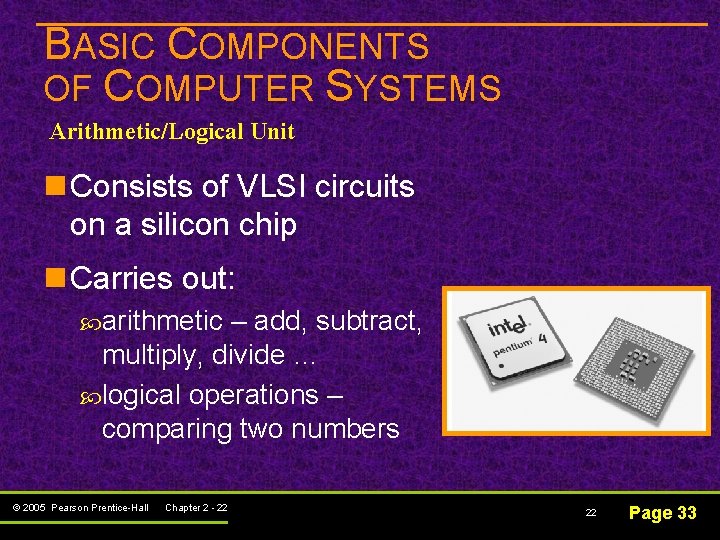
BASIC COMPONENTS OF COMPUTER SYSTEMS Arithmetic/Logical Unit n Consists of VLSI circuits on a silicon chip n Carries out: arithmetic – add, subtract, multiply, divide … logical operations – comparing two numbers © 2005 Pearson Prentice-Hall Chapter 2 - 22 22 Page 33
BASIC COMPONENTS OF COMPUTER SYSTEMS Computer Files © 2005 Pearson Prentice-Hall Chapter 2 - 23 23
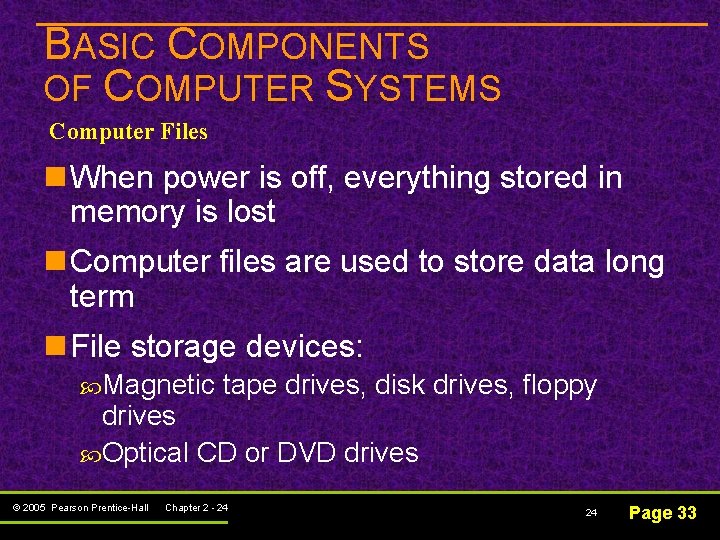
BASIC COMPONENTS OF COMPUTER SYSTEMS Computer Files n When power is off, everything stored in memory is lost n Computer files are used to store data long term n File storage devices: Magnetic tape drives, disk drives, floppy drives Optical CD or DVD drives © 2005 Pearson Prentice-Hall Chapter 2 - 24 24 Page 33
BASIC COMPONENTS OF COMPUTER SYSTEMS Computer Files n Sequential access files Usually stored on magnetic tape drives n Direct access files Stored on Direct Access Storage Devices (DASD) - magnetic disk drives © 2005 Pearson Prentice-Hall Chapter 2 - 25 25 Page 34
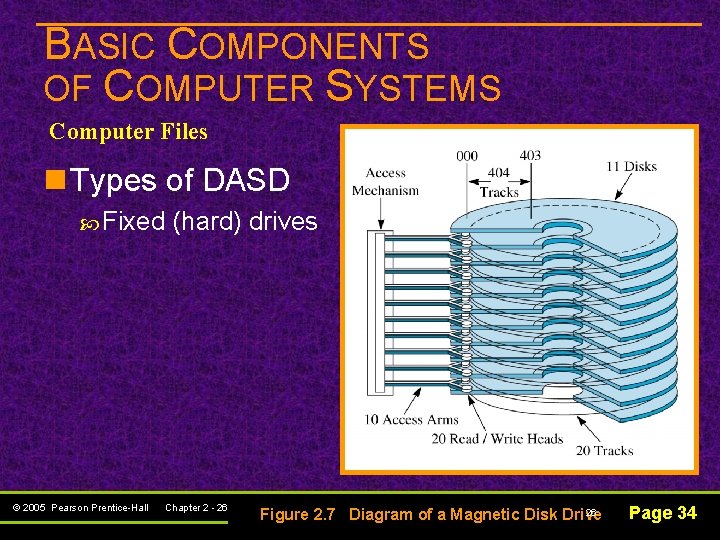
BASIC COMPONENTS OF COMPUTER SYSTEMS Computer Files n Types of DASD Fixed © 2005 Pearson Prentice-Hall (hard) drives Chapter 2 - 26 26 Figure 2. 7 Diagram of a Magnetic Disk Drive Page 34
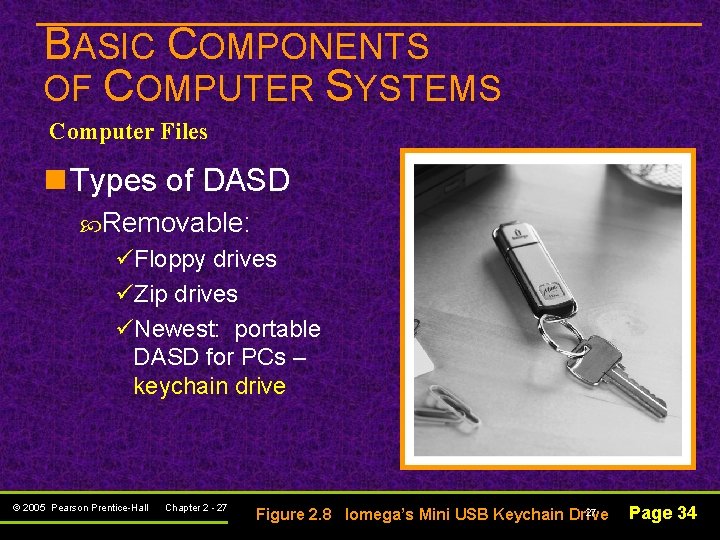
BASIC COMPONENTS OF COMPUTER SYSTEMS Computer Files n Types of DASD Removable: üFloppy drives üZip drives üNewest: portable DASD for PCs – keychain drive © 2005 Pearson Prentice-Hall Chapter 2 - 27 27 Figure 2. 8 Iomega’s Mini USB Keychain Drive Page 34
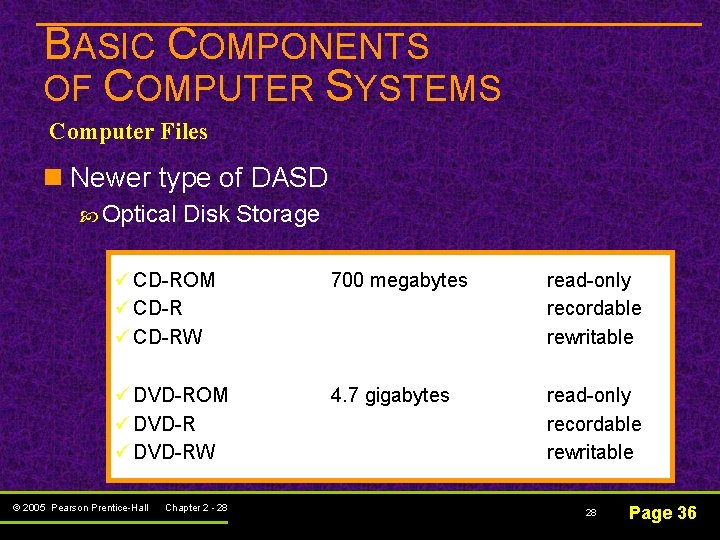
BASIC COMPONENTS OF COMPUTER SYSTEMS Computer Files n Newer type of DASD Optical Disk Storage ü CD-ROM ü CD-RW 700 megabytes read-only recordable rewritable ü DVD-ROM ü DVD-RW 4. 7 gigabytes read-only recordable rewritable © 2005 Pearson Prentice-Hall Chapter 2 - 28 28 Page 36
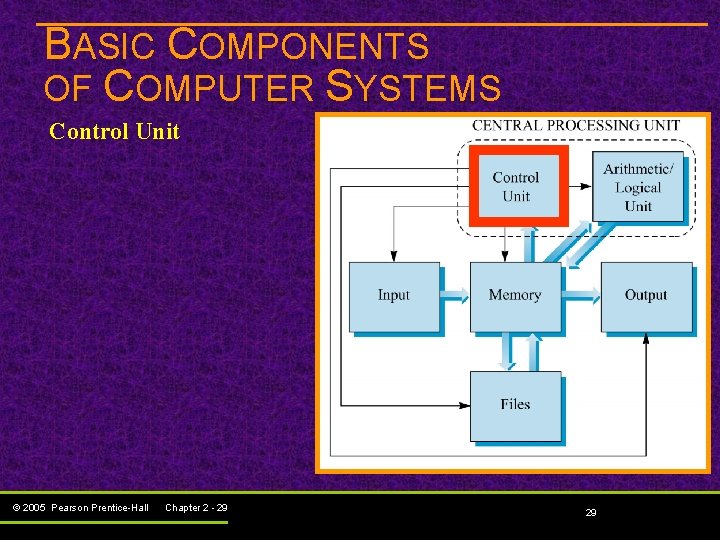
BASIC COMPONENTS OF COMPUTER SYSTEMS Control Unit © 2005 Pearson Prentice-Hall Chapter 2 - 29 29
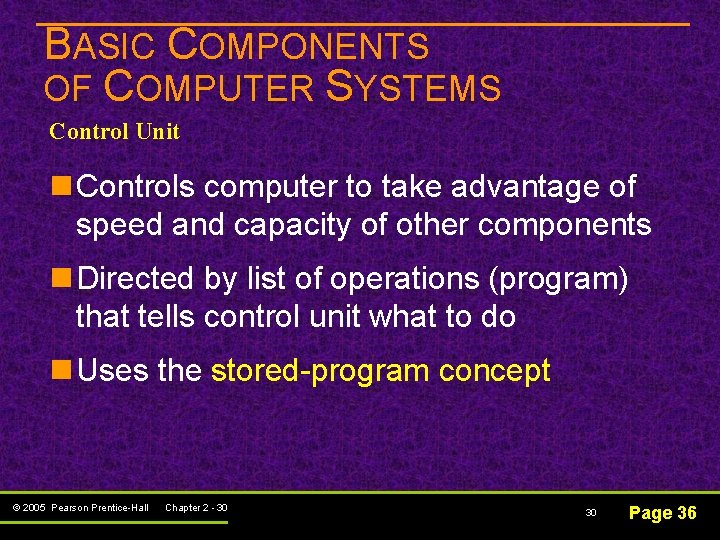
BASIC COMPONENTS OF COMPUTER SYSTEMS Control Unit n Controls computer to take advantage of speed and capacity of other components n Directed by list of operations (program) that tells control unit what to do n Uses the stored-program concept © 2005 Pearson Prentice-Hall Chapter 2 - 30 30 Page 36
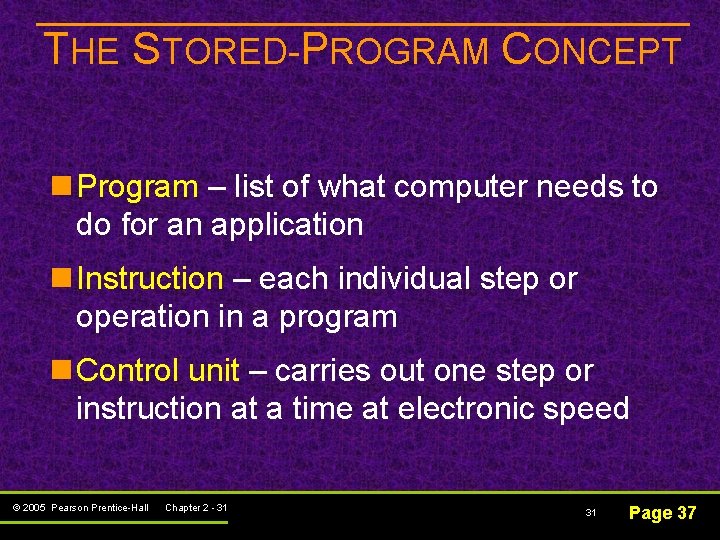
THE STORED-PROGRAM CONCEPT n Program – list of what computer needs to do for an application n Instruction – each individual step or operation in a program n Control unit – carries out one step or instruction at a time at electronic speed © 2005 Pearson Prentice-Hall Chapter 2 - 31 31 Page 37
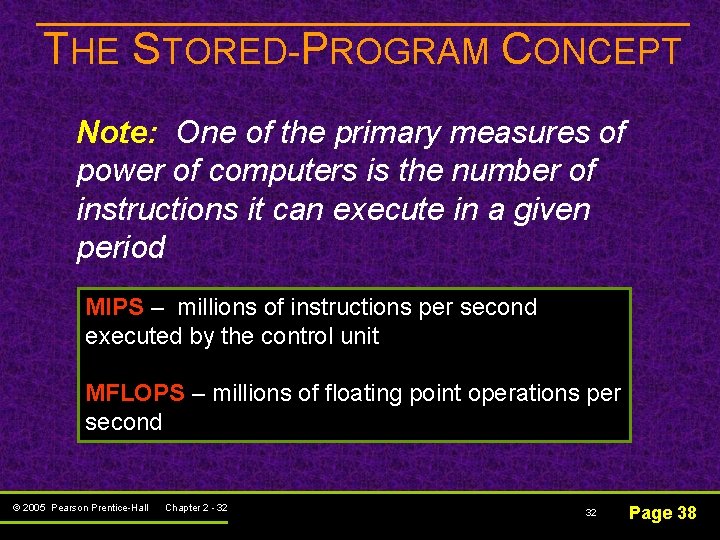
THE STORED-PROGRAM CONCEPT Note: One of the primary measures of power of computers is the number of instructions it can execute in a given period MIPS – millions of instructions per second executed by the control unit MFLOPS – millions of floating point operations per second © 2005 Pearson Prentice-Hall Chapter 2 - 32 32 Page 38
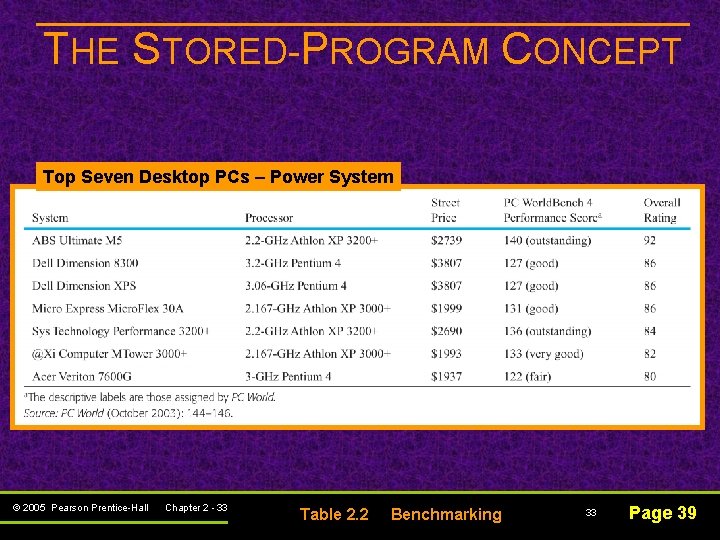
THE STORED-PROGRAM CONCEPT Top Seven Desktop PCs – Power System © 2005 Pearson Prentice-Hall Chapter 2 - 33 Table 2. 2 Benchmarking 33 Page 39
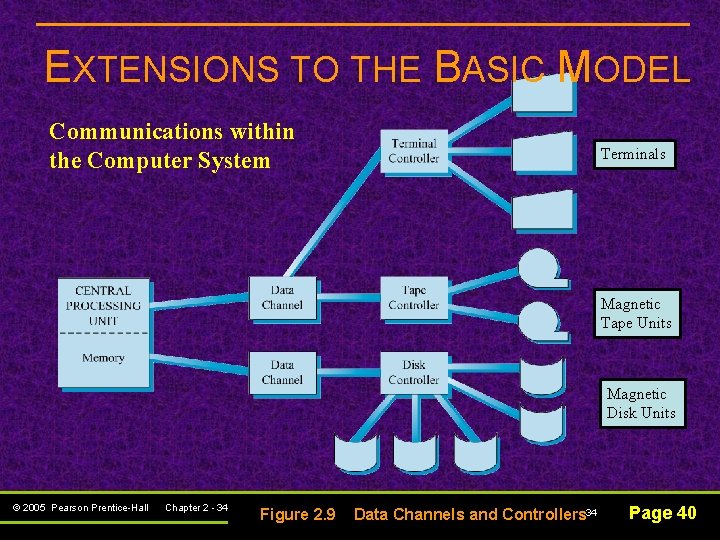
EXTENSIONS TO THE BASIC MODEL Communications within the Computer System Terminals Magnetic Tape Units Magnetic Disk Units © 2005 Pearson Prentice-Hall Chapter 2 - 34 Figure 2. 9 Data Channels and Controllers 34 Page 40
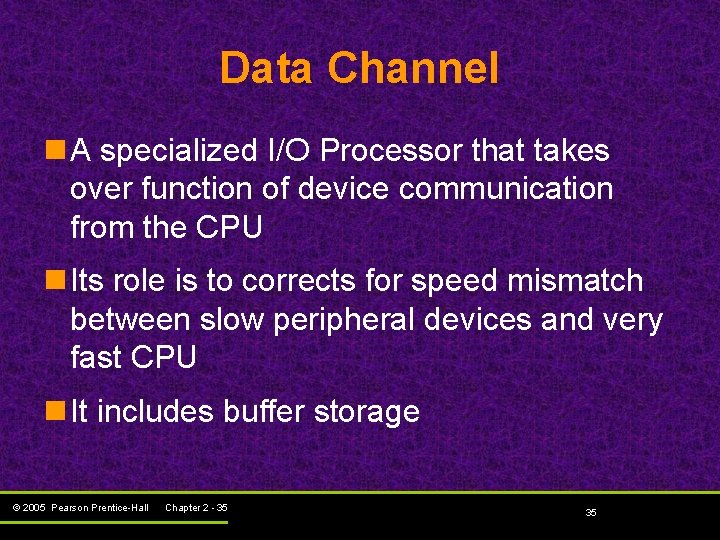
Data Channel n A specialized I/O Processor that takes over function of device communication from the CPU n Its role is to corrects for speed mismatch between slow peripheral devices and very fast CPU n It includes buffer storage © 2005 Pearson Prentice-Hall Chapter 2 - 35 35
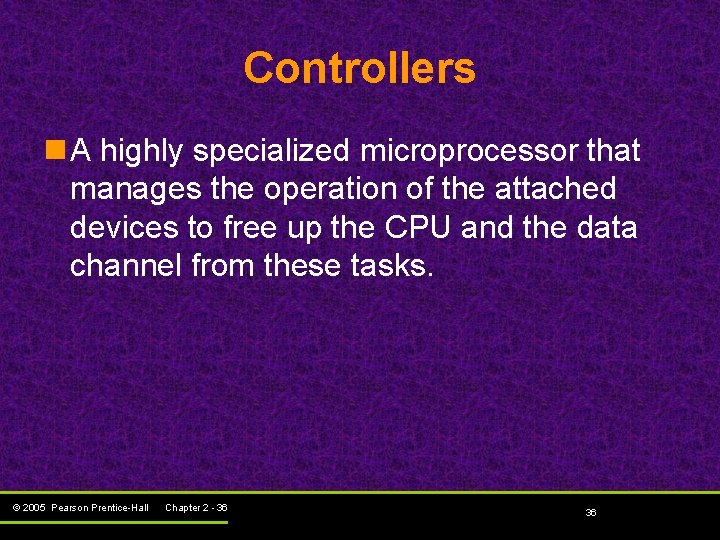
Controllers n A highly specialized microprocessor that manages the operation of the attached devices to free up the CPU and the data channel from these tasks. © 2005 Pearson Prentice-Hall Chapter 2 - 36 36
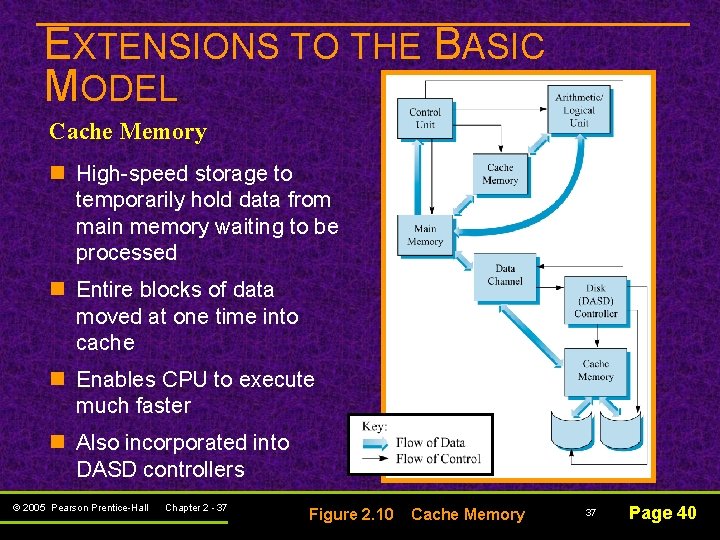
EXTENSIONS TO THE BASIC MODEL Cache Memory n High-speed storage to temporarily hold data from main memory waiting to be processed n Entire blocks of data moved at one time into cache n Enables CPU to execute much faster n Also incorporated into DASD controllers © 2005 Pearson Prentice-Hall Chapter 2 - 37 Figure 2. 10 Cache Memory 37 Page 40
EXTENSIONS TO THE BASIC MODEL Multiple Processor Configurations n Multiprocessor n Symmetric multiprocessor (SMP) n Vector facility n Parallel processor (PP) n Massively parallel processor (MPP) © 2005 Pearson Prentice-Hall Chapter 2 - 38 38 Page 41 -42
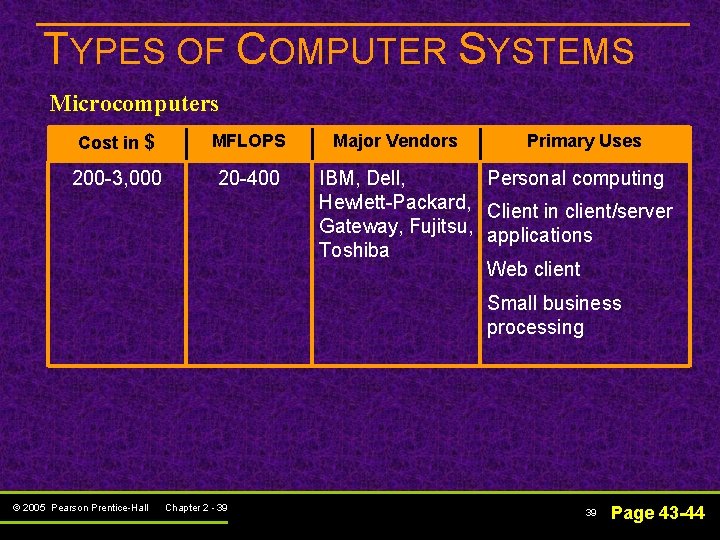
TYPES OF COMPUTER SYSTEMS Microcomputers Cost in $ MFLOPS 200 -3, 000 20 -400 Major Vendors Primary Uses IBM, Dell, Personal computing Hewlett-Packard, Client in client/server Gateway, Fujitsu, applications Toshiba Web client Small business processing © 2005 Pearson Prentice-Hall Chapter 2 - 39 39 Page 43 -44
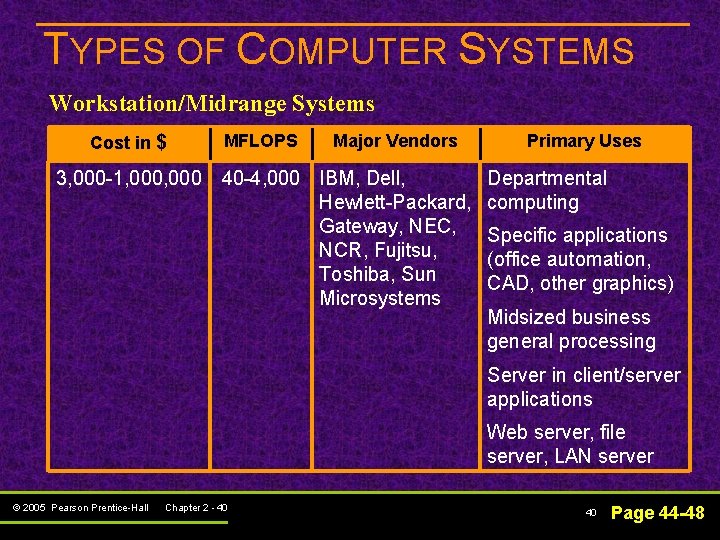
TYPES OF COMPUTER SYSTEMS Workstation/Midrange Systems Cost in $ MFLOPS Major Vendors 3, 000 -1, 000 40 -4, 000 IBM, Dell, Hewlett-Packard, Gateway, NEC, NCR, Fujitsu, Toshiba, Sun Microsystems Primary Uses Departmental computing Specific applications (office automation, CAD, other graphics) Midsized business general processing Server in client/server applications Web server, file server, LAN server © 2005 Pearson Prentice-Hall Chapter 2 - 40 40 Page 44 -48
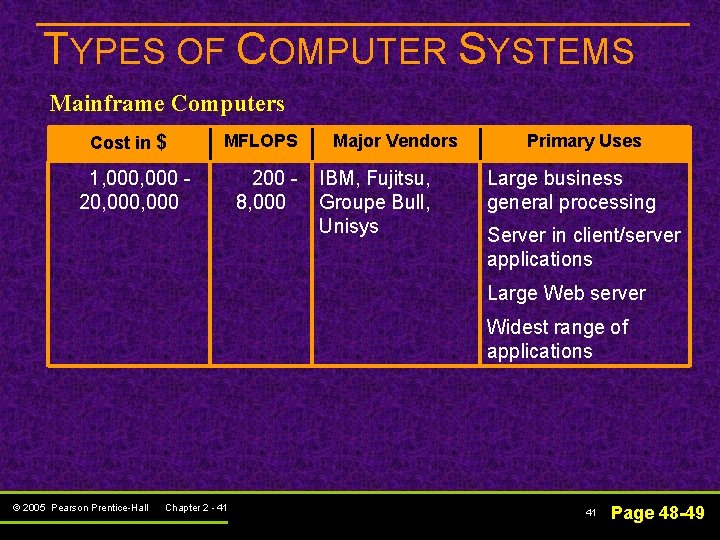
TYPES OF COMPUTER SYSTEMS Mainframe Computers Cost in $ MFLOPS 1, 000, 000 200 8, 000 Major Vendors IBM, Fujitsu, Groupe Bull, Unisys Primary Uses Large business general processing Server in client/server applications Large Web server Widest range of applications © 2005 Pearson Prentice-Hall Chapter 2 - 41 41 Page 48 -49
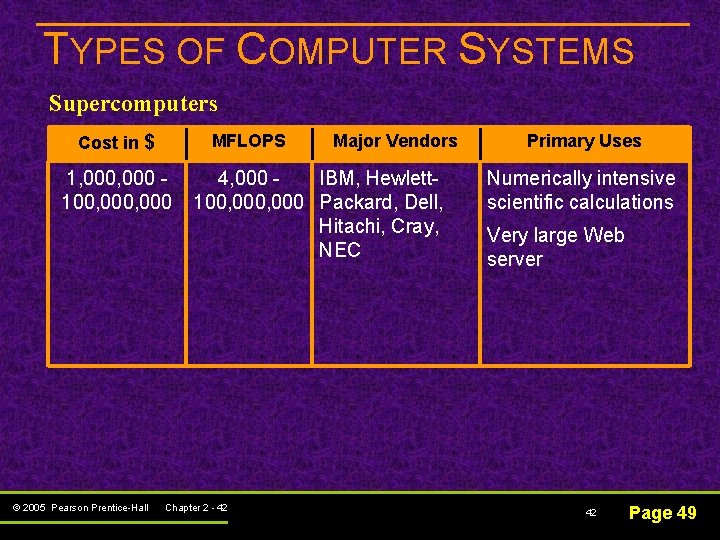
TYPES OF COMPUTER SYSTEMS Supercomputers MFLOPS Cost in $ 1, 000 100, 000 © 2005 Pearson Prentice-Hall Major Vendors 4, 000 IBM, Hewlett 100, 000 Packard, Dell, Hitachi, Cray, NEC Chapter 2 - 42 Primary Uses Numerically intensive scientific calculations Very large Web server 42 Page 49