
Making the Most of the Capitol Library Resources
Making the Most of the Capitol Library Resources Summer 2020
Purpose of this Presentation • Introduce the Virtual Library • Ensure that users know how to find access the Virtual Library • Provide practical examples of how to search for and find articles from several databases • Demonstrate filters to limit the search size to what you want to find • Introduce citation generators
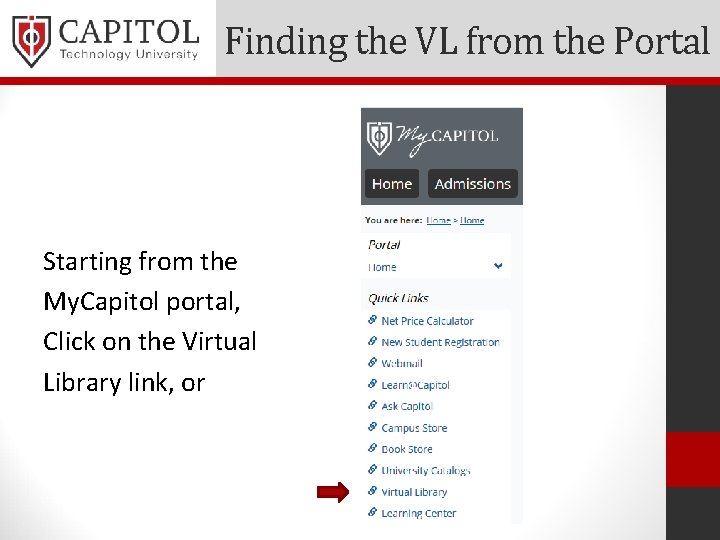
Finding the VL from the Portal Starting from the My. Capitol portal, Click on the Virtual Library link, or
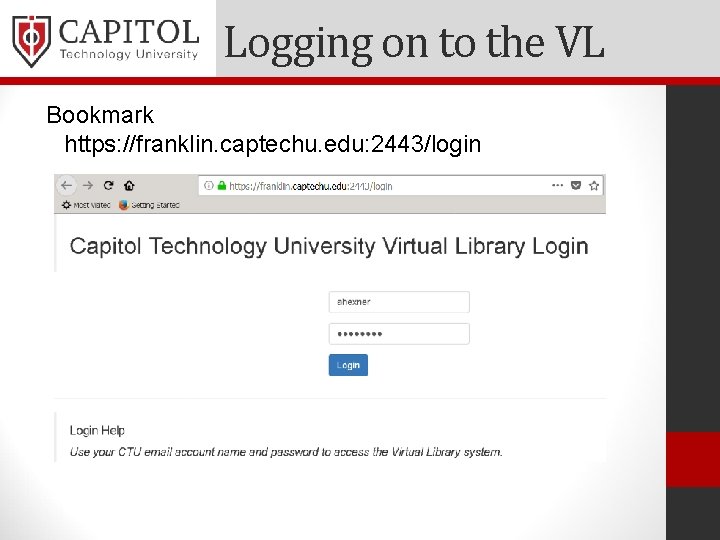
Logging on to the VL Bookmark https: //franklin. captechu. edu: 2443/login
Frequent Questions • What is your account name? Your VL account name is the same as your Capitol Tech My. Capitol portal name, which is the same as the first part of your Capitol Tech/Office 365 email address. If jsmith@captechu. edu, is your Capitol Tech email address, then jsmith is your account name.
Frequent Questions • What is your password? VL authenticates users based on their Capitol Tech/Office 365 email account. If you can access your email, then you should have the correct password to access the virtual library. If you need help accessing your email, then contact the IT department at: ithelp@captechu. edu. Include enough information (like your student id#) so IT knows how to reach you.
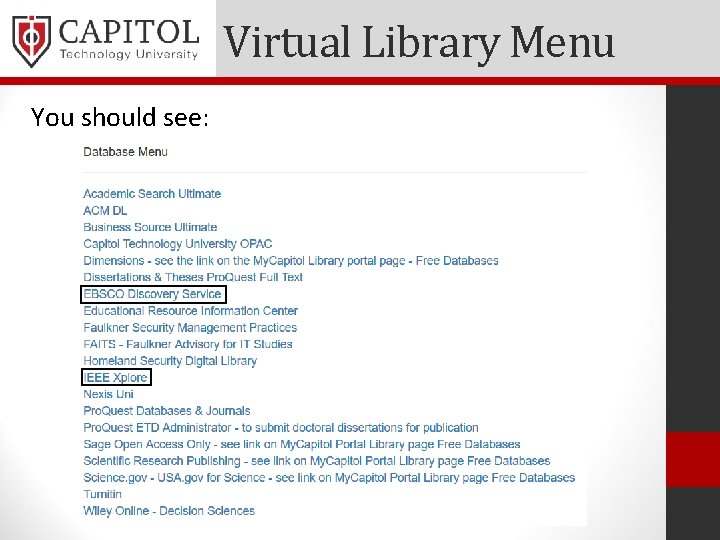
Virtual Library Menu You should see:

Start Your Search • New: IEEE Xplore and EBSCO Discovery Service • EBSCOhost: including Academic Search; Business Source; ERIC, the Educational Resource Information Center; • Pro. Quest Databases & Journals: Including ABI/Inform Global; Business Market Research; and Dissertations & Theses • Both EBSCO and Pro. Quest provide access to many thousands of scholarly, peer reviewed journals, often full-text
Get Acquainted • Other databases worth exploring include: • Homeland Security Digital Library • ACM Digital Library • Nexis Uni • The Virtual Library is available anytime, anywhere as long as you have internet access • Let’s start a test search using the EBSCO Discovery Service
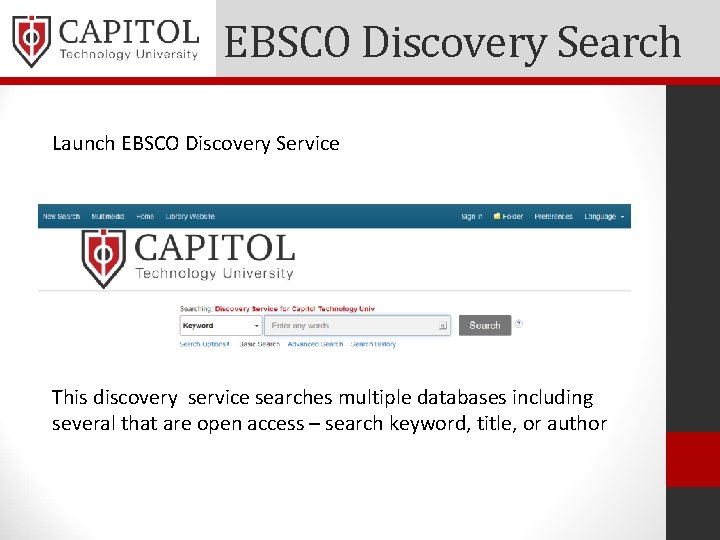
EBSCO Discovery Search Launch EBSCO Discovery Service This discovery service searches multiple databases including several that are open access – search keyword, title, or author
EDS Search Exercise • Examine the top line – Note that new search is a reset • Start a basic search - enter management theory • How many results do we get? (too many) • Filter by Full Text – Now how many results? (ibid) • Filter by Peer Reviewed; How many results now? • Filter by the last ten years; Put “quotes” around topic; (better) Limit to last 5 years (getting better) • Consider how else to limit our search
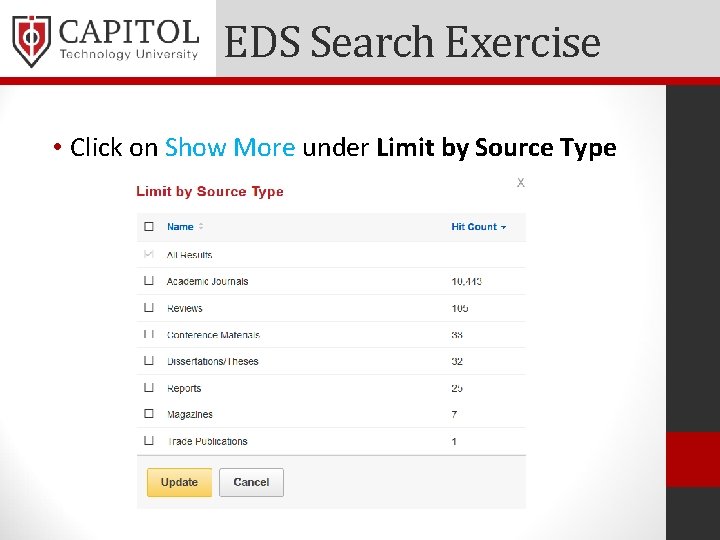
EDS Search Exercise • Click on Show More under Limit by Source Type
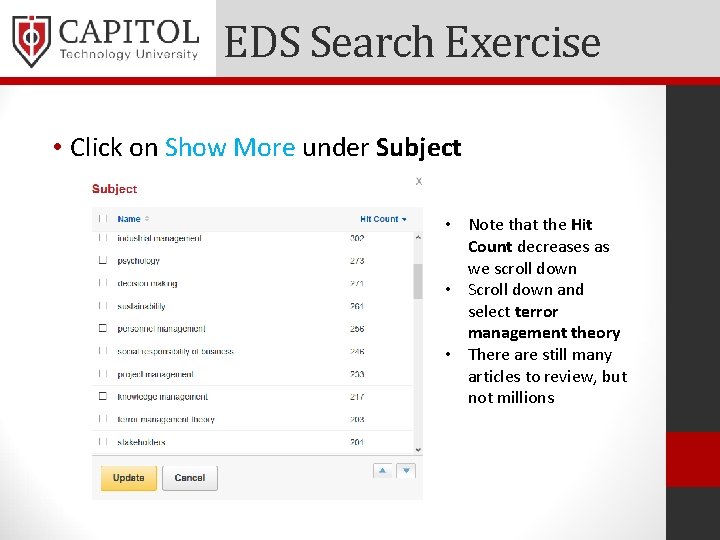
EDS Search Exercise • Click on Show More under Subject • Note that the Hit Count decreases as we scroll down • Scroll down and select terror management theory • There are still many articles to review, but not millions
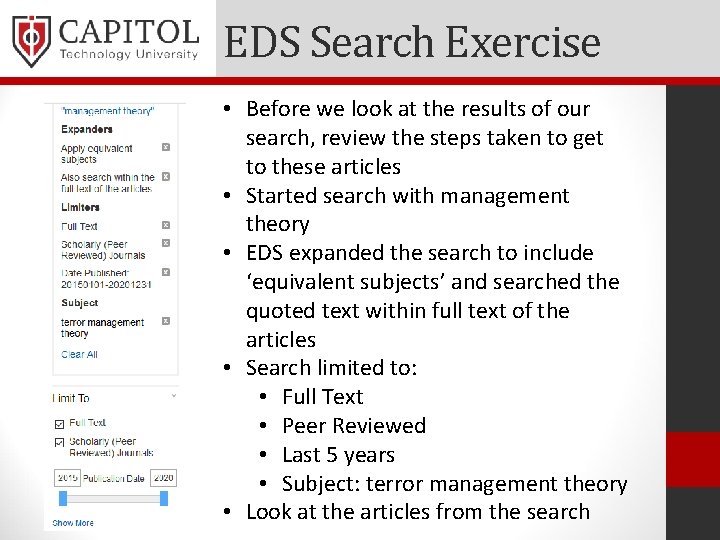
EDS Search Exercise • Before we look at the results of our search, review the steps taken to get to these articles • Started search with management theory • EDS expanded the search to include ‘equivalent subjects’ and searched the quoted text within full text of the articles • Search limited to: • Full Text • Peer Reviewed • Last 5 years • Subject: terror management theory • Look at the articles from the search
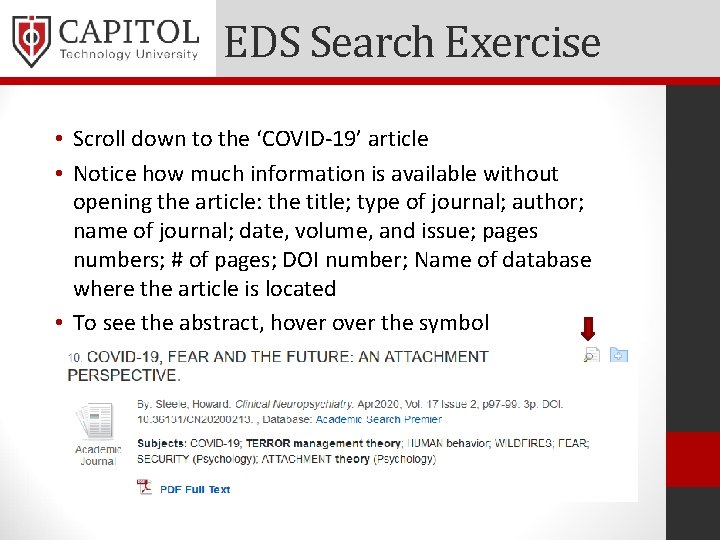
EDS Search Exercise • Scroll down to the ‘COVID-19’ article • Notice how much information is available without opening the article: the title; type of journal; author; name of journal; date, volume, and issue; pages numbers; # of pages; DOI number; Name of database where the article is located • To see the abstract, hover the symbol
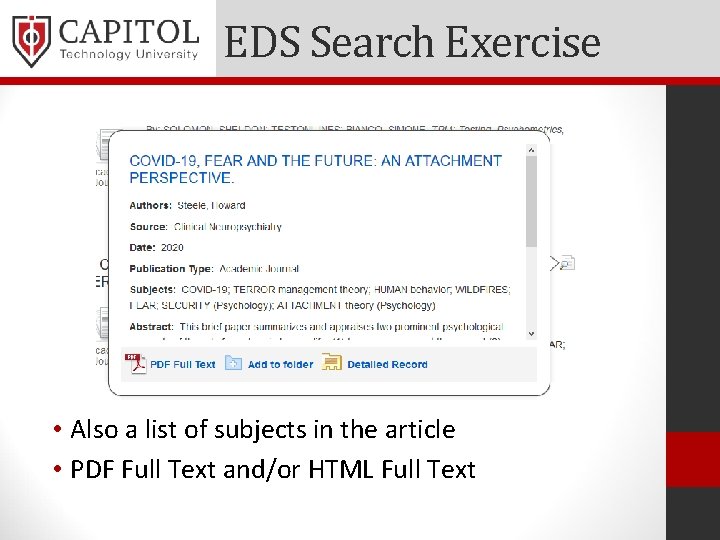
EDS Search Exercise • Also a list of subjects in the article • PDF Full Text and/or HTML Full Text
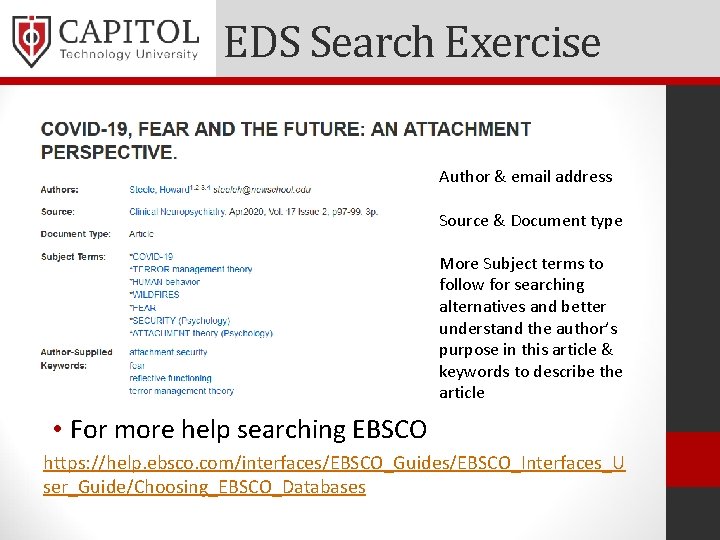
EDS Search Exercise Author & email address Source & Document type More Subject terms to follow for searching alternatives and better understand the author’s purpose in this article & keywords to describe the article • For more help searching EBSCO https: //help. ebsco. com/interfaces/EBSCO_Guides/EBSCO_Interfaces_U ser_Guide/Choosing_EBSCO_Databases

EDS Search Exercise • Upper left: Detailed Record; PDF; Similar Results with Smart. Text • Tools on the left side: • Send to Google Drive or add to folder; • Print; E-mail; Save; Cite; Export • Click the Cite and Export links • Ref. Works accounts available for free
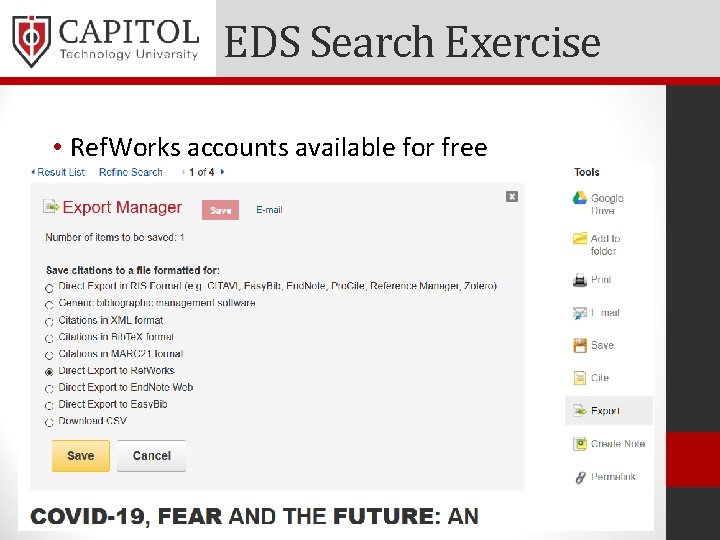
EDS Search Exercise • Ref. Works accounts available for free
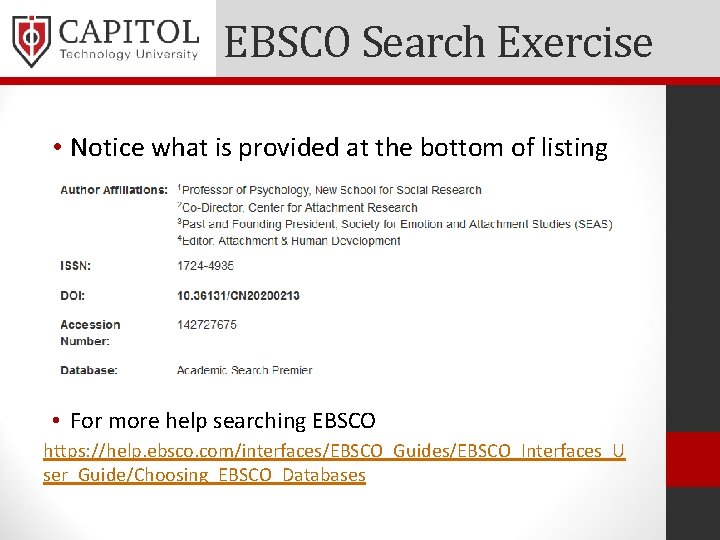
EBSCO Search Exercise • Notice what is provided at the bottom of listing • For more help searching EBSCO https: //help. ebsco. com/interfaces/EBSCO_Guides/EBSCO_Interfaces_U ser_Guide/Choosing_EBSCO_Databases
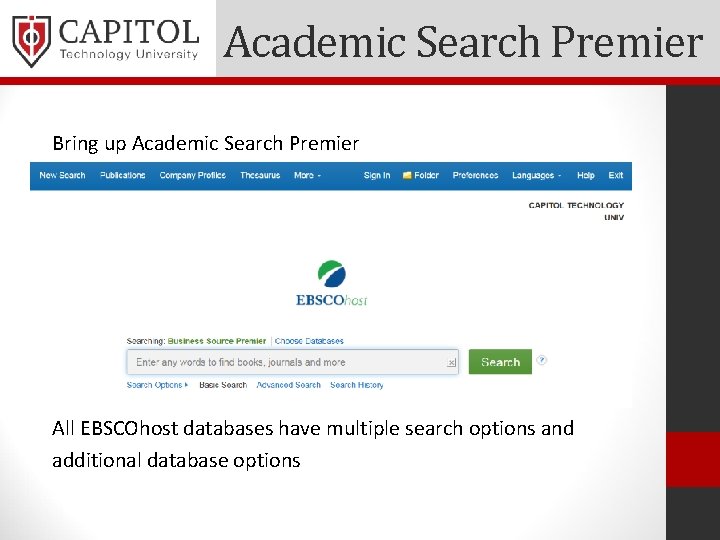
Academic Search Premier Bring up Academic Search Premier All EBSCOhost databases have multiple search options and additional database options
EBSCO Advanced Search • Click Choose Databases – select Military & Government Collection • Enter cybersecurity • Filter on Full Text; and last ten years; and Peer Reviewed • Scroll down to and open the Live Free or Die Hard: U. S. -UK Cybersecurity Policies • For more help searching EBSCO https: //help. ebsco. com/interfaces/EBSCO_Guides/EBSCO_Interf aces_User_Guide/Choosing_EBSCO_Databases
EBSCO e. Book Search • Looking for an e. Book? • Go to Choose Databases; select e. Book Collection • Enter computer security • There are 700 full text books available on topic • Filter for the past five years • Scroll down and open Mastering Kali Linux • The whole book is available for online reading; includes suggestions for most relevant pages and citation help
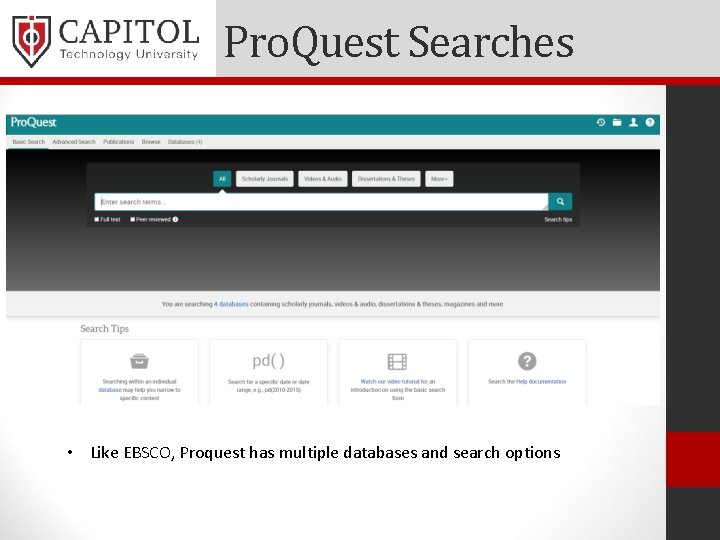
Pro. Quest Searches • Like EBSCO, Proquest has multiple databases and search options
Pro. Quest Search Exercise Open Pro. Quest Click Basic Search for cyber warfare - too many results Limit to Full text and Peer reviewed Add Scholarly Journals & Last 12 months Check the other filter options on the left Scroll down to A Plan for a US Space Force Before opening, look at the preview Open the article – Full text, Full Text-PDF, Abstract/Details • Review the tools and options available on the right side • • •
Pro. Quest Dissertations • Want to see all of the published Capitol dissertations? • Open Pro. Quest; Click on Databases • Choose only Pro. Quest Dissertations & Theses Global • Click Advanced Search • Scroll down to University/institution • Enter Capitol Technology University • Click on Search and scroll through the results • Before opening, look at Abstract/Details; Preview – PDF; Full Text-PDF, and Show Abstract
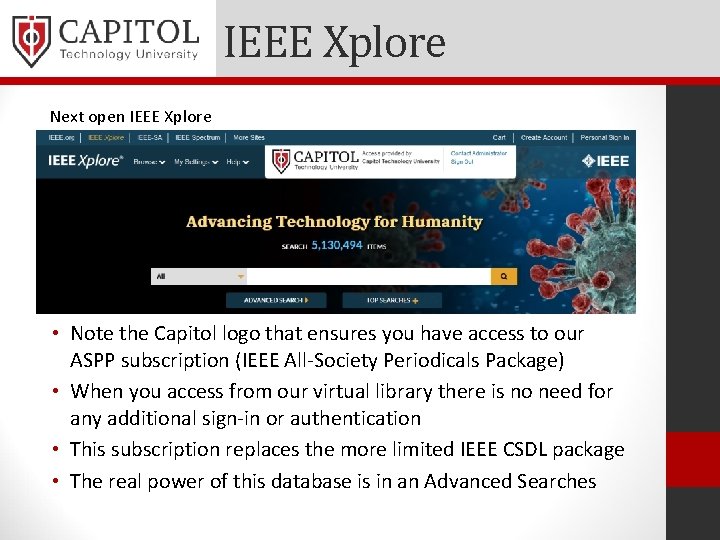
IEEE Xplore Next open IEEE Xplore • Note the Capitol logo that ensures you have access to our ASPP subscription (IEEE All-Society Periodicals Package) • When you access from our virtual library there is no need for any additional sign-in or authentication • This subscription replaces the more limited IEEE CSDL package • The real power of this database is in an Advanced Searches
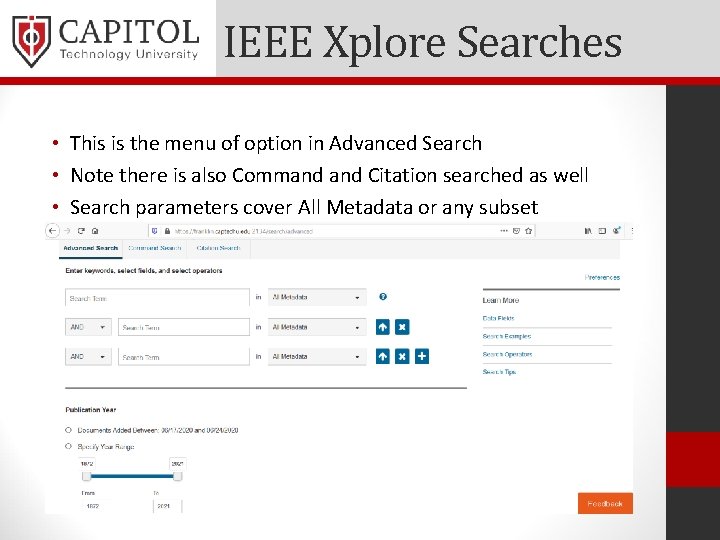
IEEE Xplore Searches • This is the menu of option in Advanced Search • Note there is also Command Citation searched as well • Search parameters cover All Metadata or any subset
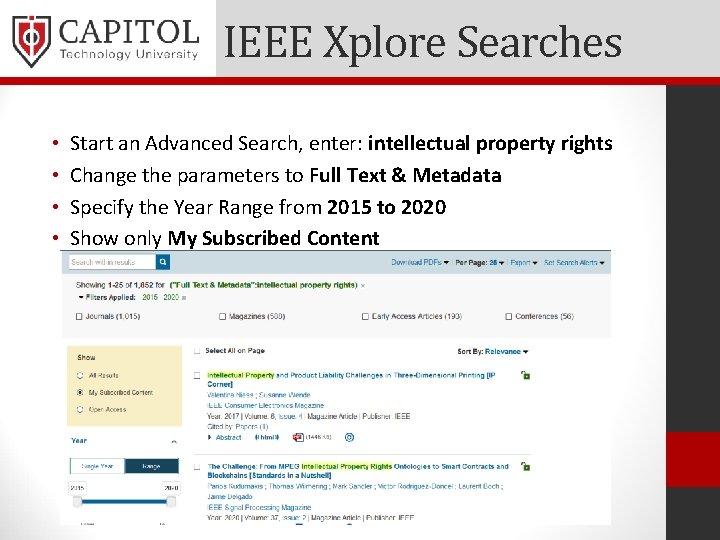
IEEE Xplore Searches • • Start an Advanced Search, enter: intellectual property rights Change the parameters to Full Text & Metadata Specify the Year Range from 2015 to 2020 Show only My Subscribed Content
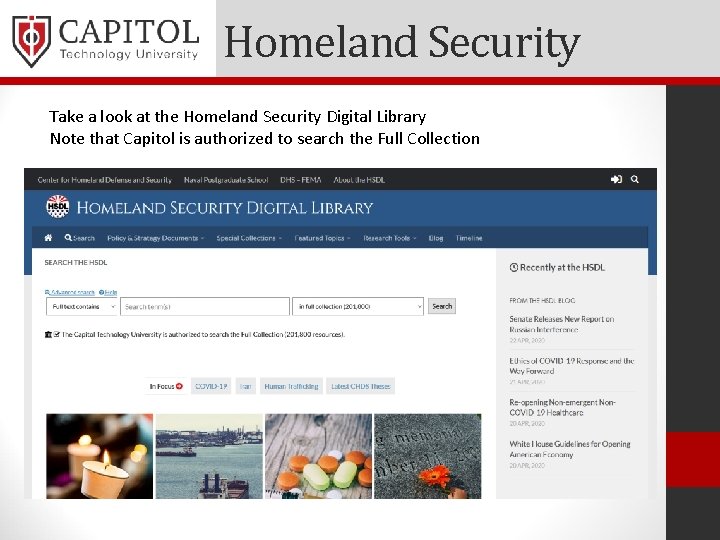
Homeland Security Take a look at the Homeland Security Digital Library Note that Capitol is authorized to search the Full Collection
Homeland Security • Search using Full text contains for: pandemic response (over 11, 000 results) • Click on Resource Type or Special Collection • Scroll down to Emergency management plans • Over 600 results – click on sorted by date • Look at National Response Framework, Fourth Edition, October 28, 2019 • Show Summary; Open Resource; (open full abstract) • Open the full abstract to get an idea of the document
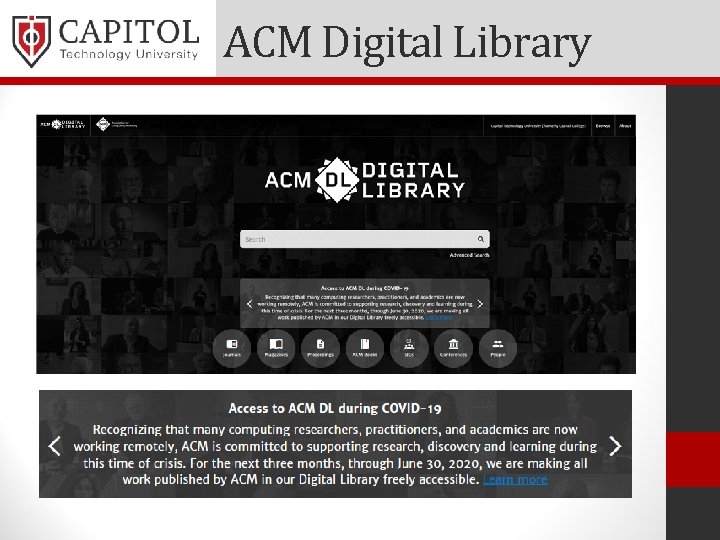
ACM Digital Library
ACM Digital Library Run a search on deep learning Filter by Short Paper for the Past Year More than 100 results Take a look at: Deep. Xplore: automated whitebox testing of deep learning systems • Note that this paper has been downloaded over 4, 100 times • Click on Highlights to see the Abstract and highlights of the Full Text • •
Other Free Sources • In addition to the Virtual Library – Open Access Sources • Go back to My. Capitol and click on Library tab • Under the left side note the available titles • • BASE Bielefeld Academic Search Engine Citebase Human-Computer Interaction Resources Information Bridge Jurn Search Microsoft Academic Naval Postgraduate School
Questions? Thank you very much. Allen Exner Director of Library Services and Information Literacy library@captechu. edu
- Slides: 35