
Makefiles autotools CMake By Sylvain Fargier Introduction Introduction
Makefiles, autotools &CMake By Sylvain Fargier
Introduction
Introduction • This document is only a brief introduction • Its goal is to give a global/overall understanding • This document is not a complete neither an exhaustive documentation (refer to “References” sections for additional documentation)
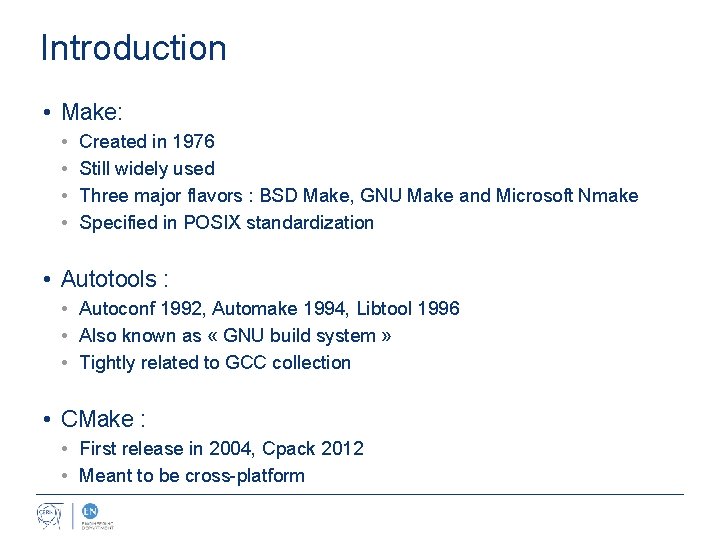
Introduction • Make: • • Created in 1976 Still widely used Three major flavors : BSD Make, GNU Make and Microsoft Nmake Specified in POSIX standardization • Autotools : • Autoconf 1992, Automake 1994, Libtool 1996 • Also known as « GNU build system » • Tightly related to GCC collection • CMake : • First release in 2004, Cpack 2012 • Meant to be cross-platform
Makefiles
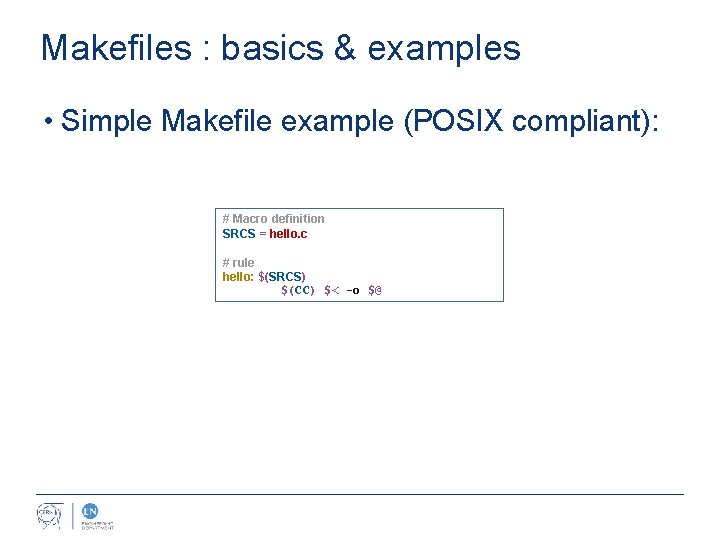
Makefiles : basics & examples • Simple Makefile example (POSIX compliant): # Macro definition SRCS = hello. c # rule hello: $(SRCS) $(CC) $< -o $@
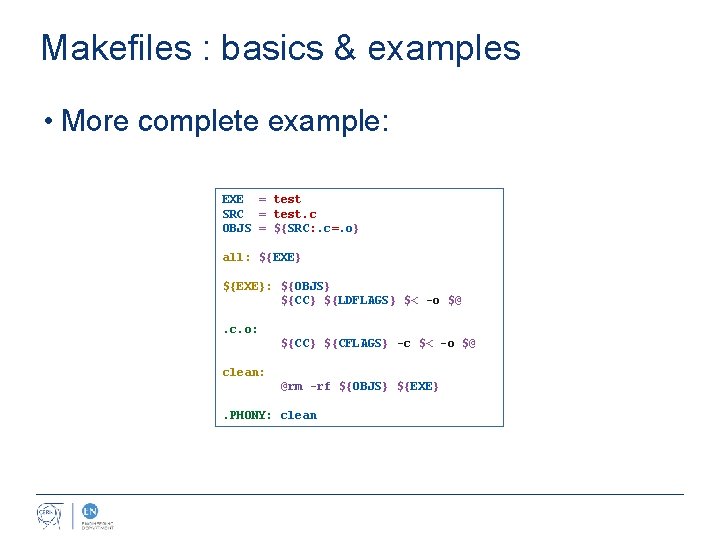
Makefiles : basics & examples • More complete example: EXE = test SRC = test. c OBJS = ${SRC: . c=. o} all: ${EXE}: ${OBJS} ${CC} ${LDFLAGS} $< -o $@. c. o: ${CC} ${CFLAGS} -c $< -o $@ clean: @rm -rf ${OBJS} ${EXE}. PHONY: clean
Makefiles : macros
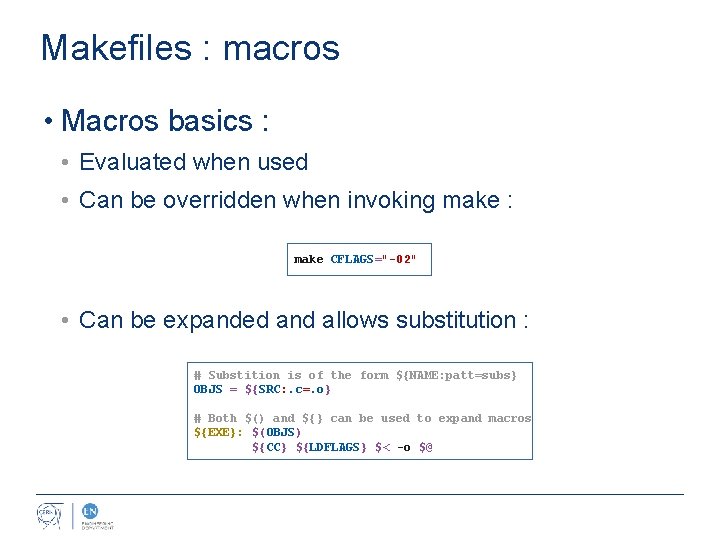
Makefiles : macros • Macros basics : • Evaluated when used • Can be overridden when invoking make : make CFLAGS="-02" • Can be expanded and allows substitution : # Substition is of the form ${NAME: patt=subs} OBJS = ${SRC: . c=. o} # Both $() and ${} can be used to expand macros ${EXE}: $(OBJS) ${CC} ${LDFLAGS} $< -o $@
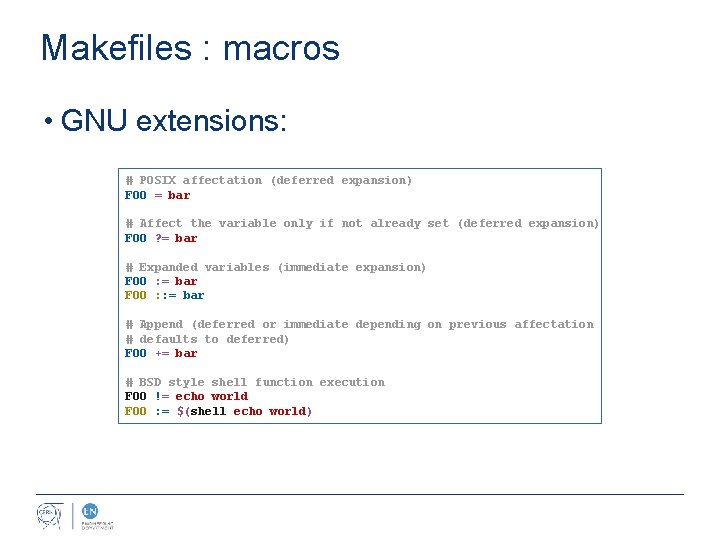
Makefiles : macros • GNU extensions: # POSIX affectation (deferred expansion) FOO = bar # Affect the variable only if not already set (deferred expansion) FOO ? = bar # Expanded variables (immediate expansion) FOO : = bar FOO : : = bar # Append (deferred or immediate depending on previous affectation # defaults to deferred) FOO += bar # BSD style shell function execution FOO != echo world FOO : = $(shell echo world)
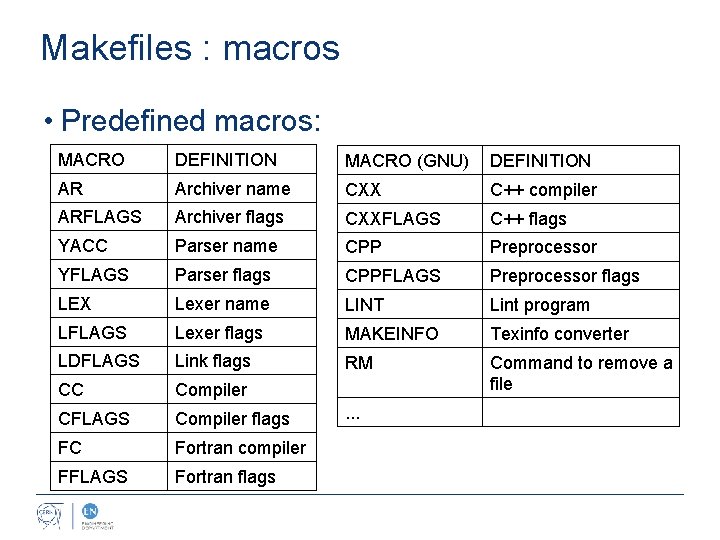
Makefiles : macros • Predefined macros: MACRO DEFINITION MACRO (GNU) DEFINITION AR Archiver name CXX C++ compiler ARFLAGS Archiver flags CXXFLAGS C++ flags YACC Parser name CPP Preprocessor YFLAGS Parser flags CPPFLAGS Preprocessor flags LEX Lexer name LINT Lint program LFLAGS Lexer flags MAKEINFO Texinfo converter LDFLAGS Link flags RM CC Compiler Command to remove a file CFLAGS Compiler flags FC Fortran compiler FFLAGS Fortran flags . . .
Makefiles : rules
![Makefiles : rules • Rules syntax: target [target. . . ]: [prerequisite. . .](http://slidetodoc.com/presentation_image_h2/9f3eeffe4460f7717338d08b934d381d/image-13.jpg "Makefiles : rules • Rules syntax: target [target. . . ]: [prerequisite. . .")
Makefiles : rules • Rules syntax: target [target. . . ]: [prerequisite. . . ][; command] [<tab>command. . . ] • Targets • Most of the time targets are files to generate • It can still be just a name and will be callable from the command-line (ex : clean) • Prerequisites • The target's dependencies • Expanded when the target is evaluated • Can be file names (the file's mod time will be automatically compared with the target) • Commands • Prefixed with a <tab> • Used to generate the target(s)
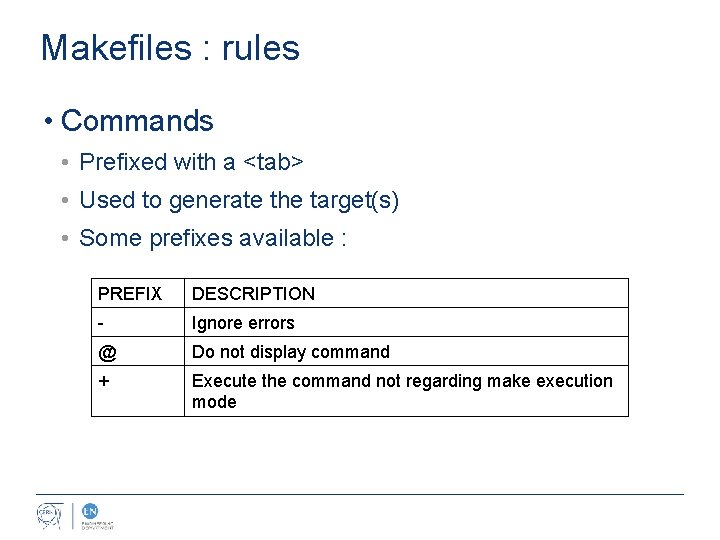
Makefiles : rules • Commands • Prefixed with a <tab> • Used to generate the target(s) • Some prefixes available : PREFIX DESCRIPTION - Ignore errors @ Do not display command + Execute the command not regarding make execution mode
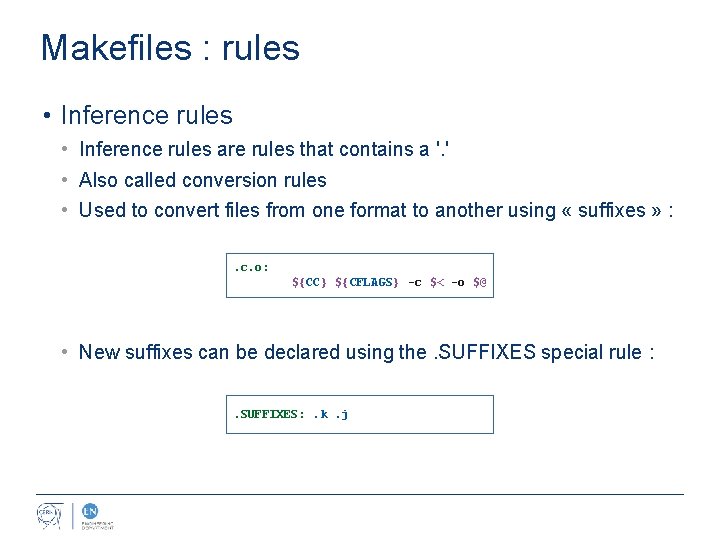
Makefiles : rules • Inference rules are rules that contains a '. ' • Also called conversion rules • Used to convert files from one format to another using « suffixes » : . c. o: ${CC} ${CFLAGS} -c $< -o $@ • New suffixes can be declared using the. SUFFIXES special rule : . SUFFIXES: . k. j
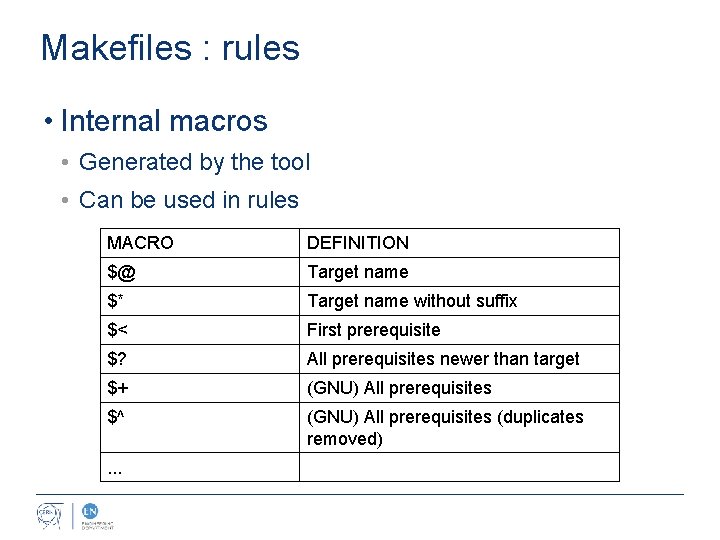
Makefiles : rules • Internal macros • Generated by the tool • Can be used in rules MACRO DEFINITION $@ Target name $* Target name without suffix $< First prerequisite $? All prerequisites newer than target $+ (GNU) All prerequisites $^ (GNU) All prerequisites (duplicates removed) . . .
Makefiles : exercise
Makefiles : exercise • Exercise (15 min) 10 pts : • Write the world's famous helloworld. c source file • Write it's associated Makefile that generate helloworld executable • Do not rely on predefined inference rules • Use an intermediate object file (. o) • Bonus : • Write the “clean” rule (1 pt) • Use a “template” makefile defining everything in macros (2 pt) • Write your own inference rule (2 pt) • Display how many times your project has been built (5 pt)
Autotools
Autotools : basics & examples • Purpose : • Check dependencies • Manage options/conditionals • Compile on any unix-like platform • Standardize makefile rules, options definitions … • Manage out of source builds • A set of GNU utility programs : • Auto. Conf : generates configure executable • Auto. Make : creates intermediate Makefiles • Libtool : manages libraries • Supports other tools : • Pkg-config : handle package level dependencies • Gettext : traduction files management • . . .
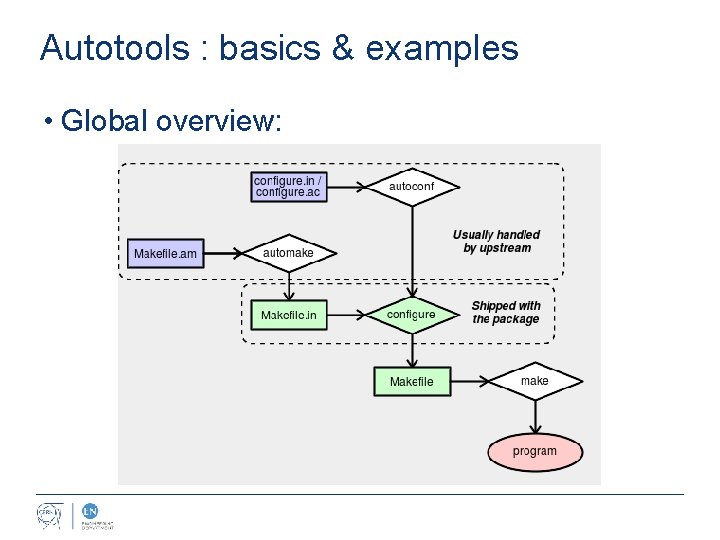
Autotools : basics & examples • Global overview:
Autotools : configure. ac
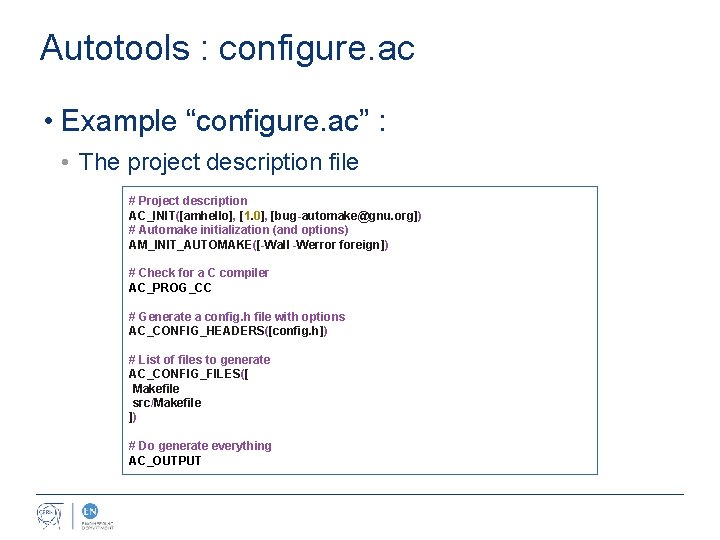
Autotools : configure. ac • Example “configure. ac” : • The project description file # Project description AC_INIT([amhello], [1. 0], [bug-automake@gnu. org]) # Automake initialization (and options) AM_INIT_AUTOMAKE([-Wall -Werror foreign]) # Check for a C compiler AC_PROG_CC # Generate a config. h file with options AC_CONFIG_HEADERS([config. h]) # List of files to generate AC_CONFIG_FILES([ Makefile src/Makefile ]) # Do generate everything AC_OUTPUT
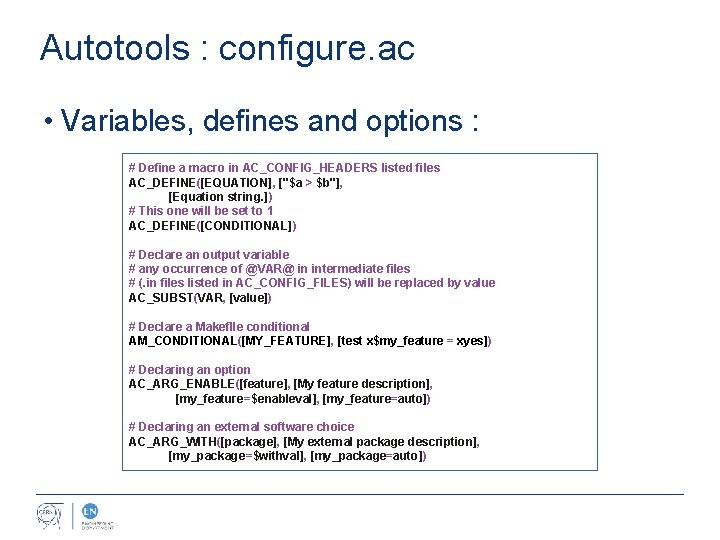
Autotools : configure. ac • Variables, defines and options : # Define a macro in AC_CONFIG_HEADERS listed files AC_DEFINE([EQUATION], ["$a > $b"], [Equation string. ]) # This one will be set to 1 AC_DEFINE([CONDITIONAL]) # Declare an output variable # any occurrence of @VAR@ in intermediate files # (. in files listed in AC_CONFIG_FILES) will be replaced by value AC_SUBST(VAR, [value]) # Declare a Makeflle conditional AM_CONDITIONAL([MY_FEATURE], [test x$my_feature = xyes]) # Declaring an option AC_ARG_ENABLE([feature], [My feature description], [my_feature=$enableval], [my_feature=auto]) # Declaring an external software choice AC_ARG_WITH([package], [My external package description], [my_package=$withval], [my_package=auto])
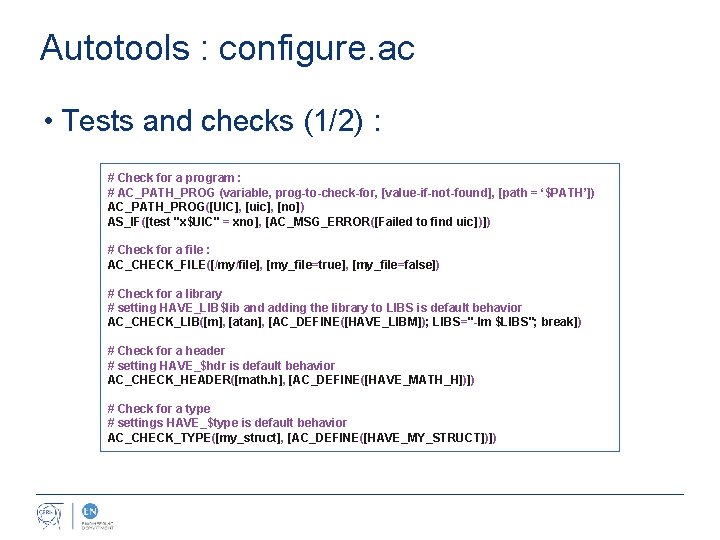
Autotools : configure. ac • Tests and checks (1/2) : # Check for a program : # AC_PATH_PROG (variable, prog-to-check-for, [value-if-not-found], [path = ‘$PATH’]) AC_PATH_PROG([UIC], [uic], [no]) AS_IF([test "x$UIC" = xno], [AC_MSG_ERROR([Failed to find uic])]) # Check for a file : AC_CHECK_FILE([/my/file], [my_file=true], [my_file=false]) # Check for a library # setting HAVE_LIB$lib and adding the library to LIBS is default behavior AC_CHECK_LIB([m], [atan], [AC_DEFINE([HAVE_LIBM]); LIBS="-lm $LIBS"; break]) # Check for a header # setting HAVE_$hdr is default behavior AC_CHECK_HEADER([math. h], [AC_DEFINE([HAVE_MATH_H])]) # Check for a type # settings HAVE_$type is default behavior AC_CHECK_TYPE([my_struct], [AC_DEFINE([HAVE_MY_STRUCT])])
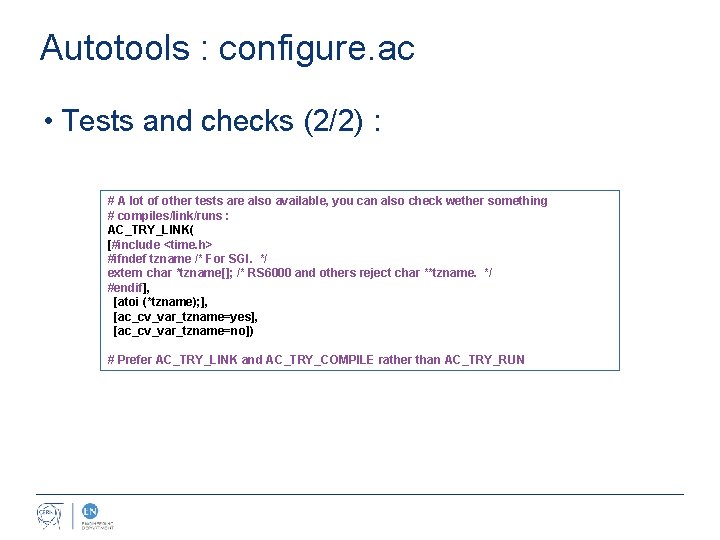
Autotools : configure. ac • Tests and checks (2/2) : # A lot of other tests are also available, you can also check wether something # compiles/link/runs : AC_TRY_LINK( [#include <time. h> #ifndef tzname /* For SGI. */ extern char *tzname[]; /* RS 6000 and others reject char **tzname. */ #endif], [atoi (*tzname); ], [ac_cv_var_tzname=yes], [ac_cv_var_tzname=no]) # Prefer AC_TRY_LINK and AC_TRY_COMPILE rather than AC_TRY_RUN
Autotools : Makefile. am
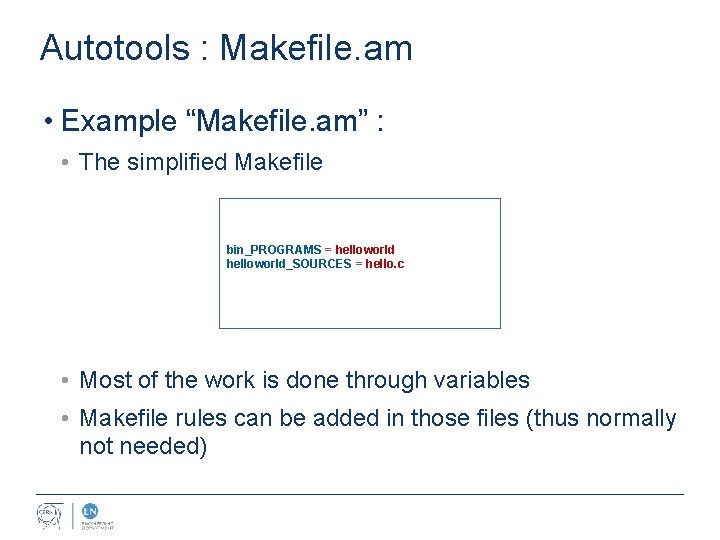
Autotools : Makefile. am • Example “Makefile. am” : • The simplified Makefile bin_PROGRAMS = helloworld_SOURCES = hello. c • Most of the work is done through variables • Makefile rules can be added in those files (thus normally not needed)
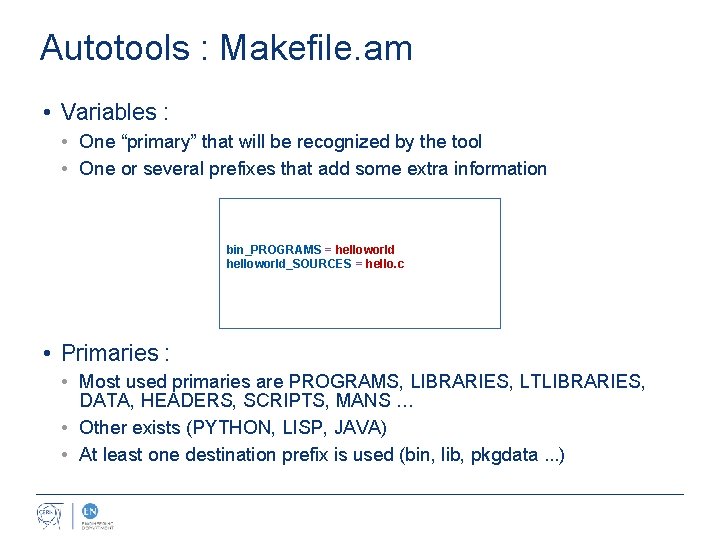
Autotools : Makefile. am • Variables : • One “primary” that will be recognized by the tool • One or several prefixes that add some extra information bin_PROGRAMS = helloworld_SOURCES = hello. c • Primaries : • Most used primaries are PROGRAMS, LIBRARIES, LTLIBRARIES, DATA, HEADERS, SCRIPTS, MANS … • Other exists (PYTHON, LISP, JAVA) • At least one destination prefix is used (bin, lib, pkgdata. . . )
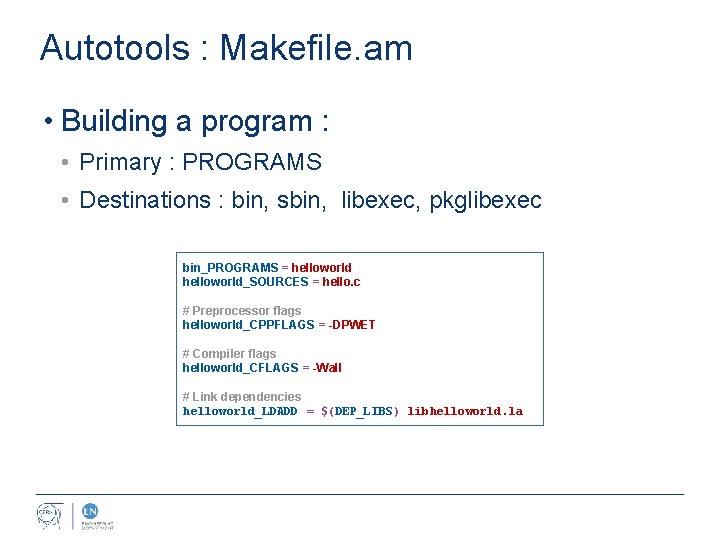
Autotools : Makefile. am • Building a program : • Primary : PROGRAMS • Destinations : bin, sbin, libexec, pkglibexec bin_PROGRAMS = helloworld_SOURCES = hello. c # Preprocessor flags helloworld_CPPFLAGS = -DPWET # Compiler flags helloworld_CFLAGS = -Wall # Link dependencies helloworld_LDADD = $(DEP_LIBS) libhelloworld. la
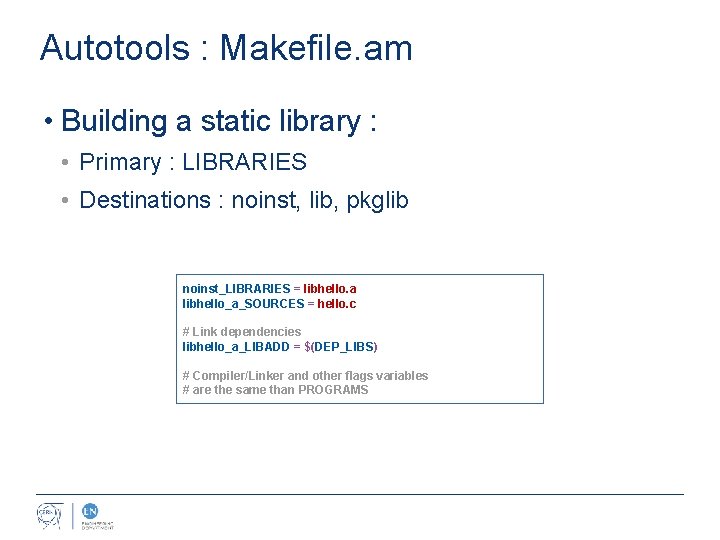
Autotools : Makefile. am • Building a static library : • Primary : LIBRARIES • Destinations : noinst, lib, pkglib noinst_LIBRARIES = libhello. a libhello_a_SOURCES = hello. c # Link dependencies libhello_a_LIBADD = $(DEP_LIBS) # Compiler/Linker and other flags variables # are the same than PROGRAMS
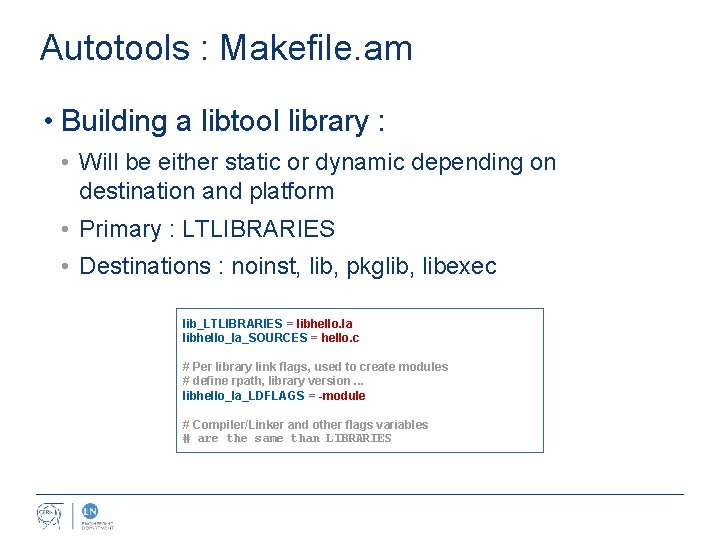
Autotools : Makefile. am • Building a libtool library : • Will be either static or dynamic depending on destination and platform • Primary : LTLIBRARIES • Destinations : noinst, lib, pkglib, libexec lib_LTLIBRARIES = libhello. la libhello_la_SOURCES = hello. c # Per library link flags, used to create modules # define rpath, library version. . . libhello_la_LDFLAGS = -module # Compiler/Linker and other flags variables # are the same than LIBRARIES
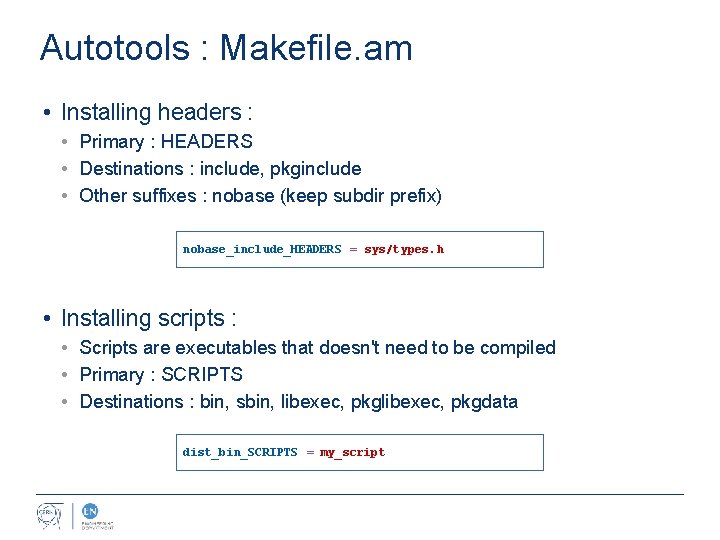
Autotools : Makefile. am • Installing headers : • Primary : HEADERS • Destinations : include, pkginclude • Other suffixes : nobase (keep subdir prefix) nobase_include_HEADERS = sys/types. h • Installing scripts : • Scripts are executables that doesn't need to be compiled • Primary : SCRIPTS • Destinations : bin, sbin, libexec, pkgdata dist_bin_SCRIPTS = my_script
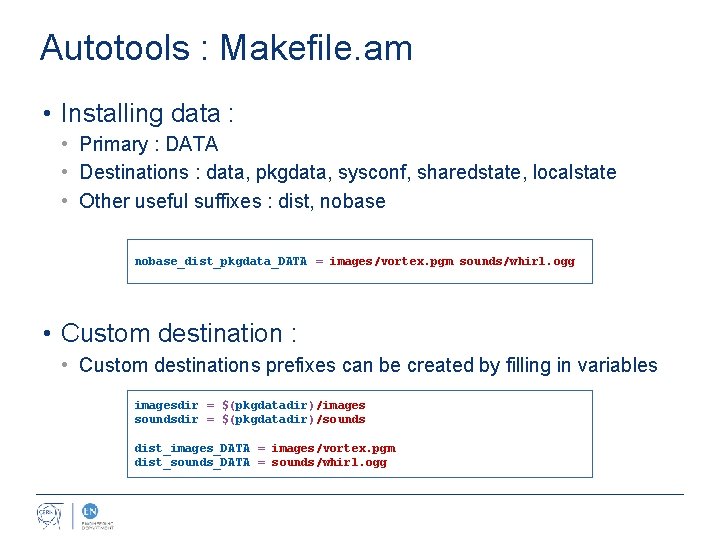
Autotools : Makefile. am • Installing data : • Primary : DATA • Destinations : data, pkgdata, sysconf, sharedstate, localstate • Other useful suffixes : dist, nobase_dist_pkgdata_DATA = images/vortex. pgm sounds/whirl. ogg • Custom destination : • Custom destinations prefixes can be created by filling in variables imagesdir = $(pkgdatadir)/images soundsdir = $(pkgdatadir)/sounds dist_images_DATA = images/vortex. pgm dist_sounds_DATA = sounds/whirl. ogg
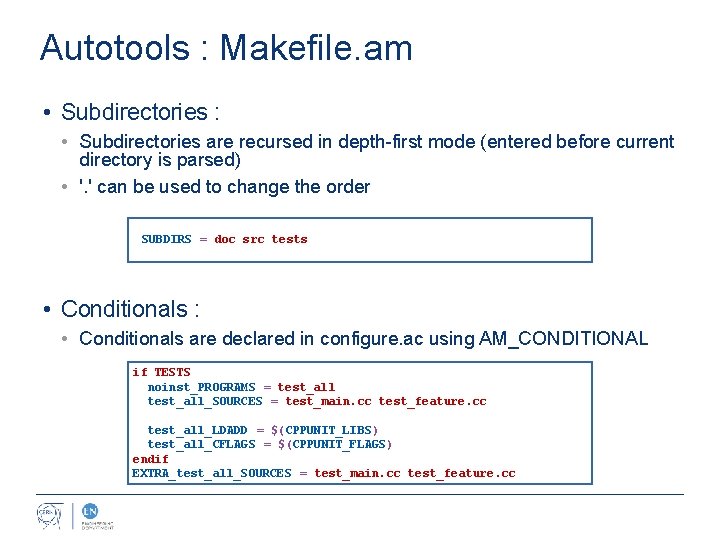
Autotools : Makefile. am • Subdirectories : • Subdirectories are recursed in depth-first mode (entered before current directory is parsed) • '. ' can be used to change the order SUBDIRS = doc src tests • Conditionals : • Conditionals are declared in configure. ac using AM_CONDITIONAL if TESTS noinst_PROGRAMS = test_all_SOURCES = test_main. cc test_feature. cc test_all_LDADD = $(CPPUNIT_LIBS) test_all_CFLAGS = $(CPPUNIT_FLAGS) endif EXTRA_test_all_SOURCES = test_main. cc test_feature. cc
Autotools : pkg-config
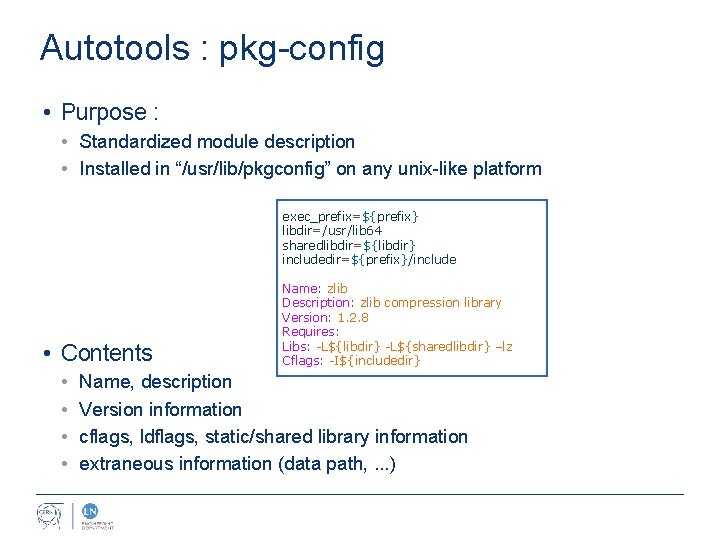
Autotools : pkg-config • Purpose : • Standardized module description • Installed in “/usr/lib/pkgconfig” on any unix-like platform exec_prefix=${prefix} libdir=/usr/lib 64 sharedlibdir=${libdir} includedir=${prefix}/include • Contents • • Name: zlib Description: zlib compression library Version: 1. 2. 8 Requires: Libs: -L${libdir} -L${sharedlibdir} –lz Cflags: -I${includedir} Name, description Version information cflags, ldflags, static/shared library information extraneous information (data path, . . . )
Autotools : usage
Autotools : usage • Generating “configure” and “Makefile. in” files : # In the directory that contains configure. ac file: autoreconf -vfi • Generating “Makefile” files : # In-source build: . /configure # Out-of-source build: mkdir build; cd build. . /configure
Autotools : usage • Enabling/disabling options: # List available options: . /configure –help # Activating options (assuming opt. X are declared options): . /configure --enable-opt 1 --disable-opt 2 - -with-opt 3=value • Compiling: # Well writen autotools files can use –j and run in parallel make –j 4
CMake
CMake : basics & examples • CMake is a Makefile generator that supports: • UNIX, Borland, MSYS, Min. GW, NMake, Ninja, Watcom Makefiles • But it also supports your preferred IDEs: • Visual Studio 6, 7… 12, Xcode, Code. Blocks, Eclipse CDT 4, Kdevelop 3, Kate, Sublime Text 2 … • And more: • Package bundling, installers, unit-tests …
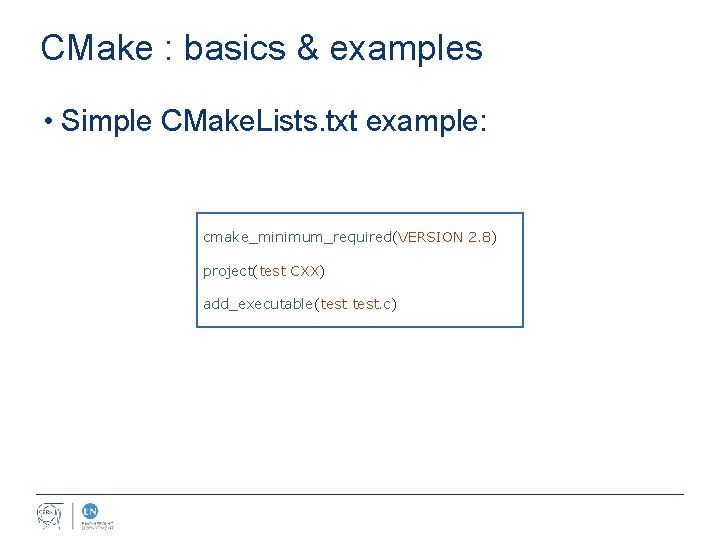
CMake : basics & examples • Simple CMake. Lists. txt example: cmake_minimum_required(VERSION 2. 8) project(test CXX) add_executable(test. c)
CMake : usage
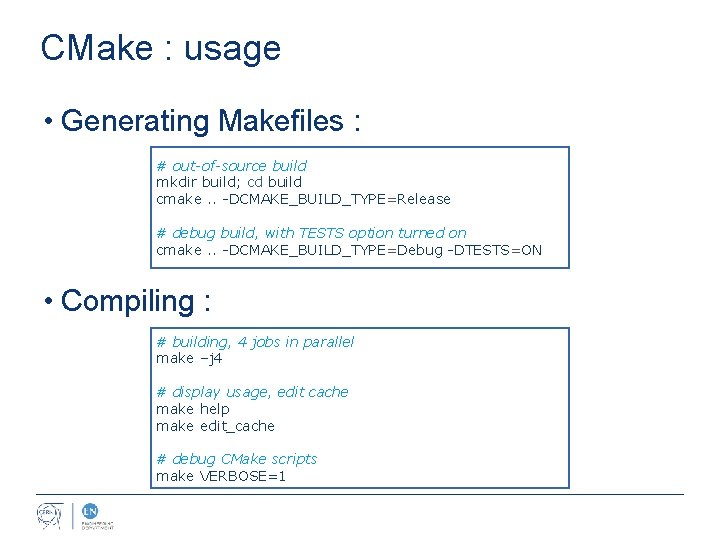
CMake : usage • Generating Makefiles : # out-of-source build mkdir build; cd build cmake. . -DCMAKE_BUILD_TYPE=Release # debug build, with TESTS option turned on cmake. . -DCMAKE_BUILD_TYPE=Debug -DTESTS=ON • Compiling : # building, 4 jobs in parallel make –j 4 # display usage, edit cache make help make edit_cache # debug CMake scripts make VERBOSE=1
CMake : variables & cache
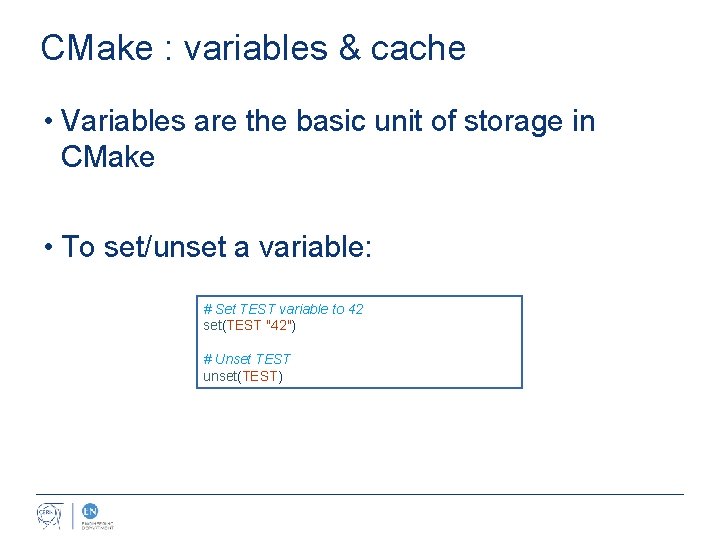
CMake : variables & cache • Variables are the basic unit of storage in CMake • To set/unset a variable: # Set TEST variable to 42 set(TEST "42") # Unset TEST unset(TEST)
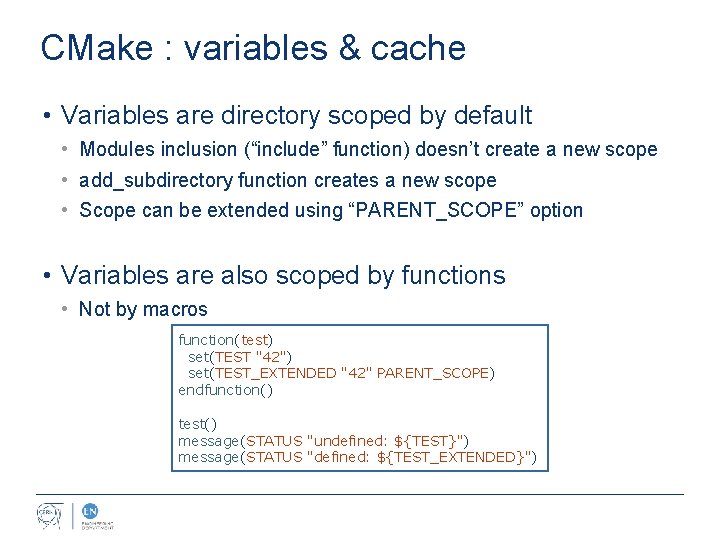
CMake : variables & cache • Variables are directory scoped by default • Modules inclusion (“include” function) doesn’t create a new scope • add_subdirectory function creates a new scope • Scope can be extended using “PARENT_SCOPE” option • Variables are also scoped by functions • Not by macros function(test) set(TEST "42") set(TEST_EXTENDED "42" PARENT_SCOPE) endfunction() test() message(STATUS "undefined: ${TEST}") message(STATUS "defined: ${TEST_EXTENDED}")
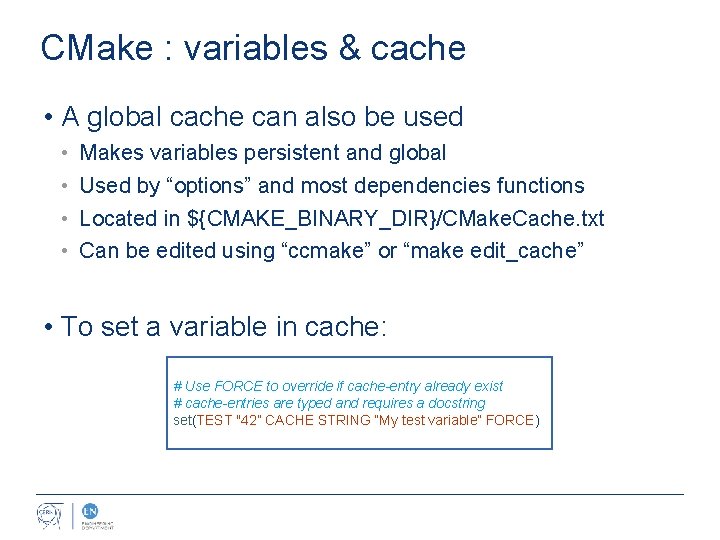
CMake : variables & cache • A global cache can also be used • • Makes variables persistent and global Used by “options” and most dependencies functions Located in ${CMAKE_BINARY_DIR}/CMake. Cache. txt Can be edited using “ccmake” or “make edit_cache” • To set a variable in cache: # Use FORCE to override if cache-entry already exist # cache-entries are typed and requires a docstring set(TEST "42” CACHE STRING “My test variable” FORCE)
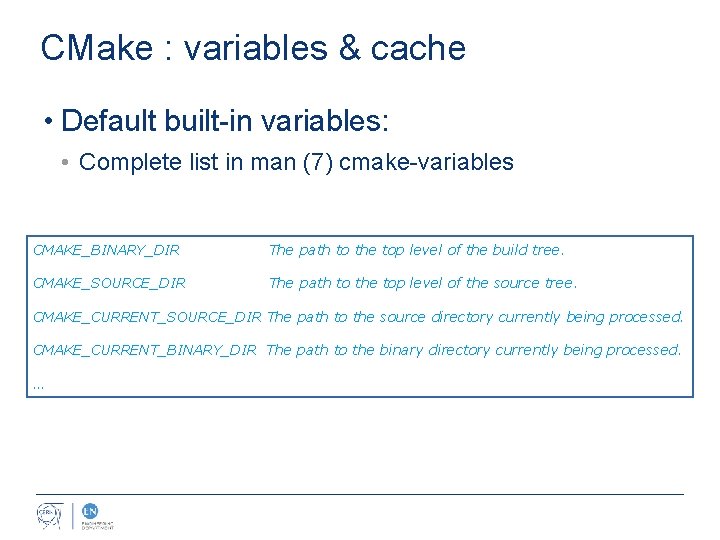
CMake : variables & cache • Default built-in variables: • Complete list in man (7) cmake-variables CMAKE_BINARY_DIR The path to the top level of the build tree. CMAKE_SOURCE_DIR The path to the top level of the source tree. CMAKE_CURRENT_SOURCE_DIR The path to the source directory currently being processed. CMAKE_CURRENT_BINARY_DIR The path to the binary directory currently being processed. …
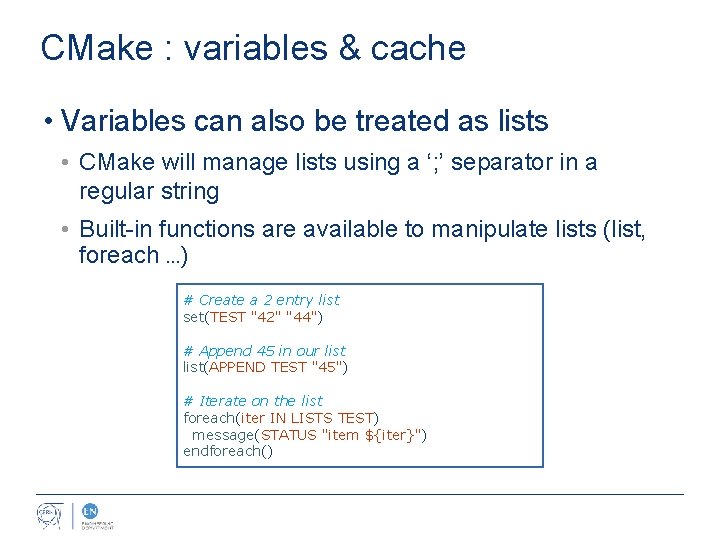
CMake : variables & cache • Variables can also be treated as lists • CMake will manage lists using a ‘; ’ separator in a regular string • Built-in functions are available to manipulate lists (list, foreach …) # Create a 2 entry list set(TEST "42" "44") # Append 45 in our list(APPEND TEST "45") # Iterate on the list foreach(iter IN LISTS TEST) message(STATUS "item ${iter}") endforeach()
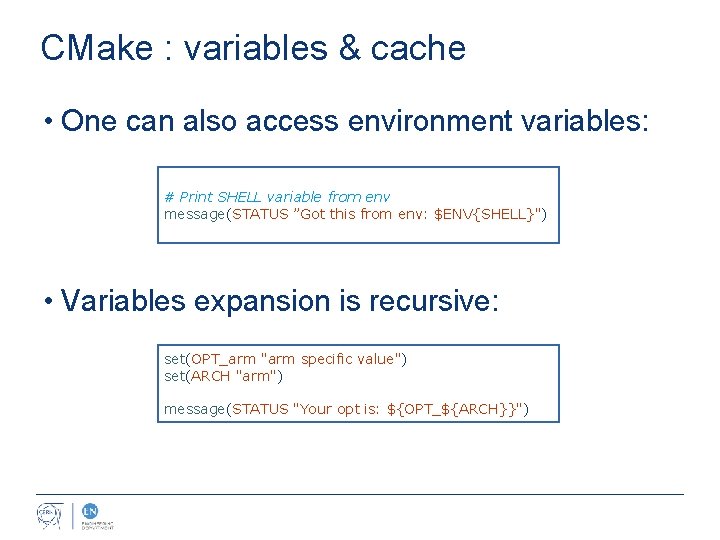
CMake : variables & cache • One can also access environment variables: # Print SHELL variable from env message(STATUS ”Got this from env: $ENV{SHELL}") • Variables expansion is recursive: set(OPT_arm "arm specific value") set(ARCH "arm") message(STATUS "Your opt is: ${OPT_${ARCH}}")
CMake : functions & macros
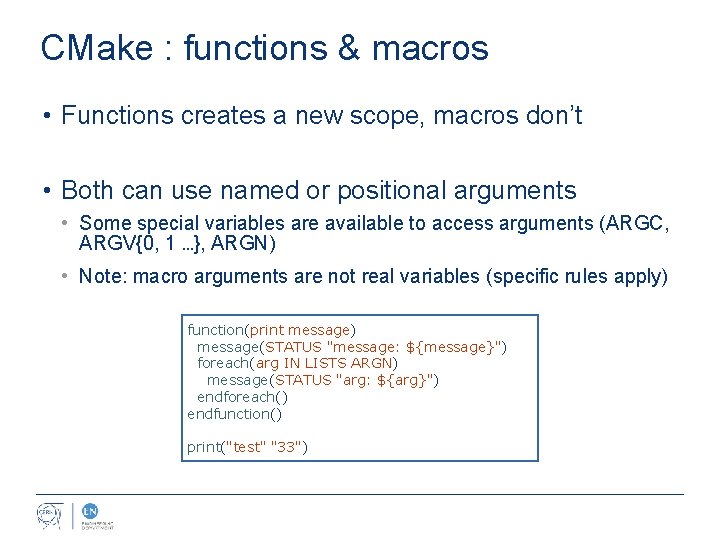
CMake : functions & macros • Functions creates a new scope, macros don’t • Both can use named or positional arguments • Some special variables are available to access arguments (ARGC, ARGV{0, 1 …}, ARGN) • Note: macro arguments are not real variables (specific rules apply) function(print message) message(STATUS "message: ${message}") foreach(arg IN LISTS ARGN) message(STATUS "arg: ${arg}") endforeach() endfunction() print("test" "33")
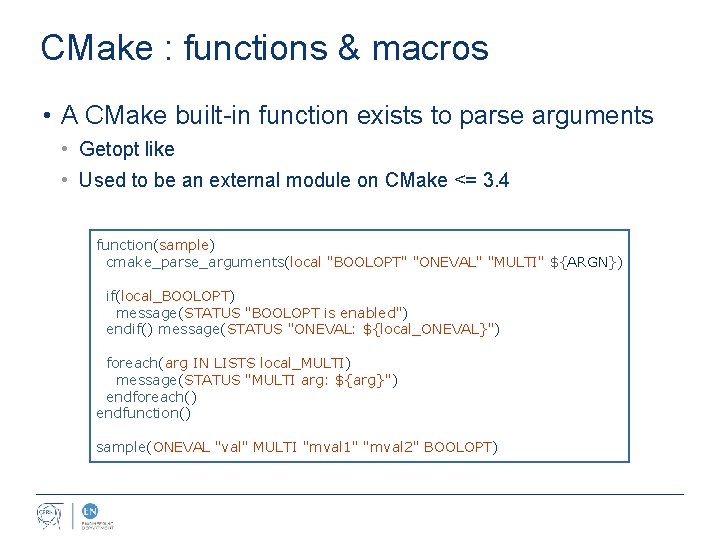
CMake : functions & macros • A CMake built-in function exists to parse arguments • Getopt like • Used to be an external module on CMake <= 3. 4 function(sample) cmake_parse_arguments(local "BOOLOPT" "ONEVAL" "MULTI" ${ARGN}) if(local_BOOLOPT) message(STATUS "BOOLOPT is enabled") endif() message(STATUS "ONEVAL: ${local_ONEVAL}") foreach(arg IN LISTS local_MULTI) message(STATUS "MULTI arg: ${arg}") endforeach() endfunction() sample(ONEVAL "val" MULTI "mval 1" "mval 2" BOOLOPT)
CMake : conditionals & loops
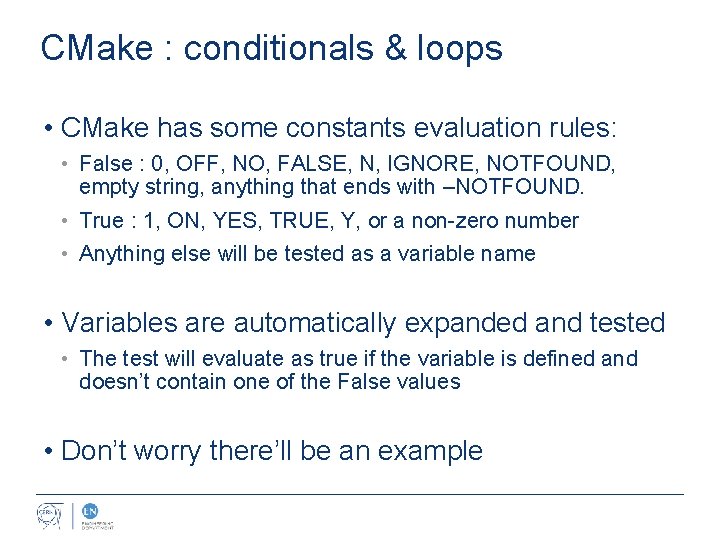
CMake : conditionals & loops • CMake has some constants evaluation rules: • False : 0, OFF, NO, FALSE, N, IGNORE, NOTFOUND, empty string, anything that ends with –NOTFOUND. • True : 1, ON, YES, TRUE, Y, or a non-zero number • Anything else will be tested as a variable name • Variables are automatically expanded and tested • The test will evaluate as true if the variable is defined and doesn’t contain one of the False values • Don’t worry there’ll be an example
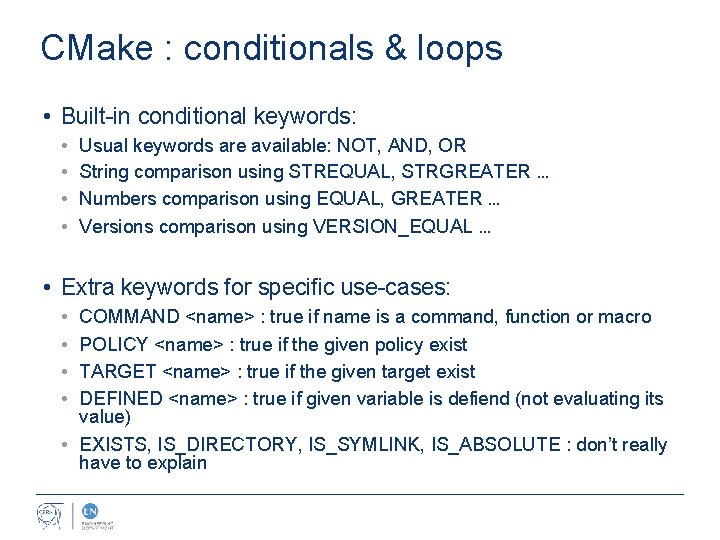
CMake : conditionals & loops • Built-in conditional keywords: • • Usual keywords are available: NOT, AND, OR String comparison using STREQUAL, STRGREATER … Numbers comparison using EQUAL, GREATER … Versions comparison using VERSION_EQUAL … • Extra keywords for specific use-cases: • • COMMAND <name> : true if name is a command, function or macro POLICY <name> : true if the given policy exist TARGET <name> : true if the given target exist DEFINED <name> : true if given variable is defiend (not evaluating its value) • EXISTS, IS_DIRECTORY, IS_SYMLINK, IS_ABSOLUTE : don’t really have to explain
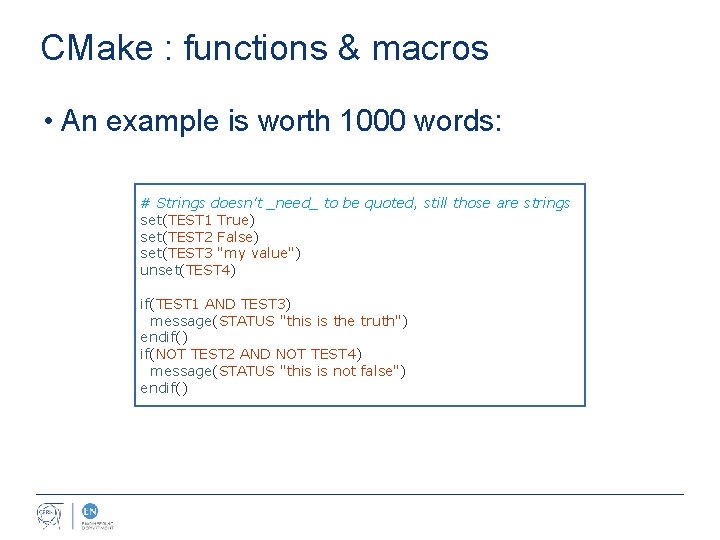
CMake : functions & macros • An example is worth 1000 words: # Strings doesn't _need_ to be quoted, still those are strings set(TEST 1 True) set(TEST 2 False) set(TEST 3 "my value") unset(TEST 4) if(TEST 1 AND TEST 3) message(STATUS "this is the truth") endif() if(NOT TEST 2 AND NOT TEST 4) message(STATUS "this is not false") endif()
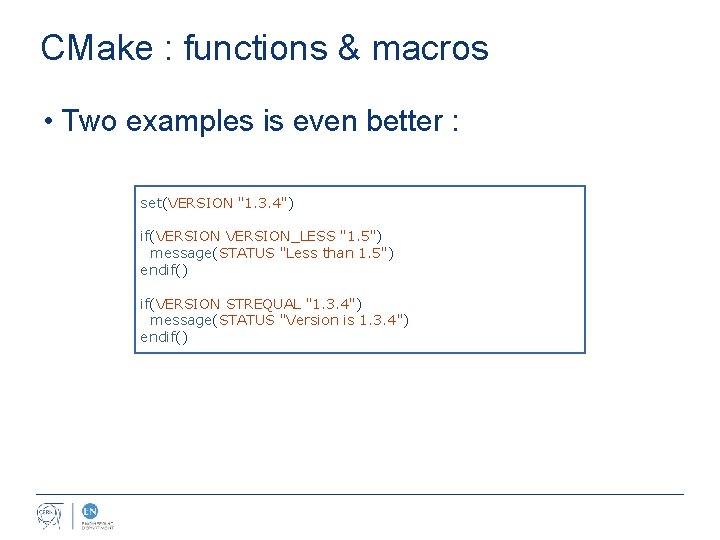
CMake : functions & macros • Two examples is even better : set(VERSION "1. 3. 4") if(VERSION_LESS "1. 5") message(STATUS "Less than 1. 5") endif() if(VERSION STREQUAL "1. 3. 4") message(STATUS "Version is 1. 3. 4") endif()
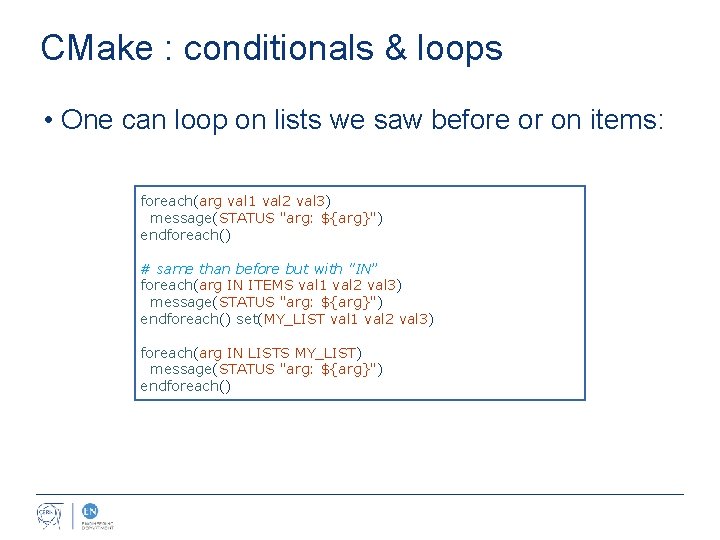
CMake : conditionals & loops • One can loop on lists we saw before or on items: foreach(arg val 1 val 2 val 3) message(STATUS "arg: ${arg}") endforeach() # same than before but with "IN” foreach(arg IN ITEMS val 1 val 2 val 3) message(STATUS "arg: ${arg}") endforeach() set(MY_LIST val 1 val 2 val 3) foreach(arg IN LISTS MY_LIST) message(STATUS "arg: ${arg}") endforeach()
CMake : targets
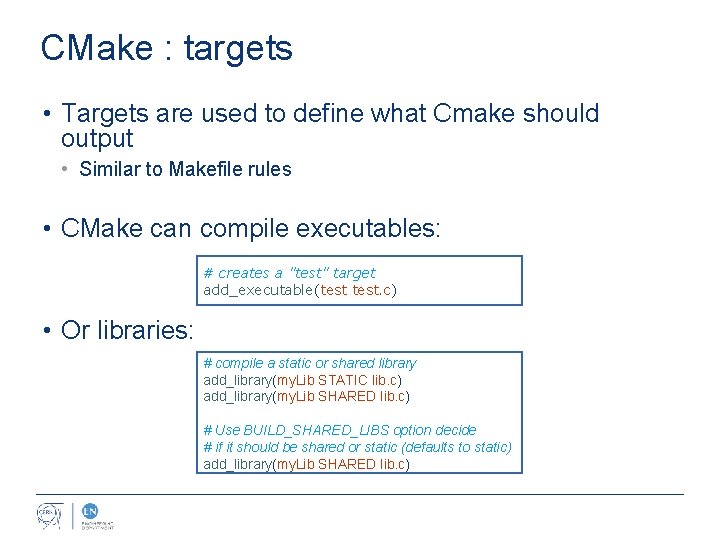
CMake : targets • Targets are used to define what Cmake should output • Similar to Makefile rules • CMake can compile executables: # creates a "test" target add_executable(test. c) • Or libraries: # compile a static or shared library add_library(my. Lib STATIC lib. c) add_library(my. Lib SHARED lib. c) # Use BUILD_SHARED_LIBS option decide # if it should be shared or static (defaults to static) add_library(my. Lib SHARED lib. c)
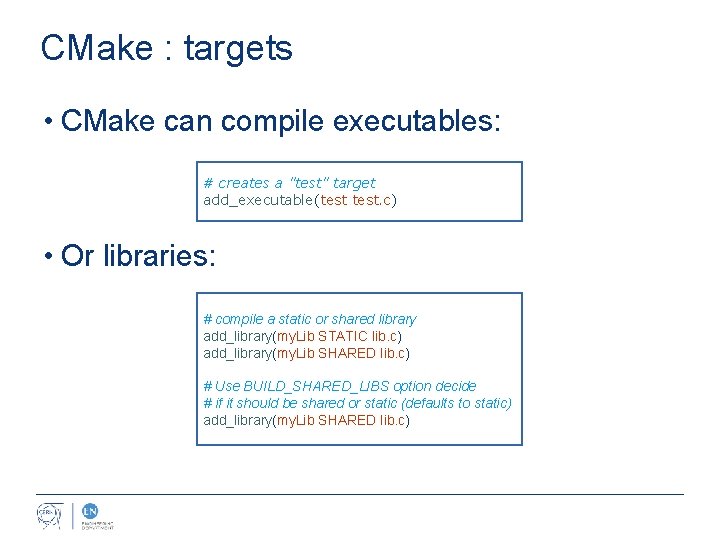
CMake : targets • CMake can compile executables: # creates a "test" target add_executable(test. c) • Or libraries: # compile a static or shared library add_library(my. Lib STATIC lib. c) add_library(my. Lib SHARED lib. c) # Use BUILD_SHARED_LIBS option decide # if it should be shared or static (defaults to static) add_library(my. Lib SHARED lib. c)
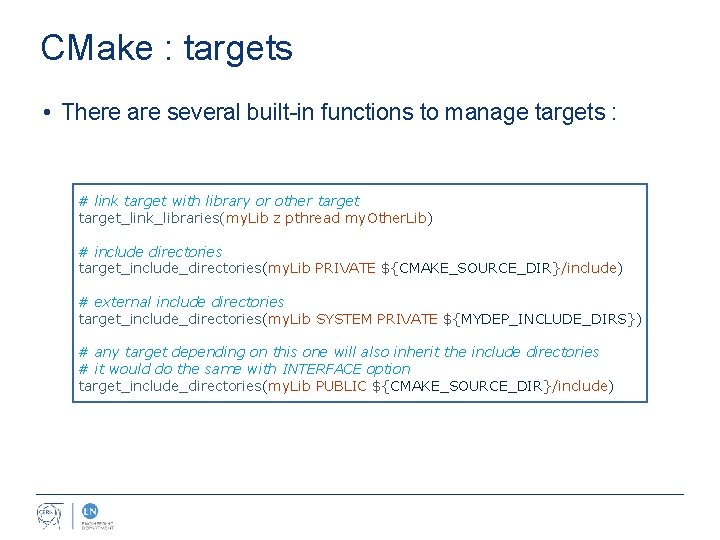
CMake : targets • There are several built-in functions to manage targets : # link target with library or other target_link_libraries(my. Lib z pthread my. Other. Lib) # include directories target_include_directories(my. Lib PRIVATE ${CMAKE_SOURCE_DIR}/include) # external include directories target_include_directories(my. Lib SYSTEM PRIVATE ${MYDEP_INCLUDE_DIRS}) # any target depending on this one will also inherit the include directories # it would do the same with INTERFACE option target_include_directories(my. Lib PUBLIC ${CMAKE_SOURCE_DIR}/include)
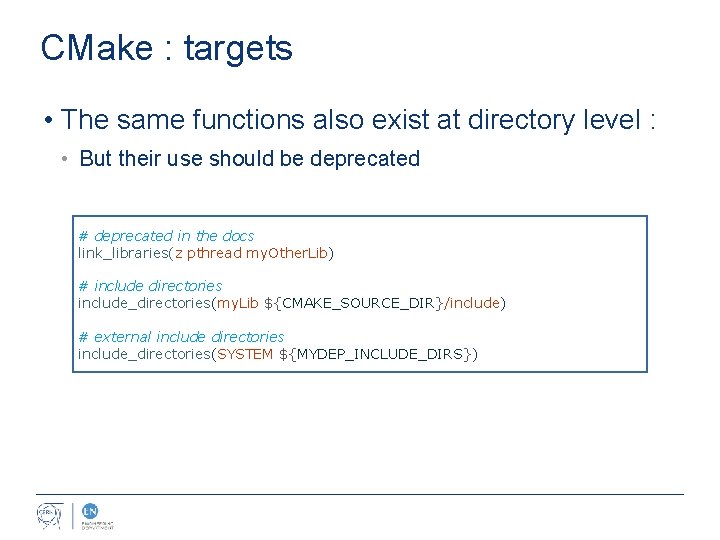
CMake : targets • The same functions also exist at directory level : • But their use should be deprecated # deprecated in the docs link_libraries(z pthread my. Other. Lib) # include directories include_directories(my. Lib ${CMAKE_SOURCE_DIR}/include) # external include directories include_directories(SYSTEM ${MYDEP_INCLUDE_DIRS})
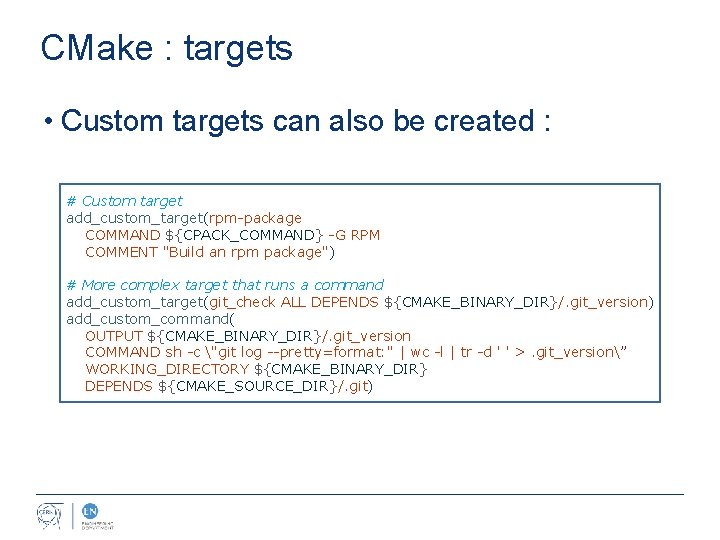
CMake : targets • Custom targets can also be created : # Custom target add_custom_target(rpm-package COMMAND ${CPACK_COMMAND} -G RPM COMMENT "Build an rpm package") # More complex target that runs a command add_custom_target(git_check ALL DEPENDS ${CMAKE_BINARY_DIR}/. git_version) add_custom_command( OUTPUT ${CMAKE_BINARY_DIR}/. git_version COMMAND sh -c "git log --pretty=format: '' | wc -l | tr -d ' ' >. git_version” WORKING_DIRECTORY ${CMAKE_BINARY_DIR} DEPENDS ${CMAKE_SOURCE_DIR}/. git)
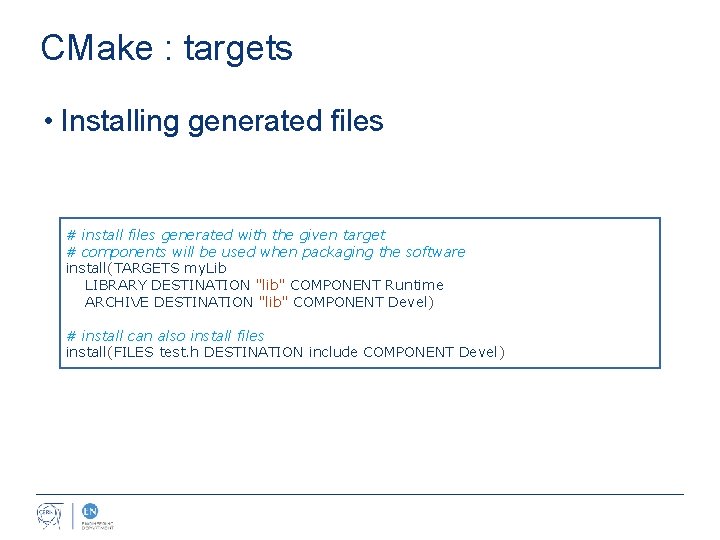
CMake : targets • Installing generated files # install files generated with the given target # components will be used when packaging the software install(TARGETS my. Lib LIBRARY DESTINATION "lib" COMPONENT Runtime ARCHIVE DESTINATION "lib" COMPONENT Devel) # install can also install files install(FILES test. h DESTINATION include COMPONENT Devel)
CMake : modules
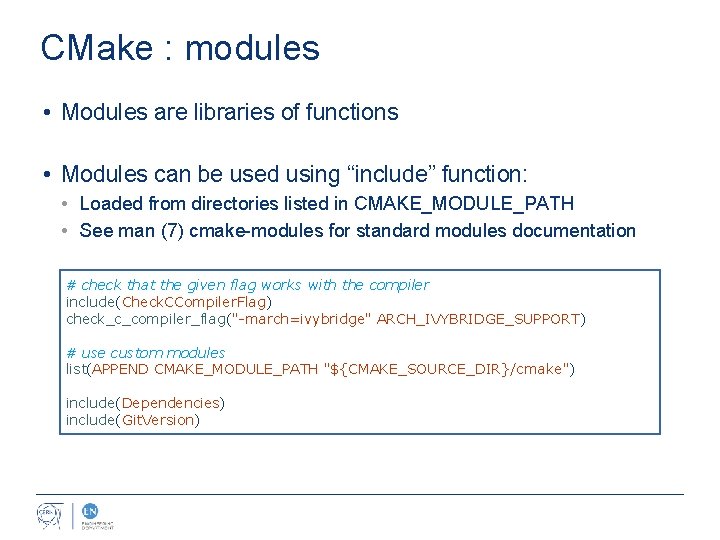
CMake : modules • Modules are libraries of functions • Modules can be used using “include” function: • Loaded from directories listed in CMAKE_MODULE_PATH • See man (7) cmake-modules for standard modules documentation # check that the given flag works with the compiler include(Check. CCompiler. Flag) check_c_compiler_flag("-march=ivybridge" ARCH_IVYBRIDGE_SUPPORT) # use custom modules list(APPEND CMAKE_MODULE_PATH "${CMAKE_SOURCE_DIR}/cmake") include(Dependencies) include(Git. Version)
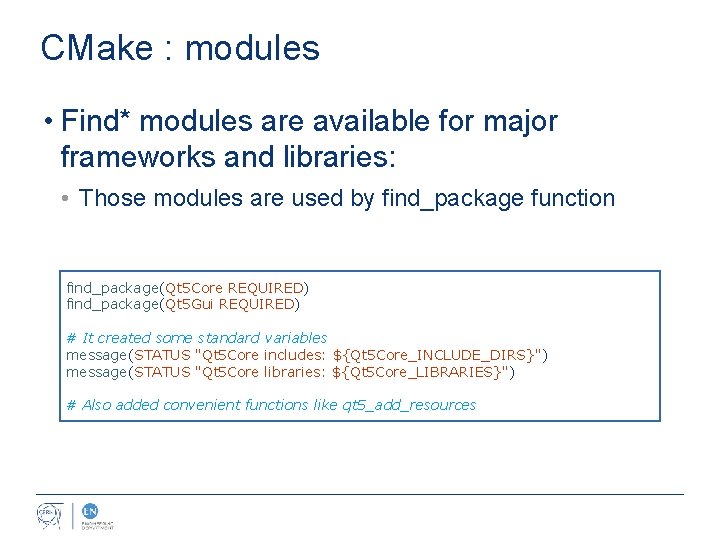
CMake : modules • Find* modules are available for major frameworks and libraries: • Those modules are used by find_package function find_package(Qt 5 Core REQUIRED) find_package(Qt 5 Gui REQUIRED) # It created some standard variables message(STATUS "Qt 5 Core includes: ${Qt 5 Core_INCLUDE_DIRS}") message(STATUS "Qt 5 Core libraries: ${Qt 5 Core_LIBRARIES}") # Also added convenient functions like qt 5_add_resources
CMake : dependencies
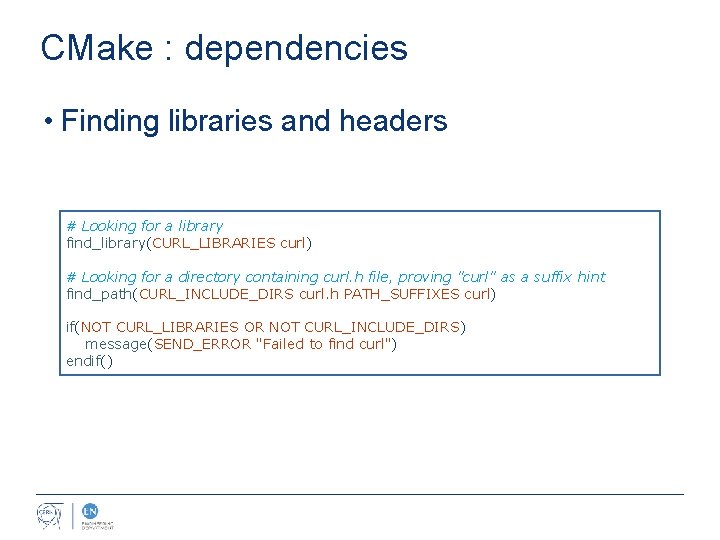
CMake : dependencies • Finding libraries and headers # Looking for a library find_library(CURL_LIBRARIES curl) # Looking for a directory containing curl. h file, proving "curl" as a suffix hint find_path(CURL_INCLUDE_DIRS curl. h PATH_SUFFIXES curl) if(NOT CURL_LIBRARIES OR NOT CURL_INCLUDE_DIRS) message(SEND_ERROR "Failed to find curl") endif()
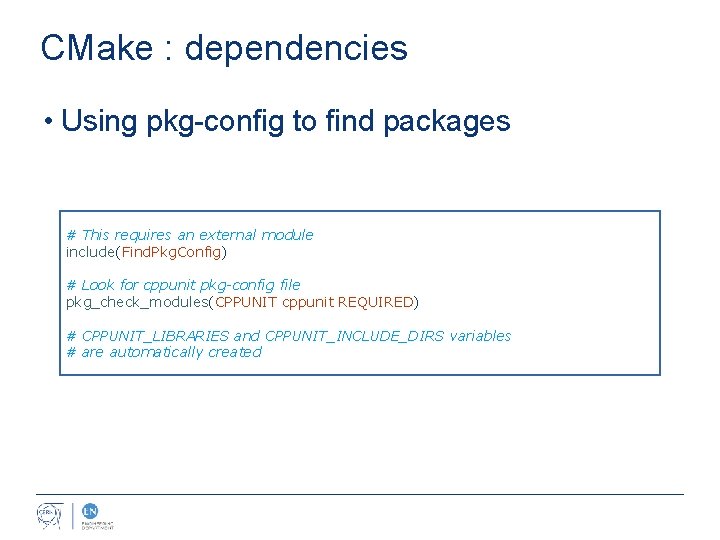
CMake : dependencies • Using pkg-config to find packages # This requires an external module include(Find. Pkg. Config) # Look for cppunit pkg-config file pkg_check_modules(CPPUNIT cppunit REQUIRED) # CPPUNIT_LIBRARIES and CPPUNIT_INCLUDE_DIRS variables # are automatically created
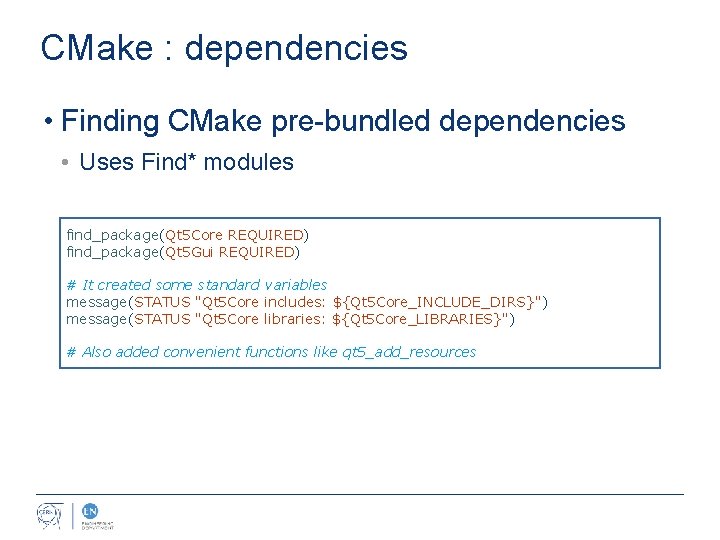
CMake : dependencies • Finding CMake pre-bundled dependencies • Uses Find* modules find_package(Qt 5 Core REQUIRED) find_package(Qt 5 Gui REQUIRED) # It created some standard variables message(STATUS "Qt 5 Core includes: ${Qt 5 Core_INCLUDE_DIRS}") message(STATUS "Qt 5 Core libraries: ${Qt 5 Core_LIBRARIES}") # Also added convenient functions like qt 5_add_resources
CMake: CTest & CPack
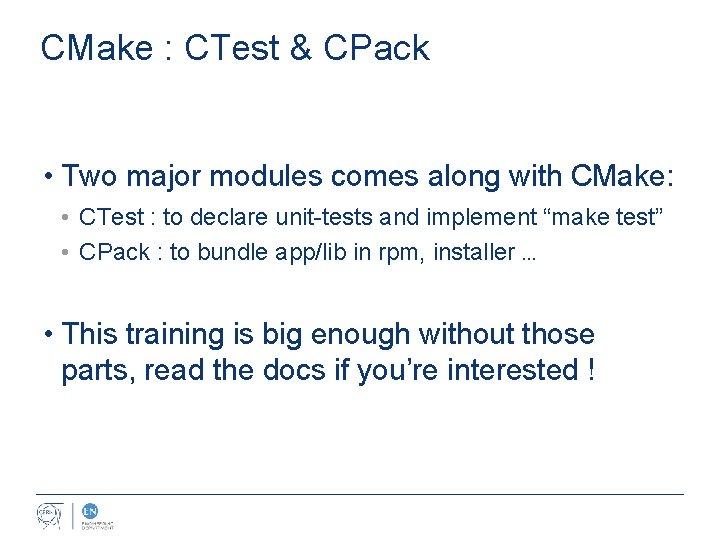
CMake : CTest & CPack • Two major modules comes along with CMake: • CTest : to declare unit-tests and implement “make test” • CPack : to bundle app/lib in rpm, installer … • This training is big enough without those parts, read the docs if you’re interested !
References
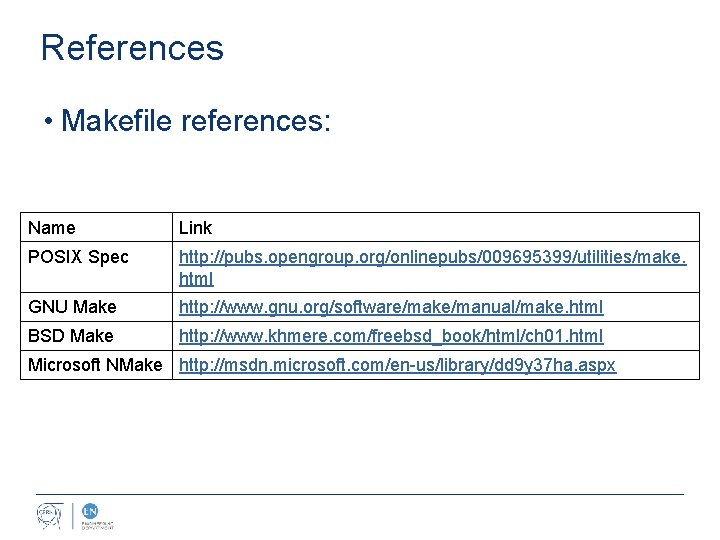
References • Makefile references: Name Link POSIX Spec http: //pubs. opengroup. org/onlinepubs/009695399/utilities/make. html GNU Make http: //www. gnu. org/software/make/manual/make. html BSD Make http: //www. khmere. com/freebsd_book/html/ch 01. html Microsoft NMake http: //msdn. microsoft. com/en-us/library/dd 9 y 37 ha. aspx
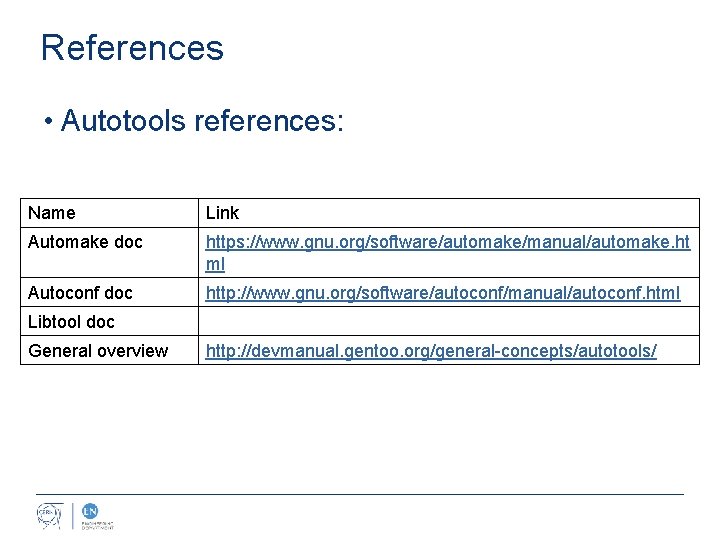
References • Autotools references: Name Link Automake doc https: //www. gnu. org/software/automake/manual/automake. ht ml Autoconf doc http: //www. gnu. org/software/autoconf/manual/autoconf. html Libtool doc General overview http: //devmanual. gentoo. org/general-concepts/autotools/
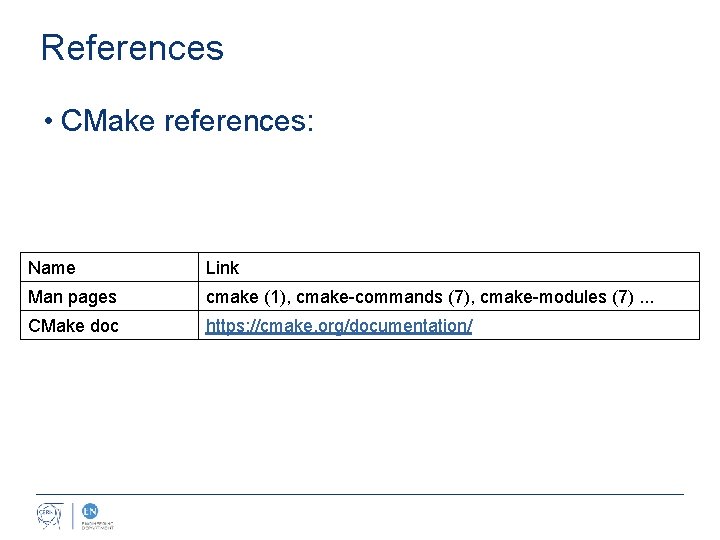
References • CMake references: Name Link Man pages cmake (1), cmake-commands (7), cmake-modules (7). . . CMake doc https: //cmake. org/documentation/
- Slides: 81