
Mainframe ControlM www srinimf com Architecture ControlM Agent
- Slides: 41
Mainframe – Control-M www. srinimf. com
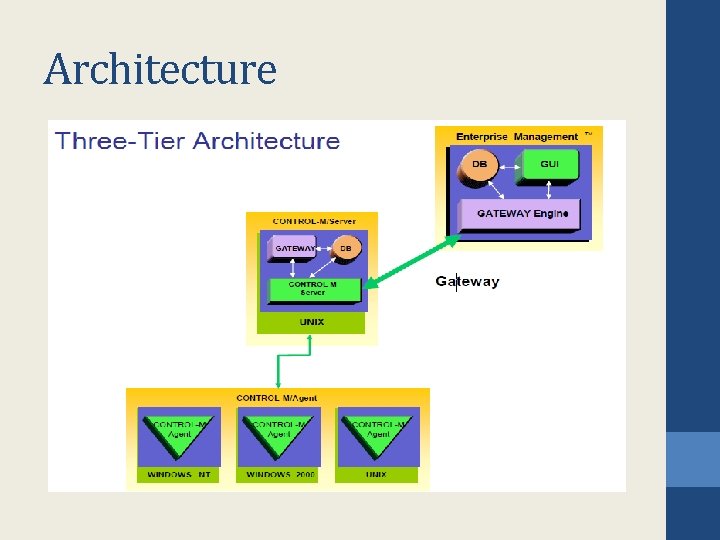
Architecture
Control-M Agent • • Run under Windows NT/200, Unix, etc … Receive order from Control-M Server Submit, monitor, control and manage jobs Send result to Control-M Server
Control-M Server • • It’s the engine of Control-M Contain all calendars Contain all job definitions Activate and Control the « up to plan »
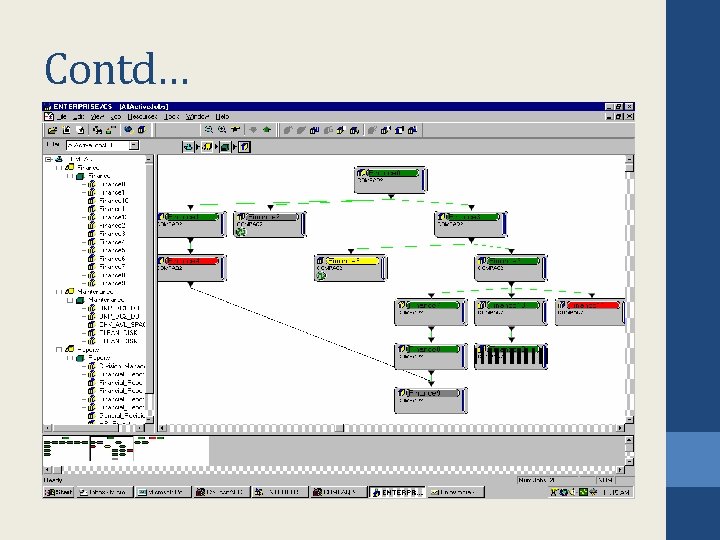
Enterprise Management • • Focal point of control Responsible for cross-platform dependencies Standard GUI for all the Production platforms Give graphic tools to develop jobs
Job Definitions • • • What ? Where ? When ? Resource Requirements Flow Control ? Results Control
What do we schedule • Unix shell scripts /export/home/hipfeed/interfaces/scripts/ft_process. pl • NT Batch Files (. bat. cmd) d: prodCtmCopy_Logsdel_logs. cmd • Executable • Operator Commands
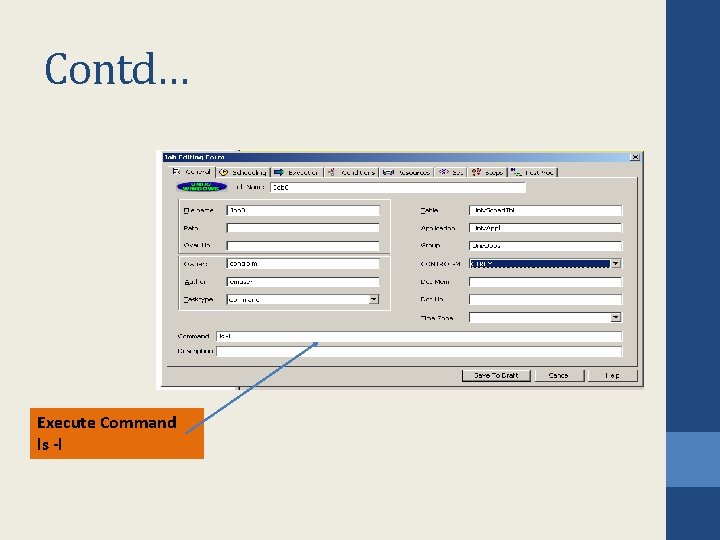
Contd… Execute Command ls -l
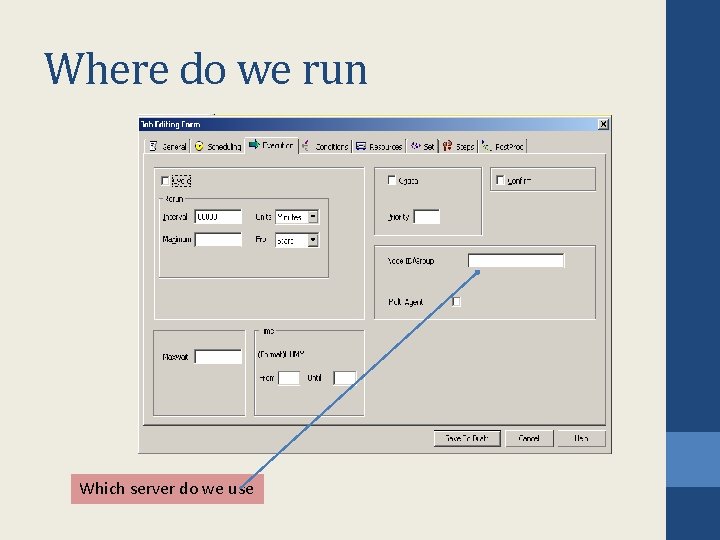
Where do we run Which server do we use
Contd… • Does it have a Control-M Agent • Is it a Production or a Uat agent
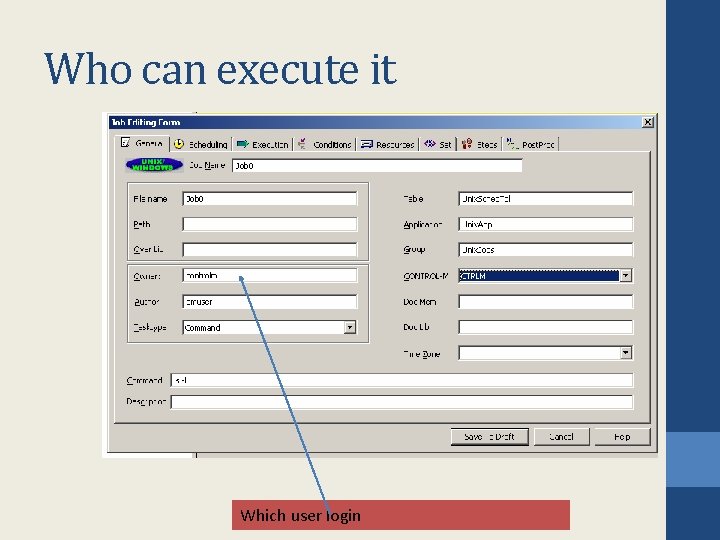
Who can execute it Which user login is needed to run the job
Contd… • Does the user login have access right to run the job.
When : Date & time Scheduling Criteria • • Specific days of the month/week/period Automatic holiday processing The nth workday Time window The nth last workday When Job can be executed in several times in cyclic mode with personnal interval
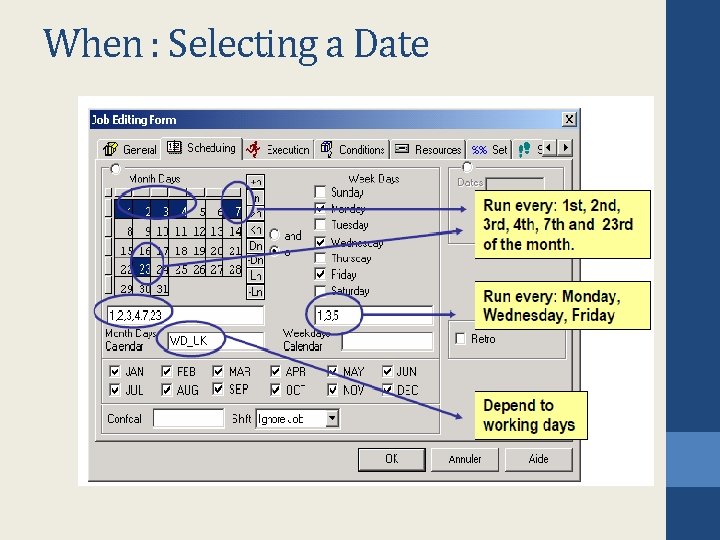
When : Selecting a Date
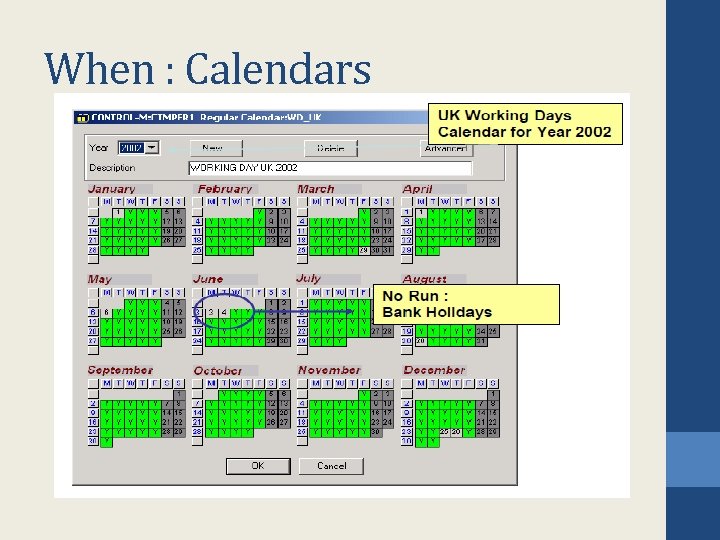
When : Calendars
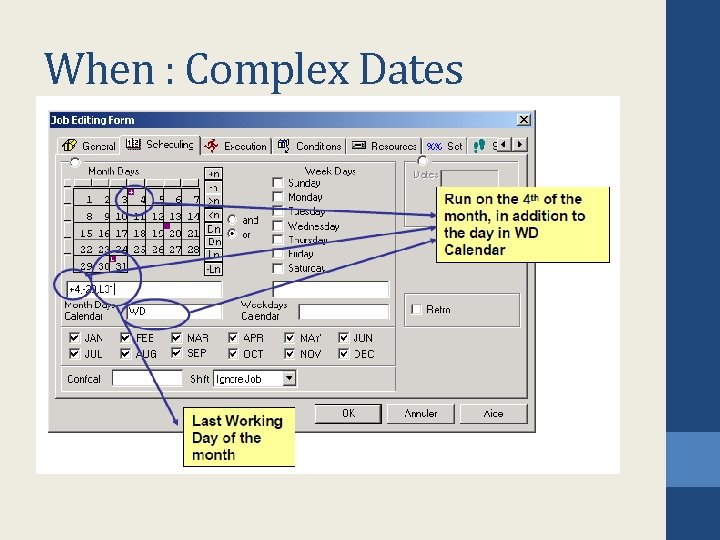
When : Complex Dates
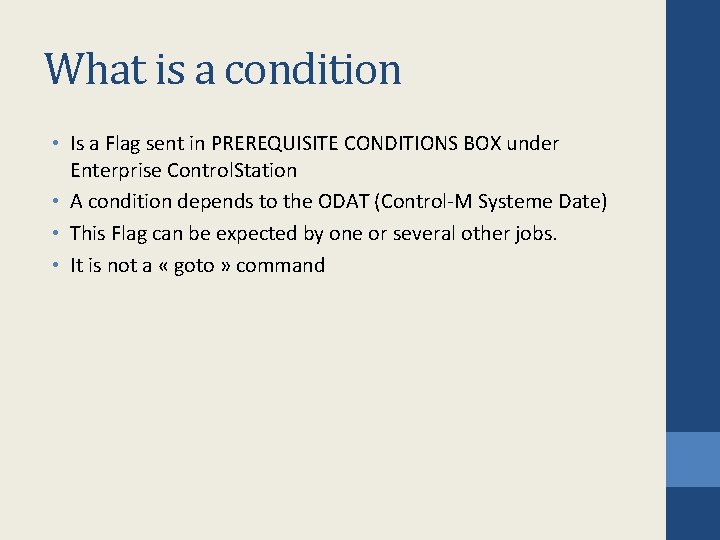
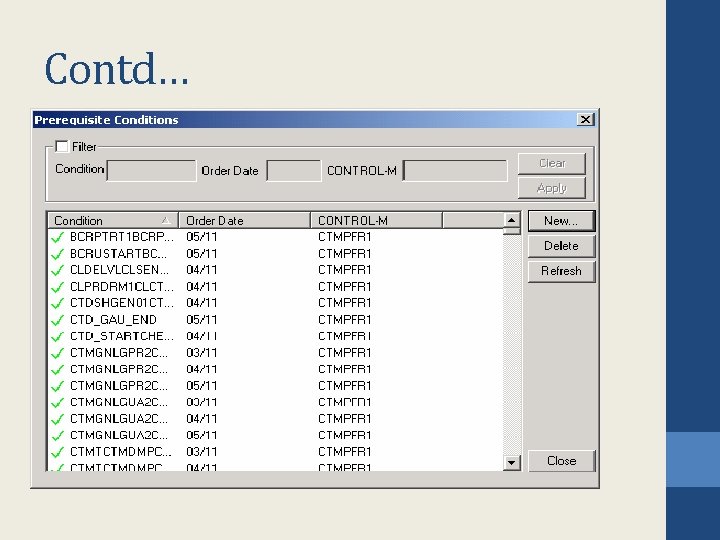
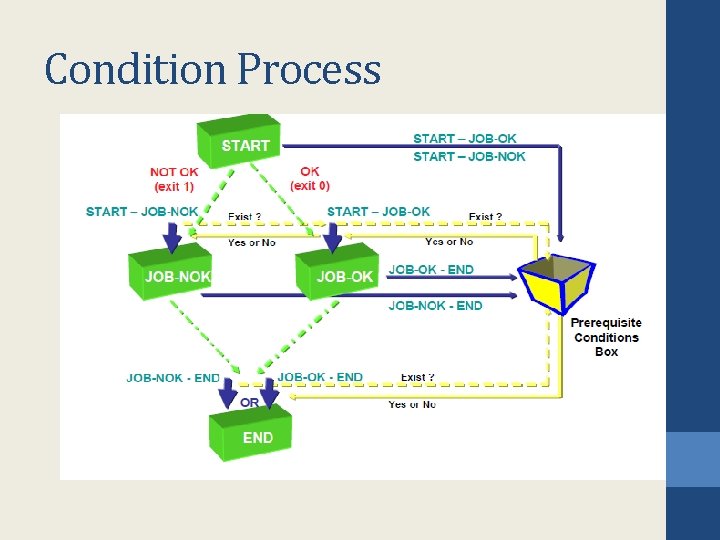
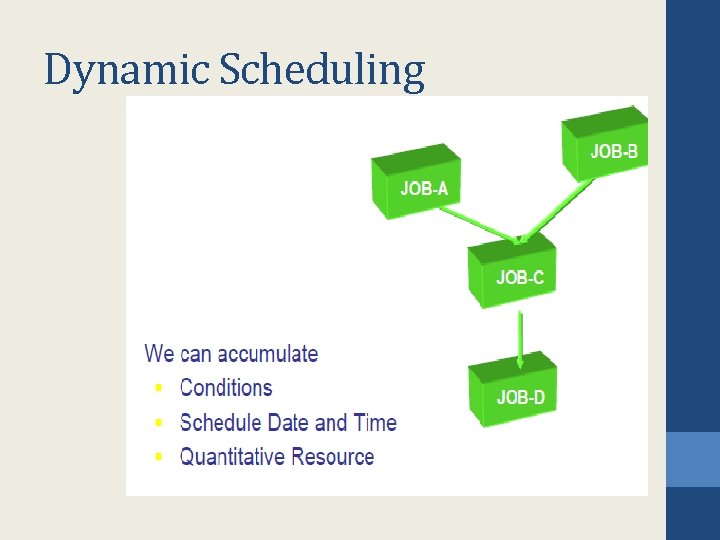
What is a condition • Is a Flag sent in PREREQUISITE CONDITIONS BOX under Enterprise Control. Station • A condition depends to the ODAT (Control-M Systeme Date) • This Flag can be expected by one or several other jobs. • It is not a « goto » command
Contd…
Condition Process
Complex Dependencies
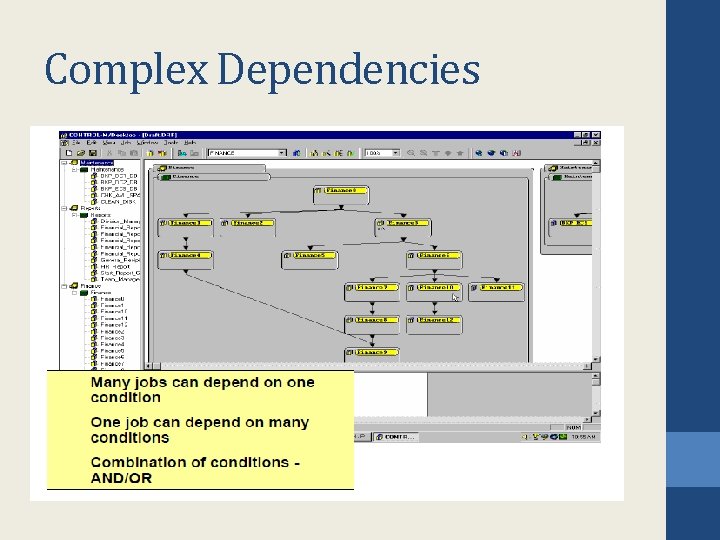
Benefits • • Cross-platform automation flow No need for manual intervention Create a Business Process View Create a Focal Point of Control
Contd…
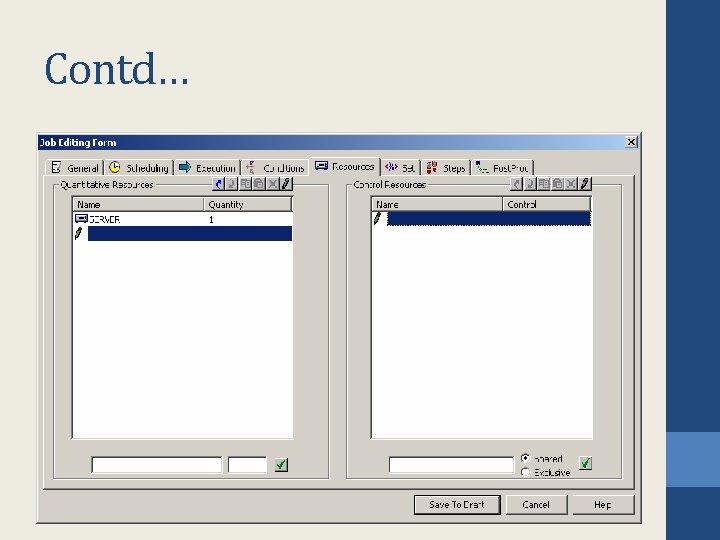
Resource Requirement • Prevents resource contentions between jobs • Provides workload balancing • Eliminates contention bottlenecks
Contd…
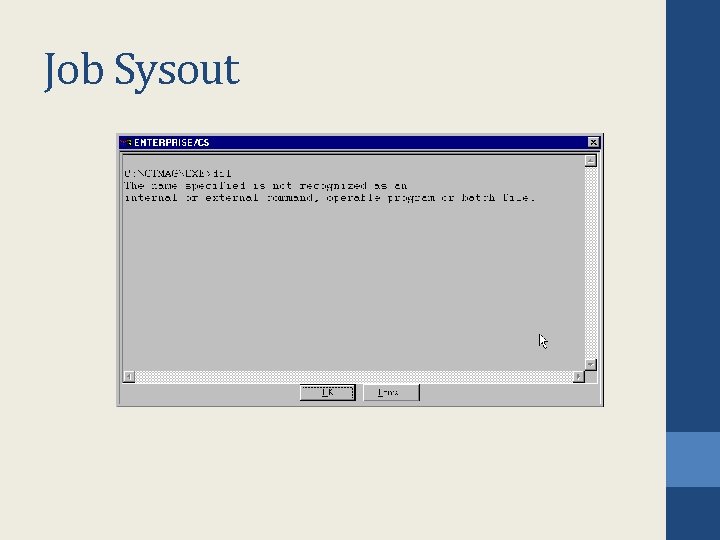
Results Control • Capture Standard OUTPUT in Sysout • Sysout contain and Error Code will be tested • Shout Message can be sent to User Mail, Distribution • List, Console. . . • Rerun Facility Runs same job « n » times Runs another job Stop a Cyclic Job • Results Control • Sysout contain and Error Code will be tested
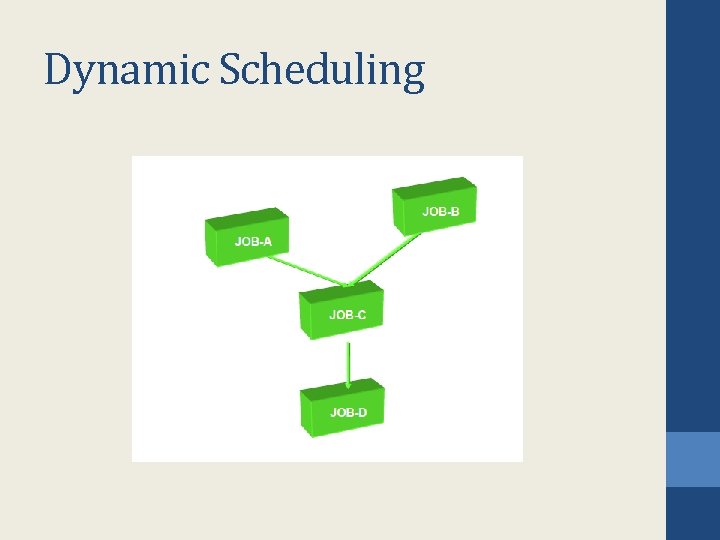
Dynamic Scheduling
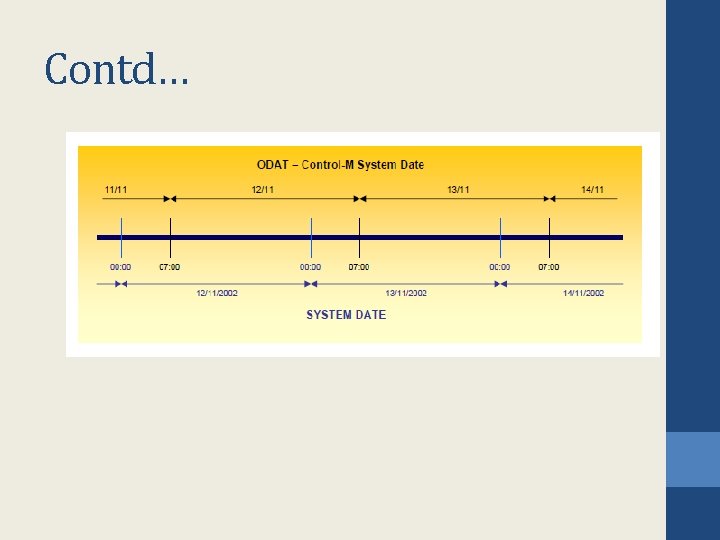
Schedule PLAN • • • To be executed, a job should be up to plan. A plan is a period of 24 hours The plan begins at 7: 00 AM (for that example) The plan stops at 6 h 59 AM the following day The Control-M System Date isn’t a System Date
Contd…
Dynamic Scheduling
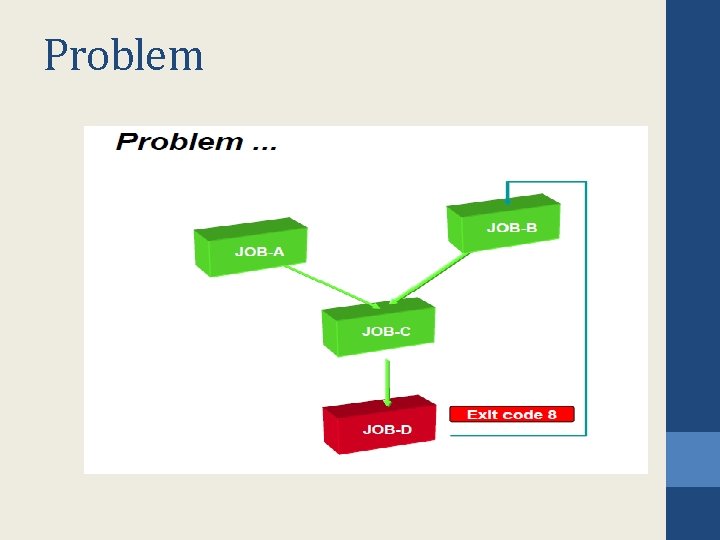
Problem
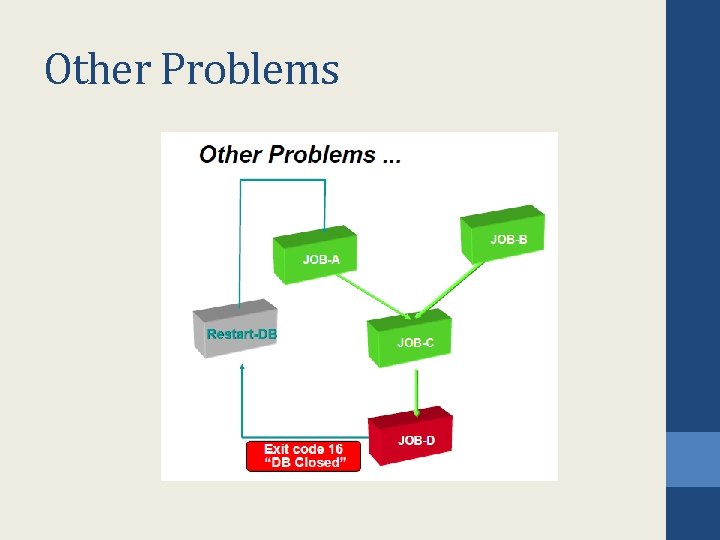
Other Problems
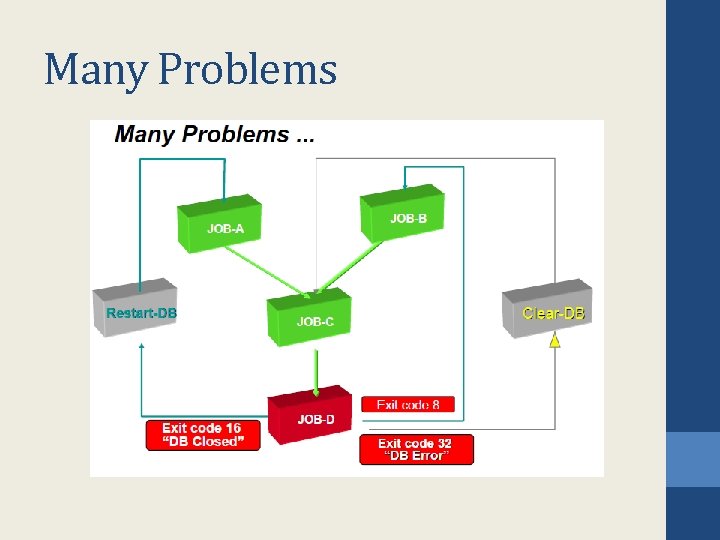
Many Problems
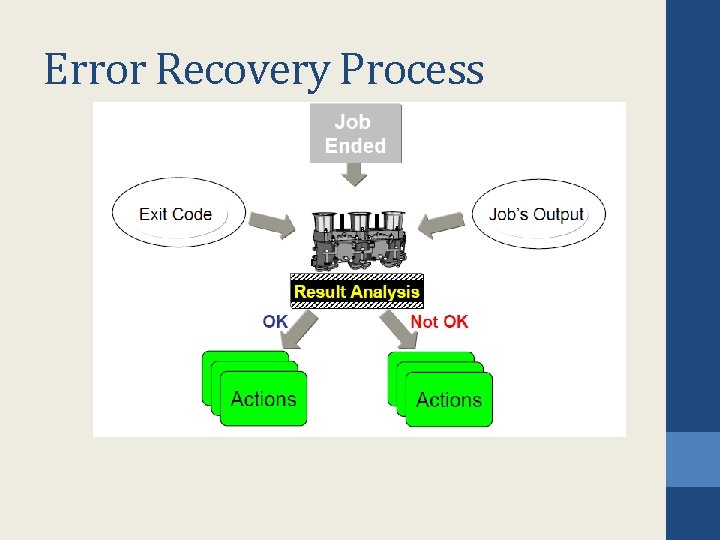
Error Recovery Process
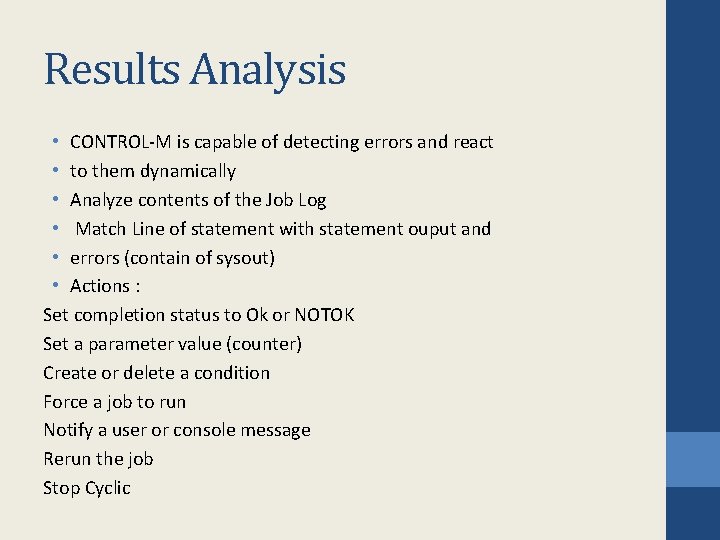
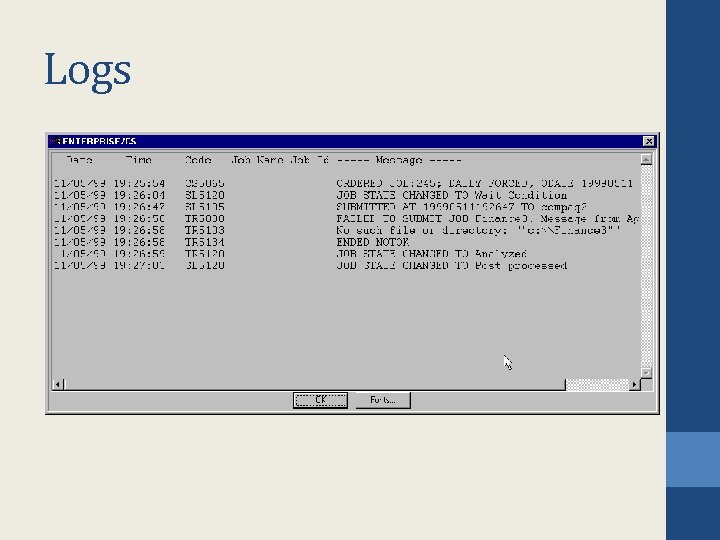
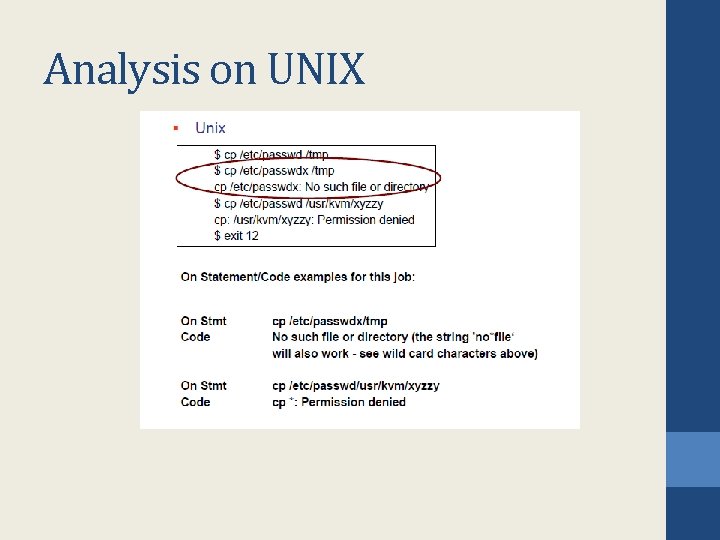
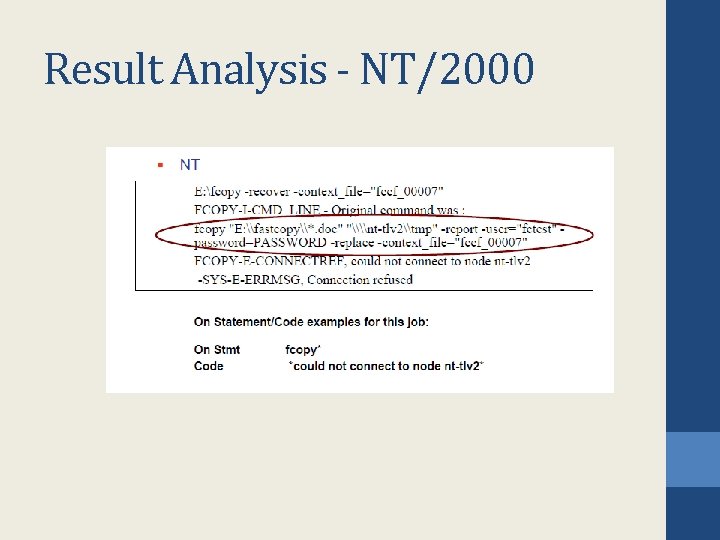
Results Analysis • CONTROL-M is capable of detecting errors and react • to them dynamically • Analyze contents of the Job Log • Match Line of statement with statement ouput and • errors (contain of sysout) • Actions : Set completion status to Ok or NOTOK Set a parameter value (counter) Create or delete a condition Force a job to run Notify a user or console message Rerun the job Stop Cyclic
Logs
Job Sysout
Analysis on UNIX
Result Analysis - NT/2000
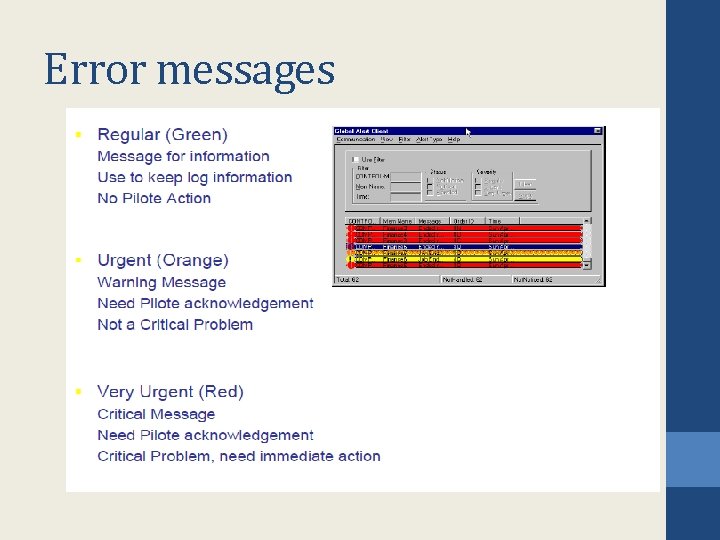
Error messages
What do we need • For the Control-M Diagram A Organization Chart of the treatments An Application Architecture Diagram • For Each Job Definitions Command Line or Executable User Login Scheduling Criteria (Date, Time, Calendar. . . ) Error code and Error Message Received and To be Sent Actions List, Order for each error
Thank You www. srinimf. com