
Machine Maintenance Information System About MMIS A software

(Machine Maintenance Information System)

About MMIS • A software for preparing the schedule of machine maintenance (Either may be Preventive maintenance, cleaning or other) for the forthcoming days as well as gives all the information of previous maintenance with part replacements, overdue and under due maintenance and its History with Breakdowns data. • Gives all the information of machine maintenance as well as breakdown day to day wise, machine wise, activity wise, part wise etc • Maintained Breakdown Register (Machine wise, Department wise, Reason wise etc. ) as well as Abnormality Register. • Gives a facility to view the location wise part wise stock which is available in the plant. • Prepare lots of analytical reports

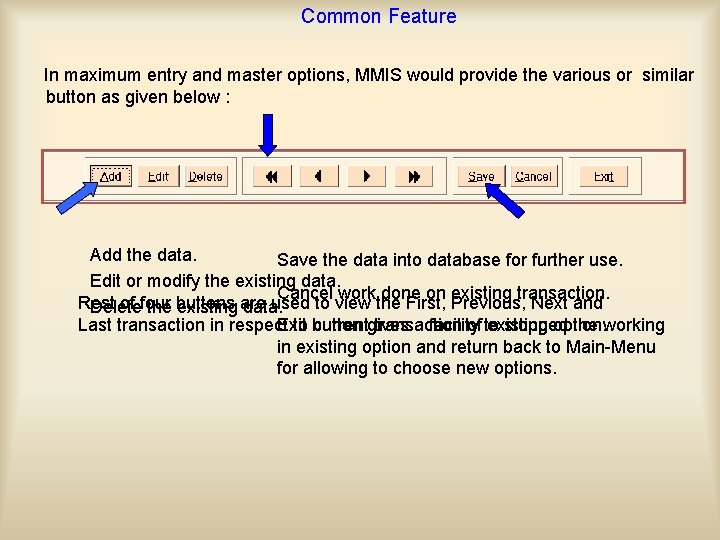
Common Feature In maximum entry and master options, MMIS would provide the various or similar button as given below : Add the data. Save the data into database for further use. Edit or modify the existing data. Cancel work done on existing transaction. Rest of four buttons are used to view the First, Previous, Next and Delete the existing data. Exit a facility stopped the working Last transaction in respect to button currentgives transaction of to existing option. in existing option and return back to Main-Menu for allowing to choose new options.
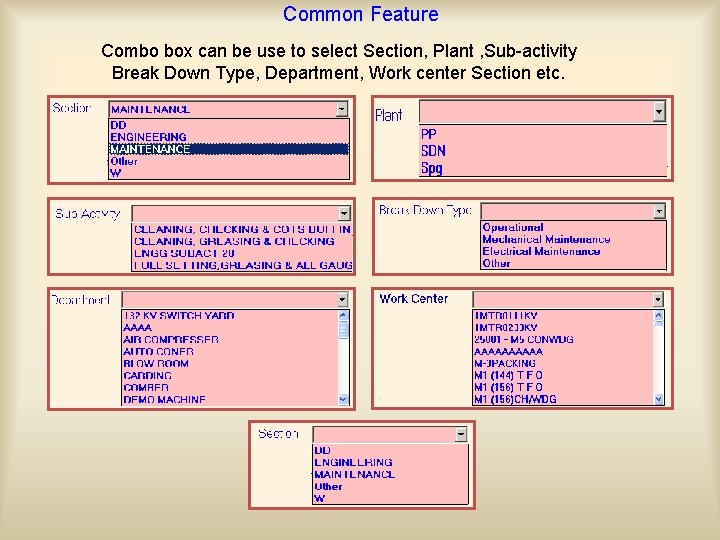
Common Feature Combo box can be use to select Section, Plant , Sub-activity Break Down Type, Department, Work center Section etc.
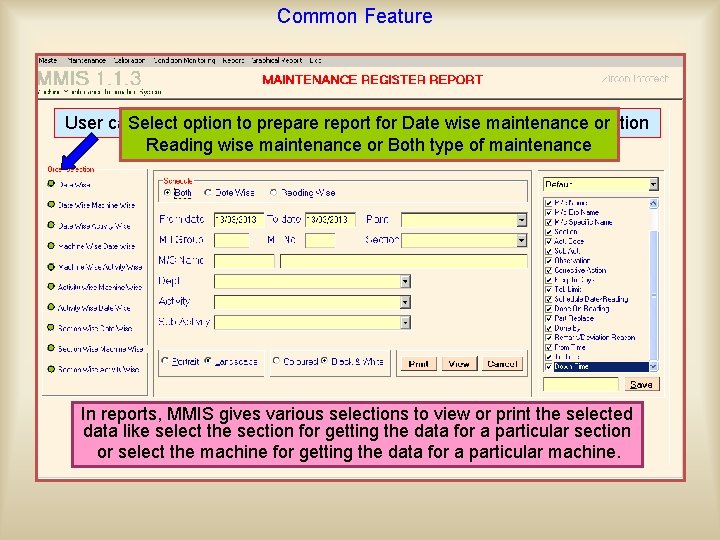
Common Feature User can. Select generate option report to prepare in any order reportby forselecting Date wise Order maintenance Selectionor option Reading wise maintenance or Both type of maintenance In reports, MMIS gives various selections to view or print the selected data like select the section for getting the data for a particular section or select the machine for getting the data for a particular machine.
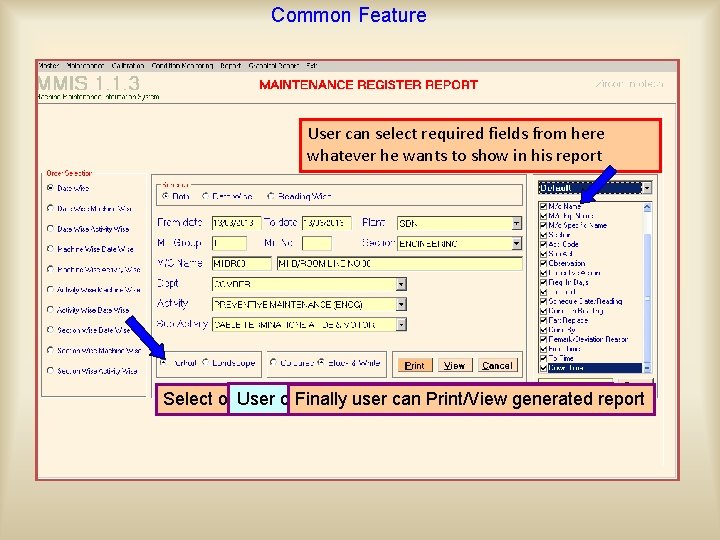
Common Feature User can select required fields from here whatever Select date range he wants to show in his report Select Plant Enter Select Section Enter M/c Name using help window Select Department Select Activity Select Sub activity Userfor can makeuser Black & Print/View White/Colorful reportsreport Select option Finally Orientation can generated

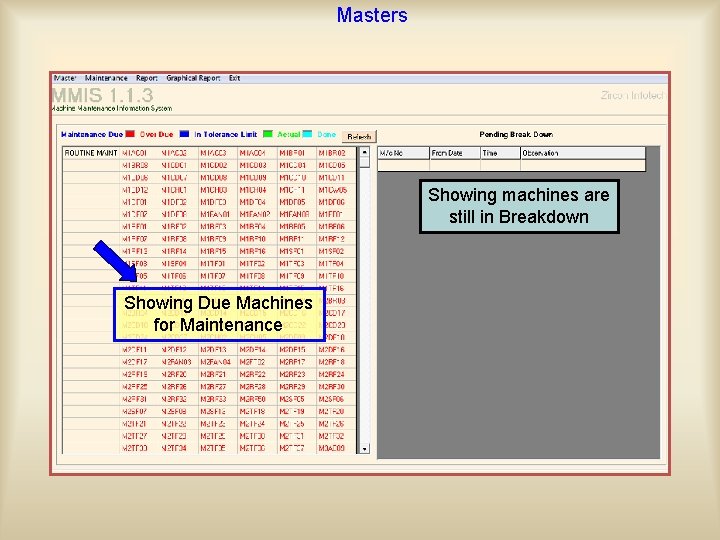
Masters Showing machines are still in Breakdown Showing Due Machines for Maintenance
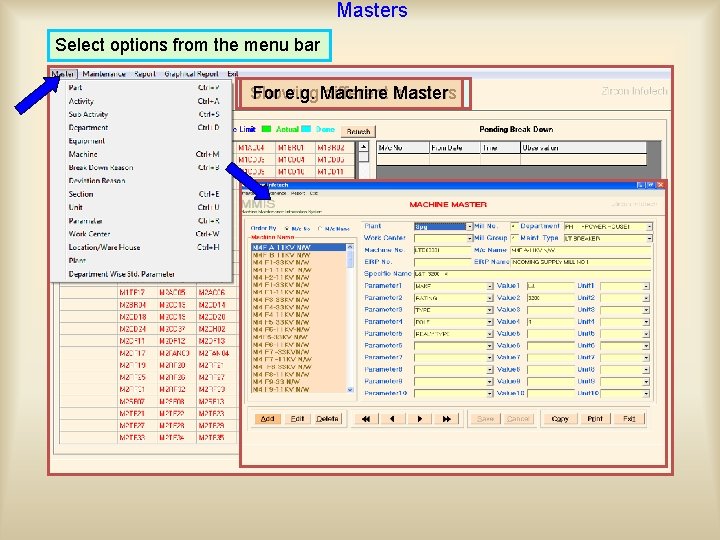
Masters Select options from the menu bar Showing For e. g. Machine different Master masters
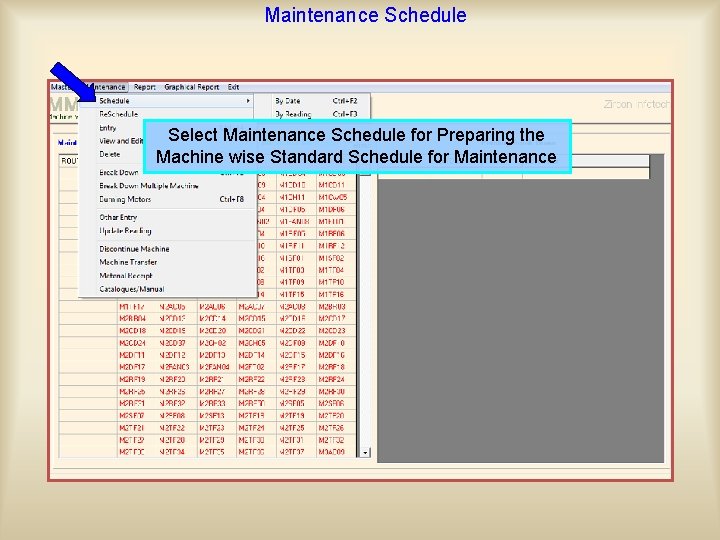
Maintenance Schedule Select Maintenance Schedule for Preparing the Machine wise Standard Schedule for Maintenance
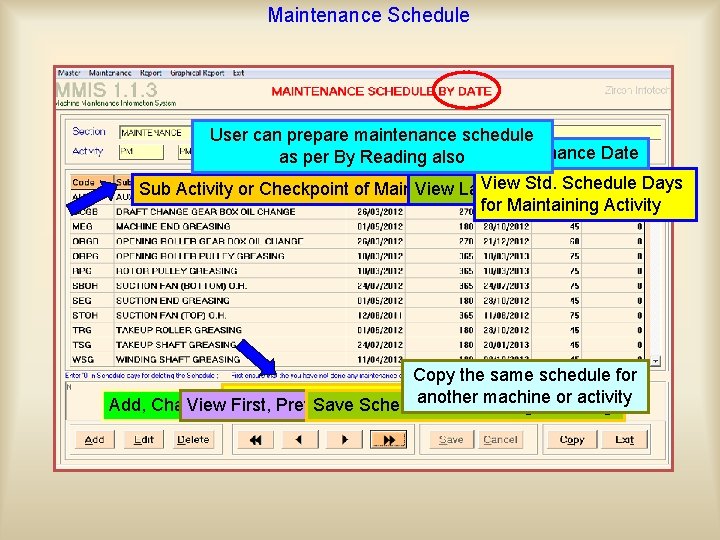
Maintenance Schedule User can prepare maintenance schedule Find out Next Maintenance Date as per By Reading also Std. Schedule Sub Activity or Checkpoint of Main View Task Last of View a M/c Maintenance Date. Days for Maintaining Activity Copy the same schedule for machine activity Showing last Maintenance Schedule Add, Change Viewor. MMIS First, Delete Previous, the. Save Schedule Next Schedule or another Last after Schedule adding or or editing
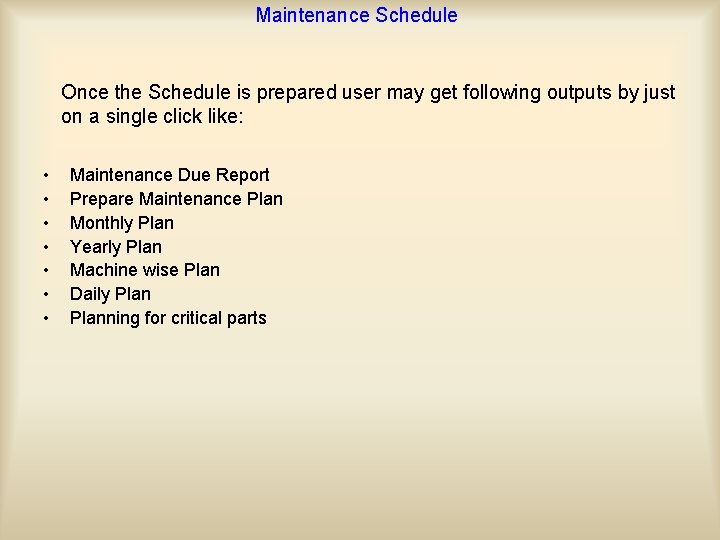
Maintenance Schedule Once the Schedule is prepared user may get following outputs by just on a single click like: • • Maintenance Due Report Prepare Maintenance Plan Monthly Plan Yearly Plan Machine wise Plan Daily Planning for critical parts
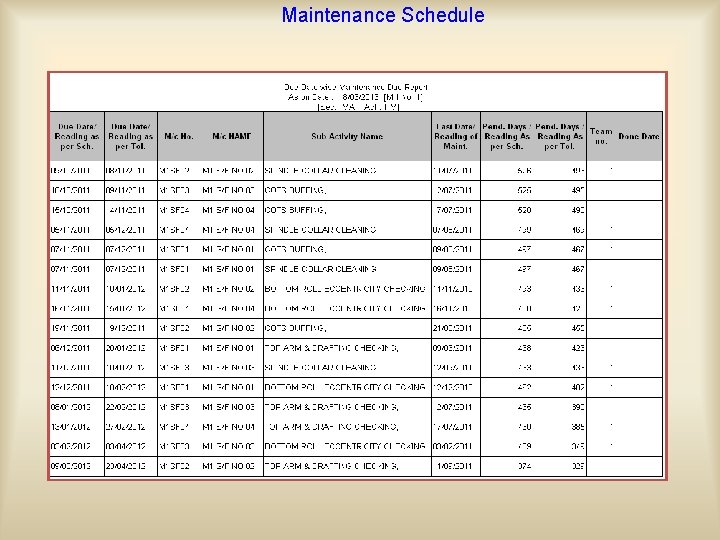
Maintenance Schedule On the basis of Due Date wise, Maintenance Due report will be as:
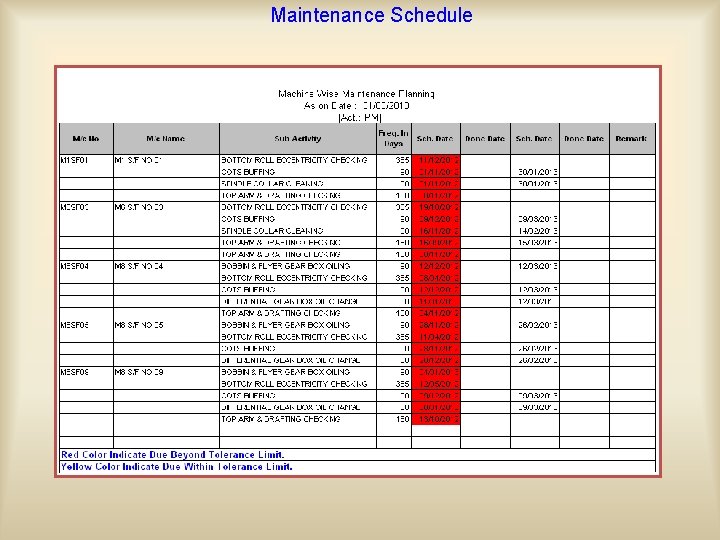
Maintenance Schedule Machine wise Maintenance Planning generated report will be as:
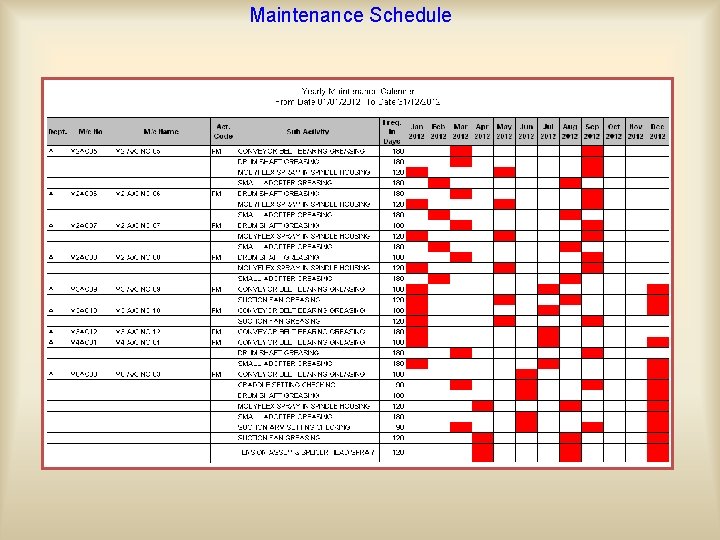
Maintenance Schedule
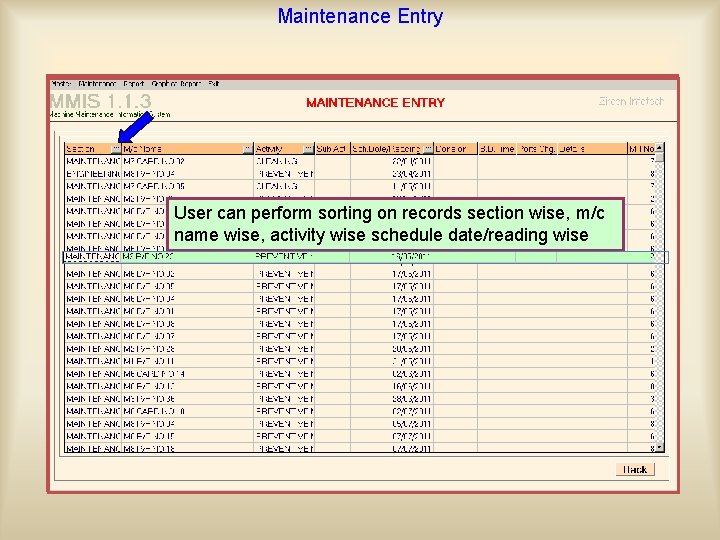
Maintenance Entry For filtering data user can select section, Select Schedule By Date /By Reading dept, machine name, activity, sub-activity User can perform sorting on records section wise, m/c name wise, activity wise schedule date/reading wise Click on Ok
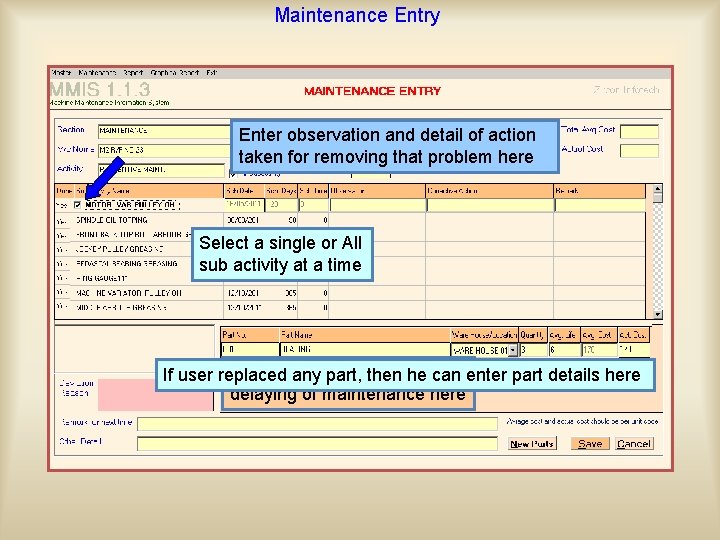
Maintenance Entry Enter observation and detail of action taken for removing that problem here Select a single or All sub activity at a time User can reason If user replaced any enter part, then he for can enter part details here delaying of maintenance here
Maintenance On the basis of entered data user may get following outputs • • Maintenance Register Report Maintenance Summary Report Overdue Report Under due Report
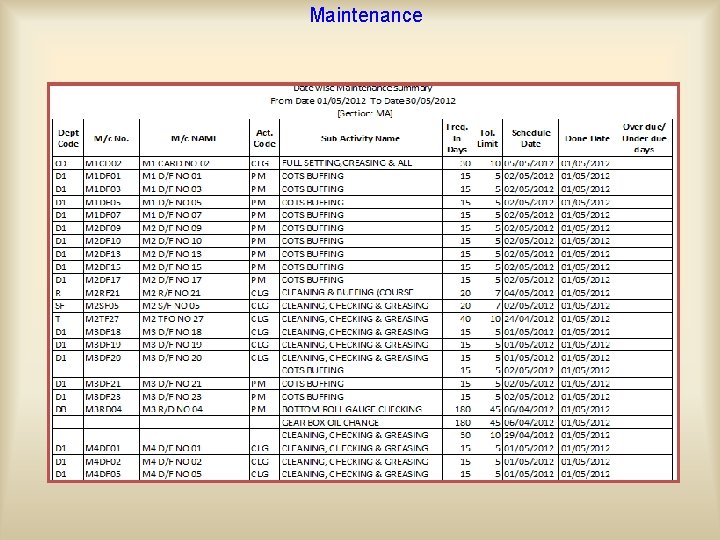
Maintenance Date wise Maintenance Register Report will be generated as:
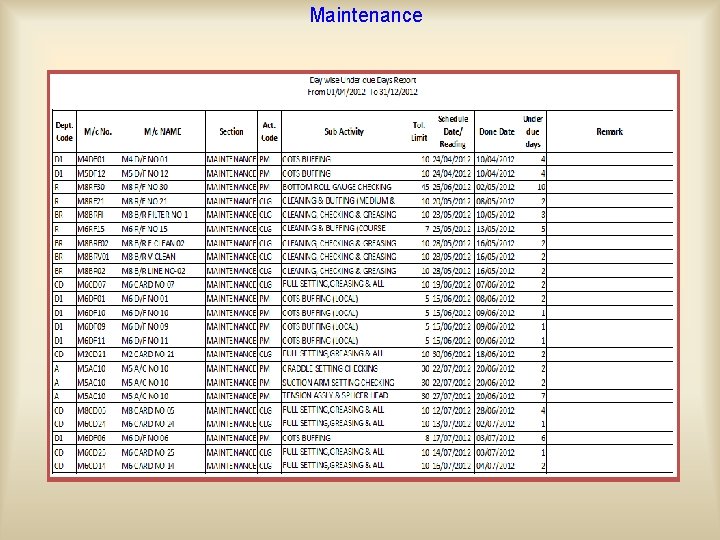
Maintenance This report is used to view those maintenance data which are done before schedule and tolerance limit.
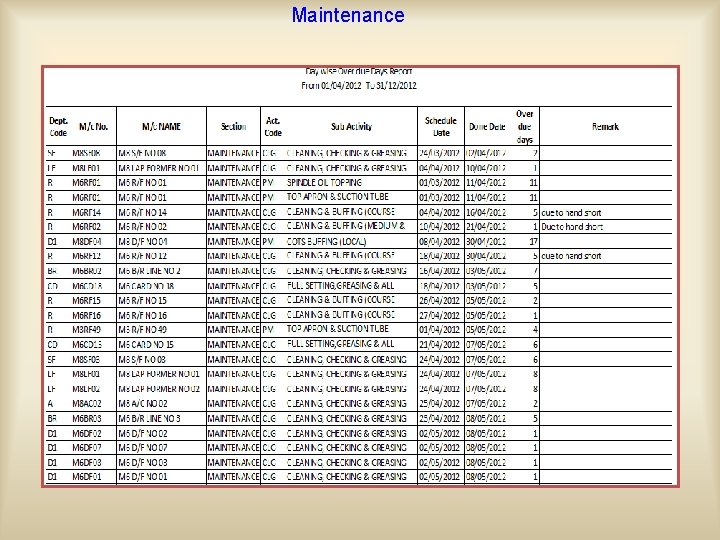
Maintenance This report is used to view those maintenance data which are done after schedule and tolerance limit.
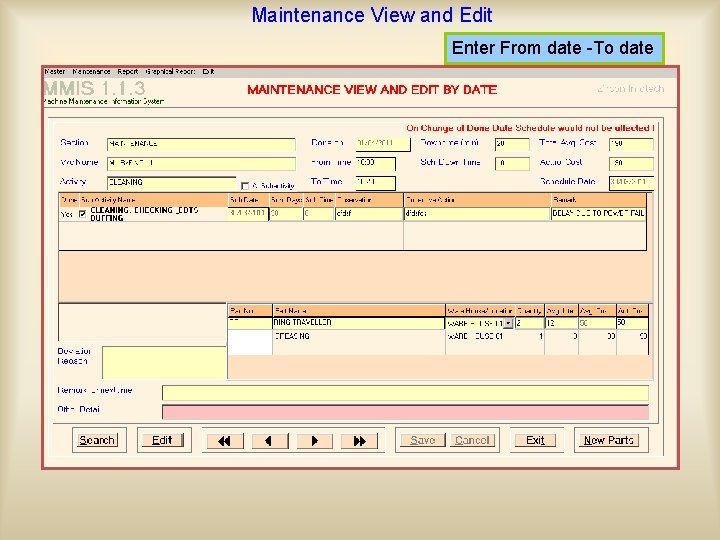
Maintenance View and Edit Enter From date -To date This option is useful to view the maintenance entry one by one and if any mistake had been done then rectify it by admin/manager level user For locating a particular entry MMIS gives an option ‘Search’ to locate the particular entry
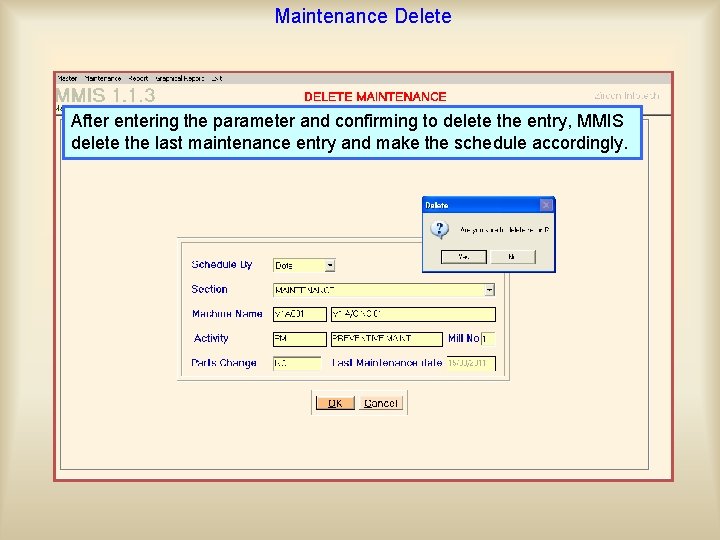
Maintenance Delete After entering the parameter and confirming to delete the entry, MMIS allow to delete the last maintenance of a machine of an activity delete the last maintenance entry and make the schedule accordingly.
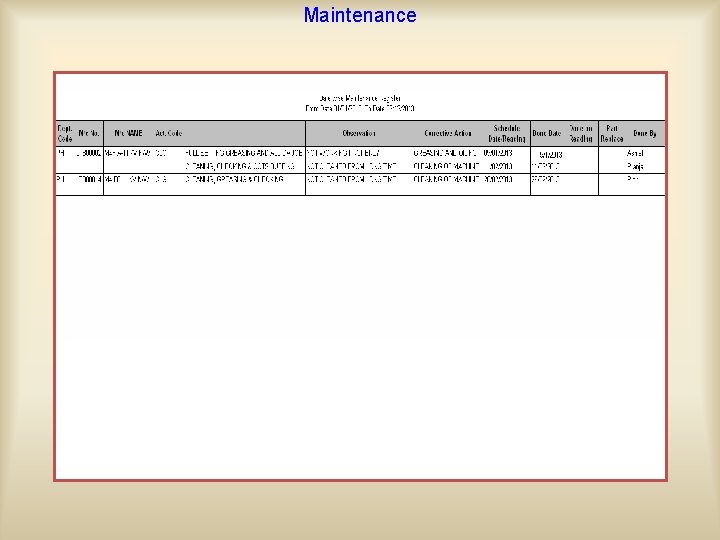
Maintenance On the basis of entered prepared Reportsany for part a machine, for Entered work done ondata, a machine or change of machine an activity or two sub schedule activity formaintenance the given period between by using this module
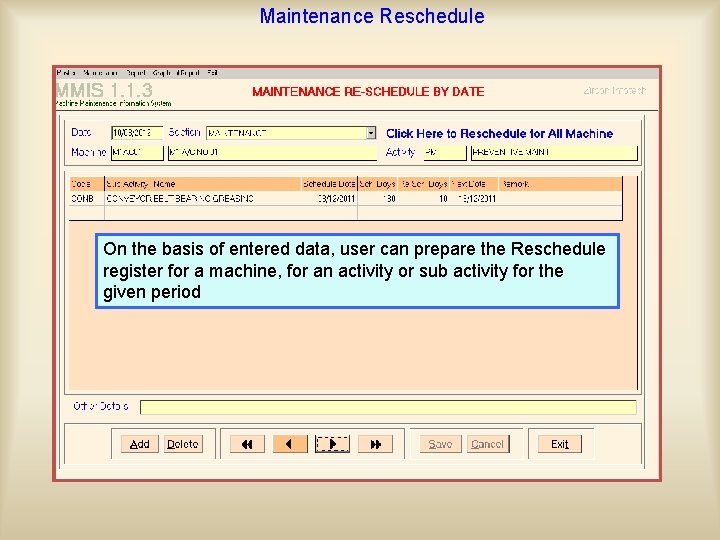
Maintenance Reschedule If the machine is work perfectly and does not required any maintenance user may On the basis of entered data, user canthen prepare the Reschedule withoutordisturbing its for the register for reschedule a machine, its forplan an activity sub activity standard schedule. given period
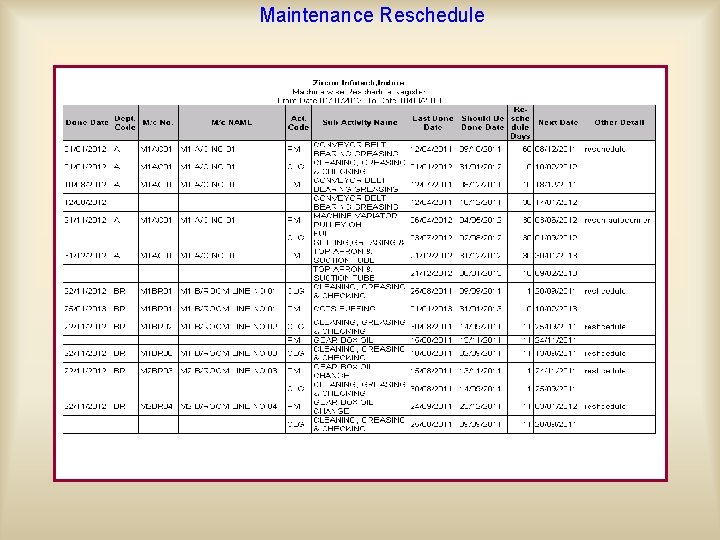
Maintenance Reschedule
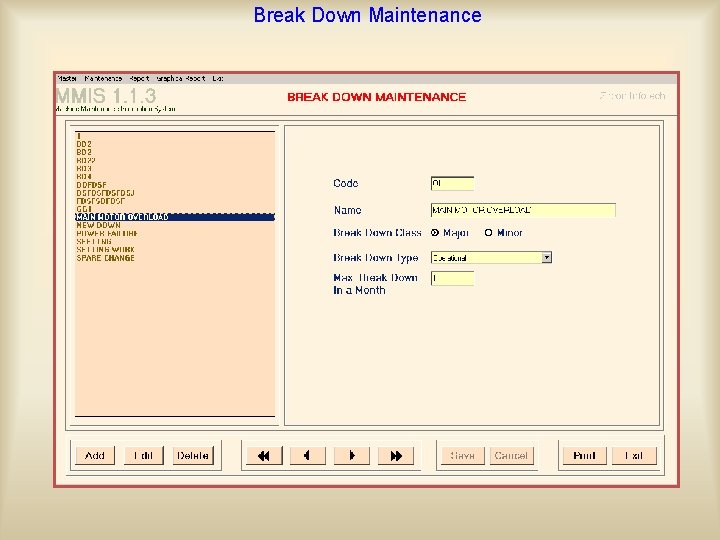
Break Down Maintenance New parts to the Part Master This option is useful to enter the sudden breakdown of can be added. New from here Causes can be added to the Enter breakdown details such as also breakdown time, its type Breakdown Reason Master here (Major or duringor the running of from machines. (Operational, machine Maintenance Engineering) and class Minor), breakdown reason and what actions have taken for it.
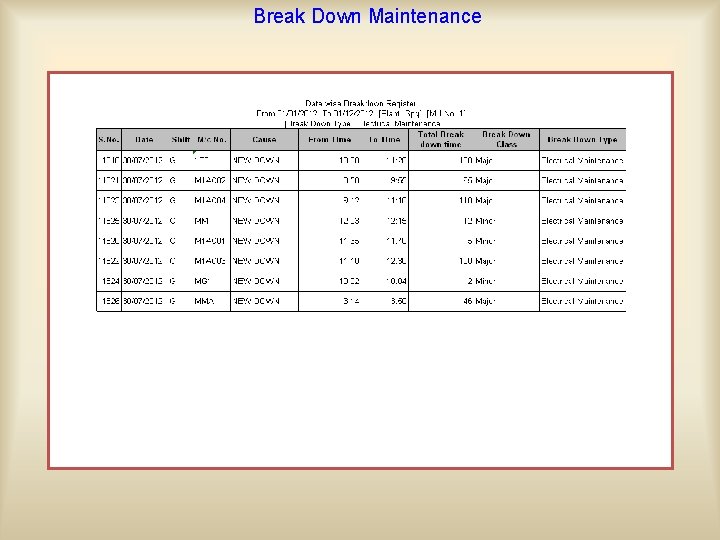
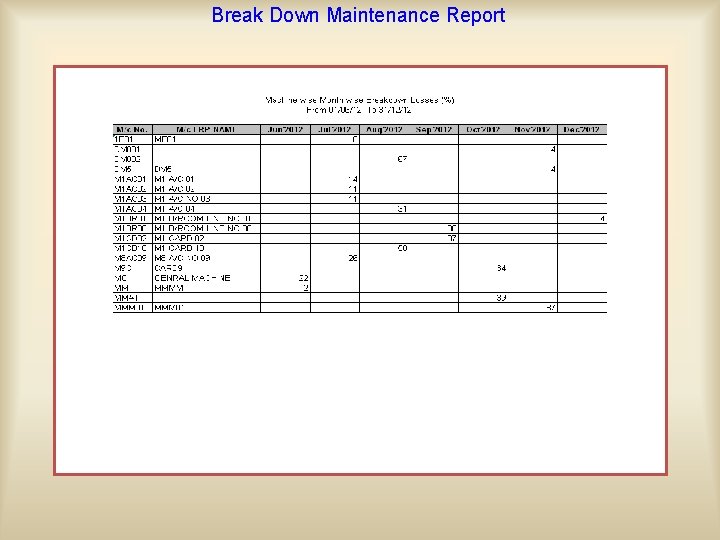
Break Down Maintenance On the basis of entered data user may get following outputs • • • Break down Register Report Ageing Analysis Breakdown Report Breakdown From Last Maintenance Report Mean Down Time Machine wise month wise Breakdown Losses ( in Min/ In Percentage)
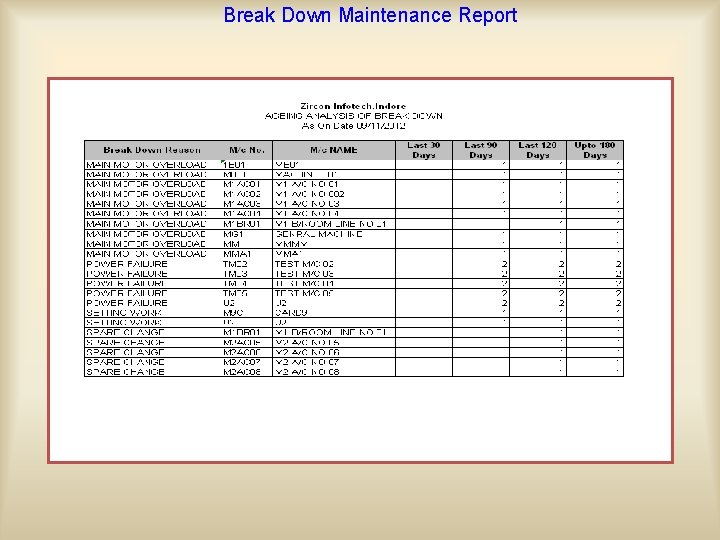
Break Down Maintenance Report
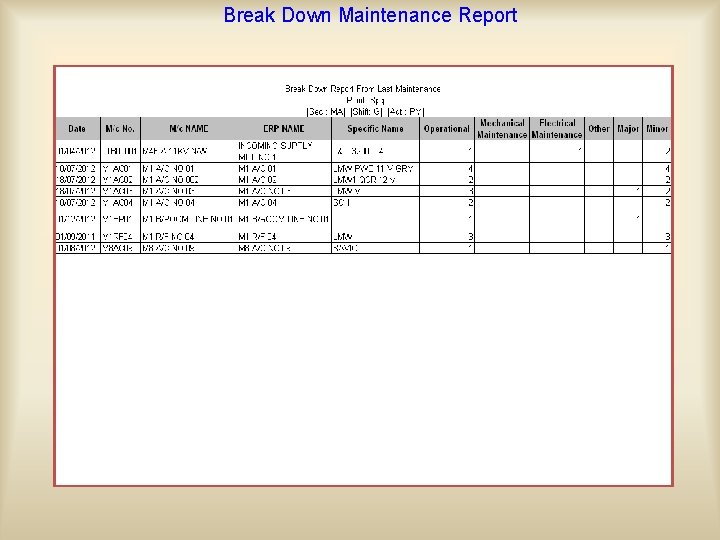
Break Down Maintenance Report As per selected data, whatever the maintenance done last time on the occurred breakdown , user can find out the performance of preventive maintenance
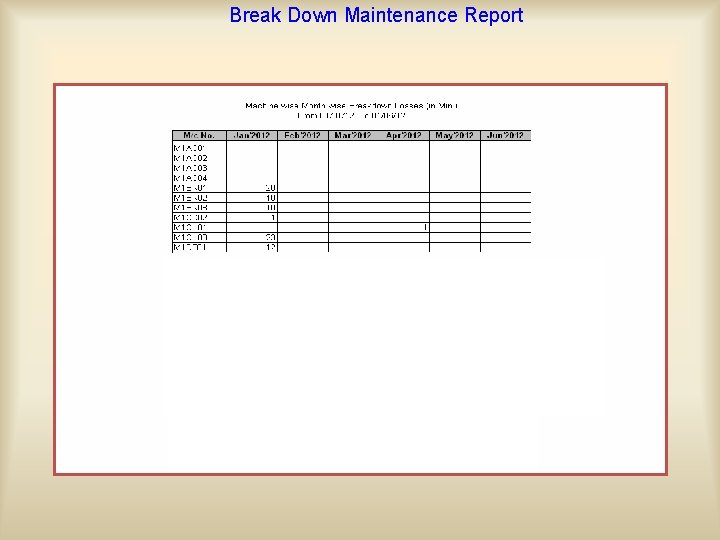
Break Down Maintenance Report On the basis of entered data, user can find out how much time machine was down (in minutes / in percentage)
Break Down Maintenance Report
Part wise Analytical Report On the basis of maintenance entry, break down entry and other entry or mid-term entry if users have changed any part, then MMIS allow to prepare part wise analytical reports : • Machine wise part wise details • Part wise summary • Part wise machine wise summary • Part wise month wise quantity • Part wise machine wise planning • Part Ledger • Maintenance Cost( activity wise, activity wise month wise, machine wise month wise)
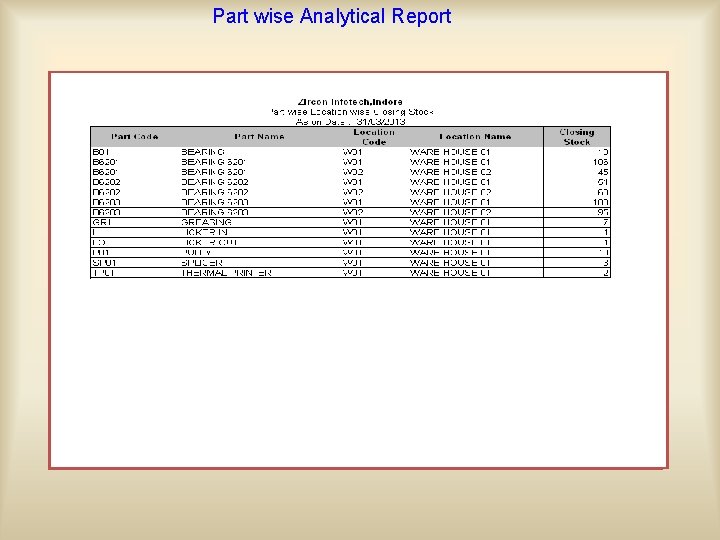
Part wise Analytical Report
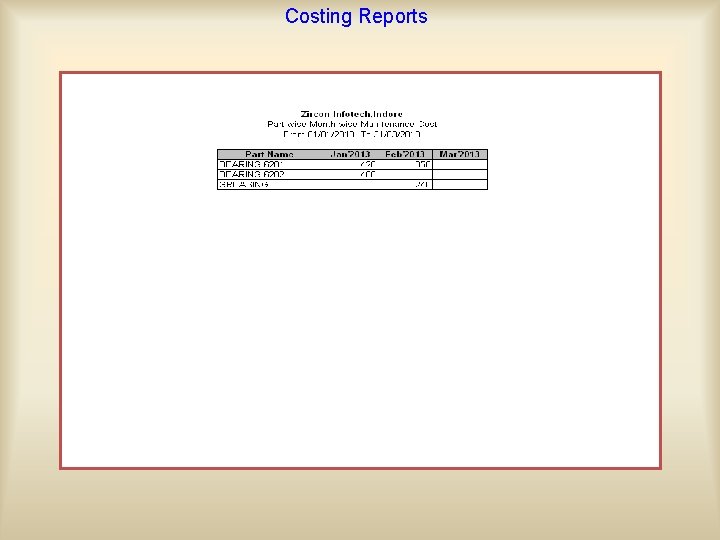
Costing Reports
Maintenance Apart from the main entry, breakdown entry and mid-term entry, MMIS give facility to maintain the other data also such as details of burning motor, machine transfer, abnormality day to day, day wise update (to keep up maintenance on the basis of reading), discontinue machines and their outputs are: • Tripping Register Reports • Burning Motor Report • Machine wise Abnormality Report • Machine Transfer Report • Update Reading Report • Material Receipt Summary • Material Receipt Detail • Machine Discontinue Report
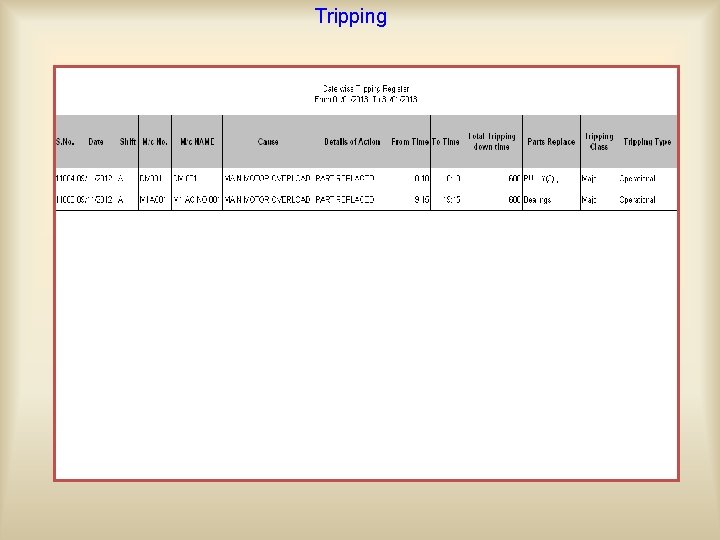
Tripping This option is useful to enter tripping details whenever a On the basis of entered data, user can prepare the Tripping register for a tripping occurs during the running of machines. machine and for any part of machine if changed for the given period
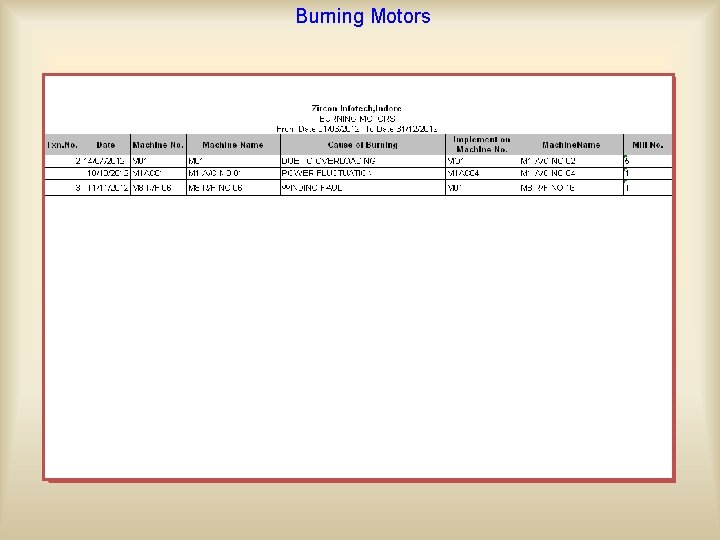
Burning Motors This option gives a facility thewill record of Generated Burning Motor Reportto formaintain a machine look as motors who are burned during working.
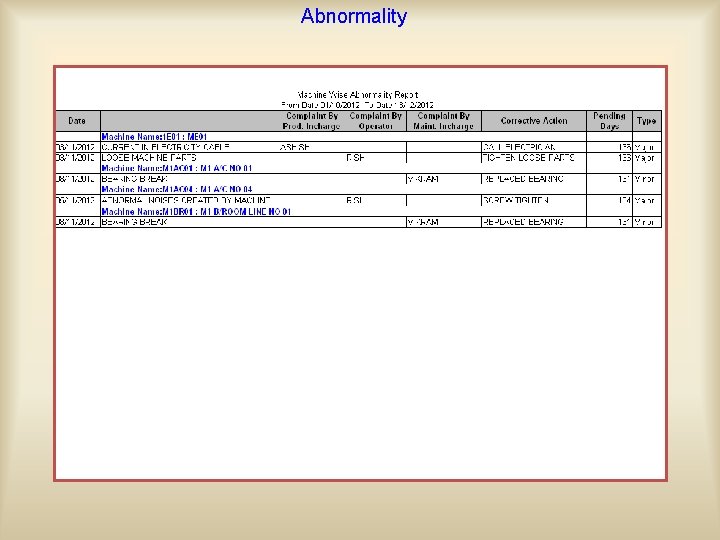
Abnormality This is used to maintain occurwill in the On option the basis of entered data, the abnormality generated report be machine between the two preventive maintenance schedule. After that when the machine is going on maintenance, In. After this case user canofnoted the abnormality, its complaint and maintenance machine, user can update these abnormalities would be take care and updated complain by user name. its corrective actions, who have complaints by entering thethe abnormalities by next ‘Action taken’. taken actions against thismodule abnormality and when the abnormality of the machine has completed.
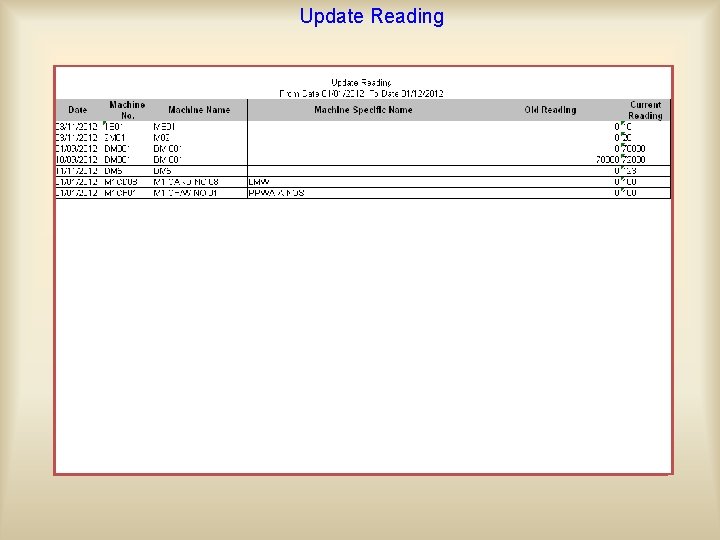
Update Reading This option is used for updating the reading of those machine which are maintaining the basisreport of reading. On the basis of entered data, theon generated will be
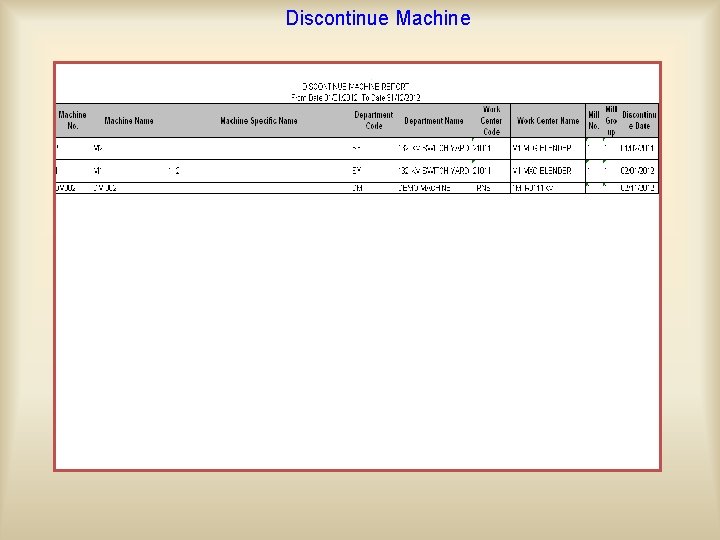
Discontinue Machine By using this option, user can discontinue the machine for Discontinuation machines may be due to lots of can reasons further use forofmaintaining the machine but you view like sale machine Report is so old and not usable, machine all of themachine, old maintenance record of that particular Discontinue will look as: does not able to use due to technology changes etc.
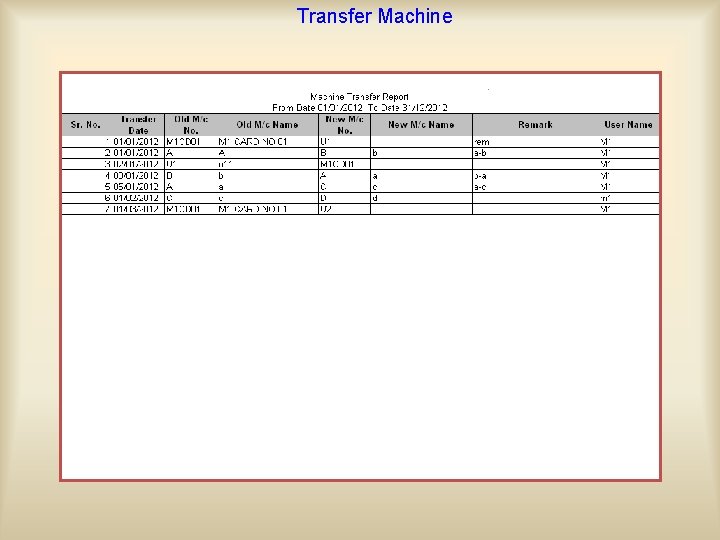
Transfer Machine By using this option MMIS gives a facility to transfer the machine from one location. Machine to another and give its will newlook number. MMIS Generated Transfer Report as: would transfer all its old record to its new number.
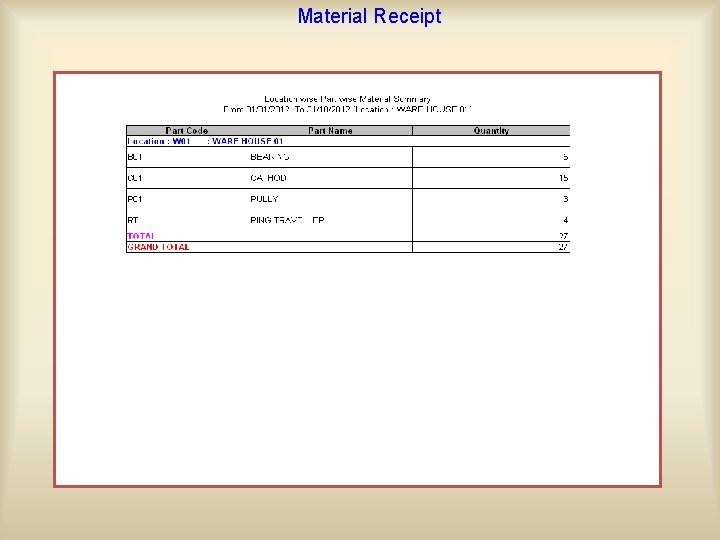
Material Receipt This option is useful to enter the material receipt data received from the main stores and stocked at sub locations on the floor. Machine Receipt Report will be generated as:
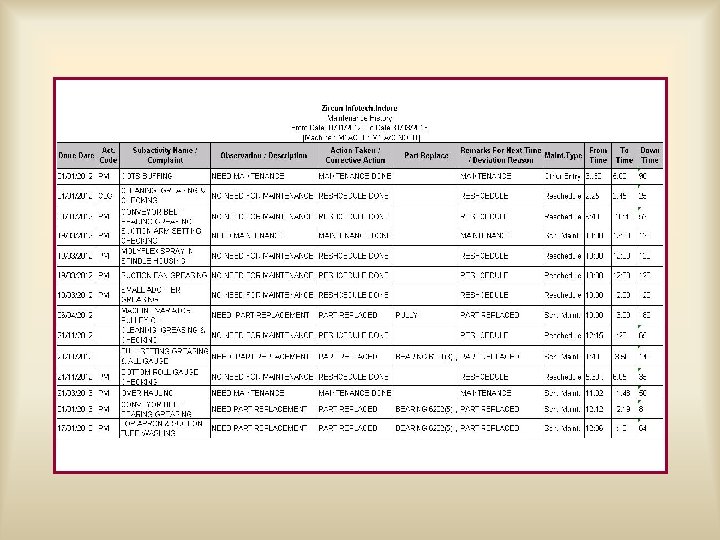
With the help of MMIS you may view all the details of maintenance machine by just a single click in the form of MAINTENANCE HISTORY of a

- Slides: 48