
Machine Languages Different types of CPUs understand different
- Slides: 39
Machine Languages • Different types of CPU’s understand different instructions • Pentium family / Celeron / Xeon / AMD K 6 / Cyrix … (Intel x 86 family) • Power. PC (Mac) • Dragon. Ball (Palm Pilot) • Strong. ARM/MIPS (Win. CE) • Many Others (specialized or general-purpose) • They represent instructions differently in their assembly/machine languages (even common ones) • Let’s look instructions for a simple example CPU
An Example CPU • We’ll look at a “toy” CPU’s Machine Language • Our CPU has: • 8 Registers – each holds 16 bits (2 bytes)
Our Example CPU • We’ll look at a toy CPU’s Machine Language: • Our CPU has: • 8 Registers – each holds 16 bits (2 bytes) • Our RAM: • Reads and writes (loads and stores) in blocks of 16 bits (2 bytes) 8 • Has 2 = 256 addresses • Total Memory: 256*2 = 512 bytes
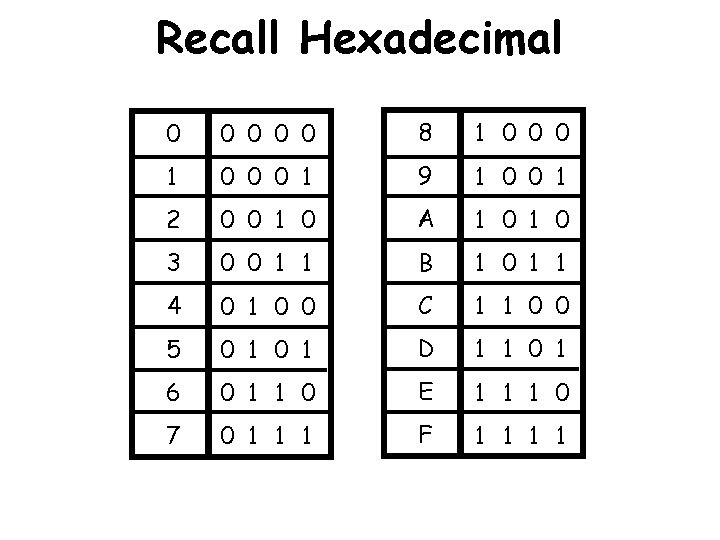
Writing it down • We are going to be looking at lots of 16 -bit sequences. • E. g. 01101100101 • It can be tiring/confusing to read so many bits. • So we use Hexadecimal representation of data and instructions
Recall Hexadecimal 0 0 0 8 1 0 0 0 1 9 1 0 0 1 2 0 0 1 0 A 1 0 3 0 0 1 1 B 1 0 1 1 4 0 1 0 0 C 1 1 0 0 5 0 1 D 1 1 0 1 6 0 1 1 0 E 1 1 1 0 7 0 1 1 1 F 1 1
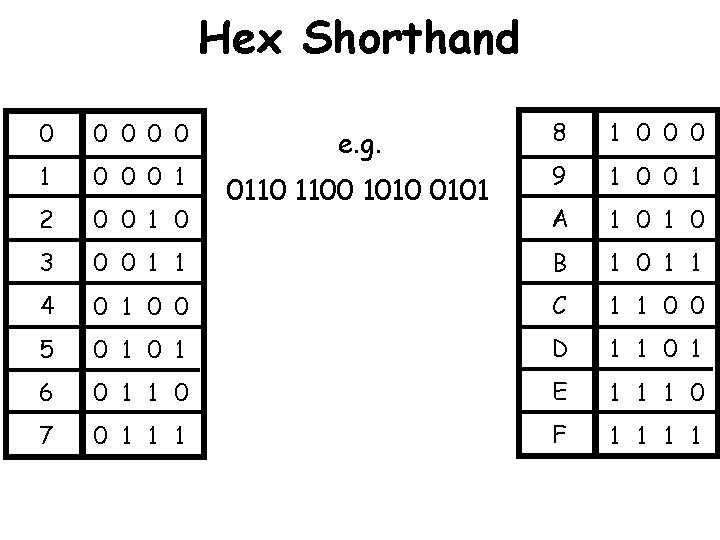
Hex Shorthand 8 1 0 0 0 9 1 0 0 1 A 1 0 0 0 1 1 B 1 0 1 1 4 0 1 0 0 C 1 1 0 0 5 0 1 D 1 1 0 1 6 0 1 1 0 E 1 1 1 0 7 0 1 1 1 F 1 1 0 0 0 1 2 0 0 1 0 3 e. g. 0110 1100 1010 0101
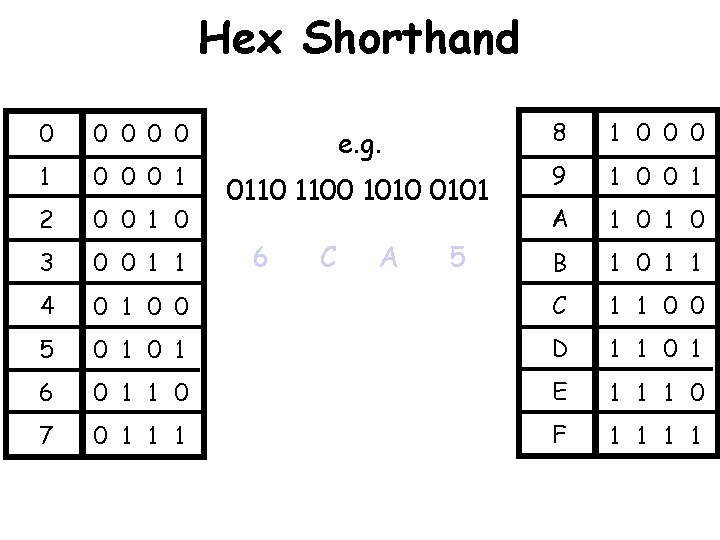
Hex Shorthand 8 1 0 0 0 9 1 0 0 1 A 1 0 B 1 0 1 0 0 C 1 1 0 0 5 0 1 D 1 1 0 1 6 0 1 1 0 E 1 1 1 0 7 0 1 1 1 F 1 1 0 0 0 1 2 0 0 1 0 3 0 0 1 1 4 e. g. 0110 1100 1010 0101 6 C A 5
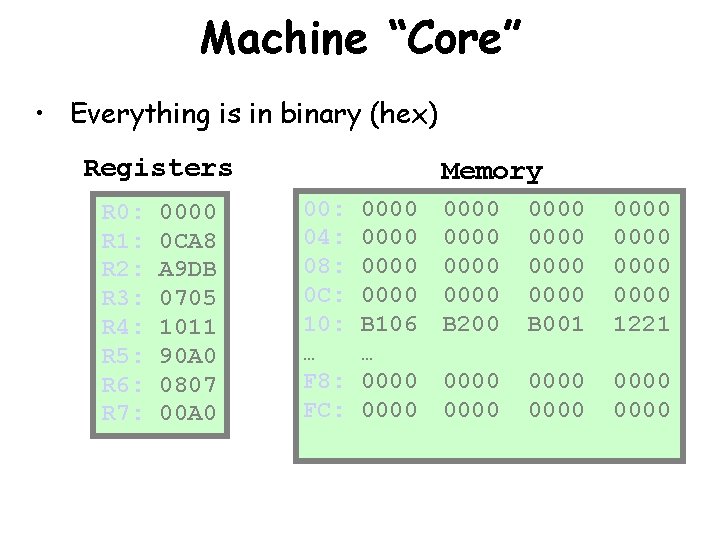
Machine “Core” • Everything is in binary (hex) Registers R 0: R 1: R 2: R 3: R 4: R 5: R 6: R 7: 0000 0 CA 8 A 9 DB 0705 1011 90 A 0 0807 00 A 0 Memory 00: 04: 08: 0 C: 10: … F 8: FC: 0000 B 106 … 0000 0000 B 200 0000 B 001 0000 1221 0000 0000
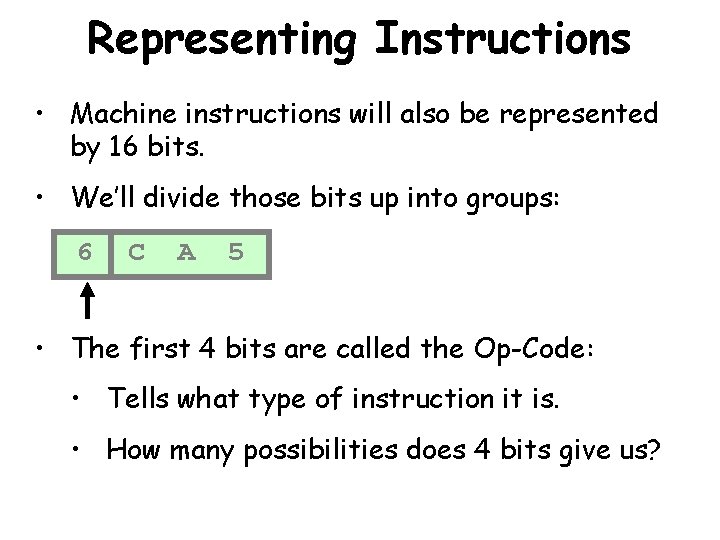
Representing Instructions • Machine instructions will also be represented by 16 bits. • We’ll divide those bits up into groups: 6 C A 5 • The first 4 bits are called the Op-Code: • Tells what type of instruction it is. • How many possibilities does 4 bits give us?
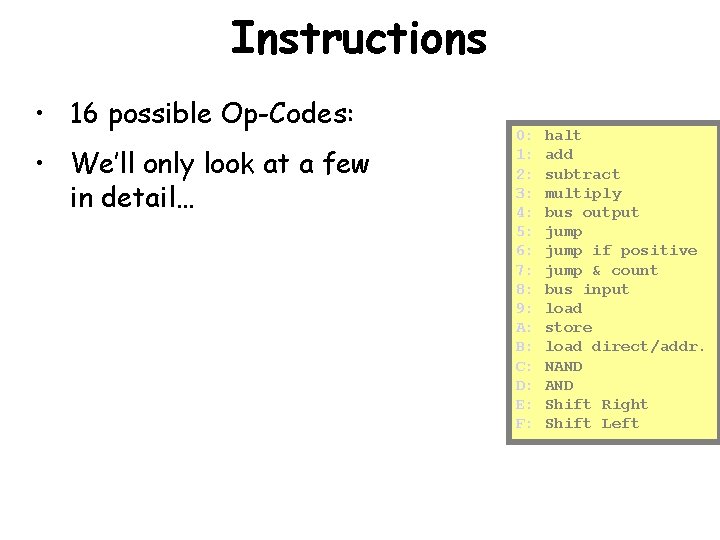
Instructions • 16 possible Op-Codes: • We’ll only look at a few in detail… 0: 1: 2: 3: 4: 5: 6: 7: 8: 9: A: B: C: D: E: F: halt add subtract multiply bus output jump if positive jump & count bus input load store load direct/addr. NAND Shift Right Shift Left
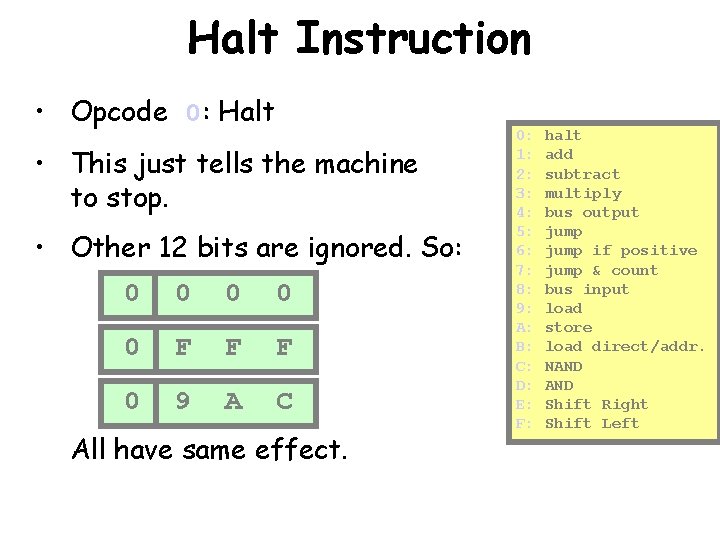
Halt Instruction • Opcode 0: Halt • This just tells the machine to stop. • Other 12 bits are ignored. So: 0 0 0 F F F 0 9 A C All have same effect. 0: 1: 2: 3: 4: 5: 6: 7: 8: 9: A: B: C: D: E: F: halt add subtract multiply bus output jump if positive jump & count bus input load store load direct/addr. NAND Shift Right Shift Left
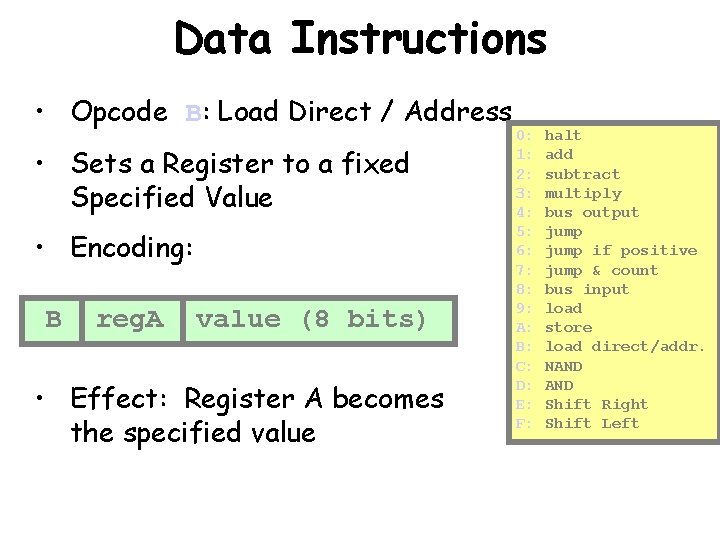
Data Instructions • Opcode B: Load Direct / Address • Sets a Register to a fixed Specified Value • Encoding: B reg. A value (8 bits) • Effect: Register A becomes the specified value 0: 1: 2: 3: 4: 5: 6: 7: 8: 9: A: B: C: D: E: F: halt add subtract multiply bus output jump if positive jump & count bus input load store load direct/addr. NAND Shift Right Shift Left
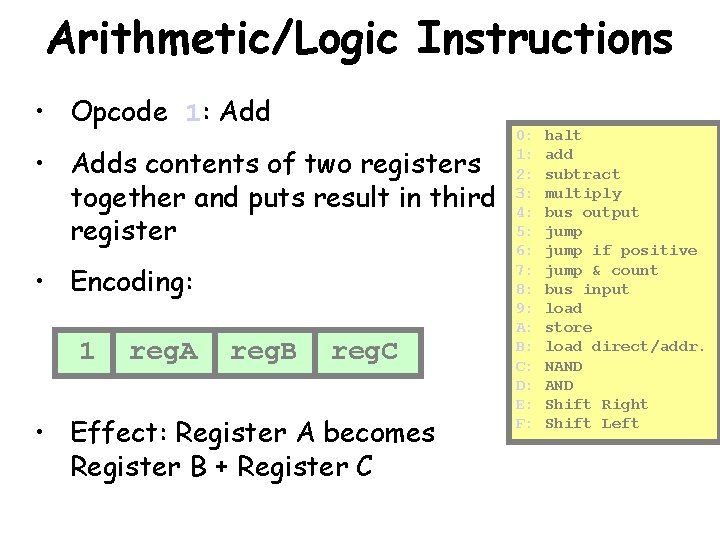
Arithmetic/Logic Instructions • Opcode 1: Add • Adds contents of two registers together and puts result in third register • Encoding: 1 reg. A reg. B reg. C • Effect: Register A becomes Register B + Register C 0: 1: 2: 3: 4: 5: 6: 7: 8: 9: A: B: C: D: E: F: halt add subtract multiply bus output jump if positive jump & count bus input load store load direct/addr. NAND Shift Right Shift Left
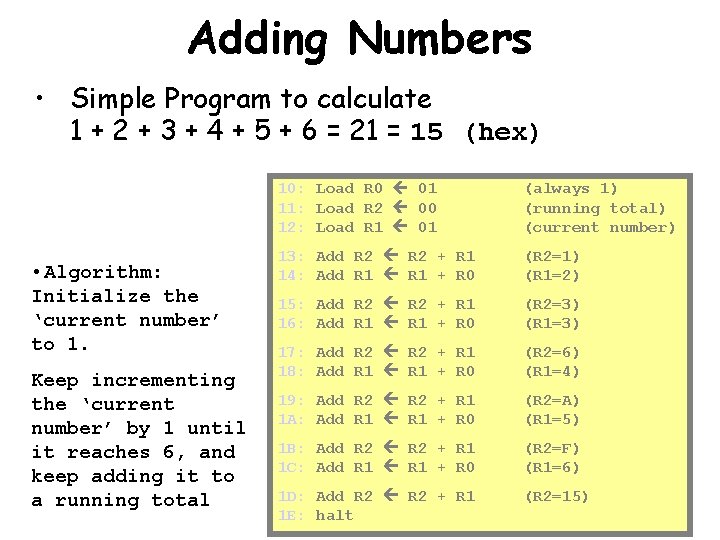
Adding Numbers • Simple Program to calculate 1 + 2 + 3 + 4 + 5 + 6 = 21 = 15 (hex) • Algorithm: Initialize the ‘current number’ to 1. Keep incrementing the ‘current number’ by 1 until it reaches 6, and keep adding it to a running total 10: Load R 0 01 11: Load R 2 00 12: Load R 1 01 (always 1) (running total) (current number) 13: Add R 2 + R 1 14: Add R 1 + R 0 (R 2=1) (R 1=2) 15: Add R 2 + R 1 16: Add R 1 + R 0 (R 2=3) (R 1=3) 17: Add R 2 + R 1 18: Add R 1 + R 0 (R 2=6) (R 1=4) 19: Add R 2 + R 1 1 A: Add R 1 + R 0 (R 2=A) (R 1=5) 1 B: Add R 2 + R 1 1 C: Add R 1 + R 0 (R 2=F) (R 1=6) 1 D: Add R 2 + R 1 1 E: halt (R 2=15)
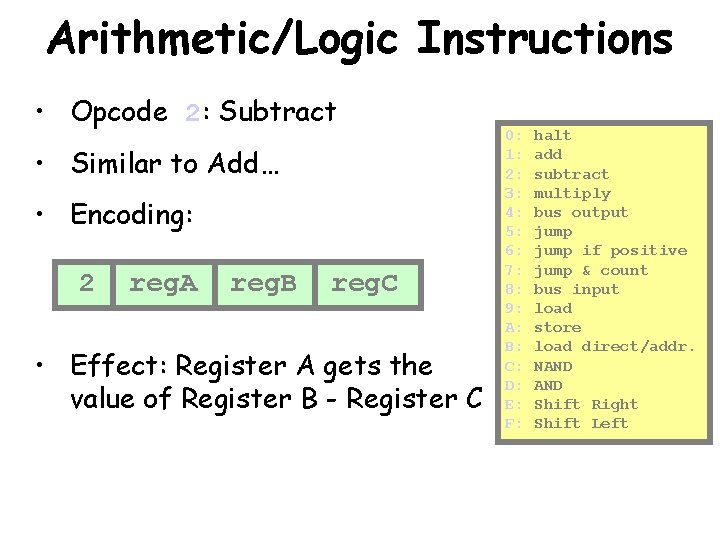
Arithmetic/Logic Instructions • Opcode 2: Subtract • Similar to Add… • Encoding: 2 reg. A reg. B reg. C • Effect: Register A gets the value of Register B - Register C 0: 1: 2: 3: 4: 5: 6: 7: 8: 9: A: B: C: D: E: F: halt add subtract multiply bus output jump if positive jump & count bus input load store load direct/addr. NAND Shift Right Shift Left
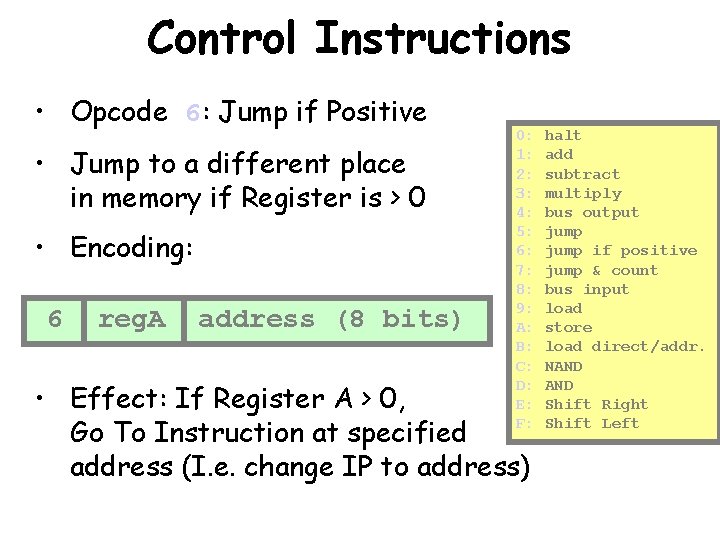
Control Instructions • Opcode 6: Jump if Positive • Jump to a different place in memory if Register is > 0 • Encoding: 6 reg. A address (8 bits) 0: 1: 2: 3: 4: 5: 6: 7: 8: 9: A: B: C: D: E: F: • Effect: If Register A > 0, Go To Instruction at specified address (I. e. change IP to address) halt add subtract multiply bus output jump if positive jump & count bus input load store load direct/addr. NAND Shift Right Shift Left
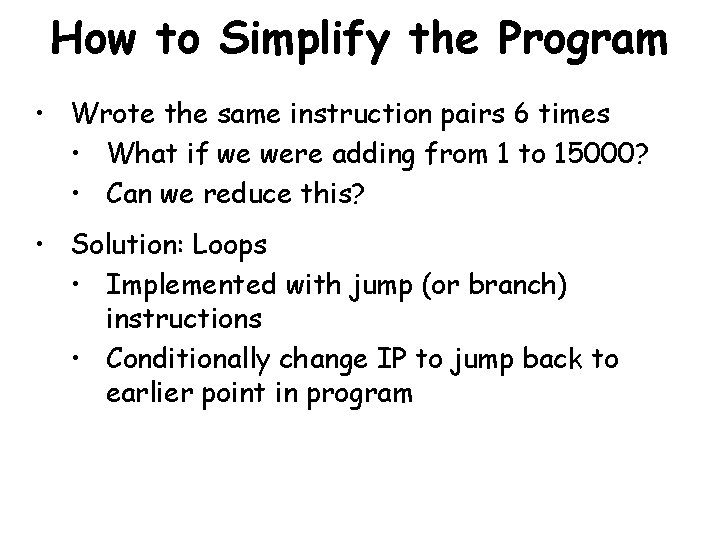
How to Simplify the Program • Wrote the same instruction pairs 6 times • What if we were adding from 1 to 15000? • Can we reduce this? • Solution: Loops • Implemented with jump (or branch) instructions • Conditionally change IP to jump back to earlier point in program
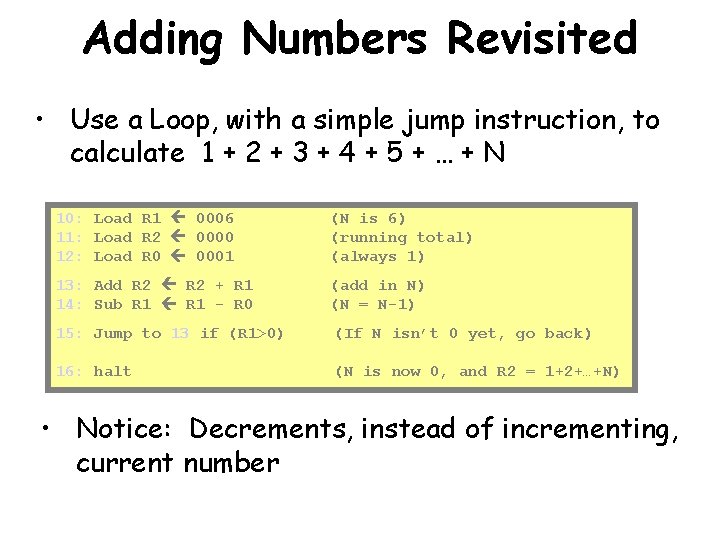
Adding Numbers Revisited • Use a Loop, with a simple jump instruction, to calculate 1 + 2 + 3 + 4 + 5 + … + N 10: Load R 1 0006 11: Load R 2 0000 12: Load R 0 0001 (N is 6) (running total) (always 1) 13: Add R 2 + R 1 14: Sub R 1 - R 0 (add in N) (N = N-1) 15: Jump to 13 if (R 1>0) (If N isn’t 0 yet, go back) 16: halt (N is now 0, and R 2 = 1+2+…+N) • Notice: Decrements, instead of incrementing, current number
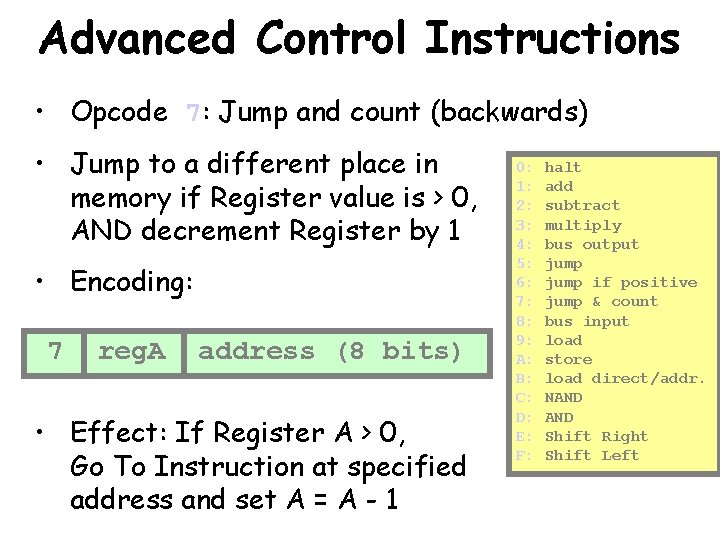
Advanced Control Instructions • Opcode 7: Jump and count (backwards) • Jump to a different place in memory if Register value is > 0, AND decrement Register by 1 • Encoding: 7 reg. A address (8 bits) • Effect: If Register A > 0, Go To Instruction at specified address and set A = A - 1 0: 1: 2: 3: 4: 5: 6: 7: 8: 9: A: B: C: D: E: F: halt add subtract multiply bus output jump if positive jump & count bus input load store load direct/addr. NAND Shift Right Shift Left
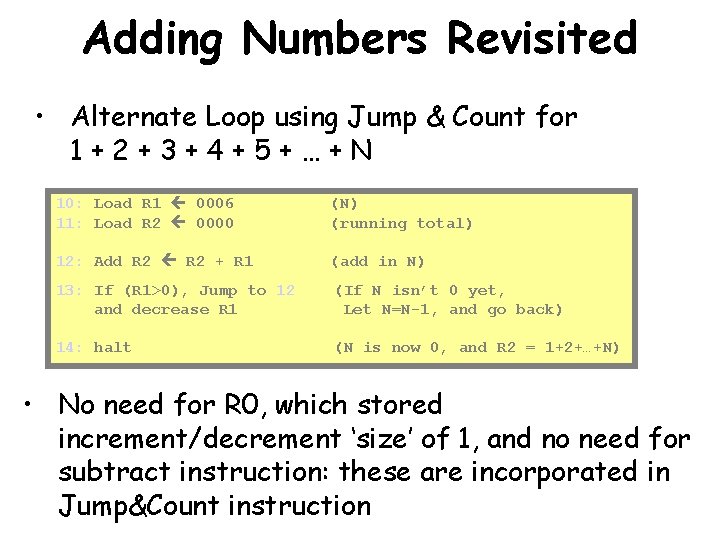
Adding Numbers Revisited • Alternate Loop using Jump & Count for 1+2+3+4+5+…+N 10: Load R 1 0006 11: Load R 2 0000 (N) (running total) 12: Add R 2 + R 1 (add in N) 13: If (R 1>0), Jump to 12 and decrease R 1 (If N isn’t 0 yet, Let N=N-1, and go back) 14: halt (N is now 0, and R 2 = 1+2+…+N) • No need for R 0, which stored increment/decrement ‘size’ of 1, and no need for subtract instruction: these are incorporated in Jump&Count instruction
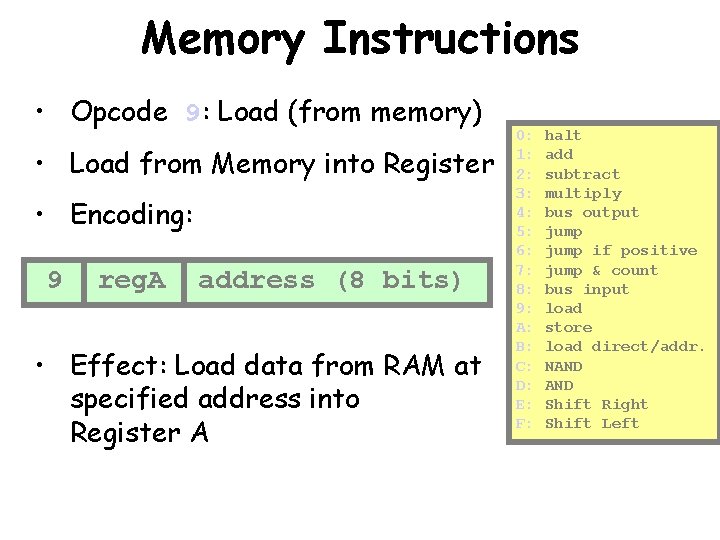
Memory Instructions • Opcode 9: Load (from memory) • Load from Memory into Register • Encoding: 9 reg. A address (8 bits) • Effect: Load data from RAM at specified address into Register A 0: 1: 2: 3: 4: 5: 6: 7: 8: 9: A: B: C: D: E: F: halt add subtract multiply bus output jump if positive jump & count bus input load store load direct/addr. NAND Shift Right Shift Left
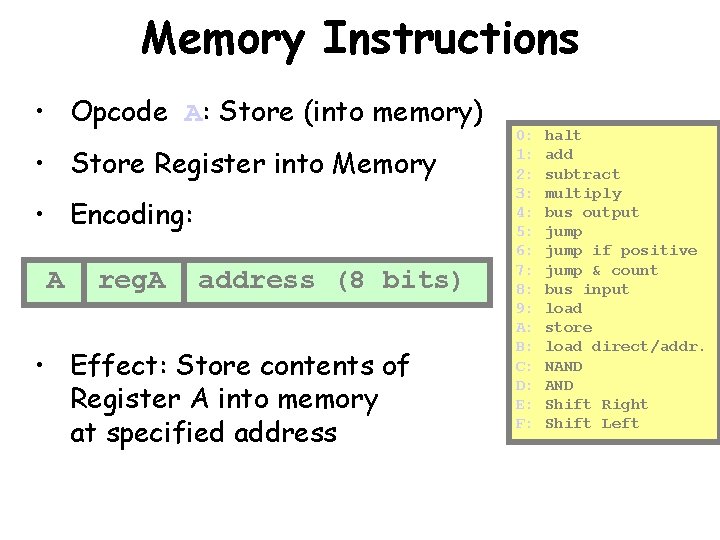
Memory Instructions • Opcode A: Store (into memory) • Store Register into Memory • Encoding: A reg. A address (8 bits) • Effect: Store contents of Register A into memory at specified address 0: 1: 2: 3: 4: 5: 6: 7: 8: 9: A: B: C: D: E: F: halt add subtract multiply bus output jump if positive jump & count bus input load store load direct/addr. NAND Shift Right Shift Left
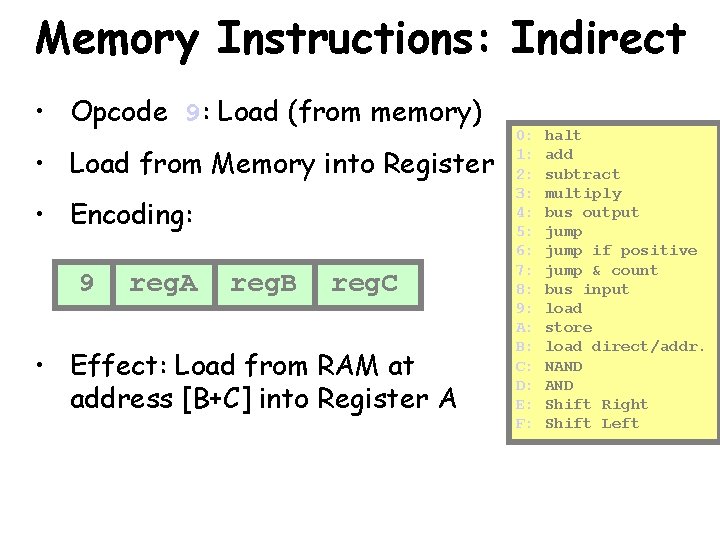
Memory Instructions: Indirect • Opcode 9: Load (from memory) • Load from Memory into Register • Encoding: 9 reg. A reg. B reg. C • Effect: Load from RAM at address [B+C] into Register A 0: 1: 2: 3: 4: 5: 6: 7: 8: 9: A: B: C: D: E: F: halt add subtract multiply bus output jump if positive jump & count bus input load store load direct/addr. NAND Shift Right Shift Left
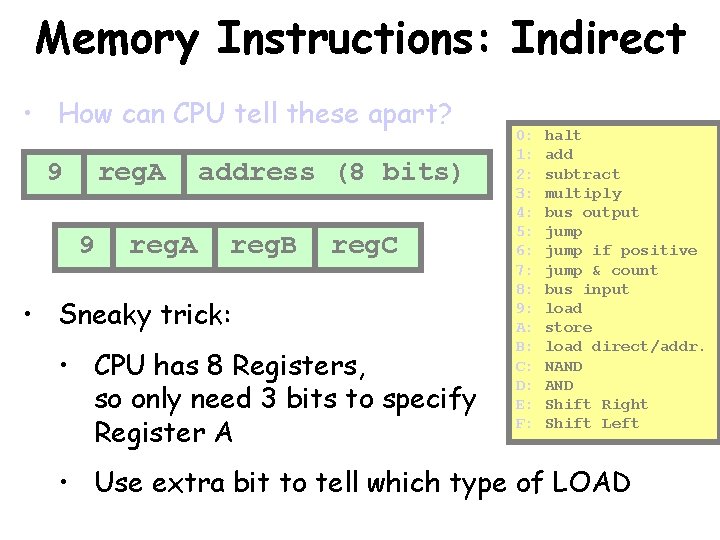
Memory Instructions: Indirect • How can CPU tell these apart? 9 reg. A address (8 bits) reg. B reg. C • Sneaky trick: • CPU has 8 Registers, so only need 3 bits to specify Register A 0: 1: 2: 3: 4: 5: 6: 7: 8: 9: A: B: C: D: E: F: halt add subtract multiply bus output jump if positive jump & count bus input load store load direct/addr. NAND Shift Right Shift Left • Use extra bit to tell which type of LOAD
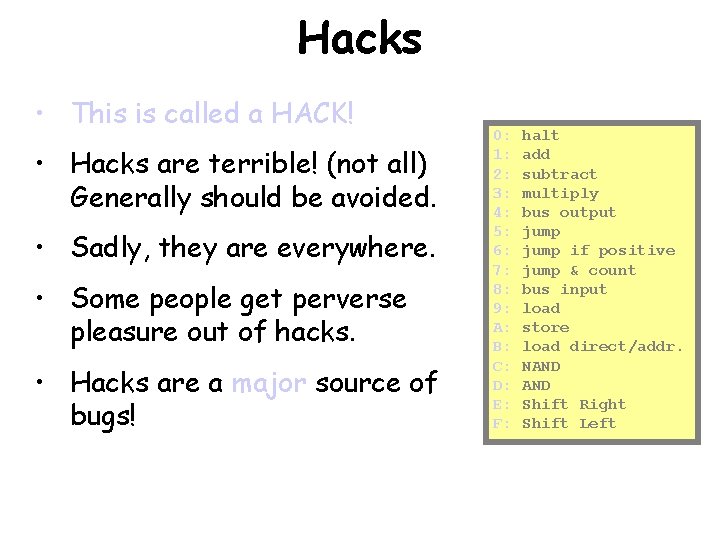
Hacks • This is called a HACK! • Hacks are terrible! (not all) Generally should be avoided. • Sadly, they are everywhere. • Some people get perverse pleasure out of hacks. • Hacks are a major source of bugs! 0: 1: 2: 3: 4: 5: 6: 7: 8: 9: A: B: C: D: E: F: halt add subtract multiply bus output jump if positive jump & count bus input load store load direct/addr. NAND Shift Right Shift Left
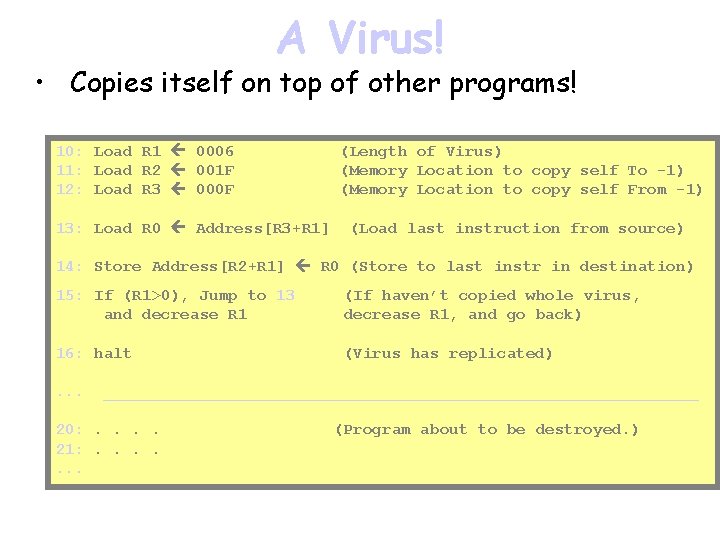
A Virus! • Copies itself on top of other programs! 10: Load R 1 0006 11: Load R 2 001 F 12: Load R 3 000 F 13: Load R 0 Address[R 3+R 1] (Length of Virus) (Memory Location to copy self To -1) (Memory Location to copy self From -1) (Load last instruction from source) 14: Store Address[R 2+R 1] R 0 (Store to last instr in destination) 15: If (R 1>0), Jump to 13 and decrease R 1 (If haven’t copied whole virus, decrease R 1, and go back) 16: halt (Virus has replicated) . . . _______________________________ 20: . . 21: . . . . (Program about to be destroyed. )
Summary • We have looked at a typical Machine Language and how instructions are represented. • Halt Instruction • Data Instructions • Arithmetic/Logic Instructions • Control Instructions • Memory Instructions
Summary (cont. ) • We saw a few simple examples of programs you can write in Assembly Language. • You now have a pretty solid understanding of how computers really work ! • But you don’t want to write programs in Assembly Language • Modern programming. Writing programs in highlevel languages. • Start with traffic light example, in software rather than in hardware
Writing a Program in a Highlevel Language • Figure out what you want to do – Understand the rules that guide the process you are automating • Make sure that your rules are complete • Translate the rules into the computer language – Build structures to hold your data – Build tools to manipulate the structures • Make sure that the program does what the rules say
Elements of Programming • We looked at machine language – Single instructions that tell the hardware what to do – Primitive • Arithmetic, simple branching, communication with memory • We built state machines – States using memory – Transitions modeling tasks – A “hardwired” program
Elements of Programming • We’ve seen – Truth tables – Logic gates – States and transitions in a state machine – Machine language • Now, higher level programming language
To build a computer program • Figure out what you want to do – Understand the rules that guide the process you are automating • Make sure that your rules are complete • Translate the rules into the computer language – Build structures to hold your data – Build tools to manipulate the structures • Make sure that the program does what the rules say
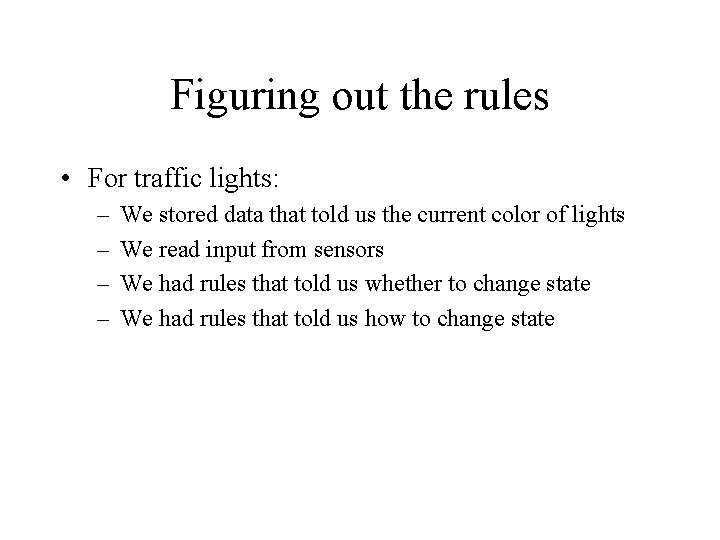
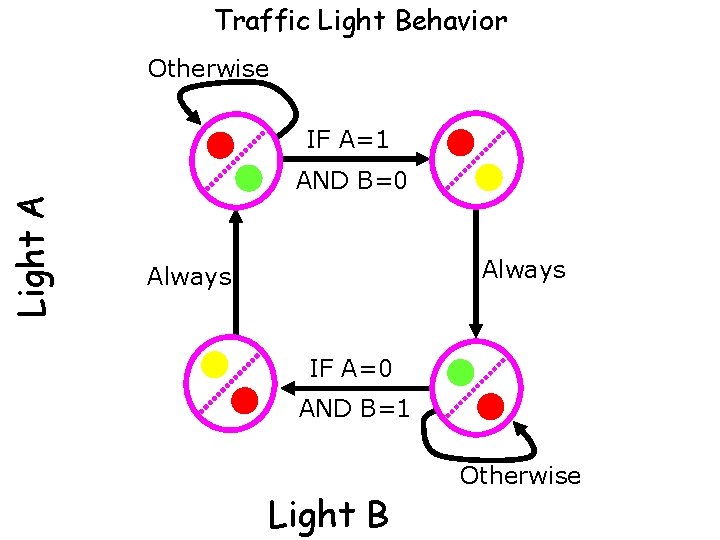
Figuring out the rules • For traffic lights: – – We stored data that told us the current color of lights We read input from sensors We had rules that told us whether to change state We had rules that told us how to change state
Traffic Light Behavior Otherwise IF A=1 Light A AND B=0 Always IF A=0 AND B=1 Light B Otherwise
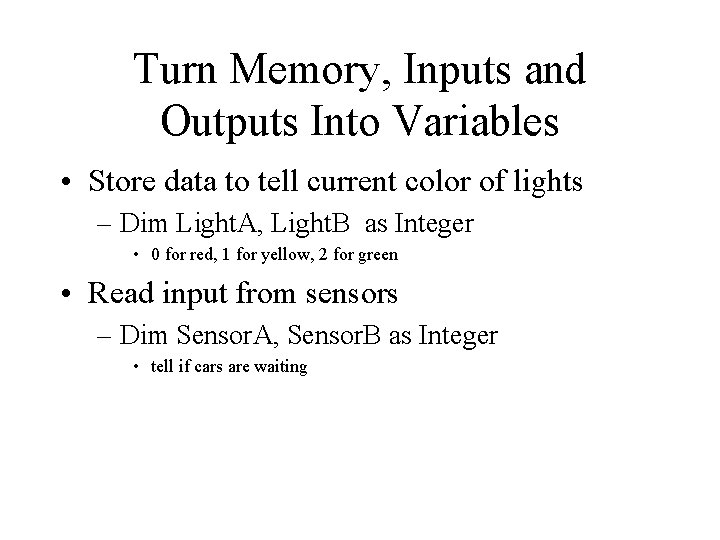
Turn Memory, Inputs and Outputs Into Variables • Store data to tell current color of lights – Dim Light. A, Light. B as Integer • 0 for red, 1 for yellow, 2 for green • Read input from sensors – Dim Sensor. A, Sensor. B as Integer • tell if cars are waiting
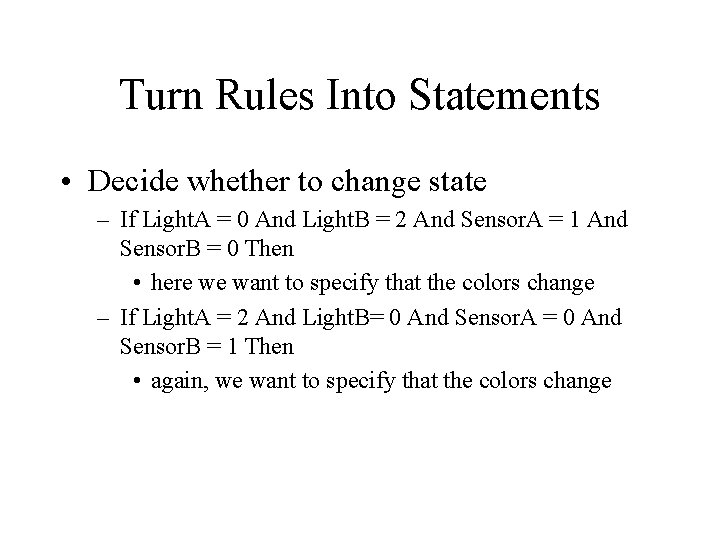
Turn Rules Into Statements • Decide whether to change state – If Light. A = 0 And Light. B = 2 And Sensor. A = 1 And Sensor. B = 0 Then • here we want to specify that the colors change – If Light. A = 2 And Light. B= 0 And Sensor. A = 0 And Sensor. B = 1 Then • again, we want to specify that the colors change
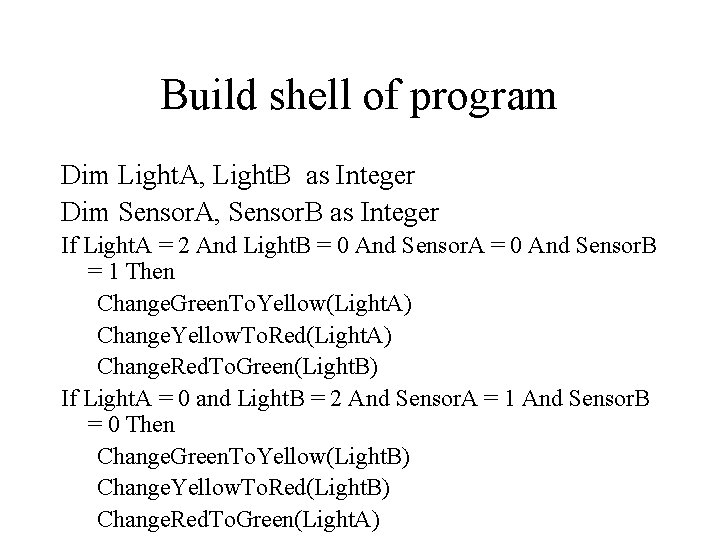
Build shell of program Dim Light. A, Light. B as Integer Dim Sensor. A, Sensor. B as Integer If Light. A = 2 And Light. B = 0 And Sensor. A = 0 And Sensor. B = 1 Then Change. Green. To. Yellow(Light. A) Change. Yellow. To. Red(Light. A) Change. Red. To. Green(Light. B) If Light. A = 0 and Light. B = 2 And Sensor. A = 1 And Sensor. B = 0 Then Change. Green. To. Yellow(Light. B) Change. Yellow. To. Red(Light. B) Change. Red. To. Green(Light. A)
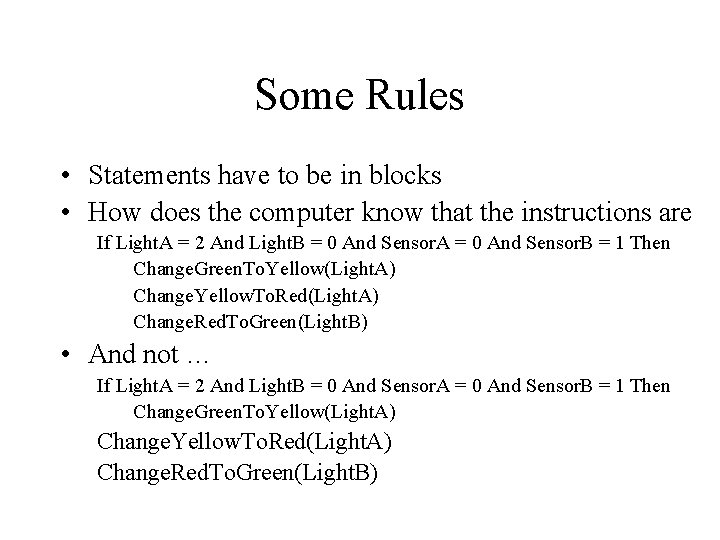
Some Rules • Statements have to be in blocks • How does the computer know that the instructions are If Light. A = 2 And Light. B = 0 And Sensor. A = 0 And Sensor. B = 1 Then Change. Green. To. Yellow(Light. A) Change. Yellow. To. Red(Light. A) Change. Red. To. Green(Light. B) • And not … If Light. A = 2 And Light. B = 0 And Sensor. A = 0 And Sensor. B = 1 Then Change. Green. To. Yellow(Light. A) Change. Yellow. To. Red(Light. A) Change. Red. To. Green(Light. B)
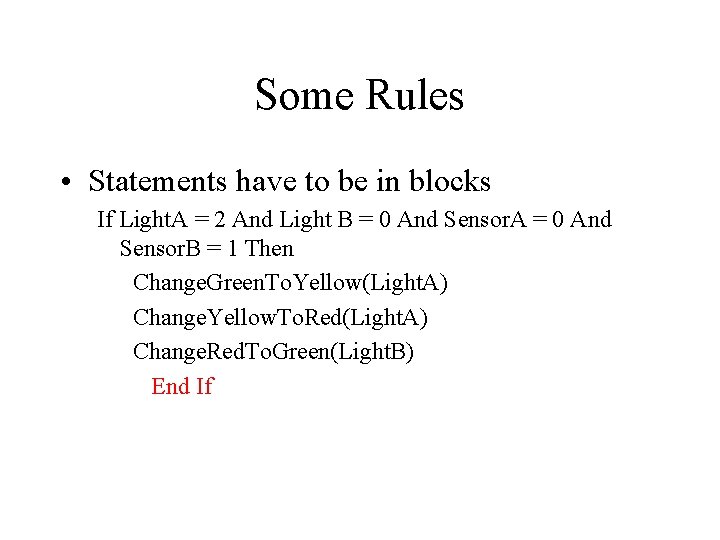
Some Rules • Statements have to be in blocks If Light. A = 2 And Light B = 0 And Sensor. A = 0 And Sensor. B = 1 Then Change. Green. To. Yellow(Light. A) Change. Yellow. To. Red(Light. A) Change. Red. To. Green(Light. B) End If