
M 204 Data Representation Binary Digit Computers recognise
M 204 - Data Representation
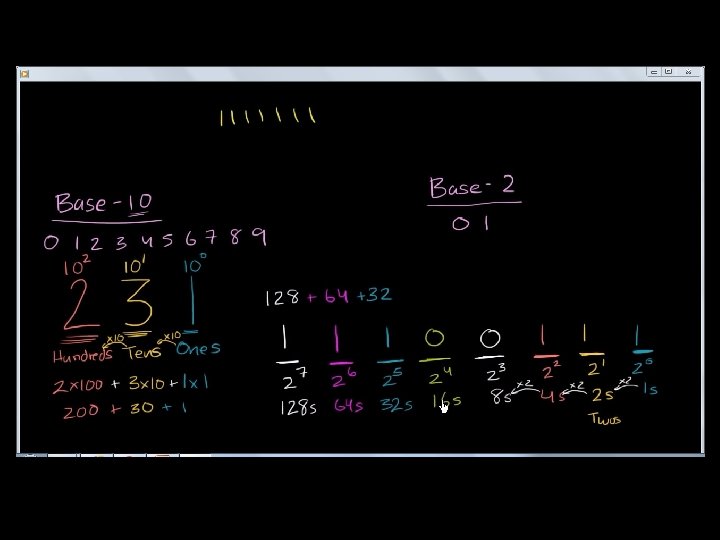
Binary Digit • Computers recognise only two discrete states : on and off. • These states can be represented by two digits, 0 and 1. • A computer circuit represent the 0 or the 1 electronically by present or absence of the electronic charge. • Each 0 or 1 is called a bit in binary system. • The binary system has a base of 2 with the two digits (0 and 1). Combinations of 0 s and 1 s represent larger numbers.
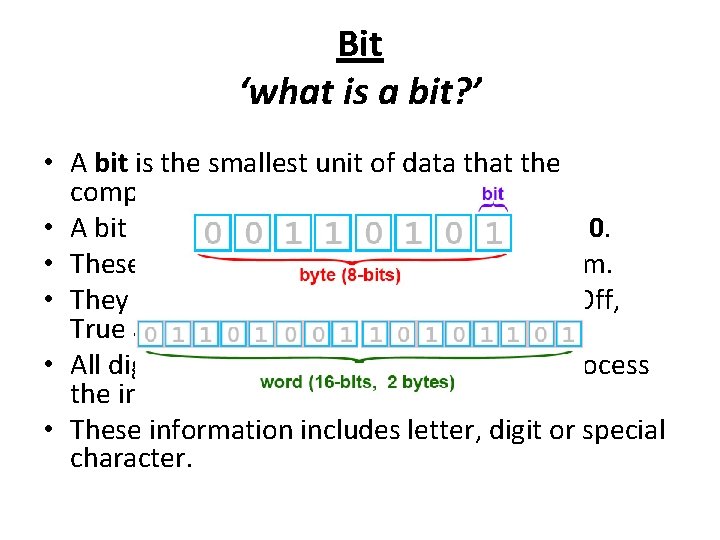
Bit ‘what is a bit? ’ • A bit is the smallest unit of data that the computer can process. • A bit is represented by the numbers 1 and 0. • These numbers represent the binary system. • They correspond to the states of On and Off, True and False or Yes and No. • All digital data use the binary system to process the information. • These information includes letter, digit or special character.
Byte • Byte is a unit of information built from bits. • One byte is equals to 8 bits. • One byte represents a single character such as the number 3, letter b or a $ symbol. • Bits and bytes are the basis for representing all meaningful information and programs on computers.
Character • 8 bits group together as a unit are called a byte. • A byte represents a single character such as a letter A, a digit 7 or a special character (+ , - ). • For example, the capital letter F is represented by binary code 01000110 that can be understood by the computer system. • Number 9 is represented by binary code 00111001.
Character Codes • There are 3 character codes to represent characters which are ASCII, EBCDIC and Unicode. • Each byte contains eight bits. • A byte provides enough different combination of 0 s and 1 s to represent 256 characters. • The combinations of 0 s and 1 s are defined by patterns. These patterns are called coding scheme.
• The 256 character capability of ASCII and EBCDIC is too small to handle the characters that are used by other language such as Arabic, Japanese and Chinese. • The Unicode coding scheme is designed to solve this problem. It uses two bytes (16 bits) to represent one character. • Unicode will have more than 65, 000 different characters. • This can cover all the world’s languages.
M 205 - Introduction to Binary Coding
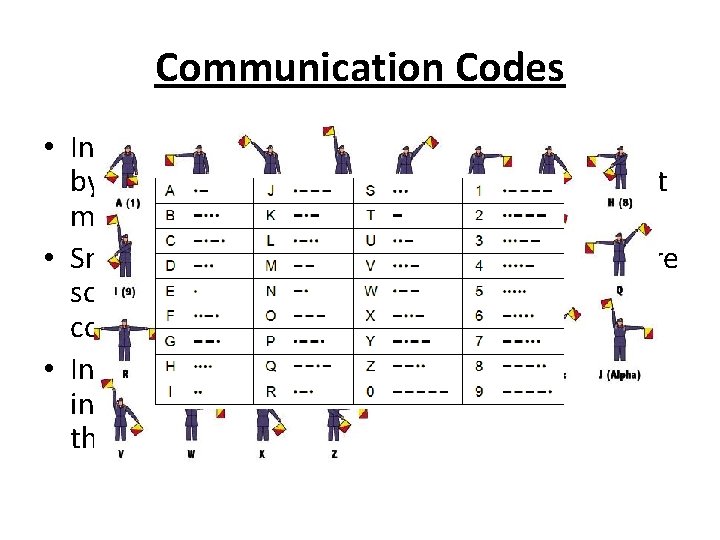
Communication Codes • In the early days, people use to communicate by sending and receiving codes that represent meaningful information over long distances. • Smoke signals, morse code and semaphore are some of the examples of communication codes used. • In the information digital era, people send information via electronic devices such as through the computers.
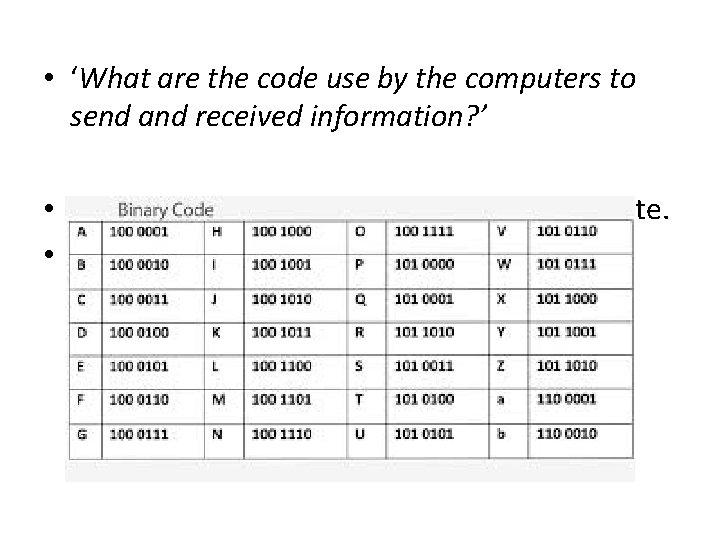
• ‘What are the code use by the computers to send and received information? ’ • Computers use binary codes to communicate. • One of the widely used binary code is the American Standard Code for Information Interchange (ASCII).
• In 1963, the American National Standards Institute (ANSI) introduces ASCII. • ASCII was original known as American Standard Code for Information Interchange.
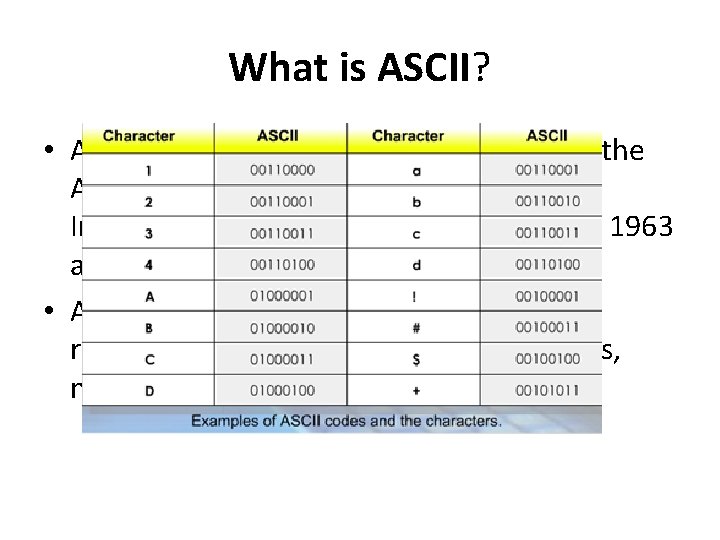
What is ASCII? • ASCII pronounced as ‘ask-key’ stands for the American Standard Code for Information Interchange and was proposed by USA in 1963 and was finalised in 1968. • ASCII is a standard of 7 -bit code used to represent character, which include letters, numbers and punctuation marks.
Function of ASCII • Standard such as ASCII was established to achieve compatibility between various types of data processing equipment making it possible for the components to communicate with each other successfully.
• By following these standards, manufacturers can produce components that are assured to operate correctly in a computer. • ASCII makes it possible for humans to interact with a computer. It also enables users to purchase components that are compatible with their computer configurations.
How ASCII works in a computer system • ‘How is a character converted to ASCII binary code? ’ • When you press a key, for example the letter D on your keyboard, the electronic signal is sent to the CPU for the computer to process and stores in memory.
• Every character is converted to its corresponding binary form. In this example, the letter D is converted to 0100. • The computer then processes the letter as a byte, which actually is a series of on or off eletrical states. • When the computer has finished processing the byte, the software installed in the system converts the byte back to the letter D, which is then displayed on a screen.
THE END M 204 – M 205
- Slides: 18