
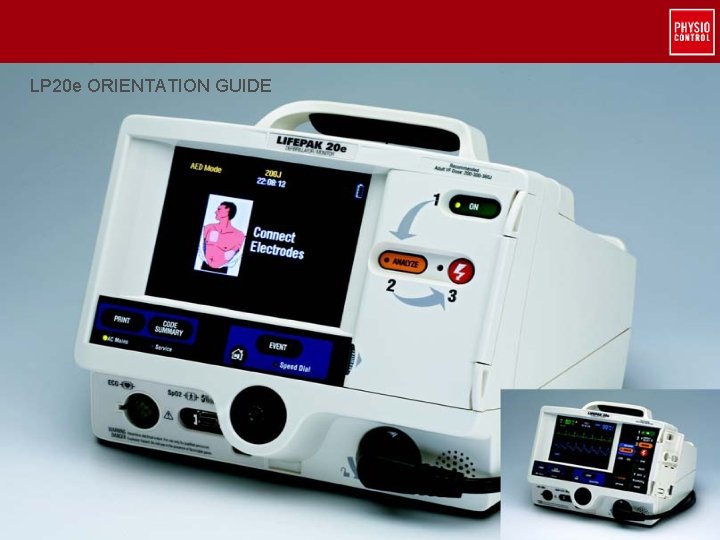
LP 20 e ORIENTATION GUIDE Youre Ready 2010
- Slides: 30
LP 20 e ORIENTATION GUIDE You’re Ready. © 2010 Physio-Control, Inc. All rights reserved.
Important Safety Information This orientation program is not a substitute for hands-on device training. The LIFEPAK 20 e defibrillator is intended for use by personnel who have been trained in the use of the LIFEPAK 20 e defibrillator © 2010 Physio-Control, Inc. All rights reserved.
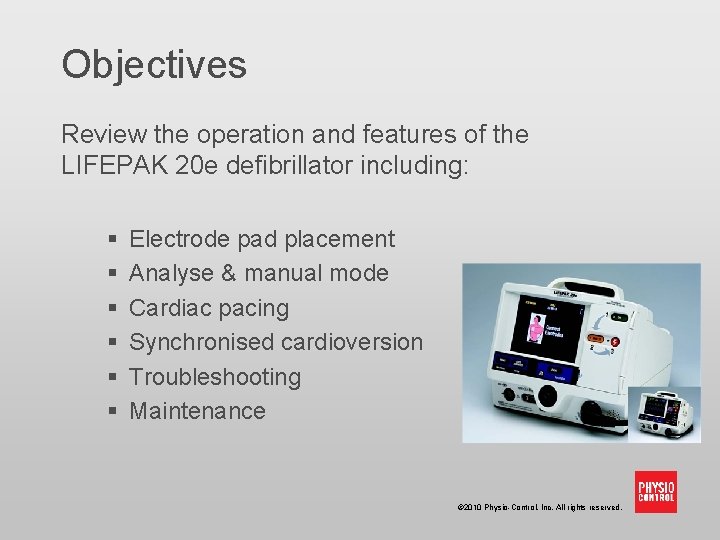
Objectives Review the operation and features of the LIFEPAK 20 e defibrillator including: § § § Electrode pad placement Analyse & manual mode Cardiac pacing Synchronised cardioversion Troubleshooting Maintenance © 2010 Physio-Control, Inc. All rights reserved.
LIFEPAK 20 e Defibrillator Uses: § Manual defibrillation - For use only on patients in cardiopulmonary arrest § Semi-automated external defibrillation - For use only on patients in cardiopulmonary arrest § ECG monitoring - For the purpose of ECG rhythm recognition and heart rate monitoring § External cardiac pacing § Synchronised cardioversion © 2010 Physio-Control, Inc. All rights reserved.
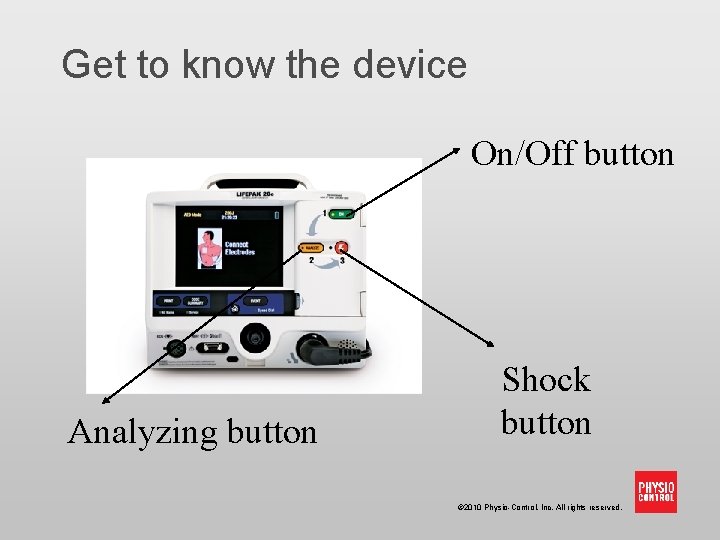
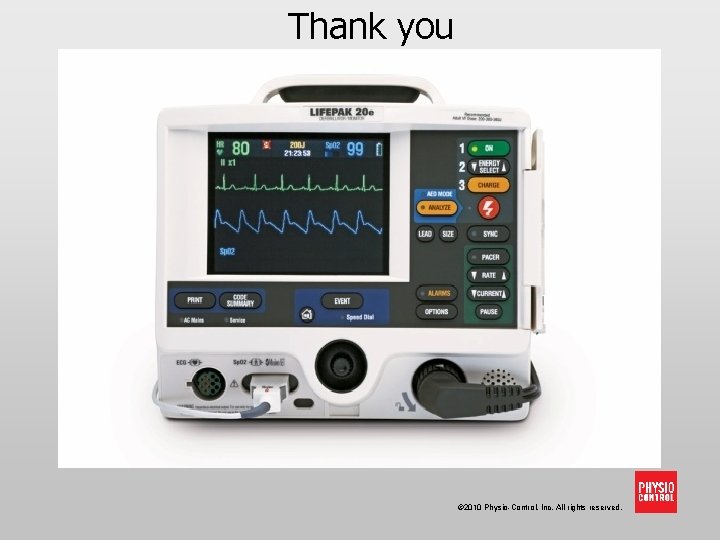
Get to know the device On/Off button Analyzing button Shock button © 2010 Physio-Control, Inc. All rights reserved.
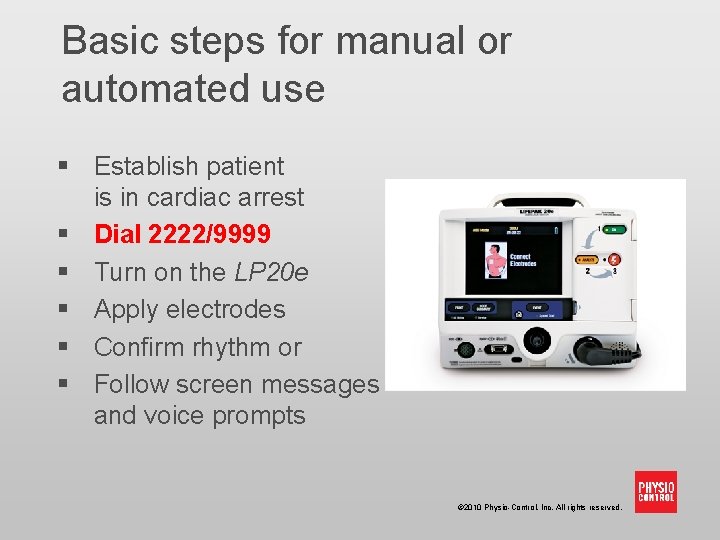
Basic steps for manual or automated use § Establish patient is in cardiac arrest § Dial 2222/9999 § Turn on the LP 20 e § Apply electrodes § Confirm rhythm or § Follow screen messages and voice prompts © 2010 Physio-Control, Inc. All rights reserved.
Electrode placement § § Remove clothing from patient’s chest Remove excessive hair Clean and dry the skin Do not apply alcohol, tincture of benzoin, or antiperspirant to the skin © 2010 Physio-Control, Inc. All rights reserved.
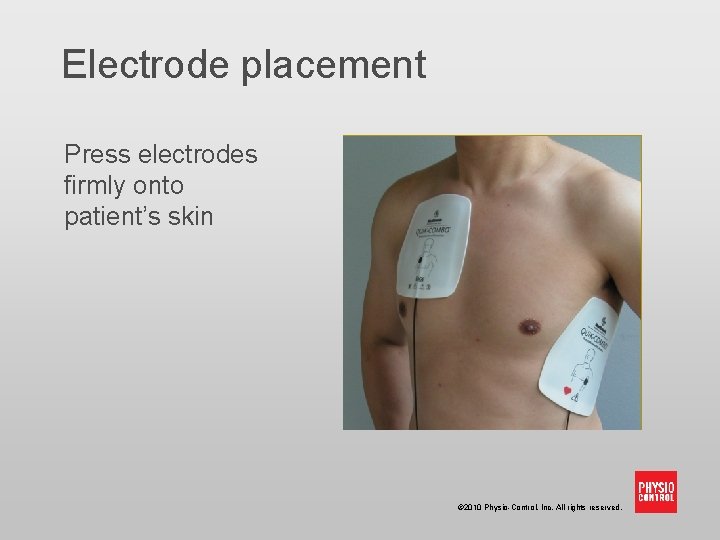
Electrode placement Press electrodes firmly onto patient’s skin © 2010 Physio-Control, Inc. All rights reserved.
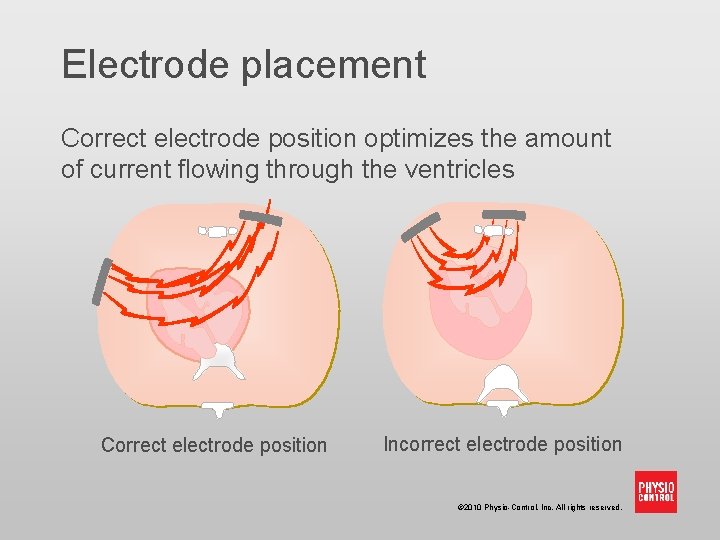
Electrode placement Correct electrode position optimizes the amount of current flowing through the ventricles Correct electrode position Incorrect electrode position © 2010 Physio-Control, Inc. All rights reserved.
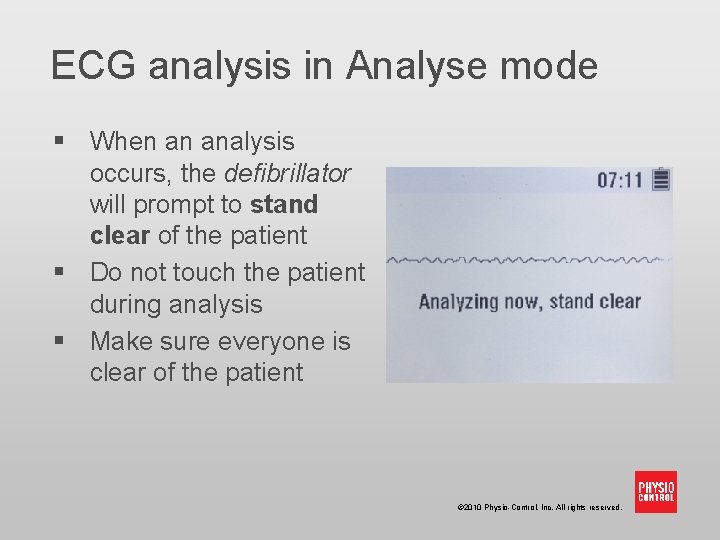
ECG analysis in Analyse mode § When an analysis occurs, the defibrillator will prompt to stand clear of the patient § Do not touch the patient during analysis § Make sure everyone is clear of the patient © 2010 Physio-Control, Inc. All rights reserved.
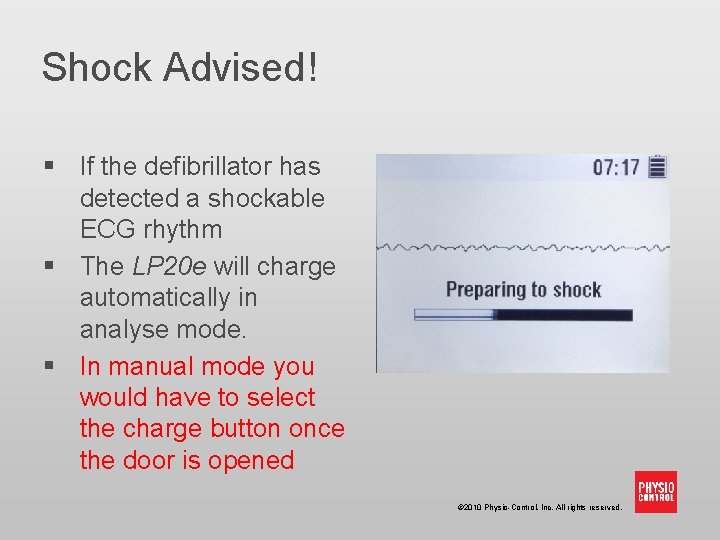
Shock Advised! § If the defibrillator has detected a shockable ECG rhythm § The LP 20 e will charge automatically in analyse mode. § In manual mode you would have to select the charge button once the door is opened © 2010 Physio-Control, Inc. All rights reserved.
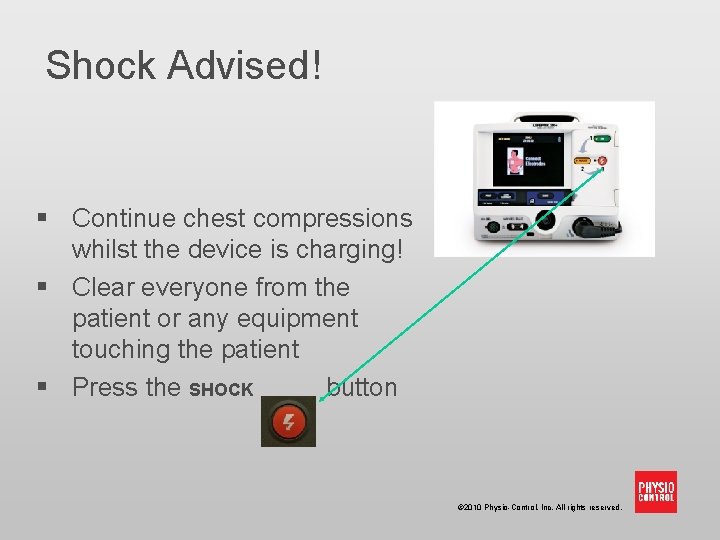
Shock Advised! § Continue chest compressions whilst the device is charging! § Clear everyone from the patient or any equipment touching the patient § Press the SHOCK button © 2010 Physio-Control, Inc. All rights reserved.
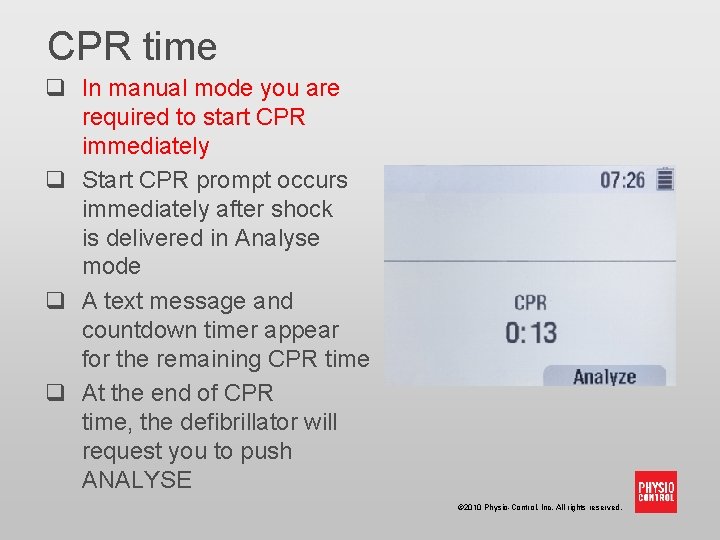
CPR time q In manual mode you are required to start CPR immediately q Start CPR prompt occurs immediately after shock is delivered in Analyse mode q A text message and countdown timer appear for the remaining CPR time q At the end of CPR time, the defibrillator will request you to push ANALYSE © 2010 Physio-Control, Inc. All rights reserved.
Shock Advised Continue to follow prompts until patient has return of spontaneous circulation or until the cardiac arrest/medical emergency team arrive. © 2010 Physio-Control, Inc. All rights reserved.
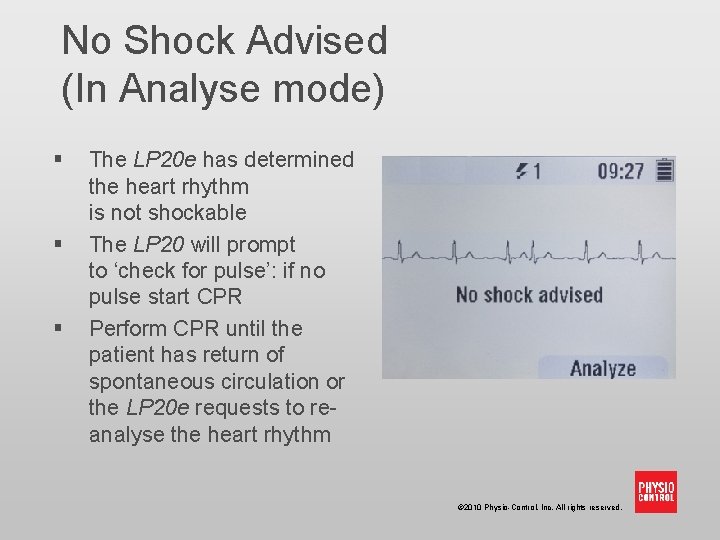
No Shock Advised (In Analyse mode) § § § The LP 20 e has determined the heart rhythm is not shockable The LP 20 will prompt to ‘check for pulse’: if no pulse start CPR Perform CPR until the patient has return of spontaneous circulation or the LP 20 e requests to reanalyse the heart rhythm © 2010 Physio-Control, Inc. All rights reserved.
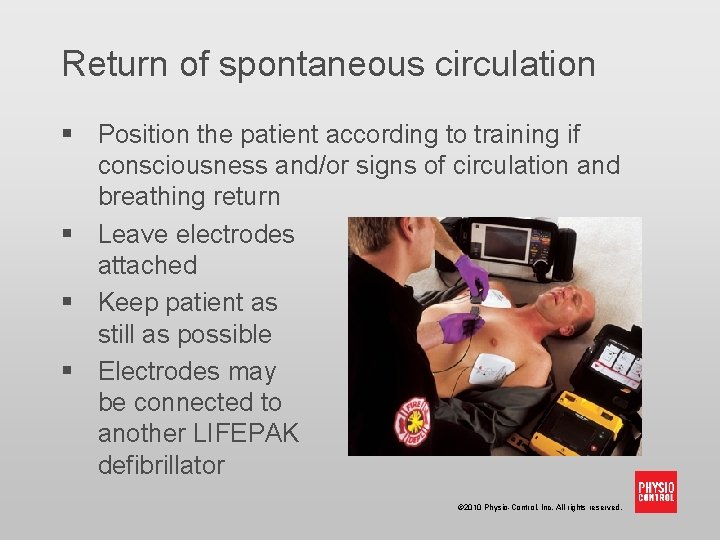
Return of spontaneous circulation § Position the patient according to training if consciousness and/or signs of circulation and breathing return § Leave electrodes attached § Keep patient as still as possible § Electrodes may be connected to another LIFEPAK defibrillator © 2010 Physio-Control, Inc. All rights reserved.
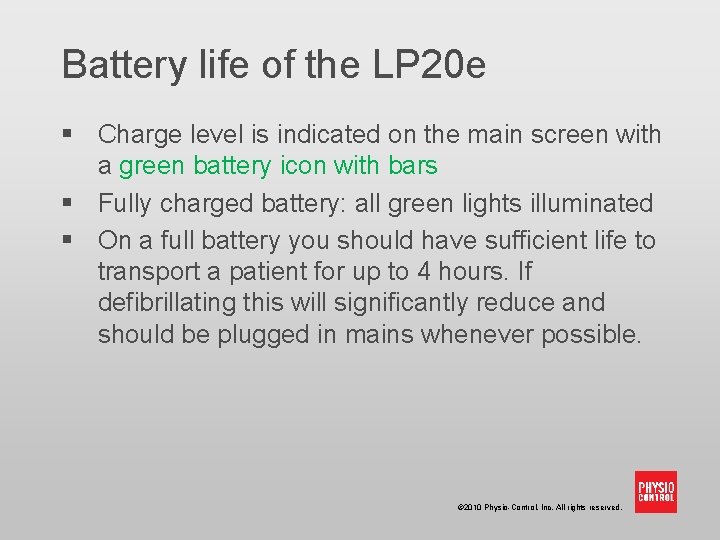
Battery life of the LP 20 e § Charge level is indicated on the main screen with a green battery icon with bars § Fully charged battery: all green lights illuminated § On a full battery you should have sufficient life to transport a patient for up to 4 hours. If defibrillating this will significantly reduce and should be plugged in mains whenever possible. © 2010 Physio-Control, Inc. All rights reserved.
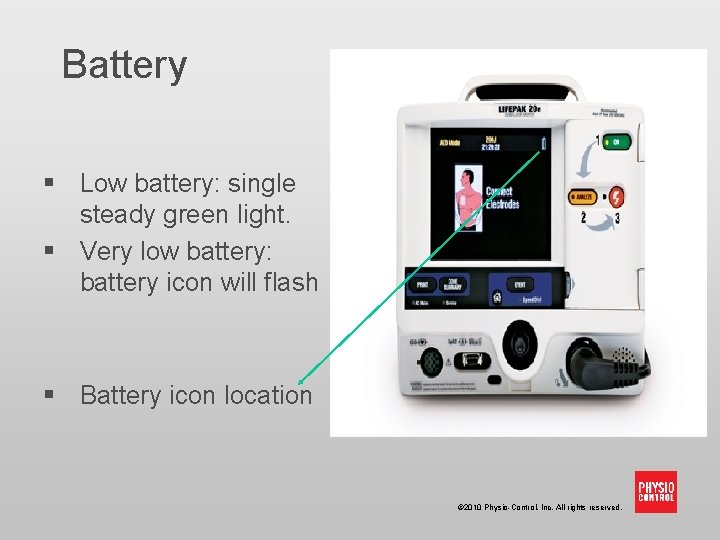
Battery § Low battery: single steady green light. § Very low battery: battery icon will flash § Battery icon location © 2010 Physio-Control, Inc. All rights reserved.
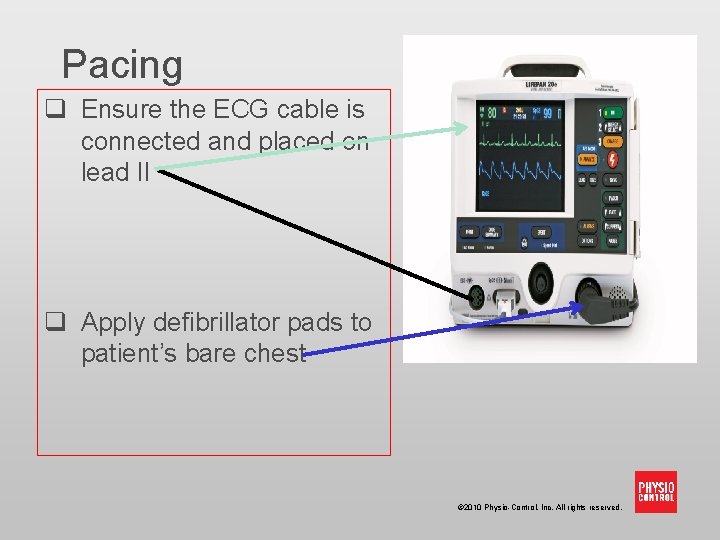
Pacing q Ensure the ECG cable is connected and placed on lead II q Apply defibrillator pads to patient’s bare chest © 2010 Physio-Control, Inc. All rights reserved.
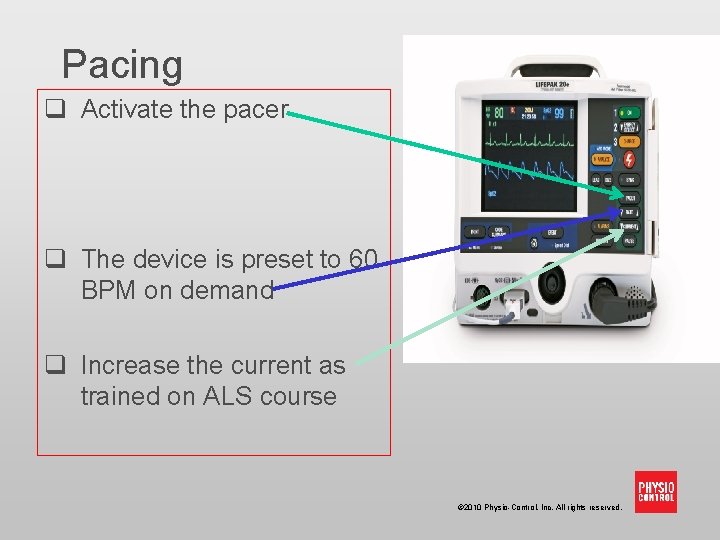
Pacing q Activate the pacer q The device is preset to 60 BPM on demand q Increase the current as trained on ALS course © 2010 Physio-Control, Inc. All rights reserved.
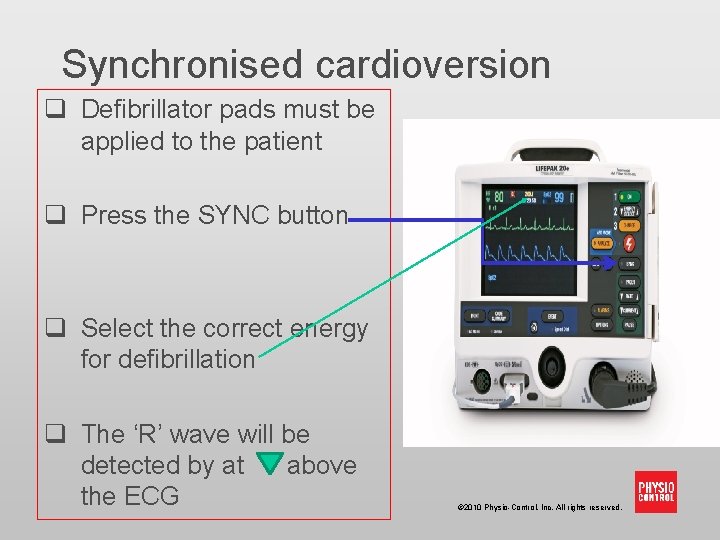
Synchronised cardioversion q Defibrillator pads must be applied to the patient q Press the SYNC button q Select the correct energy for defibrillation q The ‘R’ wave will be detected by at above the ECG © 2010 Physio-Control, Inc. All rights reserved.
Troubleshooting tips § Message: ‘Connect electrodes’ § ‘Check connector and electrodes’ § Possible causes: § Electrodes are not adhered to the patient’s skin § Electrodes are disconnected from the LP 20 e § Patient impedance measurement outside of range © 2010 Physio-Control, Inc. All rights reserved.
Troubleshooting tips § Message: ‘Connect electrodes’ § ‘Check connector and electrodes’ § What to do § Firmly press electrodes onto skin § Check that connector is completely inserted into the LP 20 e lead § Clean, shave and dry skin § Replace electrode pads § If prompt continues, perform CPR until ALS arrives © 2010 Physio-Control, Inc. All rights reserved.
Troubleshooting tips § Message: ‘Motion detected, stop motion’ § Possible causes: § Patient movement due to: breathing, CPR being performed during analysis, some internal pacemakers, vehicle motion, or electrical/radio frequency interference § What to do: § § Check patient for normal breathing Stop CPR during analysis Stop vehicle during analysis Move communication or other suspected devices away from the LP 20 e when possible © 2010 Physio-Control, Inc. All rights reserved.
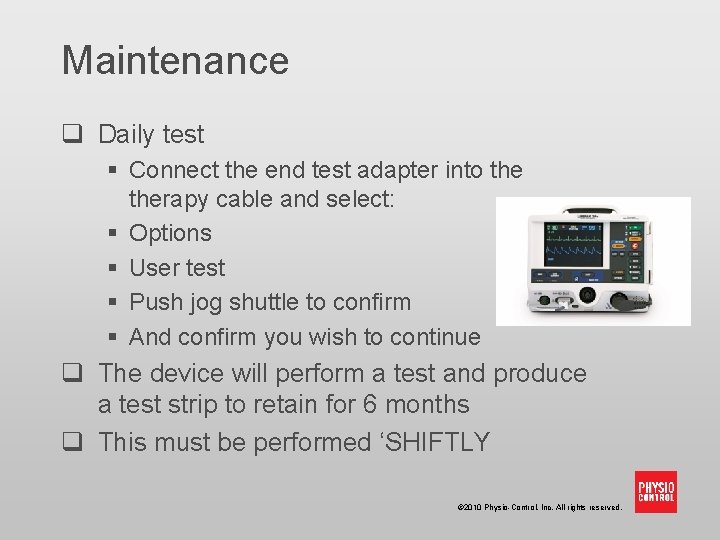
Maintenance q Daily test § Connect the end test adapter into therapy cable and select: § Options § User test § Push jog shuttle to confirm § And confirm you wish to continue q The device will perform a test and produce a test strip to retain for 6 months q This must be performed ‘SHIFTLY © 2010 Physio-Control, Inc. All rights reserved.
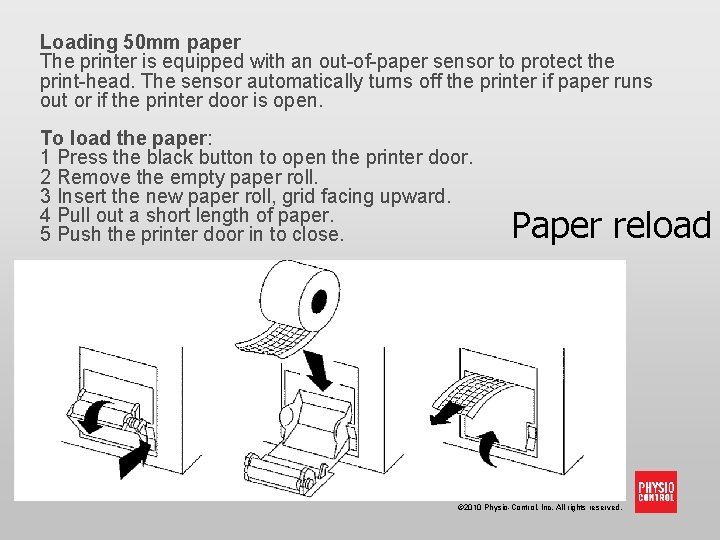
Loading 50 mm paper The printer is equipped with an out-of-paper sensor to protect the print-head. The sensor automatically turns off the printer if paper runs out or if the printer door is open. To load the paper: 1 Press the black button to open the printer door. 2 Remove the empty paper roll. 3 Insert the new paper roll, grid facing upward. 4 Pull out a short length of paper. 5 Push the printer door in to close. Paper reload © 2010 Physio-Control, Inc. All rights reserved.
Maintenance § If your device requires service then, this must be done through the estates helpdesk… © 2010 Physio-Control, Inc. All rights reserved.
After-use care After the LP 20 e has been used: § § § Clean foreign substances from the LP 20 e Replace electrodes Replenish supplies as needed Ensure device is plugged into mains Spare defibrillator pads are available on Ward 3 ‘Centralised Resuscitation Store’ via the § The Duty Resuscitation Officer § The Acute Response Team © 2010 Physio-Control, Inc. All rights reserved.
Routine maintenance § The LP 20 e is easy to maintain § On a periodic basis check the following: § There are no signs of wear § The device can hold a battery charge if taken off the mains § The Use-By date on electrode pads is not passed (must be checked as part of your shiftly check) § Check for damage to or foreign substances on the LP 20 e © 2010 Physio-Control, Inc. All rights reserved.
Thank you © 2010 Physio-Control, Inc. All rights reserved.