
LOW COST PCBASED OSCILLOSCOPE UNDER THE GUIDANCE OF
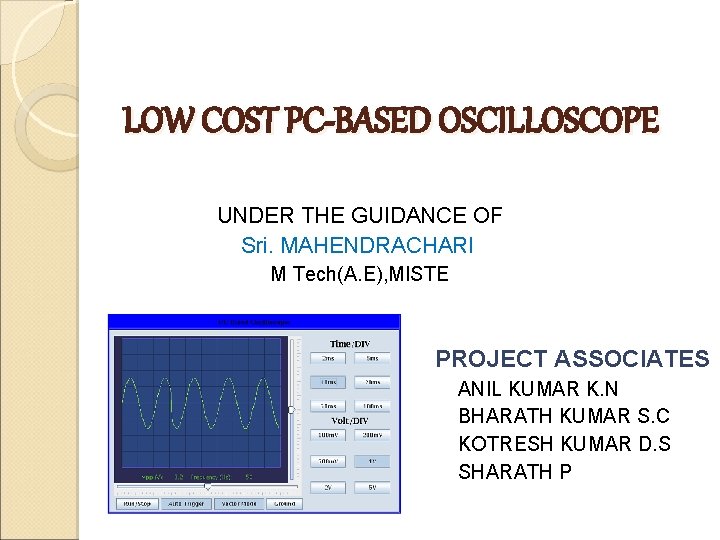
LOW COST PC-BASED OSCILLOSCOPE UNDER THE GUIDANCE OF Sri. MAHENDRACHARI M Tech(A. E), MISTE PROJECT ASSOCIATES ANIL KUMAR K. N BHARATH KUMAR S. C KOTRESH KUMAR D. S SHARATH P
INTRODUCTION TO PC-BASED OSCILLOSCOPES A type of “oscilloscope” which consists of an external analog-digital converter (sometimes with its own memory and perhaps even some data processing ability) connected to a PC that provides the display, control interface, disc storage, networking and the electrical power. These type of Oscilloscopes are called PC-BASED OSCILLOSCOPES
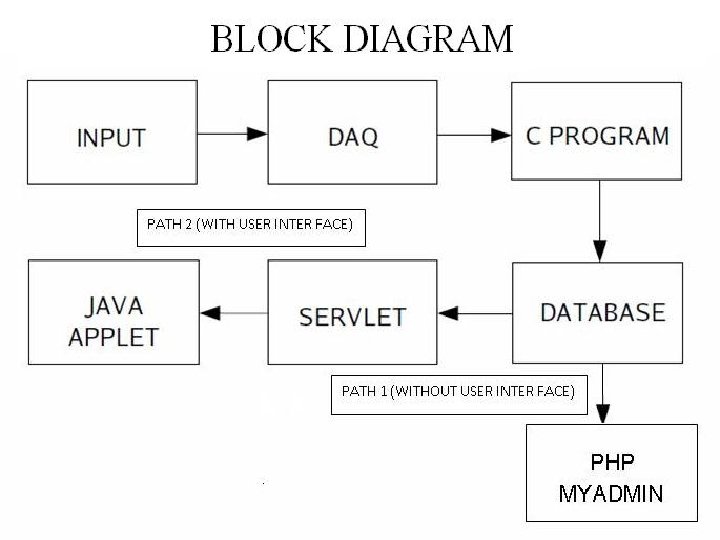
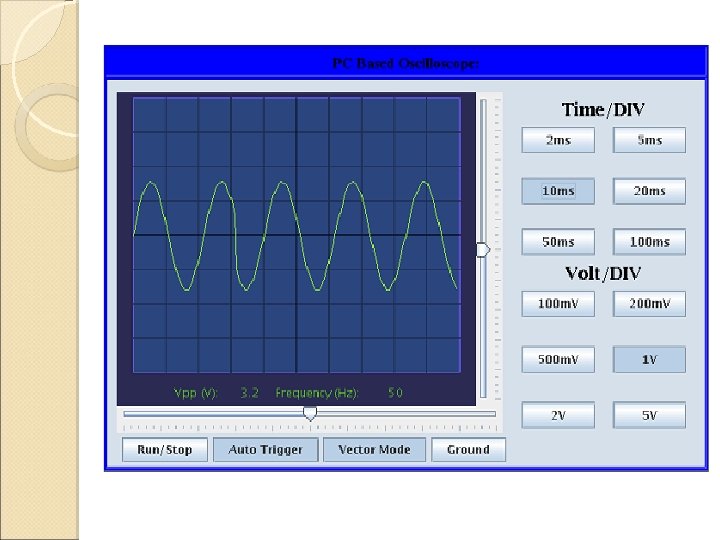
Working Of PC Based Oscilloscopes This PC based oscilloscope (PCBO) is designed by interfacing a computer through the parallel port. The input signal is sampled, stored and plotted on the screen. This is done using a database for storing the sampled data and a web browser for displaying it. The PCBO is divided broadly into two parts: 1. The data acquisition system (hardware). 2. Plotting program (5 main levels of software).
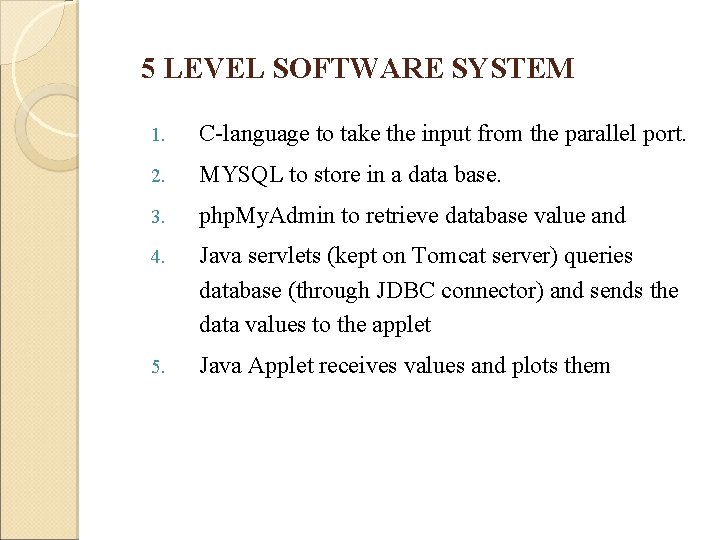
5 LEVEL SOFTWARE SYSTEM 1. C-language to take the input from the parallel port. 2. MYSQL to store in a data base. 3. php. My. Admin to retrieve database value and 4. Java servlets (kept on Tomcat server) queries database (through JDBC connector) and sends the data values to the applet 5. Java Applet receives values and plots them
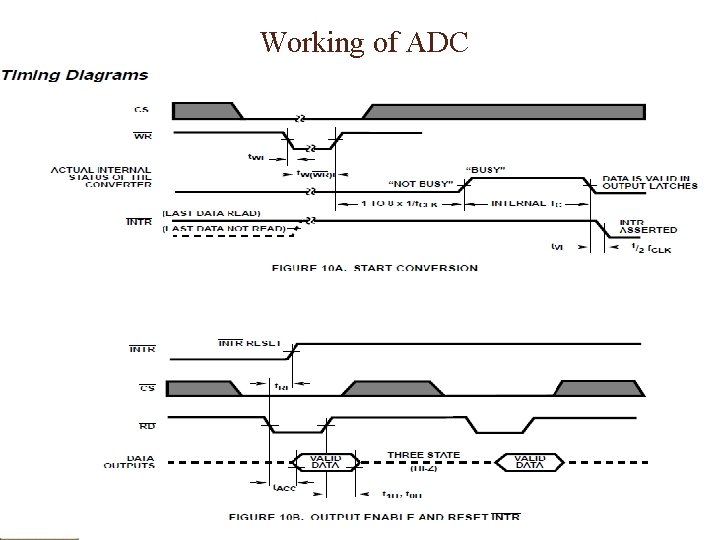
PART - 1 DATA ACQUISITION SYSTEM <Modify these lines in your way…> Input to this system is the signal and output is in the form My. SQL database that can be stored or exported. Hence name “Data Acquisition”
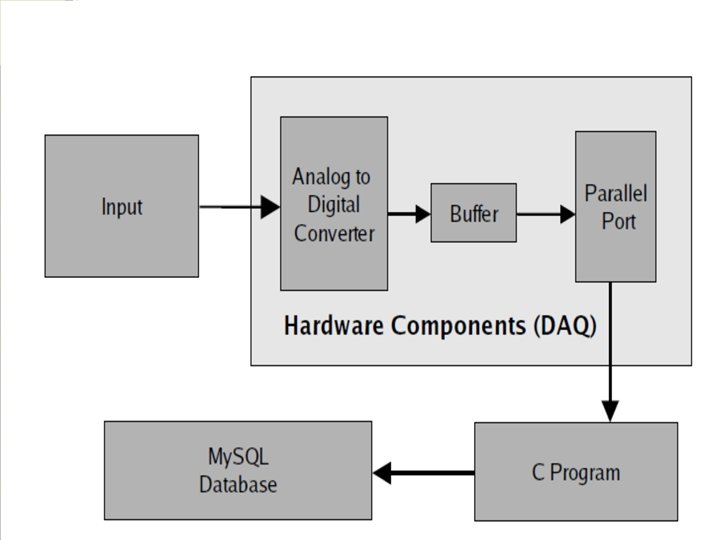
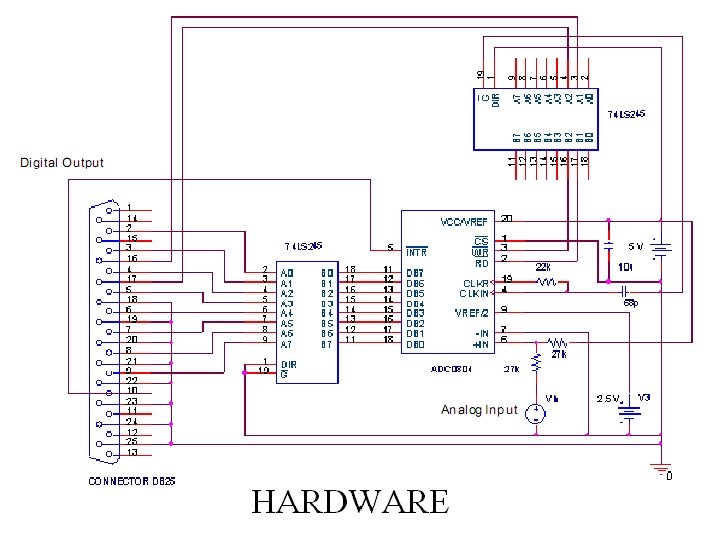
Working of ADC
Parallel Port
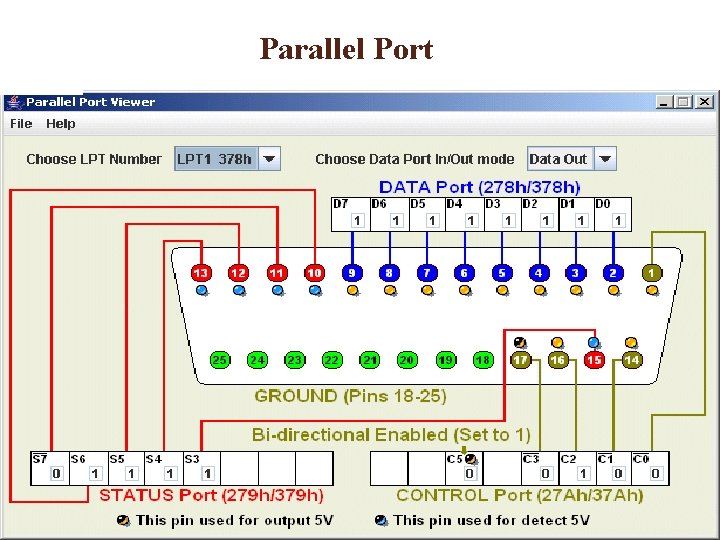
5 Modes Of Parallel Port The parallel port modes we will use Compatibility Mode(to pass control signal) Byte Mode(to access data) Other modes of operation Nibble Mode EPP(Extended parallel port) ECP (Extended capability port)
Parapin is a Library used in Linux to controls individual pins on a PC parallel port. Parapin has two ``personalities'': 1. used as a user-space C library, 2. linked as part of a Linux kernel module.
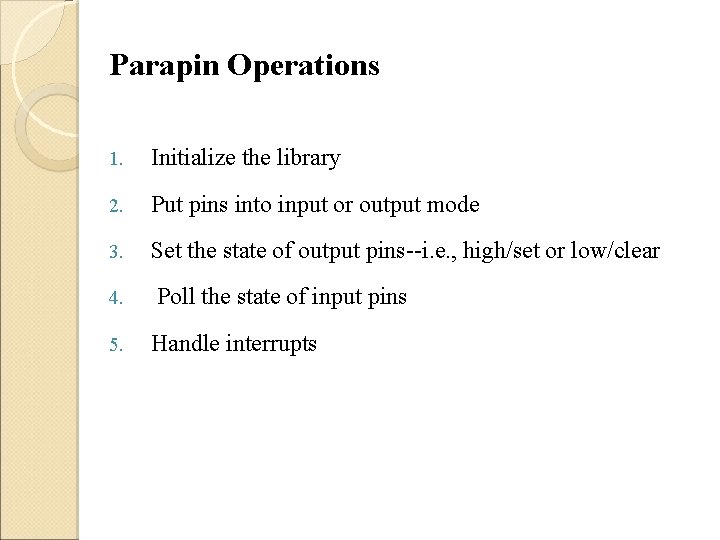
Parapin Operations 1. Initialize the library 2. Put pins into input or output mode 3. Set the state of output pins--i. e. , high/set or low/clear 4. 5. Poll the state of input pins Handle interrupts
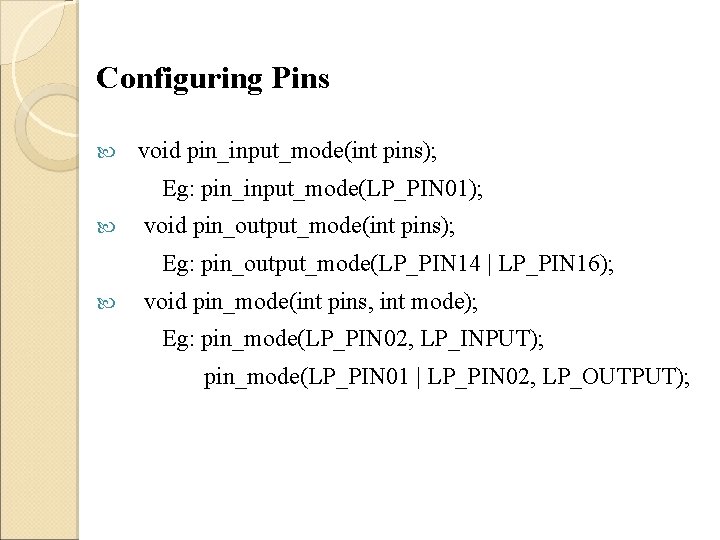
Configuring Pins void pin_input_mode(int pins); Eg: pin_input_mode(LP_PIN 01); void pin_output_mode(int pins); Eg: pin_output_mode(LP_PIN 14 | LP_PIN 16); void pin_mode(int pins, int mode); Eg: pin_mode(LP_PIN 02, LP_INPUT); pin_mode(LP_PIN 01 | LP_PIN 02, LP_OUTPUT);
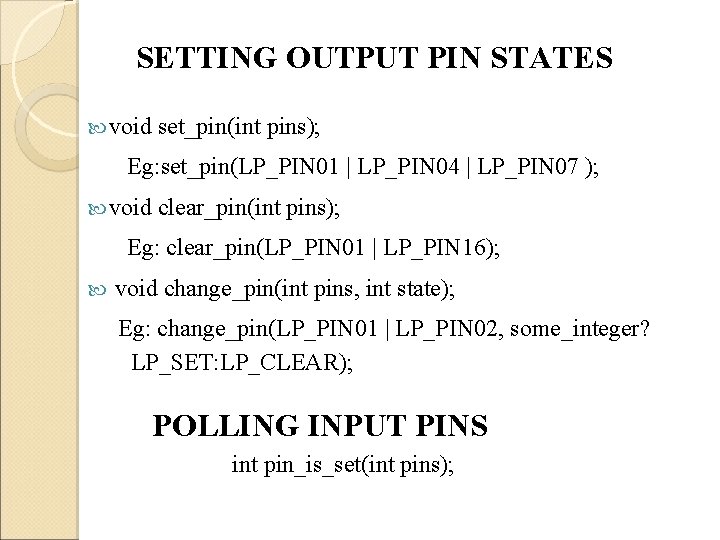
SETTING OUTPUT PIN STATES void set_pin(int pins); Eg: set_pin(LP_PIN 01 | LP_PIN 04 | LP_PIN 07 ); void clear_pin(int pins); Eg: clear_pin(LP_PIN 01 | LP_PIN 16); void change_pin(int pins, int state); Eg: change_pin(LP_PIN 01 | LP_PIN 02, some_integer? LP_SET: LP_CLEAR); POLLING INPUT PINS int pin_is_set(int pins);
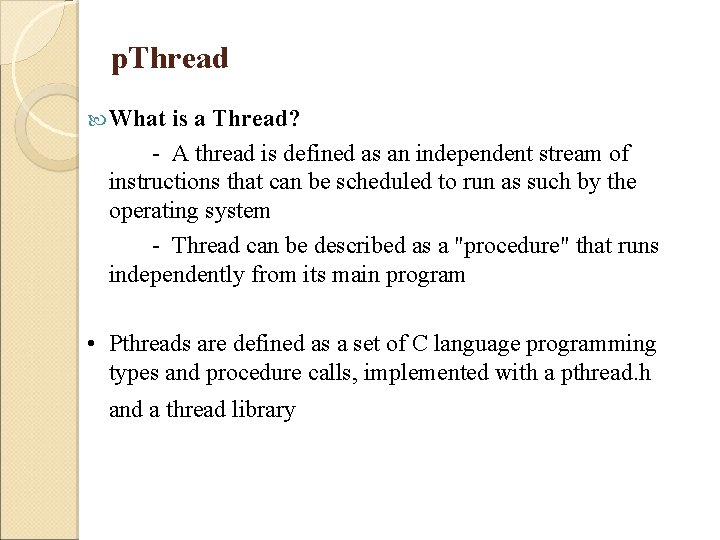
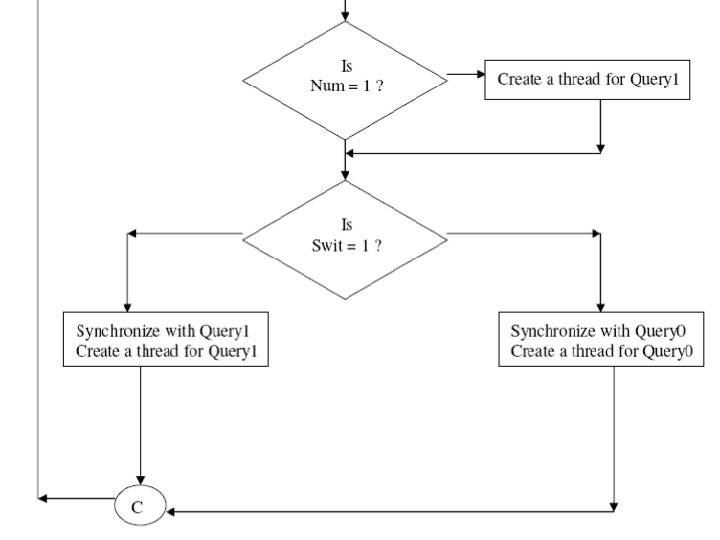
p. Thread What is a Thread? - A thread is defined as an independent stream of instructions that can be scheduled to run as such by the operating system - Thread can be described as a "procedure" that runs independently from its main program • Pthreads are defined as a set of C language programming types and procedure calls, implemented with a pthread. h and a thread library
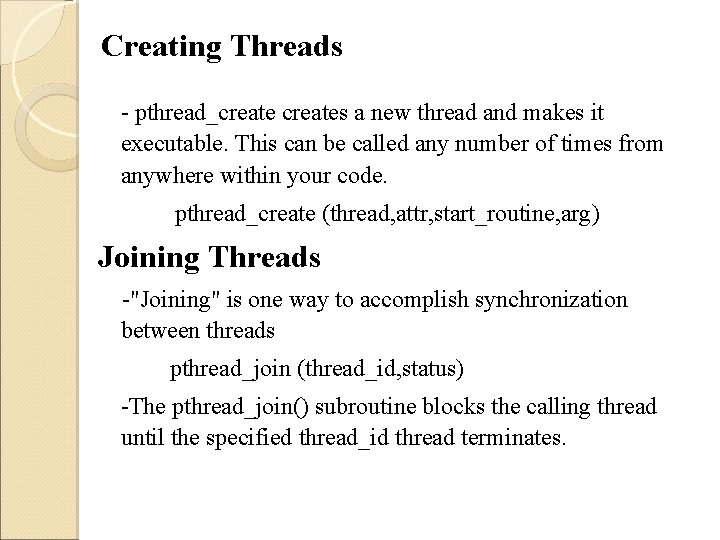
Creating Threads - pthread_creates a new thread and makes it executable. This can be called any number of times from anywhere within your code. pthread_create (thread, attr, start_routine, arg) Joining Threads -"Joining" is one way to accomplish synchronization between threads pthread_join (thread_id, status) -The pthread_join() subroutine blocks the calling thread until the specified thread_id thread terminates.
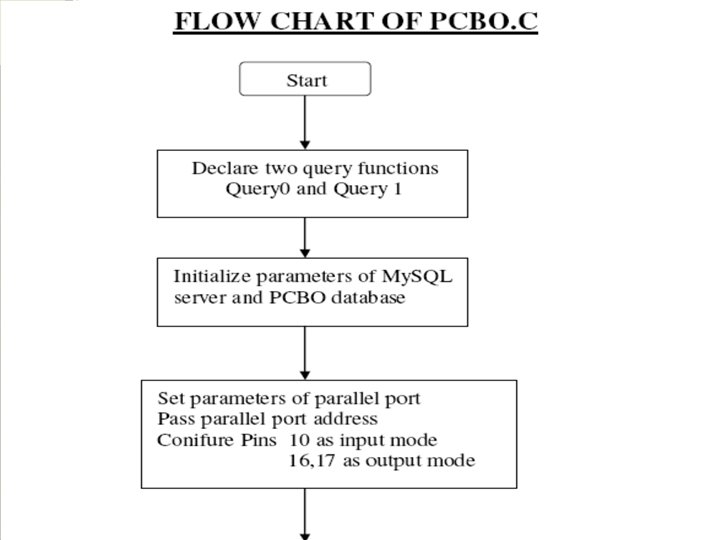
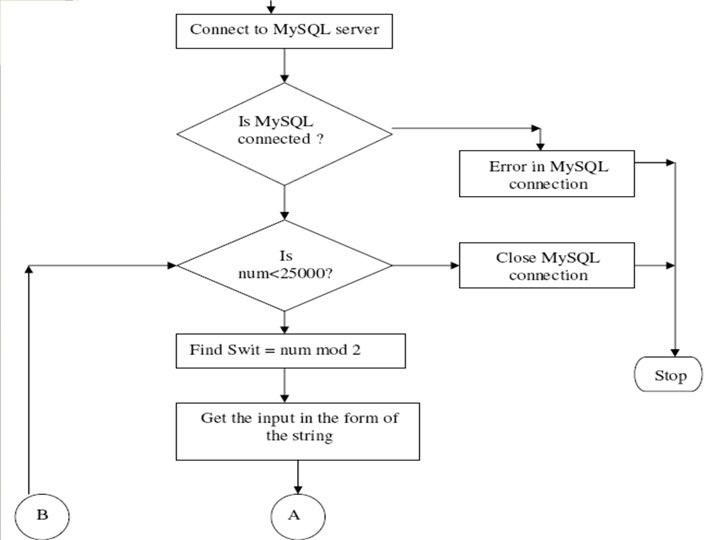
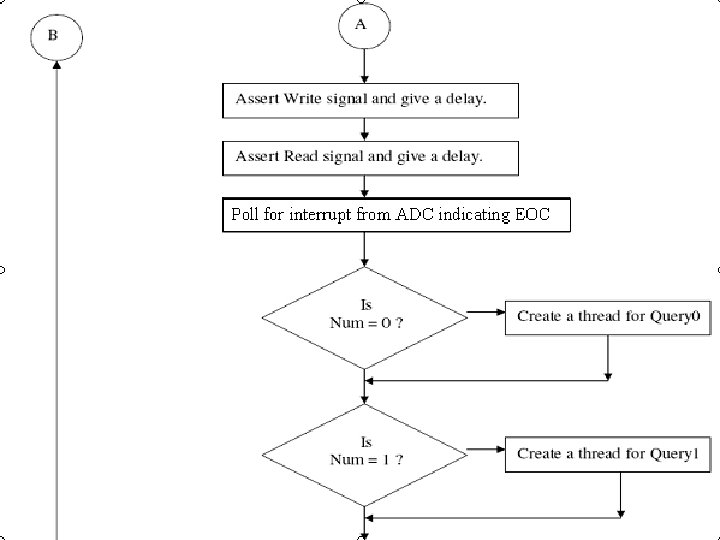
MYSQL slides
MYSQL slides
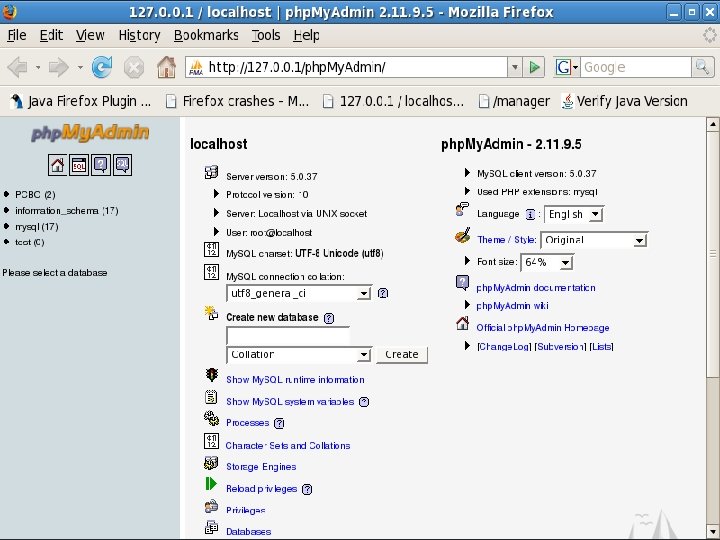
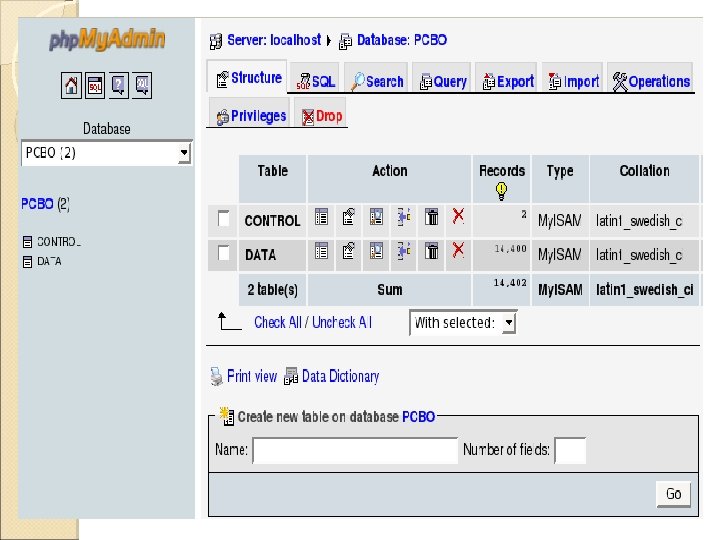
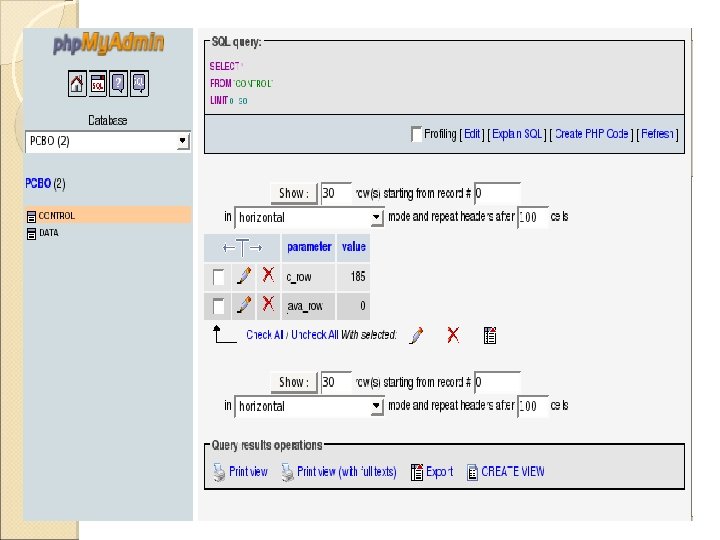
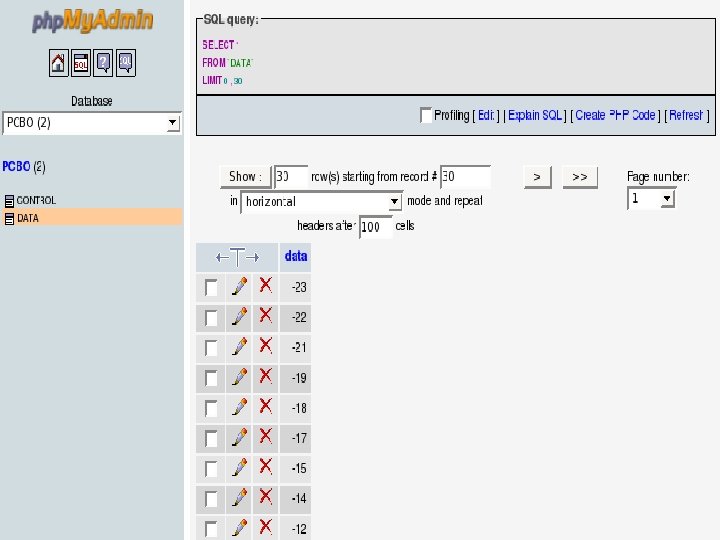
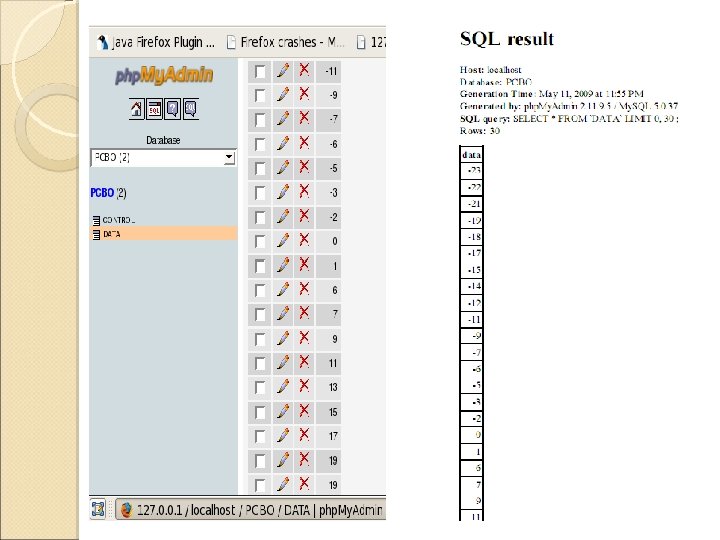
php. My. Admin is a free software tool written in PHP intended to handle the administration of My. SQL Features: • Intuitive web interface • Support for most My. SQL features • Import data from CSV and SQL • Export data to various formats: CSV, SQL, XML, PDF etc • Administering multiple servers • Creating PDF graphics of your database layout • Creating complex queries using Query-by-example
PART 2 JDBC driver to connect to My. SQL database from within Java Servlets (kept on Tomcat server) queries database sends the data to the applet Java Applet receives data values and plots them
JDBC Driver ØJDBC Drivers are set of classes that enables the Java application to communicate with databases. Steps : 1. Load the JDBC driver using Class. for. Name ( ) method Eg: Class. for. Name (“com. mysql. jdbc. driver”) 2. Establish a connection to the database server using Driver. Manager class Driver. Manager. get. Connection (connection_url) where Url = jdbc: < subprotocol>: < subname
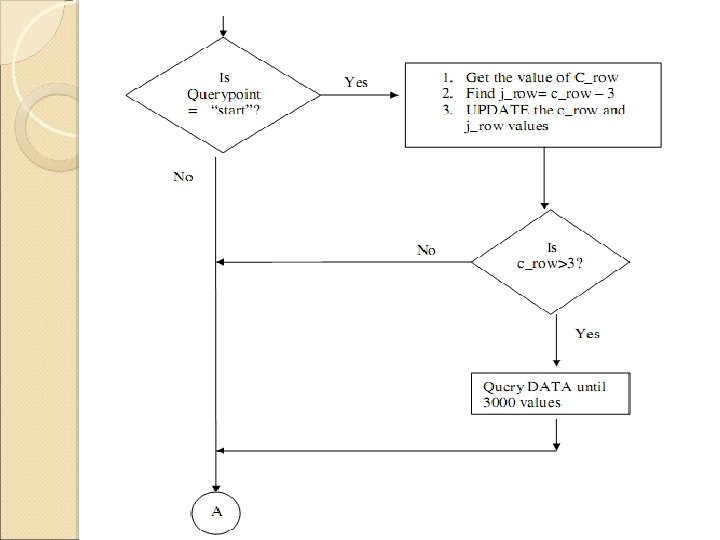
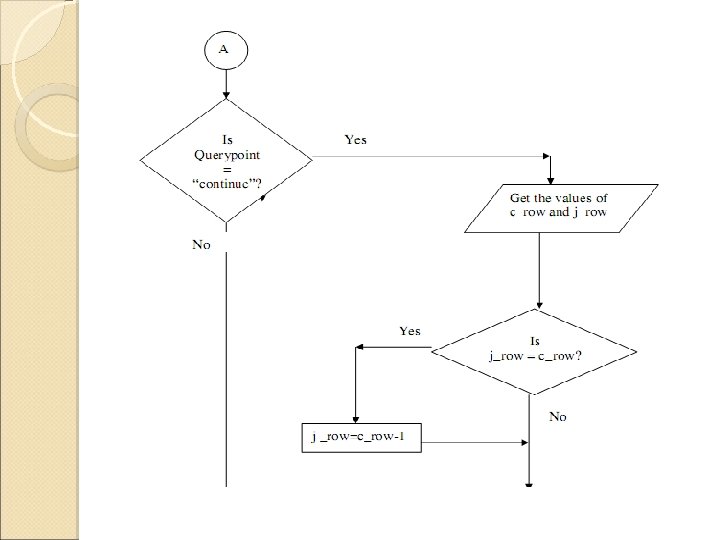
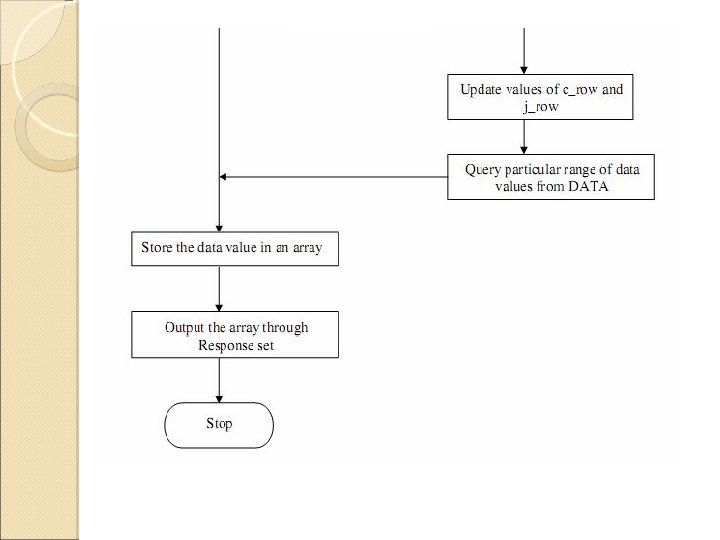
JAVA SERVLETS üA servlet is an executable that's written in the Java and it is usually executed in response to an invocation from an HTML page. üA servlet is mapped to one or more uniform resource locators (URLs), and when the server receives a request to one of the servlet URLs, the service method in the servlet is invoked and it responds üJava Servlets are portable, efficient , safer and harness full power of core Java API’s
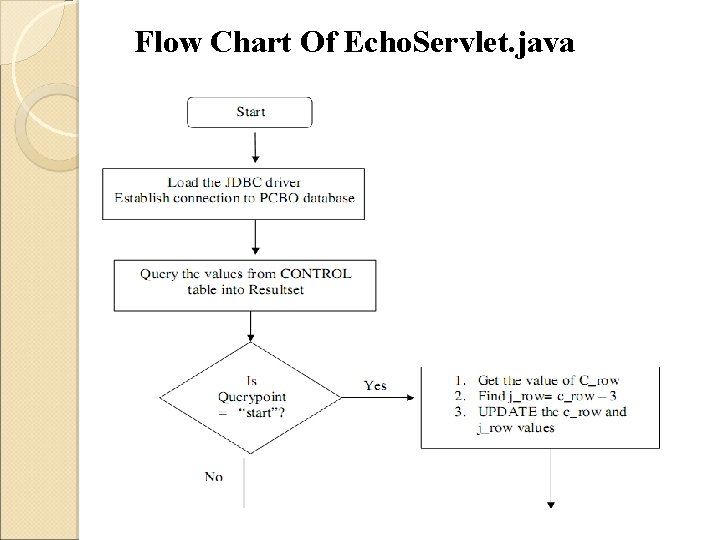
Flow Chart Of Echo. Servlet. java
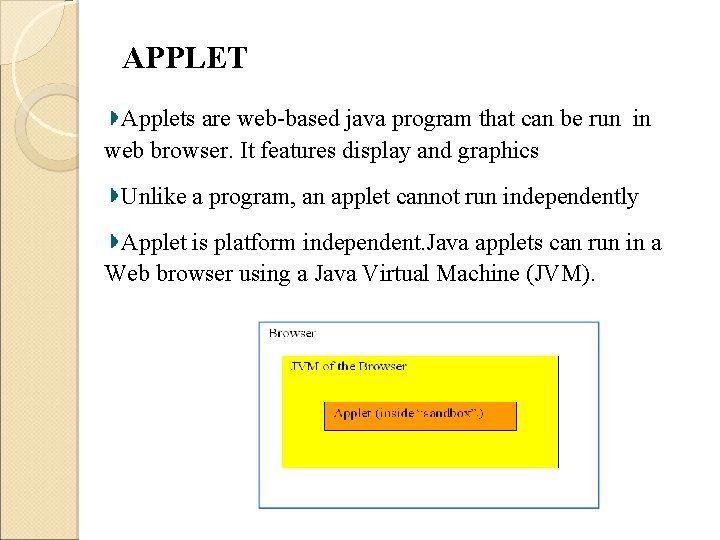
APPLET Applets are web-based java program that can be run in web browser. It features display and graphics Unlike a program, an applet cannot run independently Applet is platform independent. Java applets can run in a Web browser using a Java Virtual Machine (JVM).
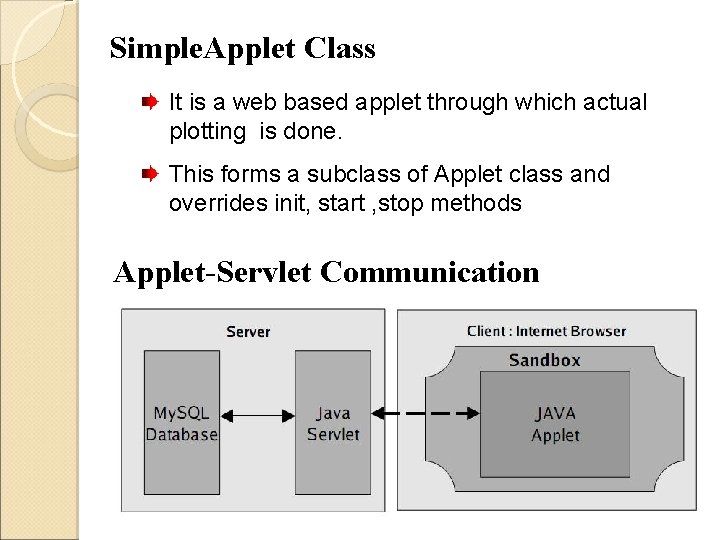
Simple. Applet Class It is a web based applet through which actual plotting is done. This forms a subclass of Applet class and overrides init, start , stop methods Applet-Servlet Communication
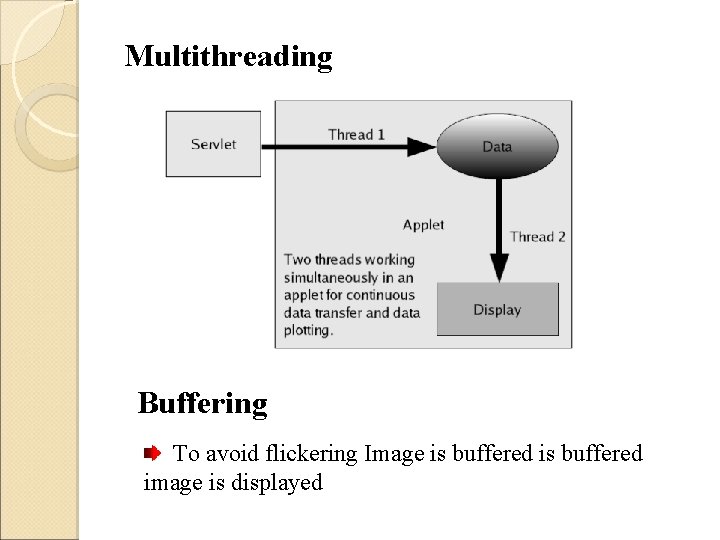
Multithreading Buffering To avoid flickering Image is buffered image is displayed

Improvements on the PCBO?

Conclusion?

THANK YOU
- Slides: 43