
Loops and Iteration CS 21 a Introduction to
![Triangle. Runner class public class Triangle. Runner { public static void main(String[] args) {](https://slidetodoc.com/presentation_image_h2/6d774aeb7278083958445d9e42644612/image-32.jpg "Triangle. Runner class public class Triangle. Runner { public static void main(String[] args) {")
- Slides: 33
Loops and Iteration CS 21 a: Introduction to Computing I Department of Information Systems and Computer Science Ateneo de Manila University (Chapter 6, Horstmann text) 6/22/2005
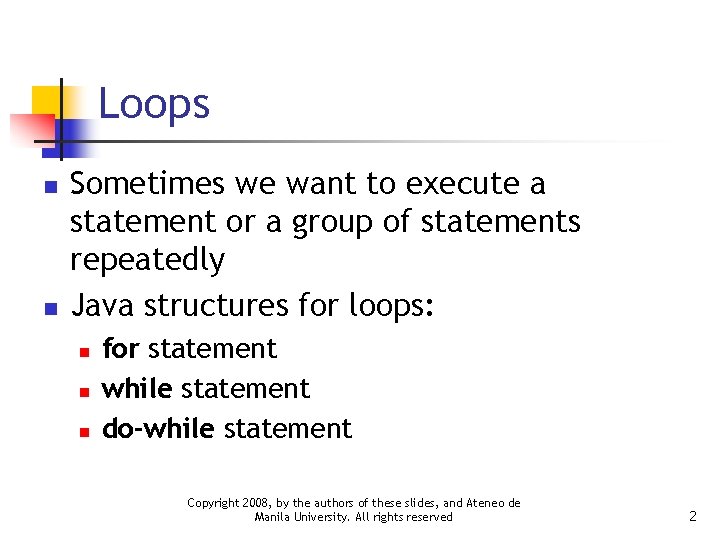
Loops n n Sometimes we want to execute a statement or a group of statements repeatedly Java structures for loops: n n n for statement while statement do-while statement Copyright 2008, by the authors of these slides, and Ateneo de Manila University. All rights reserved 2
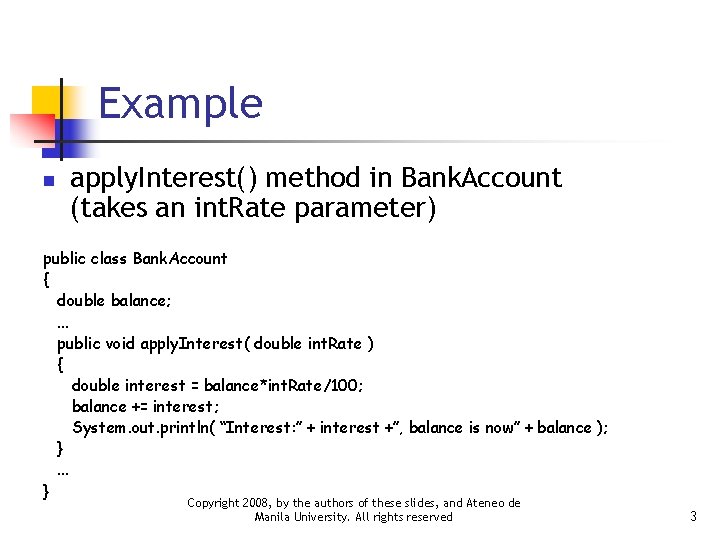
Example n apply. Interest() method in Bank. Account (takes an int. Rate parameter) public class Bank. Account { double balance; . . . public void apply. Interest( double int. Rate ) { double interest = balance*int. Rate/100; balance += interest; System. out. println( “Interest: ” + interest +”, balance is now” + balance ); }. . . } Copyright 2008, by the authors of these slides, and Ateneo de Manila University. All rights reserved 3
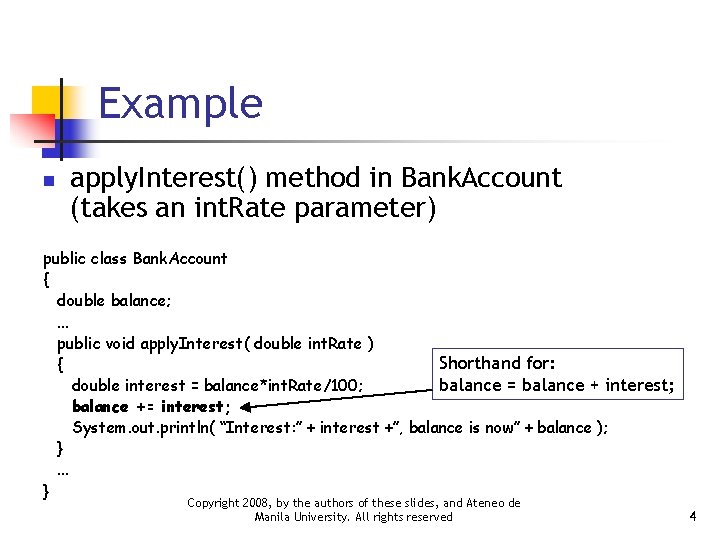
Example n apply. Interest() method in Bank. Account (takes an int. Rate parameter) public class Bank. Account { double balance; . . . public void apply. Interest( double int. Rate ) Shorthand for: { balance = balance + interest; double interest = balance*int. Rate/100; balance += interest; System. out. println( “Interest: ” + interest +”, balance is now” + balance ); }. . . } Copyright 2008, by the authors of these slides, and Ateneo de Manila University. All rights reserved 4
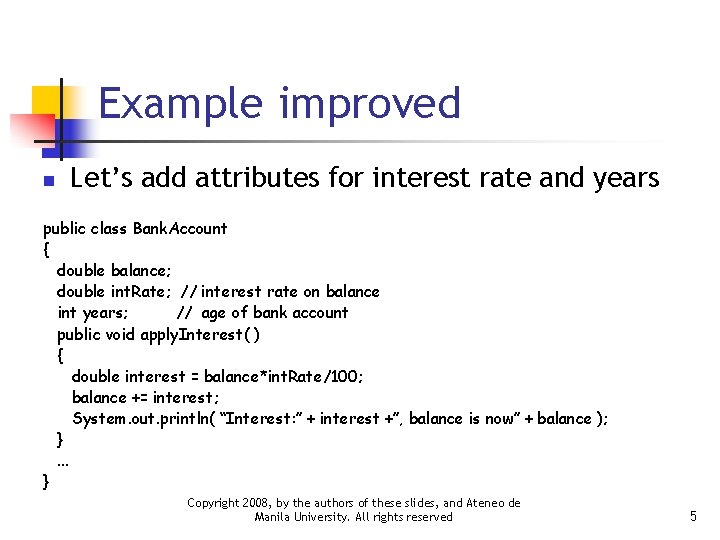
Example improved n Let’s add attributes for interest rate and years public class Bank. Account { double balance; double int. Rate; // interest rate on balance int years; // age of bank account public void apply. Interest( ) { double interest = balance*int. Rate/100; balance += interest; System. out. println( “Interest: ” + interest +”, balance is now” + balance ); }. . . } Copyright 2008, by the authors of these slides, and Ateneo de Manila University. All rights reserved 5
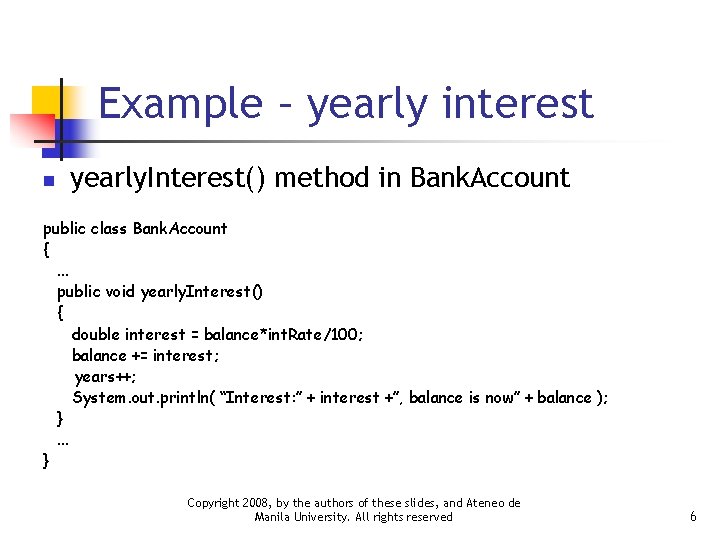
Example – yearly interest n yearly. Interest() method in Bank. Account public class Bank. Account {. . . public void yearly. Interest() { double interest = balance*int. Rate/100; balance += interest; years++; System. out. println( “Interest: ” + interest +”, balance is now” + balance ); }. . . } Copyright 2008, by the authors of these slides, and Ateneo de Manila University. All rights reserved 6
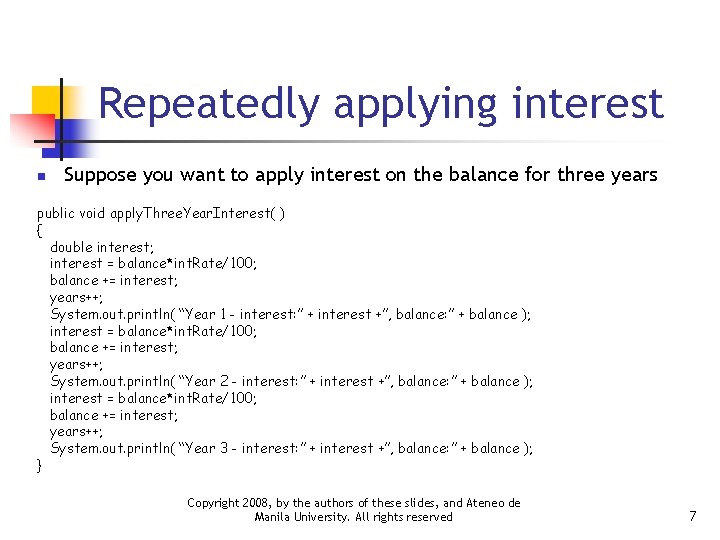
Repeatedly applying interest n Suppose you want to apply interest on the balance for three years public void apply. Three. Year. Interest( ) { double interest; interest = balance*int. Rate/100; balance += interest; years++; System. out. println( “Year 1 - interest: ” + interest +”, balance: ” + balance ); interest = balance*int. Rate/100; balance += interest; years++; System. out. println( “Year 2 - interest: ” + interest +”, balance: ” + balance ); interest = balance*int. Rate/100; balance += interest; years++; System. out. println( “Year 3 - interest: ” + interest +”, balance: ” + balance ); } Copyright 2008, by the authors of these slides, and Ateneo de Manila University. All rights reserved 7
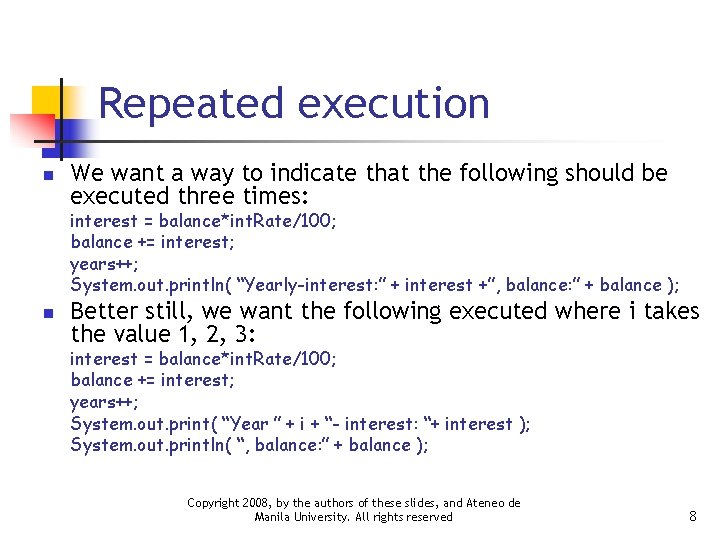
Repeated execution n We want a way to indicate that the following should be executed three times: interest = balance*int. Rate/100; balance += interest; years++; System. out. println( “Yearly-interest: ” + interest +”, balance: ” + balance ); n Better still, we want the following executed where i takes the value 1, 2, 3: interest = balance*int. Rate/100; balance += interest; years++; System. out. print( “Year ” + i + “- interest: “+ interest ); System. out. println( “, balance: ” + balance ); Copyright 2008, by the authors of these slides, and Ateneo de Manila University. All rights reserved 8
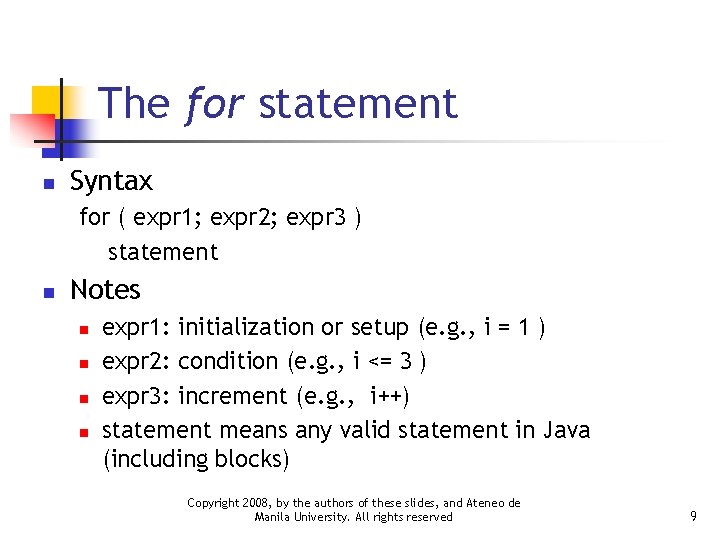
The for statement n Syntax for ( expr 1; expr 2; expr 3 ) statement n Notes n n expr 1: initialization or setup (e. g. , i = 1 ) expr 2: condition (e. g. , i <= 3 ) expr 3: increment (e. g. , i++) statement means any valid statement in Java (including blocks) Copyright 2008, by the authors of these slides, and Ateneo de Manila University. All rights reserved 9
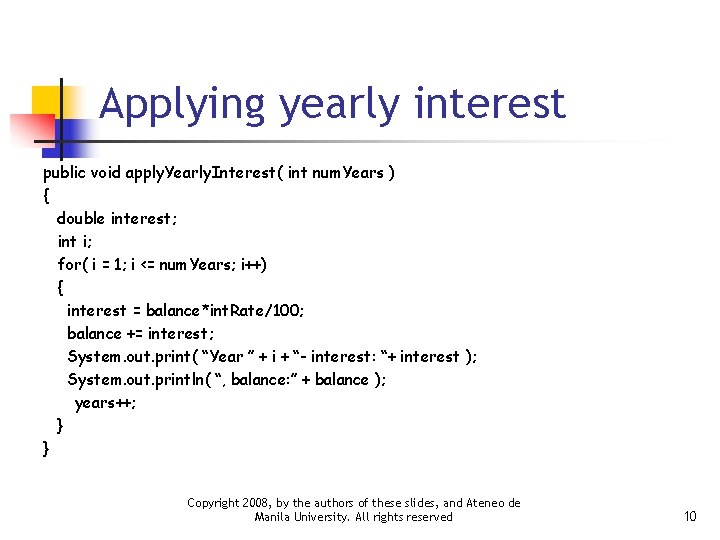
Applying yearly interest public void apply. Yearly. Interest( int num. Years ) { double interest; int i; for( i = 1; i <= num. Years; i++) { interest = balance*int. Rate/100; balance += interest; System. out. print( “Year ” + i + “- interest: “+ interest ); System. out. println( “, balance: ” + balance ); years++; } } Copyright 2008, by the authors of these slides, and Ateneo de Manila University. All rights reserved 10
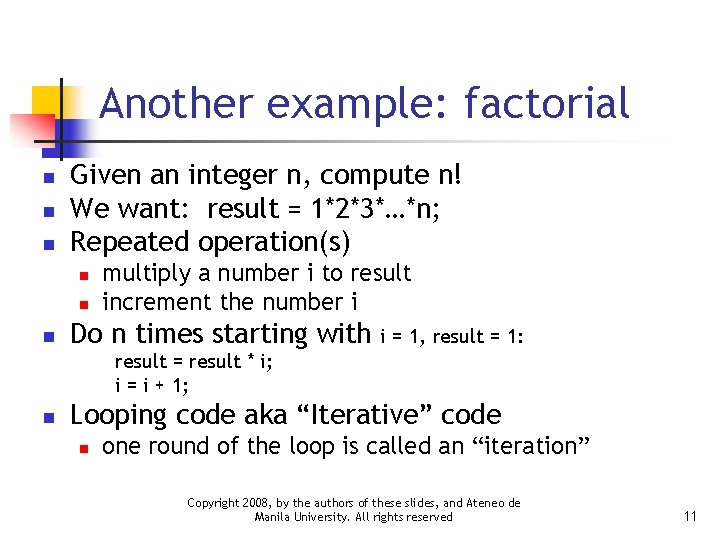
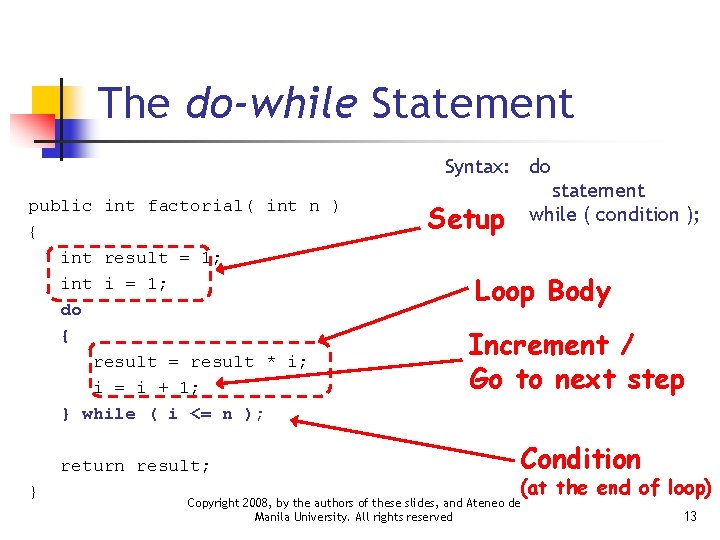
Another example: factorial n n n Given an integer n, compute n! We want: result = 1*2*3*…*n; Repeated operation(s) n n n multiply a number i to result increment the number i Do n times starting with i = 1, result = 1: result = result * i; i = i + 1; n Looping code aka “Iterative” code n one round of the loop is called an “iteration” Copyright 2008, by the authors of these slides, and Ateneo de Manila University. All rights reserved 11
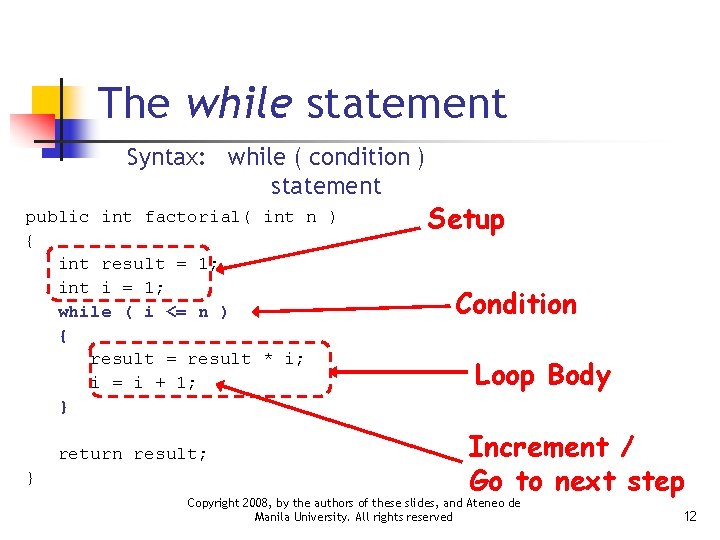
The while statement Syntax: while ( condition ) statement public int factorial( int n ) { int result = 1; int i = 1; while ( i <= n ) { result = result * i; i = i + 1; } return result; } Setup Condition Loop Body Increment / Go to next step Copyright 2008, by the authors of these slides, and Ateneo de Manila University. All rights reserved 12
The do-while Statement Syntax: do public int factorial( int n ) { int result = 1; int i = 1; do { result = result * i; i = i + 1; } while ( i <= n ); return result; } statement while ( condition ); Setup Loop Body Increment / Go to next step Condition (at the end of loop) Copyright 2008, by the authors of these slides, and Ateneo de Manila University. All rights reserved 13
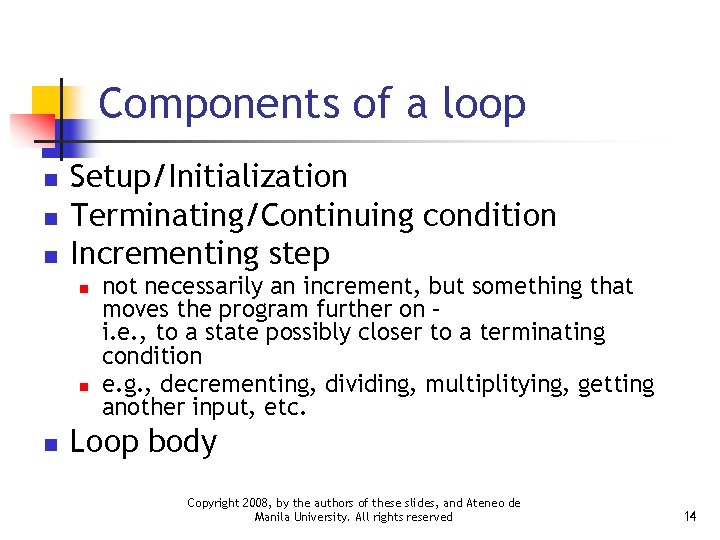
Components of a loop n n n Setup/Initialization Terminating/Continuing condition Incrementing step n not necessarily an increment, but something that moves the program further on – i. e. , to a state possibly closer to a terminating condition e. g. , decrementing, dividing, multiplitying, getting another input, etc. Loop body Copyright 2008, by the authors of these slides, and Ateneo de Manila University. All rights reserved 14
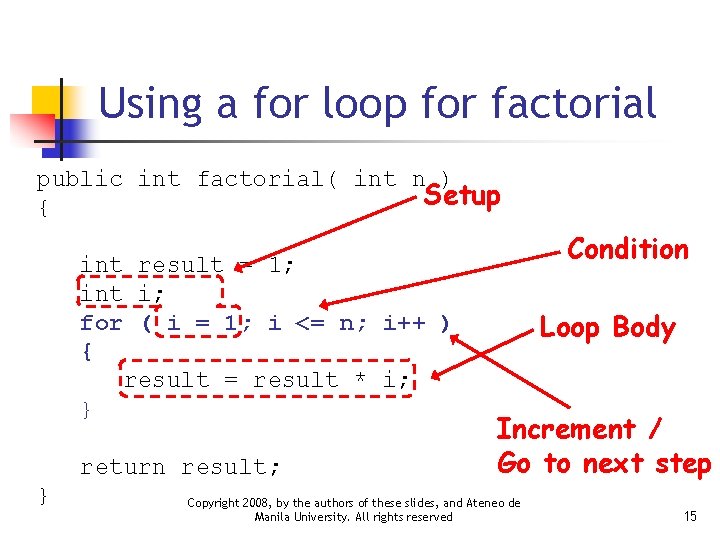
Using a for loop for factorial public int factorial( int n ) Setup { int result = 1; int i; for ( i = 1; i <= n; i++ ) { result = result * i; } return result; } Condition Loop Body Increment / Go to next step Copyright 2008, by the authors of these slides, and Ateneo de Manila University. All rights reserved 15
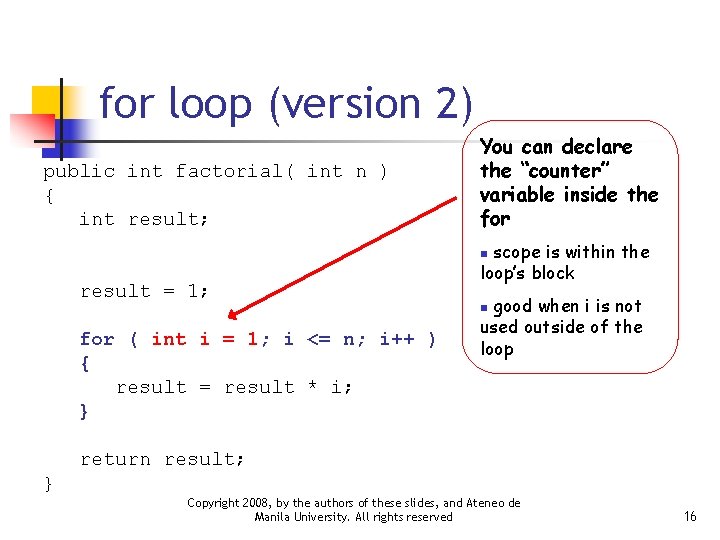
for loop (version 2) public int factorial( int n ) { int result; You can declare the “counter” variable inside the for scope is within the loop’s block n result = 1; for ( int i = 1; i <= n; i++ ) { result = result * i; } good when i is not used outside of the loop n return result; } Copyright 2008, by the authors of these slides, and Ateneo de Manila University. All rights reserved 16
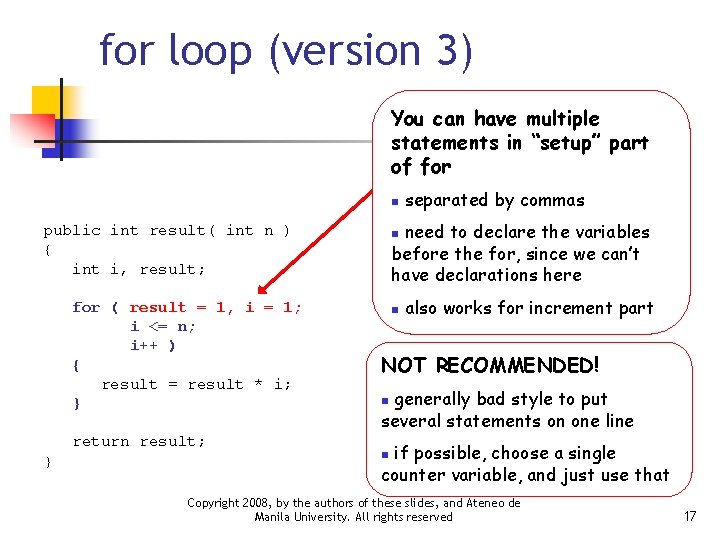
for loop (version 3) You can have multiple statements in “setup” part of for n need to declare the variables before the for, since we can’t have declarations here public int result( int n ) { int i, result; for ( result = 1, i = 1; i <= n; i++ ) { result = result * i; } return result; } separated by commas n n also works for increment part NOT RECOMMENDED! generally bad style to put several statements on one line n if possible, choose a single counter variable, and just use that n Copyright 2008, by the authors of these slides, and Ateneo de Manila University. All rights reserved 17
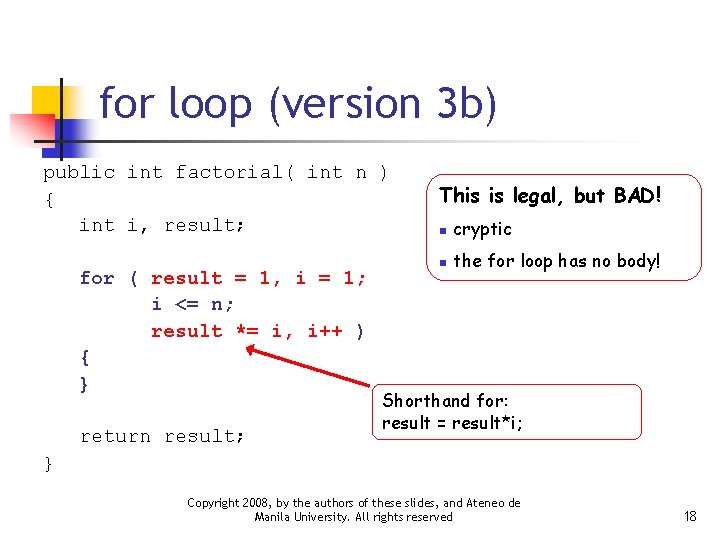
for loop (version 3 b) public int factorial( int n ) { int i, result; for ( result = 1, i = 1; i <= n; result *= i, i++ ) { } return result; This is legal, but BAD! n cryptic n the for loop has no body! Shorthand for: result = result*i; } Copyright 2008, by the authors of these slides, and Ateneo de Manila University. All rights reserved 18
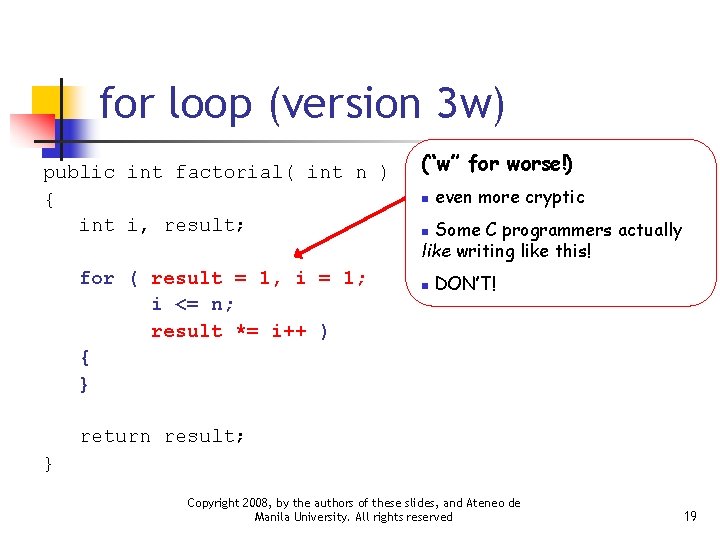
for loop (version 3 w) public int factorial( int n ) { int i, result; for ( result = 1, i = 1; i <= n; result *= i++ ) { } (“w” for worse!) n even more cryptic Some C programmers actually like writing like this! n n DON’T! return result; } Copyright 2008, by the authors of these slides, and Ateneo de Manila University. All rights reserved 19
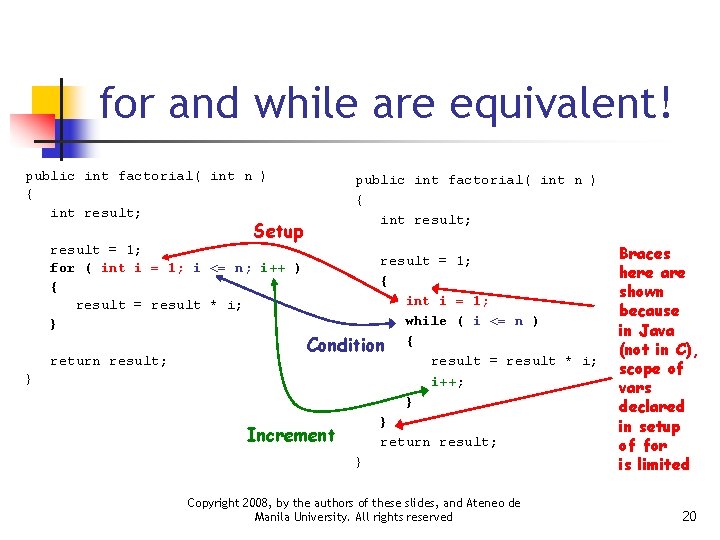
for and while are equivalent! public int factorial( int n ) { int result; Setup public int factorial( int n ) { int result; result = 1; for ( int i = 1; i <= n; i++ ) { result = result * i; } return result; } result = 1; { int i = 1; while ( i <= n ) Condition { result = result * i; i++; } } Increment return result; } Copyright 2008, by the authors of these slides, and Ateneo de Manila University. All rights reserved Braces here are shown because in Java (not in C), scope of vars declared in setup of for is limited 20
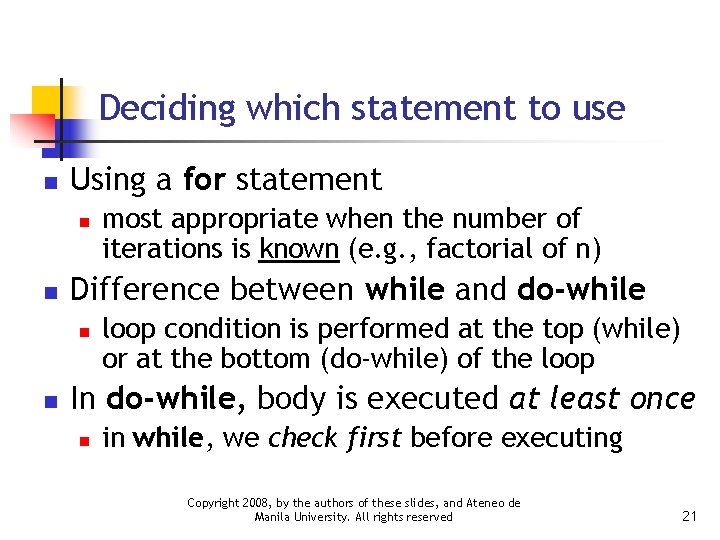
Deciding which statement to use n Using a for statement n n Difference between while and do-while n n most appropriate when the number of iterations is known (e. g. , factorial of n) loop condition is performed at the top (while) or at the bottom (do-while) of the loop In do-while, body is executed at least once n in while, we check first before executing Copyright 2008, by the authors of these slides, and Ateneo de Manila University. All rights reserved 21
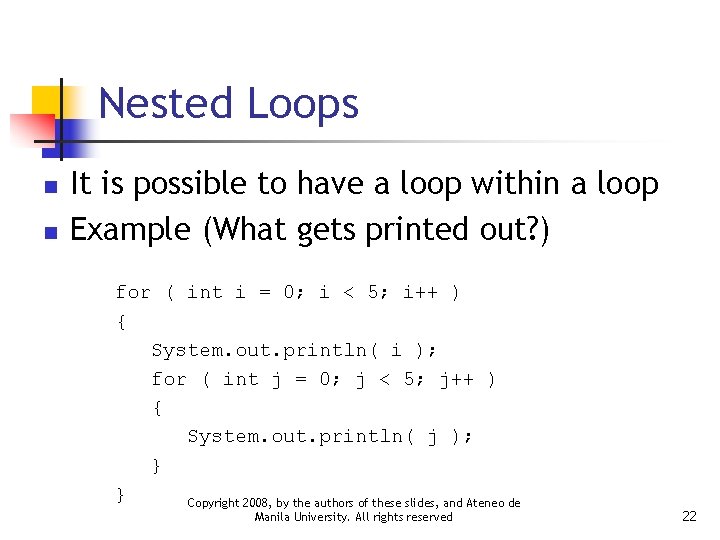
Nested Loops n n It is possible to have a loop within a loop Example (What gets printed out? ) for ( int i = 0; i < 5; i++ ) { System. out. println( i ); for ( int j = 0; j < 5; j++ ) { System. out. println( j ); } } Copyright 2008, by the authors of these slides, and Ateneo de Manila University. All rights reserved 22
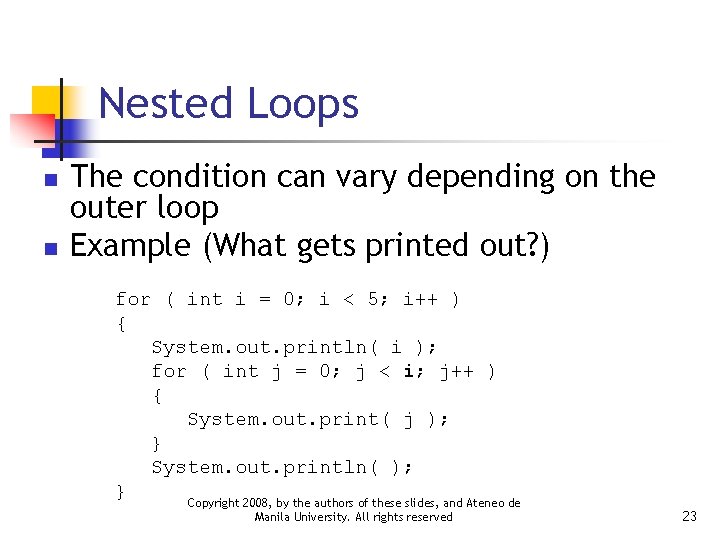
Nested Loops n n The condition can vary depending on the outer loop Example (What gets printed out? ) for ( int i = 0; i < 5; i++ ) { System. out. println( i ); for ( int j = 0; j < i; j++ ) { System. out. print( j ); } System. out. println( ); } Copyright 2008, by the authors of these slides, and Ateneo de Manila University. All rights reserved 23
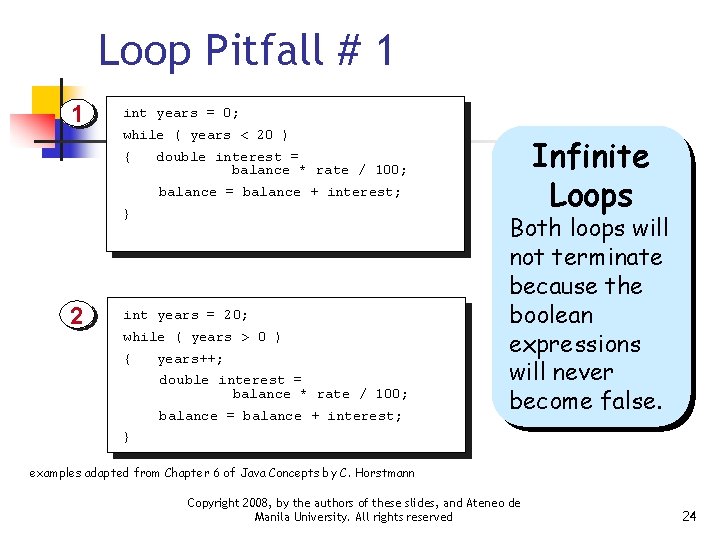
Loop Pitfall # 1 1 int years = 0; while ( years < 20 ) { double interest = balance * rate / 100; balance = balance + interest; } 2 int years = 20; while ( years > 0 ) { years++; double interest = balance * rate / 100; balance = balance + interest; Infinite Loops Both loops will not terminate because the boolean expressions will never become false. } examples adapted from Chapter 6 of Java Concepts by C. Horstmann Copyright 2008, by the authors of these slides, and Ateneo de Manila University. All rights reserved 24
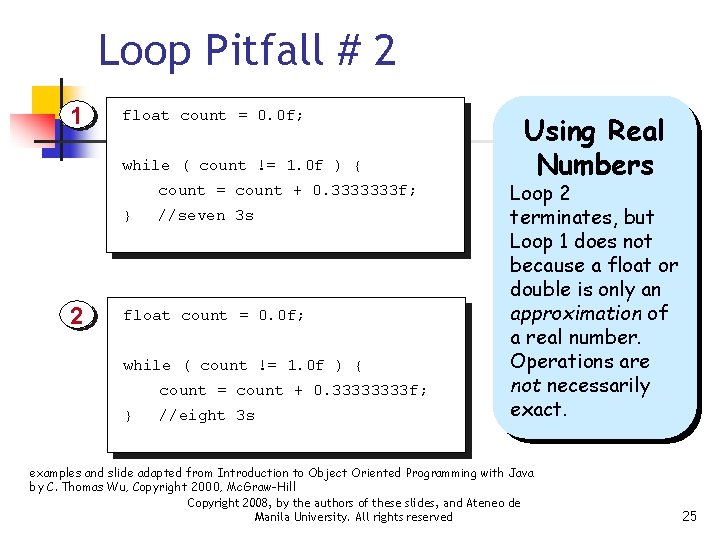
Loop Pitfall # 2 1 float count = 0. 0 f; while ( count != 1. 0 f ) { count = count + 0. 3333333 f; } 2 //seven 3 s float count = 0. 0 f; while ( count != 1. 0 f ) { count = count + 0. 3333 f; } //eight 3 s Using Real Numbers Loop 2 terminates, but Loop 1 does not because a float or double is only an approximation of a real number. Operations are not necessarily exact. examples and slide adapted from Introduction to Object Oriented Programming with Java by C. Thomas Wu, Copyright 2000, Mc. Graw-Hill Copyright 2008, by the authors of these slides, and Ateneo de Manila University. All rights reserved 25
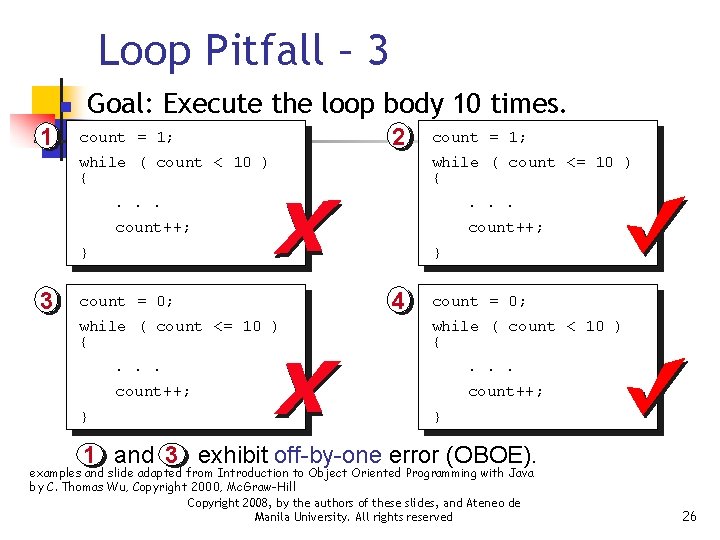
Loop Pitfall – 3 n 1 Goal: Execute the loop body 10 times. count = 1; 2 while ( count < 10 ) { while ( count <= 10 ) { . . . count++; } 3 } count = 0; while ( count <= 10 ) { } count = 1; 4 count = 0; while ( count < 10 ) { . . . count++; } 1 and 3 exhibit off-by-one error (OBOE). examples and slide adapted from Introduction to Object Oriented Programming with Java by C. Thomas Wu, Copyright 2000, Mc. Graw-Hill Copyright 2008, by the authors of these slides, and Ateneo de Manila University. All rights reserved 26
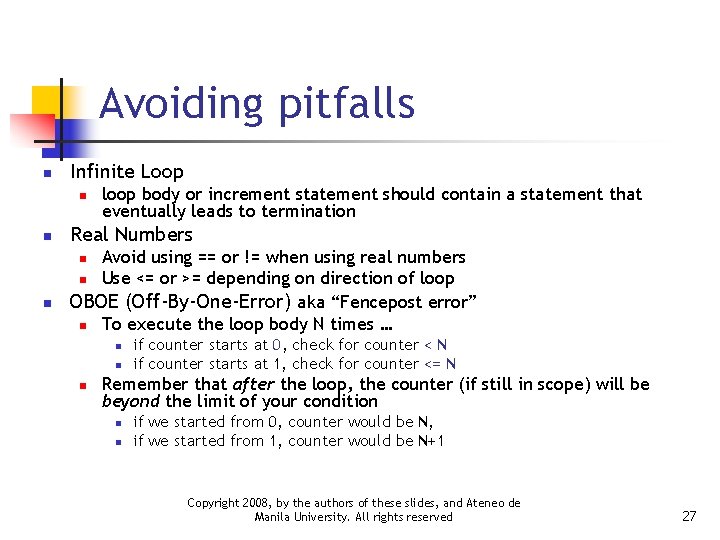
Avoiding pitfalls n Infinite Loop n n loop body or increment statement should contain a statement that eventually leads to termination Real Numbers Avoid using == or != when using real numbers n Use <= or >= depending on direction of loop OBOE (Off-By-One-Error) aka “Fencepost error” n To execute the loop body N times … n n n if counter starts at 0, check for counter < N if counter starts at 1, check for counter <= N Remember that after the loop, the counter (if still in scope) will be beyond the limit of your condition n n if we started from 0, counter would be N, if we started from 1, counter would be N+1 Copyright 2008, by the authors of these slides, and Ateneo de Manila University. All rights reserved 27
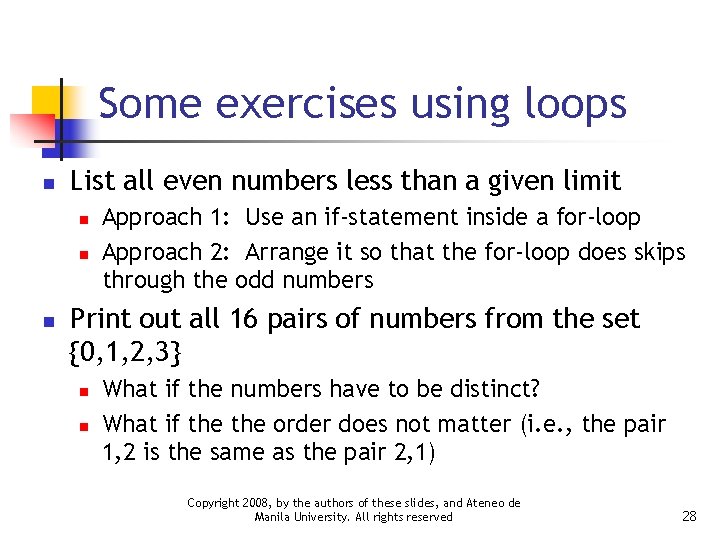
Some exercises using loops n List all even numbers less than a given limit n n n Approach 1: Use an if-statement inside a for-loop Approach 2: Arrange it so that the for-loop does skips through the odd numbers Print out all 16 pairs of numbers from the set {0, 1, 2, 3} n n What if the numbers have to be distinct? What if the order does not matter (i. e. , the pair 1, 2 is the same as the pair 2, 1) Copyright 2008, by the authors of these slides, and Ateneo de Manila University. All rights reserved 28
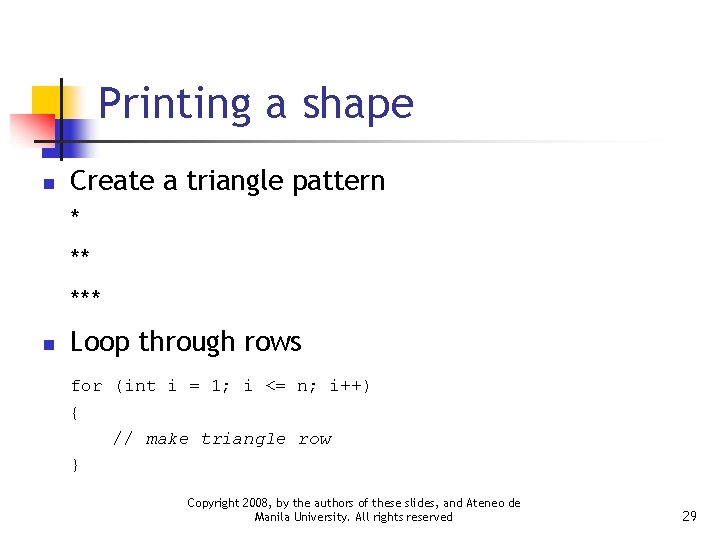
Printing a shape n n Create a triangle pattern * ** *** Loop through rows for (int i = 1; i <= n; i++) { // make triangle row } Copyright 2008, by the authors of these slides, and Ateneo de Manila University. All rights reserved 29
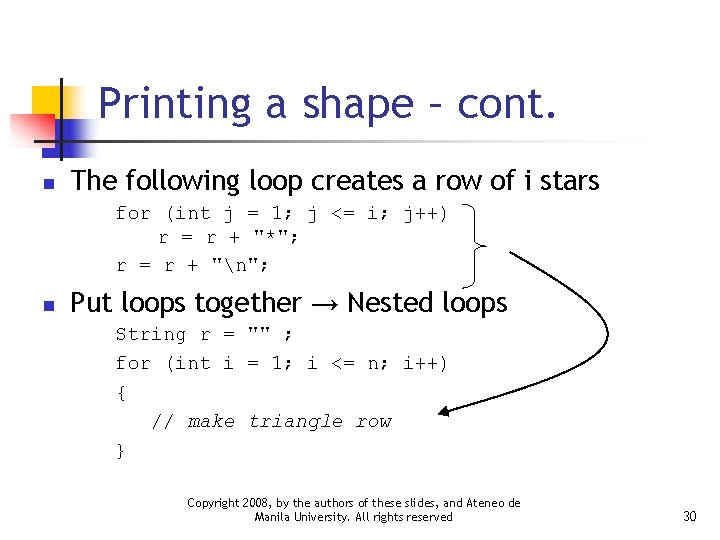
Printing a shape – cont. n The following loop creates a row of i stars for (int j = 1; j <= i; j++) r = r + "*"; r = r + "n"; n Put loops together → Nested loops String r = "" ; for (int i = 1; i <= n; i++) { // make triangle row } Copyright 2008, by the authors of these slides, and Ateneo de Manila University. All rights reserved 30
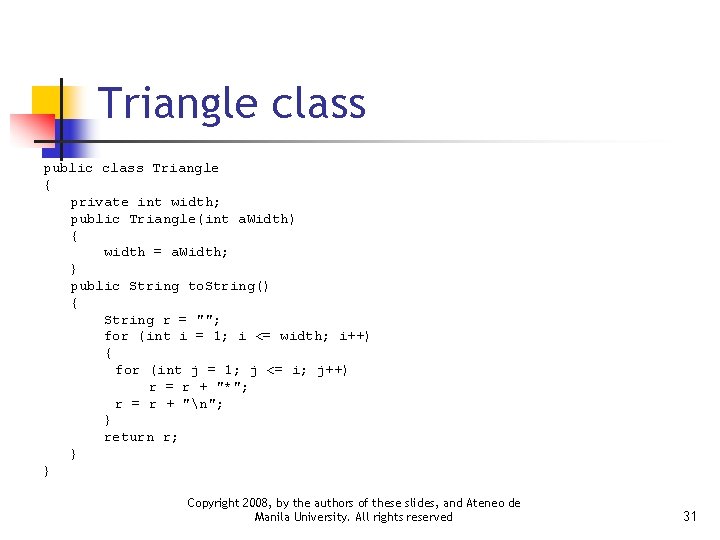
Triangle class public class Triangle { private int width; public Triangle(int a. Width) { width = a. Width; } public String to. String() { String r = ""; for (int i = 1; i <= width; i++) { for (int j = 1; j <= i; j++) r = r + "*"; r = r + "n"; } return r; } } Copyright 2008, by the authors of these slides, and Ateneo de Manila University. All rights reserved 31
Triangle. Runner class public class Triangle. Runner { public static void main(String[] args) { Triangle small = new Triangle(3); System. out. println(small. to. String()); Triangle large = new Triangle(15); System. out. println(large. to. String()); } } Copyright 2008, by the authors of these slides, and Ateneo de Manila University. All rights reserved 32
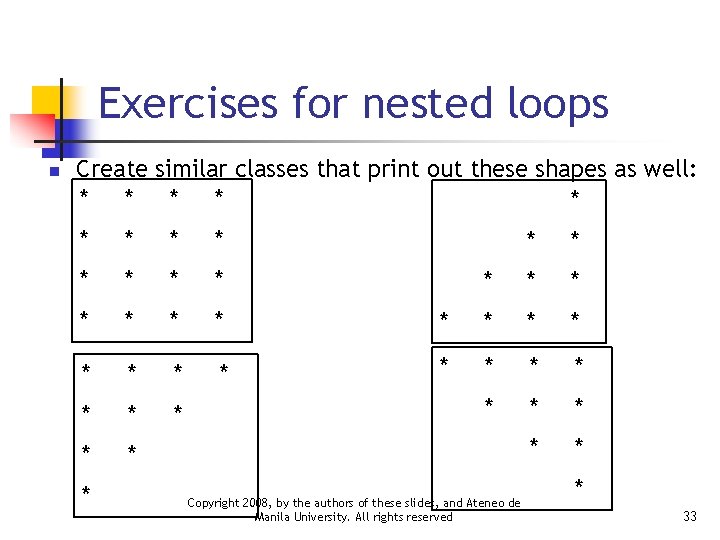
Exercises for nested loops n Create similar classes that print out these shapes as well: * * * * * * * * Copyright 2008, by the authors of these slides, and Ateneo de Manila University. All rights reserved * * * * 33