
Logo Programming Language By Monique Mc Tague History
Logo (Programming Language) By: Monique Mc. Tague
History � An educational programming language designed in 1967 by Daniel G. Bobrow. � Logo was derived from the Greek logos meaning word or thought to distinguish itself from other programming languages that were primarily numbers, not graphics or logic. � Logo is remembered for its use of “Turtle Graphics” in which commands for moment and drawing produced line graphics or with a small robot called “turtle”. � The use of virtual Turtles allowed for immediate visual feedback and debugging of graphic programming.

What is Logo? � Is a multi-paradigm adaptation and dialect of a functional programming language. � Programming in Logo is done by adding to its vocabulary, teaching it new words in terms of words it already knows. In this way it's similar to the way people learn spoken language. Logo works with words and list. Numbers are words but are special because you can do arithmetic. � Logo is not case-sensitive but retains the case used formatting. It is a compromise between a sequential programming language with block structures, and a functional programming language.

Logo Design Most logos are 2 D, implementations are interpreted, and this interactivity provides the user with immediate feedback on individual instructions, which support the learning process. � Error messages are given when logo does not understand a procedure. � For example if you input “foward”, Logo will respond “I don’t know how to foward” � Types of different logo: � UCBLogo � Star. Logo � Net. Logo � Object. Logo � Micro. Worlds � Micro. Soft. Logo � Logo Goals � Logo goal was to create a math land where kids could play with words and sentences.
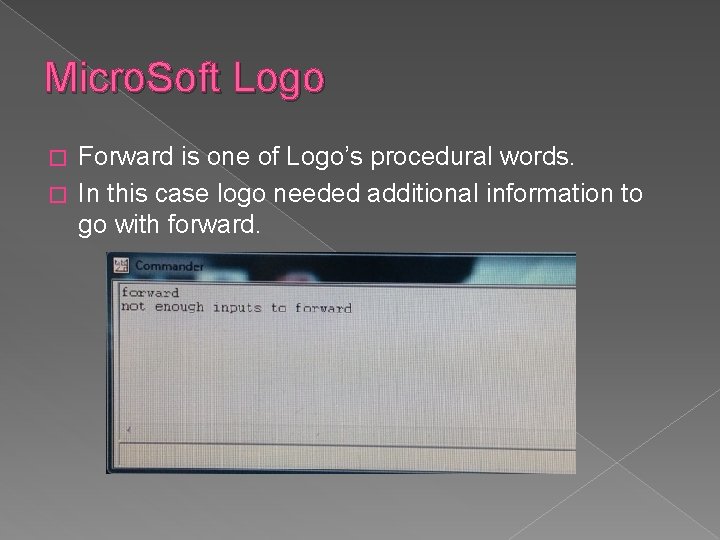
Micro. Soft Logo Forward is one of Logo’s procedural words. � In this case logo needed additional information to go with forward. �
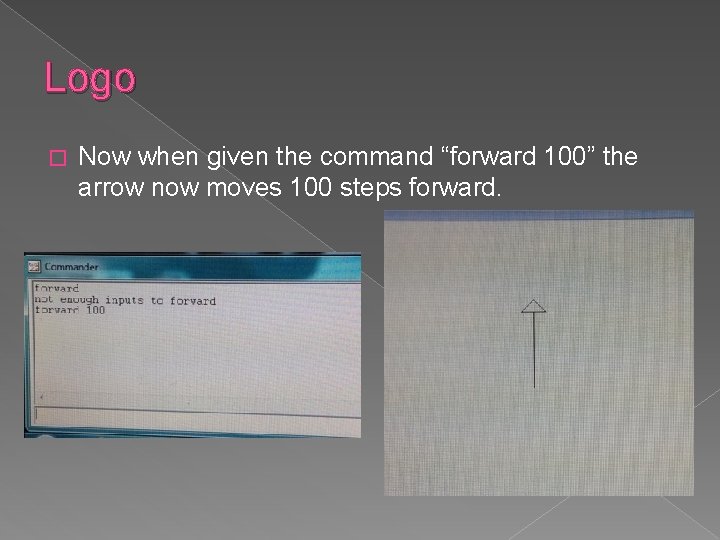
Logo � Now when given the command “forward 100” the arrow now moves 100 steps forward.

Logo Extensibility Logo programs are usually collections of small procedures. Procedures are defined by writing them in a text editor. � First you use the word “to” followed by the name of the procedure. � The following line(s) define the procedures actions. � Then the word “end” tells the program you are finished defining the procedure. � � For example to draw a square we input: › to square › repeat 4[forward 50 right 90] › end

Logo Extensibility Procedures can be built on top of one another. � For example we can now define a new procedure called flower using the square command. � � to flower repeat 36 [right 10 square] end
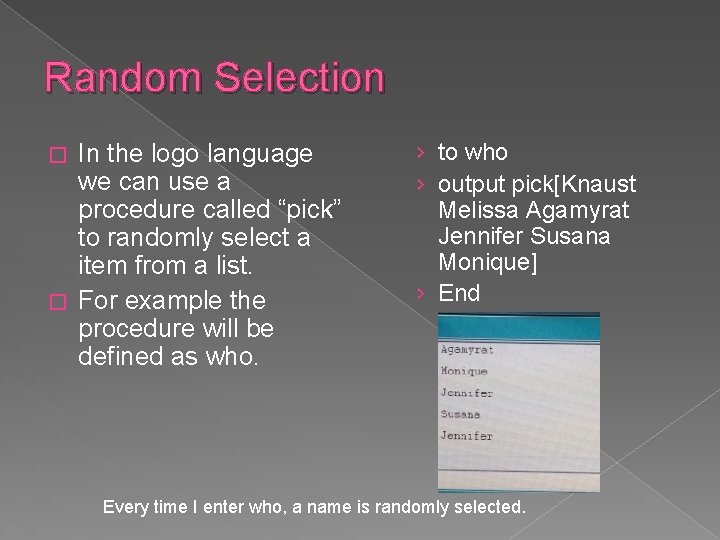
Random Selection In the logo language we can use a procedure called “pick” to randomly select a item from a list. � For example the procedure will be defined as who. � › to who › output pick[Knaust Melissa Agamyrat Jennifer Susana Monique] › End Every time I enter who, a name is randomly selected.
Logo Arithmetic Other programs ask for you two define if numbers are integers or real numbers before executing operations. � Logo takes care of that for you and just does the arithmetic. � In Logo you cannot input “ 3+4” because logo will tell you it does not know what to do with “ 7” � Adding the word “print” before the expression tells logo output the solution. �
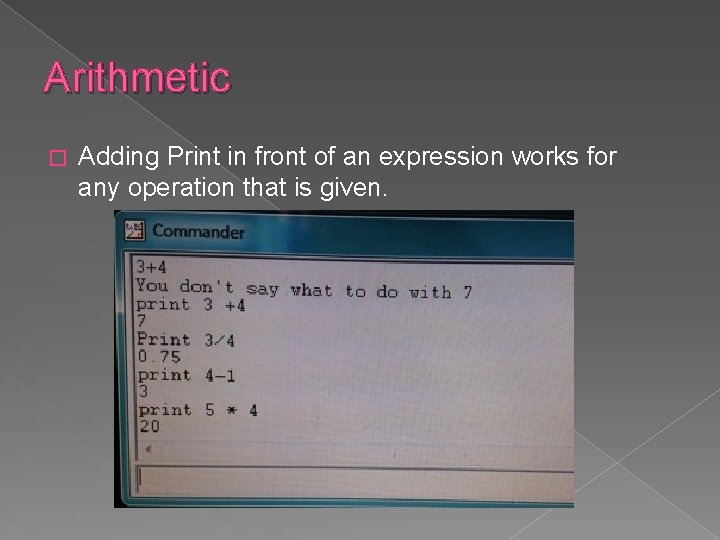
Arithmetic � Adding Print in front of an expression works for any operation that is given.
Manipulating words and numbers � Print word "apple "sauce applesauce � Print word "3 "4 34 � Print 12 + word "3 "4 46 � Print reverse [apples and pears] pears and apples
Conclusion � Logo is a child friendly program used for constructive learning. � Depending on the type of Logo program you use you can do animations and so much more procedures. � For example factorials and adding words to graphics.
The End Questions ? References Logo (Programming Language). (n. d. ). Retrieved March 10, 2014, from Wikipedia: http: //en. wikipedia. org/wiki/Logo_(programming_language) Tempel, M. (2012). The Logo Programming Language. Retrieved March 11, 2014, from Logo Foundation: http: //el. media. mit. edu/logofoundation/logo/programming. html
- Slides: 14