
LOGIN STUDENT You can use an email address



- Slides: 7
LOGIN (STUDENT) You can use an email address or username to log in, depending on how your account was set up. See below for instructions: Email Login 1. 2. 3. 4. Go to app. schoology. com. Click Log In on the top right. Enter your Email Address and Password. Click Log in.
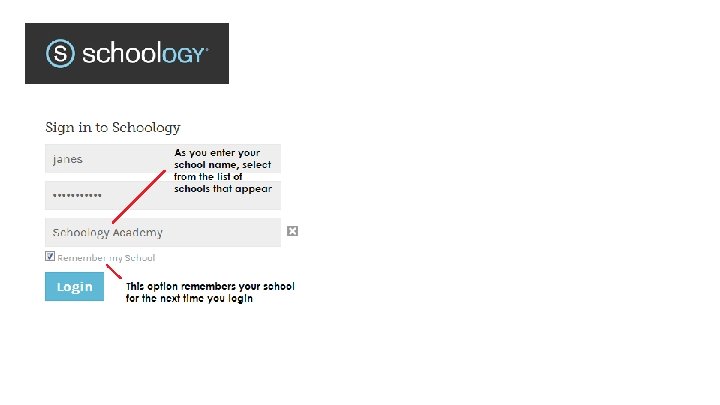
Username Login 1. Go to app. schoology. com. 2. Click Log In on the top right. 3. Enter your Username, Password, and the name of your school (As you type, a menu will appear that enables you to select your school). 4. Select your school from the list. 5. Check the box to Remember my School(optional). This setting saves your school on the current machine or device, and browser. 6. Click Log in.
SIGN UP AS A STUDENT To sign up for a new Schoology account If you don't already have a Schoology account, go to https: //app. schoology. com/register. php and click Student.
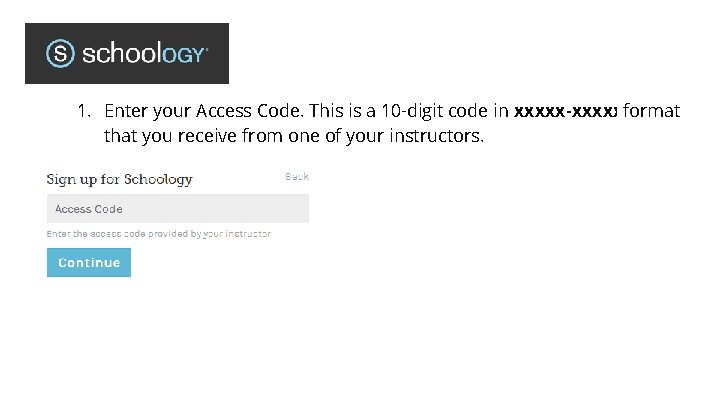
1. Enter your Access Code. This is a 10 -digit code in xxxxx-xxxxxformat that you receive from one of your instructors.
2. Fill out the form with your information. 3. Click Register to complete. When you use a course access code to create an account, you are automatically enrolled in the course. To join additional courses in Schoology, click on the Join link in the Courses dropdown menu at the top of the page. Registering with a username instead of an email address will require you to login with your School Name. See Login.