
Logical Operations on Images Boolean logic is a
Logical Operations on Images Boolean logic is a system of logical operations defined by George Boole in the mid 19 th century to apply algebraic operations on binary values. Course Name: Digital Image Processing Author(s) : Phani Swathi Chitta Mentor: Prof. Saravanan Vijayakumaran Level(UG/PG): UG *The contents in this ppt are licensed under Creative Commons Attribution-Non. Commercial-Share. Alike 2. 5 India license
Learning Objectives After interacting with this Learning Object, the learner will be able to: • Explain the performance of logical operations on images
1 2 Definitions of the components/Keywords: • Logic operations provide a powerful complement to implementation of image processing algorithms based on morphology. • These operations consist of 4 basic binary operations: AND, OR, and XOR and a unary operator NOT. Secondary operators can be created by combining the three binary operators with the unary operator, yielding: NAND, NOR, and XNOR. 3 4 5 • Logic operations are performed on a pixel by pixel basis between corresponding pixels of two or more images(except NOT, which operates on the pixels of a single image).
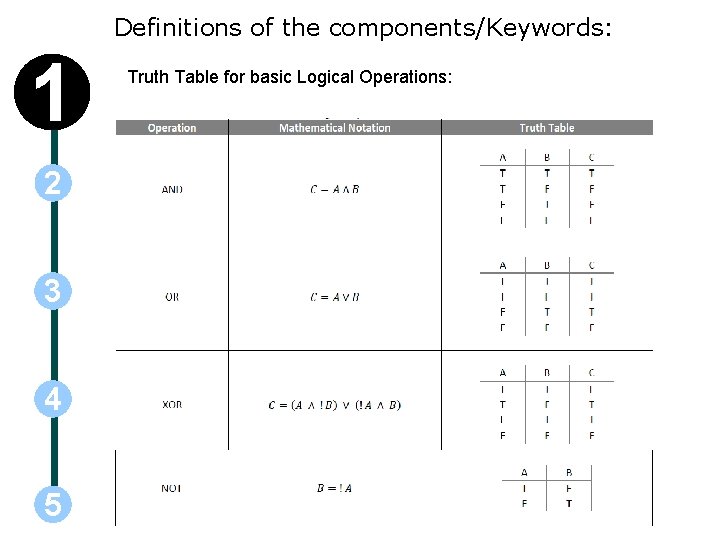
Definitions of the components/Keywords: 1 2 3 4 5 Truth Table for basic Logical Operations:
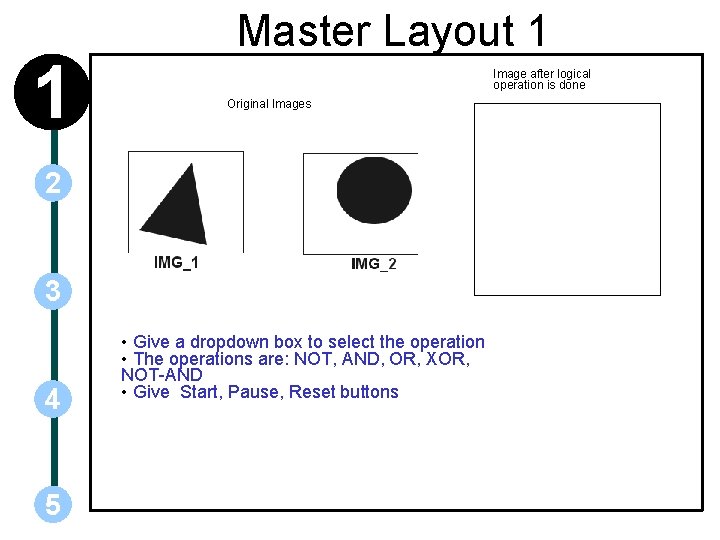
1 Master Layout 1 Image after logical operation is done Original Images 2 3 4 5 • Give a dropdown box to select the operation • The operations are: NOT, AND, OR, XOR, NOT-AND • Give Start, Pause, Reset buttons
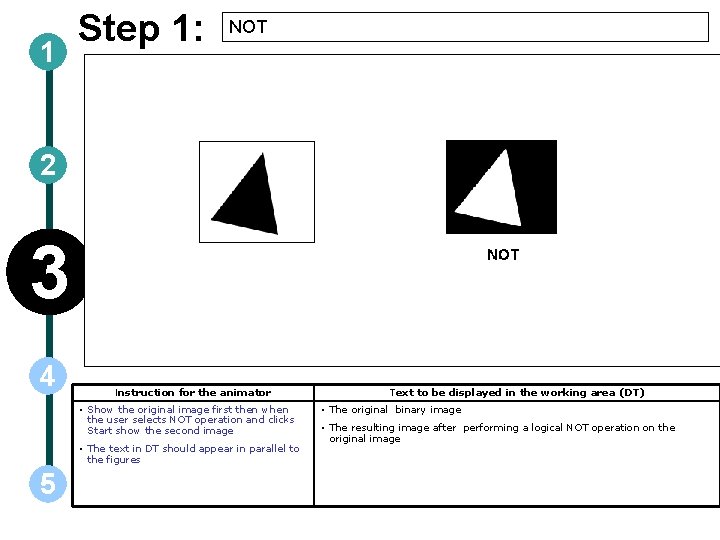
1 Step 1: NOT 2 3 4 Instruction for the animator • Show the original image first then when the user selects NOT operation and clicks Start show the second image • The text in DT should appear in parallel to the figures 5 Text to be displayed in the working area (DT) • The original binary image • The resulting image after performing a logical NOT operation on the original image
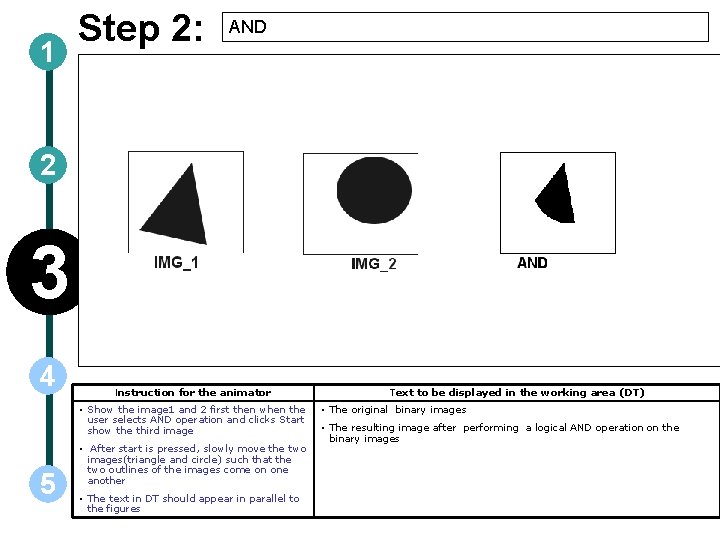
1 Step 2: AND 2 3 4 Instruction for the animator • Show the image 1 and 2 first then when the user selects AND operation and clicks Start show the third image 5 • After start is pressed, slowly move the two images(triangle and circle) such that the two outlines of the images come on one another • The text in DT should appear in parallel to the figures Text to be displayed in the working area (DT) • The original binary images • The resulting image after performing a logical AND operation on the binary images
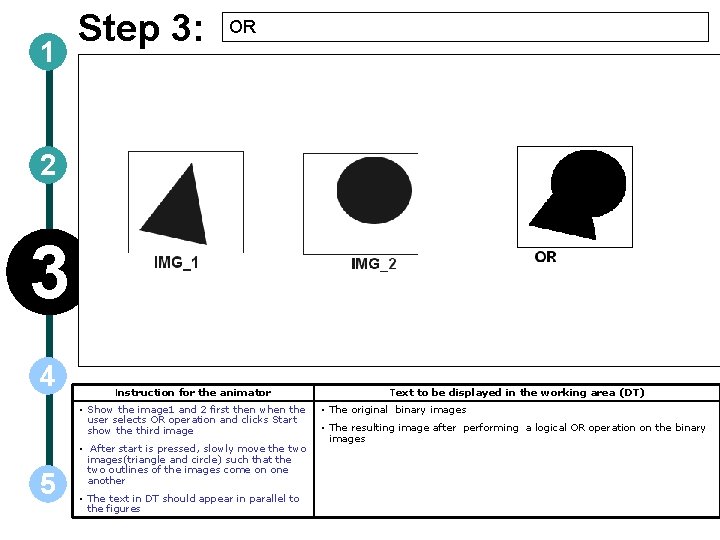
1 Step 3: OR 2 3 4 Instruction for the animator • Show the image 1 and 2 first then when the user selects OR operation and clicks Start show the third image 5 • After start is pressed, slowly move the two images(triangle and circle) such that the two outlines of the images come on one another • The text in DT should appear in parallel to the figures Text to be displayed in the working area (DT) • The original binary images • The resulting image after performing a logical OR operation on the binary images
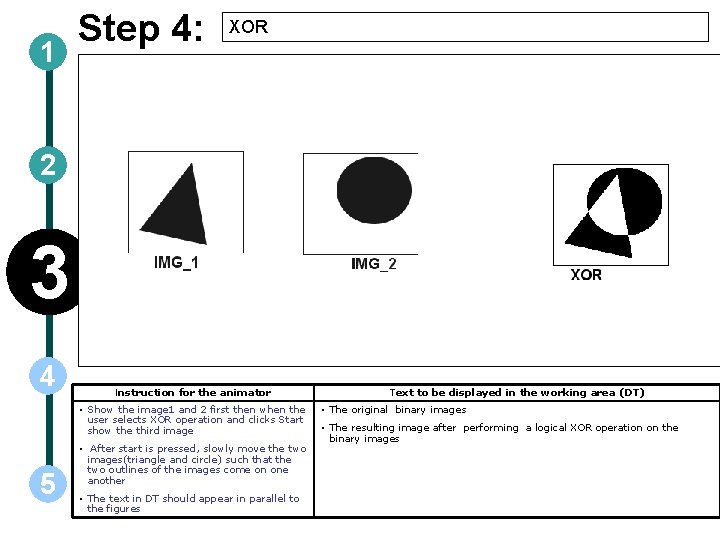
1 Step 4: XOR 2 v 3 4 Instruction for the animator • Show the image 1 and 2 first then when the user selects XOR operation and clicks Start show the third image 5 • After start is pressed, slowly move the two images(triangle and circle) such that the two outlines of the images come on one another • The text in DT should appear in parallel to the figures Text to be displayed in the working area (DT) • The original binary images • The resulting image after performing a logical XOR operation on the binary images
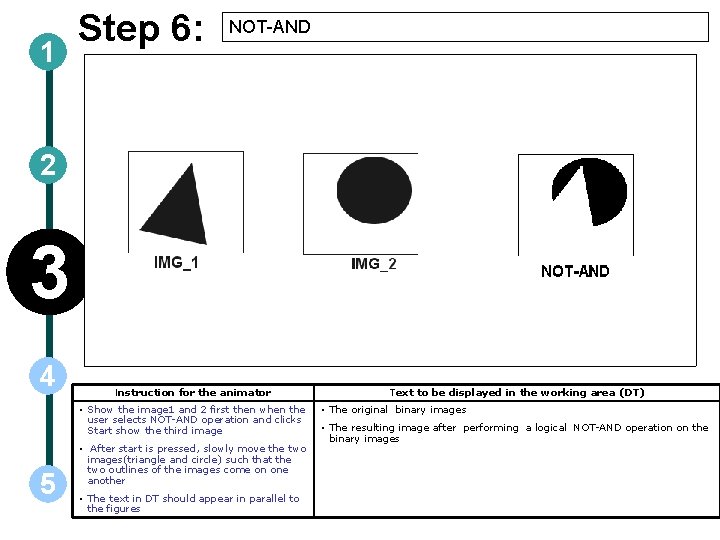
1 Step 6: NOT-AND 2 3 4 Instruction for the animator • Show the image 1 and 2 first then when the user selects NOT-AND operation and clicks Start show the third image 5 • After start is pressed, slowly move the two images(triangle and circle) such that the two outlines of the images come on one another • The text in DT should appear in parallel to the figures Text to be displayed in the working area (DT) • The original binary images • The resulting image after performing a logical NOT-AND operation on the binary images
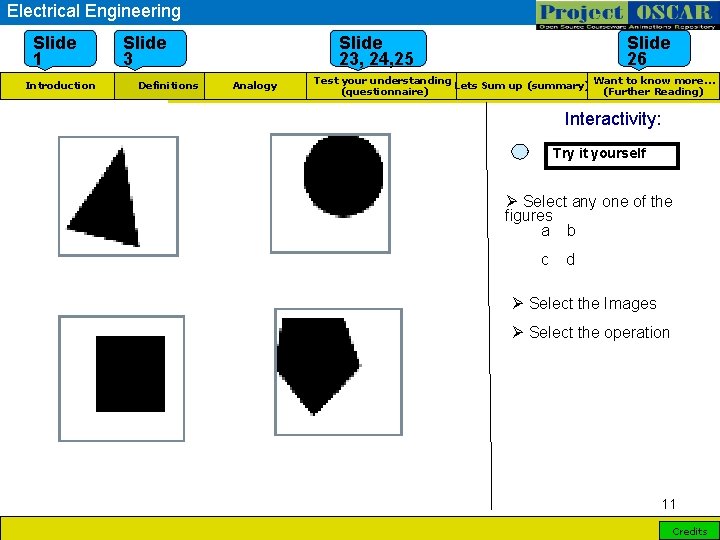
Electrical Engineering Slide 1 Introduction Slide 3 Definitions Slide 23, 24, 25 Analogy Slide 26 Want to know more… Test your understanding Lets Sum up (summary) (Further Reading) (questionnaire) Interactivity: Try it yourself Ø Select any one of the figures a b c d Ø Select the Images Ø Select the operation 11 Credits
1 2 3 Questionnaire 1. Suppose two images have N>0 black pixels and the result of ANDing those images also have N>0 black pixels. Will the images be same? Answers: a) Sometimes c) Never 4 5 b) Always d) None
1 2 Questionnaire 2. In an image, if total # of pixels is M and # of black pixels is N then what is the # of black pixels in NOT image? Answers: a) M-N c) M 3 4 5 b) N-M d) N 3. In two images, first image has N 1 black pixels, second image has N 2 black pixels and AND of the two images has N 3 black pixels. What is the # of black pixels in OR of two images? Answers: a) N 1+N 2 -N 3 c) N 1 -N 2 b) N 1+N 2 d) N 1+N 2+N 3
Links for further reading Reference websites: http: //homepages. inf. ed. ac. uk/rbf/HIPR 2/logic. htm Books: Digital Image Processing – Rafael C. Gonzalez, Richard E. Woods, second edition, Prentice Hall
- Slides: 14