
Localization Customizing Software for the World Localization Project


- Slides: 40
Localization: Customizing Software for the World Localization Project Management – Communication Hiram Machado Alfredo de Almeida
Course Syllabus 1. Introduction to Localization Project Management 2. Process Integration 3. Scope Management 4. Scheduling 5. Cost Management 6. Communications 7. Quality Control – Issue Tracking 8. Risk Management 9. Terminology Management 10. Final Test – Market Outlook
Agenda ü Class 6 Review ü Communication Management
Localization Project Management CLASS 5 REVIEW
Cost Management is: • Cost Management includes the processes required to ensure the project is completed within the approved budget • Includes the following processes: – Cost Estimating – Cost Budgeting – Cost Control
Cost Estimation § Involves developing an approximation of the costs of resources needed to complete project activities § Differs from Pricing • Cost Estimating involves developing an assessment of the likely quantitative results • Pricing is a business decision; how much the performing organization will charge for the work
Methods to Estimate Cost Top Down Method § § Gives a rough order of magnitude Uses historical information +/- 35% range of accuracy Takes the shortest amount of time and costs the least to develop Bottom Up Method § § Definitive Source of information is Work Packages Most accurate (+/-5% range of accuracy) Takes the longest and costs the most to develop
Composition of a Cost Estimate • A Cost Estimate will include the following components: – Direct Costs – Indirect Costs – Contingency Reserves
Project Performance Measurement • Introduction to Earned Value Analysis (EVA) – Most common method of performance measurement – Integrates scope, schedule, and cost measures – Involves calculating key values for each activity at the work package level
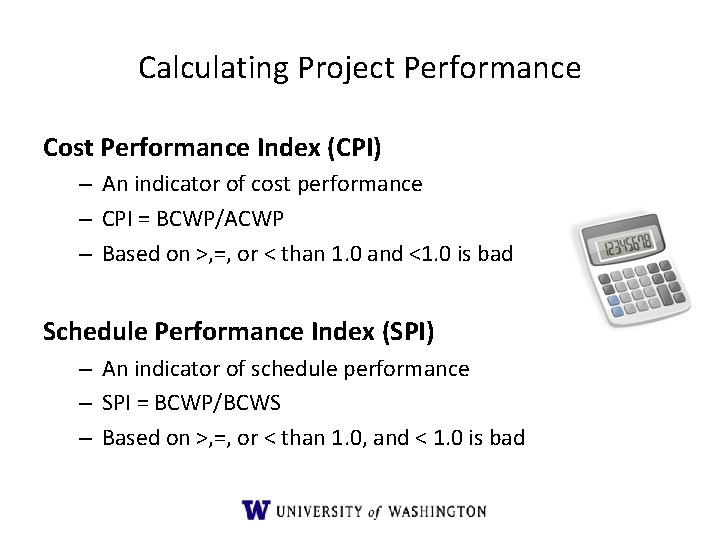
Calculating Project Performance Cost Performance Index (CPI) – An indicator of cost performance – CPI = BCWP/ACWP – Based on >, =, or < than 1. 0 and <1. 0 is bad Schedule Performance Index (SPI) – An indicator of schedule performance – SPI = BCWP/BCWS – Based on >, =, or < than 1. 0, and < 1. 0 is bad
Localization Project Management COMMUNICATION MANAGEMENT
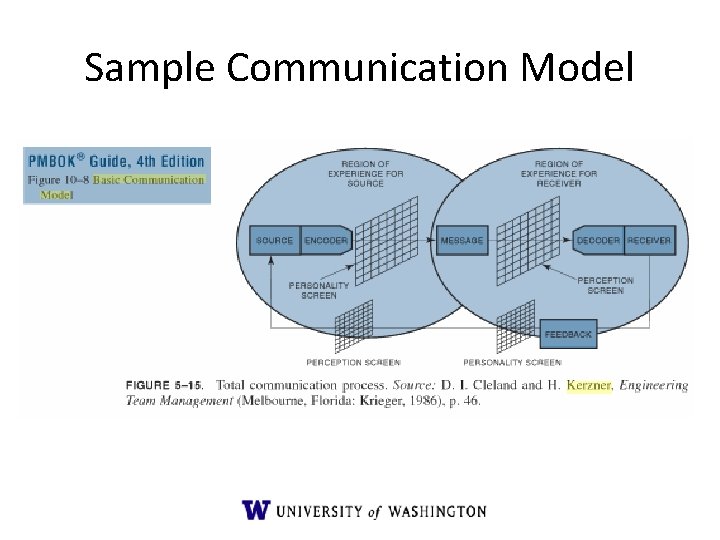
Sample Communication Model
What is Communication Management? Set processes required to ensure timely and appropriate generation, collection, dissemination, storage, and ultimate disposition of project information Processes: 1. Identify Stakeholders 2. Plan Communications 3. Distribute Information 4. Manage Stakeholder Expectations 5. Report Performance
1. Identify Stakeholders Process of identifying all people or organizations impacted by the project, and documenting relevant information regarding their interests, involvement and impact on project success
Inputs, Tools and Techniques, and Outputs • Inputs – Project charter – Procurement documents – Enterprise environmental factors • Tools and Techniques – Stakeholder analysis – Expert judgment • Outputs – Stakeholder register – Stakeholder management strategy
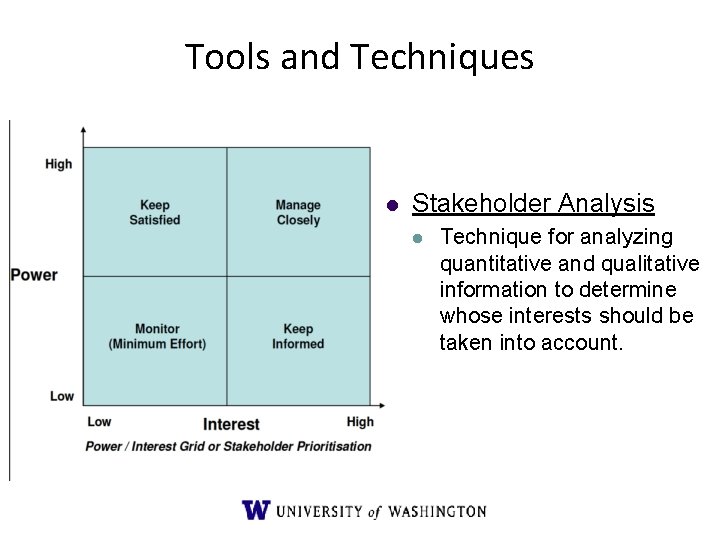
Tools and Techniques l Stakeholder Analysis l Technique for analyzing quantitative and qualitative information to determine whose interests should be taken into account.
2. Plan Communication • Involves determining the information and communications needs of stakeholders • Who needs what information, when they need it, how it will be provided, and by whom • It is often tightly linked with organizational planning since the project organizational structure will have a major effect on the communication requirements
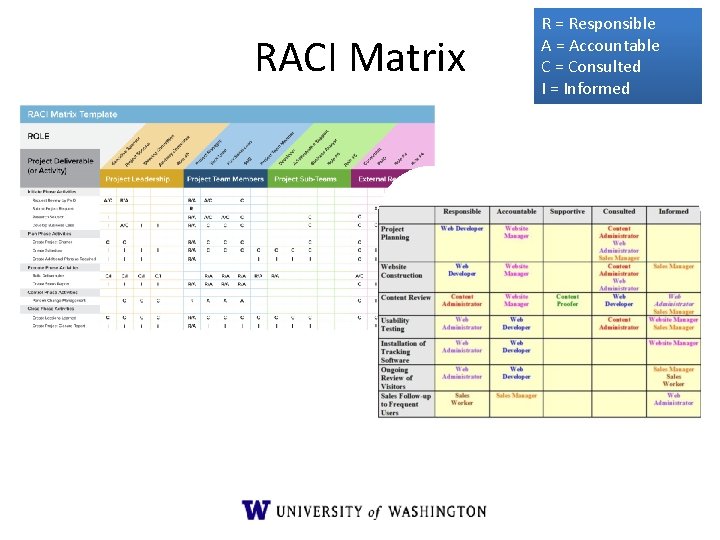
RACI Matrix R = Responsible A = Accountable C = Consulted I = Informed
3. Distribute Information • The third process of Communication Management • Involves making needed information available to stakeholders in a timely manner • Includes Plan Communication implementation, and • Responding to unexpected requests for information
Types of Communication Barriers • Perception: individuals can view the same message in different ways • Personality and Interests: the likes and dislikes of individuals. People tend to listen carefully to topics of interest and turn a deaf ear to others • Attitudes, Emotions, and Prejudices: includes the warping of communications based on emotions and the need to protect themselves
Communication Barrier Examples • Barriers to Successful Communications include: – – – – Lack of Listening Skills Cultural Differences Stress and Burnout Different Languages Time Zones Politics Lack of Common Sense Organization Authority • What can be done to overcome them?
Practical Communication Skills Ensure your body language agrees with your words Do not fear conflict Don’t allow disagreements to escalate into arguments Listen, listen; then listen some more Never delay needed discussions Ask for what you need or want Establish boundaries Make sure people can rely on you
Meetings – A Productivity Waster • Guidelines for a successful meeting: – Send agenda in advance – Invite only the necessary people – Allocate the right amount of time based on the agenda – Ensure participation from all participants – Keep track of time – Send notes after the meeting
Report Performance • The last Communication Management process • Involves collecting and disseminating performance information to provide stakeholders with information about how resources are being used to achieve project objectives • Includes: – Status Reporting – Progress Reporting – Forecasting
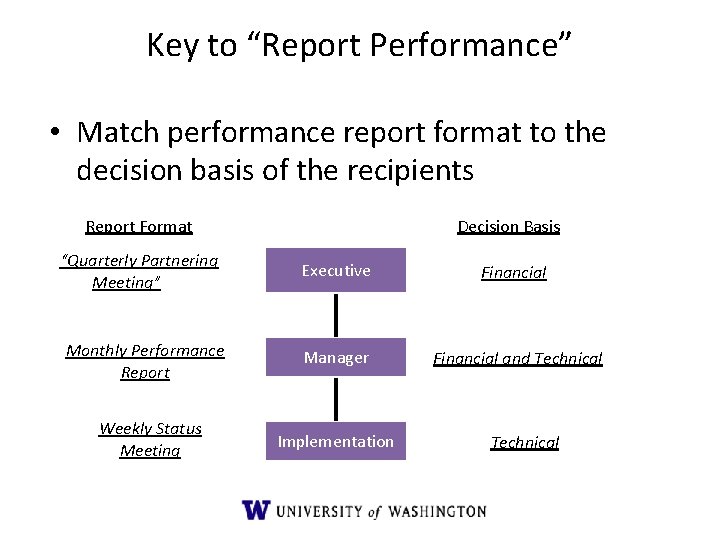
Key to “Report Performance” • Match performance report format to the decision basis of the recipients Report Format “Quarterly Partnering Meeting” Decision Basis Executive Financial Monthly Performance Report Manager Financial and Technical Weekly Status Meeting Implementation Technical
Lessons Learned – Get the project team together one more time – Conduct an honest gut-level evaluation of what we did “right” on the project and what we did “not-so-right” – For the “not-so-right”, figure out what we need to do to preclude re-occurrence – For the things we did “right”, update the project files to increase accuracy of estimates (duration, cost, and risk) on future projects
Communication in Localization • Challenges in Localization – Vendors are usually remote – You must communicate Upstream and Downstream – Often addressing different people and cultures around the globe with one e-mail communication – Verbal communication can be sometime challenging
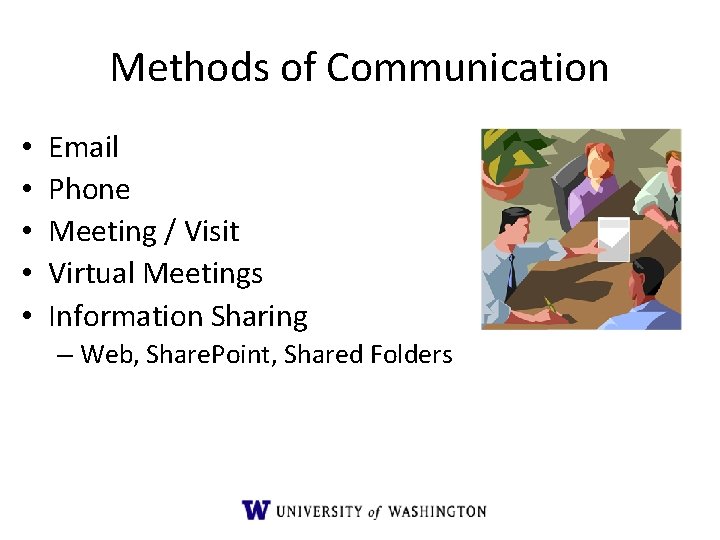
Methods of Communication • • • Email Phone Meeting / Visit Virtual Meetings Information Sharing – Web, Share. Point, Shared Folders
E-mails, Another Productivity Waster! • How many of us get at least 10 e-mails per day? • How much productivity is wasted? • Recommendation –control your e-mails
Email • • TO, CC, BCC (avoid spam) IMPORTANCE SUBJECT (short, but explanatory) TEXT – Stay formal – Keep it short and to the point. – Use formatting (HTML, RTF) • ATTACHMENT – File format, Zip, reference in text • SIGNATURE, SMILEYS
E-Mail, Formula Recipient perspective: - What does this person want? - Who is the sender? - What do I need to do? - How am I going to do it? - How much of an investment is it? - What’s in it for me?
Meetings • Challenges – Time, talkers, endless discussions, people don’t speak up (shy) • Preparation – Agenda, room setup (availability, AV, markers), time frame, roles (moderator, note taker)
Meetings • Use virtual meetings with remote partners • Prepare for meetings, have an agenda, send it out ahead of time. Make sure everyone knows why they’re there. • State meeting goal ahead of time, summarize outcomes at the end. • Keep track of action items and send them out at the end. • Keep control of the meeting, but let others make their point. • Know your audience.
Virtual Meeting • • • Different Technologies available Saves time, convenient Cool if they work (hardware, bandwidth) Check before actually planning to use this Fallback solution in place?
Phone, Phone Conference • Types – 1: 1, 1: n • Challenges – Time difference – Technical problems – Balanced discussion, moderation • Preparation – Be precise on dial in instructions • If it doesn’t work, recall or postpone
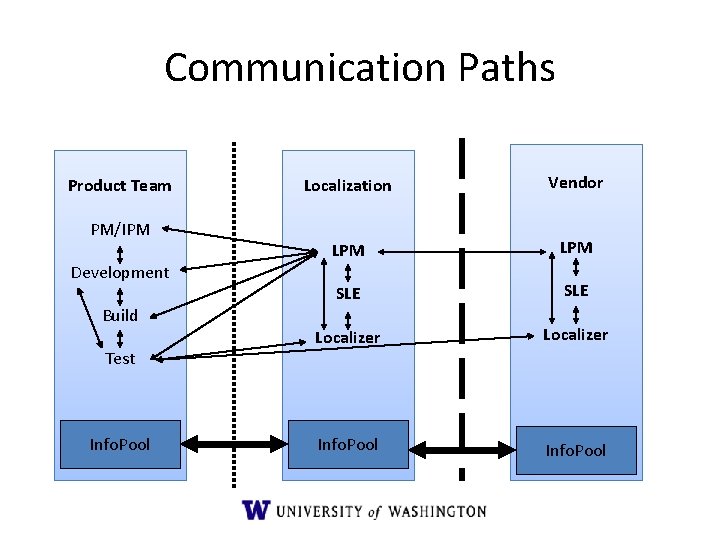
Communication Paths Product Team PM/IPM Development Build Test Info. Pool Localization Vendor LPM SLE Localizer Info. Pool
Communication in the Product Cycle Product team needs to provide: • Product • Scope • Schedule
Communication in the Product Cycle Localization team needs to provide (Internal): • Localization process • Procedures (handoff, best practices) • Deliveries (quality standards) • Costs • Schedule
Communication in the Product Cycle Localization team needs to provide (To vendors): • Project Information • Scope • Schedule • Status • Contacts • Localization Kit
Questions