
Local Area Network Management Design and Security Linux
- Slides: 26
Local Area Network Management, Design and Security • Linux – Kap. 9 i kursboken http: //www. distrowatch. com/ http: //servers. linux. com/
Linux ”facts”SB http: //www. disi. unige. it/person/Dodero. G/minix. htm Linus Thorvalds Helsingfors universitet. http: //www. helsinki. fi/universitetet/ Utgick från Minix, skapat av Professor Andrew S. Tanenbaum, för att skapa ett eget operativsystem för Intel-processor. http: //www. cs. vu. nl/~ast/minix. html Blev inledningen på det största gemensamhetsprojektet i vår tid. • Kernel 2. 6. 4 (2. 6. x stabil / 2. 5. x instabil) http: //www. gnu. org • GNU is Not Unix av Free Software Foundation (FSF) GNU General Public License (GPL). Allt ska vara fritt även källkod, men är också Copyrighted till skaparen. Fritt använda och att vidare- distribuera men allt nytt som skapas utifrån ”källan” ska också var under GPL- licensiering.
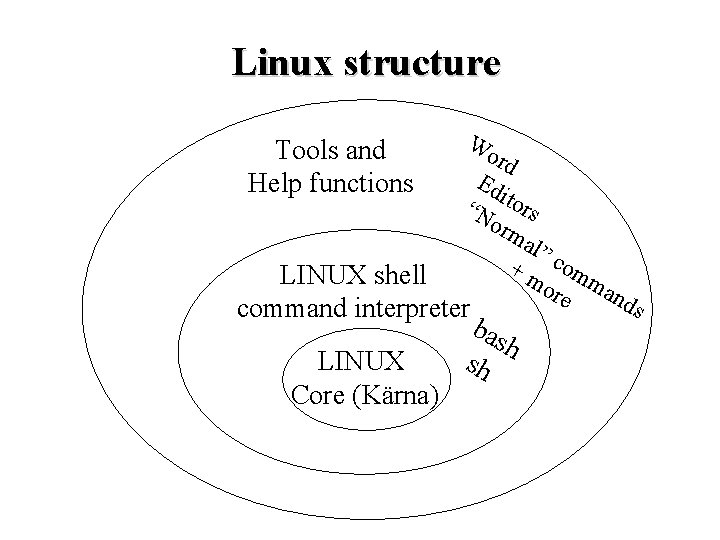
Linux structure Tools and Help functions Wo rd Ed i “N tors orm al” + m com ore man ds LINUX shell command interpreter LINUX Core (Kärna) bas h sh
Låga krav på hårdvaran • • • i 386 -> , + många andra processortyper >64 MByte RAM om GUI 2 GByte HDD om GUI Dual boot möjligt och vanligt Partitionering av HDD med fdisk, disk druid eller FIPS (The First nondestructive Interactive Partition Splitting program). • Installation från CD eller FTP. (även HTTP eller över share används)
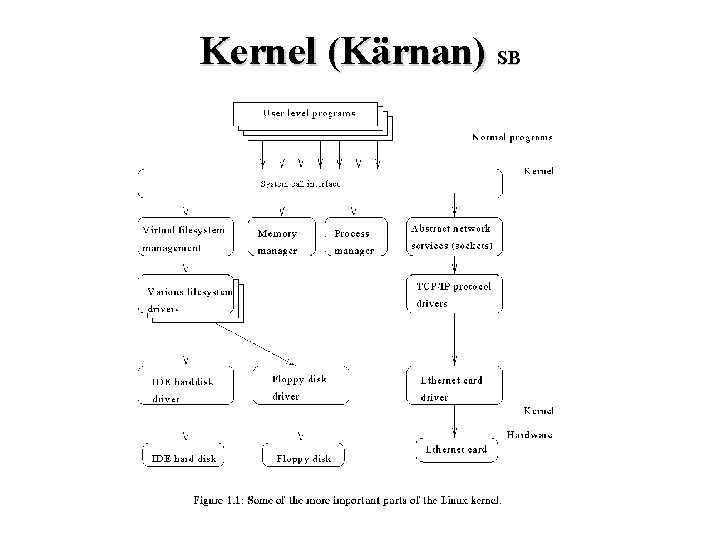
Kernel (Kärnan) SB
File system NFS SB • Network file system (NFS) Nätverkstjänsterna tillhandahåller även ett filsystem över nätverk. Denna tjänst (NFS), utvecklad av Sun, lurar applikationerna till att tro att filsystemet finns lokalt, emedan det egentligen finns någon annanstans. Det finns egentligen ingen begränsning på var datorn/hårddisken finns. T. ex. har KTH en filserver här hos Umdac. Det upplevs inte som segt så länge förbindelsen är snabb.
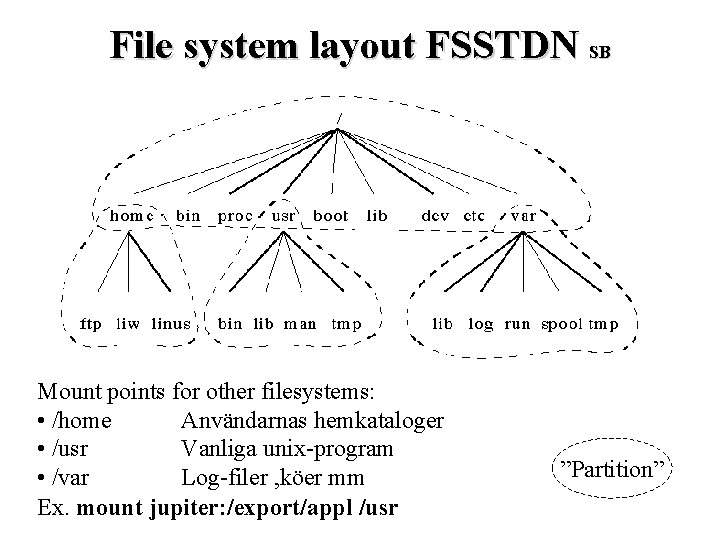
File system layout FSSTDN SB Mount points for other filesystems: • /home Användarnas hemkataloger • /usr Vanliga unix-program • /var Log-filer , köer mm Ex. mount jupiter: /export/appl /usr ”Partition”
Filesystem, lite djupare SB / /bin ”root-directory” som innehåller alla andra ”directoryn”. Grundläggande kommandon Commands needed during bootup that might be used by normal users /dev Device files – Kräver lite extra uppmärksamhet. UNIX känner igen två olika typer av device: - ”random-access block device” (hårddisk t. ex. /hda 1) - ”character-device” (serieport/parallellport). Ett device i UNIX representeras av en speciell fil i /dev. Parallellport 1 (dos lpt 1: ) representeras av /dev/par 0 i UNIX. För att ”accessa” denna parallellport behövs inget speciellt program. Man kan skriva ut en fil på skrivaren på detta sätt, (om man har skrivrättigheter på den filen dvs): >cat filen > /dev/par 0 (> = skicka resultatet till) Normalt finns det dock user-level program som tar hand om skrivning/läsning på device. För utskrifter är det lpr som gör jobbet, på ett mycket smartare sätt dessutom. Normalt installeras alla device-filer i /dev fastän det inte finns just de devicen. Det blir enklare sen om man vill installera något senare. /sbin Like /bin but the commands are not intended for normal users.
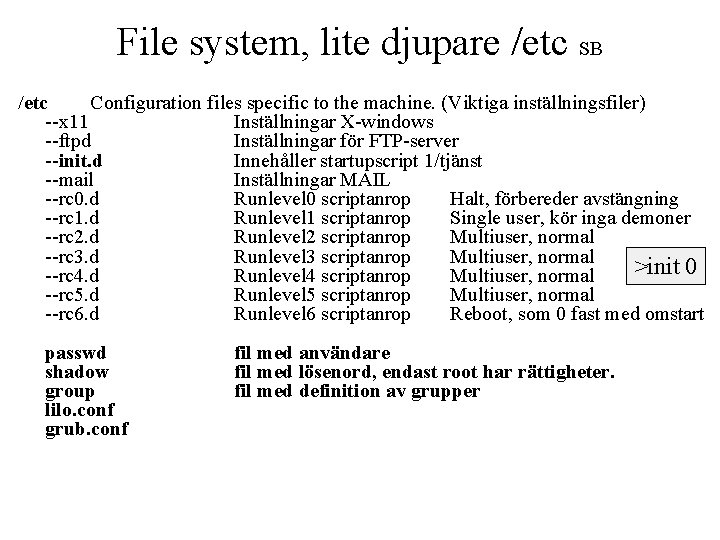
File system, lite djupare /etc SB /etc Configuration files specific to the machine. (Viktiga inställningsfiler) --x 11 Inställningar X-windows --ftpd Inställningar för FTP-server --init. d Innehåller startupscript 1/tjänst --mail Inställningar MAIL --rc 0. d Runlevel 0 scriptanrop Halt, förbereder avstängning --rc 1. d Runlevel 1 scriptanrop Single user, kör inga demoner --rc 2. d Runlevel 2 scriptanrop Multiuser, normal --rc 3. d Runlevel 3 scriptanrop Multiuser, normal >init 0 --rc 4. d Runlevel 4 scriptanrop Multiuser, normal --rc 5. d Runlevel 5 scriptanrop Multiuser, normal --rc 6. d Runlevel 6 scriptanrop Reboot, som 0 fast med omstart passwd shadow group lilo. conf grub. conf fil med användare fil med lösenord, endast root har rättigheter. fil med definition av grupper
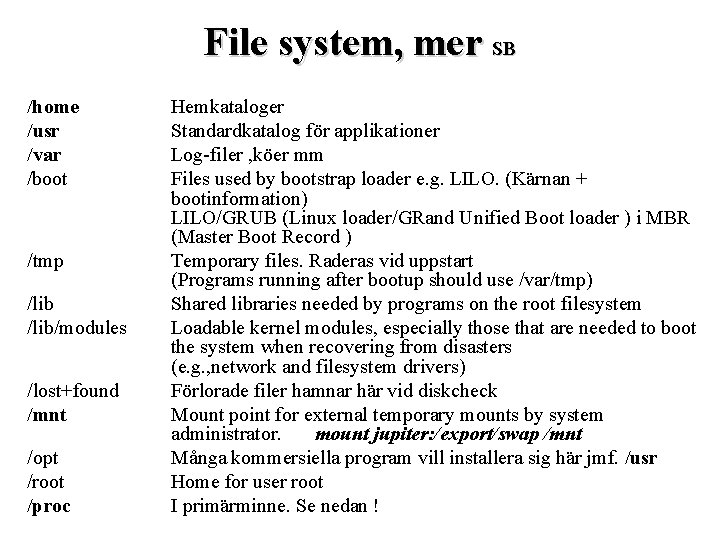
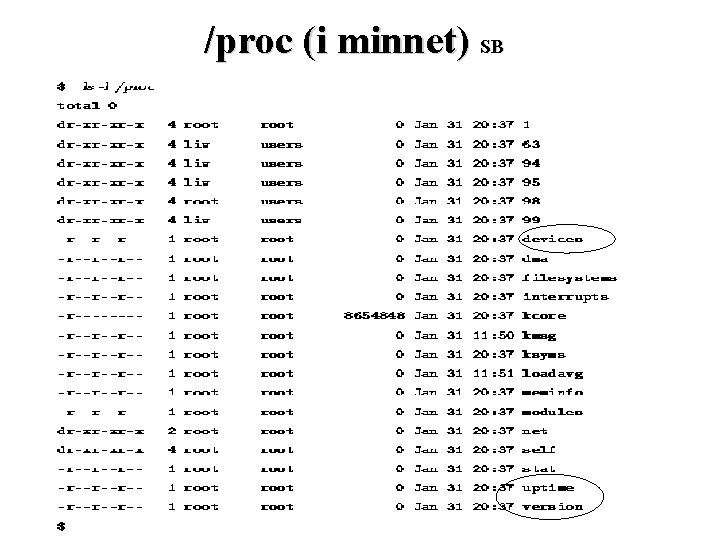
File system, mer SB /home /usr /var /boot /tmp /lib/modules /lost+found /mnt /opt /root /proc Hemkataloger Standardkatalog för applikationer Log-filer , köer mm Files used by bootstrap loader e. g. LILO. (Kärnan + bootinformation) LILO/GRUB (Linux loader/GRand Unified Boot loader ) i MBR (Master Boot Record ) Temporary files. Raderas vid uppstart (Programs running after bootup should use /var/tmp) Shared libraries needed by programs on the root filesystem Loadable kernel modules, especially those that are needed to boot the system when recovering from disasters (e. g. , network and filesystem drivers) Förlorade filer hamnar här vid diskcheck Mount point for external temporary mounts by system administrator. mount jupiter: /export/swap /mnt Många kommersiella program vill installera sig här jmf. /usr Home for user root I primärminne. Se nedan !
/proc (i minnet) SB
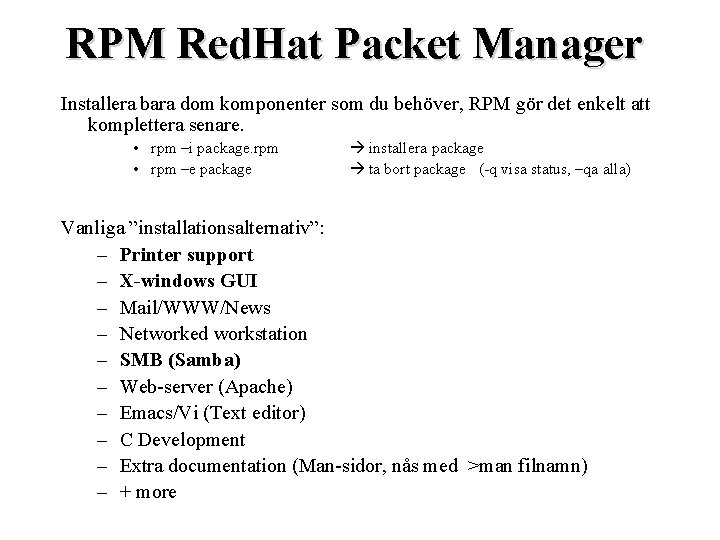
RPM Red. Hat Packet Manager Installera bara dom komponenter som du behöver, RPM gör det enkelt att komplettera senare. • rpm –i package. rpm • rpm –e package installera package ta bort package (-q visa status, –qa alla) Vanliga ”installationsalternativ”: – Printer support – X-windows GUI – Mail/WWW/News – Networked workstation – SMB (Samba) – Web-server (Apache) – Emacs/Vi (Text editor) – C Development – Extra documentation (Man-sidor, nås med >man filnamn) – + more
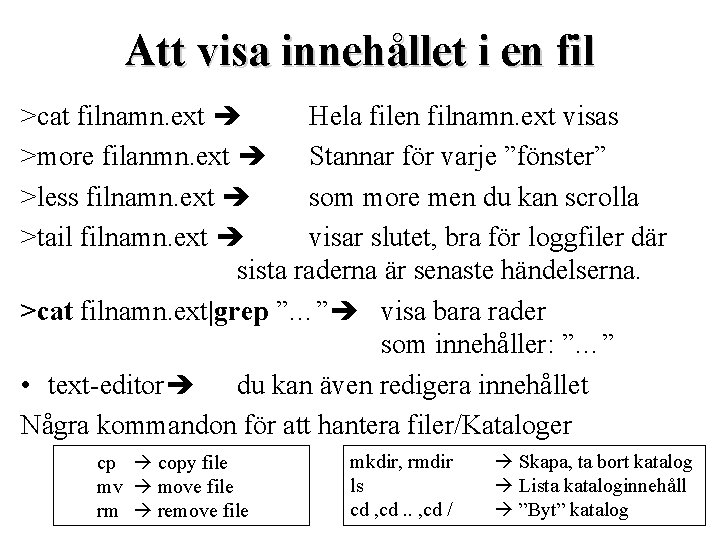
Att visa innehållet i en fil >cat filnamn. ext Hela filen filnamn. ext visas >more filanmn. ext Stannar för varje ”fönster” >less filnamn. ext som more men du kan scrolla >tail filnamn. ext visar slutet, bra för loggfiler där sista raderna är senaste händelserna. >cat filnamn. ext|grep ”…” visa bara rader som innehåller: ”…” • text-editor du kan även redigera innehållet Några kommandon för att hantera filer/Kataloger cp copy file mv move file rm remove file mkdir, rmdir ls cd , cd. . , cd / Skapa, ta bort katalog Lista kataloginnehåll ”Byt” katalog
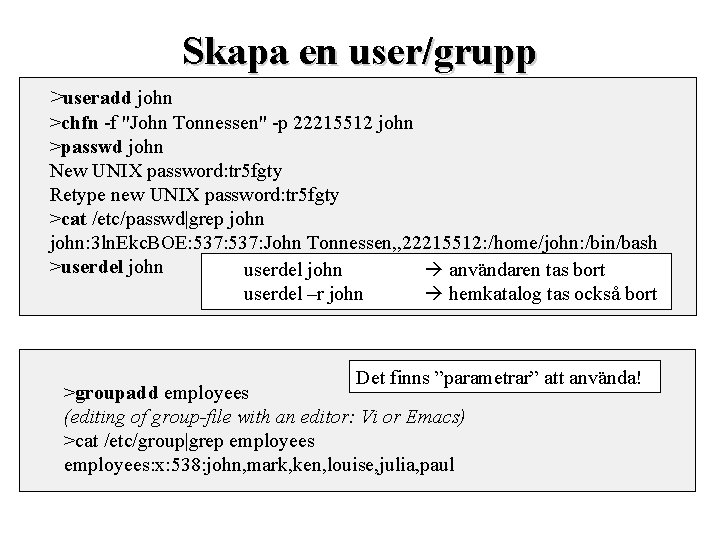
Skapa en user/grupp >useradd john >chfn -f "John Tonnessen" -p 22215512 john >passwd john New UNIX password: tr 5 fgty Retype new UNIX password: tr 5 fgty >cat /etc/passwd|grep john: 3 ln. Ekc. BOE: 537: John Tonnessen, , 22215512: /home/john: /bin/bash >userdel john användaren tas bort userdel –r john hemkatalog tas också bort Det finns ”parametrar” att använda! >groupadd employees (editing of group-file with an editor: Vi or Emacs) >cat /etc/group|grep employees: x: 538: john, mark, ken, louise, julia, paul
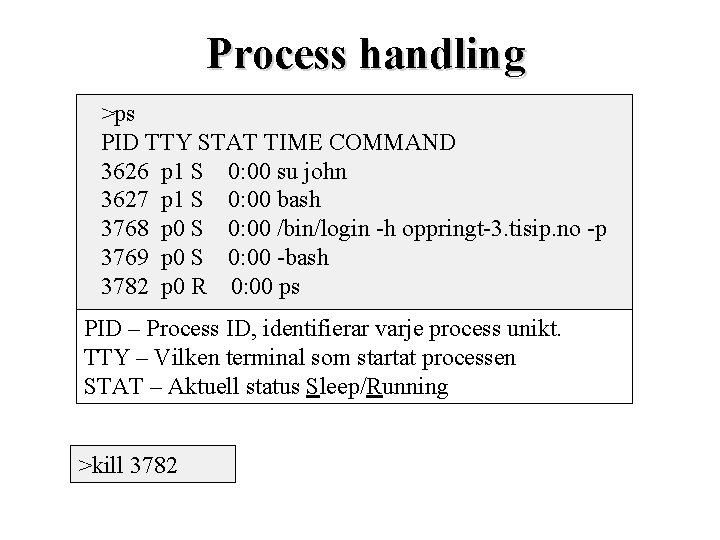
Process handling >ps PID TTY STAT TIME COMMAND 3626 p 1 S 0: 00 su john 3627 p 1 S 0: 00 bash 3768 p 0 S 0: 00 /bin/login -h oppringt-3. tisip. no -p 3769 p 0 S 0: 00 -bash 3782 p 0 R 0: 00 ps PID – Process ID, identifierar varje process unikt. TTY – Vilken terminal som startat processen STAT – Aktuell status Sleep/Running >kill 3782
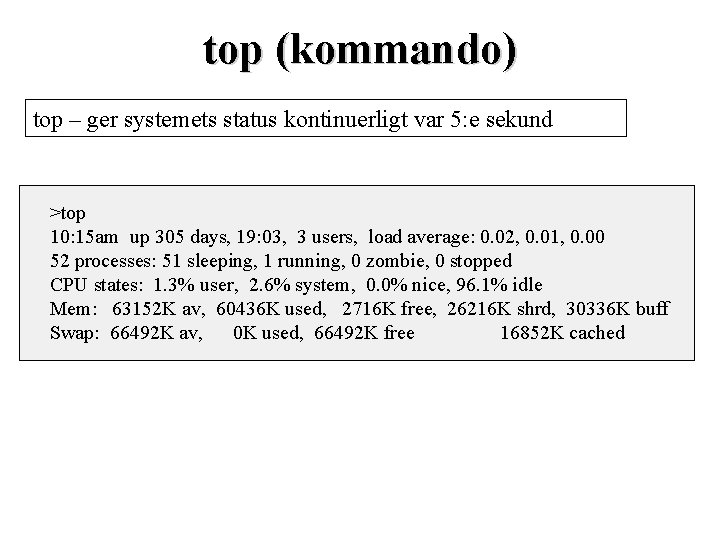
top (kommando) top – ger systemets status kontinuerligt var 5: e sekund >top 10: 15 am up 305 days, 19: 03, 3 users, load average: 0. 02, 0. 01, 0. 00 52 processes: 51 sleeping, 1 running, 0 zombie, 0 stopped CPU states: 1. 3% user, 2. 6% system, 0. 0% nice, 96. 1% idle Mem: 63152 K av, 60436 K used, 2716 K free, 26216 K shrd, 30336 K buff Swap: 66492 K av, 0 K used, 66492 K free 16852 K cached
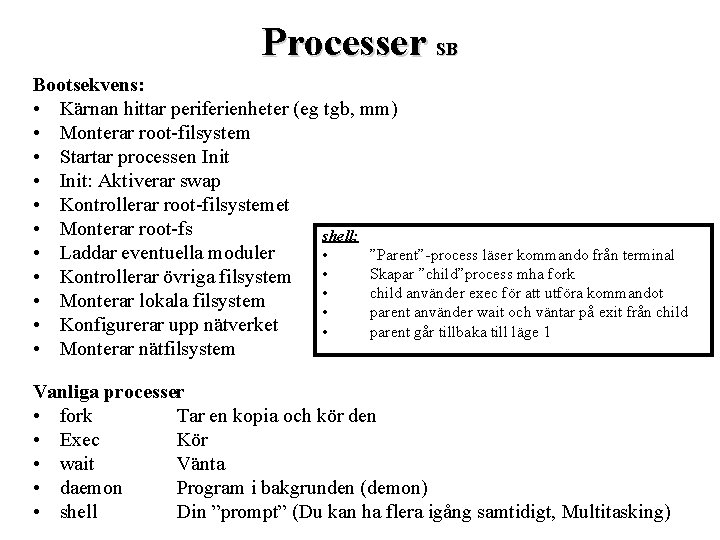
Processer SB Bootsekvens: • Kärnan hittar periferienheter (eg tgb, mm) • Monterar root-filsystem • Startar processen Init • Init: Aktiverar swap • Kontrollerar root-filsystemet • Monterar root-fs shell: • Laddar eventuella moduler • ”Parent”-process läser kommando från terminal Skapar ”child”process mha fork • Kontrollerar övriga filsystem • • child använder exec för att utföra kommandot • Monterar lokala filsystem • parent använder wait och väntar på exit från child • Konfigurerar upp nätverket • parent går tillbaka till läge 1 • Monterar nätfilsystem Vanliga processer • fork Tar en kopia och kör den • Exec Kör • wait Vänta • daemon Program i bakgrunden (demon) • shell Din ”prompt” (Du kan ha flera igång samtidigt, Multitasking)
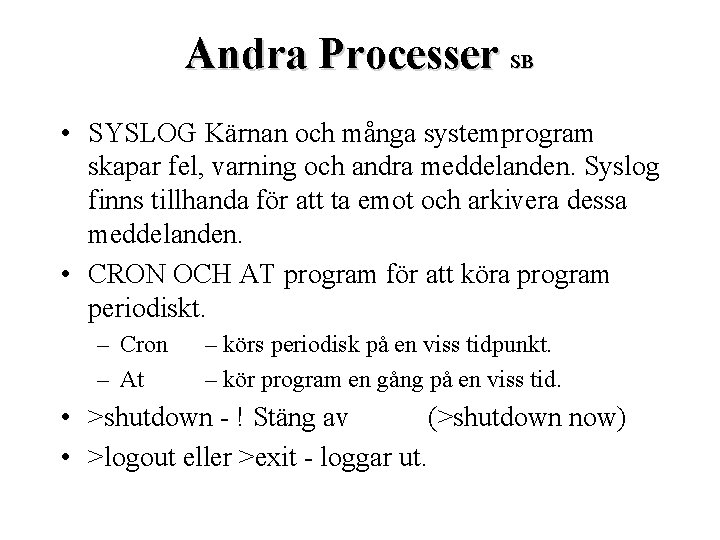
Andra Processer SB • SYSLOG Kärnan och många systemprogram skapar fel, varning och andra meddelanden. Syslog finns tillhanda för att ta emot och arkivera dessa meddelanden. • CRON OCH AT program för att köra program periodiskt. – Cron – At – körs periodisk på en viss tidpunkt. – kör program en gång på en viss tid. • >shutdown - ! Stäng av (>shutdown now) • >logout eller >exit - loggar ut.
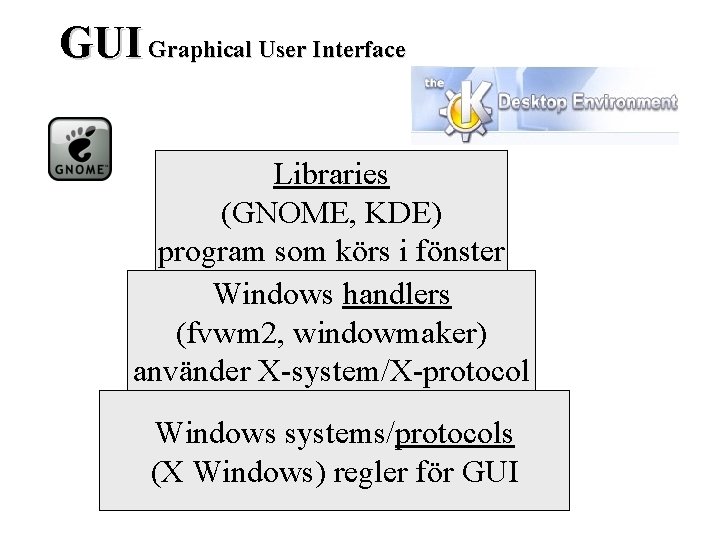
GUI Graphical User Interface Libraries (GNOME, KDE) program som körs i fönster Windows handlers (fvwm 2, windowmaker) använder X-system/X-protocol Windows systems/protocols (X Windows) regler för GUI
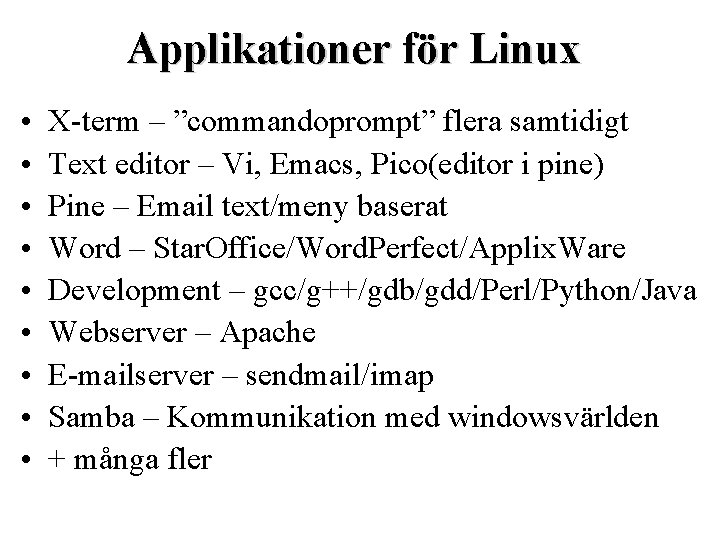
Applikationer för Linux • • • X-term – ”commandoprompt” flera samtidigt Text editor – Vi, Emacs, Pico(editor i pine) Pine – Email text/meny baserat Word – Star. Office/Word. Perfect/Applix. Ware Development – gcc/g++/gdb/gdd/Perl/Python/Java Webserver – Apache E-mailserver – sendmail/imap Samba – Kommunikation med windowsvärlden + många fler
http: //www. samba. org/ Samba SB • smbd (the SMB daemon) • nmbd (Provides Net. BIOS nameserver support to clients) • configuration file = /etc/smb. conf • log file = /var/log/samba-log. %m • lock directory = /var/lock/samba. • (/usr/bin or /usr/local/samba/bin)smbstatus (Lists the current SMB connections for the local host)
WEBMIN SB • Webmin is a web-based interface for system administration for Unix. Using any browser that supports tables and forms (and Java for the File Manager module), you can setup user accounts, Apache, DNS, file sharing and so on. Webmin consists of a simple web server, and a number of CGI programs which directly update system files like /etc/inetd. conf and /etc/passwd. The web server and all CGI programs are written in Perl version 5, and use no non-standard Perl modules. (WWW. webmin. com)
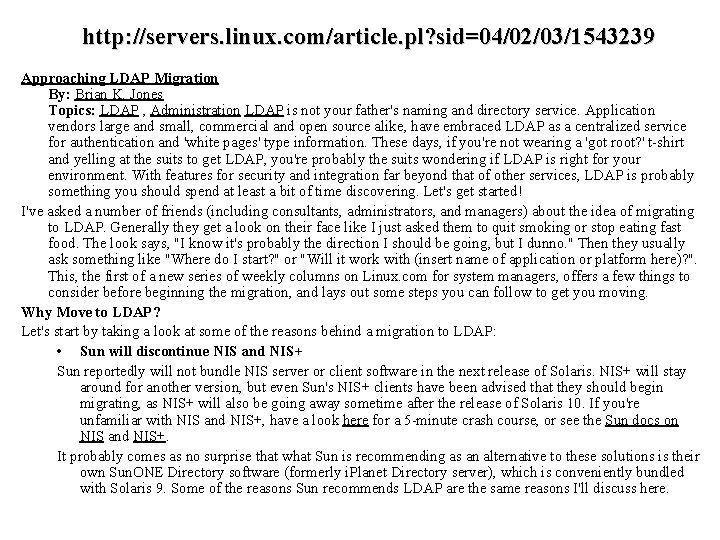
http: //servers. linux. com/article. pl? sid=04/02/03/1543239 Approaching LDAP Migration By: Brian K. Jones Topics: LDAP , Administration LDAP is not your father's naming and directory service. Application vendors large and small, commercial and open source alike, have embraced LDAP as a centralized service for authentication and 'white pages' type information. These days, if you're not wearing a 'got root? ' t-shirt and yelling at the suits to get LDAP, you're probably the suits wondering if LDAP is right for your environment. With features for security and integration far beyond that of other services, LDAP is probably something you should spend at least a bit of time discovering. Let's get started! I've asked a number of friends (including consultants, administrators, and managers) about the idea of migrating to LDAP. Generally they get a look on their face like I just asked them to quit smoking or stop eating fast food. The look says, "I know it's probably the direction I should be going, but I dunno. " Then they usually ask something like "Where do I start? " or "Will it work with (insert name of application or platform here)? ". This, the first of a new series of weekly columns on Linux. com for system managers, offers a few things to consider before beginning the migration, and lays out some steps you can follow to get you moving. Why Move to LDAP? Let's start by taking a look at some of the reasons behind a migration to LDAP: • Sun will discontinue NIS and NIS+ Sun reportedly will not bundle NIS server or client software in the next release of Solaris. NIS+ will stay around for another version, but even Sun's NIS+ clients have been advised that they should begin migrating, as NIS+ will also be going away sometime after the release of Solaris 10. If you're unfamiliar with NIS and NIS+, have a look here for a 5 -minute crash course, or see the Sun docs on NIS and NIS+. It probably comes as no surprise that what Sun is recommending as an alternative to these solutions is their own Sun. ONE Directory software (formerly i. Planet Directory server), which is conveniently bundled with Solaris 9. Some of the reasons Sun recommends LDAP are the same reasons I'll discuss here.
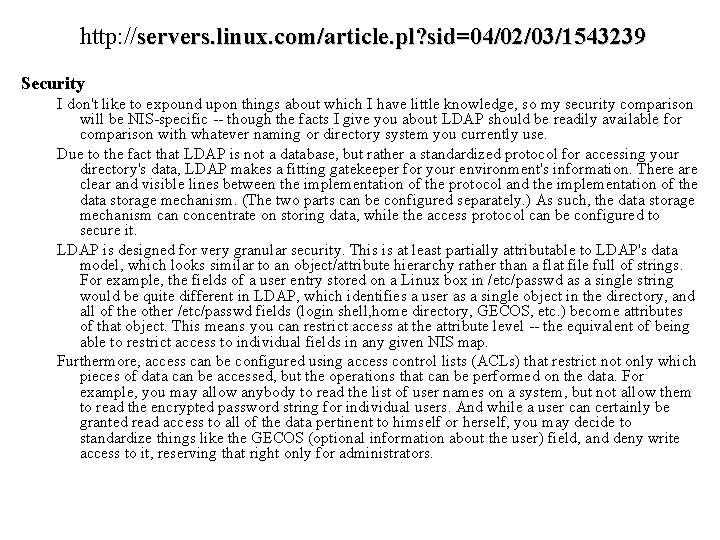
http: //servers. linux. com/article. pl? sid=04/02/03/1543239 Security I don't like to expound upon things about which I have little knowledge, so my security comparison will be NIS-specific -- though the facts I give you about LDAP should be readily available for comparison with whatever naming or directory system you currently use. Due to the fact that LDAP is not a database, but rather a standardized protocol for accessing your directory's data, LDAP makes a fitting gatekeeper for your environment's information. There are clear and visible lines between the implementation of the protocol and the implementation of the data storage mechanism. (The two parts can be configured separately. ) As such, the data storage mechanism can concentrate on storing data, while the access protocol can be configured to secure it. LDAP is designed for very granular security. This is at least partially attributable to LDAP's data model, which looks similar to an object/attribute hierarchy rather than a flat file full of strings. For example, the fields of a user entry stored on a Linux box in /etc/passwd as a single string would be quite different in LDAP, which identifies a user as a single object in the directory, and all of the other /etc/passwd fields (login shell, home directory, GECOS, etc. ) become attributes of that object. This means you can restrict access at the attribute level -- the equivalent of being able to restrict access to individual fields in any given NIS map. Furthermore, access can be configured using access control lists (ACLs) that restrict not only which pieces of data can be accessed, but the operations that can be performed on the data. For example, you may allow anybody to read the list of user names on a system, but not allow them to read the encrypted password string for individual users. And while a user can certainly be granted read access to all of the data pertinent to himself or herself, you may decide to standardize things like the GECOS (optional information about the user) field, and deny write access to it, reserving that right only for administrators.
http: //servers. linux. com/article. pl? sid=04/02/03/1543239 Integration I don't think the powers-that-be would be silly enough to try to push administrators toward a NIS/NIS+ replacements that won't give them at least the same level of integration as these two services. Over the years, naming and directory services tend to become dependencies for most applications in the environment in which they're working. Although there are still a few areas where LDAP support is not where it should be, for many environments LDAP works with everything NIS does, and then some. A couple of quick examples: • Apache can use LDAP to perform authentication. • Sendmail can use LDAP for authentication, mail routing information, and alias lookups. • Samba can use LDAP as a backend authentication mechanism. • Autofs can retrieve automounter maps from LDAP. • Free. RADIUS can authenticate against LDAP Wow! And these examples are just the tip of the iceberg. In addition to system services, many companies use LDAP as a corporate "white pages" solution, because so many email and calendar applications are LDAP-compatible. Netscape, Mozilla, Evolution, Outlook, KMail, and many more email clients have robust support for LDAP, and even text-based clients like Mutt and Pine can do address completion based on an LDAP search.
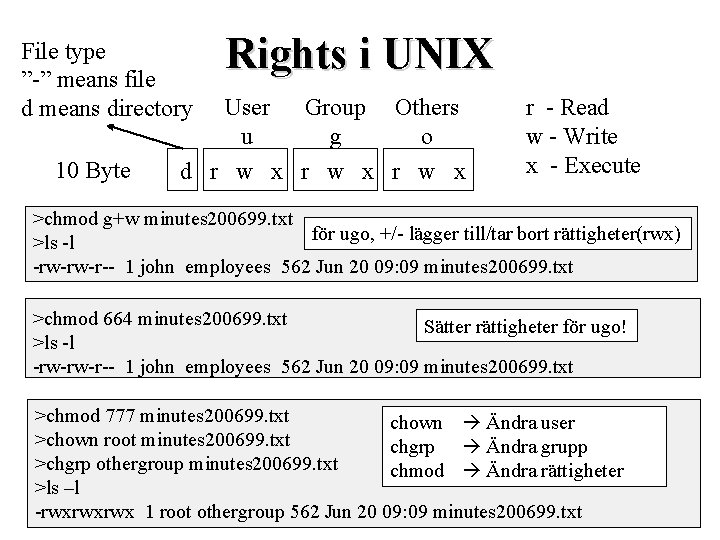
File type ”-” means file d means directory 10 Byte Rights i UNIX User Group Others u g o d r w x r - Read w - Write x - Execute >chmod g+w minutes 200699. txt för ugo, +/- lägger till/tar bort rättigheter(rwx) >ls -l -rw-rw-r-- 1 john employees 562 Jun 20 09: 09 minutes 200699. txt >chmod 664 minutes 200699. txt Sätter rättigheter för ugo! >ls -l -rw-rw-r-- 1 john employees 562 Jun 20 09: 09 minutes 200699. txt >chmod 777 minutes 200699. txt chown Ändra user >chown root minutes 200699. txt chgrp Ändra grupp >chgrp othergroup minutes 200699. txt chmod Ändra rättigheter >ls –l -rwxrwxrwx 1 root othergroup 562 Jun 20 09: 09 minutes 200699. txt