
living with the lab arduino cc Gerald Recktenwald
living with the lab arduino. cc Gerald Recktenwald Portland State University gerry@me. pdx. edu Introduction to Arduino Programming
living with the lab references these notes borrow from. . . – Arduino web site • http: //arduino. cc/en/Guide/Environment • http: //arduino. cc/en/Tutorial/Home. Page – Adafruit tutorial #1 and 2 • http: //www. ladyada. net/learn/arduino/lesson 2. html – Leah Buechley’s Introduction to Arduino • http: //web. media. mit. edu/~leah/Lily. Pad/03_arduino_intro. html 2
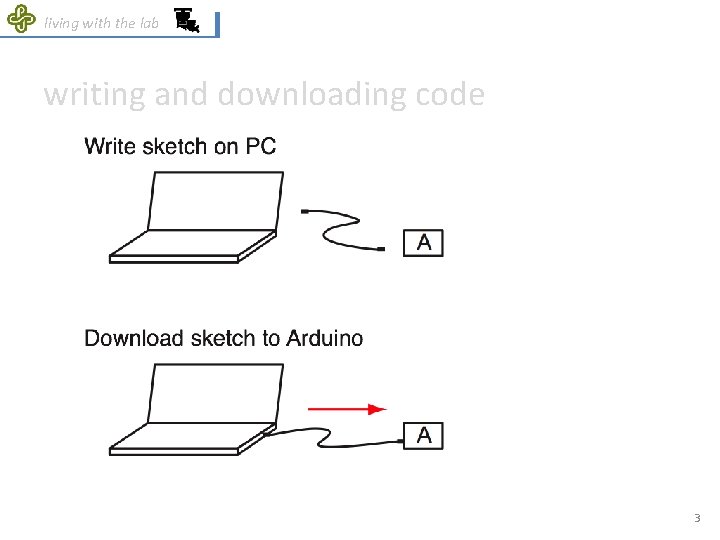
living with the lab writing and downloading code 3
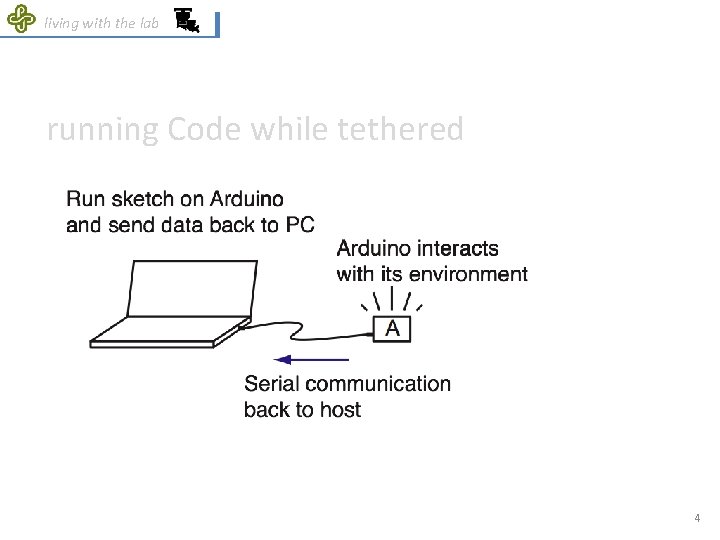
living with the lab running Code while tethered 4
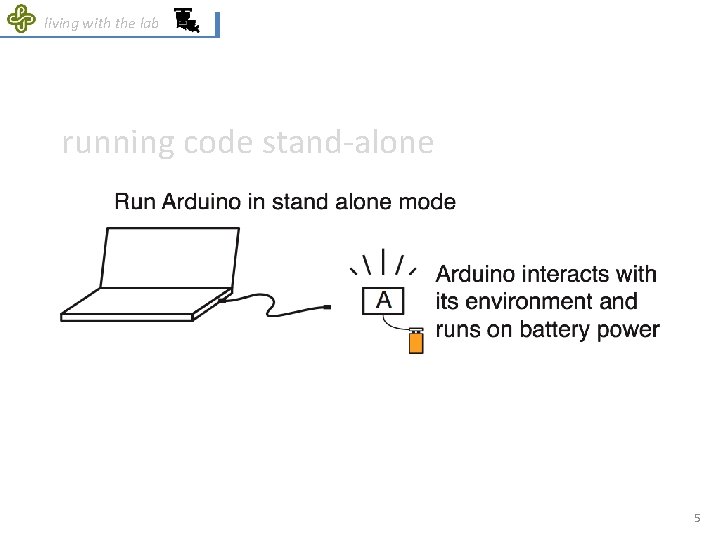
living with the lab running code stand-alone 5

living with the lab Arduino IDE = Integrated Development Environment http: //www. arduino. cc/en/Guide/Environment 6
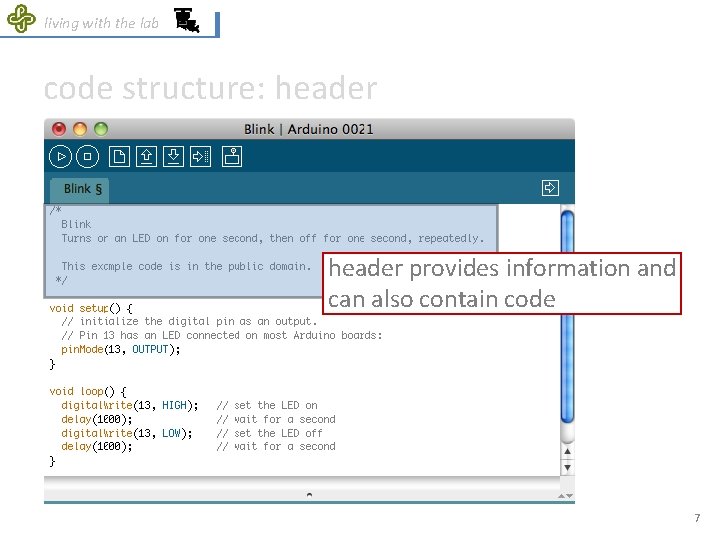
living with the lab code structure: header provides information and can also contain code 7
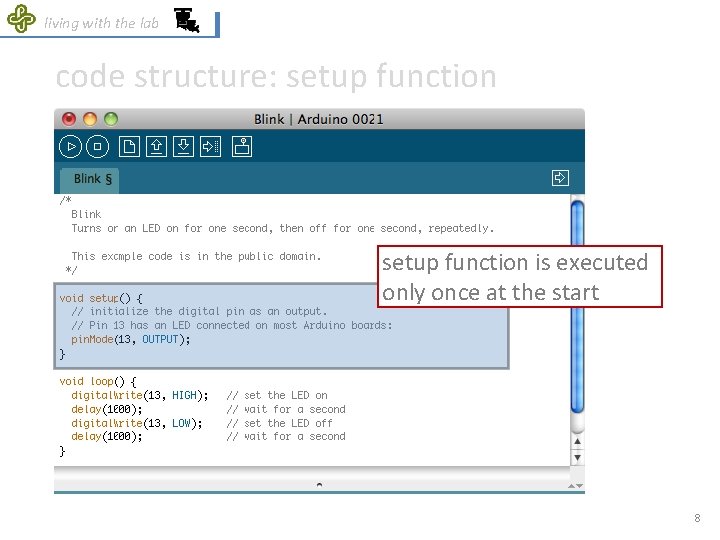
living with the lab code structure: setup function is executed only once at the start 8
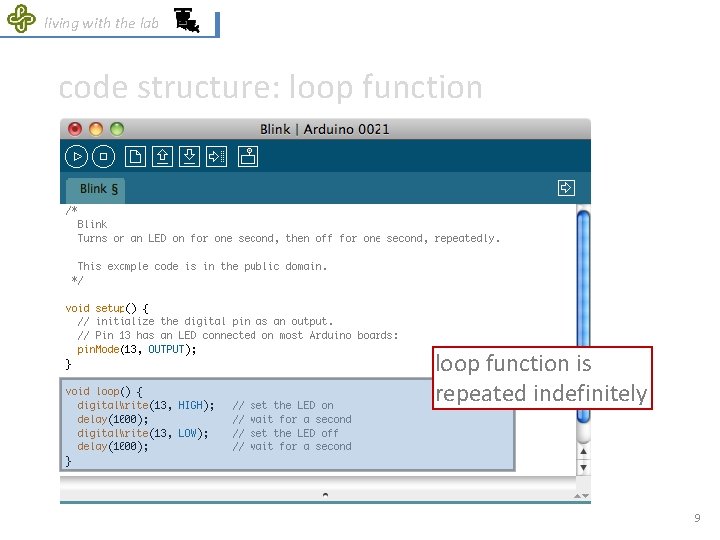
living with the lab code structure: loop function is repeated indefinitely 9
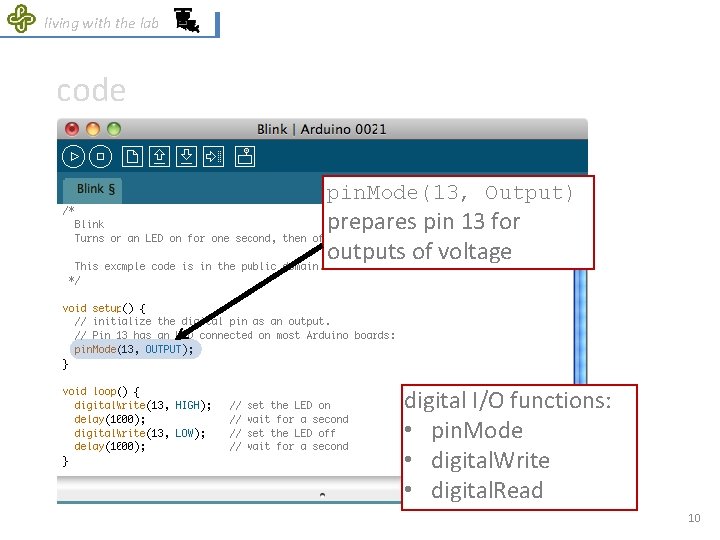
living with the lab code pin. Mode(13, Output) prepares pin 13 for outputs of voltage digital I/O functions: • pin. Mode • digital. Write • digital. Read 10
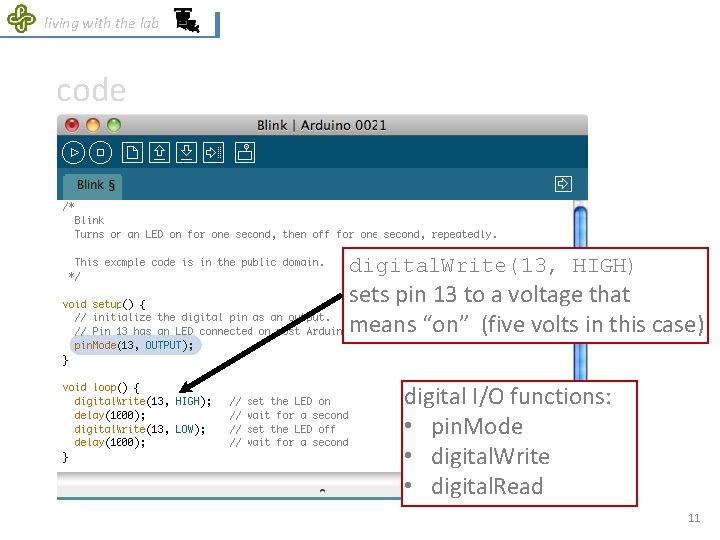
living with the lab code digital. Write(13, HIGH) sets pin 13 to a voltage that means “on” (five volts in this case) digital I/O functions: • pin. Mode • digital. Write • digital. Read 11
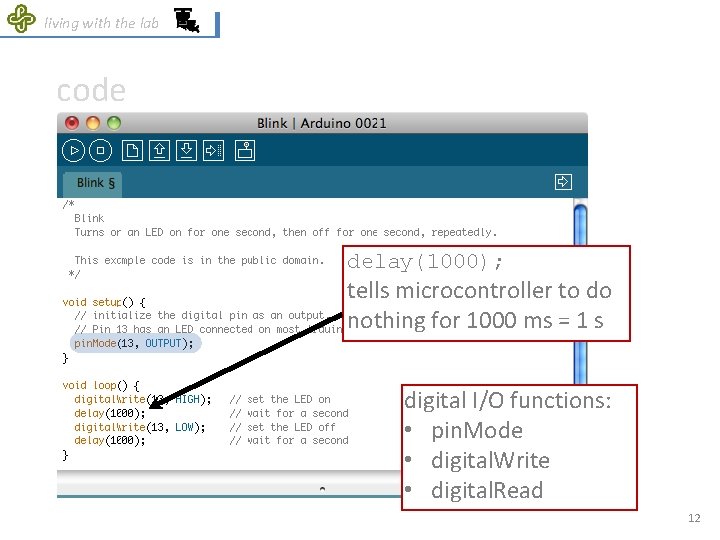
living with the lab code delay(1000); tells microcontroller to do nothing for 1000 ms = 1 s digital I/O functions: • pin. Mode • digital. Write • digital. Read 12
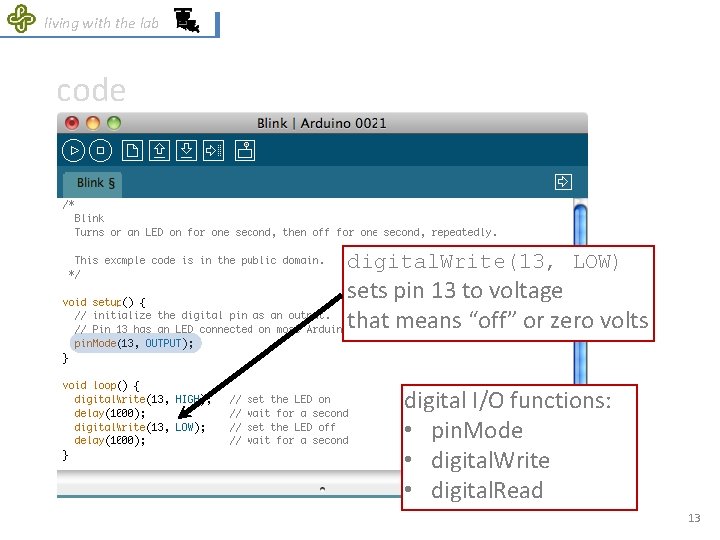
living with the lab code digital. Write(13, LOW) sets pin 13 to voltage that means “off” or zero volts digital I/O functions: • pin. Mode • digital. Write • digital. Read 13
- Slides: 13