
Liverpool HEP Site Report May 2012 John Bland
Liverpool HEP - Site Report May 2012 John Bland, Robert Fay
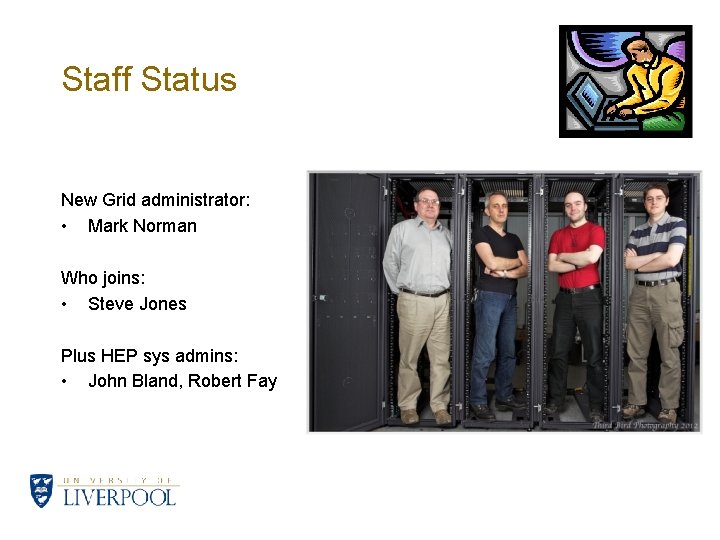
Staff Status New Grid administrator: • Mark Norman Who joins: • Steve Jones Plus HEP sys admins: • John Bland, Robert Fay
Current Hardware - Users Desktops • ~100 Desktops: Scientific Linux 5. 5, Windows 7+XP, Legacy systems • Minimum spec of 2. 66 GHz Q 8400, 4 GB RAM + TFT Monitor • Recently upgraded, clean installs, single platform • Opportunistic batch usage (~60 cores) Laptops • ~60 Laptops: Mixed architecture • Windows+VM, Mac. OS+VM, Netbooks Printers • Samsung and Brother desktop printers • Various HP model heavy duty group printers
Current Hardware – ‘Tier 3’ Batch Farm • Software repository (0. 5 TB), storage (3 TB scratch, 13 TB bulk) • ‘medium 64’, ‘short 64’ queues consist of 9 64 bit SL 5 nodes (2 x. L 5420, 2 GB/core) • Plus ‘desk 64’ for aforementioned desktop usage and ‘all 64’ • 2 of the 9 SL 5 nodes can also be used interactively • 5 older interactive nodes (dual 32 bit Xeon 2. 4 GHz, 2 GB/core) • Using Torque/PBS/Maui+Fairshares • Used for general, short analysis jobs • Grid jobs are occasionally run opportunistically on this cluster (not much recently due to steady local usage)
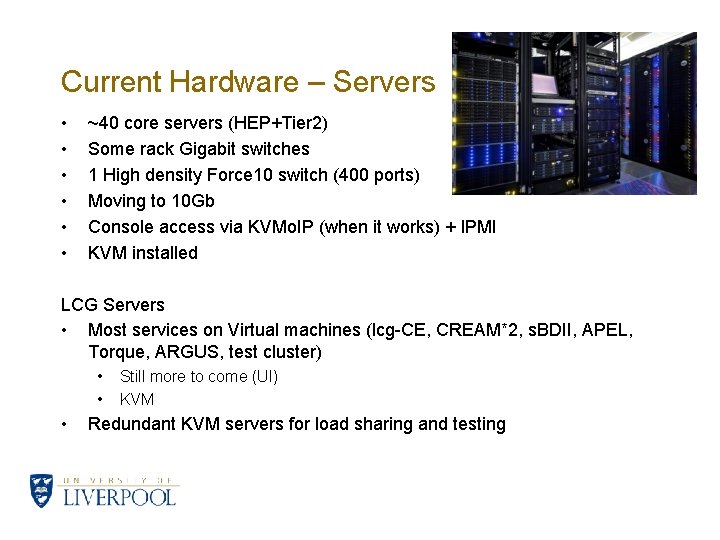
Current Hardware – Servers • • • ~40 core servers (HEP+Tier 2) Some rack Gigabit switches 1 High density Force 10 switch (400 ports) Moving to 10 Gb Console access via KVMo. IP (when it works) + IPMI KVM installed LCG Servers • Most services on Virtual machines (lcg-CE, CREAM*2, s. BDII, APEL, Torque, ARGUS, test cluster) • • • Still more to come (UI) KVM Redundant KVM servers for load sharing and testing
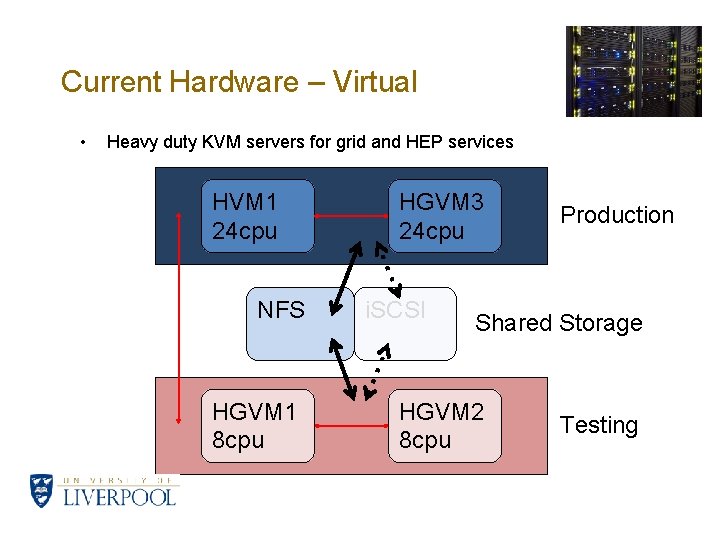
Current Hardware – Virtual • Heavy duty KVM servers for grid and HEP services HVM 1 24 cpu NFS HGVM 1 8 cpu HGVM 3 24 cpu i. SCSI Production Shared Storage HGVM 2 8 cpu Testing
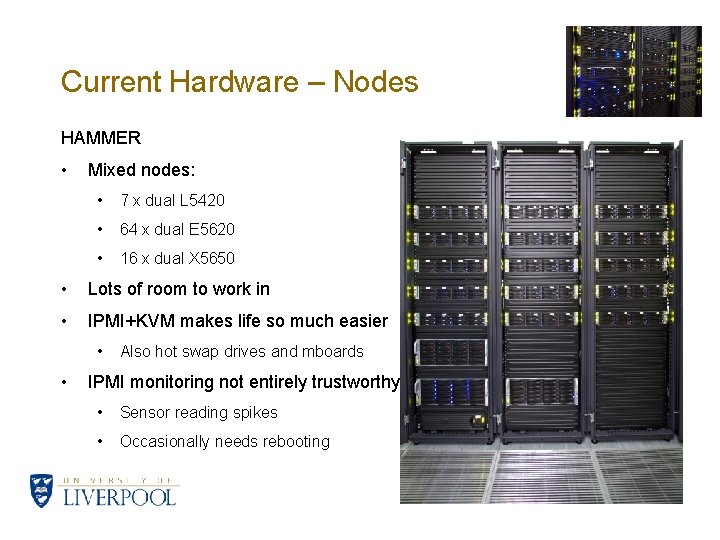
Current Hardware – Nodes HAMMER • Mixed nodes: • 7 x dual L 5420 • 64 x dual E 5620 • 16 x dual X 5650 • Lots of room to work in • IPMI+KVM makes life so much easier • • Also hot swap drives and mboards IPMI monitoring not entirely trustworthy • Sensor reading spikes • Occasionally needs rebooting
Configuration and deployment • Kickstart used for OS installation and basic post install • • • Puppet used for post-kickstart node installation (glite-WN, YAIM etc) • Also used for keeping systems up to date and rolling out packages • And used on desktops for software and mount points Custom local testnode script to periodically check node health and software status • • Used with PXE boot for some servers and all desktops Nodes put offline/online automatically Keep local YUM repo mirrors, updated when required, no surprise updates
HEP Network • Grid cluster is on a sort-of separate subnet (138. 253. 178/24) • Shares some of this with local HEP systems • Most of these addresses may be freed up with local LAN reassignments • Monitored by Cacti/weathermap, Ganglia, Sflow/ntop (when it works), snort (sort of) • Grid site behind local bridge/firewall, 2 G to CSD, 1 G to Janet • • Shared with other University traffic • Upgrades to 10 G for WAN soon (now in progress!) Grid LAN under our control, everything outside our firewall controlled by our Computing Services Department (CSD) • We continue to look forward to collaborating with CSD to make things work
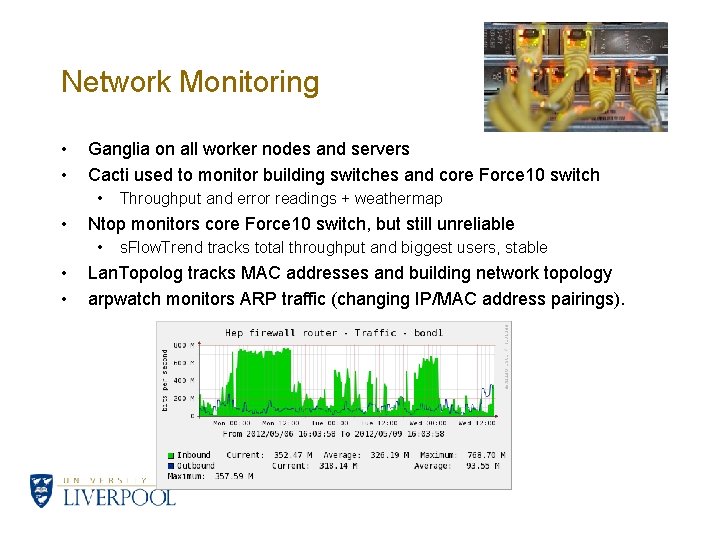
Network Monitoring • • Ganglia on all worker nodes and servers Cacti used to monitor building switches and core Force 10 switch • • Ntop monitors core Force 10 switch, but still unreliable • • • Throughput and error readings + weathermap s. Flow. Trend tracks total throughput and biggest users, stable Lan. Topolog tracks MAC addresses and building network topology arpwatch monitors ARP traffic (changing IP/MAC address pairings).
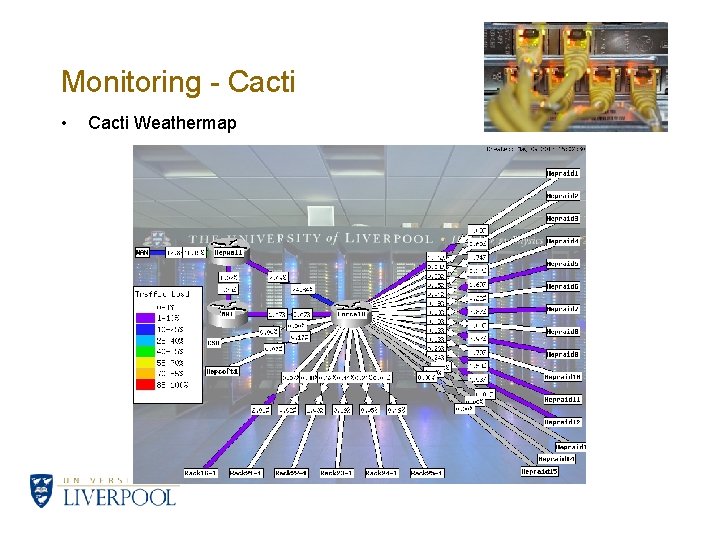
Monitoring - Cacti • Cacti Weathermap
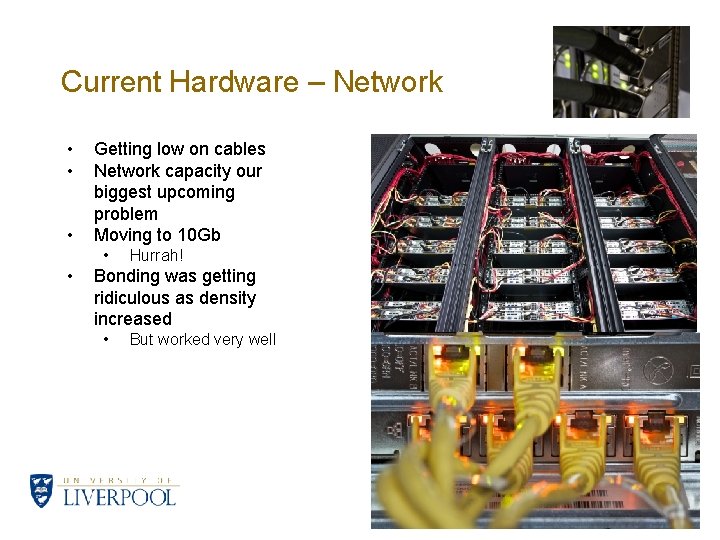
Current Hardware – Network • • • Getting low on cables Network capacity our biggest upcoming problem Moving to 10 Gb • • Hurrah! Bonding was getting ridiculous as density increased • But worked very well
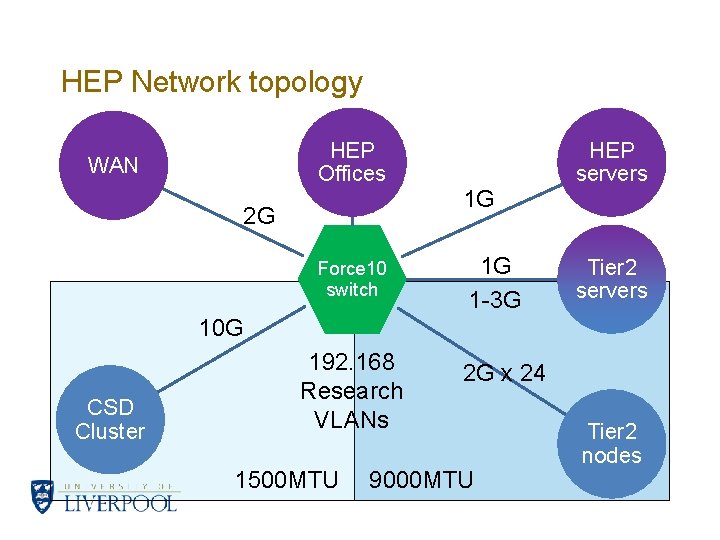
HEP Network topology HEP Offices WAN 2 G Force 10 switch 1 G 1 G 1 -3 G HEP servers Tier 2 servers 10 G CSD Cluster 192. 168 Research VLANs 1500 MTU 2 G x 24 9000 MTU Tier 2 nodes
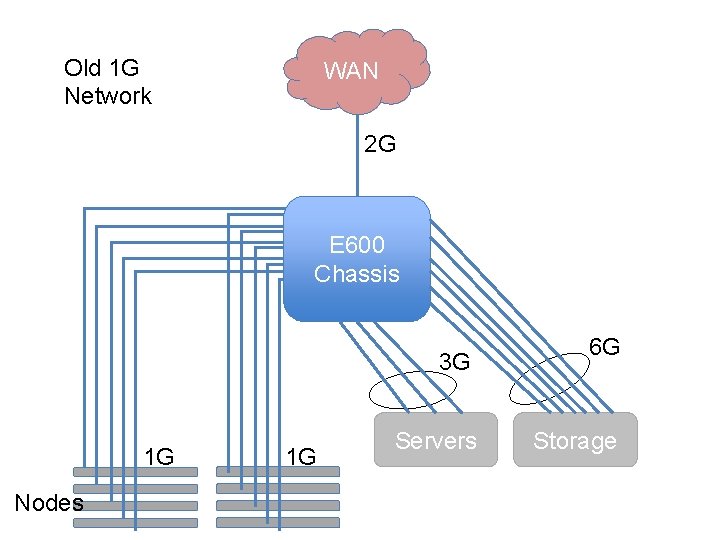
Old 1 G Network WAN 2 G E 600 Chassis 3 G 1 G Nodes 1 G Servers 6 G Storage
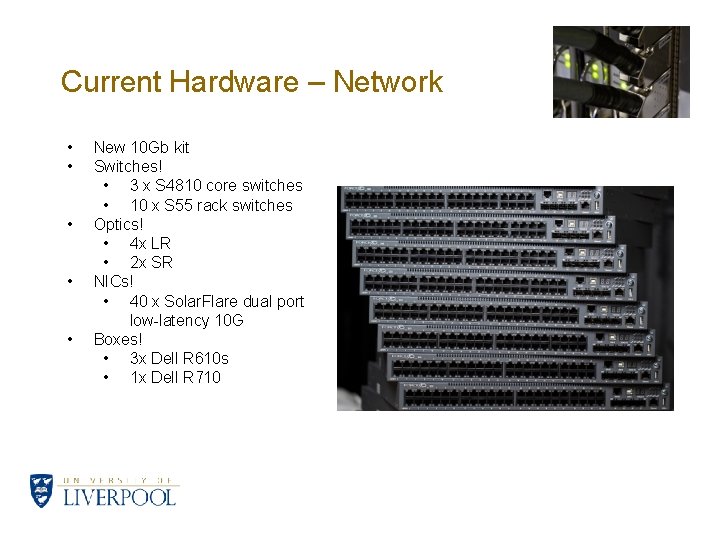
Current Hardware – Network • • • New 10 Gb kit Switches! • 3 x S 4810 core switches • 10 x S 55 rack switches Optics! • 4 x LR • 2 x SR NICs! • 40 x Solar. Flare dual port low-latency 10 G Boxes! • 3 x Dell R 610 s • 1 x Dell R 710
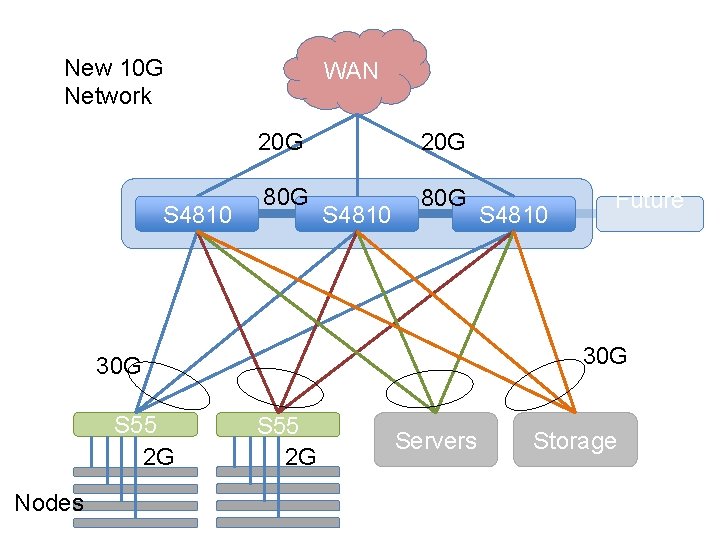
New 10 G Network S 4810 WAN 20 G 80 G S 4810 Nodes Future … 30 G S 55 2 G S 4810 S 55 2 G Servers Storage
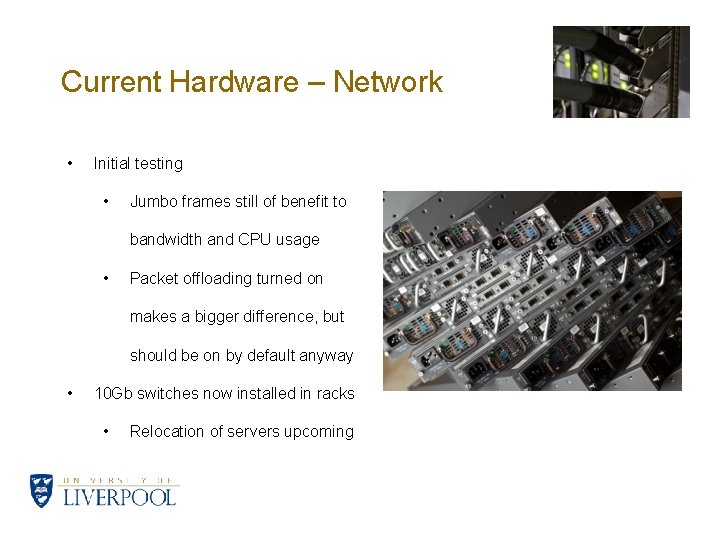
Current Hardware – Network • Initial testing • Jumbo frames still of benefit to bandwidth and CPU usage • Packet offloading turned on makes a bigger difference, but should be on by default anyway • 10 Gb switches now installed in racks • Relocation of servers upcoming
Storage • Majority of file stores using hardware RAID 6. • Mix of 3 ware, Areca SATA controllers and Adaptec SAS/SATA • Arrays monitored with 3 ware/Areca software and nagios plugins • Software RAID 1 system disks on all servers. • • Now have ~550 TB RAID storage in total. Getting to be a lot of spinning disks (~700 enterprise drives in WNs, RAID and servers). • • A few RAID 10 s for bigger arrays and RAID 0 on WNs Keep many local spares Older servers were upgraded 1 TB->2 TB • Trickle down of 1 TB->0. 75 TB->0. 25 TB upgrades • Also beefed up some server local system/data disks
Central Clusters • Spent last few years trying to hook up UKI-NORTHGRID-LIV-HEP to NWGRID over at the Computing Services Department (CSD) • Never really worked • • Too many problems with OS versions • SGE awkward • Shared environment and configuration by proxy is painful New £ 1 million procurement now in progress • We’re on the procurement committee • Physics requirements included from the outset • Steering and technical committees will be formed • Looks promising
Security • Network security • • • University firewall filters off-campus traffic Local HEP firewalls to filter on-campus traffic Monitoring of LAN devices (and blocking of MAC addresses on switch) Single SSH gateway, Denyhosts Snort and BASE (still need to refine rules to be useful, too many alerts) Physical security • • Secure cluster room with swipe card access Laptop cable locks (occasionally some laptops stolen from building) Promoting use of encryption for sensitive data Parts of HEP building publically accessible • We had some (non-cluster) kit stolen • Logging • • Server system logs backed up daily, stored for 1 year Auditing logged MAC addresses to find rogue devices
Plans and Issues • Research Computing • • • GPGPU work • • • Research now more of an emphasis Various projects in pipeline Tesla box (dual Tesla M 2070 s) Looking forward to MIC Cluster room cooling still very old, regular failures • • • Bit more slack after the MAP 2 removal but failures increasing However central Facilities Management maintenance has improved University data centre strategy continues to evolve There were plans to move CSD kit into the room, but this is not happening as things stand While we’re on the subject of cooling, we had an incident…
It’s getting hot in here… • • • One Saturday morning, a large compressor in the building basement blew a fuse This took out the main building power Our air-conditioning is on the main building power But our cluster power is not… Ambient temperature hit ~60 C before building power was restored • A bit warmer than Death Valley and Africa at their hottest • We had some measures in place • Some systems shut down • But there were some problems • External network link went down with building power failure • Need to automatically switch off systems more aggressively • Aftermath • Some hard drives failed • Some insist on telling us about this one time it got really hot (smartctl health check return code has bit 5 set, indicating passed check but attribute has been <= threshold)
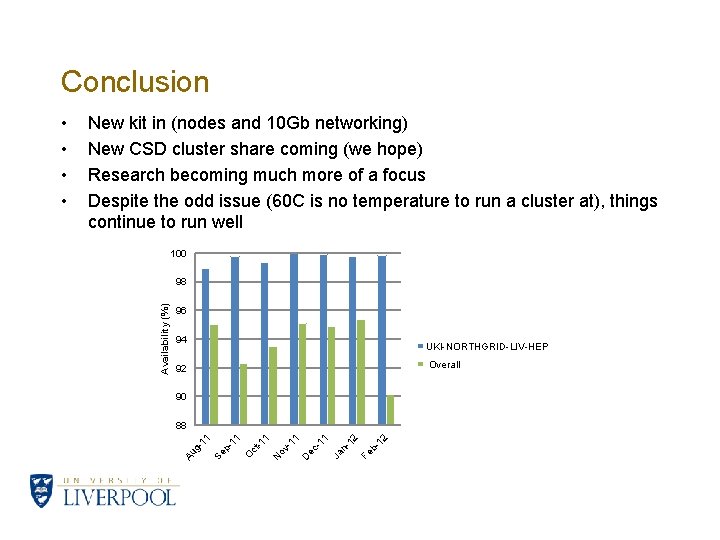
Conclusion New kit in (nodes and 10 Gb networking) New CSD cluster share coming (we hope) Research becoming much more of a focus Despite the odd issue (60 C is no temperature to run a cluster at), things continue to run well 100 98 96 94 UKI-NORTHGRID-LIV-HEP Overall 92 90 12 b- Fe n 12 Ja 11 ec - D ov - 11 1 N -1 ct O 11 p- Se g- 11 88 Au Availability (%) • •
- Slides: 23